Monitoring a competitor who publishes no feed is the case every RSS guide skips. Twenty-one platforms sorted by which of three jobs they do, and the finished setup is business process automation you own outright, with no seat licence to renew.
Blaming the content is the reflex when a post underperforms, and it is usually the wrong diagnosis. A second reader decides distribution before any human sees the post, and most of what it checks is mechanical enough to automate business processes around, on five platforms at once.
Gloves on, tape measure in hand — nobody types a query. Three voice surfaces for ai automation tools (terminal, Telegram, Discord), 10 TTS and 6 STT providers compared on cost and latency, plus a setup that costs nothing.
The failure has a signature: nothing broke, and yet everything got slower. Two people join, the setup that hummed for months starts producing work that has to be reconciled instead of merged, and no single decision looks wrong in the retro. What actually happened is that a working solo setup runs on conventions nobody wrote down — the naming, the order, the two things you always check before shipping. Workflow automation software does not carry those across on its own. They have to be moved deliberately, and this is the list of what to move first.
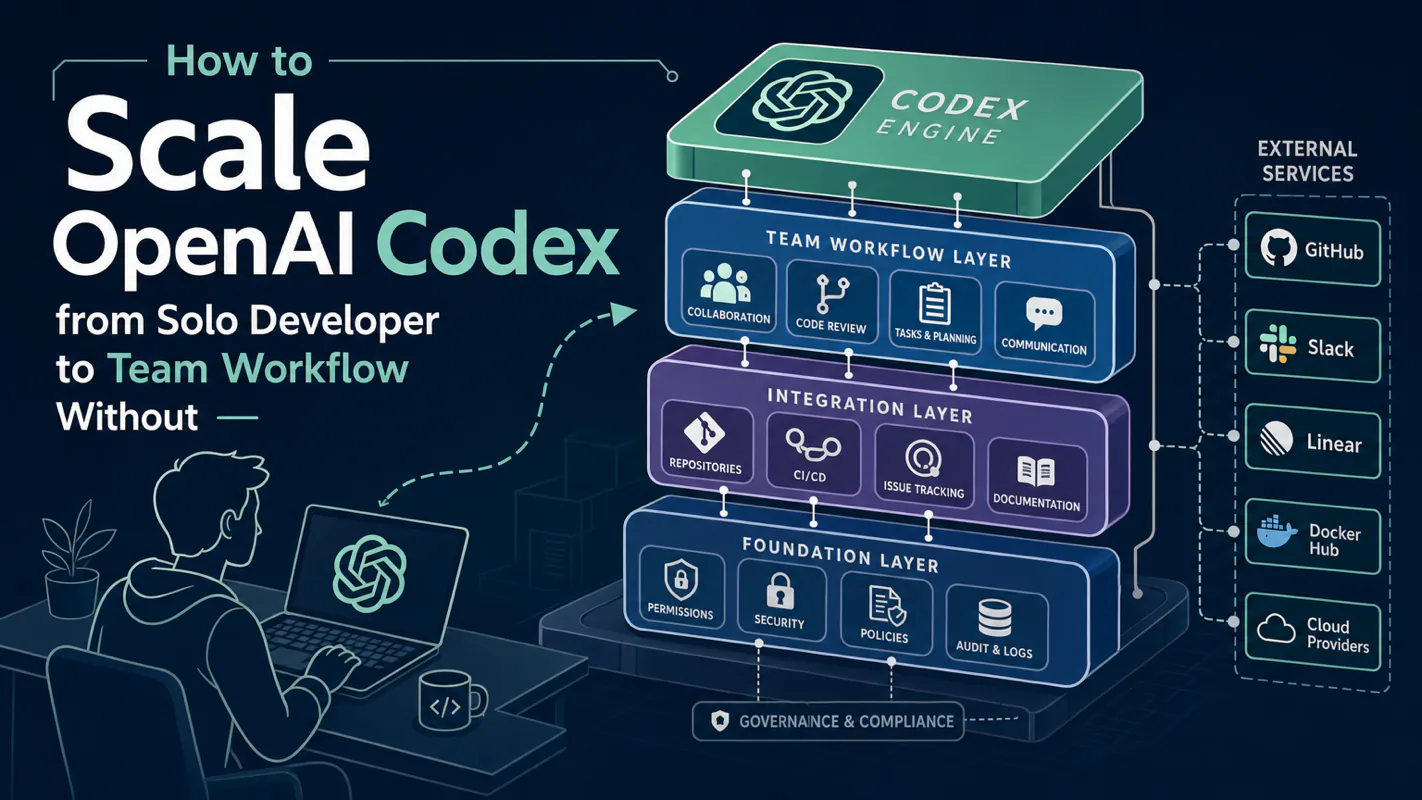
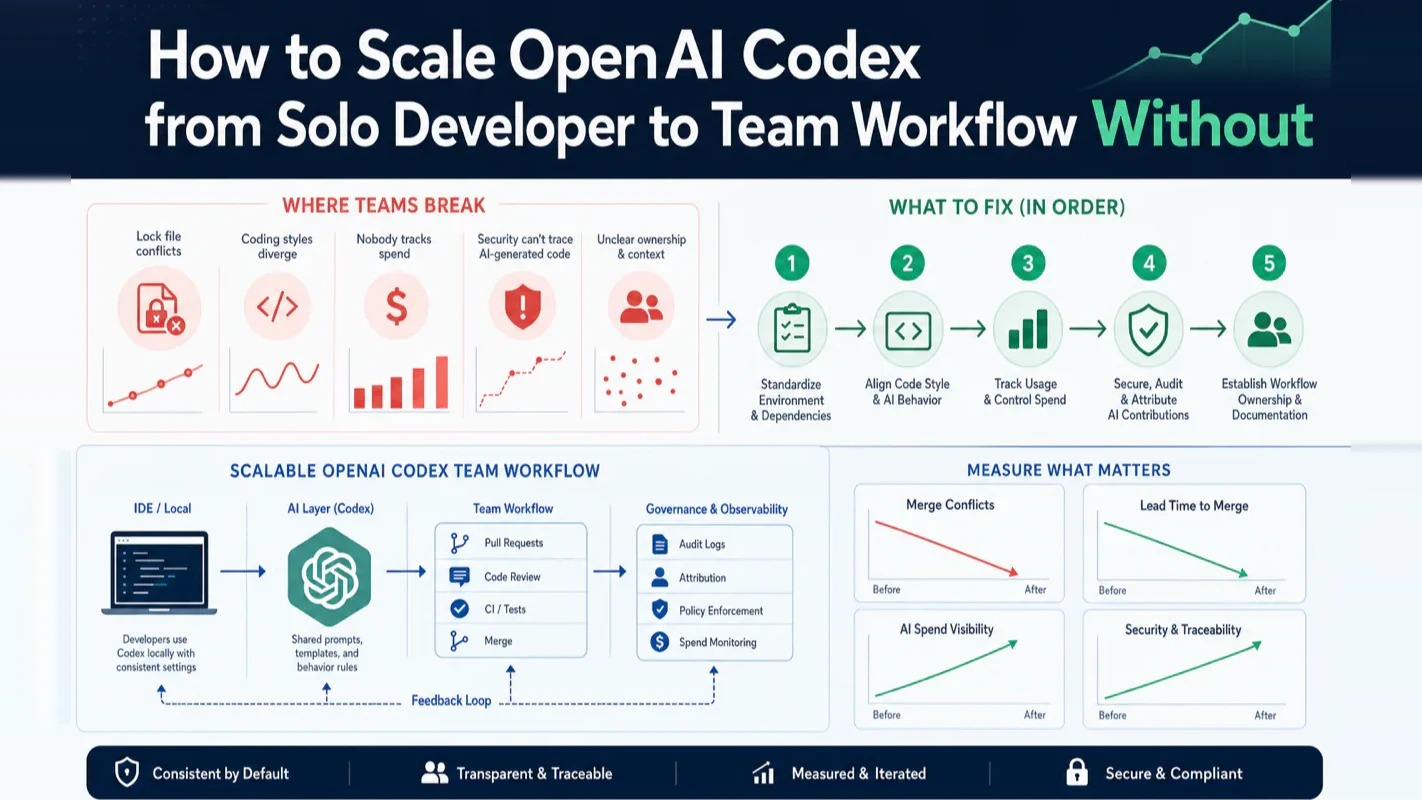
Your solo Codex setup hums along perfectly. Then you add two teammates and watch it collapse in slow motion: lock files thrash between pnpm and npm, code style drifts into three incompatible dialects, nobody can explain the month-end bill, and security gets no answer when they ask which commits came from AI.
The fix is not a more complex tool. It is five specific things that move unwritten rules from individual machines into the shared repository. This tutorial walks through each one, explains when to deploy it, and gives you a concrete starting sequence.
I have run this exact transition across my own multi-agent production setup — coordinating six parallel Codex sessions across multiple machines with shared configuration and automated scheduling. The patterns here come from that firsthand experience, not from documentation alone.
What Does a Codex Team Workflow Failure Actually Look Like?
Three developers, one repo, each running Codex individually. Two weeks later, the repo becomes a battleground of competing habits.
Developer A tells Codex to use pnpm. Developer B's Codex defaults to npm. Developer C manually edits dependencies. The lock file conflicts on every merge. Code reviews stall because naming conventions and error handling styles differ — each developer's AGENTS.md says something different, and nobody treated the project-level file as shared infrastructure.
Pull requests mix human-written and AI-generated code with no labels. The reviewer cannot tell which sections need deeper scrutiny. Month-end billing arrives and nobody can attribute spend to individuals or projects. When security asks whether last week's authentication change was AI-generated and what commands Codex executed, the answer is silence.
This is not a Codex problem. It is a governance gap that only surfaces when solo workflows collide. Every failure mode maps to a specific fix:
Failure Mode
What to Deploy
One-Line Summary
Code style divergence, inconsistent conventions
Shared AGENTS.md
Commit project rules to git — clone once, everyone inherits
Tribal knowledge, repeated mistakes by new members
Shared Skills
Package reusable workflows as team-shared skills
AI code mixed with human code, unfocused reviews
Cloud code review
Let Codex run first-pass review, humans do final approval
Untraceable monthly spend
Cost governance
Isolate accounts or add an AI gateway for granular billing
No unified safety boundary, no audit trail
Sandbox standardization
Lock the team to one sandbox tier with consistent approval policies
Deploy based on which failure you hit first, not based on team size. The rest of this tutorial expands each row.
Sharing Project Rules Across the Team (Shared AGENTS.md)
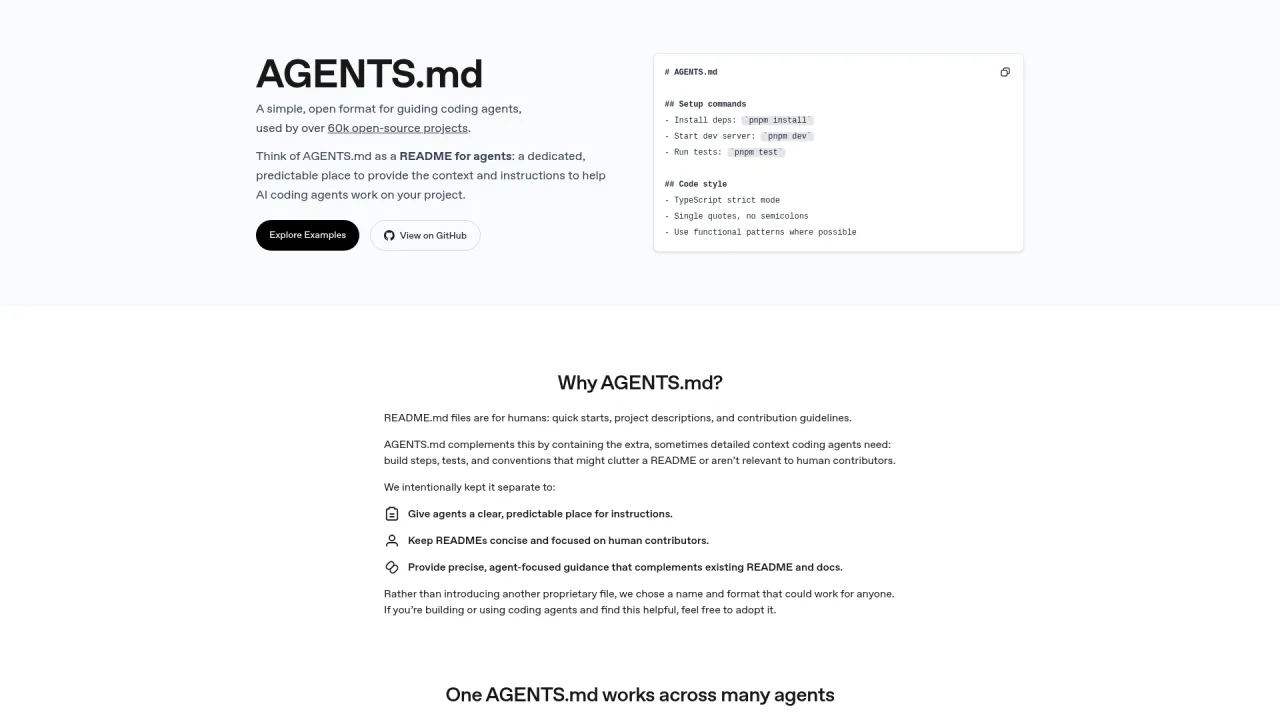
Commit one AGENTS.md to your project root. Every teammate who clones the repo inherits the same rules automatically. This is the highest-ROI step — lowest effort, fastest payoff, and almost always the right first move.
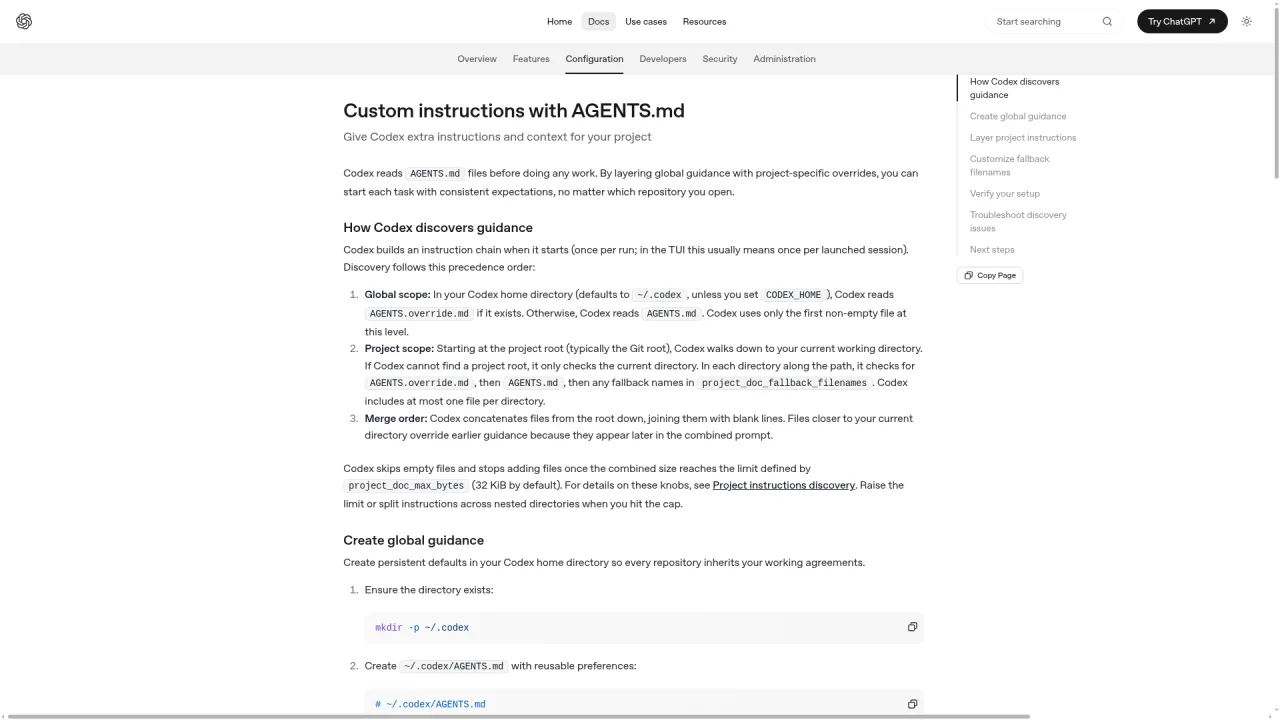
Codex loads instruction files in three layers, with closer files winning:
Layer
Location
In Git?
What Goes Here
Global personal
~/.codex/AGENTS.md
No
Personal preferences, communication style, verbosity
Codex merges these from root toward your current working directory. Later files override earlier ones. The merged total is capped by project_doc_max_bytes (default 32 KiB per current documentation), so keep the root file tight — critical rules only, not general advice Codex already knows.
Three practical moves to make this work:
The project-root file must be in git. Write the specific rules that cause real problems when violated: which package manager, which linter, what to run before opening a PR, what reviewers check for.
Route changes through pull requests. Multiple people will edit the shared AGENTS.md. Review changes before merging to prevent one person from silently altering team-wide behavior.
Use subdirectory overrides for exceptions. Need to relax a rule for one module? Add a local AGENTS.md in that directory instead of weakening the root file.
Here is a starter skeleton for the project-root AGENTS.md (adapt to your stack):
# AGENTS.md
## Project conventions
- Package manager: pnpm only. Do not use npm or yarn.
- Run `pnpm lint` and `pnpm test` before opening a PR. All checks must pass.
- When modifying shared utility functions, update the corresponding docs/ entry.

## Review guidelines
- P0 blockers: hardcoded secrets, SQL injection via string concatenation, auth bypass.
- P1 concerns: missing input validation, swallowed errors, new features without tests.
Common mistake: Putting personal preferences ("keep answers short") in the shared project file. That imposes your style on the entire team. Personal preferences belong in ~/.codex/AGENTS.md. Project rules go in the repo. Draw this boundary on day one.
In my own setup, the project-root AGENTS.md is the single most valuable configuration file. It eliminates an entire category of review friction — I no longer have to manually enforce package manager consistency or remind agents about test requirements. The file does it automatically, every time, across every session.
Sharing Reusable Workflows with Skills
Package high-frequency team procedures as Skills in .agents/skills/ and commit them to git. A Skill wraps a complex multi-step procedure into a single callable unit — "scaffold a new service," "run the pre-release checklist," "triage production logs."
Skills follow the same two-layer model: global personal skills live in ~/.agents/skills, project-shared skills live in .agents/skills within the repo. Each Skill is typically a SKILL.md file plus optional scripts, reference materials, and assets. Dependencies that need automatic installation go in agents/openai.yaml.
The distinction matters: AGENTS.md governs rules (what to do and not do). Skills govern procedures (how to execute a complex task end to end). Teams share rules via AGENTS.md and procedures via Skills.
Before publishing a shared Skill, address the most common failure:
A Skill that works on your machine may fail on a teammate's machine — different OS, different permissions, different paths, different dependency versions. "It works on my machine" is the single most frequent shared-Skill failure mode.
Two defensive actions:
Validate on multiple teammate machines before committing. Declare external dependencies in agents/openai.yaml so they install automatically, reducing environment variance.
Maintain a Skills directory. List every shared Skill, what it does, and who maintains it. Without a directory, the library grows opaque — teammates do not know what exists or which Skill to use.
A minimal shared Skills directory structure:
.agents/skills/
├── scaffold-service/
│   └── SKILL.md          ← Step-by-step to create a standards-compliant new service
├── pre-release-check/
│   └── SKILL.md          ← Full pre-release checklist: lint / test / build / changelog
└── triage-production-logs/
    ├── SKILL.md
    └── scripts/          ← Supporting scripts
Decision rule for what becomes a shared Skill: It must be repeated by multiple people, frequently, and the manual version is error-prone. If only you use it occasionally, keep it in ~/.agents/skills. If the whole team runs it weekly and mistakes are costly, commit it to the project.
Do not try to package every procedure as a shared Skill on day one. Start with the one or two highest-frequency, highest-error-rate workflows. Validate the benefit. Then expand incrementally. Premature Skill proliferation is how libraries become bloated and broken.
Codex as First-Pass Code Reviewer
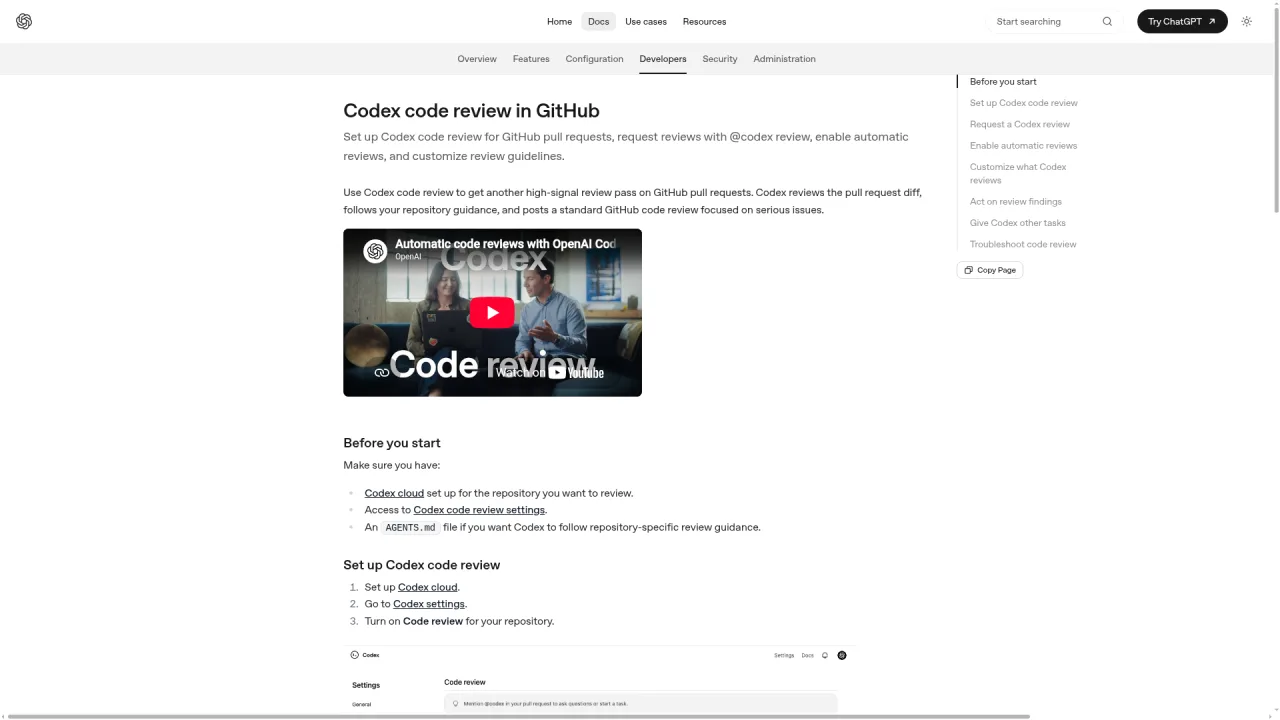
Connect Codex Cloud to your GitHub repo and let it review every pull request before humans look at it. Codex flags P0 and P1 severity issues, letting human reviewers focus on architecture, business logic, and security judgment — the parts AI cannot reliably assess.
After connecting Codex Cloud to a repository, choose one of two trigger modes:
On-demand review: Comment @codex review on any PR. Codex responds with a review focused on high-priority issues.
Automatic review: Enable the "Automatic reviews" toggle in settings. Every PR receives a review on open without manual triggers.
Codex draws its review criteria from the nearest AGENTS.md to the changed files. Write a "Review guidelines" section in your project-root AGENTS.md to customize what it checks. Add a stricter subdirectory AGENTS.md for critical modules (like payment processing), and those files receive more rigorous scrutiny.
After review, you can ask Codex to fix issues directly: comment @codex fix the P1 issue and it pushes the fix to the branch (when it has write permission).
Deployment sequence recommendation:
Start with on-demand (@codex review) so the team gets familiar with the review style and quality.
Write solid review guidelines in AGENTS.md before switching to automatic — vague guidelines produce vague reviews.
Enable automatic reviews after the team trusts the signal quality, typically at 3+ team members when human review bottlenecks become real.
Critical misconception: Automatic review does not replace human review. Codex performs first-pass filtering and catches obvious high-priority issues. Architecture decisions, business correctness, and security boundary judgments still require human approval. The goal is to eliminate repetitive initial screening, not to delegate judgment entirely.
How Do You Track and Control Team Spend? (Cost Governance)
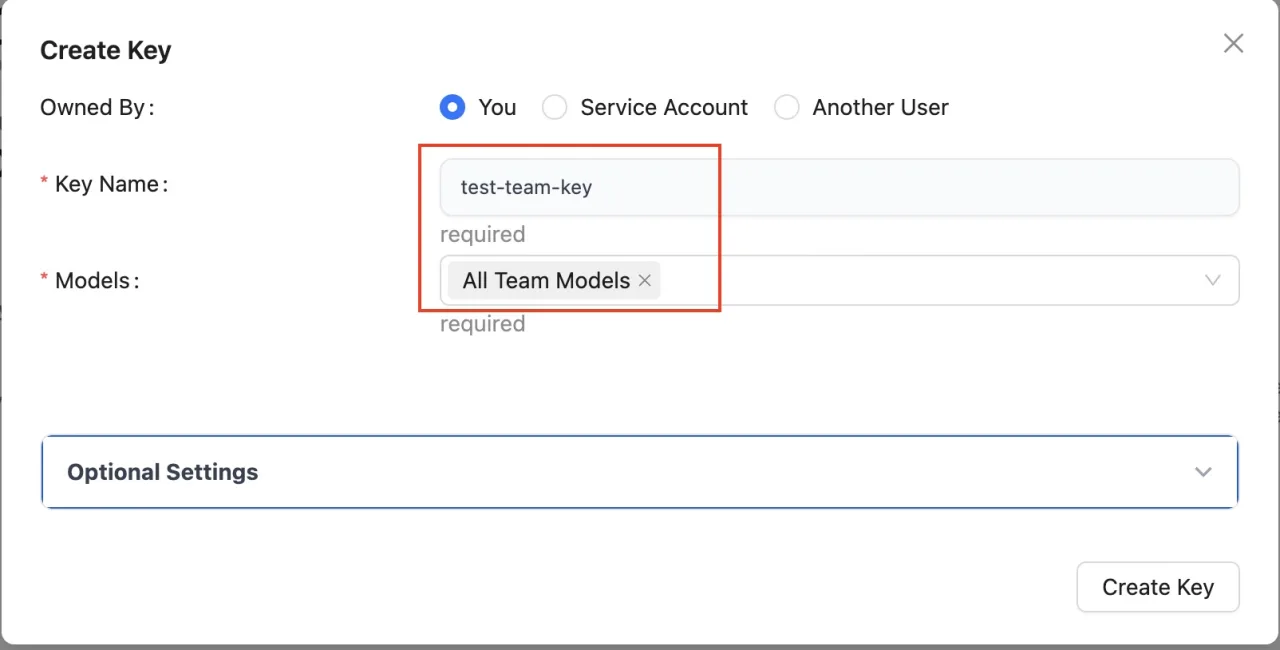
Native Codex has no per-member spend breakdown. This is a genuine gap in the current ecosystem, not a configuration you missed. Small teams do not need heavy infrastructure to work around it.
For teams of 3-5 (lightweight approach):
Each developer uses their own paid ChatGPT account with independent quota.
In a ChatGPT Business workspace, each member has separate Codex history for individual traceability.
Reconcile per-account spend at month end.
For larger teams or compliance requirements (AI gateway approach):
Add an AI gateway between developers and the model endpoint. Each developer gets a virtual API key (not the real key). The gateway tracks per-key usage, aggregates by team, and enforces per-person rate limits. Common options include LiteLLM (open source), Helicone, and Portkey.
Think of an AI gateway as an internal charge card system — each developer swipes their own card, funds come from the company account, but every transaction is tracked with per-card limits and team-level reporting.
When to add a gateway: When someone asks "who used the most this month" and nobody can answer, and this question actually matters for your budget or compliance posture. If you can answer it with account-level billing, skip the gateway. The deployment and maintenance overhead is not worth it for small teams.
How Do You Standardize Safety and Audit Trails? (Sandbox and Compliance)
Lock the entire team to one sandbox tier, enforce consistent approval policies, and label AI-generated code for traceability. This is three layers of defense, deployed progressively.
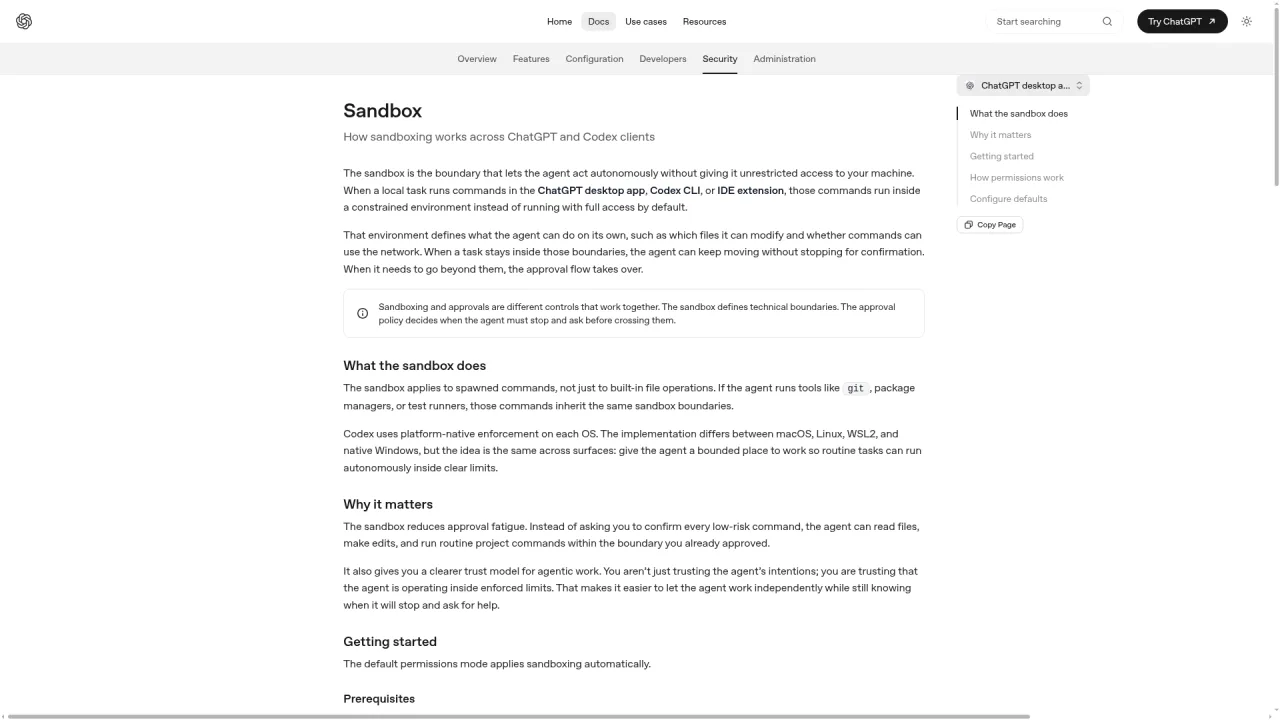
Layer 1: Sandbox standardization. Codex offers three sandbox modes:
Sandbox Mode
What It Allows
Team Recommendation
read-only
Read files only, no modifications
Use for planning and discussion phases
workspace-write
Read and write within the workspace, run local commands (default)
Team standard — use this for all development
danger-full-access
No file system or network restrictions
Never grant to team members
Pair the sandbox with the approval_policy setting. The default on-request mode requires confirmation before Codex crosses sandbox boundaries (modifying files outside the workspace, accessing the network). Keep this for the entire team.
Layer 2: Audit and traceability. Use the same configuration across all team members. Connect an observability platform to log which commands Codex executes, creating an audit trail for "who told AI to do what."
Layer 3: AI code labeling. Tag AI-generated pull requests with an [AI] label or use a dedicated commit author email. Reviewers immediately know which code came from Codex and can apply stricter scrutiny.
Common mistake: One developer temporarily switches to danger-full-access for a task and forgets to switch back. A single machine running unrestricted permanently undermines the entire team's security baseline. Either lock the sandbox tier organization-wide, or add a mandatory post-task reset to your team rules.
Data privacy baseline: OpenAI states that commercial user data is not used for model training by default. ChatGPT Business workspace data is explicitly excluded from training. For code involving commercial secrets, use Business or Enterprise tier — this is a compliance requirement, not an optimization.
What If You Are a Solo Developer? (The "Lean Team" Approach)
You do not need teammates to achieve team-level parallelism. Codex's built-in concurrency features let a solo developer run multiple independent workstreams simultaneously. I call this the "lean team" approach — three techniques stacked progressively.
Parallel worktrees. Use Codex's worktree mode to run multiple independent tasks simultaneously in isolated branches. Each worktree is a self-contained workspace that does not interfere with others. This is equivalent to having several virtual teammates working on separate features.
Subagent delegation. Within a single task, Codex can spawn multiple subagents to research different aspects in parallel, then synthesize the results. Define subagents using TOML files in ~/.codex/agents/ (personal) or .codex/agents/ (project). Manage them with the /agent command. This is equivalent to leading a small research team.
Multi-machine scheduling. Synchronize the same configuration across multiple machines. Run batch tasks on schedules. Machines continue working while you sleep. This requires synchronization infrastructure (I use Syncthing) and a task scheduler.
Recommended deployment order: Start with worktrees (zero setup, immediate benefit). Once comfortable, add subagents for complex research tasks. Deploy multi-machine scheduling last — it requires synchronization and scheduling infrastructure that takes time to build correctly.
In my production setup, I run six Codex sessions across multiple machines with shared AGENTS.md, automated scheduling, and cross-machine configuration sync. A single developer with this infrastructure produces output comparable to a small team. The key insight is that none of this requires teammates, pull request review processes, or cost governance gateways — those are team coordination tools, not productivity tools.
How Portable Is Your Configuration When You Switch Tools?
Where you put your configuration determines how painful a tool switch will be. This matters because the AI coding tool landscape changes fast.
Configuration Layer
Migration Cost
Reason
AGENTS.md (project rules)
Low
Open standard (see agents.md). Codex, Claude Code, Cursor, GitHub Copilot all support it.
Skills (reusable workflows)
Medium
Proprietary format per tool. File structures differ. Migration requires rewriting.
Hooks (lifecycle events)
High
Completely tool-specific. Migration means rebuilding from scratch.
Decision framework: If you might switch tools in the next year, invest heavily in AGENTS.md (portable) and lightly in Skills and hooks (locked in). If you are committed long-term to one tool, use proprietary features aggressively for efficiency. Make this decision early in team adoption — discovering that your accumulated configuration is non-portable after months of investment is expensive.
The community consensus aligns: critical rules go in AGENTS.md (safest), complex workflows go in Skills (moderate lock-in), deep lifecycle governance goes in hooks (deepest lock-in). Layer by migration cost, from lowest to highest.
What Are the Most Common Team Deployment Mistakes?
Collected from the failure patterns above, here is the anti-pattern checklist to review before and during team rollout:
Deploying the full enterprise stack on day one. Fix: Address whichever pain point hurts first. Start with the project-root shared AGENTS.md — it is the minimum viable team deployment.
Mixing personal preferences into the shared project file. Fix: Personal preferences go in ~/.codex/AGENTS.md. Only project-wide rules enter the repository.
Testing shared Skills only on your own machine. Fix: Validate on multiple teammate machines. Declare dependencies in agents/openai.yaml. Maintain an internal Skills directory.
Treating automatic code review as a replacement for human review. Fix: Codex review is first-pass and high-priority filtering. Architecture, business logic, and security judgments remain human responsibilities.
Temporarily granting full sandbox access and forgetting to revoke. Fix: Lock the sandbox tier organization-wide. If temporary escalation is necessary, make the mandatory reset a written team rule.
The most insidious mistake: Treating team deployment as a one-time configuration task. It is an ongoing process. Rules become outdated. The Skills library accumulates unused entries. Permission policies drift. Healthy teams periodically prune dead rules, clean unused Skills, and re-audit access — they do not configure once and forget.
What Is the Right Deployment Sequence?
If you are ready to start, here is a week-by-week rollout:
Week 1: Deploy shared AGENTS.md. Commit one project-root file to git. Observe whether code style divergence decreases.
Week 2: Connect Codex Cloud code review. Start with on-demand (@codex review) on one repository. Write review guidelines in AGENTS.md.
Week 3-4: Address your next real pain point. Tribal knowledge problems warrant shared Skills. Untraceable spend warrants cost governance. Compliance requirements warrant sandbox standardization.
Progress metric: Not "how much did we configure" but "which failure modes from the original breakdown have we eliminated." Style still diverging? AGENTS.md needs work. Spend still untraceable? Cost governance is next. AI code still unlabeled? Add tagging. Each eliminated failure mode means the corresponding deployment step is working.
Team readiness checklist:
[ ] Project-root shared AGENTS.md committed to git, inherited on clone.
[ ] Personal preferences isolated in ~/.codex/AGENTS.md, not in the shared file.
[ ] Codex Cloud code review connected on key repos, review guidelines written in AGENTS.md.
[ ] Cost attribution method defined (account isolation for small teams, AI gateway for larger teams).
[ ] Team-wide workspace-write sandbox with approval policy, no machines running danger-full-access.
[ ] AI-generated code labeled ([AI] tag or dedicated commit email) for traceability.
[ ] Commercial-sensitive code on Business/Enterprise tier, confirmed excluded from training.
You will not check every box immediately. Look at your team's actual failure modes, fix the painful ones first, and check the corresponding boxes as each one resolves. Team deployment is incremental progress, not a one-time perfect score.
Ready-to-Use Prompt: Scale Codex From Solo to Team Without Breaking Everything
What this does: Scores the five team-scaling pillars to find which unwritten rules still live on individual machines, moves conventions into the shared repo, adds reviewer + cost governance + audit compliance, and sequences the rollout — with a lean-team path for solo devs. Based on: How to Scale OpenAI Codex from Solo Developer to Team Workflow Without Breaking Everything — https://aiworkflowpro.com/codex-team-workflow/ Time to run: ~5 minutes
Copy this prompt into Claude Code, ChatGPT, or any AI assistant:
ROLE: You are a Codex Team Scaling Architect. Your job: move a collapsing solo-to-team Codex setup onto five shared-repo pillars in the right order — without adding a more complex tool.

CONTEXT — 5-PILLAR TEAM SCALING METHOD:
A solo Codex setup collapses the moment you add teammates — lock files thrash between pnpm and npm, code style drifts into three dialects, the month-end bill is unexplained, and security cannot tell which commits came from AI. The fix is not a more complex tool; it is five things that move unwritten rules off individual machines into the shared repo: (1) a shared AGENTS.md with project conventions and review guidelines; (2) shared Skills so reusable workflows are versioned, not re-typed; (3) Codex as a first-pass code reviewer; (4) cost governance so team spend is tracked and capped; (5) sandbox and compliance so safety is standardized and every AI commit leaves an audit trail. Deploy in sequence — shared rules first, then reviewer, then governance and compliance. Even solo devs run the lean-team version so scaling is additive.

INPUTS (fill in before running):
- TEAM_SIZE: [solo / 2-3 / larger]
- FAILURE_SYMPTOMS: [Which collapse signs you see — lock thrash, style drift, surprise bill, untraceable AI commits]
- CURRENT_SHARED: [What already lives in the repo — AGENTS.md, Skills — or "nothing"]
- TOOLLOCKER: [Is tooling locked — one package manager, one linter?]

METHOD — 4 STEPS:

Step 1 — Score the 5 Pillars (0–2)
For each pillar, score whether the rule lives in the shared repo (2), partially (1), or on individual machines (0): shared AGENTS.md, shared Skills, Codex as reviewer, cost governance, sandbox/audit compliance. Map each 0 to the FAILURE_SYMPTOM it causes.

Step 2 — Move Rules Into the Repo (Pillars 1–2)
Write the shared AGENTS.md (project conventions + review guidelines) and version reusable workflows as shared Skills. Lock tooling via TOOLLOCKER so lock files stop thrashing and style stops drifting.

Step 3 — Add Reviewer, Governance, Compliance (Pillars 3–5)
Stand up Codex as first-pass code reviewer; add cost governance (track and cap team spend); set sandbox + audit compliance so every AI commit is traceable — answering "which commits came from AI."

Step 4 — Sequence the Deployment
Order the work: shared rules (1–2) first, then reviewer (3), then governance and compliance (4–5). For TEAM_SIZE solo, run the lean-team version so adding people later is additive. Note tool portability — keep config client-agnostic where possible.

RULES:
- Never leave an unwritten rule on individual machines — if two devs can run it differently, it belongs in the shared repo.
- Never skip cost governance or audit compliance — the surprise bill and untraceable AI commits are how teams get burned.
- Never deploy reviewer or governance before shared rules — conventions must exist before you review or measure against them.

OUTPUT FORMAT:
Output a markdown report with:
1. 5-Pillar Scorecard — markdown table, columns: Pillar | Score (0–2) | Symptom It Causes
2. Shared-Rules Plan — shared AGENTS.md outline + shared Skills + tooling lock
3. Reviewer + Governance + Compliance — the three pillar-3-5 actions
4. Deployment Sequence — ordered rollout + lean-team / portability notes
Save as @templates/codex-team-workflow.md and run when adding teammates to a Codex setup, or when the solo setup starts showing collapse signs.
Gloves on, tape measure in hand — nobody types a query. Three voice surfaces for ai automation tools (terminal, Telegram, Discord), 10 TTS and 6 STT providers compared on cost and latency, plus a setup that costs nothing.
Nothing about month four is harder than month three. It is simply the month an unpaid channel starts to feel like proof of failure. Surviving it takes a cadence you can hold while earning nothing, which is a better reason to automate business processes than speed ever was.
One number hides more than it shows. This Claude Code Skill scores US equities across 10 dimensions, from earnings surprise to peer comparison, with confidence scoring and 5 safety valves that flag thin data. A coding tutorial, not financial advice.
Publishing eats your week through research, SEO fields, images, and uploading — not writing. Here is the 10-step workflow automation pipeline that takes a topic to a published draft on one command, and the data contract that lets each step hand off cleanly to the next.