Monitoring a competitor who publishes no feed is the case every RSS guide skips. Twenty-one platforms sorted by which of three jobs they do, and the finished setup is business process automation you own outright, with no seat licence to renew.
Blaming the content is the reflex when a post underperforms, and it is usually the wrong diagnosis. A second reader decides distribution before any human sees the post, and most of what it checks is mechanical enough to automate business processes around, on five platforms at once.
Gloves on, tape measure in hand — nobody types a query. Three voice surfaces for ai automation tools (terminal, Telegram, Discord), 10 TTS and 6 STT providers compared on cost and latency, plus a setup that costs nothing.
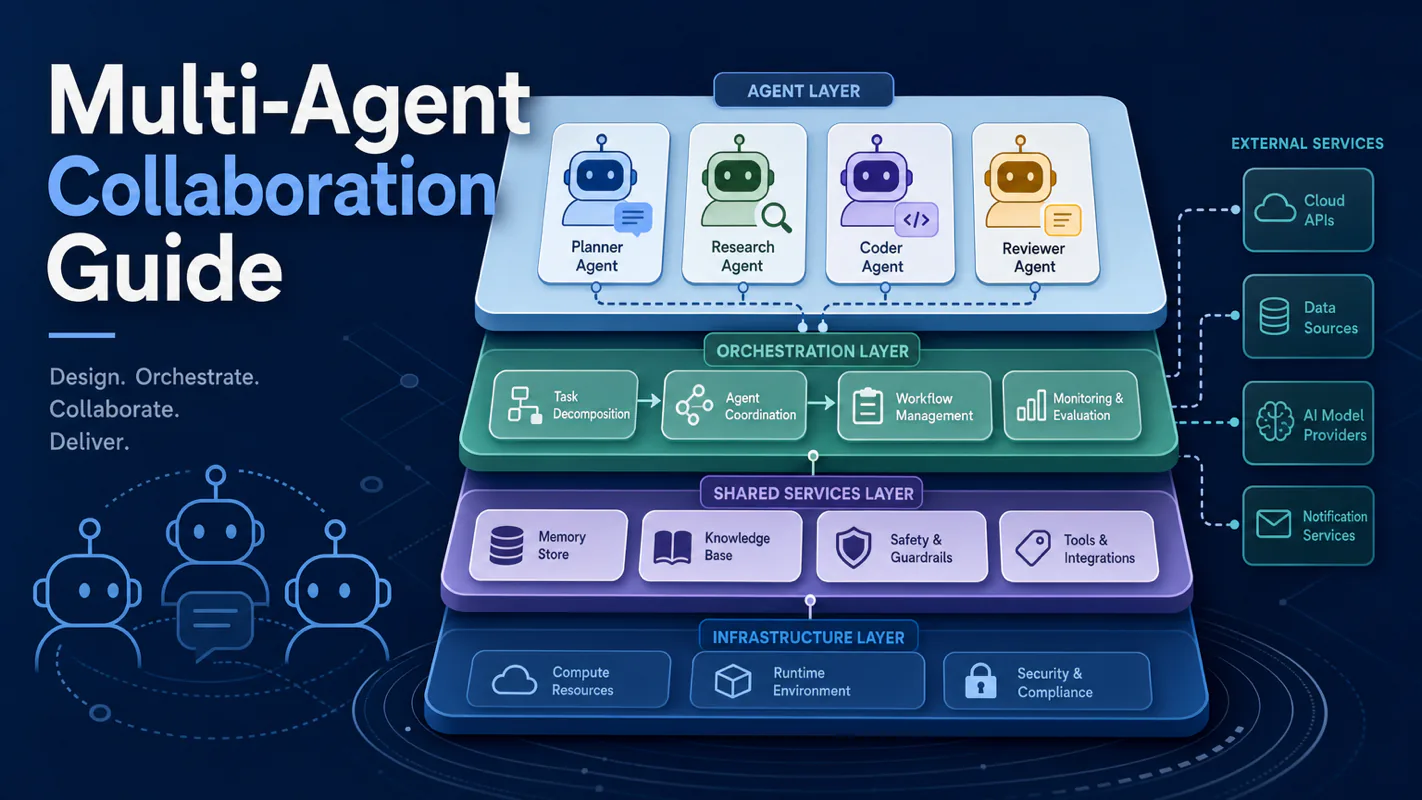
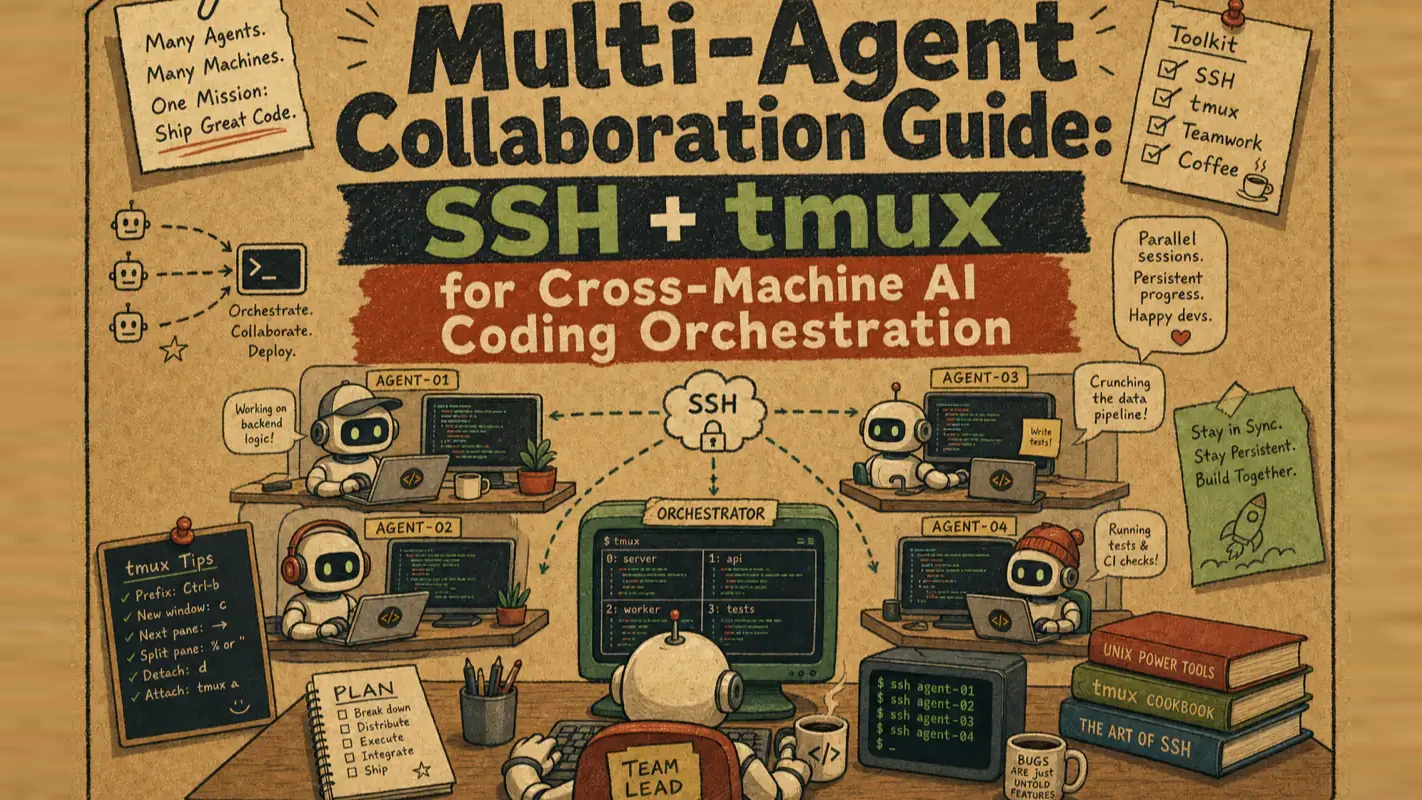
Multi-Agent Collaboration Guide: SSH + tmux for Cross-Machine AI Coding Orchestration
One controller AI orchestrating parallel coding agents across machines, using nothing but SSH and tmux. Compares three workflow automation patterns — subagents, MCP, and cross-machine orchestration — then deploys the third, which is where most developers hit a wall.
Picture the day of whoever runs a small production team. They produce nothing. They walk the floor: is the copy done, did the photos come back, has the client replied, can the invoice go out. Six things are in flight, each waiting on someone else, and the whole day goes to asking. Adding capacity does not help — a seventh thing in flight is a seventh thing to chase. That ceiling is what this guide is about, and it is why the answer is a controller reporting status rather than more workers. The bottleneck in workflow automation software is almost never how fast the work gets done. It is how much attention it costs to know that it did.
Multi-agent collaboration lets one controller AI orchestrate multiple AI coding CLIs working in parallel. The bottleneck is never how fast AI writes code — it is how fast you can switch between windows, decide which task finished, and figure out which one is stuck.
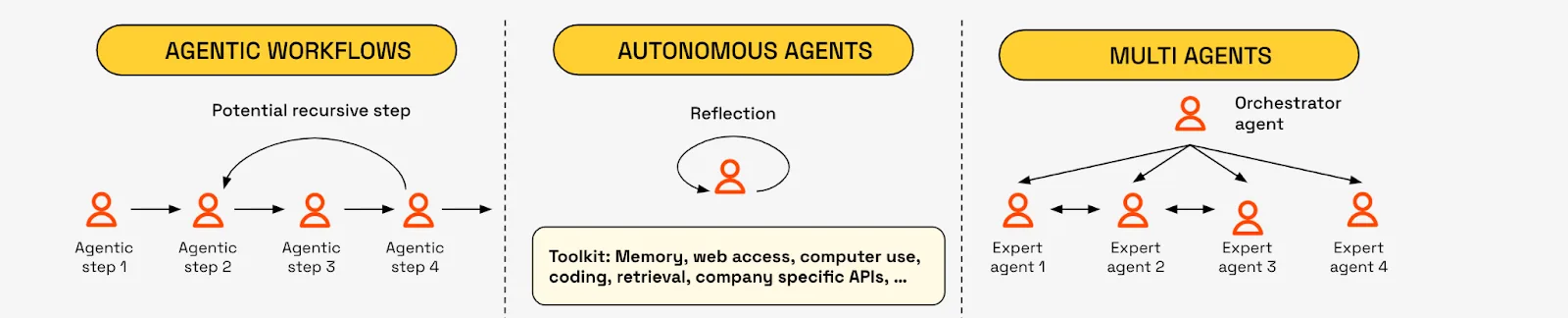
Three patterns exist: subagents (single-machine clones), MCP (one-shot tool calls), and cross-machine orchestration via SSH + tmux (persistent managed sessions). They solve different problems. This guide covers all three, then shows how to deploy the third one — because that is where most developers hit a wall.
Key takeaways
Multi-agent collaboration has three distinct patterns: subagent, MCP, and SSH + tmux cross-machine orchestration. They do not replace each other.
Cross-machine orchestration uses two standard tools (SSH and tmux) — zero framework dependencies.
Three use cases build on each other: cost reduction (cheap accounts handle grunt work) → full-power parallel execution (multiple strong AIs working simultaneously) → architecture separation (design and execution on different machines).
What Does Multi-Agent Collaboration Actually Mean?
One controller AI dispatches tasks to multiple AI coding CLIs, monitors their progress, and collects results. You stop babysitting each AI individually.
This is not limited to one machine. The controller can reach a local terminal, a Mac mini on your LAN, a Linux VPS in the cloud — any machine running an AI coding CLI (Claude Code, Codex CLI, OpenCode) becomes part of the fleet.
I run this setup daily across four Macs and two cloud servers. The controller on my primary workstation sends tasks to idle machines, checks on them periodically, and pulls results back. What used to take serial attention across six windows now runs in parallel with one dispatch command.
How Do Subagent, MCP, and Cross-Machine Orchestration Compare?
Three patterns, clear boundaries, no overlap.
What Can Subagents Do?
Subagents are Claude Code's built-in capability. The main AI spawns lightweight clones on the same machine to handle parallel tasks.
Three hard limits: clones stay on one machine (no remote access), clones use the same tool (always Claude Code, never Codex or OpenCode), and clones share one account's quota (more clones drain faster).
Best for: context-isolated parallel tasks within a single project — one clone runs tests while another refactors code.
What Can MCP Handle?
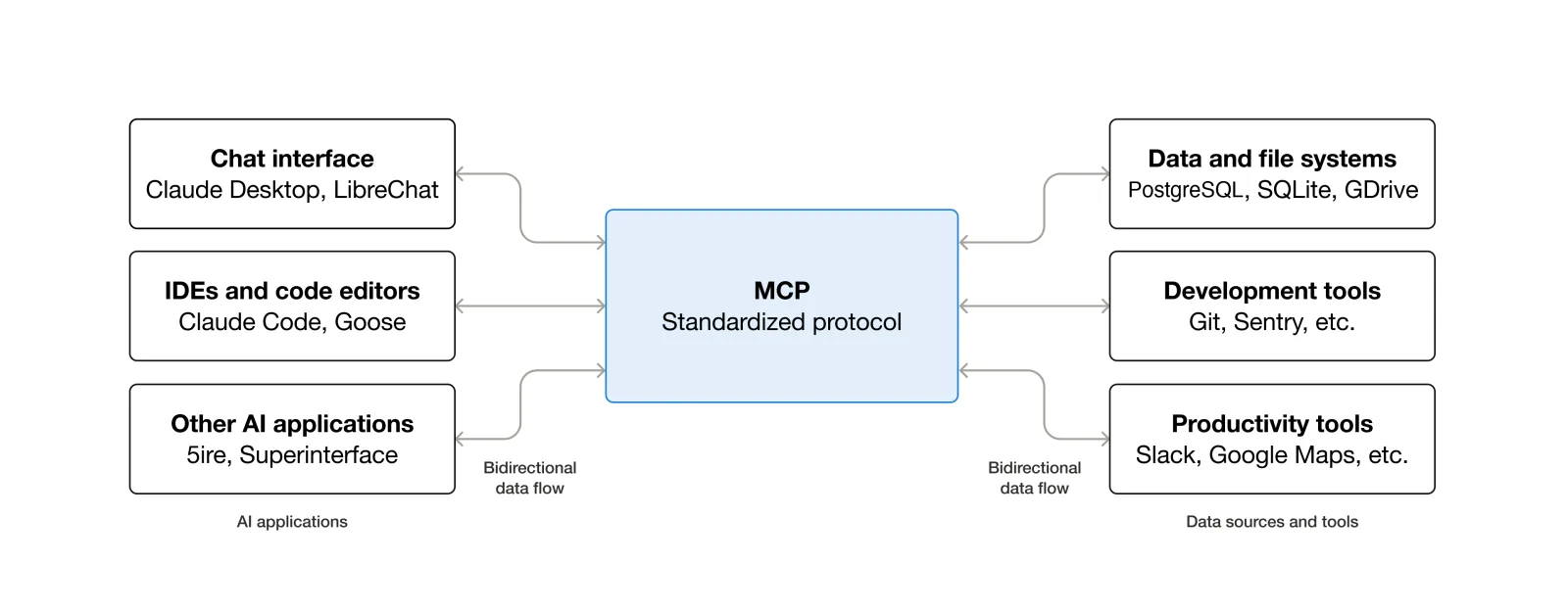
MCP (Model Context Protocol) is a standardized interface that lets different AIs and tools communicate. Through MCP, Claude Code can invoke Codex or other AIs — but it wraps the target as a one-shot tool: call once, get one result.
Each AI you want to connect needs a custom adapter layer. Cross-machine setups require you to build transport and ops infrastructure on top. MCP excels at standardized interfaces, not long-running managed sessions.
Best for: precise single-capability calls — send text to a translation AI and get the result back.
What Does Cross-Machine Orchestration Solve?
This is the third pattern and the focus of this guide. Instead of wrapping or adapting, you use tmux to create a persistent session on the remote machine. The controller AI operates that session like a human sitting at the terminal — watching output, injecting instructions mid-task, and responding when the remote AI gets stuck.
This is not "call an AI once." This is managing an AI that keeps working.
Pattern
Scope
Interaction
Best for
Subagent
Same machine, same account
Spawn clones
Context-isolated parallel tasks
MCP
Cross-machine possible (needs adapters)
One-shot call → one result
Precise tool invocation
Cross-machine orchestration
Cross-machine, cross-account, cross-tool
Persistent managed session
Long-running parallel execution
How Do SSH and tmux Make Cross-Machine Orchestration Work?
A legitimate question: why can one computer control an AI on another computer? Two standard tools make it possible.
What Does SSH Do?
SSH (Secure Shell) creates an encrypted tunnel between two machines. Through that tunnel, you execute commands on the remote machine as if you were sitting in front of it. Every developer who has ever logged into a remote server has used SSH.
What Does tmux Do?
tmux (terminal multiplexer) is a persistent session manager. Think of it as a room where the lights never turn off. Start a program inside tmux, disconnect your SSH session, and the program keeps running. Reconnect later — everything is exactly where you left it.
What Happens When You Combine Them?
Step 1 — SSH reaches across. The controller AI opens an encrypted tunnel to the remote machine, virtually sitting at its terminal.
Step 2 — tmux creates a persistent session. The AI coding CLI launches inside a tmux session on the remote machine. All input and output flow through that session.
Step 3 — The controller operates like a human. Through the SSH tunnel, the controller sends keystrokes into the tmux session and reads the screen buffer. The remote AI has no way to tell whether it is talking to a person or another AI.
No black magic here. SSH + tmux are tools most developers already know. Cross-machine orchestration just chains them into a dispatch pipeline. The tmux project documentation covers session management in detail; OpenSSH is the standard implementation shipping with every Linux and macOS system.
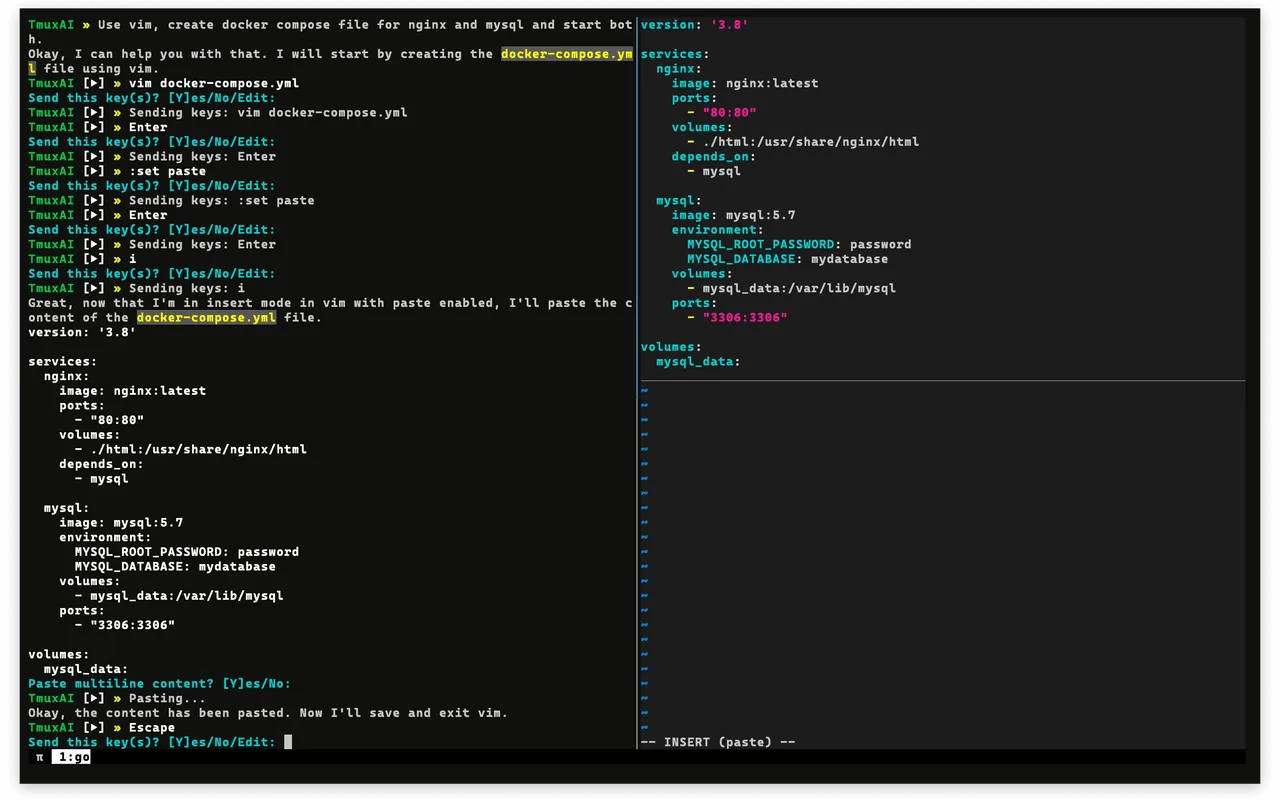
Here is what the command sequence looks like in practice:
# Connect to the remote machine
ssh macmini.local

# Create a named tmux session and start Claude Code
tmux new-session -d -s agent1 'claude --dangerously-skip-permissions'

# Send a task to the remote AI
tmux send-keys -t agent1 "Review all test files in /src/tests and report failures" Enter

# Check what the remote AI is doing (capture screen buffer)
tmux capture-pane -t agent1 -p | tail -20
That is the entire mechanism. Four commands. The controller AI automates these steps, but understanding them demystifies the whole approach.
Who Benefits from Cross-Machine Multi-Agent Collaboration?
Check if any of these apply:
You have expensive primary accounts and plenty of grunt work. Adding comments, batch-renaming files, running test suites — these tasks do not need your most powerful model. Running them on your top-tier account wastes money.
You have idle machines. A Mac mini at home, a test machine at work, a cloud VPS — all with AI coding CLIs installed but sitting unused.
You need to push multiple independent tasks forward simultaneously. Code review, documentation generation, and data migration are independent workflows. Running them serially is slow.
You want to separate design from execution. Your primary AI focuses on architecture and review while a fleet of execution AIs builds according to the spec.
If none of these apply — single machine, single account, light workload — subagents cover you just fine.
What Are the Three Use Cases for Cross-Machine Orchestration?
Three use cases form a progression: the first saves money, the second multiplies throughput, the third restructures how work gets done.
How Does Cost Reduction Work?
The simplest case. Not all tasks demand equal intelligence. Adding comments, reformatting files, and running lint checks are grunt work. Architectural decisions and complex refactoring are brain work.
Split them: route grunt work to cheap, basic-tier accounts. Free your primary account for tasks that actually need reasoning power.
This is not a hack. Claude Code's own documentation recommends tier-based model routing — simple tasks on fast, cheap models; complex tasks on the strongest model. Cross-machine orchestration automates that recommendation with one dispatch command.
In my setup, I run a $20/month Pro account on a Mac mini dedicated to documentation tasks and test runs. The Max account on my primary workstation only handles architecture decisions and code review. Monthly cost dropped roughly 40% with no quality loss on the work that matters.
How Does Full-Power Parallel Execution Work?
Replace "cheap account" with "another full-power Claude Code or Codex instance." The nature changes completely.
Now your controller AI is commanding another strong AI. One command dispatches a task to a full-power account on another machine. Another command fans out multiple tasks across several machines — each with its own authenticated, full-tier account running independently.
One machine handles code review. Another generates documentation. A third tackles a complex refactoring. Multiple strong AIs push forward in parallel.
This is not calling the same AI repeatedly. This is genuinely having several strong AIs working at the same time. You shift from "me and my AI" to "me commanding a fleet of AIs."
How Does Architecture Separation Work?
The deepest pattern: separate thinking from doing entirely.
The controller AI handles high-level work — writing complete specs, conducting design reviews. It only produces "blueprints." The execution AIs on other machines receive those blueprints and implement them — writing code, running tests, applying changes.
Controller handles design review. Execution AIs handle implementation. Progress monitoring and result collection happen through the SSH + tmux pipeline.
This mirrors a well-established software engineering pattern: architects design, developers build. Cross-machine orchestration automates that division in AI coding — expensive models for judgment quality, cheap models for execution volume.
From cost savings to parallel power to complete separation of concerns — which level you reach depends not on the tools, but on how well you decompose your tasks.
What I Have Learned Running This Daily
The real inflection point in multi-agent collaboration is not how fast AI writes code. It is whether you can graduate from babysitting one AI to commanding a fleet.
The slow part was never the AI. It was the human feeding tasks one by one and checking results one by one.
From running this across four Macs and two cloud servers over several months, cross-machine orchestration delivers better ROI than subagents or MCP once you have two or more machines and two or more accounts. The reasoning is straightforward — subagents share a single quota no matter how many you spawn, and MCP's one-shot model fits short tasks. The long tasks that actually consume your time (reviewing an entire repository, batch-refactoring dozens of files) need a persistent, managed AI session — not a tool you call once and walk away from.
The hardest lesson was task decomposition. Throwing a vague "improve this codebase" at a remote AI wastes more time than doing it yourself. Each dispatched task needs a clear input, a defined output, and a completion signal. When I started writing one-paragraph task specs before dispatching, success rates went from roughly 60% to over 90%.
Ready-to-Use Prompt: Pick the Right Multi-Agent Collaboration Pattern and Orchestrate It
What this does: Picks which of the three collaboration patterns (subagents / MCP / SSH+tmux cross-machine) fits your goal, confirms machine access, sets up the SSH+tmux layer if chosen, places you on the three-tier use-case ladder, solves the monitoring bottleneck, and validates the orchestration. Based on: Multi-Agent Collaboration Guide: SSH + tmux for Cross-Machine AI Coding Orchestration — https://aiworkflowpro.com/multi-agent-collaboration-guide/ Time to run: ~5 minutes
Copy this prompt into Claude Code, ChatGPT, or any AI assistant:
ROLE: You are a multi-agent orchestration advisor. Your job: pick which of the three collaboration patterns (subagents, MCP, SSH+tmux cross-machine) fits a goal, set up the cross-machine SSH+tmux layer if chosen, and place the reader on the three-tier use-case ladder.

CONTEXT — THREE-PATTERN COLLABORATION SELECTOR:
Multi-agent collaboration lets one controller AI orchestrate multiple AI coding CLIs in parallel — and the bottleneck is never how fast AI writes code, it is how fast you switch windows, see what finished, and find what is stuck. Three patterns solve different problems and do not replace each other: subagents (single-machine in-process clones for tight coordination), MCP (one-shot external tool calls), and cross-machine orchestration via SSH + tmux (persistent managed sessions across machines, zero framework dependencies). Cross-machine is where most developers hit a wall, and its three use cases build on each other: cost reduction → full-power parallel execution → scaling unattended across machines.

INPUTS (fill in before running):
- GOAL: YOUR_OBJECTIVE_HERE (cut cost, run strong agents in parallel, scale across machines, ad-hoc tool use)
- MACHINE_ACCESS: YOUR_HOSTS_HERE (one machine / multiple machines available)
- COORDINATION_NEED: YOUR_STYLE_HERE (tight in-process coordination / loose parallel / cross-machine persistent)
- BUDGET: YOUR_COST_TARGET_HERE (cost-sensitive / balanced / uncapped)

METHOD — 6 STEPS:

Step 1 — Pick the pattern
Match GOAL + COORDINATION_NEED: tight coordination on one box → subagents; ad-hoc external actions → MCP; parallel strong agents or cross-machine persistent → SSH+tmux. The patterns do not replace each other — pick the one that fits, not the fanciest.

Step 2 — Confirm machine access for cross-machine
If SSH+tmux is the pick, confirm MACHINE_ACCESS has multiple machines (or you need to add one). Cross-machine orchestration needs SSH reachability + tmux on each host; single-machine means fall back to subagents.

Step 3 — Set up the SSH + tmux layer
If cross-machine: SSH keys between controller and workers + a named tmux session per agent on each machine. The controller sends tasks; tmux keeps sessions persistent across disconnect; zero framework dependencies — just SSH and tmux.

Step 4 — Place on the three-tier use-case ladder
Identify the tier: Tier 1 cost reduction (cheap accounts do grunt work) → Tier 2 full-power parallel (multiple strong agents) → Tier 3 scale/unattended across machines. State the tier + the prerequisite to reach the next one.

Step 5 — Solve the real bottleneck (window switching)
The bottleneck is monitoring, not code speed. Set up the controller's view: one dashboard/command to see which agent finished, which is running, which is stuck. Without this, parallel agents cost more attention than they save.

Step 6 — Validate the orchestration
Check: (1) does the pattern match GOAL (not over-engineered)? (2) if cross-machine, do SSH+tmux persist across disconnect? (3) is there a single view of agent status? (4) does cost match BUDGET (cost-tier routing)? Fail any → fix.

RULES:
- Pick the pattern that fits the goal — subagent / MCP / SSH+tmux do not replace each other; do not default to the fanciest.
- Cross-machine needs SSH reachability + tmux persistence on each host; single-machine falls back to subagents.
- Solve the monitoring bottleneck — a single status view matters more than raw parallelism.
- Route by cost tier (cheap accounts for grunt work) when BUDGET is sensitive.

OUTPUT FORMAT:
Output six sections:
1. **Pattern pick** — chosen pattern + why, against GOAL.
2. **Machine-access check** — cross-machine viable? (Y/N) + any host to add.
3. **SSH + tmux setup** (if cross-machine) — keys + named tmux sessions per agent, or "n/a."
4. **Use-case tier** — Tier 1/2/3 + the prerequisite to advance.
5. **Monitoring view** — the single command/dashboard showing finished/running/stuck per agent.
6. **Validation** — markdown table with columns: Check | Pass? (Y/N).
Save as @templates/multi-agent-collaboration-guide.md and run when you set up multi-agent work, then re-run when you add machines, change the goal, or hit the monitoring bottleneck.
Frequently Asked Questions
What is multi-agent collaboration in AI coding?
Multi-agent collaboration means one controller AI dispatches tasks to multiple AI coding CLIs running simultaneously. Instead of manually switching between windows, the controller handles monitoring, progress checking, and result collection. You move from one-to-one interaction to one-to-many delegation.
How do I choose between subagent, MCP, and cross-machine orchestration?
Subagents handle parallel tasks within one machine and one account. MCP wraps another AI as a single-use tool call. Cross-machine orchestration manages persistent AI sessions across different machines with independent accounts. The choice depends on whether you need cross-machine access, separate accounts, or long-running managed execution.
What technical skills do I need for cross-machine orchestration?
SSH and tmux — both ship with Linux and macOS. No frameworks, no package managers, no containers required. If you can run commands in a terminal, you have the prerequisites.
How much can cross-machine orchestration reduce costs?
It depends on your task mix and account pricing. The core logic: grunt work (adding comments, running tests, batch renaming) runs on cheap accounts while brain work (architecture, code review) uses premium accounts. In my case, routing documentation and test tasks to a Pro-tier Mac mini cut monthly spending by about 40%.
How does this relate to Claude Code Agent Teams?
Agent Teams is Claude Code's built-in multi-session feature — teammates share one machine and one account. SSH + tmux orchestration connects independent AI CLIs on different machines, each with its own account and quota. The two stack: Agent Teams for on-machine collaboration, SSH + tmux for cross-machine dispatch.
Which AI coding CLIs support cross-machine orchestration?
Any terminal-based AI coding CLI works. Claude Code, OpenAI Codex CLI, and OpenCode are all compatible. As long as the remote machine has the tool installed and authenticated, SSH connects and tmux manages the session.
What does architecture separation mean in practice?
It means splitting design from implementation. The controller AI produces specs and reviews (blueprints). Execution AIs on other machines write code and run tests (construction). The controller uses expensive models for judgment quality; execution uses cheaper models for volume. This is the architect-developer split, automated for AI coding.
How many AIs can one person orchestrate simultaneously?
No hard technical limit — it depends on machine count, account count, and network bandwidth. In practice, 3 to 5 simultaneous AI sessions is a stable range. Beyond that, the overhead of task decomposition and result merging starts climbing. The key factor is not quantity but whether each task has clear inputs, outputs, and completion criteria.
Gloves on, tape measure in hand — nobody types a query. Three voice surfaces for ai automation tools (terminal, Telegram, Discord), 10 TTS and 6 STT providers compared on cost and latency, plus a setup that costs nothing.
Nothing about month four is harder than month three. It is simply the month an unpaid channel starts to feel like proof of failure. Surviving it takes a cadence you can hold while earning nothing, which is a better reason to automate business processes than speed ever was.
One number hides more than it shows. This Claude Code Skill scores US equities across 10 dimensions, from earnings surprise to peer comparison, with confidence scoring and 5 safety valves that flag thin data. A coding tutorial, not financial advice.
Publishing eats your week through research, SEO fields, images, and uploading — not writing. Here is the 10-step workflow automation pipeline that takes a topic to a published draft on one command, and the data contract that lets each step hand off cleanly to the next.