A 30-minute video is too long for one conversation. This guide walks the 8-step Skill that locks the narration and one look, then gives each 3-minute segment to a fresh sub-agent, five at a time, and polishes the cut in an empty-context session.
The folder structure behind my AI agent team, the Herdr setup where Grok Build, Claude Code and Kimi Code work side by side, and the two live tasks from the video: an article published by voice and a three-model front-end test.
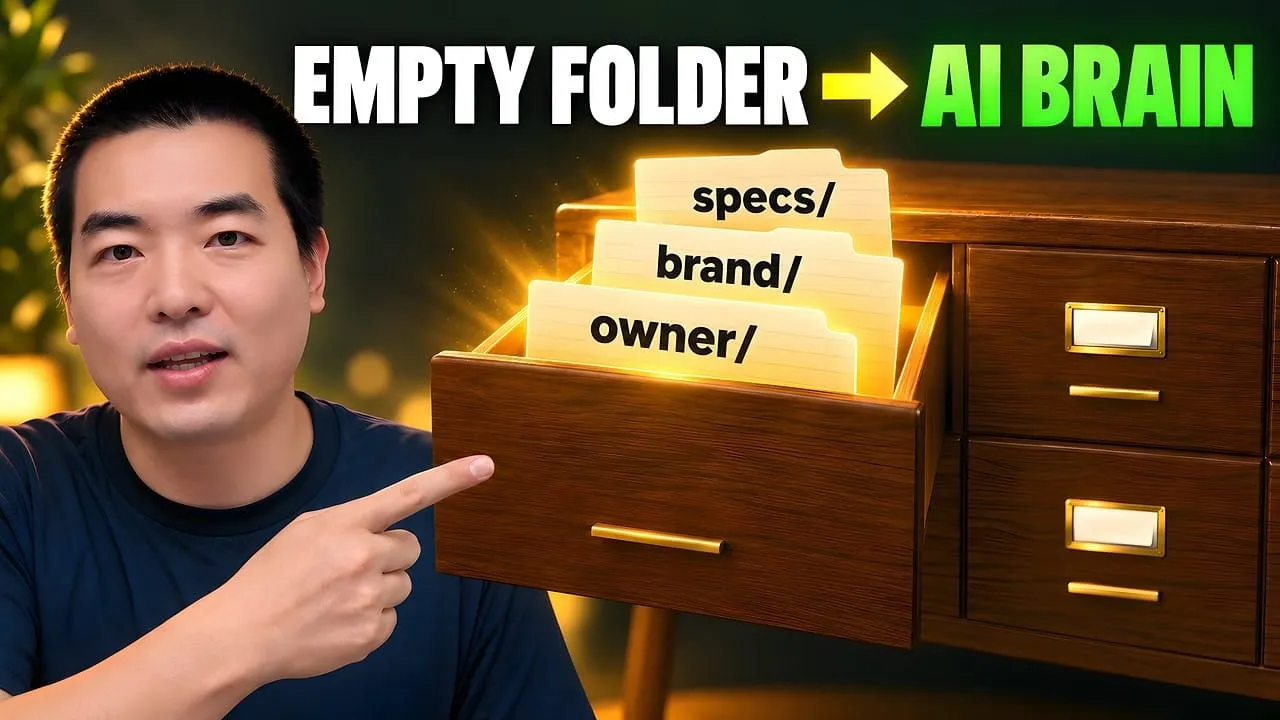
Eight folders of plain Markdown, a CLAUDE.md index in each, and seven prompts that make your agent interview you. Every prompt, template and command from the video, in order.
The folder structure behind my AI agent team, the Herdr setup where Grok Build, Claude Code and Kimi Code work side by side, and the two live tasks from the video: an article published by voice and a three-model front-end test.
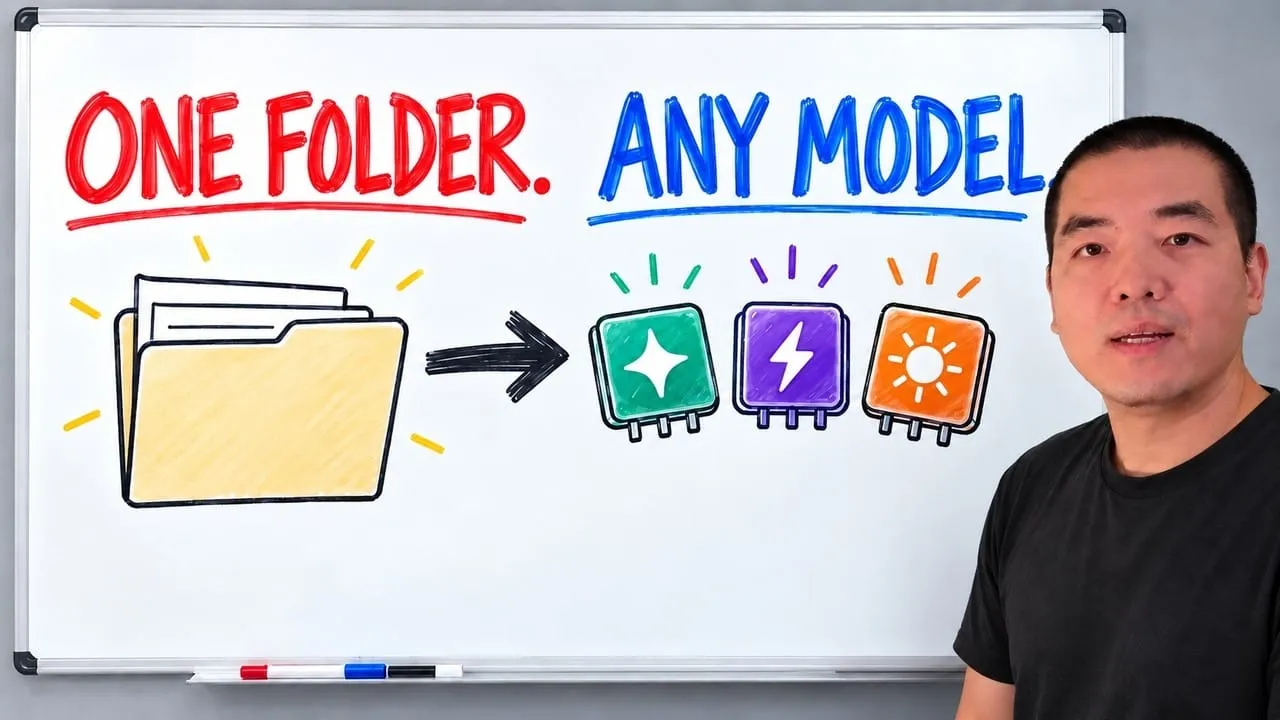
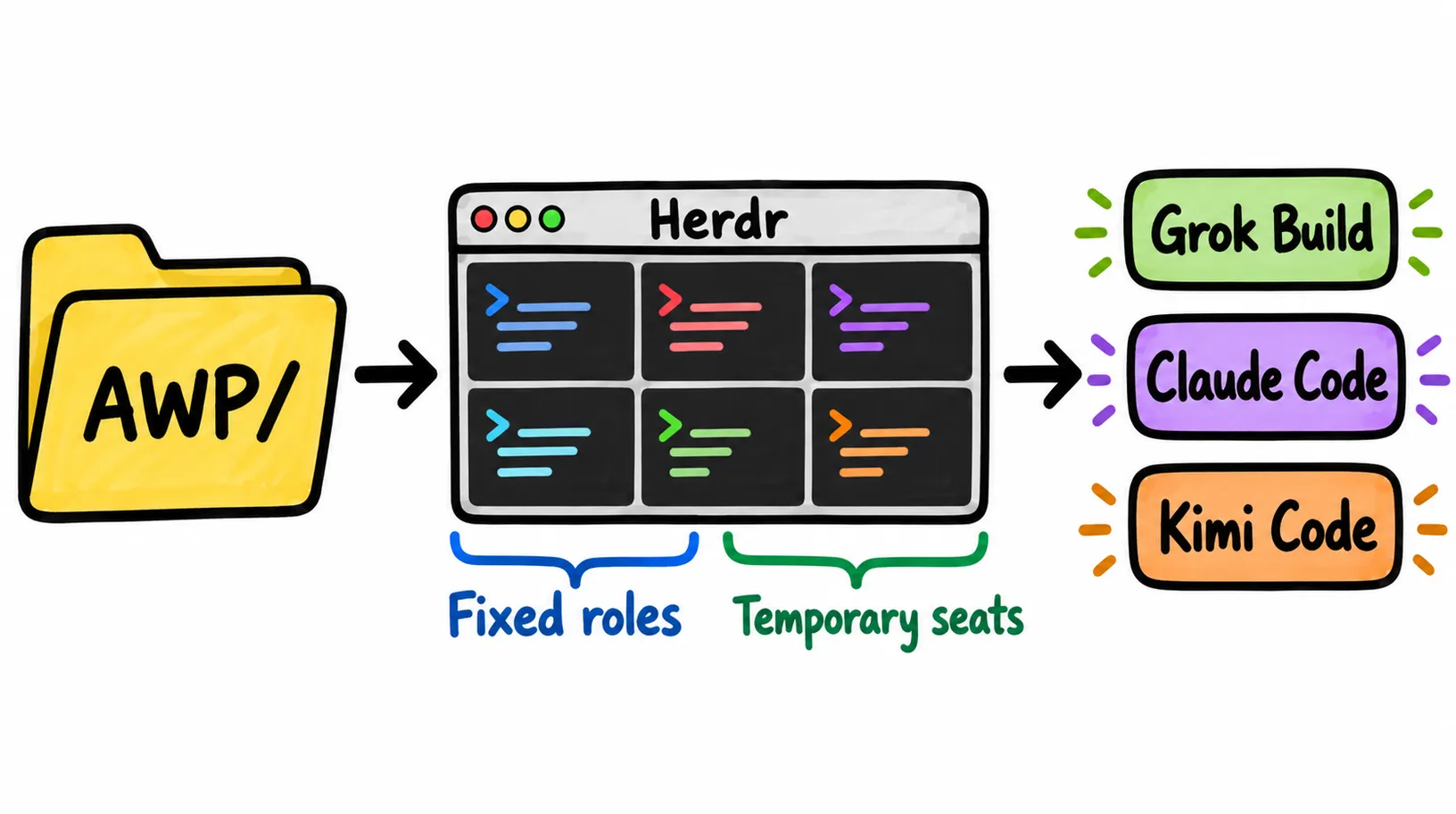
I run my one-person company with a team of AI agents, and none of them is tied to one model. Everything I know lives in one knowledge base folder, every agent starts inside it, and Herdr keeps the whole team running side by side in one terminal. When a new model ships, it gets a seat on day one.
The models are rented. The context you write down is yours, so keep it in one folder any agent can read.
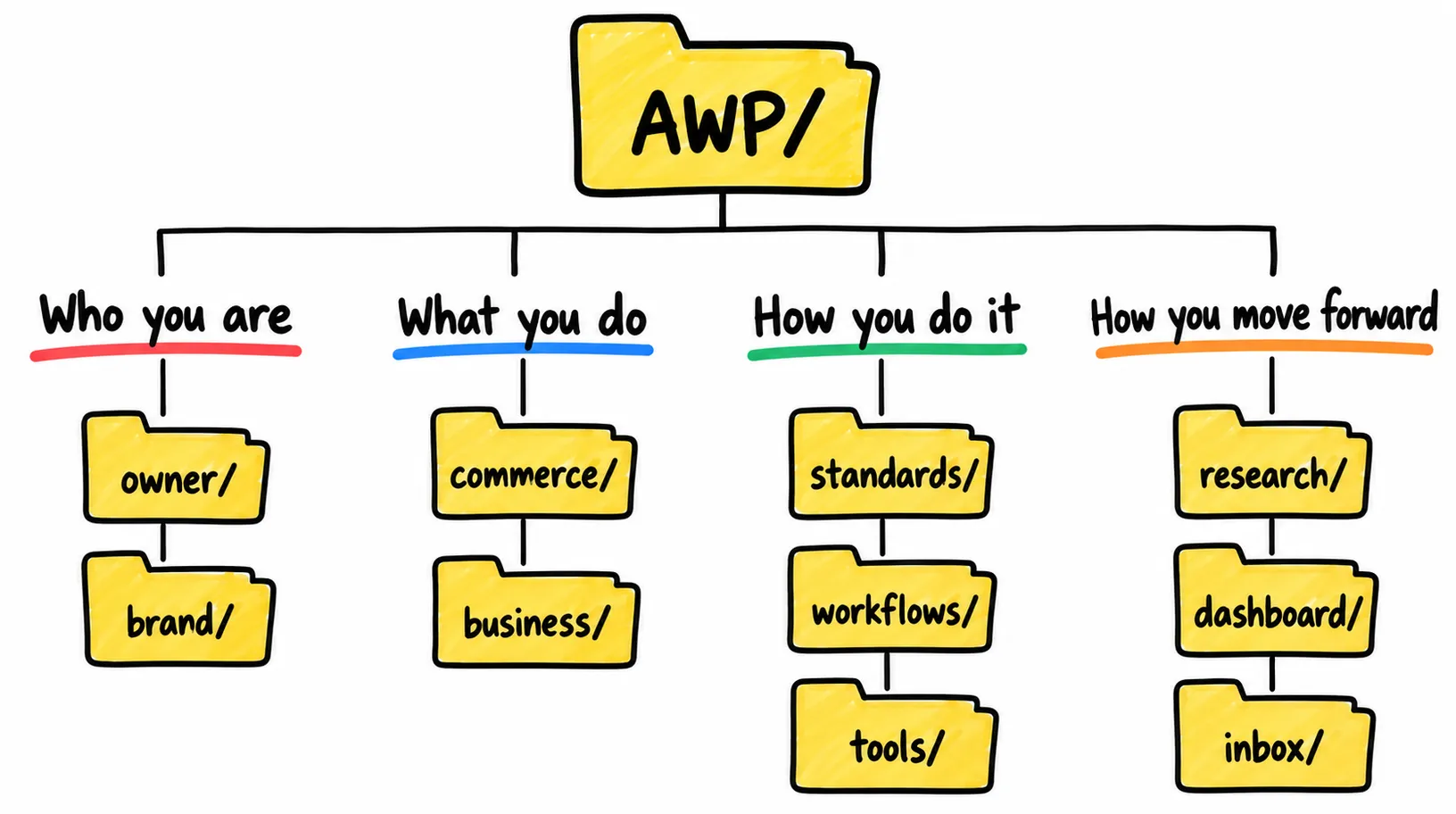
Split that folder by four questions: who you are, what you do, how you do it, how you move forward.
Run the agents in Herdr: sessions survive a disconnect, you see who is working, and agents can message each other.
Fixed roles get their own root folder. Temporary seats start at the root and take one-off jobs.
Pick the model per task. As of August 2026: Claude Opus 4.6 as the main model, Grok 4.5 for speed, Kimi K3 for front-end work.
What you need
A folder for your knowledge base. Mine is called AWP.
A terminal on macOS or Linux (Herdr also has a Windows build).
At least one agent CLI and an account for it: Grok Build, Claude Code or Kimi Code.
Optional: a Z.ai API key, if you want GLM inside Claude Code.
Optional: a Ghost site and an X account, if you want to repeat the publishing demos.
Optional: the Moshi app on your phone, if you want to hand out tasks by voice.
Step by step
Step 1: Put everything you know in one folder
Everyone gets the same models, usually the day after they ship. This year alone I watched Claude 4.6 arrive in February with a 1 million token context window, GLM 5.2 land in June as an open-source model that could go head to head with closed ones, and a steady stream of new models through July and August.
An agent has two halves. One is the model, which a provider rents you. The other is the context you hand it. Everyone can rent the same model, so the context is the only place you can be different.
So my whole company sits in one folder called AWP. When I recorded this, it held more than 10,000 files and tens of millions of words. It is plain files, so I can point any agent or framework at it, whether the model underneath is open source or closed.
If you are starting from an empty folder, the next video in this series builds a knowledge base like this one in eight prompts, with a free playbook:
git clone https://github.com/aiworkflowpro/awp-playbook-knowledgebase-skeleton
cd awp-playbook-knowledgebase-skeleton
ls steps
Start your agent inside that repo and paste the prompts in steps/ in order, beginning with steps/00-setup.
Step 2: Answer "who are you" and "what do you do"
Here is the top level of my folder. The first four folders answer the first two questions; the rest cover how the work gets done and how it moves forward:
AWP/
├── owner/       # who I am: preferences, judgments, values, how I think
├── brand/       # AI Workflow Pro: publishing platforms, visual assets, persona
├── commerce/    # what I do
├── business/    # what I do: the YouTube work, scripts, slides, background material, prompts
├── standards/   # platform best practices, folder and Markdown rules, dev standards
├── workflows/   # how each recurring job gets done, step by step
├── tools/       # the CLIs I use, credentials, best practices
├── research/    # what I'm reading and learning
├── dashboard/   # tasks for this week, this month, next month
└── inbox/       # archive for expired files
Who are you. I keep two folders, not one. owner/ is me: my preferences, my judgments, my core values, my thought patterns, the way I do things. brand/ is the brand I run, AI Workflow Pro: its platforms, its visual assets, its persona.
They stay separate because any writing needs a stance, and the stance belongs to the brand. Whether an agent posts to X or writes a YouTube script, it draws on the brand to speak for me. A small example: AI Workflow Pro is green. The website and everything else use that color, because the brand folder says so.
What do you do. This is commerce/ and business/: the main work of a person or a company, small or large. For me that is the YouTube channel, so business/ holds the scripts, the slides, the background material and the prompts. If you are a finance clerk, yours holds how you process invoices and how you record transactions. Every job fills this folder differently.
Step 3: Write down how you do it
Three folders turn "what you do" into something an agent can repeat.
standards/ keeps things consistent. YouTube has its own best practices and requirements, so they go here. So does the structure of the knowledge base itself: where each folder goes, how Markdown files are managed, my development standards. It is the trunk everything else hangs on.
workflows/ holds the process. The finished content goes into business/; how it gets made each time goes here. Posting to X is a workflow: how to search for information, how to write it, which method to follow, how to make it engaging, how to write the title, how to post it.
tools/ holds the CLIs I use, credentials, and best practices for each tool.
The fourth question, how you move forward, takes three more folders. research/ is for what I am reading and learning, from books to best practices I picked up on YouTube. dashboard/ is the control panel for this week's, this month's and next month's tasks. inbox/ is the archive: agents tend to leave expired files where they were, so I have them moved here instead.
A quick test that the structure is general: a lawyer should be able to answer the same four questions. Which firm do you work at? Which cases have you taken? How do you handle them? Whatever the model does next, that folder keeps its value.
Step 4: Run your agents in Herdr
Herdr is a session multiplexer for AI agents, and it is where I work every day. Why I use it:
Sessions survive a disconnect. If I drop the connection, the session, the agent's work and its context are still there.
Status at a glance. Each agent shows whether it is working, finished, or sitting idle.
Agents talk to each other. Any session can send messages to other sessions, and it supports almost every agent CLI people use.
My workspace is called AWP mini: every agent in the AWP folder on my Mac mini. To set up your own, install Herdr and start it from your knowledge base folder:
# install (or: brew install herdr)
curl -fsSL https://herdr.dev/install.sh | sh

# start it where the work lives
cd ~/AWP
herdr
Press ctrl+b then q to detach. The agents keep running in the background; run herdr again to reattach.
Step 5: Give each agent a fixed role, and any model
Most of my seats are fixed roles. Each one does the same kind of work every day, so it effectively replaces part of me:
Role
What it does
Chairman
Runs the company's automation. When I'm away, it schedules its own tasks and keeps things moving, like posting to X every day.
General manager
When I'm around, I give the work to the general manager. It directs the other agents, moves tasks forward and hands them over.
Content manager
All the writing: the AI Workflow Pro website and X.
Visual manager
The visual work.
Development and infrastructure managers
Infrastructure and front-end programs that need building.
Intelligence manager
Simple lookups on the web.
Each fixed role has its own root folder inside AWP, and inside it are that role's folders: a detailed operations manual, its common work, and so on. Because the path never changes, the agent always lands in the same place with the same context.
I also keep a few temporary seats. They start at the AWP root and take whatever ad hoc job I hand them.
The simple way to open a fixed seat: open a pane in Herdr, cd into the role's folder, and start an agent CLI there. Herdr detects it on its own. To script it instead (this needs jq; the folder name is an example):
To run GLM through Claude Code, Z.ai's guide points Claude Code at its Anthropic-compatible endpoint. Setting the two variables in one pane leaves your other Claude Code seats on Anthropic's models:
export ANTHROPIC_BASE_URL=https://api.z.ai/api/anthropic
export ANTHROPIC_AUTH_TOKEN=your_zai_api_key
claude
Z.ai's guide also shows how to pick which GLM model Claude Code uses.
Step 6: Hand out two tasks
Task 1: an article, by voice. I found the content manager's seat and dictated this:
We need to write an AWP article for the official website. We already have a
workflow for this, so find it and follow it. Gather the images it needs: one
body image and two covers. Then publish it to our Ghost site. Run it now, and
give me a complete, detailed plan for the project.
That is all it needs. The content manager works from its own folders, finds the workflow and runs it.
Task 2: a model comparison, through temporary seats. A common way to test a new model is to ask it for a four-season weather page. I gave the job to the general manager and let it delegate:
I want to properly test three models: Grok 4.5, GLM 5.2 and Kimi K3. Give all
three exactly the same prompt: design a complete four-season weather page.
Look online for best practices to write the weather prompt. Open three
temporary windows and have them build the page at the same time.
The general manager sends the prompt into the three temporary windows with a fleet CLI I built for spinning up temporary seats. You don't need mine: Herdr's own CLI can do the same. With three agents started by herdr agent start (named grok-test, glm-test and kimi-test here) and the prompt saved in weather-prompt.md:
for a in grok-test glm-test kimi-test; do
  herdr agent prompt "$a" "$(cat weather-prompt.md)"
done

herdr agent wait grok-test
herdr agent read grok-test --source recent-unwrapped --lines 80
Each seat keeps its own context, its own memory and its own storage location, and handles one line of work. Open-source model or closed, as long as there is an API or an agent CLI, it can join the team.
Step 7: Pick a model per task
When Fable 5 launched in June, it went offline two days later. Whether you run a company or just your own work, relying on a single model is no longer an option.
Here is how I split the work as of August 2026, when I recorded this:
Job
Model
Why
Main model
Claude Opus 4.6
Follows instructions very well, strong agent abilities, and I can actually understand what it writes
Quick tasks
Grok 4.5
Speed. Most jobs aren't complex, and it answers at least twice as fast as Opus in my use
Front-end design
Kimi K3
The best front-end result of the three in my test
The whole setup travels. The knowledge base is one folder, so I can pack it up and take it anywhere, and I sync it to a cloud server and to all my computers. A lot of the time I'm not at a computer at all: I open the Moshi app on my phone, talk to the Herdr session by voice, and the tasks get done and synced across my devices.
Step 8: Check the results, then post to X
The article. The content manager finished and published it on its own. It picked the images itself, and each one fits the content. It follows SEO practice, with H1 and H2 headings and an FAQ section at the end. It reads in my voice, because the brand folder already holds my tone, my leanings, my core values and my methodology. That is what makes it sound like me and not like a model.
The three weather pages. The general manager reported back with three URLs:
Model
What I saw
Grok 4.5
One slight flaw; the animations work and the page looks polished
GLM 5.2
One fairly major flaw; the flickering snowflake effect works well
Kimi K3
The roundest sun; slightly better front-end work than the other two overall
While agents work in the background, I check their progress in the temporary windows or the fixed sessions.
The X post. Last, I gave the content manager one more job:
Based on the article we just published, run the X workflow and post it to my
AI Workflow Pro X account. Follow every step in the workflow, and publish it
to X once everything is complete.
It reported back with the post live, written from the article and using its images.
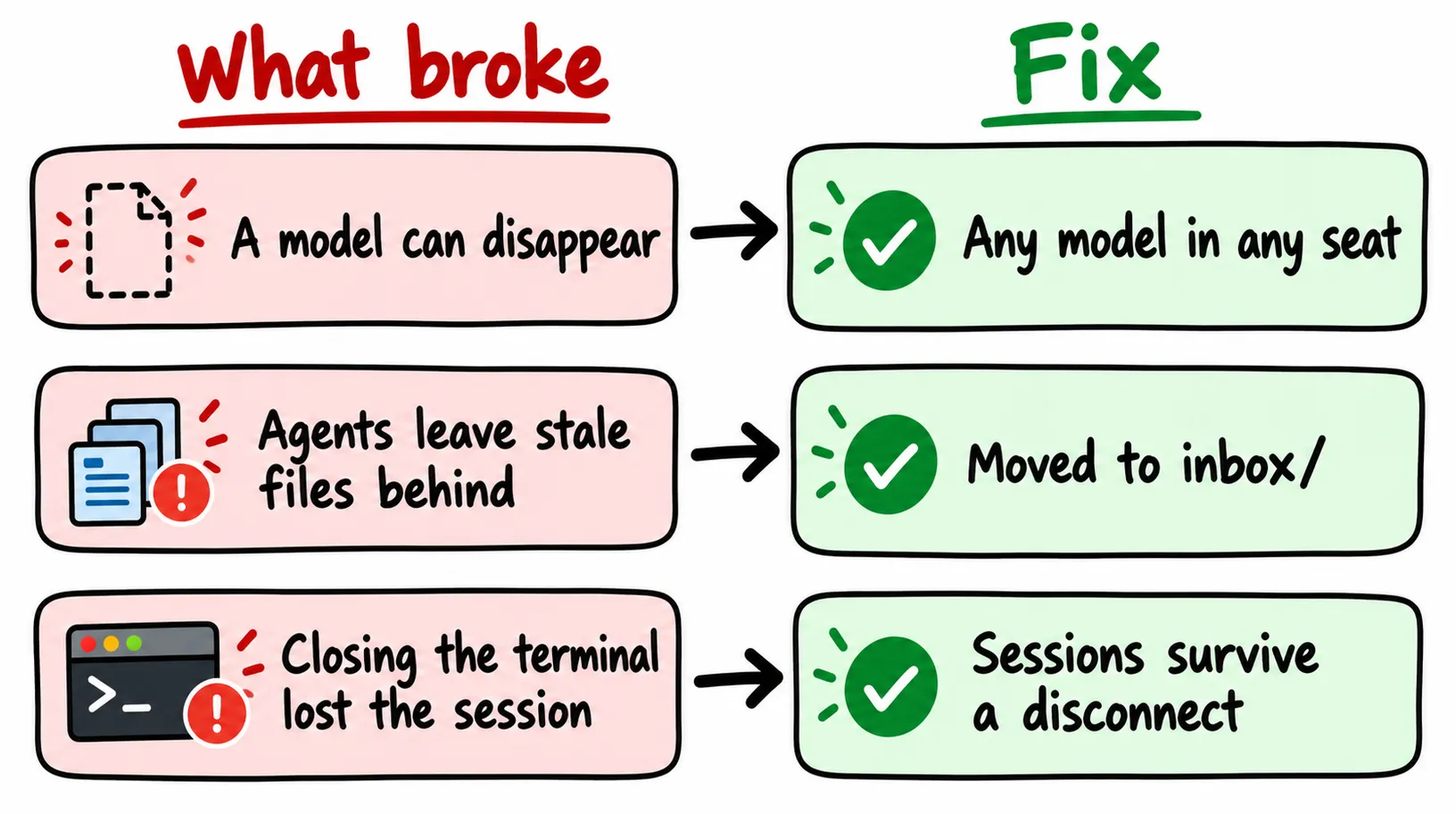
What broke
One model page came back with a major flaw. GLM 5.2's weather page had a fairly big mistake, and Grok 4.5's had a small one. Giving three models the same prompt in parallel is how I see this before a model gets a permanent seat.
A model can disappear. Fable 5 went offline two days after launch. Anything built around a single model breaks with it. Keeping the context in the folder and letting any model take any seat is the fix.
Agents leave stale files behind. They tend to leave expired items in the folder where they were made. I have them moved to inbox/, which works as the archive.
Closing the terminal lost the session. That was before Herdr: now a disconnect leaves the session, the work and the context in place. One limit from Herdr's README: after a server or machine restart it restores the layout and can resume supported agents, but the original processes don't survive. Install the integration for each CLI you use so the sessions come back:
herdr integration install grok
herdr integration install claude
herdr integration install kimi
FAQ
Do I need Claude Code to run an AI agent team like this?
No. Any agent CLI that can read files works. I run Grok Build, Claude Code and Kimi Code side by side in Herdr, and because the knowledge base is plain files, each of them reads the same context.
What is a session multiplexer for AI agents?
It is a terminal manager built for agents. Herdr keeps each agent's session running in the background when you disconnect, marks every pane as working, blocked or idle, and lets agents send prompts to each other through its CLI.
What should go in the knowledge base first?
Who you are and what you do. An owner folder for your preferences, judgments and values, a brand folder for your platforms, visual assets and persona, and the business folders for the work itself. Standards, workflows and tools come next.
What is the difference between a fixed role and a temporary seat?
A fixed role does the same job every day and starts in its own root folder, next to its operations manual. A temporary seat starts at the root of the knowledge base and takes one-off jobs, like a model comparison.
Which model should each agent use?
As of August 2026, I use Claude Opus 4.6 as my main model, Grok 4.5 when I want speed, and Kimi K3 for front-end design. Choose per task, because any single model can change or disappear.
Can I run the agents from my phone?
Yes. The folder syncs to a cloud server and to all my computers, and I use the Moshi app on my phone to reach the Herdr session and hand out tasks by voice.
A 30-minute video is too long for one conversation. This guide walks the 8-step Skill that locks the narration and one look, then gives each 3-minute segment to a fresh sub-agent, five at a time, and polishes the cut in an empty-context session.
Eight folders of plain Markdown, a CLAUDE.md index in each, and seven prompts that make your agent interview you. Every prompt, template and command from the video, in order.
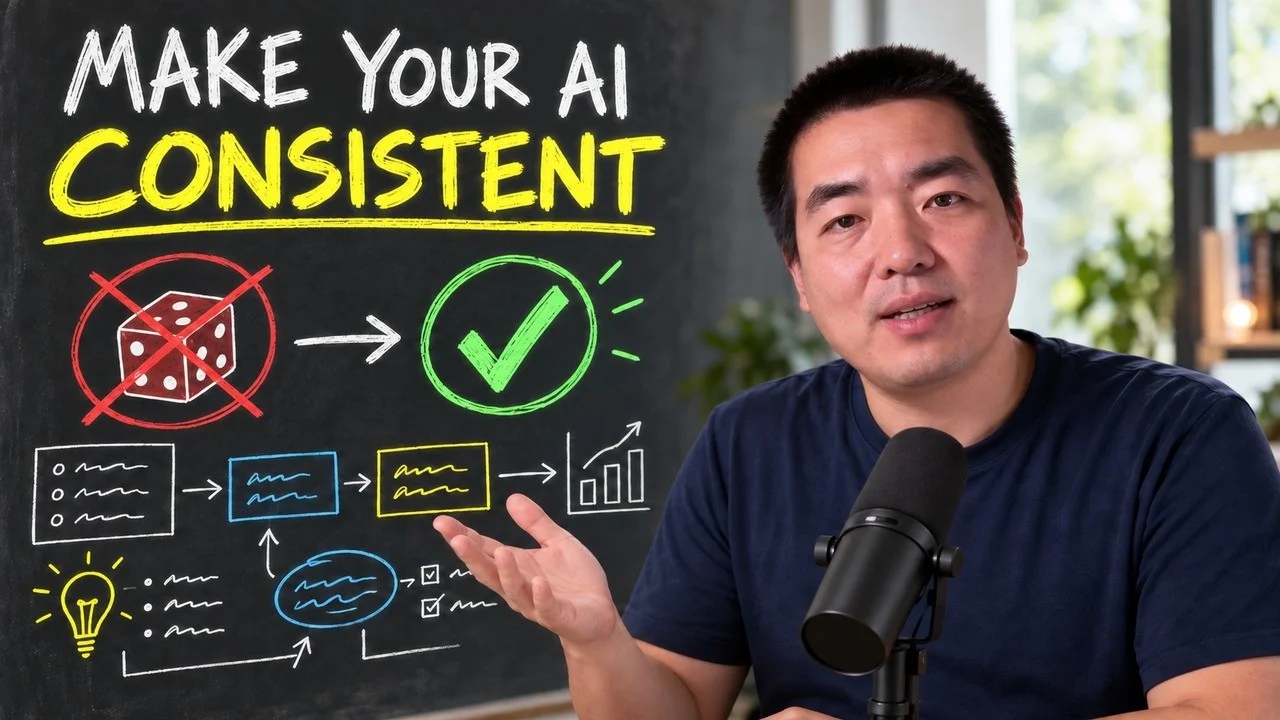
The same request gives a different answer every run because the agent fills every gap with the average of its training data. Three Markdown standards fix that: a meta standard, an eight-part prompt standard and a Skill standard. Free repo, one-prompt install.
Stop briefing your AI from scratch. One free folder holds your background, your rules and your voice. Eight prompts build it, no code, and any AI can read it.