A 30-minute video is too long for one conversation. This guide walks the 8-step Skill that locks the narration and one look, then gives each 3-minute segment to a fresh sub-agent, five at a time, and polishes the cut in an empty-context session.
The folder structure behind my AI agent team, the Herdr setup where Grok Build, Claude Code and Kimi Code work side by side, and the two live tasks from the video: an article published by voice and a three-model front-end test.
Eight folders of plain Markdown, a CLAUDE.md index in each, and seven prompts that make your agent interview you. Every prompt, template and command from the video, in order.
The Simplest AI Second Brain: 8 Folders + Claude Code
Eight folders of plain Markdown, a CLAUDE.md index in each, and seven prompts that make your agent interview you. Every prompt, template and command from the video, in order.
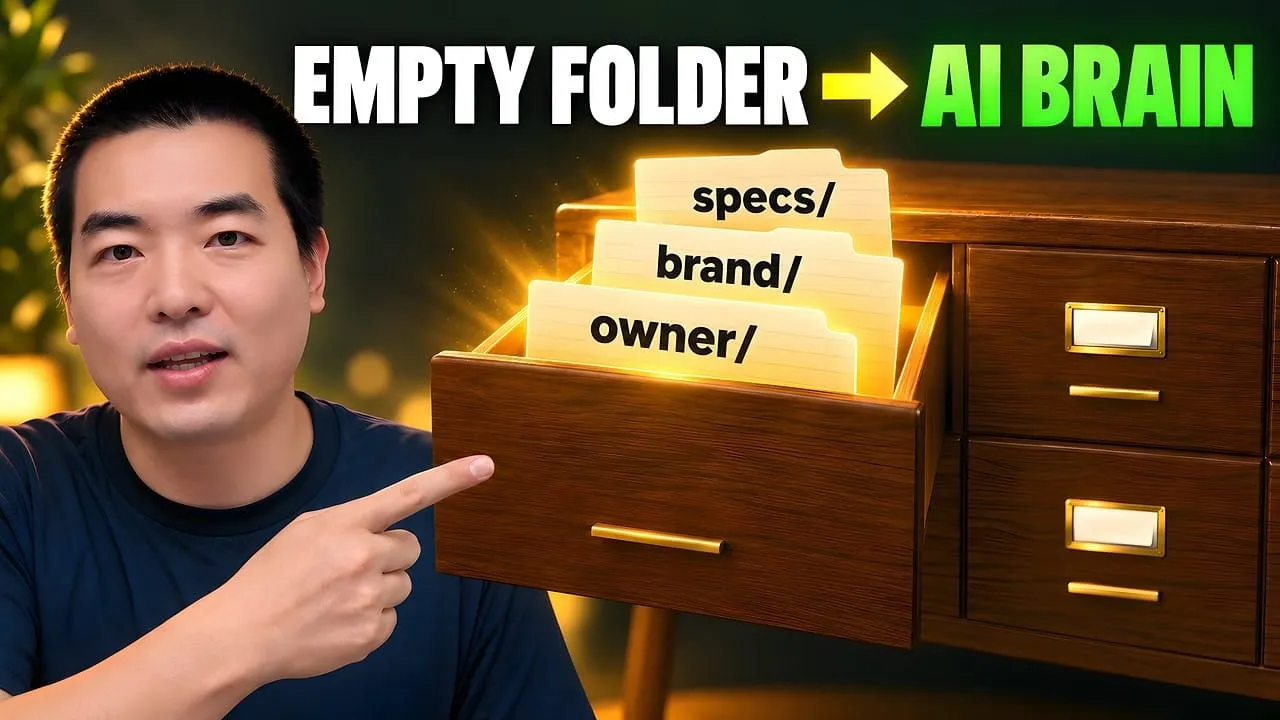
I built an AI second brain from an empty folder: eight top-level folders of plain Markdown, each with a CLAUDE.md index the agent reads before it does anything. Seven prompts from a free repo make the agent interview me and write every file from my answers. It runs in Claude Code, Codex, Pi, or any agent that can read files.
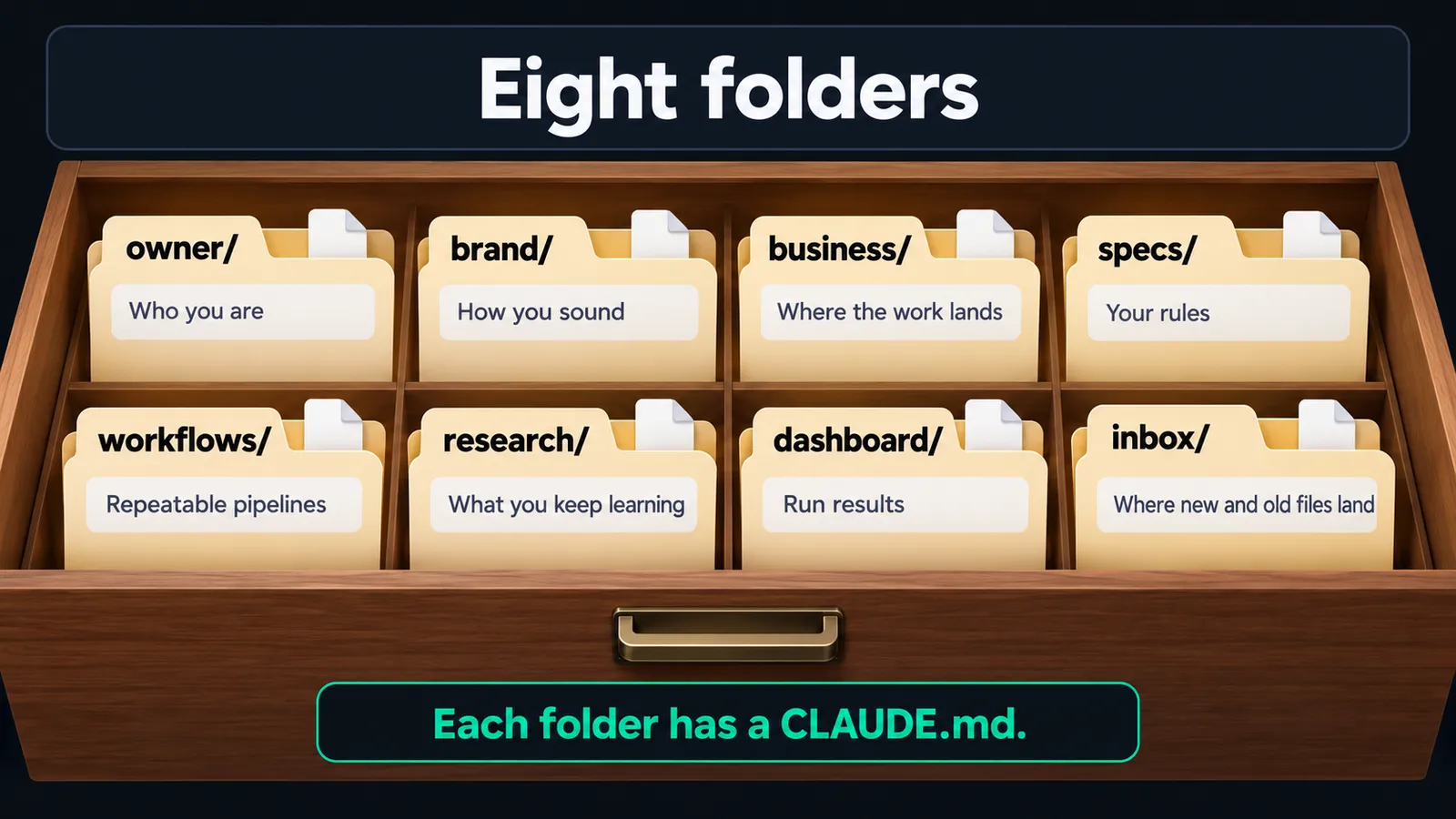
Eight folders, and every piece of information belongs in exactly one: owner, brand, business, specs, workflows, research, dashboard, inbox.
Each folder has a CLAUDE.md that says what lives there. That index is how the agent finds things without you pointing.
The agent builds the base by asking you questions, one at a time. Nothing comes from placeholder text.
Rules in specs/ and pipelines in workflows/ stop the agent from improvising file names and formats.
Old files come in through inbox/: placed whole or merged into existing files, then archived. Nothing is deleted.
What you need
An agent that can read and write local files: Claude Code, Codex, Pi, Cursor, Gemini CLI.
Web search in that agent for steps 4 to 6. Mine used an MCP search tool.
Git, to clone the repo.
Optional: tree to print folder trees (brew install tree on macOS, apt install tree on Debian or Ubuntu).
Optional: voice input. You'll be answering a lot of questions about yourself.
Optional, for step 7: a few of your own old documents. The repo ships four samples if you'd rather test with those first.
Step by step
The bookshelf: what the eight folders hold
Think of the knowledge base as a bookshelf with eight drawers. When a new file shows up, you only decide which drawer it goes in.
Folder
What goes in it
owner/
Who you are: background, how you think, how you make decisions. The parts that stay with you whatever you work on.
brand/
How you sound to the outside: identity, positioning, tone, audience, visual assets.
business/
Where the work lands. One subfolder per channel or product, holding the real outputs.
specs/
Your rules: naming, formats, writing standards.
workflows/
Repeatable pipelines, written as steps the agent can run.
research/
What you keep learning: topics, references, collected material.
dashboard/
Run results and status snapshots, filed by month. I call it the cockpit.
inbox/
Where new and old files land before they're sorted into the other seven.
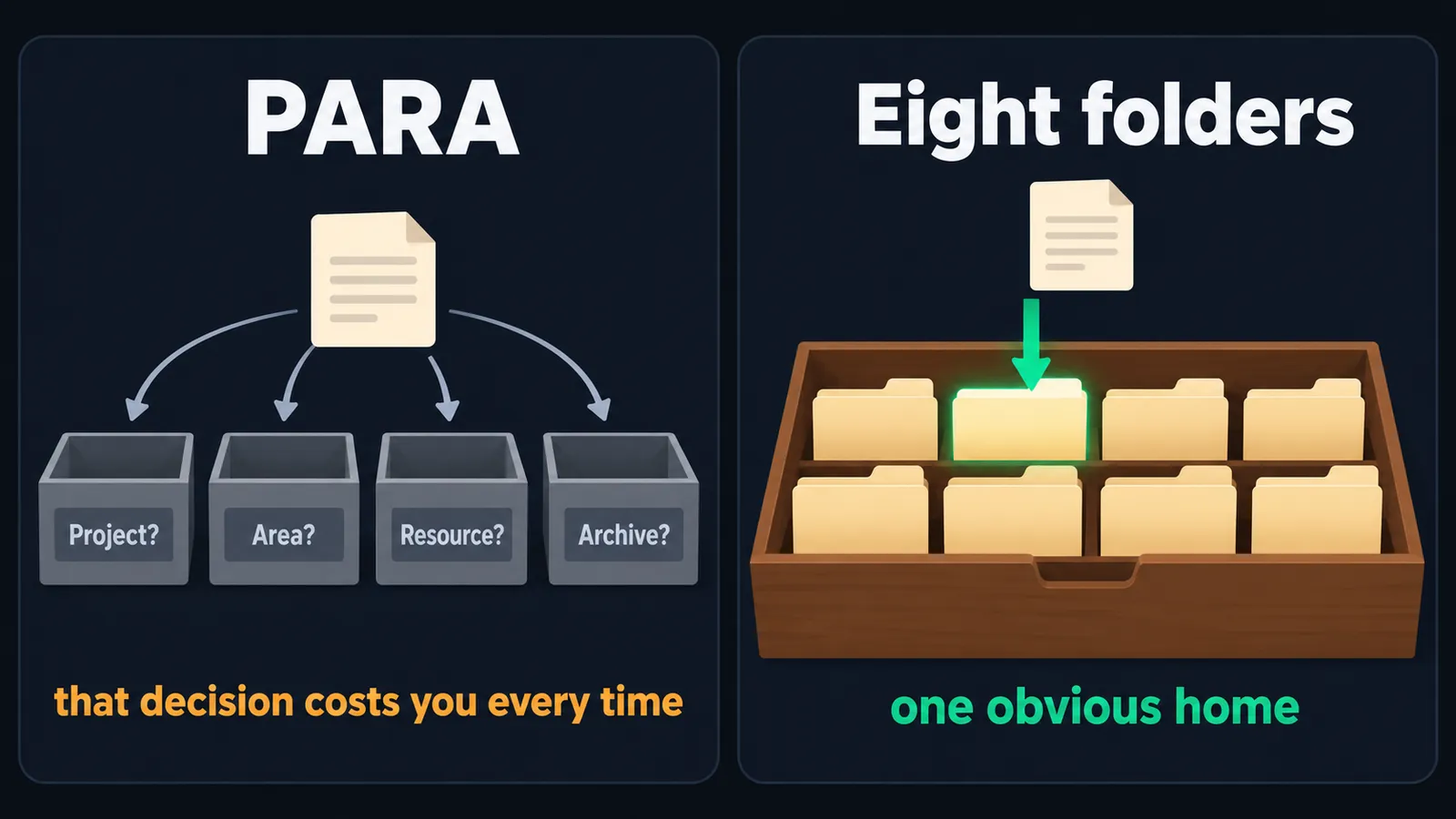
Why not PARA? I read through PARA, Second Brain and other knowledge management methods before building this. PARA makes you decide, for every note, whether it's a project, an area, a resource or an archive. Every one of those calls costs you something. With these eight folders each piece of information has one obvious home, a single source of truth. My own knowledge base has close to 800,000 files and still uses the same eight top-level folders.
Time or dimension. There are only two ways I sort things inside a folder. Output you produce on a schedule, like a daily article, goes by month and date. Material that cross-references itself, like business model, target audience and brand positioning, goes by dimension. Step 6 turns this into a rule: dimension folders on the outside, time folders on the inside, never deeper than four levels.
The index. Every folder gets a CLAUDE.md. The root one has one row per folder, and the agent reads it first. Here's part of the root index from my finished run:
| Directory | Content | Trigger words |
|-----------|---------|---------------|
| `owner/` | Who I am — background, skills, decisions, communication style | Leo, me, my background, my preferences, my story |
| `brand/` | How I sound — AI Workflow Pro identity, positioning, voice, visual assets | brand, voice, tone, identity, positioning, audience |
| `business/` | Where my work lands — YouTube channel, articles, social media platforms | business, YouTube, channel, publish, platform, product |
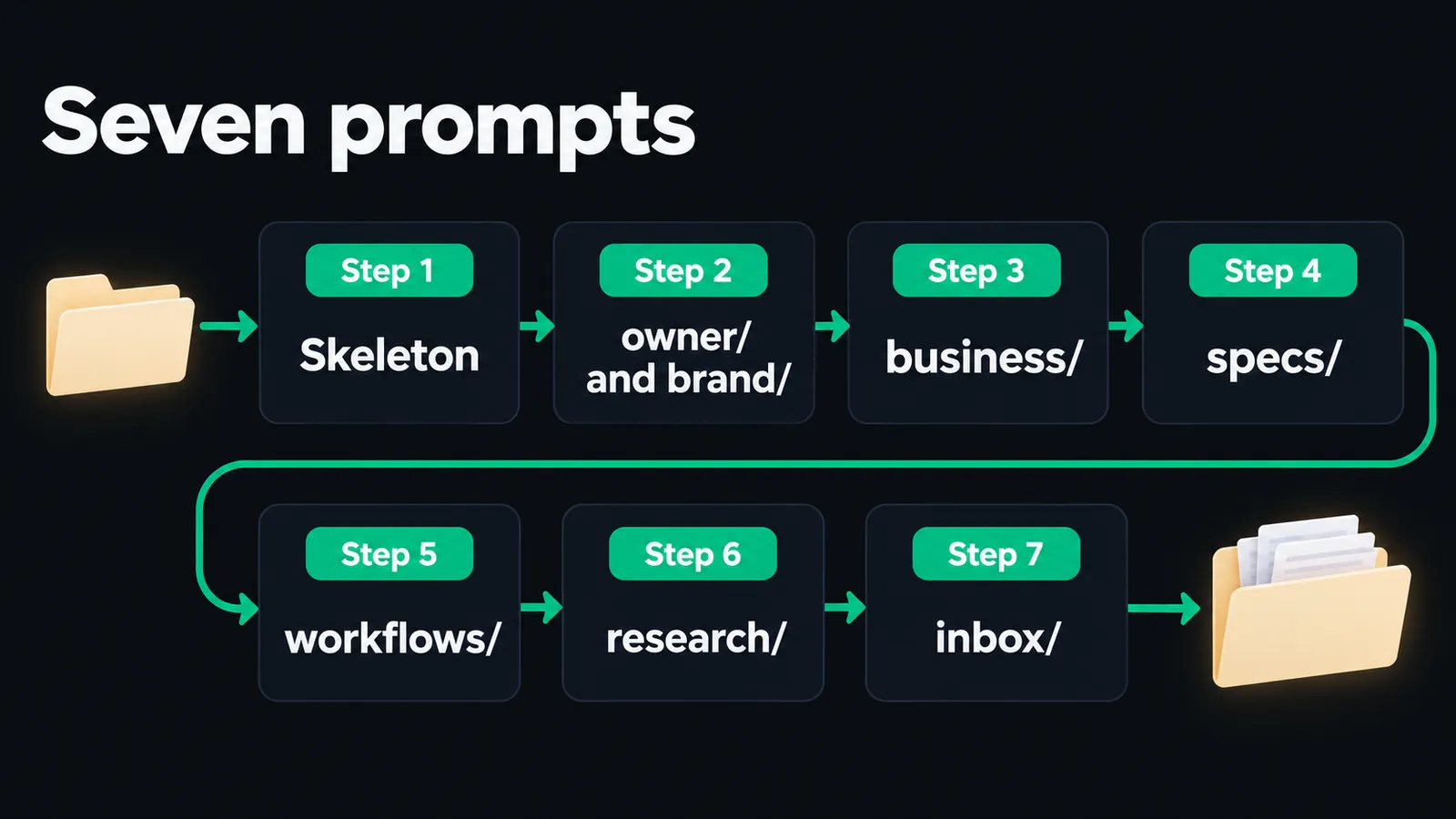
Step 1: Clone the repo and build the skeleton
Start your agent in the folder where you keep your projects and paste this. It's the Quick Start prompt from the repo README:
Working directory: the folder where you keep your projects — the clone lands inside it.

Clone https://github.com/aiworkflowpro/awp-playbook-knowledgebase-skeleton and cd into it.
Run pwd and confirm it ends with awp-playbook-knowledgebase-skeleton.
Read AGENTS.md, then follow steps/00-setup/prompt.md.
Tell me when it is done, and do not start step 1 until I paste it.
Or do it by hand and then start your agent inside the repo:
git clone https://github.com/aiworkflowpro/awp-playbook-knowledgebase-skeleton
cd awp-playbook-knowledgebase-skeleton
mkdir -p workspace
ls steps
Your knowledge base grows inside workspace/. The other folders (steps/, reference/, solutions/) are read-only storage.
Now paste steps/01-scaffold/prompt.md. The agent reads the CLAUDE.md authoring standard, then asks you three questions, one at a time:
What is your name, and what do you do?
What do you want the agent to handle first?
Is there anything the agent should never touch?
My answer to the third: nothing financial and nothing personal. The agent handles the external side of the business, and if something is sensitive or I haven't decided the direction, it asks me. That became a behavior rule in my root CLAUDE.md.
In the video I ran Pi with DeepSeek V4 Flash because it's fast and cheap, and I answered by voice with Wispr Flow. The prompts don't care which agent or model you use. I also browse the folder in a small viewer I built for myself; any file browser works, and you can open workspace/ as an Obsidian vault.
Step 2: owner/ and brand/
Why two folders and not one? owner/ holds the constants: your experience, your way of thinking, how you see things. Those go wherever you go. brand/ is everything external-facing, and you can run more than one brand inside the same knowledge base without touching owner/.
The split pays off when you give the agent work. Ask for a blog post and it pulls tone and audience from brand/. Ask it to plan where the brand should go next and it reads your strengths, weak spots and past decisions from owner/.
Paste steps/02-person/prompt.md. The agent follows the build procedure in the owner and brand skeleton specs and interviews you. It opened with my background. I also told it what I'm good at (breaking work into modules and frameworks), what I'm bad at (visual design and video editing), my goal for the channel, and how I make decisions (I search for other people's best practices first).
The prompt ends with a test: the agent writes a two-line intro of you in your brand voice. If it could describe anyone, go back and give it more detail. My recorded run produced owner/profile.md, owner/decisions.md, brand/identity.md and brand/audience.md.
Step 3: business/
business/ gets one folder per place your work ships. For me that's YouTube and X. A teacher would have a course folder; someone with a newsletter would have one for that.
Paste steps/03-business/prompt.md and name your arenas. The prompt tells the agent to create only the ones you name. My answer was roughly:
My business is two channels: YouTube and X. Build one folder for each.
Why keep finished outputs here? Models imitate. Put your first video script in business/youtube/, and the second one comes out much closer to your tone and format, because the agent has the first to copy from.
Step 4: specs/, naming and script standards
Without a naming rule, the agent names files however it likes that day: note today, something with an underscore and a number tomorrow, a hyphenated version the day after. Nothing is findable.
I use four-part names: four fields, three hyphens, date first. The standard's pattern for research material is {YYYYMMDD}-{type}-{language}-{title}, so a note about video ideas from August 22, 2026 becomes:
20260822-note-en-video_ideas.md
Two things get easier. The agent can filter by date or keyword with a plain file search. And one folder can hold many kinds of files, so you don't need a 2026/08/videos/ nest of folders.
# [Title]

## Scope
What this rule applies to — all files? Only one folder? Only a certain file type?

## Rule
The actual constraint. One clear sentence. If someone reads only this line, they know what to do.

## Good example
One filename or document snippet that follows the rule.

## Bad example
The same thing done wrong — so the difference is obvious.

## Check
How the agent verifies compliance: what to look for, what command to run, or what pattern to match.
The prompt also makes the agent prove each rule by creating the same file twice, once breaking it and once following it.
My second standard was for YouTube scripts. Here's the request, cleaned up:
Create a new standard for all my YouTube video scripts. Search the web for YouTube script
best practices first: professional, concise English, a hook in the first 20 seconds, and so on.
It searched the web and came back with a guideline covering hooks, pacing and calls to action. From then on, "write a YouTube script about X based on the guideline" is enough; the agent reads it on its own. I have dozens of standards now, and they keep changing as I learn. Edit them whenever the output tells you something is missing.
Step 5: workflows/, a script workflow
A standard says what good output looks like. A workflow says which steps to take and in what order. Turn the tasks you repeat into workflows and you can tune them over time, so the output keeps getting more consistent.
My usual task is writing a full spoken script for every video. Search the web for common
industry workflows for spoken scripts and use them as reference. The flow I want: interview me
about the video's theme, search the web for details, build and discuss the outline with me,
then output a polished YouTube script that follows my script standard. Create a workflow for this.
Every workflow file uses four sections:
# [Workflow Name]

## Trigger
When does this run? A schedule ("every Monday"), a command ("when I say: new draft"), or an event ("when a file lands in inbox/").

## Steps
Numbered list of what to do, in order. Each step is one action the agent can execute. Include any research, writing, or file operations. Be specific — "search the web for X" not just "research."

## Check
How to verify the output is good. Reference a standard from specs/ if one applies. List what to look for: word counts, required sections, naming rules, anything measurable.

## Lands in
Where the finished output goes — which folder in business/, dashboard/, or elsewhere. The workflow definition stays in workflows/; only the output moves.
The prompt makes the agent run the workflow once for real. When I ran mine, it read the root CLAUDE.md and workflows/CLAUDE.md, then pulled my brand, audience and business/youtube/ without being told. It researched the topic, built an outline, and wrote a full script. I have more than 70 workflows in my own knowledge base; this is the shape all of them started from.
Step 6: research/, keep learning
research/ is where things you learn go, so the next session can use them. Topics are dimension folders; inside each topic, material is filed by month.
I want to learn the logic behind AI video editing: open-source programs and methodology.
Search for related material, research it, and save it into the right folder.
It searched, saved what it found, and named everything with the four-part convention. Part of the result from my run:
You already have documents scattered across drives and folders. They come in through inbox/. Paste steps/07-engine/prompt.md. To try it with the repo's four sample files first:
cp steps/07-engine/import/*.md workspace/inbox/
The agent handles each file in one of two modes:
Place. The document is complete on its own, like an article you already published. It goes whole into the right folder (for an article, business/) and gets renamed to your convention.
Extract. The document holds pieces of something bigger, like a company intro or a few lines on how you work. The agent merges those pieces into the existing files in owner/ or brand/ without duplicating anything.
For every file it shows you a proposal first: source, target, mode, and a confidence level (HIGH, MEDIUM or LOW). Accept it, or tell it where the file should go. When the batch is done, the originals move to workspace/inbox/archive/{YYYYMM}/{YYYYMMDD}-import-batch-archive/ with an import-log.md. Nothing is deleted.
The same prompt creates dashboard/output/{YYYYMM}/ for run results and copies the standard into your knowledge base, so later sessions read the rules from inside it:
cp -r reference/* workspace/specs/
That lands all 66 files at workspace/specs/awp-knowledge-management-standard/. To check your file names afterwards, run this from the repo root. No output means everything complies:
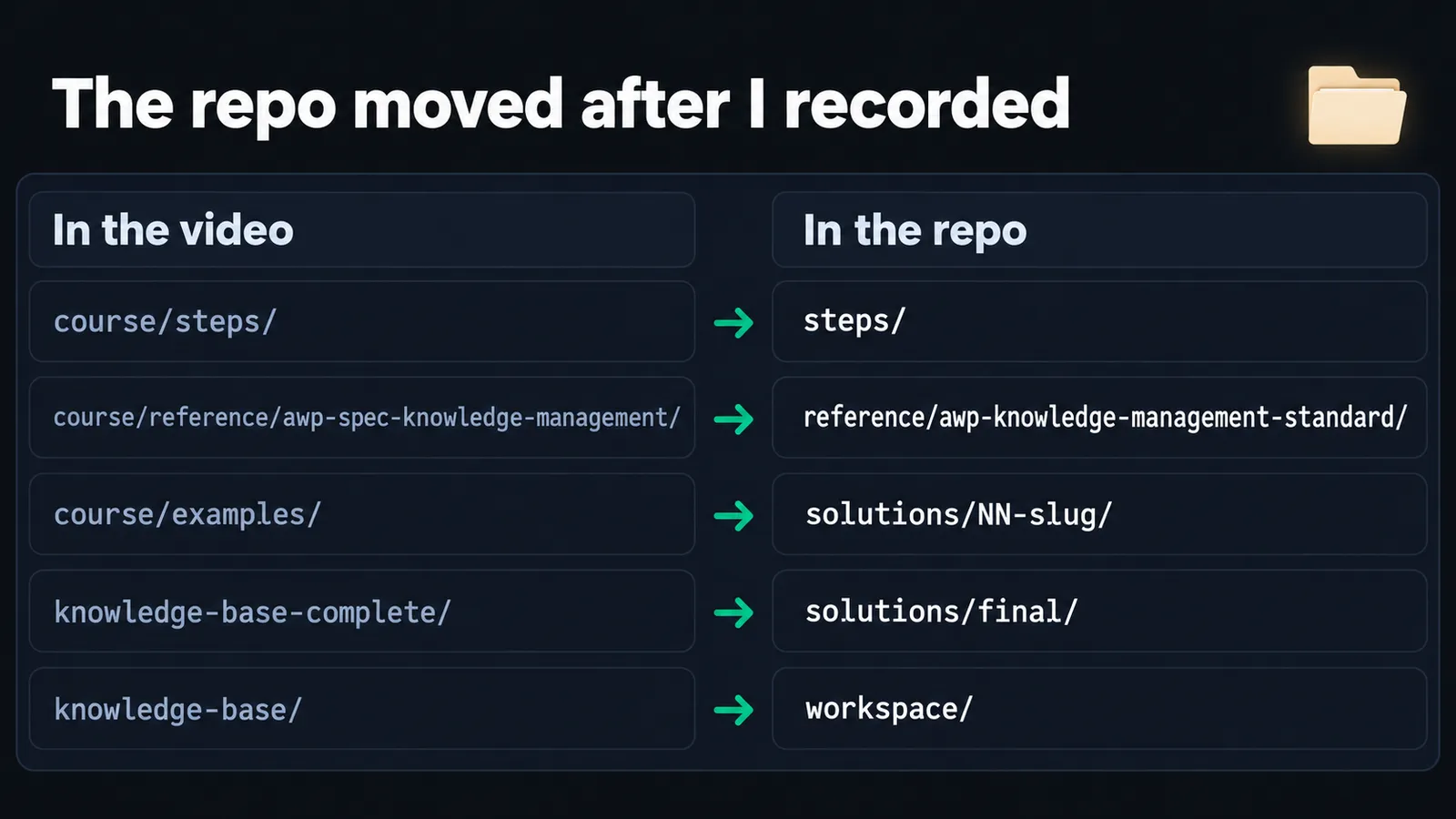
The repo moved after I recorded. The video shows course/ and knowledge-base/. The prompts in the repo already use the new paths:
course/steps/ is now steps/
course/reference/awp-spec-knowledge-management/ is now reference/awp-knowledge-management-standard/
course/examples/ is now solutions/NN-slug/, and the step 7 samples are in steps/07-engine/import/
knowledge-base-complete/ is now solutions/final/
knowledge-base/ is now workspace/
The agent can't find the reference folder. It's running one folder too high. Every prompt starts with pwd for this reason; have it cd into awp-playbook-knowledgebase-skeleton and try again.
The tree command is missing. If you see tree: command not found, install it (brew install tree or apt install tree), or ask the agent to use find workspace -maxdepth 2 instead.
The agent didn't know my website. Running the script workflow, it told me my site wasn't in its knowledge. I gave it the URL, it fetched the page through MCP and checked whether I'd already published on the topic. Anything you want it to know next session belongs in the knowledge base, not in the chat.
An imported file contradicted my profile. In the recorded run, about-me-draft.md described my career one way and owner/profile.md, written from my own answers in step 2, described it another. The agent kept the profile as the authority, because brand/ and business/ were built on it, and folded the draft in as earlier career history. Extract mode is not paste: when the source disagrees with the target, decide which file the rest of the base depends on, then reconcile.
FAQ
Do I need Claude Code for this?
No. The prompts only ask the agent to read files, ask questions and write Markdown, so any agent with file access works: Claude Code, Codex, Pi, Cursor or Gemini CLI. In the video I used Pi with DeepSeek V4 Flash. Start the agent in the repo root so the relative paths resolve.
Why eight folders instead of PARA?
Because PARA makes you decide, for every note, whether it's a project, an area, a resource or an archive, and that decision costs you every time. Eight folders split by what the information is for give every file one obvious home.
What is the CLAUDE.md file in every folder?
It's that folder's index: a one-line description of the folder plus a table of what's inside. The agent reads the root CLAUDE.md first, then the one in the folder it needs, so it finds files without searching the whole base.
How is this different from RAG or an Obsidian vault?
RAG retrieves chunks by similarity, so you rarely see what the agent actually read. Here the agent moves through folders using their CLAUDE.md indexes, and every file is plain Markdown you can open. You can open workspace/ as an Obsidian vault too; the playbook adds the structure and indexes an agent needs.
Why doesn't my knowledge base match solutions/final?
It shouldn't match file for file, because every file is written from your answers. Compare the structure instead: eight top-level folders, a CLAUDE.md in each, dated files in research/ and dashboard/, and the standard under specs/ after step 7.
What happens to my old files when I import them?
Nothing is deleted. After you confirm, each file is either placed whole into the right folder or merged into existing files, and the original moves to inbox/archive/{YYYYMM}/{YYYYMMDD}-import-batch-archive/ with a log entry.
A 30-minute video is too long for one conversation. This guide walks the 8-step Skill that locks the narration and one look, then gives each 3-minute segment to a fresh sub-agent, five at a time, and polishes the cut in an empty-context session.
The folder structure behind my AI agent team, the Herdr setup where Grok Build, Claude Code and Kimi Code work side by side, and the two live tasks from the video: an article published by voice and a three-model front-end test.
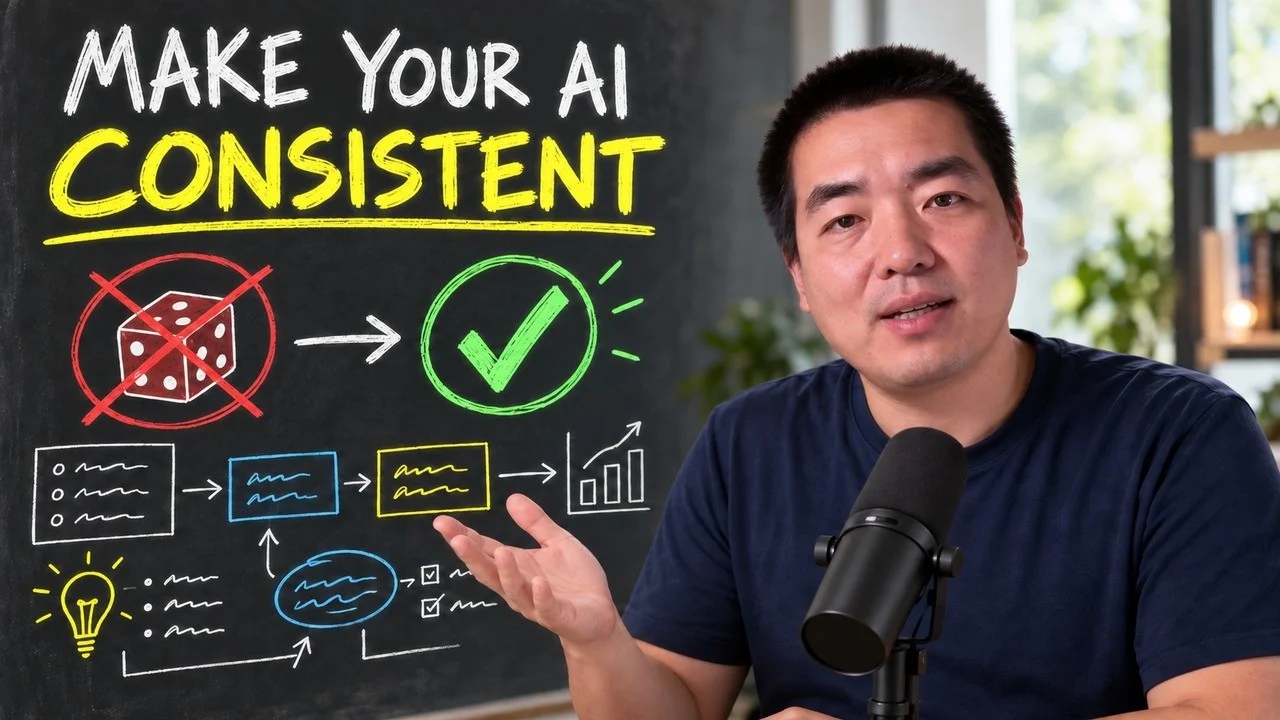
The same request gives a different answer every run because the agent fills every gap with the average of its training data. Three Markdown standards fix that: a meta standard, an eight-part prompt standard and a Skill standard. Free repo, one-prompt install.
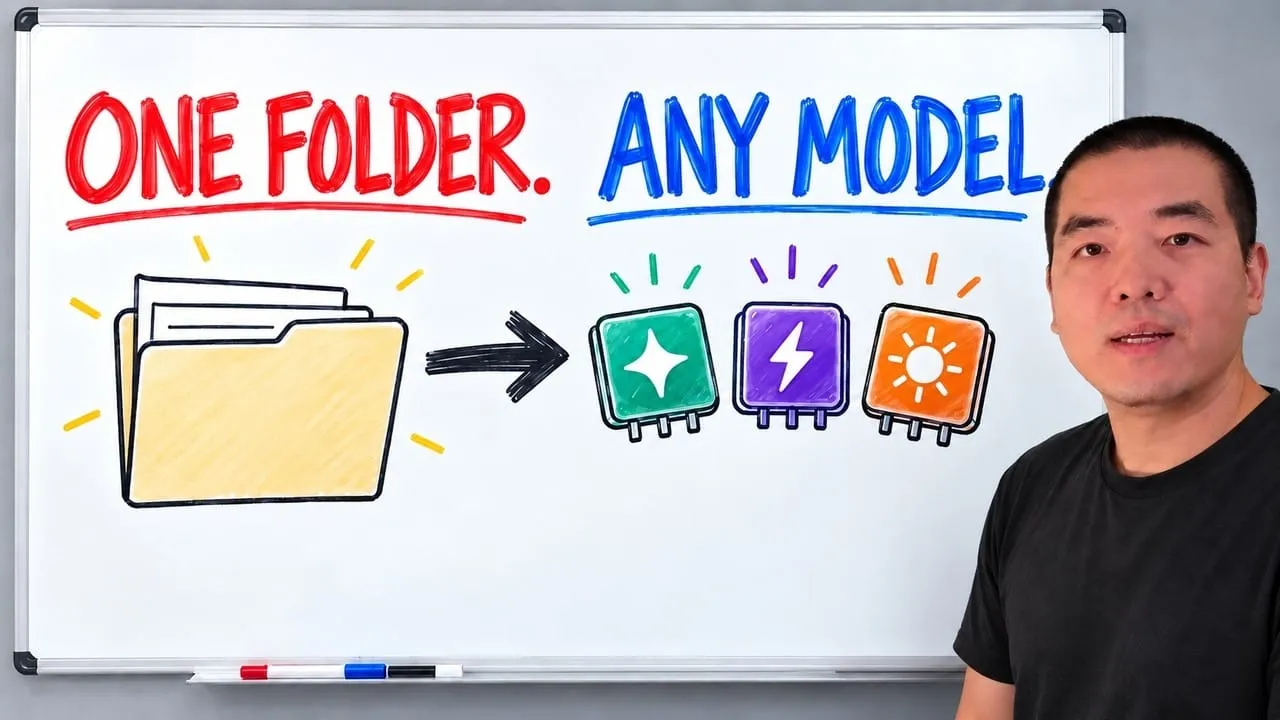
Stop briefing your AI from scratch. One free folder holds your background, your rules and your voice. Eight prompts build it, no code, and any AI can read it.