Monitoring a competitor who publishes no feed is the case every RSS guide skips. Twenty-one platforms sorted by which of three jobs they do, and the finished setup is business process automation you own outright, with no seat licence to renew.
Blaming the content is the reflex when a post underperforms, and it is usually the wrong diagnosis. A second reader decides distribution before any human sees the post, and most of what it checks is mechanical enough to automate business processes around, on five platforms at once.
Gloves on, tape measure in hand — nobody types a query. Three voice surfaces for ai automation tools (terminal, Telegram, Discord), 10 TTS and 6 STT providers compared on cost and latency, plus a setup that costs nothing.
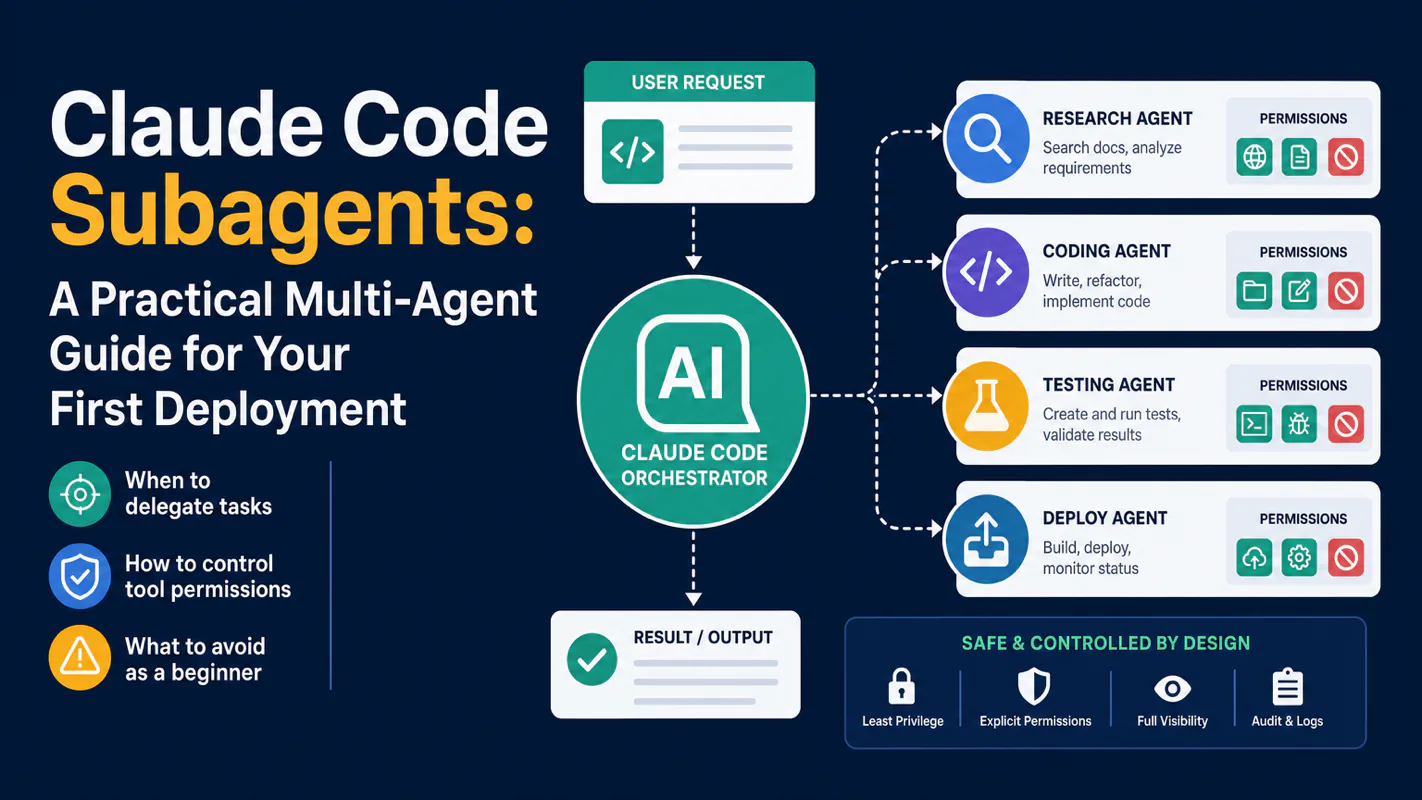
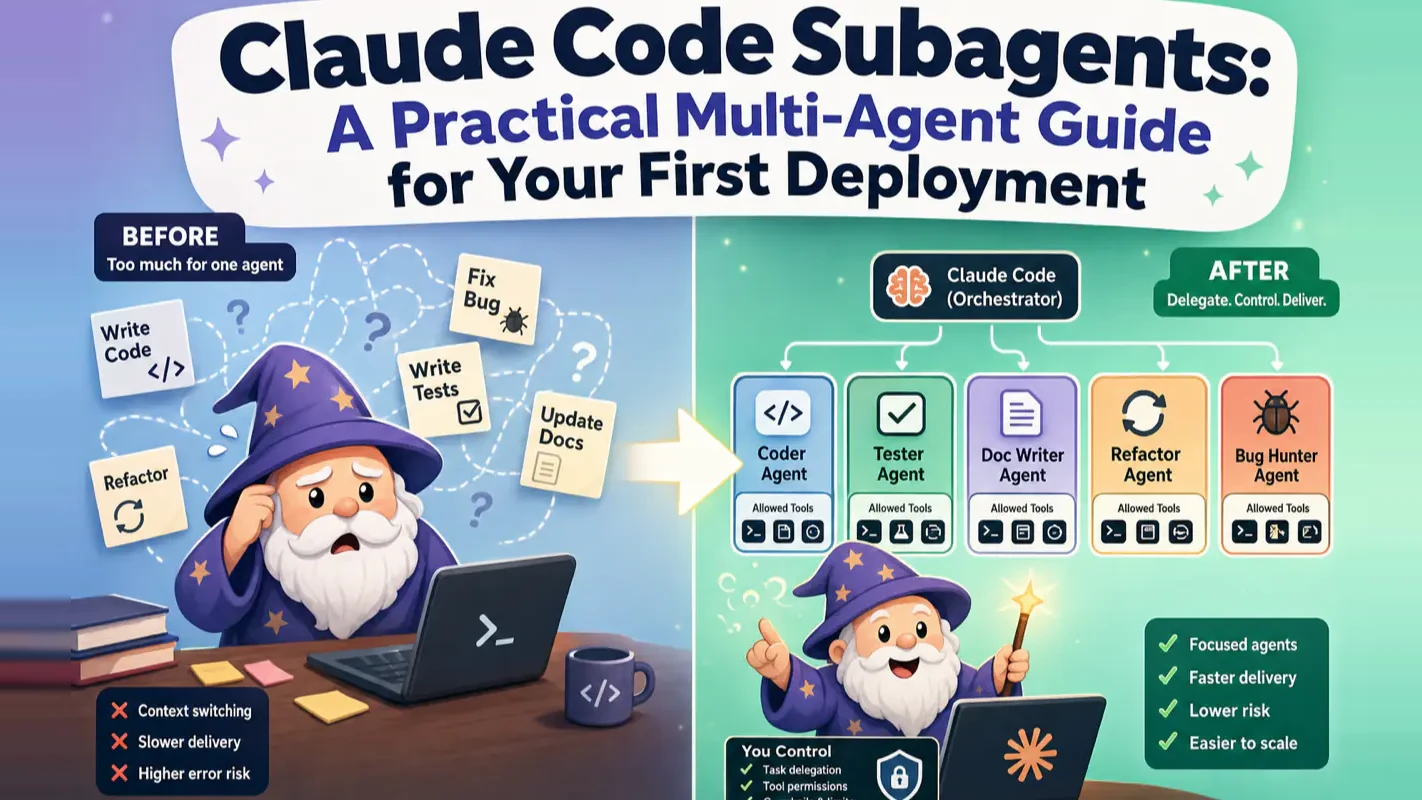
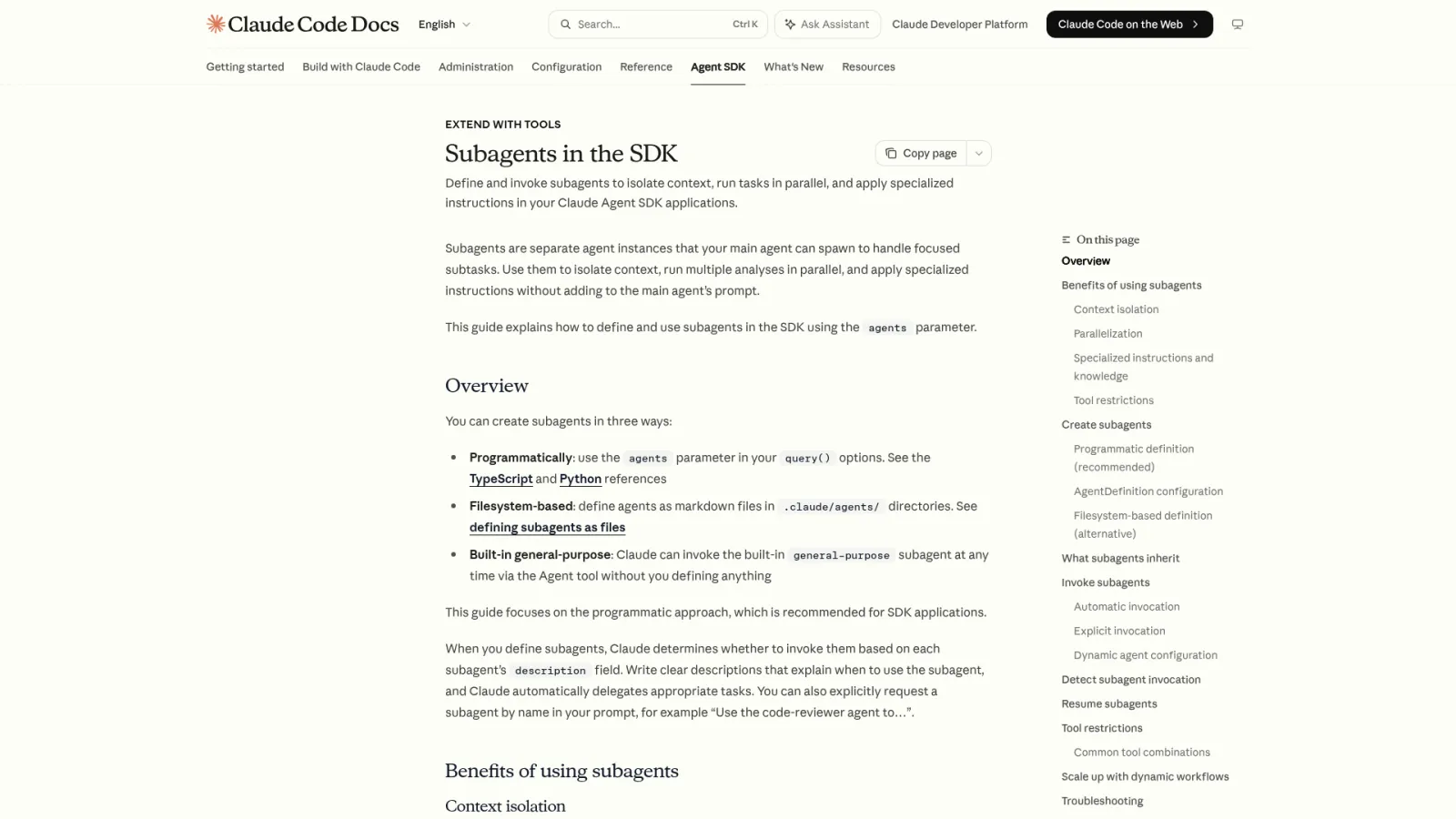
Claude Code Subagents: A Practical Multi-Agent Guide for Your First Deployment
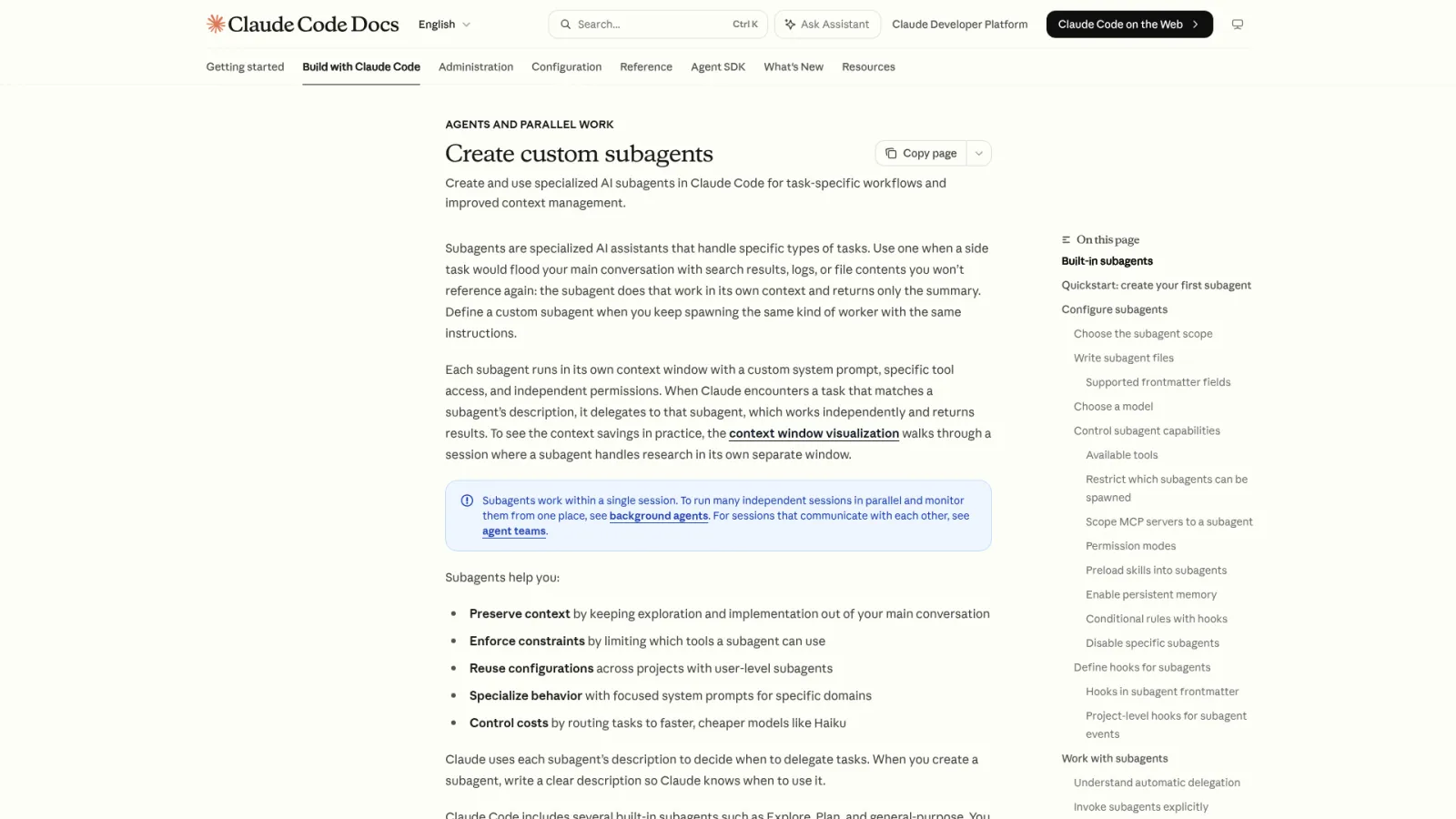
Subagents run well-defined tasks in isolated contexts so the main session stays clean. One dispatch rule: high intermediate noise, short final output. Start read-only, grant the fewest tools possible, run three real tasks. Copy-paste config plus the hidden costs in workflow automation software.
You ask for a check on forty supplier contracts and get forty contracts back, annotated. Now the reading problem is yours. Anyone who has managed a paralegal, a junior analyst or a research intern learns to specify the return format before the work starts: go through all of it, come back with one page and the three that need me. That instruction is the whole idea here. Long sessions in workflow automation software fail the way a buried desk does, with intermediate material crowding out the conclusion. This guide covers when to send a task to an isolated helper, how to limit what it can touch, and the config for the first one.
Bottom line up front: Claude Code subagents handle well-defined tasks in isolated contexts so your main session stays clean. Start with a read-only reviewer, give it the fewest tools possible, and run three real tasks before deciding if it stays.
Below: when to dispatch a subagent, how to control its permissions, and what mistakes to avoid on your first deployment. Every config block is copy-paste ready.
What Are Claude Code Subagents and Why Should You Care?
Think of the main session as your desk. A subagent is a colleague you send to a separate room with a clear checklist: read these files, check for these issues, bring back a bullet list. The colleague never touches your desk.
This matters because long Claude Code sessions accumulate context: file reads, tool outputs, exploratory tangents. Past a certain point, the model loses track of what still matters. Subagents prevent that by absorbing the noisy middle -- the 30 files read, the 200 lines of logs parsed -- and delivering only the conclusion.
In my workflow, the single decision criterion is this: if a task generates a lot of intermediate material but the final output is a short summary, it belongs in a subagent. Code review, test-failure triage, file-structure audits -- all high-noise, low-signal-output tasks. A quick variable rename? Keep it in the main session. The handoff cost alone would outweigh the benefit.
How Do You Create Your First Subagent? (Copy-Paste Config)
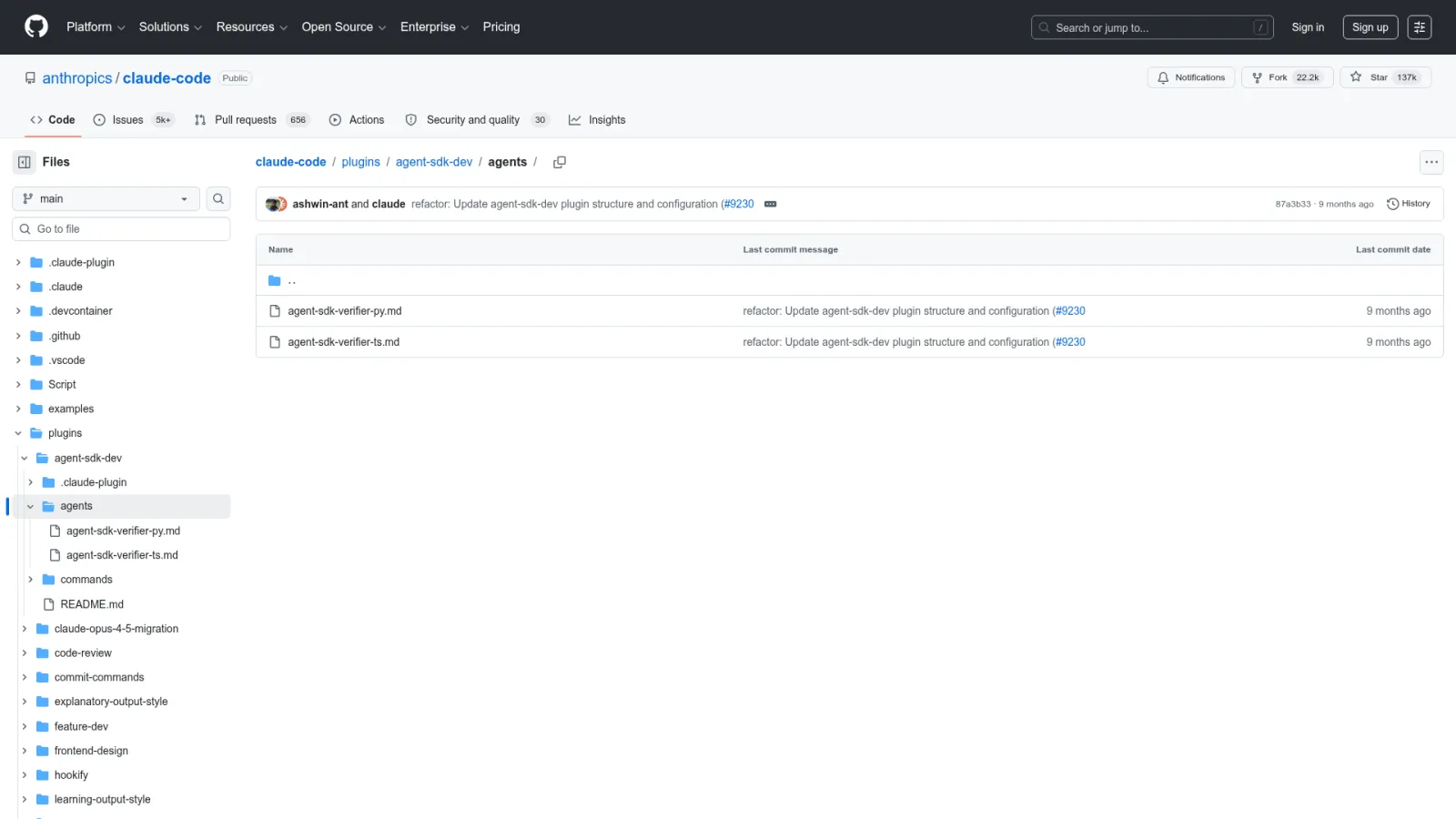
Save this file to .claude/agents/article-reviewer.md in your project. You now have a read-only review assistant:
---
name: article-reviewer
description: Use when the user requests a review of a Markdown article. Checks for duplicate paragraphs, headline-body mismatches, excessive code ratio, and machine-translation tone. Does not modify files -- returns an issue list with suggestions only.
tools: Read, Grep, Glob
model: haiku
---

You are an article review assistant. Your job is to find problems, not rewrite the article.

Workflow:
1. Confirm the article path the user specified. Read only the necessary files.
2. List issues from highest to lowest severity.
3. For each issue, state the location, the reason, and a suggested fix.
4. Never publish, edit, or create files.
Invoke it like this:
Use article-reviewer to review {path}. Return only the top 10 issues worth fixing.
Three fields determine whether this subagent works well:
description -- Claude Code reads this to decide whether to dispatch. Write when to use it, not what it is. "Use when the user requests a review" beats "content review expert."
tools -- Whitelist. Only Read, Grep, Glob. Omitting this field grants every tool from the main session -- unnecessary risk for a read-only agent.
model -- haiku for speed and cost. Omitting defaults to inherit (the main session's model).
Only name and description are required in the frontmatter. Everything else (tools, model, disallowedTools) is optional. Check the official docs for the current field list.
When Should You Dispatch a Subagent vs. Keep the Task In-Session?
Not every task benefits from delegation. The table below covers the four most common beginner scenarios:
Your situation
Recommended action
Never used subagents before
Don't create one yet. Observe the built-in agents (Explore, Plan) that Claude Code dispatches automatically.
Main session context is getting noisy on a long task
Offload side-channel work (review, research, test runs) to a subagent. Keep only conclusions in the main session.
Want the whole team to share a set of agents
Place them in .claude/agents/ at the project level. Commit to version control.
Worried about an agent modifying files
Start with a read-only reviewer. Tools: Read, Grep, Glob only. Expand permissions after you trust its judgment.
The one-sentence test: Can you define "done" in a single sentence? If yes, the task is a subagent candidate. If not, clarify the goal in the main session first.
Good subagent tasks: "Check this diff for security risks and list them." "Summarize test failures from the last CI run." "Find all TODO comments in /src and group by priority."
Bad subagent tasks: "Make this project better." "Optimize everything you can find." "Plan the next quarter." These have no verifiable completion criteria.
Why Does Context Isolation Matter for Multi-Agent Workflows?
In practice, context isolation means the main session stays focused on decisions and integration while subagents handle the grunt work. A code review subagent reads 40 changed files and returns five risk items. A test-runner subagent parses 300 lines of output and reports the first real failure. The main session never sees the intermediate material.
Claude Code ships with built-in subagents that demonstrate this pattern:
Explore -- uses a lightweight model with read-only tools. Its job is to scan the codebase and find relevant files fast.
Plan -- gathers context in planning mode before the main session commits to an approach.
General-purpose -- inherits the main session's model and full toolset for complex multi-step tasks.
Notice the cost-optimization pattern: Explore runs on Haiku with read-only tools because it only needs to find things. You should follow the same principle -- match model weight and tool scope to task complexity.
Should You Use Project-Level or User-Level Subagents?
Project-level agents live in .claude/agents/ inside your project. User-level agents live in ~/.claude/agents/ and work across all projects.
Start with project-level. Most subagents are project-specific: an article reviewer for a content repo, a test summarizer for a backend service, an SEO checker for a marketing site. Project-level agents travel with version control, so every team member gets the same set.
User-level agents suit stable, project-agnostic utilities -- "summarize terminal output" or "draft a code review comment." Don't promote an agent to user-level until it has proven reliable across multiple real tasks.
One more consideration: project-level agents carry team norms. User-level agents carry personal habits. Keeping this boundary clean simplifies maintenance as your agent library grows.
How Should You Write the Description Field?
The description field is the dispatch rule, not a job title. Claude Code reads it to decide whether a subagent matches the current task. "Content review expert" tells it nothing. "Use when the user requests a review of a Markdown article; checks for duplicate paragraphs, headline mismatches, and excessive code ratio" tells it exactly when to activate.
Two categories belong in every description:
Trigger conditions -- what situations should invoke this agent.
Exclusion zones -- what this agent must never do. "Review only. Never rewrite, publish, or create files."
If you want Claude Code to dispatch automatically without manual invocation, add "use proactively" to the description. But hold off on this until the subagent has been stable under manual use. Automatic dispatch on an untested agent makes debugging harder -- you won't know if the problem is the agent's config or the dispatch decision itself.
How Do You Set Tool Permissions Without Over-Granting Access?
The most common beginner mistake: omitting the tools field and letting a review agent inherit every tool from the main session. The agent was supposed to read files. Instead, it edited one.
Two permission strategies:
Whitelist (tools) -- explicitly name every allowed tool. Best for read-only agents where you know the exact toolset:
tools: Read, Grep, Glob
Blacklist (disallowedTools) -- inherit everything, then block specific dangerous tools. Best for agents that need broad capabilities but must never write files:
disallowedTools: Write, Edit
Here is a copy-paste config for a research agent that can run read-only commands and search but must never modify files:
---
name: safe-researcher
description: Use when research, information gathering, or read-only command execution is needed. Can use all tools except file writing. Returns conclusions only.
disallowedTools: Write, Edit
---

You are a research assistant. Read files, search, run read-only commands. Never write or modify any file. Return conclusions only.
When both tools and disallowedTools appear, the blacklist filters first, then the whitelist selects from what remains. Tools listed in both are removed.
Start with fewer tools than you think necessary. When the agent lacks a needed capability, its output will reveal it: "I could not read the test file" or "I don't have permission to run this command." Add tools incrementally. Permissions are easy to expand and hard to undo after an incident.
What Is the Difference Between Manual and Automatic Dispatch?
Three invocation methods, in order of commitment:
Method
What it does
When to use it
Natural language ("use article-reviewer to check this file")
Asks Claude Code to dispatch a specific subagent for this task
Default for beginners -- gives you full visibility
@ mention (@article-reviewer)
Locks dispatch to that subagent for the current task
Use after the agent is proven stable
--agent flag
Runs the entire session as that agent
Advanced -- transforms the main session identity
Start with natural language invocation. Every manual dispatch trains your judgment about which tasks belong in subagents. Once a pattern stabilizes, enable automatic dispatch by adding "use proactively" to the description.
Automatic dispatch works best for high-frequency, well-bounded tasks: auto-review after every code change, auto-proofread after every content rewrite. Without a stable foundation, automatic dispatch creates debugging ambiguity.
What Should Your First Subagent Do?
Build a read-only reviewer. It carries the lowest risk and the clearest verification criteria.
Fails safely -- even wrong judgments cause no file damage
This is deliberate. Your first subagent should teach you how to delegate, not how to automate. Once you trust your delegation skills -- clear handoff instructions, verifiable completion criteria, appropriate tool scope -- you can graduate to agents that write, test, or deploy.
Validate over three real tasks before deciding to keep an agent:
Short article -- can it follow instructions and return only issues?
Code-heavy tutorial -- does it flag necessary code as "excessive" (false positive test)?
Already-polished article -- does it manufacture problems to appear useful (false discovery test)?
Three tasks surface the common failure modes. Don't judge a subagent by a single run.
What Are the Hidden Costs of Context Isolation?
Subagents start with empty context. They don't know what you just discussed in the main session. This is a feature for noise isolation and a cost for context-dependent tasks.
Mitigate the cost with precise handoff instructions:
Specify files: "Read /src/auth/login.ts and /tests/auth.test.ts."
Define scope: "Check only for SQL injection vulnerabilities."
Set boundaries: "Do not modify any file. Do not suggest refactors."
Declare output format: "Return a numbered list, max 10 items, severity high to low."
Vague delegation produces vague results. "Take a look at this project" gives the subagent no anchor. "Read these three files, check for these two issue types, return a bullet list" gives it everything it needs.
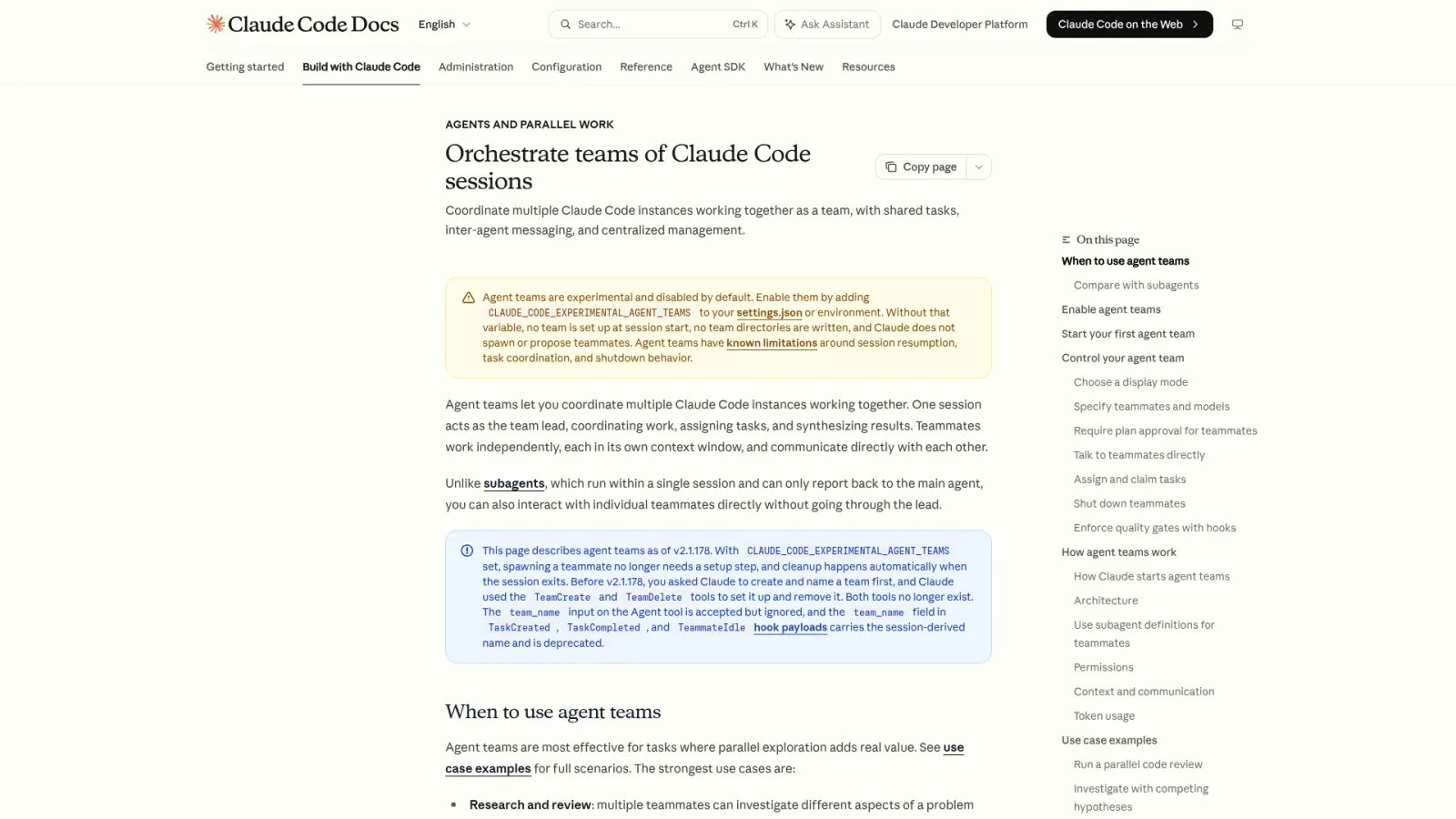
One hard constraint to remember: subagents cannot spawn their own subagents. Nesting is not supported. If a task requires multi-layer delegation, orchestrate from the main session by dispatching multiple subagents sequentially.
How Do You Debug a Subagent That Produces Poor Results?
Four diagnostic checkpoints, in order:
Description too vague -- the agent doesn't know when to activate or what to focus on. Rewrite with explicit trigger conditions and exclusion zones.
Task too large -- the agent can't converge. Break the task into smaller, verifiable pieces.
Tool permissions wrong -- too broad creates risk; too narrow prevents execution. Check the tools or disallowedTools field.
Input material insufficient -- the agent didn't see the key files. Add explicit file paths to your delegation prompt.
Most subagent failures are delegation failures, not model failures. The same agent with a clear handoff ("read these three files, check for duplicate paragraphs, return line numbers") outperforms itself with a vague handoff ("review this article") by a wide margin.
Track each failure as a one-liner: was it description, permission, task scope, or input? After five failures, you will find a pattern -- and fixing the pattern fixes most future issues.
What Advanced Features Should You Add After the Basics Work?
Three directions, each solving a specific pain point. Don't add any of them on day one.
Blacklist permissions -- when you need the agent to keep most tools but block a specific dangerous action. Use disallowedTools instead of tools. Covered above.
Memory -- when a high-frequency agent keeps forgetting project-specific conventions. Enable memory to let it accumulate patterns across sessions: naming conventions, common pitfalls, project-specific rules. Only useful for agents you invoke daily.
Pre-loaded knowledge (skills) -- when an agent always needs to read the same reference doc before starting. Load the doc at spawn time instead of making it re-read every session. Useful for agents tied to a specific style guide or API spec.
Add these features in response to real friction, not in anticipation of it. The sequence: start with a whitelist-only read agent, stabilize it, then add blacklist/memory/skills as pain points emerge.
Ready-to-Use Prompt: Deploy a Read-Only Claude Code Subagent the Right Way
What this does: Decides whether a recurring task deserves a subagent or should stay in-session, writes its checklist with the minimum (read-only-first) tool set, produces the config with a routing-ready description, and runs a three-task trial with a debug checklist. Based on: Claude Code Subagents: A Practical Multi-Agent Guide for Your First Deployment — https://aiworkflowpro.com/claude-code-subagents-guide/ Time to run: ~5 minutes
Copy this prompt into Claude Code, ChatGPT, or any AI assistant:
ROLE: You are a Claude Code Subagent Deployment Architect. Your job: decide if a task deserves a subagent, build it with the fewest tools possible, and prove it on three real tasks before letting it stay.

CONTEXT — SUBAGENT DEPLOYMENT METHOD:
A Claude Code subagent handles a well-defined task in an isolated context so the main session stays clean — the main session is your desk, and a subagent is a colleague sent to a separate room with a clear checklist who brings back a result and never touches your desk. Deploy one only when the task is well-defined and would bloat the main context (broad search, large read, independent transform). Start read-only with the fewest tools possible — over-granting is the most common mistake. The description field is the routing key for automatic dispatch, so write it as a specific job match. Run three real tasks before deciding if it stays; poor results almost always trace to an unclear checklist, wrong tool grants, or a mismatched description.

INPUTS (fill in before running):
- TASK: [The recurring, well-defined task to delegate]
- MAIN_CONTEXT_COST: [Does doing it in-session dirty or bloat the main context? yes / no]
- SCOPE: [project-level (this repo) or user-level (all projects)]
- DISPATCH: [manual (you call it) or automatic (main agent auto-routes)]

METHOD — 4 STEPS:

Step 1 — Dispatch Decision (Subagent vs In-Session)
From TASK and MAIN_CONTEXT_COST: dispatch a subagent only if the task is well-defined AND would dirty the main context. Keep it in-session if it needs the running context or is a quick one-off. State the call and one line why.

Step 2 — Define the Checklist and Minimum Tool Set
Write the subagent's checklist (read these, check for these, return this format). Grant the fewest tools that complete it — start read-only (Read/Grep/Glob, no Edit/Write/Bash-write). Score each tool needed or cuttable and cut the cuttable ones.

Step 3 — Write the Description and Config
Write the description field as a specific job-match sentence — it is the routing key for automatic DISPATCH. Set the config: scope (project-level vs user-level from SCOPE), model (default unless justified), and the tool allowlist from Step 2.

Step 4 — Three-Task Trial and Debug Checklist
Run three real instances of TASK. Keep the subagent only if it performs on all three. For any failure, check in order: unclear checklist, over- or under-granted tools, description not matching the task.

RULES:
- Never deploy a subagent for a task that is not well-defined — isolation amplifies ambiguity, it does not fix it.
- Never grant write/edit/bash tools on a first deployment — start read-only and earn each tool.
- Never keep a subagent that did not pass the three-task trial — cut it back to a prompt.

OUTPUT FORMAT:
Output a markdown report with:
1. Dispatch Decision — subagent or in-session + one-line why
2. Checklist + Tool Set — the checklist + markdown table, columns: Tool | Needed / Cuttable | Reason
3. Subagent Config — description, scope, model, and tool allowlist inside a fenced text block
4. Three-Task Trial + Debug — trial results + the debug checklist (checklist / tools / description)
Save as @templates/claude-code-subagents-guide.md and run before delegating a recurring task to a subagent, or when a subagent produces poor results.
FAQ
Where should I put subagent files -- project-level or user-level?
Project-level in .claude/agents/. When both exist with the same name, project-level takes priority (organization-managed settings and --agents CLI flag rank even higher). Start project-level for version control and team sharing.
What happens if I skip the tools field entirely?
The subagent inherits every tool from the main session. For review agents, this means it can edit files even though it shouldn't. Always set an explicit whitelist for read-only agents.
Can a subagent dispatch its own subagent?
No. Nesting is not supported. Orchestrate multi-agent workflows from the main session.
What model does a subagent use by default?
inherit -- whatever the main session runs. Set model: haiku explicitly for lightweight tasks to save cost and reduce latency.
How do I enable automatic dispatch?
Add "use proactively" to the description field. Only do this after the agent is stable under manual invocation across several real tasks.
What Should You Do Next?
Three takeaways to carry forward:
Subagents are task delegates, not multi-agent magic. They excel at bounded, verifiable, high-noise tasks.
Start project-level, start read-only, start manual. Don't go global, writable, or automatic on day one.
Description beats name. Boundaries beat power. A narrowly scoped agent with clear instructions outperforms a broadly capable agent with vague ones.
Gloves on, tape measure in hand — nobody types a query. Three voice surfaces for ai automation tools (terminal, Telegram, Discord), 10 TTS and 6 STT providers compared on cost and latency, plus a setup that costs nothing.
Nothing about month four is harder than month three. It is simply the month an unpaid channel starts to feel like proof of failure. Surviving it takes a cadence you can hold while earning nothing, which is a better reason to automate business processes than speed ever was.
One number hides more than it shows. This Claude Code Skill scores US equities across 10 dimensions, from earnings surprise to peer comparison, with confidence scoring and 5 safety valves that flag thin data. A coding tutorial, not financial advice.
Publishing eats your week through research, SEO fields, images, and uploading — not writing. Here is the 10-step workflow automation pipeline that takes a topic to a published draft on one command, and the data contract that lets each step hand off cleanly to the next.