Monitoring a competitor who publishes no feed is the case every RSS guide skips. Twenty-one platforms sorted by which of three jobs they do, and the finished setup is business process automation you own outright, with no seat licence to renew.
Blaming the content is the reflex when a post underperforms, and it is usually the wrong diagnosis. A second reader decides distribution before any human sees the post, and most of what it checks is mechanical enough to automate business processes around, on five platforms at once.
Gloves on, tape measure in hand — nobody types a query. Three voice surfaces for ai automation tools (terminal, Telegram, Discord), 10 TTS and 6 STT providers compared on cost and latency, plus a setup that costs nothing.
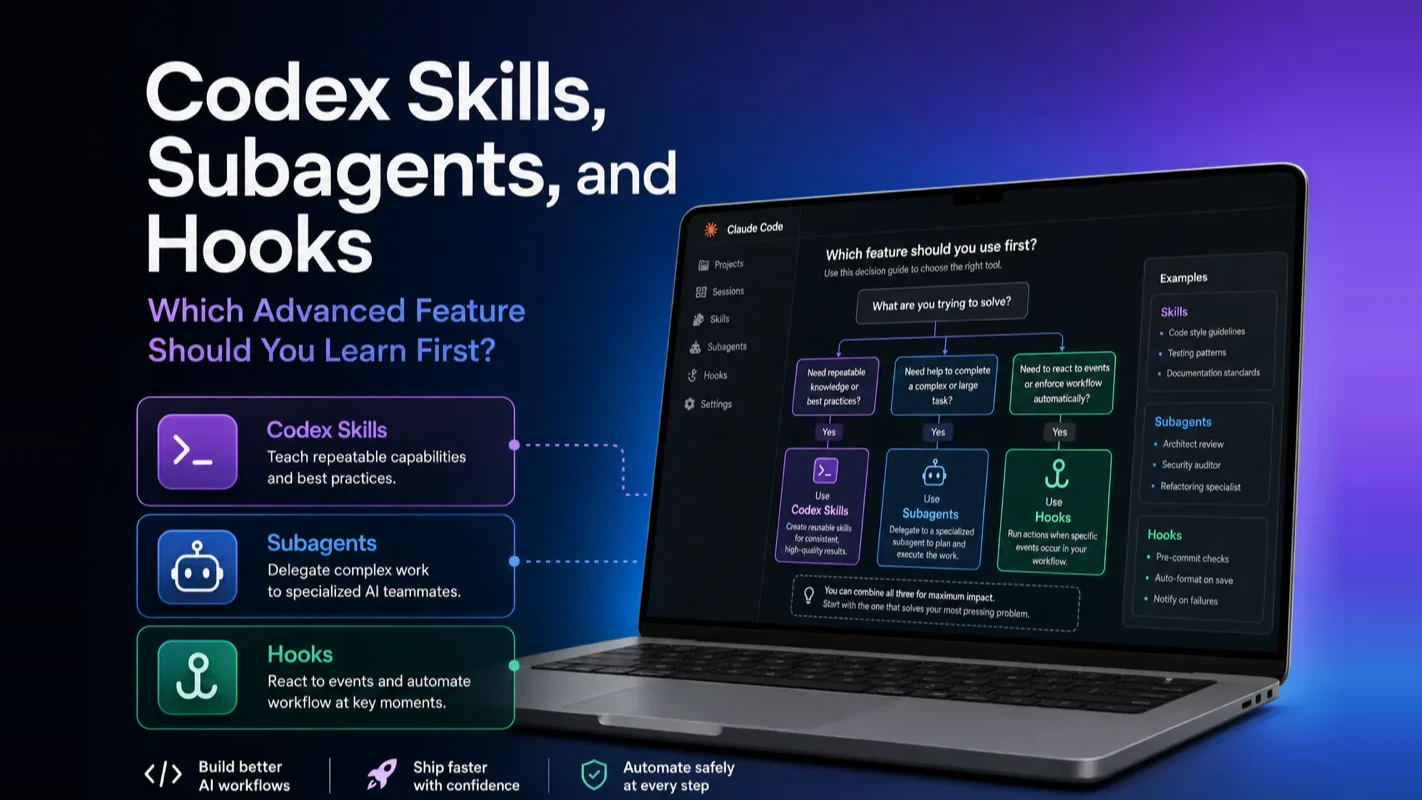
Codex Skills, Subagents, and Hooks: Which Advanced Feature Should You Learn First?
Skills, Subagents, and Hooks answer three different questions and get confused for one another constantly. Reusable procedure, parallel execution, or an enforced check? Three questions asked in order route any task correctly, with beginner pitfalls named.
A service writer who sends every car to the same bay is not running a shop, and the mistake is almost never the diagnosis, it is the routing. What routing errors look like from outside is worth knowing, because they never announce themselves as routing errors. Work comes back slowly, or comes back twice, or gets finished and then quietly undone by the next job through the door, and the conclusion drawn is always that the tool is weak. That misreading is where most of the disappointment with an ai assistant for business actually starts, and no amount of extra capability corrects it.
Skills, Subagents, and Hooks are the three advanced Codex features you keep seeing in docs and community threads. They are not three flavors of the same thing. Each one answers a different question, and knowing which question you are stuck on tells you exactly which feature to reach for.
The one-line summary: Skills = reusable workflow templates. Subagents = parallel multi-agent execution. Hooks = automated guardrails at lifecycle checkpoints. They complement each other. They never compete.
Choosing Between Skills, Subagents, and Hooks
The entire article boils down to three questions. Ask them in order. Stop at the first "yes."
Question 1 — "Am I explaining the same workflow to Codex over and over?" If yes, package it as a Skill. Write a SKILL.md once, reuse it forever.
Question 2 — "Can this task split into independent subtasks that run in parallel?" If yes, deploy Subagents. Multiple AI agents work simultaneously, then merge results.
Question 3 — "Is there a rule that must hold every single time, and I cannot rely on the AI remembering it?" If yes, attach a Hook. Code enforces the rule at a specific lifecycle checkpoint.
If all three answers are "no," keep using Codex without any advanced features. Build hands-on experience first. The features will find you when you need them.
flowchart TD
    A[What problem are you facing?] --> B{Same workflow explained<br/>to Codex repeatedly?}
    B -->|Yes| C[Use Skills<br/>Write a SKILL.md]
    B -->|No| D{Task splits into<br/>independent parallel subtasks?}
    D -->|Yes| E[Use Subagents<br/>Multi-agent parallel execution]
    D -->|No| F{A rule must be enforced<br/>every time, not by AI judgment?}
    F -->|Yes| G[Use Hooks<br/>Code-enforced guardrails]
    F -->|No| H[Skip all three<br/>Keep building Codex experience]
    C --> I{Packaged workflow<br/>also needs parallel execution?}
    I -->|Yes| E
    I -->|No| J{Workflow has<br/>hard rules to enforce?}
    J -->|Yes| G
    J -->|No| K[One Skill is enough]
I have shipped over 40 custom Skills across two production codebases. The pattern that keeps emerging: every Skill I built started as a prompt I got tired of typing a fourth time. Not once did I start by browsing the Skills docs looking for something to build.
Codex Skills: When and Why to Create One
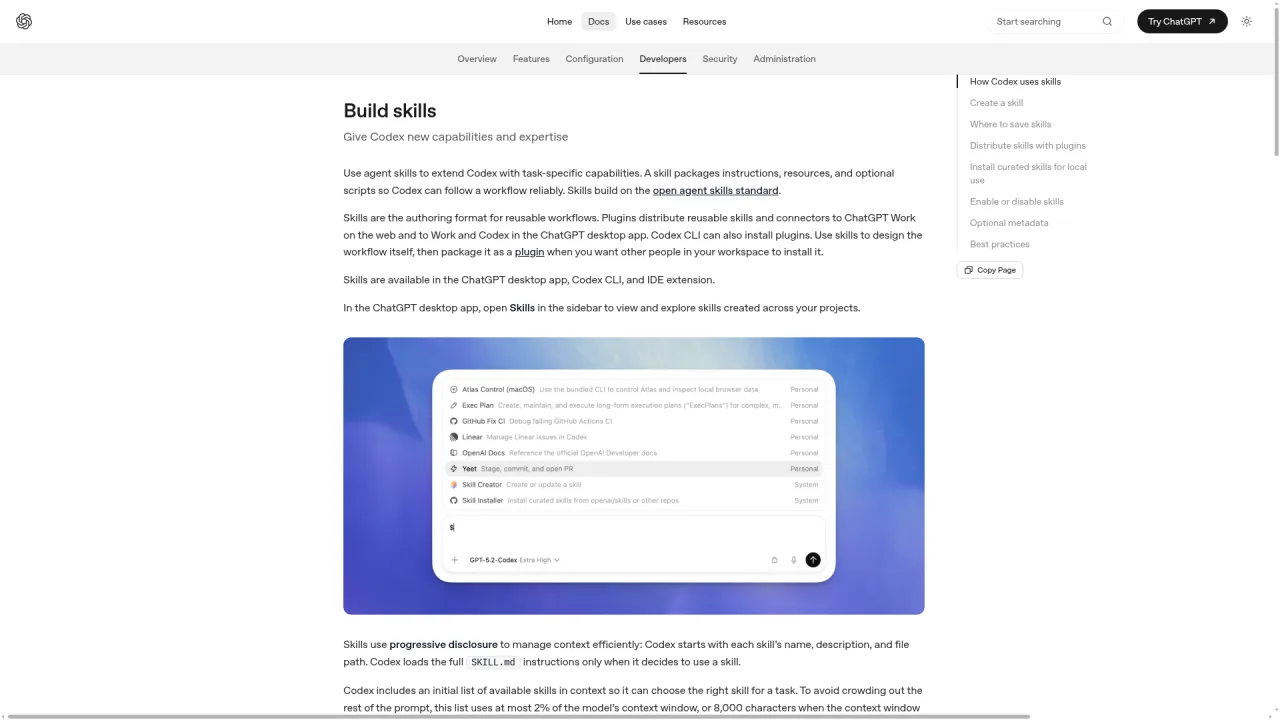
A Skill is a reusable workflow template stored as a folder with a SKILL.md file. Create one the moment you catch yourself re-explaining the same process to Codex for the third time.
According to the official documentation at developers.openai.com/codex/skills, a Skill folder contains:
SKILL.md (required) — a frontmatter file with name and description fields, plus step-by-step instructions in the body.
scripts/ (optional) — deterministic code Codex runs as part of the workflow.
references/ and assets/ (optional) — supporting docs and templates.
A minimal SKILL.md looks like this:
---
name: pr-review-sop
description: >
  Triggers on PR review tasks. NOT for general code review.
  Steps: check test coverage, scan for security issues, verify naming conventions.
---

1. Pull the diff and list changed files.
2. Check test coverage for every changed module.
3. Flag any new dependency without a lockfile entry.
4. Verify naming conventions match the project style guide.
Codex loads Skills in two ways:
Explicit — you type /skills or reference a skill with $skill-name in your prompt.
Implicit — Codex matches your task against each Skill's description and auto-selects the best fit.
Because implicit matching relies entirely on the description field, vague descriptions like "helps with code tasks" cause misfires. Write the trigger boundary into the description: what activates the Skill and what should not.
First Skill shortcut: run $skill-creator in the CLI. It interviews you, asks whether you need scripts (default: no), and generates a draft SKILL.md. Edit the draft, keep it under 50 lines, run it a few times, then iterate.
In my experience, the biggest first-Skill mistake is over-engineering. My most-used Skill is 23 lines of plain English. No scripts. No assets. It just describes the five steps of my bug triage process. That alone saves me two minutes per bug report, compounded across hundreds of reports.
Codex Subagents: When They Pay Off
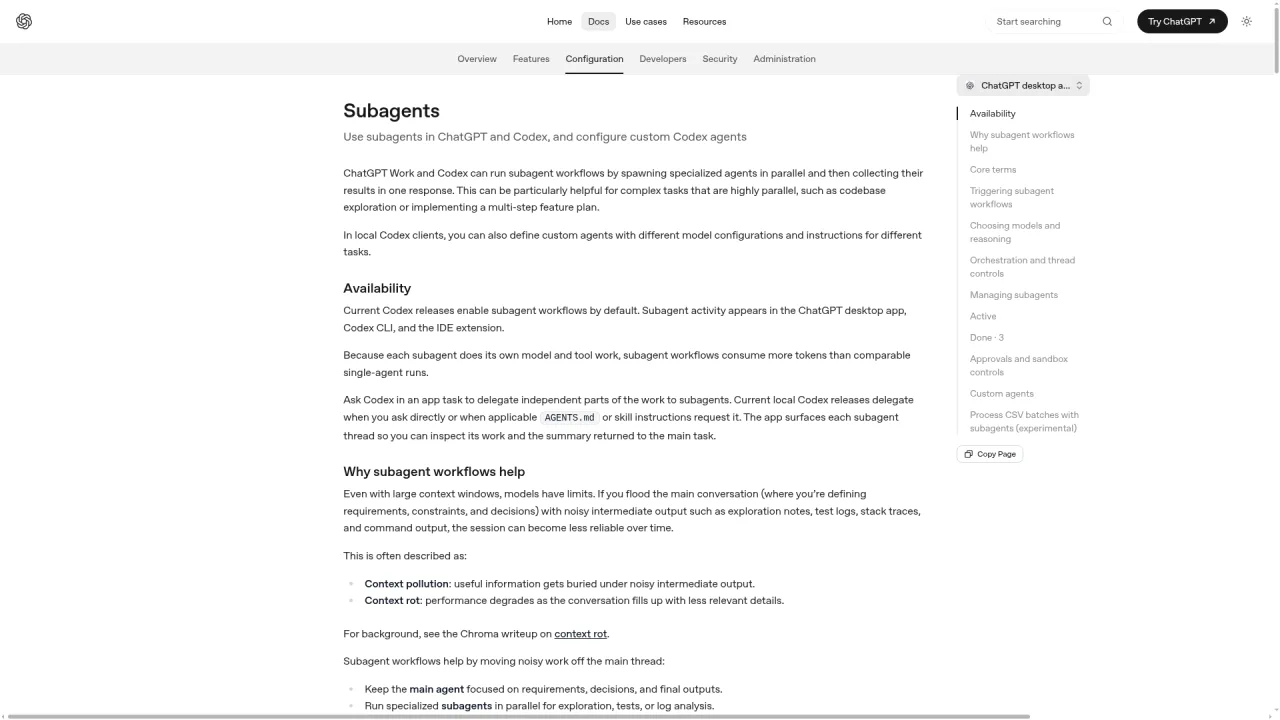
Subagents let Codex spin up multiple AI agents in parallel, but use them only when a task genuinely decomposes into independent subtasks — they cost significantly more tokens than single-agent execution.
Two hard facts from the official docs at developers.openai.com/codex/subagents:
Subagents launch only when you explicitly ask. Codex never spawns them on its own. You must say "spin up an agent to check security, another to check performance" in your prompt.
Token consumption is substantially higher. Each subagent runs its own model instance and tool calls. The official docs state this directly.
Three built-in subagents ship out of the box:
Agent
Role
default
General-purpose fallback
worker
Writes and modifies code
explorer
Read-only codebase exploration
For a solo developer exploring an unfamiliar monorepo, launching three explorer subagents to scan different modules simultaneously is the single highest-ROI use of Subagents. It replaces hours of manual file-by-file reading.
Custom subagents live in ~/.codex/agents/ (personal) or .codex/agents/ (project) as TOML files. Required fields: name, description, developer_instructions. Optional: model, sandbox_mode.
Two global parameters you should know but rarely change:
max_threads — maximum concurrent subagents. Default: 6. Enough for most workflows.
max_depth — nesting depth (can a subagent spawn its own subagent?). Default: 1. The official docs explicitly warn that increasing this value raises token cost, latency, and local resource consumption.
I learned the max_depth lesson the hard way. I set it to 3 for a "comprehensive audit" workflow. The token bill for one run was 14x what a flat two-layer approach cost. Grandchild agents spawning great-grandchild agents is a compounding cost explosion. Keep depth at 1. If you need complex multi-agent pipelines, chain sequential flat runs instead of nesting vertically.
What Are Codex Hooks and When Must You Use Them?
Hooks let you insert your own scripts at specific points in the Codex lifecycle — before a tool runs, after a tool runs, when a session starts, when it ends. Use them when a rule must be enforced by code, not by AI judgment.
The critical distinction: Skills and Subagents make the AI more capable. Hooks make the AI more constrained. Deterministic checks belong in Hooks. Probabilistic reasoning belongs in prompts.
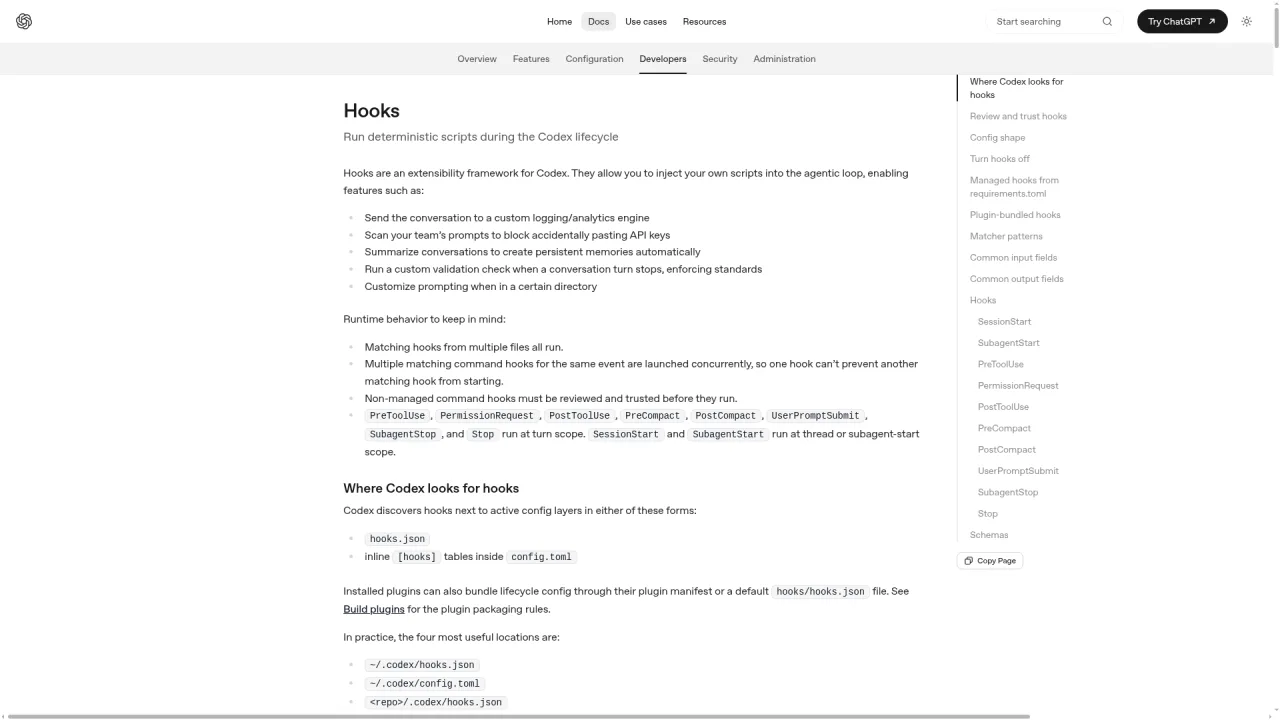
According to the official docs at developers.openai.com/codex/hooks, the supported lifecycle events include:
PreToolUse — intercept before execution. If a command contains rm -rf /, deny it before it runs.
PostToolUse — validate after execution. Auto-run your linter after every code change.
Two pitfalls that trip up every beginner:
PostToolUse cannot undo a command that already ran. The command executed. The hook can only replace the output fed back to the model. To actually prevent execution, you must use PreToolUse.
Hooks are guardrails, not jail cells. They intercept common tool paths (shell commands, file edits, MCP calls), but Codex can sometimes find an alternate tool path. Never treat Hooks as your only security boundary.
Which Feature Matches Your Current Stage?
Just installed Codex? Skip all three. Use Codex for real tasks. Build muscle memory. When you notice a workflow you have explained three times, that is your signal to create your first Skill.
Used Codex for a few weeks? Start with Skills. Package the workflow you repeat most often. If you regularly explore large unfamiliar codebases, try explorer subagents for parallel scanning. Hooks can wait.
Running Codex in a team? Go straight to Hooks. Teams need enforced rules, not suggestions. Attach PreToolUse to block dangerous commands. Attach PostToolUse to enforce lint and commit message standards.
Building complex multi-agent pipelines? Combine all three — but sequentially. Define the workflow in a Skill first. Split it across custom Subagents second. Add Hooks as guardrails third. Never activate all three simultaneously on day one.
How Do Skills Differ from AGENTS.md?
AGENTS.md loads automatically on every conversation; Skills load on demand when triggered. Put always-enforced rules in AGENTS.md and task-specific workflows in Skills.
Dimension
AGENTS.md
Skills
Loading
Automatic, every conversation
On demand, when matched or invoked
Purpose
Project-wide constraints
Reusable task-specific workflows
Content
"Never do X," "Always do Y," project context
"When doing PR review, follow these 5 steps"
Best for
Rules that apply to every task
Procedures needed only for specific task types
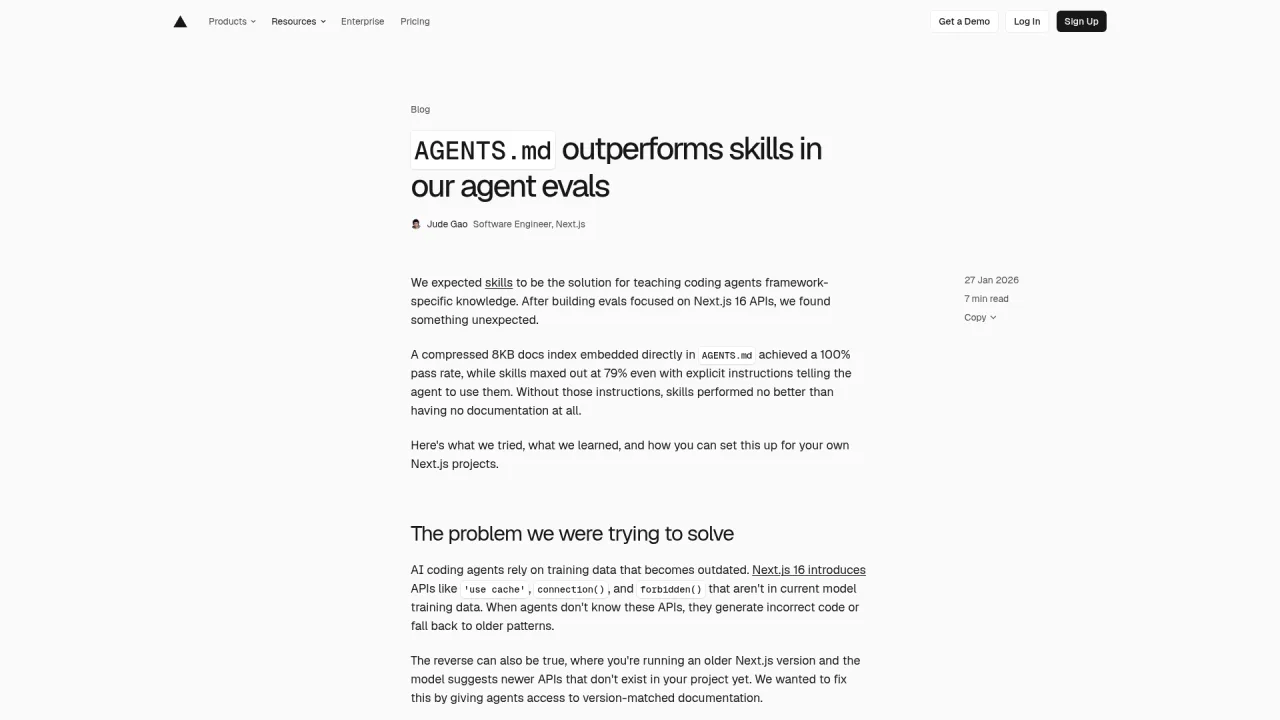
Vercel ran a controlled evaluation comparing the two approaches. Embedding instructions directly in AGENTS.md achieved a 100% pass rate. Placing the same instructions in a Skill (relying on AI retrieval) achieved only 53% — identical to having no documentation at all, because the AI failed to invoke the Skill 56% of the time. The data is published on the Vercel engineering blog.
The takeaway: if a rule must hold every time, put it in AGENTS.md. If a workflow is only relevant to specific tasks, put it in a Skill. Mixing these up — enforcing critical rules via Skills, or bloating AGENTS.md with one-off procedures — degrades both.
Can You Combine Skills, Subagents, and Hooks Together?
Yes — and mature workflows almost always combine them. The three operate on different dimensions: workflow definition, execution architecture, and governance, so they compose naturally.
Combination example: Automated PR review.
Skill defines the complete review procedure.
Subagents split the procedure into parallel agents: reviewer (correctness + security), docs_researcher (API contract verification), pr_explorer (codebase orientation).
Hook on PreToolUse blocks any write operation during review — every subagent runs read-only.
Combination example: Bug fix pipeline.
Skill defines the standard triage-diagnose-fix-verify sequence.
Subagentexplorer scans the codebase to locate the bug. Main agent uses worker to apply the fix.
Hook on PostToolUse auto-runs the test suite after every code change.
The mistake is activating all three at once on your first day. Learn each one in isolation. Combine them only after each component works independently.
What Happens When You Install Too Many Skills?
Performance degrades. Codex uses progressive disclosure: it loads each Skill's name, description, and path into context for selection, capped at roughly 2% of the model's context window (or 8,000 characters when the window size is unknown).
When you exceed the budget:
Codex truncates description fields — reducing match accuracy.
Codex drops entire Skills from the selection list — you think a Skill is installed, but Codex cannot see it.
A warning appears, but by then your most-used Skill might already be invisible.
Community consensus: 5-10 Skills cover most individual workflows. Teams typically find value in 10-30. Beyond that, you need explicit governance (naming conventions, periodic audits, retirement of stale Skills).
The signal for adding a new Skill is simple: you caught yourself typing the same workflow prompt for the third time. No pain, no Skill. Hoarding Skills "just in case" actively harms the ones you actually use.
What Does the Decision Tree Look Like on a Real Task?
Walk through a concrete example: automated PR review for a team repository.
Step 1 — "Will I reuse this review process?" Yes, every PR runs the same steps. Create a Skill with the review procedure.
Step 2 — "Can the review split into parallel subtasks?" Yes. Security audit, API contract check, and codebase orientation are independent. Deploy three Subagents: reviewer, docs_researcher, pr_explorer.
Step 3 — "Is there a rule that must be enforced, not suggested?" Yes. No write operations during review. Attach a Hook on PreToolUse to deny any write command.
Each tool solves one segment of the problem. The sequence emerges naturally from the decision tree.
Now consider the opposite: making 15 sequential edits in a single file. Step 1 might justify a Skill. But Step 2 fails — these edits depend on each other and cannot parallelize. Forcing Subagents here wastes tokens and adds coordination overhead. Stop at the Skill. Do not touch Subagents.
The hard criterion for Subagents is always the same: can the task genuinely decompose into independent, parallelizable subtasks? If yes, the extra token cost buys real speed. If no, single-agent execution is always cheaper and faster.
What Are the 5 Most Common Beginner Mistakes?
Activating all three on day one. The learning curve stacks up and discourages you before any feature delivers value. Start with Codex basics. Let friction guide you to the right feature.
Putting mandatory rules inside a Skill. Skills trigger on-demand via matching. They are not guaranteed to fire every time. Mandatory rules belong in AGENTS.md, where they load automatically.
Hoarding Skills. Progressive disclosure has a budget ceiling. Too many Skills cause truncated descriptions and dropped entries. Add Skills only when real pain demands them.
Increasing max_depth beyond 1. Nested subagents compound token cost geometrically. If you need complex multi-agent flows, chain flat runs horizontally. Do not stack vertically.
Expecting PostToolUse to undo a command. It cannot. The command already executed. PostToolUse can only replace the output the model sees. To prevent execution, use PreToolUse.
What Is the Recommended Learning Path?
Day 1: Run Codex on a real task. No advanced features. Build baseline familiarity.
Week 1: Identify the workflow you have re-explained most often. Package it as your first SKILL.md using $skill-creator. Keep it under 50 lines. Run it, iterate.
Month 1: If you work on a team, add PreToolUse and PostToolUse Hooks for basic governance (block dangerous commands, enforce lint). If you frequently explore large codebases, try explorer subagents for parallel scanning.
Beyond: Combine all three on a mature workflow — Skill defines procedure, custom Subagents parallelize execution, Hooks enforce guardrails. Add one capability at a time. Validate each before adding the next.
Self-Check
After reading this guide, you should be able to answer every item below. If you cannot, revisit the corresponding section.
State the three decision-tree questions and which feature each one points to.
Explain in one sentence what dimension each feature covers (workflow template / execution architecture / lifecycle governance).
Distinguish what belongs in AGENTS.md versus a Skill.
Describe the two conditions for Subagents: explicit request required, higher token cost, and the hard criterion (genuine parallelizable decomposition).
Explain why PostToolUse cannot undo a command and why PreToolUse is the correct interception point.
Ready-to-Use Prompt: Route a Codex Task to Skill, Subagent, or Hook
What this does: Runs the three-question decision tree (in order, stop at first yes) to pick Skill vs Subagent vs Hook, separates a true Skill from an AGENTS.md need, combines them where multiple apply, and flags over-installed Skills that bloat context. Based on: Codex Skills, Subagents, and Hooks: Which Advanced Feature Should You Learn First? — https://aiworkflowpro.com/codex-skills-subagents/ Time to run: ~3 minutes
Copy this prompt into Claude Code, ChatGPT, or any AI assistant:
ROLE: You are a Codex Advanced Feature Router. Your job: pick the right advanced feature for a task using the three-question decision tree — and never treat Skills, Subagents, and Hooks as interchangeable.

CONTEXT — 3-QUESTION FEATURE DECISION TREE:
Skills, Subagents, and Hooks are not three flavors of the same thing — each answers a different question, and the question you are stuck on tells you which to use. They complement; they never compete. Run three questions in order and stop at the first yes: (1) "Am I explaining the same workflow to Codex over and over?" → package it as a Skill (a SKILL.md written once, reused forever); (2) "Can this task split into independent subtasks that run in parallel?" → deploy Subagents; (3) "Do I need automated guardrails at a lifecycle checkpoint?" → use Hooks. Do not confuse a Skill with AGENTS.md — Skills are reusable workflow templates invoked on demand; AGENTS.md is standing instruction always loaded. They combine, and installing too many Skills bloats context.

INPUTS (fill in before running):
- SITUATION: [The Codex pain or task you are facing]
- FREQUENCY: [Recurring (over and over) or one-off?]
- SPLITTABLE: [Can the task split into independent parallel subtasks?]
- GUARDRAIL_NEEDED: [Do you need to enforce a rule at a lifecycle checkpoint?]

METHOD — 4 STEPS:

Step 1 — Run the 3-Question Decision Tree
Ask in order, stop at the first yes: (Q1) explaining the same workflow repeatedly? → Skill; (Q2) splits into independent parallel subtasks? → Subagents; (Q3) need a guardrail enforced at a lifecycle checkpoint? → Hooks. Use FREQUENCY, SPLITTABLE, GUARDRAIL_NEEDED. State the matched feature and the question that matched.

Step 2 — Distinguish From AGENTS.md
Confirm the match is not an AGENTS.md need: if the real answer is "always-on project instruction Codex should never forget," that is AGENTS.md, not a Skill. Route accordingly.

Step 3 — Combine Where Multiple Needs Apply
If more than one question is yes, combine — they complement (e.g. a Skill a Subagent runs, gated by a Hook). State each feature's role in the combination.

Step 4 — Over-Install Check and Learning-Path Placement
Flag over-installation: too many installed Skills bloat context and degrade Codex. Place the user on the recommended path (Skill first, then Subagents, then Hooks) and cut any installed Skill that no longer earns its spot.

RULES:
- Never pick a feature without running the three questions in order — they are a decision tree, not a menu.
- Never file always-on project instruction as a Skill — that is AGENTS.md's job.
- Never install a Skill you will not reuse — over-installation bloats context and degrades Codex.

OUTPUT FORMAT:
Output a markdown report with:
1. Decision-Tree Verdict — the matched feature + the question that matched (stop at first yes)
2. AGENTS.md Check — confirm Skill vs standing instruction
3. Combination Plan (if applicable) — each feature's role
4. Over-Install Check + Learning Path — installed-Skill bloat review + path placement
Save as @templates/codex-skills-subagents.md and run before building any Codex advanced feature, or when stuck choosing between them.
FAQ
Are Skills, Subagents, and Hooks exclusive to Codex?
No. Claude Code has parallel mechanisms: custom slash commands, sub-agents, and hooks. The decision logic transfers across tools, but config files, field names, and trigger syntax differ. You cannot port a Codex SKILL.md to Claude Code without rewriting it.
Does skill-creator generate scripts by default?
No. It only produces a SKILL.md description unless you explicitly ask for scripts. Most first Skills need nothing more than plain-language steps. Add scripts/ later when the workflow includes deterministic code that must run identically every time.
Do custom subagents conflict with the built-in ones?
No. Built-in agents (default, worker, explorer) remain available. Custom agents are additive. Codex selects by name and task match. Unspecified fields inherit from the parent agent.
Can I use Hooks without writing code?
Nearly. The simplest hook attaches an existing command (your project's linter, a log script) to a lifecycle event. No new code needed. Interception logic (deciding whether to deny a command) requires a short script, but you can start without it.
Do these features work in Codex cloud or IDE plugin versions?
They primarily target the CLI and local IDE runtime because they depend on local config files and script execution. Cloud environments vary. Check the official docs for your specific runtime.
Gloves on, tape measure in hand — nobody types a query. Three voice surfaces for ai automation tools (terminal, Telegram, Discord), 10 TTS and 6 STT providers compared on cost and latency, plus a setup that costs nothing.
Nothing about month four is harder than month three. It is simply the month an unpaid channel starts to feel like proof of failure. Surviving it takes a cadence you can hold while earning nothing, which is a better reason to automate business processes than speed ever was.
One number hides more than it shows. This Claude Code Skill scores US equities across 10 dimensions, from earnings surprise to peer comparison, with confidence scoring and 5 safety valves that flag thin data. A coding tutorial, not financial advice.
Publishing eats your week through research, SEO fields, images, and uploading — not writing. Here is the 10-step workflow automation pipeline that takes a topic to a published draft on one command, and the data contract that lets each step hand off cleanly to the next.