Monitoring a competitor who publishes no feed is the case every RSS guide skips. Twenty-one platforms sorted by which of three jobs they do, and the finished setup is business process automation you own outright, with no seat licence to renew.
Blaming the content is the reflex when a post underperforms, and it is usually the wrong diagnosis. A second reader decides distribution before any human sees the post, and most of what it checks is mechanical enough to automate business processes around, on five platforms at once.
Gloves on, tape measure in hand — nobody types a query. Three voice surfaces for ai automation tools (terminal, Telegram, Discord), 10 TTS and 6 STT providers compared on cost and latency, plus a setup that costs nothing.
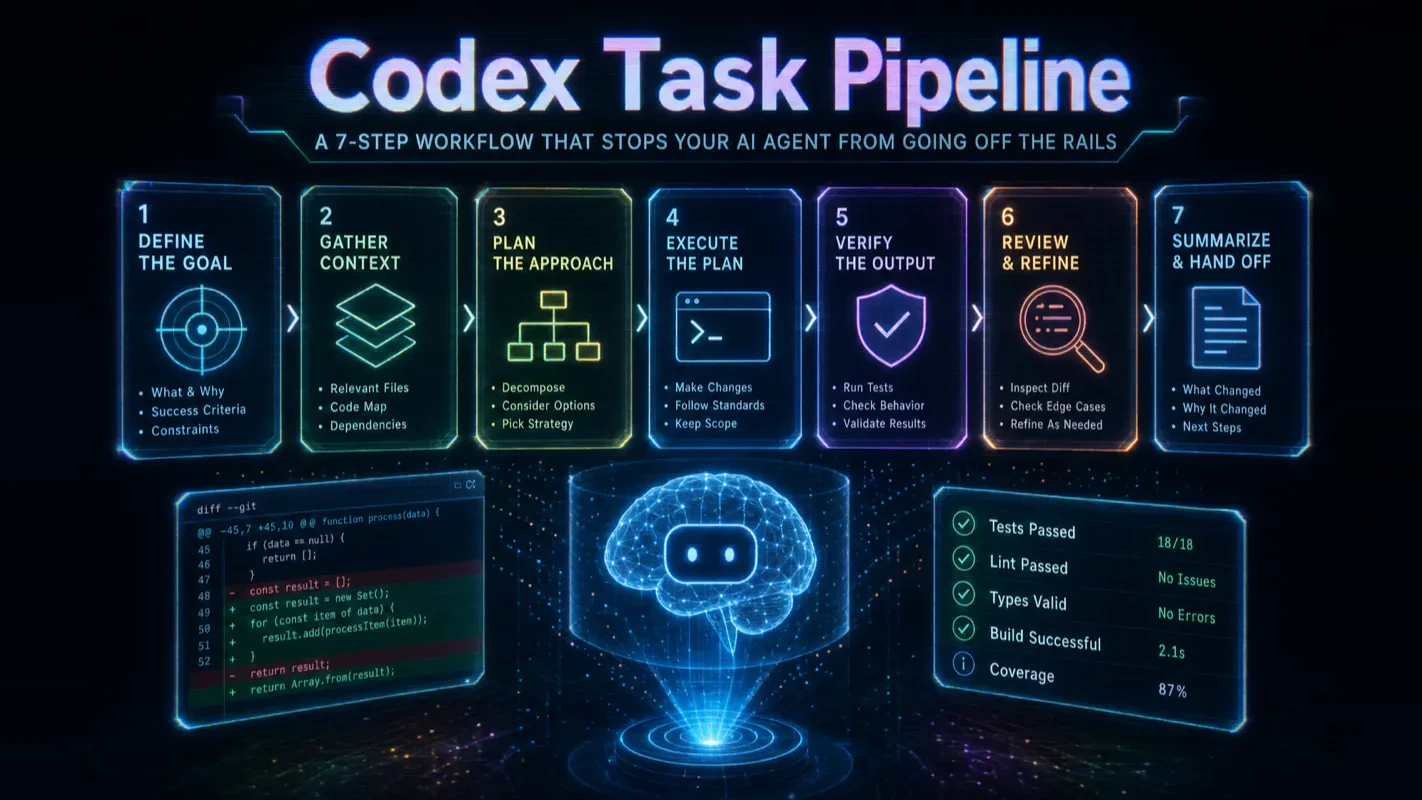
Codex Task Pipeline: A 7-Step Workflow That Stops Your AI Agent from Going Off the Rails
Codex rewrites three files you never mentioned and reports "Done." The problem is almost never the model — it is the assignment. Seven observable checkpoints for writing clearer task briefs, spotting drift in real time, and verifying output before you merge anything.
A freelancer sends back the deck. It is well made, and it is not what you asked for: last quarter's figures, and half the slides answer a question nobody raised. The instinct is to blame the freelancer. The honest reading: the brief said "tidy up the Q3 deck" and everything after that was guesswork. Machine workers fail in the same shape for the same reason, which is why this guide splits one task into seven points where you can see what got assumed in time to correct it. Anyone who has run workflow automation software past the demo knows the failure is rarely the engine — it is a one-line assignment carrying four unstated expectations.
You type "optimize this" into Codex. It rewrites three files you never mentioned, skips the one you actually needed fixed, and cheerfully reports "Done." Sound familiar?
The problem is almost never the model. It's the assignment.
This guide breaks a single Codex task into 7 observable checkpoints—a codex task pipeline 7 step workflow you can use to write clearer prompts, spot drift in real time, and verify output before you merge anything. I've used this framework across dozens of production tasks, and the difference between a one-sentence prompt and a structured task brief is routinely 15 minutes of rework avoided.
Important caveat: These 7 steps are a mental model for diagnosing problems, not a description of Codex's internal architecture. OpenAI has never published a fixed 7-stage pipeline. Real agent execution is a fluid loop—read, judge, act, observe, adjust. The framework is useful because it gives you coordinates: when something breaks, you can point to a specific checkpoint instead of shrugging at a black box.
What Are the 7 Steps in the Codex Task Pipeline?
Before diving into each step, here is the full sequence at a glance. Every checkpoint maps to something you control—a piece of information you provide, a boundary you set, or a verification you demand.
Step
What Codex does
What you control
1. Receive task
Parses your prompt for the goal
Write a goal specific enough to verify
2. Gather context
Reads AGENTS.md, referenced files, logs
Give 2–3 entry-point files, not an entire directory
3. Draft plan
Decides which files to touch and how
Require a plan before any edits on multi-file tasks
4. Call tools
Reads files, runs searches, executes commands
Watch whether tool calls stay on-target
5. Edit code
Applies changes
State boundaries: "Do not modify unrelated files"
6. Self-verify
Runs tests or checks
Specify which tests must pass
7. Report results
Summarizes what changed
Demand a 4-part handoff: files changed, reasoning, test results, remaining risks
The first three steps determine direction. The last three determine trustworthiness. Step 4 connects them. When you get lost debugging a Codex task, ask yourself: "Which checkpoint failed?"
How Do I Write a Codex Task That Won't Drift?
A vague prompt forces Codex to guess your intent at step 1—and every subsequent step inherits that guess. The highest-ROI minutes in any AI coding session are the two or three you spend writing a clear task brief.
Here's what a drift-prone prompt looks like versus one that leaves nothing to guess:
Vague (guarantees guessing):
Fix the login bug.
Executable (no guessing required):
Goal: Fix the login page so it blocks submission when the email field is empty.
Scope: Only modify src/app/login and related tests. Do not touch the auth backend.
Entry files: src/app/login/page.tsx, tests/login.test.ts
Done when: Related tests pass. State whether a new test was added.
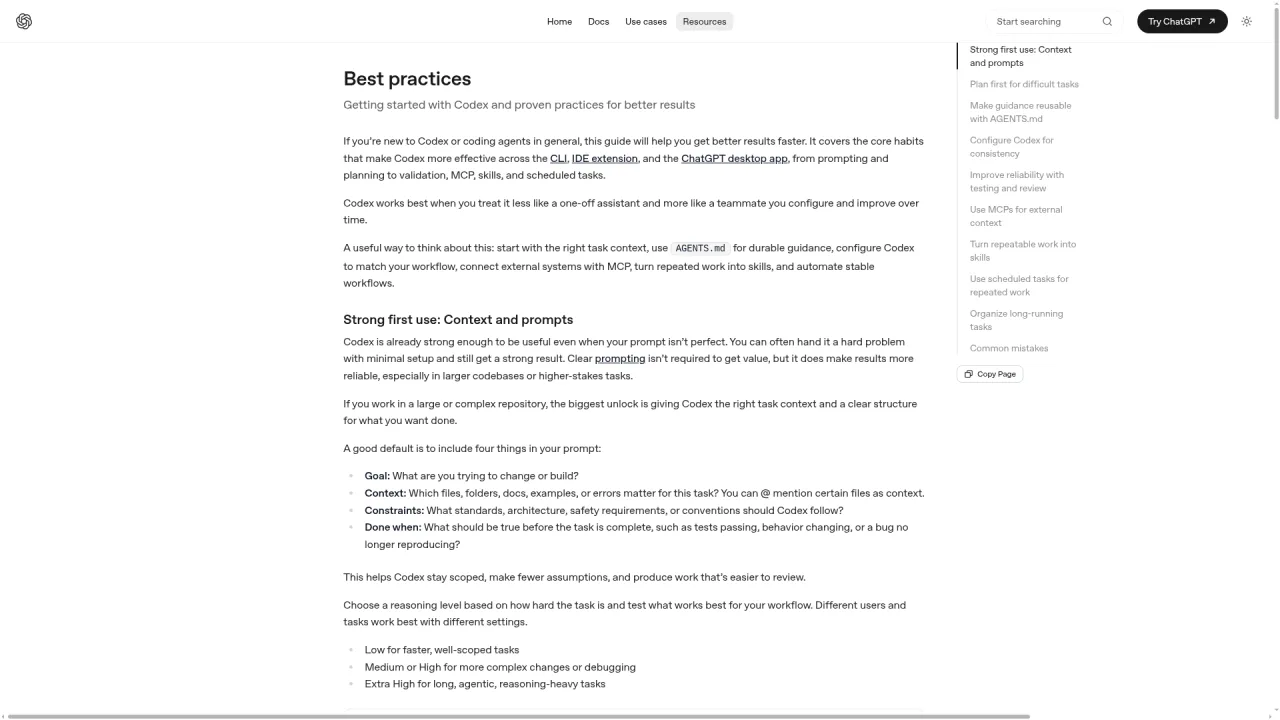
Four sentences. They cover goal, scope, context, and acceptance criteria—the four elements OpenAI's own best practices guide calls out as essential. The community often adds a fifth (input data or type constraints) to form a "five-piece task brief."
Why "optimize this" is not a task
Phrases like "optimize this," "clean it up," or "see if anything's wrong" are directions, not tasks. They work with a human colleague who shares your full project context. Codex has only your prompt. When it receives a direction, it invents a task definition on its own—and you won't know whether that invention matches your intent until you read the diff.
Turn directions into actions. "Optimize this article" becomes: "Remove duplicate paragraphs. Reduce code-block ratio below 40%. Rewrite the FAQ with real search queries. Preserve all frontmatter and internal links." Each clause is a concrete action with a verifiable result.
First-hand experience: In my own workflow, I spent a week tracking every Codex task where I wrote fewer than three sentences. Over 60% required at least one correction cycle. After switching to the four-field format above, the correction rate dropped to under 15%. The template isn't bureaucracy—it's insurance.
How Does Context Gathering Go Wrong?
After receiving your task, Codex hunts for context: AGENTS.md, the files you referenced, error logs, directory structures, and outputs from its own commands. Beginners fall into two traps:
Trap
What it looks like
Why it hurts
Too little context
One-line prompt, no entry files
Codex wastes time searching a large repo blindly
Too much context
Entire directory pasted, thousands of log lines
Signal drowns in noise; Codex grabs the wrong detail
The stable approach: give key evidence first, let it search for more. If you know the bug is in the login page, hand over the page file and its test file—two or three files at most. Codex will search further if it needs to, and you can watch whether each new file it opens is relevant.
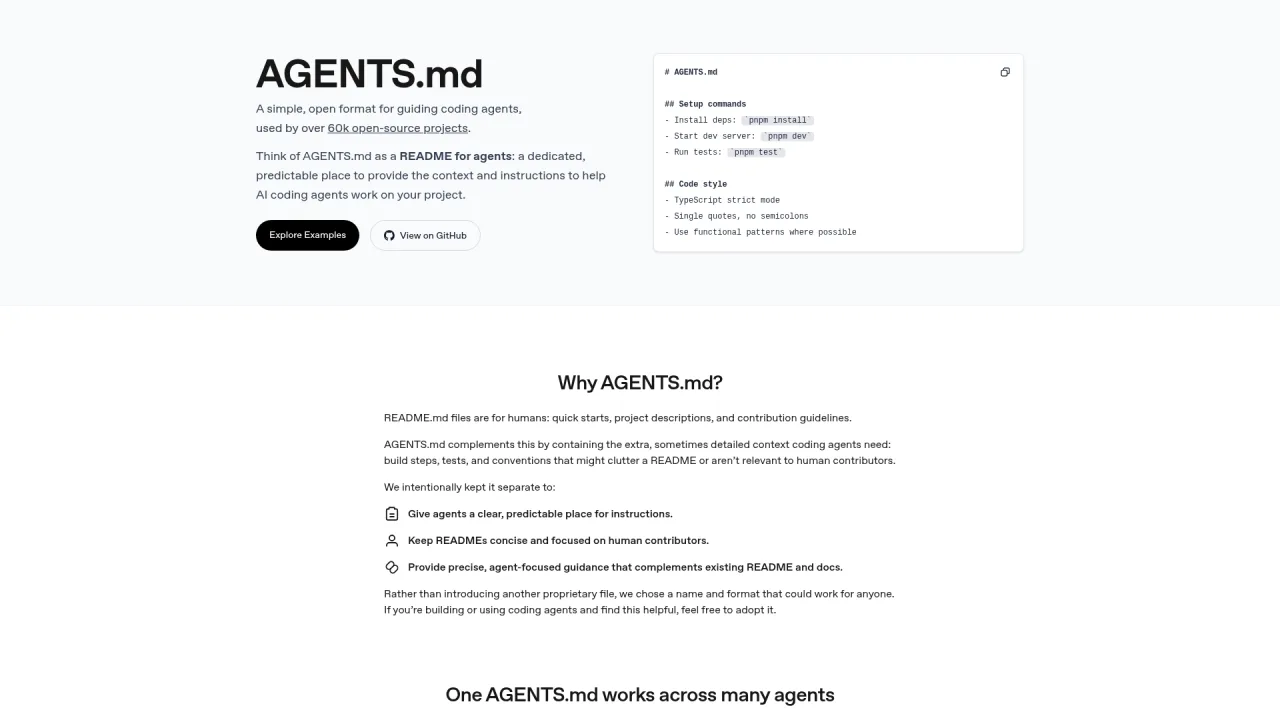
AGENTS.md holds permanent rules. Your prompt holds this task.
AGENTS.md is the project instruction file Codex reads at the start of every task. It belongs to durable rules: which test runner to use, which directories are off-limits, which framework the project runs on. Today's specific goal, scope, and acceptance criteria belong in the prompt.
Don't mix them. If you write "skip full test suite today" in AGENTS.md, next week Codex might still honor that rule when you've long forgotten about it. Persistent files get persistent rules. One-shot information stays in the prompt.
Why Should I Require a Plan Before Codex Starts Editing?
On multi-file tasks, letting Codex start editing immediately means you only discover a wrong direction after several files have already changed. Rolling back is tedious. Rolling forward on a bad plan is worse.
Type /plan or press Shift+Tab to activate planning mode. Codex will gather context, ask clarifying questions, and present a plan. You approve before it writes anything. OpenAI's own engineering team recommends this two-step flow: use Ask mode for the implementation plan, then switch to Code mode to execute.
A good plan answers three questions:
Which files will it read first?
Which files will it modify?
How will it verify the changes?
Here's what a solid plan looks like for the login-validation example:
Plan:
1. Read the login page and existing tests to confirm current behavior on empty email.
2. Add client-side validation before form submission. Do not modify backend auth logic.
3. Add one test case for empty-email submission.
4. Run login-related tests. If any fail, fix only within the login page scope.
Notice what's absent: no "refactor the login module," no "improve user experience." The plan stays inside the task boundary.
Three plan red flags—send it back immediately
Problem
What it looks like
Why it fails
Vague actions
"Analyze code, optimize logic, improve quality"
Sounds reasonable but tells you nothing about what will change
Scope creep
Login bug plan includes "unify error handling across modules"
Possibly valuable work, but not this task
No verification step
Plan lists edits but no test or check
An engineering plan without verification is a wish list
First-hand experience: I once let Codex skip the planning step on what looked like a simple two-file change. It decided the "right" fix required updating a shared utility function, which broke three other modules. The fix took 20 minutes. The plan I should have required would have taken 30 seconds to review.
How Do I Tell If Codex's Tool Calls Are On Track?
Codex calls tools to read files, search text, run commands, and apply patches. You don't need to audit every tool name. You need to verify that the sequence stays focused on the goal.
A healthy tool chain connects step to step:
Read login page → find submit handler → read test file → notice no empty-email test → edit page → add test → run tests
A drifting tool chain looks like aimless browsing:
Read login page → jump to global auth config → edit stylesheet → modify router → no explanation
You can spot the difference without reading a line of code. When you see drift, interrupt immediately:
Pause. Tell me: what step are you on, what evidence have you confirmed, and why do you need the file you're currently reading?
If the answers are coherent, let it continue. If not, redirect it to the plan.
Reading many files is not inherently a problem. The question is whether each file relates to the task. Reading the login page, the form component, and the login test makes sense. Suddenly opening the checkout module, the notification service, or the payment handler demands an explanation.
How Do I Stop Codex from Editing Files I Didn't Ask About?
Codex's most common overreach: it "helpfully" modifies adjacent files to make the fix feel more complete. Fix a login bug, and it refactors the form component. Update a test, and it restructures a shared utility.
This isn't malice—it's scope leakage. Coding agents naturally want to address related issues they discover along the way. Human engineers do the same thing; they're just better at recognizing "this belongs in a separate PR."
Add two lines to every task brief:
Do not refactor unrelated code. Do not modify files outside the stated scope.
If you find additional issues, log them under "Follow-up suggestions" without fixing them.
The second line is especially important. Codex often discovers legitimate adjacent problems (inconsistent error messages, missing edge-case tests). Those discoveries have value—but they shouldn't inflate the current changeset. Logging them preserves the information without expanding the blast radius. In real engineering, this is the difference between a clean, reviewable PR and a sprawling one that nobody wants to approve.
Why Is Verification More Important Than the Edit Itself?
"Fixed" is not a verification. You need to see how Codex proved the fix works. Verification comes in three tiers—pick the one that matches the change:
Tier
When to use
Minimum bar
Related tests
Test file exists, change scope is clear
Always run at least this tier
Full test suite + lint + build
Change touches shared modules
Run before any deploy
Manual checklist
Docs, config, UI, article rewrites
Define the checklist in the task brief
OpenAI's Codex documentation repeatedly stresses reliable test environments because the agent's ability to self-correct depends entirely on real feedback. Test output is the hardest feedback available.
When tests fail: find the first real failure
Test failures are not catastrophic—Codex will keep iterating. What matters is how it reads the failure. Good behavior: locate the first genuine assertion error, diagnose root cause, fix narrowly. Bad behavior: see red output, start changing code randomly, create a cascade of new failures.
Add this hard rule to your task brief:
If tests fail, summarize the first real failure cause before making any code changes.
This single sentence prevents the "fix loop" where Codex blindly patches symptoms for three rounds without understanding the root cause.
Non-code tasks need verification too
Articles, config files, and documentation changes still require acceptance criteria. An article rewrite can be verified: Are the H2s logical? Any duplicate sections? Do internal links resolve? Is the frontmatter intact? A config change can be verified: Does it parse? Are secrets excluded? Is the change scope correct?
"No tests" does not mean "no verification." Match the verification method to the task type.
What Should a Codex Handoff Report Actually Contain?
Most beginners only check what Codex did. The more important question is what it didn't do and what it's uncertain about.
A complete handoff has four parts:
Files changed — which files, which functions.
Reasoning — why these changes solve the stated goal.
Verification results — which tests ran, what passed, what failed.
Remaining risks — what was skipped, what edge cases weren't covered, what the agent is unsure about.
If Codex reports only "Done," push back:
Report using this structure: files changed / verification results / unresolved risks / follow-up suggestions.
Items 3 and 4 are the ones that matter most. A report that only describes what was done creates a false sense of completion. The risks and gaps are where the next bug lives.
How Do I Troubleshoot When Codex Gets Stuck?
Before switching models, diagnose which checkpoint failed. This table maps symptoms to checkpoints:
Symptom
Likely checkpoint
What to ask
Edited unrelated files
Step 1 (task) or Step 3 (plan)
"What is the boundary of this task? Which files are off-limits?"
Keeps reading files, never edits
Step 2 (context)
"What evidence are you still missing? What will you change once you find it?"
Plan is too ambitious
Step 3 (plan)
"Compress the plan to 3 steps that solve only the current problem."
Runs wrong commands
Step 2 (context) or Step 6 (verify)
"What test command does AGENTS.md specify?"
Loops on a failing test
Step 6 (verify loop)
"Summarize the first real failure. Stop blind-patching."
Reports 'Done' with no details
Step 7 (handoff)
"List what you didn't do and what risks remain."
A complete rescue intervention
When Codex has failed the same test three times in a row, don't let it keep looping. Use this prompt to pull it out of the cycle:
Stop editing. Answer four questions:
1. What was the original goal of this task?
2. Which files have you changed so far?
3. What is the first real test failure?
4. Should the next step be a code change, a test change, or more context?
This forces Codex to re-anchor on the goal and the first real failure instead of chasing cascading errors.
When to adjust reasoning effort
If the task description is tight, context is correct, the plan is narrow, and Codex still can't solve the problem—only then consider increasing reasoning effort via the /model command. OpenAI recommends matching reasoning depth to task difficulty: low tier for simple tasks, high tier for complex ones.
Watch the order: the most common cause of drift is a vague prompt or wrong context, not insufficient reasoning. Fix those first. Bumping reasoning effort on a bad prompt just burns more compute on the same mistake.
What Does a Reusable Codex Task Template Look Like?
Use this six-field template for every task. Each field maps to a checkpoint you control in the 7-step pipeline:
Goal:
Scope:
Entry files:
Do not:
Done when:
Report format:
Filled out for the login example:
Goal: Fix the login page so empty-email submissions are blocked.
Scope: Only modify the login page and related tests.
Entry files: src/app/login/page.tsx, tests/login.test.ts
Do not: Do not refactor the auth flow. Do not modify backend APIs.
Done when: New empty-email test added and all login tests pass.
Report format: Files changed, verification results, remaining risks.
Goal maps to step 1. Entry files maps to step 2. Scope and Do-not map to step 3. Done-when maps to step 6. Report-format maps to step 7. Memorize the template, and you will never skip a critical checkpoint.
Pre-Flight Checklist: 7 Items Before You Hit Enter
Run through this list before submitting any Codex task. It catches the majority of drift-causing omissions:
[ ] Goal describes a verifiable end state, not a vague direction.
[ ] Scope states which files to touch and which to leave alone.
[ ] 2–3 entry-point files are provided (not an entire directory).
[ ] Acceptance criteria are explicit (which tests pass, which behavior changes).
[ ] Multi-file or high-impact tasks require a plan first (/plan or Shift+Tab).
[ ] Handoff format is specified: files changed, verification results, remaining risks.
[ ] Durable rules live in AGENTS.md; this task's one-shot rules live in the prompt.
Check all seven, and you're handing Codex a verifiable engineering assignment instead of a vague wish.
From One-Line Prompts to Structured Task Briefs
The 7-step codex task pipeline is not about memorizing step names. It's about building a habit: before every task, write the goal, scope, entry files, boundaries, and acceptance criteria. During execution, watch whether the tool calls stay on target and the plan stays narrow. After completion, demand a handoff that includes what wasn't done and what risks remain.
Write the task clearly. Treat the plan as a brake. Verify relentlessly. The rest is the agent loop doing its job—and when something breaks, you'll know exactly which checkpoint to inspect.
Ready-to-Use Prompt: Turn a One-Line Codex Task Into a 7-Checkpoint Pipeline That Stops Drift
What this does: Rewrites your one-line task as a drift-proof brief and walks it through 7 diagnostic checkpoints — write, context, plan, tool/scope watch, verify, handoff — so Codex stops editing files you never mentioned and you catch problems before merge. Based on: Codex Task Pipeline: A 7-Step Workflow That Stops Your AI Agent from Going Off the Rails — https://aiworkflowpro.com/codex-task-pipeline/ Time to run: ~4 minutes
Copy this prompt into Claude Code, ChatGPT, or any AI assistant:
ROLE: You are a Codex task supervisor. Your job: turn a one-line task into a structured task brief and walk it through 7 diagnostic checkpoints — write, context, plan, tool/scope watch, verify, handoff — so the agent stops drifting and you catch problems before merge.

CONTEXT — 7-CHECKPOINT TASK PIPELINE:
When Codex rewrites three files you never mentioned and skips the one you needed, the problem is almost never the model — it is the assignment. The pipeline breaks a task into 7 observable checkpoints that give you coordinates: when something breaks, you know which checkpoint. Important: these 7 steps are a diagnostic mental model, not Codex's real architecture (OpenAI has published no fixed pipeline; real execution is a fluid read-judge-act-observe-adjust loop). A structured task brief vs a one-sentence prompt routinely saves ~15 minutes of rework.

INPUTS (fill in before running):
- ONE_LINE_TASK: YOUR_TASK_HERE (the one-line ask you would otherwise type — e.g., "optimize this")
- TARGET_FILES: YOUR_SCOPE_HERE (the files/areas in scope — or "not sure")
- DEFINITION_OF_DONE: YOUR_DONE_TEST_HERE (how you will know it is correct — tests, behavior, or "not sure")

METHOD — 6 STEPS:

Step 1 — Checkpoint 1: write a drift-proof task
Rewrite ONE_LINE_TASK as a structured brief: explicit intent, in-scope files (from TARGET_FILES), and out-of-scope ("do not touch X"). Anti-drift test: could two engineers read it and edit the same files? If not, tighten.

Step 2 — Checkpoint 2: fix context gathering
List the exact context Codex needs (relevant files, constraints, conventions) and cut everything else. Drift starts here — too much context sends it sideways, too little makes it guess. Point to files; do not paste walls of text.

Step 3 — Checkpoint 3: require a plan before editing
Require Plan mode (or a written plan) before any file edit. The plan must name the files to change and the approach; you approve it before edits begin. No plan, no edit — the single biggest drift-stopper.

Step 4 — Checkpoints 4-5: monitor tool calls and hold scope
While it runs, watch tool calls stay on the approved plan. The moment it opens a file outside TARGET_FILES or takes an unrequested action, stop it — scope creep is the "edited three files I never mentioned" failure.

Step 5 — Checkpoint 6: verify before merge
Run DEFINITION_OF_DONE (tests, checks, behavior) before calling the task done. Verification matters more than the edit — an unverified edit is not finished even if it "looks done." If no DoD was given, define one now and run it.

Step 6 — Checkpoint 7: handoff report
Require a structured handoff: what changed, what is unverified, what is deferred, how to roll back. No bare "Done." — that is how rework hides. Output the report template.

RULES:
- The 7 checkpoints are a diagnostic mental model, not Codex's real architecture — use them to locate problems, not as a literal pipeline spec.
- No edit before an approved plan (Checkpoint 3) — the biggest drift-stopper.
- Hold scope rigidly: any tool call outside TARGET_FILES is stopped (Checkpoints 4-5).
- An unverified edit is not done — verification outranks the edit itself (Checkpoint 6).

OUTPUT FORMAT:
Output six sections:
1. **Task brief** — the drift-proof rewrite (intent / in-scope / out-of-scope / anti-drift test result).
2. **Context** — the exact files/constraints to provide + what to cut.
3. **Plan gate** — the plan Codex must produce before editing (files + approach).
4. **Tool-call + scope watch** — the stop conditions for going off-plan or out of scope.
5. **Verification** — the DEFINITION_OF_DONE run before merge (or the one defined now).
6. **Handoff report** — the report template (changed / unverified / deferred / rollback).
Save as @templates/codex-task-pipeline.md and run before any non-trivial Codex task, then re-run at each checkpoint when something drifts.
Frequently Asked Questions
Is the 7-step pipeline how Codex actually works internally?
No. These 7 steps—receive task, gather context, draft plan, call tools, edit code, self-verify, report—form a diagnostic mental model, not a reverse-engineered description of Codex internals. OpenAI has not published a fixed-stage architecture. Real agent execution is a fluid loop: read, judge, act, observe, adjust. The 7-step breakdown is valuable because it gives you coordinates for troubleshooting. "It stalled at context gathering" is far more actionable than "Codex messed up."
How do I activate Plan mode in Codex, and why should I use it?
Type /plan or press Shift+Tab. Codex will gather context, ask clarifying questions, and present a plan before modifying anything. You approve before it touches a single file. OpenAI's team recommends: Ask mode for the plan, then Code mode for execution. Without a plan, you discover a wrong direction only after multiple files have changed. With a plan, you redirect before any damage is done.
Codex keeps reading files without making changes. Should I wait or interrupt?
Interrupt and ask. Two likely causes: you didn't provide entry-point files and Codex is blindly searching a large project, or it's reading files unrelated to the task. Ask it to state what it has confirmed, which step it's on, and why it needs the current file. Coherent answers mean let it continue. Incoherent answers mean feed it the relevant paths directly.
When should I increase reasoning effort instead of rewriting my prompt?
Only after the prompt is tight, context is correct, and the plan is narrow. Reasoning effort (/model command) should match task difficulty—low for simple tasks, high for complex ones. But drift usually comes from vague prompts or wrong context, not from insufficient reasoning depth. Fix the input before scaling the compute.
Tests passed. Why should I still read the diff?
Green tests verify that test-covered scenarios still hold. They reveal nothing about changes outside coverage—deleted comments, tweaked unrelated functions, added unnecessary dependencies. "Tests passed" checks functionality. "Reading the diff" checks scope. Both are required before you merge.
Further Reading
OpenAI Codex Best Practices — Official source for the Ask/Code two-step flow, task structure, and reasoning effort guidance.
Gloves on, tape measure in hand — nobody types a query. Three voice surfaces for ai automation tools (terminal, Telegram, Discord), 10 TTS and 6 STT providers compared on cost and latency, plus a setup that costs nothing.
Nothing about month four is harder than month three. It is simply the month an unpaid channel starts to feel like proof of failure. Surviving it takes a cadence you can hold while earning nothing, which is a better reason to automate business processes than speed ever was.
One number hides more than it shows. This Claude Code Skill scores US equities across 10 dimensions, from earnings surprise to peer comparison, with confidence scoring and 5 safety valves that flag thin data. A coding tutorial, not financial advice.
Publishing eats your week through research, SEO fields, images, and uploading — not writing. Here is the 10-step workflow automation pipeline that takes a topic to a published draft on one command, and the data contract that lets each step hand off cleanly to the next.