Monitoring a competitor who publishes no feed is the case every RSS guide skips. Twenty-one platforms sorted by which of three jobs they do, and the finished setup is business process automation you own outright, with no seat licence to renew.
Blaming the content is the reflex when a post underperforms, and it is usually the wrong diagnosis. A second reader decides distribution before any human sees the post, and most of what it checks is mechanical enough to automate business processes around, on five platforms at once.
Gloves on, tape measure in hand — nobody types a query. Three voice surfaces for ai automation tools (terminal, Telegram, Discord), 10 TTS and 6 STT providers compared on cost and latency, plus a setup that costs nothing.
How I Built an AI Blog Writing Workflow That Publishes Better Posts Than I Do
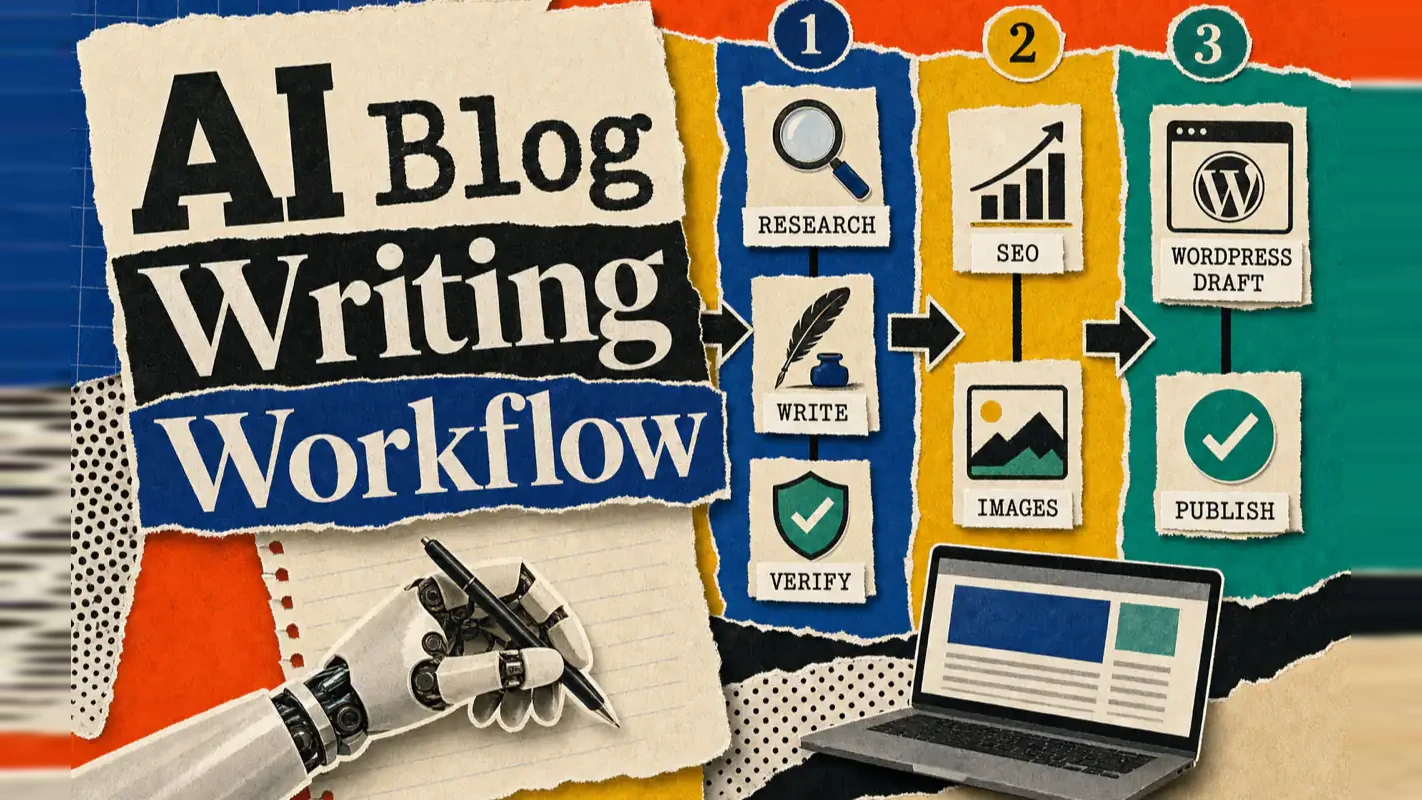
Publishing eats your week through research, SEO fields, images, and uploading — not writing. Here is the 10-step workflow automation pipeline that takes a topic to a published draft on one command, and the data contract that lets each step hand off cleanly to the next.
Most people assume the slow part of publishing is writing. Ask anyone who ships on a schedule — the monthly tax-update explainer at an accounting firm, the case study a design studio owes its site — and the writing is maybe a fifth of it. The rest is deciding what to say, checking whether anyone searches for it, filling in SEO fields, sourcing an image, and twenty minutes of clicking it into a CMS. Those are the steps that slip a publish date a week at a time, and they are what this pipeline takes over. The real question for any workflow automation software is not whether it writes well, but how many of those nine chores leave your calendar.
One command. Research, writing, SEO, images, publishing — all handled. That is the AI blog writing workflow I run in production today.
If you are an indie developer, technical blogger, or solo content creator, you have lived this loop: write a post, wrestle with SEO fields, design a cover image, upload media, configure tags, hit publish. The writing takes two hours. Everything else takes another four.
After my 50th post, I stopped tolerating the overhead and built an automated publishing pipeline that turns a topic into a WordPress draft without manual intervention. This article walks through the full architecture so you can build your own.
What you will walk away with:
A 10-step pipeline design for automated blog publishing
An agent orchestration pattern that separates scripts from AI judgment
A ready-to-use prompt you can hand to Claude Code to recreate the system
What Problem Does an AI Blog Writing Workflow Solve?
The traditional blog publishing process has six manual stages: topic research, content writing, SEO optimization, image creation, media uploading, and final publishing. Each stage requires a different tool, a different context switch, and your full attention.
The core insight: writing is the only step that requires human creativity. The other five are mechanical execution — and mechanical execution is what pipelines automate.
Think of traditional publishing as hand-assembling a computer from parts every single time. An automated publishing workflow is the factory line: you place the order, the finished product rolls off.
I built this system after noticing that research and publishing consumed more calendar time than actual writing. The first version saved me roughly four hours per post. After six months of iteration, it handles everything from keyword extraction to draft creation in a single invocation.
How Is the Pipeline Architected? Three Phases, Ten Steps
The system uses a progressive disclosure architecture. Three phases, each with clear input/output boundaries. No step touches data it does not own.
Phase 1: Data Preparation (Steps 01-03)
Goal: collect raw materials before any AI token is spent.
Step 01 — Initialization. The orchestrator agent collects runtime parameters through interactive prompts: topic, writing style, search depth (5/10/20 sources), and target site. It extracts 3-5 search keywords from the topic, creates a run directory, and writes config.json.
Step 02 — Broad Search. A Python script calls search engine APIs using the extracted keywords and returns a ranked list of candidate URLs. The design includes multi-engine fallback: if Brave Search fails, the script switches to Exa, then to Firecrawl. No single-point failure stops the pipeline.
Step 03 — Deep Scraping. Another Python script takes the top N URLs, scrapes full article content via Firecrawl, and stores each as a Markdown file.
Phase 1 runs entirely as scripts — zero agent context consumed. That separation is intentional. Data hauling and intellectual work operate on different budgets. Spend your tokens where judgment matters.
Phase 2: Content Creation (Steps 04-06)
Goal: transform raw materials into a finished article.
Step 04 — Source Analysis. A sub-agent reads the scraped articles and produces a structured research report: core arguments across sources, quotable data and case studies, information gaps competitors missed, and content whitespace worth filling. This report becomes the ammunition for writing.
Step 05 — Fact Verification. A second sub-agent runs fact-checking on the research report. It flags unsupported claims, logical gaps, and potentially outdated examples. Only verified material moves forward.
Step 06 — Article Writing. A third sub-agent loads a predefined writing persona — a detailed style guide covering tone, structure rules, and a banned-word list. Combined with the verified research, it generates the first draft.
I still remember the first time I watched a 3,000-word article materialize from nothing in under five minutes — complete with section headers and image placement suggestions. That moment convinced me the architecture was sound.
Phase 3: Automated Publishing (Steps 07-10)
Goal: prepare the finished article for production.
Step 07 — SEO Optimization. A sub-agent generates metadata from the article content: a search-engine title under 60 characters, a URL slug, a meta description under 160 characters, a keyword list, and category/tag recommendations.
Step 08 — Image Generation. This step combines script and agent work. A script selects a unified visual style. The agent generates an HTML image template. The script renders the HTML to PNG via Puppeteer. No expensive image generation API required — the visual quality stays consistent, and the cost stays at zero.
Step 09 — Media Upload. A Python script uploads the generated PNG files to the WordPress media library and retrieves media IDs.
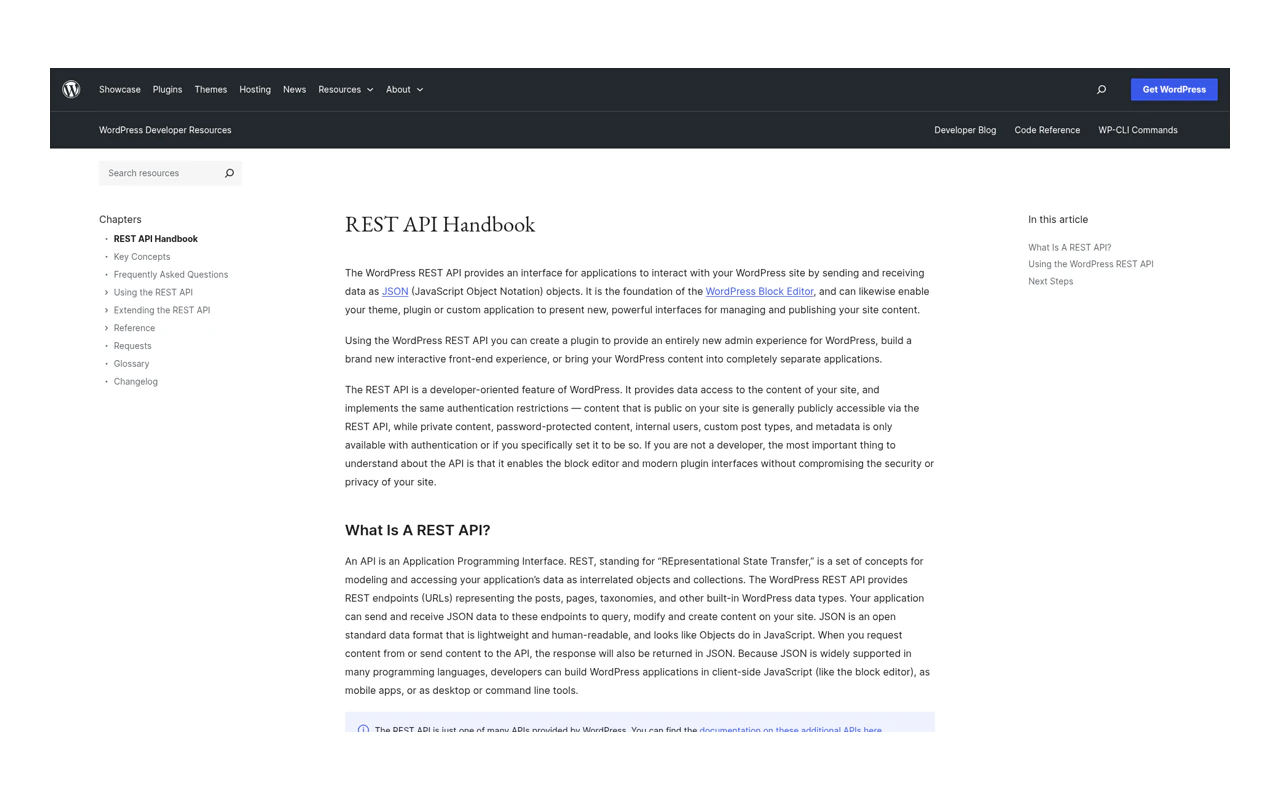
Step 10 — Draft Publishing. A final Python script assembles all outputs — article body from Step 06, SEO metadata from Step 07, media IDs from Step 09 — and calls the WordPress REST API to create a draft post.
The system defaults to draft, not published. Automation should eliminate mechanical labor, not replace human judgment. You review the draft, then click publish yourself.
How Does Data Flow Between Steps?
Each step's output feeds directly into the next. One sentence captures the design: the previous step's output is the next step's input.
Every intermediate output is a standalone file in its own directory. That gives you three properties for free:
Traceability. When something fails, you inspect the intermediate artifact.
Rerunnability. Rerun a single step without touching the others.
Debuggability. Open a file and read what the agent actually produced — no guessing.
Why Does This Architecture Actually Work in Production?
Ten steps sound fragile. Three layers of protection make it robust.
Layer 1: Validation Checkpoints
Every step defines pass/fail criteria:
Step 01: config.json exists and contains topic + keywords
Step 02: search result count > 0
Step 03: successful scrape count > 0
Step 06: article word count falls within the 2,000-3,000 range
Step 10: the returned post.id exists
A checkpoint failure halts the pipeline at that step. No silent propagation of bad data.
Layer 2: Executor Separation
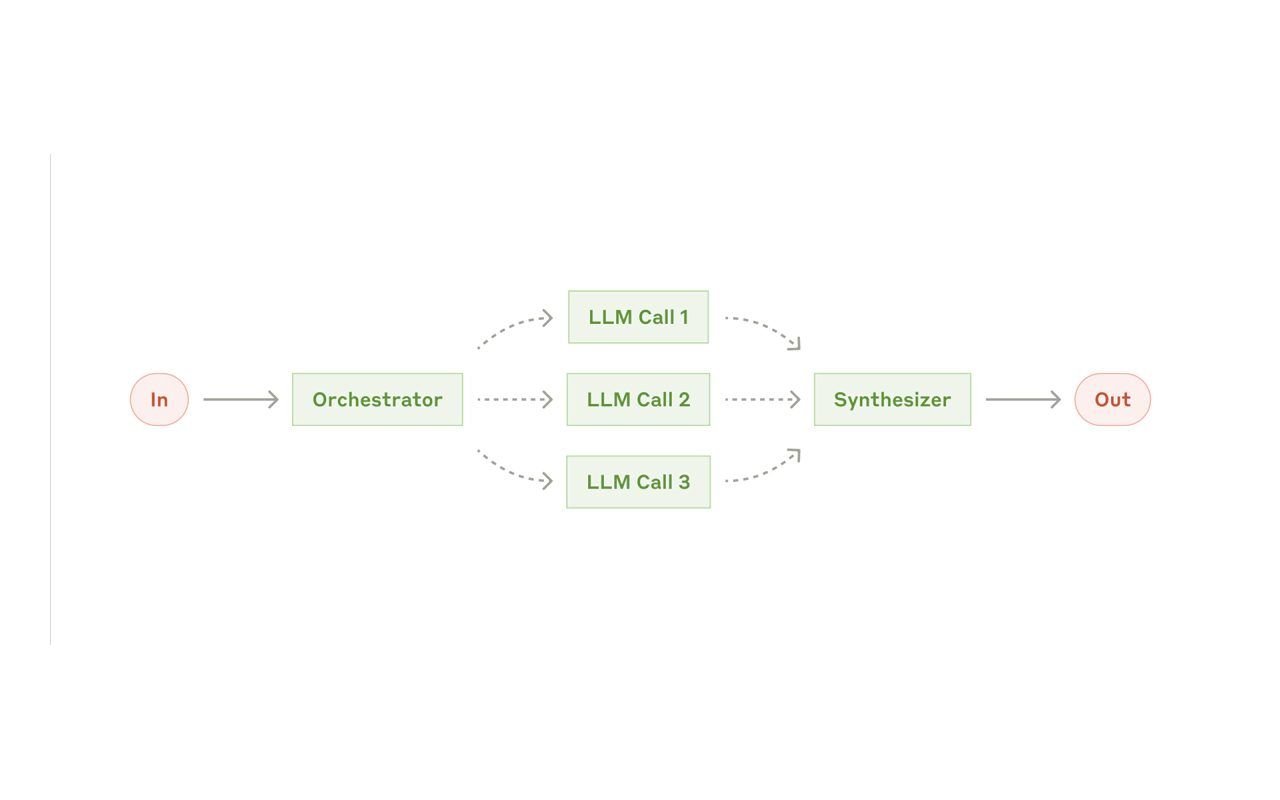
Scripts handle deterministic operations — searching, scraping, uploading, publishing. Agents handle operations that require judgment — analysis, writing, SEO optimization.
Scripts never improvise. Agents have creative latitude but operate within defined boundaries. This separation is the single most important architectural decision in the system.
Layer 3: Context Window Management
Long workflows risk context explosion — earlier information crowds out later reasoning. The system uses phase isolation:
Phase 1: scripts only, no agent context needed
Phase 2: source material loaded in batches of three articles maximum
Phase 3: prior outputs compressed to key data only
Each sub-agent starts with exactly the information it needs. Nothing more.
This is divide-and-conquer applied to AI workflows: break the large problem into small problems, let each agent solve its piece, and leave global coordination to the pipeline orchestrator — not to a single omniscient agent.
What Can You Learn From This Automated Publishing System?
Beyond the technical architecture, three design principles matter for any AI workflow you build.
Automate Repetition, Not Judgment
Good automation does not replace humans. It frees them to focus on what humans do best. This system automates searching, scraping, uploading, and publishing. It leaves topic selection and final review to the operator.
As Naval Ravikant argued: code is leverage with zero marginal cost. Write it once, reuse it forever. This publishing pipeline is that lever — one build cost, unlimited publishing runs.
Layer Complex Systems
Ten steps sound overwhelming until you group them into three phases. Each phase has an independent goal and clear boundaries. Steps within a phase are tightly coupled. Phases themselves are loosely coupled. High cohesion inside, low coupling outside — the same pattern that governs every well-designed system.
Treat Observability as a Lifeline
You might think automation exists to save time. It does not. It exists to save attention. You can work overtime to recover time. You cannot recover depleted attention.
In AI workflows, observability matters more than in traditional software because AI behavior is non-deterministic. You must see what every step produced. Independent output files and validation checkpoints give you that visibility. When something breaks, you see which step failed and why — instead of staring at a black box.
What Comes Next for This AI Blog Writing Workflow?
The current system proves the concept: agent orchestration can fully automate blog publishing. Every step has room for deeper iteration:
Step 01: Add topic recommendation based on site analytics and content gaps
Step 04: Introduce a competitor comparison matrix for systematic gap analysis
Step 06: Generate A/B headline variants for testing
Step 08: Connect to AI image models for higher-fidelity visuals
Version 1.0 runs the complete pipeline end-to-end. Future versions refine each muscle on this skeleton.
How Do You Build This System From Scratch?
Copy the following prompt into Claude Code to recreate the full system:
You are a senior systems architect specializing in AI agent workflow
orchestration and blog publishing automation.

Build a complete automated blog publishing system as a Claude Code Skill.
When triggered, it runs the full pipeline from topic research to draft
publishing.

SYSTEM GOAL: One command produces a WordPress draft.

ARCHITECTURE: Three-phase, ten-step progressive disclosure.

Phase 1 — Data Preparation (Steps 01-03)
  Step 01 Init: collect parameters (topic/style/search depth/site)
    → extract search keywords → create run directory → write config.json
  Step 02 Broad Search: Python script calls search API
    → candidate URLs → search-results.json
  Step 03 Deep Scrape: Python script scrapes top N full articles
    → Markdown files → full-articles/

Phase 2 — Content Creation (Steps 04-06)
  Step 04 Source Analysis: SubAgent reads full articles
    → structured research report → research.md
  Step 05 Fact Verification: SubAgent fact-checks the report
    → verified.json
  Step 06 Article Writing: SubAgent loads writing persona + research
    → article-v1.md

Phase 3 — Publishing (Steps 07-10)
  Step 07 SEO: SubAgent generates title/slug/meta_description/keywords
    → seo.json
  Step 08 Images: script selects style → agent generates HTML template
    → script renders PNG via Puppeteer
  Step 09 Media Upload: Python script uploads PNGs to WordPress
    → media-ids.json
  Step 10 Publish: Python script calls WordPress REST API
    → publish-result.json (draft)

KEY CONSTRAINTS:
- Scripts handle deterministic ops; agents handle judgment calls
- Every step has a validation checkpoint (fail = halt)
- Phase isolation for context management
- Multi-engine fallback for search and scraping
- HTML + Puppeteer for images (no paid image API)
- Python 3.14 + uv for dependencies
- Node.js + Puppeteer for HTML rendering
- WordPress REST API with Application Password auth
- Default to draft — human reviews before publishing

Build all workflow docs, scripts, and config files.
Hand this to Claude Code and you will have a working system within 30 minutes.
Ready-to-Use Prompt: Architect a 10-Step AI Blog Publishing Pipeline
What this does: Turns your blog publishing routine into a 3-phase, 10-step pipeline that separates deterministic scripts from AI judgment, with a data-flow contract and a build order that ships fast wins first. Based on: How I Built an AI Blog Writing Workflow That Publishes Better Posts Than I Do — https://aiworkflowpro.com/ai-blog-writing-workflow/ Time to run: ~5 minutes
Copy this prompt into Claude Code, ChatGPT, or any AI assistant:
ROLE: You are an AI Blog Pipeline Architect. Your job: turn a blogger's manual publishing routine into a 10-step, 3-phase pipeline that ships a platform draft from a topic with no manual touch.

CONTEXT — SCRIPT-OR-JUDGMENT PIPELINE METHOD:
Writing a post takes about two hours; SEO fields, cover image, media upload, tags, and publishing take four more. The fix is a 10-step pipeline across 3 phases — Intake & Research, then Drafting & Optimization, then Media & Publish — that turns a topic into a platform draft unattended. The core discipline is separating Script steps (deterministic mechanics: SEO fields, media upload, tagging, scheduling, publish) from Judgment steps (AI choices: research, outline, draft, image concept, headline). Script steps are automated as plain code; Judgment steps are wrapped in prompts. Steps never share internal state — each consumes the previous step's output artifact (a file path or JSON key), so any step can be tested, swapped, or re-run alone. Build Script steps first (fast reliable wins), Judgment steps second.

INPUTS (fill in before running):
- BLOG_PLATFORM: [WordPress / Ghost / other — and how you publish today]
- NICHE_OR_TOPIC_TYPE: [What you write about]
- CURRENT_BOTTLENECK: [The stage that eats the most time today]
- AVAILABLE_TOOLS: [What you have — Claude Code, image-gen API, SEO tool, headless CMS API]

METHOD — 4 STEPS:

Step 1 — Classify Every Stage as Script or Judgment
List the stages a post passes through (topic, research, outline, draft, SEO fields, cover image, media upload, tags, schedule, publish). Tag each Script (deterministic, rule-based, idempotent) or Judgment (requires an AI choice). Count both groups.

Step 2 — Design the 3-Phase, 10-Step Pipeline
Group the 10 steps into the three phases. For each step state the owner (Script or Judgment), the tool that runs it, and the single deliverable it must produce.

Step 3 — Define the Data-Flow Contract
For every step, name the input artifact it consumes and the output artifact it produces (file path or JSON key). A step may depend only on a prior step's declared output artifact — never on its internal state.

Step 4 — Sequence the Build (Highest Friction First)
Rank the current manual stages by time saved per post. Name the single highest-friction stage and the automation that removes it. Produce a build order that automates Script steps first and wraps Judgment steps in prompts second.

RULES:
- Never bundle a Script and a Judgment in the same step — keep them separable so a model swap cannot break mechanics.
- Never let a step depend on another step's internal state — only on its declared output artifact.
- Never automate Judgment steps before Script steps — scripts are the fast, reliable wins.

OUTPUT FORMAT:
Output a markdown report with:
1. Stage Classification — markdown table, columns: Stage | Script/Judgment | Tool
2. 10-Step Pipeline — markdown table, columns: Phase | Step | Owner | Deliverable
3. Data-Flow Contract — markdown table, columns: Step | Consumes | Produces
4. Build Order — ordered list, scripts first, each item naming the time it saves per post
Save as @templates/ai-blog-writing-workflow.md and run when building a blog publishing pipeline from scratch, or when overhauling a manual one that eats too many hours.
Frequently Asked Questions
What problem does an AI blog writing workflow solve?
It eliminates the mechanical steps in blog publishing: topic research, source scraping, SEO metadata, image creation, media uploading, and draft publishing. You keep topic selection and final review. The AI handles the repeatable execution.
Why split a blog publishing pipeline into ten steps?
Long pipelines need observability. Each step has defined inputs, outputs, and checkpoints. When something breaks, you pinpoint the exact stage and rerun it — instead of debugging a black box.
Does this automated publishing workflow only work with WordPress?
No. The reference implementation targets WordPress, but the pipeline is CMS-agnostic. Swap the final publishing API for Ghost, Notion, or any headless CMS — the research, writing, and SEO stages remain identical.
How long does the full AI blog writing workflow take?
Around 15 to 20 minutes end-to-end for a 3,000-word post, depending on search depth and image count. The first three steps (data preparation) run as scripts and finish in under two minutes. Content creation and publishing take the remaining time.
Monitoring a competitor who publishes no feed is the case every RSS guide skips. Twenty-one platforms sorted by which of three jobs they do, and the finished setup is business process automation you own outright, with no seat licence to renew.
Blaming the content is the reflex when a post underperforms, and it is usually the wrong diagnosis. A second reader decides distribution before any human sees the post, and most of what it checks is mechanical enough to automate business processes around, on five platforms at once.
Nothing about month four is harder than month three. It is simply the month an unpaid channel starts to feel like proof of failure. Surviving it takes a cadence you can hold while earning nothing, which is a better reason to automate business processes than speed ever was.
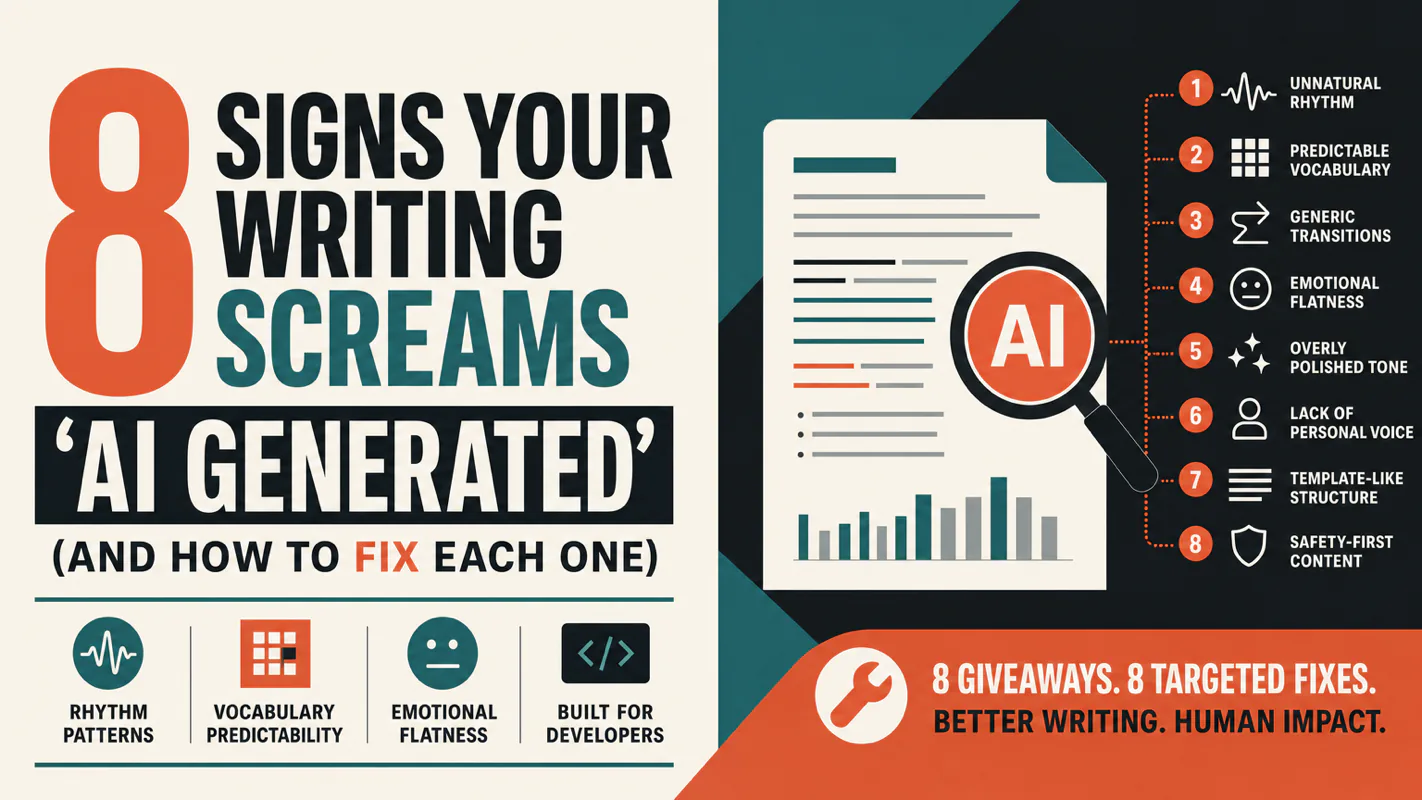
A detector score cannot survive a conversation with the freelancer it just cost three weeks of payment. What holds up is the specific thing on the page: rhythm, vocabulary, missing detail. Eight of them here, and the reason review stays human when you automate business processes.