Monitoring a competitor who publishes no feed is the case every RSS guide skips. Twenty-one platforms sorted by which of three jobs they do, and the finished setup is business process automation you own outright, with no seat licence to renew.
Blaming the content is the reflex when a post underperforms, and it is usually the wrong diagnosis. A second reader decides distribution before any human sees the post, and most of what it checks is mechanical enough to automate business processes around, on five platforms at once.
Gloves on, tape measure in hand — nobody types a query. Three voice surfaces for ai automation tools (terminal, Telegram, Discord), 10 TTS and 6 STT providers compared on cost and latency, plus a setup that costs nothing.
SEO Automation with AI Tools: The Complete Workflow from Keyword Research to Weekly Reports
SEO is where workflow automation pays off fastest: 112 CLI commands covering keyword research, site audits, indexing, link checks, GEO optimization, and AI search visibility — organized by website lifecycle stage, so you run the five that matter now instead of all 112.
There is a job on your list that has moved to next week eleven times. For most teams it is the site check — someone finally confirming the product pages are indexed, the old posts are not pointing at dead URLs, and the meta descriptions were ever written. It stays postponed because it looks like a 112-item job, and nobody has a 112-item afternoon. That is the wrong read. What follows is a menu, not a checklist: a store two weeks from launch runs five of these commands; a four-year-old site on quarterly upkeep runs a different five. Read that way, it is workflow automation software you can start on a Tuesday, not a project to schedule.
My site scored 40 out of 100 on its first SEO audit. One month and three targeted fixes later, it hit 78. The gap between those numbers was not more content — it was knowing exactly which problems to fix first, then running the right commands in the right order.
That experience pushed me to build a CLI toolkit covering 112 commands across keyword research, site audits, indexing, link checks, performance monitoring, GEO optimization, and AI search visibility. This guide walks through every stage of that SEO automation workflow, organized by website lifecycle so you always know what to run next.
Key takeaway: You do not need to memorize 112 commands. The goal is understanding which phase your site is in, then picking the 3-5 commands that matter most right now.
Table of Contents
1. Keyword Research — Find what users search before you write a single word
2. Site Foundation Audit — Get the technical baseline right before launch
3. Pre-Publish On-Page Checks — Catch title, heading, and image issues before hitting publish
4. Publishing and Indexing — Push new content to search engines immediately
5. Index Coverage and Traffic — Verify what actually got indexed and what drives clicks
6. Links and Architecture — Find broken links and orphan pages before they drag you down
7. Performance — Measure Core Web Vitals with real data, not guesses
8. GEO and AI Search Visibility — The 2026 priority: get cited by AI models
9. Local Business SEO — Commands for brick-and-mortar locations
11. Backlink Growth — From prospecting to verification in one pipeline
12. Reporting — Weekly reports that tell you what changed and what to fix
How Does SEO Automation Actually Work?
SEO automation replaces manual checks with repeatable commands that run the same diagnostic every time — no skipped steps, no forgotten metrics, no spreadsheet drift. Each command targets a specific dimension (keyword gaps, broken links, meta tag length, AI citability) and outputs a structured result you can act on immediately.
The 112 commands in this toolkit break down across four layers:
Layer
What it covers
When to run
Research
Keywords, competitor gaps, content briefs
Before writing
Technical
Crawl rules, sitemaps, structured data, redirects
At launch + monthly
Content
Meta tags, headings, images, readability
Before every publish
Visibility
Indexing, rankings, AI citations, weekly reports
Weekly or on-demand
The rest of this guide follows that lifecycle. Jump to whatever phase matches your current situation.
1. What Should You Research Before Writing?
Every wasted article starts the same way: you pick a topic by instinct, spend two weeks writing it, and discover the keyword gets 30 searches per month. Research-first SEO automation eliminates that risk entirely.
1.1 Validate search demand with data
Three commands build a research foundation from scratch:
keyword-research — Enter a seed term, get back search volume, competition level, CPC estimates, and 20+ long-tail expansions. Transforms "what should I write about?" into a ranked list of data-backed topics.
keyword-suggest — Takes one seed word and generates dozens of variations: autocomplete suggestions, related queries, and "People Also Ask" phrases. Three-word-plus long-tails convert best because the searcher knows exactly what they want.
keyword-trend — Pulls 12-month search curves for multiple terms side by side. Some keywords peaked two years ago; others are climbing with zero competition. Trend data answers the question "is it worth entering this topic now?"
1.2 Analyze what actually ranks
Keywords alone mislead you. Search "AI coding tools" and the top ten results might all be comparison pages. If you write a personal narrative instead, format mismatch kills your ranking chances regardless of content quality.
serp-analyze — Deconstructs the top 10 results for any query: content types, average word counts, title patterns, and domain authority distribution. Tells you whether you are competing against tool pages or personal blogs.
kgr (Keyword Golden Ratio) — Calculates the ratio of competing pages to monthly search volume. Below 0.25 means high demand with low competition — the sweet spot for new sites that cannot outmuscle established domains.
1.3 Reverse-engineer competitor strategy
Real competitor analysis goes beyond reading their homepage. It means pulling the keywords they rank for, counting their backlinks, and mapping their content architecture.
competitor-scan — Input a competitor domain. Get every ranking keyword, backlink count, and top-10 distribution. More actionable than a day of manual browsing.
keyword-layout — Maps which topics a competitor covers, which keywords each page targets, and where your site has gaps. Outputs a prioritized list of "they rank, you don't" opportunities.
gap-analyze — The sharpest version: finds keywords where competitors rank and you have zero presence, sorted by search volume. If you already have a site and need to expand, start here.
1.4 Turn research into a writing plan
content-plan — Expands a core keyword into 30+ topic ideas with suggested angles.
content-brief — Generates a recommended title, paragraph structure, target word count, and internal/external link targets. An instant outline for any article.
information-gain-check — Compares your draft against the top five ranking pages. If 90% of your content overlaps with existing results, search engines have no reason to rank you — this command quantifies your unique contribution.
judgment-density — Scores whether your content contains original opinions, first-hand test results, and honest limitations. Search engines and AI models increasingly reward content that sounds like a real person with real experience, not a machine-assembled summary.
When I ran judgment-density on my own older articles, three of them scored below the threshold. They read like paraphrased documentation. Rewriting those three posts with actual test results and specific failure stories improved their average ranking position by 12 spots within six weeks.
2. What Technical Foundations Should You Audit Before Launch?
A site that search engines cannot crawl is invisible regardless of content quality. Run these checks before your first publish — and again every time you change hosting, domains, or CMS configuration.
2.1 Crawler rules and sitemaps
build-robots-check — Six-dimensional audit including AI crawler access. Checks whether ChatGPT's and Claude's crawl bots can reach your pages. I discovered on my first run that a forgotten rule had blocked Claude's crawler for six months.
build-sitemap-verify — Eight-dimensional validation: format correctness, link counts, date freshness, protocol consistency, and more.
build-hreflang-check — Essential for multilingual sites. Verifies that each language version correctly references its counterparts so Google does not treat your English and Japanese pages as duplicates.
2.2 Structured data — your site's machine-readable identity
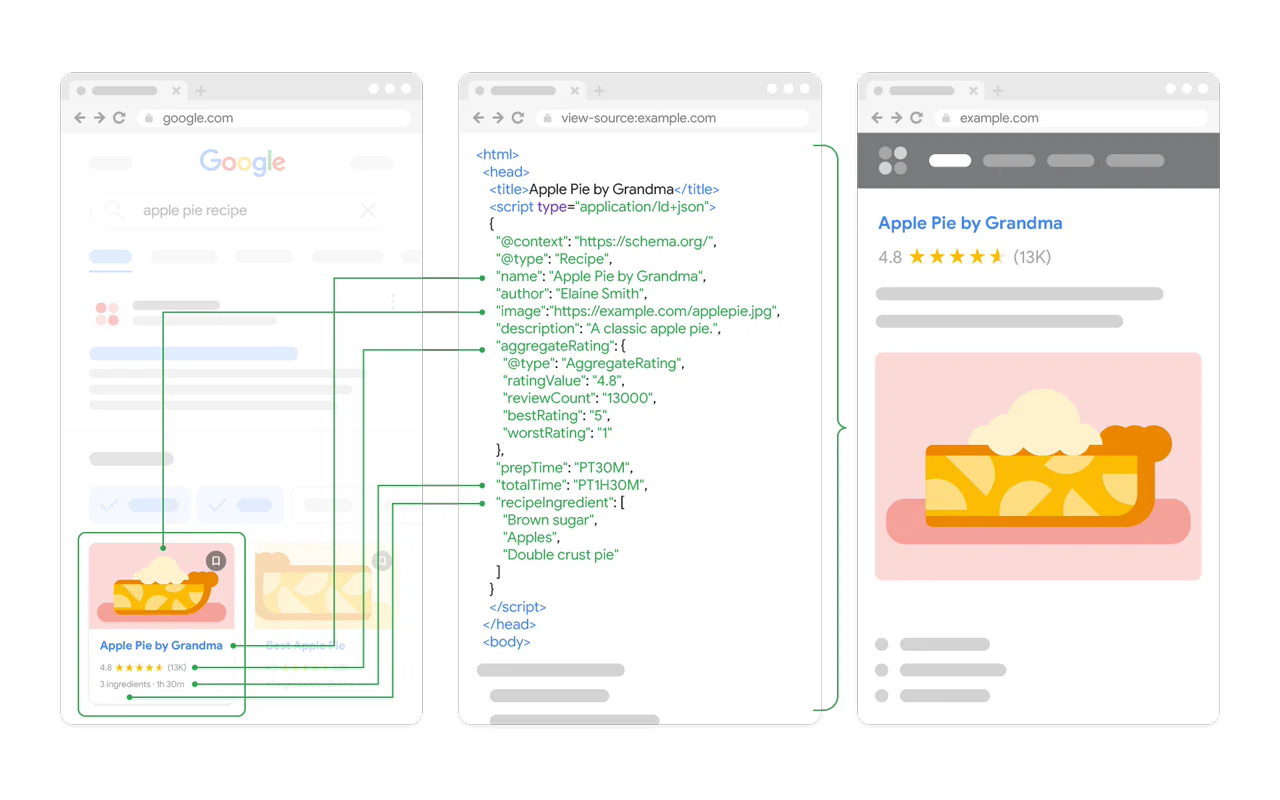
Your pages have titles, body text, and images that humans understand. Machines do not automatically know whether a block of text is the article body or a sidebar ad, or whether a name refers to the author or a quoted source. Google's structured data documentation explains exactly which markup types search engines support.
Structured data solves this by annotating your pages with explicit labels: "this is a blog post," "the author is Leo," "it belongs to the Tutorials category." Search engines use these signals to display rich results — star ratings, FAQ dropdowns, breadcrumbs — that dramatically improve click-through rates.
build-schema-scaffold generates structured data templates for your site type (blog, e-commerce, SaaS). Replace the placeholder values with your real information, paste into your page headers, and you are done.
3. What Should You Check Before Hitting Publish?
Every article should pass three automated checks before going live. Skipping them means fixing problems after Google has already indexed a flawed version.
3.1 Meta tag and heading validation
content-meta-check — Nine-dimensional scan. Is the title between 40-65 characters? (Longer gets truncated on mobile.) Is the meta description 120-165 characters? Does a canonical URL prevent duplicate content issues? Are Open Graph and Twitter Card tags present for social sharing?
content-heading-check — Seven checks: single H1, at least two H2s, no skipped levels, and question-format headings that AI models can extract as direct answers.
3.2 Image optimization
content-image-check — Seven dimensions: alt text presence (critical for accessibility and SEO), lazy loading enabled, modern formats (WebP/AVIF over JPEG/PNG), and responsive sizing across viewports.
image-seo-auto — Automatically generates alt text for images that lack it. Saves hours on image-heavy posts.
3.3 Readability scoring
content-readability — Detects paragraph length issues, flags dense blocks, and suggests where to break text. Long unbroken paragraphs kill mobile readability and increase bounce rates.
4. How Do You Get New Content Indexed Faster?
Publishing is not the finish line — it is the starting gun. Search engines can take days to discover new pages on their own. These commands eliminate the wait.
4.1 Instant indexing requests
indexnow-ping — Sends your URL to Bing, Yandex, Seznam, Naver, and Yep simultaneously. Sub-second notification to five search engines.
sitemap-submit — Parses your sitemap, extracts all page URLs, and submits the first 100 for indexing in a single batch.
4.2 Cache management
cache-purge — Updated a page but search results still show the old version? This clears stale caches so the next crawl picks up your latest content.
5. How Do You Verify What Got Indexed?
Publishing and submitting does not guarantee indexing. Regular coverage checks catch pages that were rejected, ignored, or indexed with errors.
5.1 Index status
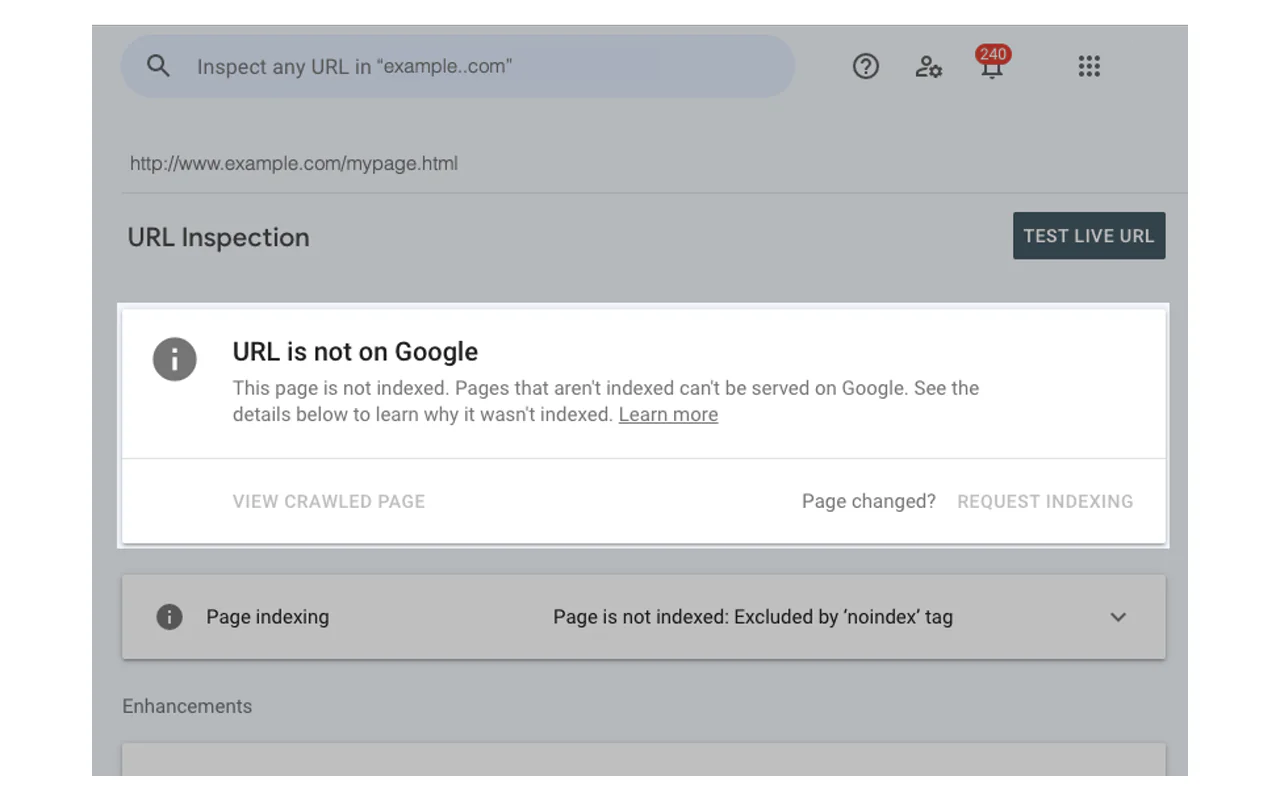
gsc-inspect (Google Search Console) — Checks a single URL's index status and last crawl date.
gsc-coverage-report — Full-site coverage audit: indexed pages, excluded pages, and the specific reasons for each exclusion.
5.2 Search queries and traffic
gsc-query — Pulls the last 28 days of clicks, impressions, CTR, and average position by search query. Shows exactly which keywords drive traffic.
gsc-find-orphans — Identifies pages Google has crawled but that are missing from your sitemap. These "orphan" pages lack proper internal linking and often rank poorly.
ga4-report — Google Analytics 4 data: visitors, pageviews, traffic sources, and session duration.
bing-webmaster — Bing-side coverage and traffic data to complement Google metrics.
6. How Do You Find and Fix Broken Links at Scale?
Every site accumulates link rot. External sites go offline, internal URLs change during redesigns, and redirect chains grow longer with every migration. Left unchecked, broken links erode crawl efficiency and user trust.
6.1 Full-site link audit
link-audit — Scans every link on your site and classifies each one: healthy, redirected, 404 (deleted), or soft-404 (loads but has no real content). Outputs a percentage-based health score plus a prioritized fix list.
I ran this on my site expecting maybe five or six broken links. The audit found 37. Manual review and repair would have taken an afternoon; with the automated fix pipeline below, the job finished in twenty minutes.
link-fix-suggest — Finds replacement URLs for each broken link.
link-fix-apply — Applies the suggested fixes directly to your content files.
link-recheck — Verifies that all fixes resolved correctly.
6.2 Internal link architecture
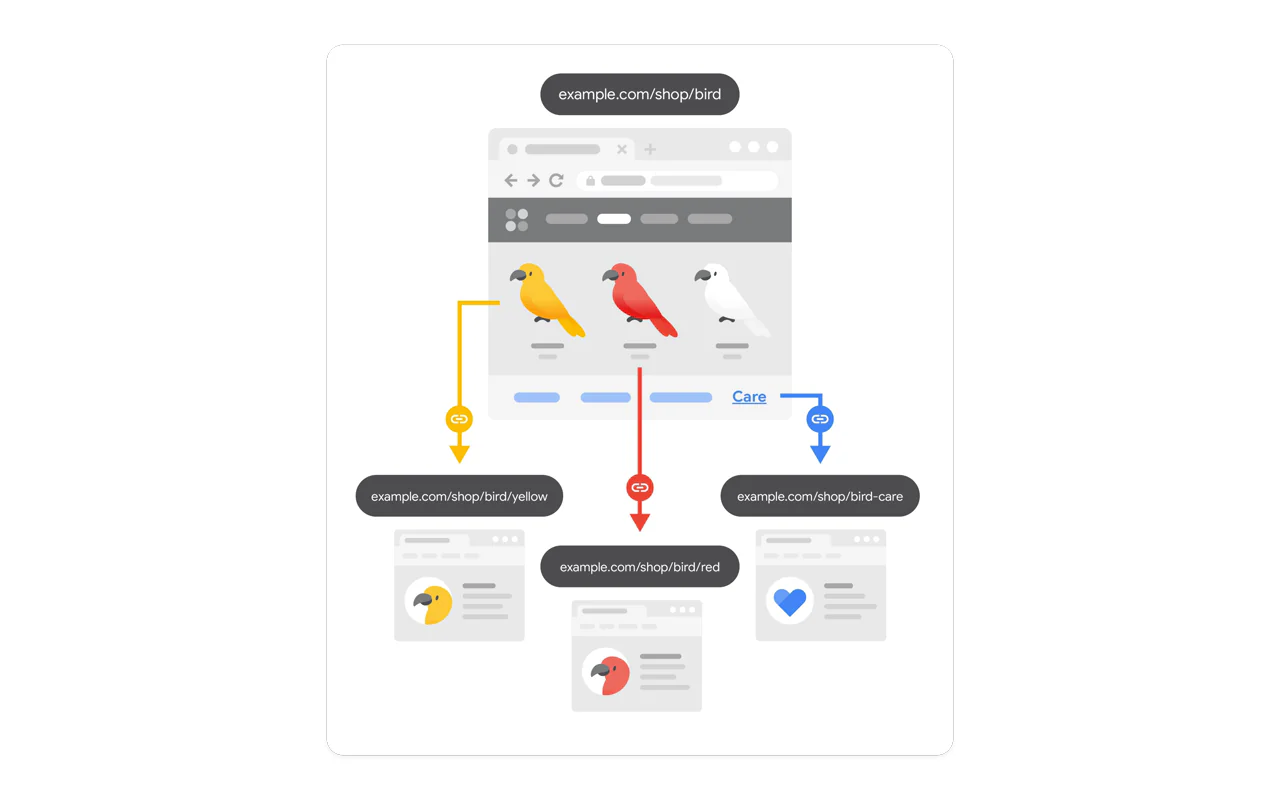
internal-link-graph — Maps your entire site's internal linking structure and identifies three critical problems:
Orphan pages — Pages no other page links to. Search engines rarely find them.
Dead-end pages — Pages with no outbound internal links. Users land and leave.
Hub pages — Pages concentrating the most link equity. These are your most influential pages for distributing authority.
6.3 Duplicate content and redirects
content-uniqueness — Detects near-duplicate content across your site. Search engines penalize sites that publish substantially similar pages.
7. How Do You Diagnose Performance Problems with Data?
"The site feels slow" is not actionable. Core Web Vitals provide the specific metrics that Google uses for ranking signals, and these commands measure all of them.
7.1 Core Web Vitals audit
audit-cwv — Runs five checks in one command:
Metric
Target
What it measures
LCP (Largest Contentful Paint)
< 2.5s
How fast the main content loads
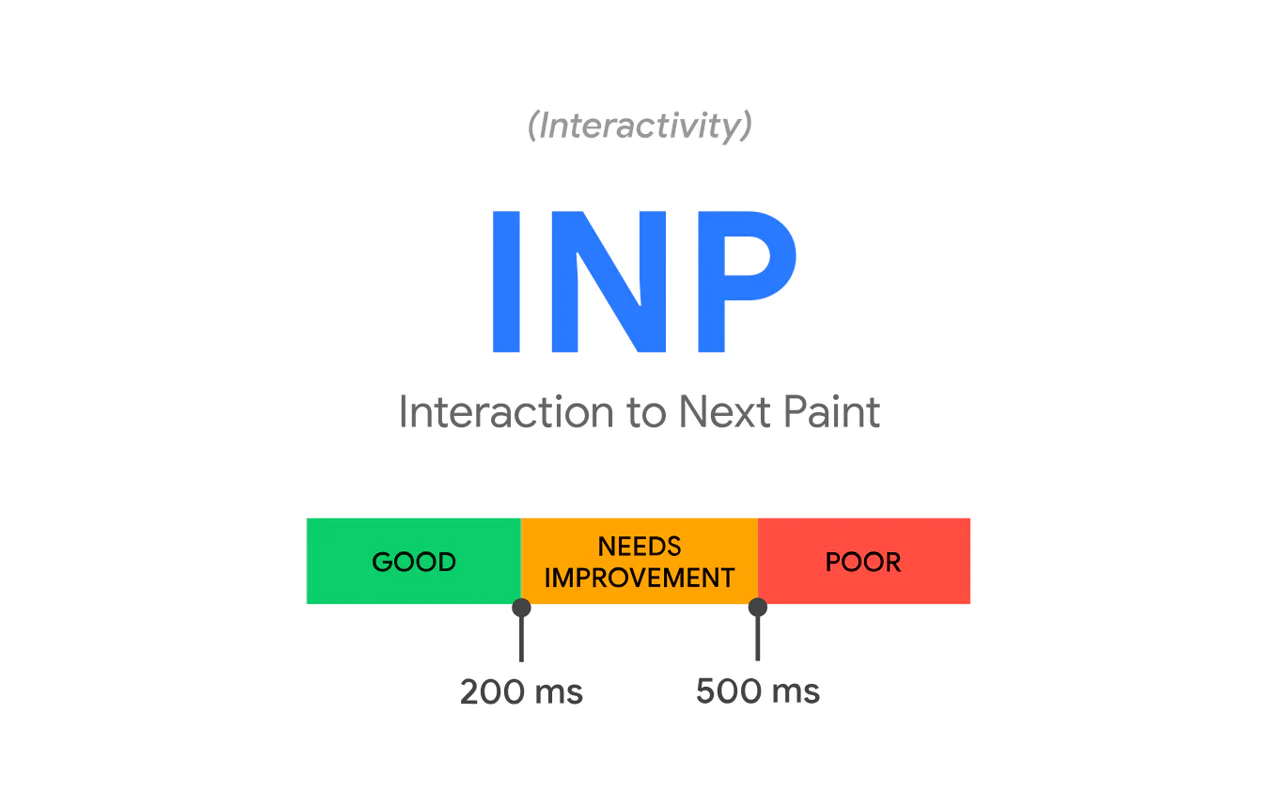
INP (Interaction to Next Paint)
< 200ms
How fast the page responds to clicks
CLS (Cumulative Layout Shift)
< 0.1
Whether layout jumps during loading
TTFB (Time to First Byte)
< 800ms
Server response time
FCP (First Contentful Paint)
< 1.8s
When the first visual element appears
Results cross-reference two data sources: real user metrics (CrUX) and lab simulations (Lighthouse), giving you both field truth and reproducible diagnostics.
7.2 Bulk performance scan
audit-cwv-bulk — Tests every page on your site and ranks them by performance. Outputs the ten slowest pages so you know exactly where to start optimizing.
8. Why Is GEO Optimization the 2026 Priority?
Traditional SEO gets your pages into search indexes. GEO (Generative Engine Optimization) gets your expertise into AI-generated answers. When someone asks ChatGPT, Perplexity, or Gemini a question in your domain, GEO determines whether your content gets cited or ignored.
8.1 Track AI citations across models
ai-citation-track — Queries three AI engines simultaneously with your brand name and core topics. Reports whether you are cited, your position in the response, and whether the description is accurate.
When I first ran this, generic questions about my broader field occasionally mentioned my site. But specialized queries — the ones that matter most for conversions — returned zero citations. The problem was not traffic volume; the AI models simply did not have clear signals about my expertise in that niche.
8.2 Make your site AI-readable
llms-txt-build — Crawls your sitemap, scrapes each page, and generates two files: a summary version and a full-text version formatted specifically for AI model consumption.
audit-aeo (AI Engine Optimization) — Nine-dimensional check: clear opening definitions, answer-format paragraphs, author authority signals, and structured data completeness.
audit-geo (Generative Engine Optimization) — Eight-dimensional check: content depth, data density, table-to-text ratio, and evidence quality.
geo-snippet-extract — Scores how likely a single page is to be quoted by an AI model.
geo-fanout-check — Finds gaps between questions users ask and topics your content covers. Prioritizes which gaps to fill first.
8.3 Google Discover and paywall compliance
audit-discover — Optimizes your content for Google Discover (the mobile feed below the search bar). Outputs a prioritized action list.
audit-paywall — If you have paywalled content, verifies that your structured data complies with Google's guidelines so you do not get penalized for hiding content behind a gate.
9. What Commands Matter for Local Business SEO?
Brick-and-mortar businesses face a unique SEO challenge: consistency across directories. If your business name, address, or phone number differs across Google Business Profile, Yelp, and Apple Maps, search engines treat each variation as a separate entity — diluting your ranking power.
9.1 Comprehensive local audit
local-audit — Checks structured data accuracy and cross-references your business information across major directories. Flags any inconsistencies that could confuse search engines.
9.2 Geographic ranking heatmap
geo-grid — Draws a grid around your business location and checks your ranking at each point. The resulting heatmap shows exactly where you dominate and where competitors outrank you — block by block.
10. How Do You Monitor Rankings Without Manual Spreadsheets?
10.1 Rank tracking
rank-track — Stores keyword rankings locally and compares week-over-week. Run weekly to catch drops before they compound.
rank-alert — Triggers automatic notifications when any tracked keyword drops five or more positions.
10.2 Backlink health
backlink-check — Reports total backlink count, source quality distribution, spam identification, 12-month trend, and an overall health grade. One command replaces manual spreadsheet tracking.
10.3 Server log analysis
monitor-logs — Parses access logs to answer questions that analytics tools cannot: How often did Google's crawler visit? Did any AI company crawlers (GPTBot, ClaudeBot, PerplexityBot) get blocked? Which pages return server errors to bots but load fine for humans?
11. How Do You Build Backlinks Systematically?
Backlinks remain one of Google's strongest ranking signals. Random outreach wastes time. A systematic pipeline — prospect, qualify, submit, verify — turns link building from a chaotic side task into a repeatable process.
11.1 Discovery and qualification
The Outreach Pro module provides 14 commands that cover the full cycle:
outreach-site-add — Register your site in the outreach system.
outreach-target-import — Batch-import prospective link sources.
outreach-target-qualify — Auto-scores each prospect on relevance, difficulty, and spam risk, then assigns a priority tier.
outreach-campaign-create — Groups qualified targets into a named campaign.
11.2 Execution and verification
outreach-task-build — Generates step-by-step submission instructions for each target site.
outreach-verify — Cross-checks whether the backlink actually went live using four independent verification methods.
outreach-report — Summarizes campaign results: submitted, verified, pending, and rejected.
The entire loop — from finding opportunities to confirming they are live — runs in one pipeline. No more spreadsheet tracking and monthly manual re-checks.
12. What Should Your Weekly SEO Report Include?
12.1 Full-site diagnostic
audit-full — Runs 14 sub-audits weighted to produce a single 100-point score. More importantly, it categorizes every finding into three priority buckets: fix now, fix this week, and monitor later.
The real value is not the score — it is the triage. When a site has title issues, broken links, missing structured data, and slow pages simultaneously, beginners touch everything and finish nothing. This command decides the sequence for you.
seo-site-report — Compiles audit results into a formatted report suitable for clients, teammates, or your own weekly review.
12.2 Weekly performance comparison
report-ai-weekly — Merges traffic data, search query performance, and AI citation status into a single week-over-week comparison. Five seconds to see what changed.
report-compare — Side-by-side comparison across multiple sites: your site versus competitors, or your site versus a client's. Highlights which site has the biggest gaps in content, indexing, performance, and AI visibility.
Key takeaway: Reports exist to produce an actionable fix list for the coming week, not to look professional. If your report does not end with "fix these three things next," it is not a useful report.
Applying This Workflow to Your Site Type
The lifecycle approach above works for any site, but the priority order shifts depending on your business model. Here is where to start based on four common scenarios.
Content sites and blogs
Start with: keyword-research + kgr to find low-competition keywords, then content-brief for writing outlines. After publishing: gsc-query for traffic analysis, ai-citation-track to check AI visibility, and geo-fanout-check to discover content gaps.
SaaS and software products
Start with: competitor-scan + keyword-layout to map your competitive landscape. Focus on: judgment-density to ensure your content reads as expert opinion rather than feature lists. llms-txt-build so AI models can find your product when users ask "what are the best tools for X?"
E-commerce stores
Start with: build-hreflang-check for multilingual consistency and build-schema-scaffold with the e-commerce template (product, price, rating, stock status structured data). After launch: gsc-coverage-report to verify the correct language version reaches each market.
Solo founders and indie hackers
Start with: audit-full for a single-command health check that tells you what to fix first. Weekly: report-ai-weekly for a five-second status update. rank-alert runs in the background and notifies you only when something drops — the rest of the time, you build your product.
The Best SEO Tool Is One You Do Not Have to Remember
112 commands look overwhelming on paper. You are not meant to memorize them.
The whole point of SEO automation with AI tools is offloading the checklist to software so you can focus on decisions: which keywords to target, which content gaps to fill, which technical issues to fix first. Commands handle the diagnostic work; you handle the judgment calls.
From 40 to 78 on my site's audit score, the difference came down to three specific fixes: adding article type markup, clarifying section structure for crawlers, and expanding a one-word homepage title into a complete sentence. Three commands, one afternoon.
My take: Not understanding SEO is fine. Never having a clear picture of how search engines and AI models see your site — that is the actual problem. You do not need to become an optimization expert. You need a diagnostic that tells you where you stand and what to fix next.
Try running a single site audit. Copy the prompt below into Claude Code, Codex, Cursor, or any AI coding assistant. You need nothing installed beyond a working website URL:
"Run a search engine health check on my website, looking at it from the perspective of both search engines and AI models.
Step 1: Confirm target
Ask me for my website URL first. Once confirmed, run a read-only analysis — no write operations.
Step 2: Check each dimension
Evaluate these areas in order, giving a one-line verdict for each (passing / fix this week / monitor):
Crawler access — robots.txt configuration, whether intended pages are accidentally blocked, whether AI crawlers (GPTBot, ClaudeBot) can access the site
Sitemap — presence, link count accuracy, format validity
Titles and descriptions — homepage and article title lengths, meta description quality
Heading hierarchy — single H1, proper H2/H3 nesting, question-format headings for AI extraction
Images — alt text presence, lazy loading, modern formats, responsive sizing
Structured data — whether pages declare content type, author, and category to machines
Internal linking — cross-page connectivity, orphan pages with no inbound links
AI citability — whether AI models can easily extract topic, author, date, and key claims
Step 3: Output results
Dimension
Verdict
Evidence
Impact
Fix
Crawler access
Pass/Fix/Monitor
Specific finding
What happens if ignored
What to change
For each 'Fix' item, provide a specific, jargon-free action step.
Check the homepage and 3 core articles only. Do not execute any write operation or call any paid service without asking first."
Ready-to-Use Prompt: Automate Your Full SEO Pipeline from Research to Weekly Report
What this does: Runs a CLI-first SEO audit across any site and returns a prioritized fix list, a per-article pre-publish checklist, a GEO/local plan, and a weekly report template — no spreadsheets. Based on: SEO Automation with AI Tools: The Complete Workflow from Keyword Research to Weekly Reports — https://aiworkflowpro.com/seo-automation-ai-workflow/ Time to run: ~10 minutes
Copy this prompt into Claude Code, ChatGPT, or any AI assistant:
ROLE: You are a senior technical SEO automation architect. Your job: turn any website into a fully automated SEO pipeline — audit, prioritize, fix, report — so the human never touches a spreadsheet again.

CONTEXT — The 12-Stage SEO Automation Workflow:
A CLI-first approach covering the full content lifecycle: research keywords, audit technical foundations, check before publish, submit for indexing, verify what got indexed, find and fix broken links, diagnose performance with data, optimize for GEO/AI search, handle local SEO, auto-monitor rankings, build backlinks, and generate weekly reports. Core principle: the best SEO tool is one you do not have to remember — fix the highest-impact problem first, then run commands in order, on a recurring schedule.

INPUTS (fill in before running):
- SITE_URL: [YOUR_SITE_URL_HERE]
- SITE_TYPE (blog / SaaS / e-commerce / local business): [YOUR_SITE_TYPE_HERE]
- PRIMARY_KEYWORD: [YOUR_PRIMARY_KEYWORD_HERE]
- TARGET_LOCATION (for GEO/local): [YOUR_TARGET_LOCATION_HERE]

METHOD — 7 STEPS:

Step 1 — Research Before Writing
For PRIMARY_KEYWORD, output: 1 head term, 5 long-tail variants, 3 question queries, and the top 3 ranking competitor URLs. Flag cannibalization risk if any existing SITE_URL already targets the same term.

Step 2 — Technical Foundation Audit
Score the site 0-100 on six dimensions: Core Web Vitals / page speed, mobile usability, crawlability (robots + sitemap), HTTPS + security, structured-data coverage, indexability. Output each score and rank the three lowest.

Step 3 — Pre-Publish Checklist
Produce an 8-item per-article checklist with pass/fail criteria: title <=60 chars, meta description 140-160, exactly one H1, keyword in first 100 words, >=1 internal link, image alt text, schema type set, canonical tag present.

Step 4 — Index and Verify
Specify exact commands to (a) request indexing via IndexNow / Google URL Inspector for new URLs and (b) verify indexed status after 7 days, listing any "discovered — not indexed" URLs to resubmit.

Step 5 — Broken Links and Performance Diagnosis
Define how to scan all internal/external links for HTTP 4xx/5xx at scale, and how to correlate a ranking/traffic drop with data to isolate the cause: algorithm, technical, or content.

Step 6 — GEO and Local Optimization
GEO checklist for AI-search visibility: direct-answer block, citeable entities, FAQ schema, author authority. Local checklist: NAP consistency, Google Business Profile, one local landing page per location.

Step 7 — Automated Weekly Report
Define the weekly report: keywords tracked + rank movement, pages indexed, new backlinks, technical score delta, top 3 wins, top 3 next fixes.

RULES:
- Always order fixes by impact x effort: high-impact / low-effort first.
- Never recommend a manual recurring task — every step must be automatable via CLI or cron.
- Separate "launch blockers" (fix before publish) from "ongoing" (weekly cadence).
- If an input is missing, ask once, then assume the most common case for the SITE_TYPE.

OUTPUT FORMAT (markdown):
A. Audit scorecard table: Dimension | Score 0-100 | Status (Green/Yellow/Red)
B. Prioritized fix list table: Issue | Stage | Impact (H/M/L) | Effort (H/M/L) | One-line fix | Cadence (one-time/weekly)
C. Per-article pre-publish checklist: 8 rows, pass/fail columns
D. Weekly report template: 6 sections
E. Top 3 actions to run THIS WEEK, each with the exact command pattern.
Save as @templates/seo-automation-ai-workflow.md and run it once at launch to build the audit + fix backlog, then re-run the weekly-report portion every Monday on a schedule.
Frequently Asked Questions
What types of websites benefit most from SEO automation?
Any site that publishes content regularly and relies on search traffic benefits from SEO automation. Personal blogs, SaaS marketing sites, indie hacker projects, and content-driven businesses all see the biggest gains because they accumulate technical debt fastest — broken links, missing meta descriptions, orphan pages, and stale sitemaps multiply with every new post.
How is GEO optimization different from traditional SEO?
Traditional SEO focuses on getting pages indexed and ranked in search results. GEO adds another dimension: making your content understandable and citable by AI models like ChatGPT, Perplexity, and Gemini. This requires structured summaries, clear authorship signals, FAQ blocks, llms.txt files, and high judgment density — elements that help AI extract and attribute your expertise.
Do I need coding skills to use SEO CLI tools?
Not directly. The most practical approach is pairing CLI tools with an AI coding assistant like Claude Code, Codex, or Cursor. You provide your site URL and goals; the agent runs the commands, interprets the results, and suggests a fix priority. The human judgment you actually need is deciding which issues to fix first and which to defer.
What should I check first when auditing a new website?
Start with four fundamentals: crawler access rules (robots.txt), sitemap validity, page titles and meta descriptions, and structured data. These determine whether search engines can find your pages and understand them. Skip advanced tactics like backlink campaigns and AI visibility until the basics pass.
Monitoring a competitor who publishes no feed is the case every RSS guide skips. Twenty-one platforms sorted by which of three jobs they do, and the finished setup is business process automation you own outright, with no seat licence to renew.
Blaming the content is the reflex when a post underperforms, and it is usually the wrong diagnosis. A second reader decides distribution before any human sees the post, and most of what it checks is mechanical enough to automate business processes around, on five platforms at once.
Thursday afternoon, fourteen product ideas, a Monday filming slot, no scripts. Six script shapes and seven hook formulas turn that hour into finished drafts — and the business rule stays: rewrite at least 30% before anything ships.
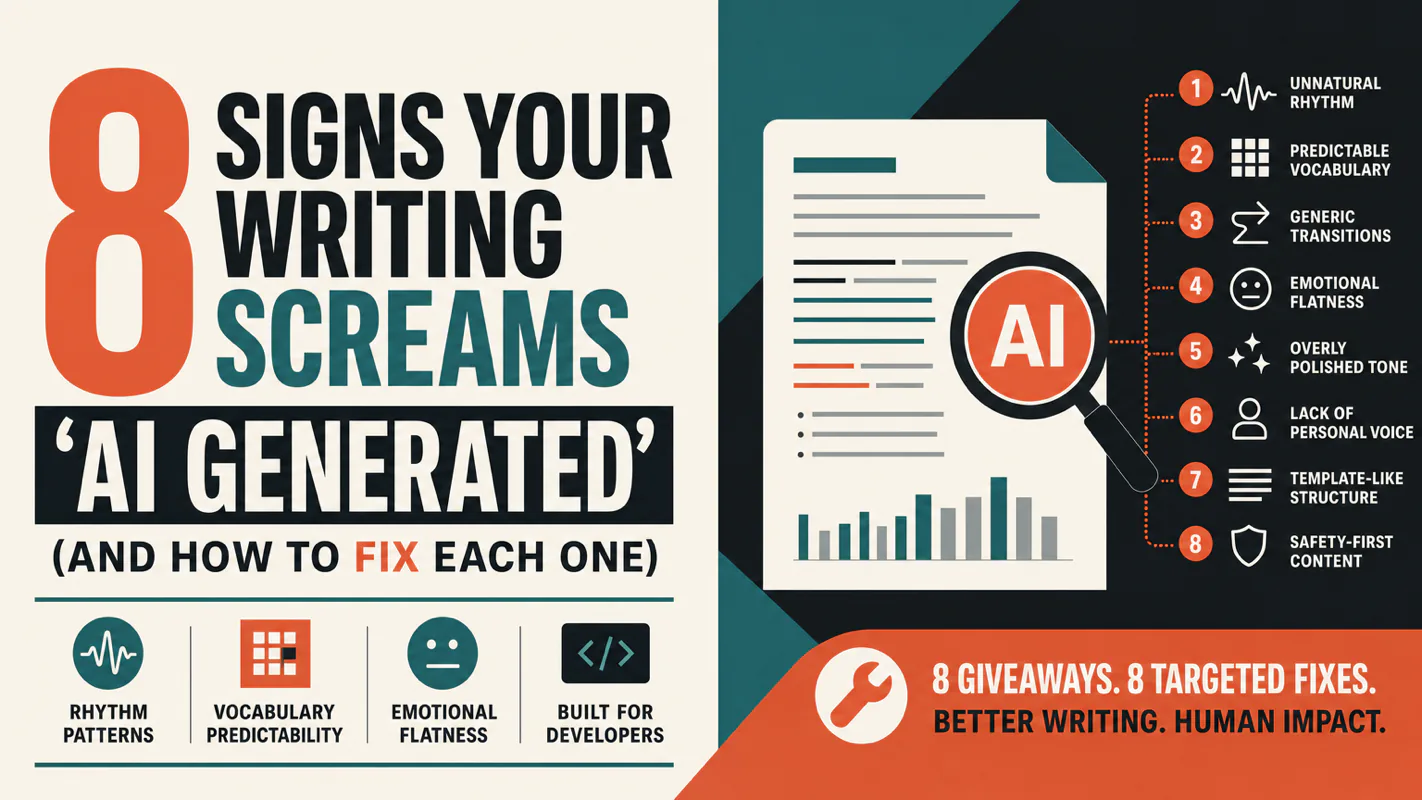
A detector score cannot survive a conversation with the freelancer it just cost three weeks of payment. What holds up is the specific thing on the page: rhythm, vocabulary, missing detail. Eight of them here, and the reason review stays human when you automate business processes.