Monitoring a competitor who publishes no feed is the case every RSS guide skips. Twenty-one platforms sorted by which of three jobs they do, and the finished setup is business process automation you own outright, with no seat licence to renew.
Blaming the content is the reflex when a post underperforms, and it is usually the wrong diagnosis. A second reader decides distribution before any human sees the post, and most of what it checks is mechanical enough to automate business processes around, on five platforms at once.
Gloves on, tape measure in hand — nobody types a query. Three voice surfaces for ai automation tools (terminal, Telegram, Discord), 10 TTS and 6 STT providers compared on cost and latency, plus a setup that costs nothing.
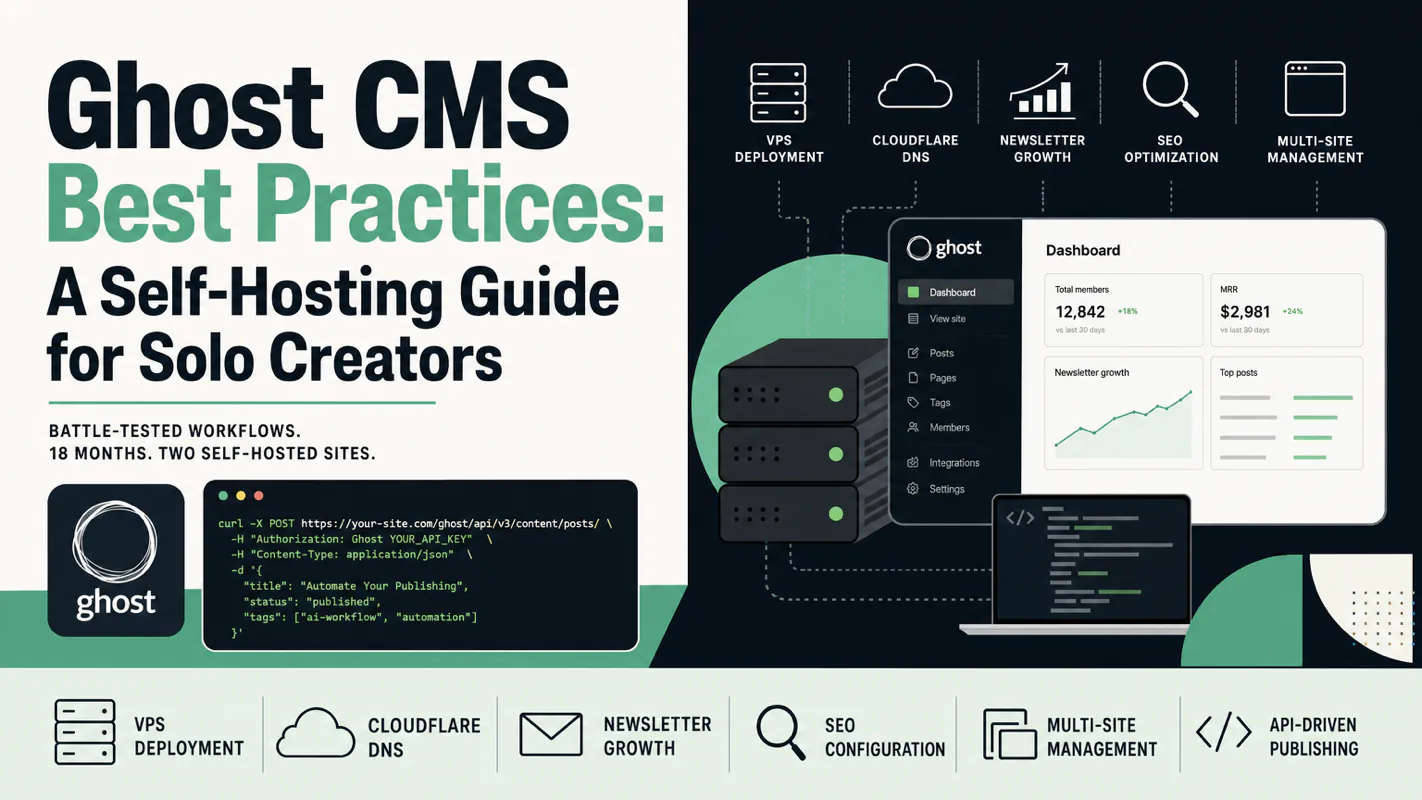
Ghost CMS Best Practices: A Self-Hosting Guide for Solo Creators
Battle-tested Ghost CMS practices from 18 months running two self-hosted sites: VPS deployment, Cloudflare DNS, theme work, newsletter growth, SEO configuration and multi-site ops, including the Admin API that lets ai automation tools publish without a human in the editor.
Ghost is the open-source CMS that ships what solo creators actually need: memberships, newsletter delivery, and a paywall with zero platform commission. No plugin soup. No upgrade roulette. Just content, subscribers, and revenue on your own domain.
I have run two self-hosted Ghost sites simultaneously for 18 months, one serving an Asia-Pacific audience from a Singapore VPS, the other targeting US readers from an American server. This guide distills every deployment decision, configuration pitfall, and growth tactic into eight modules you can execute in order or jump to directly.
If you have not picked a CMS yet, start with the comparison table below. If you already chose Ghost, skip to the module you need.
The platform choice gets made once, usually in a hurry, and it quietly settles three other things: who owns the subscriber list, who keeps the revenue, and whether anything but a person can put a post live. A training company running a weekly issue finds this out the day it wants the drafting, the scheduling and the send to happen without someone sitting in the editor at nine at night. A hosted platform will not open that door, and has no reason to. Self-hosting does, and the price is the eight modules below, from server and DNS through mail, SEO and backups, which is also what turns a site into something ai automation tools can work on.
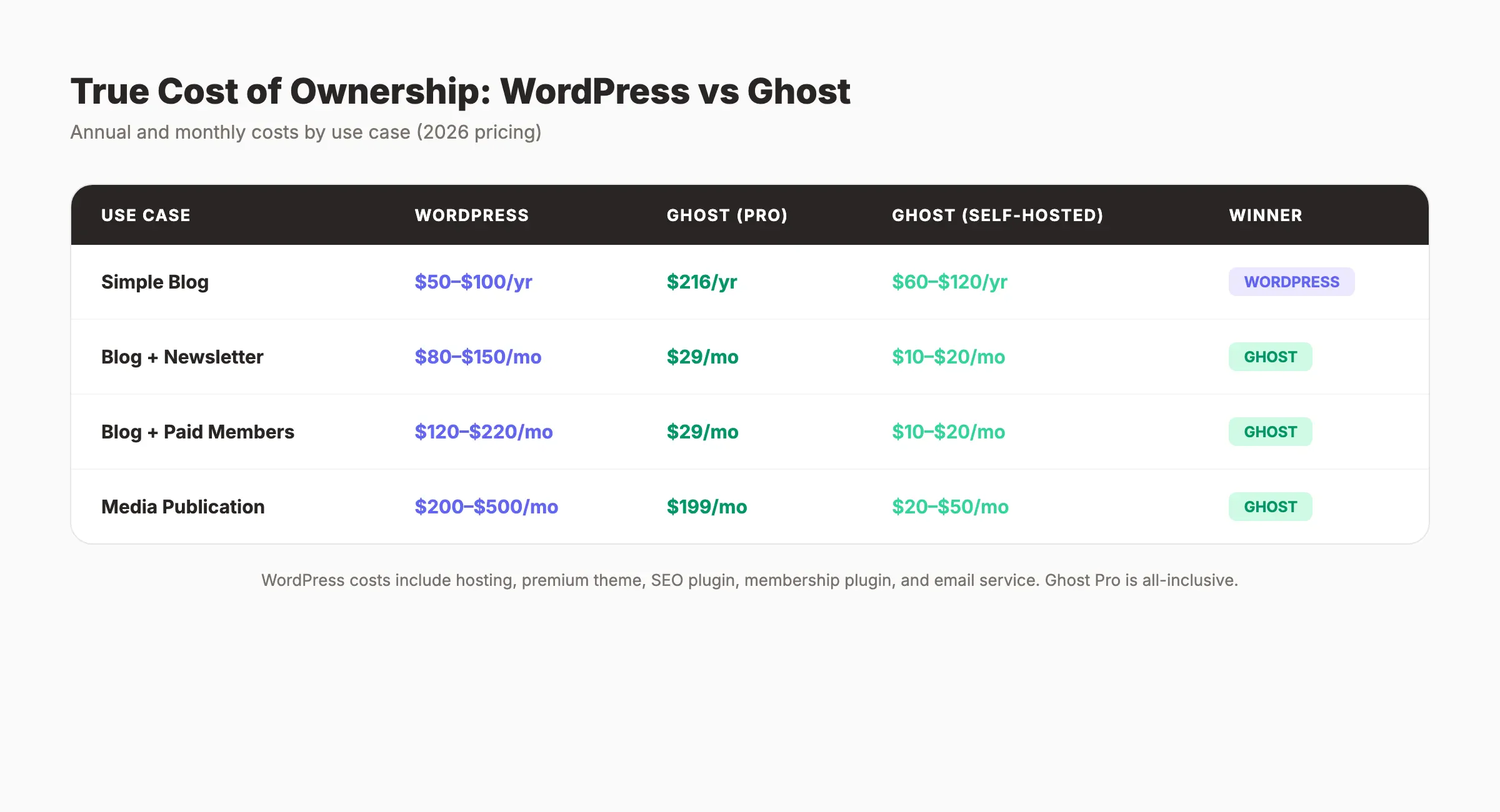
Why Should You Choose Ghost Over WordPress?
Ghost gives solo creators a complete content business stack out of the box. Built-in Stripe payments, native newsletter delivery, automatic sitemaps, and a clean Admin API eliminate the five-plugin minimum that WordPress demands for the same outcome.
Docker one-liner, upgrade by changing a version tag
Plugin and theme compatibility conflicts
Performance
Node.js, ~300 MB RAM footprint
PHP + plugin stack, higher memory
Newsletter
Built-in Mailgun integration, publish-and-send
Needs plugins or third-party services
API
Complete Admin API and Content API
REST API available but bloated
WordPress wins on ecosystem breadth with its tens of thousands of plugins. But for a content-and-subscription business, Ghost achieves more with fewer moving parts.
How Does Ghost Compare to Substack?
Substack lets you start for free with zero friction. The trade-off becomes painful at scale: a 10% platform cut on all paid subscriptions and limited control over your subscriber list.
Dimension
Ghost (self-hosted)
Substack
Content ownership
Fully self-owned
Platform-hosted, limited export
Revenue cut
0% (standard Stripe fees only)
10% platform commission
Domain
Your own domain
yourname.substack.com or custom
SEO control
Full control over meta tags, Schema, sitemaps
Nearly zero customization
Theme customization
Complete freedom
Extremely limited
Annual cost
~$200 (VPS + domain)
Free to start, 10% of revenue to platform
When your annual revenue hits $2,000, that 10% commission costs you $200 per year, the same as a full year of self-hosting. At $10,000, you save $1,000 annually. The math only improves from there.
According to The Stacc's analysis, roughly 30% of Ghost users migrated from Substack or Medium, driven primarily by ownership and commission concerns.
When Should You Pick Ghost Self-Hosting?
Ask three questions in sequence:
Do you need to own your content long-term? No: start on Substack or Medium at zero cost. Yes: continue.
Will your annual content revenue exceed $2,000? No: start on Substack free, migrate later. Yes: continue.
Can you accept ~$20/month in server costs? No: consider Ghost(Pro) managed hosting. Yes: self-host with the method in this guide.
Deploying Ghost on a VPS with Docker
Spin up Ghost and MySQL in two Docker containers behind a Caddy reverse proxy. Total time: under 30 minutes. Caddy handles TLS certificates automatically through Let's Encrypt.
Why Self-Host Instead of Using Ghost(Pro)?
Ghost(Pro) starts at roughly $25/month and removes server maintenance entirely. Three limitations drove my decision to self-host: the lowest tier caps members at 500, deep code injection customization is restricted, and you cannot configure fine-grained security headers through a reverse proxy like Caddy. For anyone comfortable with a terminal, self-hosting at $5-20/month delivers more control at lower cost.
Which Server Specs Do You Need?
Target audience
Recommended setup
Rationale
Asia-Pacific readers
Singapore VPS
~50 ms latency, no regional compliance overhead
International English readers
US-based VPS
Low latency, Cloudflare CDN for global reach
Bilingual global audience
One server per site, region-optimized
No single point of failure
Hardware minimum: 2 CPU cores, 2 GB RAM, 20 GB NVMe storage. Ghost + MySQL + Caddy consume approximately 800 MB under normal load, leaving headroom for traffic spikes.
What Goes Into docker-compose.yml?
Create a /opt/ghost/ directory. Your docker-compose.yml defines two services:
Ghost service uses the official Alpine image pinned to a stable version tag. Key environment variables: url set to your production domain with HTTPS, database connection pointing to the MySQL service on the same Compose network, and SMTP configured for Resend (smtp.resend.com, port 587). Mount ./data/ghost to /var/lib/ghost/content for persistent storage. Bind only to 127.0.0.1:2368 so Caddy alone exposes the site publicly. Set log rotation to json-file driver, 10 MB per file, 3 files max.
MySQL service uses the official MySQL image. Inject root password, Ghost user password, and database name from a .env file. Mount ./data/mysql to /var/lib/mysql. Add a health check that runs mysqladmin ping every 10 seconds with 5-second timeout and 5 retries. Ghost depends on this health check passing before it starts.
Create a .env file in the same directory with three variables: database root password, Ghost database user password, and Resend API key. Set file permissions to 600 (root-readable only).
From my own deployment: the SMTP configuration here handles transactional email only (login codes, password resets). Newsletter bulk delivery uses a completely separate Mailgun API channel, covered in the newsletter section below.
Why MySQL Instead of SQLite?
Ghost dropped SQLite support. MySQL is the only officially supported database engine, offering JSON storage and concurrent write support. MariaDB works but the Ghost team recommends migrating away from it. Check Ghost's installation docs for minimum version requirements.
How Do You Configure Caddy as a Reverse Proxy?
Caddy auto-provisions TLS certificates through Let's Encrypt with zero manual configuration.
Your Caddyfile at /etc/caddy/caddyfile needs two blocks. The primary domain block uses reverse_proxy pointing to 127.0.0.1:2368, enables gzip compression, and injects four security headers: X-Content-Type-Options, X-Frame-Options, Referrer-Policy, and Strict-Transport-Security. The www subdomain block permanently redirects (301) to the primary domain, preserving the original path.
How Do You Start Everything?
Navigate to /opt/ghost, run docker compose up -d to launch Ghost and MySQL in the background, then reload Caddy to activate the reverse proxy configuration. Wait 30 seconds for Caddy to complete certificate issuance. Visit https://yourdomain.com/ghost/ to create your admin account.
Cloudflare DNS and TLS Certificate Setup
Migrate DNS to Cloudflare for instant propagation, free CDN, and DDoS protection. The certificate signing order matters: grey cloud first, orange cloud second.
Why Move DNS to Cloudflare?
Even if you purchased your domain elsewhere, hosting DNS on Cloudflare delivers three advantages: near-instant DNS propagation (other registrars take 2-48 hours), free CDN with DDoS mitigation, and a comprehensive API for automation.
Migration steps: add your domain in Cloudflare, select the Free plan, let Cloudflare scan existing DNS records, update nameservers at your registrar to the Cloudflare-assigned addresses, and wait 1-2 hours for NS propagation.
What Is the Correct TLS Certificate Order?
This is the most common deployment trap. Start with grey cloud (DNS only) so Caddy can obtain a Let's Encrypt certificate. Switch to orange cloud (Proxied) afterward.
Reversing this order breaks certificate issuance permanently. Caddy uses HTTP-01 validation, which requires Let's Encrypt servers to reach your VPS directly. An active orange cloud proxy intercepts that validation request and Caddy never obtains a certificate.
Correct sequence: add an A record in Cloudflare DNS with grey cloud, wait for Caddy to auto-provision the certificate, confirm HTTPS works, switch to orange cloud, and set Cloudflare SSL/TLS mode to "Full."
I learned this the hard way on my first deployment. Spent two hours debugging before realizing the orange cloud was intercepting the ACME challenge. Grey cloud first, always.
Why "Full" and not "Full Strict"? Caddy signs a Let's Encrypt certificate that Cloudflare trusts, but "Full Strict" occasionally misjudges the certificate chain in edge cases.
How Do You Allow AI Crawlers?
For content sites, AI search visibility matters increasingly. After enabling Cloudflare's orange cloud proxy, Cloudflare injects a managed robots.txt that blocks all AI crawlers by default.
Disable this through the Cloudflare API: set is_robots_txt_managed to false via the bot_management endpoint, then purge the robots.txt CDN cache. GPTBot, ClaudeBot, PerplexityBot, and other AI crawlers can then access your content normally.
How Do You Choose and Customize a Ghost Theme?
Pick a theme that supports the current Ghost version, Portal UI, dark mode, table of contents, and code highlighting. Customize in layers: admin UI first, template edits second, CSS injection last.
Ghost themes use the Handlebars template engine, a server-side system that inserts data into HTML placeholders. When evaluating themes, check five dimensions: Ghost version compatibility (must support the latest stable release), Portal UI integration (native member signup/login modals), dark mode (system/light/dark toggle), table of contents component (essential for long-form articles), and code syntax highlighting (mandatory for technical blogs).
What Is the Right Customization Strategy?
Core principle: keep Ghost upgradeable, modify the theme freely. Ghost and the theme are independent upgrade units. Ghost must track security patches; a well-customized theme rarely needs upgrading.
Layer
Method
Use case
1
Ghost admin UI
CTA copy, navigation, social accounts, brand colors
2
Template file edits
Date formats, icons, social links, footer -- server-rendered, zero flicker
3
Locale translation files
Interface localization
4
Code Injection CSS
Fine-tuning elements injected by Ghost core
If you can modify it in the template, do not inject it with JavaScript. Template changes render server-side, making them SEO-friendly and flicker-free. JavaScript injection renders client-side, causing a visible flash of unstyled content that hurts both user experience and search rankings.
How Should You Manage Theme Changes?
All theme modifications go through Git version control. Never edit files directly on the server or upload a zip through the Ghost admin panel. Standard workflow: edit theme files locally, commit to Git, then deploy with a single command that pushes to GitHub, uploads to the server via SSH, and restarts Ghost.
Benefits: every change has a version history, collaboration does not create conflicts, rollback requires one command, and theme upgrades allow selective merging.
Setting Up Ghost Newsletter Delivery
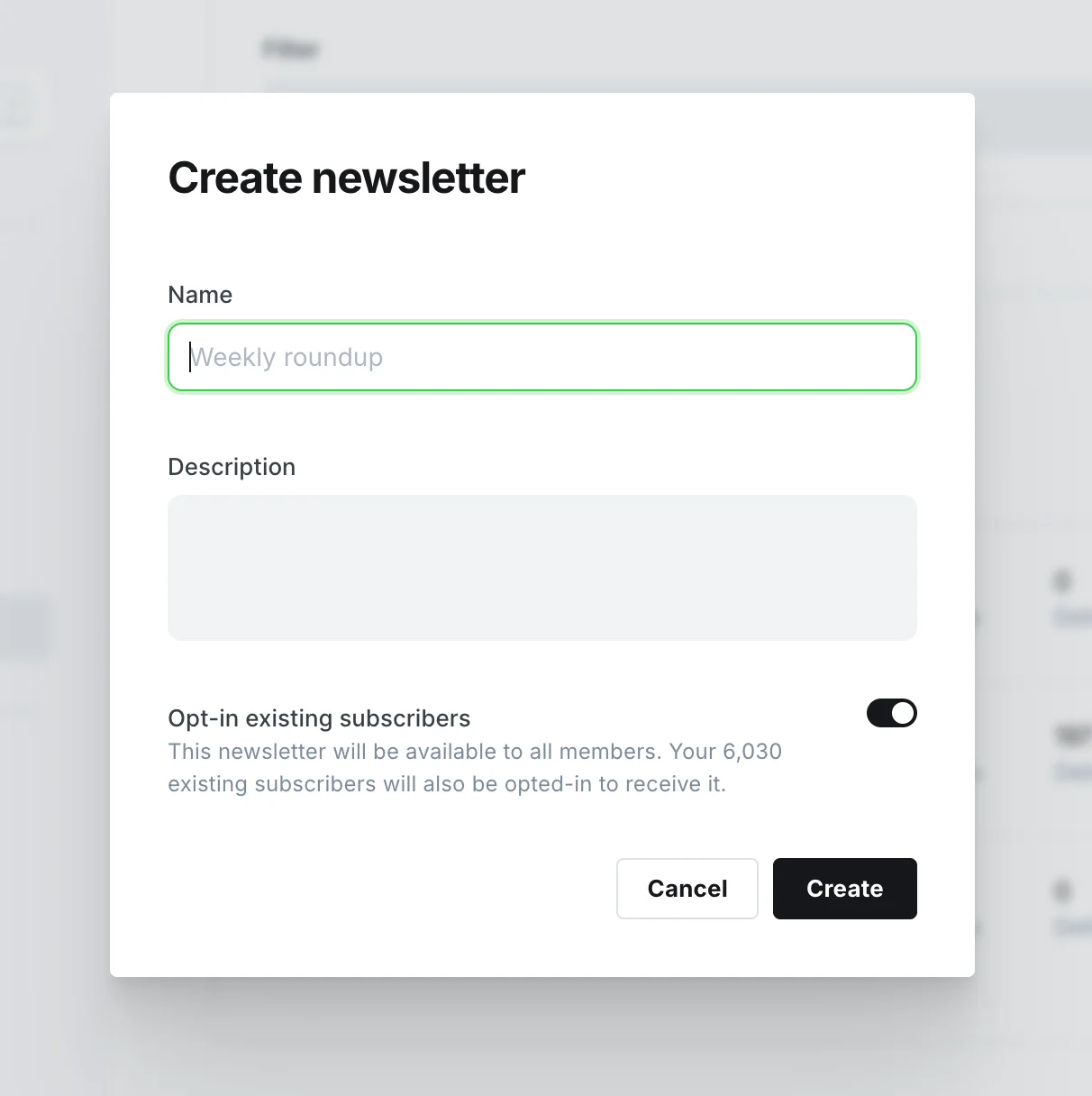
Ghost splits email into two independent channels: transactional email through Resend (SMTP) and newsletter bulk delivery through Mailgun (HTTP API). Configuring only SMTP does not enable newsletters.
This dual-channel architecture is the number one confusion point for new Ghost deployments. "I configured SMTP, why won't my newsletter send?" Because Ghost newsletters do not use SMTP. They use Mailgun's HTTP API.
Why Two Email Services?
Transactional email (login codes, password resets, member confirmations) travels through SMTP. Volume is small (a few dozen per day), and real-time delivery matters. Configure this in your docker-compose.yml SMTP environment variables.
Bulk email (article pushes to all subscribers) travels through Mailgun's HTTP API. Volume can be thousands per send, and deliverability rates matter. Configure this in your .env file using bulkEmail__mailgun__ prefixed variables.
Purpose
Service
Protocol
Free tier
Newsletter bulk delivery
Mailgun
HTTP API
100 emails/day (Free plan)
Transactional email
Resend
SMTP
100 emails/day
The two services use separate subdomains (Mailgun on mg.yourdomain.com, Resend on the primary domain). Even if newsletter sends trigger mass unsubscribes, your login verification emails remain unaffected.
What Is the Critical Mailgun Configuration Mistake?
After adding Mailgun API credentials to your .env file, you must recreate the container with docker compose up -d ghost. Running docker compose restart does not reload .env files. The container restarts with stale environment variables and newsletters silently fail.
This was the single most time-consuming configuration issue across 18 months of running two Ghost sites. I lost an afternoon to it on my second deployment because I assumed restart would pick up the new variables.
What Newsletter Growth Tactics Work Best?
After 18 months of testing, these subscription entry points delivered the highest conversion rates, ranked by effectiveness:
End-of-article CTA (highest conversion): reader trust peaks after consuming a valuable article.
Homepage hero area: first-time visitors see your value proposition and a subscribe input.
Sidebar sticky widget (desktop): non-intrusive but always visible during reading.
Exit-intent popup: Ghost's Portal component does not support this natively. Implement via Code Injection with JavaScript that listens for the mouse leaving the viewport.
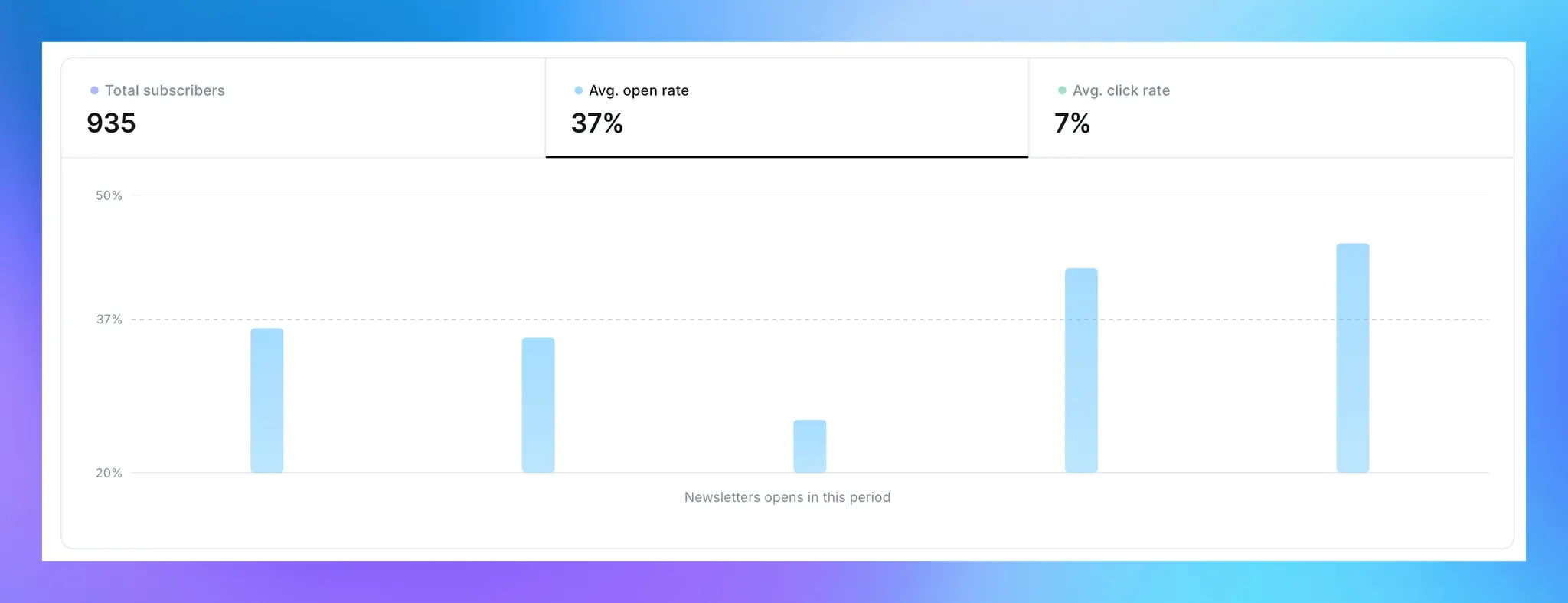
What Are Healthy Newsletter Metrics?
Metric
Healthy range
Warning threshold
Open rate
40-60%
Below 20%
Click rate
5-15%
Below 2%
Unsubscribe rate
0.1-0.5%
Above 1%
When unsubscribe rates exceed 1%, check three factors: sending frequency (daily sends trigger unsubscribes), content drift from subscriber expectations, and clickbait subject lines.
Recommended approach: send newsletters for major tutorials and guides only. Publish routine updates without triggering a send. Keep frequency to 1-2 per week.
Ghost SEO Configuration
Ghost ships with sitemaps, meta tags, and canonical URLs out of the box. To actually rank, you need structured data injection, internal link clusters, and IndexNow submission.
How Does Ghost Handle Sitemaps?
Ghost auto-generates /sitemap.xml containing four sub-indexes: standalone pages, published posts, author pages, and tag pages.
Submit to Google Search Console: navigate to Sitemaps, enter sitemap.xml, submit, and wait 1-3 days for initial crawling. Check the index coverage report weekly. Watch for "Discovered - currently not indexed" (new pages or thin content) and "Crawled - currently not indexed" (Google crawled but deemed the page not worth indexing, check for thin or duplicate content).
How Should You Implement Structured Data?
Inject structured data as JSON-LD in the page head. Ghost supports two injection points: global injection through Settings > Code Injection (applies to every page, ideal for Organization schema) and per-article injection through the codeinjection_head frontmatter field.
For technical articles, configure three schema types:
TechArticle: base article information that Google uses for search result snippets.
HowTo: step breakdowns that may trigger step-rich results.
FAQPage: Q&A pairs that may display expandable answer cards below search results.
Validate with Google's Rich Results Test by pasting any article URL.
What Meta Tag Strategy Works?
Ghost supports independent SEO fields per article: meta_title (keep under 60 characters), meta_description (keep under 155 characters), og_title/og_description (social sharing cards), twitter_title/twitter_description (X platform cards), and canonical_url (prevent duplicate content issues).
How Do Internal Links Affect SEO?
Internal links receive too little attention relative to their SEO impact. Ghost organizes content by tags, forming natural content clusters. Tag pages serve as pillar pages, and articles under each tag interlink to create a tight link network. Google interprets these interconnected pages as an authoritative content cluster on a single topic.
Operating rules: 3-5 internal links per article. Use descriptive anchor text ("see our Claude Code best practices guide" rather than "see this article"). After publishing a new article, go back and add links from relevant older articles to prevent the new piece from becoming an orphan page.
Hard rule: every internal link target must exist and be published. Speculative URLs produce 404 errors that damage site authority. Verify every internal link before publishing.
What Is IndexNow and Why Does It Matter?
IndexNow notifies search engines within minutes of publication instead of waiting days or weeks for the next crawl visit.
Deployment: generate an API key at indexnow.org, place the key file at your site root, create a push script, and trigger it via a Ghost Webhook after each article publish. Verify by checking URL Inspection in Google Search Console 1-2 days after pushing. The target URL should show "URL is on Google."
How Do You Manage Multiple Ghost Sites?
Run each site on its own VPS, share the same toolchain, and isolate payment accounts, analytics, and email domains completely.
I operate an Asia-Pacific site on a Singapore VPS and a US-focused site on an American VPS. Both use the same theme codebase and CLI tools, but deployments are fully independent.
Should You Run Two Sites on One Server?
Approach
Advantage
Disadvantage
Same VPS, two Ghost instances
Lower cost, centralized maintenance
Resource contention, shared failure domain
Separate VPS per site
Complete isolation, per-site optimization
Double the cost
I chose separate servers. The isolation eliminates the risk of one site's traffic spike degrading the other. Each server is tuned for its geographic audience.
What Must You Isolate Between Sites?
Four elements demand strict separation: Stripe payment accounts (never share, or financial reporting becomes chaos), GA4 analytics properties (independent measurement), Mailgun sending domains (separate subdomains), and Ghost Integration keys (create one per site).
How Does Content Strategy Differ by Audience?
Dimension
APAC site
US site
Categorization
By topic (ai-coding, ai-automation)
By format (tutorials, hands-on, research)
Article length
3,000-5,000 words (deep-dive format)
1,500-3,000 words (concise, actionable)
Publish frequency
2-3 per week
1-2 per week
Monetization
Paid memberships + courses
Annual subscription
Automating Publishing with the Ghost API
Ghost exposes a full Admin API for programmatic article management. Combine it with Cloudflare cache purging and IndexNow submission for a single-command publish pipeline.
Ghost provides two APIs: Content API (read-only, for frontend display) and Admin API (read-write, for article management). Automation centers on the Admin API.
How Does Admin API Authentication Work?
Ghost Admin API uses JWT (JSON Web Token) authentication. Create an Integration in Ghost admin to get an Admin API Key (format: {id}:{secret}). Generate a JWT token from this key (5-minute expiry, regenerate before each call). Include the token in request headers using Ghost {token} format. Note: the prefix is Ghost, not Bearer.
How Do You Handle Article Updates?
Article creation sends a POST request with title, slug, HTML body, tag array, status, and meta fields.
Updates use an optimistic locking mechanism: every PUT request must include the updated_at timestamp from the article's current state. If the server's timestamp differs (someone modified the article after your last read), the API returns a 409 conflict error. Correct update flow: GET the latest article version, extract id and updated_at, send PUT with those values plus your changes.
What Does a Full Publish Pipeline Look Like?
My entire publishing workflow runs through a CLI tool: local Markdown with frontmatter goes to a CLI reader that extracts fields, converts the body to Ghost's Lexical format, injects structured data into codeinjection_head, calls the Ghost Admin API to create or update the article, calls the Cloudflare API to purge the CDN cache for that URL, calls the IndexNow API to notify search engines, and verifies the live version matches. One command replaces every manual step.
How Do You Handle Backups, Upgrades, and Security?
Automate weekly backups of the database, content directory, and config files. Upgrade Ghost by changing a Docker image tag. Lock down the server with key-only SSH and a minimal firewall.
What Should You Back Up?
Three items on a weekly cron schedule: a consistent database dump (use --single-transaction for write-safe snapshots and --default-character-set=utf8mb4 for correct Unicode handling), a tar archive of the Ghost content directory (images, themes, route config), and a config file archive (.env, docker-compose.yml, Caddyfile). Roll delete backups older than 30 days.
How Do You Upgrade Ghost?
Change the image tag in docker-compose.yml to the target version, pull the new image, and recreate the container. Ghost automatically detects the database schema version and runs migrations on startup.
Post-upgrade checklist: container runs without errors, admin panel loads and authenticates, and your theme still renders correctly.
Rollback warning: major-version database migrations are not backward-compatible. Once upgraded and migrated, the only way back is restoring from a pre-upgrade backup. Always back up before upgrading.
With Cloudflare orange-cloud proxy active, CDN caching accelerates delivery but creates a staleness risk. After publishing or updating an article, readers may see the old version for hours.
Solution: purge the specific URL's cache via the Cloudflare API immediately after each API publish or update. A subtler trap: if anyone visits a URL while the article is still in draft (perhaps from an internal link), Cloudflare caches the 404 response. After the article goes live, readers still see 404. Always purge cache after publishing.
Recommended Cloudflare cache rules: bypass cache for /ghost/* (admin panel should never be cached), cache /content/images/* for 30 days (images do not change), cache /rss/ for 1 hour, and use default rules for everything else.
What Are Ghost's Newest Features Worth Knowing?
ActivityPub Federation
Enable ActivityPub and your Ghost site gets a federation endpoint. Users on Mastodon, Threads, and other fediverse clients can follow your blog directly. Every new article distributes as an ActivityPub object to all followers' feeds, no separate social media account required.
Native Cookie-Free Analytics
Ghost includes a built-in analytics dashboard: real-time visitor count, top content ranking, traffic source breakdown, email open rates, and member growth trends. This eliminates the need for Google Analytics in many cases, though GA4 remains valuable for granular conversion tracking.
AI Search Integration
Through compatible themes or custom routes.yaml configuration, you can serve an llms.txt file, a machine-readable site content manifest. AI search engines like Perplexity, ChatGPT Browse, and Google AI Overviews use this file to understand your site structure, improving citation probability in AI-generated answers.
How Do You Migrate from WordPress to Ghost?
Same-domain migration preserves your domain authority. Match slug structures, set up redirects for path changes, and switch DNS in under 5 minutes.
What Preparation Do You Need?
Three steps before touching DNS: audit existing content (separate core articles to keep, low-quality content to discard, and outdated articles to update), confirm URL structure parity (WordPress /{slug}/ must match Ghost /{slug}/ exactly for zero-redirect migration), and configure redirects.json for any category-to-tag path changes (WordPress categories become Ghost tags; use regex-based 301 redirects).
How Fast Is the Actual Switch?
With preparation complete, the DNS cutover takes about 5 minutes: update the Ghost environment URL variable, add the domain to Caddy's configuration, point the Cloudflare A record to the new VPS, and verify HTTPS plus article accessibility. Post-switch: submit the new sitemap, 301-redirect the temporary domain to the production domain, and monitor Google Search Console index coverage for 2-4 weeks.
How Do You Set Up Paid Subscriptions in Ghost?
Ghost integrates with Stripe natively, no plugins required.
Connect Stripe in Settings > Tiers > Connect with Stripe. Define membership tiers and pricing. Configure Portal Settings to control frontend display: optionally show Free + Paid tiers, hide monthly billing to surface annual plans only, and let the signup modal auto-match your brand colors.
Compliance pages required by Stripe: every paid subscription site must have /privacy/ (privacy policy) and /terms/ (terms of service). Sites serving EU/UK users for digital content subscriptions must include a waiver of withdrawal right clause, or subscribers retain the right to refund without reason.
Ready-to-Use Prompt: Plan an 8-Module Ghost Self-Hosting Setup for Solo Creators
What this does: Confirms Ghost fits over WordPress for your needs, then plans the 8-module self-hosting setup in order — VPS/Docker deployment region-matched to your readers, Cloudflare DNS/TLS, theme, newsletter, SEO, multi-site, Ghost API automation, and the ops baseline (backups/upgrades/security). Based on: Ghost CMS Best Practices: A Self-Hosting Guide for Solo Creators — https://aiworkflowpro.com/ghost-cms-best-practices/ Time to run: ~5 minutes
Copy this prompt into Claude Code, ChatGPT, or any AI assistant:
ROLE: You are a Ghost self-hosting architect for solo creators. Your job: confirm Ghost fits over WordPress, then plan the 8-module self-hosting setup in order — deployment, DNS/TLS, theme, newsletter, SEO, multi-site, API automation, ops — matched to the creator's audience geography.

CONTEXT — GHOST 8-MODULE SETUP PLAN:
Ghost ships what solo creators actually need — memberships, native newsletter delivery, and a paywall with zero platform commission — eliminating the five-plugin minimum WordPress demands for the same outcome (no plugin soup, no upgrade roulette). The setup is eight modules in order: deploy on a VPS with Docker → Cloudflare DNS + TLS → theme → newsletter delivery → SEO → multi-site management → Ghost API publishing automation → backups/upgrades/security. A key operational insight from 18 months running two sites: match the VPS region to the audience (Singapore VPS for Asia-Pacific readers, a US server for US readers) so newsletter and page latency stay low.

INPUTS (fill in before running):
- AUDIENCE_REGION: YOUR_READERS_HERE (where most readers are — APAC / US / EU / global-mixed)
- CURRENT_CMS: YOUR_TODAY_HERE (none / WordPress / Ghost already / other)
- SITE_COUNT: YOUR_PLAN_HERE (one site / multiple sites)
- GOAL: YOUR_OBJECTIVE_HERE (newsletter+memberships / paid subscriptions / API-automated publishing / all)

METHOD — 6 STEPS:

Step 1 — Confirm Ghost over WordPress
Run the fit test: do you need memberships, native newsletter, a paywall, and clean API automation without plugins? Yes → Ghost. Only a static brochure site or heavy e-commerce → WordPress may still fit. State the verdict against CURRENT_CMS.

Step 2 — Deploy on a VPS with Docker, region-matched
Pick the VPS region by AUDIENCE_REGION (APAC → Singapore; US → US East/West; EU → EU; global-mixed → the larger audience or a CDN-fronted origin). Deploy Ghost via Docker for reproducible, upgradable stacks. State the region + why.

Step 3 — DNS, TLS, and theme
Set Cloudflare DNS + TLS (the free, auto-renewing cert path), then choose a theme for the GOAL (newsletter/membership theme if memberships; clean reading theme if content-led). Keep the theme upgradable — heavily forked themes block Ghost upgrades.

Step 4 — Newsletter, SEO, and (if GOAL) paid subscriptions
Configure native newsletter delivery (verified sending domain, not a third-party plugin), Ghost SEO (auto sitemaps, meta, canonical, social cards), and — if GOAL includes revenue — Stripe-backed paid subscriptions at zero commission. Newsletter delivery is the #1 thing to verify end-to-end before launch.

Step 5 — Multi-site and API automation
If SITE_COUNT > 1, set up multi-site management (separate content stores per audience/brand). Automate publishing via the Ghost Admin API (drafts, scheduling, cross-posting) so content production is scriptable, not manual.

Step 6 — Ops: backups, upgrades, security
Set the baseline: automated off-VPS backups, a tested upgrade path (Docker makes it reproducible), and security basics (firewall, admin 2FA, kept-up-to-date Ghost). No site launches without a verified backup-restore — "no backup, no launch."

RULES:
- Choose Ghost only if the fit test (memberships + newsletter + paywall + API, plugin-free) passes; do not migrate blindly.
- Match the VPS region to the audience — wrong region kills newsletter and page latency.
- Keep the theme upgradable; heavily forked themes block Ghost upgrades.
- No launch without a verified backup-restore.

OUTPUT FORMAT:
Output six sections:
1. **CMS verdict** — Ghost vs WordPress for your needs + the fit-test result.
2. **Deployment** — VPS region + Docker + why region-matched to AUDIENCE_REGION.
3. **DNS/TLS + theme** — Cloudflare + TLS path + theme choice kept upgradable.
4. **Newsletter + SEO + revenue** — sending-domain verification + SEO config + paid subscriptions if GOAL.
5. **Multi-site + API** — multi-site setup (if SITE_COUNT > 1) + Ghost Admin API automation.
6. **Ops baseline** — markdown table with columns: Item | Setting | Verified? (Y/N).
Save as @templates/ghost-cms-best-practices.md and run when you set up or migrate a Ghost site, then re-run before each upgrade or when you add a site/region.
Frequently Asked Questions
Why choose Ghost over WordPress for a solo creator site?
Ghost ships with built-in memberships, newsletter delivery, and a paywall at 0% platform commission. WordPress requires multiple plugins (WooCommerce, MemberPress, Yoast) to match the same feature set, and each plugin introduces upgrade conflicts and maintenance overhead.
How much does self-hosting Ghost cost per month?
A production Ghost stack runs for approximately $20-25/month: $5-19 for a VPS, ~$1 for a domain, and $0 for Cloudflare Free and Mailgun Free tiers. Once your annual revenue exceeds $2,000, self-hosting saves money compared to Substack's 10% cut.
What is the difference between Resend and Mailgun in a Ghost setup?
Resend handles transactional email (login codes, password resets) via SMTP. Mailgun handles bulk newsletter delivery via its HTTP API. Ghost separates these channels so a surge in newsletter activity never blocks your login verification emails.
Can I migrate from WordPress to Ghost without losing SEO rankings?
Yes. Same-domain migration preserves domain authority entirely. Keep slug structures identical (/{slug}/), set up redirects.json for any path changes, submit the new sitemap, and monitor index coverage for 2-4 weeks.
Why does docker compose restart not apply my .env changes?
The restart command only stops and starts existing containers without re-reading environment files. You must run docker compose up -d to recreate containers and load updated .env values. This is the single most common Ghost deployment mistake across both of my sites.
Blaming the content is the reflex when a post underperforms, and it is usually the wrong diagnosis. A second reader decides distribution before any human sees the post, and most of what it checks is mechanical enough to automate business processes around, on five platforms at once.
Gloves on, tape measure in hand — nobody types a query. Three voice surfaces for ai automation tools (terminal, Telegram, Discord), 10 TTS and 6 STT providers compared on cost and latency, plus a setup that costs nothing.
Nothing about month four is harder than month three. It is simply the month an unpaid channel starts to feel like proof of failure. Surviving it takes a cadence you can hold while earning nothing, which is a better reason to automate business processes than speed ever was.
Thursday afternoon, fourteen product ideas, a Monday filming slot, no scripts. Six script shapes and seven hook formulas turn that hour into finished drafts — and the business rule stays: rewrite at least 30% before anything ships.