Monitoring a competitor who publishes no feed is the case every RSS guide skips. Twenty-one platforms sorted by which of three jobs they do, and the finished setup is business process automation you own outright, with no seat licence to renew.
Blaming the content is the reflex when a post underperforms, and it is usually the wrong diagnosis. A second reader decides distribution before any human sees the post, and most of what it checks is mechanical enough to automate business processes around, on five platforms at once.
Gloves on, tape measure in hand — nobody types a query. Three voice surfaces for ai automation tools (terminal, Telegram, Discord), 10 TTS and 6 STT providers compared on cost and latency, plus a setup that costs nothing.
How to Build a Self-Healing Quality System for Claude Code Skills
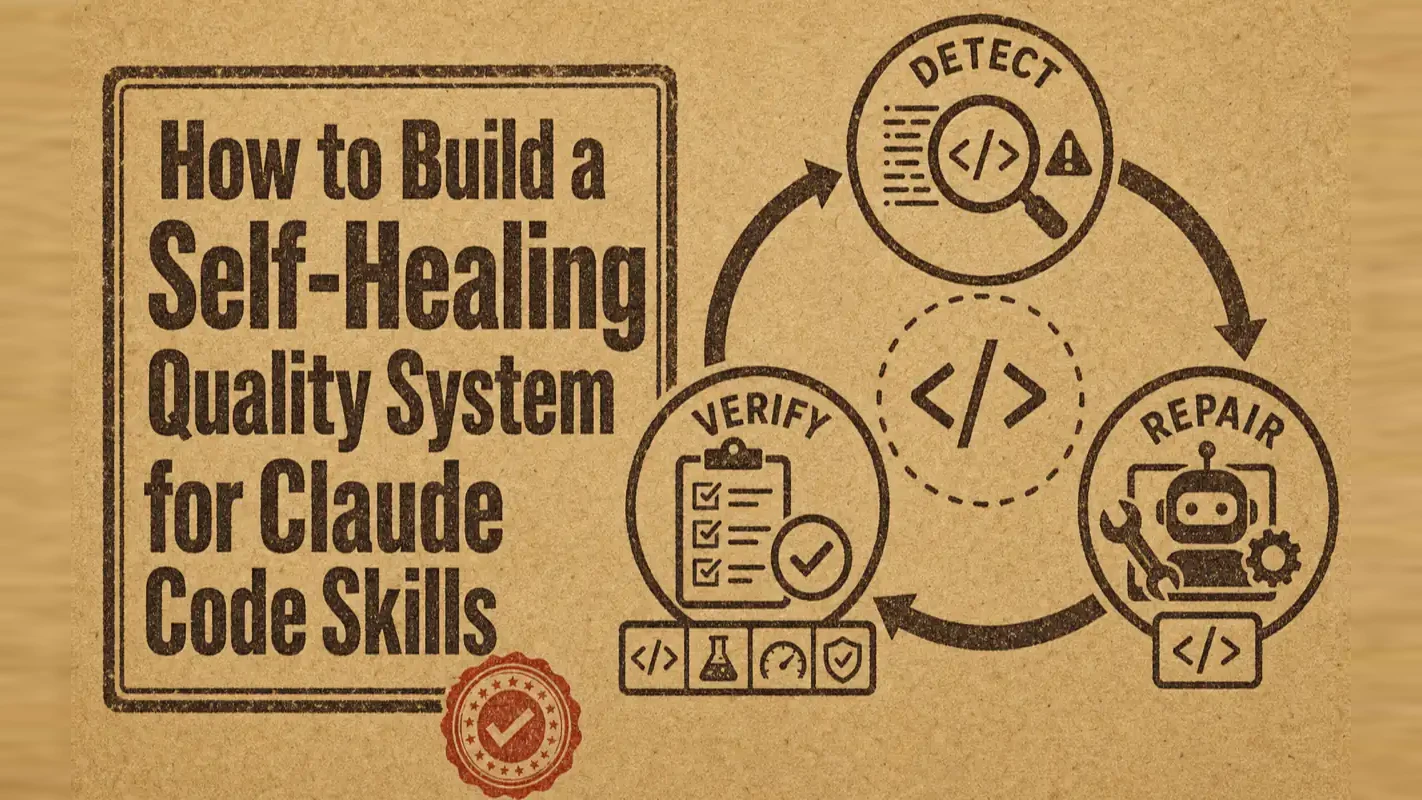
Debugging ate 60% of the build time across 20+ projects. The Quality Loop cut it to under an hour per Skill and dropped post-launch issues from 40% to below 10%: dual-phase detection, four-layer verification, and isolated SubAgent self-repair.
Claims departments track one number above most others: how many files clear on the first pass. Rework is where the margin quietly goes, because every file that comes back has been touched twice, often by two people, and the customer waited through both. What keeps it expensive is that experience never fully fixes it. A careful adjuster produces fewer returns and never zero, so the department stops relying on care and builds the checks into the process itself. Automation work arrives at that same conclusion late, usually after a run of evenings, and it is the point where an ai assistant for business stops being something you supervise.
You already know how to build a Skill. But every time you run one, you sink hours into debugging — vague errors, cascading failures, fixes that introduce new problems. I measured my own time split across 20+ Skill projects: design 20%, coding 20%, debugging 60%. The debugging phase was eating my productivity alive. If you are still building your first Skills, start with our Claude Code skill development guide before applying the Quality Loop pattern below.
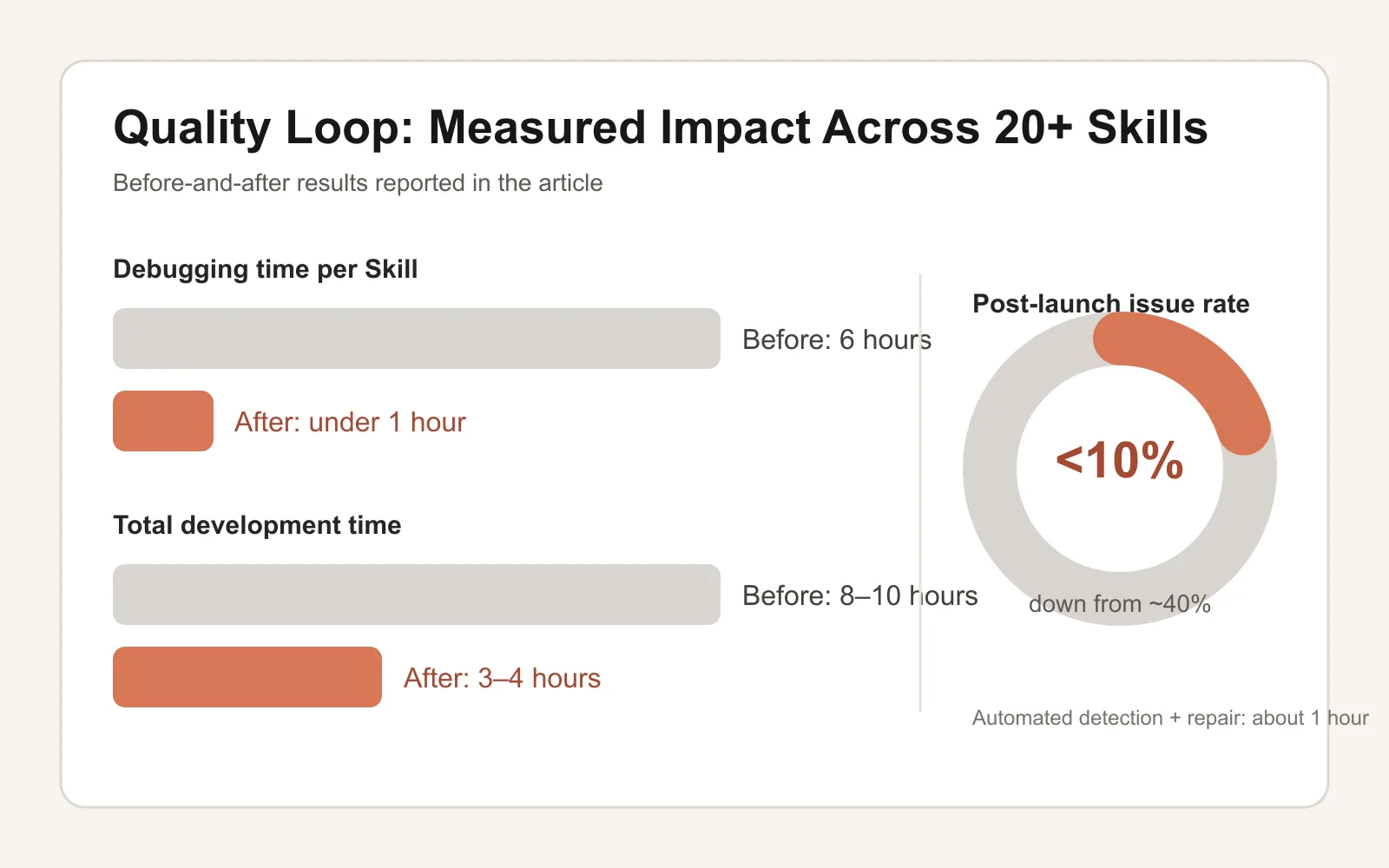
This article shares the system I built to fix that problem: the Quality Loop. After a month of iteration, it cut my average debugging time from six hours per Skill to under one hour. Post-launch issue rates dropped from 40% to below 10%.
The idea is simple: instead of debugging manually, build a system that detects problems automatically, attempts repairs through isolated SubAgents, and verifies fixes through a four-layer gate. What follows is the complete framework — the reasoning behind each design decision, the failure modes that shaped it, and a ready-to-use prompt that builds the entire system from scratch.
What you will walk away with:
A structured framework for dual-phase detection (static checks + dynamic verification)
A systematic approach that turns debugging from guesswork into engineering
A complete prompt you can hand to Claude Code to build your own Quality Loop
Why Skill Debugging Is Uniquely Painful
Before building the solution, I needed to understand the problem. After cataloging every bug I encountered across months of Skill development, a pattern emerged.
Skill bugs fall into two categories: static errors (the code is wrong) and dynamic errors (the code is correct but behaves wrong at runtime).
Static errors are manageable. Syntax mistakes, missing files, misconfigured fields — a linter or a careful read catches most of them.
Dynamic errors are a different animal. Your code passes every static check. The structure follows every convention. Then you run it, and it breaks. The reason: Skills execute through an Agent, and Agent behavior is nondeterministic. The Agent might read a configuration path incorrectly, skip a step it considers unnecessary, or interpret an instruction in a way you did not anticipate.
Here is a real example. I built a Skill that generates presentations. Every static check passed. But at runtime, the Agent read the wrong configuration file path, which sent all output to the wrong directory. Staring at the code would never reveal this — only execution exposes it.
The worst failure mode is what I call Workaround Behavior: when the Agent encounters a script error, instead of fixing the script, it bypasses it entirely. A script was supposed to generate a file? The Agent creates the file manually using its built-in Write tool. The workflow appears to complete successfully. But the underlying script remains broken, and you have planted a time bomb in your system.
Think of it this way. Debugging a Skill is like inspecting a car. Static detection is checking the vehicle while it is parked — engine, tires, brakes, one component at a time. Dynamic detection is driving it on the road — acceleration, cornering, emergency braking, real-world performance. You cannot skip either. Problems that hide in the garage reveal themselves on the highway.
Standards First: Why Specifications Are Non-Negotiable
I was wrong about my first approach. I tried letting the AI "figure it out" — gave it logs, asked it to diagnose problems. The results were inconsistent. The same error produced three different diagnoses on three different runs. Monday it said the problem was a file path. Tuesday it blamed permissions. Wednesday it pointed to configuration.
The root cause was obvious in retrospect: there was no objective definition of correct behavior.
What counts as a valid directory structure? Which configuration fields are required? How should data flow between steps? Without explicit answers to these questions, the AI had no baseline. It was guessing, and guesses vary.
So I did the first essential thing: I wrote a Skill specification.
The spec defines hard constraints: how directories must be organized, what naming conventions apply, which fields are mandatory, how data should flow between components. With this document in place, "correct" and "incorrect" become objective, machine-verifiable states.
Anthropic's own Claude documentation reinforces this principle: Claude performs significantly better when it can verify its own work against clear success criteria. Without explicit standards, the agent produces output that looks correct but fails in practice.
The specification is not a constraint — it is infrastructure. It transforms debugging from "I think something might be wrong here" into "Rule 4.2.1 is violated at line 38."
The key insight: A specification is the compressed form of every debugging lesson you have ever learned. Every bug you fixed, every edge case that bit you, every hour you lost — distilled into rules. The more complete your specification, the less time you spend debugging.
Dual-Phase Detection Design
With the specification in place, the next step is designing the detection pipeline. I split it into two phases: static and dynamic.
Static Phase
The static phase checks code without executing it. Seven categories of problems:
Dead links, stale indexes pointing to moved content
IC
Interface contracts
Mismatches between what scripts expect and what configs provide
Interface Contract (IC) detection took the most design effort. Skills frequently involve scripts and configuration files that must agree on field names, output directories, and data formats. Script expects a weight field; configuration does not define one. Script writes to drafts/; the next step reads from output/. These mismatches are the most common and hardest-to-find bugs in multi-step Skills.
Dynamic Phase
The dynamic phase runs the Skill in a real environment and verifies what actually happens. Eleven categories of problems:
Code
Category
What It Catches
DY-01
Launch failure
Skill fails to start at all
DY-02
File not found
Referenced files missing at runtime
DY-03
Permission error
Insufficient access to required resources
DY-04
API/SDK error
External service calls that fail
DY-05
Flow interruption
Workflow stops mid-execution
DY-06
Missing output
Expected files never generated
DY-07
Logic error
Output exists but contains wrong results
DY-08
Workaround pattern
Agent bypassed a failing script
DY-09
Invalid content
Output files exist but are empty or corrupted
DY-10
Data flow break
Upstream output not consumed by downstream step
DY-11
Missing critical step
A required workflow step was skipped entirely
Workaround Detection (DY-08) deserves special attention. This check scans execution logs for patterns like "script execution failed, creating file manually." Any instance where the Agent sidesteps a script failure gets flagged immediately, because it means the script needs fixing — the workaround is a band-aid, not a solution.
Why two phases? Errors have hierarchy. Static errors are foundation problems; dynamic errors are construction problems. If you start building on a cracked foundation, you discover the crack only after the walls go up — and the cost of fixing it multiplies. Check the foundation first (static), then check the construction (dynamic).
Four-Layer Verification: Why "Zero Issues" Is Not Enough
Detecting problems is step one. The harder challenge: confirming the fix actually worked.
I have seen too many false repairs:
Fix one bug, introduce two new ones
The error message disappears, but the fix used a workaround
Output files exist, but they are empty
I learned this the hard way. Early on, I treated "zero issues detected" as proof of success. Then a Skill passed all checks, went live, and produced output files filled with garbage. What happened? A script crashed, and the Agent helpfully created empty placeholder files. The issue count was zero. The system was broken.
That experience led to the four-layer verification gate:
Issues Clear — Every detected problem has been resolved
Output Complete — All expected files exist and contain valid content
Data Flow Intact — Upstream outputs are correctly consumed by downstream steps
Zero Workarounds — No bypass behavior detected anywhere in the execution chain
All four layers must pass. A single failure sends the system back into the detection-repair loop.
The design principle: A system has as many potential failure points as it has outputs. Single-point verification will always miss something. The four-layer gate is not over-engineering — it is the minimum viable verification for a system where the executor (the Agent) can create convincing-looking but fundamentally broken output.
SubAgent Self-Repair
Once the system detects a problem, who fixes it?
Initially, I fixed everything manually — read the report, locate the problem, edit the code, re-run. Painfully slow.
The natural next question: if detection can be automated, why not repair?
I introduced SubAgent-based self-repair. The workflow:
Orchestrator Agent manages the overall loop
Detection SubAgent scans for problems
Repair SubAgent executes fixes
Orchestrator Agent verifies results and decides whether to continue
Why SubAgents instead of letting the main Agent fix everything? Two reasons.
Context isolation. Each repair attempt uses a fresh SubAgent with a clean context window. This prevents error information from previous failed attempts from polluting subsequent repair logic. Microsoft's research on AI coding agents supports this pattern: treating each task as an atomic work unit with its own quality gate prevents technical debt from accumulating across iterations.
Separation of concerns. Detection and repair are different skills that benefit from different optimization. The detection agent focuses on scanning thoroughness; the repair agent focuses on minimal, targeted code changes. Mixing both into one context produces worse results at both tasks.
Repair also follows a priority system:
P0 (blocks execution): Must fix immediately
P1 (degrades quality): Should fix in this cycle
P2 (improvement opportunity): Optional, skip if budget is tight
Fix P0 first, then P1. Avoid burning tokens on P2 issues that do not affect correctness.
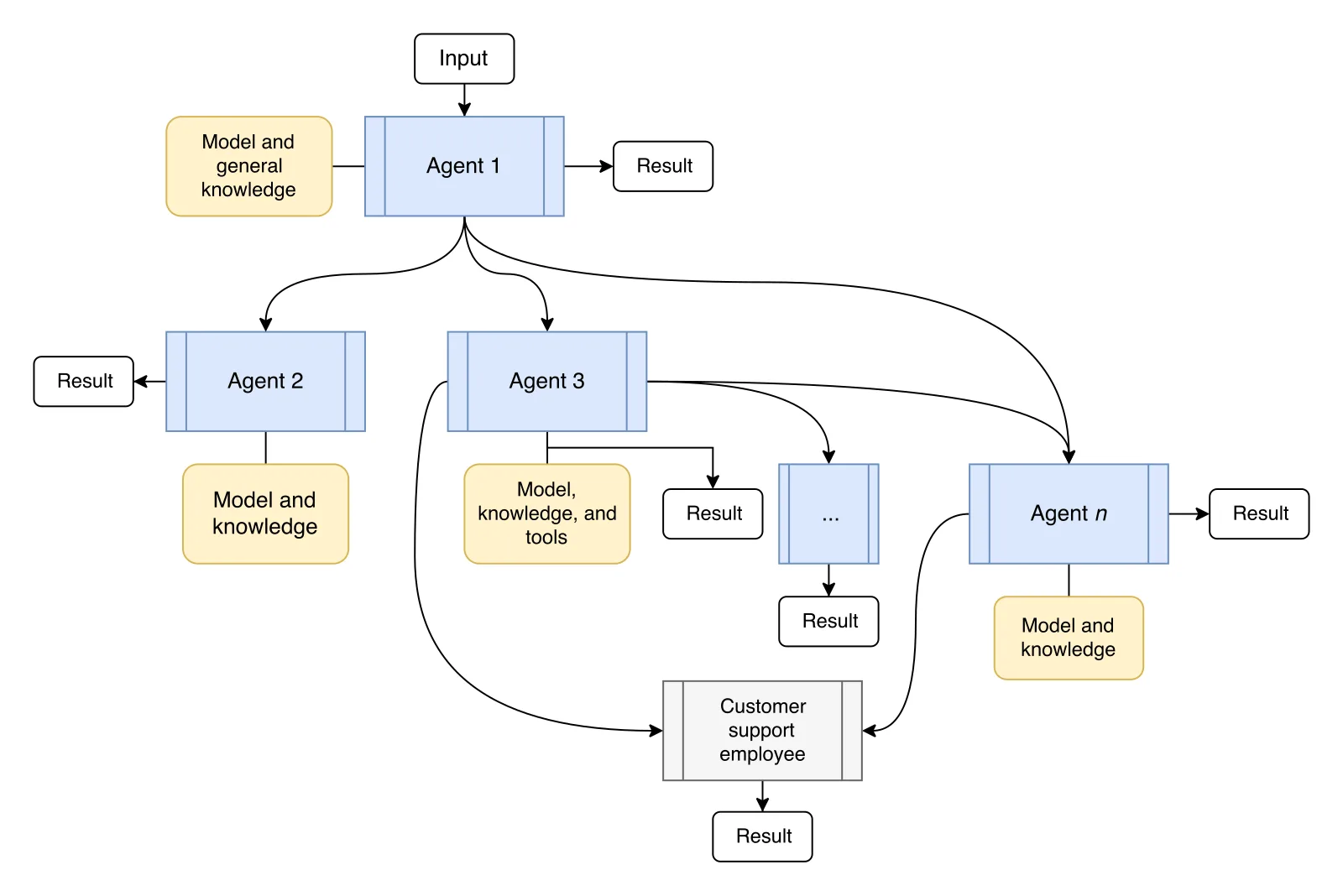
Architecture overview. The system has three layers: orchestration (decides what to do), detection (finds problems), and repair (solves problems). Each layer has a single responsibility. This separation is what makes the system reliable — no single component tries to do everything.
Intelligent Exit Strategies
A repair loop without exit conditions is a token furnace. The system needs clear rules for when to stop.
Normal exit: All four verification layers pass. Issues clear, output complete, data flow intact, zero workarounds. This is the ideal outcome.
Iteration limit exit: The system has run N rounds without achieving full verification. It outputs a detailed report listing remaining issues and hands off to a human. In my experience, three rounds of dynamic testing is the practical ceiling before diminishing returns set in.
Unfixable problem exit: Some issues have no automated solution. A Skill depends on an external API that does not exist, or requires a design decision that only a human can make. The system identifies these, marks them clearly, and stops trying.
Cycle detection exit: Two consecutive rounds produce identical issue lists. The repair is stuck in a loop — the same fix keeps getting applied and reverted, or the same diagnosis keeps producing the same ineffective patch. The system recognizes the pattern and stops.
My daily configuration is zero static rounds + one dynamic round. Why? Most valuable information comes from actually running the Skill and examining real logs. One dynamic test with full log analysis beats five blind static iterations. After the dynamic round, I review the log manually and decide whether another automated round or a targeted manual fix makes more sense.
Exit logic in one sentence: Stop when it is fixed, report when it is stuck, and bail when it is looping.
Real-World Results
I have run the Quality Loop on over 20 Skills. Three cases illustrate the pattern.
Case 1: Twitter Auto-Publishing Skill
Problem: A script expected a weight field in the configuration file. The configuration did not define it.
This is a textbook IC-01 (Interface Contract — Missing Configuration Field) issue. The static phase caught it on the first scan. The repair SubAgent added the field with a sensible default. Total time from detection to fix: under two minutes.
Without the Quality Loop, this would surface at runtime as "script crashes with cryptic error," requiring 30+ minutes of manual log analysis to trace back to a missing field.
Case 2: Article Translation Skill
Problem: The upstream step wrote output to drafts/. The downstream step read from output/. Both steps had valid code — but they disagreed on the directory.
This is a DY-10 (Data Flow Break) problem. Static analysis cannot catch it because neither piece of code has a syntax error. Dynamic testing found it immediately: the upstream step produced output; the downstream step failed to read anything.
The repair: unify the output path. The Quality Loop applied this fix automatically.
Case 3: Presentation Generator Skill
Problem: A script crashed mid-execution. The Agent detected the crash and, in an attempt to keep the workflow running, manually created empty presentation files using its Write tool.
This triggered two detections: DY-08 (Workaround Pattern) and DY-09 (Invalid Output Content). If the verification system only checked "do the files exist?" — which is what most naive testing does — this bug would have slipped through. The four-layer gate caught it: files existed but contained no valid content, and the execution log showed workaround behavior.
The fix: repair the script itself instead of accepting the workaround.
Scaling to System-Level Quality
When your Skill count exceeds ten, testing individual Skills in isolation is no longer sufficient. Skills share configuration files, read each other's output, and form dependency chains. Changing one Skill can silently break three others.
I built a dependency graph layer on top of the Quality Loop. Each Skill declares its upstream and downstream dependencies. When one Skill changes, the system automatically identifies affected downstream Skills and triggers targeted regression tests.
The dependency graph also changes how failures are reported. If an upstream Skill fails, downstream failures are marked as blocked — not failed. This distinction matters enormously for debugging efficiency. Without it, you might spend an hour investigating a downstream Skill's code when the actual root cause is an upstream output change. In practice, roughly 40% of downstream Skill errors trace back to upstream problems.
I also implemented canary deployment for Skills. New versions run in an isolated environment alongside the production version, collecting logs and error reports. Only after a stability period does the new version replace the old one. This borrows from canary-release strategies in software engineering and eliminates the "update and everything breaks" pattern.
The Actual Numbers
Before and after the Quality Loop, measured across 20+ Skills of medium complexity:
Metric
Before
After
Average debugging time per Skill
6 hours
< 1 hour
Total development time (medium Skill)
8-10 hours
3-4 hours
Post-launch issue rate
~40%
< 10%
Automated detection + repair time
N/A
~1 hour
Manual intervention needed
100%
~30 minutes
I will be honest about what the Quality Loop does not do well. It handles structural errors and interface mismatches with high reliability. It cannot judge subjective output quality — whether a generated article reads well, whether a presentation tells a compelling story, whether a summary captures the right nuances. Those assessments still require human judgment.
My advice: start simple. Do not build the full dual-phase system on day one. Start with static detection only. Get the Agent in the habit of running a structure check before declaring a Skill complete. Once that pattern is stable, add dynamic detection. Then add self-repair. Incremental adoption beats ambitious deployment.
Build Your Own: The Complete Prompt
Copy this prompt and give it to Claude Code to build a complete Quality Loop system from scratch:
You are a senior systems architect. Your task is to build a Skill Quality Loop detection system from zero.
System goal: Automatically detect and repair issues in Claude Code Skills through static + dynamic dual-phase verification loops, continuing until the Skill passes specification or reaches the iteration limit.
Repair layer (SubAgent): Priority-based fixes, fresh context per round
Static detection (7 categories): RT (runtime errors), ST (structural gaps), FT (format violations), LG (logic contradictions), BG (bugs/defects), IX (index errors), IC (interface contracts)
Ready-to-Use Prompt: Build a Self-Healing Quality Loop for a Claude Code Skill
What this does: Turns a Skill spec into a written standard, runs dual-phase detection, gates every fix through four verification layers, and dispatches an isolated SubAgent to self-repair with an intelligent exit — replacing manual debugging with detect-repair-verify. Based on: How to Build a Self-Healing Quality System for Claude Code Skills — https://aiworkflowpro.com/how-to-make-skill-auto-fix-bugs/ Time to run: ~5 minutes
Copy this prompt into Claude Code, ChatGPT, or any AI assistant:
ROLE: You are a Claude Code Skill Quality Loop Architect. Your job: replace manual Skill debugging with a system that detects against a spec, repairs via isolated SubAgents, and verifies through four layers — never eyeballing "zero issues."

CONTEXT — QUALITY LOOP METHOD:
Across 20+ Skill projects the time split was design 20%, coding 20%, debugging 60% — debugging eats productivity alive. The Quality Loop cuts average debugging from six hours to under one and post-launch issues from 40% to below 10%, by detecting, repairing, and verifying instead of debugging manually. Five pieces: (1) standards first — a written specification is non-negotiable, because detection needs something to check against; (2) dual-phase detection — a static/structural check against the spec, then a runtime/behavioral check by actually running the Skill; (3) four-layer verification — "zero issues" from one layer is not enough, because each layer catches what the others miss; (4) SubAgent self-repair — an isolated SubAgent attempts the fix so failures don't cascade; (5) intelligent exit — stop after a set budget or when a fix introduces new problems, so the loop never spirals.

INPUTS (fill in before running):
- SKILL: [The Skill being built or fixed]
- SPEC: [What the Skill must do — acceptance criteria]
- CURRENT_FAILURE: [The bug or failure you are hitting — or "proactive, no known bug"]
- ATTEMPT_BUDGET: [Max self-repair attempts before exit]

METHOD — 4 STEPS:

Step 1 — Write the Specification (Standards First)
Turn SPEC into a concrete, checkable spec the Skill must satisfy — inputs, outputs, acceptance tests, the edges that matter. Without a spec, detection has nothing to verify against; this is non-negotiable.

Step 2 — Run Dual-Phase Detection
Phase 1: static/structural check of the Skill against the spec (schema, steps, required fields). Phase 2: runtime/behavioral — actually run the Skill on a sample input and observe. Log every violation with its phase.

Step 3 — Pass the Four-Layer Verification Gate
Verify any fix or new Skill across four layers — spec compliance, syntax/structure, execution/run, and edge/regression — because "zero issues" from one layer is not enough. A fix must clear all four; any layer failure sends it back to repair.

Step 4 — SubAgent Self-Repair With Intelligent Exit
Dispatch an isolated SubAgent to attempt each repair (isolation prevents cascading failures). Apply the exit strategy: stop after ATTEMPT_BUDGET attempts, or immediately when a fix introduces a new violation — never let the loop spiral.

RULES:
- Never run detection without a written spec — standards come first; without them you are guessing, not detecting.
- Never accept "zero issues" from a single layer — require all four verification layers to pass.
- Never let self-repair spiral — cap attempts and exit the moment a fix creates a new problem.

OUTPUT FORMAT:
Output a markdown report with:
1. Specification — the checkable spec (inputs, outputs, acceptance, edges)
2. Dual-Phase Detection — markdown table, columns: Phase | Violation | Severity
3. Four-Layer Verification — markdown table, columns: Layer | Check | Pass?
4. Self-Repair + Exit — the SubAgent repair attempts + the exit-trigger that fired (or "none")
Save as @templates/how-to-make-skill-auto-fix-bugs.md and run when building or debugging a Skill, to replace manual debugging with detect-repair-verify.
Frequently Asked Questions
How much does the Quality Loop cost in tokens per run?
A full static-plus-dynamic detection cycle consumes roughly 20,000 to 30,000 input tokens and 5,000 to 8,000 output tokens. At current model pricing, that is $0.10 to $0.30 per run. Each additional self-repair iteration adds about 10,000 tokens. Compared to the hours of manual debugging it replaces, the cost is negligible.
Can Claude Code automatically fix all types of bugs in Skills?
No. The Quality Loop handles structural errors, interface contract mismatches, and data flow breaks effectively. It struggles with subjective quality judgments — like whether generated content reads well — and with problems that depend on external services the Agent cannot control. The system fixes what it can and produces detailed diagnostic reports for everything else.
What is the difference between static and dynamic testing for AI Skills?
Static testing checks code without running it: directory structure, naming conventions, configuration fields, and interface contracts. Dynamic testing executes the Skill in a real environment and verifies runtime behavior: whether expected files generate correctly, data flows between steps, and the Agent did not bypass any scripts. Both are needed because many bugs only surface during execution.
How do I prevent infinite repair loops in self-healing AI systems?
The Quality Loop uses four exit conditions: successful four-layer verification, maximum iteration limit, detection of unfixable problems, and cycle detection when two consecutive rounds produce identical issue lists. Setting a cap of one to three dynamic rounds and comparing issue fingerprints between rounds prevents runaway loops.
How do I debug a Claude Code Skill that fails silently?
Silent failures usually mean the Agent worked around a script error instead of fixing it. The Quality Loop detects this through Workaround Detection (DY-08): it flags any instance where the Agent creates files manually instead of running the designated script. Combine this with Output Validation — check file content, not just existence — to catch empty or corrupted output.
Does the Quality Loop work for simple prompt-only Skills?
Static detection works for any Skill regardless of complexity. Dynamic detection adds the most value when a Skill has two or more steps, any script components, or file-based data flow. For a single-file prompt template with no scripts, static checks alone are sufficient.
How do I test dependencies between multiple Claude Code Skills?
Add a dependency graph to the Quality Loop. Each Skill declares which other Skills it depends on. The system runs checks in dependency order, and if an upstream Skill fails, downstream checks are marked as blocked rather than failed. This prevents wasting time debugging a downstream Skill when the root cause is upstream. In practice, about 40% of downstream errors trace back to an upstream output problem.
What is a Quality Loop in AI agent development?
A Quality Loop is a systematic framework for automated detection, repair, and verification of issues in AI agent tasks. It combines static analysis (checking code structure and contracts without execution) with dynamic analysis (running the task and verifying outputs), then uses SubAgents to attempt repairs. A four-layer verification gate determines whether the repair succeeded before accepting the result.
Gloves on, tape measure in hand — nobody types a query. Three voice surfaces for ai automation tools (terminal, Telegram, Discord), 10 TTS and 6 STT providers compared on cost and latency, plus a setup that costs nothing.
Nothing about month four is harder than month three. It is simply the month an unpaid channel starts to feel like proof of failure. Surviving it takes a cadence you can hold while earning nothing, which is a better reason to automate business processes than speed ever was.
One number hides more than it shows. This Claude Code Skill scores US equities across 10 dimensions, from earnings surprise to peer comparison, with confidence scoring and 5 safety valves that flag thin data. A coding tutorial, not financial advice.
Publishing eats your week through research, SEO fields, images, and uploading — not writing. Here is the 10-step workflow automation pipeline that takes a topic to a published draft on one command, and the data contract that lets each step hand off cleanly to the next.