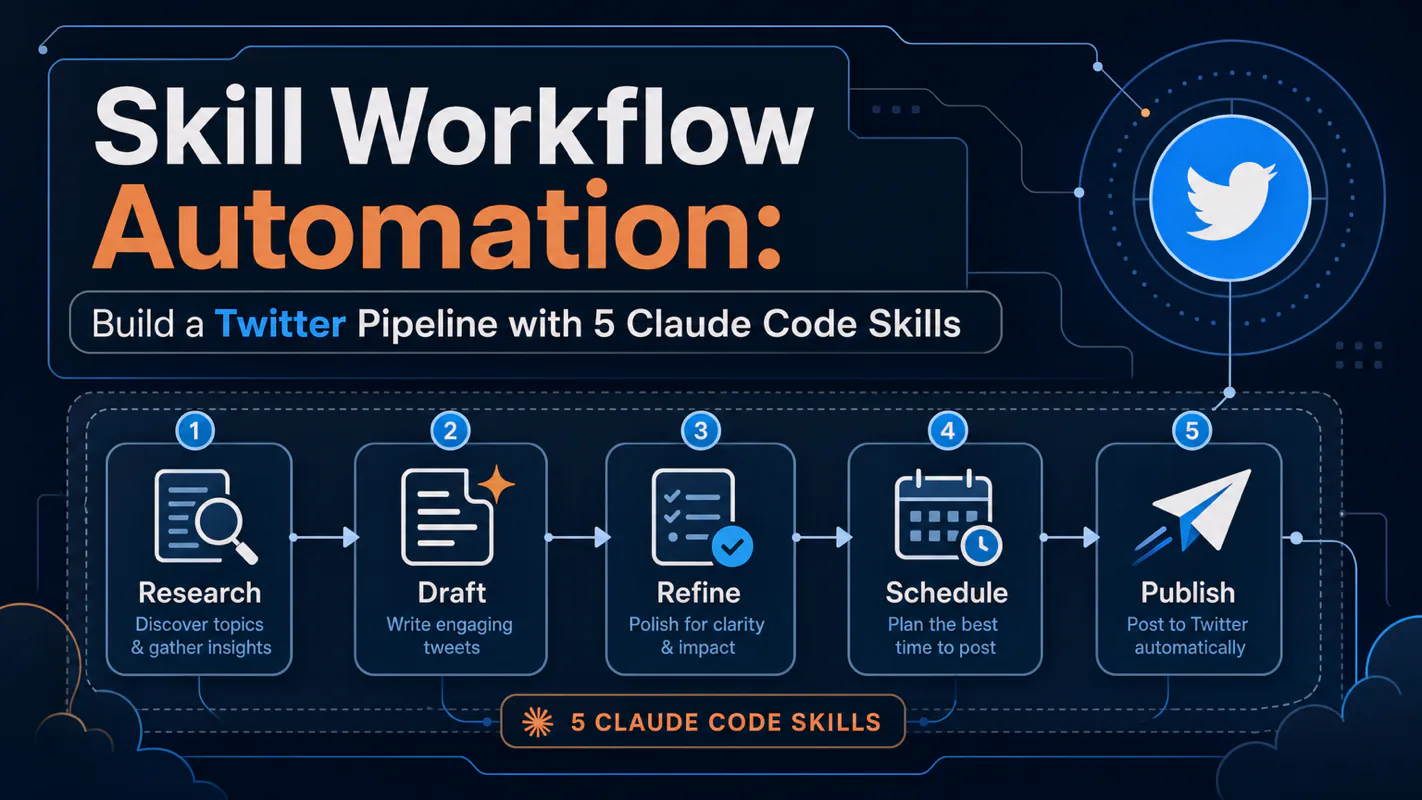
Build a fully automated Twitter content pipeline using five Claude Code Skills. This hands-on tutorial covers persona cloning, content sourcing, AI writing, image generation, and scheduled publishing — all running unattended. Learn the single-responsibility principle for Skill design, file-based dat
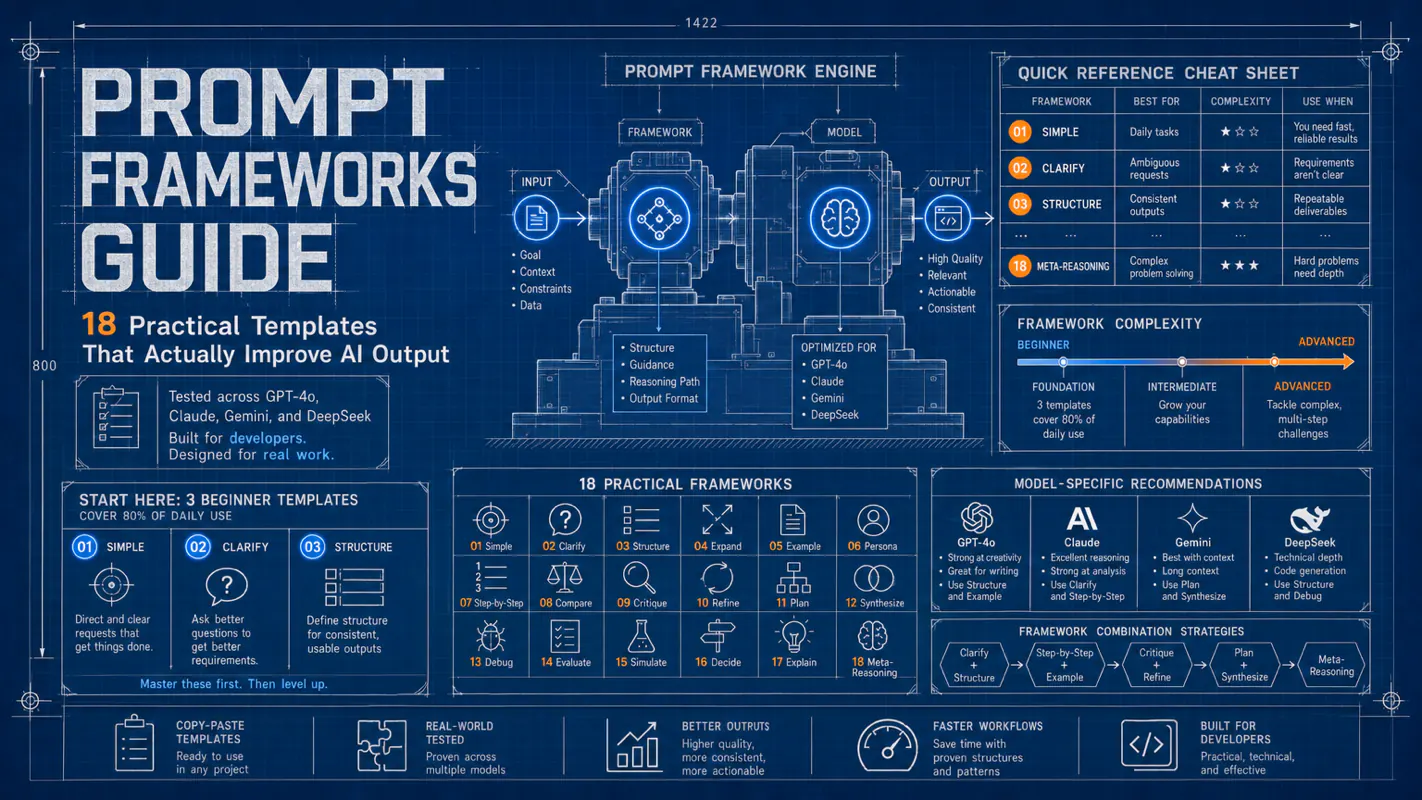
18 prompt frameworks tested across GPT-4o, Claude, Gemini, and DeepSeek. Start with 3 beginner templates that cover 80% of daily use, then graduate to advanced frameworks for complex tasks. Includes a quick-reference cheat sheet, model-specific recommendations, framework combination strategies, and
Three battle-tested SEO meta description prompts that generate click-worthy page descriptions in under five minutes. Covers character limits, keyword placement, CTA design, AI search optimization, and content-type strategies. Pages with optimized meta descriptions see 20-30% higher CTR.
Agent Skill Automation: How to Make Claude Code Run Skills Without You
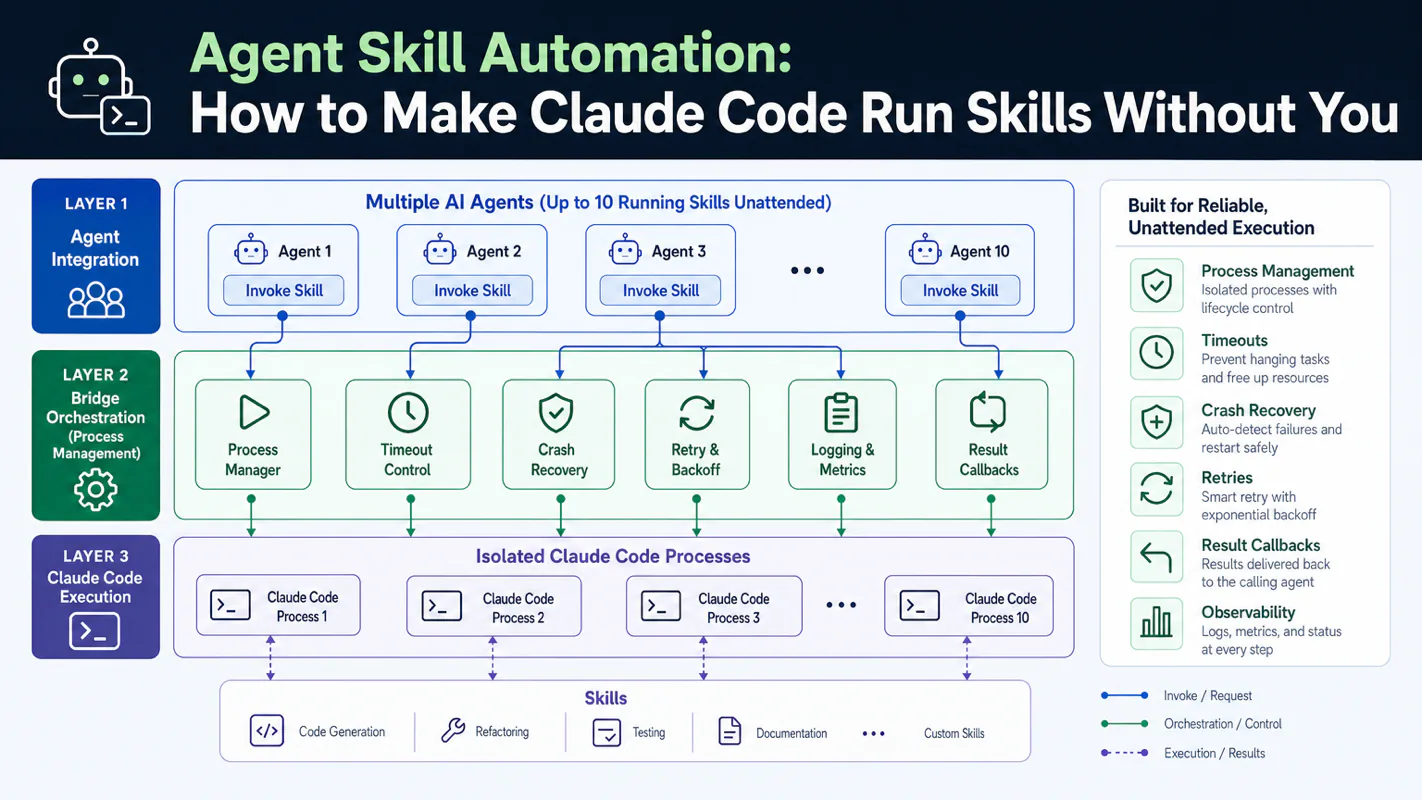
Your AI agents can invoke Claude Code, but reliable Skill execution demands process management, timeouts, crash recovery, and result callbacks. This tutorial breaks down the Bridge three-layer architecture that keeps 10 agents running Skills unattended.
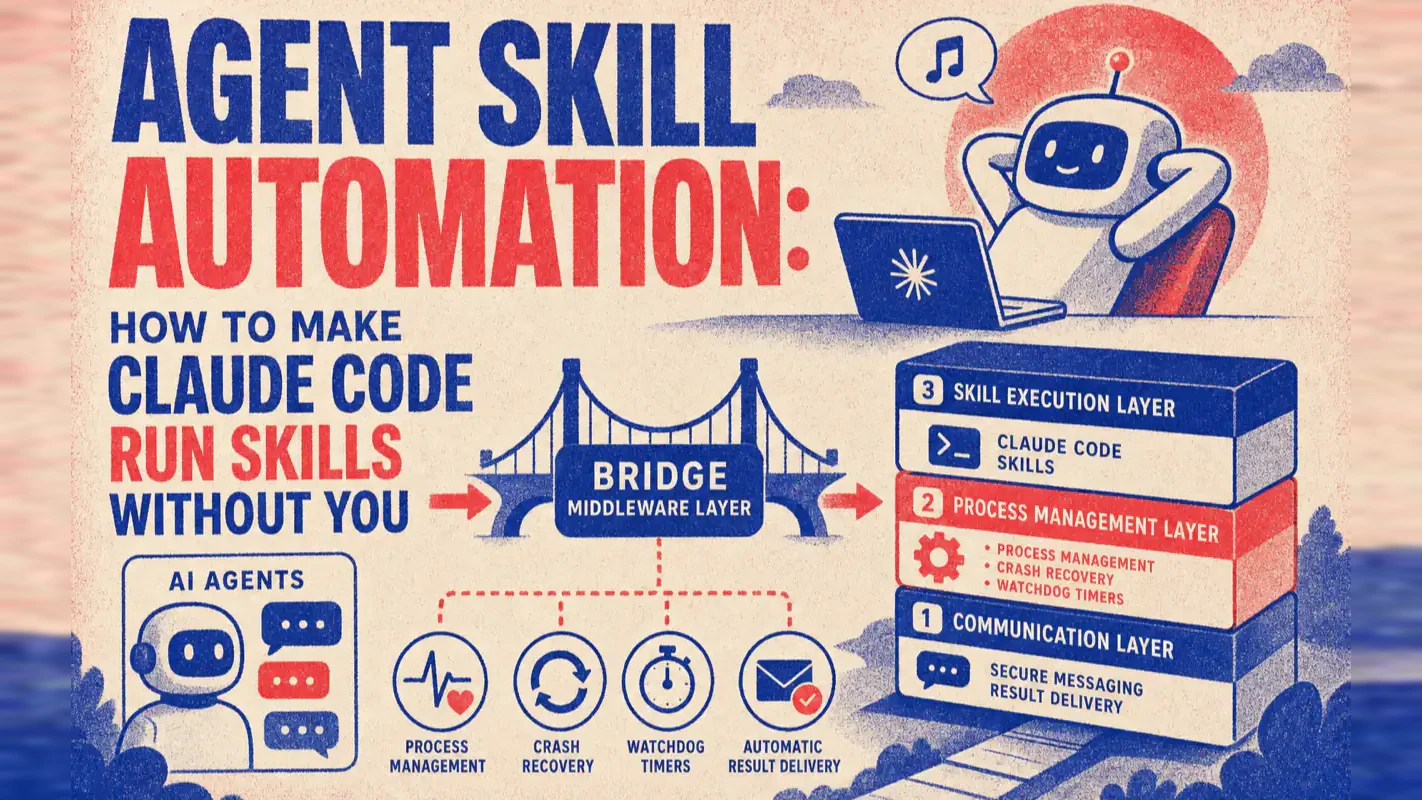
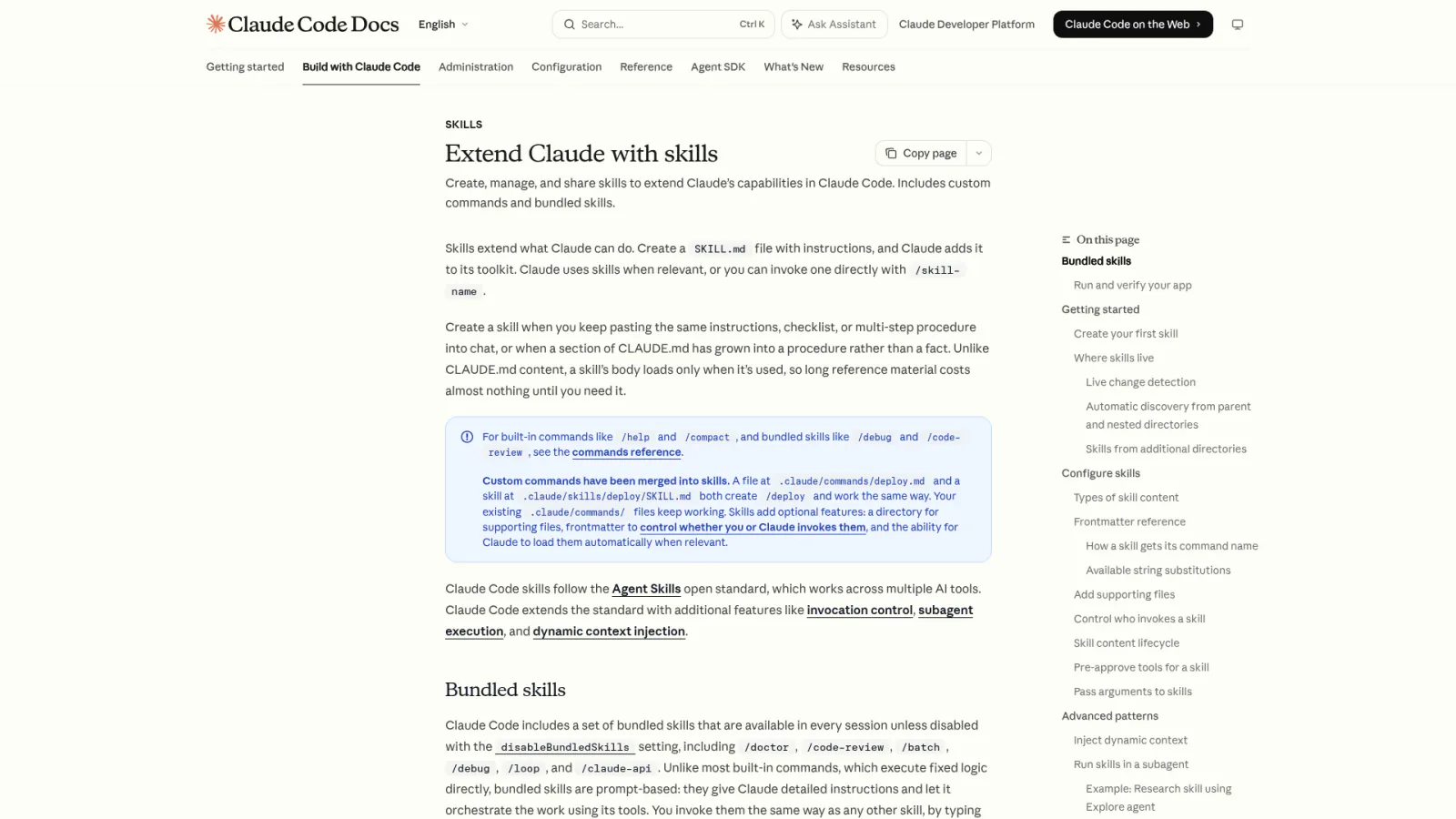
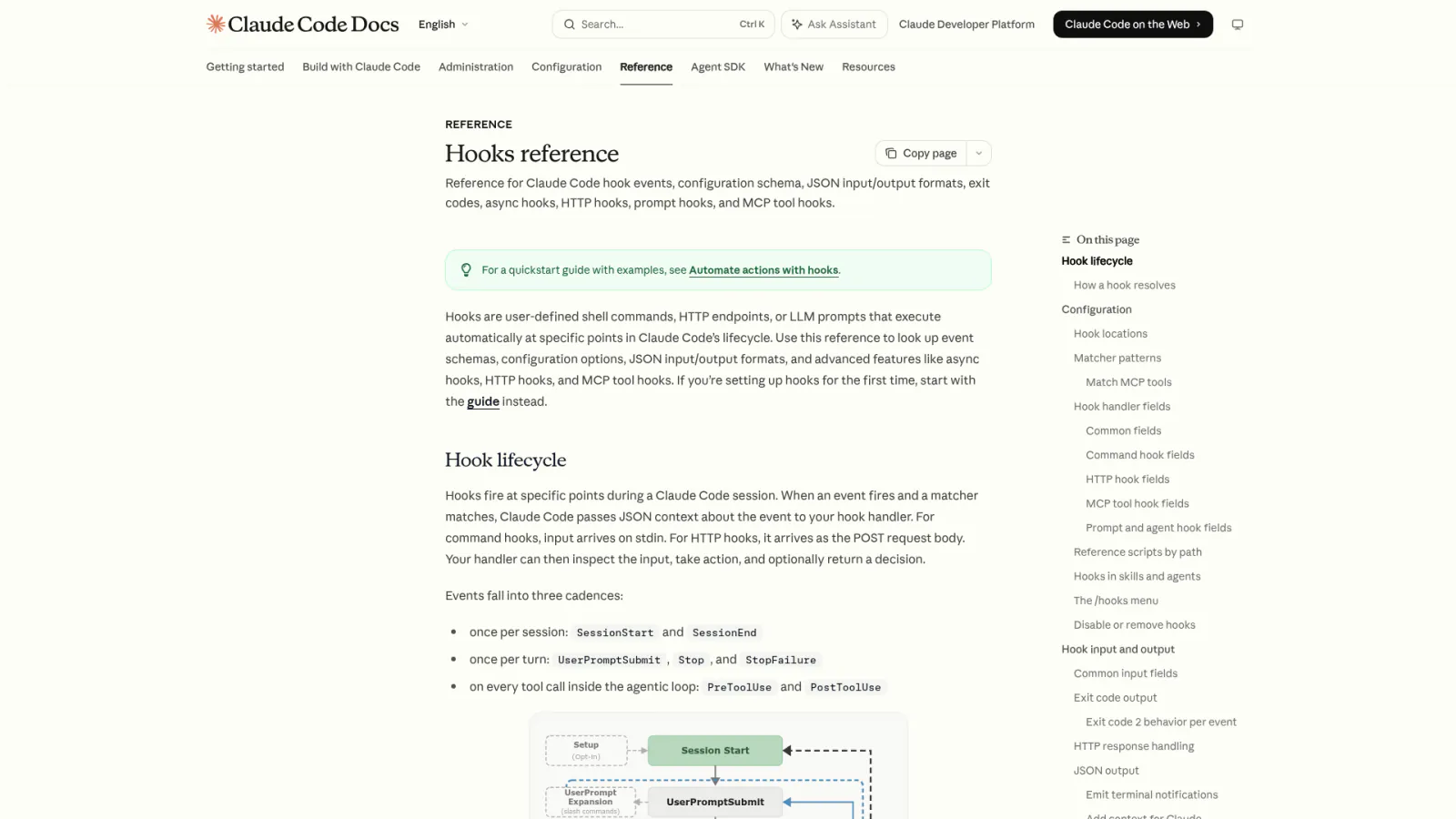
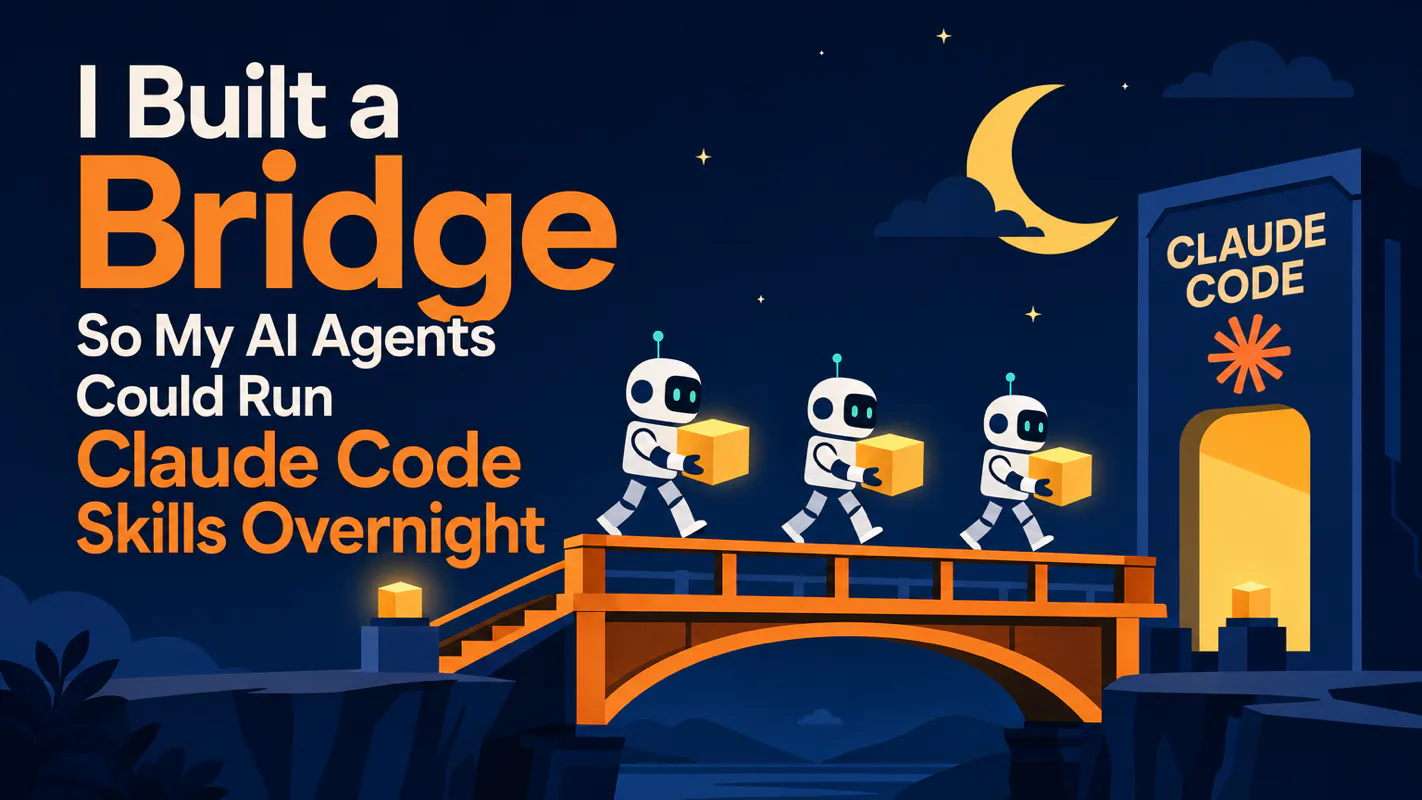
Your AI agents can call Claude Code. But calling is not the same as reliably finishing. This tutorial shows you how to build a Bridge layer that turns fragile agent-to-CLI invocations into robust, unattended Skill automation — complete with process management, crash recovery, and automatic result delivery.
Why Can't Agents Just Call Claude Code Directly?
An agent can start a Claude Code process, but it has no way to babysit it. Once the process launches, the agent has no idea whether parameters arrived correctly, whether the process timed out, or whether it crashed at 3 AM with nobody watching.
I ran my multi-agent system without a middle layer for three days. Every morning I discovered the same pattern: processes had started but parameters were malformed, timeouts went unhandled, and crashed processes left the agent believing work was still in progress. The agent kept reporting "task running" for a process that had been dead for six hours.
That experience taught me a blunt lesson: invoking a tool and reliably completing a task are two entirely different engineering problems.
The tool invocation problem is trivial. The reliability problem demands dedicated infrastructure — a purpose-built layer that manages the full process lifecycle from spawn to result delivery.
Think of it like a company. Your agent is the executive. Claude Code is the engineer. But executives do not walk onto the factory floor and operate machines. They need an operations manager who receives the directive, verifies that the factory is ready, monitors the work, and reports results. The Bridge is that operations manager.
Why Use Claude Code Instead of Raw API Calls?
Cost and stability. Each Skill execution can consume hundreds of thousands of tokens. Writing a long article, generating images, running analysis — these are heavy workloads. At API per-token pricing, ten agents running daily would burn through a significant budget. Claude Code paired with a subscription plan uses your subscription quota to run Claude models. No per-token billing, stable response times, and predictable monthly costs.
In my production system, this approach has proven to be one of the most stable options available for high-frequency agent automation. The difference is like choosing between metered taxis and a monthly car service — when your agents need to "drive" dozens of times per day, the flat-rate option wins decisively.
A note on compliance:Anthropic's consumer terms regarding the Agent SDK with subscription plans have been debated. Official documentation once stated it was "not permitted," but Anthropic employees subsequently clarified publicly that personal local use is currently fine. Policies can change — if you are deploying commercially or at scale, using API keys is the safer path. I actively monitor policy updates.
What Does the Three-Layer Bridge Architecture Look Like?
The Bridge is not a single script. I tried the monolithic approach first — 500 lines of mixed shell and Python. When it failed at 2 AM, the logs contained errors from three different layers tangled together. I spent until dawn debugging and discovered the root cause was an unactivated virtual environment. One line of bash. Six hours of investigation.
That single dawn taught me a permanent rule: each layer owns exactly one concern. When something breaks, you identify the failing layer from the first log line.
Layer 1 — The Dispatcher (bridge-runner.sh)
This is the entry point your agent calls. It creates a unique run directory, writes the initial state file, and decides whether to launch the task synchronously or asynchronously. If the task crashes, this layer handles the aftermath.
# The dispatcher creates isolated run directories
# and tracks state for every execution
RUN_DIR="${RUNS_ROOT}/${TIMESTAMP}-${SKILL_NAME}"
mkdir -p "${RUN_DIR}"

# Write initial state atomically
# (tmp + rename prevents reading half-written JSON)
echo '{"status":"starting","pid":null}' > "${RUN_DIR}/state.tmp"
mv "${RUN_DIR}/state.tmp" "${RUN_DIR}/state.json"
Layer 2 — The Guard (bridge.sh)
This layer validates that the runtime environment is ready. Does the Python virtual environment exist? Are dependencies installed? Is the SDK accessible? If any check fails, it reports the exact problem and stops. No ambiguous crashes downstream.
# Guard checks the runtime before any execution begins
if [[ ! -d "${VENV_DIR}" ]]; then
  echo "[BRIDGE:ERROR] Virtual environment not found at ${VENV_DIR}"
  exit 1
fi

source "${VENV_DIR}/bin/activate"
python -c "import claude_agent_sdk" 2>/dev/null || {
  echo "[BRIDGE:ERROR] claude_agent_sdk not installed"
  exit 1
}
Layer 3 — The Executor (bridge.py)
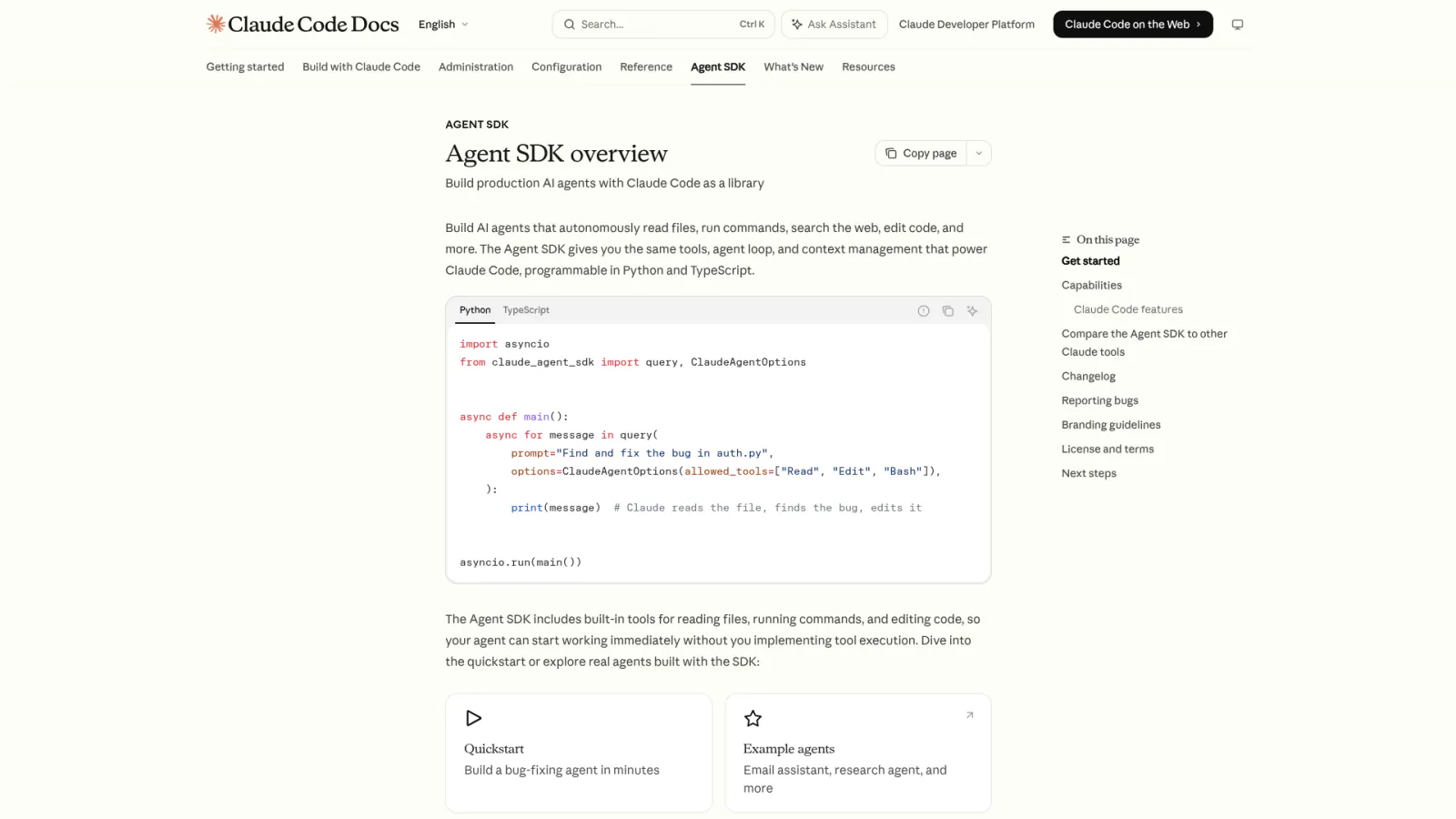
The actual work happens here. This Python module calls the Claude Agent SDK's query() function, spawns a Claude Code process, feeds it the Skill and parameters, then processes the streaming response — text output, tool calls, and the final result.
async def execute_skill(skill_name: str, params: dict) -> dict:
    """Run a Skill through the Claude Agent SDK."""
    prompt = build_prompt(skill_name, params)

    result = await query(
        prompt=prompt,
        model=config.MODEL,
        max_turns=config.MAX_TURNS,
    )

    # Process each message in the response stream
    for message in result.messages:
        if message.type == "text":
            log_output(message.content)
        elif message.type == "tool_use":
            log_tool_call(message.name, message.input)

    return extract_final_result(result)
The three layers talk through a simple protocol: stdout markers like [BRIDGE:STATUS], [BRIDGE:DONE], and [BRIDGE:ERROR]. The dispatcher reads these markers to update the state file. Clean separation, zero coupling.
Should You Run Skills Synchronously or Asynchronously?
The Bridge supports both modes, and choosing the wrong one will cripple your system.
Synchronous mode blocks the agent until the Skill finishes. This works for fast lookups — checking a data point, sending a short notification. The agent waits, gets the result, and continues. Simple but limiting.
Asynchronous mode returns immediately with a tracking ID. The Skill runs in the background. When it finishes, the Bridge delivers the result to the agent automatically. This is the mode that makes multi-agent orchestration possible.
In my production setup, roughly 90% of all Skill calls run asynchronously. Most Skills — drafting articles, generating images, producing SEO reports — take anywhere from 3 to 30 minutes. Making an agent sit idle for 30 minutes is absurd when it could be processing other tasks.
Synchronous execution is single-threaded living. Asynchronous execution is how a solo operation actually scales. Ten agents running parallel tasks, none of them waiting on each other.
The key mechanism is the state file. Every execution produces a state.json that records the current status, process ID, start time, and last heartbeat. The agent can poll this file at any time. The Bridge also performs liveness checks — if the process has died but the state file still says "running," the Bridge corrects it to "killed."
This even catches processes terminated by SIGKILL — a scenario I added after being burned by it repeatedly. The operating system force-kills a memory-heavy process, no cleanup handler runs, but the Bridge still detects the orphaned state and corrects the record.
How Do You Prevent Tasks from Silently Disappearing?
After two months of running agent automation, I distilled one hard lesson: the most dangerous failure mode is not a crash. It is a silent disappearance.
A crash leaves evidence. A silent disappearance leaves nothing. The agent believes the task is still running. You check in the morning and discover that last night's entire workload vanished without a trace.
The Bridge carries three layers of insurance against this:
Insurance Layer 1 — Automatic Cleanup
Regardless of how a task ends — normal completion, mid-process crash, or system kill — the Bridge writes a final state record. Shell EXIT traps guarantee that even abnormal terminations produce a status update. No task ever ends without leaving a trace.
Insurance Layer 2 — Universal Crash Handler
Python's BaseException handler catches everything, including KeyboardInterrupt and SystemExit. When any exception fires, the handler does three things: records the state, writes the error reason, and notifies the agent. Even the most unexpected failures get documented.
try:
    result = await execute_skill(skill_name, params)
    update_state("done", result=result)
except BaseException as e:
    # Catches everything — even SystemExit and KeyboardInterrupt
    update_state("error", error=str(e))
    notify_agent(agent_id, status="error", detail=str(e))
    raise
Insurance Layer 3 — Watchdog Timer
Every task gets a deadline. If a Skill exceeds its timeout — perhaps it hit an infinite loop or is waiting for a resource that will never arrive — the watchdog terminates the process and records "timeout" as the cause of death.
The philosophy behind this design borrows from antifragility: a good system does not aim to never fail. It aims to make every failure visible, recorded, and recoverable. When every crash gets caught, every timeout gets enforced, and every silent disappearance gets detected, the system improves with each incident.
How Does Unattended Execution Handle Interactive Prompts?
Claude Code sometimes stops mid-task and asks a question: "What is the target language?" or "Please provide the file path." When you are at the keyboard, you type the answer and move on. But the Bridge runs at 3 AM with nobody watching.
The solution is pre-packaged context. When the agent dispatches a task, it bundles every piece of information the Skill might need — parameters, configuration values, anticipated questions and their answers — into a single comprehensive prompt. Claude Code finds what it needs inside that context without asking.
If something is still missing despite the preparation, the Bridge does not hang. It halts execution immediately, records the question Claude Code asked, and notifies the agent: "Claude Code asked X, supply the answer and re-dispatch." The agent fills the gap and resubmits.
I learned this the hard way. In my first month, overnight Skills would frequently stall on "Please enter..." prompts. I would check in the morning and find eight hours of wasted compute — Skills sitting idle, waiting for input that never came.
# PreToolUse hook intercepts interactive prompts
def handle_tool_use(tool_name: str, tool_input: dict) -> str:
    if tool_name == "AskUserQuestion":
        question = tool_input.get("question", "")
        # Check if a pre-packaged answer exists
        answer = find_prepackaged_answer(question)
        if answer:
            return answer
        # No answer available — halt and report
        update_state("blocked", blocked_on=question)
        notify_agent(agent_id, status="blocked", question=question)
        raise SkillBlockedError(f"Unresolved prompt: {question}")
The biggest enemy of automation is not technical complexity. It is unexpected human intervention. Eliminate every possible prompt, and the system runs while you sleep.
How Do Results Get Back to the Agent Automatically?
The final piece of the loop: when a Skill finishes, the Bridge delivers the result directly to the originating agent. No polling required. The agent receives a structured callback containing the task outcome, output artifacts, and execution metadata.
In my setup, each agent operates within a communication channel. The Bridge resolves which channel the requesting agent monitors and posts the result there. The agent picks it up and continues its workflow.
Here is what a complete cycle looks like:
You send a message in your communication platform
An agent receives the message and determines a Skill is needed
The agent dispatches the Skill request to the Bridge
The Bridge spawns a Claude Code process, monitors it, handles exceptions
The Skill completes and the Bridge delivers the result to the agent
The agent posts the result back to your channel
A closed loop. End to end.
On a typical morning, I open my dashboard and find the previous night's work already finished: articles drafted, images generated, SEO reports completed, translations done. Ten agents, each reporting their results, waiting for a single acknowledgment.
That moment — coffee in hand, reviewing finished work you did not personally execute — captures the gap between using AI as a chatbot and deploying AI as a workforce.
What if the Bridge itself crashes? The three insurance layers ensure that even a Bridge failure updates the state record. The next time the agent checks, it discovers the anomaly and can retry. Reliability does not mean never failing. It means every failure is discoverable and recoverable.
What Should You Build First?
Here is a recap of the core architecture:
Claude Code + subscription is the execution engine — predictable cost, stable performance for high-frequency automation
Invocation alone is not reliability — process management, crash recovery, and timeout enforcement require a dedicated Bridge layer
Three layers, three concerns — dispatcher handles scheduling, guard validates the environment, executor runs the SDK call
Asynchronous mode is non-negotiable for scale — ten agents running parallel tasks instead of queuing
Three insurance layers prevent silent disappearances — cleanup traps, universal crash handlers, and watchdog timers
Pre-packaged context eliminates interactive prompts — every answer bundled upfront so Skills run without human input
Building agents is 10% of the work. Making agents reliably execute tasks is the other 90%. The Bridge is the single most critical piece of that 90%. It is not glamorous. It is not exciting. But without it, ten agents are just ten idle processes pretending to work.
One-click scaffold prompt:
Copy this prompt into Claude Code to build the Bridge from scratch:
"Build a Bridge system for AI agent automation of Claude Code Skills.
Technical requirements:
Use the Claude Agent SDK query() function. Support both synchronous and asynchronous execution modes
State management: create an isolated run directory per execution. state.json tracks status (starting / running / done / error / killed) with PID liveness detection
Three-layer defense: Shell EXIT trap for abnormal exits, Python BaseException handler for all exceptions, watchdog timer for deadline enforcement
Interactive prompt interception: PreToolUse hook intercepts AskUserQuestion calls. If parameters are missing, halt and report the missing fields
Result callback: deliver results to the originating agent with dynamic channel resolution
Communication protocol: stdout markers [BRIDGE:STATUS] / [BRIDGE:DONE] / [BRIDGE:ERROR]
Centralized configuration: model, timeout, heartbeat interval, and Skill directory constants in config.py
Atomic state writes: tmp file + rename to prevent reading partial JSON
Security rules: block full-disk searches, block access to sensitive directories, enforce reading SKILL.md first
Why can an agent start a Claude Code process but not reliably finish it without a Bridge?
Starting a process is not the same as managing its lifecycle. The Bridge handles five concerns that raw process spawning cannot: parameter injection into the initial prompt, crash recovery through shell EXIT traps, timeout enforcement via a watchdog timer, state tracking across async operations, and structured result delivery. Without these, a Skill can silently die at 3 AM and nobody notices until morning.
What does each of the three Bridge layers — runner, shell guard, and Python executor — actually own?
The runner manages scheduling and state tracking across multiple Skill invocations. The shell guard validates the runtime environment before any SDK call executes — checking Python version, dependency availability, and environment variables. The Python executor handles the actual Claude Code SDK call and message stream. When something breaks at 2 AM, you identify the failing layer from the first log line. A monolithic 500-line script buries the root cause in mixed concerns.
Why do 90% of Skill calls in this system run async instead of sync?
Sync mode blocks the agent until the Skill finishes — acceptable only for fast lookups that complete in seconds. For anything taking more than a minute (article writing, image generation, SEO audits), async mode lets the agent return immediately with a tracking ID and move on to the next task. The Bridge writes a state file that any agent can poll later to collect results without holding a connection open.
How do three insurance layers prevent a crashed Skill from silently disappearing?
Shell EXIT traps catch both normal and abnormal exits and write the final state file. Python-level BaseException handlers capture even unexpected crashes and log the error with full traceback. A watchdog timer kills any process that exceeds its configured deadline. Together, these three layers guarantee that every Skill invocation produces a terminal state record — success, failure, or timeout — that the dispatching agent can inspect.
What happens when Claude Code asks an unanticipated question during unattended execution?
The agent bundles all required parameters, config values, and anticipated answers into the initial prompt before handing the task to the Bridge. If Claude Code still requests input the prompt did not cover, the Bridge halts execution, records the exact question in the state file, and notifies the dispatching agent. No task ever hangs on a silent input prompt waiting for a human who is not there.
Build a fully automated Twitter content pipeline using five Claude Code Skills. This hands-on tutorial covers persona cloning, content sourcing, AI writing, image generation, and scheduled publishing — all running unattended. Learn the single-responsibility principle for Skill design, file-based dat
18 prompt frameworks tested across GPT-4o, Claude, Gemini, and DeepSeek. Start with 3 beginner templates that cover 80% of daily use, then graduate to advanced frameworks for complex tasks. Includes a quick-reference cheat sheet, model-specific recommendations, framework combination strategies, and
Most developers spend 60% of their Skill development time debugging. The Quality Loop framework cuts that to under an hour through dual-phase detection, four-layer verification, and SubAgent self-repair. Here is the complete system I built after testing 20+ Skills.
Your AI agent can call Claude Code. But can it do that at 3 AM without crashing, hanging, or silently failing? I built a Bridge middleware that handles process management, timeouts, and automatic recovery -- so my 10 agents run Skills overnight while I sleep.