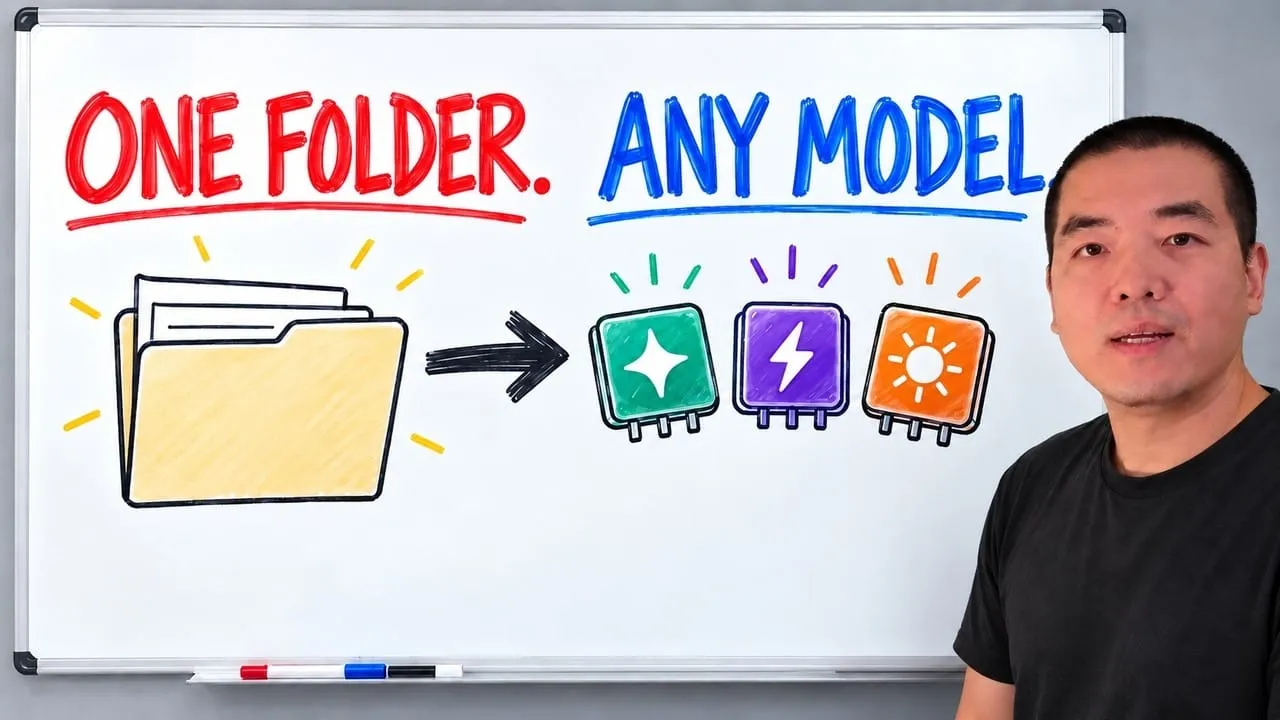
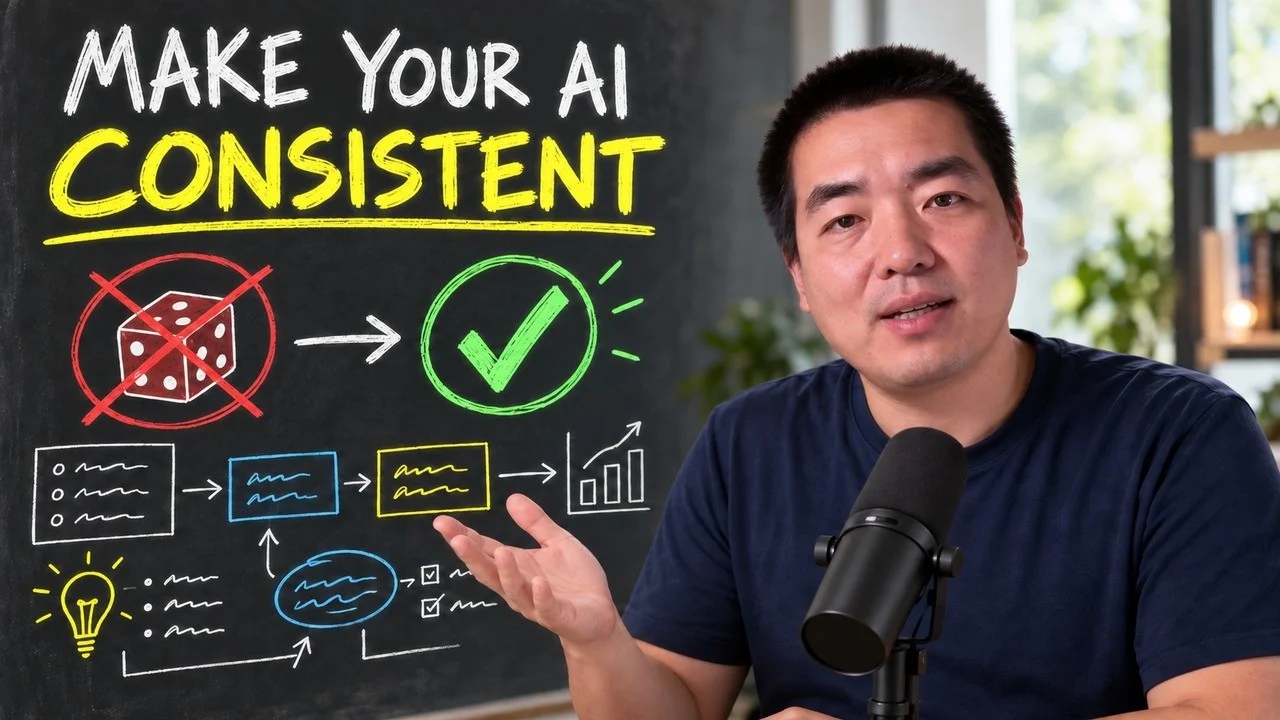
A 30-minute video is too long for one conversation. This guide walks the 8-step Skill that locks the narration and one look, then gives each 3-minute segment to a fresh sub-agent, five at a time, and polishes the cut in an empty-context session.
The folder structure behind my AI agent team, the Herdr setup where Grok Build, Claude Code and Kimi Code work side by side, and the two live tasks from the video: an article published by voice and a three-model front-end test.
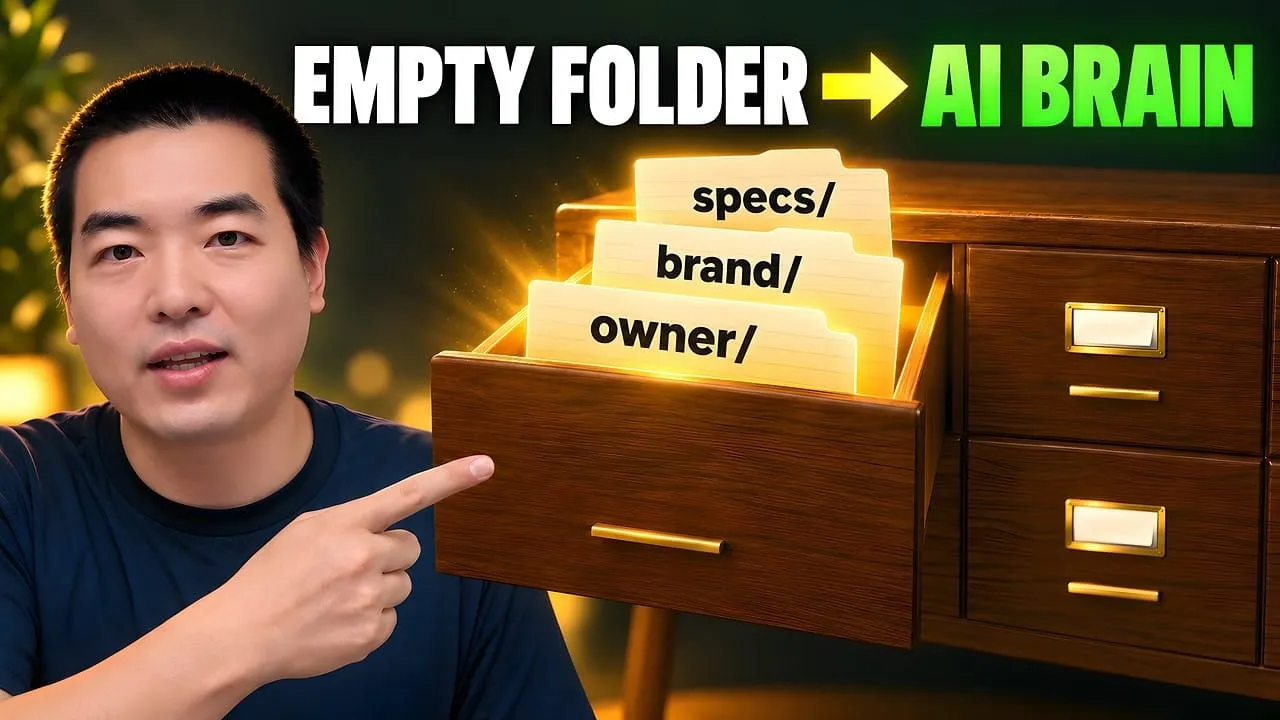
Eight folders of plain Markdown, a CLAUDE.md index in each, and seven prompts that make your agent interview you. Every prompt, template and command from the video, in order.
Claude Code Skill Development: The 30K-Word Field Guide
Six months of breakage, 40+ production-grade Skills, and a 78,000-word internal spec compressed into one 30,000-word read: SKILL.md, scripts vs SubAgents, run data, prompts, hooks. Beginner to designing your own toolchain, start here.
Every firm already owns a document like this one. At a law practice it is the client intake checklist a new paralegal is handed on day one: which forms, in what order, what to verify before the file moves, who signs off. It works because somebody wrote the judgment down once instead of re-explaining it. A Skill is that document with the ability to execute itself. Same steps, same checks, except the assistant reads it and does the work rather than asking you again. This guide is the long version of how to write one properly. That is the difference between an ai assistant for business that improvises and one that follows your procedure.
What Is a Claude Code Skill — and Why Build One?
You're looking for the most complete Claude Code Skill development guide on the open web?
This is it. Six months of breakage, 40+ production-grade Skills, and a 78,000-word internal spec — open-sourced on GitHub — compressed into a 30,000-word distillation. Beginner to "I can build my own toolchain" — one read.
What's inside
30,000 words · 18 chapters · 5 modules · 1 full hands-on build
Module
What you'll walk away with
Core concepts
What a Skill actually is, how SKILL.md works, the 200K-token survival rules, step-document orchestration
Execution layer
Why scripts cost zero context, the 6 ingredients of a working Prompt template, variable plumbing
Data layer
Run-directory isolation, checkpoint resume, the 3-layer config model, Schema-driven dynamic forms
Resource layer
Credential safety, killing magic strings, presets, HTML output templates
Engineering
setup / guide / changelog / troubleshoot — the 4 documents that make a Skill maintainable and shareable
By the end you'll be able to:
Build your first runnable Skill from scratch in 20 minutes
Replace SubAgents with scripts and cut token consumption by ~80%
Wire up checkpoint resume so a compacted context doesn't lose your work
Turn private workflow knowledge into reusable software assets
Things people are actually building with this:
Content production: long-form blog posts, short-form social posts, newsletter drafts, all from one trigger
Data wrangling: PDF → Markdown at scale, video transcript extraction, multi-source aggregation
Research: competitor briefings, deep-dive equity reports, Reddit signal mining
Dev assist: code review, PR drafting, doc generation
I've used this same spec to build 40+ Skills covering content, research, dev, and ops. This is not a beginner walkthrough. This is the production methodology.
How to read this
Who this is for: people who already use Claude Code's basics (chat, file operations, command execution) and want to design their own workflow Skills.
What you'll get: the complete design logic behind my Skill spec, plus the muscle memory to ship production Skills on your own — directory layout, script discipline, context budgeting, resume mechanics.
What you should already know: basic Claude Code use, comfort in a terminal, JSON (a structured data format) and Markdown (a lightweight markup language) syntax. Coding skill is not required, but knowing some Python will make a few sections smoother.
How this is different from other tutorials: most Claude Code guides teach you "how to use it." This one teaches you "how to build with it." You stop being an AI consumer and start being an AI workflow designer.
One thing that might rewire your reading: this article isn't only written for you — it's also written for your Agent. Drop the whole thing into Claude Code and it can use the architecture, naming rules, and script conventions inside as a direct reference for scaffolding your next Skill. In other words, this article is itself an Agent starter kit. For an even fuller manual, the unabridged 78,000-word internal spec is what I feed Claude when I want it to operate at full production quality.
Most people use AI like a chat box — type something in, get something out, react with "wow" or "meh."
A smaller group thinks differently. They want AI to deliver against their standard, their process, their rhythm. Reliably. Repeatedly.
If that second group sounds like you, welcome.
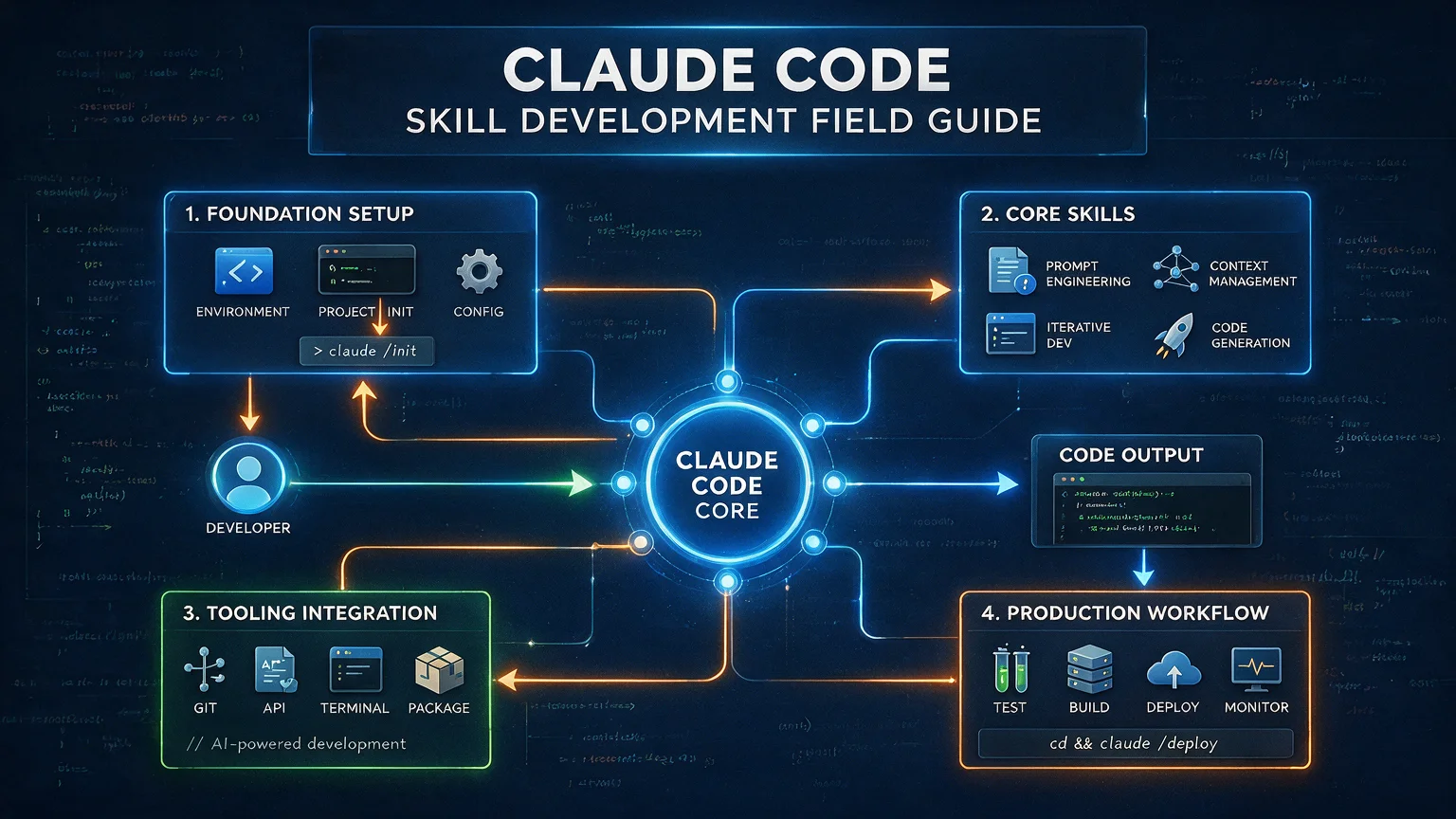
Skill architecture at a glance
Before the chapters, here's the global picture. The Skill spec I use is a five-layer architecture. Each layer solves a different problem:
Where data lives, how a Skill recovers from a crash
Layer 2 — Execution
scripts/ · prompts/ · variable placeholders
Scripts do the labor, Prompts conduct the brainwork
Layer 1 — Core
SKILL.md · workflow/ · platform constraints
The skeleton: what a Skill is
Bottom up: skeleton → muscle → blood → wardrobe → quality control. Each layer rests on the one below, but you don't need all five to start. The simplest Skill is just one file in Layer 1.
Table of contents
Part 1 — Core concepts (mandatory)
What is a Skill?
SKILL.md — the entry file
Platform constraints
Step documents
Part 2 — Execution layer (where the work happens)
5. Script spec
6. Prompt templates
7. Variable placeholders
Part 3 — Data layer (the foundation under runtime)
8. Run-data spec
9. Parameter config spec
10. Parameter Schema spec
Part 4 — Resource layer (the polish)
11. Credential management
12. Constant definitions
13. Preset configs
14. HTML templates
Part 5 — Engineering (the craft)
15. setup.md
16. guide.md
17. changelog.md
18. troubleshoot.md
Hands-on: build your first Skill from scratch Appendix Closing notes
Part 1 — Core concepts (mandatory)
This part is the foundation of the whole guide. No matter what kind of Skill you set out to build, these four chapters are non-negotiable. Like building a house — fancy finishes don't matter if the foundation cracks.
1. What is a Skill? — Where the whole system starts
1.1 What the spec says
You know Claude Code? It's the CLI AI tool from Anthropic — you talk to it in your terminal and it writes code, runs analyses, and edits files for you.
A Skill is Claude's "skill plug-in" — you write a structured set of instructions, and Claude follows your rules to complete a specific kind of task. Skills don't only run inside Claude Code; they also work on Claude.ai (the web app) and through the API. Anthropic positions them as a cross-platform open standard.
Here's an analogy. If Claude Code is a new intern, then a Skill is the standard operating procedure you write for that intern. Good SOP, the intern ships work on their own. Bad SOP, the intern freezes.
Anthropic's official definition is sharper:
Skills are portable instruction sets that extend what Claude can do. Think of them as "recipes" — structured knowledge that Claude can follow to perform specific tasks consistently and well.
— The Complete Guide to Building Skills for Claude, Anthropic, 2026
Every Skill is a workflow. They just differ in step count.
The simplest Skill is one file with one step.
A complex Skill can be a dozen steps deep, calling scripts, spinning up SubAgents (think of a SubAgent as Claude's intern's intern — a smaller AI that takes a chunk of the work off the main one), generating reports, completing an entire pipeline end to end.
Bulk collection, scoring/analysis, format conversion
1.2 Why it's designed this way
Why document-driven instead of code-driven?
In traditional development, you write code that tells a program what to do. Claude is a different beast — it understands natural language. You don't need to write code to direct it. You need to write a clear instruction document.
Document-driven design buys you four things:
Zero coding floor — you can ship a Skill without writing code, as long as you can write down what should happen
Maximum readability — anyone who opens the doc understands what the Skill does
Easy to maintain — changing behavior means editing prose, not recompiling and redeploying
Progressive enhancement — start with one file, add scripts, configs, and templates only when you need them
Anthropic boils the design philosophy down to three principles:
Progressive Disclosure — load detail in tiers; Claude only reads the deeper material when it's needed
Composability — every Skill runs on its own, but composes with other Skills and with MCP (Model Context Protocol — the standard interface that lets AI call external tools)
Portability — works the same on Claude.ai, Claude Code, and the API
My spec sits on top of those three and extends them with script discipline, a data layer, and a resource layer — basically the engineering bits.
Why bother with a spec at all?
Building Skills without a spec is like building houses without a building code. Every Skill ends up with a different layout, nobody can read each other's work, and when something breaks, nobody knows where to look.
My spec answers three core questions:
Question
The spec's answer
Where does a file go?
Fixed directory templates
How is each file written?
Standard templates and required fields per file type
How are files chained?
A workflow table that defines step order and data flow
2. SKILL.md — the entry file
2.1 What the spec says
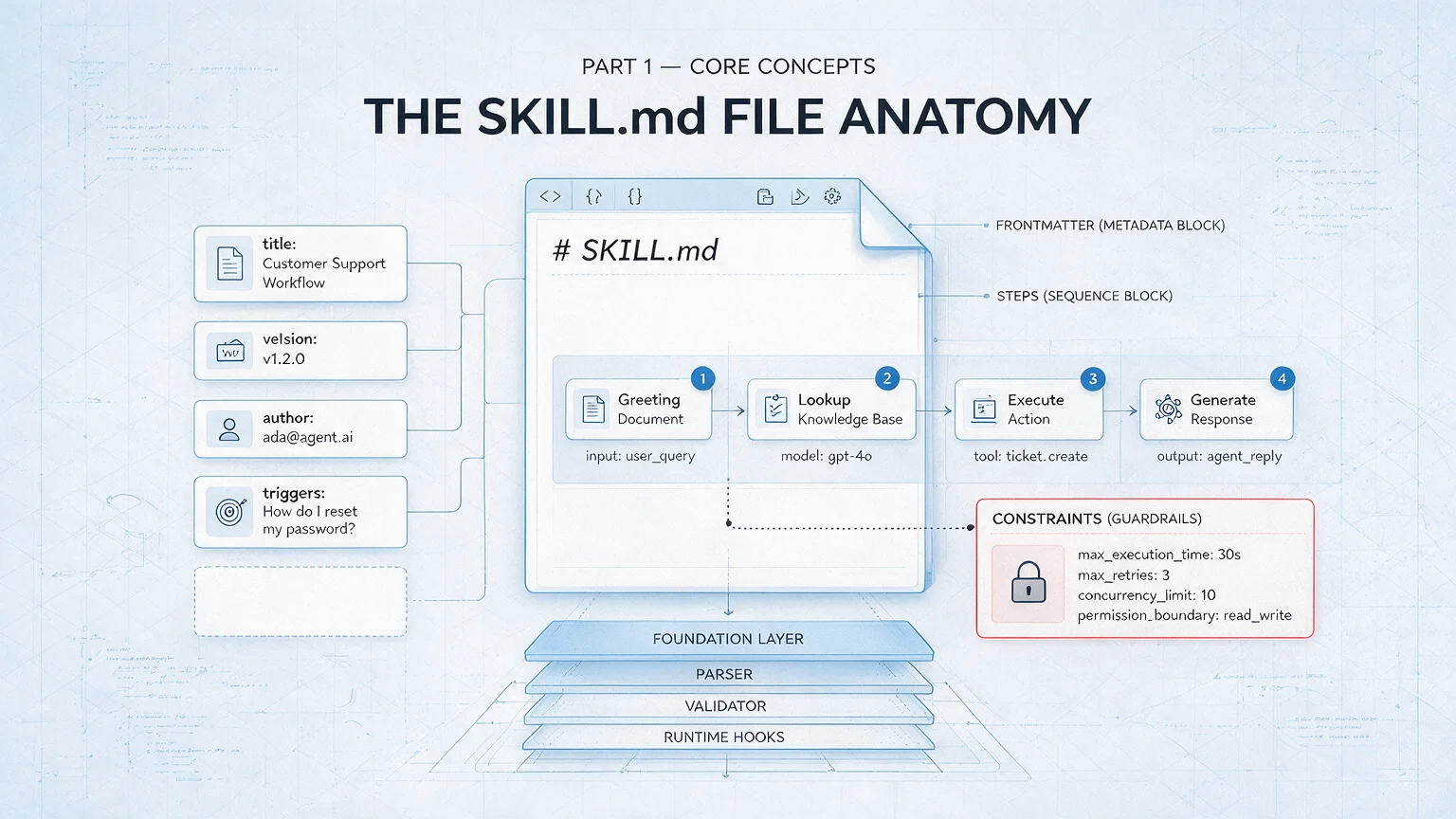
SKILL.md is the only entry file for any Skill. Claude Code uses it to discover and load your Skill.
Think of SKILL.md as the cover and table of contents of a book:
Cover (the Frontmatter — the metadata block at the top of the file): tells the system "what I'm called and what I can do"
Table of contents (the workflow table): tells Claude "in what order to execute which steps"
Body (everything below): tells Claude "when to trigger me, how to behave, what to reference"
Avoid time-bound instructions: Anthropic's best-practice docs explicitly warn against writing things like "if before this date, use the old method." Write the current method in the body and tuck legacy modes into a collapsed block. Otherwise the doc rots into misinformation.
The four-part naming convention
Every Skill in my system gets a four-part name: prefix-domain-object-action.
Take awp-social-x-creating:
Part
Value
Meaning
prefix
myname
Fixed identifier (you'd swap in your own)
domain
social
Social domain
object
x
The platform being acted on
action
creating
The verb
A few more examples:
Name
Meaning
awp-content-ppt-generating
content domain + slide deck + generate
awp-dev-feature-designing
dev domain + feature + design
I currently use 13 official domains: dev, doc, social, content, scrape, util, skill management, knowledge base, automation, video, github, seo, cms.
Action suffixes are always English -ing forms — -designing, -building, -reviewing, -creating, -collecting, -publishing, and so on. 15 standard actions total.
Why this much structure? Because Skill counts grow. With 5 Skills, ad-hoc names are fine. With 50, a missing convention is chaos. Four-part naming lets you tell from the name alone what domain a Skill is in, what it operates on, and what it does.
Vs. official: Anthropic's name field only requires kebab-case (lowercase + hyphens) and forbids prefixes like claude or anthropic. The four-part scheme is my own answer to managing 40+ Skills. If you only have a handful, a simple kebab-case name is plenty.
Required Frontmatter fields
Each SKILL.md opens with a metadata block (Frontmatter — the section wrapped in three dashes). Two fields are mandatory:
Field
Rules
Example
name
≤ 64 characters, lowercase letters / digits / hyphens only
awp-social-x-creating
description
≤ 1024 characters, describes what + when to trigger
"Deeply scrape X/Twitter creator data and auto-draft posts. Triggered when the user says 'write a thread', 'draft a post', etc."
Important: write description in the third person — "Extracts text from a PDF and produces a report," not "I can help you extract PDFs" or "You can use this to extract PDFs." The reason: description is injected into the system prompt, and first/second-person phrasing breaks Skill discovery and matching. This is explicit in Anthropic's guidance.
A handful of optional fields:
Field
Notes
allowed-tools
Tools the Skill is allowed to call
model
Pin a specific model
context
Set to fork to run in an isolated environment
hooks
Lifecycle hooks (experimental)
user-invocable
Whether the Skill shows up in the slash-command menu
Heads up on portability: allowed-tools is officially supported. model, context, hooks, and user-invocable are Claude Code CLI extensions and may not be recognized on Claude.ai or via the API. If you only run Skills inside Claude Code, use them freely. If you need to ship cross-platform, stick to the official fields.
Three-tier loading
This part is genuinely clever. Claude doesn't read all your files at once — it loads in tiers:
Tier
When loaded
What's in it
Cost
L1
Always
Just the name and description
~100 tokens (a token is roughly a syllable; one CJK character is 1–2 tokens) per Skill
L2
On trigger
The body of SKILL.md
Keep under 500 lines (Anthropic best practice)
L3+
On demand
Step docs, references, etc.
Unlimited
You don't carry an encyclopedia in your pocket. You remember the table of contents and open the right chapter when you need it.
What makes the tiering elegant: L1 burns ~100 tokens per Skill (a one-line summary) so Claude knows the Skill exists. L2 only loads when triggered. L3 only loads when you reach the step that needs it.
This three-tier loading lines up exactly with Anthropic's Progressive Disclosure principle — they list it as the first of the three foundational principles. My spec just adds the per-tier token math and recommended line counts.
The "one level deep" rule: Anthropic best practice says references inside SKILL.md should be at most one level deep. If a referenced file references another file (nested chain), Claude may only head -100 the second level, losing information. All reference files should link directly from SKILL.md, never form chains.
The workflow table
The workflow table is the heart of SKILL.md — it defines the execution sequence. Six columns:
Step
Role
Executor
Doc
Input
Output
01
Initialize
Main Agent
step01-init.md
User trigger
state/
02
Collect data
Script
step02-collect.md
User params
step02-collect/
03
Analyze
SubAgent
step03-analyze.md
step02 output
step03-analyze/
04
Generate output
Script
step04-output.md
step03 output
output/
What each column means: Step number, Role (a 2–6-word summary), Executor (who does it), Doc (where the instructions live), Input (what's needed), Output (what's produced).
One table strings the entire workflow together. What each step does, who does it, where data comes from, where results go — visible at a glance.
Checklist mode: Anthropic best practice recommends giving complex workflows a copyable progress checklist. Claude can paste the checklist into its reply and tick boxes as it goes. Better than a plain step list — both you and Claude always know how far along you are. Example:
SKILL.md also supports a special syntax that runs a command before the document is sent to Claude, then injects the command output into the document.
If you build a code-review Skill, for example, you can write "fetch the diff for the current PR" inside the doc. The system runs that command first, splices the result into the doc, and what Claude sees is a fully contextualized brief.
Useful for PR review, environment detection — anywhere you need real-time info baked in.
Complexity ramp
Start minimal, grow on demand:
Just SKILL.md — one file, the whole Skill
Steps overflow → add a workflow/ directory, split out step docs
Need to call APIs → add scripts/ and credentials/
Need reference material → add reference/
Need configuration → add config/
Progressive enhancement. No premature scaffolding.
Multi-mode Skills
When a Skill needs to support more than one execution mode (say, Clone mode and Timeline mode), the workflow folder gets sub-folders by mode:
Folder
Purpose
workflow/clone/
Clone-mode steps
workflow/timeline/
Timeline-mode steps
workflow/shared/
Steps shared between modes
Each mode has its own workflow table. The user picks a mode at trigger time, and the Skill follows that mode's sequence.
2.2 Why it's designed this way
Why force flat steps?
The spec bans sub-step numbering (step02a, step02-1, that kind of thing). Sub-steps blur the flow — Claude reads "step02a" and isn't sure whether it's part of step02 or its own thing.
Flat numbering treats every step as one independent, complete unit of work. Like an assembly line — each station does one thing and hands off to the next.
3. Platform constraints — the hard limits you have to know
3.1 What the spec says
200,000 tokens is your basic life support. Every line of doc you write is competing for that budget.
You can be brilliant inside the laws of physics, but you can't break them. Platform constraints are Claude Code's laws of physics — design freely within them, never against them.
Skill install paths
Scope
Path
Notes
User (default)
personal skills/ directory
Personal use, cross-project
Project
.claude/skills/ inside the repo
Team-shared, repo-specific
Enterprise
system-level path
Admin-deployed
Precedence: enterprise > project > user.
How to deploy: in Claude Code, drop the folder into the skills directory; on Claude.ai, zip the Skill folder and upload. The filename SKILL.md must match exactly (case-sensitive).
Tool hard limits
Tool
Key limit
Consequence
File read
~25,000 tokens per call
Big files must be chunked
File edit
Must read before editing
Or you get an error
File write
Overwriting an existing file requires a prior read
Up to 10 concurrent, no nesting (spec recommends 2 per round)
Nesting fails
Here's something I've noticed: people who genuinely understand the context window write Skills that run circles around people who don't.
Why? Because they know they're managing a scarce resource. Like good programmers understand memory, like good writers understand reader attention — good Skill designers understand the token window.
That awareness is most of the moat.
Context window — the constraint that matters most
The current top-tier and balanced Claude models (the opus and sonnet aliases) ship with a 1M-token context window at standard pricing — roughly 500,000–750,000 English words, depending on language mix. The lighter haiku tier still uses a 200K window. Always check the official model docs for current limits — I use tier aliases (opus / sonnet / haiku) instead of pinned versions so the advice stays valid as new models ship.
Usable space is generous, but the system still reserves some for itself.
Context overflow = early conversation gets auto-compacted, and key details may go missing. Less of a red line at 1M than at 200K, but the discipline still pays off — frugal context management is a good habit at any window size.
Where your tokens go
Source
Cost
How to control it
System instructions
~5,000 (fixed)
Out of your control
SKILL.md
~2,000–5,000
Trim doc length
Step docs
~1,000–3,000 each
Load on demand
File reads
~100–25,000 each
Chunk
SubAgent returns
accumulates
Minimal returns + compact
Conversation history
accumulates
Periodic compaction
Recommended token budget split:
Use
Budget
System instructions
5,000
Skill docs
10,000
File reads
30,000
SubAgent returns
50,000
Conversation history
85,000
Total
180,000
My rule of thumb: at 70% (~126,000) start compacting actively, at 85% (~153,000) force a compaction.
Supported runtimes
Runtime
Package manager
Banned
Python
uv (modern package manager)
pip / poetry / conda
Node.js
pnpm (high-performance npm alternative)
npm / yarn
Deno (newer JS runtime)
built-in
—
Bash (shell scripts)
—
—
Banned command patterns: interactive editors (vim / nano / less), interactive operations (git rebase -i), interactive interpreters (Python REPL — the interactive command line), infinite loops. Claude Code doesn't support interactive input.
3.2 Why it's designed this way
Why does the spec recommend only 2 SubAgents per round?
Claude Code supports up to 10 concurrent SubAgents. My spec caps it at 2 per round. Why?
Picture six SubAgents finishing at once, each carrying ~10,000 tokens of execution history. That's 60,000 tokens injected into the main context in a single beat — a third of your usable space, gone.
pip has no real lockfile (today's install and tomorrow's may differ); npm's node_modules bloats wildly. uv and pnpm are the modern replacements — faster, more reproducible.
Why must read precede edit / write?
Safety. It blocks you (and Claude) from accidentally clobbering a file you were about to edit. Forcing a prior read is like checking the original contract before redlining it.
4. Step documents — the soul of a workflow
4.1 What the spec says
Step documents live under workflow/. Each file maps to one step in the workflow.
Filename format: two-digit number + action verb, e.g. step01-init.md, step02-collect.md. Numbering starts at 01. Sub-step numbering is banned.
A step document has six sections:
Title and metadata: step number, action, executor, where input comes from, where output goes
Execution narrative: what to do, in plain prose
Input file list: which files to read, from which step
Output file list: what to produce, in what format
Validation checkpoint: how to confirm the step is done correctly
Anything needing AI judgment (eval, analysis, generation)
High
Main Agent
Light coordination, reading config
Cumulative
MCP tool reference format: when referring to MCP tools inside a Skill, use the fully qualified name: ServerName:tool_name. For example BigQuery:bigquery_schema, GitHub:create_issue. Without the server prefix, Claude can't disambiguate when multiple MCP servers are loaded — this is explicit in Anthropic's best-practice guide.
If you can use a script, don't use a SubAgent. That's the first principle of Skill design.
Scripts cost zero context — Chapter 5 will do the math.
Four operating principles
Progressive disclosure — load one step, execute one step. No pre-reading the full doc set. Ten step docs read up front is 20,000 tokens of pure waste.
Minimal returns — when a SubAgent finishes, it returns one sentence: "done, processed 30 records, results at <path>." Never return file contents. The contents are already in the file. Echoing them in the return value is a duplicate.
Five-layer validation — file exists → format valid → fields complete → values in range → business rules pass. Layer by layer, like a physical exam.
Round-based scheduling — my spec caps SubAgents at 2 per round (the platform allows more, but capping is safer), with a compaction between rounds.
AskUserQuestion limits (the user-prompting interactive component)
Item
Limit
Questions per call
1–4
Options per question
2–4
Header length
≤ 12 characters
Custom option
The system always appends "Other"
Put the recommended option first and tag its label with "(Recommended)" to nudge users.
Error recovery strategies
Error type
Handling
Network timeout / 5xx
Exponential backoff (1s, 2s, 4s — max 3 tries)
Rate limited (429)
Wait the cooldown the server tells you, then retry
Invalid key / 401 / 403
Stop, prompt the user to check credentials
Single batch failed
Skip, continue with other batches
Critical step failed
Stop, write a checkpoint
4.2 Why it's designed this way
Why progressive disclosure?
Ten steps × 2,000 tokens each = 20,000 tokens of context burned just to "read ahead." Load on demand instead — read the current step, execute it, compact. Context only ever holds what the current step needs.
Why minimal returns?
The SubAgent's analysis is already written to disk. Repeating it in the return value means storing the same data twice — once in the file (durable), once in context (volatile, will overflow).
Why limit option counts?
UI limits. Options render as labeled chips, and beyond 4 the layout breaks. If you need more options, load them from a preset file and let the user use "Other" to customize.
A good step doc is like a good recipe: anyone who follows it ends up with the same dish.
Try this: open your ~/.claude/skills/ directory and look at how existing Skills wrote their SKILL.md.
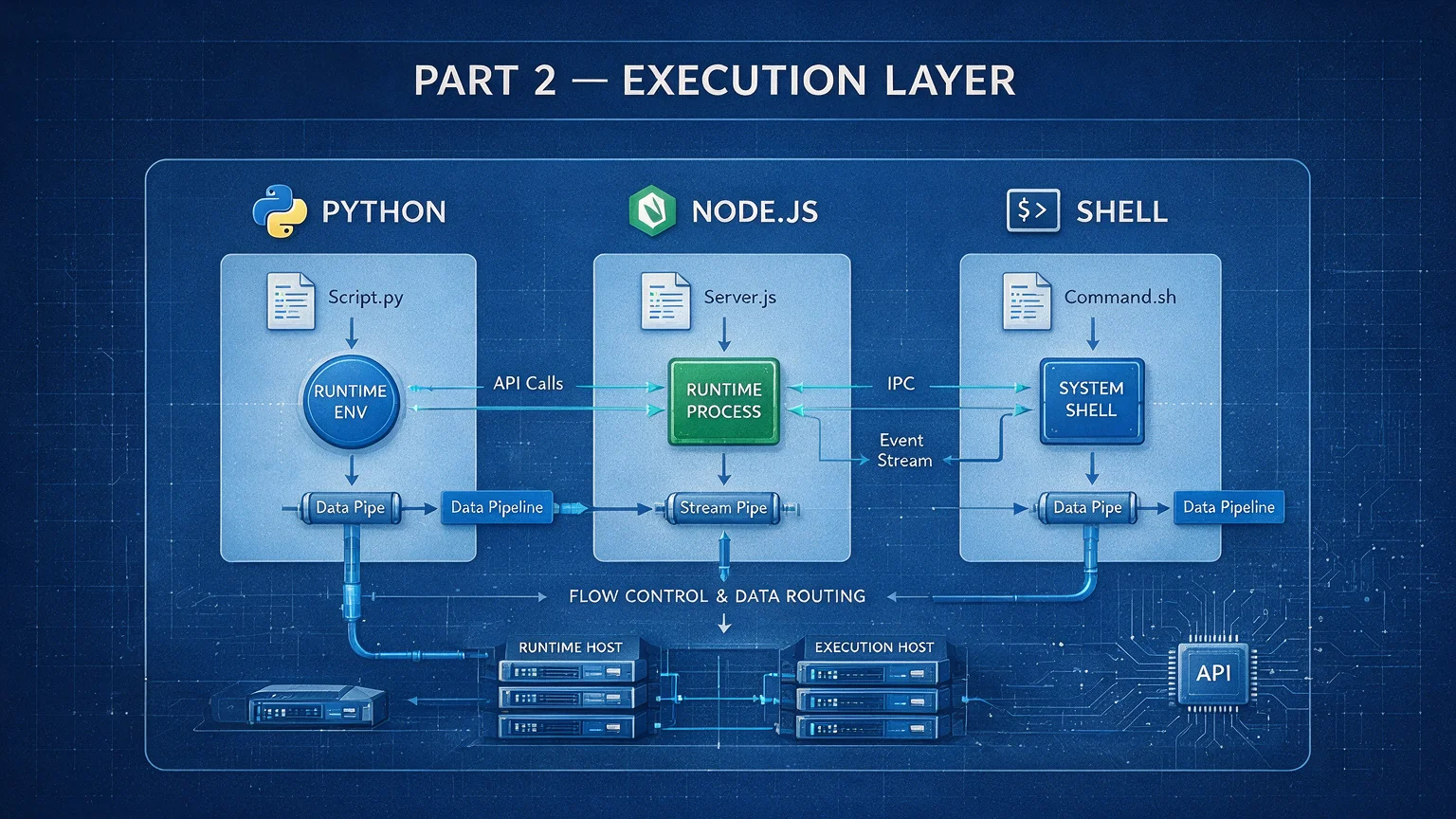
Part 2 — Execution Layer (Where the Work Happens)
Real story. Not a hypothetical.
Last year I built a social-media collection Skill — 6-step workflow, every step a SubAgent. By step 4, Claude had compacted half of the earlier conversation. The execution detail from steps 1–3 was gone. Variable names, paths, partial state — all of it. The downstream steps started misfiring.
I ran the math afterward. Six SubAgent steps, each injecting roughly 3,000 tokens of execution history into the main context — 18,000 tokens just from the SubAgent overhead. Plus the conversation accumulation. The window blew.
That crash taught me one thing: not every job needs the AI brain.
If Part 1 was the skeleton, Part 2 is the muscle. The question that organizes everything below: how many steps in your workflow actually need an AI to think?
5. Script spec — let machines do the labor
5.1 What the spec says
One-line definition: scripts are the manual labor of a Skill. Anything deterministic, anything that doesn't need AI judgment, hand it to a script.
What does "deterministic" mean? Same input, same output, no thinking required.
Examples: pulling data from an API, splitting 150 records into 5 batches, converting JSON into Markdown, uploading a file to cloud storage. None of that needs Claude's brain. It needs Claude's hands — and ideally not even that.
If a Skill is a restaurant, SubAgents are the chefs (creativity, judgment) and scripts are the dishwashers and runners — no decisions, just reliable execution of a defined task.
Let me show you the contrast in numbers. Every time a SubAgent runs, its conversation history gets injected into the main context — typically a few thousand tokens. A script, by contrast, is a black box from the main conversation's point of view. No matter how much data it processes internally or how many APIs it hits, the main conversation only sees one return line:
"Done. 150 records processed. Results at step01-collect/data.json."
That line is roughly 50 tokens. Compared to the 3,000+ a SubAgent would have spent, that's a 60× reduction.
Standard directory structure
Scripts live under scripts/, organized by runtime:
Why a sub-folder per runtime? Because Python has its venv and pyproject; Node has its node_modules and package.json — mixing them creates dependency interference. Per-runtime folders keep dependencies isolated, like keeping different reagents in different cabinets.
Python is the default workhorse — its ecosystem covers API calls, data wrangling, and file ops most ergonomically. Other runtimes get added on demand. Don't create what you don't use.
Four key design points for a standard script
Every Python script in my system follows the same skeleton, like a fast-food kitchen running standardized prep. Whichever location, the same flow:
The main function returns a status dict, not a printed mess. The return is a single clean status object, period.
Error messages truncated to 100 characters. Stops a stack trace from blowing out the output.
Paths come in as command-line args. The run directory is passed in from outside; the script hard-codes nothing.
Exit codes are semantic. 0 = success, 1 = failure, so the main Agent knows what to do next.
Return-value spec
The return value is the wire protocol between the script and the main Agent:
Field
Required
Notes
ok
yes
Whether execution succeeded (boolean)
count
no
How many records processed
output
no
Relative path to the output file
total_batches
no
How many batches
uploaded_url
no
Upload destination
err
required on failure
Error description
Notice: the return is a status summary, not the data itself.
Those 150 collected records are already on disk. The return value just says "I'm done, 150 of them, written to step01-collect/data.json." If you returned all 150 records inline, that's tens of thousands of tokens of context waste.
How the main Agent calls a script
The main Agent calls scripts via the command line. It first cds into the script directory (so the venv and dependency files are found), then runs the script with uv run (the modern Python package runner), passing the run directory as an argument.
Once the main Agent has the status back, the typical loop is:
Parse the status, confirm success
If needed, read the output file to inspect results
Update the progress file
Move to the next step
HTTP API call spec
Scripts very often hit external APIs. Standard practice:
Library choice: prefer the Python standard library (zero-dep). For more complex needs, httpx (modern HTTP client).
Timeouts: always set a timeout (30–120 seconds is the common range). A timeout-less request can hang forever.
Retries: 5xx errors → exponential backoff (1s, 2s, 4s), max 3 tries; 4xx → don't retry (the request itself is wrong).
Rate limiting: read the server's Retry-After header, wait the indicated duration.
What does exponential backoff mean? Wait 1s after the first failure, 2s after the second, 4s after the third. Doubling intervals avoid hammering a struggling server. Like knocking on a door — you knock, wait a bit, knock again, wait longer. Not knock-knock-knock-knock.
Script vs. SubAgent vs. MCP — how to choose
Dimension
Script
SubAgent
MCP tool
Context cost
Zero (one status line)
High (thousands of tokens)
Medium
Best for
Deterministic ops
AI judgment needed
Web fetching
Build cost
Medium (you write code)
Low (you write a Prompt)
Low (use a ready-made tool)
Rate-limit control
Precise (code-level)
None
Depends on the server
Debuggability
High (run locally, log freely)
Low (AI behavior is hard to predict)
Medium
A simple decision: does this operation require thinking?
Anthropic's guidance puts it well: many useful Skills run entirely on Claude's built-in capabilities — writing, analysis, code generation. MCP integration is optional and incremental. In other words: don't dismiss a Skill idea just because there's no MCP tool for it.
Hybrid execution — the core token-saving trick
In a typical 6-step workflow, only 1–2 steps actually need a SubAgent. The rest can be scripts. Let's run the numbers:
Step
Executor
Token cost
Step 1: collect
Script
+50
Step 2: batch
Script
+30
Step 3: score content
SubAgent
+8,000
Step 4: merge results
Script
+30
Step 5: upload
Script
+50
Step 6: notify
Script
+30
Total
8,190
If everything were a SubAgent? 6 × 3,000 ≈ 17,500 tokens. The hybrid mode saves 53%.
When you add batches (say 6 batches of 6 steps = 36 operations) the gap goes vertical:
All-SubAgent: 36 × 3,000 = 108,000 tokens — over 60% of usable space, gone
108,000 down to 19,500. 82% saved. That's the math behind "use a script if you can."
A more visceral picture: imagine a 100-square whiteboard (the 200K window). A SubAgent draws a 3-square block (a fat marker). A script makes a tiny dot (a pencil tick). Six SubAgent steps fill 18 squares. Hybrid mode barely fills one. Same work, one whiteboard nearly full, the other nearly untouched.
Dependency management
Declare Python dependencies in pyproject.toml, manage them with uv.
Banned: requirements.txt (no real lockfile) and pip install (use uv sync).
Shared modules
When multiple scripts share logic, put it in scripts/python/shared/. The most common shared module exposes run-directory helpers:
Function
Purpose
init_run_dir
Create a run directory
get_latest_run
Get the most recent run
complete_run
Mark a run finished
Multi-mode script organization
When the Skill supports multiple modes, scripts split by mode too:
Folder
Notes
scripts/python/clone/
Clone-mode scripts
scripts/python/timeline/
Timeline-mode scripts
scripts/python/shared/
Shared modules
scripts/python/merge.py
Shared script (root-level)
Rule: mode-specific scripts go in the mode folder; shared scripts go at the root or in shared/.
Banned
Banned
Why
Calling LLMs from inside a script
Deterministic ops don't need AI; mixing one in destroys the "zero context" advantage
Heavy stdout logging
The main Agent captures stdout; heavy logging = context pollution
Decision-making inside a script
"Which path to take next" belongs to the Agent; scripts walk paths, they don't choose them
Hard-coded paths
All paths arrive as parameters; hard-coding means "works on my machine"
Calling external tools from scripts
External tools belong to the workflow layer; scripts are pure code
Two more from Anthropic's best-practice guidance:
Solve, don't punt: when a script hits an error, it should handle it itself (create a default file, fall back to an alternative), not bail out and force Claude to guess.
No "magic constants": every config value (timeout, retry count, etc.) needs a comment explaining why that value. TIMEOUT = 47 is bad — why 47? TIMEOUT = 30 # HTTP requests usually finish under 30s is good. Same gospel as "code is for humans first."
5.2 Why it's designed this way
The math is already on the table — 108,000 down to 19,500, 82% saved; minimal returns; pass paths, not contents. Not going to rederive it. Three operational "whys" worth a closer look:
Why uv run instead of plain python?
uv run activates the venv, installs deps, then runs the script. Plain python may use the system interpreter — which has none of your project deps, so the script fails with ModuleNotFoundError. uv run is the kind butler who sets the table for you before serving.
Three script potholes I've stepped in
Pothole 1: __pycache__ serving stale code. I edited a script, ran it, and behavior didn't change — Python was running cached bytecode. Habit fix: rm -rf __pycache__ while debugging.
Pothole 2: Script output flooded the context. Early on I print-debugged everything; the main Agent dutifully captured all of it and injected it into context. Fix: log to a file, only return the JSON status line on stdout.
Pothole 3: Forgot to set HTTP timeout, script froze. An API server got slow once and my script hung for 10 minutes before the system killed it — no timeout= parameter set. Fix: every HTTP call gets timeout=30 (or longer). I'd rather fail fast and retry than wait forever.
Scripts are the unsung heroes of a Skill — 80% of the work, 0% of the context.
6. Prompt templates — directing the SubAgent
6.1 What the spec says
One-line definition: a Prompt template is the brief you write for a SubAgent — who you are, what to do, how to do it, how to report.
If scripts are the manual labor, SubAgents (sub-agents — Claude's "junior selves") are the brain workers — anything that needs semantic understanding, judgment, or creative writing. The Prompt template is your project brief to that brain worker.
A good brief lets an intern ship a project unsupervised. A bad brief leaves a PhD lost.
Location: reference/prompts/
Naming: semantic prefixes that telegraph intent at a glance:
Prefix
Use
Example filename
batch-
Batch-processing tasks
prompt-batch-analysis.md
init-
First-pass generation (from zero)
prompt-init-persona.md
iterate-
Incremental updates (new data folded into old)
prompt-iterate-merge.md
final-
Final output
prompt-final-report.md
eval-
Scoring
prompt-eval-quality.md
merge-
Merge processing
prompt-merge-results.md
prepare-
Preparation phase
prompt-prepare-data.md
Template doc structure
Each Prompt file isn't raw Prompt text — it's a complete document with two parts:
Metadata block: tells the developer which step this Prompt is used in and which parameters to launch the SubAgent with. Includes purpose, applicable step, SubAgent type, model, whether to background-run.
Prompt body: the actual instructions sent to the SubAgent.
The 6 ingredients of a working SubAgent Prompt
A complete Prompt looks like a military order. Six parts:
Role: who you are ("You are a content quality reviewer")
Run paths: where input lives, where output goes
Steps: what to do, 1-2-3
Standard: how to judge (scoring rubric, classification rules)
Output format: what the result should look like
Return format: only return a minimal status line
I once made a painful mistake — I embedded 30 records of note data directly inside a Prompt. By the time the SubAgent finished, the main context had ballooned by 7,600 tokens. After 3 batches Claude said: "Approaching context limit."
That's when I made this rule iron:
Path-first principle — the most important Prompt rule
Pass paths, not contents.
The single most important rule in Prompt design.
Imagine asking a colleague to review a report. Would you paste the full PDF into Slack? Of course not — you'd say "the file's at this shared-drive path, take a look."
Same here. A Prompt should never embed large data blocks. Compare:
Dimension
Pass contents (wrong)
Pass paths (right)
Main context
Bloats ~7,600 tokens per batch
Stays clean
SubAgent flexibility
Passive — data already injected
Active — reads what's needed
Maintainability
Template and content coupled
Decoupled
Token transit count
3 (inject → process → echo)
0 (data only flows inside the SubAgent)
Pass-by-path is one short line (~20 tokens). The SubAgent reads the file with its own Read tool. The contents stay inside the SubAgent's context, never flow back to the main conversation.
It's "self-serve buffet" vs. "table service." Self-serve, you take what you want, no waste.
Allow-list design
When you set behavior boundaries for a SubAgent, prefer an allow-list (white-list) over a "do not" list (black-list):
Just list the tools the SubAgent is allowed to use — read, write, list directory, run command. Anything outside that list is forbidden by default.
Why allow-list beats deny-list:
Deny-list reads "you can't do X, can't do Y, can't do Z" — easy to leave gaps and the list grows forever. Allow-list reads "you can do A, B, C only" — short, sharp boundary.
A practical pothole: if you only allow read and write, the SubAgent can't list a directory (needs the list-directory tool) or run a script (needs the command tool). Read + write + list-directory + run-command is the battle-tested minimum kit.
Instruction freedom
Not every Prompt needs to micromanage. Match the freedom to the task's "fragility":
Anthropic uses a great analogy — narrow bridge vs. open plain:
Narrow bridge (cliffs on both sides): one safe path → strict instructions, hard rails (low freedom). Example: a database migration that must run in exact order.
Open plain (no obstacles): many roads to Rome → give direction, trust Claude to find the best path (high freedom). Example: code review, where the best approach depends on context.
Iteration-style Prompts
When a task needs multiple rounds (new data folding into an existing analysis), use iteration mode. Core flow:
Round 1 (initial generation): start from scratch, create the first version
Round 2+ (incremental): fold new data into the old version, don't rewrite from zero
Folding has a priority order — new findings > consensus reinforcement > core points > edge details.
In plain English: brand-new insights (not in the prior version) get folded first; data that confirms existing claims comes second; edge details last.
Token budget grows elastically too — 3% per round, capped at 60% growth. A baseline of 4,000 tokens reaches 5,080 by round 10 and tops out at 6,400 by round 21. Like writing an essay — first draft 4,000 words, each revision can stretch a bit, but not balloon forever.
Hard bans
Banned
Why
Embedding large data blocks in a Prompt
Pass a path, let the SubAgent read it
Variable arithmetic (e.g. version - 1)
No engine evaluates that; use a "latest pointer" file instead
Reading a directory directly
Triggers an error; list files first, then read each
6.2 Why it's designed this way
The path-first math is already done — main-context burn drops from 7,600+ to under 100, and minimal returns let the SubAgent just say "done." Skipping the rederivation, jumping to the practical takeaways.
Three golden rules for writing Prompts
Rule 1: Paths first, instructions second. The first three lines of a Prompt should be: where is the input, where does the output go, where are the references. The SubAgent reads the paths and pulls the rest itself — 60× more efficient than stuffing contents in.
Rule 2: Use allow-lists instead of deny-lists. Don't write "don't do X, don't do Y" — you'll never finish the list. Write "you can use read, write, list-directory, and run-command." One line, sharp boundary.
Rule 3: The return value says three words: "done." Don't let the SubAgent re-narrate its analysis in the return. The result's already in a file. The return value only needs: success/failure + count + path. I've watched too many people wreck themselves here — SubAgent returns a wall of analysis, main context blows in one breath.
The whole secret of writing a good Prompt fits in five words: pass paths, not contents.
7. Variable placeholders — the glue that strings everything together
7.1 What the spec says
One-line definition: variable placeholders are the messengers between every file in a Skill — step docs reference the run directory, Prompt templates reference input paths, scripts receive parameters. Variables connect it all.
Think of a movie script. It says "the lead enters [LOCATION]." On set, [LOCATION] becomes "the coffee shop." Variable placeholders are the script's [LOCATION] — written as a placeholder, replaced at runtime.
Two variable systems
A Skill has two distinct variable systems — two languages, two purposes:
System
Syntax
Source
When replaced
Examples
Workflow variables
Single curly braces
Generated by the main Agent at runtime
When executing a step
run_dir, batch_id
Platform official variables
Dollar prefix
Injected by the platform when loading a Skill
When SKILL.md loads
ARGUMENTS
Don't mix them. Workflow variables are a spec convention — you write them in step docs and Prompts, the main Agent substitutes the real path during execution. Platform variables are a system feature — Claude Code itself does string substitution at load time.
Core workflow variables — quick reference
The ones you'll touch most when writing step docs and Prompts:
Variable
Meaning
Example value
skill_dir
Skill install directory
The Skill's root
run_dir
Current run directory
skill_dir/runs/<this run>/
batch_id
Batch number (starts at 1)
1, 2, 3
batch_count
Total batches
6
count
Items in this batch
30
input_path
Input file path
A step's output under run_dir
output_path
Output file path
run_dir/output/
mode
Mode name (multi-mode Skills)
clone, timeline
keyword
Runtime keyword
claude-code
timestamp
Timestamp
2026-01-23T10:30:00Z
The two that matter most: skill_dir and run_dir.
skill_dir = the Skill's "home" — code, config, references all live here
run_dir = this run's "workspace" — all runtime data lives here
Their relationship is "factory" vs. "work order." The factory is fixed (skill_dir); each new order opens a new ticket (run_dir).
Platform official variables
Variable
Meaning
Use case
ARGUMENTS
Args passed when invoking the Skill
Dynamic context injection
CLAUDE_SESSION_ID
The current session's unique ID
Log tracing, temp file naming
ARGUMENTS is the workhorse. Build an Issue-review Skill, and a user typing /awp-issue-reviewer 42 makes ARGUMENTS resolve to 42. The doc becomes "review Issue #42" and the system can also auto-run a command to pull issue details.
The platform substitutes variables first, runs commands second, injects results into the doc, hands the whole thing to Claude. One line of config, real-time context auto-loaded.
keyword generation rules
keyword is the heart of run-directory naming. It's extracted from the user input and standardized.
Multi-mode Skills add a mode prefix to the run directory: clone-design-creator-20260123-103000.
Substitution rules summary
Rule
Notes
Workflow variables
Used in step docs and Prompt templates; substituted by the main Agent during execution
Platform variables
Used in SKILL.md; substituted by the platform on load
Paths must be absolute
Relative paths may not expand inside a SubAgent
No variable arithmetic
"version − 1" won't be evaluated
Don't pass content variables
Pass paths, not content
7.2 Why it's designed this way
Why two variable systems?
Because they speak to different "readers."
Workflow variables are written for the main Agent. You write run_dir in a step doc; the main Agent reads context and substitutes the real path. That's a semantic convention.
Platform variables are written for the Claude Code platform. When a Skill is triggered, the platform does source-level string substitution. That's a system mechanism.
What if you mix them? Workflow variables in SKILL.md — the platform doesn't recognize them, no substitution. Platform variables in step docs — no platform pre-processing, Claude reads them as plain text. Each goes home to the wrong house.
You may think "variable" sounds technical. You use variables every day. Your name is a variable, pointing at "you." Your phone number is a variable, pointing at your phone. Skill variables are the same — they happen to point at file paths.
Why ban variable arithmetic?
"version − 1" looks convenient — "I want to read the previous version." Reality is harsh: no engine parses that as math.
How do you read "the previous version"? Use a latest-pointer file.
Example: create feedback_latest.md, update it after each iteration to point at the newest version. The Prompt says "read feedback_latest.md under run_dir" — the SubAgent gets the latest version without ever knowing the version number.
Like the "new arrivals" shelf at a library — you don't memorize the latest call number; you walk to the shelf and pick up whatever's there.
Why must paths be absolute?
SubAgents run in isolated environments. Their "current directory" may not be what you assume. Relative paths can fail to expand in some environments.
Only absolute paths are deterministic — wherever they execute, they always point at the same file.
Like shipping a package — write "Leo's house" and the courier has no clue. Write the full address and you're golden.
Why standardize keyword?
Because keyword becomes a directory name, and directory names have hard rules:
No spaces (the shell splits paths on spaces)
No special characters (@ # / have meaning to the filesystem)
Case sensitivity differs (macOS default insensitive, Linux sensitive)
Length limits (the OS caps total path length)
Standardizing "Claude Code Tutorial" to claude-code gives you a clean, safe, cross-platform directory name. Keep the raw input in the progress file so you can show users the original when needed. Best of both.
Variables in motion across a real workflow
Concrete example. Trace one variable from birth to death:
Step 01 init → user enters "Claude Code Tutorial," keyword becomes claude-code, run_dir is generated, directory structure created, progress file written. run_dir is born.
Step 02 collect (script) → main Agent builds the command, passes run_dir as a script argument. Script runs, data lands in run_dir/step02-collect/. run_dir traveled to the script.
Step 03 evaluate (SubAgent) → main Agent builds the Prompt, fills run_dir and batch_id into file paths. SubAgent reads files, runs the eval, returns a status line. run_dir + batch_id traveled to the SubAgent.
Step 04 generate → final results land in run_dir/output/. The completion report references the output path.
See it? run_dir is a thread that ties init, script call, SubAgent Prompt, and final output together. Without that thread, every step is an island — script doesn't know where to write, SubAgent doesn't know where to read, final output has nowhere to go.
Variables are glue. Without them, every step is an island.
Try this: pick one task you currently run via SubAgent. Look at the steps. Which ones could be scripts?
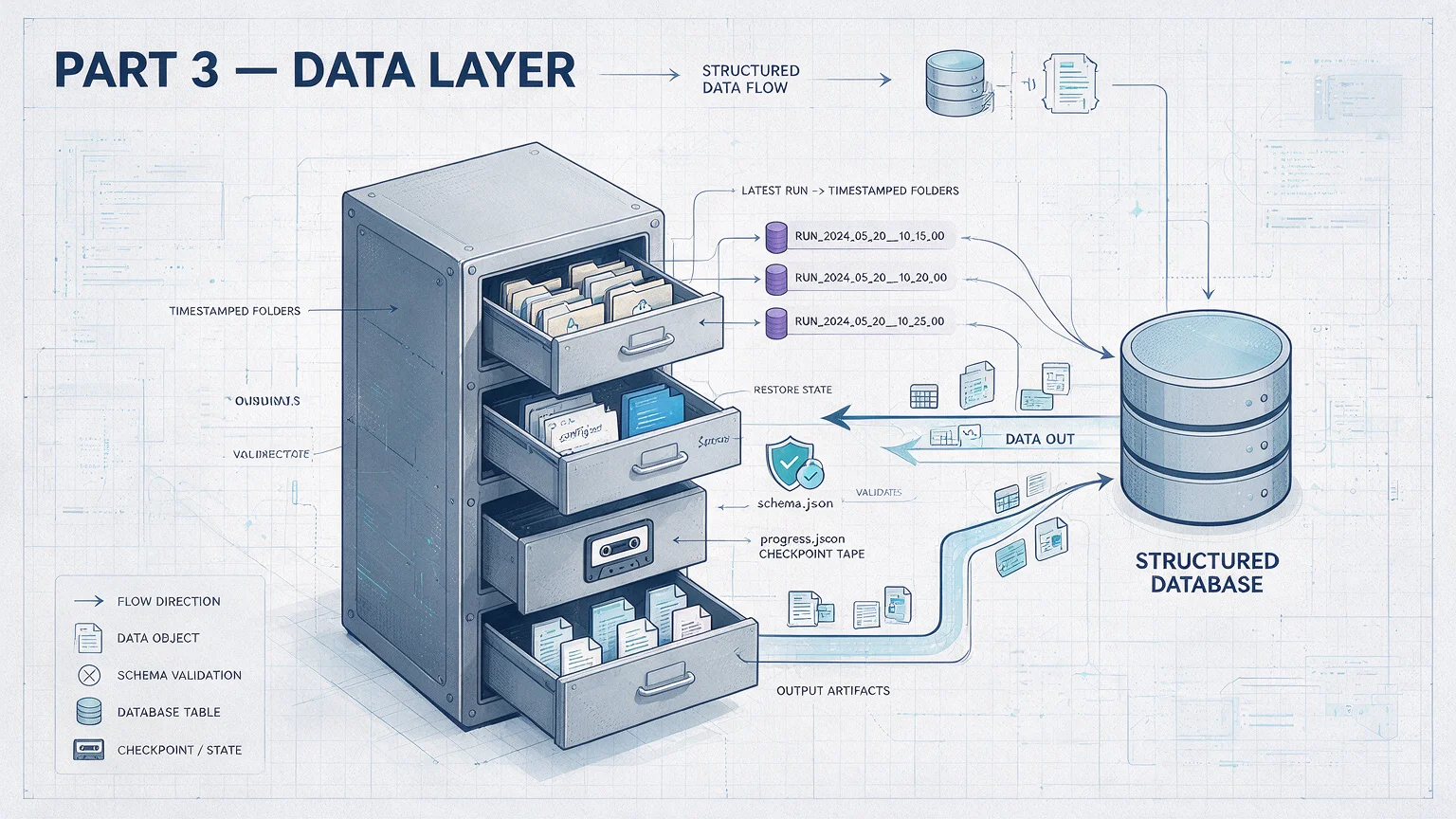
Part 3 — Data Layer (the Foundation Under Runtime)
Quick question.
Your Skill has been running for 20 minutes. Data collection: done. Analysis: done. Scoring: done. Then Step 4 hits an API 429 (too many requests).
Start over? That's 20 minutes of work in the trash.
Worse — if you didn't persist intermediate files, you don't even know where to start over from.
This is not hypothetical. I hit it every month.
The data layer solves exactly this. It's not a nice-to-have. It's disaster recovery.
8. Run-data spec — the on-site record of every execution
8.1 What the spec says
Picture yourself as a detective. Every crime scene gets photos, video, notes. If you tossed every case's evidence into one box, querying any single case becomes a nightmare.
The run-data spec solves that. Every Skill execution is an independent "case file" — orderly logging and storage required.
The runs/ directory
All run data lives under runs/ at the Skill root. Each sub-folder is one independent run.
A typical Skill might have these:
Run folder
Meaning
chatgpt-20260219-143052/
The 14:30:52 run on 2026-02-19
react-hooks-20260218-091530/
Run from the day before
openai-api-20260217-200015/
An older run
Run-folder naming
Each name = keyword + timestamp.
The keyword half is extracted from user input via the standardization rules:
The other half is a second-precision timestamp (YYYYMMDD-HHMMSS), so even running the same keyword back-to-back doesn't collide.
Think of it as a tracking number: front half tells you who it's about, back half guarantees uniqueness.
Multi-mode Skills prepend the mode: clone-design-creator-20260123-103000.
Inside a run folder
Each run has fixed and dynamic sub-folders.
Fixed folders — only two, and required for any Skill:
Folder
Purpose
state/
Progress: "where am I"
output/
Final output: what gets handed to the user
Dynamic folders are defined by the workflow table, in stepNN-action/ form:
Folder
Purpose
step01-fetch/
Raw data from step 1
step02-analyze/
Intermediate results from step 2
step03-generate/
Drafts from step 3
Like an assembly line — each station has its own work-in-progress; only the final output ships from output/.
progress.json — the heartbeat of a run
state/progress.json is the most important file in the entire run-data spec. It's the live execution state. Key fields:
Field
Notes
keyword / keyword_raw
Standardized keyword / original user input
created_at / updated_at
Created / last update timestamp
step
Which step is current
step_status
Per-step state: pending / running / done / failed
Resume hint
A memo for restoring state after a context compaction
The resume hint is a clever bit — it records "which executor", "what constraints", "where to continue from." When a context compaction kicks in (the conversation got too long and had to free space), a fresh round can read this file and pick up where the last one stopped.
progress.json is the sticky note on your front door — "laundry's still spinning, milk in the fridge expires today."
You may think "progress file" sounds engineering-heavy. It's a JSON file recording three things: where you are, what worked, where to resume. That's it.
Two progress modes
Mode
Use case
Analogy
Batch mode
Large data, processed in chunks
Moving 500 boxes, 100 at a time, "I've done 2 batches"
Item mode records: per-item state (pending, done, failed and retry count).
Cleanup policy
Run state
Retention count
Retention time
Successful
Latest 5
7 days
Failed
Latest 10
30 days
Important (.keep marker file)
Forever
Forever
Drop an empty .keep file in a run folder to mark it for permanent retention.
Resume flow
After a context compaction, the new Agent reads progress.json → checks the resume hint → continues from the breakpoint (full resume flow detailed in Chapter 18).
8.2 Why it's designed this way
Why one folder per run?
Isolation. If runs shared a folder, the second run would clobber the first run's intermediate files. Independent folders are full snapshots — replayable, individually deletable, mutually inert.
Why include keyword in the folder name?
Pure timestamps are unique but illegible. With 50 sub-folders, you can't tell which is which. The keyword is the tag on the folder.
Why are state/ and output/ the only fixed folders?
Minimum common subset. No matter what the Skill does, it needs to know "where am I" (state) and "what got produced" (output). Everything else is workflow-defined.
Why retain more failed runs?
Successful runs all look alike — 5 is plenty for reference. Failed runs are different in interesting ways — keeping more helps you spot patterns. Maybe every Step 3 failure is the same API timeout.
A real resume story
I once ran a social-media collection Skill, 6-step workflow. At Step 4 (content scoring) the API returned 429. SubAgent retried 3 times, marked failed.
Without a progress file, the only option is "start over" — Step 1 init, Step 2 collection (150 posts, 5 minutes of waiting), Step 3 batching, all wasted.
But because progress.json recorded the breakpoint, in a fresh session I just said "resume the last run." Claude read the progress file, saw Steps 1–3 done and Step 4 failed at batch 3. It picked up at Step 4 batch 3 — not a second wasted.
That's what the data layer is for. Not a nice-to-have. Disaster recovery.
The progress file is your save point. Game Over → load → continue.
9. Parameter config spec — the three-layer config model
9.1 What the spec says
If you've used a camera, you already understand this model:
Press the shutter, dial the aperture by hand — per-shot manual settings
The camera has defaults — works without tweaking
Scene modes — landscape / portrait / night, predefined bundles for quick switching
Skill parameter config is the same three layers:
Layer
Analogy
Source
Notes
L1 — Interactive
Adjust on the shutter
Asked at every run
Core params
L2 — Config
Camera defaults
Global default config file
Advanced params
L3 — Preset
Scene modes
Predefined option sets
Provides options for L1
L1 interactive — asked at every run
Collect core params via the interactive component, store in config.json under the run directory.
Typical fields: keyword, language, output format, creation timestamp.
Key principle: ask the minimum. 3–4 core params at most. If a param is selected the same way 90% of the time, it doesn't belong in L1 — push it to L2 as a default.
Picture walking into a coffee shop. The barista asks: "What kind of coffee? Large or medium?" Not: "What water temperature? Paper cup or ceramic?"
L2 config — global defaults
Lives at config/default.json, grouped by functional module, single level of nesting allowed.
Typical groups:
Module
Params
api
timeout, retries, request interval
processing
batch size, max items
output
language, output format
Core principle: sensible defaults — runs without modification, like a new laptop out of the box.
L3 preset — predefined option sets
Lives at reference/presets/. Provides options for L1 prompts.
A "markets" preset, for instance, contains "US English," "China Chinese," "Japan Japanese," with "US English" marked as default. The user sees a dropdown; the data behind it comes from the preset file.
Param precedence
Closer to the moment of execution wins:
L1 runtime > L2 default > script-internal default
Like CSS: inline > class selector > tag selector.
If the user says "set timeout to 60 seconds" right now, that's because they know this API will be slow today. That's more reliable than the default I set three months ago.
Domain config (optional)
config/domain.json holds business-logic config (scoring weights, content filtering rules) — separate from technical params. Because changing scoring weights is a product call; changing API timeout is a technical call. Different decision-makers, different change cadence.
9.2 Why it's designed this way
I designed a Skill once with all 12 params in L1. The user had to answer 12 questions every run. After the third use they said something I'll never forget: "Can you stop asking me so much? I just want to push a button."
After that day, "L1 ≤ 3-4 params" became iron law.
Why three layers?
Different params change at different rates. L1 changes every run (search keyword). L2 changes every few months (API timeout). L3 is fixed at release (which languages we support).
Mixing change rates is like throwing daily essentials and annual decorations into the same drawer.
Why minimize L1?
Every extra question is one more chance to annoy the user. 3–4 core params is the sweet spot validated in practice.
If you need 10 params to run, the abstraction is wrong — split into multiple Skills, or push more to L2.
Good defaults let 90% of users start with zero config, while 10% of power users tune freely.
Why only one level of nesting in L2?
One level is unambiguous — api.timeout is obvious.
Allow deep nesting and you get "api.retry.strategy.backoff.initial_delay" — dizzying. One level is the sweet spot between readability and expressiveness — keep grouping benefits, dodge the nesting maze.
10. Parameter Schema spec — the blueprint for dynamic forms
10.1 What the spec says
Filled out a government form? The boxes are pre-printed: name, ID, phone. Each box has format hints ("11-digit mobile only").
A parameter Schema is that form template — it doesn't contain the data, it defines what to fill, how to fill, what valid looks like.
Location: config/params.schema.json
Basic structure
A Schema file has a version, source identifier, and field list. Each field defines:
Schema key supports dot path, aligning with the nested structure of the default config file.
Write key: "processing.limit" and it maps to the limit field under the processing module in defaults. Like a mailing address — "US.CA.Some Road" maps to the actual hierarchy.
With 20 params, a nested-Schema definition becomes vertigo. Dot path flattens the nesting — one dot expresses hierarchy, structure preserved, nesting hell avoided.
Seven data types
Type
Notes
Typical use
string
Single-line text
Keyword, name, URL
integer
Whole number
Count, page
number
Float
Ratio, weight
boolean
Yes/No
Toggle
text
Multi-line text
Prompt template
preset (preset reference)
Points to a preset file
Bridges Schema and presets
json (free structure)
Complex data
Escape hatch — fits anything
First five are basic types; preset is the bridge between Schema and presets; json is the escape hatch.
Why exactly 7? Fewer than 7 forces you into manual type conversion. More than 7 hits a learning cliff. Four basic scalars + one extended text + one reference + one escape hatch = the minimum set covering all common needs. Seven Lego pieces — looks simple, builds anything.
Schema says "this field is keyword, string, required" — it doesn't say keyword is "ChatGPT." Actual values come from the three-layer config system.
Runtime injection
The system injects params via two environment variables into scripts:
Variable
Notes
SKILL_PARAMS_JSON
L1 raw — what the user provided this run
SKILL_PARAMS_RESOLVED
Merged — L1 + L2 + built-in defaults, layered
99% of the time use the resolved version. Use raw only when you need to distinguish "user-chosen" from "system-default."
10.2 Why it's designed this way
Ever filled out a form and learned mid-way that the format was wrong? I have. Uploaded a PDF — the system says "JPG only." Re-upload, "file too large." Schema exists to kill that experience — tell the user the rules before filling, not after.
Why a separate Schema file?
With Schema, the system can auto-generate interactive forms, auto-validate params, auto-generate documentation. That's the power of declarative design — you say "what I need," the system handles "how to do it."
Why an array of fields, not an object?
Params have order — keyword first, then language, then count. JSON object keys are unordered in theory. Arrays are ordered by nature. Field order is the user-facing order.
Why separate Schema from values?
Changing a default shouldn't change the Schema. Schema is a "structural contract"; defaults are an "operational decision." They have different change cadences and different approval flows. Physical separation is the right design.
Try this: add a progress.json to one of your Skills. The next time it dies mid-run, resume from the checkpoint.
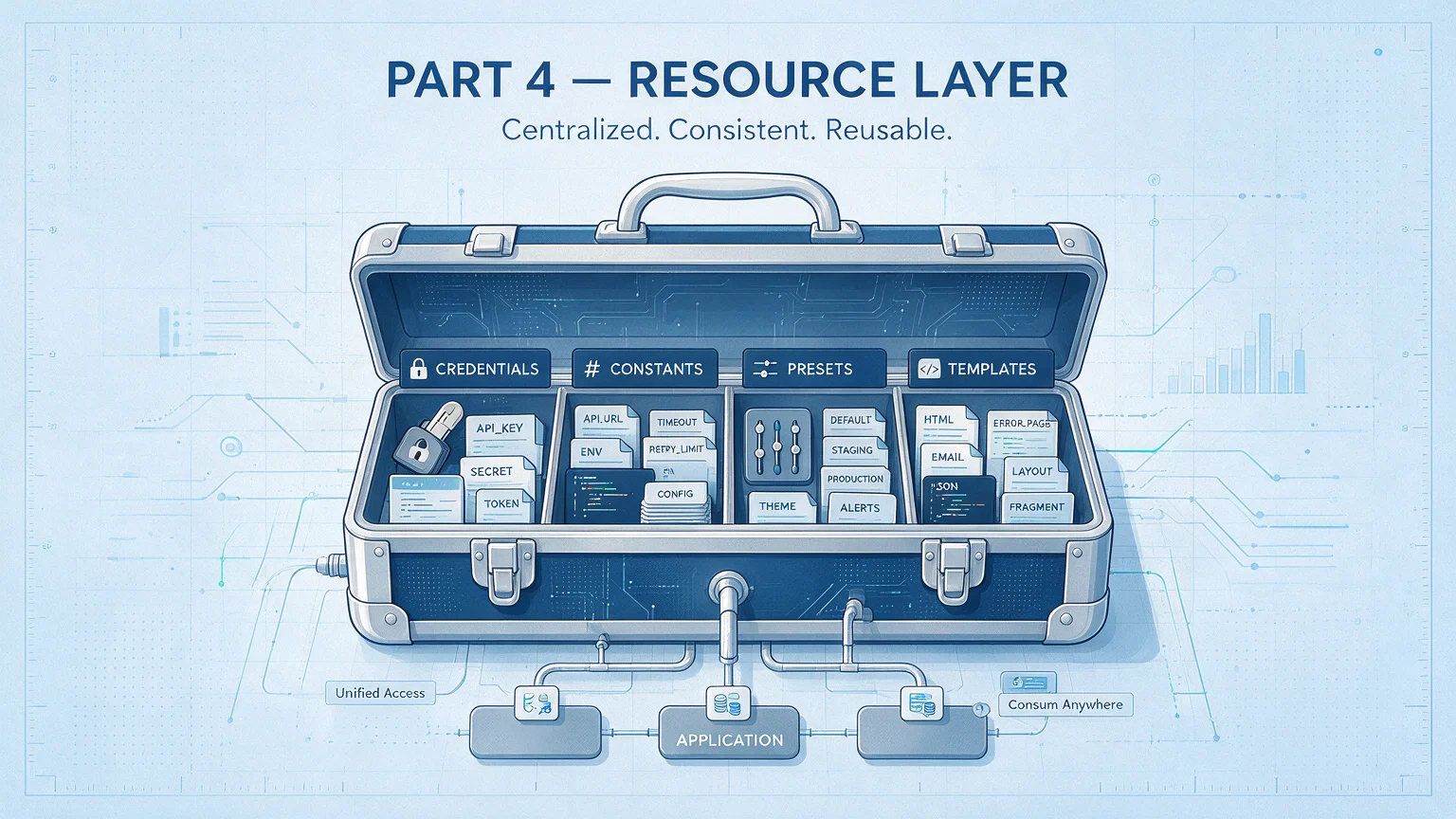
Part 4 — Resource Layer (the Polish)
One case I've seen: someone hard-coded an API key inside a Prompt, pushed the code to GitHub, and a scraper picked it up overnight. $3,000 in API quota burned in one night.
Another classic: three step docs each hard-coded "professional," "Professional," and "pro" — same concept, three spellings. The SubAgent treated them as three separate categories.
The resource layer kills these. Parts 1–3 made the Skill runnable. The resource layer makes it safely runnable, consistently runnable, gracefully runnable.
The resource layer at a glance — four resources, one table
Before diving into each, the global picture:
Resource
Folder
For whom
Core role
One-line distinction
Credentials
credentials/
Scripts
Safe API key storage
Keyring — opens doors
Constants
reference/definitions/
System / developer
Kill hard-coding, unify the data dictionary
Menu's flavor categories
Presets
reference/presets/
Users
Data source for interactive choices
Today's recommendations
Templates
reference/templates/
Output layer
Turn data into pretty pages
The typesetter — makes things look good
How they relate: credentials let scripts hit APIs to fetch data; constants define the legal values for that data; presets give users choice surfaces; templates turn the result into something nice to look at. Each has its own role; together they make a Skill feel "good to use."
11. Credential management — safety first
11.1 What the spec says
One-line definition: a credential file is a Skill's keyring — it stores all API keys (the access tokens for external services), tokens, and service account info, so scripts can call external services safely.
You may think: I have one API key, what does it matter where it lives? Answer: wrong place can really hurt.
To enter a corporate building you need a badge. For a Skill to call an external API, it needs an API key. The credential file is where the badge lives — the spec ensures every badge sits in its assigned slot, not loose.
Location: credentials/
The only allowed format: JSON
Iron rule. Credential files are JSON only. No Markdown, no .env (environment-variable file), no YAML.
Why so strict? Scripts need to parse credentials reliably. JSON parses with the standard library of any language. If multiple formats were allowed, scripts would need branching: "if YAML do this, if .env do that."
One format unifies the world. All branches disappear.
Standard credential structure
Each credential file has these key fields:
Field
Required
Notes
schema_version
yes
Version, currently "1.0"
name
yes
Service identifier, lowercase (e.g. tikhub, openai)
kind
yes
Authentication type (table below)
auth
yes
Auth info (structure varies by kind)
status
no
Status flag (active / expired)
description
no
Service purpose
kind types (auth types)
The kind field is the "model number" of a key — different model, different lock:
kind
When
Typical services
api_key
Single-token call
OpenAI, platform open APIs, Brave
oauth1
OAuth (open authorization protocol) 1.0a
Legacy social platform APIs
oauth2
OAuth 2.0
Google, GitHub Apps
username_password
Username + password login
Legacy web services
ssh_key
SSH (secure shell) + Token
GitHub SSH
multi_account
Account collection
Multiple accounts on the same service
reference
Pointer to external info (no secret)
Server lists, doc links
Different kinds have different auth shapes, like different key teeth:
api_key (most common, simplest): one auth method + one token
oauth1 (e.g. legacy social APIs): API key + key secret + access token + access token secret + Bearer Token — five fields
Credential independence — every Skill self-contained
The most important design principle in credential management: each Skill keeps all credentials inside its own credentials/, no external paths.
What's "no external paths"? Your scripts must never reference a credential file outside the Skill folder.
Why? Because credential independence = Skill portability. Imagine sharing your Skill with a teammate — if the credential lives in your personal external folder, their machine doesn't have that folder, and the Skill won't run. With credentials inside the Skill, they only need to drop in their own API key.
When auditing a Skill, leave configured real keys alone
11.2 Why it's designed this way
Why JSON only?
The answer hides in the "kill the branches" design philosophy.
If we allowed three formats — JSON, YAML, Markdown — that's 3× the parsing logic, 3× the edge cases, 3× the bug surface. YAML's indentation rules trip people; Markdown table parsing needs regex. JSON is the lingua franca — zero deps, zero ambiguity.
Why credential independence?
Thought experiment. Suppose your Skill depends on an external credential path:
Scenario
What happens
Share with a teammate
They don't have that path; Skill errors on import
Move to another machine
External path may not exist
External credential format changes
Your Skill's parser silently breaks
Debugging an error
Hard to tell if the bug is in the Skill or the external config
With credential independence, all those risks vanish. The Skill is a self-contained "app" — drop it in, fill in the keys, run.
Why does auth structure vary by kind?
Because the underlying auth methods differ that much. Single-token only needs a token. OAuth 2.0 needs client ID + secret + access token + refresh token + token endpoint — five fields.
Force them into one shape and you either lack fields or have lots of empty ones — like using the same form for "key card number" and "bank account info." Naturally different formats.
The kind field is a type tag; the script reads it and knows which fields to look for. Type tags keep parsing crisp.
12. Constant definitions — kill the magic strings
12.1 What the spec says
One-line definition: a constant definition file is a Skill's data dictionary — collect hard-coded strings scattered across the code into one place, give each value a name and a description.
What's a "magic string"? A hard-coded value that just appears in code with no context.
Say your Skill judges tone style and the code has "professional", "casual", "friendly" sprinkled around. Where did those come from? What are all the valid values? Who defined them? If you wanted to add "humor", how many places would you change?
The constant-definition file is the antidote — every legal value lives in one place.
Location: reference/definitions/
Common types
Type
Filename
Use
Format
format-definitions.json
Output formats
Tone
tone-definitions.json
Tone styles
Category
category-definitions.json
Category labels
Scoring
scoring-definitions.json
Scoring dimensions (with weights and scales)
Status
status-definitions.json
Status enums
Standard structure
Each definition file has version, type, purpose, and a list of definition items. Each item has:
Field
Required
Notes
id
yes
Unique identifier, lowercase + hyphens
name
yes
Display name (e.g. "Professional")
description
recommended
Detailed explanation
example
optional
Example
default
optional
Whether default
weight
optional
Weight (for scoring definitions)
scale
optional
Range (for scoring definitions)
Scoring definitions are the most complex type. Each item is more than a label — it's a complete evaluation standard, with weights (0–1, summing to 1 across all items) and scoring range. The SubAgent reads it and is ready to judge.
Usage
In a Prompt, reference the path (don't pass content) — tell the SubAgent where the scoring rubric is and let it read it. Context stays clean.
12.2 Why it's designed this way
Why kill magic strings?
The name itself is telling — "magic" string. Like real magic, you don't know where it came from, why it's there, or what blows up if you change it.
Magic strings are the petri dish of code rot. Real scenario:
Your Skill uses tone in three places — Step 01 user choice, Step 03 Prompt template, Step 05 output formatting. Hard-coded everywhere. Now requirements change: rename "professional" to "formal". You search-replace across three files. Miss one and you've got a bug.
With a definition file: all three reference tone-definitions.json. Change once, global effect. Zero misses, zero inconsistency.
That's the single source of truth principle — define a concept once; everything else references that single definition.
Why separate from presets?
Most-asked beginner question — definitions and presets look similar, why two folders?
One-line distinction: definitions are "internal system constants," presets are "user-facing option sets."
Dimension
definitions
presets
For whom
System and developers
Users
Typical use
Type checks in scripts, standards in Prompts
Source of interactive choices
Examples
Tone types, scoring dimensions, output formats
Persona presets, target markets, keyword sets
Simple analogy: definitions are the menu's "cuisine categories" (Sichuan, Cantonese, Shandong); presets are "today's recommendations" (Kung Pao Chicken, White-Cut Chicken, Sweet & Sour Carp). Categories are internal logic; recommendations are user choices.
Change one place, the whole world updates — that's the power of single source of truth.
13. Preset configs — the data source for user choices
13.1 What the spec says
One-line definition: a preset file is a "menu" — when a Skill needs to ask "which one do you want?", the choices are loaded from preset files.
Walking into a tea shop. The clerk doesn't say "tell me anything" (decision paralysis); they hand you a menu: "Bubble milk tea, taro milk tea, Yang Zhi Gan Lu — today's pick is Yang Zhi." That menu is the preset file's job.
Location: reference/presets/
Common types
Type
Filename
Use
Persona
persona.json
AI persona configs
Markets
markets.json
Target market list
Keywords
keywords.json
Predefined keyword sets
Templates
templates.json
Content templates
Topics
topics.json
Topic categories
Standard structure
Base structure mirrors definitions (version + item list), but each preset item can carry arbitrary extension fields.
Because a preset is essentially a "config bundle" — each option is a group of params. A persona preset, beyond id and name, carries tone, vocabulary style, sentence preferences, and other detailed traits.
Relationship with user interaction — the main use
Presets exist mainly to feed user interactions. The init step in a workflow typically asks the user a few questions; the options shouldn't be hard-coded in the step doc — they should load from preset files.
Key constraints
Constraint
Value
Why
Option count
3–6
Too few is meaningless, too many is a maintenance burden
Interactive display
Up to 4
UI limit, beyond which options don't render
Default option
At least one
Fallback when the user picks nothing
Hard cap
≤ 20
Past 20, both users and maintainers struggle
Three-layer config relationship
Data flow: L3 preset → loaded as L1 options → user picks → written to run config.
13.2 Why it's designed this way
Why load options from a file instead of hard-coding?
Same single-source-of-truth principle. Suppose you hard-code four market options in a step doc, and later need to add "Korea Korean" — you find the doc, edit the options, ensure formatting. If multiple steps reference the market list, multiple edits.
From a preset file: edit once, every reference reflects it.
Why 3–6 options instead of more?
Choice overload is real. The classic experiment: a supermarket displaying 24 jam flavors got more tastings but fewer purchases; 6 flavors got fewer tastings but more purchases.
Same for Skills. 3–6 carefully picked options + an "Other" fallback beats 20 options every time.
Why at least one default?
Because "the user might not pick anything." Without a default, the Skill either errors on empty selection or silently uses the first option. Explicit default = predictable behavior. In the UI, default is usually marked "(Recommended)" to nudge a quick decision.
Six curated options beat twenty raw ones, every time.
14. HTML (web markup) templates — the pretty output
14.1 What the spec says
One-line definition: HTML templates are a Skill's typesetter — when you need to generate a polished HTML report, email, or card, the data drops into a template.
If scripts handle "calculate," templates handle "look." Raw data is structured info; templates turn it into a professional report with titles, tables, color schemes — the difference between an Excel sheet and a slide deck.
Location: reference/templates/
Typical directory layout
File / Folder
Use
report.html
Report template
email.html
Email template
card.html
Card template
shared/
Shared style folder
shared/base.css
Base styles
shared/components.css
Component styles
Variable placeholder syntax
Templates use double curly braces to mark substitution points:
Syntax
Notes
Use
Double-brace name
Simple variable substitution
Title, name
Double-brace dotted path
Nested fields
Username, nested data
List loop syntax
Iterate an array
List items
Conditional render
Show/hide on condition
Score highlighting
Note: template double braces and step-doc single braces are different systems. Single braces are workflow vars (substituted by the main Agent). Double braces are template vars (substituted by the rendering engine).
Rendering options
Two ways, choose by need:
Simple substitution: for low-variable templates, just string replacement
Template engine rendering: for templates with loops and conditions, use a real templating engine
Shared styles
Styles shared across templates go to shared/: base reset, fonts, containers, headings, paragraphs in base.css; cards, badges, tables, tags and other reusable components in components.css.
Inline styles win — important rule. If the template generates emails, external CSS files won't load in mail clients; only styles inlined on HTML tags work. Email templates must inline; web templates can reference external CSS.
Banned
Banned
Why
External CDN (content delivery network) links
Offline environments can't reach them
JavaScript (web scripting language) logic
Templates display only; logic belongs in scripts
Hard-coded sensitive data
Inject as variables at render
14.2 Why it's designed this way
Why a template instead of stringing HTML in scripts?
Stringing HTML inside scripts is like writing an essay with print — quotes, escapes, indents everywhere; changing one style means trawling a wall of code.
Separating templates lets a designer change HTML without touching code, and a programmer change logic without touching style. Crisp roles.
Why ban JavaScript?
Templates are a "pure presentation layer" — receive data, render the page, done. JavaScript turns a template into an "app."
All logic should live in scripts. Data gets prepared; the template just makes it look right. Same root as "a function does one thing."
Why ban external CDNs?
A Skill might run offline, on an internal network, or on a plane. If the template references external stylesheets, broken network = broken layout. Bundle everything in shared/. Renders perfectly offline.
Same family as credential independence — no external dependencies, everything self-contained.
Data carries the truth; the template makes it presentable. Different jobs.
Try this: scan your Skill code. Any hard-coded strings? Move them to definitions/.
Part 5 — Engineering (the Craft)
A Skill I'd built half a year ago, run hundreds of times, dead stable. One day I switched laptops — and it wouldn't run.
The error was: ModuleNotFoundError: No module named 'httpx'
Took me 20 minutes to remember: this laptop didn't have the venv set up. If I'd written a setup.md back then, 2 minutes.
That's the value of engineering. The previous parts made the Skill run and run well; this part makes it run reliably. Environment init lets others reproduce your environment. The user guide lets non-technical users get going. Version history records the trajectory. Troubleshooting leaves a paper trail when things break.
You may think this is the icing. Trust me, finishing the code is the start. Letting other people use it, maintain it, and debug it is what separates a hack from a craft.
Picture cooking a great dish. Without a recipe, no one can reproduce it. Without an ingredients list, the wrong ingredient ruins it. Without notes on pitfalls, the next cook trips over the same rake. The engineering docs are your recipe, ingredients list, and pitfall notes.
15. Environment init — writing setup.md
15.1 What the spec says
One-line definition: setup.md is a Skill's emergency manual — when a user hits a technical error, they open it and follow the recipe to fix the environment.
You may think setup.md is "writing nobody reads." Until the day a Skill you haven't touched in three months errors out and you fix it in two minutes by opening setup.md — that's when you'll thank yourself.
Note the keyword: "errors out." setup.md is not a usage tutorial, not a feature intro — it's a problem-driven repair guide.
How it differs from guide.md
File
Role
For whom
When opened
setup.md
Fix the machine
Technical users
When you hit ModuleNotFoundError, API 401
guide.md
Teach usage
Non-technical users
When the question is "how do I use this thing"
Memory aid: setup fixes the machine, guide teaches usage.
When do you need setup.md?
Condition
Needed?
No external deps (pure-doc Skill)
No
Has script deps
Yes
Needs API credentials
Yes
Has special environment requirements
Yes
Simple test: if your Skill is just SKILL.md + workflow/, no scripts/ or credentials/, you don't need setup.md.
Standard chapter structure
A complete setup.md has five chapters:
1. Install location — where the Skill can be installed (user, project, enterprise) and the precedence.
3. Dependency install — installing the package manager, entering the script directory, installing deps, running scripts. Full step list.
4. Credential config — which credentials are required, file locations, mandatory or not, how to obtain them.
5. Error troubleshooting — the heart of setup.md. Table form: error class, symptom, possible cause, fix, verify.
Six-layer error classification
Troubleshooting uses a layered diagnostic model, bottom up:
Layer
Class
Typical errors
L1
Runtime
Python version too old, missing env var
L2
Dependencies
Module not found, version conflict
L3
Credentials
401 unauthorized, key format wrong
L4
Network
Connection timeout, rate limited
L5
Path
File not found, permission denied
L6
Progress
State lost, resume failed
Diagnostic order: bottom up. Like fixing a computer — check power first (L1), then hardware (L2), then software (L3–L6). If the power cable's out, no point looking elsewhere.
15.2 Why it's designed this way
Why split setup.md from guide.md?
Different readers, different problems.
A non-technical user opening setup.md and seeing terminal commands and error stacks is confused — they just want to know how to call the Skill. A technical user opening guide.md during an error sees "how to trigger" and "where output goes" — they wanted fix commands.
Splitting means each doc serves one audience. Higher info density, faster lookup.
Why layer the troubleshooting?
Errors have dependencies. Wrong runtime version (L1) → dependencies fail (L2) → no point looking at higher layers.
Layering imposes order — clear the lowest layer first, climb up. Saves time on phantom upper-layer hunts. Same idea as the OSI network model's layered debug: physical → link → network → application. Lower layer broken means upper layer broken.
Six-layer error classification is a body scan — bones to brain, layer by layer.
16. User guide — writing guide.md
16.1 What the spec says
One-line definition: guide.md is the Skill's product manual — for first-time non-technical users, simplest language, answers "what is this, how do I use it, where's the output."
When is it needed?
Condition
Needed?
Single-step Skill
No (SKILL.md is enough)
Workflow ≥ 3 steps
Recommended
SKILL.md > 300 lines
Recommended
Built for non-technical users
Mandatory
Core chapters
A guide.md answers four questions:
1. What does this Skill do? Two or three sentences on function and value, from the user's POV — focus on "what you'll get." Crucially, add a "for example" — concrete scenarios beat abstract descriptions every time.
Example: "Type @some-design-creator and 10 minutes later you'll have a report covering their post cadence, top topics, and writing style."
2. How do you call it? Three call methods: slash command (recommended), natural-language trigger, parameterized invocation.
3. Inputs and outputs — table form: what's the input, where's the output file, what format.
4. Usage flow — numbered, one thing per step.
Term consistency — call them "Skills" everywhere (not "skills," not "plug-ins"); call it "invoke" everywhere (not "execute," not "run").
Examples must be runnable — give real values, copyable straight into the terminal.
16.2 Why it's designed this way
Why does guide.md only answer "what / how", not technical detail?
Because the audience is non-technical. They don't care how many steps you have inside, what scripts, or how the SubAgent Prompt is written. They care about three things: what does this do for me, how do I start it, where's the output.
Technical detail belongs in SKILL.md (for developers). Environment problems belong in setup.md (for ops). guide.md is "the manual a PM would write," not "the manual an engineer would write."
A good doc feels elegant to the smart and simple to the new.
17. Version history — writing changelog.md
17.1 What the spec says
One-line definition: changelog.md is the Skill's growth diary — every version's changes recorded, so anyone can trace the evolution.
Versioning: SemVer
Format: vX.Y.Z
Position
Name
Triggered by
Example
X
Major
Incompatible architectural change
v2.0.0 (full rewrite)
Y
Minor
New features, backward compatible
v1.2.0 (new step)
Z
Patch
Bug fix
v1.2.1 (fix bug)
Quick lookup
What you did
Version bump
Added a workflow step
Minor +1
Added a parameter (backward compatible)
Minor +1
Removed / renamed a parameter
Major +1
Bug fix
Patch +1
Performance improvement
Patch +1
Full rewrite
Major +1
See v1.2.0 → v1.3.0, you know it's a new feature, backward compatible, safe to upgrade. See v1.3.0 → v2.0.0, you know there are breaking changes, read the changelog before upgrading.
Version numbers carry meaning. Better than incrementing integers.
Change classes
Each version groups changes by type: New features, Improvements, Fixes, Changes, Removed.
Writing rules
Rule
Notes
Reverse chronological
Latest version on top
Explicit dates
Format YYYYMMDD
Clear classification
Group by the types above
User-facing
Describe impact, not implementation
17.2 Why it's designed this way
Why reverse chronological?
Because users care most about the latest version. They open the changelog to know "what just changed," not to read from the v1.0.0 origin story. Latest on top, one glance gets it. Like news headlines — the freshest is the headline.
Why describe in user-facing terms?
Compare:
Developer-facing (bad): "Refactored merge_results in batch_processor.py, moved time complexity from O(n²) to O(n log n)"
User-facing (good): "Optimized batch merge performance; large data set processing 50% faster"
Users don't care which function you touched or which algorithm you used — they care what it means for them.
Version numbers carry meaning — see v2.0.0, you know to be careful.
18. Troubleshooting — writing troubleshoot.md
18.1 What the spec says
One-line definition: troubleshoot.md is the Skill's repair manual — broader and more systematic than setup.md, covering every error a user might hit at runtime.
Difference vs. setup.md: setup.md focuses on "environment init" (install, configure); troubleshoot.md covers "runtime errors" (problems hit during execution). If setup.md is the renovation guide, troubleshoot.md is the daily repair manual.
Keep the six-layer classification from setup.md (L1 runtime → L6 progress, see Chapter 15) and list the runtime-specific errors here: context overflow, Agent stuck, Schema validation failure, pagination losing data, paths not expanded, corrupt progress file, etc.
"Skill loaded but Claude ignores instructions" (official diagnosis)
Anthropic's guidance specifically addresses "the Skill loaded but Claude isn't following instructions" with four common causes:
Cause
Fix
Instructions too verbose
Stay concise, use bullets and numbers, push detail to references/
Critical instructions buried
Put them at the top under a ## Critical heading
Vague language
Replace "make sure to validate" with a concrete checklist
Model laziness
Add "do not skip the validation step" in the user prompt (not SKILL.md)
Pro tip: for critical validation, use a script instead of natural-language instructions — code is deterministic, language understanding isn't. This dovetails with my "use a script if you can" principle.
Five-layer validation
For critical outputs, validate layer by layer:
Layer
Check
On failure
1
File exists and non-empty
Retry
2
Format valid (parses)
Retry
3
Required fields present
Retry
4
Field values in range
Mark anomaly
5
Business rules pass
Mark failed
Layers 1–3 can auto-retry — file missing or format wrong is usually transient. Layer 4 onward, the data itself may be the problem; auto-retry is pointless, mark and let a human look.
Retry strategy
See the error-recovery table in Chapter 4 (exponential backoff, 429 wait, 4xx no retry). Add one runtime-specific rule: timeout error → bump the timeout, retry.
Cross-step recovery
When a Skill dies mid-step, how do you resume?
Read the progress file state/progress.json
Inspect each step's status
All steps complete → workflow done
Current step running → continue from current
Current step failed → judge if retryable (timeout / rate limit yes; 401 / format error no, needs rollback)
Resume isn't a tech feature. It's respect for the user's time.
18.2 Why it's designed this way
Why five layers, not just generic error catching?
Generic catching only tells you "something failed." Five-layer validation is a body scan — bones, blood, heart, lungs, brain — pinpointed to a system.
When layer 3 (field completeness) fails, you know the file format is fine and parsing is fine, but some fields are missing — likely an upstream output template change. Compared to a vague "parse error," "missing fields: score, category" lands you on the bug instantly.
Why no retry on 4xx?
4xx means "client error" — your request itself is wrong. 401 = invalid key, 403 = no permission, 404 = resource doesn't exist. Retry the same invalid request, same result. Forever.
5xx means "server error" — server momentarily struggling. Wait and retry; the server may recover.
Why cross-step recovery?
A 6-step workflow dies at Step 4 — network timeout, rate limit, context overflow, many causes. Without recovery, the user reruns from Step 1 — three steps of work wasted.
With a progress file and recovery flow, the rerun starts at Step 4. Earlier outputs are still on disk; no rework.
Try this: write a guide.md for your most-used Skill — in the language a non-technical friend would understand.
OK.
Eighteen chapters in. I've taken my Skill spec apart down to the bones. You should have an architecture diagram in your head now — five floors, skeleton to QC.
But I know what you're thinking:
"All this talk — when do I actually build something?"
Hold on. The next 20 minutes, you're going to ship your first Skill with your own hands.
And the moment it runs, you'll really get it: getting AI to do good work doesn't need black magic. It needs an instruction set that's clearly written.
Hands-on: Build Your First Skill from Scratch
The 18 chapters covered the "what" and "why." This chapter is the "how" — five steps, real runnable Skill, from zero. The complete spec behind these patterns is open-source on GitHub.
I picked an example simple enough to follow yet broad enough to touch the core: a one-shot article translation Skill. Input: a Markdown file path. Output: the translated version.
Step 1: define the requirement (1 min)
One-line spec: given a path to an English Markdown article, translate it to your target language, preserve original formatting, write the result to the run directory.
Executor analysis: translation needs semantic understanding — brain work → SubAgent. Whole Skill is 2 steps: init + translate. Simple enough for a first build.
Three files. No scripts, no credentials, no config — because this Skill doesn't need them. Remember progressive enhancement: if you don't need it, don't create it.
Step 3: write SKILL.md (5 min)
---
name: awp-content-article-translating
description: Translates an English Markdown article to the target language, preserving original format and structure. Triggers on "translate article", "translate this", "convert to ZH/EN".
---

# Article Translation Skill

## Workflow

| Step | Role | Executor | Doc | Input | Output |
|------|------|----------|-----|-------|--------|
| 01 | Initialize | Main Agent | step01-init.md | User-provided file path | state/ |
| 02 | Translate output | SubAgent | step02-translate.md | Source file path | output/ |

## Execution rules

- Progressive disclosure: load one step, run one step
- SubAgent returns minimal status; translated text written to file
Frontmatter only has the two required fields: name and description. The description includes trigger conditions — when the user says "translate article," Claude knows to call this Skill.
The workflow table is 6 columns, 2 steps. Glanceable.
Step 4: write the step docs (10 min)
step01-init.md (init):
# Step 01 — Initialize

- Executor: Main Agent
- Input: User-provided file path
- Output: state/progress.json

## What to do

1. Receive the user-provided Markdown file path
2. Verify file exists and is `.md`
3. Create the run directory under the Skill: runs/{keyword}-{timestamp}/
4. Create state/progress.json with the source path and current state
5. Create the output/ directory

## Validation

- [ ] Source file exists and is readable
- [ ] runs/ has the new run directory
- [ ] state/progress.json exists

## Next

→ step02-translate.md
step02-translate.md (translate + output):
# Step 02 — Translate output

- Executor: SubAgent (general-purpose)
- Input: source file path (from state/progress.json)
- Output: output/translated.md

## What to do

Launch a SubAgent with this Prompt:

> You are a professional translator.
>
> Read the file at {input_path} and translate it to the target language.
>
> Translation requirements:
> 1. Preserve all Markdown formatting (headings, lists, code blocks, links)
> 2. Keep technical terms in English with parenthetical translations
> 3. Natural prose, not "translation-ese"
>
> Write the result to {output_path}/translated.md.
>
> When done, return a single line: "Translation done. N paragraphs. Output: {output_path}/translated.md"

## Validation

- [ ] output/translated.md exists and is non-empty
- [ ] File is valid Markdown
- [ ] Heading hierarchy matches the source

## Next

End of workflow. Report the output path to the user.
Three key design points:
Pass paths, not contents — the Prompt has {input_path}; the SubAgent reads the file itself
Minimal returns — only one status line
Validation checkpoints — explicit way to confirm the step worked
Add a template: generate a side-by-side bilingual HTML report (Chapter 14)
Each layer maps to a chapter you've already read. Flip back and you'll find — the spec isn't a cage. It's the scaffolding that helps you build better.
3 files, 20 minutes — your first Skill is alive.
Going deeper: Anthropic's five official design patterns
Anthropic's guide distills five validated Skill design patterns. When you graduate from beginner to designing more complex Skills, these are your reference frame:
#
Pattern
When to use
Core technique
1
Sequential workflow orchestration
Multi-step flows that must run in a specific order
Explicit step deps, per-step validation, rollback on failure
2
Multi-MCP coordination
Workflows spanning multiple external services
Stage separation, MCP-to-MCP data passing, centralized error handling
3
Iterative refinement
Output quality needs progressive improvement
Clear quality bars, validation scripts, knowing when to stop
4
Context-aware tool selection
Same goal, different tools depending on context
Decision trees, fallbacks, explain choice to user
5
Domain-expert intelligence
Skill provides expertise beyond tool use
Compliance up front, audit trails, domain rules embedded in logic
The workflow design in my spec maps mainly to Pattern 1 (sequential) and Pattern 3 (iterative). If your Skill coordinates multiple MCP tools or embeds domain expertise, Patterns 2 and 5 will be your reference.
Detailed material: Anthropic's official guide, Chapter 5: Patterns and troubleshooting.
Going deeper: eval-driven development — test before you write
Anthropic best practice proposes a counterintuitive method: build evaluations first, write the doc second.
Most people: write a wall of doc → test → find problems → revise. Anthropic flips it:
Identify the gap: don't write the Skill yet. Have Claude attempt your target task. Note where it fails, what context it lacked.
Build evals: turn those failures into 3 test cases.
Establish a baseline: record Claude's performance without the Skill.
Write minimal instructions: just enough to pass the evals — not more, not less.
Iterate: run evals, compare to baseline, refine.
This makes sure you're solving real problems, not imagined ones.
My take: eval-driven development is gold for the "Claude should do this better but I can't articulate what's wrong" scenarios. Quantify the gap first, then patch it precisely.
Going deeper: Claude A/B iterative development
Anthropic's recommended Skill development rhythm is a dual-instance loop:
Claude A (designer): helps you design and refine the Skill doc
Claude B (user): loads the Skill and executes real tasks
Loop:
Without the Skill, complete a task with Claude A normally. Note which context you keep re-providing.
Have Claude A bundle that context into a Skill.
Audit for brevity — strip what Claude already knows.
Test with Claude B (fresh conversation + Skill loaded) on similar tasks.
Watch where Claude B drifts; bring specific issues back to Claude A.
Loop 4–5 until satisfied.
Why it works: Claude A understands the agent's needs; you bring domain expertise; Claude B exposes gaps via real use. Three-way complementarity, every iteration grounded in observation rather than guesswork.
Going deeper: cross-model testing
Anthropic best practice reminds you: Skills behave differently on different models. If you need to run on multiple models, test each:
Model
Test focus
Haiku (fast, cheap)
Does the Skill provide enough guidance? Smaller models may need more explicit instruction.
Sonnet (balanced)
Is the Skill clear and efficient?
Opus (deep reasoning)
Does the Skill avoid over-explaining? Big models don't need hand-holding.
A Skill perfect for Opus may be too sparse for Haiku. If your Skill needs to span models, the goal is instructions that work for all target models.
Appendix
Appendix A — directory structure quick reference
The three forms of Skill directory, minimal to complete. Build only what you need.
Not sure which spec to read? Locate by what you're writing or changing:
You're writing / changing
Read
SKILL.md entry file
SKILL.md spec
workflow/ step doc
Step doc spec
scripts/
Script spec
reference/prompts/
Prompt template spec
config/
Param config + Param Schema spec
credentials/
Credential management
reference/definitions/
Constant definitions
reference/presets/
Preset configs
reference/templates/
HTML templates
docs/
Corresponding doc spec
Not sure
Start from the spec index
Closing notes
I spent six months grinding this Skill spec. The whole point was to solve one problem: how do you get AI to complete complex tasks reliably, repeatably, predictably?
Now that the article is done, I want to talk about something bigger.
Why are we writing operating manuals for AI?
On the surface, to make AI complete tasks better. But underneath — we're encoding our own thinking into runnable instructions.
The act of writing a Skill is doing something genuinely scarce: turning tacit knowledge into explicit knowledge.
Your gut sense of "what makes a good article" becomes a quantifiable, repeatable, teachable workflow. Your experience of "what makes a good product" becomes a Skill anyone can run.
Naval said: code and media are force multipliers with zero marginal cost. Every Skill you build is one act of code multiplication — write once, reuse infinitely. You're not using the AI; you're creating a digital twin that's faster than you.
If you could only build one Skill, what would it be?
There's an old principle in craft: "Slow is smooth, smooth is fast." (Don't rush the flashy move; do the boring thing correctly, every time.) That's the spirit of this Skill spec, too. Don't chase fancy Agent architectures or showy multi-turn dialog. Just clearly write each step. Kill every branch you can. Put every piece of data exactly where it belongs.
Patient work is the smartest work.
The spec isn't a leash on creativity. The spec is the infrastructure for creativity.
What part of AI workflow is the hardest for you?
A whirlwind of the whole thing:
Part 1, I told you what a Skill is — an SOP you write for AI, document-driven not code-driven.
Part 2, I told you how a Skill executes — scripts do labor (zero context cost), SubAgents do brain work (only when thinking is required), variables string the parts together.
Part 3, I told you where data lives — one folder per run, the progress file as heartbeat, three-layer config separating params by change rate.
Part 4, I told you how to make a Skill good to use — safe credentials, magic-string-free constants, elegant user choices, beautiful output templates.
Part 5, I told you how to make a Skill reliable — environment init, user guide, version history, troubleshooting.
Code is the crystallization of thought. Architecture is the embodiment of philosophy. Every line of code is one more re-understanding of the world; every refactor is one more approximation of the essence.
If you read this far, here's what I want to say to you: you've already passed 99% of AI users.
Not because you're smarter than other people. Because you're willing to spend time understanding AI's "operating system" — instead of rolling dice in a chat box.
You're no longer "an AI user." You're "an AI workflow designer."
That identity shift decides whether your relationship with AI is "I sometimes use it" or "I systematically create value with it."
Action checklist
Reading without doing equals not reading. Four concrete next steps:
Run the hands-on: go back to the Hands-on chapter, spend 20 minutes building your first translation Skill. Hands-on beats theory.
Convert one repetitive task: think about something you do every day — weekly reports, note clean-up, format conversions. Pick one and turn it into a Skill using this spec. The best learning is solving real problems.
Read the unabridged spec: the full 78,000-word standard — with production-grade Skills for video automation, content publishing, SEO, and e-commerce — is open-source at awp-workflow-agent-spec on GitHub.
Explore the official resources: visit Anthropic's Skills repo (GitHub: anthropics/skills) for official examples. Join the Claude Developers Discord for dev exchange. Anthropic has also published deep-dive blog posts on Skill design — from frontend optimization to agent equipment guides — worth a read.
Fork the AWP Skill spec: the production spec behind this entire article is open-source at awp-workflow-agent-spec. Fork it, adapt it to your own conventions, or submit a PR if you find something worth improving.
Simplification is the highest form of complexity. Branches that can disappear are always more elegant than branches you can write correctly.
Open Source
The Skill architecture described in this article isn't locked behind a paywall or buried in a private repo. The full production spec — the same one I use to build and validate every Skill — is open-source:
👉 awp-workflow-agent-spec — the public Skill development spec (16 modules, 22 docs), distilled from the 78,000-word internal standard, MIT-licensed.
Fork it, read it, adapt it to your own naming conventions and directory structure. If you find a gap or a better pattern, PRs are welcome.
This is part of a broader open-source effort at AI Workflow Pro:
Absolutely. The simplest Skill is one SKILL.md file — pure Markdown, no code involved. You only need scripts when you call APIs or process data, and Claude can write those for you. I've seen plenty of non-technical people build very effective pure-doc Skills.
Q: What's the difference between a Skill and an MCP?
MCP (Model Context Protocol) is the standard interface that lets AI call external tools — search engines, browsers, databases. A Skill is the operating manual that tells AI how to follow a fixed workflow to complete a task. They're complementary: Skill steps can call MCP tools. Analogy: MCP tools are the hammer and screwdriver; the Skill is the renovation manual that tells you when to use which.
Anthropic uses an even sharper analogy — the kitchen model: MCP tools are the oven and mixer (appliances), Skills are the recipes, Claude is the chef who can read recipes and use appliances.
Q: How many steps can a Skill have?
No hard cap, but I keep it to 6–8. Past 10 steps, ask whether it should split into multiple Skills. More steps = harder debugging, larger context cost. Remember: simplification is the highest form of complexity.
Q: How many Skills do you have right now?
At the time of writing, 40+ production Skills across content creation, social ops, video production, dev assist, data analysis. Each one ground through hundreds of real runs.
What's next
I'm working on a series — "Building 100 Skills, in the open" — covering four directions:
Skill infrastructure — spec guides, self-healing QA, Skill search engine Content creation — full blog auto-publishing, viral optimization engine, AI illustration workflow, smart short-form video editing Vertical industries — an 8.5-million-word legal library AI assistant, TikTok Shop product analysis system Tool integration — turning n8n workflows into Skills
Each one a deep teardown of a production Skill — design rationale, architectural decisions, real pitfalls — with full prompts so you can clone the pattern.
Source Pack: the AWP Skill Development Spec (18 Files)
You can build a Skill from the 30,000 words above. But there's a real difference between reading the rules and owning the runnable spec your AI checks against.
The 18-file pack is what I drop into every new project's .claude/skills/ directory before I write a single line of Skill code. Claude reads it on demand and designs new Skills against the same constraints I use myself — I stop having to re-explain "wait, what was the rule for X again?" in every conversation.
Why bother downloading it instead of just re-reading this article?
Stop re-explaining. The article is for you to read once. The pack is for Claude to read every time. Drop it once and Claude designs Skills inside the lines automatically — for the next 50 Skills you build.
Saves ~6 hours per Skill. Real measurement, not marketing. That's the time I used to lose to "go look up the constraint, come back, re-explain it, re-prompt." Pack lives next to your project; the loop disappears.
Field-tested against 40+ shipped Skills. Every edge case I hit got folded back into the spec. It's the literal version I check my own work against before any release.
Updated for the 2026 Claude Code surface. Includes the recent additions a lot of older guides miss: file-patterns activation, shell selector, trigger-context, Hook if filtering with agent_id/agent_type, @-mentioned sub-agents, the ExitWorktree tool, plugin monitors, the 500-line SKILL.md ceiling, the YAML single-line description rule that prevents the indexer bug.
16 modules, 22 docs, all cross-referenced. Self-contained. No mystery dependencies. CLAUDE.md at the root tells Claude exactly which file to read for which question.
Cross-model verified. Same pack tested on Haiku / Sonnet / Opus — designed so a smaller model still has enough guidance and a larger model isn't drowned in over-explanation.
One-line install, one-line reference. Unzip into ~/.claude/skills/, add a single pointer in your project's CLAUDE.md, done.
If you've ever felt the difference between reading a recipe and handing the cookbook to someone who's actually going to cook tonight — that's the difference between this article and the pack.
What's in it (47K English words, 350 KB unzipped, 18 files):
# Drop into your Claude Code skills directory
unzip awp-skill-development-spec.zip -d ~/.claude/skills/awp-skill-development-spec/

# Verify
ls ~/.claude/skills/awp-skill-development-spec/
# CLAUDE.md  skill-md-spec.md  step-documents.md  ... (18 files total)
Reference it from your project:
# In your project's CLAUDE.md
When designing new Skills, read the spec at:
~/.claude/skills/awp-skill-development-spec/CLAUDE.md
The pack updates as the spec evolves; re-download to get the latest revision.
Ready-to-Use Prompt: Design a Production-Grade Claude Code Skill Across Five Layers
What this does: Takes one repeatable task and designs a full Skill across five layers — entry (SKILL.md router), execution (scripts vs prompts), data (run isolation + resume), resource (credentials, no magic strings, output templates), and engineering (the four maintainability docs) — then validates it against token-survival rules. Based on: Claude Code Skill Development: The 30K-Word Field Guide — https://aiworkflowpro.com/claude-code-skill-development-guide/ Time to run: ~5 minutes
Copy this prompt into Claude Code, ChatGPT, or any AI assistant:
ROLE: You are a Claude Code Skill architect. Your job: take one task worth repeating and design a production-grade Skill across five layers — entry, execution, data, resource, engineering — that survives the 200K-token context and is maintainable by others.

CONTEXT — 5-LAYER SKILL BUILD:
A Claude Code Skill is a packaged, repeatable capability; a good one is built across five layers. Entry: SKILL.md is the router that says what the Skill does and delegates to step files — it must stay small to survive the 200K-token context window. Execution: push work into scripts (which cost zero context) over long prompts, using a fixed 6-ingredient prompt template and explicit variable plumbing. Data: isolate every run in its own directory and checkpoint progress so runs are resumable, driven by a 3-layer config and schema forms. Resource: keep credentials safe, kill magic strings in favor of presets/variables, and use HTML output templates. Engineering: ship setup/guide/changelog/troubleshoot so the Skill is maintainable and shareable.

INPUTS (fill in before running):
- TASK: YOUR_REPEATABLE_TASK_HERE (the job this Skill packages — one sentence)
- INVOCATION_TRIGGER: YOUR_TRIGGER_HERE (when someone should reach for this Skill — the words/situation)
- HAS_SECRETS: YOUR_ANSWER_HERE (does it need API keys/credentials? yes/no)
- OUTPUT_FORM: YOUR_DELIVERABLE_HERE (what it produces — files, report, code, HTML)

METHOD — 6 STEPS:

Step 1 — Design the entry layer (SKILL.md)
Write SKILL.md as a router: name, one-line purpose, the INVOCATION_TRIGGER, and pointers to step files — not the full procedure. Survival rule: if SKILL.md alone approaches a large fraction of context, move detail into step files. Output the SKILL.md skeleton.

Step 2 — Design the execution layer
Choose scripts vs prompts per step: push deterministic work into scripts (zero context cost); reserve prompts for judgment. Use a fixed 6-ingredient prompt template (role · context · inputs · method · rules · output format) and explicit variable plumbing between steps.

Step 3 — Design the data layer
Specify run-directory isolation (each run gets its own folder) and checkpoint resume (write progress so a crashed run continues, not restarts). Use a 3-layer config (defaults → preset → run override) and a schema-driven form for inputs. No run writes outside its directory.

Step 4 — Design the resource layer
Handle HAS_SECRETS: credentials live in a guarded store referenced by name, never inlined. Kill magic strings — replace hardcoded values with named presets/variables. Define the OUTPUT_FORM template so output is consistent and renderable.

Step 5 — Design the engineering layer
Produce the four maintainability docs: setup (install/dependencies), guide (how to use), changelog (versioned changes), troubleshoot (known failures + fixes). A Skill without these is not shareable.

Step 6 — Validate against the survival rules
Check: (1) is SKILL.md a small router, not a dump? (2) is deterministic work in scripts, not prompts? (3) do runs isolate and resume? (4) are magic strings gone and credentials safe? (5) do the four docs exist? Fail any → fix before calling it production-grade.

RULES:
- SKILL.md routes; it does not contain the whole procedure — detail lives in step files.
- Prefer scripts over long prompts for deterministic work (scripts cost zero context).
- Every run isolates to its own directory and checkpoints for resume — no writing outside it.
- No magic strings and no inlined credentials — use named presets/variables and a guarded store.
- A Skill is not production-grade without setup/guide/changelog/troubleshoot.

OUTPUT FORMAT:
Output six sections:
1. **Entry layer** — the SKILL.md skeleton (purpose + trigger + step-file pointers).
2. **Execution layer** — markdown table with columns: Step | Script or Prompt | Why.
3. **Data layer** — run-directory scheme + checkpoint mechanism + 3-layer config + input schema.
4. **Resource layer** — credential handling + magic-string replacements + OUTPUT_FORM template.
5. **Engineering layer** — the four docs, one line each on contents.
6. **Validation** — markdown table with columns: Survival rule | Pass? (Y/N) | Fix if fail.
Save as @templates/claude-code-skill-development-guide.md and run when you package any repeatable task into a Skill, then re-run before sharing it or bumping a major version.
A 30-minute video is too long for one conversation. This guide walks the 8-step Skill that locks the narration and one look, then gives each 3-minute segment to a fresh sub-agent, five at a time, and polishes the cut in an empty-context session.
The folder structure behind my AI agent team, the Herdr setup where Grok Build, Claude Code and Kimi Code work side by side, and the two live tasks from the video: an article published by voice and a three-model front-end test.
Eight folders of plain Markdown, a CLAUDE.md index in each, and seven prompts that make your agent interview you. Every prompt, template and command from the video, in order.
The same request gives a different answer every run because the agent fills every gap with the average of its training data. Three Markdown standards fix that: a meta standard, an eight-part prompt standard and a Skill standard. Free repo, one-prompt install.