A 30-minute video is too long for one conversation. This guide walks the 8-step Skill that locks the narration and one look, then gives each 3-minute segment to a fresh sub-agent, five at a time, and polishes the cut in an empty-context session.
The folder structure behind my AI agent team, the Herdr setup where Grok Build, Claude Code and Kimi Code work side by side, and the two live tasks from the video: an article published by voice and a three-model front-end test.
Eight folders of plain Markdown, a CLAUDE.md index in each, and seven prompts that make your agent interview you. Every prompt, template and command from the video, in order.
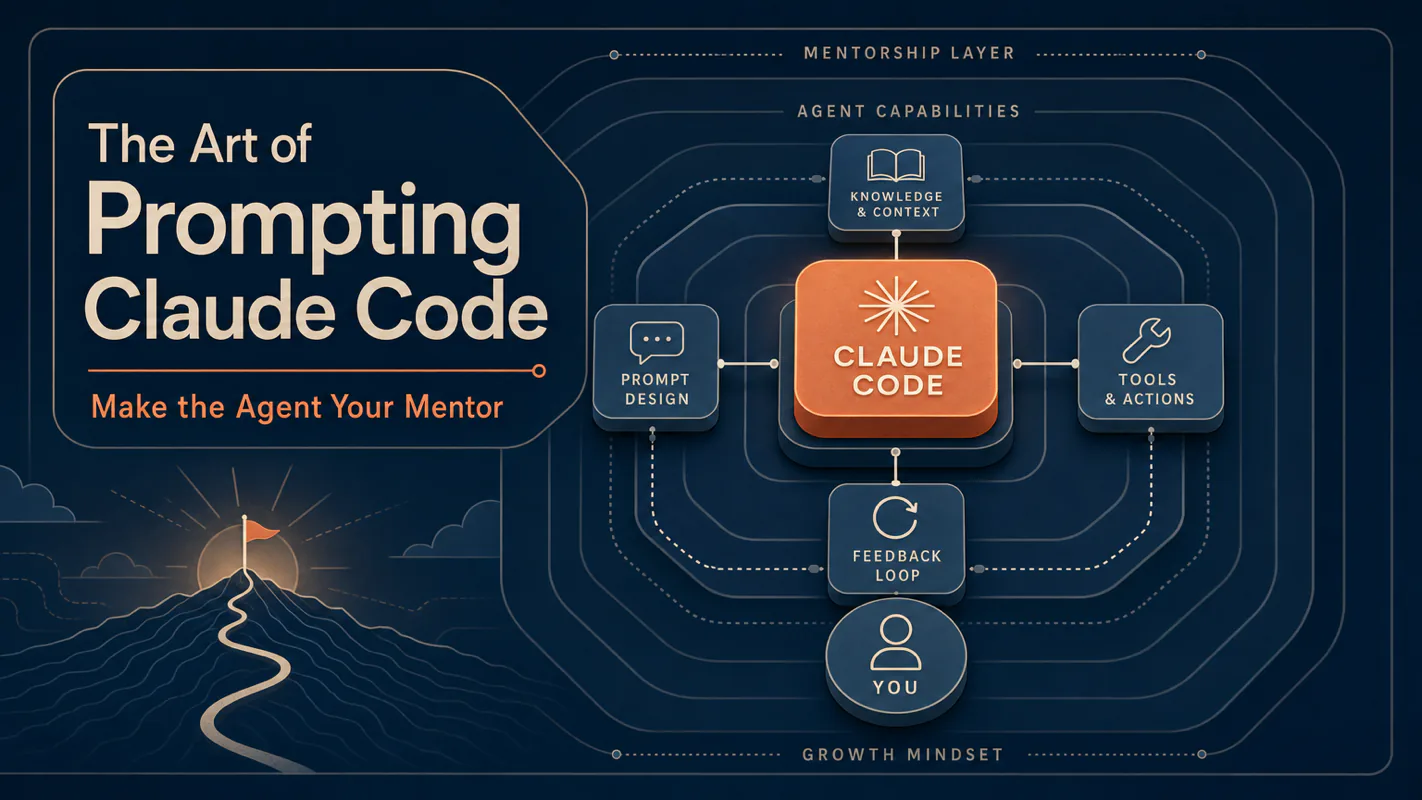
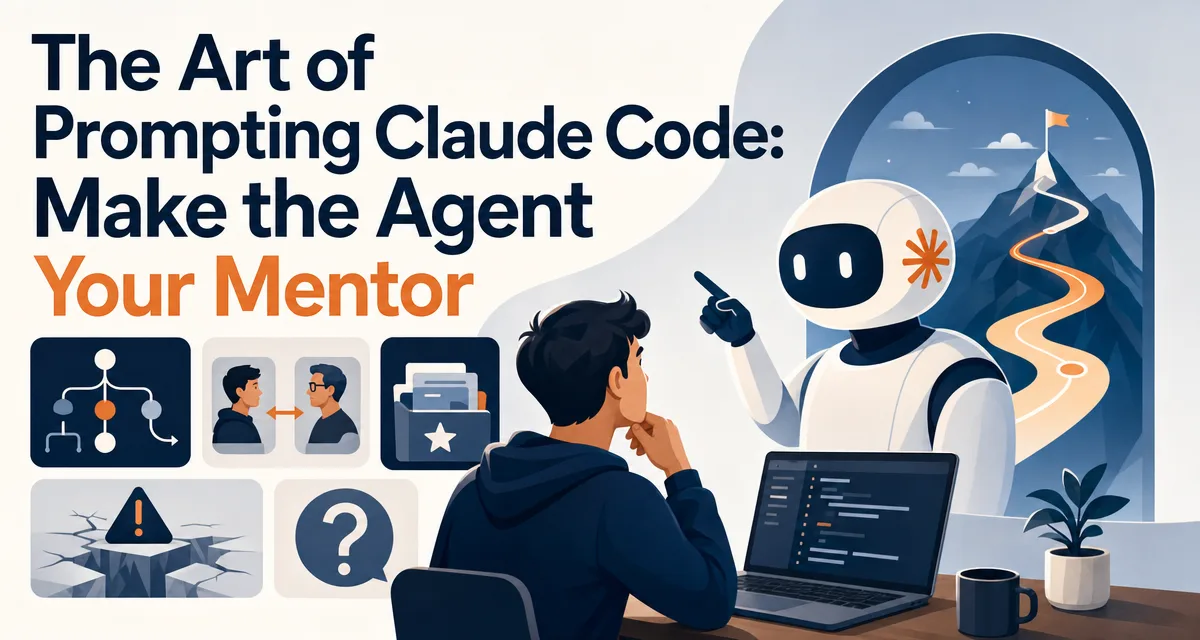
The Art of Prompting Claude Code: Make the Agent Your Mentor
Every firm that skipped writing the onboarding page pays for it twice a week, re-explaining the filing convention. An AI assistant for business has the same gap, and Move 1 closes it with one hour of writing. Nine moves total: config file, paths over descriptions, CIF, Plan mode, subagents.
Somebody once decided the onboarding page was not worth the afternoon it would cost. The bill for that decision arrives weekly in five-minute increments, every time a new contractor asks where the invoice templates live and which client hates footnotes. The nine moves below start from the same arithmetic. Move 1 is a config file the agent reads before every session — conventions, preferences, the things you would otherwise repeat on Monday and again on Thursday. One hour of writing, paid back for as long as the project lasts. The other eight assume that hour is already spent.
The short version:
Most Claude Code plateaus aren't a model problem. They're a prompting problem. The same model that gives you average answers when you ask average questions gives you mentor-grade work when you ask the right way
Nine prompting moves cover ninety percent of the gap: CLAUDE.md as one-time config, paths over descriptions, the CIF formula, screenshots, precise asks, Plan mode, subagents, context hygiene, and beginner-vs-expert before/after pairs
The first three moves alone raise the floor by an order of magnitude. The other six remove specific failure modes once you've internalized the floor
Prompting is the highest-impact skill in the AI agent stack — bigger than model choice, bigger than tool choice, bigger than framework choice
The single most consistent pattern I see in Claude Code users who plateau is the prompting style they imported from search engines. Three keywords, hit enter, hope something useful comes back. That style is wrong for Claude Code, and the mismatch is the difference between "AI tools are okay, I guess" and "I can't imagine working without this."
Claude Code isn't a chatbot. It's an agent — it reads your files, runs your tools, chains its own steps, and produces real artifacts. Prompting an agent is fundamentally different from prompting a chat app, and the difference compounds. Every day a Claude Code user spends prompting like a chat user is a day of leaving most of the value on the table.
This post is the upgrade. Nine moves, drawn from a year of watching what separates the users who get senior-engineer-grade work from the ones who get plausible-but-disappointing results. By the end you'll have the daily reflexes that turn an agent into a mentor.
Who Is This For
You've installed Claude Code and run a few prompts but feel like the output is hit-or-miss
You're a chat-AI veteran whose prompts work great in ChatGPT but feel underwhelming in the terminal
You want a checklist of what to do differently rather than another "prompt engineering 101" article
You'd rather see beginner-vs-expert prompt pairs than abstract advice
If you haven't installed Claude Code yet, the quickstart is the right warm-up. If you've never used an AI tool of any kind, the first AI assistant guide covers chat-app fundamentals first.
Move 1: CLAUDE.md as One-Time Config
The single highest-impact prompting investment in Claude Code is the CLAUDE.md file at the root of your project. Claude Code reads it at the start of every session inside that project, so anything you'd otherwise re-explain every conversation goes there once and stays.
A good CLAUDE.md captures three things:
Project conventions — naming patterns, folder structure, what lives where
Preferences — code style, tone, how you want decisions presented
Rules — what the agent should never do, what requires confirmation
Without a CLAUDE.md, the agent re-asks the same questions every session and re-introduces itself to the project five times a week. With a CLAUDE.md, every prompt starts with the agent already aware of your context, which means your prompt focuses on the specific ask rather than the setup.
For a worked example with the actual 67-line CLAUDE.md I run in production, the CLAUDE.md guide walks through the rules and the format. The investment is one hour of writing once. The return is every single subsequent session.
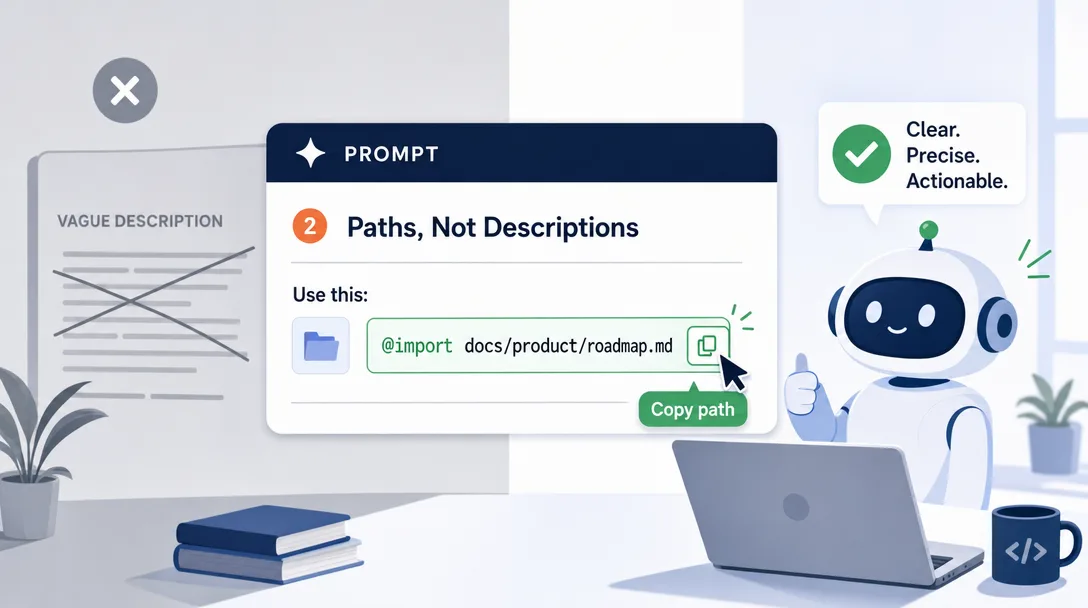
Move 2: Paths, Not Descriptions
This is the one most chat-AI veterans get wrong. The reflex from a year of using ChatGPT is to describe a file when you want the assistant to act on it: "I have a config file with these settings…" or "There's a function that does X…"
Claude Code doesn't need the description. It can read the file directly:
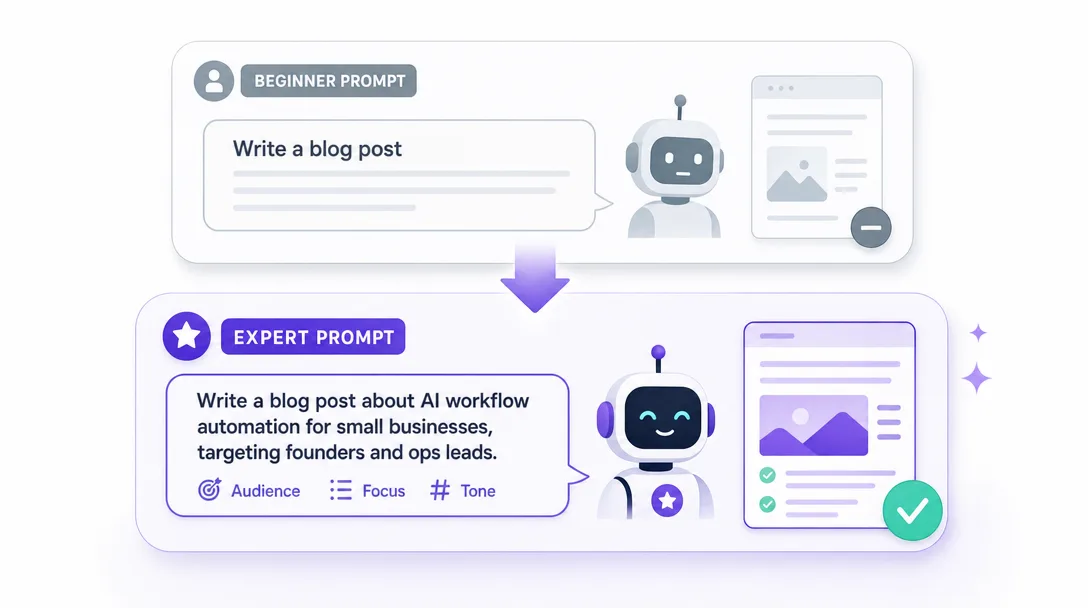
Beginner prompt
Power-user prompt
"I have a Python file that handles auth. It does token refresh and there's a bug somewhere in the refresh logic. Let me describe what it does..."
"Read src/auth.py and explain the token-refresh logic. Flag any logic that looks suspicious."
"I have a CSV with three columns: name, email, signup date. I want to dedupe by email…"
"Read data/signups.csv, dedupe by the email column, write the result to data/signups-clean.csv. Report how many duplicates you removed."
The reflex change: when you'd be tempted to describe, point to the path instead. The agent reads the actual content; the description is rounding error compared to the source. This single move drops average prompt length by ~40% and raises output quality by more than that.
The same logic applies to paths into folders: "Look at the src/components/ folder and tell me which components are used in only one place." Don't describe the folder. Point at it.
Move 3: The CIF Formula
Context + Intent + Format. This is the daily reflex that closes the biggest single gap between beginner and expert prompts.
Context tells the agent what situation it's in — the project, the constraints, the prior decisions. "This is a Next.js 16 project using Tailwind. We don't use Redux; we keep state in URL params."
Intent tells the agent what outcome you want — the deliverable, the success criterion. "I need a server-rendered profile page that loads the user from /api/users/{id} and renders avatar, bio, and last 3 posts."
Format tells the agent how to deliver — markdown table, JSON file, inline code, three bullets. "Output as a single TSX file at app/users/[id]/page.tsx. After the code, write a 3-bullet summary of the key decisions you made."
Most beginner prompts are Intent only. "Build me a profile page." The agent has to guess the framework, guess the data shape, guess the output format. Half the time the guesses are wrong. CIF removes the guessing.
The lazy version that still works: if you're typing fast and don't want to think about the three pieces explicitly, just append "and tell me what assumptions you're making" to any prompt. The agent will surface its guesses, and you can correct the wrong ones in one round-trip rather than three.
Move 4: Screenshot Input
Most users discover Claude Code's screenshot capability six weeks in and immediately wish they'd known about it on day one. The native desktop app accepts pasted screenshots; the agent reads images natively.
When to reach for it:
Errors and stack traces — paste the screenshot of the error rather than retyping. The agent sees the full context, including line numbers, formatting, and any UI elements that hint at the source
Charts and dashboards — "What's the most surprising thing in this chart?" with a pasted screenshot of a Grafana dashboard
UI bugs — "Look at this screenshot of my app. The header is misaligned. Read app/layout.tsx and find the cause."
Hand-drawn sketches — sketch a UI on paper, take a photo, paste. The agent can build a real component from the sketch
The reflex shift here is identical to Move 2: when you'd be tempted to describe, capture instead. A screenshot is a free, lossless prompt.
Move 5: The "What / Where / How Done" Triplet
When asks get vague, the agent's output gets vague. The most common shape of a vague ask is missing one or more of these three:
What: the specific action — "refactor", "add a test", "explain", "compare"
Where: the specific location — file, folder, line range, function
How done: the success criterion — "so that X", "with Y constraint", "matching format Z"
A vague ask: "Make the auth code better."
A precise ask using the triplet: "Refactor src/auth/refresh.ts (What + Where) so that the token-refresh logic is testable in isolation — extract the network call into an injectable dependency (How done)."
The triplet works for non-coding asks too: "Summarize the three PDFs in ~/Documents/research/ (What + Where) into one Markdown brief — three sections, one per PDF, each with central argument, three details, and one risk (How done)."
The agent doesn't need permission to clarify; it needs the clarifying details up front so it doesn't have to ask. Every clarifying question the agent asks is a sign your prompt missed one of the triplet pieces.
Move 6: Plan Mode for Non-Trivial Tasks
For any task that touches more than two files or has more than three steps, the right move is Plan mode. You enter plan mode, the agent writes out the plan it intends to execute, you approve or edit the plan, then it runs.
Plan mode catches the misunderstandings before they become wrong code. It is much cheaper to read a 100-word plan and say "no, do X instead" than to read the agent's actual output of three modified files and revert.
When to use Plan mode:
Refactoring across multiple files
Setting up a new feature with frontend + backend pieces
Migrating a folder of data
Anything that says "make this codebase do X" without naming a specific file
When to skip Plan mode:
Single-file edits
Read-and-summarize tasks
One-shot questions that don't modify anything
Tight loops where each step is small and reversible
The 30-second cost of approving a plan is small. The cost of a bad multi-file run is large. Plan mode is the seatbelt for non-trivial agent work.
Move 7: Subagents for Parallel Work
Claude Code supports launching subagents — sub-conversations with their own focus — that run alongside the main conversation. Subagents are great when a task has parallelizable parts that don't share context.
Three real use cases:
Independent research questions — "Spin up three subagents: one to research framework A, one for framework B, one for framework C. Each returns a one-page comparison brief."
Cross-cutting refactors — main agent plans the refactor, subagents apply it across three different parts of the codebase in parallel
Verification passes — main agent makes changes, a subagent runs the test suite and reports results without polluting the main conversation
The mental model is one parent supervising several children. The parent keeps the high-level plan; the children handle the specific tasks. The unlock is parallelism without context bleed — the subagent's investigation of framework B doesn't accidentally taint the parent's reasoning about framework A.
Long conversations accumulate noise. The agent's reasoning starts to drift, dragged by sunk-cost context that no longer applies. The week-two skill is recognizing when to reset.
/clear wipes the entire conversation history and starts fresh. Use it when:
You're switching tasks (e.g., from refactoring auth to writing a blog post)
The current conversation has gone in circles and the agent seems confused
You're handing off the project to a different model session
/compact summarizes the prior context into a shorter form and keeps the summary. Use it when:
You're deep in a long task and need to free up context space
You want to preserve the direction of the conversation but lose the noise
You're approaching the context window limit and want to keep going
The diagnostic question for context hygiene:would a fresh reader of this conversation understand what we're doing? If yes, the context is healthy. If no — if the conversation has accumulated reasoning the agent is now contradicting itself on — /clear or /compact.
Most beginners default to never resetting and end up with conversations that are technically still going but functionally broken. Reach for /clear more often than feels comfortable.
Move 9: Beginner vs Expert Prompt Pairs
The fastest way to learn the moves above is to see them in action. Below are five before/after prompt pairs, drawn from real tasks. The "before" is what most users type. The "after" is what the same user would type after internalizing the nine moves.
Pair 1: Refactoring
Before:"This code is messy. Clean it up."
After:"Read src/api/handlers.ts. The file has six handler functions; three of them duplicate the same auth-check logic at the top. Extract the auth check into a shared middleware function in src/api/middleware.ts, update the three handlers to use it. Keep the rest of the file untouched. Output a one-paragraph summary of the change."
Pair 2: Documentation
Before:"Document this function."
After:"Read src/utils/parseDate.ts. Write a JSDoc comment for the parseDate function — describe the purpose, the parameter format, the return type, and one example. Tone: matter-of-fact, no hype. Place the JSDoc directly above the function definition."
Pair 3: Investigation
Before:"Why is this slow?"
After:"The function processOrders in src/orders/process.ts takes 4-5 seconds per call. Read the file and find the three most likely sources of the latency. For each, name the line range and why you suspect it. Output as a 3-row Markdown table: rank, line range, suspicion."
Pair 4: Decision
Before:"Should we use Redis or Postgres for this?"
After:"We're storing rate-limit counters that update every request and expire after 60 seconds. Read docs/architecture.md for the project context. Compare Redis and Postgres for this use case. Output as a 3-section brief: 1) which is the right choice and why, 2) the case where the other would win, 3) the migration cost if we picked wrong. Cite specific operational concerns, not abstract pros/cons."
Pair 5: Recurring Workflow
Before:"Help me write my weekly status."
After:"Run my weekly-status workflow. Read ~/work/log/this-week/. Pull out: shipped (what landed), in flight (what's mid-stream), risks (what could break), one decision I'd like input on. Format: 4 sections, one per category, 3 bullets max each, plain language, no jargon. Output to ~/work/log/this-week/status-friday.md."
The pattern across all five pairs: before is "do something vaguely good"; after is "do this specific thing with this specific input, in this specific format, for this specific reason." The agent doesn't need permission. It needs specificity.
For the next layer of prompting depth — wrapping these moves into reusable Skills so you don't retype them every time — the Claude Code Skills primer is the natural follow-up.
The Hidden Tenth Move: Iterate, Don't Restart
The single skill that separates "prompts an agent" from "works with an agent" is iteration. Most beginners run a prompt, get a half-good output, and either keep the half-good output or close the conversation and start over. The expert move is the same one a senior engineer would use with a junior — iterate.
Three iteration moves to install:
"Make it shorter / longer / more specific." A 3-word follow-up reshapes the entire output without retyping the prompt
"Show me the assumptions." Forces the agent to surface the choices it made silently — half of bad outputs come from a wrong silent assumption
"Now add a counter-argument." Forces the agent to argue against itself and produces a sturdier final draft
The mental model: each prompt round costs almost nothing. The cost is in deciding not to iterate. Five rounds of conversational iteration produce better work than one heroic prompt that tries to specify everything up front.
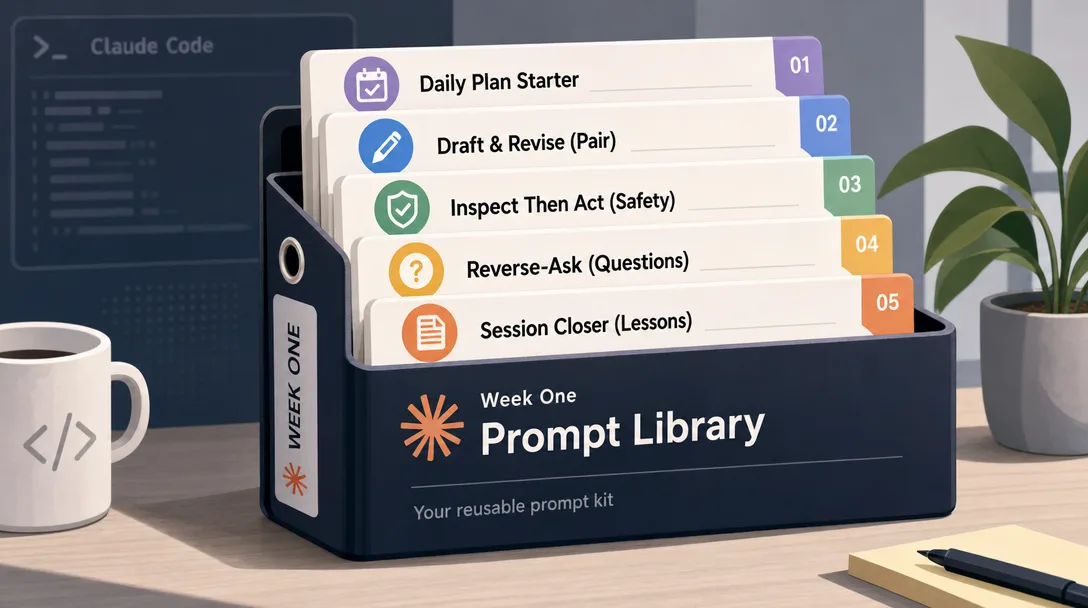
The Prompt Library You Should Build in Week One
The single biggest gap between someone who has been using Claude Code for a week and someone who has been using it for a quarter isn't model knowledge or framework mastery. It's the prompt library — the saved set of patterns the experienced user reaches for without thinking.
You build it the same way a senior engineer builds their snippet library: by saving what worked. Below are seven prompt patterns I'd recommend baking into your library by the end of week one. Each one solves a recurring problem and saves five-plus minutes per use.
Pattern 1: The "explain this code" prompt
Read [PATH]. Explain the following:
1. What this code does in one sentence
2. The three most important design decisions
3. Anything that looks wrong, suspicious, or non-idiomatic
4. What I should know if I'm planning to modify it

Tone: matter-of-fact, no hype.
You'll run this every time you onboard onto an unfamiliar codebase, every time you inherit a file from a teammate, every time you return to your own code after a month. Save it once, use it for the rest of your career.
Pattern 2: The "one-pager design doc" prompt
I'm planning to build [FEATURE]. The constraints are: [3-5 BULLETS].
The audience is: [WHO REVIEWS THIS DOC].

Write a one-page design doc with:
1. Problem statement (3 sentences)
2. Proposed approach (5-8 bullets)
3. Three alternative approaches considered, each with one-sentence why-rejected
4. Risks (3 bullets, ranked)
5. Open questions for reviewers

Output as Markdown. Length: under 600 words.
The forced "three alternatives" step is the magic — it produces a doc that survives review because it shows the agent considered tradeoffs rather than guessing.
Pattern 3: The "brief me on the codebase" prompt
Walk through [DIRECTORY]. Build me a one-page mental map of:
1. The 3-5 most important entry points
2. The 5-10 files I'd touch most often as a contributor
3. The 2-3 places where the architecture is brittle or surprising
4. Anything I should NOT touch without senior review

Format as a Markdown table with columns: file, role, importance.
Run this when you join a new team or inherit a project. The agent reads the directory tree, opens the high-signal files, and produces an onboarding doc you can read in five minutes — replacing the half-day of orientation you'd otherwise do.
Pattern 4: The "review this draft" prompt
I'm pasting in a draft of [DOCUMENT TYPE]. The audience is [WHO]. The
goal is [WHAT THE DOC SHOULD ACHIEVE].

Review the draft and identify:
1. The strongest paragraph and why
2. The weakest paragraph and why
3. Three specific edits that would most improve the draft
4. One question the audience would have that the draft doesn't answer
[PASTE DRAFT]
Most "review my writing" prompts are too vague. The four-question structure forces specific feedback — strongest, weakest, three edits, one missing question — which produces feedback you can actually act on.
Pattern 5: The "compare these options" prompt
I'm choosing between [OPTION A] and [OPTION B] for [USE CASE].
The context is: [3 BULLETS OF CONTEXT].

Build a comparison table with rows for: cost, performance, maintenance
burden, ecosystem, learning curve, and one-paragraph recommendation.

For each row, name the winner with a one-sentence reason. End with
the case where the loser would actually be the right choice.
The "case where the loser would win" forces the agent to argue both sides, which is what produces a comparison that survives a sanity check from a teammate.
Pattern 6: The "estimate this work" prompt
I need to do [WORK]. Break it down into:
1. The 5-8 sub-tasks
2. An estimate per sub-task in hours
3. The two sub-tasks most likely to expand
4. The one sub-task I might be able to skip if pressed for time

Tone: realistic, not optimistic. Include 30% padding for unknowns.
Beginner estimate prompts are too optimistic by default because the agent mirrors your tone. The "30% padding for unknowns" line forces realism. The "most likely to expand" surface helps you plan around schedule risk.
Pattern 7: The "post-mortem" prompt
I just shipped [WORK / INCIDENT / EXPERIMENT]. Help me write a
post-mortem.

I'll paste below: what happened, what worked, what didn't.

Generate the post-mortem in this format:
1. One-paragraph summary
2. Timeline (3-5 bullets, with timestamps if known)
3. What worked (3 bullets)
4. What didn't (3 bullets, root cause for each)
5. Action items (3-5 bullets, each owned and dated)
6. One non-obvious lesson learned

[PASTE THE RAW DETAILS]
The post-mortem prompt is the highest-impact one in the library because the alternative — a live post-mortem meeting — costs three engineers an hour each. The Markdown brief from Claude Code costs nothing and is roughly the same quality.
The week-one save habit: the third time you write a prompt, save it. Not the first (might be a one-off), not the fifth (you've already wasted the time savings). Third time is the right cutover. Save it as ~/prompts/{name}.md and reach for it the next time the situation arises. By month three, your prompt library is the most valuable file collection you own.
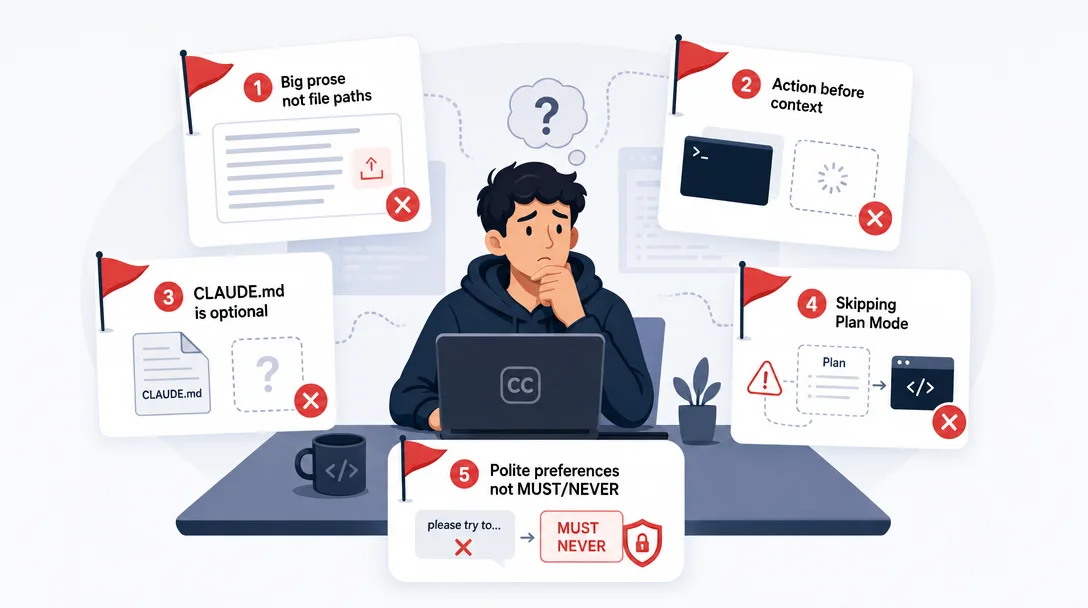
Common Beginner Pitfalls
Three failure modes catch most users in the first month, and each maps to a move you can install once.
Pitfall 1: Treating the agent as a search engine. Three keywords, hit enter, expect magic. The fix is the CIF reflex (Move 3). Even one extra sentence of Context + Format eliminates 70% of mediocre outputs.
Pitfall 2: Re-explaining the project every session. A new conversation, a new restating of "this is a Next.js project using…" The fix is CLAUDE.md (Move 1). One investment, infinite return.
Pitfall 3: Letting one long conversation accumulate forever. The agent gets confused by stale context, and so do you. The fix is context hygiene (Move 8). /clear more often than feels natural.
The metric that matters: how often do you find yourself typing a prompt and feeling "I shouldn't have to say this again"? That count is your CLAUDE.md backlog. Every time it happens, the next conversation should add a line to your CLAUDE.md so it never happens again. The size of your CLAUDE.md file should grow steadily for the first month, then stabilize.
Key Takeaways
Prompting is the highest-impact skill in the AI agent stack. Bigger than model choice, bigger than tool choice, bigger than framework choice
CLAUDE.md is the one-time investment with infinite return. One hour of writing replaces five re-explanations a week, forever
Paths beat descriptions. Claude Code reads files directly; describing them is wasted effort and loses fidelity
CIF — Context + Intent + Format — is the daily reflex. Most beginner prompts are Intent only; CIF removes the guessing
Plan mode is the seatbelt for non-trivial work. 30 seconds of plan review beats a 10-minute revert
Iterate, don't restart. Five rounds of cheap follow-up produce better work than one heroic prompt that tries to specify everything
Ready-to-Use Prompt: Upgrade a Weak Claude Code Prompt to Mentor-Grade With the Nine Moves
What this does: Diagnoses your current prompt's search-engine habit, applies the three floor-raiser moves (CLAUDE.md, paths over descriptions, CIF), adds the What/Where/How-Done triplet and task-specific moves (Plan/subagents/screenshot), sets context hygiene, and shows a before/after pair — so the same model gives mentor-grade work instead of average answers. Based on: The Art of Prompting Claude Code: Make the Agent Your Mentor — https://aiworkflowpro.com/prompting-art-ai-mentor/ Time to run: ~4 minutes
Copy this prompt into Claude Code, ChatGPT, or any AI assistant:
ROLE: You are a Claude Code prompting coach. Your job: take a weak average prompt and upgrade it to mentor-grade by applying the nine prompting moves — leading with the three floor-raisers (CLAUDE.md, paths over descriptions, CIF) — so the same model gives mentor-grade work instead of average answers.

CONTEXT — 9-MOVE PROMPT UPGRADE:
Most Claude Code plateaus are not a model problem — they are a prompting problem: users prompt like they search Google (three keywords, enter, hope). The same model that gives average answers to average questions gives mentor-grade work when asked right. Nine moves cover 90% of the gap: (1) CLAUDE.md as one-time config, (2) paths not descriptions, (3) the CIF formula, (4) screenshot input, (5) the What/Where/How-Done triplet, (6) Plan mode for non-trivial tasks, (7) subagents for parallel work, (8) context hygiene (`/clear`, `/compact`), (9) beginner-vs-expert prompt pairs. The first three raise the floor by an order of magnitude; the rest remove specific failure modes. Prompting is the highest-impact skill in the AI stack.

INPUTS (fill in before running):
- WEAK_PROMPT: YOUR_CURRENT_PROMPT_HERE (the prompt you use now — paste it)
- TASK_TYPE: YOUR_TASK_HERE (trivial edit / non-trivial build / research / multi-part)
- HAS_CLAUDE_MD: YOUR_ANSWER_HERE (do you have a CLAUDE.md? yes/no)
- WORKSPACE: YOUR_PATHS_HERE (the relevant file/folder paths, or "none")

METHOD — 6 STEPS:

Step 1 — Diagnose the Google-style habit
Check WEAK_PROMPT against the search-engine habit: is it 2-3 keywords with no context, instruction, or format? If yes, that is the core failure — name it. The model gives average answers to average questions.

Step 2 — Apply the three floor-raisers
Apply the first three moves: (a) move standing context into CLAUDE.md (if HAS_CLAUDE_MD = no, that is the first fix); (b) replace descriptions with WORKSPACE paths (point, do not describe); (c) rewrite the ask in CIF — Context, Instruction, Format. These three alone raise the floor by an order of magnitude.

Step 3 — Apply the What/Where/How-Done triplet
Make the ask precise: WHAT to do, WHERE (which paths), HOW DONE (the testable completion standard). Vague asks are the #1 reason for wrong-direction work.

Step 4 — Add the task-specific moves
For TASK_TYPE: non-trivial build → require Plan mode before edits; multi-part/parallel → use subagents; visual/UI → add screenshot input. Apply only the moves the task needs — not all nine at once.

Step 5 — Add context hygiene + before/after pair
State the hygiene rule: `/clear` between unrelated tasks, `/compact` when context bloats. Then write a beginner-vs-expert pair — the weak original vs the upgraded mentor-grade version — so the difference is visible.

Step 6 — Validate the upgrade
Check: (1) is the Google habit gone (CIF present)? (2) are paths used over descriptions? (3) is How-Done explicit? (4) is standing context in CLAUDE.md, not re-typed? (5) is the task-specific move applied? The hidden tenth move — iterate on the result, don't restart — is the ongoing practice.

RULES:
- The first three moves (CLAUDE.md, paths, CIF) are the floor-raisers — apply them before any other move.
- Point with paths, never describe files in prose — descriptions make the model guess.
- Every ask has WHAT + WHERE + HOW-DONE; an ask without a completion standard drifts.
- Iterate on the result instead of restarting — the hidden tenth move compounds the other nine.

OUTPUT FORMAT:
Output six sections:
1. **Google-habit diagnosis** — whether WEAK_PROMPT is search-style + the core failure.
2. **Three floor-raisers** — CLAUDE.md fix + paths + the CIF rewrite.
3. **What/Where/How-Done** — the precise triplet for this task.
4. **Task-specific moves** — Plan mode / subagents / screenshot as TASK_TYPE requires.
5. **Before/after pair** — the weak original vs the mentor-grade rewrite, in a ```text block.
6. **Validation** — markdown table with columns: Check | Pass? (Y/N), + the iterate-don't-restart reminder.
Save as @templates/prompting-art-ai-mentor.md and run whenever a Claude Code prompt feels average or plateaued, then apply the iterate-don't-restart move as ongoing practice.
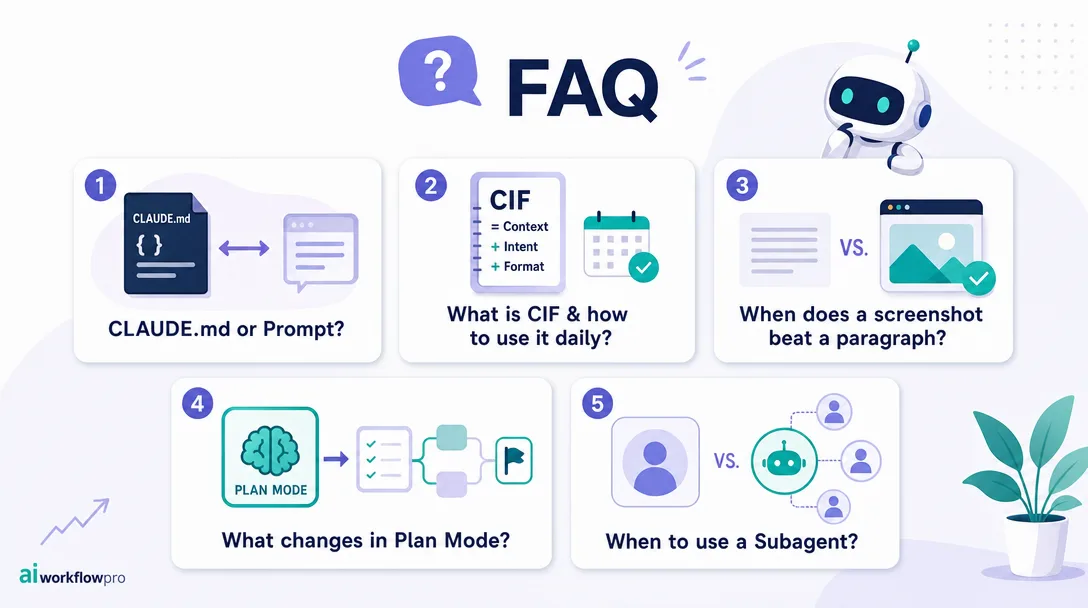
Frequently Asked Questions
Why does prompting matter so much in Claude Code?
Claude Code is an agent, not a chatbot. The same prompt that produces a great paragraph in a chat app produces an underwhelming agent action in the terminal — the difference is that the agent can read files, run tools, and chain steps. Vague prompts produce wandering agent runs; specific prompts with context, intent, and format produce mentor-grade work. The single largest productivity gap between beginners and power users is prompt quality, not model choice.
What is CLAUDE.md and why do I need one?
CLAUDE.md is a project-level configuration file that Claude Code reads automatically at the start of every session in that project. It captures conventions, preferences, and rules — the things you'd otherwise re-explain every conversation. With a good CLAUDE.md, you stop re-stating context; without one, you re-explain the project five times a week. It's the single highest-impact one-time investment in Claude Code productivity. The CLAUDE.md guide walks through what to put in your first one.
What's the CIF formula?
Context + Intent + Format. Context tells the agent what situation it's in (the project, the constraints, the prior decisions). Intent tells the agent what outcome you want (the deliverable, the success criterion). Format tells the agent how to deliver (Markdown table, JSON file, inline code, three bullets). Most beginner prompts skip Context and Format entirely; the prompt is just Intent. CIF is the daily reflex that closes that gap.
Should I describe the file or pass the path?
Pass the path. Claude Code can read files directly via its file tools — describing a file's content from memory is unreliable, parses badly, and bloats the prompt. The native idiom is path-first: "Read src/auth.py and explain the token-refresh logic." This is one of Claude Code's biggest productivity unlocks over chat-only assistants, and most beginners don't use it because their AI-assistant muscle memory is to describe rather than reference.
When should I use Plan mode?
Use Plan mode for any task that touches more than two files or has more than three steps. Plan mode forces the agent to write out the plan before executing, which catches misunderstandings before they become wrong code or moved files. The friction of approving the plan is small (30 seconds); the cost of a bad agent run on a complex task is large (re-running, debugging, reverting). Plan mode is the seatbelt for non-trivial agent work.
What's the difference between /clear and /compact?
/clear wipes the entire conversation history and starts fresh — use it when you're switching tasks or when context has accumulated noise that's confusing the agent. /compact summarizes the prior context into a shorter form and keeps the summary — use it when you're deep in a long task and need to free up context space without losing the thread. Most beginners default to neither and end up with bloated, confused conversations; learning to reach for both is a week-two skill.
A Note on Voice and Personality in Prompts
One subtle move that separates strong prompters from average ones is voice. Two prompts asking for the same output will produce different outputs depending on whether you sound conversational or directive, casual or precise. The agent mirrors the prompt's voice, which means your voice in the prompt is roughly your voice in the output — at least for the first half of the response.
If you want crisp, decisive output, write a crisp, decisive prompt. If you want warm, exploratory output, write a warm, exploratory prompt. Most beginners write robotic prompts and then complain that the output is robotic. Most experts write the kind of prompt they'd want to read.
This isn't a hack; it's an observation about how the model is trained. Mirroring is the default behavior of large models, and that's a tool you can use rather than fight. Set the tone in the prompt, and the response will pick it up.
What's Next
The nine moves in this post produce day-30 fluency. The next compounding skill is wrapping the patterns into reusable Skills so you stop retyping the same prompts. The Claude Code Skills primer covers the format, the lifecycle, and the patterns. Then the MCP connections post covers the tool layer — how to give your agent the search, file, and GitHub tools that turn it into a real working partner. And once your single-agent prompting is fluent, the OpenClaw agent brain post is the macro frame for what's actually happening inside any agent loop.
Pick one move from this post that's the biggest gap for you right now. Apply it for a week. Then pick the next. The compounding starts the moment the first reflex is automatic.
For the complete picture of Claude Code's capabilities beyond prompting, the Claude Code complete guide covers the full stack from installation through advanced workflows.
A 30-minute video is too long for one conversation. This guide walks the 8-step Skill that locks the narration and one look, then gives each 3-minute segment to a fresh sub-agent, five at a time, and polishes the cut in an empty-context session.
The folder structure behind my AI agent team, the Herdr setup where Grok Build, Claude Code and Kimi Code work side by side, and the two live tasks from the video: an article published by voice and a three-model front-end test.
The same request gives a different answer every run because the agent fills every gap with the average of its training data. Three Markdown standards fix that: a meta standard, an eight-part prompt standard and a Skill standard. Free repo, one-prompt install.
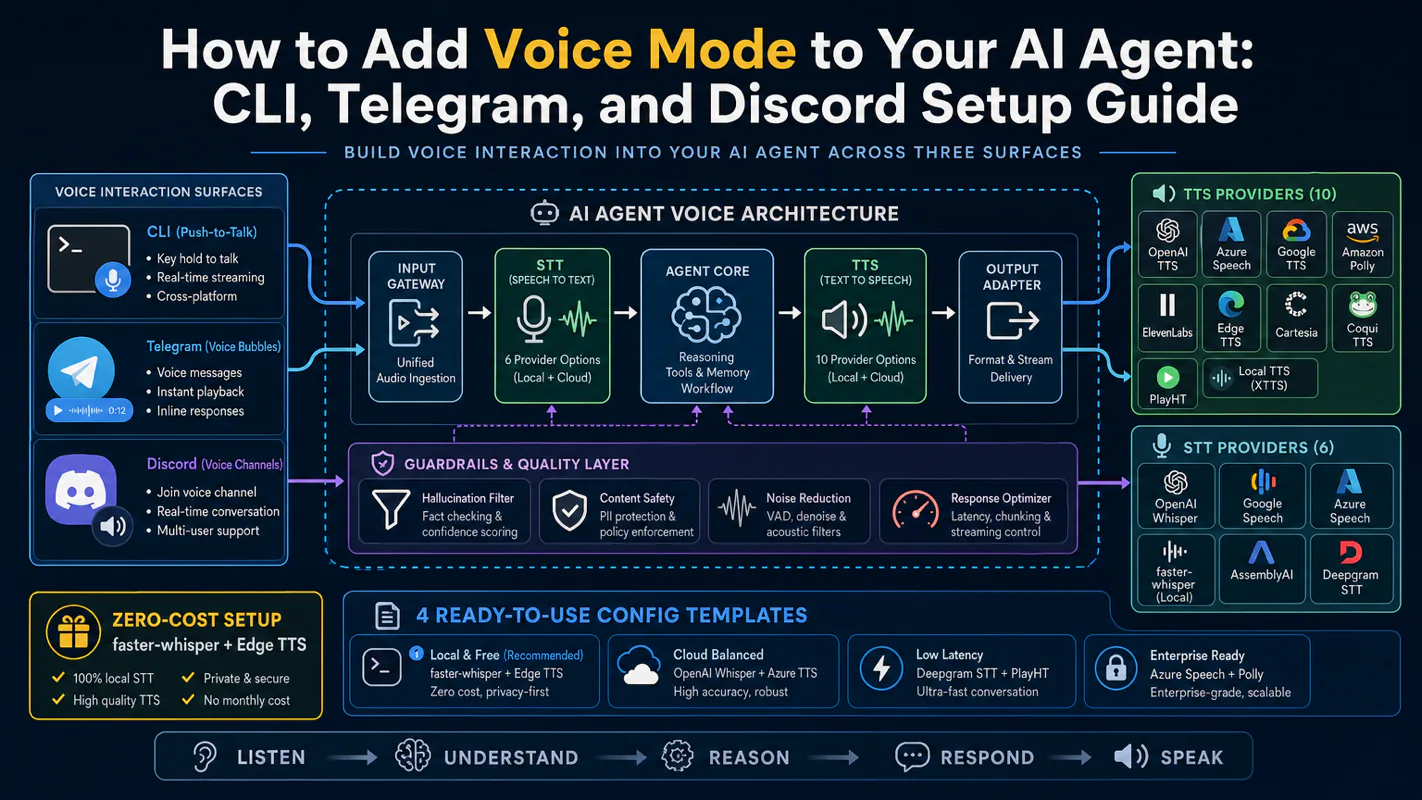
Gloves on, tape measure in hand — nobody types a query. Three voice surfaces for ai automation tools (terminal, Telegram, Discord), 10 TTS and 6 STT providers compared on cost and latency, plus a setup that costs nothing.