A 30-minute video is too long for one conversation. This guide walks the 8-step Skill that locks the narration and one look, then gives each 3-minute segment to a fresh sub-agent, five at a time, and polishes the cut in an empty-context session.
The folder structure behind my AI agent team, the Herdr setup where Grok Build, Claude Code and Kimi Code work side by side, and the two live tasks from the video: an article published by voice and a three-model front-end test.
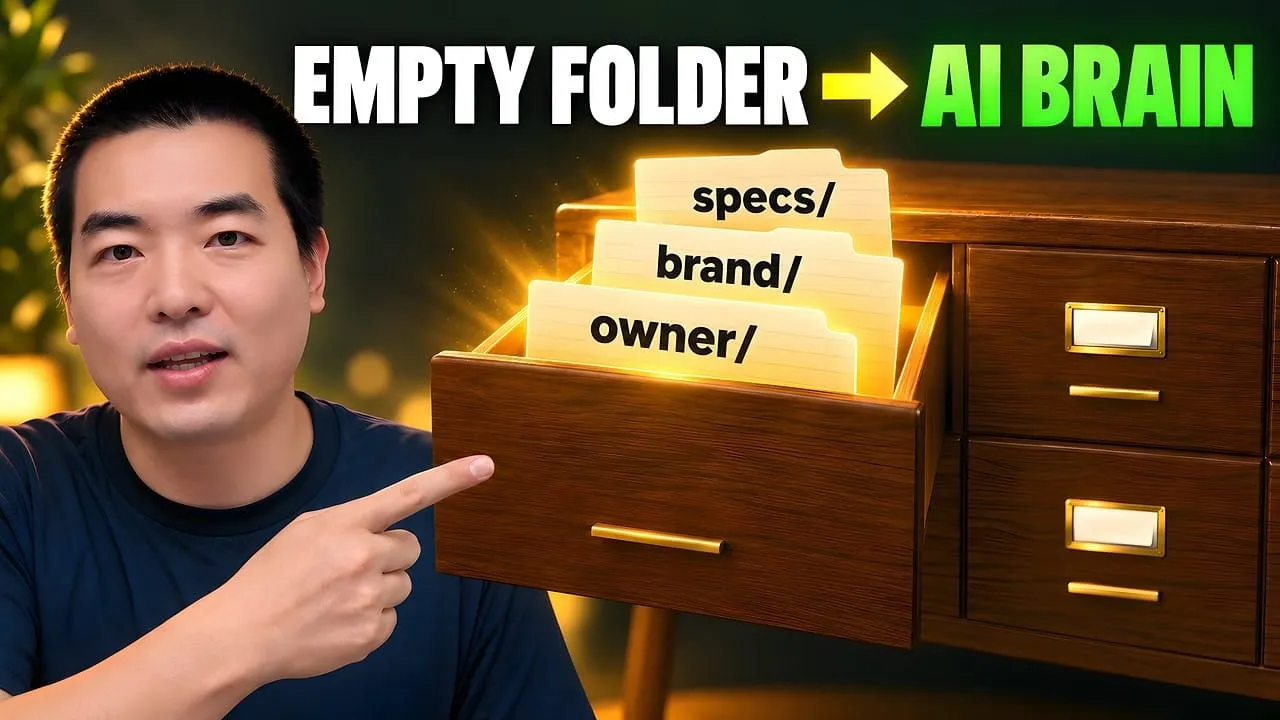
Eight folders of plain Markdown, a CLAUDE.md index in each, and seven prompts that make your agent interview you. Every prompt, template and command from the video, in order.
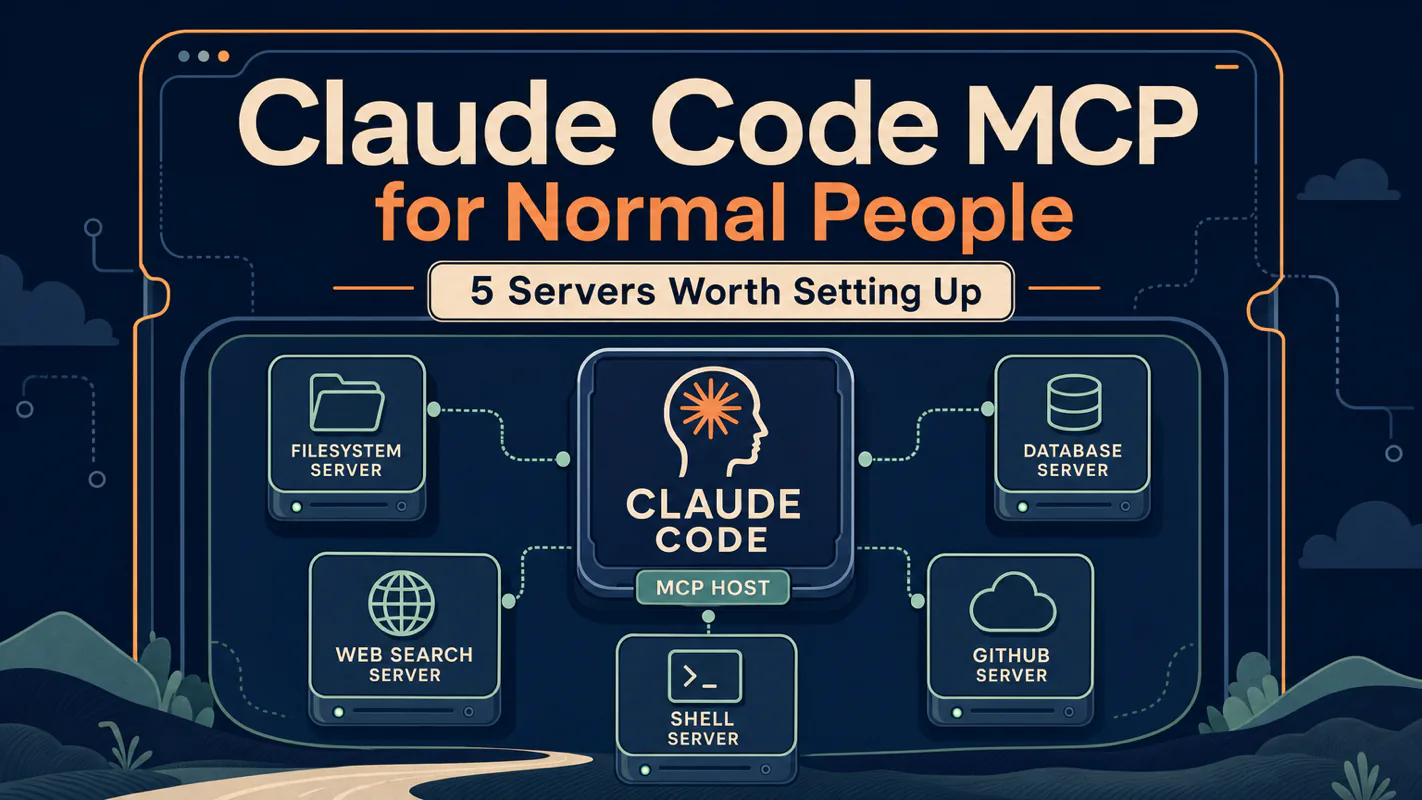
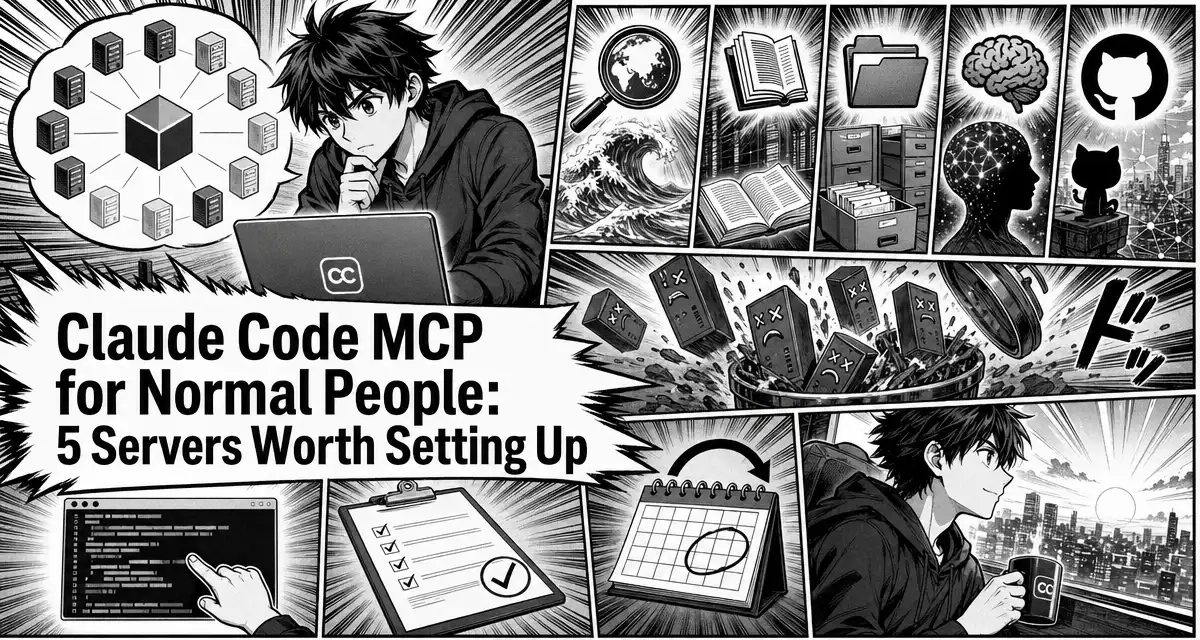
Claude Code MCP for Normal People: 5 Servers Worth Setting Up
Twelve MCP servers tested over three months: five earned a permanent spot, seven got removed. The short list for non-programmers, with real usage frequency, an honest reason for each cut, and a copy-paste .mcp.json.
Every week someone asks me: is MCP worth the hassle, or is it just a developer thing?
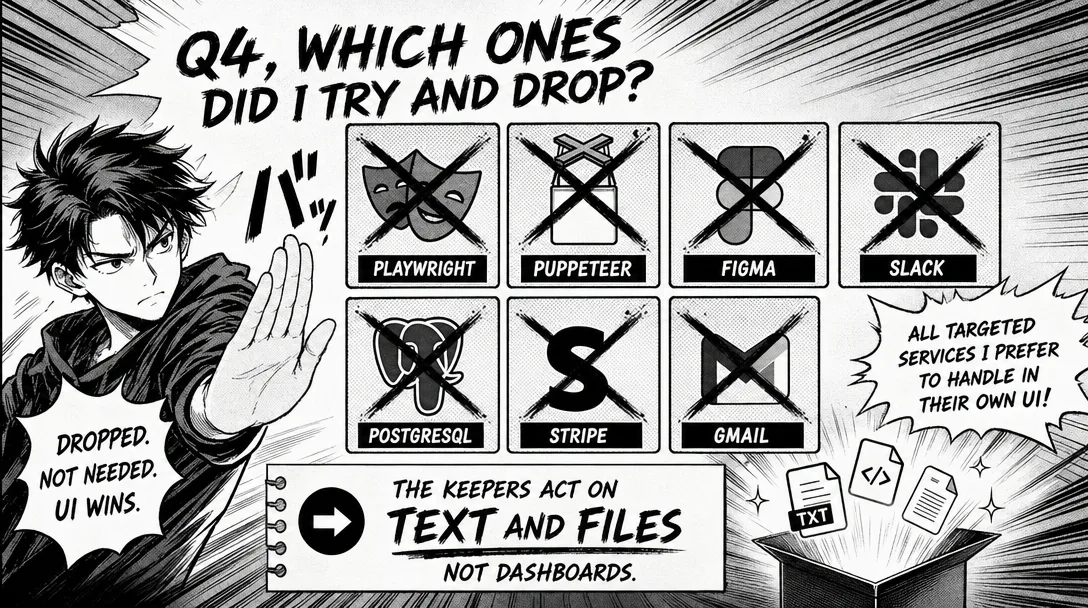
I tested 12 MCP servers over three months. 5 earned a permanent spot. 7 got removed
Below: a plain-English explainer, the 5 I keep with real usage frequency, the 7 I dropped, and a copy-paste .mcp.json
Examples are from a writing and research workflow, no backend, no database, no code-review pipelines
Most tool round-ups publish only the survivors, which is the half that teaches you nothing. What got uninstalled, and the reason it went, is where the real decision lives, and the reason is rarely that a thing was bad. It is that the thing charged rent. A connection occupies room on every single request, including the overwhelming majority having nothing to do with it, and earns its place maybe once a month. A two-person brokerage feels that trade the same way it feels a subscription nobody opens. Read what follows as a purchasing decision, because that is what every connection bolted onto an ai assistant for business actually is.
Every week I get a version of the same question about Claude Code MCP:
"I keep seeing MCP everywhere. Is it actually worth setting up for Claude Code? I'm not a programmer, I just write and do research. Do I need this?"
Five of them are genuinely useful — but only if you know what job you want each one to do. That's what this post covers.
Most "best MCP servers for Claude Code" articles assume you're building software. I'm not, and maybe you aren't either. My Claude Code session is about drafts, notes, research folders, and the occasional GitHub issue, not a Kubernetes cluster. That's the setup I'm describing here.
Who Is This For?
You've heard the term MCP thrown around and you're not 100% sure what it is
You've tried installing one or two, gotten confused, and bailed out
Your Claude Code work is writing, research, content creation, or a one-person business, not software engineering
You want a short list of what to install and a short list of what to avoid
If you haven't set up your CLAUDE.md and your first few Skills yet, go there first, MCP is the third layer of extensions you should touch, not the first.
MCP helps in specific situations and gets in the way in others. Five servers earned a permanent spot for me; seven got removed. The honest math is more selective than the hype suggests.
If you already run two MCP servers daily, skip ahead to Q5 for the context cost. If MCP still feels mysterious, read on.
Q1, What Is MCP, Actually?
Short answer: MCP (Model Context Protocol) is a standard way for Claude to connect to external tools and services. Think of it as a USB-C port, one plug, many devices.
Before MCP, if you wanted Claude to read your Notion pages, someone had to build a custom integration. If you wanted it to query your database, another integration. If you wanted web search, yet another. MCP collapsed all of that into a single standard: any tool that speaks MCP can talk to Claude Code, Claude.ai, Claude Desktop, or any other MCP-aware client.
The practical shape: an MCP server is a small program that runs on your machine (or sometimes remotely), exposing a set of tools Claude can call. You tell Claude Code about it once in a config file, and Claude now has a new capability, like "search the web" or "read files outside your current folder."
Anthropic's docs and the MCP project site are the source of truth if you want the formal spec. For the rest of this post, the working definition is: MCP = Claude's plugin system.
Q2, MCP or Skill: Which Do I Use?
This is the single most asked question I see, and most answers dodge it. Here's the one that's worked for me.
If the thing you need is…
Use…
An action Claude should take using existing tools (a prompt pattern with a specific goal)
Skill
An external service Claude doesn't currently know about
MCP
Rules and conventions (voice, style, naming)
CLAUDE.md
Examples, concrete:
"Turn this research folder into an outline" → Skill (it's a workflow, no new service needed)
"Search the web for the latest on X" → MCP (Claude needs a web search service it doesn't have)
"Always use kebab-case filenames" → CLAUDE.md (it's a rule)
A Reddit thread I see cited often takes a stronger position: "Don't use MCP. Use skills. You are eating up your context." That's overstated. The real rule is: don't use an MCP when a Skill would do. MCPs cost startup context for every tool they expose; Skills cost nothing until invoked. Reach for the cheaper one first.
Q3, Which 5 Claude Code MCP Servers Are Worth Installing Today?
Every MCP server you install adds context cost on every turn, whether you use it that turn or not. The five worth keeping earn that cost; the seven I removed did not. The decision tree below is what kept my Claude Code agent fast.
Ranked by how often I actually use them in a normal work week. All five are free, open-source, and work for non-developer use cases.
1. Brave Search — ⭐⭐⭐⭐⭐ (5+ times per article)
What it does: Gives Claude real-time web search through Brave's independent index. Requires a free API key from brave.com/search/api — the free tier covers 2,000 queries a month and takes under a minute to set up.
Why I keep it: Every article I write needs source-checking. Before this, I'd leave Claude, open a browser, search manually, copy URLs back. Now Claude does it mid-thought, gets the URL, and keeps going. A single research session can fire this 10-15 times without me noticing.
Install:
claude mcp add brave-search --scope user --env BRAVE_API_KEY=your_key -- npx -y @modelcontextprotocol/server-brave-search
Honest caveat: If you burn through the 2,000-query monthly free tier, Brave has paid plans starting around $5/month. I've only crossed that ceiling in one week of heavy research work.
2. Context7 — ⭐⭐⭐⭐ (every time I reference a library)
What it does: Pulls up-to-date documentation for any library, framework, or CLI tool straight into Claude's context. If I write "how do I do X in Claude Code?" or "what's the latest Next.js API for Y?", Context7 hands Claude the current docs instead of its training-data version.
Why I keep it: My training-data-cutoff fear goes away. When I'm writing technical content about tools that update monthly (Claude Code itself, Next.js, Prisma), Context7 guarantees Claude is answering from now, not from March 2024.
Install:
claude mcp add context7 --scope user -- npx -y @upstash/context7-mcp
Honest caveat: Works best when you're specific. "How does Next.js handle X?" is better than "tell me about Next.js."
3. Filesystem — ⭐⭐⭐⭐ (daily, 1-3 times)
What it does: Extends Claude's file access beyond the single directory it was launched from. Lets it read and write files across a set of folders you approve.
Why I keep it: My content workspace is one project. My notes are in another. My templates are in a third. Without Filesystem, switching between them means restarting Claude in each directory. With it, Claude can read a template from ~/templates/, pull research from ~/research/, and write output to ~/articles/current/ — all in one session.
Install:
claude mcp add filesystem --scope user -- npx -y @modelcontextprotocol/server-filesystem ~/articles ~/research ~/templates
Substitute the paths for your own folders. Only list folders you're comfortable with Claude reading and writing.
Honest caveat: This expands the blast radius of any mistake. Claude can now rename files across your whole setup, not just one project. Stage changes with git add frequently (the stage-then-continue pattern from the prompts post matters more than ever here).
4. Memory — ⭐⭐⭐ (load on every session, read explicitly ~2x/week)
What it does: Persistent memory across sessions, beyond what Auto Memory already does. A user on r/ClaudeAI built an open-source memory MCP that claims 80% context token savings for long-running projects; the official reference implementation is simpler but still meaningful.
Why I keep it: Auto Memory is good but opaque, you can't always tell what Claude saved. A Memory MCP gives you explicit, inspectable storage. I use it for project-level context that outlives any single session: "this book project targets X audience, with Y sources already read."
Install:
claude mcp add memory --scope user -- npx -y @modelcontextprotocol/server-memory
Honest caveat: If you're already happy with Auto Memory, you may not need this. It's the most skippable of the five.
5. GitHub — ⭐⭐⭐ (weekly, maybe 2-3 times)
What it does: Lets Claude open, search, and comment on GitHub issues and PRs; fetch file contents from any public repo; view commit history.
Why I keep it: My articles live in a private GitHub repo. My templates are in a public one. Sometimes I want Claude to pull the latest README from a tool I'm writing about. Sometimes I want it to file an issue on my own project. GitHub MCP handles both.
Install:
claude mcp add github --scope user --env GITHUB_PERSONAL_ACCESS_TOKEN=your_token -- npx -y @modelcontextprotocol/server-github
I don't design enough to earn the context overhead
Slack
Thought team chat sync would be useful
I'm a one-person operation; no Slack worth integrating
PostgreSQL
Curious to see it work
I don't have databases in my workflow
Stripe
AWP uses Stripe for subscriptions
The Stripe dashboard is 30 seconds away and safer for financial ops
Gmail
Wanted draft emails summarized
Real security concerns + the web UI is faster for me in practice
Pattern I noticed after the fact: every MCP I dropped was for a service I thought I wanted automated but actually preferred to handle in its own UI. Financial tools. Design tools. Team chat. The ones that stuck are the ones where the target is text or files — where Claude adds something beyond what a web dashboard provides.
Q5, How Much Context Does a Claude Code MCP Actually Cost?
This is the hidden cost nobody talks about.
Every MCP server registers its tools at session startup. Each tool description loads into context. If you have 10 MCPs, each exposing 5 tools, that's 50 tool descriptions in your system prompt every single session — whether you use them or not.
A 2026 Reddit thread flagged this for Skills; the same principle applies more acutely to MCPs because their descriptions are usually richer. A friend of mine had 18 MCPs installed and was losing 12% of his context to tool descriptions before a single message was sent.
Practical rule: Keep your MCP count under 7. Audit monthly. If a server hasn't been called in 30 days, remove it. You can always add it back.
Q6, Is There a Case for Not Using MCP at All?
Yes. Three cases, specifically:
You're still in week 1-3 of Claude Code. MCPs add a layer of failure modes (tokens, permissions, rate limits). Get comfortable with plain Claude + CLAUDE.md + a few Skills first.
You only work inside one folder. If everything you do happens in one project directory, the default file access is enough. Filesystem MCP is the one that changes this; the rest you might not miss.
You're on a tight token budget (Pro plan, frequent context limits). Every MCP increases your startup tokens. If you're hitting limits, strip MCPs before you strip anything else.
I went four months without any MCP. I didn't miss them. I added them when specific pain points (manual web searches, scattered folders) actually showed up. That sequencing still seems right.
How I Explain MCP to a Non-Technical Friend
When friends ask what MCP is and why I keep talking about it, I skip the protocol details and use one analogy.
MCP is a power-strip for AI tools. Without it, every tool you want the agent to use needs its own custom adapter (a unique cable for each device). With MCP, every tool that speaks the protocol plugs into the same strip. The agent does not need to know about cables; it just sees a row of outlets and reaches for the one it needs.
That analogy gets the basics across without claiming MCP is magic. The non-magic part: each MCP server is still its own piece of software, with its own bugs, its own update cycle, and its own context cost. The protocol just standardizes the connection; it does not standardize the quality.
If the friend wants more, I follow with: "And like power strips, you can plug too many things in. Three solid outlets in active use beat ten outlets where two are working and the rest are dust."
The Decision I Revisit Every Quarter
MCP is not install-and-forget. Once a quarter, I open my MCP config and run a single question per server: would I install this again today, knowing what I know now?
Yes goes back in the config. No further action.
No comes out. Fully out, not commented out, deletion only. A commented-out server is just a future re-installation waiting to happen, and the comment ages worse than the config itself.
Maybe gets a one-month watch period. I leave it in but tag it as on-watch in my notes. If the next quarter still says maybe, the answer becomes no. Indecision is information; treat repeated maybe as deletion.
After three quarters of running this discipline, the count is stable around five. The five are unsentimental, they all earn the cost. Without the quarterly review, the count drifted up to twelve in eight weeks during my first year, with no measurable benefit beyond the original five.
Q7, How Do I Install a Claude Code MCP Server Without Breaking Things?
Claude Code 0.5+ has the claude mcp command. The basic flow is three lines:
# 1. Add the server
claude mcp add <name> --scope user -- npx -y <package>

# 2. Verify it loaded
claude mcp list

# 3. Remove it if you change your mind
claude mcp remove <name> --scope user
What --scope user does: makes the server available in every project you open. The other option is --scope project, which only loads it for the current folder and commits to the project's config. I use user for anything general (Brave, Context7) and project for anything tied to a specific repo (project-specific GitHub tokens, for instance).
What to check after install:
Open a new Claude Code session
Run /context to see that tools are registered (no errors, expected tool names present)
Trigger one explicitly: "Use Brave to search for..." — if it works, you're set
If something breaks: the MCP server is a process on your machine. claude mcp list will tell you if it's connected. If not, restart the session, or reinstall. 90% of MCP "failures" are just the server crashing and needing to be relaunched.
The Copy-Paste `.mcp.json`
If you prefer editing config files directly, paste this into ~/.claude.json. It's the 5-server baseline I recommend.
Replace the paths and tokens. Restart Claude Code. Done.
What I Would Tell My Month-Zero Self
Three things I wish someone had drilled into me before I installed my first MCP server.
Pick a problem first, a server second. I started with "MCP looks cool, what should I install?" That order led to seven servers I removed. The right order is "this specific friction is wasting my time, what would solve it?" Most of the time the answer is not MCP. When it is MCP, the right server is obvious. Backwards reasoning makes the keepers obvious.
Treat each MCP server as a dependency, not a feature. Every server adds context cost on every turn. Every server has a maintenance window. Every server can break with the next Claude Code update. The question is not "is this MCP server cool?" The question is "do I want this dependency in my agent for the next year?"
Pin versions and audit quarterly. Pinned versions prevent surprise breakage from upstream updates. Quarterly audits catch the slow drift where a server stopped earning its place. Both habits cost ten minutes a quarter and save full afternoons of mystery debugging.
If you only adopt one of the three, adopt the first. Picking servers in response to problems is what kept the keeper count at five and the regret count at zero for the last two quarters.
Key Takeaways
5 Claude Code MCP servers cover 95% of non-developer use cases — Brave Search, Context7, Filesystem, Memory, and GitHub. The other 7 I tested got removed
MCP is Claude's plugin system, not a magic wand — it lets Claude connect to external services (web search, Notion, GitHub); Skills are for workflows using tools Claude already has
Don't use an MCP when a Skill would do — MCPs cost startup context for every tool they expose; Skills cost nothing until invoked
MCP is the third layer of Claude Code extensions, not the first — set up CLAUDE.md first, then 1-2 Skills, then add MCPs one at a time as you feel the gap
Most MCPs are Claude-specific in 2026 — MCP is an open protocol, but practical cross-LLM support is still patchy. Assume these are for Claude Code / Claude.ai Desktop
Install Brave Search first — free 2k-queries-a-month tier, immediate "oh, that's useful" payoff, easy to remove if you don't like it
Enterprise Versus Solo MCP Use
Most of this article assumes a solo or small-team setup. The math shifts when MCP enters a larger org.
The context cost compounds across users. A solo user paying for one MCP server pays once. Twenty users with the same server still pay context cost on every call, multiplied by usage. Cost discipline matters more, not less, in larger orgs.
Auth gets harder fast. Per-user tokens, audit trails, secret rotation, all of these are simple at solo scale and complicated at twenty users. If your org is heading there, design the secret-management story before the second user, not after the tenth.
Server quality matters more. A solo user can recover from a flaky MCP server in an hour. An org with twenty users on the same server cannot. The bar for inclusion in a shared MCP config should be higher than the bar for personal use.
If your context is enterprise rather than solo, treat this article as the foundation and add a layer of dependency review on top of every recommendation here.
The Cost of Doing Nothing
The honest cost of skipping MCP is invisible at first.
You keep copying and pasting. Every time the agent needs a piece of context from GitHub, your terminal, your docs, you fetch it manually and paste it in. The friction adds up; you stop asking the agent for things that would require the manual fetch.
The agent stays a writer, never an operator. The shift from "draft a thing" to "do a thing" lives behind MCP. Skipping it caps the agent at the writer-only level, even though the underlying model is capable of much more.
You miss the compounding. One MCP server is convenient. Three MCP servers are reorganizing how you work, because suddenly the agent can chain across systems you previously kept separate. The compounding is real and only shows up after the second or third server.
If "MCP feels like overhead" is keeping you out, treat the first server as a one-week experiment, not a permanent commitment. The cost of trying is one afternoon. The cost of never trying compounds quietly, week after week.
One Last Gut-Check Before Your First Server
Before you install MCP server number one, ask yourself: what specific friction in the last two weeks would this server have removed?
If you can name the friction in one sentence, install the server. If you cannot, write down the friction first, then come back. Most regrettable MCP installations come from "this looks cool" rather than "this solves a real problem I had on Tuesday." The Tuesday-problem test is short, fair, and almost never wrong.
Ready-to-Use Prompt: Audit Your MCP Servers and Decide Keep vs Drop
What this does: Takes your MCP server list (installed or candidate) and decides keep vs drop each by the job it does, real usage, context cost, and whether a Skill would do it better — outputting a trimmed .mcp.json and a quarterly review rule. Based on: Claude Code MCP for Normal People: 5 Servers Worth Setting Up — https://aiworkflowpro.com/claude-code-mcp-connections/ Time to run: ~4 minutes
Copy this prompt into Claude Code, ChatGPT, or any AI assistant:
ROLE: You are an MCP curator for non-programmers. Your job: take a list of MCP servers for a writing/research workflow and decide keep vs drop each by the job it does, real usage, context cost, and whether a Skill would do better — outputting a trimmed config and a quarterly review rule.

CONTEXT — MCP KEEPER-DROPPER AUDIT:
MCP (Model Context Protocol) servers give Claude Code external tools — but each is worth it only if it does a defined job nothing else in your stack does. Most people over-install: the author tested 12 servers over three months and kept only 5. The keep/drop decision rests on four tests: (1) does it do a specific job no other tool does, (2) is it actually used, (3) what context does its tool list cost, and (4) could a Skill or prompt do the same thing without an external connection. The right answer is sometimes "no MCP at all." Revisit the set every quarter.

INPUTS (fill in before running):
- WORKFLOW: YOUR_MAIN_WORK_HERE (what you do — e.g., writing, research, occasional GitHub issues)
- SERVERS: YOUR_MCP_LIST_HERE (the MCP servers installed or considering — names, or "none, help me pick")
- CONTEXT_HEADROOM: YOUR_CONCERN_HERE (how tight your context window is — tight / plenty)

METHOD — 6 STEPS:

Step 1 — Define the job each server does
For every server in SERVERS, state the one job it does. If you cannot name a single concrete job, it fails the job test → drop candidate. Servers without a named job are noise.

Step 2 — Apply the usage test
Was this server actually used in the last two weeks of real work? Score usage high/low/none. None → drop. Low usage + high context cost → drop. This mirrors the 7 of 12 the author removed.

Step 3 — Weigh context cost
Every MCP injects tool descriptions that eat the window. If CONTEXT_HEADROOM is tight, drop any low-usage survivor whose tool list is heavy. Keep only servers that earn their context budget.

Step 4 — Run the MCP-vs-Skill test
For each survivor ask: could a prompt or Skill do this job without an external connection? If yes, prefer the Skill — MCP is for things that genuinely need outside data or actions. Move those jobs out of MCP.

Step 5 — Decide keep or drop
For each server output keep / drop with a one-line reason from steps 1-4. Target a small keeper set (the author's was 5 of 12). If everything drops, that is valid: "no MCP at all" is sometimes right.

Step 6 — Output the config and quarterly rule
Produce a copy-paste `.mcp.json` with only the keepers, scoped permissions to avoid breakage, and the quarterly review trigger: re-run this audit every quarter or whenever context feels crowded.

RULES:
- A server with no named job is dropped — no exceptions.
- Prefer a Skill over MCP when no external data or action is needed.
- Every keeper must earn its context budget; drop low-use heavy servers when context is tight.
- "No MCP at all" is a valid outcome — do not keep servers to feel productive.

OUTPUT FORMAT:
Output six sections:
1. **Job definitions** — markdown table with columns: Server | Named job | Job test pass? (Y/N).
2. **Usage + context** — markdown table with columns: Server | Usage (high/low/none) | Context cost (light/heavy) | Earns budget? (Y/N).
3. **MCP-vs-Skill** — markdown table with columns: Server | Skill could do it? | Move to Skill? (Y/N).
4. **Verdicts** — markdown table with columns: Server | Keep/Drop | One-line reason.
5. **Config** — a copy-paste ```json block (`.mcp.json`) with only keepers + scoped permissions, or "no MCP" if all dropped.
6. **Quarterly rule** — the review trigger + when to re-run this audit.
Save as @templates/claude-code-mcp-connections.md and run when you first set up MCP, then re-run every quarter or whenever your context feels crowded.
Frequently Asked Questions
Do I need to install Node.js to use MCP?
Most of the popular MCP servers are published as npm packages, so yes, you'll need Node installed. It's a one-time setup. Download from nodejs.org if you don't have it. Some MCP servers ship as Python packages or standalone binaries, so check the specific server's docs, but npx is the most common entry point.
What's the difference between a local MCP and a remote MCP?
Local MCPs run as a process on your machine, they start when Claude Code starts, shut down when it closes. Remote MCPs run on someone else's server and Claude connects to them over the network. Remote MCPs are a newer 2026 feature and simpler to share across machines; local MCPs are more private and don't require a constant internet connection.
Can MCPs see my private files?
Only the ones you explicitly give them access to. Filesystem MCP, for example, only reads folders you list in its install command. Most other MCPs (web search, GitHub, etc.) don't touch your local files at all. Still: read the server's source or docs before installing anything that handles sensitive data.
Which MCP should I install first?
Brave Search. Unambiguously. It's free for casual use, gives an immediate "oh, that's useful" moment, and if you don't like it you can remove it in 10 seconds. Don't try to set up all five at once, add them one at a time as you actually feel the gap they fill.
Are there 2026 MCP updates I should know about?
Two things: (1) Claude Code now supports remote MCP servers without local setup, which is a big deal for sharing configs across machines; (2) the MCP ecosystem is moving toward 50+ curated servers — the signal-to-noise ratio is getting worse, not better. The 5-and-done approach here is more defensible, not less, than it was a year ago.
What if I'm already paying for ChatGPT Plus, can I use these there?
Most of these MCPs are Claude-specific. MCP is an open protocol, though, and ChatGPT has been adding partial support. For now, assume these 5 are for Claude Code (and Claude.ai's desktop app). The broader ecosystem question is covered in Anthropic's docs as it evolves.
What MCP Changed About How I Think About Agents
MCP is not just a tool format. It is a quiet shift in how I think about what an agent can do.
Before MCP, the agent was a writer. It could draft, summarize, suggest. Action lived elsewhere, in scripts, in browser tabs, in copy-paste. The agent was an upstream producer of words; downstream operators (me, mostly) turned the words into actions.
After MCP, the agent is an operator. It still writes, but it also reads from systems, calls tools, chains operations. The model behind the agent did not change; what changed is the surface area of what the agent can do without leaving its own session. That shift is felt in productivity terms long before it shows up in benchmarks.
The implication for new users: budget extra setup time on day one to get one MCP integration working end to end, even a small one. The agent before MCP and the agent after MCP feel like different products; you want to be on the after side as quickly as possible.
Worked Example: GitHub MCP End to End
One concrete walkthrough beats five abstract explanations. Here is how I use the GitHub MCP server in a typical week.
Monday morning, ten minutes: I ask the agent to summarize what changed in our main repo over the weekend. The MCP server pulls the commit list, PR titles, and review state. The agent gives me a six-bullet summary. Without MCP, this would be a manual scan of GitHub. With it, the agent does the scan and the summarization in one round.
During the week, ad hoc: when I am unsure if a feature is shipped, I ask the agent. It checks the merge state, the deploy status, and the changelog, then answers. Without MCP, I would tab over and click through; with it, the answer is in line with the conversation I am already having.
Friday afternoon: I ask the agent to draft the weekly update for the team. It pulls the merged PRs, the open issues, and the on-deck items, then writes the update in our usual format. I edit two sentences and ship. Without MCP, this would be twenty minutes of context gathering before any writing started.
Three uses, no copy-paste, one MCP server. That is the value, in concrete terms.
A Note on This Article's Shelf Life
AI tooling moves fast, and articles age. Three habits keep this one from becoming a relic faster than necessary: I revisit the recommendations quarterly, I cull patterns that have become automatic, and I add new ones only when they earn a permanent place in my actual work. If a section here feels stale to you, it probably is, send me a note and I will look.
A 30-minute video is too long for one conversation. This guide walks the 8-step Skill that locks the narration and one look, then gives each 3-minute segment to a fresh sub-agent, five at a time, and polishes the cut in an empty-context session.
The folder structure behind my AI agent team, the Herdr setup where Grok Build, Claude Code and Kimi Code work side by side, and the two live tasks from the video: an article published by voice and a three-model front-end test.
Eight folders of plain Markdown, a CLAUDE.md index in each, and seven prompts that make your agent interview you. Every prompt, template and command from the video, in order.
Stop briefing your AI from scratch. One free folder holds your background, your rules and your voice. Eight prompts build it, no code, and any AI can read it.