A 30-minute video is too long for one conversation. This guide walks the 8-step Skill that locks the narration and one look, then gives each 3-minute segment to a fresh sub-agent, five at a time, and polishes the cut in an empty-context session.
The folder structure behind my AI agent team, the Herdr setup where Grok Build, Claude Code and Kimi Code work side by side, and the two live tasks from the video: an article published by voice and a three-model front-end test.
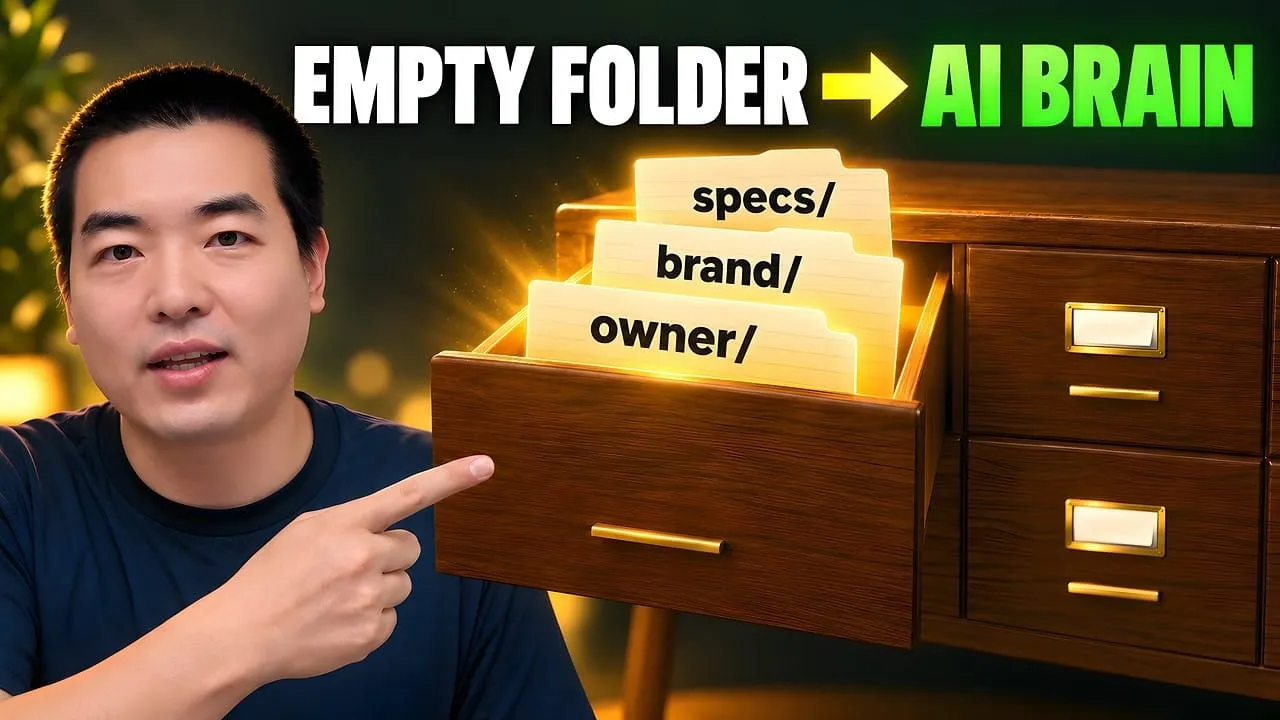
Eight folders of plain Markdown, a CLAUDE.md index in each, and seven prompts that make your agent interview you. Every prompt, template and command from the video, in order.
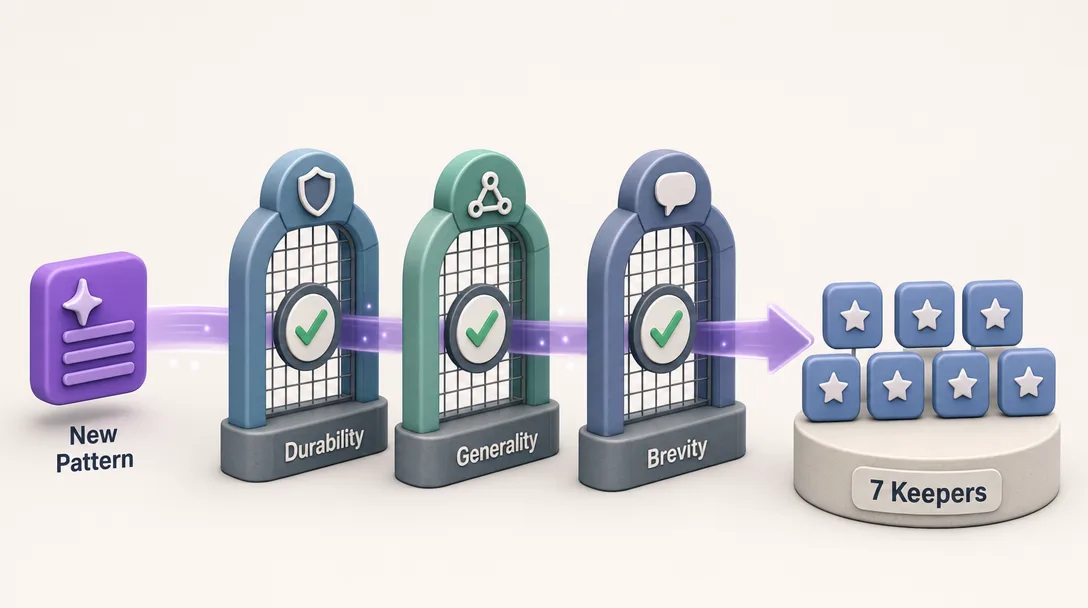
Seventy tips tested over two months; seven survived. The rest got repeated because they sounded clever, not because anyone showed a before and after. Here are the seven that cut task time, the three that made an AI assistant for business slower, and a copy-paste cheat sheet.
Ninety percent is the number worth sitting with. Seventy-odd pieces of advice on how to instruct these tools, two months of testing, seven left standing. That ratio is not special to software; it is what happens to any practice that gets written about faster than it gets measured. And the seven that survived are unglamorous — point at the file instead of describing it, state what finished looks like, clear the context between jobs. None of them is a trick. Each one is the difference between an instruction someone can act on and one they have to interpret.
TL;DR
70+ "prompt tips for Claude Code" are floating around. I tested most of them
7 actually moved the needle. 3 were cargo culting. The rest were neutral
Below: the 7 ranked by ROI with real before/after terminal sessions, the 3 I dropped and why, and a copy-paste cheat sheet
Works whether you're a programmer or not, examples are from writing, research, and content work
Everyone says prompt engineering is "the secret sauce" for Claude Code. Actually, in 2026 most of the old tips are obsolete. Half are automatic now, half are wasted tokens, and the seven that actually move the needle look more like clear writing than secret formulas.
If you already use Claude Code daily and run /clear between asks, skip ahead to the 7 patterns. If your prompts still feel hit-or-miss, read on.
Here's the thing nobody says about prompt engineering for Claude Code: most of the advice you'll read is from 2024. We're in 2026. Claude is smarter. Half the old tricks are now either automatic or actively wasted tokens.
I had to see a measurable before/after. Task finishes faster. Fewer retries. Less wasted context. If I couldn't point to a concrete improvement, the pattern didn't make it.
Non-programmers had to be able to use it. If the pattern assumed you could read a stack trace or rewrite a regex, out. I test everything in my content workflow first, files, folders, drafts, research notes.
It had to still apply in 2026. Claude 4-series is a different animal from Claude 2 or 3. Some of the most-shared 2024 tricks are now redundant because Claude does them automatically.
Most of the 70 "tips" online fail filter #1, they're repeated because they sound clever, not because anyone showed the numbers.
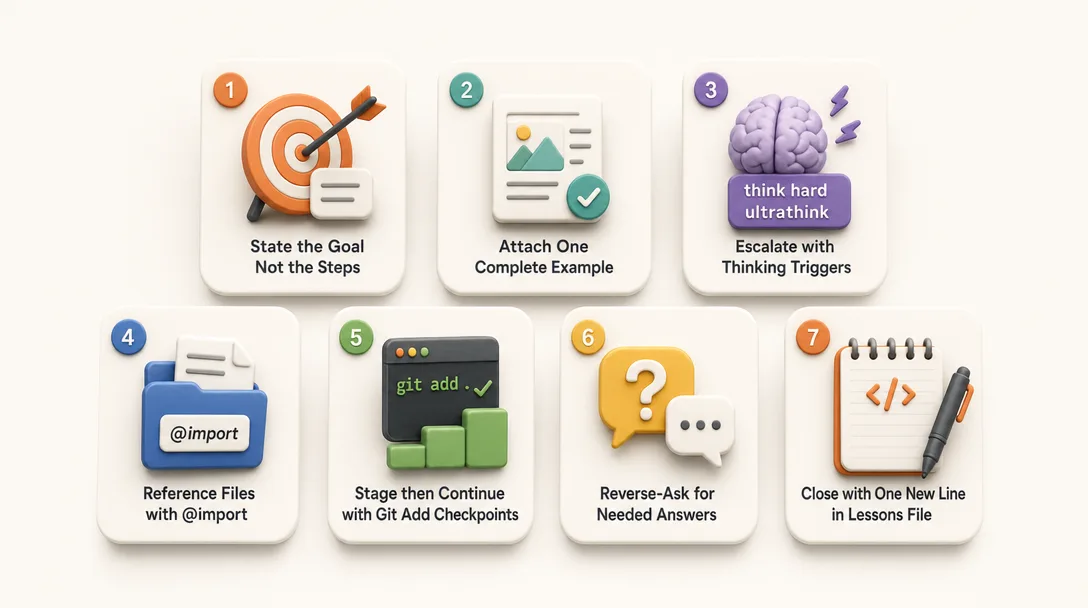
The 7 Prompts That Actually Work
The same model gives sharp answers to a structured ask and mush to a fuzzy one. The seven patterns below are not tricks; they are the small structures that turn your intent into something the model can act on without guessing.
Ranked by return on effort. #1 costs nothing and saves the most. #7 is the smallest, but it compounds over time.
#1, State the goal, not the steps
The pattern: Tell Claude what you want. Don't tell it how to get there.
Before (the wrong way):
Go through each file in /research/. Read the metadata.
Group them by date. Then group by topic. Then pick the
top 10. Then write a summary for each. Then combine the
summaries into one outline.
Claude does exactly that. Mechanically. Seven steps. If any step misfires, the rest go sideways.
After:
> Turn /research/ into an outline for a long essay on
> AI workflows. Rank sections by what's most interesting
> to a non-technical reader.
That's it. Claude reads the folder, decides the grouping logic on its own, and gives you an outline in one pass.
Why it works: Claude is good at deciding how. It's less good at guessing what — because it doesn't know what you want. Over-specifying steps constrains Claude to a worse plan than the one it would have picked on its own.
When to override: If the task has a hard constraint ("output must be in this JSON format"), state that at the end. Constraints are fine. Steps are usually noise.
#2, Give one example, not five
The pattern: One concrete before/after beats five abstract rules.
Before:
Rewrite these emails following our brand voice.
Be clear. Be warm. Be concise. Match the tone of a
thoughtful friend. Don't use corporate language.
Don't be too formal but also not too casual.
Include a greeting. Sign off with first name only.
Eight rules. Claude follows about five of them, picks two at random, and ignores the last.
After:
> Rewrite these emails to match this one:
> [paste your best email, ~100 words]
> Same tone, same rhythm, same sign-off style.
One complete example. Claude pattern-matches against it and produces consistent output.
Why it works: LLMs generalize from examples better than from rules. A good example carries ten rules worth of signal in half the tokens. Anthropic's own prompting guide calls this "show, don't tell", and it's the #1 trick they recommend.
#3, Use the thinking triggers (`think`, `think hard`, `ultrathink`)
The pattern: For complex tasks, put a thinking trigger word in your prompt. Claude allocates more reasoning tokens before replying.
> How should I restructure my research folder? There
> are 200 files and they're a mess.
Claude gives you a generic three-bucket suggestion in 20 seconds.
After:
> Think hard about how to restructure my research folder.
> Look at the actual filenames, find natural groupings,
> and propose a structure that matches my working style.
Claude now spends 60 seconds reasoning before answering. The suggestion is specific, references actual filenames, and considers patterns the default response missed.
When not to use it: Simple tasks. "Rename this file" doesn't need think hard — you'll just burn tokens for no quality bump. Use it for planning, refactoring, analysis, and decisions you'd want a colleague to actually think about.
#4 — `@` reference, don't paste
The pattern: Instead of pasting a file into the prompt, use @path/to/file to reference it.
Before:
> Follow this format for the next article: [pastes 400-line template]
Every session pays for those 400 lines. The template gets stale. When you update it, old sessions don't know.
After:
> Follow the format in @templates/article-standard.md
> for the next article.
Claude reads the file when relevant. Your prompt stays short. The template stays canonical.
Why it works:@ is a pointer. Claude loads the referenced file lazily, on demand. That's the same principle your CLAUDE.md should follow, and Anthropic's docs push this directly: "Use @ to reference files, paste screenshots/images, or pipe data directly."
Extra trick: You can point at specific line ranges — @src/utils/format.ts#L15-40 — and Claude loads just that slice. The VS Code extension adds a keybinding that inserts the reference from your current selection automatically.
#5, Stage after every approved step
The pattern: After each change Claude makes that you're happy with, run git add . — don't commit yet. Staging becomes your safety net.
Flow:
> Rename the files in /notes/ to kebab-case.

[Claude renames 12 files]

> Looks good.

$ git add .

> Now consolidate the duplicates.

[Claude merges files. One merge is wrong.]

> Undo that last merge.

$ git checkout . && git stash pop
If the next step breaks something, staged changes are your rollback point. Commits are too permanent; staging is cheap. One Hacker News thread on this pattern has over 500 upvotes for a reason, it's the single biggest "oh, that's why" moment most new users have.
Why it works: Claude's completion summary is not a diff. Claude will tell you it succeeded while something drifted. Your eyes plus staging are truth; the summary is vibes.
#6, Reverse the question: ask Claude to ask you
The pattern: When you're about to give Claude a big ambiguous task, don't. Instead, have Claude interrogate you first.
Before:
> Build me a personal CRM in a folder structure. I'll
> use it to track the 200 people I know professionally.
Claude makes seven assumptions about the schema you never specified. You end up re-doing half of it.
After:
> I want to build a personal CRM as a folder structure.
> Before you propose anything, ask me the 5 questions
> you most need answered to design this well.
Claude comes back with questions like: "Do you need tags, or categories, or both? Will this sync across devices? Should interactions be separate files or appended?" You answer. Claude now has a 10x better brief than you would have written freehand.
Why it works: You don't know what you don't know. Claude is better at spotting the questions than you are at anticipating them. This pattern alone has saved me probably 20 hours of rework.
Template file you can reuse — save this as @templates/reverse-ask.md:
Before you start on the task below, ask me up to 5
questions you need answered to do this well.
Prioritize questions that would prevent rework.
Wait for my answers before proposing anything.

Task: {paste your task here}
#7, Update-as-you-go
The pattern: Ask Claude to log what you learned at the end of each session into a running file.
At the end of a task:
> Before we close this out: add one line to
> @notes/lessons.md describing what we learned today
> that future-me should know.
Over weeks, lessons.md becomes a compressed history of your work. Next session, you can point Claude at it with @notes/lessons.md and it'll pick up context faster than re-explaining.
Why it works: Auto Memory handles some of this, but it's opaque, you don't always know what it saved. A plain lessons.md is explicit, diffable, and yours. A Reddit user described it well: "the real trick is making the write explicit in your instructions, because the model skips it when context gets heavy."
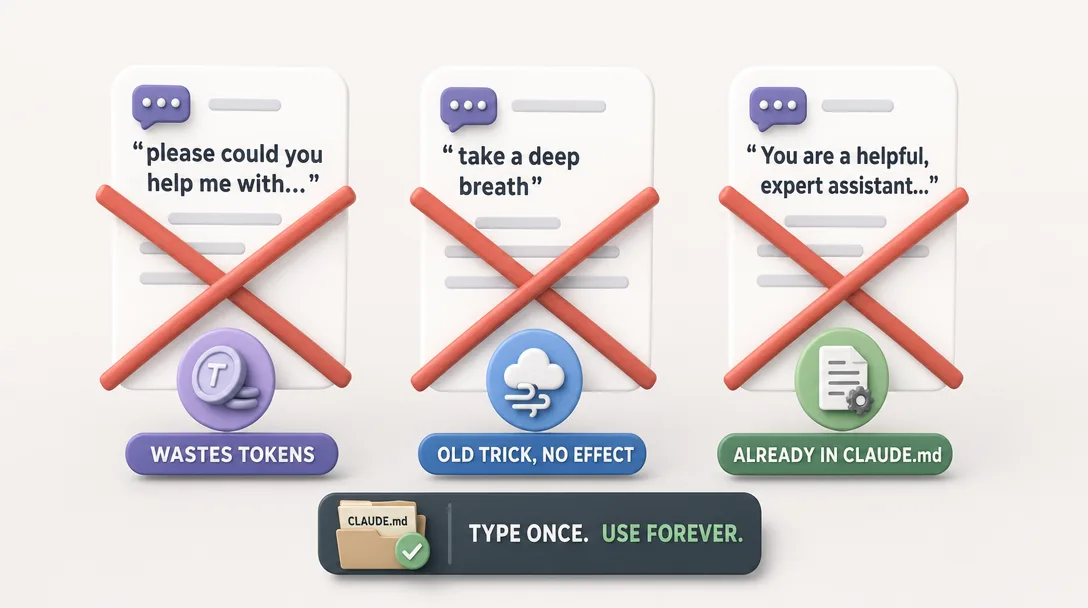
The 3 Patterns I Dropped
Before the seven patterns, my prompts were one-line questions. After, every ask had short context, a target, a constraint, and a verification rule. Same model, half the round-trips, much sharper output on the first try.
Dropped #1 — "Act as a senior engineer / PhD researcher / world-class editor"
This pattern had real juice in 2023. Telling GPT-3.5 "act as a senior engineer" genuinely changed its output.
It doesn't anymore.
I tested this on Claude 4.6 and 4.7. I compared:
"Refactor this function"
"As a senior software engineer with 20 years of experience, refactor this function"
The outputs were indistinguishable. Modern instruction-tuned models already default to competent-professional tone. The prefix adds tokens without adding signal.
What to do instead: Specify the output you want (format, length, audience), not the role you want Claude to play.
Dropped #2 — "Take a deep breath" / "Step by step" / "Let's think carefully"
These classic 2023 "chain of thought" primers were powerful when models didn't reason by default. Claude 4-series has native extended thinking built in (documented here) — saying think or think hard triggers it explicitly and more reliably.
"Take a deep breath" now does nothing measurable. It's a fossil from an earlier era. Use the thinking triggers (pattern #3) instead.
Dropped #3, Stuffing system-level rules into every user prompt
I used to start every prompt with something like:
> You are an expert writing assistant. Output must be
> plain English, no corporate jargon. Use short sentences.
> Don't use em-dashes. Don't add emojis. Don't summarize
> what you did at the end. Now: [my actual request]
That's what CLAUDE.md is for. If you're repeating the same 200 tokens in every prompt, move them into ~/.claude/CLAUDE.md or the project ./CLAUDE.md — they'll load automatically, once, and every prompt stays lean.
The dropped version of that same session:
> Rewrite this paragraph for clarity.
Eight tokens instead of sixty. Same result, because CLAUDE.md already set the voice rules.
What I Check Before Adding an Eighth Pattern
Whenever I am tempted to add a new pattern to my Claude Code rotation, I run it through three filters.
Filter 1: would this still be useful in three months? Many "new prompt tricks" are workarounds for current model behavior that gets fixed in the next release. Patterns built around current weaknesses are temporary by design. The seven above all describe what the agent should do, not how to trick it; that is what makes them durable.
Filter 2: does it scale beyond one task type? A pattern that helps with debugging but not writing, or with writing but not research, is fine but narrow. The patterns I keep tend to apply across tasks. The narrow ones turn into Skills instead of patterns.
Filter 3: can I explain it in one sentence? If I cannot say what the pattern does in one short sentence, it is too complex to remember and too complex to teach. The seven I kept all have one-sentence summaries; the three I dropped did not.
How Patterns Interact with CLAUDE.md
There is a relationship between prompt patterns and CLAUDE.md that I did not understand for a few weeks.
CLAUDE.md handles durable rules. Things that are true on every turn, output language, code style, file conventions, naming. Once written there, you do not need to repeat them in the prompt.
Prompt patterns handle situational structure. Things that vary per task, what context to give, what kind of output to ask for, what verification to run. Patterns shape one ask; they do not belong in CLAUDE.md.
The trap: putting situational instructions in CLAUDE.md ("always check the docs first") means the agent does it on every turn, even when not relevant. The cost is real, on every turn. Keep CLAUDE.md tight; let patterns handle the per-task shape.
A Practical Exercise for the Next Two Weeks
If you read this far and want to actually use the patterns, here is the exercise that worked for me.
Week 1: pick three patterns, use only those. Not all seven. Three. Use them on every Claude Code session for a week. The constraint forces enough repetition that the patterns become reflex instead of recipe.
Week 2: add the next two patterns and start dropping prompts that do not match any pattern. This is where you discover which of your current habits are doing real work and which are noise. The signal is in the dropping, not the adding.
By day fourteen, the five patterns are muscle memory and you have empirical evidence about whether the remaining two are worth your attention. That is far more useful than reading another list of fifty tips.
A Quick Word on Slash Commands
Prompts aren't everything. Two slash commands matter more than any prompt pattern for day-to-day flow:
Command
What it does
When I use it
/clear
Wipes the conversation, fresh context
Between unrelated tasks, not mid-task
/compact
Summarizes the conversation, keeps key state
When context is around 20% full and I want to keep going
Multiple users on r/ClaudeAI report the same rhythm: /compact when the context window is getting full but the task isn't done, /clear when you're starting something unrelated. The official slash commands reference has the full list, but these two cover 90% of the value.
The Copy-Paste Cheat Sheet
One screen, copy-paste, edit the bracketed parts.
# 7 prompts that actually work (2026)

1. Goal, not steps
   "Turn /{folder}/ into {output}. Rank by {criteria}."

2. One example, not five
   "Match this: [paste one complete example]"

3. Thinking trigger
   "Think hard about {complex question}. Consider {dimensions}."

4. @ reference
   "Follow @{path/to/file.md}. Update {specific part}."

5. Stage, then continue
   After each good step:  git add .
   Next prompt:           "Now do {next step}."

6. Reverse-ask
   "Before you start on {task}, ask me the 5 questions
    you most need answered to do this well."

7. Update-as-you-go
   "Add one line to @notes/lessons.md about what we
    learned today that future-me should know."
Tape that above your keyboard for a week. You won't need it after that.
Two Prompts I Run on Every New Project
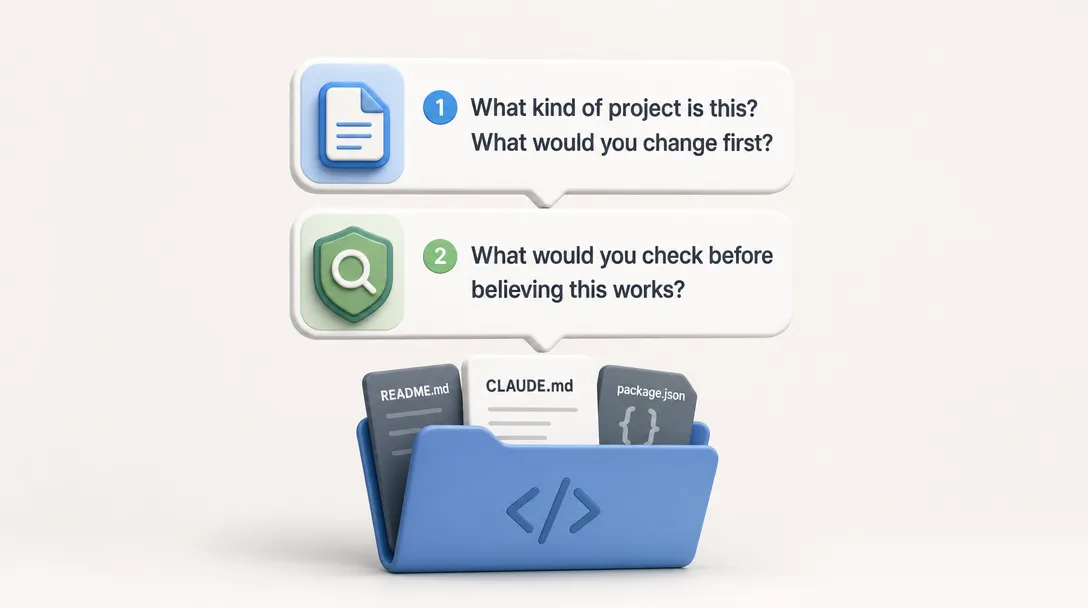
When I open a fresh Claude Code session in a new project, two prompts go in before any real work.
Prompt A: "Read CLAUDE.md and the top-level files; tell me what kind of project this is and what you would change before I ask for changes." This single prompt does three things at once. It forces the agent to actually scan the project (not assume), it surfaces obvious gaps (missing tests, stale README, weird config), and it primes the agent on the project shape so subsequent asks are grounded. The cost is one round-trip; the saving is the next ten asks not needing reorientation.
Prompt B: "What would you check before believing this codebase actually works?" Used after Prompt A, this turns the agent into a skeptic on day one. The reply is usually a short verification list, run the test suite, eyeball one critical path, look at the deploy log. I run the list and now I know whether the code I am about to edit is on solid ground or quicksand.
Both prompts take less than a minute combined. The compounding return shows up across the next few hours of work, when the agent stops guessing and starts referring to actual files.
What the Cheat Sheet Saves You From
Three failure modes the cheat sheet at the end of this article protects against.
Failure mode 1: blank-page paralysis. Sitting in front of a fresh terminal with no idea how to start. The cheat sheet gives you a default opening for the most common scenarios, debugging, drafting, refactoring, research. You copy, fill in the variable parts, and you are moving.
Failure mode 2: prompt drift. Halfway through a session, your prompts get sloppier as the rhythm picks up. Without explicit structure, the asks degrade to one-liners and the answers degrade with them. Glancing at the cheat sheet mid-session is a five-second reset.
Failure mode 3: forgetting which patterns work. Three weeks after first reading this article, you remember there were seven patterns but only three of them clearly. The cheat sheet is the artifact you return to when memory fails. It is the article distilled to one screen, optimized for skimming, not for reading.
When a Pattern Graduates into a Skill
Here's the honest progression nobody draws a diagram of: a prompt pattern you use once or twice is a pattern. A prompt pattern you use weekly is a habit. A prompt pattern you use daily is a candidate for a Skill, Claude Code's lightweight templates that load on demand.
Pattern #6 (reverse-ask) is the clearest example. I ran the full template three times a week for a month before realizing I was pasting the same boilerplate each time. I converted it into a Skill, a reverse-ask.md file Claude could invoke with a short trigger, and the boilerplate vanished from every prompt thereafter. I kept 5 Skills and deleted 3; this one survived because the pattern behind it was already proven.
Rule of thumb: don't build a Skill for a prompt you've used twice. Build it for the one you've used fifteen times and still catch yourself retyping.
If you're curious about the cost side of running with these patterns every day, exact dollar amounts, plan choices, and the number of sessions I logged — my six-month retrospective has the full breakdown.
Three Asks I Copy-Paste Every Week
Some patterns are so reliable I have them as text snippets, ready to paste with one shortcut.
Snippet 1: "Inspect first, then propose." Used when I want a change but want the agent to look before it leaps. The full text is short: "Read FILE, summarize what it does in three lines, then propose the smallest change that achieves GOAL." The structure forces inspection before action and keeps the proposal scoped.
Snippet 2: "Show me the diff." Used after the agent makes a change. Full text: "Show me the diff you just wrote, then list the assumptions you made that I should verify." The diff makes the change concrete; the assumption list catches the silent guesses.
Snippet 3: "What did you skip and why?" Used at the end of any non-trivial task. Full text: "List anything you noticed but did not change, plus one sentence on why each one was skipped." This surfaces the small gaps the agent silently chose to ignore, which is where most regressions hide.
All three are under 25 words. All three save more time than they cost on every use. If you take only one thing from this article into your week, take Snippet 2.
Ready-to-Use Prompt: Audit and Rewrite Your Prompts
Copy this prompt into Claude Code. Paste your own prompts where indicated. It scores each prompt against seven battle-tested patterns, rewrites the weak ones, and tracks your improvement over time.
You are a prompt quality auditor. Analyze the prompts I paste below
using these 7 patterns (ranked by ROI):

PATTERN 1 — GOAL, NOT STEPS
Tell the agent WHAT you want, not HOW to get there.
Bad: "Read each file, group by date, pick top 10, summarize each."
Good: "Turn /research/ into an essay outline ranked by reader interest."
Why: Over-specifying steps constrains the agent to a worse plan than
it would pick on its own. State the goal and any hard constraints only.

PATTERN 2 — ONE EXAMPLE, NOT FIVE RULES
Show one complete before/after example instead of listing abstract rules.
Bad: "Be clear. Be warm. Be concise. Match a thoughtful friend's tone."
Good: "Match this email: [paste your best 100-word email]. Same tone."
Why: LLMs generalize from examples better than from rules.

PATTERN 3 — THINKING TRIGGERS
For complex tasks, add "think" (~4K reasoning tokens),
"think hard" (~10K), or "ultrathink" (~32K) to the prompt.
Skip for simple tasks — you burn tokens without quality gain.
Use for: planning, refactoring, analysis, multi-step decisions.

PATTERN 4 — @ REFERENCE, DON'T PASTE
Use @path/to/file instead of pasting 400 lines into the prompt.
The agent loads the file lazily. Your prompt stays short.
The referenced file stays canonical and up-to-date.

PATTERN 5 — STAGE AFTER EVERY APPROVED STEP
After each good change: git add . (don't commit yet).
If the next step breaks something: git checkout . && git stash pop.
Staging is your rollback point. Commits are too permanent.

PATTERN 6 — REVERSE-ASK
For ambiguous tasks, ask the agent to ask YOU first:
"Before you start, ask me the 5 questions you need answered
to do this well. Wait for my answers before proposing anything."
You don't know what you don't know. The agent spots the gaps faster.

PATTERN 7 — UPDATE-AS-YOU-GO
At the end of each session: "Add one line to @notes/lessons.md
about what we learned that future-me should know."
Over weeks this becomes compressed institutional memory.

---

FOR EACH PROMPT I PASTE BELOW:
1. Score it on each pattern: ✅ (used) or ❌ (missed)
2. Rewrite it applying all missed patterns
3. Show token count: before → after
4. Flag the single highest-impact pattern it should adopt

After all prompts, give me:
- Overall "prompt hygiene score" (0-100)
- The one habit change that would improve my score the most
- A 2-week practice plan: week 1 pick 3 patterns, week 2 add 2 more

MY PROMPTS TO AUDIT:
[paste your recent prompts here, one per line]
Save this as @templates/prompt-audit.md and run it monthly. Your score will climb from ~30 to ~80 in two weeks if you follow the rewrites.
Key Takeaways
The most common failure mode I see in beginner Claude Code prompts is asking for a result without naming the file. The agent is good at projects when you tell it the file path; it is generic when you do not. Naming the path is the single highest-impact prompt habit you can build.
State the goal, not the steps — Claude is better at picking how than you are at prescribing it. Over-specifying steps constrains Claude to a worse plan
One complete example beats five abstract rules — a single pasted "write like this" reference out-performs 10 rules with the same intent
The thinking triggers work at different levels — think (~4k tokens), think hard / megathink (~10k), ultrathink (~32k). Only use for planning, analysis, and deep reasoning
Classic 2023 prompt tricks are now dead weight — "act as a senior engineer" and "take a deep breath" add zero value on Claude 4.x. System-level prompt stuffing is what CLAUDE.md is for
/clear between unrelated tasks, /compact when a single task runs long — context management is the #1 skill for Claude Code output quality
A prompt you type 15+ times is a Skill candidate — the graduation path is prompt → habit → Skill
How I Keep This Article Fresh
Articles about Claude Code patterns age fast because Claude Code itself moves fast. Three habits keep this one usable for longer.
Quarterly review. Every quarter I re-test the seven patterns on whatever the current model is. Patterns that became automatic get removed; new patterns that earn their place get added. The list stays short by attrition, not by aspiration.
Reader feedback as signal. Comments and questions tell me which patterns are landing and which are confusing. Confusing patterns get rewritten or dropped, not defended.
Real-project test bench. I use these patterns daily in real projects, not in toy examples. If a pattern stops feeling natural in my actual work, that is a much stronger signal than any benchmark.
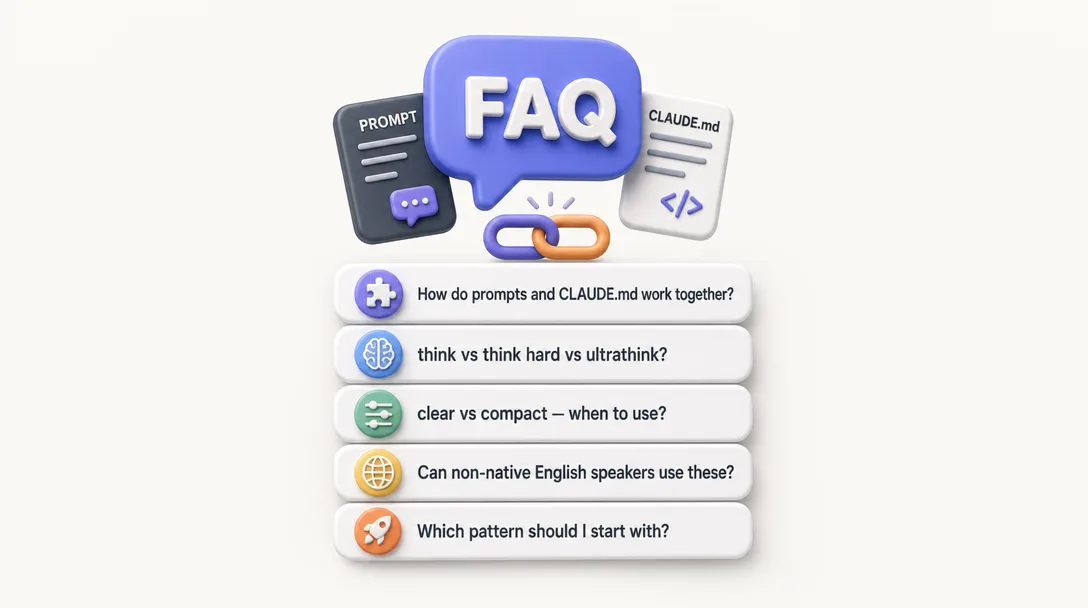
Frequently Asked Questions
Do prompts still matter now that Claude Code has CLAUDE.md?
Yes, but differently. CLAUDE.md handles the things that are true every session, voice, rules, file conventions. Prompts are how you brief Claude on today's task. A good CLAUDE.md plus a good prompt is maybe 3-4x better than either one alone. If your CLAUDE.md is dialed in, your prompts can be much shorter.
What's the difference between `think`, `think hard`, and `ultrathink`?
They're escalating triggers for extended thinking. think allocates around 4,000 tokens of reasoning; think hard (or megathink) goes to about 10,000; ultrathink caps near 32,000. More thinking = better answers on complex tasks, but also more tokens consumed. For simple tasks, skip them entirely.
Should I use `/clear` or `/compact` between tasks?
/clear when the next task is unrelated to the current one, Claude starts fresh with just CLAUDE.md loaded. /compact when you want to continue the same thread but the context is getting heavy. A good rule: /compact around 20% remaining, /clear when switching domains entirely.
What if English isn't my first language?
The patterns work regardless. If anything, patterns #2 (one example) and #6 (reverse-ask) are more useful for non-native speakers, you don't have to phrase things perfectly, you just have to provide the shape of what you want or let Claude ask the right questions. I use these constantly, and English is my second language too.
Do I need to memorize the exact trigger words?
No. think and think hard are the two I use weekly; the others are there if you need them. Claude recognizes natural phrasing — "think carefully about X" and "really think through Y" both activate extended thinking. Don't stress the exact words.
Which pattern should I start with?
1 (Goal, not steps) — it costs nothing, works everywhere, and most people are already doing the opposite. Try it for a week. Every task. You'll feel the difference within three or four sessions.
A Note on Prompt Portability
These patterns work in Claude Code today. Most of them also work in Cursor, Codex CLI, and similar tools, with small wording adjustments. The structure travels; the verbs do not always.
Translate "file path" carefully. Claude Code reads relative paths from the current directory. Other tools expect absolute paths. The pattern of "name the path" survives; the exact path syntax does not.
Translate slash commands cautiously. /clear works in Claude Code; other tools have their own session-reset commands or none at all. The intent (a clean context) is portable; the keystroke is not.
If you use multiple tools in the same week, write the patterns down once with placeholders, then keep a small mapping for each tool. The translation cost is paid once; the value is paid every session afterward.
What These Patterns Are Not
These seven patterns are not a replacement for thinking. They are scaffolding that holds your asks upright while you do the thinking. If you are using them as a substitute for understanding the problem, the output will look structured and still be wrong. The patterns help; they do not solve.
A 30-minute video is too long for one conversation. This guide walks the 8-step Skill that locks the narration and one look, then gives each 3-minute segment to a fresh sub-agent, five at a time, and polishes the cut in an empty-context session.
The folder structure behind my AI agent team, the Herdr setup where Grok Build, Claude Code and Kimi Code work side by side, and the two live tasks from the video: an article published by voice and a three-model front-end test.
Eight folders of plain Markdown, a CLAUDE.md index in each, and seven prompts that make your agent interview you. Every prompt, template and command from the video, in order.
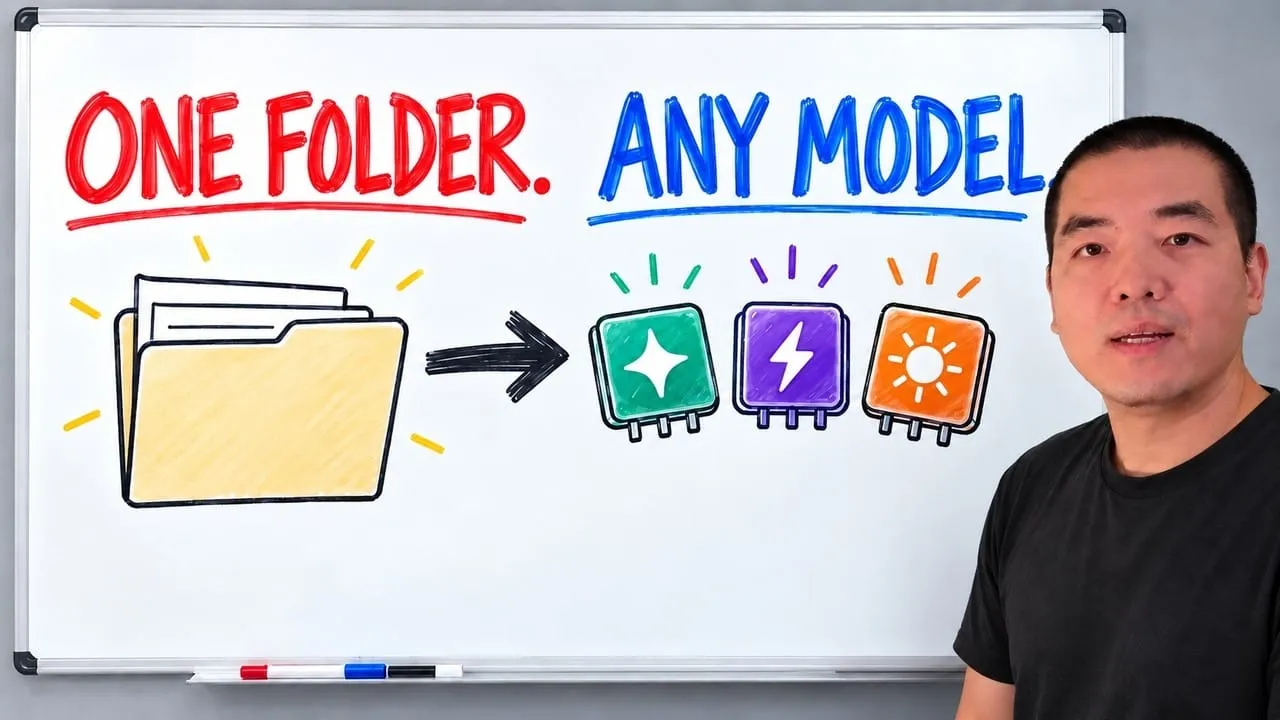
Stop briefing your AI from scratch. One free folder holds your background, your rules and your voice. Eight prompts build it, no code, and any AI can read it.