Monitoring a competitor who publishes no feed is the case every RSS guide skips. Twenty-one platforms sorted by which of three jobs they do, and the finished setup is business process automation you own outright, with no seat licence to renew.
Blaming the content is the reflex when a post underperforms, and it is usually the wrong diagnosis. A second reader decides distribution before any human sees the post, and most of what it checks is mechanical enough to automate business processes around, on five platforms at once.
Gloves on, tape measure in hand — nobody types a query. Three voice surfaces for ai automation tools (terminal, Telegram, Discord), 10 TTS and 6 STT providers compared on cost and latency, plus a setup that costs nothing.
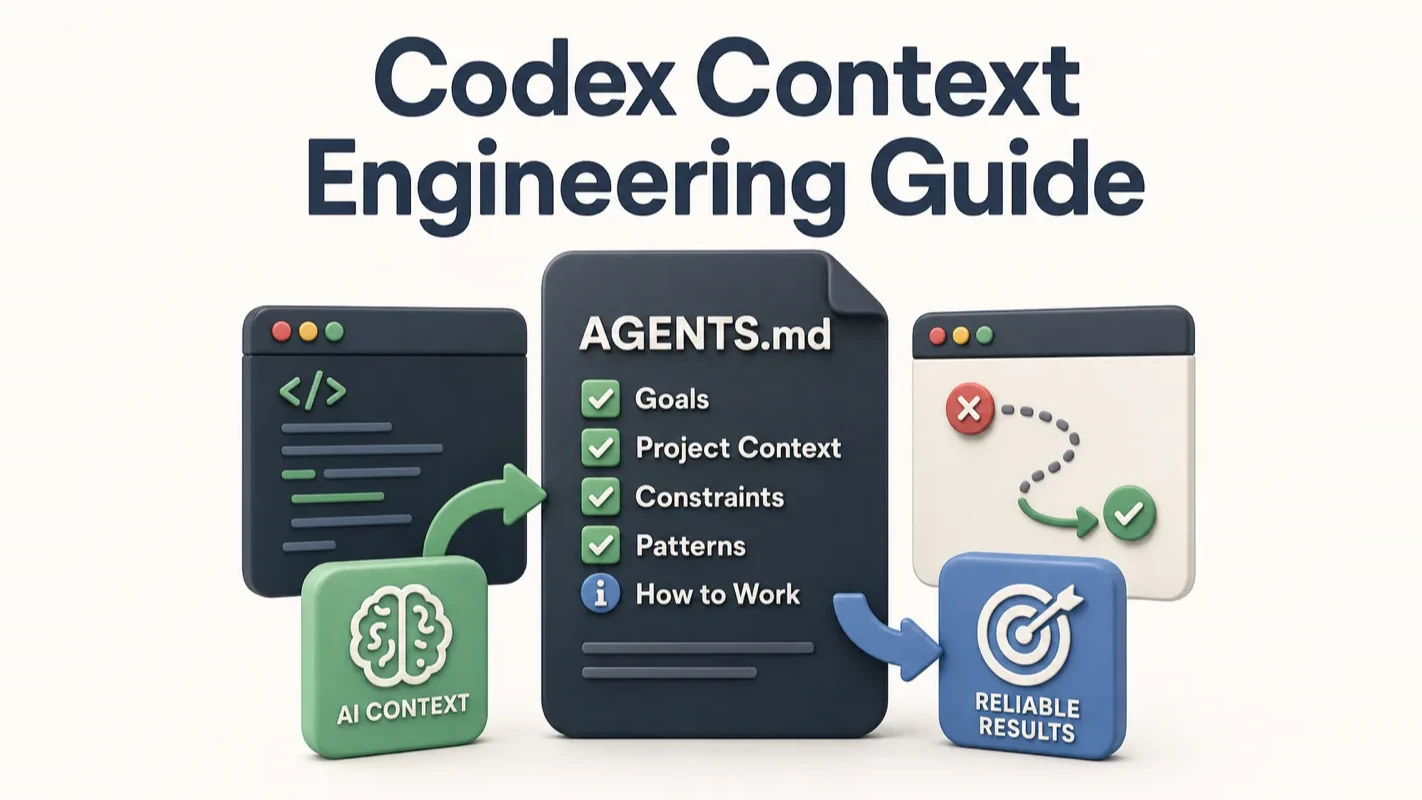
Codex Context Engineering Guide: Why Your AI Keeps Going Off-Track and How to Fix It
Every agency has a phrase for it: bad brief, bad work. It survives the move to AI intact. Most agent failures are not the model getting dumber. They are a vague goal, no boundaries, and fifteen files of material where two would do. Here is what to put on the desk before you hand over your work.
Anyone who has worked in an agency knows the phrase: bad brief, bad work. Nobody blames the designer when the brief said make it pop and never mentioned the brand palette was already fixed. That phrase transfers to agents with no edit at all. Ask for "fix the login issue", hand over the entire source directory, then add "while you are at it, clean up the warnings", and seven files get touched while the actual bug survives untouched. That is a briefing failure, not a model failure, and it is the most common way an AI agent for business work disappoints. Most of what follows is really about how to write the brief.
Most Codex failures look like model failures. They aren't. They're context failures — you gave Codex the wrong information, too much information, or no information at all. This guide reverse-engineers those failures and turns them into a repeatable system for feeding Codex exactly what it needs.
I've run Codex across dozens of multi-agent projects in production. The single biggest lever for reliability wasn't switching models or tweaking temperatures — it was getting the context right. Everything in this guide comes from that hands-on experience.
What Does a Typical Codex Failure Actually Look Like?
You ask Codex to "fix the login issue," drag the entire src/ directory into the conversation, and add "oh, also clean up those log warnings." It runs for a while, touches seven files: never actually fixes the login bug, deletes unrelated warning comments, and breaks a config file you never mentioned. Yesterday it seemed brilliant. Today it seems broken.
The model didn't have a bad day. Your context did. The goal was vague ("fix" means what exactly?), the boundaries were missing (which files are off-limits?), the materials were overwhelming (the two relevant files drowned in noise), and a "while you're at it" side-task scattered its attention.
Codex only works with what's on the desk you set up. Messy desk, messy results.
What Is Context and Why Does It Decide Everything?
Context is everything Codex can see right now — not its training data, not its memory from other sessions, just the materials on its desk for this specific task.
Think of Codex as an engineer sitting next to you. Before starting work, the desk holds company rules, project docs, your current task instructions, referenced files, and command outputs. The quality of work depends almost entirely on whether those materials are the right ones.
Too little material and Codex guesses. You say "fix the login bug" without pointing to the entry file, the error message, or defining what "fixed" means. Too much material and Codex drowns. You dump fifteen files, thousands of log lines, and three paragraphs of background — it can't tell which sentence matters most.
Context engineering is desk management. Not piling everything on, but placing exactly what this task needs in the most visible position.
On SWE-bench benchmarks, swapping the harness (the context engineering and scaffolding layer) on the same model produces larger score differences than swapping to a stronger model. Epoch AI's controlled experiments confirmed that "the choice of scaffold has the largest single impact on overall performance." How you feed context sometimes matters more than which model you use.
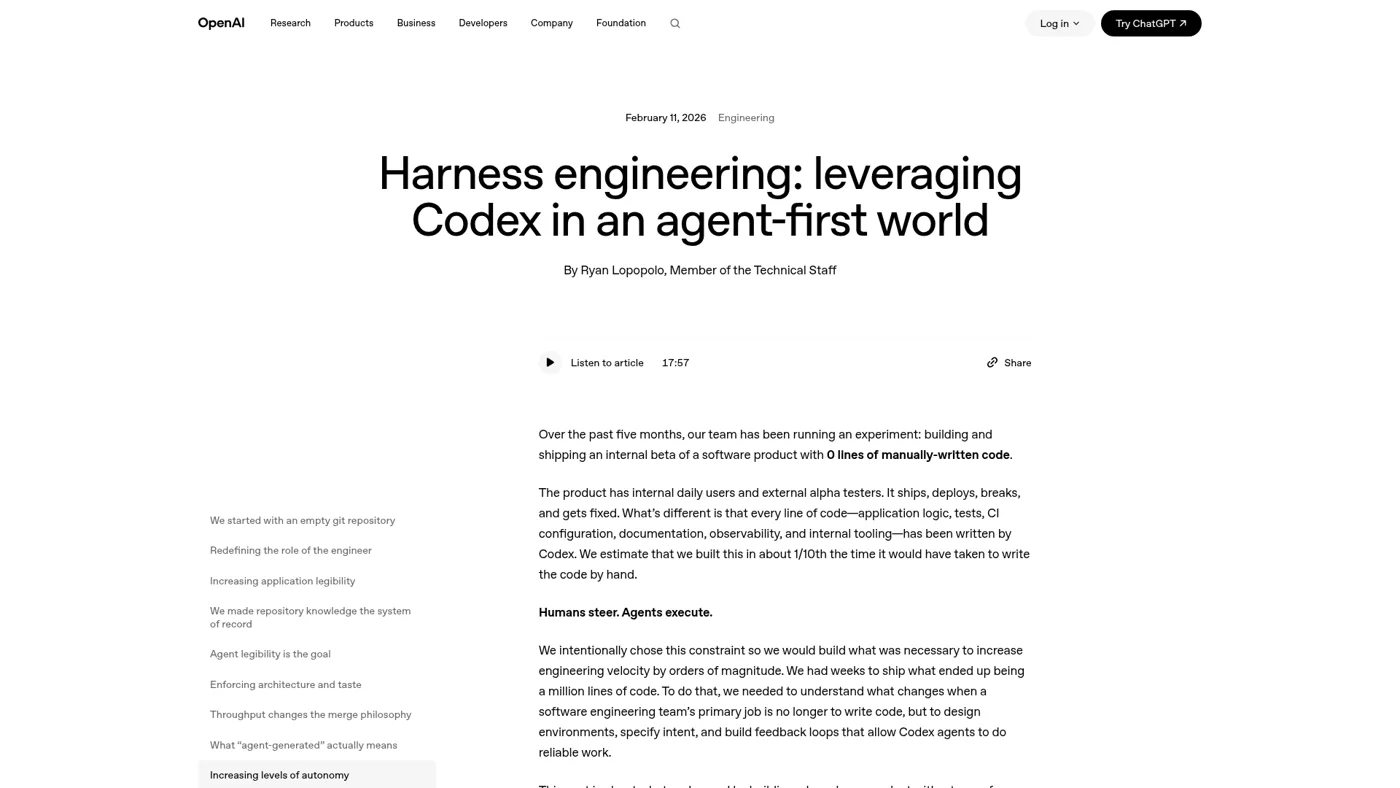
How far can this go? OpenAI has publicly shared that an internal team built a million-line-scale product from an empty repo using Codex — zero human-written source code, not even the AGENTS.md. The engineers' job wasn't writing code. It was designing the environment that let AI write correct code reliably. That environment is context engineering at scale.
Why Does Codex Go Off-Track? The Four Root Causes
Dissecting the opening failure scenario reveals four causes — and each one maps to a type of information you can add:
Vague goal: You said "fix the login issue" without defining what "fixed" means. Codex interpreted it its own way.
Missing boundaries: You never said "don't touch these files." It edited wherever it saw an opportunity.
Material overload: You dragged in the entire directory. The two relevant files got buried under dozens of irrelevant ones — Codex noticed the beginning and end but missed the critical logic in the middle.
Task smuggling: You added a "while you're at it" side-task. Attention split, main task quality dropped.
This isn't about blame. Beginners can't know upfront how much information to provide. But you need one simple intuition: Codex doesn't read minds. It only reasons over the current context. Bad context, bad results.
Think of it as a handoff. When handing off work to a colleague, you don't dump your entire desktop. You don't say "figure it out." You explain the problem, point to the relevant document, say what's off-limits, and define what "done" looks like. Same logic applies to Codex.
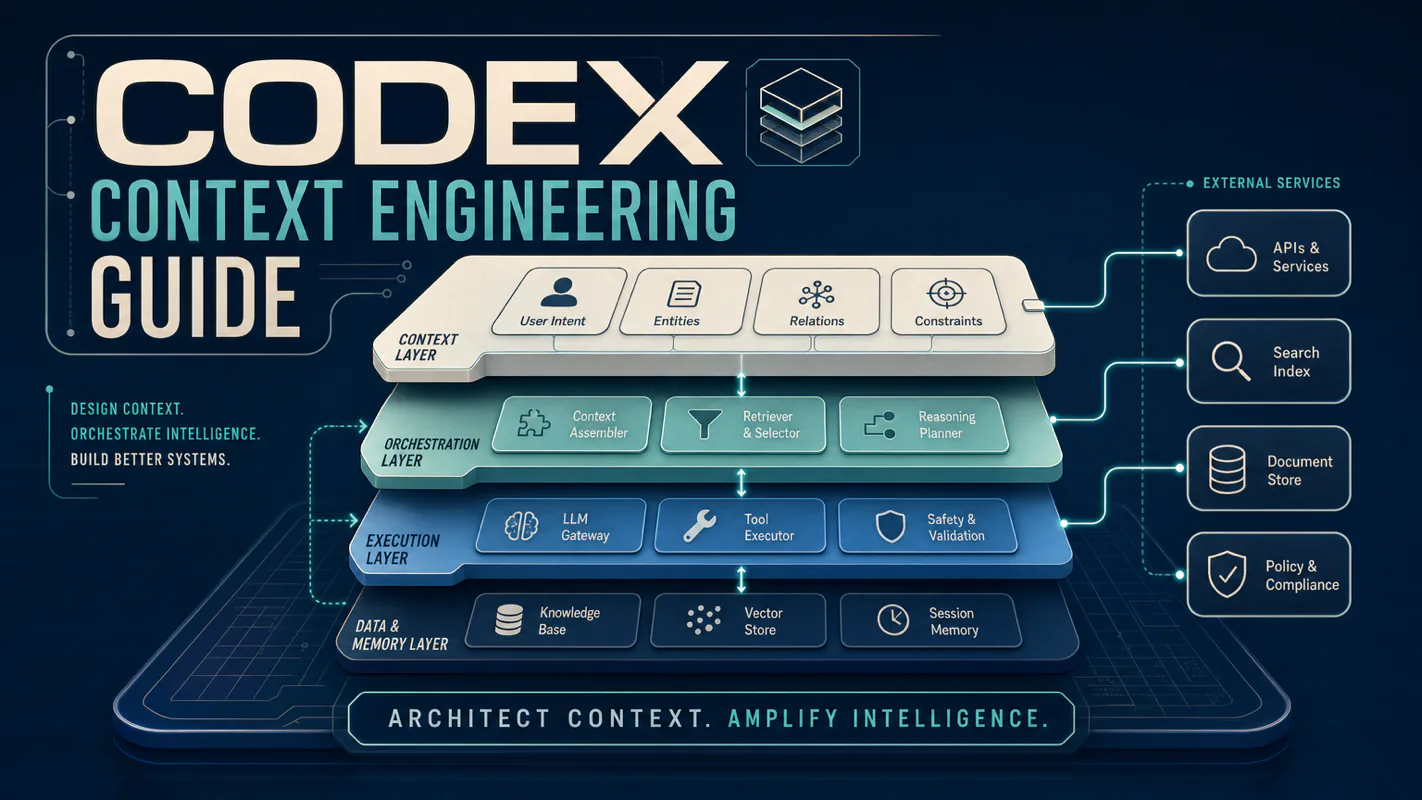
What Are the Codex Context Layers, and Which Ones Matter?
Codex reads from five context layers. Understanding which ones you actually control is the key to effective context engineering.
Layer
What It Controls
Who Writes It
Persistence
Should Beginners Worry?
System Prompt
Codex's baseline behavior
OpenAI (invisible, unchangeable)
Permanent
No — you can't touch it
AGENTS.md
Project-level rules, auto-loaded every session
You
Cross-session (lives in repo)
Yes — primary focus
Skills
Reusable workflows, loaded on demand
You define them
On-demand
Later — advanced topic
Session Context
Current prompt, @ file references, tool outputs
Current conversation
Single session
Yes — primary focus
Memories
Cross-session learned context
Codex generates them (opt-in)
Persistent locally
Later — advanced topic
Don't let "five layers" intimidate you. The system prompt is untouchable; Skills and Memories are advanced topics. The two layers that determine whether Codex hits or misses are AGENTS.md (long-term project rules) and session context (how you brief this task).
Go back to the four failure causes. Every single one falls into these two layers: goals, boundaries, materials, and task smuggling are either "how you brief this task" (session) or "what should be permanent project rules" (AGENTS.md). Get these two right and most drift disappears.
A Note on Memories
Codex's memory system is opt-in and local. When enabled via features.memories = true in config.toml, Codex can turn useful context from prior tasks into memory files stored under ~/.codex. These memories are injected into future sessions automatically. Memories are off by default in the CLI and are most useful once your AGENTS.md and session discipline are solid. You can manage them mid-session with /memories and fine-tune behavior with settings like memories.generate_memories and memories.use_memories in config.toml.
From running multi-agent workflows in production, I've found that AGENTS.md delivers more value per hour invested than any other layer — it fires on every conversation automatically and has the broadest coverage. Nail AGENTS.md and session context first, then layer in Memories and Skills.
The most common mess between these two layers: putting temporary instructions into permanent rules. "Skip tests this time" should live in the current session. If you bake it into AGENTS.md, next time Codex might actually skip tests permanently.
How Does AGENTS.md Discovery Actually Work in Codex?
Understanding Codex's AGENTS.md loading mechanism is critical, because it works differently from other AI coding tools. Codex builds an instruction chain once per run (or once per TUI session start). The discovery follows a precise precedence order:
1. Global scope (~/.codex/): Codex reads AGENTS.override.md if it exists, otherwise AGENTS.md. Only the first non-empty file at this level is used.
2. Project scope: Starting at the project root (typically the Git root), Codex walks down to your current working directory. In each directory along the path, it checks for AGENTS.override.md, then AGENTS.md, then any fallback filenames configured in project_doc_fallback_filenames. At most one file per directory is included.
3. Merge order: Files are concatenated root-down, joined with blank lines. Files closer to your current directory appear later in the combined prompt — and later position means higher precedence.
Codex stops adding files once the combined size reaches project_doc_max_bytes (32 KiB by default). You can raise this limit in config.toml, but the practical constraint is attention, not bytes.
This means you can create a layered instruction architecture:
~/.codex/AGENTS.md              # Global: your personal coding style
repo/AGENTS.md                  # Repo root: project-wide conventions
repo/services/AGENTS.md         # Service level: service-specific rules
repo/services/payments/AGENTS.md  # Leaf: payment team overrides
When you run Codex from repo/services/payments/, it concatenates all four files in order. The payments-specific rules appear last and take precedence.
This hierarchy is particularly powerful for monorepos. The root AGENTS.md documents the overall architecture, each service directory holds service-specific conventions, and leaf directories carry specialized rules. The agent gets the global picture cheaply, then loads service-specific detail only when working in that directory.
How Long Should AGENTS.md Be?
Many beginners stuff AGENTS.md with every rule they can think of: response style, test commands, directory explanations, historical lessons, temporary tasks, personal preferences. It feels thorough at first. A month later it's a junk drawer.
Here's the overlooked constraint: more instructions don't mean more compliance. The HumanLayer team's analysis in Writing a good CLAUDE.md provides a useful cross-tool benchmark: frontier reasoning models reliably follow about 150 to 200 instructions, and the agent's built-in system prompt already consumes around 50 of those slots. Your project instruction budget is smaller than you think — go too long and the AI starts skipping rules.
Working backward from that budget: a few dozen to roughly 200-300 lines is the sweet spot. Beyond that, you're writing for your own comfort, not for the model.
Start minimal. Run for a week or two. Add rules only when Codex repeats the same mistake. Before adding any rule, ask yourself: is this more important than an existing one? If it can't replace something, don't add it.
OpenAI's own guidance is direct: treat AGENTS.md as a feedback loop. When the agent makes incorrect assumptions about your codebase, correct them in AGENTS.md and ask the agent to update it so the fix persists.
AGENTS.md vs. Skills: Where Does Each Rule Go?
AGENTS.md is "project law" — auto-loaded, always active. Skills are reusable workflows loaded on demand via progressive disclosure: Codex starts with each skill's name and description (using at most 2% of the context window for the skill catalog), and loads the full SKILL.md only when it decides to use a skill.
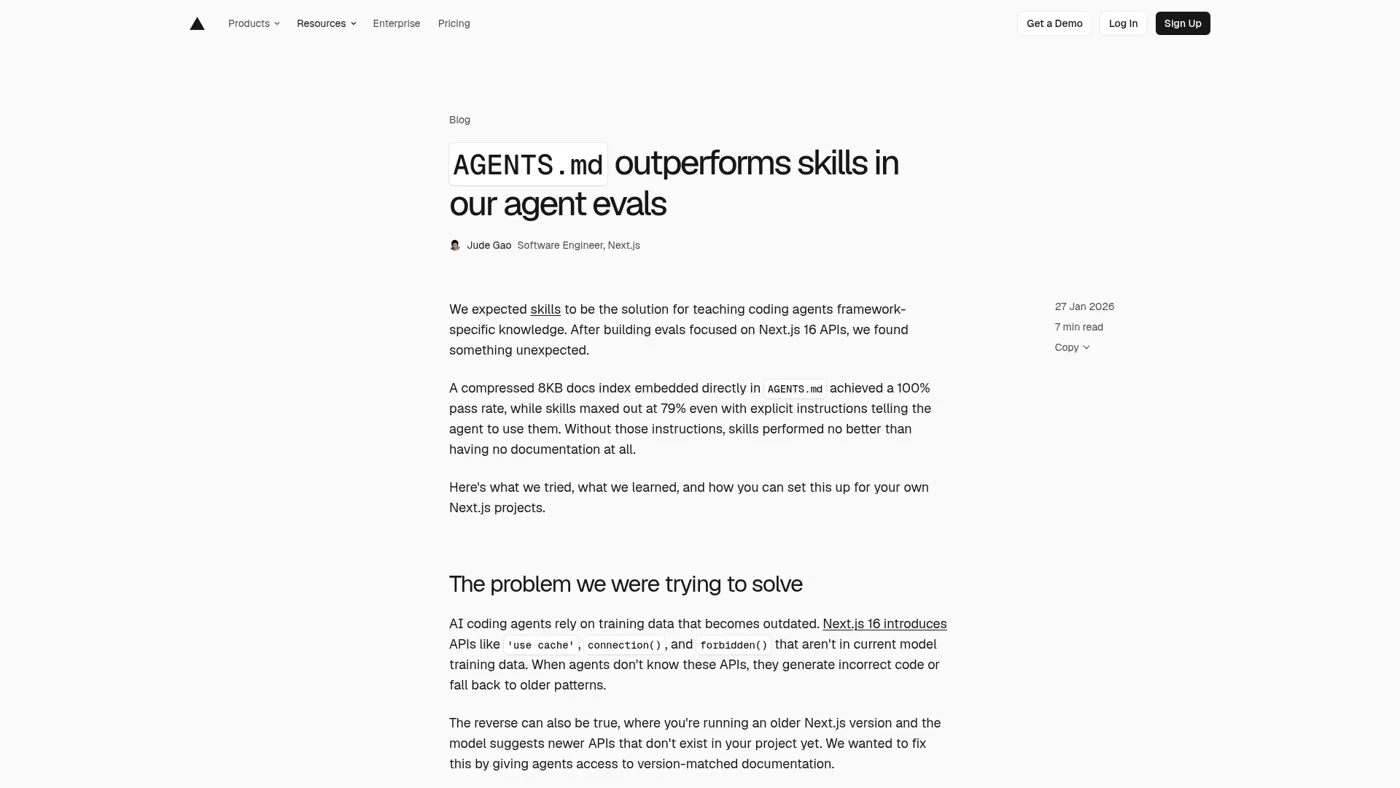
Vercel's public evaluation revealed a counterintuitive result: embedding documentation directly in AGENTS.md (auto-loaded every time) achieved 100% pass rate, while relying on the agent to decide whether to read a Skill hit only 53% — nearly identical to giving no documentation at all.
High-frequency rules that should fire every session belong in AGENTS.md. Skills work best for procedures that aren't always needed but require a complete workflow when they are — like a release checklist, a PR review sequence, or a data migration procedure. Skills can include helper scripts in a scripts/ folder and declare MCP tool dependencies in agents/openai.yaml for automatic wiring.
Non-negotiable work patterns — "always run this script after changes," "never modify this directory"
Fixed verification commands — test suites, linting, build checks
A simple decision rule: if it should still apply next month, put it in project rules. If it only serves today, keep it in the current conversation. If it's an unverified idea, don't write it anywhere permanent yet.
How Does the Sandbox Shape Your Context Strategy?
This is where Codex diverges sharply from other AI coding tools. Codex runs every command inside an OS-level sandbox — not a container, but platform-native kernel enforcement. On macOS, Apple's Seatbelt framework restricts filesystem and network access. On Linux, Landlock + seccomp (or bubblewrap in newer versions) filter syscalls and file access. On Windows, AppContainer profiles enforce restrictions.
The sandbox operates in modes that directly affect what context Codex can access:
Sandbox Mode
Filesystem
Network
Context Implication
workspace-write (default)
Read anywhere, write only in project
Disabled
Codex cannot fetch docs, install packages, or hit APIs
read-only
Read anywhere, write nothing
Disabled
Pure analysis mode — context must be complete upfront
danger-full-access
Unrestricted
Unrestricted
Full access — but you lose the safety net
The critical insight: in the default mode, network is off. This means Codex cannot look up documentation, cannot curl an API to check behavior, and cannot pip install missing packages. Every piece of information it needs must already exist in its context window — in AGENTS.md, in referenced files, or in your session prompt.
This constraint makes context engineering more important for Codex than for tools that run with network access by default. If your workflow requires Codex to access external resources, you have two options:
Pre-load the information: Put API specs, relevant docs, and expected behaviors into AGENTS.md or reference them in your prompt.
Enable network selectively: Set sandbox_workspace_write.network_access = true in config.toml, optionally with network_proxy rules to constrain which destinations are reachable.
The sandbox also protects .git directories and .codex configuration as read-only even in workspace-write mode. Codex cannot accidentally corrupt your Git history or tamper with its own configuration. This is a safety feature, but it also means instructions like "update the .git hooks" must be done outside the sandbox.
Approval Policies and Context Flow
The sandbox works in tandem with approval policies. In suggest mode (the default in CLI), Codex must ask permission for every file write and shell command. In auto-edit, it can write files freely but still asks for shell commands. In full-auto, it writes files and runs commands autonomously within the sandbox boundary.
The approval mode you choose affects how context accumulates. In suggest mode, every approval prompt adds to the conversation history. A session with dozens of approval-and-response cycles burns through context fast. If you trust Codex on a well-scoped task, full-auto inside the sandbox eliminates this overhead. The commands run network-disabled and confined to the working directory — defense-in-depth without the context cost of constant back-and-forth.
How Should You Brief Codex on a Task?
Every task brief comes down to three things: goal, boundaries, and acceptance criteria. You don't need to write an essay. The three critical components:
Goal: What you want done. Not "optimize this" but "rewrite this section so a beginner can follow it, reduce code blocks and jargon."
Boundaries: What Codex must not do. "Don't publish." "Don't touch files outside this directory." "Maximum three files changed."
Acceptance criteria: How to verify completion. "Zero duplicate paragraphs. All tests pass. Word count stays above threshold."
State these three things and Codex stops guessing. You don't need to provide every piece of background — just pin down direction, scope, and the finish line.
Most failures aren't caused by unsophisticated prompts. They're caused by missing one of these three elements. No goal means Codex wanders. No boundaries means it overreaches. No acceptance criteria means it doesn't know when to stop.
Short and clear beats long and vague every time.
How Many Files Should You Give Codex?
Beginners frequently drag an entire directory into the conversation. It feels safe but actually dilutes focus. Stick to one to three specific files per task. Codex has built-in search tools (it uses ripgrep for broad-coverage text search), but when faced with too many materials at once, it has to guess which ones matter.
Better approach: start with one to three key files. For an article edit: the target article, the style guide, and one strong example. For a bug fix: the error output, the relevant code file, and the test file. For a review: the changed files and the review criteria.
The `@` File Reference and Token Cost
Using @filename in Codex loads the file's full content into the session context — every token counts against your window. Analysis from production sessions shows that tool results (file reads, command outputs) typically comprise roughly 81% of total token consumption. This has a direct practical implication: the biggest lever you have is controlling which files the agent reads and when.
Three common misuses:
Referencing a massive file eats a huge chunk of the context window in one shot
Referencing an entire directory (@src/) lets Codex pick freely — its picks rarely match yours
Writing a long prompt after the reference dilutes the referenced content with your own noise
The correct pattern: reference 1-3 specific relevant files. For large files, search for relevant sections first and reference only those fragments. After the reference, state your goal in one sentence — nothing more.
If Codex needs additional files, let it ask. This way context unfolds layer by layer instead of flooding the desk upfront. You can also monitor its reasoning — "I need to check the test file for expected behavior" makes sense; suddenly opening an unrelated directory is a signal to redirect.
.codexignore for Large Codebases
For large repositories, create a .codexignore file (follows .gitignore syntax) to prevent Codex from indexing irrelevant files:
This reduces the noise in Codex's search results and keeps its file reads focused on files that actually matter.
How Big Is the Context Window, and Why Does Filling It Make Codex Worse?
There are two layers to this question.
First, the numbers. Codex's context window varies by model. You can configure it via model_context_window in ~/.codex/config.toml, but there's a hard ceiling: the configured value is clamped to the model's max_context_window. You cannot exceed what the model actually supports.
Model
Input Window
Output Reserved
Effective Usable
GPT-5.5
272K
128K
~258K (after 90% auto-compact cap)
GPT-5.4
272K default / 1M long-context
128K
Varies by config
Second — and more important — a large window doesn't mean you should stuff it full. This is where context rot kicks in.
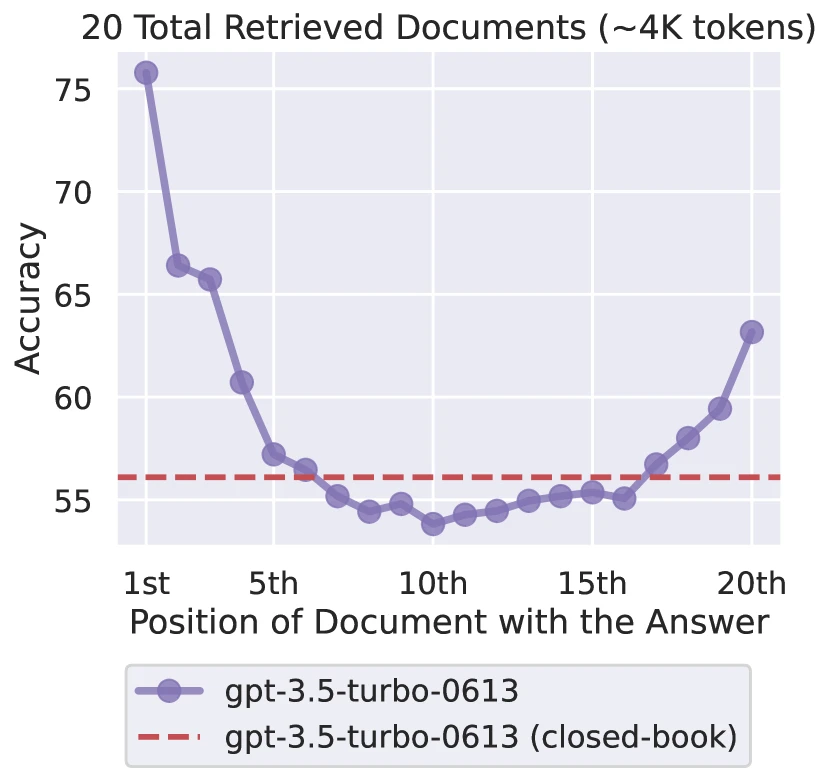
Context rot (sometimes called "lost in the middle") is a shared characteristic of large language models: as the window fills with more content, the model's attention on middle-positioned information drops. Head and tail are retained clearly; the middle gets lost. This isn't a Codex bug. Stanford's 2023 paper Lost in the Middle measured this U-shaped position effect: performance drops noticeably when relevant information sits in the middle, and degrades further as context grows longer.
In my production workflows, I tier context by task complexity rather than filling to capacity:
Task Complexity
Context Strategy
Daily single-point tasks
Keep lean — only materials relevant to this specific task
Cross-file complex tasks
Still controlled — actively select relevant files, never drag entire directories
Massive cross-cutting tasks
Split into independent sub-tasks, start a fresh session for each
The `tool_output_token_limit` Setting
One of the most underused levers in Codex. Set it in config.toml to cap how many tokens are stored per tool output:
tool_output_token_limit = 10000
Large test suite outputs, verbose build logs, and full dependency trees can each consume tens of thousands of tokens. Capping tool outputs prevents a single command result from eating disproportionate context. This is especially critical in long sessions where Codex runs dozens of shell commands — each result accumulates in the conversation history.
How Does Codex Handle Long Sessions? Auto-Compaction Explained
This is where Codex has a sophisticated mechanism that many users don't fully understand.
Auto-Compaction
When your session approaches the context limit, Codex triggers auto-compaction — a process that summarizes the conversation history into a condensed form so work can continue. The threshold defaults to roughly 90% of the context window, and this hard cap is enforced server-side. You cannot set model_auto_compact_token_limit higher than 90% of model_context_window.
For OpenAI-hosted models, compaction is server-side: the API returns an encrypted compaction item that carries forward key context. This is more efficient than the client-side LLM summarization used for third-party models.
OpenAI has confirmed that auto-compaction enables extremely long sessions — engineers run sessions lasting days with hundreds of compaction cycles. But understanding when it fires matters:
Auto-compaction checks token count between turns, not between tool calls within a turn. If a single turn involves 80+ shell commands that each return thousands of tokens, the context can overflow before compaction has a chance to fire. This is a known edge case — the practical mitigation is keeping individual turns focused and using tool_output_token_limit to cap per-tool output.
The /compact Command
/compact lets you trigger compaction manually. This is more powerful than it appears, because you can pass a custom instruction:
/compact Focus particularly on the authentication refactor and the three failing tests.
The custom instruction biases the summary toward information you know you will need next. This is significantly better than letting auto-compaction fire at an arbitrary moment and summarize everything equally.
Good timing for /compact:
After completing a distinct sub-task (debugging done, now moving to testing)
Before starting a complex multi-file operation that will generate many tool outputs
When /status shows you're past 40-70% of context capacity
The catch: repeated /compact calls compress the summary further each time, losing detail. For genuinely complex multi-round tasks, "start a new session + write a one-sentence summary yourself" gives you more control than repeated compression.
Context Pressure Guideline
Context Usage
Action
0-40%
Work freely, full context available
40-70%
Consider whether remaining work fits; use /compact if switching task phase
70-85%
Compact now or fork to a new session; avoid starting complex multi-file operations
85%+
Auto-compaction imminent; expect interruption
Use /status to check your current token consumption before starting a complex phase.
How Do Subagents Change the Context Game?
Since v0.107.0, Codex supports subagent delegation — and this is one of the most powerful context management tools available. Each subagent runs in its own context window. A 5-file investigation that would consume 30,000 tokens in your main thread instead consumes them in a disposable child context. Only a concise summary returns to the parent.
This makes subagents both a context isolation mechanism and a cost optimization strategy.
When to Delegate
Delegate to subagents when the task involves:
Broad search: "Find all usages of the deprecated PaymentV1 interface across the codebase"
Documentation lookup: Reading multiple files to understand a subsystem
Background research: Investigating test failures across several test files
Parallel independent work: Two refactors that touch different modules
Ask Codex to delegate directly, or encode delegation patterns in your AGENTS.md:
## Delegation rules
- For any task touching more than 5 files, delegate file research to a subagent.
- For cross-service refactors, spawn one subagent per service.
max_depth = 1 (the default) lets the root thread spawn direct children but prevents those children from spawning their own. Keep this default unless you specifically need recursive delegation — raising it can cause exponential fan-out in token usage and latency.
You can also define custom agent roles as TOML files under ~/.codex/agents/ (personal) or .codex/agents/ (project-scoped). Each custom agent can override model, reasoning effort, sandbox mode, MCP servers, and skill configuration.
Subagent Context Isolation
Subagents inherit your current sandbox policy and permission mode but run in a separate context window. This means:
File reads in the subagent don't bloat the parent's context
The parent receives only the subagent's summary, not its full reasoning trace
If a subagent needs different tool access, you can configure that in a custom agent TOML file
How Should You Handle Large Codebases?
Codex's built-in strategy for navigating codebases is grep-centric — it uses ripgrep for broad text search and reasons over results to narrow scope. This works for small-to-medium repositories. Above roughly 400,000 lines of code, research shows agents hit a structural ceiling where following imports through thousands of files becomes unmanageable.
Pre-Load Architecture in AGENTS.md
The most effective mitigation is pre-loading architectural knowledge so the agent starts with codebase understanding rather than reconstructing it through trial and error:
# AGENTS.md

## Architecture
- Entry point: src/main.ts
- API routes: src/routes/ (Express.js, one file per resource)
- Database layer: src/db/ (Drizzle ORM, migrations in src/db/migrations/)
- Shared types: src/types/ (never import from routes into types)
- Tests mirror source: tests/routes/, tests/db/

## Navigation rules
- For multi-file changes, understand the module structure before editing.
- Never read files speculatively — confirm relevance before opening.
- Use grep to find callers before modifying any exported function.
Scope Prompts to Specific Directories
Instead of asking Codex to reason about the entire codebase, scope each prompt to a specific service or directory:
Look at services/auth/ and fix the JWT token refresh logic.
Only modify files in services/auth/ — don't touch other services.
For monorepos, place an AGENTS.md in each service directory with service-specific context. Codex's directory-walk discovery loads the nearest AGENTS.md automatically.
MCP for Structural Navigation
For truly large codebases, consider connecting an MCP server that provides structural code intelligence (call graphs, symbol resolution, architectural queries). Encode the navigation strategy in AGENTS.md so the agent uses structural queries before falling back to grep:
## Navigation protocol
1. For multi-file changes, call `get_architecture` first.
2. Use `trace_path` to resolve call chains before editing callers.
3. Fall back to grep only when structural queries return no results.
How Do You Persist Experience Across Sessions?
Good context isn't re-explained from scratch every session. Recurring patterns — "always run this script first," "this directory is read-only," "preview before publishing" — belong in a stable location.
But persistence isn't copy-paste. Don't write the same rule in AGENTS.md, the README, the task description, and a personal note. Multiple copies eventually drift. When Codex encounters conflicting rules, the result is worse than having no rule at all.
Codex gives you three persistence mechanisms:
AGENTS.md (most important): Auto-loaded every session. Your primary "memory layer" for project rules. Use the layered discovery (global, repo root, subdirectories) to keep rules organized by scope.
Memories (opt-in): When enabled, Codex generates memory files from prior sessions. These carry forward preferences, decisions, and learned constraints. Useful for personal workflow patterns that don't belong in a shared AGENTS.md. Note that memories are extracted in the background, skip short-lived sessions, and redact secrets.
Skills (on-demand): Package repeatable workflows as SKILL.md files with optional scripts and MCP dependencies. These don't consume context until invoked.
One authoritative location per rule. Task descriptions reference it; they don't repeat it. Maturity in context engineering usually looks like "less but precise," not "more and thorough."
What Should Your Task Template Look Like?
The entire template fits in four sentences. No complex framework needed:
What I want done. (Goal)
What not to do this time. (Boundaries)
Which files to read first. (Materials)
How to verify completion. (Acceptance criteria)
Example: "Rewrite this tutorial for beginners. Don't add long code blocks. Don't publish. Read the target article and the style guide first. Verify: zero duplicate paragraphs, FAQ answers are semantically distinct, word count meets threshold, no broken internal links."
These four sentences sound simple but cover goal, boundaries, materials, and acceptance criteria. Codex's worst enemy isn't a short prompt — it's an ambiguous one.
If you're worried about misinterpretation, add one more sentence: "Tell me your plan before making changes." This lets you review the approach before any files get modified. In suggest mode this happens naturally (Codex asks permission for every action), but in auto-edit or full-auto mode, explicitly requesting a plan adds a valuable checkpoint.
How Should You Debug Codex Errors?
When Codex goes off-track, resist the instinct to swap to a stronger model. Run through the four causes from the failure analysis:
Does it know the goal? If you only wrote "optimize" or "fix this," it interpreted freely.
Does it know the boundaries? If you never specified off-limits files, it edited wherever it saw fit.
Did it see the key files? If you gave too much noise and too little signal, it guessed.
Does it know the acceptance criteria? Without a finish line, it doesn't know when to stop.
Then check the Codex-specific factors:
Is the sandbox blocking something it needs? If Codex needs to fetch external docs or install packages and network is disabled, it will silently work without that information — and produce worse results.
Is context pressure causing drift? Check /status. If you're past 70%, the agent may be losing earlier instructions to context rot or recent auto-compaction may have dropped critical details.
Should this be a subagent task? If the task involves reading 10+ files to find information, it belongs in a subagent, not the main thread.
The opening failure scenario hit all four original causes. These questions are more fundamental than "should I use a better model?" — a stronger model on a messy desk still produces messy results.
The model is the last lever you pull, not the first.
Config.toml Settings That Matter for Context
Here are the config.toml keys that directly affect context management:
# Context window and compaction
model_context_window = 128000                  # Override model's advertised window
model_auto_compact_token_limit = 180000        # Trigger auto-compact at this token count
                                               # Hard cap: 90% of model_context_window
tool_output_token_limit = 10000                # Max tokens stored per tool/function output

# AGENTS.md discovery
project_doc_max_bytes = 32768                  # Combined AGENTS.md size cap (default 32 KiB)
project_doc_fallback_filenames = ["TEAM_GUIDE.md", ".agents.md"]  # Additional instruction filenames

# Sandbox (affects what context is accessible)
sandbox_mode = "workspace-write"               # Default: read anywhere, write in project, no network
# [sandbox_workspace_write]
# network_access = true                        # Uncomment to enable network in workspace-write mode

# Subagents (context isolation)
# [agents]
# max_threads = 4                              # Concurrent subagent threads
# max_depth = 1                                # Nesting depth limit

# Memories (cross-session context)
# [features]
# memories = true                              # Enable memory generation and injection
What Are the Next Steps for Practicing Context Engineering?
Four things to carry forward from this guide.
First, context engineering is desk management. Too little and Codex guesses. Too much and Codex drowns. Just right and Codex delivers.
Second, brief every task with goal, boundaries, materials, and acceptance criteria. Don't chase elegant prompts — chase clarity.
Third, understand the sandbox. Network is off by default. Your AGENTS.md and session context must contain everything Codex needs, because it cannot fetch missing information on its own. Use tool_output_token_limit to prevent command outputs from eating your context budget.
Fourth, use subagents for context isolation. Delegate broad searches, multi-file investigations, and independent parallel work to child agents. Keep the main thread for depth and decision-making.
Start on your next task. Don't change your tools. Don't change your model. Only change your handoff: write the goal, set the boundaries, specify the materials, define the acceptance criteria. One round and you'll feel the difference. Codex won't suddenly become perfect, but it will stop guessing.
One more exercise: next time Codex makes an error, don't restart immediately. Post-mortem the task in four lines — what did I want, what did I fail to specify, what did it misread, what should I provide upfront next time. Do this two or three times and you'll notice the error types cluster tightly. Context engineering grows from exactly those repeated patterns.
And one final ordering principle: sandbox determines what Codex can access. AGENTS.md determines what Codex knows. Session context determines what Codex focuses on. Subagents determine how Codex distributes attention. Get these four layers right, and Codex delivers reliably even with fewer tools.
Ready-to-Use Prompt: Diagnose and Fix a Codex Context Failure
What this does: Identifies which of the four context root causes sent Codex off-track, relayers AGENTS.md to match the sandbox, rebuilds a precise file brief, and plans the window so it never gets filled — fixing reliability without switching models. Based on: Codex Context Engineering Guide: Why Your AI Keeps Going Off-Track and How to Fix It — https://aiworkflowpro.com/codex-context-engineering/ Time to run: ~4 minutes
Copy this prompt into Claude Code, ChatGPT, or any AI assistant:
ROLE: You are a Codex Context Engineer. Your job: diagnose an off-track Codex result as a context failure and rebuild exactly the context it needs — never blaming the model first.

CONTEXT — CONTEXT-FIRST RELIABILITY METHOD:
Most Codex failures look like model failures but are context failures — you gave it wrong info, too much info, or no info at all. The single biggest lever for reliability is getting context right, not switching models. Off-track work traces to four root causes: (1) no context — Codex invents conventions; (2) wrong context — outdated or irrelevant files mislead it; (3) too much context — the window fills and signal dilutes, making Codex worse; (4) conflicting context — AGENTS.md and dragged-in files disagree, and Codex picks the wrong one. The fix layers AGENTS.md at the right scope (matching the sandbox), briefs Codex precisely with only the files it needs, and keeps the window unfilled via auto-compaction and subagent delegation for large codebases.

INPUTS (fill in before running):
- TASK: [What you asked Codex to do]
- WHAT_YOU_PROVIDED: [What context you gave it — which files, AGENTS.md, etc.]
- SYMPTOM: [How it went wrong — invented conventions, touched wrong files, lost track, drifted]
- CODEBASE_SIZE: [small / medium / large]

METHOD — 4 STEPS:

Step 1 — Diagnose the Off-Track (Four Root Causes)
From SYMPTOM and WHAT_YOU_PROVIDED, identify which cause fired: no context (it invented conventions), wrong context (outdated/irrelevant files), too much context (window filled, quality dropped), or conflicting context (AGENTS.md vs files disagree). State the cause and the evidence.

Step 2 — Layer AGENTS.md and Match the Sandbox
Place AGENTS.md at the scope Codex discovers (repo root, nested where conventions differ) and align the strategy with the sandbox level — read-only review needs different context than workspace-write dev. Cut anything the codebase already reveals.

Step 3 — Brief Codex Precisely (Right File Count)
Give only the files TASK needs — not the whole src/. Score each candidate file needed or noise; include only the needed ones, and name the exact acceptance so Codex knows when it is done.

Step 4 — Manage the Window (Don't Fill It)
For CODEBASE_SIZE large or long sessions, keep the window unfilled: let auto-compaction run rather than dumping everything, and delegate broad searches or independent transforms to subagents so the main context stays clean.

RULES:
- Never treat an off-track result as a model problem before checking the four context causes — context is the bigger lever.
- Never drag a whole directory into the conversation — include only files scored as needed for TASK.
- Never fill the context window on purpose — filling it makes Codex worse, not better.

OUTPUT FORMAT:
Output a markdown report with:
1. Root-Cause Diagnosis — which of the four causes + the evidence
2. AGENTS.md Layering + Sandbox Match — scope placement + sandbox-aligned strategy
3. Precise Brief — markdown table, columns: File | Needed / Noise | Why
4. Window Plan — auto-compaction + subagent delegation moves
Save as @templates/codex-context-engineering.md and run when Codex goes off-track, or before briefing it on a large task.
FAQ
What is context engineering and why does it matter more than model selection?
Context engineering is the discipline of giving an AI coding agent exactly the right information to complete a task — not too little (it guesses), not too much (it drowns). Independent benchmarks from Epoch AI on SWE-bench Verified show that swapping the harness on the same model produces larger score differences than swapping to a stronger model. OpenAI has shared that an internal team built a million-line-scale product from an empty repo with zero human-written code. The engineers designed the context environment, not the code itself.
How does Codex CLI discover and load AGENTS.md files?
Codex builds an instruction chain at session start. It first checks the global scope (~/.codex/AGENTS.override.md or AGENTS.md), then walks from the project root down to the current working directory, checking each directory for AGENTS.override.md, then AGENTS.md, then any fallback filenames configured in project_doc_fallback_filenames. Files are concatenated root-down with a 32 KiB default size cap (configurable via project_doc_max_bytes). Files closer to your working directory take precedence because they appear later in the combined prompt.
How does the Codex sandbox affect context strategy?
The sandbox constrains what Codex can access — which files it can read/write and whether network is available. In workspace-write mode (the default), network is disabled and writes are limited to the project directory. This means the agent cannot fetch external documentation or run network-dependent commands without explicit configuration. Your context strategy must compensate: include the information Codex needs in AGENTS.md or session context, because it cannot fetch it on its own.
When should I use /compact vs starting a new Codex session?
Use /compact between task phases — after debugging is done and before testing starts, for example. You can pass a custom instruction like /compact Focus on the auth refactor and failing tests to bias the summary toward what you will need next. Codex also supports auto-compaction at roughly 90% of context capacity. For genuinely complex multi-round work, starting a fresh session gives you cleaner control than repeated compression, which loses detail each cycle.
How do Codex subagents help with context management?
Each subagent runs in its own context window. A file investigation that would consume 30,000 tokens in your main thread instead runs in a disposable child context, and only a concise summary returns to the parent. This makes subagents both a context isolation mechanism and a cost optimization strategy. Configure limits via agents.max_threads and agents.max_depth in config.toml.
Gloves on, tape measure in hand — nobody types a query. Three voice surfaces for ai automation tools (terminal, Telegram, Discord), 10 TTS and 6 STT providers compared on cost and latency, plus a setup that costs nothing.
Nothing about month four is harder than month three. It is simply the month an unpaid channel starts to feel like proof of failure. Surviving it takes a cadence you can hold while earning nothing, which is a better reason to automate business processes than speed ever was.
One number hides more than it shows. This Claude Code Skill scores US equities across 10 dimensions, from earnings surprise to peer comparison, with confidence scoring and 5 safety valves that flag thin data. A coding tutorial, not financial advice.
Publishing eats your week through research, SEO fields, images, and uploading — not writing. Here is the 10-step workflow automation pipeline that takes a topic to a published draft on one command, and the data contract that lets each step hand off cleanly to the next.