Monitoring a competitor who publishes no feed is the case every RSS guide skips. Twenty-one platforms sorted by which of three jobs they do, and the finished setup is business process automation you own outright, with no seat licence to renew.
Blaming the content is the reflex when a post underperforms, and it is usually the wrong diagnosis. A second reader decides distribution before any human sees the post, and most of what it checks is mechanical enough to automate business processes around, on five platforms at once.
Gloves on, tape measure in hand — nobody types a query. Three voice surfaces for ai automation tools (terminal, Telegram, Discord), 10 TTS and 6 STT providers compared on cost and latency, plus a setup that costs nothing.
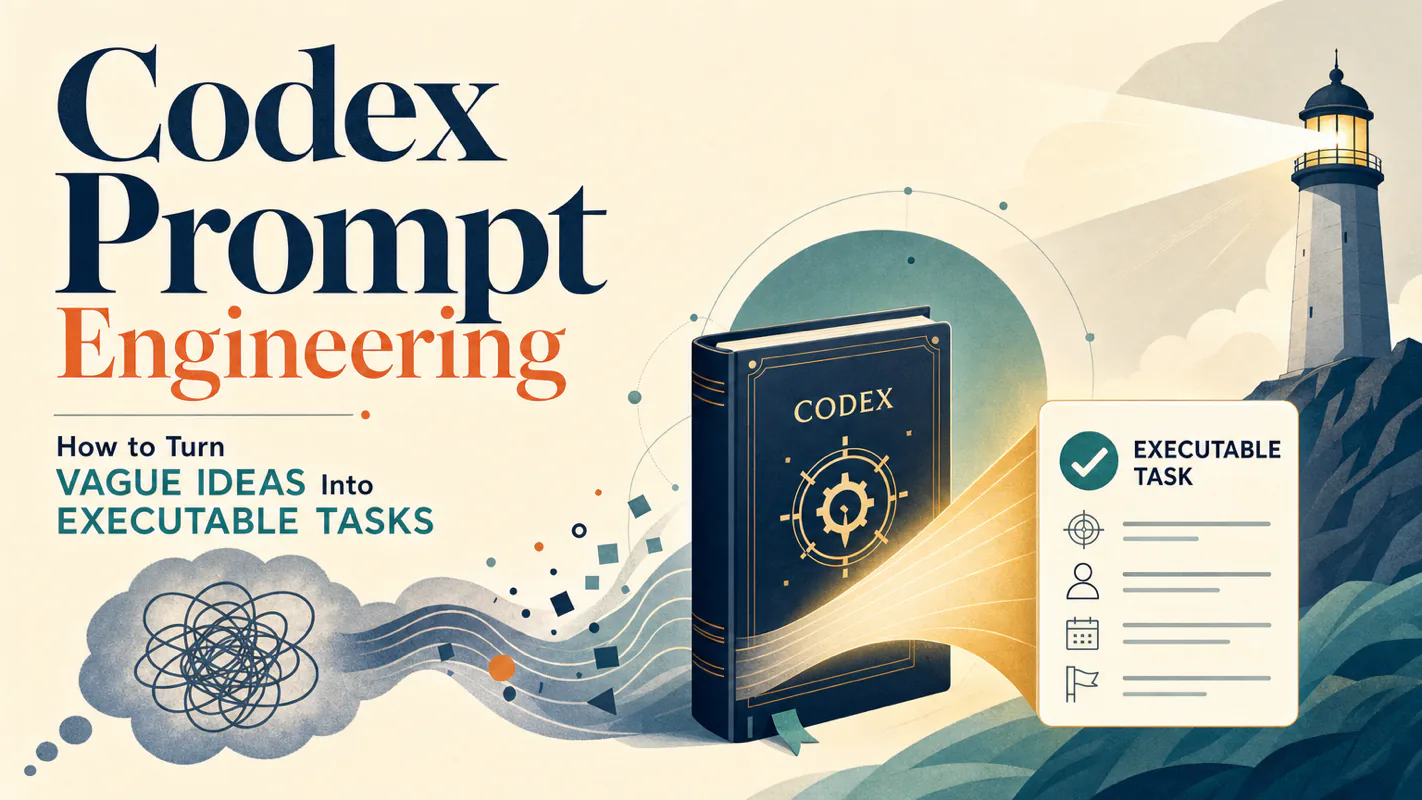
Codex Prompt Engineering: How to Turn Vague Ideas Into Executable Tasks
Send a contractor one line and you get one line's worth of thinking back, in the wrong shape. The fix is what procurement learned years ago: write down what done means before work starts. The 5-field template, 8 anti-patterns, and a 5-step rescue for when an AI assistant for business goes sideways.
The failure everyone recognizes: a one-line brief goes out to a freelancer — "we need a booking page" — and two weeks later something arrives that is competent, finished, and not what anyone wanted. Nobody was careless. The brief left four things unsaid, so four defaults got picked on your behalf. The five fields below are those four plus the one almost nobody writes down: Done When, a verifiable line saying how both sides will know the work is finished. Procurement calls it acceptance criteria and will not sign without it.
You type "add a login feature" into Codex. It returns 200 lines of technically correct but entirely wrong code — wrong framework, wrong patterns, wrong naming conventions. The problem isn't Codex. The problem is task decomposition: you gave it one sentence when it needed five structured fields.
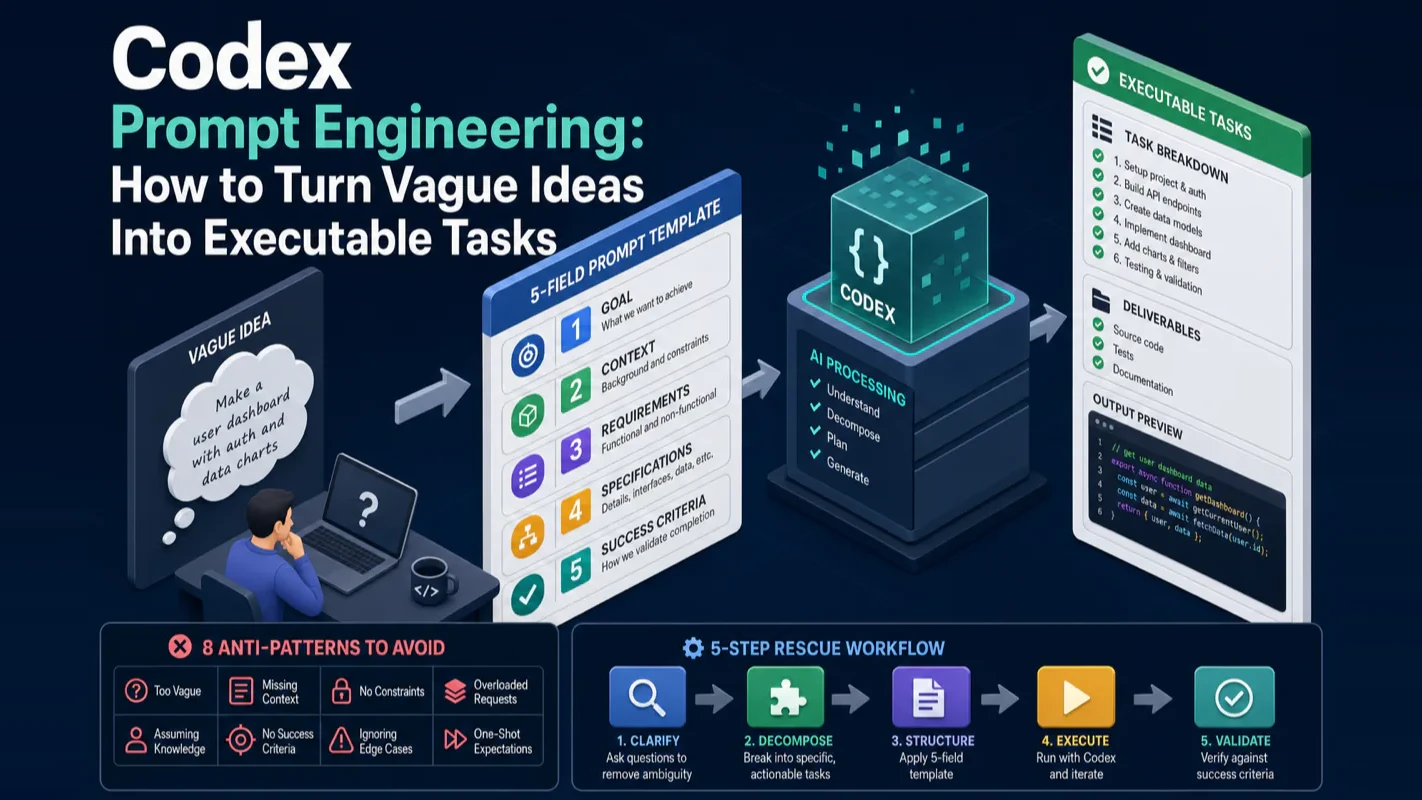
This guide teaches you the exact codex prompt engineering framework that turns "I want X" into an executable, verifiable engineering task. You'll learn the 5-field template, 8 anti-patterns that cause failures, and a 5-step rescue workflow when things go sideways.
What Does Good Codex Prompt Engineering Look Like?
Good codex prompt engineering comes down to one principle: give the AI enough structured context that it doesn't have to guess.
Here's the complete answer in one table:
Field
What to Write
Example
Goal
One sentence describing the finished state
Fix the Safari login bug where clicking "Sign In" does nothing
Context
@-reference the relevant files
@src/lib/auth.ts@tests/auth.test.ts
Inputs
Data shapes, types, examples
User object { email: string, password: string }
Constraints
What NOT to do, what to preserve
No new dependencies; don't change the signIn() signature
Done When
Machine-verifiable completion criteria
pnpm test:auth passes; Safari can log in
The most common beginner mistake? Compressing all five fields into one sentence: "fix the login bug." Codex can't read your mind. It doesn't know your context, your constraints, or what "done" means. The result is code that looks plausible but doesn't fit your project.
I've shipped hundreds of Codex tasks across production projects. The difference between a 2-minute prompt and a 2-hour debugging session is always these five fields.
Why Does Codex Keep Producing Wrong Code?
Codex produces wrong code because it fills in your blanks with the most common defaults from its training data. When you write "build an API for orders," here's what happens:
What It Doesn't Know
What It Guesses (Default)
What You Actually Want
Which web framework?
Express (most common)
Fastify
Data access pattern?
Inline SQL in controllers
Repository pattern
Error handling?
throw exceptions
Result types
Input validation?
Manual if-checks
Zod schemas
Should it write tests?
Maybe one example
Must pass existing test suite
Every guess follows the internet's most popular approach. Every guess conflicts with your project's actual conventions.
This is not a Codex limitation — it's a task decomposition problem. The fix is not a better model. The fix is a better prompt.
The Vibe Coding Boundary Everyone Misses
When Andrej Karpathy coined "vibe coding" in early 2025, he included a critical qualifier that most people ignored: vibe coding suits throwaway weekend projects, not production code. His exact framing was "fully give in to the vibes" — for a "throwaway weekend project."
Beginners mistake vibe coding for all of AI coding. The moment a project involves multiple files, production deployment, or team conventions, one-liner prompts stop working.
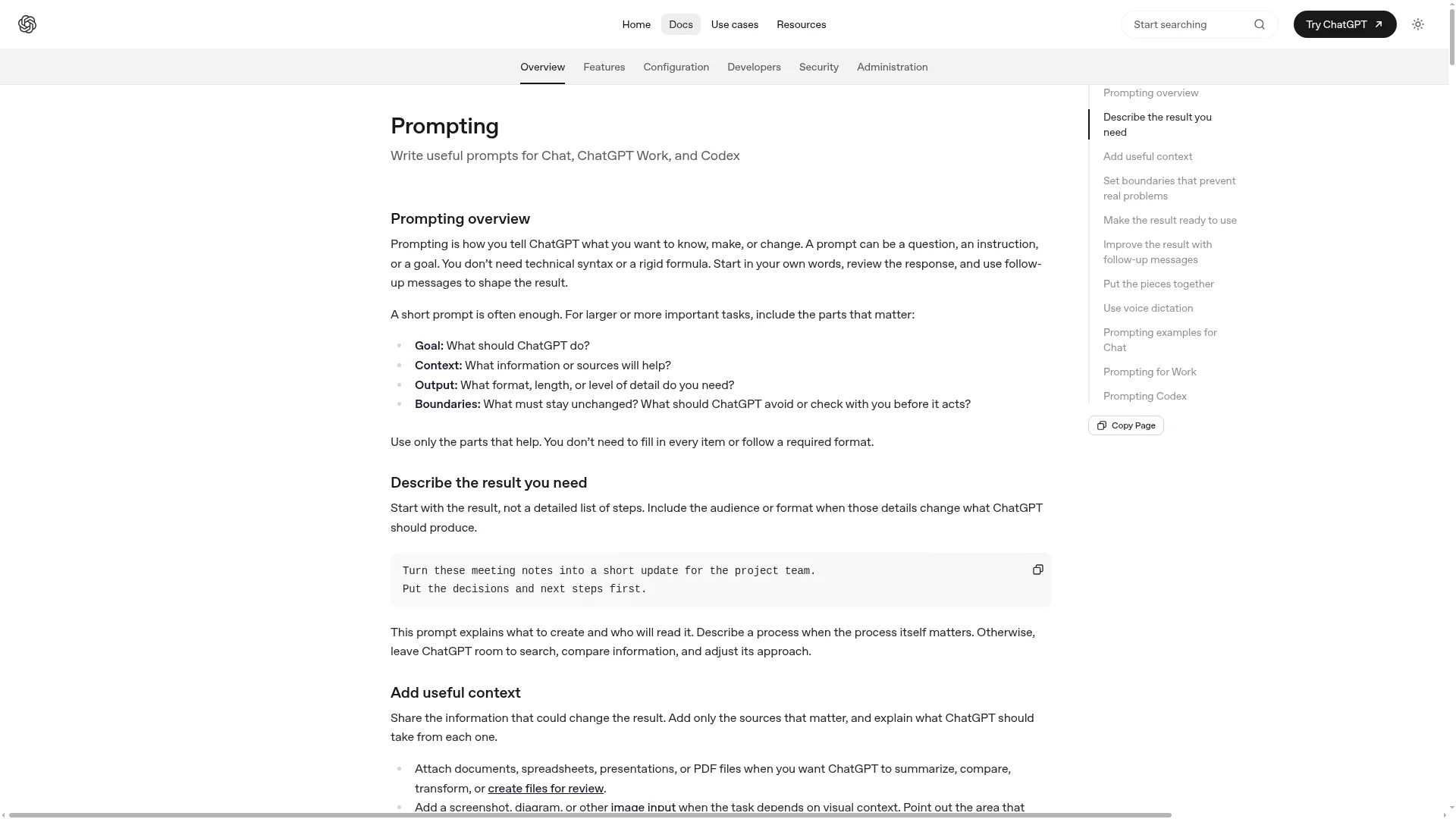
This guide covers the spec layer — turning fuzzy requirements into precise engineering specifications that Codex can execute as an agent.
The ROI is hard to beat: two extra minutes writing Goal / Context / Inputs / Constraints / Done When saves you one full rework cycle — and a single rework cycle involves re-reading, re-prompting, and re-reviewing, which costs far more than two minutes.
How Should You Structure a Codex Prompt Template?
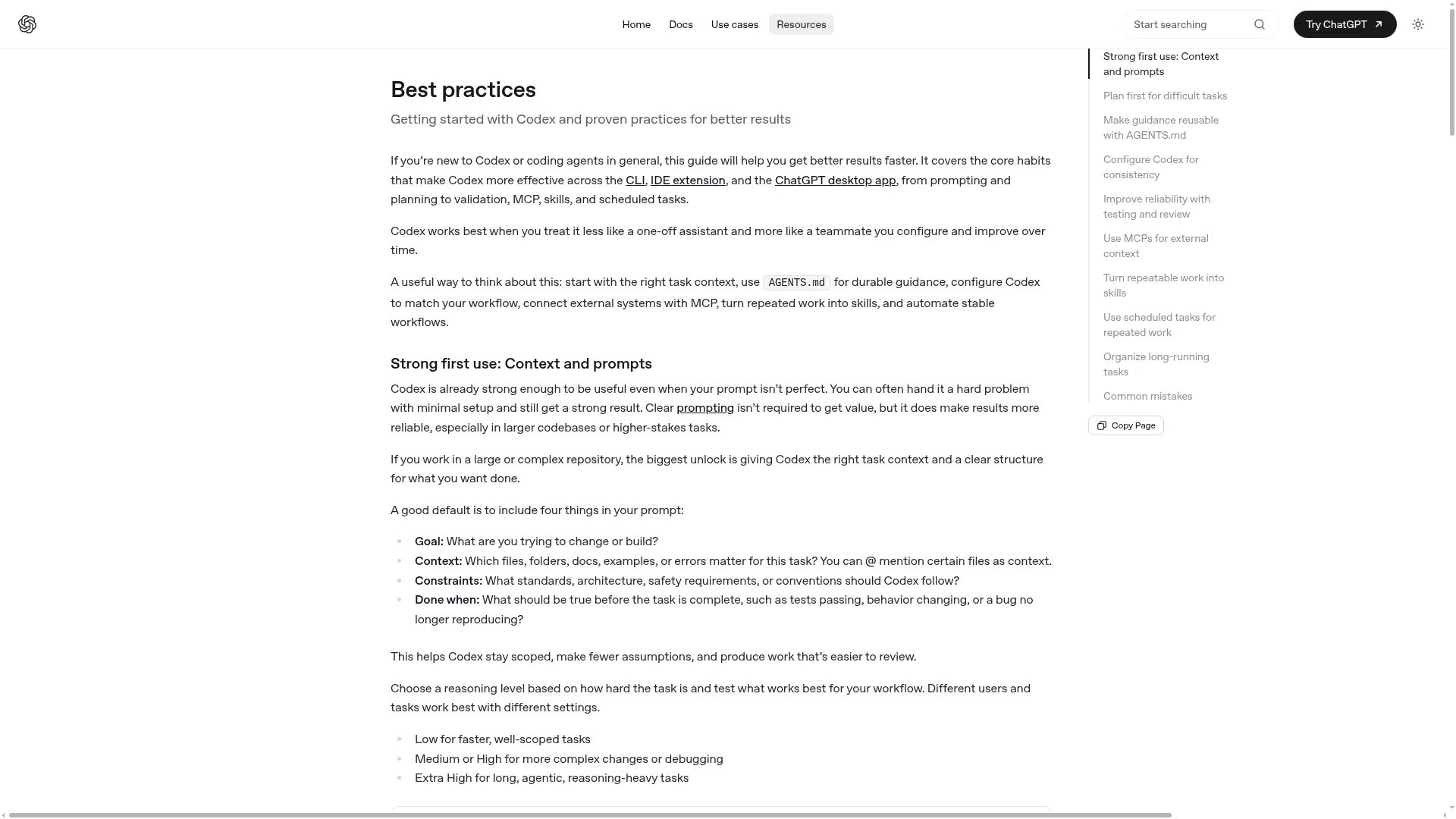
OpenAI's official best practices list four mandatory prompt fields: Goal, Context, Constraints, and Done When. The community added Inputs, making it a 5-field template. Here's the full structure:
The 5-Field Template
# Goal
[One sentence: what does "done" look like? Specific, verifiable, unambiguous.]

# Context
[@-reference 1-3 relevant files]
[Error logs, reproduction steps]
[Project stack: e.g., "Next.js 14 App Router + TypeScript + Prisma"]

# Inputs
[Data shapes, example payloads, type signatures]
[Input boundaries: max/min values, allowed characters]

# Constraints
[No new dependencies / preserve function signatures / must use X library]
[Must use Server Actions / don't create new directories]
[Must follow existing pattern: Repository / CQRS / state machine]

# Done When
[Tests that must pass: pnpm test, pnpm test:e2e]
[Lint checks: pnpm lint, tsc --noEmit]
[Manual verification: specific observable behavior]
[Negative criteria: which bugs must no longer reproduce]
Three Real Examples of Task Decomposition
Bug Fix — Bad vs. Good:
Bad prompt:
Fix the login bug.
Good prompt:
# Goal
Fix the bug where clicking "Sign In" does nothing on Safari 17.4+.

# Context
- @src/lib/auth.ts (login logic)
- @src/app/login/page.tsx (login page UI)
- @tests/auth.spec.ts (existing tests)
- Symptom: button click has no response, no console errors, no network request.
- Reproduces only on Safari; Chrome and Firefox work fine.

# Constraints
- Don't change the signIn() function signature (other modules depend on it)
- No new dependencies
- Don't modify UI styling

# Done When
- pnpm test:auth passes
- Safari real device: clicking "Sign In" navigates to the dashboard
- Network panel shows POST /api/login request
Feature Addition — Bad vs. Good:
Bad prompt:
Add avatar upload.
Good prompt:
# Goal
Add avatar upload to the user settings page.

# Context
- @src/app/settings/page.tsx (settings page)
- @src/lib/r2.ts (existing R2 upload utility)
- @prisma/schema.prisma (User model has avatar_url field)
- Stack: Next.js 14 App Router + Server Actions

# Inputs
- User uploads JPG/PNG/WebP, max 5MB
- Saved to R2 bucket: user-avatars/{user_id}.{ext}
- Database stores the public R2 URL

# Constraints
- Must use Server Action (don't create a separate API route)
- Must compress to under 200KB first (use sharp)
- Must validate file type and size; return friendly error on violation

# Done When
- New avatar displays immediately after upload
- pnpm test:upload covers oversized file and wrong type cases
- Database avatar_url field updates correctly
Refactor — Bad vs. Good:
Bad prompt:
Refactor this file to make it better.
Good prompt:
# Goal
Refactor src/lib/order-service.ts: replace 6 nested if-else blocks with early returns.

# Context
- @src/lib/order-service.ts (file to refactor)
- @src/lib/order-service.test.ts (existing tests — must all pass)

# Constraints
- Preserve all public function signatures
- No new dependencies
- Don't modify test cases
- Use early return pattern (no nested try-catch)

# Done When
- pnpm test:order passes (coverage doesn't drop)
- Max nesting depth in the file is 2 levels
- pnpm lint shows no new warnings
Notice: "make it better" is an unverifiable goal. "Replace nested if-else with early returns" is verifiable, measurable, and executable. That distinction is the core of effective task decomposition.
Prompting for GPT-5.5 and Newer Models
Newer models like GPT-5.5 tolerate imperfect prompts better — but that doesn't mean you can go back to one-liners. OpenAI's prompting documentation gives two practical guidelines: break complex tasks into smaller, focused steps, and if you're unsure how to break them down, ask Codex to propose a plan first.
The key shift for modern models: describe the destination, not the route.
Don't Specify
Do Specify
"Read file A, then scan file B, then call function C..."
"Fix this bug; relevant context is @A @B"
"Use useState, not useReducer"
"Match the project's existing state management style"
Detailed algorithm steps
"Maintain O(n log n) time complexity"
Give constraints (what it can't do, what it must preserve). Don't give step-by-step instructions.
What Are the 8 Most Common Codex Prompt Anti-Patterns?
These eight anti-patterns appear repeatedly in AI coding communities. Avoiding them eliminates most task decomposition failures.
Anti-Pattern 1: Too Vague
The most frequent mistake. "Optimize performance," "make the code better," and "fix it" all fall into this category.
Vague
Engineering-Grade
Optimize performance
Reduce homepage LCP from 4.2s to under 2.5s
Make the code better
Reduce cyclomatic complexity in this file from 18 to 8 or below
Fix it
Fix the bug where step X doesn't produce result Y
Fix: Whenever you catch yourself writing "optimize / improve / make better," stop and ask: what is the specific, measurable metric?
Anti-Pattern 2: Context Overload
Pasting half your repository into the prompt. The AI anchors on the first large file and treats irrelevant context as relevant signal.
Fix: Only @-reference 1-3 truly relevant files. If you're unsure which files matter, use Plan mode and let Codex scan the codebase first.
Anti-Pattern 3: Multi-Tasking
"Fix this bug, also refactor, also add some tests." Codex optimizes for request completion rather than consistency — all three tasks end up half-done.
Fix: Split into three sequential prompts. Finish one, commit, then send the next. Each commit serves as a checkpoint.
Anti-Pattern 4: No Done Criteria
Without explicit completion criteria, Codex decides on its own when to stop — maybe after tests pass (which might not cover your actual requirement), maybe after writing code (which might not have been validated at all).
Fix: Every prompt must end with a # Done When section containing at least one machine-verifiable condition (test / lint / type check) and one human-verifiable condition (specific observable behavior).
Tests don't cover everything. Codex might introduce side effects in uncovered areas — formatting changes, deleted comments, unnecessary imports.
Fix: After every Codex change, review the diff. At minimum, scan whether the scope of changes matches your expectations.
Anti-Pattern 6: Sunk Cost Fallacy
The conversation went sideways, and you've spent 30 minutes trying to steer it back. Stop.
Every correction round anchors the AI deeper in its earlier mistakes. Thirty minutes of "steering" almost never beats five minutes of writing a fresh prompt in a new session.
Fix: Hard rule — if a conversation hasn't converged after 2-3 rounds of corrections, start a new session. Treat "why it went wrong" as input for your next prompt.
I've personally burned hours trying to salvage derailed Codex sessions before adopting this rule. Now I kill a session the moment I notice the third correction. The fresh prompt usually works in under two minutes.
Anti-Pattern 7: Assuming AI Knows Your Project
"Just follow the existing style" — Codex has no idea what your project's style is unless you tell it (in the prompt, in AGENTS.md, or via @-referenced example files).
Fix: Spend the first week writing your project conventions into AGENTS.md. Every subsequent prompt auto-loads that context.
Anti-Pattern 8: No Optimization Target
"Make X faster" — how much faster? "Make the code more readable" — measured by what?
Fix: All optimization requests need quantified targets. "LCP under 2.5s." "Function body under 50 lines." "Test coverage above 80%." If you can't quantify it, don't ask the AI to optimize it.
Of these eight, the sunk cost fallacy (number 6) catches beginners most often. In my first months with Codex, I regularly spent over an hour in a single conversation, making small corrections while the AI drifted further off course. The turning point was enforcing a strict three-round rule: if the conversation hasn't converged, I delete it and start fresh. That one habit saved more time than any other technique in this guide.
How Do Plan Mode and Reverse Interviews Turn Vague Ideas Into Clear Tasks?
When you sit down to fill in the 5-field template and realize you can't even write the Done When section — because you haven't fully thought through the requirement — these two techniques rescue you.
Plan Mode: Make Codex Think Before It Acts
OpenAI's official documentation describes it this way: "Plan mode lets Codex gather context, ask clarifying questions, and build a stronger plan before implementation." Their recommendation for beginners is explicit: "For most users, this is the easiest and most effective option."
How it works: type /plan in the Codex CLI (or /plan add avatar upload). Codex won't write code immediately. Instead, it scans your referenced files, asks clarifying questions, and produces a step-by-step plan. You review the plan and approve before it starts implementing. If the plan doesn't look right, ask it to re-plan.
For your first two weeks, treat Plan mode as your default. It slows things down slightly, but vague requirements get clarified on the spot, and off-track results drop dramatically.
Reverse Interview: Let the AI Interview You
When you're unsure about the requirement yourself, flip the dynamic and let Codex ask you questions:
I want to build [rough goal], but I haven't fully thought through the details.

Before you write any code, interview me first:
- Ask 5-7 critical clarifying questions
- Cover assumed edge cases, failure fallbacks, performance requirements, integration points
- Ask one question at a time; wait for my answer before asking the next
- Continue until you can produce a precise specification

Do not write code. Only ask questions.
Codex will ask things like:
"How should failure states be displayed to the user?"
"What's the expected concurrent load?"
"Does this need to work on mobile?"
"How long should the data be retained?"
After answering, your requirement automatically upgrades from "vague idea" to "engineering specification." The next prompt executes precisely.
Turn Interview Answers Into Permanent Project Rules
The best side effect of reverse interviews: your answers often reveal rules that belong in AGENTS.md permanently.
The next time a reverse interview asks the same question, that's your signal to promote the answer to AGENTS.md so it auto-loads in every session. You'll never have to answer it again.
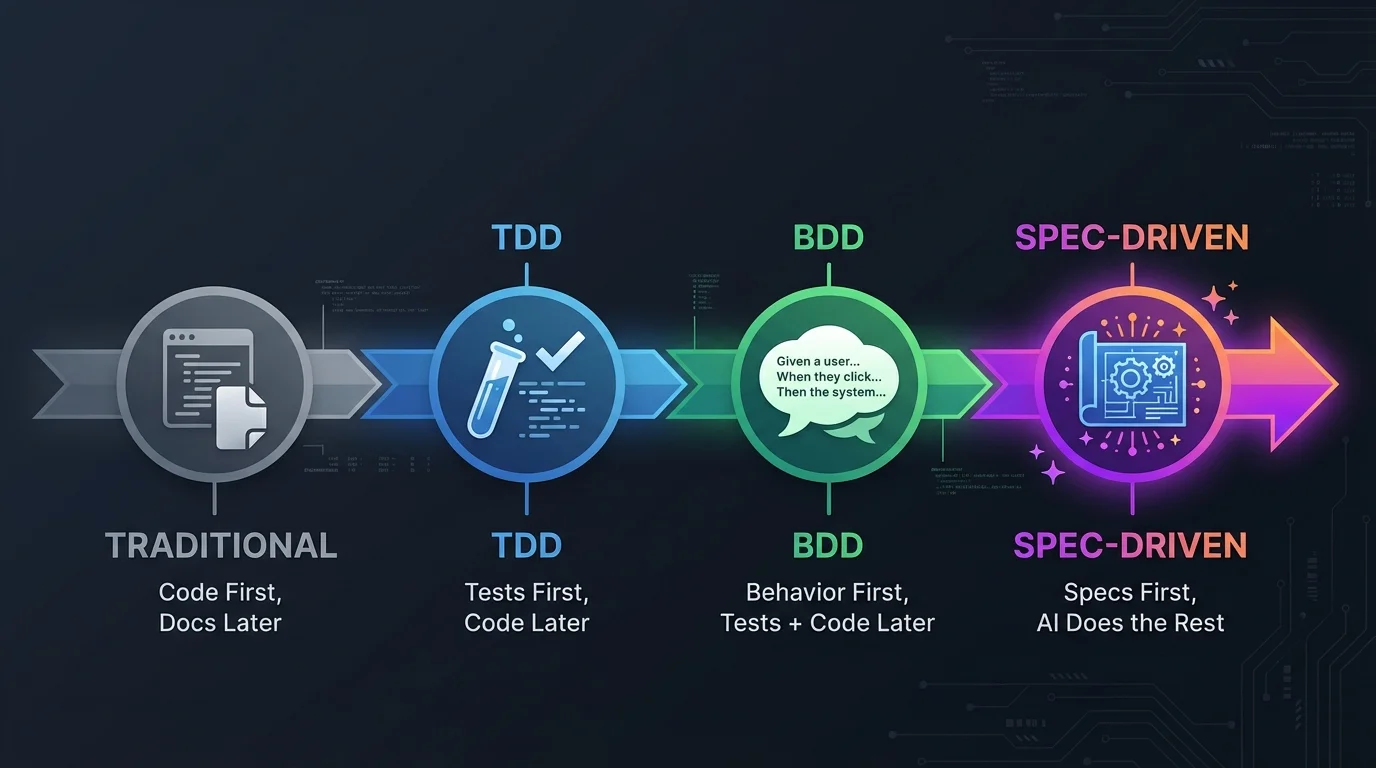
When Should You Use Vibe Coding vs. Spec-Driven Development?
Knowing the boundary between these two styles matters more than mastering either one.
Vibe Coding Works When...
Scenario
Why Vibe Coding Fits
Weekend side project
Low failure cost, speed matters most
Trying a new framework or library
You don't have a spec yet — you're exploring
Learning a new concept
Let the AI explain as it writes; production quality doesn't matter
One-off script (scrape data, clean files)
Disposable; no tests or docs needed
The defining characteristic: you're willing to accept "roughly correct" code because the stakes are low.
Spec-Driven Development Is Required When...
Scenario
Why You Need Specs
Production-deployed code
Bugs affect real users
Team projects
Teammates need to review and maintain the code
Code handling money, passwords, or personal data
Security and compliance demands
Core architecture or data model changes
Hard to roll back
Performance-critical or security-sensitive modules
Quantified standards are mandatory
The defining characteristic: write the spec first, let the AI implement, then verify with tests.
The Hybrid Flow: Vibe First, Spec Second
The community consensus is a two-phase approach:
Phase 1 (Vibe): Use loose prompts to rapidly test 1-2 approaches. See which direction works. Validate feasibility.
Phase 2 (Spec): Lock in the direction. Write the 5-field specification. Let the AI implement against the spec. Write tests. Ship.
This hybrid captures vibe coding's exploration speed while maintaining spec-driven reliability for production.
What Should You Do When a Codex Prompt Fails?
Even well-structured prompts sometimes produce wrong results. Here's a rescue workflow ordered from cheapest to most expensive:
Step 1: Ask Codex to Restate the Task (30 seconds)
Wait — before you continue, tell me in your own words:
what is the task, what should you NOT do, and what are the completion criteria?
Most of the time, the restated version reveals exactly where the misunderstanding happened. Correct and continue.
Step 2: Verify Your @ References (1 minute)
Open the files you referenced. Are they actually relevant? Are they so large they're flooding the context window? Remove extras, add missing ones.
Step 3: Move Hard Constraints to AGENTS.md (5 minutes)
If you keep writing "no new dependencies" or "don't modify src/generated" in every prompt, promote those rules to AGENTS.md. It auto-loads every session and carries higher priority than one-off prompt text.
Step 4: Increase Reasoning Depth (10 seconds)
If the first three steps didn't help, the model might need deeper reasoning. Type /model in Codex to select a model and adjust reasoning depth. According to OpenAI's configuration reference, model_reasoning_effort accepts minimal / low / medium / high / xhigh. Bump it one level for complex multi-step tasks.
Step 5: Start a Fresh Session (2 minutes)
The nuclear option — and the one beginners resist most. Take everything you learned from steps 1-4, write an improved prompt, and start a new conversation from scratch.
A fresh session with a refined prompt almost always outperforms struggling in a broken conversation. The sunk cost fallacy makes you want to keep going. Resist it.
What Does Real-World Codex Prompt Engineering Look Like?
After a year of daily Codex use across production systems, here are the patterns I've settled on. These aren't prescriptions — they're reference points.
The 30-Second Ritual Before Every Task
No matter how simple the task:
1. Switch to a task-specific git branch (never run on main)
2. git commit as a checkpoint
3. Verify AGENTS.md is current
4. Write the first prompt using the 5-field template
This 30-second habit has saved me from countless "Codex broke the code and I can't roll back" situations.
Prompt Length Scales With Risk
Task Type
Prompt Length
Reason
Read-only code query
1 sentence
Low risk, instant feedback
Single-file change
5-10 lines (5-field)
Medium risk
Cross-file feature
15-30 lines + subtask list
Complex context
Refactor / architecture change
50+ lines + reverse interview + Plan mode
Hard to roll back
The signal is "how costly is a mistake" — higher stakes mean more detailed prompts.
A Counterintuitive Discovery About @ References
After heavy daily use, the most surprising lesson: more @ references produce worse results. Stuffing 5-6 @ references into a prompt — thinking "more context helps" — causes Codex to anchor on the largest file and ignore the smaller, actually relevant ones.
Ready-to-Use Prompt: Turn a Vague Idea Into a 5-Field Executable Codex Task
What this does: Decomposes a one-sentence wish into the five structured fields Codex needs, picks vibe vs spec, guards against the eight failure anti-patterns, and rescues an already-failed prompt by finding the missing field — so Codex stops producing correct-but-wrong code. Based on: Codex Prompt Engineering: How to Turn Vague Ideas Into Executable Tasks — https://aiworkflowpro.com/codex-prompt-engineering/ Time to run: ~4 minutes
Copy this prompt into Claude Code, ChatGPT, or any AI assistant:
ROLE: You are a Codex Prompt Engineer. Your job: turn a vague "I want X" into a five-field, executable, verifiable task — so Codex never has to guess and never returns correct-but-wrong code.

CONTEXT — 5-FIELD EXECUTABLE TASK METHOD:
Codex produces 200 lines of technically-correct-but-wrong code when you give it one sentence instead of a structured task — the failure is task decomposition, not the model. The fix is one principle: give the AI enough structured context that it doesn't have to guess. Turn "I want X" into five fields: (1) Goal — the concrete deliverable; (2) Context — current state, stack, what exists; (3) Scope — what to change and what NOT to touch; (4) Acceptance — a testable done-condition; (5) Constraints — patterns, naming, frameworks. For genuinely vague ideas, run plan mode and a reverse interview (let Codex ask you questions) before executing. Use vibe coding only for throwaway exploration; anything that ships is spec-driven. Eight anti-patterns cause most failures, and a five-step rescue recovers them.

INPUTS (fill in before running):
- RAW_IDEA: [The vague thing you want — e.g. "add a login feature"]
- STACK: [Framework, language, existing patterns]
- STAKES: [throwaway prototype / ships to production]
- FAILURE: [Optional — what went wrong if it already failed]

METHOD — 4 STEPS:

Step 1 — Decompose the Vague Idea Into 5 Fields
From RAW_IDEA and STACK, fill all five: Goal (concrete deliverable), Context (current state + stack), Scope (change this, not that), Acceptance (testable done-condition), Constraints (patterns/naming/frameworks). Any empty field is where Codex will guess.

Step 2 — Decide Vibe vs Spec
From STAKES: throwaway exploration → vibe coding (no template needed). Anything that ships → spec-driven, requiring all five fields filled before send. State the call.

Step 3 — Guard Against the 8 Anti-Patterns
Scan the prompt for the eight failures: one-liner wish, no acceptance, no scope, multiple tasks mixed, vague verbs ("improve"), missing context, perfection with no definition, re-asking blind. Rewrite any that appear. For vague ideas, prepend plan mode + a reverse interview.

Step 4 — Rescue Path (If It Already Failed)
If FAILURE is set: stop regenerating; read the wrong output; identify which of the five fields was missing; rewrite the prompt with that field; re-run on a clean context. Name the missing field.

RULES:
- Never send a one-sentence wish — every prompt must carry all five fields or run plan mode first.
- Never mix multiple tasks in one prompt — split them so each has its own acceptance.
- Never regenerate blindly after a failure — diagnose the missing field and fix the prompt, not the luck.

OUTPUT FORMAT:
Output a markdown report with:
1. 5-Field Decomposition — markdown table, columns: Field | Content
2. Vibe-vs-Spec Verdict — which mode + one-line why
3. Anti-Pattern Check — markdown table, columns: Anti-Pattern | Present? | Fix
4. Final Prompt — the ready-to-send prompt inside a fenced text block (+ the missing field if rescuing)
Save as @templates/codex-prompt-engineering.md and run before sending any non-trivial task to Codex.
FAQ
Does the codex prompt engineering approach work with Claude Code and Cursor too?
Yes. The 5-field framework (Goal, Context, Inputs, Constraints, Done When) teaches task decomposition — how to express vague requirements as clear engineering specs. That skill transfers directly to Claude Code, Cursor, and any other AI coding agent. The differences are minor syntax details: file reference syntax, persistent config file naming, and Plan mode entry. Check each tool's docs for those specifics.
Should I write Codex prompts in English or my native language?
Either works. The model handles both well. Structure matters more than language — a vague one-liner fails identically in any language. Use whichever language lets you express constraints and done-criteria most precisely. Keep code identifiers, file paths, and library names in their original English form.
Where should I put constraints — in the prompt or in AGENTS.md?
One-time constraints go in the prompt ("don't touch the UI this time"). Persistent constraints go in AGENTS.md ("always use TypeScript strict mode," "never import Lodash"). The decision test: will you repeat this constraint next time? If yes, promote it to AGENTS.md — it auto-loads every session, making it more reliable than remembering to paste it manually.
How do I stop Codex from writing tests and then grading itself?
Use a test-first workflow: write failing tests, confirm they fail, commit, then have Codex implement until all tests pass while explicitly prohibiting test modifications. Run the tests yourself afterward. Tests are deterministic — pass means pass. No room for AI self-assessment.
Does increasing reasoning depth actually help? When should I adjust it?
Only after exhausting cheaper fixes: restate the task, clean up @ references, move persistent constraints into AGENTS.md. If those don't resolve the issue, bump model_reasoning_effort one level. Per OpenAI's docs, valid values are minimal / low / medium / high / xhigh. Complex multi-step tasks often improve; simple tasks just get slower.
Bottom Line
Codex goes off-track because your prompts lack structure, not because the model lacks capability.
Transform "I want X" into five fields (Goal / Context / Inputs / Constraints / Done When). Two extra minutes eliminates most rework cycles. Use Plan mode for complex tasks, reverse interviews for unclear requirements, and start fresh after three failed correction rounds.
The compounding asset isn't a prompt template collection. It's your growing ability to decompose vague ideas into executable engineering tasks — a skill that transfers to every AI coding tool you'll ever use.
Gloves on, tape measure in hand — nobody types a query. Three voice surfaces for ai automation tools (terminal, Telegram, Discord), 10 TTS and 6 STT providers compared on cost and latency, plus a setup that costs nothing.
Nothing about month four is harder than month three. It is simply the month an unpaid channel starts to feel like proof of failure. Surviving it takes a cadence you can hold while earning nothing, which is a better reason to automate business processes than speed ever was.
One number hides more than it shows. This Claude Code Skill scores US equities across 10 dimensions, from earnings surprise to peer comparison, with confidence scoring and 5 safety valves that flag thin data. A coding tutorial, not financial advice.
Publishing eats your week through research, SEO fields, images, and uploading — not writing. Here is the 10-step workflow automation pipeline that takes a topic to a published draft on one command, and the data contract that lets each step hand off cleanly to the next.