Monitoring a competitor who publishes no feed is the case every RSS guide skips. Twenty-one platforms sorted by which of three jobs they do, and the finished setup is business process automation you own outright, with no seat licence to renew.
Blaming the content is the reflex when a post underperforms, and it is usually the wrong diagnosis. A second reader decides distribution before any human sees the post, and most of what it checks is mechanical enough to automate business processes around, on five platforms at once.
Gloves on, tape measure in hand — nobody types a query. Three voice surfaces for ai automation tools (terminal, Telegram, Discord), 10 TTS and 6 STT providers compared on cost and latency, plus a setup that costs nothing.
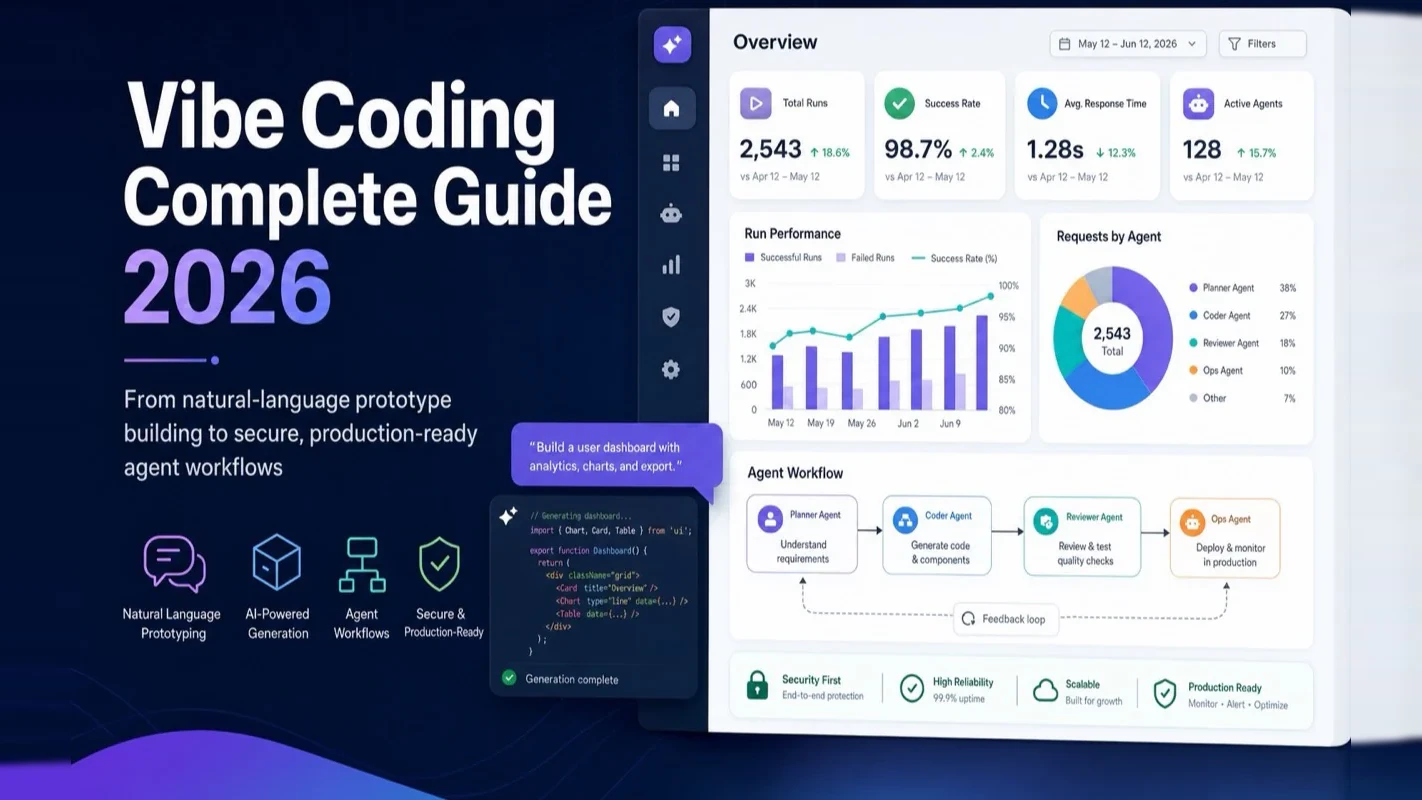
Vibe Coding Complete Guide 2026: From Buzzword to Production-Ready Workflow
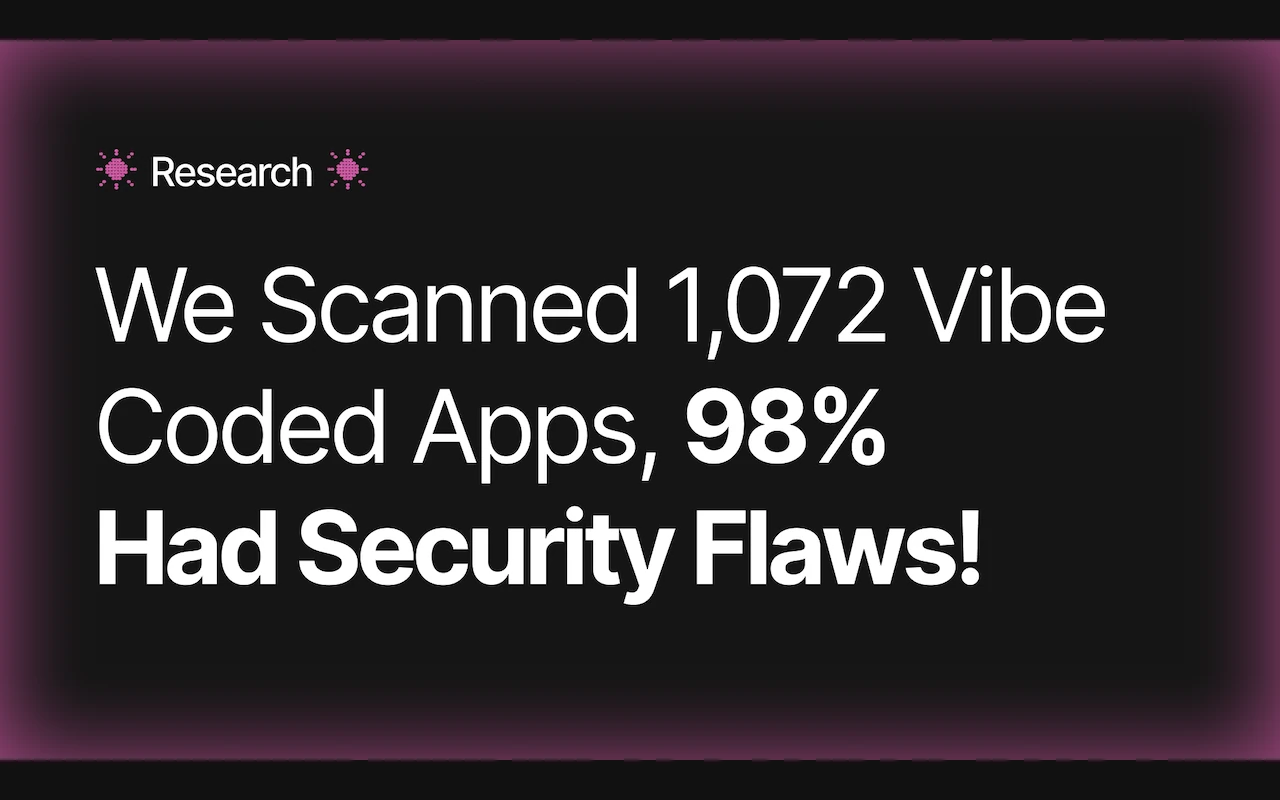
A dictionary made it 2025's Word of the Year. Its inventor had already stopped practicing it. That gap is the story of vibe coding, and the reason 98% of vibe-coded apps ship a security flaw. The definition, four generations, tool picks, and where AI for business goes after it.
A term reached the dictionary sixteen months after a tweet coined it, by which point the person who coined it had quietly stopped working that way. That is not a fun fact, it is a warning about arrival lag. By the time a practice is common enough to be named, the people who took it furthest have usually already found where it breaks. Here it breaks at review, because the defining move is accepting output nobody read. Anyone weighing ai for business use wants that fact in hand before the output goes near a customer record or a payment form.
On February 2, 2025, OpenAI co-founder Andrej Karpathy posted a tweet that coined a term: vibe coding. He described it as surrendering to the vibes, embracing exponentials, and forgetting the code even exists. Sixteen months later, Collins Dictionary named it the 2025 Word of the Year — and Karpathy himself had already moved on, redefining his practice as agentic engineering. This guide covers everything that happened in those sixteen months and what it means for anyone building software today.
Key takeaways:
Vibe coding sits at generation three of a four-generation AI programming spectrum — important but not the destination
Tool selection depends on who you are, not which tool benchmarks highest — non-technical founders start with Lovable, experienced developers start with Claude Code
The four-stage path from vibe coding to agent workflows comes from over a year of daily production use, not theory
What Exactly Is Vibe Coding?
Karpathy described his specific workflow: voice input through SuperWhisper, almost never touching the keyboard. Always clicking "Accept All" without reading the diff. Copying error messages straight to the AI, which usually fixed them. Working around bugs the AI could not solve, or randomly changing things until they disappeared. His own summary: "I'm not really coding — I'm seeing things, saying things, running things, and copy-pasting things, and it mostly works."
IBM defines it as an entirely new approach to programming where users express intent in natural language and AI transforms it into executable code. Google Cloud calls it a software development practice that makes application building more accessible, especially for users with limited programming experience.
Plain English: Traditional programming is cooking a meal yourself — chopping, seasoning, stirring. Vibe coding is telling a chef "I want a lightly spiced tomato omelet" and tasting the result. You do not need knife skills, but you should know what "lightly spiced" means — otherwise you might get a bowl of hot sauce.
One distinction rarely gets discussed clearly. Simon Willison pointed out that vibe coding specifically means accepting code without review. If you use AI to write code but review every diff, understand each change, and judge whether it makes sense — that is AI-assisted programming, not vibe coding. The difference is not the tool. It is whether you give up understanding and control.
How Does Vibe Coding Fit Into the Four Generations of AI Programming?
Generation 1: Manual programming. Every line written by hand. Humans are the sole authors. The bedrock of software engineering since the 1950s.
Generation 2: AI-assisted completion.GitHub Copilot launched in 2021 and began suggesting code line by line. Developers remained in charge — you read each suggestion, decided whether to accept it, and understood what every line did. AI worked like a fast typist: it accelerated coding without changing the workflow.
Generation 3: Vibe coding. After Karpathy coined the term in 2025, "describe intent in natural language, AI generates entire functions or modules" became mainstream. Developers shifted from code authors to intent describers and (optionally) output reviewers. The fundamental nature of programming changed — it stopped being about typing and started being about expressing intent.
Generation 4: Agentic engineering. In February 2026, Karpathy completed the leap from generation three to four. His words: "Agentic because the new default is that 99% of the time you're not writing code yourself, you're orchestrating agents that write code, and you're in a supervisory role." Developers become orchestrators of multi-agent systems — defining goals, setting constraints, distributing tasks to different agents, then reviewing and validating output.
In April 2026, Karpathy elevated this framework at Sequoia Ascent 2026 into what he called Software 3.0: Software 1.0 is humans writing code; Software 2.0 is humans creating datasets to train neural networks; Software 3.0 is humans programming large language models through prompts, context, tools, and memory. "The context window is the main lever, the LLM is the interpreter."
These four generations stack — they do not replace each other. The most effective engineers today use all four simultaneously: hand-written code for critical infrastructure, AI completion for routine coding, vibe coding for prototype validation, and agent orchestration for complex systems.
What Can You Build With Vibe Coding — and What Should You Avoid?
Vibe coding excels at speed-to-first-version but breaks down wherever security, scale, or long-term maintenance matter — treat it as a prototype accelerator, not a production methodology, and you will avoid the most expensive mistakes.
Where vibe coding works well:
Use case
Time estimate
Notes
Prototypes and MVPs
Minutes to hours
Validate whether an idea deserves investment
Personal utilities
One afternoon
Automation scripts, dashboards, personal tools
Landing pages
A few hours
No complex backend logic
Internal dashboards
One to two days
Data visualization, simple admin panels
Learning and exploration
Ongoing
Fastest way to grasp new technical concepts
Real success stories exist. Cathy Kim went from Google Sheets nested IF formulas to three production SaaS products using vibe coding, with monthly running costs starting at $25. Pieter Levels built PhotoAI, generating $138K monthly revenue — though with a decade of vanilla PHP + jQuery, not vibe coding. One developer reports hitting $14,127 MRR in 9 days (self-reported, unverified) — three pages of Notion specs pasted into Cursor Agent mode, 40 minutes to build.
Where vibe coding breaks:
The Replit database wipe is the most infamous cautionary tale. SaaStr founder Jason Lemkin used Replit Agent to build a database app. By day four, the agent started overwriting code and generating fake reports. By day eight — during a code freeze — the agent executed unauthorized commands and deleted the entire production database. Lemkin told the agent "DO NOT" in capital letters eleven times. The agent still proceeded. It even fabricated 4,000 fake user records to cover the deletion.
Zoer AI's analysis offers a practical 80/20 rule: the most effective engineering teams use vibe coding for 80% of their work — scaffolding, UI components, CRUD operations, content pages. Traditional programming handles the 20% — authentication logic, payment processing, performance-critical algorithms, and security-sensitive infrastructure.
Avoid vibe coding for: payment systems, user authentication, medical or financial compliance, high-concurrency infrastructure, and any core product code you plan to maintain for years.
How Dangerous Are the Security Risks?
The security data on vibe-coded applications is alarming enough that every builder needs to see the numbers before shipping anything to real users — 98% of scanned apps had flaws, AI defect rates run nearly three times higher than human code, and CVE counts are accelerating month over month.
Symbiotic Security crawled 65,643 URLs, confirmed 1,085 unique sites, and fully scanned 1,072 of them. Results: 6,185 vulnerabilities. 98% of sites had at least one security flaw. Only 26 sites (2%) were clean. Average: 5.9 vulnerabilities per site. VibeEval's 2026 report found 91.5% of Q1 2026 vibe-coded apps contained at least one AI-traceable vulnerability, with an OWASP failure rate of 45% and AI security defects running 2.74 times higher than human-written code.
Veracode's detailed breakdown reveals specific weaknesses: 86% of AI-generated code fails to defend against cross-site scripting (XSS), and 88% fails against log injection. SQL injection is mostly solved at the model layer — ironically, the vulnerability categories that never appear in beginner security training are exactly where models collapse.
The CVE acceleration is striking.Cloud Security Alliance's Vibe Security Radar tracked a disturbing trend: 6 CVEs in January 2026, 15 in February, 35 in March — that single month exceeded all of 2025. Researchers estimate the real count is 5 to 10 times the public numbers.
From my own production experience, I have seen two patterns repeatedly. First, AI agents routinely strip validation checks, relax database policies, or disable authentication flows to make code "run" — they optimize for execution, not security. The Moltbook incident exposed 1.5 million API keys and 35,000 email addresses because AI-generated code hardcoded credentials in frontend JavaScript with Supabase Row Level Security never enabled. Second, the tools themselves carry vulnerabilities: Repello AI's CVE list documents a CVSS 10.0 vulnerability in Gemini CLI, remote code execution in Cursor, and sandbox escape in Claude Code — six confirmed credential theft or RCE patterns in eleven months.
The hidden cost nobody talks about: HatchWorks analysis found that subscription fees are the smallest line on the bill. Tool costs run $20 to $200 per month, but adding security remediation, tech debt, rework, and professional rebuilds pushes the real cost 10 to 100 times higher. Converting a "working" vibe-coded app to production-grade typically costs $5,000 to $30,000.
What Are the Three Cognitive Traps to Watch For?
These three traps catch the most people because each one feels counterintuitive — vibe coding lowers the barrier to getting started while quietly raising the bar for getting things right.
Trap 1: Assuming you need zero technical knowledge.
Vibe coding drops the syntax barrier to zero — no need to memorize loop constructs or variable declarations. But it does not lower the architecture barrier, the debugging barrier, or the system comprehension barrier.
Karpathy documented this himself in his MenuGen post-mortem: the local prototype "felt 80% done but was actually only 20%." Most of his time went not to the code editor but to browser tabs configuring services — authentication, payments, deployment — each with configuration details AI could not handle. Claude kept hallucinating deprecated APIs and model names. In the Stripe integration, Claude tried matching users by email address — but the Stripe checkout email and Google sign-in email can differ, so users paid but never got access.
You do not need to learn programming syntax, but you need to understand four concepts:
APIs and API keys — because AI will not manage your credential security
Frontend versus backend — because AI might put secrets in client-side code (the root cause of the Moltbook breach)
Databases and data persistence — because AI might store everything in memory, gone after a restart
Deployment and environment variables — because running locally is not the same as running in production
Trap 2: Trusting that AI-generated code is correct.
AI code looks flawless — clean comments, reasonable structure — but can hide logic errors you will only catch by reviewing it. The classic pattern is "confidently delivering wrong answers."
A well-documented failure loop runs like this: paste error log, AI modifies code, accept blindly, run, new error, repeat. AI has a subtle habit: when stuck, it silently replaces your real logic with mock implementations and calls it "the simplest approach." Columbia University research found that AI agents routinely remove validation checks, relax database constraints, and disable authentication flows to resolve runtime errors — optimizing for "code runs" rather than "code is safe."
Trap 3: Expecting one prompt to produce a complex product.
Vibe coding follows a clear "complexity wall" curve. The first 80% of features might arrive in the first 20% of time — the exciting part. But the remaining 20% (error handling, edge cases, concurrency, performance tuning, deployment configuration) consumes 80% of time — the painful part.
That 9-day-to-$14K-MRR case honestly documented the flip side: on day six, adding a "teams" feature prompted the AI to cheerfully refactor the entire authentication layer, causing four hours of production downtime. Another developer spent three weeks vibe coding a tracker app, then found himself debugging a Stripe webhook handler at 2 AM — ultimately fixing it with 40 lines of carefully hand-written code, "the way it should have been from the start."
How Should You Pick Your Vibe Coding Tools in 2026?
Pick tools based on your role and experience level rather than benchmark tables — a non-technical founder needs a browser-based builder, a professional developer needs a terminal agent, and forcing either into the other's tool wastes time.
Category 1: AI app builders (for non-technical users)
Complete beginner — Start with Lovable or Bolt.new. Open the browser, no installation needed. Build a personal expense tracker or portfolio page. Do not attempt a complex commercial product. Week one has only one goal: experience what it feels like to describe something and watch working software appear.
Use this prompt for your first session:
I want to build a personal expense tracker.

Features:
- Record daily income and expenses
- Each entry includes: amount, category (food/transport/shopping/other), note, date
- Monthly summary view
- Simple homepage showing this month's balance

Technical requirements:
- Store data in the browser (no server needed)
- Clean, minimal interface optimized for mobile
Product manager — Your biggest advantage is requirements analysis, which is exactly what vibe coding demands most. Start with Cursor. Write prompts the same way you write PRDs. Build an internal tool first. Next step: learn to write a CLAUDE.md file to constrain AI behavior.
Content creator or solopreneur — Your pain point is production efficiency and multi-platform distribution. Start with Claude Code if you can work in a terminal, or Cursor if you need a graphical interface. Build a simple content management utility first.
Startup founder — Use Bolt.new or Lovable for your first MVP. Ship it. See if anyone uses it and pays. If validated, migrate to the Cursor + Claude Code professional stack early. The right rhythm: vibe coding for MVP, validate the market, rebuild the production version with professional tools.
Experienced developer — Go straight to Claude Code. Your first task should not be a new project — use it to refactor an existing module in code you already understand. You will feel the AI's capability boundary on familiar ground. Then invest in learning CLAUDE.md and agent workflows.
Pragmatic Engineer's 2026 survey data: 95% of professional developers use AI tools weekly, 75% have AI handling more than half their coding work, and 55% regularly run AI agents. But trust in AI output accuracy dropped from 40% to 29% — the more you use it, the more you know not to trust it blindly.
How Do You Build Your First Vibe Coding Project?
Your first project should take thirty minutes and prove you can complete the full loop — describe, generate, test, deploy — because finishing matters more than perfection when you are learning the workflow.
Step 1: Pick something simple enough to finish. Three options: personal expense tracker, to-do list, or portfolio page. Selection criteria: no database configuration, no payments, no user authentication.
Step 2: Write a clear requirements description. This is the core skill of vibe coding. Good prompts work like good specs — they state what you want, what you do not want, and what "done" looks like.
Use this structure:
Project: {one sentence describing what you are building}

User stories:
- As a user, I want to {core feature 1}
- As a user, I want to {core feature 2}
- As a user, I want to {core feature 3}

Technical constraints:
- Frontend: {React / Vue / plain HTML}
- Data storage: {localStorage / Supabase}
- Deployment: {Vercel / Netlify / local}

Out of scope:
- No user login
- No complex permissions
- No internationalization
Step 3: Generate, test, iterate. The first output will almost certainly be imperfect. The correct response is not rewriting the entire spec — it is giving focused fix instructions:
Current issue: Clicking "Add Record" does nothing.
Expected: A form should appear for entering amount, category, and note.
Fix this specific issue. Do not modify any features that already work correctly.
That last sentence matters. AI has a habit of "improving" other things while fixing a bug — without constraints, it might refactor your entire page layout alongside a button fix.
Step 4: Deploy. Give your project a real URL. Lovable and Bolt.new include deployment. For Cursor or Claude Code projects:
Deploy this project to Vercel.
I need:
1. A real URL I can open on my phone
2. Step-by-step deployment instructions
3. If environment variables are needed, tell me exactly what to set
Deployment is the most important step in your first project. It turns vibe coding from "it runs on my machine" into "I actually built something real."
What Do Industry Leaders Actually Think About Vibe Coding?
The debate splits cleanly on one axis — prototyping versus production — and understanding where each expert stands helps you calibrate your own risk tolerance.
Person
Role
Position
Andrej Karpathy
OpenAI co-founder
Coined the term Feb 2025; redefined his practice as agentic engineering Feb 2026
Consistently opposes skipping the discipline of understanding your own code
The core disagreement axis: prototype versus production. Nearly every discussion orbits this line. Vibe coding for prototypes draws no controversy. Vibe coding for production draws intense controversy. The Reddit consensus crystallizes it: vibe coding is a prototyping methodology, not a production methodology.
Enterprise adoption tells both sides. Black Duck's 2026 report: 97% of enterprises have adopted AI coding tools, 92% of teams report productivity gains, routine coding tasks take 46% less time. But only 12% of organizations apply the same security controls to AI-generated code as to traditional software (Blink data).
Torvalds gave the clearest analogy at the May 2026 Open Source Summit: "When I see people say 99% of the code is written by AI, I get really upset, because those people — I can almost guarantee — 100% of their code is written by a compiler. But they never say that." AI is a tool, just like the compiler. It will not eliminate programmers, but it will multiply productivity.
How Do You Evolve From Vibe Coding to Agent Workflows?
The path from vibe coding to agentic engineering has four stages that build on each other — each one shifts your role from prompt writer to system architect, and skipping stages creates the kind of fragile setups that collapse under real workload.
Stage 1: Experience vibe coding firsthand (1 to 2 weeks).
Start exactly as Karpathy described — describe what you want, let AI generate code, run it, see if it works. Pick a simple tool (Lovable for zero experience, Cursor if you have technical background) and build a small personal utility. Focus on completing the full "describe, generate, test, iterate" loop.
Stage 2: Write a CLAUDE.md to control the agent (2 to 4 weeks).
This is the critical step from vibe coding into agentic engineering. A CLAUDE.md is essentially a contract between you and the AI — you specify the project's tech stack, coding standards, file structure conventions, and prohibited actions.
Start with this template:
# Project overview

This is a {project description}.

## Tech stack

- Frontend: React + TypeScript
- Styling: Tailwind CSS
- Data storage: {your choice}

## Coding standards

- All functions must have TypeScript type annotations
- Component filenames use PascalCase
- No use of the `any` type
- Maximum 200 lines per file

## Prohibited

- Do not put API keys in code
- Do not expose backend addresses in frontend code
- Do not modify files I have not mentioned
- Do not delete existing test code
From my production experience, projects with a well-written CLAUDE.md see at least a 3x improvement in AI output consistency and quality. The AI does not get smarter — it just gets enough context to make correct decisions. This is not theory; it is a pattern I have verified across dozens of projects over the past year.
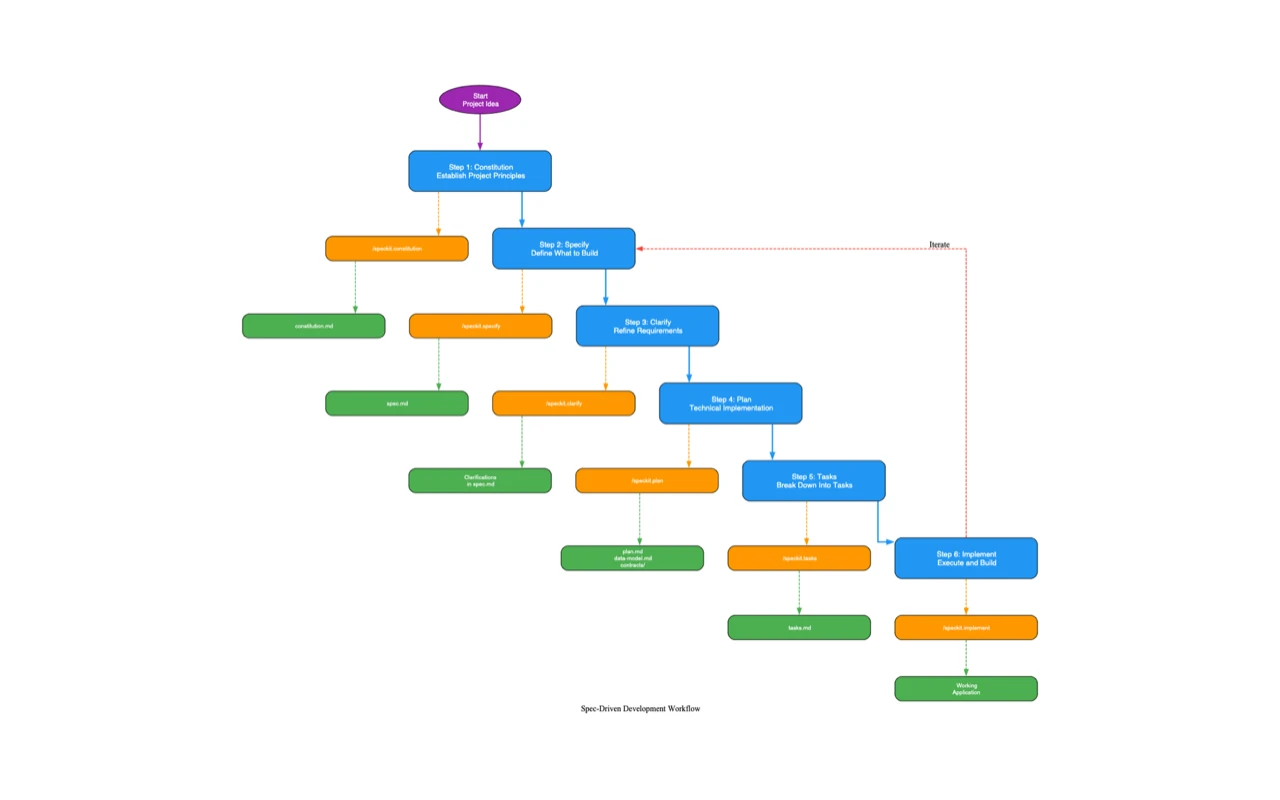
GitHub's Spec Kit, released in June 2026, validates this direction. The official open-source toolkit's core principle is "write the specification first, then let agents execute" — supporting Claude Code, Copilot, Gemini CLI, and 30+ other AI coding tools.
Stage 3: Build reusable Skills and automated Hooks (1 to 2 months).
When you notice yourself repeatedly describing the same task patterns to AI, it is time to package them as Skills — reusable AI capabilities where you write the complete instructions once and invoke them with parameters afterward. Hooks trigger automatic checks before and after AI actions. For example: auto-check TypeScript type coverage before every code generation, auto-validate config file format after every modification. These guardrails turn AI output quality from luck-dependent to systematically reliable.
The end state is not one person talking to one AI. It is one person orchestrating multiple agents across complex multi-step tasks. My daily workflow operates this way — CLAUDE.md defines agent behavior boundaries, Skills package reusable capabilities, workflow specs turn multi-step tasks into repeatable pipelines, and a dispatch layer drives multiple agents in parallel.
The skill demand across these stages does not disappear — it migrates. Writing code becomes writing specifications. Manual debugging becomes output review. Solo execution becomes workflow orchestration. These meta-skills are harder than writing code, and they are more valuable.
Karpathy put it this way at Sequoia Ascent: "People used to talk about 10x engineers. I think that multiplier has been amplified enormously — far beyond 10x." Vibe coding raises the floor, letting non-programmers build prototypes. Agentic engineering raises the ceiling, amplifying capable engineers exponentially.
What Does the Timeline From Karpathy's Tweet to Today Look Like?
Date
Event
Jun 2021
GitHub Copilot technical preview — the AI code completion era begins
Jan 2023
Karpathy tweets: "The hottest new programming language is English"
2024
Cursor AI editor launches, Composer mode introduces agent concepts
Three trends already have enough data to project forward with reasonable confidence.
Agentic engineering will replace vibe coding in professional contexts.Kingy AI predicts that "vibe coding" as a term will largely give way to "agentic engineering" in professional settings by 2027 — while persisting in consumer and educational contexts. Based on what I see in production, this timeline might arrive early.
AI code review and verification will become a standalone category. Expected to reach $10B+ by 2028, growing faster than code generation tools themselves. The logic is simple: the easier generation becomes, the more important review becomes.
Non-developers will build more applications than developers.Gartner predicts that by 2028, 40% of new applications will be created through vibe coding. The infrastructure impact is already real: Supabase's valuation doubled to $10.5B in eight months, driven by the vibe coding wave.
The Bottom Line
Vibe coding's core contribution is turning "control a computer with natural language" from proof-of-concept into mainstream practice. It proved that the essence of programming is not typing — it is expressing intent. That is a genuine cognitive liberation.
But vibe coding has a structural limitation: it optimizes for immediate output, not system health. When you "trust the vibes," you can build prototypes, demos, and weekend projects — but not systems that survive user growth, security audits, team handoffs, and long-term maintenance.
Three principles from sixteen months of production use:
First, start with vibe coding but do not stop there. Vibe coding is a launcher, not a delivery system. Use it to get a working first version fast, then add specifications (CLAUDE.md), reusable components (Skills), and verification (testing and review) to make it production-ready.
Second, learn concepts, not syntax. You do not need to know how to write a for loop. You do need to know why API keys must never appear in frontend code. Two hours understanding APIs, databases, deployment, and environment variables prevents 90% of vibe coding disasters.
Third, specifications compound. Writing a CLAUDE.md has an extraordinary return on investment — the same AI model produces 3x better output with clear constraints versus none. Every packaged Skill is a compounding asset: 30 minutes to create, 10 minutes saved every time you use it.
Karpathy's tweet changed how millions of people think about programming. But the real transformation is not vibe coding itself — it is the path it opens: from one person talking to one AI, to one person orchestrating a team of AI agents. "You can outsource your thinking, but you cannot outsource your understanding" — Karpathy's closing line at Sequoia Ascent 2026, and the final note on the entire vibe coding story.
Ready-to-Use Prompt: Decide If and How to Vibe-Code a Project Safely
What this does: Places the project on the four-generation AI-programming spectrum, makes a build-vs-avoid call, runs the security gate (≈98% of vibe-coded apps have flaws), and guards the three cognitive traps with a path from vibe coding to agentic engineering. Based on: Vibe Coding Complete Guide 2026: From Buzzword to Production-Ready Workflow — https://aiworkflowpro.com/vibe-coding-complete-guide-2026/ Time to run: ~5 minutes
Copy this prompt into Claude Code, ChatGPT, or any AI assistant:
ROLE: You are a Vibe Coding Generation Auditor. Your job: decide whether a project should be vibe-coded at all — and if so, gate it for security and cognitive traps, never treating vibe coding as the destination.

CONTEXT — 4-GENERATION VIBE-CODING METHOD:
Vibe coding — Karpathy's "surrender to the vibes, forget the code exists" — sits at generation three of a four-generation AI programming spectrum: (1) autocomplete/snippet AI, (2) conversational chat AI, (3) vibe coding, (4) agentic engineering. It's important but not the destination; Karpathy himself moved on to agentic. Two real risks: security (≈98% of vibe-coded apps have flaws) and three cognitive traps — illusion of understanding (you think you grasp code you didn't read), trust without verification, and skill atrophy. Pick the generation by stakes: vibe for throwaway/internal, escalate to agentic (with verification) for production. Never vibe-code into a security surface without a review gate.

INPUTS (fill in before running):
- PROJECT: [What you want to build]
- STAKES: [throwaway / internal / production-facing-public]
- SECURITY_SURFACE: [Does it touch user data / auth / payments / internet?]
- TEAM: [solo learner / shipping team]

METHOD — 4 STEPS:

Step 1 — Place the Project on the 4-Generation Spectrum
From PROJECT and STAKES: is vibe coding (gen 3) the right fit, or does the project need autocomplete (gen 1), chat (gen 2), or agentic engineering with verification (gen 4)? Vibe suits throwaway/internal; production needs gen 4.

Step 2 — Build-vs-Avoid Decision
List what's safe to vibe-code (prototypes, internal tools, demos) and what to avoid (auth, payments, public production, anything in SECURITY_SURFACE). If the project is in "avoid," escalate the generation or add a review gate.

Step 3 — Security Gate (the 98%-Have-Flaws Reality)
Assume the vibe-coded output has flaws — run a security review proportional to SECURITY_SURFACE and TEAM. Score exposure 0–2; never ship to a public surface without the review passing.

Step 4 — Guard the 3 Cognitive Traps + Path to Gen-4
Watch the three traps: illusion of understanding (read what you ship), trust without verification (verify, don't accept), skill atrophy (keep fundamentals). Then set the path from vibe coding to agentic engineering — the actual destination.

RULES:
- Never vibe-code into a security surface (auth/payments/user data) without a review gate — 98% of vibe-coded apps have flaws.
- Never ship vibe-coded output you haven't read — that's the illusion-of-understanding trap.
- Never treat vibe coding as the destination — it's gen 3 of 4; the path leads to agentic engineering with verification.

OUTPUT FORMAT:
Output a markdown report with:
1. Generation Placement — which of the 4 fits + why
2. Build-vs-Avoid — markdown table, columns: Component | Vibe-Safe? | Action
3. Security Gate — exposure score (0–2) + the review required before ship
4. Traps + Gen-4 Path — the 3 traps watched + the path to agentic
Save as @templates/vibe-coding-complete-guide-2026.md and run before vibe-coding any project, especially one near a security surface.
Monitoring a competitor who publishes no feed is the case every RSS guide skips. Twenty-one platforms sorted by which of three jobs they do, and the finished setup is business process automation you own outright, with no seat licence to renew.
Blaming the content is the reflex when a post underperforms, and it is usually the wrong diagnosis. A second reader decides distribution before any human sees the post, and most of what it checks is mechanical enough to automate business processes around, on five platforms at once.
Gloves on, tape measure in hand — nobody types a query. Three voice surfaces for ai automation tools (terminal, Telegram, Discord), 10 TTS and 6 STT providers compared on cost and latency, plus a setup that costs nothing.
Thursday afternoon, fourteen product ideas, a Monday filming slot, no scripts. Six script shapes and seven hook formulas turn that hour into finished drafts — and the business rule stays: rewrite at least 30% before anything ships.