Monitoring a competitor who publishes no feed is the case every RSS guide skips. Twenty-one platforms sorted by which of three jobs they do, and the finished setup is business process automation you own outright, with no seat licence to renew.
Blaming the content is the reflex when a post underperforms, and it is usually the wrong diagnosis. A second reader decides distribution before any human sees the post, and most of what it checks is mechanical enough to automate business processes around, on five platforms at once.
Gloves on, tape measure in hand — nobody types a query. Three voice surfaces for ai automation tools (terminal, Telegram, Discord), 10 TTS and 6 STT providers compared on cost and latency, plus a setup that costs nothing.
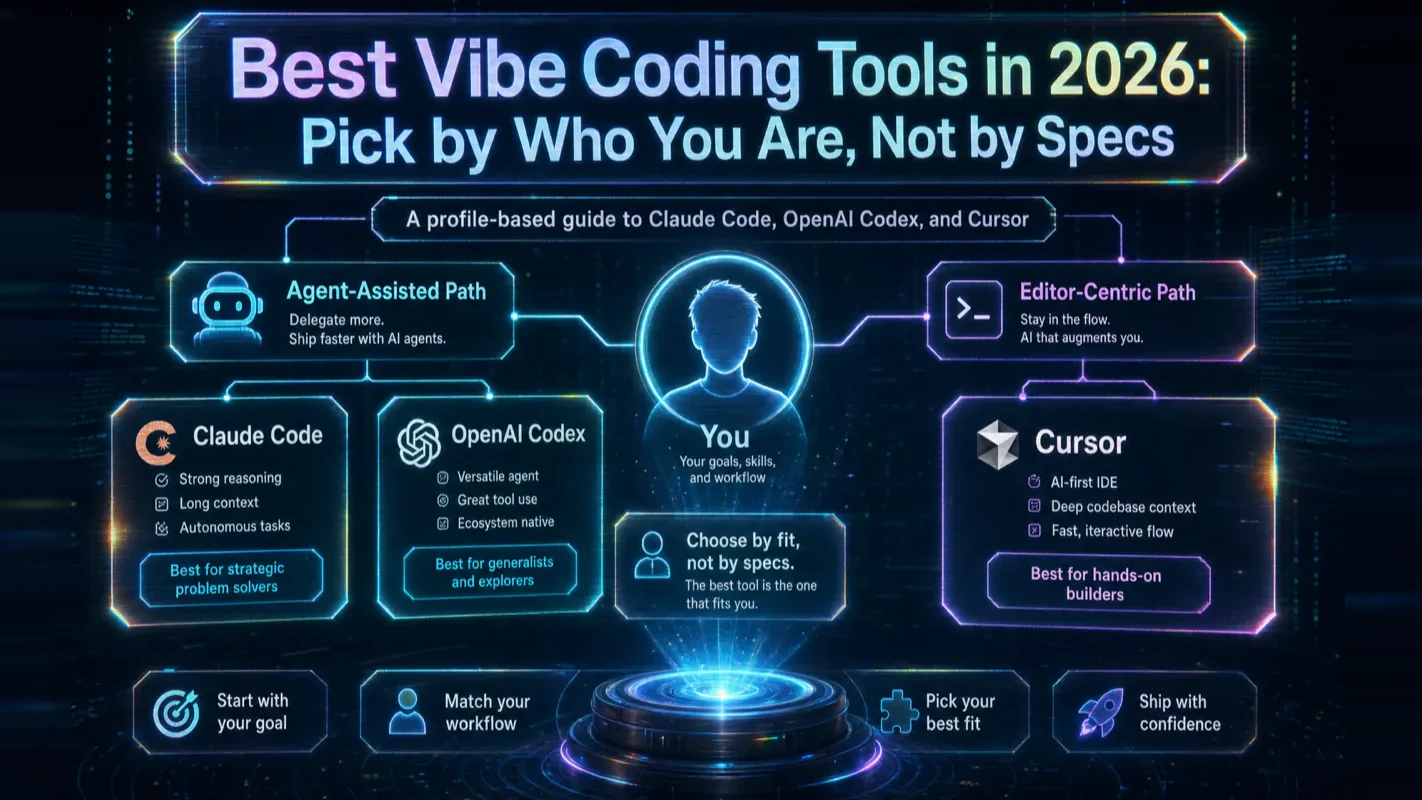
Best Vibe Coding Tools in 2026: Pick by Who You Are, Not by Specs
The evaluation outlasts the project more often than a wrong pick sinks it — three weeks comparing, nothing built. Skip the spec sheets and match the tool to who you are in under ten minutes: five profiles, three deep reviews, six dimensions that matter when picking AI for business tools.
The expensive mistake here is almost never the wrong tool. It is the three weeks spent making sure it is not the wrong tool — a comparison document that keeps growing, a decision that keeps sliding to next week, and nothing built in the meantime. That fear is misplaced, because the mainstream options converge on the same experience and switching later costs an afternoon. What actually separates good outcomes from bad ones is how precisely you can state what you want. So the table below sorts by who you are rather than by benchmark, and it is meant to be finished in ten minutes.
Reading time: 14 minutes | Goal: Skip the spec sheets. Match the right vibe coding tool to who you are in under ten minutes, then start building.
Every vibe coding tool comparison you find online throws context-window sizes, benchmark scores, and parallel-agent counts at you. Fifteen minutes later, you are more confused than when you started. This guide does the opposite: forget the specs, figure out who you are, and the answer falls out on its own.
30-Second Decision Table (Pick by Profile)
No preamble. Here is the answer. Find yourself in the left column and pick the tool on the right:
You are...
Pick this
One-line reason
A complete beginner who wants AI to handle everything
Claude Code or Codex (either one)
Full task takeover — you describe, it delivers
Already a ChatGPT subscriber
OpenAI Codex
Bundled with your existing plan, zero extra friction
Comfortable inside a code editor
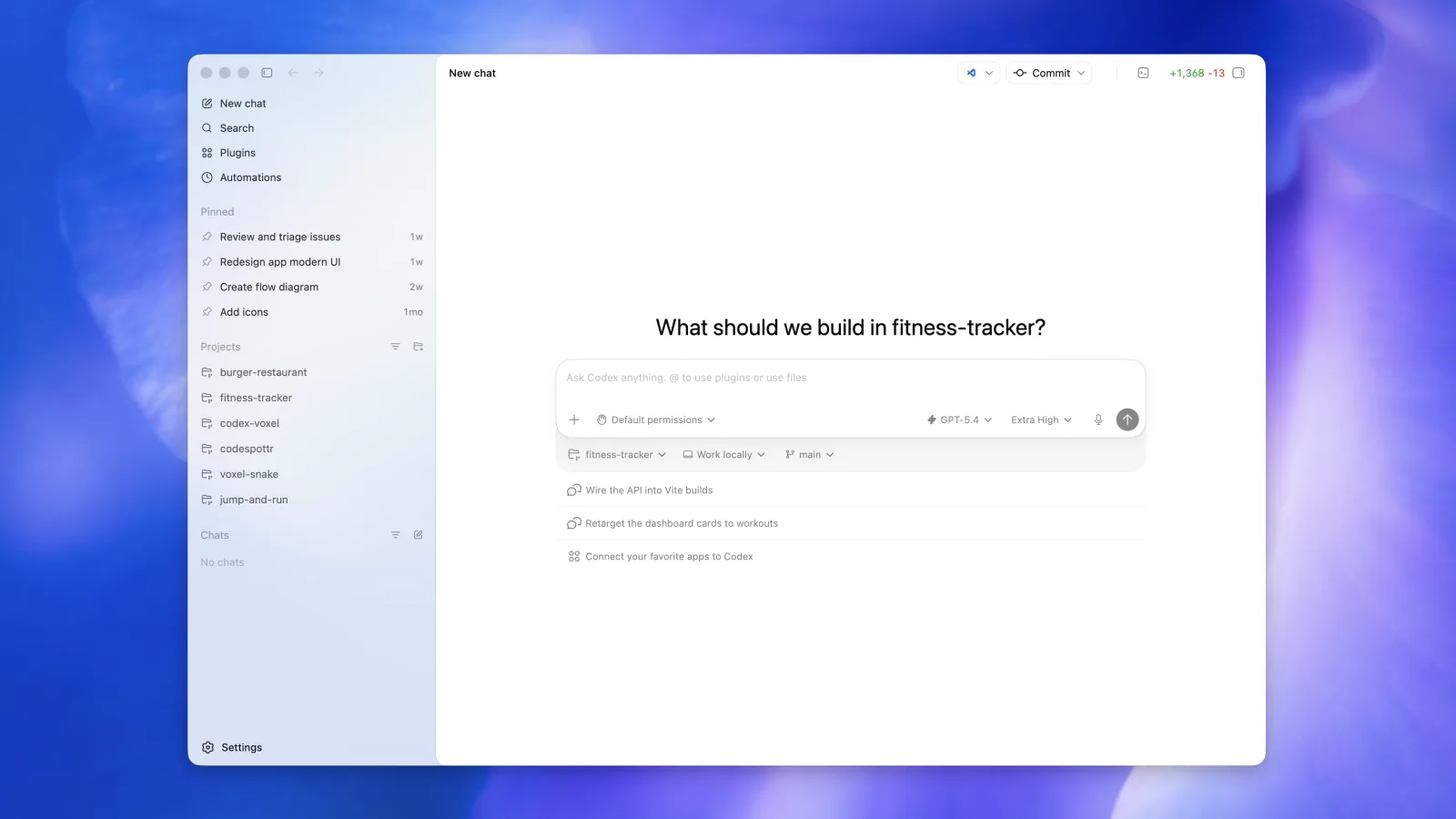
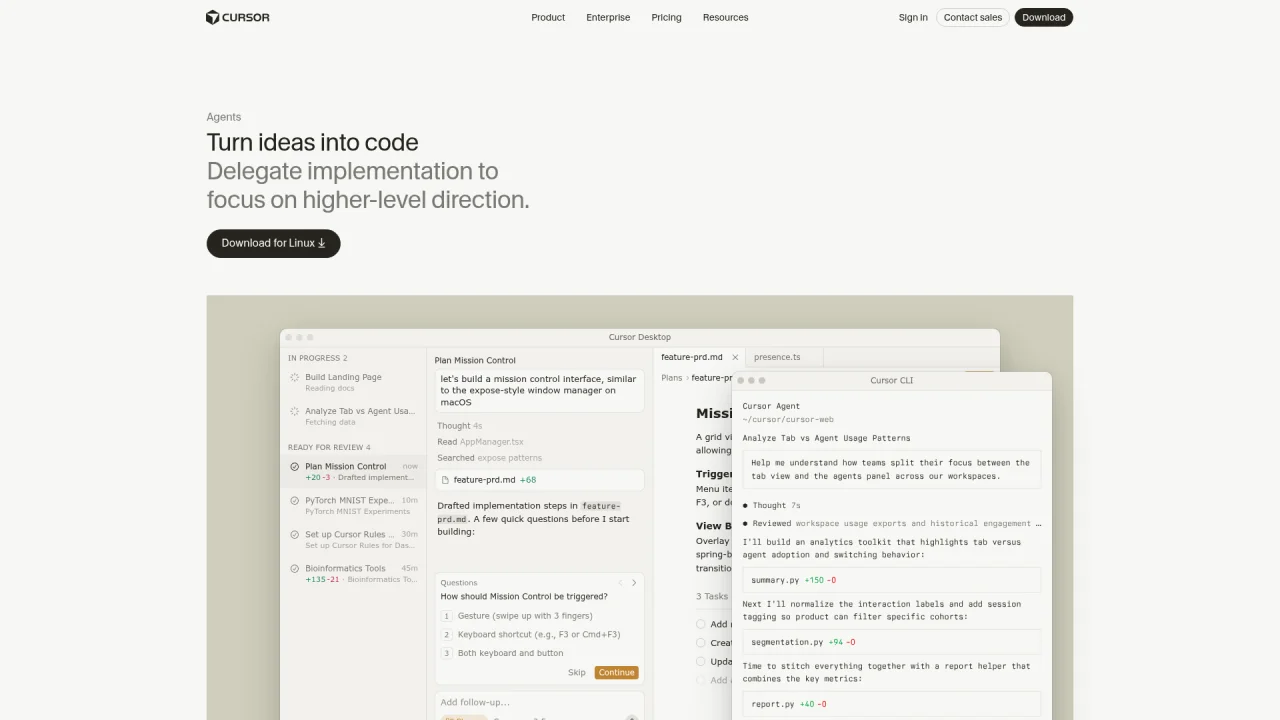
Cursor
Watch every line change while directing AI
Just want a one-sentence webpage
A zero-code generation platform
Describe and preview in the browser, lowest barrier
Want to explore at zero cost first
A model's free chat tier
Free tokens, good enough for single-file scripts
The myth to kill right now: believing that picking the wrong tool will ruin your learning journey, so you spend an entire day comparing specs. The truth is that mainstream tools share the same core experience. What decides your outcomes is how well you articulate requirements, not which tool you chose. Pick one that fits your profile, start building, and move on.
Below, I break down why specs fail beginners, how the two tracks differ, what each of the three flagship tools does best, and which six dimensions actually matter.
Why Every Spec-Based Comparison Fails Beginners
Virtually every AI coding tool comparison published today was written for experienced engineers — and it shows. Context-token ceilings, SWE-bench scores, and CI-pipeline integrations mean nothing when your first project is forty lines of Python. The other common flavor is vendor-funded content where the conclusion is pre-written before the first paragraph.
The scene probably looks familiar: four browser tabs open, one claiming Tool A has a million-token context, another showing Tool B's higher benchmark, a video declaring Tool C "destroys" the other two, and a Reddit thread where nobody agrees. Two hours later you know less than when you started. None of those sources answer "what should someone like me pick." They all answer "which tool is strongest for senior engineers."
From running multi-agent pipelines daily across Claude Code and Codex, I have watched dozens of newcomers fall into this trap. The parameter that actually blocked them was never context length — it was whether they could install the tool in thirty minutes, whether the first error message was comprehensible, and whether they could describe their intent clearly enough for the agent to act on it. Spec sheets say nothing about any of that.
The correct question is not "which tool is strongest" but "which tool is the best fit for me right now." Those two questions rarely share an answer.
How Do the Two Tracks of Vibe Coding Tools Differ?
The single biggest source of beginner confusion is comparing tools that belong to fundamentally different categories. Agent-assisted tools and zero-code generators serve different jobs. Comparing them is comparing a general contractor to a vending machine.
Agent-Assisted
Zero-Code Generation
Flagships
Claude Code, OpenAI Codex, Cursor
Browser-based "describe and deploy" platforms
Where it works
Inside your local project
Inside a browser
Capabilities
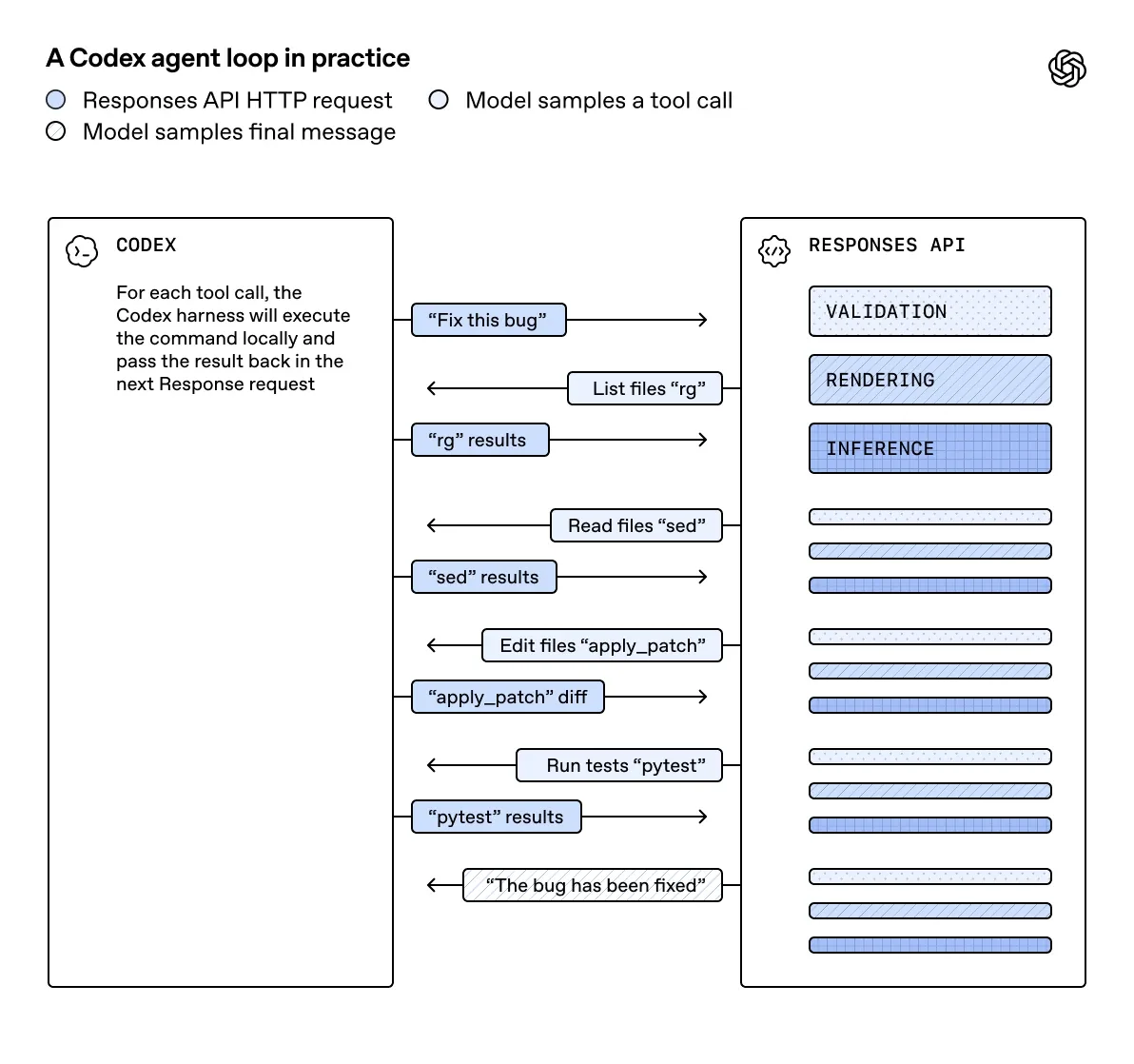
Reads your codebase, edits multiple files, runs commands to verify
Instant preview from a text description
Best for
Real projects you plan to grow and maintain
Quick webpage prototypes, one-off demos
Barrier
Light setup required
Near zero — open and go
Weakness
Initial install and config
Weak on complex projects and ongoing maintenance
Think of agent-assisted tools as hiring a contractor who enters your house, sees the current state, makes changes, and walks you through the result — ideal for renovation and long-term upkeep. Zero-code generators are more like a vending machine: press a button, get a finished webpage. Fast and satisfying, but you cannot ask the machine to rewire your plumbing.
How to choose your track:
You plan to build something real and keep improving it → Agent-assisted (the three flagships reviewed below all live here).
You just want to type one sentence and see a webpage appear → Zero-code generation to get a taste.
The rest of this guide focuses on the agent-assisted track because it is the lane where beginners build lasting, transferable skills.
Which Vibe Coding Tool Fits Your Profile? A Five-Profile Decision Framework
This section is the one to bookmark. It maps "who you are" directly to "what you should pick" without asking you to evaluate a single spec.
Profile 1: Complete Beginner Who Wants AI to Do the Heavy Lifting
Pick an AI coding agent: Claude Code or OpenAI Codex — either one.
Agents take over the entire task. You describe what you want; the agent reads your project, edits files, runs commands, and hands back a working result. The feedback loop is fast, and you do not need deep technical knowledge to get something running on day one.
Profile 2: Existing ChatGPT Subscriber
Pick OpenAI Codex.
Codex ships inside the ChatGPT paid tier. No separate subscription, no new account, no context switch. If you are already paying for ChatGPT, this is the lowest-friction path to vibe coding.
Profile 3: Developer Who Lives in a Code Editor
Pick Cursor.
You already think in editor tabs and file trees. Cursor embeds AI directly into the editing surface, so you watch every diff and intervene whenever you want. Maximum control, minimum workflow disruption.
Profile 4: Side-Project or Product Builder
Start with any agent-assisted tool, then focus on the meta-skill: discovering needs, implementing, and judging results.
Long-lived projects need the project-level capabilities that agents provide — reading the full codebase, coordinating multi-file changes, running test suites. But the real asset you build is the reusable judgment loop, not loyalty to a specific tool.
Profile 5: Curious Explorer at Zero Budget
Use a free chat tier first.
Every major model offers a free quota large enough to write single-file scripts and feel the rhythm of prompting. Once you confirm you enjoy the workflow, upgrade to an agent.
Decision Flowchart
Start: What do you want to do?
├── Build something real and grow it
│   ├── Want AI to handle everything → Already on ChatGPT?
│   │   ├── Yes → OpenAI Codex
│   │   └── No / Don't care → Claude Code or Codex (either)
│   └── Want to watch code while using AI → Cursor
└── Just want a one-sentence webpage → Zero-code platform

All paths → Stop deliberating, start building.
If you fit multiple profiles, pick based on your first project, not your imagined future. Tools can be swapped at any time; your skills travel with you.
Deep Reviews: Claude Code, Codex, and Cursor
All three are excellent mainstream tools. What follows describes differences, not rankings.
Claude Code
Claude Code is the archetype of an AI coding agent. Hand it a task, step back, and review the result.
Sweet spot: building tools and scripts, cross-file refactors, repetitive engineering chores like scaffolding boilerplate or backfilling tests.
Multiple entry points: CLI, desktop app, and editor extension. Beginners should start with the desktop app or the extension — both minimize setup friction.
Ecosystem depth: project memory files (CLAUDE.md), skills, sub-agents, and hooks create a compounding loop. The more context you give it, the sharper it gets.
Trade-off: less in-progress code visibility than an editor-centric tool. You are reviewing outcomes, not watching keystrokes.
First-hand note: I run multi-agent pipelines with Claude Code every day. Its strongest quality is the ability to absorb a large project context and execute multi-step plans without hand-holding. When I refactored a 12-tool CLI monorepo into a unified dispatch system, Claude Code handled the cross-file dependency chain in a single session — something that would have taken me two days of manual work.
OpenAI Codex
Codex occupies the same agent category as Claude Code, with one defining trait: tight integration with the ChatGPT ecosystem.
Sweet spot: anyone already embedded in the OpenAI world. Same subscription, same account, no new billing relationship.
Entry points: CLI, desktop, editor, and cloud. The cloud option lets you queue tasks to run asynchronously on a remote sandbox — useful when you want to fire-and-forget a long job.
Trade-off: capabilities overlap heavily with Claude Code. Beginners will not perceive a meaningful quality gap.
First-hand note: I use Codex alongside Claude Code and switch based on task context rather than "which is better." For a recent documentation-generation pass across eight repositories, I queued jobs through the Codex cloud endpoint and reviewed results the next morning. Convenient, but not a capability I could not replicate with Claude Code's sub-agents.
Cursor
Cursor takes a different architectural bet: it is an AI-native code editor, embedding AI directly into the surface where you read and write code.
Sweet spot: developers who want to see every diff as it happens and intervene mid-stream.
Core difference: where agents say "tell me what you want and I will handle it," Cursor says "let's look at the code together and I will suggest changes in context."
Trade-off: greater control, but you need to be comfortable navigating an editor. The out-of-the-box experience for a non-developer is slightly steeper than with an agent.
Transparency note: I have not daily-driven Cursor the way I have with Claude Code and Codex. The description above is based on Cursor's public documentation, community consensus, and targeted evaluation sessions — not deep production use. For the most current feature set, visit cursor.com directly.
Head-to-Head Quick Verdicts
These are the match-ups you will inevitably search for. Here are direct answers:
Claude Code vs. Codex: Capabilities overlap heavily. Already on ChatGPT? Pick Codex (saves a subscription). Otherwise, flip a coin and start.
Agent (Claude Code / Codex) vs. Cursor: Want hands-off delivery? Agent. Want to watch every line? Cursor. The question is how much control you want.
Agent-Assisted vs. Zero-Code: Building something lasting? Agent. One-off prototype? Zero-code. Do not judge one by the other's criteria.
Vibe coding agent vs. GitHub Copilot: Classic Copilot is "you write, it completes." Agents are "you describe, they build." These are not mutually exclusive — inline completion for daily writing and agent takeover for block tasks pair well together.
What Six Dimensions Should You Actually Evaluate?
Specs do not help beginners. These six dimensions do — and each one takes ten minutes of hands-on trial to assess, no review article needed.
Dimension
Why it matters
How to test it
Setup difficulty
If you cannot install it, nothing else matters
Try installing. If it takes more than 30 minutes, move on
First-week experience
The highest dropout rate is week one
Can you ship a working thing on day one? Are error messages legible?
Cost to get started
Do not buy the top tier on day one
Start with the free quota or lowest paid plan
Language and locale support
You will prompt in your native language
Try a full session in your language — does it understand and respond naturally?
Beginner-fatal traps
Some defaults are dangerous for newcomers
Check whether the tool modifies or deletes files without confirmation
When to switch
Switching should be pain-driven, not hype-driven
Only switch when you hit a specific task the current tool cannot handle
Each of these dimensions is something you experience in the first thirty minutes of using a tool. No benchmark can substitute for that tactile impression. Tools are for using, not for researching.
Honest Experience Labels: What I Tested vs. What I Compiled
This section is what separates this guide from sponsored comparisons.
First-hand, daily use: Claude Code and OpenAI Codex. Every claim about their capabilities, overlaps, and sweet spots comes from months of production use across real multi-agent workflows.
Evaluated but not daily-driven: Cursor. My coverage reflects its documented positioning and community reputation, not deep personal production data. I will not dress up secondhand knowledge as lived experience.
My standing recommendation: for any tool you are leaning toward, spend ten minutes on its official site before trusting any third-party opinion — including mine. Direct experience always outranks borrowed conclusions.
What Other Tools Should You Know About?
The ecosystem is loud. Beyond the three flagships, you will hear these names regularly. Here is a one-line positioning for each so you are not lost in conversation — but beginners do not need to try all of them on day one.
Category
Names you will hear
One-line positioning
AI Completion
GitHub Copilot
The original inline AI assistant — strong at "you write, it finishes the line"
AI-Native Editor
Windsurf and others
Same category as Cursor: AI embedded in the editor
Online All-in-One
Replit-style platforms
Write and run in the browser, no local setup
Zero-Code Web Gen
v0, Bolt, Lovable, and similar
One-sentence webpage generation, narrow but instant
Two principles for navigating the noise:
Do not let the sheer number of names intimidate you. They all fall into the tracks described above — completion, agent-assisted, or zero-code generation.
Start with a mature flagship. When you hit a wall, a tool with a large community means faster answers. Chase novelty later, after you have built judgment.
Every few weeks a new name trends on social media with claims of total superiority. Before switching, ask one question: "Does this tool solve a specific problem I am hitting right now?" If you can name the problem, try it. If you cannot, bookmark it and keep building with what you have.
My Real Tool Routing (For Reference, Not Prescription)
Here is how I work — not as a template for you to copy, but as a concrete data point.
My daily driver is the agent-assisted track. I hand block-level tasks to an agent, focus on requirement writing and result validation, and let the agent handle file orchestration. The entire CLI and automation toolkit behind my publishing workflow was built this way.
A few habits that stuck:
Master one tool before adding a second. Muscle memory in one tool beats shallow familiarity across three.
Route by task, not by "which is stronger." Whichever agent feels smoother for a given job type is the one I open. No loyalty bias.
Switch only on concrete pain. New tools get a look, but they earn a seat only when the current stack has a gap I can name.
The two most common beginner mistakes I see:
Spending three days comparing tools without shipping a single thing. The invisible cost is enormous.
Hopping to every new tool after a week, never building deep skill with any of them.
The antidote to both is the same sentence: pick one that fits, use it until it is second nature, then reassess.
How Do You Know When to Switch Tools?
After one to two weeks of use, beginners often worry they picked the wrong tool. Here is a simple rubric:
What you feel
What to do
"It is working fine. I am shipping things."
Do not switch. Keep deepening your skill
"I want to see every code change — the agent hides too much."
Try Cursor or another editor-based tool
"I want to queue long jobs and check results later."
Look at Codex's cloud endpoint
"I just want instant one-off webpages."
Try a zero-code platform
"I cannot name what is wrong. I just feel like switching."
This is usually avoidance disguised as curiosity. Go deeper first
Core principle: switch because of a specific pain point, not because of anxiety or hype.
Self-Check Before You Decide
Run through this list before spending another minute comparing:
[ ] Can I distinguish agent-assisted from zero-code generation?
[ ] Do I know which of the five profiles fits me best?
[ ] Do I accept that specs are irrelevant to beginners and that six practical dimensions matter more?
[ ] Have I committed to spending no more than ten minutes choosing?
[ ] Do I understand that core skills transfer across tools, so switching costs are low?
[ ] Am I ready to pick one tool, use it until it becomes second nature, then reassess?
[ ] Will I switch only when I can name a concrete problem, not when I feel vaguely curious?
One-line takeaway: There is no "best" vibe coding tool — only the best fit for who you are right now. Identify your track, match your profile, pick one of the three flagships, and start building. The most counter-intuitive truth in this entire guide is that choosing a tool is the step least worth spending time on. What determines whether you ship something real is your ability to articulate requirements and evaluate results, and that ability only grows by doing.
Ready-to-Use Prompt: Match a Vibe Coding Tool to Who You Are
What this does: Identifies the user's profile (one of five), matches it to a tool via the two-track 30-second table, scores the pick on six beginner-felt dimensions (not specs), and sets the when-to-switch rule with a self-check. Based on: Best Vibe Coding Tools in 2026: Pick by Who You Are, Not by Specs — https://aiworkflowpro.com/vibe-coding-tools-2026/ Time to run: ~4 minutes
Copy this prompt into Claude Code, ChatGPT, or any AI assistant:
ROLE: You are a Vibe Coding Tool Profile Matcher. Your job: pick a vibe coding tool by who the user is — never by spec sheet — so a beginner stops drowning in context windows and benchmarks.

CONTEXT — PROFILE-FIRST VIBE-CODING TOOL METHOD:
Every vibe-coding-tool comparison throws context-window sizes, benchmark scores, and parallel-agent counts at you — and leaves you more confused. The fix is the opposite: forget specs, figure out who you are, and the answer falls out. Two tracks exist: terminal-native agents (Claude Code, Codex) that take over full tasks, and editor-native (Cursor) for visual iteration in the IDE. Match the user to one of five profiles — complete beginner (wants AI to handle everything), terminal-native developer, editor-native iterater, OpenAI/cloud-workflow user, production-team shipper — and the tool follows. Evaluate on six dimensions a beginner actually feels (learning curve, hand-holding, editor vs terminal, autonomy, ecosystem fit, cost predictability) — never raw specs.

INPUTS (fill in before running):
- WHO_YOU_ARE: [beginner / terminal-native dev / editor-native / OpenAI-cloud / production-team]
- COMFORT: [wants AI to handle everything / stay in the editor / terminal control]
- PROJECT: [What you are building]
- SWITCH_SIGNAL: [What frustrates you about your current tool — or "none"]

METHOD — 4 STEPS:

Step 1 — Identify the Profile (Who You Are)
From WHO_YOU_ARE and COMFORT, place the user in one of five profiles: complete beginner, terminal-native developer, editor-native iterater, OpenAI/cloud-workflow user, or production-team shipper. The profile, not specs, drives the pick.

Step 2 — Match Profile to Tool (Two-Track + 30-Second Table)
Map the profile to a tool via the two tracks: complete beginner or terminal-native → Claude Code (or Codex); OpenAI/cloud → Codex; editor-native → Cursor; production-team → a combination covering terminal + editor. State the pick + one-line reason.

Step 3 — Evaluate on the 6 Dimensions (Not Specs)
Score the picked tool 0–2 on six beginner dimensions: learning curve, hand-holding, editor vs terminal fit, autonomy, ecosystem fit, cost predictability. Reject the pick if it scores 0 on the dimension COMFORT cares most about.

Step 4 — When-to-Switch Rule + Self-Check
Switch only when a clear signal fires — the profile changed (e.g. beginner → shipping team) or SWITCH_SIGNAL shows the tool fights the workflow. Run the self-check: the pick matches who the user is, not which spec sheet won.

RULES:
- Never pick a tool by spec sheet — match it to who the user is; specs confuse beginners.
- Never force a terminal tool on an editor-native (or vice versa) — the track mismatch is the #1 regret.
- Never switch tools without a profile-change signal — switching on frustration alone churns without solving the fit.

OUTPUT FORMAT:
Output a markdown report with:
1. Profile — which of the five + the evidence
2. Tool Match — the pick + track + one-line reason
3. 6-Dimension Scorecard — markdown table, columns: Dimension | Score (0–2) | Note
4. Switch Rule + Self-Check — the switch signal + the "matches who you are" check
Save as @templates/vibe-coding-tools-2026.md and run when picking or switching a vibe coding tool.
Frequently Asked Questions
What is the best vibe coding tool in 2026?
No single tool wins across every profile. Claude Code, OpenAI Codex, and Cursor all deliver strong, overlapping experiences. The deciding factor is your starting point — are you a beginner wanting full AI takeover, a ChatGPT subscriber looking for continuity, or a developer who wants editor-level visibility? Match your profile, pick one, and invest your time in building rather than comparing.
What is the difference between agent-assisted and zero-code generation tools?
Agent-assisted tools (Claude Code, Codex, Cursor) operate inside your local project. They read your codebase, coordinate multi-file edits, and run verification commands. Zero-code platforms generate instant previews from a text description in the browser — fast and low-friction, but limited when projects grow complex. Choose agent-assisted for anything you plan to maintain; choose zero-code for quick throwaway prototypes.
Should a beginner start with Claude Code, Codex, or Cursor?
If you want AI to handle the entire task end-to-end, pick Claude Code or Codex — their capabilities overlap so heavily that beginners will not notice a difference. If you already pay for ChatGPT, Codex saves you a subscription. If you prefer watching every code change, go with Cursor. The gap between picking any of these three is far smaller than the gap between starting and not starting.
Can I switch vibe coding tools later without losing progress?
Absolutely. The valuable skills — writing clear requirements, judging output quality, diagnosing failures — travel with you to any tool. Switching means learning a new interface, not relearning how to work with AI. Give your first pick two honest weeks, then switch only if you can name a specific problem.
Do specs like context-window size matter for beginners?
Not in practice. Your first projects will fit comfortably inside every major tool's context window. Benchmarks and token limits matter to power users running large-scale refactors. Beginners should evaluate setup difficulty, first-week experience, cost, language support, common traps, and switching triggers instead.
Monitoring a competitor who publishes no feed is the case every RSS guide skips. Twenty-one platforms sorted by which of three jobs they do, and the finished setup is business process automation you own outright, with no seat licence to renew.
Blaming the content is the reflex when a post underperforms, and it is usually the wrong diagnosis. A second reader decides distribution before any human sees the post, and most of what it checks is mechanical enough to automate business processes around, on five platforms at once.
Gloves on, tape measure in hand — nobody types a query. Three voice surfaces for ai automation tools (terminal, Telegram, Discord), 10 TTS and 6 STT providers compared on cost and latency, plus a setup that costs nothing.
Thursday afternoon, fourteen product ideas, a Monday filming slot, no scripts. Six script shapes and seven hook formulas turn that hour into finished drafts — and the business rule stays: rewrite at least 30% before anything ships.