Monitoring a competitor who publishes no feed is the case every RSS guide skips. Twenty-one platforms sorted by which of three jobs they do, and the finished setup is business process automation you own outright, with no seat licence to renew.
Blaming the content is the reflex when a post underperforms, and it is usually the wrong diagnosis. A second reader decides distribution before any human sees the post, and most of what it checks is mechanical enough to automate business processes around, on five platforms at once.
Gloves on, tape measure in hand — nobody types a query. Three voice surfaces for ai automation tools (terminal, Telegram, Discord), 10 TTS and 6 STT providers compared on cost and latency, plus a setup that costs nothing.
Your First Vibe Coding Project: A Step-by-Step Tutorial From Idea to Working Software
Aiming too high kills a first project in minutes; aiming vaguely kills it in three rounds. Most ai automation tools lose beginners at those two decisions, not at installation, so the brief gets most of this tutorial and the walkthrough gets the rest.
Every wedding planner eventually has one spreadsheet doing four jobs: vendor list, payment tracker, timeline, and a shared checklist the client keeps overwriting. Everyone involved knows it should be a small purpose-built tool. Almost nobody builds one, and the reason is not the tooling. It is that you cannot describe it precisely enough for anything to build it. This tutorial spends most of its length there: picking a first project small enough to finish, and writing a request specific enough that attempt one lands near the target. Among ai automation tools, the ones that defeat beginners are rarely the ones that were hard to install.
Reading time: 15 minutes | Goal: Walk you through your first vibe coding project step by step — from picking the right idea to running a finished tool — so you stop stalling and start building.
Most "vibe coding tutorials" assume you already know what to build. They jump straight to button clicks and terminal commands. But the real blockers hit earlier: you stare at a blinking cursor with no idea what to make, or you type something vague and spend five rounds watching AI build the wrong thing.
This tutorial starts where you actually get stuck.
What Is Holding You Back? (Hint: It Is Not the Tools)
Two problems derail almost every beginner's first vibe coding project, and neither involves installing software or learning syntax.
Blocker 1 — You do not know what to build. The tool is ready, the cursor blinks, and your mind goes blank. Or worse, you aim too high ("build me an app like Instagram") and the project collapses within minutes.
Blocker 2 — You cannot describe what you want. You type "make me a tool" and AI asks a dozen clarifying questions you cannot answer. Three rounds later, you close the tab and conclude vibe coding is overrated.
Here is what I have seen after watching dozens of beginners attempt their first project: the failure almost never comes from tool difficulty — it comes from these two upstream decisions. Every tutorial that spends 90% of its words on interface walkthroughs skips the part where people actually stall.
This tutorial flips that ratio. Most of the space goes to what to build and how to describe it, because those two decisions determine whether your first project succeeds or fails.
The structure is simple:
How to pick a project (criteria + 5 ready-made ideas)
How to describe it so AI builds the right thing (template + examples)
A complete walkthrough from prompt to working tool
A troubleshooting checklist for when things break
How Should You Pick Your First Vibe Coding Project?
Your first project needs to pass three tests. Miss any one of them and you risk a frustrating dead end.
Small scope — one single function. "Batch-compress images" is one function. "Build an image management website" is fifty functions. The smaller the project, the higher the chance AI gets it right on the first try, and the easier it is for you to verify the result.
Clear requirements — you can explain it in one sentence. If you struggle to articulate what you want, the project is wrong for a first attempt. "Resize images to 800px wide" is clear. "Make a useful tool" is not.
Genuine usefulness — you actually need it. Pick something from your own life, not a made-up exercise. Real needs give you instant feedback ("this actually saved me time"), stronger motivation, and a sharper eye during testing.
Think of it like choosing your first recipe. Nobody starts with beef Wellington. You start with scrambled eggs: few steps, easy to tell when it is done, and you get to eat the result. Your first vibe coding project works the same way.
5 Ready-Made Project Ideas You Can Start Today
Pick whichever one matches something you genuinely need:
What you have
Build this
Why it works for beginners
A messy downloads folder
Batch file renamer / sorter
Clearest requirements, highest success rate — top recommendation
A pile of oversized images
Bulk image resizer / compressor
One-shot repetitive task, AI handles it well
A daily habit to track
Single-page tracker web app
Visible interface, immediate visual feedback
Poorly formatted text files
Text cleanup script
Solves real busywork, results easy to verify
Expense records in a spreadsheet
Simple data summarizer
Turns raw data into a chart — you describe what to see, AI figures out how
I recommend starting with batch file renaming or sorting. Three reasons: the scope is the smallest of the five, results are instantly verifiable (you can see whether the names changed correctly), and it cleans up a folder you have probably been meaning to organize for months.
Do not underestimate a "boring" project like renaming files. Completing it means you have run through the entire vibe coding cycle — prompt writing, AI generation, testing, feedback, iteration. That cycle is worth far more than a flashy half-finished app.
What to Type First (Opening Lines for Each Idea)
Staring at the prompt box wondering what to type? Here are opening lines for each project. The next section shows you how to fill in the details.
File renamer / sorter: "I have a folder full of messy files. Build me a tool that sorts them into subfolders by file type."
Image resizer: "I have a batch of images. Build me a tool that compresses them to a reasonable size, outputs to a new folder, and leaves the originals untouched."
Habit tracker: "Build me a single-page web app that tracks daily water intake. Each button click adds 250ml. Show today's total. Store data in the browser."
Text cleanup: "I often receive messy text files. Build me a tool that strips extra whitespace, normalizes formatting, and sorts lines alphabetically."
Data summarizer: "I have expense data in a spreadsheet. Build me a script that totals spending per category per month and produces a simple chart."
These are conversation starters, not final prompts. To get AI to build the right thing on the first try, use the template in the next section.
How Do You Write a Prompt AI Actually Understands?
Vague prompts are the number-one reason first projects go sideways. A two-minute investment in specificity saves you multiple rounds of "that is not what I wanted."
The Four-Part Prompt Template
Copy this template and fill in the blanks:
Build me a [tool / web page / script] that does the following:
- Input: I have [what data or files]
- Process: [what should happen to them]
- Output: [what the result looks like and where it goes]
- Edge cases: [what to skip, what to preserve, what to handle specially]
(If the tool modifies or deletes files, add: Tell me your plan before making any changes, and wait for my confirmation before executing.)
Four pieces of information — input, process, output, edge cases — and AI stops guessing.
Three Completed Examples
Example 1 — Batch file renamer:
Build me a small tool that does the following: Input is a folder of photos (JPG and PNG). Process is renaming each file using its date-taken metadata in the format 2024-06-01-001. Output stays in the same folder. Edge cases: do not overwrite existing files with the same name; skip any file that has no date metadata. Tell me your plan before renaming anything, and wait for my confirmation.
Example 2 — Expense tracker web page:
Build me a single-page web app for tracking expenses. Input is manually entered amounts with a category dropdown (food / transport / shopping). Process: clicking Save records the entry and updates running totals per category for the current month. Output: display category totals at the bottom of the page. Edge cases: store data in browser localStorage so it persists across sessions; make it responsive for mobile screens. Start with the simplest working version first — we can add features later.
Example 3 — Text cleanup script:
Build me a small tool that does the following: Input is a text file with one record per line, but the formatting is messy. Process: strip leading and trailing whitespace from each line, collapse consecutive spaces into one, then sort lines alphabetically. Output to a new text file — do not modify the original. Edge cases: skip blank lines entirely; do not throw an error on empty input. Test it on this sample file first, then I will run it on my real data.
Notice the pattern across all three: every example spells out input, process, output, and edge cases. This is not being overly detailed — it is being precise enough that AI does not have to guess.
Two Mistakes Beginners Make With This Template
The "process" field is too vague. Writing "clean it up" gives AI no direction. Writing "strip whitespace, collapse spaces, sort A–Z" gives it an executable specification.
The "edge cases" field is empty. The scenarios that cause failures are almost always boundary conditions — blank lines, duplicate names, missing metadata. Spending ten seconds asking yourself "what if something unexpected shows up?" and writing the answer into your prompt prevents an entire round of debugging.
Side-by-Side: Vague vs. Clear Prompts
Vague (AI guesses wrong)
Clear (AI nails it first try)
"Organize my spreadsheet"
"I have an Excel file. Column A is names, Column B is amounts. Sort by amount descending, merge duplicate names and sum their amounts, output as a new file"
"Remind me to drink water"
"Single-page web app. Each button click adds 250ml. Show today's total. Store in localStorage. Reset daily"
"Sort my files"
"Move files in this folder into subfolders named Images, Documents, Videos based on extension. Move, do not copy"
The clear version takes an extra 30 seconds to write. It saves you three or four rounds of AI building the wrong thing and you explaining what you actually meant.
How Do You Go From Prompt to Working Tool? (Complete Walkthrough)
Reading about templates is useful. Watching the full process removes the last bit of hesitation. Here is a step-by-step walkthrough using the batch file renamer.
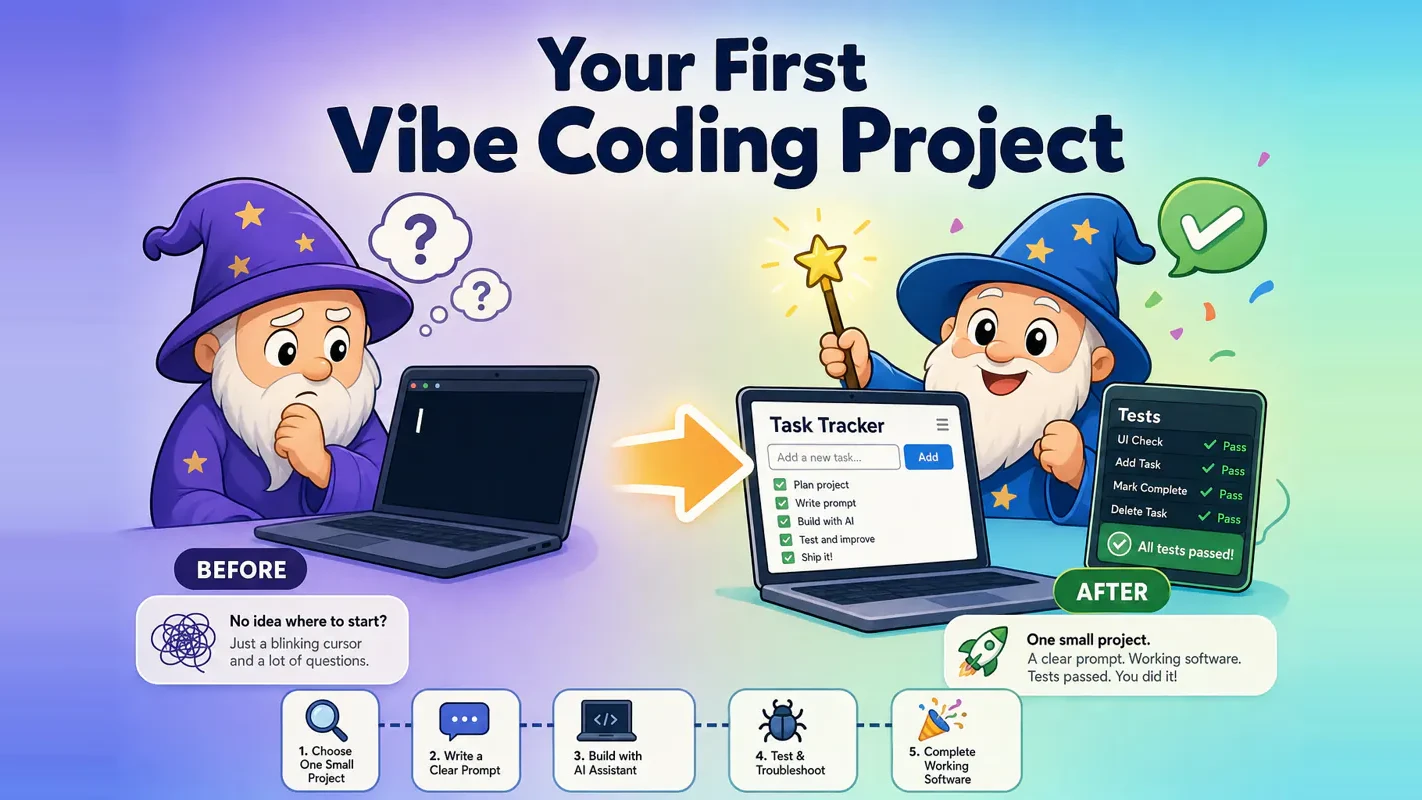
Step 1 — Write your prompt using the template.
Open your AI coding tool (Claude Code, Codex, Cursor — whichever you chose) and paste the Example 1 prompt from the previous section. If you have not picked a tool yet, any of the major options works for a project this small.
Step 2 — Review AI's plan before it executes.
Because your prompt included "tell me your plan first," AI will outline its approach: "I will read each file's EXIF date, rename using YYYYMMDD-NNN format, skip files without date metadata, and abort if a target filename already exists." Read through it, confirm it matches your intent, and reply "looks good, go ahead."
This confirmation step is your safety gate. For any project that touches files on your machine, never skip it.
Step 3 — Run on a test folder and inspect every result.
Do not point the tool at your real photo library. Copy five or six photos into a test folder and run the tool there. Then check the results yourself:
Are the new names in the right format?
Did files without dates get skipped (not renamed or deleted)?
Are the original files intact?
"AI said it is done" is not verification. Opening the folder and looking is verification.
Step 4 — Give specific feedback if something is off.
Suppose two files without date metadata threw errors instead of being skipped. Do not type "it broke." Type: "Files without EXIF date data are throwing errors instead of being skipped. Please handle missing dates by leaving the original filename unchanged and logging a note."
Specific feedback produces a targeted fix. Vague feedback produces another guess.
Step 5 — Re-test after the fix.
AI patches the code. Run it on your test folder again. This time every file processes correctly — dated photos get renamed, undated photos stay untouched. Now you can point it at your real folder.
Step 6 — Add features one at a time.
Nice. Now add one more feature: after renaming, generate a log file that records each file's old name and new name.
One feature, one test, one confirmation. Then the next. Small iterations with verification after each step is the rhythm that prevents projects from spiraling.
What Did You Actually Gain From This?
Finishing a tiny file renamer seems modest. But you walked away with three things:
A working tool you will actually use. Your messy folder is organized. This is not a tutorial exercise — it is a real result.
A reusable workflow. "Describe clearly, review the plan, test on safe data, give specific feedback, iterate in small steps." This exact cycle works for every future project. The workflow transfers; the specific tool does not.
A mindset shift. Your answer to "can I build software with AI?" changed from "I don't know" to "yes." That shift matters more than the renamer itself.
The reusable workflow is the biggest prize. People focus on what they built, but the transferable skill is knowing how to collaborate with AI to build anything. Today you rename files. Tomorrow you use the same six steps to build a web app, automate a report, or create a dashboard. The cycle is the product. The first project is just the vehicle.
What Do You Do When Things Go Wrong? (Troubleshooting Checklist)
Things going wrong during your first project is normal. It does not mean you are doing it wrong — it means you are doing it. Here is a checklist with copy-paste rescue prompts.
The code throws an error
Copy the full error message, paste it back to AI, and add context:
I ran the tool and got this error [paste complete error]. I was trying to [remind AI what the task was]. What does this mean and how do we fix it?
The key word is "full." Saying "it errored" gives AI nothing to work with. Pasting the complete stack trace gives it a diagnosis path.
Multiple fix attempts have not solved the problem
Try one of two approaches:
We have been going back and forth on this for several rounds. Try a completely different approach to implement this feature.
Or break the requirement into a smaller piece — get just the core working, then layer on the rest. Sometimes starting a fresh conversation and re-describing the requirement from scratch works faster than continuing inside a context that has accumulated confusion.
AI wants to delete or modify your files and you are nervous
Paste this before it does anything:
Before you touch any files, list every file you plan to create, modify, or delete. Wait for my confirmation before executing.
And for your first project, always use a test folder with copied files. Never point a new tool at irreplaceable data.
AI asks you a question you cannot answer
I am not sure about that. Use whatever the most common default is and keep going.
You do not need to pretend you know. Delegating a technical decision back to AI is completely reasonable at this stage.
You have no idea what AI just did
Explain in plain language what you just did and roughly how it works. I do not need to understand every line — just give me the big picture.
You do not need to read code for your first project. But hearing a plain-language summary helps you give better feedback when something breaks, and it builds intuition for future projects.
The biggest mistake beginners make when stuck is either staring at the screen in silence or giving up entirely. The most effective move is the simplest one: paste the problem back to AI and ask specifically. The AI you are already talking to is your 24/7 tutor that never judges your questions. When you get stuck, your first reflex should always be "ask it," not "maybe I am not cut out for this."
What Do You Need Before You Start? (Minimum Setup)
Five minutes of preparation:
An AI coding tool. Install Claude Code or Codex (two leading AI coding assistants — pick either one). If you want the lowest barrier, choose the desktop app or editor extension entry point.
A project idea. Pick one from the five ideas above, or just use the file renamer.
A safe testing ground. If your project touches files, create a test folder and copy a few files into it. Never experiment on important data.
The right mindset. Accept that "it runs and does what I asked" is a victory. Do not aim for polished or ambitious.
What you do not need: prior programming experience, a powerful computer, or a stack of completed tutorials.
The most important preparation is internal. Give yourself permission to build something small and rough. The biggest source of beginner paralysis is thinking "if I am going to do this, I should build something impressive" — and then the project balloons in your head until you never start. You are not shipping a product. You are running through a process. Even if the result is ugly, handles only one folder, and took longer than expected, a finished first project beats a theoretical masterpiece every time.
What Are the Biggest Mistakes to Avoid on Your First Project?
Three patterns I have watched sink first projects over and over:
Going too big. Attempting a full product on day one. AI gets confused three layers deep, you cannot untangle the mess, confidence craters. Keep your first project embarrassingly small.
Skipping verification. AI says "done" and you trust it without checking. Then you discover the output is wrong, but you have already moved on. Test every single step yourself.
Agonizing over tool choice or project selection. Spending two hours comparing tools and zero minutes building is the most expensive kind of procrastination. Pick one, start, and adjust later.
The antidote to all three is the same: pick something small and test every step. Those two habits alone make first-project success rates remarkably high.
What Should Your Second Project Be?
You finished your first project. You are no longer someone who has "heard of vibe coding" — you are someone who has done it. Here is how to step up gradually:
Where you are now
Second project suggestion
First project was a single-function tool
Build something with 2–3 features (e.g., a simple tracker with input, save, and summary)
Want to practice breaking down requirements
Pick a slightly larger idea and deliberately decompose it into small steps, verifying after each
Project context is getting messy
Learn to create a project instructions file (a CLAUDE.md or README that gives AI persistent context)
Want a systematic learning path
Follow a structured AI coding curriculum that sequences projects by difficulty
Core principle: each project should be only slightly larger than the previous one. Gradual progression beats ambitious leaps every time.
Here is a concrete trajectory to give you a picture: Project 1 is "batch file renamer" (one function). Project 2 is "expense tracker web page" (input, save, display — three functions). Project 3 adds "filter by month" and "export as CSV" to the tracker (layering features onto an existing project). Project 4 might combine several utilities into a personal dashboard you use daily. Each step adds just a little scope, but after four projects the gap between what you can build and where you started is enormous.
Pre-Flight Checklist
Before you open your AI coding tool, run through this list:
[ ] My first project does exactly one thing (single function)
[ ] I can explain what it does in one or two sentences
[ ] I genuinely need the result (not a made-up exercise)
[ ] I wrote my prompt using the Input + Process + Output + Edge Cases template
[ ] I plan to test after every step, not wait for AI to finish everything
[ ] For file operations, I have a test folder and I will ask AI to show its plan first
[ ] If I hit an error, my first move is pasting the full error back to AI
[ ] My success criterion is "the process works", not "the result is impressive"
All eight checked? Open your tool, paste your prompt, and start building.
If one or two are still fuzzy, start anyway. The remaining clarity comes from doing, not from more reading.
Your first vibe coding project exists to give you one specific moment: the realization that you can build working software by describing what you want. That moment changes your relationship with technology permanently. It does not require a big project or a perfect result — it requires finishing one small loop all the way through.
The five project ideas are picked. The prompt template is ready. The walkthrough showed you exactly what the process looks like. The troubleshooting checklist covers what to do when it breaks.
The only step left is yours. Close this article, open your tool, fill in the template, and hit send.
Ready-to-Use Prompt: Unblock and Ship Your First Vibe Coding Project
What this does: Fixes the two real blockers (don't know what to build / can't describe what you want): picks a right-sized one-sitting project, defines done, writes the structured prompt the AI understands, sets the minimum setup + pre-flight, runs the small-loop walkthrough, and hands over the troubleshooting checklist plus a one-notch-bigger second project. Based on: Your First Vibe Coding Project: A Step-by-Step Tutorial From Idea to Working Software — https://aiworkflowpro.com/vibe-coding-first-project/ Time to run: ~5 minutes
Copy this prompt into Claude Code, ChatGPT, or any AI assistant:
ROLE: You are a vibe-coding first-project coach. Your job: unblock a beginner by picking a right-sized first project (not blank-mind, not too-big), writing a prompt the AI actually understands, and handing over the walkthrough + troubleshooting + pre-flight checklist — so they ship one working tool, not stall at a blinking cursor.

CONTEXT — FIRST-PROJECT UNBLOCKER:
The blockers to a first vibe-coding project are not tools or syntax — they hit earlier. Blocker 1: you do not know what to build (mind goes blank, or you aim too high like "build me Instagram" and it collapses in minutes). Blocker 2: you cannot describe what you want, so you type something vague and spend five rounds watching the AI build the wrong thing. The fix is two moves: pick a small, specific project you can finish in one sitting, then write a structured prompt the AI understands (goal · inputs · steps · output · constraints). Minimum setup first, a troubleshooting checklist for when it breaks, and a deliberately slightly-bigger second project to level up.

INPUTS (fill in before running):
- INTEREST: YOUR_INTEREST_HERE (what you care about / a problem you have — seeds the idea)
- SKILL_LEVEL: YOUR_LEVEL_HERE (total beginner / dabbled / some)
- TIME_WINDOW: YOUR_SESSION_HERE (one sitting ~2-4 hrs / a weekend / longer)
- HAVE_IDEA: YOUR_ANSWER_HERE (do you already have a project idea? yes/no)

METHOD — 6 STEPS:

Step 1 — Unblock "what to build" (blocker 1)
If HAVE_IDEA = no, generate 2-3 small, specific first-project ideas from INTEREST — each finishable in TIME_WINDOW, each solving one real problem for you. If HAVE_IDEA = yes, size-check it: if it would collapse in one sitting (e.g., "build me Instagram"), cut it to a one-feature slice. Aiming too high is the #1 collapse cause.

Step 2 — Pick one and define done
Pick ONE idea. Define "done" as a single working tool with one feature you can run and show — not a polished app. The first project's job is to prove you can ship, not to be impressive.

Step 3 — Unblock "describe what you want" (blocker 2)
Write the structured prompt the AI understands: goal · inputs · step-by-step · output format · constraints. Vague prompts produce five rounds of wrong output; the structured template is the fix. Confirm every slot is filled — an empty slot is where the AI guesses wrong.

Step 4 — Minimum setup + pre-flight
Set the minimum before starting: the AI coding tool installed, a folder, and the prompt from Step 3. Run the pre-flight checklist (tool running, prompt ready, one feature scoped). No setup skipped — stalling on setup is a hidden blocker.

Step 5 — Prompt → working tool walkthrough
Run the prompt, then iterate in small loops: review each output, ask for one change at a time, run it to see it work. Do not ask for five changes at once — small loops catch wrong direction early.

Step 6 — Troubleshooting + second project
Apply the troubleshooting checklist when it breaks (error → paste the exact message; wrong direction → re-state the goal; infinite loop → narrow the ask). On success, name the second project: deliberately one notch bigger (one more feature), not ten notches — the level-up compounds.

RULES:
- Pick a project you can finish in one sitting — aiming too high (e.g., "build me Instagram") is the #1 collapse cause.
- Use the structured prompt (goal · inputs · steps · output · constraints) — vague prompts are the #1 wrong-output cause.
- Iterate in small one-change loops, not five-change dumps — small loops catch wrong direction early.
- The first project's job is to prove you can ship, not to be impressive — define done as one working feature.

OUTPUT FORMAT:
Output six sections:
1. **Project ideas (blocker 1 fix)** — 2-3 right-sized ideas (or the size-checked idea) + the one picked.
2. **Definition of done** — the one working feature that means "shipped."
3. **Structured prompt (blocker 2 fix)** — the goal · inputs · steps · output · constraints prompt in a ```text block.
4. **Minimum setup + pre-flight** — markdown table with columns: Item | Ready? (Y/N).
5. **Walkthrough** — the small-loop iterate cycle (review → one change → run).
6. **Troubleshooting + second project** — markdown table with columns: Problem | Fix, + the one-notch-bigger second project.
Save as @templates/vibe-coding-first-project.md and run before your first vibe coding project, then keep the troubleshooting checklist open while you build.
Frequently Asked Questions
What should my first vibe coding project be?
Start with a small file-processing utility — batch-renaming photos by date, sorting downloads into folders by type, or bulk-resizing images. These projects have the smallest scope, the clearest requirements, and the most verifiable results. Avoid full apps or product clones. Your first project's purpose is completing the prompt-build-test-feedback cycle, not producing something impressive.
How do I write a prompt that AI understands on the first try?
Use the four-part template: Input (what you have), Process (what should happen), Output (where results go), Edge Cases (what to skip or protect). "I have a folder of JPG and PNG photos. Rename each using its date-taken in YYYYMMDD-001 format. Keep them in the same folder. Skip files without date metadata. Do not overwrite duplicates." Two extra minutes of specificity saves three rounds of back-and-forth.
How long should a first vibe coding project take?
With a small enough scope and a clear prompt, 30 minutes to a couple of hours. Most time goes into writing the prompt (worth it) and testing results (normal, not a problem). If it stretches past half a day, the project is probably too large — shrink the scope and restart.
What if the code AI writes does not run?
Copy the full error message, paste it back to AI, and say: "I got this error when running the tool. What does it mean and how do we fix it?" AI can usually self-diagnose. If multiple fix rounds fail, ask for a completely different approach, or start a fresh conversation and re-describe the requirement — clean context often works faster than patching a tangled one.
Do I need to read or understand the code?
Not for your first project. Focus on completing the loop. But adopt one habit: after each step, ask AI to explain what it did in plain language. You do not need to parse every line — just hearing the gist helps you give sharper feedback and builds intuition for bigger projects.
Monitoring a competitor who publishes no feed is the case every RSS guide skips. Twenty-one platforms sorted by which of three jobs they do, and the finished setup is business process automation you own outright, with no seat licence to renew.
Blaming the content is the reflex when a post underperforms, and it is usually the wrong diagnosis. A second reader decides distribution before any human sees the post, and most of what it checks is mechanical enough to automate business processes around, on five platforms at once.
Gloves on, tape measure in hand — nobody types a query. Three voice surfaces for ai automation tools (terminal, Telegram, Discord), 10 TTS and 6 STT providers compared on cost and latency, plus a setup that costs nothing.
Thursday afternoon, fourteen product ideas, a Monday filming slot, no scripts. Six script shapes and seven hook formulas turn that hour into finished drafts — and the business rule stays: rewrite at least 30% before anything ships.