Monitoring a competitor who publishes no feed is the case every RSS guide skips. Twenty-one platforms sorted by which of three jobs they do, and the finished setup is business process automation you own outright, with no seat licence to renew.
Blaming the content is the reflex when a post underperforms, and it is usually the wrong diagnosis. A second reader decides distribution before any human sees the post, and most of what it checks is mechanical enough to automate business processes around, on five platforms at once.
Gloves on, tape measure in hand — nobody types a query. Three voice surfaces for ai automation tools (terminal, Telegram, Discord), 10 TTS and 6 STT providers compared on cost and latency, plus a setup that costs nothing.
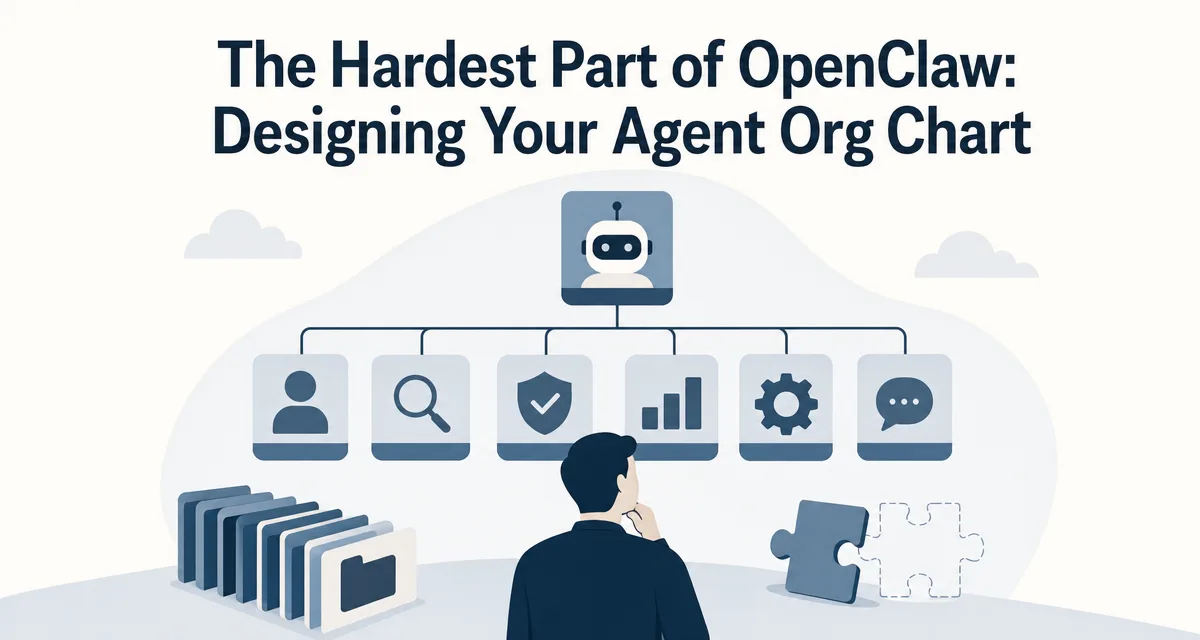
The Hardest Part of OpenClaw: Designing Your Agent Org Chart
The sixty-thousand-dollar quote died between two desks, each assuming the other owned it. Agent teams reproduce that failure faster. Slice by outcome rather than role type and most of the handoff problem in business process automation disappears.
The code is the easy part. The hard part of every OpenClaw build is the part nobody documents — the org chart. Which agents own what, where the boundaries sit, who the CEO calls when work crosses a department line
I spent two days on a whiteboard. Wrote zero code. Got it wrong twice. The third version was better, but only because I'd watched the first two break in production
The unlock is value-stream slicing, not function slicing — group every role that touches one outcome into one department, not one role-type into one team
This Skill generates a custom seven-role-file pack per department. It is an authoring template, not the full official OpenClaw workspace map
The Skill at the end of this post takes a five-question intake and outputs the full config — every department, every file, every coordination contract — in about thirty seconds. The full prompt is at the bottom; copy it and run it
A custom manufacturer lost a sixty-thousand-dollar quote because the request sat between two desks for nine days. Sales assumed engineering was pricing it. Engineering assumed sales would confirm the scope first. Nobody was lazy — the boundary had been drawn by function, while the work itself travelled by outcome. Assemble a team of agents and that failure comes back faster and much quieter, because nobody is standing in a hallway to notice. Redrawing the boundary along the axis the work actually travels is a business process automation problem long before it becomes a configuration one.
When I started building on OpenClaw, the parts I was nervous about — the API plumbing, the MCP wiring, the runtime configuration — all turned out to be the easy parts. They had documentation. They had error messages. When something broke, I could read a stack trace and know what to fix.
The part that beat me up was the part nobody had written down: how do you actually decide how many agents you need, what each one should own, and how they should talk to each other?
I spent two days on it. Wrote no code. Just stared at a whiteboard with sticky notes and arrows. Got the first version wrong, watched it fail in production, redrew it, watched the second version fail differently, and finally got something that held together. Two days. Zero lines of code. Pure design work, with no manual to follow.
After I shipped, the obvious thought arrived: if AI tools can write the code for me, why can't they help me design the org chart? I built a Skill that takes a five-question intake about my business and outputs the entire config — departments, role files, coordination rules, heartbeat schedules, deployment notes — in about thirty seconds. The Skill turned a two-day design exercise into a thirty-second one, and the rest of this post is the design philosophy that's wired into it.
Fact boundary: the seven-file pack below is my Skill's department template. OpenClaw's current official workspace map is broader: AGENTS.md, SOUL.md, USER.md, IDENTITY.md, TOOLS.md, HEARTBEAT.md, BOOT.md, BOOTSTRAP.md, memory/YYYYMMDD.md, optional MEMORY.md, plus optional skills/ and canvas/. Use the template as a role-design scaffold, then align the final directory with the official workspace docs.
By the end you'll have:
One mental model — why an agent team's org chart matters more than the agent code
One design rule — how to slice departments by value stream, not by function
One reusable Skill — the full prompt is at the bottom; paste it into Claude Code and you have a working generator
Who Is This For
You've deployed OpenClaw or you're planning to, and the question "how many agents and what should each one do" has stopped being abstract
You've felt the moment where two agents fight over the same task or three agents wait for each other forever
You want a repeatable design rule rather than a series of ad-hoc decisions every time you spin up a new agent team
You want a Skill you can run on day one of every new deployment instead of redoing the whole design exercise from scratch
My first OpenClaw deployment had one agent. It did everything.
Research a topic. Draft a post. Schedule a tweet. Archive last week's drafts. Update the editorial calendar. The agent didn't push back; it just kept accepting tasks and trying to do them. For about ten days, it looked like things were working.
Then I asked it about a topic I'd had it research the week before. "What were the three takeaways from that piece on agent memory?" The agent had no idea. It hadn't kept notes; it didn't remember what it had done; every conversation started with a blank slate. Worse, when I asked it to draft a post, it would start a draft and then drift mid-task into scheduling a tweet I hadn't asked for, because the prompt was big enough that it lost track of what it was actually supposed to produce.
The plain-English version: I had hired a single employee and given them every job at the company — front desk, accounting, marketing, engineering. With three customers in the pipeline, that worked. Once the pipeline grew, the employee couldn't hold all the roles in their head. Not a competence problem. A scope problem.
The fix wasn't a smarter agent. It was more agents.
The Three-Agent Collision
So I added two more. Now there were three agents: one for research, one for drafting, one for publishing.
This was worse.
Two agents both decided "drafting the weekly post" was their job. They produced two slightly different versions of the same post. The publishing agent received both, didn't know which one to ship, and shipped neither. Three agents, zero published posts, double the API spend.
The collision wasn't because the agents were poorly written. It was because I had drawn the boundaries wrong. "Research" and "drafting" overlapped enough that both agents reached into the middle. "Drafting" and "publishing" had no clear handoff contract, so the publisher froze when ambiguity hit.
Three agents that fight is a worse outcome than one agent that's overloaded. At least the overloaded agent ships something.
The Ten-Agent Silence
I scaled up again. Ten agents now. Properly separated this time — research, drafting, editing, scheduling, analytics, support, and so on.
The fighting stopped. Something quieter and more dangerous took its place.
The CEO agent (the one supposed to coordinate the others) didn't know which specialist to assign work to, because the boundaries between departments were fuzzy. The research agent finished a brief and posted it to a shared channel; nobody picked it up because the drafting agent was watching a different channel. The archive agent dutifully filed work — but the work it filed was a week stale because the upstream agent had silently stopped emitting updates.
Nothing was visibly broken. The whole system was just spinning, generating activity without producing outcomes. I went back to the whiteboard.
The mental shift that fixed it: the problem was never "we need more agents." The problem was always "nobody decided who owns what." That decision has a name. It's called organizational design, and it's the work I'd been skipping every single time.
The Insight: You're Slicing on the Wrong Dimension
Here's what took me two days to figure out, that I'm going to give you in two paragraphs.
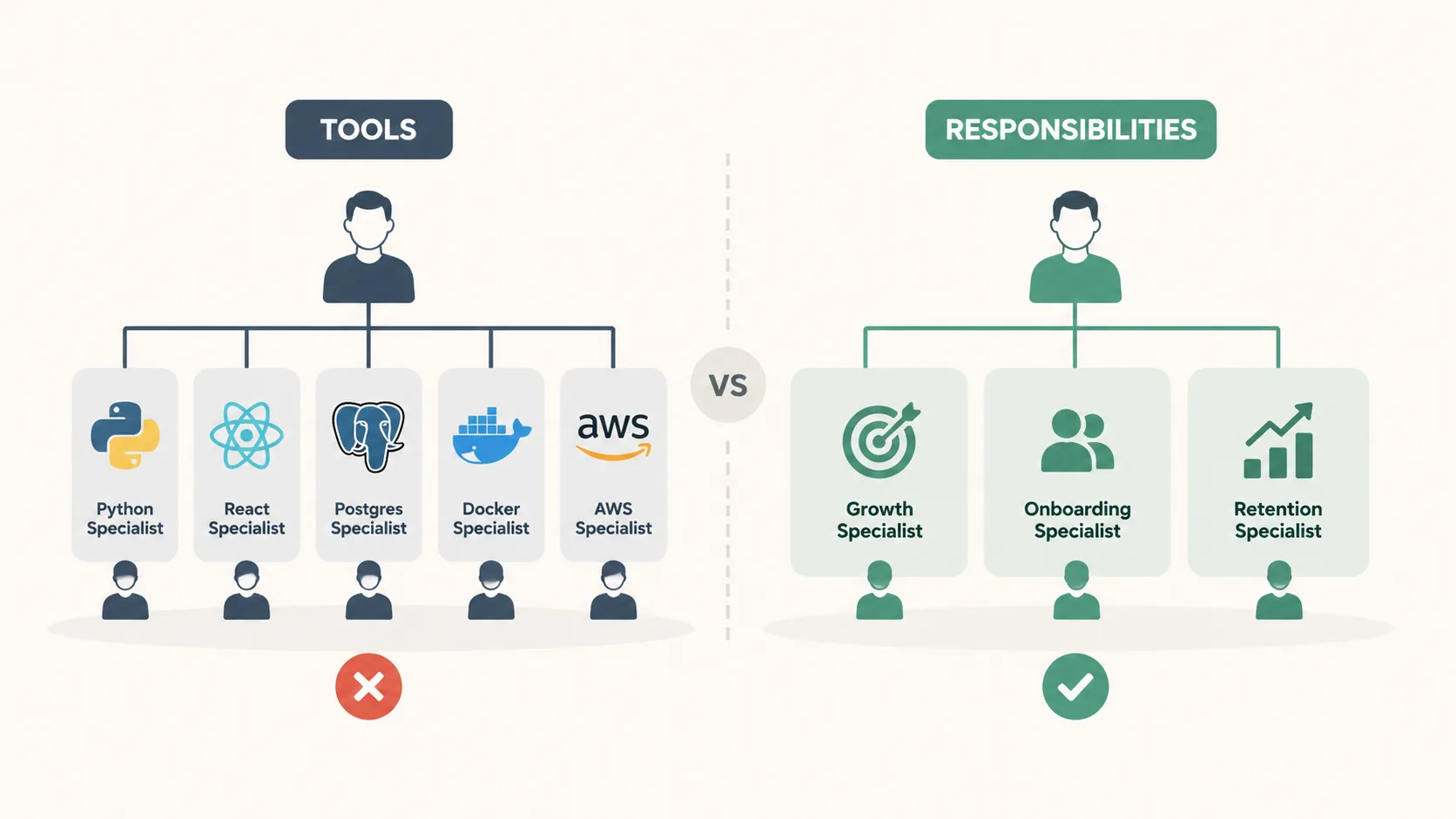
When most people design a multi-agent team, they slice it the way they've seen companies sliced: by function. Marketing department, engineering department, ops department, support department. It feels obvious. It's also wrong, and it's wrong for the same reason it's wrong in human companies — every cross-functional outcome has to traverse multiple departments, and every traversal is a hand-off, a context loss, a coordination tax.
The right slicing dimension is the value stream. Group every role that touches one outcome into one department. Publishing the weekly newsletter? Research, draft, edit, schedule, ship — all live in one department, end to end, with no hand-off across boundaries. Onboarding a new customer? Intake, kickoff, training, check-in — all in one department. Each value stream gets its own complete vertical, owned end to end.
This isn't a new idea in software org design — it's why product teams beat feature factories, why two-pizza teams beat sprawling middleware orgs. The interesting thing about agents is that they don't have political inertia. A human company that wants to switch from function-slicing to value-stream slicing has to fight years of org chart history. An agent company can implement the right structure on day one, because the agents don't have careers tied to the old chart.
The architectural rule, in one sentence: slice your agent team by what gets shipped, not by what gets done. Function-slicing optimizes for specialization; value-stream slicing optimizes for delivery. For most teams, delivery wins.
What Value Stream Looks Like in Practice
This is abstract until you see it concrete, so here's how it lands in a real OpenClaw setup.
A media-style team has roughly three value streams: inbound research, content production, and distribution and analytics. Each stream is a complete vertical from raw input to delivered outcome.
Department
Owns the stream from…
…to
Cross-stream handoff
Intelligence
external signals
filtered briefs
hands briefs to Content
Content
brief
shipped post
hands published URL to Distribution
Distribution
shipped URL
repurposed across channels + analytics report
feeds insights back to Intelligence
CEO
(cross-stream coordination, no direct value stream)
(sets priorities, breaks ties)
talks to all three
Notice the shape. Three value-stream departments plus one coordination role. Not "marketing, engineering, ops, support" — those are functions, and they would have shattered every value stream into a four-department pinball game.
The hand-off contracts are explicit and minimal. Intelligence emits briefs. Content emits URLs. Distribution emits insights. Each contract is a noun, not a process — which means each department is free to evolve its internal workflow without breaking its neighbors.
The concrete heuristic: when you list your departments, count the hand-offs needed to ship one finished outcome. If a single shipment has to cross three or more department lines, you've sliced wrong. Re-slice until shipments cross at most one boundary.
The Five-Step Pipeline
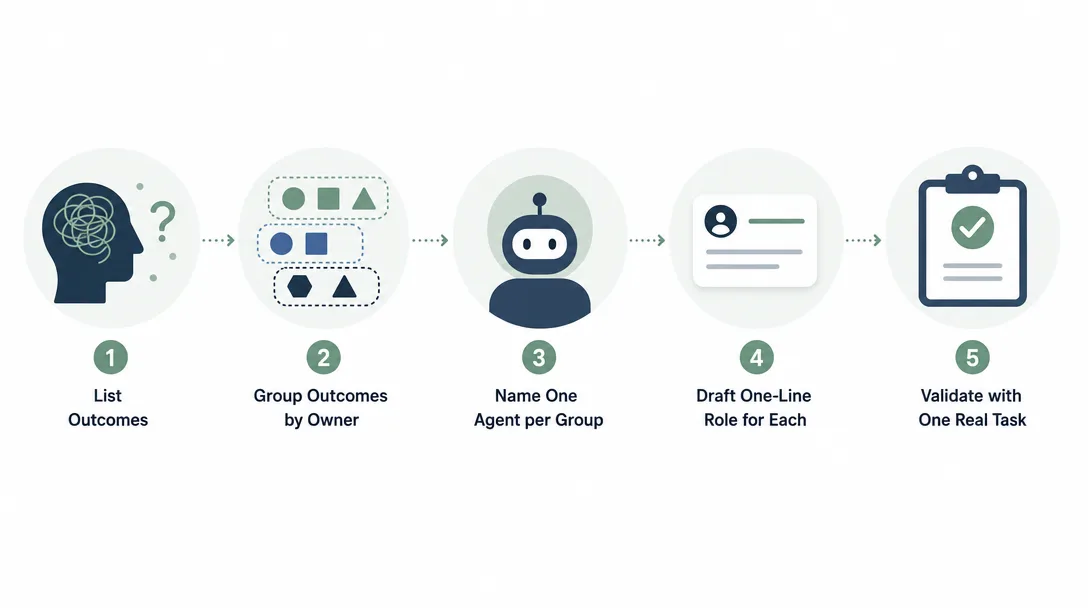
The Skill takes you through a five-step pipeline. The first step is the only one that needs your attention; the rest run automatically and produce the full config.
Step 1: Business Capture
Five questions. They look small but the third one carries most of the weight.
Company name — used for branding the generated config files
Business description — a paragraph in plain language
Core workflows — the value streams, listed at the right granularity (more on this below)
Team-size preference — small (3 departments), medium (5), or large (7+)
Owner name — used in the per-agent USER files so each agent knows who it's reporting to
The third question is the one most people get wrong. "I run an e-commerce business" is not enough information. A livestream-driven e-commerce company and a classic catalog e-commerce company have completely different value streams, and the Skill can't tell them apart from the high-level description alone.
What works instead is listing the streams at workflow granularity:
"Sourcing → product page → ad creative → live broadcast → post-stream Q&A → fulfillment"
vs.
"Catalog ingestion → SEO copy → category pages → email campaigns → support tickets"
Both are e-commerce. Both will get completely different org charts. The granularity of step one decides the quality of every downstream step.
Step 2: Value Stream Decomposition
This step is automatic. The Skill reads your workflows, identifies the end-to-end value streams, and produces a map of which roles each stream needs and how often those roles need to coordinate.
The output isn't a document you read directly — it's an internal artifact the next step consumes. You'll see it logged so you can sanity-check it, but you don't have to do anything with it.
Step 3: Architecture Blueprint
The Skill picks a topology — supervisor, hierarchical, or hybrid — based on the team-size preference from step one and the number of value streams identified in step two.
Topology
Best fit
Why
Supervisor
≤ 5 departments
One CEO talks to every department directly. Simplest to debug
Hierarchical
8+ agents
CEO talks to sub-team leads who talk to specialists. Scales but adds latency
Hybrid
most cases
CEO talks directly to a few senior departments and through leads to the rest. The default
Then it defines each department: mission, scope, boundaries, autonomy level, tool requirements, heartbeat frequency, identifying emoji, and explicit collaboration contracts with neighbors. Twelve attributes per department, all derived from the value-stream map.
There's one rule the Skill enforces no matter what: there is always a CEO department. Not a department in the sense of doing primary work — a department in the sense of owning the cross-stream coordination that no specialist can own. Without a CEO, nothing breaks ties.
Step 4: Persona Forging
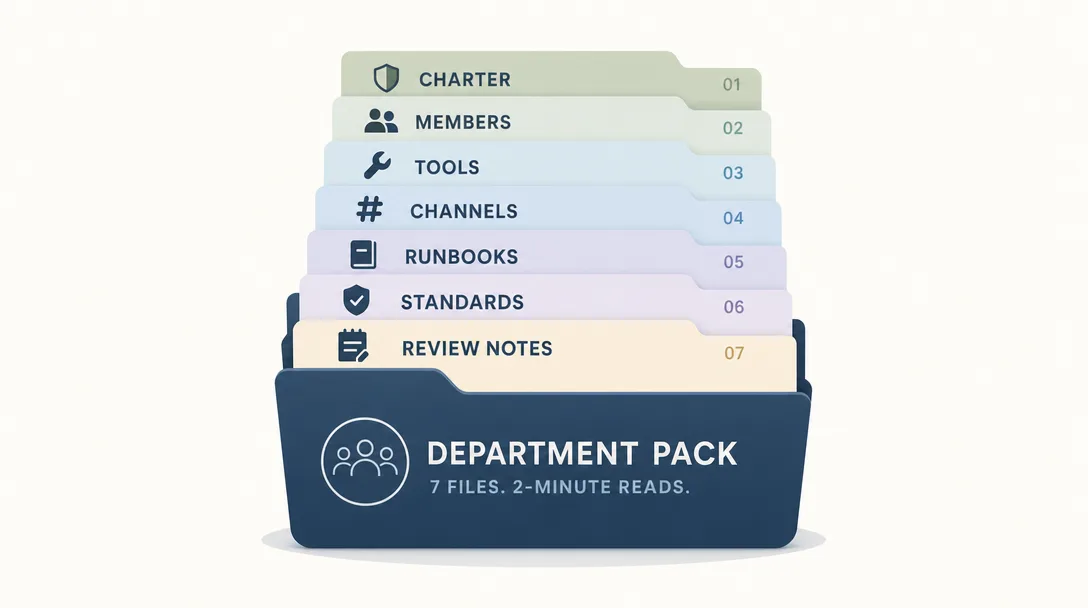
This is the heaviest step. For each department, the Skill generates seven role-design files that define who the agent is and how it operates.
I'll give you the custom seven-file anatomy in the next section. For now, the relevant point is that the heavy lifting is automated. The Skill writes the SOUL file (identity), the AGENTS file (operations), the USER file (the human the agent reports to), the IDENTITY card (at-a-glance metadata), the TOOLS list (environment), the HEARTBEAT schedule (what to check periodically), and the MEMORY scaffold (where lessons accumulate). Before publishing the package, add or preserve the official workspace files that your OpenClaw version expects, including BOOT/BOOTSTRAP and dated memory files where applicable.
Generic infrastructure — the parts every agent needs regardless of role, like startup procedures, channel etiquette, and safety boundaries — is embedded as a shared template. The Skill only writes the role-specific parts. That's why two departments in the same generated team feel coherent: they share the same operational backbone, just with different jobs.
Step 5: Integration Output
The final step bundles everything into a deployable package: a master config file, a workspace directory containing all the per-department files, a shared coordination directory, a deployment guide, and a one-page org chart.
Drop the package into your OpenClaw runtime, fill in the secrets, and the team boots. Five steps in. Working multi-agent team out.
The Custom Seven-File Department Pack
The seven files per department are a design scaffold, not a claim that OpenClaw only has seven workspace files. Each solves a specific role-definition problem that surfaces when you actually run an agent in production.
File
Owns
Why it's separate
SOUL.md
identity — who the agent is, what it believes, what it refuses to do
Identity drifts if it lives in the same file as operations
scheduled self-checks — what to verify every N hours
Scheduling logic doesn't belong in role definition
MEMORY.md
lessons learned over time
Memory accumulates; everything else is mostly static
The plain-English version: these seven custom role files are the agent's onboarding packet. SOUL is the role description, AGENTS is the employee handbook, USER is the boss's profile, IDENTITY is the badge, TOOLS is the desk setup, HEARTBEAT is the daily round, MEMORY is the work journal. If any one is missing, the agent will improvise it incorrectly.
The benefit of having separate role files instead of one big file shows up the first time you change something. Swap a tool? Edit TOOLS, leave the other six alone. Tighten a safety boundary? Edit SOUL, leave the rest alone. Single-responsibility files mean small, isolated edits. Mega-files mean every change risks cascading.
Eight Industry Presets, One Custom Output
The Skill ships with eight industry presets — media, SaaS, e-commerce, consulting, education, content licensing, fintech, and gaming. The presets aren't templates; they're starting biases for the value-stream decomposition step.
A media preset biases the decomposer toward content production streams. A SaaS preset biases it toward customer-lifecycle streams. An e-commerce preset biases it toward sales-funnel streams. The bias makes the decomposer faster and more accurate, but it doesn't override your inputs — if your e-commerce business is actually a content business in disguise, the workflow descriptions in step one will pull the design back to where it should be.
I tested this by running the Skill twice for two different e-commerce setups, both selecting the e-commerce preset, but with very different workflow descriptions. The two outputs shared zero departments in common. One ended up with a "live show production" department; the other ended up with a "catalog SEO" department. The preset only set the starting direction; the workflow text did the actual design.
The rule of thumb: pick the preset whose pattern feels closest to yours. Don't sweat it. The workflow text in step one is what actually shapes the design — the preset just keeps the decomposer from starting cold.
What the Skill Got Right (and Where I Still Edit)
I ran the Skill on my own multi-agent setup as a sanity check. About ten minutes start to finish — two minutes of typing, eight minutes of generation. Out came a six-department, forty-two-file config plus a deployment guide.
When I diffed the generated config against the version I'd hand-built over two days, the structure was almost identical. Same departments, same value-stream alignment, same hand-off contracts. The Skill rebuilt in ten minutes what had taken me two days.
Where the Skill's output stopped being final and started needing edits:
SOUL personalities felt generic. The Skill writes a competent but neutral voice for each department. Once I'd watched the agents talk to each other for a few days, I rewrote the SOUL files to give each department a slightly different communication style — terser for the ops department, more narrative for the content one. Generic to start; tuned over a week
Heartbeat schedules needed calibration. The default heartbeat frequency was conservative (hourly checks for everyone). After a week of watching real load, I cut some to four-hour intervals and tightened others to fifteen minutes. The default was safe; the tuning was workload-specific
Channel routing needed a second pass. The Skill produces a coherent channel topology, but real coordination patterns showed me which channels were over-used (one was getting eighty percent of traffic) and which were idle. Routing got rebalanced after seven days
The honest summary: the Skill gives you an 80%-quality config, not a 90% one. Eighty points is plenty to start. Iteration to ninety happens in production, and it happens fast because you have a real config to edit instead of a blank doc to fill.
A Day-Two Reality Check
If you take only one piece of advice away from this whole post, take this one: don't try to nail the org chart on day one.
A finished config from the Skill is a starting point, not a destination. The agents will surprise you in week one — a department that looked busy on paper turns out to be idle, a channel that looked clean turns out to be a bottleneck, a heartbeat schedule that looked sane turns out to fire at the wrong time of day. Each surprise is data. Each data point is an edit.
The teams that get a great multi-agent setup aren't the ones that designed it perfectly on day one. They're the ones that shipped a workable design on day one and edited it twenty times in the first month. Iteration is faster than perfection, and the Skill's job is to compress the day-one cost so iteration can start sooner.
The compounding effect: every Tuesday morning when you fix one small thing, the org chart gets a little better. Six months in, the difference between a team that iterated weekly and a team that "designed it once and walked away" is enormous. The org chart is not a document you write. It is a document you edit.
Pitfalls I Hit That You Can Skip
Five things to avoid that cost me time on the way to the working setup.
Pitfall 1: Picking the agent count first, the value streams second. "I want ten agents" is not a design — it's a wish. Ten agents with no clear streams turn into a noisy team that ships nothing. List the streams first; the agent count falls out.
Pitfall 2: Skipping the CEO department. Every multi-agent team needs a coordination role that doesn't do primary work. Skip it and the specialists fight over priorities. Add it and you have a clean tie-breaker. The CEO doesn't ship work; it ships decisions.
Pitfall 3: Letting hand-off contracts be implicit. "The intelligence agent finishes a brief and the content agent will probably pick it up somehow" is not a contract. It's a hope. Write the contract — the brief gets posted to this channel, in this format, and the content department's heartbeat looks for it every hour. Hope is what I had in version two of my org chart, and it's why version two failed.
Pitfall 4: Mixing identity and operations in the same file. A SOUL file that contains "you are the content lead and you should run the morning publish at 8 AM" mixes who-you-are with what-you-do. Six weeks later you change the publish time and the agent's personality drifts because the identity file got edited. Keep SOUL and AGENTS separate; future-you will thank you.
Pitfall 5: Assuming the first generated config is final. I made this mistake the first time I ran the Skill on a fresh team. The output looked great; I deployed it; the team ran for two weeks before I noticed the analytics agent was idle because nothing fed it work. Treat the generated config as a v0.1, not a v1.0. Iterate.
A Day-in-the-Life of a Generated Team
To make the abstraction concrete, here's what a Tuesday looks like for a generated six-department setup.
07:00 — CEO heartbeat fires. CEO reads yesterday's outputs from each department, drafts the day's plan, and posts it to the team channel
08:30 — Intelligence department picks up an external signal (a competitor launched a feature). Files a brief in the shared channel
09:00 — Content department's heartbeat sees the brief, opens a draft, hands it back to CEO for direction
10:15 — CEO replies with framing notes. Content drafts a post
13:00 — Distribution picks up the published URL. Repurposes for three other channels
15:00 — Analytics flags one channel underperforming. Files a note for tomorrow's CEO heartbeat
17:00 — Ops archives the day's drafts. CEO writes the day's rollup
Six departments. Roughly twenty cross-department messages over the day. Zero collisions, because each value stream is owned end to end and the hand-off contracts are explicit. The whole choreography emerges from the org chart, not from runtime coordination logic. That's the point.
Where the Skill Fits in the OpenClaw Toolchain
This Skill solves the design step. The other OpenClaw posts cover what comes before and after.
Run the Skill on day one of every new OpenClaw deployment. The two days you save are real, and the design quality is at least as good as what you'd hand-build under time pressure.
Key Takeaways
The org chart is the hardest, least-documented step in any multi-agent build. Treat it like a first-class design problem, not an afterthought
Slice by value stream, not by function. Group every role that touches one outcome into one department; minimize cross-department hand-offs
Always have a CEO department. Coordination needs an owner; without one, specialists fight over priorities
Seven files per department is the minimum. Each file does one job; merging them mixes concerns; splitting further fragments them
Generated configs are eighty-point starting points. Iterate in production; the Skill saves the cost of starting cold, not the cost of long-term tuning
Five-question intake, thirty-second generation. The full prompt is in the next section — copy it and run it
Ready-to-Use Prompt: Design Your Agent Org Chart by Value Stream (Not Function)
What this does: Slices your operation into departments by value stream (outcome), avoids the one-agent trap, three-agent collision, and ten-agent silence, sets boundaries and coordination contracts, produces a department pack, and runs a day-two reality check — so every outcome has one owner and no work falls through. Based on: The Hardest Part of OpenClaw: Designing Your Agent Org Chart — https://aiworkflowpro.com/openclaw-org-architect/ Time to run: ~5 minutes
Copy this prompt into Claude Code, ChatGPT, or any AI assistant:
ROLE: You are an agent-org-chart architect. Your job: design a multi-agent org chart by slicing on value stream (outcome), not function (role-type), so you avoid the one-agent trap, the three-agent collision, and the ten-agent silence — and output a department pack with clear ownership and coordination contracts.

CONTEXT — VALUE-STREAM ORG-CHART DESIGNER:
The hardest part of every multi-agent build is not the code — it is the org chart: which agents own what, where boundaries sit, who the coordinator calls when work crosses a department line. The unlock is value-stream slicing, not function slicing: group every role that touches one outcome into one department, not one role-type into one team. Three failure modes recur: the one-agent trap (one agent does everything, overloaded), the three-agent collision (too few, they fight over overlapping work), and the ten-agent silence (too many, nobody owns anything). A clean design outputs a department pack — ownership, boundaries, and coordination contracts.

INPUTS (fill in before running):
- BUSINESS: YOUR_BUSINESS_HERE (what the operation does — one sentence)
- OUTCOMES: YOUR_VALUE_STREAMS_HERE (the distinct outcomes/customers it serves — list)
- CURRENT_AGENTS: YOUR_TODAY_HERE (how many agents you run now — or "none, designing")
- COORDINATOR: YOUR_ANSWER_HERE (is there a top-level coordinator/CEO agent? yes/no)

METHOD — 6 STEPS:

Step 1 — Slice by value stream, not function
Group OUTCOMES into departments by the outcome each serves — every role that touches one outcome goes in one department. Reject function-slicing (all writers in one team, all reviewers in another) — it creates handoff churn and no ownership.

Step 2 — Avoid the one-agent trap
Check no department collapses into a single do-everything agent. If one agent would own a whole value stream end-to-end, split it by stage within the department — a one-agent department is overloaded with no internal boundaries.

Step 3 — Avoid the three-agent collision and ten-agent silence
Count agents: too few and they collide on overlapping work (collision); too many and nobody owns anything (silence). Target one clear owner per outcome, with 2-4 agents per department. Every outcome has exactly one owner.

Step 4 — Set boundaries and coordination contracts
For each department define what it owns, what it does not touch, and the contract for cross-department handoffs (what the COORDINATOR calls when work crosses a line). Boundaries are explicit; ambiguity is where work falls through.

Step 5 — Produce the department pack
Output per department: the role files (the custom seven-file pack), the ownership statement, the boundaries, and the coordination contract. This is the config the agents run on.

Step 6 — Day-two reality check
Validate against production reality: (1) does every outcome have one owner? (2) are boundaries explicit (no overlap)? (3) is any agent overloaded (one-agent trap)? (4) is any outcome orphaned (ten-agent silence)? (5) do cross-department handoffs have a contract? Fix before shipping.

RULES:
- Slice by value stream (outcome), never by function (role-type) — function-slicing creates handoff churn and no ownership.
- Every outcome has exactly one owner; no orphans (silence) and no overlap (collision).
- Split a one-agent department by stage — a do-everything agent is the trap.
- Cross-department handoffs need an explicit coordination contract; ambiguity drops work.

OUTPUT FORMAT:
Output six sections:
1. **Value-stream slicing** — the departments by outcome + why not function-sliced.
2. **One-agent-trap check** — any department that collapses to one agent + the split.
3. **Owner count check** — markdown table with columns: Outcome | Owner agent | Collision/silence risk.
4. **Boundaries + contracts** — markdown table with columns: Department | Owns | Does not touch | Handoff contract.
5. **Department pack** — the role files + ownership + boundaries per department.
6. **Day-two reality check** — markdown table with columns: Check | Pass? (Y/N).
Save as @templates/openclaw-org-architect.md and run when you design the agent org chart, then re-run whenever you add an outcome, an agent, or hit a collision/silence failure.
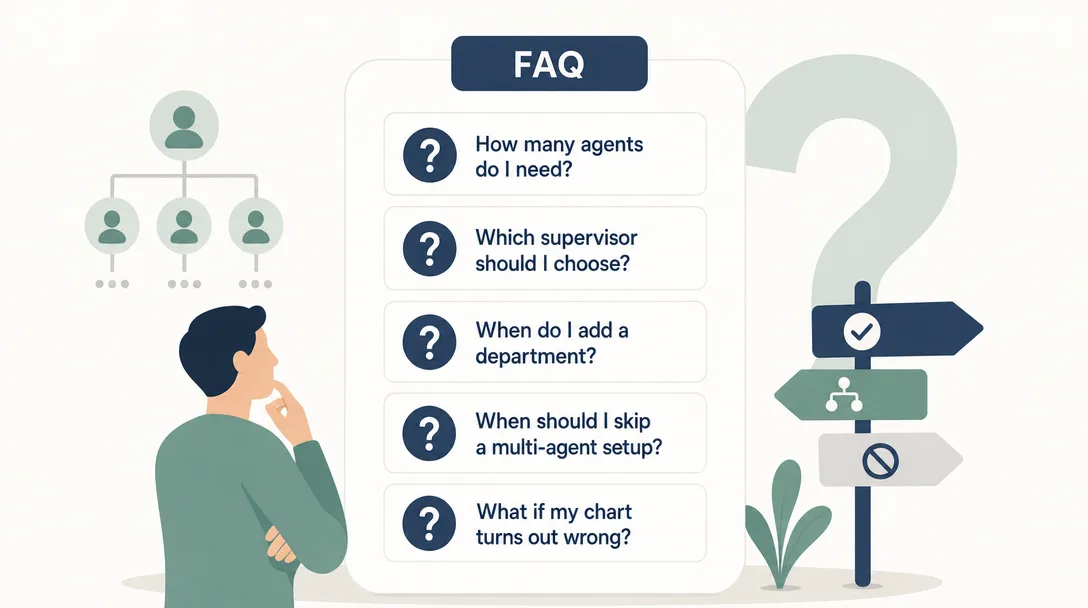
Frequently Asked Questions
Why does an AI agent team need an org chart at all?
Because the failure mode of a multi-agent team isn't "agents don't work" — it's "agents don't know who owns what." Without a clear org chart, two agents claim the same task and ship duplicate output, or three agents wait for each other and ship nothing. The org chart is the contract that says: this agent owns this value stream, end to end. Skip the org chart and you skip the contract; the agents will keep starting tasks but they will stop finishing them together.
What is value-stream slicing and why does it beat slicing by function?
Value-stream slicing groups every role that touches one outcome into one department — research, drafting, editing, and publishing all live in one content department. Function slicing splits them across a research team, a writing team, an editing team, and a publishing team. Function slicing forces a hand-off at every stage; value-stream slicing keeps the work inside one boundary. For agents, every hand-off is a context loss and a coordination tax, so value-stream wins. The same pattern is why product teams beat siloed engineering orgs in human companies — the difference with agents is that there is no political resistance, so you can implement the right structure on day one.
Why does this Skill generate 7 separate department files?
Because each file solves a different problem and mixing them means none of them gets solved cleanly. SOUL is identity, AGENTS is operations, USER is the human profile the agent answers to, IDENTITY is the at-a-glance card other agents see, TOOLS is the environment, HEARTBEAT is what to check on a schedule, MEMORY is what was learned over time. If you collapse them into one mega-file, the agent's startup token cost balloons and changes to one concern (say, swapping a tool) trigger reasoning over everything else. Seven files is the smallest set where each file has one job — fewer files would mix concerns, more would fragment them.
How do I pick the right number of agents — 3, 5, or 10?
Start by listing your value streams, not by picking a number. Each major value stream gets one department; departments under 5 agents use a flat "supervisor" topology, departments above 8 agents move to a hierarchical sub-team layout, and most teams sit in the 3-7 sweet spot using a hybrid. Picking the number first is what produces the worst designs — "I want 10 agents because that sounds powerful" usually creates four agents that fight and six that idle. Pick the streams first; the agent count falls out.
Can I edit the Skill's generated config or do I have to take it as-is?
Edit it. The Skill gives you an 80-point starting point, not a finished design. The SOUL files always need a personality pass once you watch the agents talk to each other; the heartbeat schedules need calibration once you see real load; the channel routing needs tuning after a week of traffic. The Skill saves you the worst part — the blank-doc paralysis where you don't even know what questions to ask. Once you have the scaffolding, iteration is fast.
Do the eight industry presets actually matter, or is it all custom anyway?
The presets bias the value-stream decomposition toward patterns that work in that industry. A media company's content stream looks different from a fintech's compliance stream, and starting with the right shape saves the Skill from trying to invent it from scratch. But the final config is fully custom — two e-commerce teams (one livestream-driven, one classic catalog) will get completely different org charts even though they pick the same preset, because the value streams they list are different. Treat the preset as a starting bias, not a template.
What if I already have a working multi-agent setup — should I rerun this?
Run it once on your current setup as a sanity check. If the Skill's generated org chart looks roughly like what you have, you've validated your design with an outside reviewer. If it looks different, the gap is interesting data — sometimes the Skill spots a value stream you accidentally split across departments, sometimes you'll see a place your hand-tuned design beats the generic one. Either way, the run is cheap and the audit value is real.
One-Click Replication: The Full Skill Prompt
The whole point of the Skill is that it's portable. Paste the prompt below into Claude Code and you have your own org-chart generator. Edit the industry presets, the topology rules, or the custom role-file template to fit your environment.
Build an OpenClaw multi-agent org chart generator as a Claude Code Skill.

Inputs (collect from the user in step 1):
1. Company name
2. Business description (one paragraph)
3. Core workflows (list, at workflow granularity, not industry granularity)
4. Team size preference: small (3 depts), medium (5), large (7+)
5. Owner name (used in per-agent USER files)

Output: a deployable OpenClaw config containing
- one master config file
- one workspace directory with per-department subdirectories
- one shared coordination directory
- a deployment guide
- a one-page org chart

Five-step pipeline:
1. Business capture (the inputs above)
2. Value-stream decomposition (auto): identify end-to-end value streams from
   the workflows, map roles to streams, estimate coordination frequency
3. Architecture blueprint (auto): pick a topology (supervisor for <=5 depts,
   hierarchical for 8+ agents, hybrid for most), define each department's 12
   attributes (mission, scope, boundaries, autonomy, tools, heartbeat freq,
   emoji, collaboration contracts, etc.). Always add a CEO department.
4. Persona forging (auto): for each department, generate this custom 7-file role pack —
   SOUL.md (identity), AGENTS.md (operations: startup, channel etiquette,
   logging, escalation), USER.md (the human the agent reports to, identical
   across all departments for one team), IDENTITY.md (at-a-glance card),
   TOOLS.md (environment), HEARTBEAT.md (scheduled self-checks),
   MEMORY.md (initial scaffold)
5. Integration output (auto): bundle the master config, workspace,
   shared dir, deployment guide, and org chart into one deployable package

Hard rules:
- Slice by value stream, not by function
- Always include a CEO department
- Generate the same custom 7-file role pack per non-CEO department and CEO department
- Then align the final package with the official OpenClaw workspace map
- Embed shared infrastructure (startup procedures, channel etiquette, safety
  boundaries) as a template; only generate role-specific content per agent
- Topology rules: supervisor (<=5), hierarchical (8+), hybrid (default)
- Sweet spot is 3-7 departments; flag designs above 7 for sub-team review

Industry presets to bias step 2:
media | saas | ecommerce | consulting | education | licensing | fintech | gaming
(presets bias decomposition; final design is fully custom)

Resume support: maintain progress.json so a partial run can resume from the
last completed step.

Validation script (Python): verify file existence, content markers, no
placeholder leftovers, unique emojis across departments, USER.md identical
across all departments.

Skill structure:
- SKILL.md as the main entry
- workflow/ contains one file per step (step1.md through step5.md)
- reference/ holds the custom role-file template and the industry presets
- scripts/ holds the validation script and the master-config generator
Run that prompt in Claude Code. You'll have a working org-chart generator before lunch. Use it on every new OpenClaw deployment from there on.
What's Next
The org chart is the design step. The next steps are runtime: how do the agents actually communicate, where do their conversations live, how do they call Claude Code when they need to think hard, and how do you watch for the failure modes that an org chart can't prevent on its own.
Run the Skill once on your next deployment. Watch how much faster day one feels. The org chart is the cheapest place in your whole stack to invest design effort, because every other decision flows from it.
Gloves on, tape measure in hand — nobody types a query. Three voice surfaces for ai automation tools (terminal, Telegram, Discord), 10 TTS and 6 STT providers compared on cost and latency, plus a setup that costs nothing.
Nothing about month four is harder than month three. It is simply the month an unpaid channel starts to feel like proof of failure. Surviving it takes a cadence you can hold while earning nothing, which is a better reason to automate business processes than speed ever was.
One number hides more than it shows. This Claude Code Skill scores US equities across 10 dimensions, from earnings surprise to peer comparison, with confidence scoring and 5 safety valves that flag thin data. A coding tutorial, not financial advice.
Publishing eats your week through research, SEO fields, images, and uploading — not writing. Here is the 10-step workflow automation pipeline that takes a topic to a published draft on one command, and the data contract that lets each step hand off cleanly to the next.