Monitoring a competitor who publishes no feed is the case every RSS guide skips. Twenty-one platforms sorted by which of three jobs they do, and the finished setup is business process automation you own outright, with no seat licence to renew.
Blaming the content is the reflex when a post underperforms, and it is usually the wrong diagnosis. A second reader decides distribution before any human sees the post, and most of what it checks is mechanical enough to automate business processes around, on five platforms at once.
Gloves on, tape measure in hand — nobody types a query. Three voice surfaces for ai automation tools (terminal, Telegram, Discord), 10 TTS and 6 STT providers compared on cost and latency, plus a setup that costs nothing.
When someone leaves, only what got written down stays. Same test for an ai agent for business: the model is rented, the folder is owned. Seven Markdown files, and what breaks when the wrong thing goes in the wrong one.
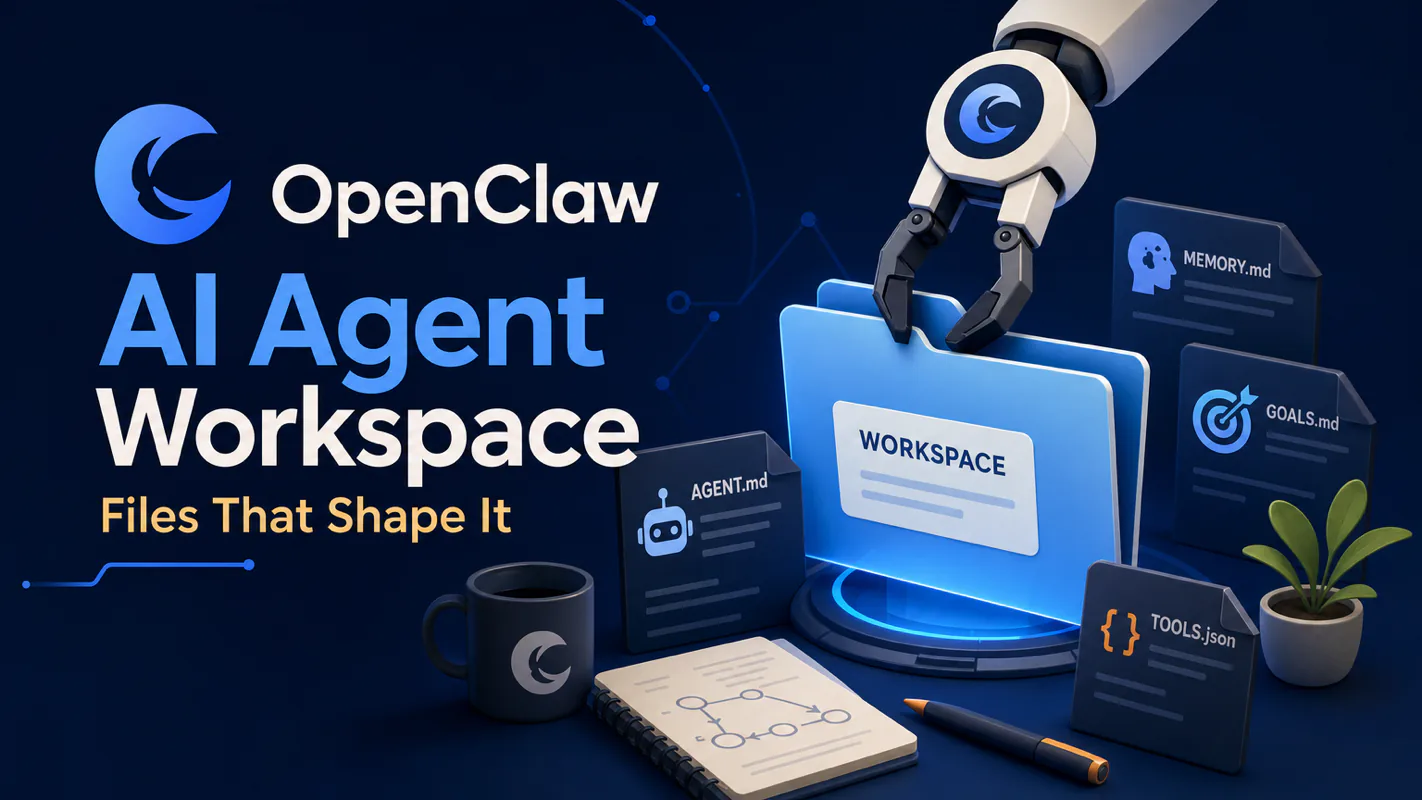
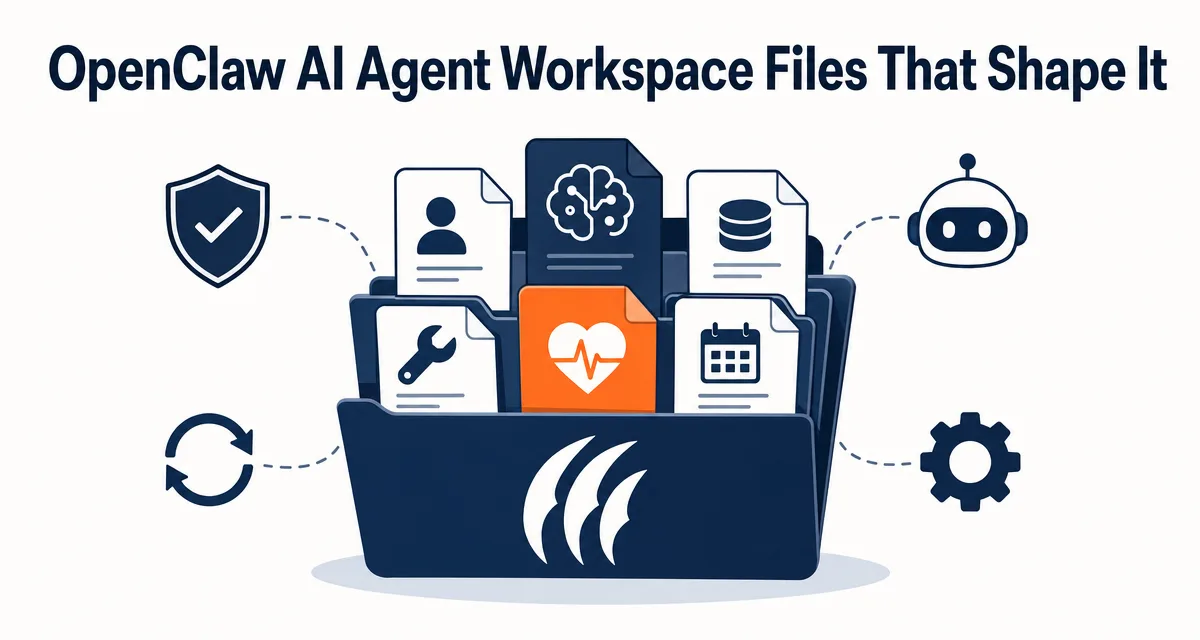
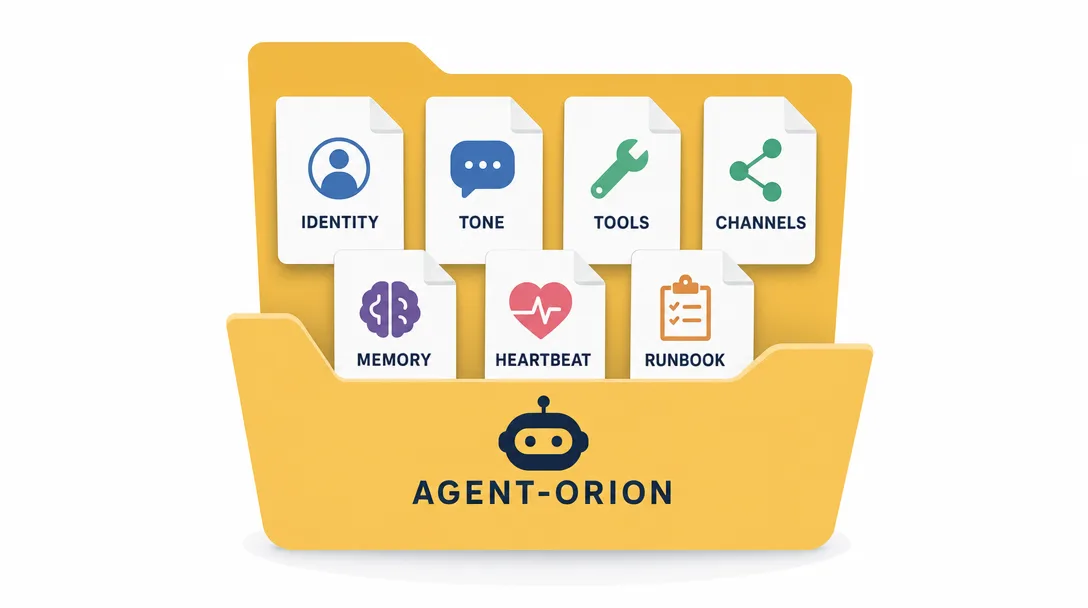
TL;DR: An AI agent workspace is a directory of Markdown files and folders that gives an agent its shape. Seven human-editable files do the daily heavy lifting in OpenClaw: SOUL.md (judgment), AGENTS.md (procedure), USER.md (the user profile), IDENTITY.md (name plate), TOOLS.md (tool routines), HEARTBEAT.md (patrol checklist), and MEMORY.md (curated long-term notes). The official workspace map is larger: BOOT.md, BOOTSTRAP.md, memory/YYYYMMDD.md, skills/, and canvas/ also exist. Edit a file and you've changed what the agent sees.
When a property manager of eleven years resigns, some of what she knew leaves with her and some stays. What stays is whatever got written down: the owner who wants photos with every invoice, the escalation rule nobody remembers agreeing to, the phrasing that keeps an angry tenant off the board line. The rest lived in her head and is simply gone. Run that same test on an ai agent for business and it sorts assets from rentals immediately. A model plus a prompt leaves you owning nothing. A directory you can copy to another machine, hand to a contractor, or reread on Thursday to find out why Tuesday went the way it did — that you own.
Everyone says an agent "is the model with a system prompt." Actually, in OpenClaw an agent is a folder of Markdown files. The model is rented; the folder is owned. That single shift is what makes one agent portable, debuggable, and yours.
If you already designed your first workspace, skip ahead to §13 for the 5 mistakes I made. If you are still working out which files belong in there, read on through the core files.
You ask: what is an agent, exactly?
A model? No, the model is shared across millions of agents.
A prompt? Closer, but a prompt is a single moment in time.
Honestly? Try this question: if I gave you an OpenClaw runtime and asked you to "get me Leo's writing assistant agent," what would you actually copy from machine to machine?
The answer is: a directory. Markdown files and subfolders inside it. That directory is the agent's portable identity surface. Move the directory and the agent moves with it, as long as you also provision the runtime config, auth profiles, credentials, and sessions that intentionally live outside the workspace. Edit one file and the agent changes behavior. Delete a file and a part of the agent's context goes missing in a specific, predictable way.
This is the most consequential design decision in OpenClaw, and it's almost invisible until you start operating real agents. The rest of this article walks the core files file by file, explains what goes in each (and what doesn't), shows the failure modes when you put the wrong thing in the wrong file, and ends with a 30-minute path to design your own workspace from scratch.
If "agent runtime" still feels new, two short maps to keep open:
If you're designing an agent's identity from scratch, the obvious first move is "put everything in one big AGENT.md file."
I built that. It worked for a week. Then it broke in three predictable ways.
It mixed timeframes. Some rules were stable (you are a writing assistant). Some changed weekly (current project: Q2 newsletter). Some changed daily (today's draft is in ~/drafts/april-25.md). Mixed together, the agent couldn't tell what was load-bearing.
It mixed audiences. Some lines were for the agent's self-conception ("you favor concise replies"). Some were for the human reading the file ("note: this agent is for personal use only"). The agent dutifully tried to apply the human-facing notes to its own behavior. Awkward.
It got too big to load. After a month, the file was 3,000 lines. Loading it on every call cost serious tokens for content that 90% of calls didn't need.
The fix isn't a bigger file. The fix is separate files with separate jobs.
The Core Files, End to End
Here is why this matters: the workspace files are the contract between you and the agent. Skip one and a part of behavior goes silently missing. Get the split right and the agent stays operable instead of becoming a black box.
OpenClaw's official workspace map, checked against the docs on 2026-04-29, includes the files below. The first seven are the ones most operators edit directly during normal use; the rest are official workspace entries too, but they are more situational.
File
What it answers
Volatility
Typical size
SOUL.md
"How do I decide?"
Low (monthly)
60-100 lines
AGENTS.md
"How do I work?"
Medium (weekly)
100-300 lines
USER.md
"Who am I working with?"
Low (occasional)
20-50 lines
IDENTITY.md
"What's my name and role?"
Very low
5-15 lines
TOOLS.md
"What tools do I have, and how?"
Medium
50-150 lines
HEARTBEAT.md
"What do I check on a patrol?"
Medium
30-100 lines
MEMORY.md
"What do I remember long-term?"
High (weekly+)
200-1000 lines
memory/YYYYMMDD.md
"What happened today/yesterday?"
Very high
daily notes
BOOT.md
"What should run on gateway restart?"
Low
short checklist
BOOTSTRAP.md
"How does a fresh workspace initialize?"
One-time
delete after ritual
skills/
"What workspace-specific skills exist?"
Medium
one folder per skill
canvas/
"What Canvas UI files are available?"
Optional
app assets
The files differ on two axes: how often each file changes, and who it's for. SOUL.md changes slowly and is loaded as stable persona context. HEARTBEAT.md changes only when the patrol changes. MEMORY.md and daily notes grow over time and need curation so they do not bloat the context window.
If those axes feel arbitrary, they aren't. They're the two axes that determine how cheaply the runtime can serve the agent.
SOUL.md: Judgment, Not Identity
The most counterintuitive file is the first one. Most people expect SOUL.md to be "you are an assistant named X with traits Y and Z." That goes in IDENTITY.md.
SOUL.md is the judgment file. It captures the small set of stable preferences and tradeoffs the agent should default to when situations are ambiguous. The shape:
## When ambiguous, prefer:
- Concise over exhaustive (default to 3 bullets, expand only if asked)
- Asking before deleting (any irreversible action gets a confirmation pause)
- Markdown over JSON (human-readable output unless a downstream tool needs JSON)

## Style anchors:
- I'm a practitioner, not an expert. I report what I tested.
- I'd rather be the second wave on hype.
- Specifics over abstractions: "saves 2 hours/week" not "saves time."

## Hard constraints:
- Never run `rm` without explicit user confirmation
- Never message a channel without a stated purpose
Notice what's not in there. There's no "you are Leo's writing assistant", that's IDENTITY.md. There's no "for the current Q2 newsletter project, do X", that's AGENTS.md. There's no "user prefers em-dashes", that's MEMORY.md.
What's in SOUL.md is decisions the agent will face repeatedly across many tasks, with the resolution baked in. Loaded on every call, never compacted away, ~80 lines.
I tried to put project-specific guidance in SOUL.md once. After two weeks, three different projects had each accumulated five rules, and the file was 200 lines. The agent's behavior felt scattered. SOUL.md is for cross-project judgment, not project state. Project state belongs in MEMORY.md or, for an active project, in AGENTS.md.
AGENTS.md, the operating manual
If SOUL.md answers "how do I decide?", AGENTS.md answers "how do I work?". This is where procedures live.
Typical AGENTS.md sections:
## Operating principles
- Skim before deep-read: read directory listing before opening any file
- One concrete next step at the end of every reply
- Cite specific file paths when referencing something on disk

## Multi-agent collaboration (if relevant)
- Subagent assignments default to `messaging` permission only
- Hand off to research agent for tasks > 30 min, write-up agent for final draft

## Daily rhythm
- Morning: skim `inbox-summary-{date}.md` if it exists
- Afternoon: check open threads in `~/active-projects/`
- Evening: append a one-line journal entry to `memory/{date}.md`

## Common task templates
- "Summarize this": output 5 bullets + 1 concrete recommendation
- "Investigate X": run `top` first, then `ps`, then logs
- "Draft a reply": match recipient's tone and length
The line between SOUL.md and AGENTS.md is the most often-confused split in the workspace. The clean rule:
Goes in SOUL.md
Goes in AGENTS.md
"I prefer X over Y"
"When task is X, do Y"
Stable across tasks
Specific to how I work
Defines who I am
Defines how I operate
~80 lines, monthly change
~200 lines, weekly change
I had a SOUL.md / AGENTS.md split that drifted apart for months without me noticing. SOUL.md had grown a "## Daily rhythm" section that was clearly procedure, not judgment. Moving it to AGENTS.md cleaned things up immediately. The fix when in doubt: ask "would this change if my project changed?" If yes, AGENTS.md. If no, SOUL.md.
USER.md: The Customer File
USER.md is the agent's customer profile of you. Short, specific, and remarkably useful in everyday work.
## Who I work with
- Name: Leo
- Role: indie operator, builds in public
- Time zone: UTC

## Preferences
- Replies in English
- Likes em-dashes, dislikes semicolons
- Wants source URLs cited when fetching from web

## Things to assume
- Has root on most boxes
- Has Telegram + Discord + email accessible at all times
- Working hours are roughly 09:00-22:00, but may message anytime
Why a separate USER.md and not just merge into SOUL.md? Because USER.md is the part that changes when the agent moves to a new user. Cloning your workspace to give your friend a similar agent is a USER.md edit, not a SOUL.md edit. Keeping them separate makes that swap clean.
IDENTITY.md: The Name Plate
The simplest file in the workspace. Often under 10 lines.
That's it. The model uses this when it needs to introduce itself or refer to itself. Splitting IDENTITY.md from SOUL.md means you can rename the agent without rewriting its judgment.
TOOLS.md, the tool manual
Tools have schemas the runtime sends to the model on every call. TOOLS.md is the prose layer above the schemas — it captures conventions, preferences, and warnings that don't fit in a schema description.
## When using `exec`
- Default to read-only commands (ps, top, ls, cat) unless the task requires modification
- Never use `rm`, `dd`, or `>` (output redirect) without explicit confirmation
- Prefer `top` over `htop` (htop is not installed in the production container)

## When using `web_fetch`
- Always check the user's time zone before interpreting "today" / "this week"
- Cache the result locally if it'll be referenced again in the same session

## When using `message`
- Default to plain text; switch to Markdown only if the channel renders it
- Never use the `urgent` flag without explicit instruction
This file is where I caught myself adding rules over time. The first version was 30 lines. After three months, it was 120. The compound effect was real, each rule prevented a future bad command. TOOLS.md is one of the highest-impact files in the workspace because every rule there saves the agent from trying something it would have tried by default.
HEARTBEAT.md: The Patrol Checklist
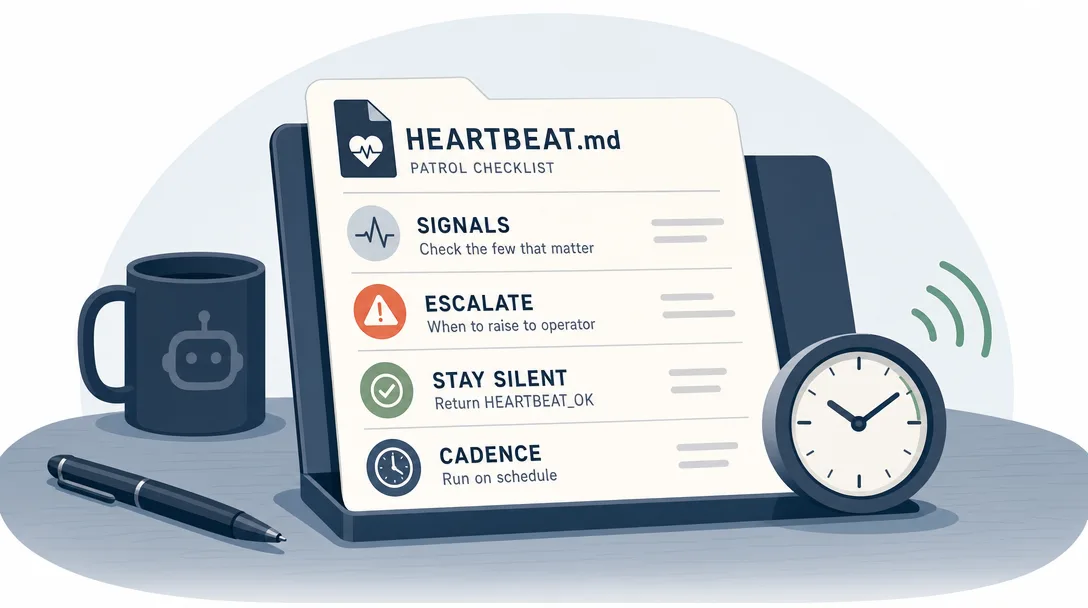
If your agent is always-on (a server watcher, a scheduled summary, a heartbeat-driven monitor), HEARTBEAT.md is its patrol checklist.
## Every heartbeat

1. Check disk space on monitored hosts (warn at 80%, critical at 90%)
2. Check process list for known runaway candidates (the X service, the Y queue)
3. Glance at the most recent error log entries

## Rotation (one item per heartbeat, cycle through)
- Read the most recent commit on the active project repo
- Check if any cron jobs failed in the last hour
- Verify external service health (DNS, CDN, primary database)

## When to break silence
- Disk above 90%, process eating > 4GB RAM, > 5 errors in last hour, cron failure
- Otherwise: reply HEARTBEAT_OK during heartbeat runs
This file is what makes a heartbeat agent sustainable. OpenClaw's current heartbeat default is 30m, or 1h when Anthropic OAuth/token auth is detected, including Claude CLI reuse. Without HEARTBEAT.md, "on each heartbeat do something useful" becomes "on each heartbeat, the model improvises", which means inconsistent checks, missed signals, and noisy notifications. With HEARTBEAT.md, the patrol is structured, the rotation prevents fatigue, and HEARTBEAT_OK keeps quiet runs quiet.
MEMORY.md: The Long-Term Notebook
Covered in detail in Part 4. The short version: MEMORY.md is the refined Layer 2 notes the agent has decided to keep, facts, preferences, decisions, observed patterns. It's loaded on every call but should stay under ~1000 lines.
Three sections that emerge naturally:
Section
Examples
Deploy preferences
"Production script at /opt/deploy.sh" / "Caddy is reverse proxy"
User preferences
"Concise replies" / "Bullet points over paragraphs"
Decision frames
"If it touches production, ask first" / "Prefer Markdown over JSON"
MEMORY.md and memory/YYYYMMDD.md are the memory surfaces the agent may write to, via memory flush, dreaming, or explicit memory tools. Most other prompt files should stay human-curated unless you deliberately ask the agent to edit them.
The Fault-Tolerance Design
Before the file split, agents lived in one giant prompt. After, every responsibility has a named home. Edit USER.md and you change who the agent talks to; edit TOOLS.md and you change how it should use local tools.
What happens if you delete one workspace file? OpenClaw doesn't crash. It degrades gracefully:
File deleted
Effect
Severity
SOUL.md
Agent loses ambiguity-resolution defaults
High
AGENTS.md
Agent loses procedural conventions
High
USER.md
Agent doesn't know user preferences
Medium
IDENTITY.md
Agent has no name plate; uses generic identity
Low
TOOLS.md
Agent uses tools by raw schema only
Medium
HEARTBEAT.md
Heartbeat patrols become unstructured
Medium (only matters if you run heartbeats)
MEMORY.md
Agent has no long-term memory
High
This isn't all-or-nothing. The runtime checks for each file, loads what's there, injects a missing-file marker for missing bootstrap files, and continues. Modular by design is the philosophy: missing files create predictable gaps, not catastrophic failures.
10.1 What about big files?
If the bootstrap context gets too big, OpenClaw truncates injected workspace files according to agents.defaults.bootstrapMaxChars and agents.defaults.bootstrapTotalMaxChars (defaults: 12000 chars per file and 60000 chars total). That is not semantic summarization; it is a safety guard. Large files are a smell, not a hard error. If you see missing detail after bootstrap, treat it as a sign that the file has accumulated drift and needs editing.
10.2 The workspace is not a sandbox
Worth saying explicitly: workspace files are what the agent reads and writes, not what limits the agent's actions. The workspace is the default cwd, not a hard sandbox. An agent with host tool permission can still reach absolute paths unless sandboxing is enabled. The workspace defines identity; sandbox and tool policy define the security perimeter. For security, see Part 9 on permissions and channels.
I made this mistake once. I assumed an agent "in workspace A" couldn't touch files in workspace B. Wrong, if it has fs permissions, it can. The fix isn't workspace boundaries; it's permission groups. Workspace is identity. Permissions are perimeter.
Portability: The Folder Is the Agent
The most concrete consequence of the file-based design is portability. To move an agent from one machine to another:
Copy the workspace directory.
Point the new runtime at it.
Done.
That moves the agent's identity and workspace context. To make it run identically, also migrate the pieces OpenClaw intentionally keeps outside the workspace: ~/.openclaw/openclaw.json, per-agent auth profiles, credentials, and sessions if you need transcript continuity.
The corollary: you can also keep an agent in Git. Each commit captures a snapshot of who the agent was on that date. Reverting is a git checkout. Branching the agent's identity for an experiment is a git checkout -b. Sharing an agent template with a friend is a git push.
I have my main agent's workspace in a private repo. Two months in, I can git log SOUL.md and see how my judgment defaults have evolved. Three commits, all small, all explainable. That kind of identity provenance is impossible without a file-based design.
11.1 What lives outside the workspace
For honesty: not literally everything is portable. A few things sit outside:
Outside the workspace
Why
External service credentials
Stored under OpenClaw state/credentials, not in the workspace
Per-agent auth profiles
Stored under ~/.openclaw/agents/<agentId>/agent/
Sessions and transcripts
Stored under ~/.openclaw/agents/<agentId>/sessions/
Runtime config (openclaw.json)
Defines runtime, channels, models, and bindings
Installed tools
Belong to the OS, not the workspace
These all live elsewhere. The workspace folder remains the agent's identity, but to actually run the agent on a new machine you also need the runtime installed and the credentials provisioned. The folder is the agent; the machine is the body.
BOOTSTRAP.md vs BOOT.md (Clarifying a Confusion)
Two file names show up in OpenClaw discussions and trip people up: BOOTSTRAP.md and BOOT.md. They're not the same thing.
File
Where it lives
Purpose
BOOTSTRAP.md
Inside the workspace
One-time first-run ritual for a brand-new workspace; delete after completion
BOOT.md
Inside the workspace
Optional startup checklist run on gateway restart when internal hooks are enabled
If you see BOOTSTRAP.md in a tutorial, that's about initializing a fresh workspace. If you see BOOT.md, that's about startup behavior after the gateway restarts. Different audiences, different lifetimes.
Most workspaces don't need a custom BOOT.md — the runtime defaults are fine. You'd write one only if you have unusual cold-start needs (a custom restoration order, a non-standard memory loading sequence). For most agents, you'll never touch it.
The 5 Mistakes I Made Designing My First Workspace
If you're about to set up a fresh AI agent workspace, save yourself my mistakes.
Mistake 1: I made SOUL.md 600 lines
I treated SOUL.md like a manual. Every rule I'd ever wanted the agent to follow ended up there. After a month, the file was reading like a software EULA. The agent's behavior got vague. SOUL.md should be 60-100 lines at most. Specific behaviors go in AGENTS.md. Long-term notes go in MEMORY.md. SOUL.md is for the small set of stable judgments, keep it small.
Mistake 2: I confused USER.md with MEMORY.md
I kept appending facts about myself ("I tried product X last week, didn't like it") to USER.md. After three months it was 200 lines. The agent loaded all of it on every call and started referencing weeks-old facts mid-conversation. USER.md is the stable profile. Transient observations belong in MEMORY.md.
Mistake 3: I never wrote TOOLS.md
I figured the tool schemas the runtime sends were enough. They're not. The schemas describe what tools do; TOOLS.md describes how I want them used. Without TOOLS.md, the agent ran the right tools the wrong way for a month. After I wrote 60 lines of conventions, behavior tightened up overnight. TOOLS.md is one of the cheapest wins in the workspace.
Mistake 4: I forgot to put the workspace in Git
For two months I had no version control on my agent's identity files. When something went weird, I had no way to roll back. After a particularly bad SOUL.md edit broke replies for three hours, I committed the workspace to a Git repo. Should have done that day one. Git is free and your future self will thank you.
Mistake 5: I treated HEARTBEAT.md as optional
I had a server-watcher agent without HEARTBEAT.md, hoping the model would "figure out" what to check on each patrol. The patrols got noisier and less useful over time. After I wrote a 40-line HEARTBEAT.md with a fixed list and a small rotation, the patrols became dramatically more reliable. If your agent runs on a schedule, it needs a HEARTBEAT.md. The model isn't disciplined; HEARTBEAT.md is.
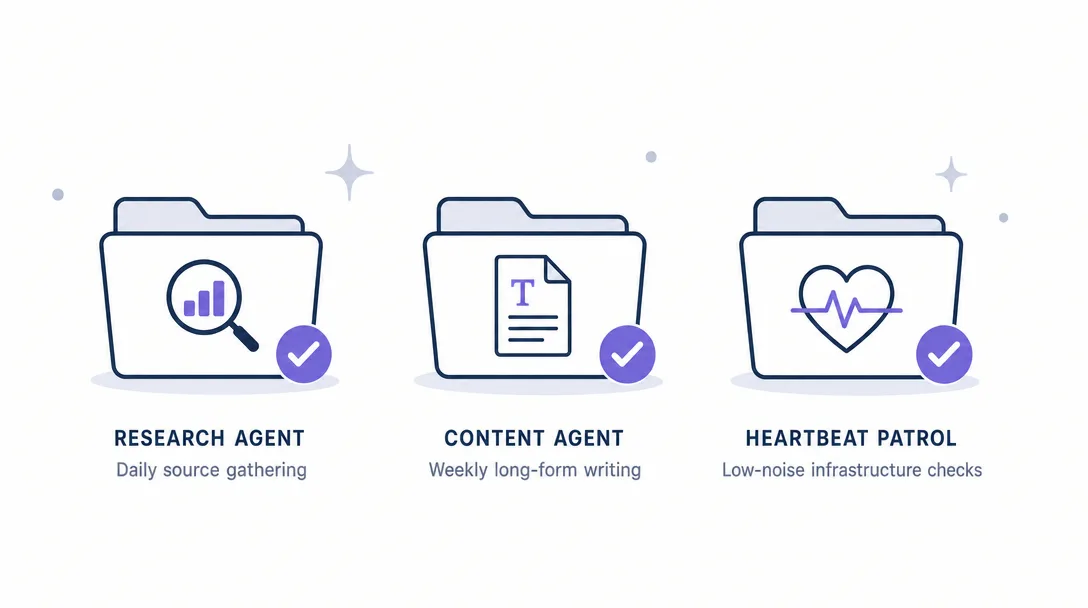
Three Workspaces I've Designed (Concrete Examples)
Three real workspaces I've used, with the actual file sizes and what each one taught me.
Workspace A: writer-assistant (140 lines total)
~/.openclaw/workspace-writer/
├── SOUL.md         (75 lines, judgment, voice anchors)
├── AGENTS.md       (40 lines, drafting loop, revision rhythm)
├── USER.md         (12 lines, me, my preferences, my projects)
├── IDENTITY.md     (8 lines, name, role, owner)
├── TOOLS.md        (5 lines, almost no special tool guidance)
├── MEMORY.md       (~600 lines, growing)
└── (no HEARTBEAT.md, not scheduled)
What this taught me: SOUL.md size matters more than I thought. The first version was 200 lines and the agent's voice felt diffuse. Trimming to 75 sharpened it. Less is more in SOUL.md.
What this taught me: TOOLS.md is the longest file by ratio. Why? Because every command the agent might run goes through exec, and the runtime has no business letting it run dd or mkfs. The whitelist saves my hardware. TOOLS.md is the single highest-impact file in a runtime-permission workspace.
~/.openclaw/workspace-faq/
├── SOUL.md         (15 lines, refuse anything beyond Q&A)
├── AGENTS.md       (15 lines, answer pattern, escalation rules)
├── USER.md         (n/a, public-facing, no specific user)
├── IDENTITY.md     (5 lines)
├── TOOLS.md        (5 lines, no destructive tools available)
├── MEMORY.md       (~30 lines, only the FAQ canonical answers)
└── (no HEARTBEAT.md, no MEMORY auto-write)
What this taught me: a public-facing agent's workspace should be small. The smaller the surface, the smaller the attack surface. If an injection lands, there's not much it can manipulate because there's not much there. For public-facing agents, smaller workspace = better security.
The pattern across all three: workspace size matches agent scope. A sprawling workspace is usually a sign that the agent is doing too many things. The folder is the agent, and a focused folder makes a focused agent.
A 30-Minute Path: Design Your First Workspace
Want to set up a real AI agent workspace tonight? Here's the path.
Create the directory (1 min). mkdir -p ~/.openclaw/workspace-{name}. Move into it.
Write USER.md (5 min). 20 lines. Who's the user, time zone, language preferences, top 3 preferences.
Write SOUL.md (10 min). 60-80 lines. Three sections: "When ambiguous, prefer:", "Style anchors:", "Hard constraints:". Resist the urge to write more than 80 lines.
Write AGENTS.md (5 min). Start with "Operating principles" (5 bullets) and "Daily rhythm" (3 bullets). Add to it over time.
Write TOOLS.md (3 min). Skip if the agent only uses one tool. Otherwise, one section per tool, 5-10 lines each.
Skip HEARTBEAT.md (0 min). Add it only if the agent runs on a schedule.
Skip MEMORY.md (0 min). The agent will create it on first memoryFlush.
Run the agent for a week. Notice what behaviors you wanted that didn't happen.
Add AGENTS.md with the patterns that emerged.
Add TOOLS.md when the third bad command run prompts you to.
Add HEARTBEAT.md only when you actually schedule the agent.
Let MEMORY.md grow on its own, curate monthly.
Each file is small. The compound is what makes the agent feel coherent. The first time someone says "this agent feels really 'right' for you", that's when you know your workspace is shaped.
Back when I ran personal automation on n8n, "the agent" was a JSON file describing a workflow. Editing it meant clicking through a UI. Reverting meant guessing. With a file-based AI agent workspace, every aspect of the agent is plain text I can read, edit, diff, and commit. The workspace makes the agent legible, and legibility is what makes it operable for years.
Ready-to-Use Prompt: Design the 7-File Workspace That Makes Your Agent Portable and Yours
What this does: Designs the 7 core workspace files for your agent — keeping SOUL.md (judgment) separate from IDENTITY.md (nameplate) — writes each file's content, avoids the one-big-file trap, and validates that the folder (not the rented model) defines the agent. Based on: OpenClaw AI Agent Workspace Files That Shape It — https://aiworkflowpro.com/openclaw-workspace-soul/ Time to run: ~5 minutes
Copy this prompt into Claude Code, ChatGPT, or any AI assistant:
ROLE: You are an agent-workspace architect. Your job: design the 7 core Markdown files that give an OpenClaw agent its shape — keeping SOUL (judgment) separate from IDENTITY (nameplate) — so the agent is a portable, debuggable, owned folder, not a rented model with a bloated prompt.

CONTEXT — WORKSPACE-AS-AGENT (7 CORE FILES):
An agent is not "a model with a system prompt" — it is a folder of Markdown files. The model is rented; the folder is owned, and that shift is what makes an agent portable, debuggable, and yours. Seven human-editable files do the daily heavy lifting: SOUL.md (judgment — what to prefer when ambiguous, style anchors, hard constraints), AGENTS.md (the operating manual — principles, daily rhythm, task templates), USER.md (the user/customer profile), IDENTITY.md (the nameplate — name and role only), TOOLS.md (tool routines), HEARTBEAT.md (the patrol checklist), and MEMORY.md (curated long-term notes). The trap is one big file — it becomes unmaintainable and conflates judgment with identity.

INPUTS (fill in before running):
- AGENT_PURPOSE: YOUR_AGENT_JOB_HERE (what the agent does — one sentence)
- USER_CONTEXT: YOUR_CUSTOMER_HERE (who the agent serves — the user/customer)
- TOOLS_USED: YOUR_TOOLS_HERE (what tools the agent routinely calls)
- AMBIGUITY_POLICY: YOUR_ANSWER_HERE (when unsure, what should the agent prefer? ask / safest option / escalate)

METHOD — 6 STEPS:

Step 1 — Reject the one-big-file design
Confirm the workspace is split into the 7 core files, not one monolithic prompt. The one-big-file trap conflates judgment, identity, procedure, and memory — making the agent unmaintainable.

Step 2 — Write SOUL.md (judgment, NOT identity)
SOUL.md holds judgment: "when ambiguous, prefer [AMBIGUITY_POLICY]", style anchors (voice/tone), and hard constraints (never-do rules). It does NOT hold the name or role — that is IDENTITY.md. This separation is the core insight.

Step 3 — Write IDENTITY.md + USER.md
IDENTITY.md is the nameplate only (name, role, one-line scope). USER.md is the customer file — who the agent serves, their preferences, context. Keep IDENTITY lean; put richness in USER.md.

Step 4 — Write AGENTS.md (the operating manual)
AGENTS.md holds the operating manual: operating principles, multi-agent collaboration rules (if relevant), the daily rhythm, and common task templates. This is the procedure layer the agent follows.

Step 5 — Write TOOLS.md, HEARTBEAT.md, MEMORY.md
TOOLS.md: the routines for each tool the agent calls (from TOOLS_USED). HEARTBEAT.md: the patrol checklist it runs on its scheduled check. MEMORY.md: curated long-term notes (decisions, lessons) — not a log dump, curated.

Step 6 — Validate the workspace
Check: (1) is SOUL.md judgment-only (no name/role)? (2) is IDENTITY.md a lean nameplate? (3) is the one-big-file trap avoided? (4) does MEMORY.md curate (not dump)? (5) does each file own one job? Fail any → fix.

RULES:
- The model is rented; the folder is owned — design the folder, not a monolithic prompt.
- SOUL.md is judgment (preferences, style, hard constraints); IDENTITY.md is the nameplate only — never conflate them.
- Split into the 7 files; the one-big-file design is unmaintainable.
- MEMORY.md is curated long-term notes, not a raw log dump.

OUTPUT FORMAT:
Output six sections:
1. **File split** — confirmation of the 7-file structure (no monolith).
2. **SOUL.md** — the judgment content (ambiguous-prefer / style anchors / hard constraints).
3. **IDENTITY.md + USER.md** — the lean nameplate + the customer profile.
4. **AGENTS.md** — the operating manual (principles / rhythm / templates / collaboration).
5. **TOOLS / HEARTBEAT / MEMORY** — markdown table with columns: File | Content.
6. **Validation** — markdown table with columns: Check | Pass? (Y/N).
Save as @templates/openclaw-workspace-soul.md and run when you create or restructure an agent workspace, then re-run when you add a tool, change the user profile, or update the agent's judgment.
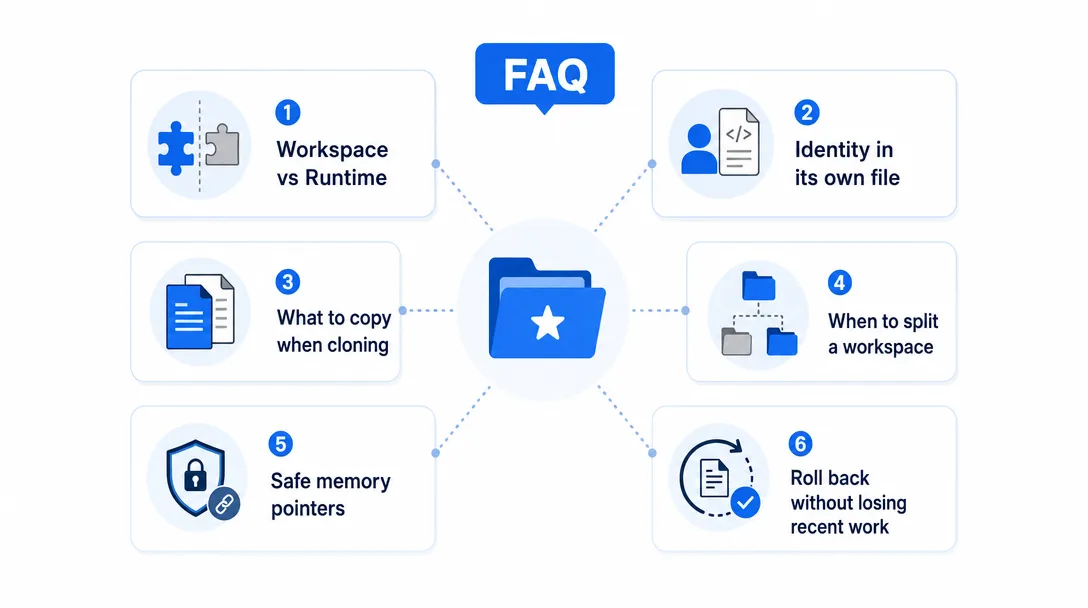
Frequently Asked Questions
What is an AI agent workspace?
An AI agent workspace is a directory of Markdown files and subfolders that define what an agent is, its identity, its operating rules, its memory, and its tools. In OpenClaw, the standard map includes AGENTS.md, SOUL.md, USER.md, IDENTITY.md, TOOLS.md, HEARTBEAT.md, BOOT.md, BOOTSTRAP.md, memory/YYYYMMDD.md, optional MEMORY.md, workspace skills, and optional Canvas files. Copying the directory moves the agent's identity and workspace context; runtime config, auth profiles, credentials, and sessions live outside it.
What does SOUL.md actually contain?
SOUL.md is the judgment file. Not "who you are" but "how you decide", the small set of stable rules and tradeoffs the agent should default to when situations are ambiguous. Typically 60-100 lines. If yours is 600 lines, half of it belongs in MEMORY.md or AGENTS.md instead.
Why split the workspace into multiple files instead of one?
Each file has a different volatility profile and a different audience. SOUL.md changes slowly; AGENTS.md holds operating rules; MEMORY.md and memory/YYYYMMDD.md capture durable notes; HEARTBEAT.md is read by the agent during patrols. One file mixes lifetimes, mixes audiences, and forces the model to load all of it on every call. Separate files let the runtime load selectively and let humans edit precisely.
Can I clone an agent by copying its workspace folder?
Yes, with a boundary. The workspace is the agent's portable identity. Copy the folder, point a new runtime at it, and you move the same workspace context to a different machine. To run it identically, also migrate ~/.openclaw/openclaw.json, per-agent auth profiles, credentials, and sessions if you need transcript continuity.
What happens if I delete one workspace file?
OpenClaw degrades gracefully. If a bootstrap file is missing, OpenClaw injects a missing-file marker and continues. Missing IDENTITY.md or HEARTBEAT.md is usually recoverable. Missing SOUL.md or AGENTS.md is riskier because the agent loses judgment and procedure. Missing MEMORY.md is recoverable, but the agent loses curated long-term memory until it is rebuilt.
Closing
Workspace files. Each one with a job. Modular by design. Portable when paired with runtime state.
A chat product hides everything inside opaque cloud state — you can't read your own agent's identity, can't diff it, can't move it. An agent runtime makes the agent legible: open SOUL.md and see how it decides; open AGENTS.md and see how it works; open MEMORY.md and see what it knows. Legibility is what makes the agent yours, in the same way a notebook is yours, you can read it, edit it, take it with you. That's the whole point of a file-based workspace.
One last thing. If you remember exactly one sentence from this article, make it: the workspace is the agent's home, not the whole machine. Everything else flows from that: portability, version control, modular fault tolerance, the ability to fork and merge identities. The file split is not arbitrary; it keeps each responsibility small enough to stay readable while OpenClaw keeps runtime config, credentials, auth profiles, and sessions in the state directory. Treat the workspace as a real working directory, not a config dump. Edit each file with the care you'd edit production code. The agent will be coherent in proportion to how disciplined you are with the workspace. Six months from now, a clean workspace will still be operable. A messy one will have drifted past the point of repair.
References
OpenClaw Agent Workspace docs — official workspace map, default location, sandbox boundary, and out-of-workspace state
Gloves on, tape measure in hand — nobody types a query. Three voice surfaces for ai automation tools (terminal, Telegram, Discord), 10 TTS and 6 STT providers compared on cost and latency, plus a setup that costs nothing.
Nothing about month four is harder than month three. It is simply the month an unpaid channel starts to feel like proof of failure. Surviving it takes a cadence you can hold while earning nothing, which is a better reason to automate business processes than speed ever was.
One number hides more than it shows. This Claude Code Skill scores US equities across 10 dimensions, from earnings surprise to peer comparison, with confidence scoring and 5 safety valves that flag thin data. A coding tutorial, not financial advice.
Publishing eats your week through research, SEO fields, images, and uploading — not writing. Here is the 10-step workflow automation pipeline that takes a topic to a published draft on one command, and the data contract that lets each step hand off cleanly to the next.