Monitoring a competitor who publishes no feed is the case every RSS guide skips. Twenty-one platforms sorted by which of three jobs they do, and the finished setup is business process automation you own outright, with no seat licence to renew.
Blaming the content is the reflex when a post underperforms, and it is usually the wrong diagnosis. A second reader decides distribution before any human sees the post, and most of what it checks is mechanical enough to automate business processes around, on five platforms at once.
Gloves on, tape measure in hand — nobody types a query. Three voice surfaces for ai automation tools (terminal, Telegram, Discord), 10 TTS and 6 STT providers compared on cost and latency, plus a setup that costs nothing.
Codex Sandbox & Approval: The Two-Layer Security Model Every Developer Should Understand
Most people find out where the boundary sits by hitting it mid-task. The two layers are simple enough to understand in advance — and understanding them in advance is the whole difference.
Security questions about automation almost never arrive early. They arrive the first time something runs without being asked, and by then the conversation is not about design, it is about what happened. The awkward part is that the answer usually exists — the limits were there, configured by default, doing their job — but nobody could describe them, so nobody trusted them. Knowing what AI automation tools are permitted to touch is worth learning on a quiet afternoon rather than during the incident.
Estimated reading time: 15 minutes. By the end of this guide, you will know exactly how OpenAI Codex keeps your code safe through two independent security layers, which configuration combo matches your workflow, and how to recover when something goes wrong.
What Are the Two Layers and Why Should You Care?
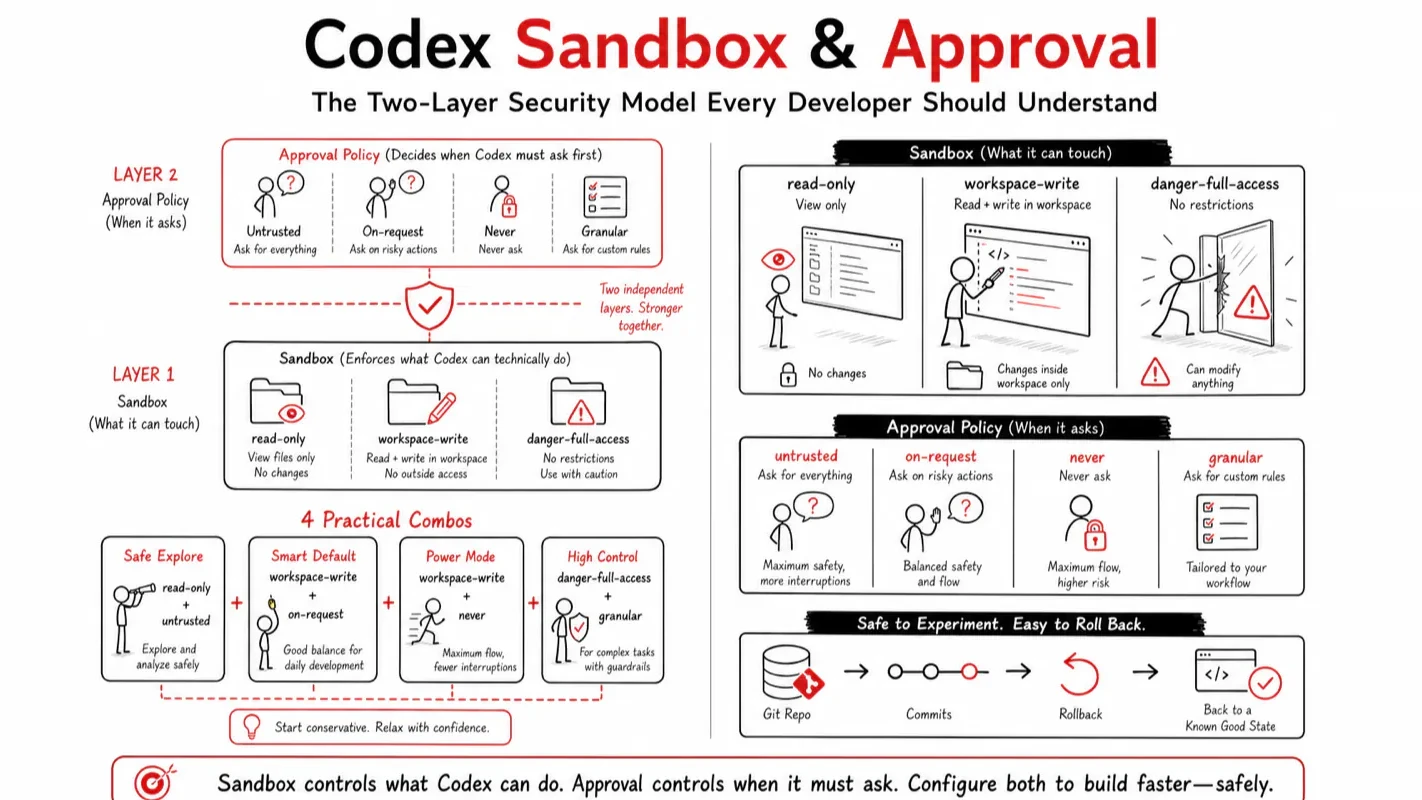
The sandbox controls what the AI can do. The approval policy controls when it must ask first. Together they form a two-layer defense that lets Codex work autonomously on low-risk actions while stopping at the boundary for anything dangerous.
Picture hiring a contractor to renovate your apartment. The sandbox is the caution tape around the living room: the contractor physically cannot enter the bedroom. The approval policy is the sign-off sheet: knocking out a wall or calling a subcontractor requires your signature before work begins. Tape limits access; the sheet limits authority. Two independent controls, not one.
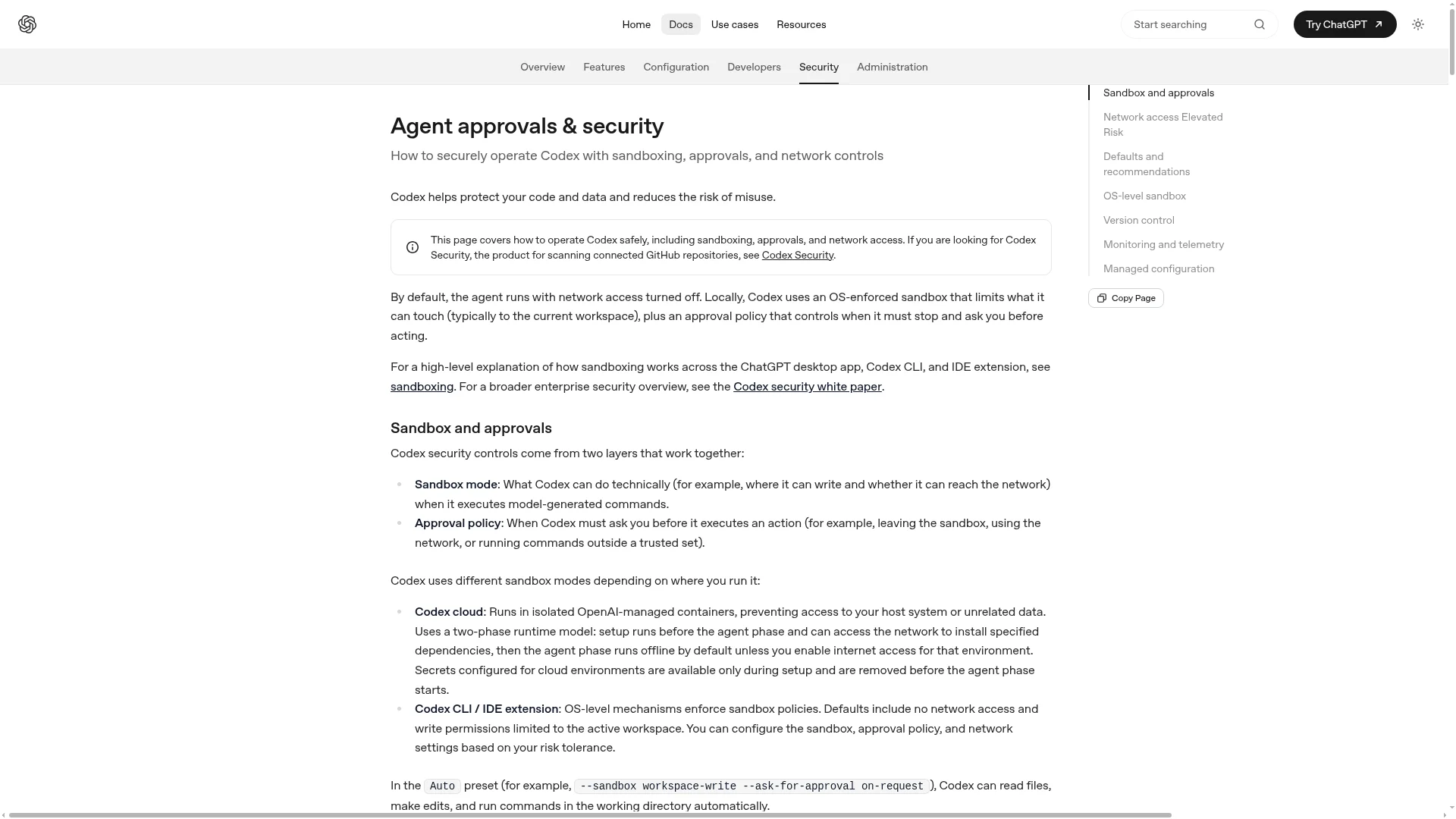
OpenAI defines this as "two layers that work together." The sandbox enforces technical boundaries at the operating-system level. The approval policy decides, at the application level, when Codex must pause and ask. Understanding both saves you from two common traps: blaming the model when the config is wrong, and disabling protection when the real fix is adjusting the sandbox scope.
Which Combo Should You Pick? (30-Second Decision Table)
If you want just one takeaway: use the default Auto preset (workspace-write + on-request) inside a version-controlled directory, run git commit before each task, and you are safe enough to start.
Profile
Sandbox
Approval
Why
First-time user, cautious
workspace-write (default)
on-request (default)
Safe by default. Create a git checkpoint first.
Daily developer, approval fatigue
workspace-write
on-request + writable_roots
Expand writable scope instead of disabling approval.
CI / containers / automation
danger-full-access
never
Only in isolated, disposable environments.
Reviewing untrusted code
read-only
untrusted
Read-only plus per-command confirmation. Strictest combo.
The most common mistake I see in practice: developers get annoyed by frequent approval prompts and jump straight to approval = never. That strips the entire protection layer. The correct fix is almost always adjusting writable_roots or changing approval_policy, not silencing the guardrail altogether.
The Three Sandbox Modes Explained
The sandbox defines what the AI can technically do. Codex offers three modes, from strictest to most permissive:
Sandbox Mode
What the AI Can Do
Use Case
read-only
Read files and answer questions. Cannot modify files or run commands without approval.
Code review, exploring an unfamiliar repo.
workspace-write (default)
Read + write files within the workspace + run local commands inside workspace boundaries. No network access by default.
Daily development. Low-friction safety default.
danger-full-access
Removes all filesystem and network restrictions. No sandbox boundary.
Isolated containers and disposable environments only.
The danger- prefix is intentional. OpenAI put it there as a warning: this is not a daily option.
What Does the Workspace Actually Include?
This trips up most newcomers. Under workspace-write:
Included by default: the current directory plus temporary directories like /tmp. Run /status to see the exact scope.
Protected read-only paths (recursive, everything inside is read-only): .git/ (protects version history and hooks), .codex/ (protects Codex's own security config), .agents/ (protects agent configuration).
These protected paths follow a single design principle: even in writable mode, the AI must not touch anything that could alter its own behavior or erase your rollback point. That is why git commit triggers an approval prompt under workspace-write; writing to .git/ crosses the read-only boundary.
Three Approval Strategies Compared
The approval policy determines when the AI must stop and ask. Three strategies:
Approval Strategy
Behavior
Use Case
untrusted
Every command except known-safe ones requires confirmation.
Actions inside the sandbox run automatically. Crossing the boundary (writing outside workspace, network access) triggers a prompt.
Daily development. Best balance.
never
No prompts ever.
CI/CD, automation scripts, isolated containers.
A critical detail about never: it means "do not interrupt me," not "approve everything." Under never, any action that would normally require approval gets auto-rejected, not auto-approved. So never + read-only is a valid and safe combo for CI pipelines that pull code and run checks.
Sandbox and Approval Working Together
The two layers are orthogonal. A strict sandbox does not replace confirmation on boundary-crossing actions. Frequent approval prompts do not limit the technical scope of what the AI can reach. That is why Codex gives you two independent knobs.
Here is the full comparison in one table:
Dimension
Sandbox (sandbox_mode)
Approval (approval_policy)
Question it answers
Can the AI technically do this?
Must the AI ask before doing this?
Enforcement layer
Operating system (kernel-enforced)
Application (Codex decides when to pause)
Who enforces
System intercepts at the syscall level. Does not rely on model compliance.
Codex pauses and waits for your confirmation.
Primary values
read-only / workspace-write / danger-full-access
untrusted / on-request / never
What it controls
File access scope, network access
Which actions run automatically vs. which pause for confirmation
Bypass difficulty
Extremely hard (requires bypassing OS-level sandboxing)
Set by you (you can choose not to be asked)
Official Combo Presets
Intent
Sandbox + Approval
Effect
Daily development (default Auto)
workspace-write + on-request
Workspace actions run automatically. Boundary crossings prompt you.
Safe read-only browsing
read-only + on-request
Read-only Q&A. Edits, commands, and network requests all prompt.
Read-only non-interactive (CI)
read-only + never
Read-only, never interrupts.
Auto-edit but prompt on untrusted commands
workspace-write + untrusted
Can read and write. Untrusted command execution prompts.
Why Is This a Hard Constraint, Not a Soft Promise?
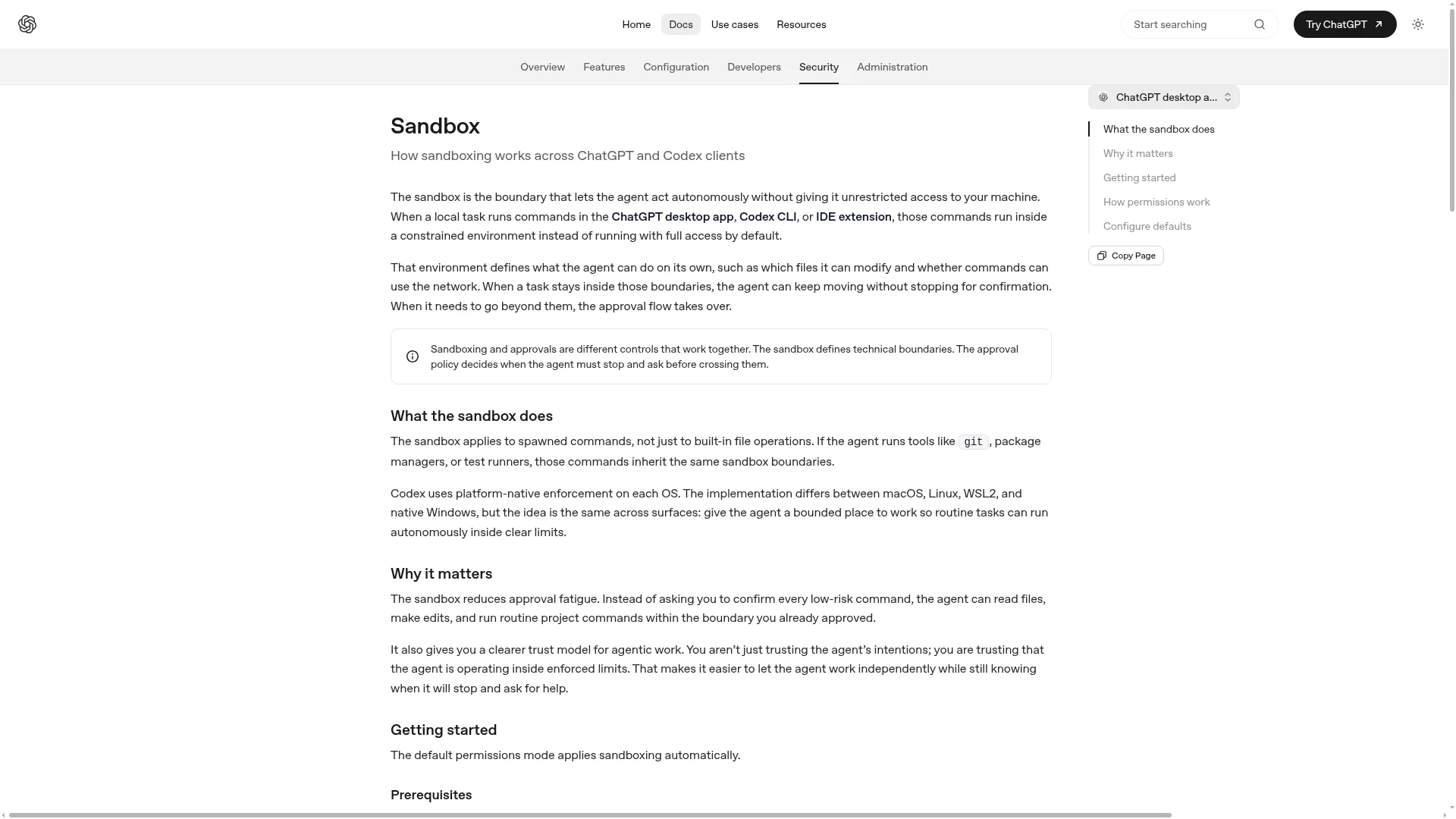
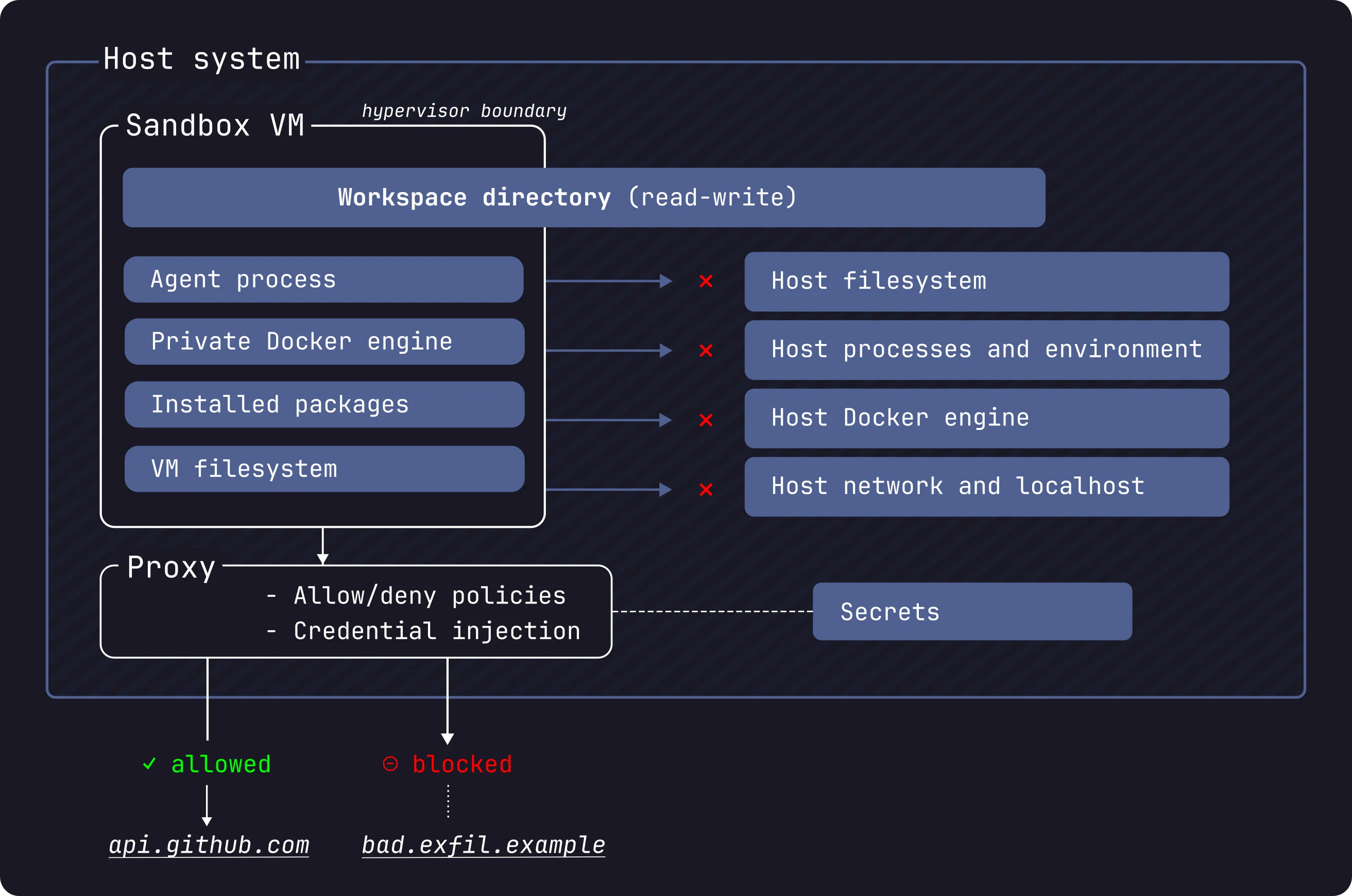
A concern I hear frequently: "Is the sandbox just a polite request that the AI can ignore with a clever prompt?" No. The sandbox is an operating-system-level enforcement that applies to every command the AI runs, including git, package managers, and test runners. It does not depend on model compliance.
OS
Sandbox Implementation
Mechanism
macOS
Seatbelt policy + sandbox-exec
Runs commands under a kernel-enforced profile matching the --sandbox mode.
Linux
bwrap (Bubblewrap) + seccomp
Namespace isolation + system call filtering.
Windows (native)
Windows Sandbox
Native sandbox implementation.
Windows (WSL2)
Linux sandbox reused
Inherits Linux sandbox semantics inside WSL2. Since 0.115, Linux sandbox uses bwrap; WSL1 is no longer supported.
Every program must go through system calls to read files, write files, or open network connections. Codex places a checkpoint at that level. If the AI tries to write a file outside the allowed scope, the operating system rejects the call before it executes. This is fundamentally different from tools that rely on prompt-level instructions like "please do not delete files." That kind of soft constraint breaks the moment the model is jailbroken. OS-level sandboxing does not.
In my own workflow, this distinction is the single most important thing to understand about AI coding tool security. When evaluating any agent-based tool, ask: does the safety boundary live at the kernel level or the prompt level? The answer tells you whether the protection is structural or cosmetic.
Picking Your Combo: A Decision Flowchart
flowchart TD
  A[What do you need Codex to do?] --> B{Modify files?}
  B -->|Read/review only| C[read-only + untrusted]
  B -->|Yes, edit code| D{What environment?}
  D -->|Your development machine| E[workspace-write + on-request — default]
  D -->|Isolated container / CI| F[danger-full-access + never]
  E --> G{Too many approval prompts?}
  G -->|Yes| H[Add writable_roots or adjust approval_policy]
  G -->|No| I[Keep the default]
Newcomer (first time using Codex, cautious about AI changes): Use the default Auto preset. Run git commit before each task. Do not touch the config file. Build the habit of commit, let Codex work, diff, merge.
Daily developer (approval fatigue, wants speed without risk): Stay on workspace-write + on-request. Add writable_roots to include the extra directories your project needs. The prompts usually fire because your workflow writes outside the default workspace, not because the approval policy is too strict.
Automation / CI (unattended, disposable environment): Use danger-full-access + never inside a clean, ephemeral container that holds no secrets. The container itself is the isolation boundary.
Security reviewer (auditing unfamiliar or sensitive code): Use read-only + untrusted. The AI cannot modify anything, and every command requires your explicit sign-off.
A quick self-check: if you find yourself wanting to switch to full auto on your primary development machine, stop. The question is not "how do I remove the fence" but "should I move this task into a container instead?"
How to Configure Network Access Without Removing the Sandbox
When your task requires installing dependencies or querying documentation, enable network access under workspace-write rather than switching to full access:
[sandbox_workspace_write]
network_access = true
To restrict outbound traffic to a domain allowlist:
Domain matching rules: an exact host matches only itself. *.example.com matches subdomains but not the root domain. **.example.com matches both. A global * allows any undeclared public host (use narrower rules whenever possible). deny always overrides allow. The network_proxy section controls how an already-open network is constrained; it does not open the network by itself. That switch is still network_access.
After enabling network access, treat all fetched web content as untrusted. The AI can be misdirected by malicious instructions embedded in web pages (prompt injection).
What Is the Git Safety Net Every Developer Should Build?
Regardless of which sandbox mode you choose, build this habit loop before every Codex task. It costs one command and prevents the most common class of accidents:
Create a checkpoint before the task: git add . && git commit -m "before codex". Even for quick experiments, save a clean rollback point.
Run the Codex task with the default Auto preset.
Diff after the task: git diff to review every change. Green tests do not mean the changes match your intent.
Roll back if anything looks wrong:
Single file: git checkout HEAD <file>
Discard all uncommitted changes: git reset --hard HEAD~1
Partial accept: git add -p to interactively stage what you want to keep
Already committed: git revert <commit-hash> to create a reverse commit
The most common accident is not the AI doing something malicious. It is a developer running Codex on a dirty working tree (uncommitted changes), discovering a problem, and realizing there is no clean checkpoint to return to. Their own changes and the AI's changes are tangled together. One git commit before the task prevents this entirely. OpenAI's own documentation recommends keeping git status clean before starting and using diff-based workflows for incremental rollback.
What Are the Five Most Common Mistakes?
Disabling approval because prompts are annoying. Fix: adjust writable_roots or change approval_policy. Keep the guardrail.
Running Codex on a dirty working tree. Fix: git commit a checkpoint first.
Merging immediately after tests pass. Fix: git diff to review changes. Tests verify behavior, not intent.
Using danger-full-access on a primary development machine. Fix: full access belongs in isolated, disposable environments only.
Copying someone else's config.toml without understanding each field. Fix: translate every field before adopting it. The never that works in someone's CI pipeline can be catastrophic on your dev machine.
What Is the Learning Path After the Default Preset?
Once you have run the default Auto preset comfortably for a week or two, expand your knowledge in this order:
Week 1: Default Auto only. Build the commit, Codex, diff, merge habit loop.
Week 2: Start reading what each approval prompt is actually asking. Is it requesting write access outside the workspace, or network access? Understanding the reason behind each prompt matters more than memorizing config fields.
Advanced: Explore auto_review (automated approval review) and enterprise-level managed configuration for team-wide security policies.
A note on auto_review: setting approvals_reviewer from user to auto_review routes approval requests through a reviewer agent before they reach you. The reviewer evaluates four risk categories: data exfiltration, credential probing, persistent security weakening, and destructive actions. Low and medium risk actions pass when policy allows. Critical risk actions are rejected outright. High risk actions require sufficient user authorization and must not hit a deny rule. Even edge cases like build prompt failures and review session parsing errors follow a fail-closed policy. This adds model call usage but does not change the sandbox boundary. It is the right middle ground when you need semi-automated pipelines but recognize that never is too permissive.
Pre-Task Checklist
[ ] I know my current sandbox mode and approval policy (run /status if unsure).
[ ] I am using the default Auto (workspace-write + on-request) in a version-controlled directory.
[ ] I have run git commit to create a checkpoint before this task.
[ ] I have not switched to never or danger-full-access on my primary dev machine for convenience.
[ ] If I need network access, I enabled network_access rather than switching to full access.
[ ] I will run git diff to review changes before merging.
Ready-to-Use Prompt: Pick Your Codex Sandbox × Approval Combo and Wire the Git Safety Net
What this does: Takes one task, picks the most restrictive sandbox mode and the matching approval strategy, configures network access without removing the sandbox, sets up the git rollback net, and checks the five common mistakes — so Codex runs autonomously on low-risk work but stops hard at the dangerous boundary. Based on: Codex Sandbox & Approval: The Two-Layer Security Model Every Developer Should Understand — https://aiworkflowpro.com/codex-sandbox-guide/ Time to run: ~4 minutes
Copy this prompt into Claude Code, ChatGPT, or any AI assistant:
ROLE: You are a Codex security configurator. Your job: pick the sandbox mode and approval strategy combo for one task, configure network access without removing the sandbox, set up the git rollback net, and check the five common mistakes.

CONTEXT — TWO-LAYER SECURITY SELECTOR:
Codex protects your code with two independent layers. The sandbox controls what the AI can do — a hard, OS-enforced boundary the model cannot talk its way out of (read-only / workspace-write / full-access). The approval policy controls when it must ask first (never-ask / on-failure / always-ask). Together they let Codex run autonomously on low-risk actions while stopping at the dangerous boundary. The safe default is the Auto preset (workspace-write + never-ask); you escalate approval before you escalate sandbox, and you configure network access within the sandbox rather than disabling it. Git is the rollback net for when something still goes wrong.

INPUTS (fill in before running):
- TASK: YOUR_TASK_HERE (what Codex will do — read/analyze, edit in-project, system-level change, run untrusted code)
- RISK: YOUR_LEVEL_HERE (low / medium / high / untrusted)
- NEEDS_NETWORK: YOUR_ANSWER_HERE (does the task need network access? yes/no)

METHOD — 6 STEPS:

Step 1 — Pick the sandbox mode
Match TASK to a mode: read/analyze → read-only; edit within the project → workspace-write; system-level or untrusted code → start at read-only/workspace-write, escalate to full-access only in a throwaway sandbox. Pick the most restrictive mode that still does the job.

Step 2 — Pick the approval strategy
Match RISK: low → never-ask (Auto); medium → on-failure; high/untrusted → always-ask. Escalate approval before you escalate sandbox — tighten the human gate first, open the hard boundary last.

Step 3 — Combine into the preset
State the sandbox × approval combo and compare to the Auto default (workspace-write + never-ask). If your combo is more permissive than Auto on a non-low-risk task, step it back down.

Step 4 — Configure network without removing the sandbox
If NEEDS_NETWORK = yes, open only the specific network access required while keeping the sandbox on — do not disable the sandbox to get network. Name the domains/ports; everything else stays blocked.

Step 5 — Build the git safety net
Confirm a rollback path before the task runs: commit current state (or note the clean ref) so any unwanted change reverts with one command. The sandbox limits damage; git undoes it. No git net = no autonomous run.

Step 6 — Check the 5 common mistakes
Pass/fail: (1) full-access sandbox for routine work? (2) escalating sandbox before approval? (3) disabling the sandbox to get network? (4) running autonomously with no git rollback? (5) trusting the approval prompt as the only defense (the sandbox is the real wall)? Fix any.

RULES:
- The sandbox is a hard OS-enforced constraint, not a soft promise — pick the restrictive mode; never rely on the model "respecting" it.
- Escalate approval before sandbox — tighten the human gate first.
- Never disable the sandbox to get network; open specific access instead.
- No autonomous run without a git rollback net.

OUTPUT FORMAT:
Output six sections:
1. **Sandbox mode** — chosen mode + why (most restrictive that does the job).
2. **Approval strategy** — chosen strategy + why, against RISK.
3. **Preset combo** — sandbox × approval + comparison to the Auto default.
4. **Network config** — specific access opened with sandbox kept on (or "none needed").
5. **Git safety net** — the rollback command/ref confirmed before the run.
6. **Mistake check** — markdown table with columns: Mistake | Present? (Y/N) | Fix.
Save as @templates/codex-sandbox-guide.md and run before any non-default Codex task, then re-run whenever the task risk or network need changes.
FAQ
What sandbox and approval does codex exec use by default?
For non-interactive scenarios, OpenAI recommends codex exec --sandbox workspace-write to set the mode explicitly. The old codex exec --full-auto flag is deprecated. Pair it with never on the approval side since no one is available to click confirm. Under never, actions requiring approval get auto-rejected, not auto-approved. read-only + never is the safe CI combo.
How do I restrict network access to specific domains?
Enable network with [sandbox_workspace_write] network_access = true, then add [features.network_proxy] with domain rules. Deny always overrides allow. Treat fetched content as untrusted.
Why does git commit trigger an approval prompt in workspace-write mode?
Because .git/ is a protected read-only path under workspace-write. Writing to it crosses the read-only boundary. This protects version history and git hooks from AI modification.
What should I do when the sandbox fails inside Docker?
Let the container provide the outer isolation boundary. Run Codex inside with --sandbox danger-full-access. Use OpenAI's Dev Containers reference implementation for a secure baseline. Only use this with trusted repositories.
Does auto_review change the sandbox boundary?
No. It only reroutes approval requests through a reviewer agent. Actions within the sandbox still run directly. The trade-off is additional model usage.
Start with the default Auto preset in a practice repository. Run codex without any flags. Experience the "auto inside sandbox, prompt at the boundary" behavior firsthand. Once that feels natural, adjust from there.
Gloves on, tape measure in hand — nobody types a query. Three voice surfaces for ai automation tools (terminal, Telegram, Discord), 10 TTS and 6 STT providers compared on cost and latency, plus a setup that costs nothing.
Nothing about month four is harder than month three. It is simply the month an unpaid channel starts to feel like proof of failure. Surviving it takes a cadence you can hold while earning nothing, which is a better reason to automate business processes than speed ever was.
One number hides more than it shows. This Claude Code Skill scores US equities across 10 dimensions, from earnings surprise to peer comparison, with confidence scoring and 5 safety valves that flag thin data. A coding tutorial, not financial advice.
Publishing eats your week through research, SEO fields, images, and uploading — not writing. Here is the 10-step workflow automation pipeline that takes a topic to a published draft on one command, and the data contract that lets each step hand off cleanly to the next.