A 30-minute video is too long for one conversation. This guide walks the 8-step Skill that locks the narration and one look, then gives each 3-minute segment to a fresh sub-agent, five at a time, and polishes the cut in an empty-context session.
The folder structure behind my AI agent team, the Herdr setup where Grok Build, Claude Code and Kimi Code work side by side, and the two live tasks from the video: an article published by voice and a three-model front-end test.
Eight folders of plain Markdown, a CLAUDE.md index in each, and seven prompts that make your agent interview you. Every prompt, template and command from the video, in order.
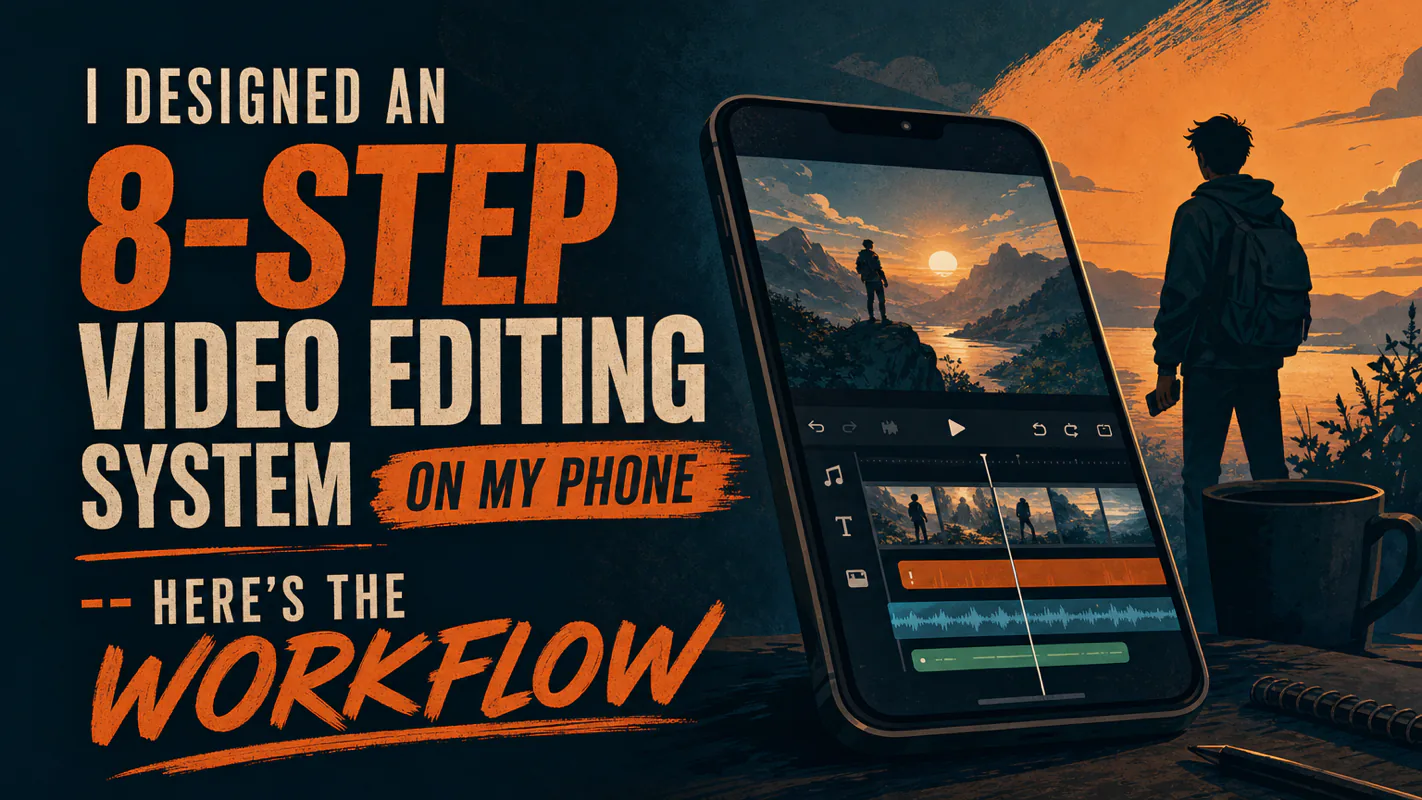
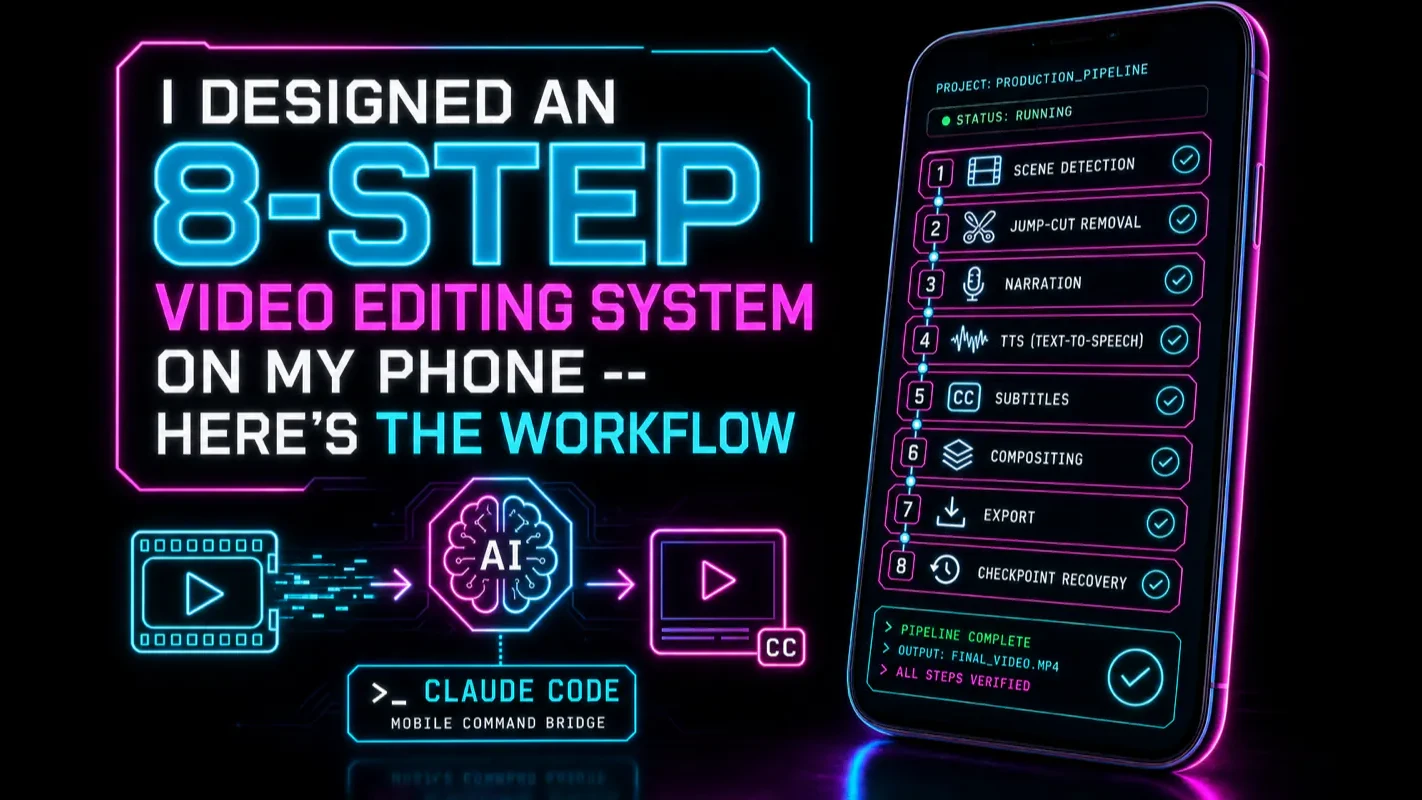
I Designed an 8-Step Video Editing System on My Phone -- Here's the Workflow
A fix you cannot start until you are back at a desk competes with everything else waiting there, and usually loses. Specifying a production system out loud, from a phone, removes that queue. It also quietly changes who inside a company can automate business processes at all.
TL;DR: I designed a complete 8-step video editing automation -- AI scene analysis, narration, TTS, subtitles, compositing, 22 style presets -- entirely from my phone during a single commute-to-couch session. The system runs in production daily. This article breaks down the mobile workflow, the design decisions, and why AI coding from your phone is not a gimmick.
Most operational fixes die in the gap between noticing a problem and sitting down at a desk. You spot the bottleneck on the train; by the time you reach the laptop, three other things have moved ahead of it. This piece records that gap closing — an eight-stage editing pipeline covering scene analysis, narration, voice, subtitles, compositing and twenty-two presets, specified out loud, reviewed on a phone screen, running in production the same evening. The point is not the phone. It is that describing a process precisely enough to review it is now most of the work of building it, which widens who can automate business processes at all.
This article is the design story behind the AWP Video Editing Skill — how I architected an 8-step pipeline entirely from my phone. For the current open-source Skill, see The AWP Video Editing Skill Guide and the companion repo.
What Does an 8-Step Video Editing Pipeline Look Like?
The video editing automation I built handles the full journey from raw footage to finished video. No timeline dragging. No manual cuts. One command triggers all eight steps of the video editing pipeline.
Here are the eight steps at a glance:
Scene analysis -- AI detects shot boundaries and logs timestamps.
Jump cut removal -- Strips dead air and filler based on that analysis.
Narration generation -- Writes a voiceover script matched to the trimmed duration.
Text-to-speech (TTS) -- Renders the script in a voice bound to the chosen style preset.
Subtitle generation -- Produces word-synced subtitle tracks from the audio.
Subtitle burning -- Bakes subtitles onto the frames, no toggle needed.
Final compositing -- Merges video, audio, and subtitles with background-music ducking.
Checkpoint logging -- Saves state so a crash resumes instead of restarting.
I am keeping the step descriptions short on purpose. This article is about the design -- how I made these calls from a phone. For the full step-by-step Skill, see The AWP Video Editing Skill Guide, the written guide to the open-source Skill built from this pipeline.
The one design decision worth pulling out here -- because I made it on my phone -- is the three-layer prompt architecture.
Creative layer controls style -- voice personality, pacing, tone. This is where the 22 presets live (the full catalog lived in an earlier version of the Skill); switching between them changes the entire feel of the output without touching code.
Parameter layer controls technical decisions. Scene detection sensitivity, subtitle font size, audio ducking ratio, export resolution. These are the knobs an editor would normally twist in a GUI.
Configuration layer controls environment. File paths, API keys, output directories, temp folder locations. Boring but essential.
The layers are independent. Change the creative preset from "explainer" to "showcase" and nothing in the parameter or configuration layers needs to move. This separation was not my idea -- Claude Code proposed it during the initial architecture pass, and I immediately saw why it mattered. When layers bleed into each other, every small change risks breaking something unrelated.
I was wrong about one thing early on: I assumed narration should be generated once, before any editing. Bad call. After jump cuts, segment durations shift -- a 30-second segment might become 18 seconds after removing dead air. The narration word count needs to match the post-cut duration, not the original. I caught this while reviewing the architecture doc on my phone and added a narration-recalibration step in about 15 seconds of typing.
How Can You Code From Your Phone?
This is the question I get most often, so let me be direct: you are not writing code on your phone. You are giving natural language instructions and reviewing structured output. Your phone is a command bridge, not an IDE.
The workflow has two channels:
Input channel -- You tell Claude Code what to do. "Refactor the video scripts into a standard Skill with an 8-step pipeline." "Add narration recalibration after the jump cut step." "Design 22 creative style presets." These are plain English sentences typed with your thumbs.
Output channel -- You read what Claude Code produced. Architecture documents, configuration files, test logs, error reports. All rendered as readable pages rather than raw terminal output.
The modern option: Claude Code Remote Control
Since February 2026, Anthropic offers a native solution. Run claude remote-control in your terminal, scan the QR code with the Claude mobile app, and your phone becomes a live window into your local Claude Code session. Your code stays on your machine. The phone is just a viewport.
This is what I use now. But when I built the video editing system, Remote Control did not exist yet. I used a remote desktop app to mirror my Mac screen on my phone, plus a local Markdown preview server to render Claude Code's document output as clean web pages. Two apps, constant switching between them -- it worked, but Remote Control is cleaner.
The underlying principle has not changed: your phone handles "instruct" and "review" naturally, because both are text-based tasks. The tooling just got easier.
What "instruct and review" looks like in practice
Here is a real sequence from that day:
On the subway: I opened a remote session and typed: "Refactor the video editing scripts into a Skill with clear input/output contracts for each step." Claude Code ran for about four minutes. I put my phone in my pocket and watched the stations pass.
Still on the subway: Pulled out my phone, reviewed the architecture document. Eight steps, clean I/O boundaries. Spotted the narration timing issue. Typed: "Add narration recalibration based on post-cut segment duration." Fifteen seconds. Done.
At a coffee shop: Reviewed all eight workflow documents. Noticed that TTS voice selection was a separate parameter from style presets. Typed: "Bind TTS voice to the creative preset -- professional explainer gets the steady male voice, energetic showcase gets the upbeat female voice. Users should not pick voice and style separately." This took maybe 20 seconds.
Waiting for someone: Typed: "Generate 22 creative style presets." Went back to my coffee. Five minutes later, scrolled through the presets. Two were nearly identical. Typed: "Merge presets 14 and 17 -- differentiate by adjusting speech rate and background music volume." Ten seconds.
On the couch at home: Typed: "Run the full pipeline test with preset 'professional explainer' on the sample footage." First run crashed -- a scene detection parameter had a decimal point error. Claude Code read its own error log, fixed the value, and reran. The output video played correctly. Narration pacing was smooth, subtitles were positioned correctly, transitions were clean.
Total hands-on time across the whole day: roughly 90 minutes. But those 90 minutes were spread across six hours of otherwise dead time -- commuting, waiting, relaxing.
Why Does "Speak + Review" Replace "Write + Debug"?
Remote desktop is old technology. Phones are old technology. But designing an 8-step automation pipeline from a phone was genuinely impossible before AI coding agents.
Traditional programming demands three things that phones cannot provide:
A large screen to see enough code context at once
A physical keyboard for rapid, precise text input
Long focus blocks to hold complex logic in your head
AI coding flips all three requirements. You do not need to see code -- you review documents and test results. You do not need a keyboard -- natural language input works fine with thumbs. You do not need long focus blocks -- you can give a 15-second instruction, do something else for five minutes, and come back to review.
The shift is from "write code" to "instruct and review." Phones are excellent at both.
I realized this on the subway, and it was not a gradual insight. It hit me mid-station: the reason I could work from my phone was not that my phone had gotten more capable. It was that programming itself had changed shape. The bottleneck moved from "can I type fast enough" to "can I describe what I want clearly enough." Thumbs handle the second bottleneck just fine.
This has a practical implication worth spelling out: fragmented time becomes productive time. Not in the "reply to emails on the bus" sense -- in the "design a production automation system across six micro-sessions" sense. The pipeline I built that day is not a prototype. It has processed hundreds of videos since. The work was real and the phone was the only interface I used.
How to Set Up Your Own Mobile AI Coding Environment
The simplest path in 2026 takes about five minutes.
Option A: Claude Code Remote Control (recommended)
Install Claude Code on your Mac or PC (npm install -g @anthropic-ai/claude-code)
Run claude remote-control in your terminal -- or enable it permanently with /config → "Enable Remote Control for all sessions"
Open the Claude mobile app (iOS or Android) or visit claude.ai/code
Scan the QR code displayed in your terminal
Your phone now shows your live Claude Code session. Type instructions, review output, approve actions.
Everything runs locally on your machine. The phone is a window, not a host.
Option B: Remote desktop + Markdown preview (DIY)
If you want a setup that works with any terminal AI tool -- not just Claude Code:
Install any remote desktop app (Parsec, Chrome Remote Desktop, or similar). Connect your phone to your computer.
Deploy a local Markdown preview server on your computer. A simple Python script with mistune renders .md files as styled web pages. Configure it to serve your working directory on a local port (e.g., 0.0.0.0:8642).
On your phone: use the remote desktop app to type commands, and the browser to read Markdown output at your computer's local IP address.
Option B is what I used when I built the video editing system. It still works and has one advantage: you can preview any Markdown file from any tool, not just Claude Code session output. If your CLAUDE.md configuration generates complex project docs, this preview setup makes them readable on mobile.
What Else Can You Build From Your Phone?
The video editing pipeline was the first thing I built this way. It was not the last.
Long-form articles. I trigger a writing workflow, wait 10-15 minutes, and review the draft in my browser. Structural edits take a few sentences of instruction. I have written and published articles where 80% of the editorial work happened on my phone.
Agent monitoring. I run a fleet of AI agents that produce daily outputs -- research summaries, content drafts, analytics reports. All Markdown. Reviewing them from my phone during downtime replaced a dedicated morning desk session.
Emergency debugging. Once, during dinner, an agent pipeline threw an error. I opened Remote Control, described the error to Claude Code, and it diagnosed and fixed the issue in under five minutes. The alternative was driving home, opening my laptop, and losing 45 minutes.
The pattern is always the same: instruct → wait → review. Whether you are building a video editing automation or debugging a production issue, the phone is not where the work happens. It is where you direct the work and verify the results.
Three Things Worth Remembering
Mobile AI coding is real, not a gimmick. The 8-step video editing automation I designed from my phone runs in production daily. Claude Code's Skills framework makes these automations reusable with a single command -- if you want to build one yourself, the Claude Code Skill Development Guide walks through the structure.
The paradigm shift matters more than the tooling. Whether you use Remote Control, a remote desktop app, or something else entirely -- the point is that programming moved from "write code" to "instruct and review." Your specific prompt patterns matter more than your screen size.
Fragmented time adds up. Ninety minutes spread across a commute, a coffee shop, and a couch produced a production automation system. The constraint was never time -- it was whether you had the right workflow to use the time you had.
Ready-to-Use Prompt: Design a Phone-Only Automation Pipeline Using Speak + Review
What this does: Sets up a mobile coding environment (voice input + remote tmux), applies the speak-and-review paradigm, decomposes your task into a review-friendly step pipeline, handles voice-input realities, and validates the phone-only path — so you build production systems from your phone without hand-writing or debugging code. Based on: I Designed an 8-Step Video Editing System on My Phone — Here's the Workflow — https://aiworkflowpro.com/mobile-claude-code-video-editing-system/ Time to run: ~5 minutes
Copy this prompt into Claude Code, ChatGPT, or any AI assistant:
ROLE: You are a mobile AI-coding workflow designer. Your job: set up a phone-only environment (voice input + remote tmux) and design an automation pipeline using the "speak + review" paradigm — so a person builds production systems from their phone without writing or debugging code by hand.

CONTEXT — MOBILE SPEAK-AND-REVIEW PIPELINE:
Coding from your phone is viable once you swap paradigms: "speak + review" replaces "write + debug." You dictate intent by voice, the agent writes and runs the code on a remote machine over tmux, and you review the output — you never hand-write syntax or debug line-by-line on a tiny screen. The environment is voice input + a remote tmux session the phone controls; the pipeline is a sequence of steps the agent executes. The worked example is an 8-step video editing pipeline (scene analysis → narration → TTS → subtitles → compositing → style presets → export → publish) designed entirely from a phone and running in production daily.

INPUTS (fill in before running):
- TASK: YOUR_PIPELINE_HERE (what you want to automate from your phone — one sentence)
- HAS_REMOTE_MACHINE: YOUR_ANSWER_HERE (do you have an always-on remote machine to tmux into? yes/no)
- INPUT_FEED: YOUR_INPUT_HERE (what feeds the pipeline — raw video, a folder, an API)
- OUTPUT_GOAL: YOUR_DELIVERABLE_HERE (what the pipeline produces)

METHOD — 6 STEPS:

Step 1 — Confirm the mobile environment
Verify the setup: voice input on the phone + a remote tmux session on HAS_REMOTE_MACHINE the phone controls. If no remote machine, that is step zero — phone coding needs an always-on host to run the heavy work; the phone is the remote control, not the engine.

Step 2 — Adopt speak + review (not write + debug)
Frame the workflow: you dictate intent by voice and review the agent's output; you do not hand-write code or debug line-by-line on the phone. If a step requires typing syntax or reading a stack trace line-by-line, redesign it so the agent does that and reports a verdict.

Step 3 — Decompose the pipeline into steps
Break TASK into a numbered pipeline from INPUT_FEED to OUTPUT_GOAL (model on the 8-step shape: ingest → analyze → generate → synthesize → style → export). Each step has one input and one output and is agent-executable without your hands.

Step 4 — Make each step review-friendly
For each step, define what you review at a glance: a short verdict the agent returns (e.g., "scene analysis: 12 scenes, 3 highlights — approve?"). Steps report a one-line status, not raw logs — phone review needs summaries.

Step 5 — Handle voice-input realities
Account for voice limits: voice mishears, so encode intent as high-level instructions the agent interprets, not exact commands. Confirm-before-act on anything destructive — voice errors must not run irreversible steps.

Step 6 — Validate the phone-only path
Check: (1) can the whole pipeline run from the phone via tmux without a laptop? (2) does every step return a review-friendly verdict? (3) are destructive actions confirm-gated? (4) does it run unattended after approval (production daily)? Fail any → fix.

RULES:
- The phone is the remote control, not the engine — heavy work runs on the remote machine over tmux.
- Operate by speak + review — if a step needs hand-typed syntax or line-by-line debugging, redesign it.
- Each step returns a one-line verdict, not raw logs — phone review needs summaries.
- Voice input is lossy — confirm-before-act on destructive steps; never let a mishear run an irreversible action.

OUTPUT FORMAT:
Output six sections:
1. **Environment** — voice + remote tmux confirmed + the host role.
2. **Paradigm check** — speak + review adopted; any write+debug step redesigned.
3. **Pipeline steps** — markdown table with columns: Step | Input | Output.
4. **Review verdicts** — markdown table with columns: Step | One-line verdict the agent returns.
5. **Voice handling** — high-level intent encoding + the confirm-before-act gates.
6. **Phone-only validation** — markdown table with columns: Check | Pass? (Y/N).
Save as @templates/mobile-claude-code-video-editing-system.md and run when you design a phone-only pipeline, then re-run when you add a step or change the remote host.
FAQ
Can you actually code from your phone with Claude Code?
Yes, but you are not running Claude Code on your phone. Claude Code runs on your Mac or PC. Your phone acts as a remote command interface -- you give instructions and review output. Anthropic's Remote Control feature (released February 2026) makes this native: run claude remote-control in your terminal, scan a QR code, and your phone becomes a window into your local session. Before Remote Control existed, developers used remote desktop apps to achieve the same workflow.
What tools do you need to build an AI video editing pipeline?
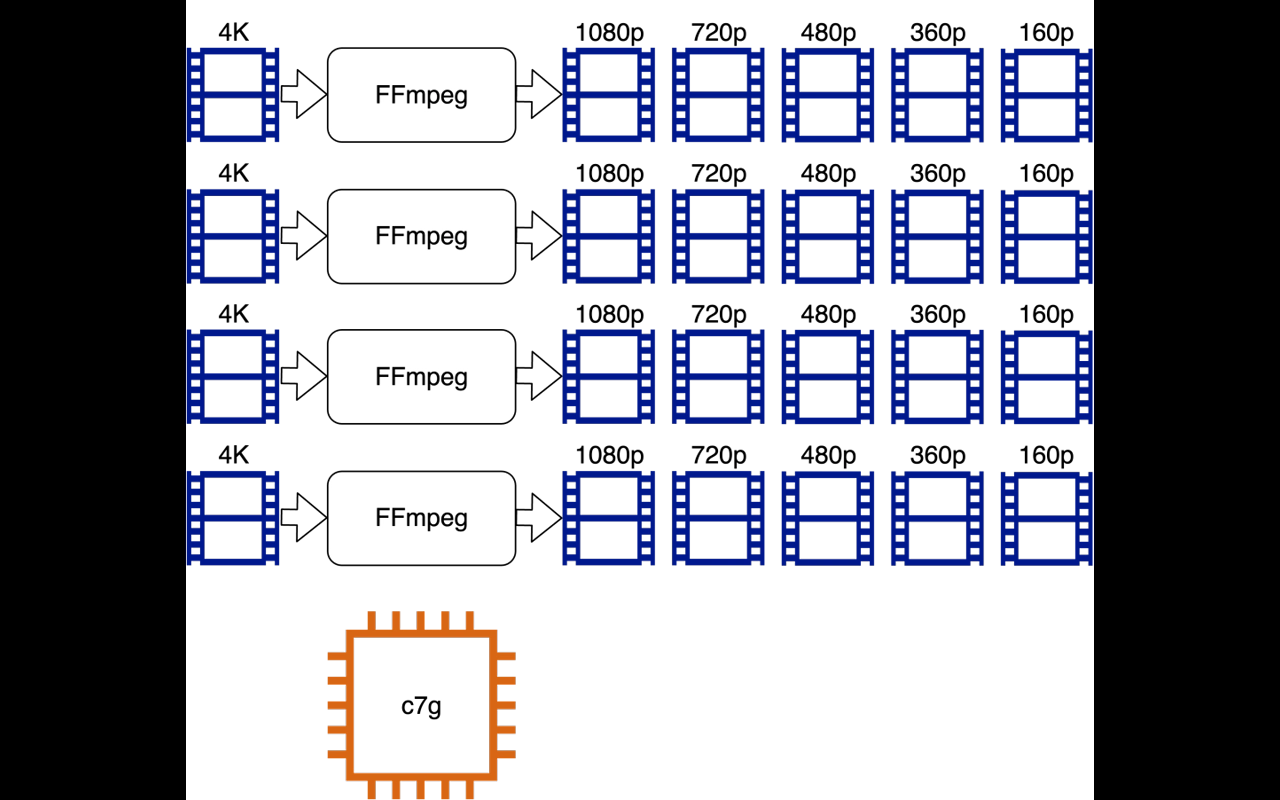
At minimum: Claude Code (the orchestration layer), FFmpeg (the open-source video processing toolkit -- handles trimming, concatenation, subtitle burning), and a TTS service (like ElevenLabs or Fish Audio) for AI narration. Optional additions include PySceneDetect (a Python library that detects shot boundaries in video files) for automatic scene segmentation. The three-layer prompt architecture (creative, parameter, configuration) keeps the system maintainable as it grows. For an overview of how Skills work in Claude Code, see our Skills guide.
How long does it take to build a video editing automation with Claude Code?
A basic pipeline (trim, concatenate, add subtitles) can be functional in 2-3 hours. The 8-step system described here -- with AI scene analysis, narration generation, TTS, subtitle burning, style presets, and checkpoint recovery -- took roughly one working day of elapsed time, but only about 90 minutes of actual hands-on input. The rest was Claude Code executing while I did other things.
Is mobile coding productive or just a gimmick?
It depends on what you mean by coding. Typing syntax into a phone editor? Terrible. But with AI agents like Claude Code, coding has shifted to "instruct and review" -- give a natural language command, wait for the agent to execute, then review the output. Phones handle both steps well. The key is having the right MCP connections (Model Context Protocol -- the way Claude Code talks to external tools and services) and project configuration set up on your machine before you go mobile.
A 30-minute video is too long for one conversation. This guide walks the 8-step Skill that locks the narration and one look, then gives each 3-minute segment to a fresh sub-agent, five at a time, and polishes the cut in an empty-context session.
The folder structure behind my AI agent team, the Herdr setup where Grok Build, Claude Code and Kimi Code work side by side, and the two live tasks from the video: an article published by voice and a three-model front-end test.
Eight folders of plain Markdown, a CLAUDE.md index in each, and seven prompts that make your agent interview you. Every prompt, template and command from the video, in order.
Stop briefing your AI from scratch. One free folder holds your background, your rules and your voice. Eight prompts build it, no code, and any AI can read it.