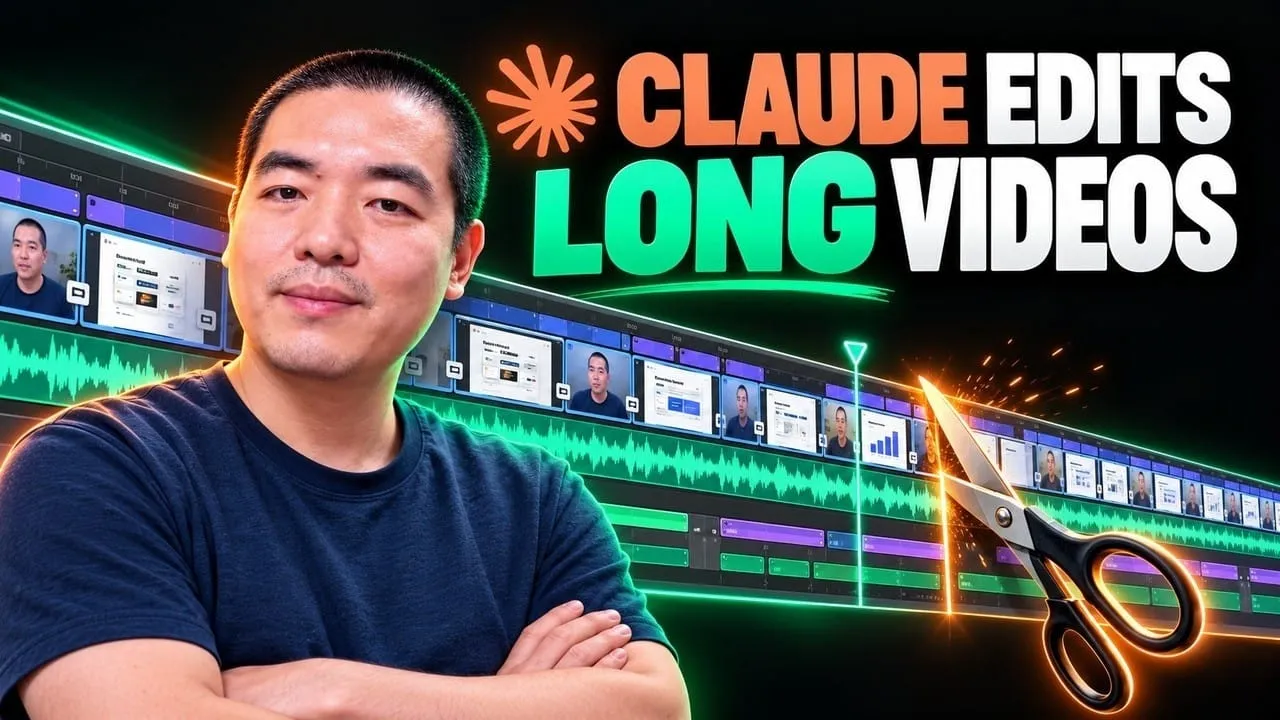
A 30-minute video is too long for one conversation. This guide walks the 8-step Skill that locks the narration and one look, then gives each 3-minute segment to a fresh sub-agent, five at a time, and polishes the cut in an empty-context session.
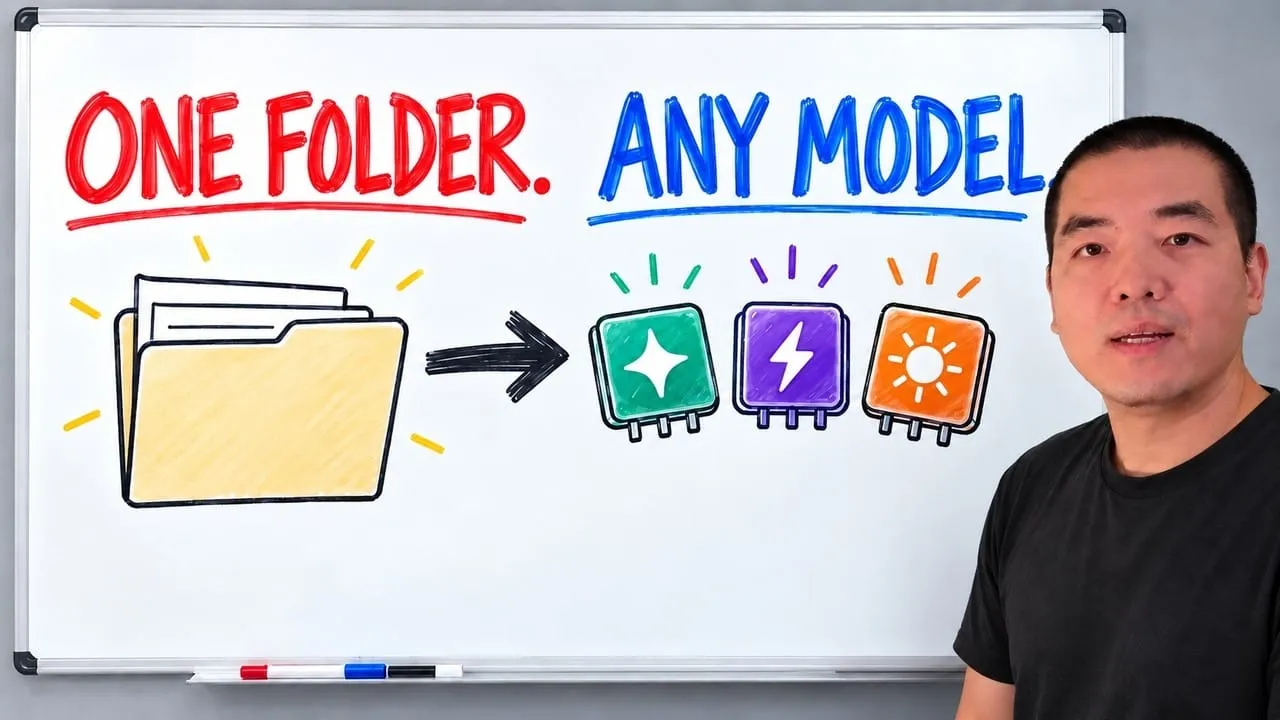
The folder structure behind my AI agent team, the Herdr setup where Grok Build, Claude Code and Kimi Code work side by side, and the two live tasks from the video: an article published by voice and a three-model front-end test.
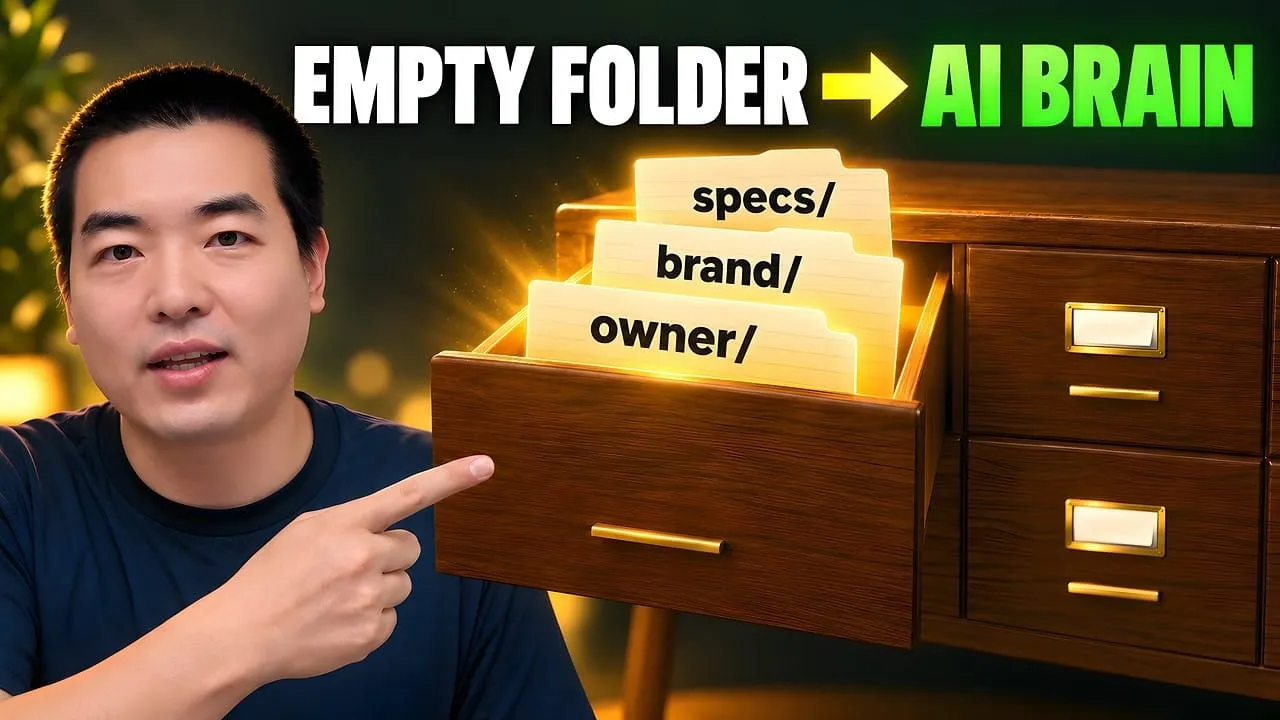
Eight folders of plain Markdown, a CLAUDE.md index in each, and seven prompts that make your agent interview you. Every prompt, template and command from the video, in order.
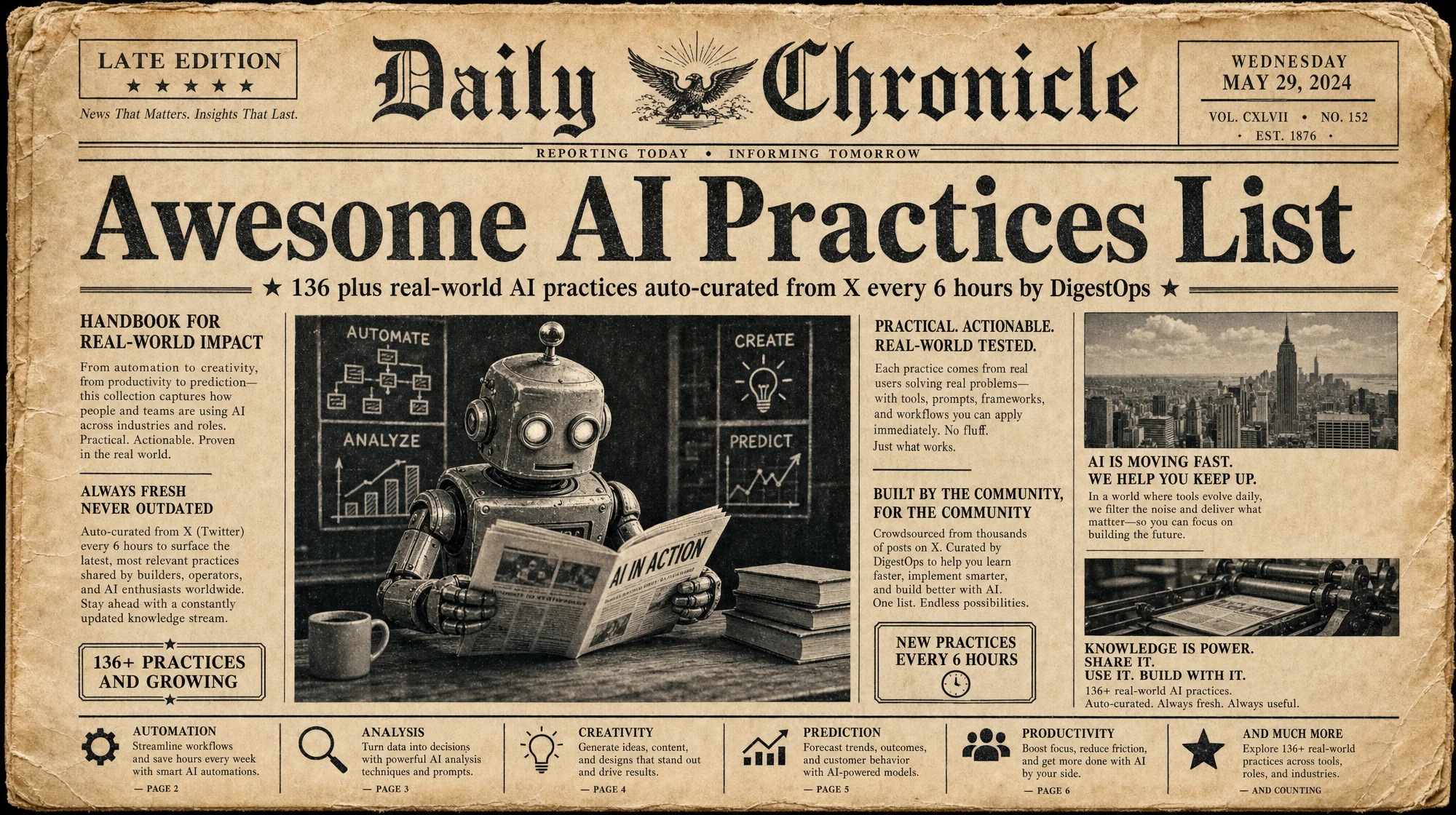
Awesome AI Practices List: Auto-Curated AI Best Practices from X, Updated Every 6 Hours
A curated list stays only as fresh as one maintainer's leftover hours, which is how most of them end up as 2023 archives in a 2026 world. This one keeps no maintainer in the loop, so what it says about ai automation tools reflects this week.
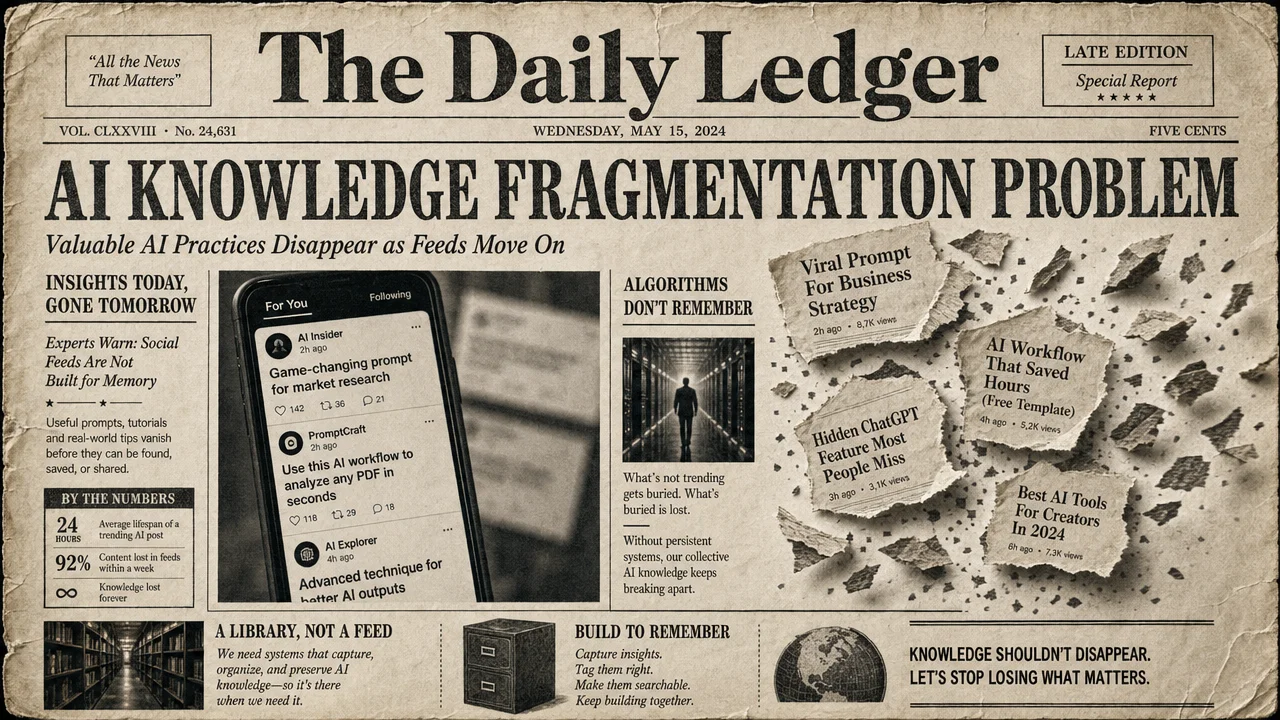
The best AI practices don't live in documentation. They surface on X at 2 AM, get 5,000 likes, and vanish into the timeline within 48 hours. By the time you search for "how to set up Claude Code subagents" next week, that practitioner's exact config is buried under ten thousand new posts.
We built Awesome AI Practices to fix this. It's an open-source, auto-curated list of real-world AI practices from X — updated every 6 hours by DigestOps, with full source attribution and reusable takeaways.
This article breaks down what's in the list, how the curation pipeline works, and how to use it — whether you're browsing GitHub, connecting it to your agent via MCP, or building a local knowledge base around it.
Somebody on your team keeps a bookmarks folder called AI stuff. It holds ninety entries, four of them still resolve, and not one carries a date. That is the ordinary failure mode of a curated list: a person builds it with genuine enthusiasm, and from that day the freshness ceiling is however many spare hours that one person has. The list in this article takes the person out of the loop. It pulls working practices off X every six hours, keeps the attribution, and extracts the reusable takeaway, so entries carry timestamps instead of vibes. Judge ai automation tools by what practitioners ran this week, not by what got written up last quarter.
Why Most "Awesome" Lists Go Stale
The GitHub "awesome list" format is one of the most successful knowledge-sharing patterns in open source. There are awesome lists for everything from React components to command-line tools. But they share a structural problem: manual curation doesn't scale.
A typical awesome list follows this lifecycle:
Someone creates it with genuine enthusiasm
It gets popular, stars accumulate
Contributions slow down because maintaining quality takes hours per week
Links go stale, entries become outdated
The list becomes a graveyard of 2023 resources in a 2026 world
The evidence is visible in the data. GitHub hosts thousands of repositories matching "awesome-AI." Even the most popular awesome lists accumulate hundreds of unprocessed pull requests as maintainer attention fades. That's not an exception — it's the norm. Pull-request-based curation creates an editorial bottleneck where one maintainer's available time becomes the ceiling on the list's freshness.
For AI specifically, this problem is worse. The field moves so fast that a "best practice" from three months ago might reference a deprecated API, a model that's been superseded, or a workflow that's been rendered obsolete by a single product update.
Awesome AI Practices takes a different approach: the list curates itself.
The AI Knowledge Fragmentation Problem
Before diving into the repository, it's worth understanding the problem it solves — because it's bigger than stale links.
AI practitioners share their most valuable knowledge on X. Not on blogs, not in documentation, not in papers. On X. There's a reason for this: X is where the feedback loop is fastest. A practitioner posts their Claude Code setup at 10 PM, gets 3,000 likes by midnight, and refines it based on replies by morning. The platform's speed creates a natural selection for what actually works.
But X has a structural problem as a knowledge repository: it has no memory.
Posts are optimized for the feed, not for retrieval. There's no categorization, no search by topic quality, no way to distinguish a hot take from a proven workflow. Even X's bookmarks and lists don't solve this — they're personal, unstructured, and unsearchable by anyone else.
The result is a knowledge paradox: the most valuable, practitioner-tested AI knowledge lives in the least accessible format.
Consider what gets lost every week:
A developer shares a complete CLAUDE.md configuration that makes subagents 3x more reliable. It gets 4,000 likes. Two weeks later, someone with the same problem can't find it because X search returns 50,000 results for "Claude Code setup."
A video creator documents a precise Seedance 2.0 prompting technique with frame-by-frame parameters. The thread gets 2,000 bookmarks. A month later, those parameters have been superseded by a new model version, and the creator posted an update — but nobody can connect the two.
An indie developer publishes their full revenue numbers and stack for an AI-powered SaaS. It's the most useful business case study posted that week. By next week, the algorithm has buried it under engagement-optimized content.
This is the problem Awesome AI Practices solves: it extracts the signal from X's timeline, structures it by topic, and preserves it in a format that doesn't decay.
The GitHub repository is the permanent layer. DigestOps is the pipeline that keeps it current. Together, they turn X's ephemeral knowledge stream into a durable, searchable, open-source knowledge base.
What's in the List
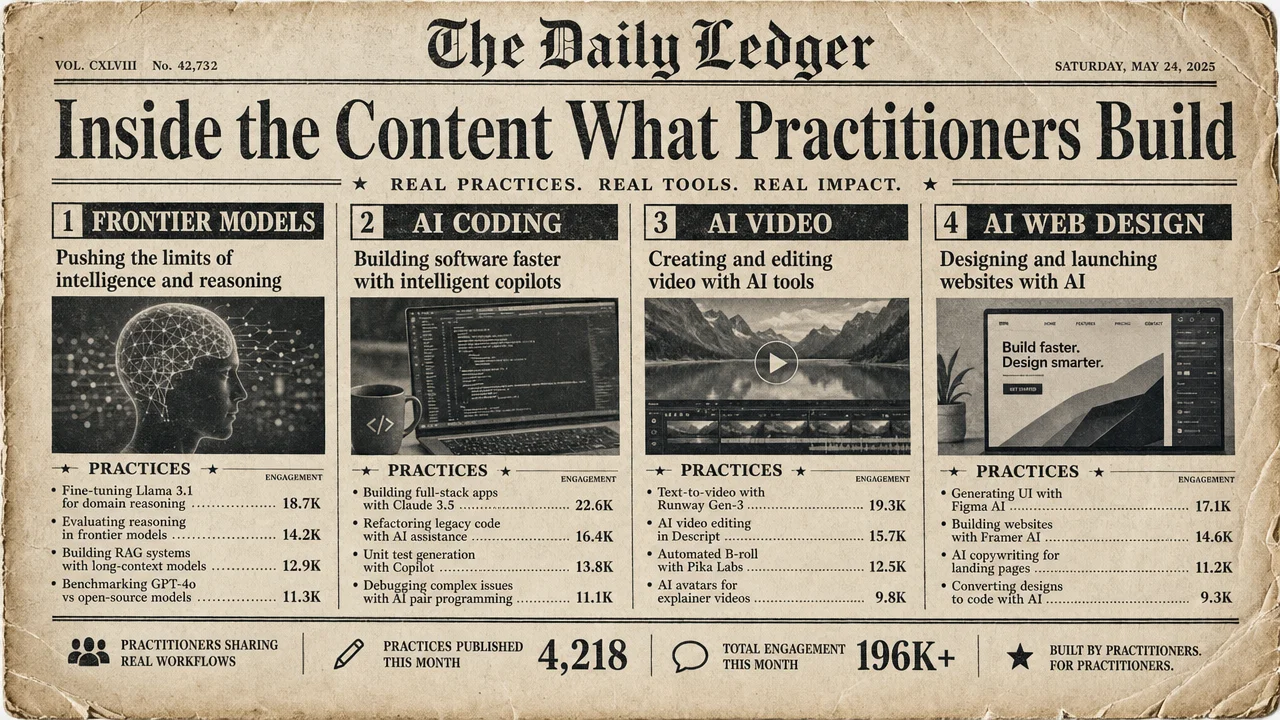
The repository contains 136+ practices across four topic files, each organized by date (newest first) with full attribution to the original author on X.
Title that describes the actual outcome, not the tool used
Author attribution with link to their X profile
Engagement signal (like count from the original post)
Source link to the original X post
2-3 bullet-point takeaways that you can act on immediately
This format is intentional. The goal isn't to collect links — it's to extract the reusable pattern from each practice so you can adapt it to your own work.
What "Practice" Means Here
Not everything on AI Twitter qualifies. The curation filter is strict:
Someone built it. Not "AI will change everything" thought pieces. Actual builds with visible outputs.
They shared the process. Not just the result, but how they got there — the prompts, the configs, the workflow.
It's reusable. The takeaway transfers to other contexts. A practice that only works for one person's exact setup doesn't make the cut.
This is the line between a practice and a tweet. Practices have transferable lessons. Tweets have engagement.
Inside the Content: What Practitioners Are Actually Building
Rather than listing every entry, here's a cross-section of what the repository captures — organized by the kind of insight each category provides.
One caveat up front: the revenue and cost figures below are self-reported by the original authors on X. The repository preserves them as posted, with a link back to the source — it does not independently verify them. Treat them as directional signals from practitioners, not audited numbers.
Frontier Models: The Real-World Benchmarks Nobody Publishes
When a new model drops, the official benchmarks tell you how it scores on standardized tests. The Frontier Models category captures something different: what happens when practitioners throw the model at real problems within the first week.
For example, when Claude Fable 5 launched, the repository captured:
Cost comparisons from actual builds, not synthetic benchmarks. One practitioner showed Fable 5 prompt-generating Grok videos at 6x lower cost than Seedance 2.5 for comparable quality. Another demonstrated building a landing page in 2 minutes 11 seconds at $3.36 with Sonnet 5, versus $20.66 with Opus 4.8.
Multi-model routing strategies. A highly-liked post documented setting up Fable 5 as an orchestrator that selects cheaper subagent models for mechanical tasks, saving tokens without sacrificing quality on reasoning-heavy work.
Real revenue from AI agents. One entry documented $408,292 in 2 days from a Polymarket bot built with Claude (as reported by the original author on X; not independently verified) — including the exact architecture of Binance WebSocket feeds, force-graph convergence detection, and sub-100ms execution.
These aren't the kind of insights you find on model cards. They're field reports from people who burned real credits and measured what actually happened.
What makes this category uniquely valuable: the data has a timestamp. When someone says "Sonnet 5 costs $3.36 for a landing page," you can see that was posted on June 30, 2026. If pricing changes next month, the next batch of practices will reflect the new reality. Static comparison articles can't do this. A continuously-updated practice log can.
The Frontier Models section also captures infrastructure shifts that aren't model comparisons at all. One entry documents running a 235-billion-parameter model locally on a $1,499 mini PC using the AMD Ryzen AI Max+ 395 — outperforming an Nvidia RTX 5080 by 3x.
Another captures Sakana Fugu Ultra, a coordinator that routes API calls to the best frontier model for each subproblem, scoring 73.7 on SWE-Bench Pro by mixing providers. These are architecture decisions, not model reviews.
AI Coding & Agents: The Config Files That Actually Work
The AI Coding section is the most operationally dense. It captures the setups that practitioners use daily — not the ones they demo at conferences.
Highlights include:
Subagent architectures. A post with 4,856 likes documented a specific setup: Fable 5 with max reasoning as orchestrator, Opus as a deep-reasoner subagent for complex logic, Sonnet as a fast-worker for mechanical tasks, and the OpenAI Codex plugin installed in Claude Code for peer review.
Skill-based automation. Multiple entries capture the shift from prompt engineering to skill engineering — encoding repeatable workflows as Claude Code Skills that execute without re-prompting. One Japanese developer's YouTube automation built entirely through the "Find Skills" discovery skill hit 1,421 likes.
Knowledge system architectures. Following Karpathy's LLM Wiki concept, several entries document how practitioners connect Obsidian vaults to Claude Code for AI-maintained knowledge bases that compound over time. One highly-liked entry explains how the LLM Wiki structure cuts token costs up to 95% by compiling data once into memory instead of reloading the entire database on every query.
The AI Coding section is also where you can track the evolution of development paradigms in real time. Early entries focus on prompt engineering for code generation. More recent entries show a shift toward skill engineering and agent orchestration — practitioners encoding entire workflows as reusable Claude Code Skills rather than writing individual prompts.
When Google released its Agents CLI with 7 ADK-specific skills installable via a single setup command, the repository captured it within hours, including the comparison to Karpathy's agentic engineering framework.
One pattern that appears repeatedly: practitioners who achieve the best results aren't using a single tool. They're composing tools. Claude Code for orchestration, Codex for peer review, Obsidian for knowledge persistence, custom Skills for domain-specific workflows. The repository captures these stacks as complete systems, not individual tool reviews.
AI Video: The Prompts Behind the Viral Clips
AI video is where the gap between "impressive demo" and "reproducible workflow" is widest. This category closes that gap by extracting the exact parameters.
Key patterns captured:
Storyboard-first workflows. A 12-panel color-coded storyboard method for Seedance 2.0 that uses IPA to lock mouth shapes and FACS for micro-expressions — the kind of detail that separates amateur from professional AI video production.
Cost breakdowns. A 3-day short film produced for approximately $100 in AI credits using Seedance 2.0 for animation, Seed Audio 1.0 and Lyria 3 for music, and NanoBanana 2 for images. Editing done in CapCut.
Revenue-generating video systems. An automated content system that generates 550 UGC-style ad videos per day using Claude and Kling 3.0, with zero production cost per video.
Award-winning AI films. The repository captured "Lorem Ipsum" winning a Cannes Bronze Lion and "L'Ultimo Uomo Reale" winning both Silver and Bronze Lions — both made primarily with Kling AI. These aren't tech demos. They're competition-winning films that demonstrate AI video has crossed the quality threshold for professional recognition.
Cost arbitrage across providers. An entry documenting an 87% cost reduction with only 4% quality loss by swapping from Western AI models to Chinese equivalents — Kimi K2.7 replacing Opus 4.8 for reasoning (11x cheaper), Qwen 3.7 Max replacing GPT-5.5 for code (7x cheaper), Kling 3.0 replacing Sora 2 for video (6x cheaper). These are the kinds of quantified comparisons that take practitioners days to discover through trial and error.
The AI Video section also reveals a clear methodological split in the community. One camp uses reference-first workflows: creating storyboards in GPT Image 2, then feeding them to Seedance or Kling for animation. The other camp uses previs-first workflows: blocking scenes in Blender, animating camera paths, then using the previs as a seed for AI generation. The repository captures both approaches with enough detail to choose between them.
AI Web & Product Design: From Prompt to Shipped Product
This category captures the most commercially immediate practices — real products and websites built with AI tools, with actual revenue numbers attached.
Notable entries:
$60.6K in sales from a dropshipping store built entirely with Fable 5 (as reported by the original author on X; not independently verified), using A/B-tested landing page variants where the AI generates multiple versions and data determines the winner.
Design-award quality in 18 minutes. A full website build from scratch with Claude Code and Sonnet 5, documented as "HTML-first thinking" — a specific methodology for achieving high-end design outputs from AI coding tools.
$35K website for $12. A detailed workflow using Claude Code for scaffolding (GSAP ScrollTrigger, Lenis smooth-scroll) combined with Higgsfield for cinematic video clips, rebuilding what the author estimates would typically cost a design studio $35,000 (as reported by the original author on X; not independently verified).
AI agency blueprints. One entry documents a system of 7 AI agents that automates an entire web agency pipeline: finding businesses without websites via Google Maps, building landing pages, creating promo videos, sending personalized outreach — generating 47 clients per month at $400 each (as reported by the original author on X; not independently verified). The owner only approves leads and takes calls.
Tool composition patterns. A recurring theme: the most impressive builds combine multiple AI tools in a pipeline rather than relying on a single one. Claude reads the brief and scripts the experience. Higgsfield generates cinematic clips. Claude Code scaffolds the interactive site with GSAP and Lenis. The result exceeds what either tool could produce alone.
The AI Web Design section is also where revenue claims are most frequent and most verifiable — because the practitioners often share the actual storefronts and products they built. When someone claims "$60.6K in sales from a dropshipping store built with Fable 5," the store is live and inspectable. This level of verifiability is rare in AI content.
Cross-Category Patterns
Looking across all four categories, several meta-patterns emerge that individual entries don't capture:
The orchestrator-executor pattern. Practitioners increasingly use expensive reasoning models (Fable 5, Opus) as planners and cheap fast models (Sonnet, Haiku, Qwen) as executors. Multiple entries document 70%+ token savings from this architecture. The frontier models section captures the cost data, and the coding section captures the implementation configs.
The skill-based workflow shift. Across coding, video, and design, practitioners are moving from single prompts to persistent skills — encoded knowledge that an agent can reuse across sessions. This is consistent across tools (Claude Code Skills, Cursor plugins, Codex configurations) and domains.
Revenue-first validation. The practices that get the most engagement aren't the most technically impressive — they're the ones with attached revenue numbers. "$5,614 in 2 weeks" gets more traction than "beautiful 3D animation" because practitioners value proof of commercial viability over technical achievement.
China-West model arbitrage. Multiple entries document significant cost savings by substituting Chinese AI models (GLM, Qwen, Kimi, Kling) for Western equivalents, with quantified quality tradeoffs. This is a trend the repository captures in real time — months before it would appear in an analyst report.
Why X Is the Primary Source
A reasonable question: why curate from X specifically? Practitioners share knowledge on YouTube, Reddit, Discord, LinkedIn, Hacker News, and personal blogs. Why prioritize X?
Three reasons, in order of importance:
1. Speed of knowledge emergence. When a new model or tool launches, the first real-world usage reports appear on X within hours — often minutes. Blog posts take days. YouTube videos take a week. Conference talks take months. X is where practitioners go when they've just tried something and want to share the result immediately. For a repository that aims to capture current practices, this speed advantage is decisive.
2. Density of practitioner signal. X's threading and quote-tweet mechanics create a natural filter. When a practitioner shares a configuration and 4,000 other practitioners like it, you have a rough validation signal that doesn't exist on platforms without visible engagement metrics.
Reddit has upvotes but fragments into subreddits. YouTube has views but rewards entertainment over instruction. Discord has expertise but is private and unsearchable. X uniquely combines public visibility, engagement metrics, and practitioner density — and frontier AI labs routinely debut features through direct X posts before updating official documentation.
3. Atomicity of knowledge. X's character limit (and post-limit norms for threads) forces practitioners to distill their knowledge into concrete, actionable points. A blog post might bury the key insight in paragraph 17 of a 3,000-word post. An X post puts the outcome in the first line and the method in a 3-point thread. This atomicity makes extraction and formatting dramatically more reliable.
That said, X is not the only source DigestOps supports. The platform also monitors Reddit, YouTube, and other channels — but X is the primary source for the public awesome-ai-practices-list repository because the knowledge-to-noise ratio is highest there for AI practices specifically.
How DigestOps Powers the Curation
The repository isn't updated by hand. It's powered by DigestOps, an AI practice intelligence product that runs a fully automated curation pipeline.
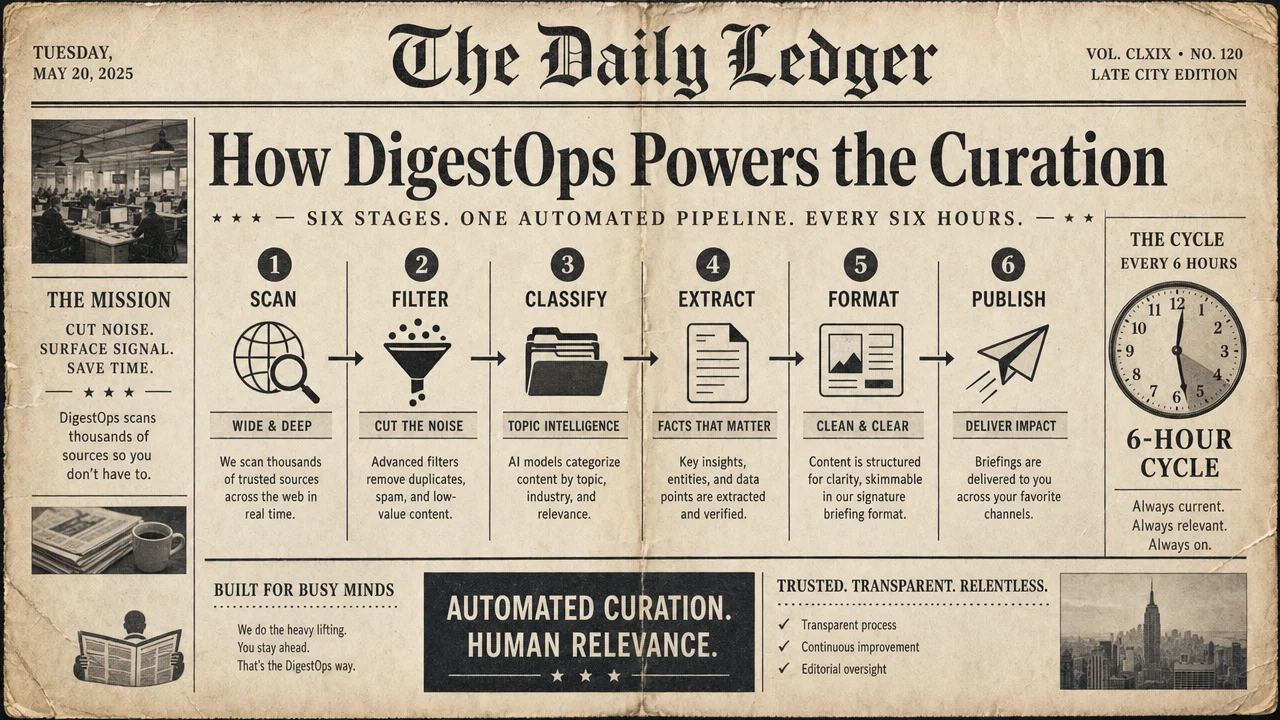
The 6-Hour Pipeline
Here's how a practice gets from someone's X post to a formatted entry in the repository:
X API scan (every 6h)
    → Engagement threshold filter
        → AI classification by topic
            → Takeaway extraction
                → Markdown generation
                    → Git commit + push
Step 1: Source scanning. DigestOps monitors X for posts related to AI practices across its configured topics. The scan runs on a cron schedule — every 6 hours, 4 times per day.
Step 2: Quality filtering. Not every AI-related post is a practice. The pipeline filters by multiple signals:
Engagement threshold (likes, retweets, bookmarks)
Content type (build reports, configs, and workflows pass; hot takes and memes don't)
Originality (reposts and quote-tweets of existing entries are deduplicated)
Step 3: Classification. Each qualifying post is classified into the appropriate topic file — frontier models, AI coding, AI video, or AI web design. Posts that span multiple categories are placed in the most relevant one.
Step 4: Extraction. The pipeline extracts 2-3 actionable takeaways from each post. These aren't summaries — they're the transferable patterns that make the practice useful to someone who didn't see the original post.
Step 5: Formatting. Each practice is formatted into the standardized Markdown template: title (describing the outcome), author attribution with X profile link, engagement count, source link, and bullet-point takeaways.
Step 6: Publishing. The formatted entries are committed to the repository and pushed to GitHub. The commit history shows the exact cadence — multiple updates per day, every day.
Why Automation Matters for Curation
Manual curation has two failure modes:
Inconsistency: Human curators get tired, biased, or busy. Some days they add ten entries; some weeks they add none.
Latency: By the time a human curator discovers, evaluates, and formats a practice, the conversation has moved on.
DigestOps eliminates both. The pipeline runs regardless of whether anyone is watching. It applies the same quality filter every time. And it captures practices within hours of them being posted — while they're still actionable.
This is the infrastructure that makes an "awesome list" actually sustainable. The repository isn't a project that depends on volunteer energy. It's an output of a running system.
The Entry Format, Explained
Every practice in the repository follows a strict template. Here's what each component does and why it's structured this way:
### [Outcome-focused title](https://digestops.com/p/example-practice)
*by [@author](https://x.com/author) · NNNN likes · [source](https://x.com/...)*

- Takeaway 1: the transferable pattern
- Takeaway 2: the specific technique or configuration
- Takeaway 3: the quantified result or limitation
The title describes the outcome, not the tool. "Design award-level website in 18 min with Claude Code + Sonnet 5" tells you what was achieved. A tool-first title like "Using Claude Code and Sonnet 5" doesn't.
The DigestOps link goes to the practice page on digestops.com, where you get the full extracted content. The source link goes directly to the original X post, so you can see the replies, context, and any updates the author posted later.
The like count serves as a rough quality signal. It's not the only filter — engagement alone doesn't make something a practice — but it provides a quick sorting heuristic when you're scanning entries.
The takeaways are the core value. These aren't AI-generated summaries. They're extracted patterns that strip away the conversational wrapper of the original tweet and present the transferable knowledge in a format that's directly actionable. If you only read the bullet points and never click through, you should still learn something you can apply.
How the Data Compounds
A single practice entry has modest value. But 136+ practices organized by topic and date create something more valuable than the sum of parts: a temporal knowledge graph of what's working in AI, right now.
Consider the Frontier Models file. Read it top to bottom, and you're not reading a list — you're reading a timeline of how practitioners adapted to Fable 5 in its first week. Day 1: initial benchmarks and cost comparisons. Day 2: multi-model routing strategies emerge. Day 3: revenue-generating agents built on the new capabilities. Day 5: Chinese model alternatives appear at 6-22x lower cost.
No single blog post captures this progression. The repository does, because it's accumulating practices at the speed practitioners produce them.
How to Use the List
Browse on GitHub
The simplest path: click any topic link in the README and scroll. Entries are organized by date (newest first), so the most current practices are always at the top.
Star the repository to bookmark it. Watch it (GitHub → Watch → All Activity) to get notified every 6 hours when new practices land.
MCP Integration for Agents
If you use Claude Code, you can add the DigestOps MCP endpoint for real-time practice search from within your coding environment:
claude mcp add --transport http digestops https://digestops.com/api/mcp
Once connected, you can ask Claude Code to search practices by topic, tool, or keyword. The MCP integration returns structured data — not raw Markdown — so your agent can reason over practices programmatically.
The MCP protocol (Model Context Protocol) is Anthropic's standard for connecting AI agents to external data sources. If you're building with Claude Code Skills, the DigestOps MCP endpoint becomes a knowledge tool your Skills can call — pulling in current practices as context before making decisions. For a deeper dive into how MCP fits into agent architectures, see the AWP Workflow Agent Spec.
This is particularly powerful for three use cases:
Context engineering. Pull relevant practices into your agent's context before starting a build. Ask "What are the current best practices for setting up Claude Code subagents?" and get back specific, dated configurations from practitioners — not generic documentation, but field-tested setups with engagement signals that indicate community validation.
Tool evaluation. Before committing to a tool or model, check what practitioners are actually reporting. "What's the real-world cost comparison between Sonnet 5 and Opus 4.8 for web builds?" returns entries with actual dollar figures, build times, and quality assessments from people who ran both.
Workflow design. When designing a new automation, search for existing patterns instead of inventing from scratch. "How are people automating YouTube content with Claude Code?" returns tested pipelines with documented results — including the failure modes and workarounds that official documentation never mentions.
The MCP integration also works with Codex, Cursor, and VS Code. Installation instructions for each are available at digestops.com/docs.
Web and API Access
If you'd rather not clone or watch the repo, digestops.com runs full-text search and filtering over the same practices, plus a JSON API (free keys at digestops.com/signup, docs at digestops.com/docs) for querying by topic, date range, engagement level, and keyword.
GitHub Watch for Daily Briefing
The lowest-friction way to use the list: set GitHub Watch to "All Activity" on the repository. Every 6 hours, when new practices are pushed, you get a notification. It functions as a free, zero-configuration AI practices briefing — filtered, formatted, and source-linked.
Advanced Usage Patterns
Build a Local RAG Index
The repository's Markdown format makes it straightforward to index for retrieval-augmented generation:
Clone the repository: git clone https://github.com/aiworkflowpro/awesome-ai-practices-list.git
Set up a git pull cron job to stay current (every 6 hours matches the update cadence)
Index the .md files into your vector store of choice
Query against it from your agent or application
Because each entry has a consistent structure (title, author, source, takeaways), your retrieval results will be clean and parseable. No need to chunk by paragraph — each practice entry is a natural retrieval unit.
Competitor and Market Monitoring
For builders in the AI tools space, the repository doubles as a market intelligence feed. The practices capture:
What tools practitioners are actually using (not what they say they'll use)
What combinations work (Claude Code + Higgsfield, Fable 5 + Codex subagents)
Where money is being made (entries frequently include revenue figures)
What problems remain unsolved (entries often note limitations and workarounds)
Set up a diff watcher on specific topic files to track new entries in your competitive space. Each new entry is a data point about market behavior.
Content Research and Writing Fuel
If you create content about AI — blog posts, tutorials, newsletters, videos — the repository is a structured research source:
Topic discovery: Scan recent entries across categories for emerging patterns. When multiple practitioners independently arrive at similar workflows, that's a signal worth writing about.
Example sourcing: Every entry includes the original X post link and author attribution. You can reference, quote, or build on these examples with proper credit.
Trend validation: Before writing "everyone is doing X," check whether the repository actually shows that pattern. The like counts and dates provide rough signal strength.
Feed Into Existing Knowledge Systems
The Markdown files integrate cleanly with any tool that reads .md files:
Obsidian. Drop the cloned repo into your vault. The files render natively with full Markdown formatting. Tag entries, link them to your project notes, and use Obsidian's graph view to see connections between practices across topics. The consistent date-based structure means you can use Dataview queries to surface practices by recency, engagement, or topic.
Notion. Import Markdown files directly or set up an automation (Zapier, Make, or a custom script) that watches the repository for new commits and syncs entries into a Notion database. Add your own properties — "relevant to current project," "tried and verified," "needs testing" — to build a personal practice evaluation pipeline on top of the raw data.
Custom wikis and knowledge bases. The consistent entry format (title, author, source, takeaways) makes parsing straightforward. A simple regex or Markdown parser can extract structured data from each entry for loading into any database, vector store, or API.
RSS readers. While the repository itself doesn't publish an RSS feed, you can use GitHub's Atom feed for any repository to get notifications. The feed URL follows the pattern https://github.com/aiworkflowpro/awesome-ai-practices-list/commits/main.atom. For a more comprehensive RSS setup, see our Awesome RSS Feeds List which catalogs 8,936+ feeds across 21 categories.
Build a Practice Evaluation Pipeline
Here's an advanced pattern for teams that want to systematically evaluate practices before adopting them:
Ingest: Clone the repo, set up auto-sync, index into your knowledge system
Triage: Each new entry gets a quick relevance score: "directly applicable," "worth investigating," or "not relevant to our stack"
Test: For "directly applicable" entries, reproduce the practice in a sandboxed environment. Does the config work? Are the results replicable?
Document: Entries that pass testing get documented in your team's internal playbook with your specific adaptations
Retire: Entries that are superseded by newer practices get archived with a note pointing to the replacement
This turns a passive reading habit into an active knowledge pipeline. The repository provides the raw material; your evaluation process turns it into institutional knowledge.
How This Fits the AWP Ecosystem
Awesome AI Practices is one of several open-source projects from AI Workflow Pro that serve the AI practitioner community:
This repository — 136+ AI practices, auto-curated every 6h
This article
These projects share a design philosophy: make practitioner knowledge accessible, structured, and current.
Here's how they connect:
The RSS feeds list captures publication-level content sources — blogs, newsletters, official documentation. It tells you where to find information.
The practices list (this repository) captures social-level practitioner knowledge — what individuals build and share on X. It tells you what people are actually doing.
The Workflow Agent Spec defines how to build production-grade Claude Code Skills. It tells you how to encode knowledge into agent tools.
The Video Editing Skill demonstrates a working Skill built to the spec. It shows the implementation pattern in practice.
Used together, they form a knowledge stack: discover sources (RSS feeds) → extract practices (AI practices list) → encode as agent tools (Skill spec) → deploy in production (working Skills). Each layer is independently useful, but they're designed to compose.
DigestOps: The Product Behind the Pipeline
The repository is the free, open output layer of DigestOps — an AI practice intelligence product.
What's free (the repository):
All 136+ curated practices in Markdown format
Full source attribution and takeaway extraction
Updates every 6 hours
CC0 license — use it however you want
What DigestOps adds (the product):
Web interface with full-text search and topic filtering at digestops.com
API access for programmatic queries — search by topic, date, engagement, keyword
MCP integration for Claude Code, Codex, Cursor, and VS Code
Pro tier ($29/month): Higher API rate limits, priority access, advanced filtering
Studio tier ($99/month): Custom private topics — configure DigestOps to curate practices for your specific niche beyond the default four topics
The relationship is straightforward: the repository gives you the data, DigestOps gives you the infrastructure to query it at scale.
Which to use? For most individual practitioners, the free repository or a free API key is enough. The Pro tier makes sense when you need full history access, diff-since-date queries, or commercial use without attribution. Studio is for teams or builders who need practice intelligence in a domain not covered by the default four topics.
A Closer Look: Sample Entries Annotated
To make the repository's value concrete, here are three entries from different categories with annotations explaining why each was selected and what makes the takeaways actionable.
Entry 1: Multi-Model Orchestration (AI Coding)
Set up Fable 5 as orchestrator with Opus and Sonnet subagents and Codex plugin in Claude Code. by @diegocabezas01 · 4,856 likes
Use Fable 5 with max reasoning as the main orchestrator model.
Create two subagents: deep-reasoner pinned to Opus for complex reasoning, and fast-worker pinned to Sonnet for mechanical tasks.
Install and add the OpenAI Codex plugin to Claude Code for peer review.
Why this entry matters: It documents a complete multi-model architecture, not just "use Fable 5." The three takeaways give you the orchestrator selection (Fable 5, max reasoning), the subagent specialization (Opus for depth, Sonnet for speed), and a cross-vendor integration (Codex plugin for independent review). You can reproduce this setup in under 10 minutes.
The engagement signal (4,856 likes) tells you this isn't one person's experiment — it resonated with thousands of practitioners who recognized the pattern as useful. High engagement on an implementation post (as opposed to an opinion post) is a strong quality indicator.
Entry 2: Cost Arbitrage (AI Video)
87% cost cut with 4% quality loss by swapping to Chinese AI models by @DeRonin_ · 7,852 likes
Replaced Opus 4.8 with Kimi K2.7 for reasoning, achieving 11x cheaper price with ~8% benchmark gap.
Swapped GPT-5.5 to Qwen 3.7 Max for code generation, 7x cheaper with ~18% benchmark gap.
For video generation, replaced Sora 2 with Kling 3.0 at 6x cheaper with roughly equal quality.
Why this entry matters: It quantifies the tradeoff across three modalities (reasoning, coding, video) with specific model pairings and measured gaps. The numbers are precise enough to make a business decision: if your use case can tolerate an 8% benchmark gap in reasoning, you save 11x on cost. That's not an opinion — it's a tested substitution table.
At 7,852 likes, this is one of the highest-engagement entries in the repository, reflecting how many practitioners are actively seeking cost optimization strategies.
Entry 3: Revenue-Generating System (AI Web Design)
$60.6K in sales from dropshipping store built with Fable 5 by @kocer_eth · 38 likes
Fable 5 enables building storefronts, generating product images, and shipping multiple page variants quickly.
A/B testing on landing pages lets the platform determine the winner instead of guessing.
The loop: build with AI, generate images, ship variants, test, keep winner.
Why this entry matters: Lower engagement (38 likes) but high commercial specificity. The takeaway isn't "use AI to build stores" — it's a specific iterative loop (build → generate images → ship variants → A/B test → keep winner) that turns AI speed into a testing advantage. The revenue figure ($60.6K, as reported by the original author on X and not independently verified) provides a concrete data point about commercial viability.
Note the engagement discrepancy. Highly-liked entries tend to be broadly applicable (everyone can use a cost comparison). Lower-liked entries tend to be more niche but more actionable for their specific audience. The repository captures both.
Improve categorization: Suggest better topic placement for entries
Propose new topics: Open an issue to suggest new category files
The repository uses CC0-1.0 licensing, so there are no restrictions on using the content. Attribution in each entry is preserved for the original practitioners' work.
The repository occupies a specific niche. Understanding where it fits helps you decide how to use it alongside other sources.
vs. Official documentation. Documentation tells you what a tool can do. The practices list tells you what people actually do with it — including the configurations, workarounds, and combinations that never appear in official docs. Use documentation for API references. Use the practices list for implementation patterns.
vs. AI newsletters. Newsletters (Superhuman, The Neuron, etc.) aggregate AI news. The practices list aggregates AI practices. The distinction matters: a newsletter might report "Claude Fable 5 launched with improved reasoning." The practices list captures "practitioner set up Fable 5 as orchestrator with Opus and Sonnet subagents, documented the config, and reported token savings." News tells you something happened. Practices tell you what to do about it.
vs. YouTube tutorials. Tutorials walk you through a specific workflow step by step. The practices list captures the outcome and key parameters in 30 seconds of reading. They're complementary: find a practice in the list that matches your use case, then search YouTube for a tutorial that covers the same tool in depth. Many entries include links to the tutorial video in the original X post.
vs. Reddit and HN discussions. Reddit and Hacker News threads mix signal with noise in unstructured conversations. A 200-comment thread might contain 3 useful insights buried among arguments about terminology. The practices list extracts those 3 insights and presents them without the noise.
vs. Other awesome lists. Static awesome lists point you to tools. This list points you to uses of those tools — specific configurations, outputs, and results. The auto-curation means it stays current; the consistent format means every entry is immediately actionable.
None of these sources is sufficient alone. The practices list is strongest when used as a discovery and validation layer: discover patterns here, validate them against documentation, and deepen your understanding through tutorials and discussions.
Frequently Asked Questions
How is this different from other "awesome AI" lists?
Most awesome lists are static link dumps maintained by volunteers. This one is auto-curated by DigestOps every 6 hours with consistent quality filtering. It captures practices (what people build and how), not resources (links to tools and papers).
How often is it updated?
Every 6 hours. The pipeline scans X, filters for quality, extracts takeaways, and pushes to GitHub automatically. You can verify the cadence by checking the repository's commit history.
What's the quality filter?
Engagement threshold (the practice must have meaningful traction on X), content type (must be a build report or workflow, not commentary), and originality (no duplicates). Specific thresholds are tuned by DigestOps and adjusted as the AI ecosystem evolves.
Can I use this data in my product?
Yes. The repository is CC0-1.0 licensed. You can copy, modify, distribute, and use the data commercially without restriction. Each entry preserves attribution to the original author on X as a courtesy.
How do I get notified of new practices?
Three options: (1) Watch the repository on GitHub for push notifications. (2) Use the DigestOps API to poll for new entries. (3) Add the DigestOps MCP endpoint to your Claude Code setup and query on demand.
What topics are covered?
Currently four: Frontier Models, AI Coding & Agents, AI Video, and AI Web & Product Design. New topics can be proposed via GitHub issue. DigestOps Studio subscribers can configure custom private topics for their specific niche.
Can I submit a practice manually?
The list is primarily auto-curated, but you can open a pull request with corrections, categorization improvements, or new topic proposals. Direct practice submissions should be posted on X first — the pipeline will pick them up if they meet the quality filter.
How does MCP integration work?
Add the endpoint to Claude Code with claude mcp add --transport http digestops https://digestops.com/api/mcp. Once connected, Claude Code can search and retrieve practices programmatically as part of its context. Works with Codex, Cursor, and VS Code too.
Is the data reliable? These are X posts, not peer-reviewed papers.
Correct — and that's the point. The repository captures practitioner knowledge, not academic research. The reliability comes from three sources: (1) engagement signals (thousands of practitioners validated the approach by liking/bookmarking it), (2) source transparency (every entry links to the original post, so you can verify and check replies for corrections), and (3) temporal context (entries are dated, so you can see whether a practice is still current). This isn't a substitute for documentation — it's a complement that captures the kind of operational knowledge that never makes it into docs.
How do I filter for high-quality entries only?
On GitHub: sort by engagement (like count is shown in each entry). Via DigestOps API: use the engagement filter parameter. Via MCP: include engagement thresholds in your query. In general, entries with 1,000+ likes represent practices that resonated with the broader community. Entries with lower engagement may be more niche but equally valuable for their specific domain.
Will you add more topics?
Yes. New topic files will be added based on where practitioners are doing the most interesting work. Topic proposals are welcome via GitHub issue. DigestOps Studio subscribers can configure up to 3 custom private topics immediately, without waiting for a public topic file to be created.
Who This Is For (and Who It's Not For)
This is for you if:
You build products with AI tools and want to know what configurations and stacks practitioners are validating in the field right now.
You evaluate AI models for your team and need real-world cost/quality comparisons that go beyond official benchmarks.
You create content about AI and need a structured, source-linked research feed that's always current.
You design agent workflows and want to study proven orchestration patterns before inventing your own.
You run a solo business and want to track which AI-powered business models are generating actual revenue.
This is not for you if:
You want a static reference guide. The list is a living feed, not a textbook. Entries are timestamped because their value is partially temporal.
You need academic papers or peer-reviewed research. The source material is practitioner posts on X. It's experiential knowledge, not scientific literature.
You want tool documentation. The practices reference tools, but they're not documentation. For that, check the tools' official docs or use Context7 for up-to-date library documentation.
What Comes Next
The list will keep growing — automatically. As practitioners share new workflows, the pipeline captures them. As new AI tools launch, the practices adapt. The four current topics (frontier models, coding, video, web design) will expand based on where practitioners are doing the most interesting work.
The trajectory is clear from the current data: AI practices are becoming more compositional (multi-tool, multi-model), more commercially validated (revenue numbers attached), and more specialized (specific configurations for specific outcomes). The repository's auto-curation ensures it tracks these shifts as they happen, not months later.
For the AI practitioner community, the question isn't whether to track best practices — it's whether you're getting them from curated, source-linked, structured sources, or from the random drift of your algorithmic feed.
Watch it — get push notifications every 6 hours when new practices land.
Add the MCP endpoint — bring practice intelligence directly into your agent's context with claude mcp add --transport http digestops https://digestops.com/api/mcp.
The best AI practices are being shared on X right now. This list makes sure they don't disappear.
A 30-minute video is too long for one conversation. This guide walks the 8-step Skill that locks the narration and one look, then gives each 3-minute segment to a fresh sub-agent, five at a time, and polishes the cut in an empty-context session.
The folder structure behind my AI agent team, the Herdr setup where Grok Build, Claude Code and Kimi Code work side by side, and the two live tasks from the video: an article published by voice and a three-model front-end test.
Eight folders of plain Markdown, a CLAUDE.md index in each, and seven prompts that make your agent interview you. Every prompt, template and command from the video, in order.
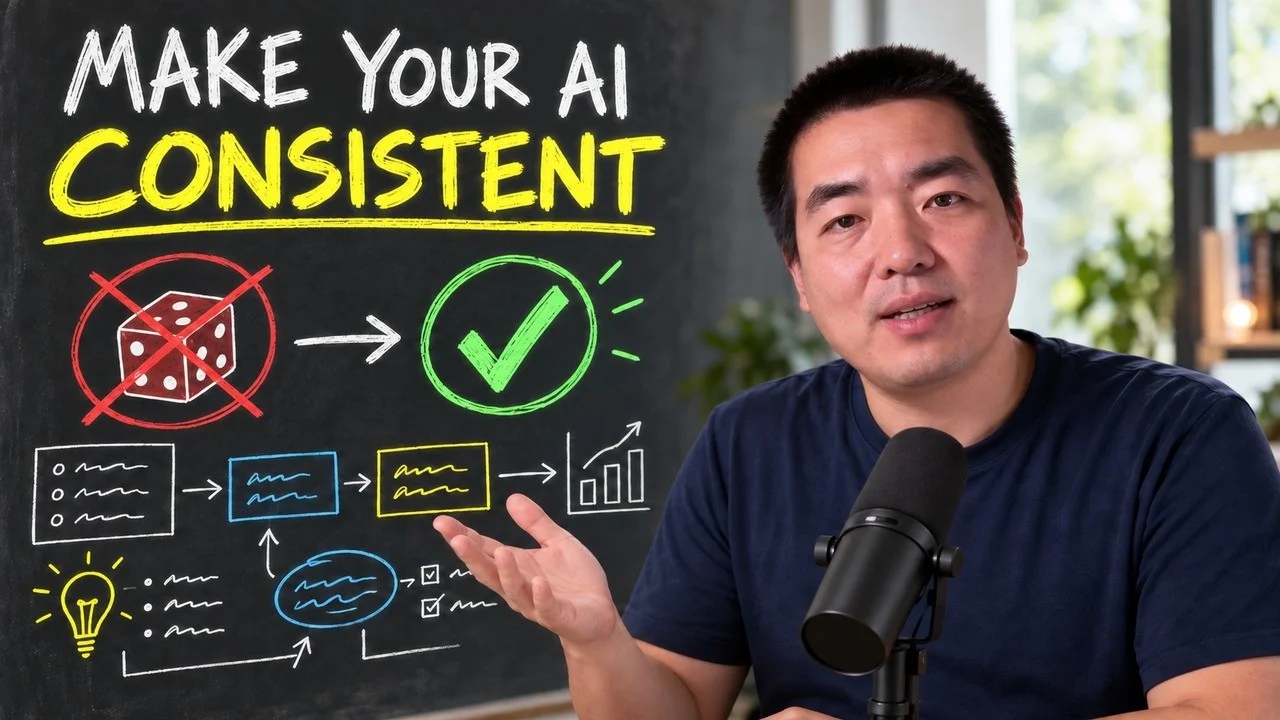
The same request gives a different answer every run because the agent fills every gap with the average of its training data. Three Markdown standards fix that: a meta standard, an eight-part prompt standard and a Skill standard. Free repo, one-prompt install.