Monitoring a competitor who publishes no feed is the case every RSS guide skips. Twenty-one platforms sorted by which of three jobs they do, and the finished setup is business process automation you own outright, with no seat licence to renew.
Blaming the content is the reflex when a post underperforms, and it is usually the wrong diagnosis. A second reader decides distribution before any human sees the post, and most of what it checks is mechanical enough to automate business processes around, on five platforms at once.
Gloves on, tape measure in hand — nobody types a query. Three voice surfaces for ai automation tools (terminal, Telegram, Discord), 10 TTS and 6 STT providers compared on cost and latency, plus a setup that costs nothing.
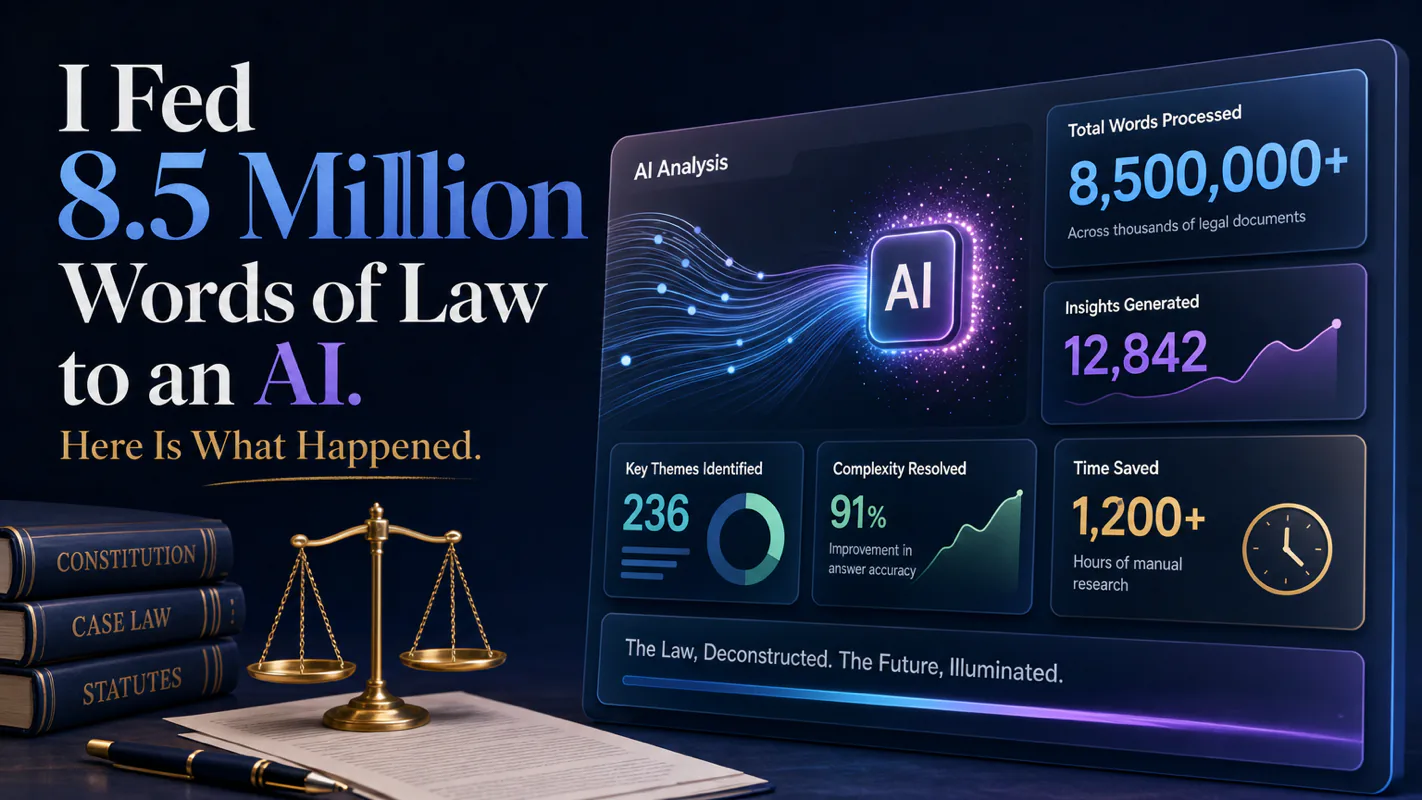
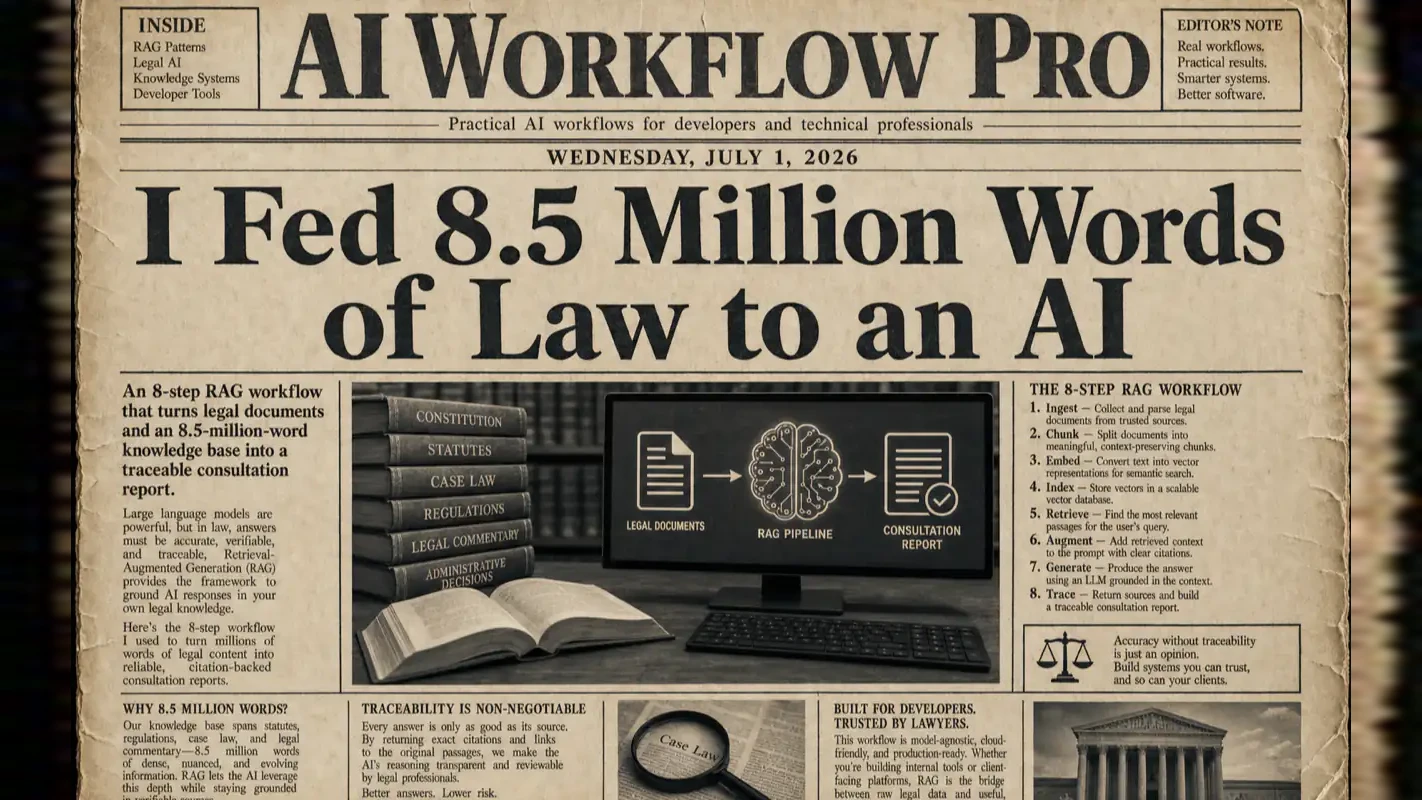
I Fed 8.5 Million Words of Law to an AI. Here Is What Happened.
Fluent answers that cannot be traced back to a provision are unusable. This build grounds generation in a fixed corpus: 8.5M words, a Markdown-plus-JSON dual layer, an 8-step retrieval workflow, and a real case run end to end.
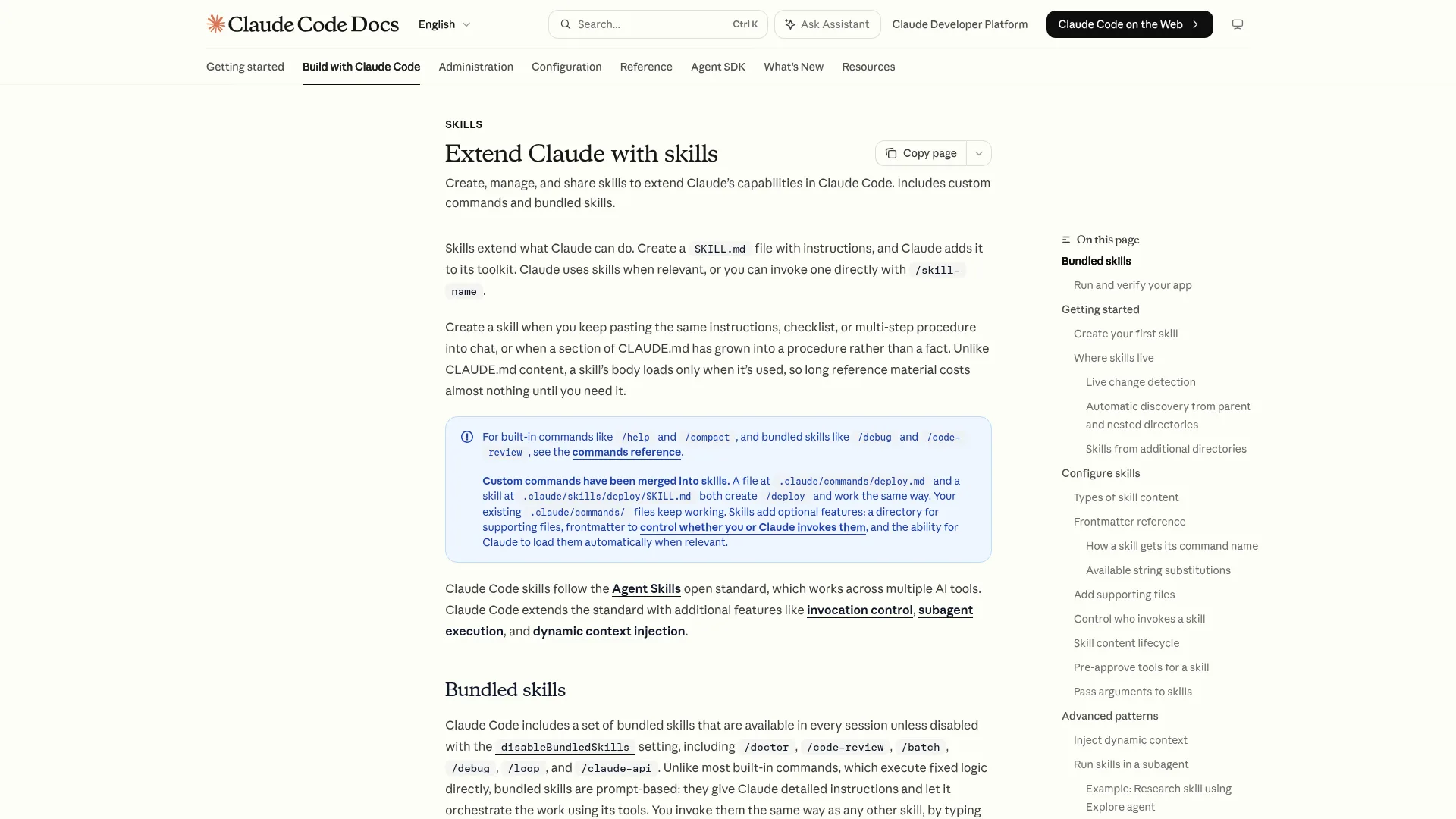
TL;DR — I built a Claude Code Skill that ingests a PDF, searches through 8.5 million words of legal material, and produces an 18,000-word consultation report in about 30 seconds. This article walks through the full architecture: a Markdown-plus-JSON dual-layer knowledge base, an 8-step RAG (Retrieval-Augmented Generation) workflow, and a real traffic-accident case study from input to output. At the end, you get a reusable prompt to build the same system for any vertical industry.
Ask a general-purpose chatbot the same employment question on Monday and on Thursday and you get two different answers, both fluent, neither citable. For the HR manager handling an unpaid-wages complaint that inconsistency is the entire problem, because the answer has to trace back to a provision or it is useless in the conversation that comes next. Fluency and sourcing are separate properties, and the general-purpose tools are built to optimise the first one. What changes below is where the answer comes from rather than how well it reads, which is the only version of an ai assistant for business that survives contact with a regulated field.
Why I Built This (and Why You Might Want To)
I was wrong about AI legal assistants.
For months, I assumed the problem was solved. Throw a legal question at ChatGPT, get a decent answer, move on. Then a friend got into a workplace dispute. His employer owed him three months of salary. He spent a week searching online, reading conflicting advice, and eventually gave up.
That bothered me. Not because the information was unavailable, but because it was scattered across hundreds of pages of statutes, judicial interpretations, and case law. No single tool could point him to the right statute, estimate his recovery, and tell him where to file, all in one pass.
So I built one.
The core insight is simple: legal consultation follows a repeatable process. Gather facts, identify legal issues, retrieve applicable statutes, find similar cases, calculate damages, produce a report. Each step has clear inputs and outputs. That makes it a textbook case for automation.
The result is a Claude Code Skill that does exactly this. Drop in a PDF describing a legal situation, and 30 seconds later you have a structured report covering dispute analysis, applicable laws, relevant precedents, litigation strategy, and damage calculations, all with traceable citations.
To be clear upfront: this system is a legal assistant, not a legal replacement. It handles the 80% that is retrieval and organization. The 20% that requires professional judgment still belongs to a licensed attorney. Nassim Taleb called this the barbell strategy: put the bulk of effort on the safe, automatable side so that humans can focus on the high-stakes decisions.
How Is an 8.5-Million-Word Knowledge Base Organized?
An AI assistant is only as good as what it can search. The foundation of this system is a structured knowledge base covering three domains:
Statutes: 450 laws, 13,011 articles, 2.78 million words, spanning every area on the national bar exam
Case law: 1,322 court cases across 23 categories, totaling 5.75 million words
Legal writing guides: 5 books and 23 courses covering complaint drafts, evidence checklists, and procedural filings
Total: 8.53 million words across 16 Markdown files.
Three weeks to organize. Thirty seconds per consultation afterward. That is the tradeoff.
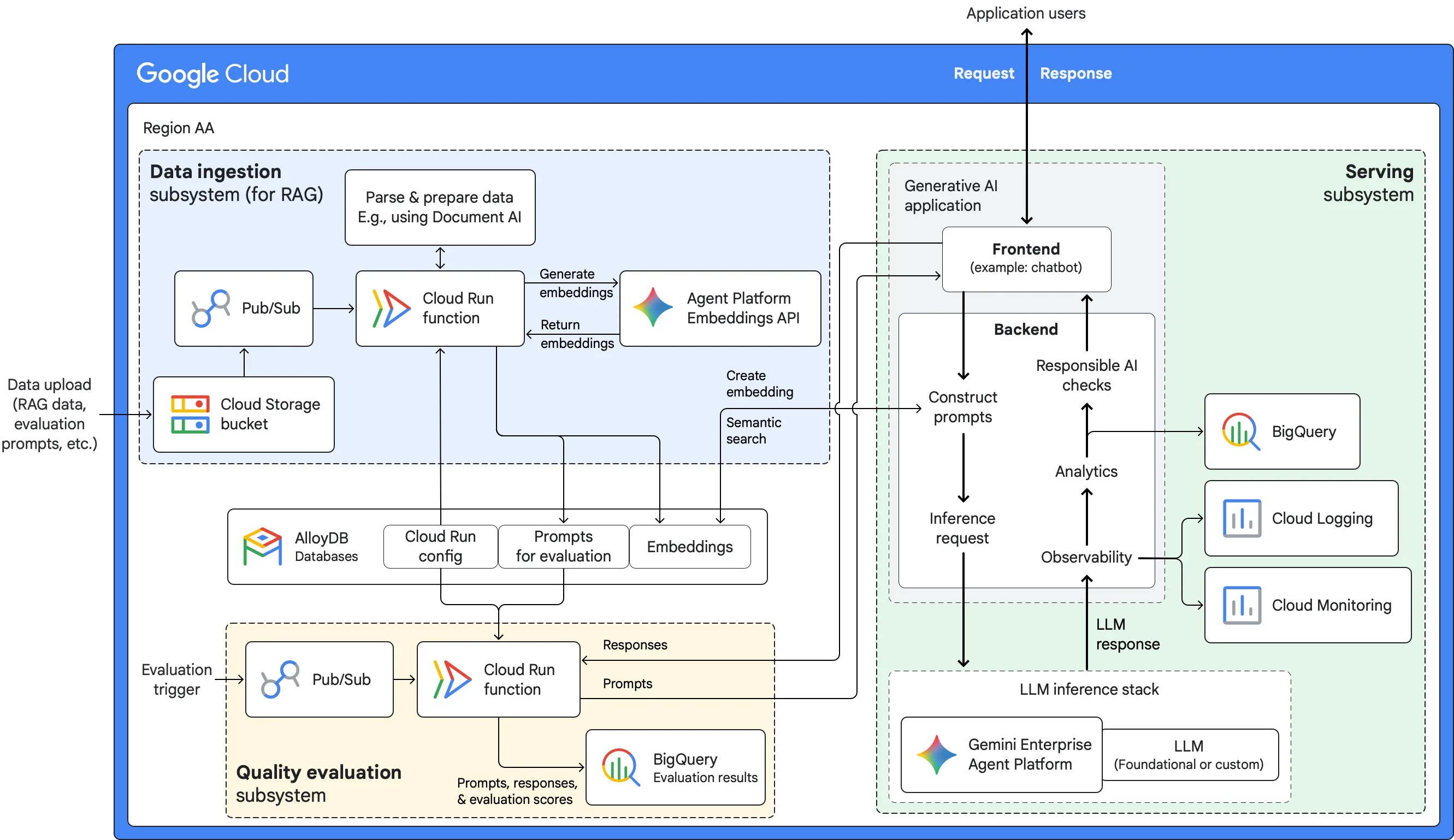
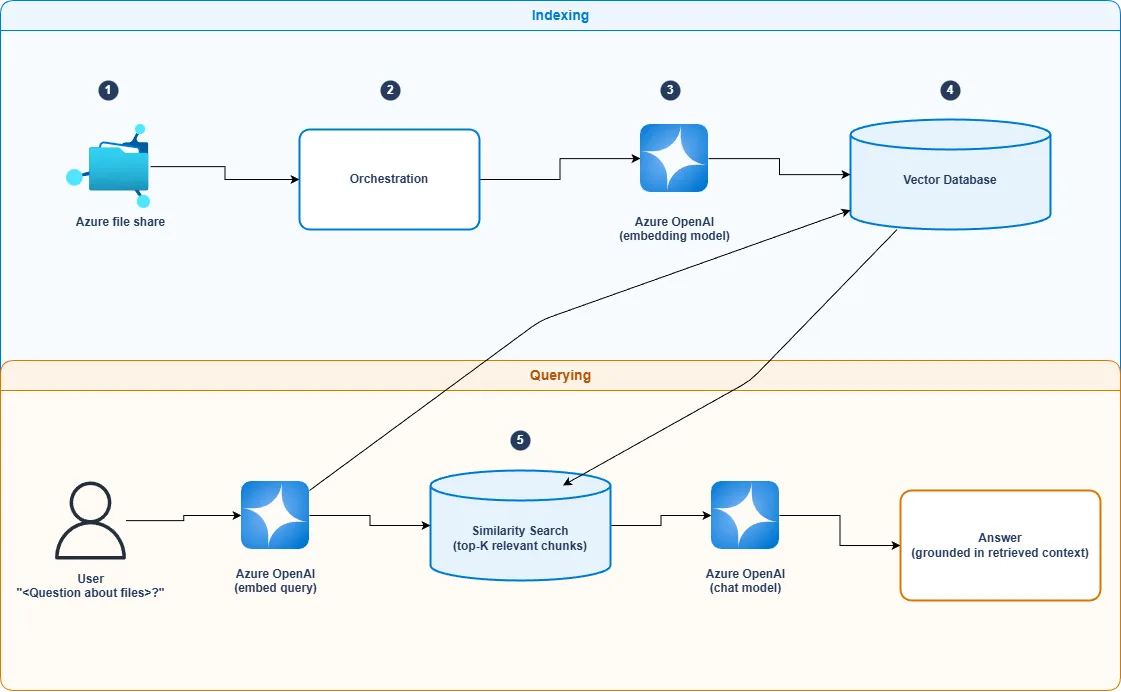
Why Markdown and JSON, Not a Vector Database
I considered vector embeddings early on. For this use case, I chose a simpler approach: store everything in Markdown files and build JSON indexes on top. Here is why.
Markdown handles hierarchy natively. Legal documents have natural layers: title, chapter, section, article, clause, subclause. Markdown heading levels (#, ##, ###, ####) map directly to this structure. No schema design required.
Plain text enables version control. Laws get amended. With Git-managed Markdown files, every revision is tracked. Rolling back to a previous version is a git log away.
AI reads Markdown without friction. No XML parsing, no PDF decoding. Claude reads the file directly and understands the structure.
But Markdown alone does not solve retrieval speed. Scanning 8.5 million words on every query is slow and risks hitting context limits. That is where the JSON index layer comes in.
The Dual-Layer Index
I built five JSON index files that act as a lookup table:
Index file
Maps from
Maps to
law-index.json
Law name
File path
alias-map.json
Common abbreviation
Official law name
article-index.json
Article number
File + line range
case-index.json
Keywords
Case file path
case-line-index.json
Case title
Line range
When the system needs Article 1213 of the Civil Code, the retrieval path looks like this:
Read alias-map.json to resolve any abbreviation to the official name
Read article-index.json to find the exact file and line number
Use a file reader with an offset parameter to jump directly to that line
No full-text scan. The lookup complexity is O(1) — constant time regardless of corpus size. This is the same principle behind database indexes: trade storage for speed.
Here is what a simplified article-index.json entry looks like:
The AI reads a few lines of JSON instead of scanning millions of words.
I was initially skeptical about whether flat JSON files would scale. After six months of daily use, I can confirm: for a knowledge base under 10 million words, they work perfectly. Vector databases add complexity that this scale does not need.
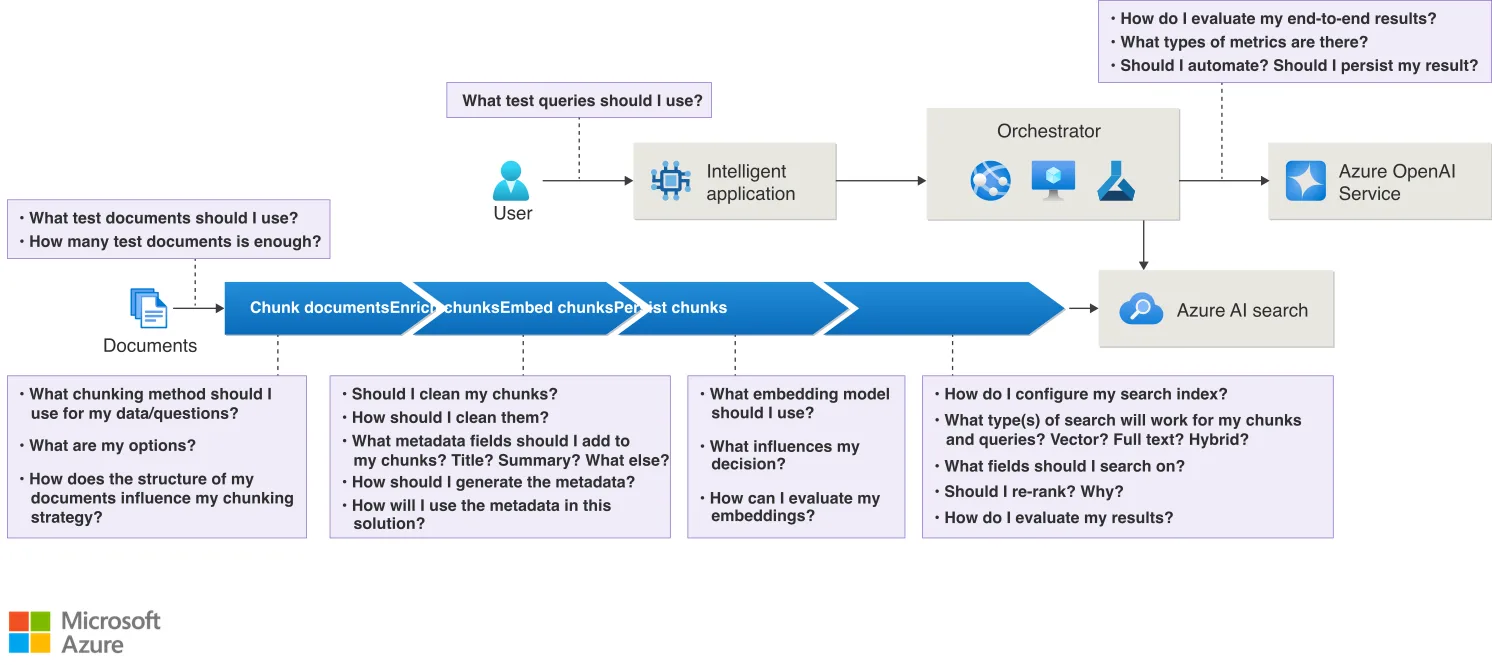
How Does the 8-Step RAG Workflow Turn a PDF Into a Report?
With the knowledge base in place, the next piece is the workflow. I broke legal consultation into eight steps, each with a single responsibility and explicit inputs and outputs.
Step 1: Initialization
The system asks three questions:
Input method: upload a document or describe the situation?
File path or case description
What do you need: legal analysis, case references, litigation strategy, or document guidance?
It then creates a run directory and saves the configuration to config.json. Supported formats: PDF (auto-converted to text), Markdown, and plain text.
Step 2: Case Analysis
This is the most critical step. If the knowledge base is the arsenal, case analysis is the targeting system. Get this right, and every downstream step adds value.
The AI extracts:
2-5 specific legal questions from the case description, each tagged with target statutes, cause of action, and search keywords
Statute-of-limitations analysis — is the case still within the filing window?
Jurisdiction analysis — which court or arbitration body handles this type of dispute?
These two preliminary checks act as gate conditions. If the limitation period has expired, nothing else matters. If jurisdiction is wrong, the case gets dismissed on procedural grounds. Checking them first avoids wasted effort downstream.
Step 3: Statute Retrieval
For each legal question identified in Step 2, the system searches the knowledge base for applicable laws. The strategy is two-tier: try the exact target statute first, then fall back to keyword search. Every retrieved article includes the full text and its source location.
Step 4: Case Research
The system searches 1,322 court cases for precedents similar to the current situation. Matching happens along three dimensions:
Cause of action (e.g., "motor vehicle accident liability")
Statutory cross-reference (cases citing the same articles)
Each matched case includes: case number, cause of action, parties, core facts, key issues in dispute, ruling rationale, and a relevance assessment for the current situation.
Steps 5-6: Document Guidance and Web Supplement
Step 5 retrieves legal writing guides relevant to the case type (complaint templates, evidence checklist formats, damage calculation notes). Step 6 uses web search to catch any recent legislative amendments, new judicial interpretations, or local regulations that the static knowledge base might miss.
Step 7: Integration
All outputs from Steps 2 through 6 merge into a unified analysis. For each legal question, the system produces a combined answer backed by statutes, case law, and practical guidance. When sources conflict, the most recent authority wins.
Step 8: Report Output
The final report follows a fixed structure:
Case summary
Limitation and jurisdiction analysis
Legal analysis per question (statutes + cases + recommendations)
Consolidated legal opinion
Risk warnings
Appendix (statute list, case list, source citations)
Every claim links back to a specific file, line number, or case reference. Nothing is unsourced.
What Does a Real Case Look Like End to End?
Theory is one thing. Here is a real case running through the system.
The Input
A PDF describing a traffic accident: a logistics company driver was operating an electric freight truck (rated capacity: 2 tons, actual load: 4.8 tons, 140% overloaded). On a downhill curve, brakes failed. A pedestrian was struck and suffered injuries assessed at disability grade 9, requiring 180 days off work and 90 days of nursing care.
The truck carried mandatory liability insurance and commercial third-party insurance ($140,000 coverage). The insurance contract included a clause: "violation of safe loading regulations increases the deductible by 10%."
The injured party wanted to know: how much can I recover, and from whom?
What the System Found
Step 2 identified four legal questions:
Is the 10% deductible clause in the commercial insurance valid?
Does the logistics company bear employer liability?
How is liability allocated among the insurer, the company, and the driver?
What is the total recoverable amount?
Step 3 retrieved applicable statutes for each question. For the insurance clause issue alone, the system found four directly relevant articles across Insurance Law, Civil Code, and judicial interpretations, all establishing that exclusion clauses require explicit notice to the policyholder or they are unenforceable.
Step 4 found five relevant precedents. The most directly applicable case (from a provincial appellate court, 2022) held that insurance contract terms that appear to be "conditions of coverage" but actually reduce the insurer's liability should be treated as exclusion clauses. If the insurer failed to highlight them in bold or give a clear explanation, those clauses are void.
The Output
An 18,000-word report. Key conclusions:
Limitation period: 3 years from the accident date. Risk level: low.
Insurance clause: likely unenforceable. The insurer cannot prove it provided adequate notice.
Employer liability: the logistics company bears responsibility. The driver was acting under company dispatch instructions.
Estimated recovery (excluding medical expenses): approximately $37,000, covering lost wages, nursing costs, disability compensation, future treatment, emotional distress damages, and incidentals.
Estimated success probability: 89/100 (high).
From PDF input to completed report: roughly 30 seconds. The equivalent manual workflow takes an experienced attorney 2-3 days.
Why Not Just Ask ChatGPT a Legal Question?
A fair question. ChatGPT can answer legal questions too. The difference comes down to two things.
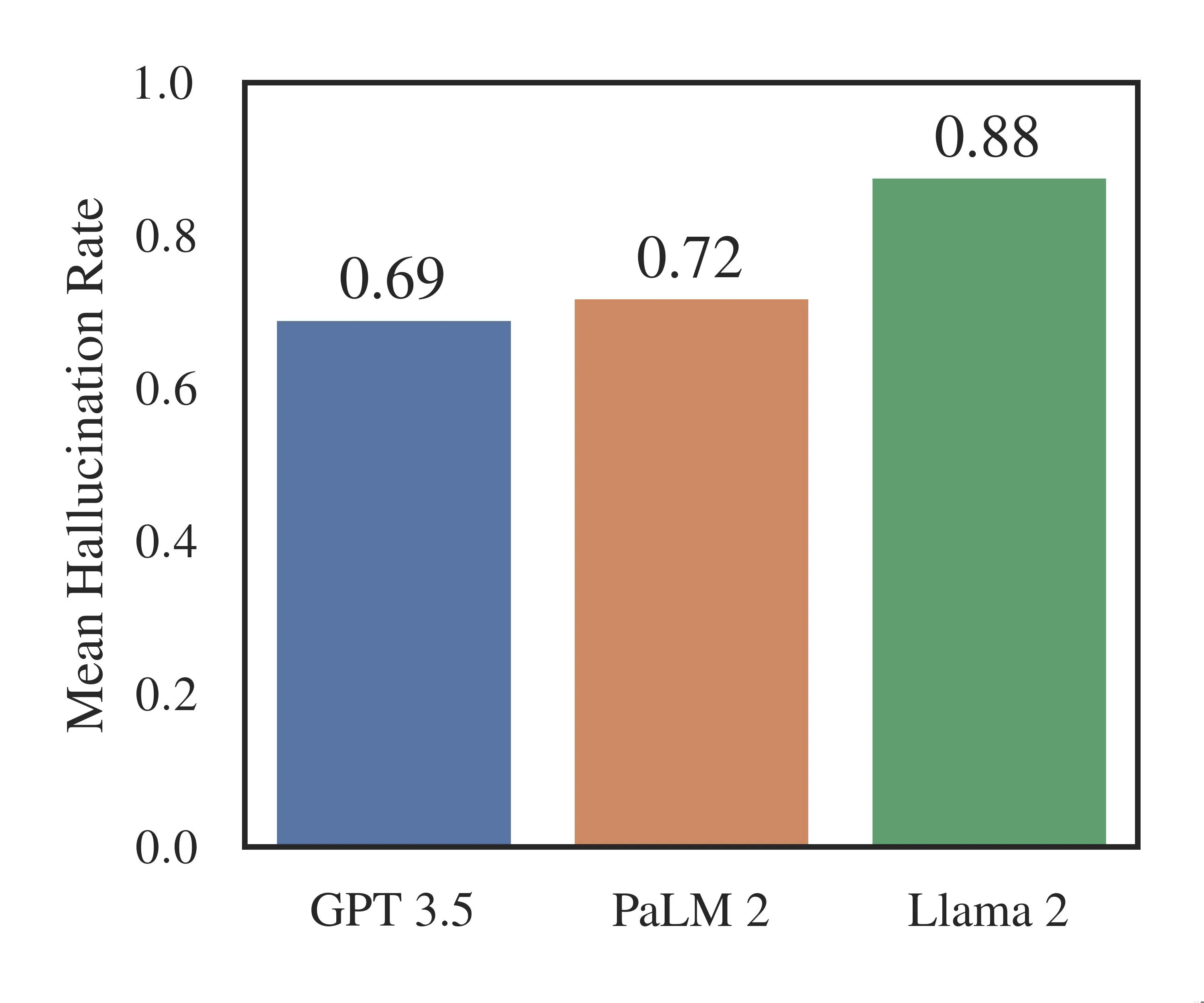
Hallucination. General-purpose models sometimes fabricate statute numbers or case citations. A dedicated knowledge base only retrieves from material you have verified. If a statute is not in the corpus, the system says "not found" instead of inventing one.
Traceability. Every statement in the report points to a specific source: "Civil Code Article 1213, from laws/civil.md line 542." ChatGPT provides no comparable audit trail. For any domain where accuracy matters, source attribution is not optional.
In short: ChatGPT looks knowledgeable. A domain knowledge base is verifiably knowledgeable.
Can You Transfer This Architecture to Other Industries?
The architecture is not law-specific. It works for any field where three conditions hold:
The process can be decomposed into clear, sequential steps
The knowledge boundary is finite — you can enumerate the source material
The output format is predictable — reports, assessments, or recommendations follow a template
Here is what the migration looks like for three other domains:
Knowledge base: curricula, exam syllabi, past papers with solutions Workflow: topic identification → difficulty assessment → learning path design → practice recommendations
The Three-Step Migration
Step 1: Structure the knowledge. Organize domain materials into Markdown files. Build JSON indexes for fast lookup. Key principle: classify by business logic, not by source. Keep granularity fine enough for precise retrieval. Standardize formatting so the AI parses consistently.
Step 2: Design the workflow. Decompose your domain process into sequential steps. Define explicit inputs and outputs for each step. Use files (not in-memory state) for inter-step communication. Support checkpoint-and-resume so failures do not require starting over.
Step 3: Write the Skill. Describe the workflow logic in a CLAUDE.md file. The Skill reads documentation before executing, writes intermediate results after each step, and generates a structured final output.
To judge whether your domain fits: if you can describe the end-to-end process to a competent junior employee and they can follow it with minimal judgment calls, it is automatable with this pattern.
Reusable Prompt: Build Your Own Domain Assistant
Copy the following prompt into Claude Code to scaffold a domain knowledge base from scratch:
You are a senior systems architect specializing in AI-driven knowledge management. Help me build a vertical domain knowledge assistant using the RAG pattern.
Architecture:
Knowledge base layer — Markdown files organized by business domain, JSON index files for fast lookup, metadata tracking source, version, and update date.
Workflow layer — 8-step pipeline: initialization, problem analysis, knowledge retrieval, case matching, template retrieval, external supplement, integration, report output. Each step communicates through files.
State management layer — config.json for user settings, progress.json for checkpoint-resume, per-step output directories.
Specifications: Markdown + JSON knowledge base, Markdown workflow descriptions, JSON state storage, Markdown final output. All paths absolute. Each step reads its workflow doc before executing. Outputs include source citations.
Start by asking which domain I want to build for, then guide me step by step: design the knowledge structure, define the JSON index schema, write the 8-step workflow docs, create the SKILL.md entry point, generate sample knowledge content (3+ items per category), and test the full pipeline.
What I Would Do Differently
After six months of running this system, three lessons stand out.
Index granularity matters more than corpus size. Early on, I dumped entire law texts into single files. Retrieval was slow and imprecise. Breaking them into per-chapter files with article-level JSON indexing made the difference between "roughly relevant" and "exact match."
The alias map is underrated. Users refer to laws by abbreviation, nickname, or partial name. Without the alias layer, the system misses valid queries. I initially skipped it and regretted it within a week.
Web search is not optional. Laws change. Judicial interpretations get issued. A static knowledge base ages the moment you stop updating it. Step 6 (web supplement) is the cheapest insurance against stale information.
Three Takeaways
Structured knowledge + automated retrieval = expert-level output. The system does not think like a lawyer. It retrieves like a researcher and formats like a professional. That combination is enough for 80% of the work.
AI handles the volume; humans handle the judgment. The barbell strategy applies everywhere. Automate the retrieval-and-formatting bulk. Preserve human oversight for strategy and risk assessment.
Tools do not replace capability. They multiply it. Walking into a lawyer's office with a structured 18,000-word analysis changes the conversation. You are not paying for basic research anymore. You are paying for the 20% that only a professional can provide.
An AI knowledge base does not make you a lawyer. It makes you a much better-prepared client, and that preparation is worth more than most people realize.
Ready-to-Use Prompt: Design a Dual-Layer Domain Knowledge Base and 8-Step RAG Assistant
What this does: Designs a Markdown-plus-JSON dual-layer knowledge base and an 8-step RAG workflow that turns an input document into a cited consultation report for any vertical — grounded in your corpus, no hallucination, reusable across industries by swapping only the source material. Based on: I Fed 8.5 Million Words of Law to an AI. Here Is What Happened. — https://aiworkflowpro.com/legal-knowledge-base-ai-skill/ Time to run: ~5 minutes
Copy this prompt into Claude Code, ChatGPT, or any AI assistant:
ROLE: You are a domain-knowledge-base architect. Your job: design a dual-layer (Markdown + JSON) knowledge base and an 8-step RAG workflow that turns an input document into a cited consultation report — reusable for any vertical industry.

CONTEXT — DOMAIN KB + 8-STEP RAG ASSISTANT:
The reason "just ask ChatGPT" fails for legal (or any specialized) questions is not that the information is unavailable — it is scattered across thousands of pages, and a bare LLM hallucinates without grounding or citations. The fix is a domain knowledge base plus an 8-step RAG (Retrieval-Augmented Generation) workflow: a dual-layer KB (Markdown for human-readable source text, JSON for structured/queryable metadata), and an 8-step pipeline that ingests an input doc, retrieves relevant KB passages, and synthesizes a cited report. Done right, it turns a PDF into an ~18,000-word cited report in seconds, and the architecture transfers to any vertical.

INPUTS (fill in before running):
- DOMAIN: YOUR_VERTICAL_HERE (law, medicine, finance, compliance, etc.)
- SOURCE_CORPUS: YOUR_MATERIAL_HERE (the body of source documents — statutes, guidelines, manuals — and rough size)
- INPUT_DOC_TYPE: YOUR_INPUT_HERE (what the user feeds in — a case PDF, a contract, a claim)
- OUTPUT_GOAL: YOUR_DELIVERABLE_HERE (consultation report, memo, brief, analysis)

METHOD — 6 STEPS:

Step 1 — Build the dual-layer KB
Split SOURCE_CORPUS into two layers: Markdown (human-readable source text, chunked for retrieval) and JSON (structured metadata — article number, jurisdiction, effective date, topic tags). The Markdown is what gets retrieved; the JSON makes retrieval precise and citations machine-queryable.

Step 2 — Define the 8-step RAG workflow
Lay the pipeline: (1) ingest INPUT_DOC_TYPE · (2) extract the query/facts · (3) retrieve relevant Markdown chunks · (4) rank/filter by JSON metadata · (5) synthesize grounded in retrieved text · (6) structure report sections · (7) attach citations to sources · (8) output the formatted report. Each step has one input and one output.

Step 3 — Enforce grounding and citation
Every claim in the OUTPUT_GOAL must trace to a retrieved Markdown chunk with a citation; anything not grounded is flagged "no source" or omitted. This is the whole point over bare ChatGPT — no hallucination, every statement sourced.

Step 4 — Tune retrieval precision
Use the JSON metadata to filter before synthesis (jurisdiction, date, topic) so retrieval returns the right slice of a multi-million-word corpus, not a fuzzy dump. Precision here decides report quality.

Step 5 — Structure the report for the vertical
Define the OUTPUT_GOAL sections for DOMAIN (e.g., legal: issues → applicable rules → analysis → conclusion → citations). Each section draws on specific retrieval, not a generic essay.

Step 6 — Validate and transfer-check
Verify: (1) does every claim have a citation? (2) does JSON-filtered retrieval beat raw retrieval on a test query? (3) is the input→report path under the target time? (4) does the architecture transfer to another vertical unchanged (only the corpus swaps)? Flag any gap.

RULES:
- Every claim is grounded in a retrieved Markdown chunk with a citation — no grounding, no claim.
- Use the JSON metadata layer to filter before synthesis; raw fuzzy retrieval over millions of words is imprecise.
- The 8 steps are a pipeline: each has one input and one output; do not collapse them.
- The architecture is vertical-agnostic; only the corpus swaps when you change DOMAIN.

OUTPUT FORMAT:
Output six sections:
1. **Dual-layer KB** — markdown table with columns: Layer | Stores | Purpose.
2. **8-step RAG workflow** — markdown table with columns: Step | Input | Output.
3. **Grounding + citation rule** — the no-claim-without-citation rule + what happens to ungrounded text.
4. **Retrieval precision** — the JSON metadata filters applied before synthesis.
5. **Report structure** — the OUTPUT_GOAL sections for DOMAIN + what each draws from.
6. **Validation + transfer** — markdown table with columns: Check | Pass? (Y/N), + the transfer note (only the corpus swaps).
Save as @templates/legal-knowledge-base-ai-skill.md and run when you build a domain RAG assistant, then re-run when you add corpus, change vertical, or tighten retrieval precision.
Monitoring a competitor who publishes no feed is the case every RSS guide skips. Twenty-one platforms sorted by which of three jobs they do, and the finished setup is business process automation you own outright, with no seat licence to renew.
Blaming the content is the reflex when a post underperforms, and it is usually the wrong diagnosis. A second reader decides distribution before any human sees the post, and most of what it checks is mechanical enough to automate business processes around, on five platforms at once.
Thursday afternoon, fourteen product ideas, a Monday filming slot, no scripts. Six script shapes and seven hook formulas turn that hour into finished drafts — and the business rule stays: rewrite at least 30% before anything ships.
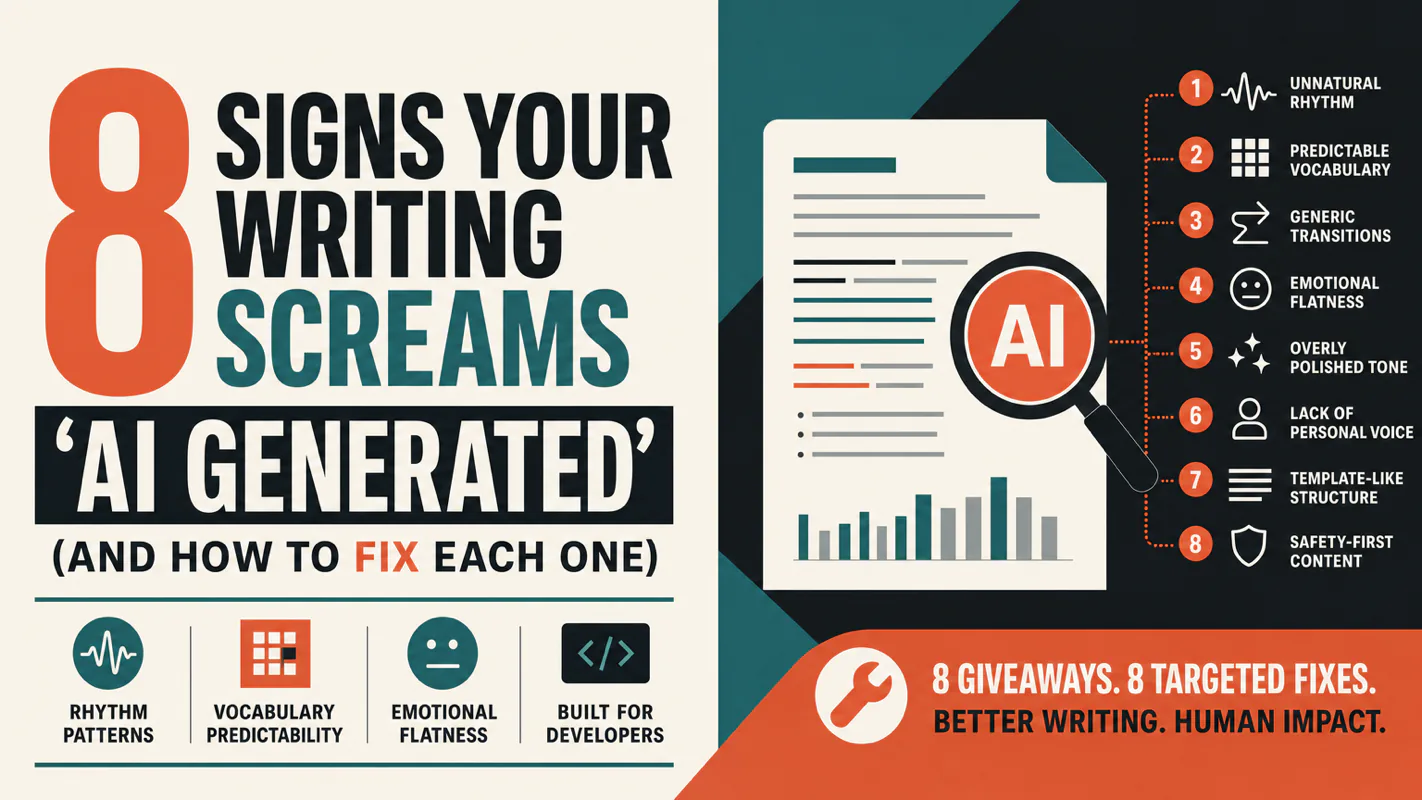
A detector score cannot survive a conversation with the freelancer it just cost three weeks of payment. What holds up is the specific thing on the page: rhythm, vocabulary, missing detail. Eight of them here, and the reason review stays human when you automate business processes.