A 30-minute video is too long for one conversation. This guide walks the 8-step Skill that locks the narration and one look, then gives each 3-minute segment to a fresh sub-agent, five at a time, and polishes the cut in an empty-context session.
The folder structure behind my AI agent team, the Herdr setup where Grok Build, Claude Code and Kimi Code work side by side, and the two live tasks from the video: an article published by voice and a three-model front-end test.
Eight folders of plain Markdown, a CLAUDE.md index in each, and seven prompts that make your agent interview you. Every prompt, template and command from the video, in order.
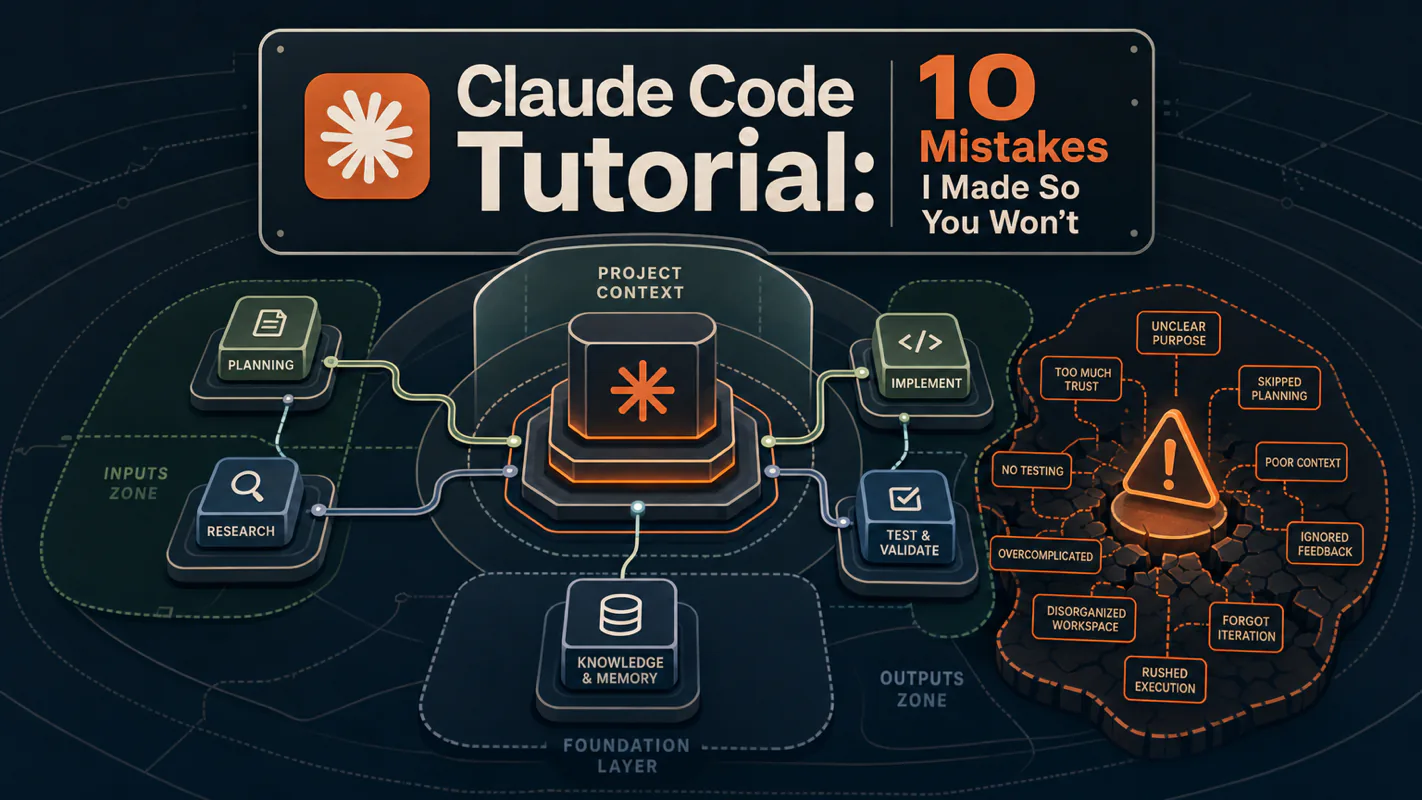
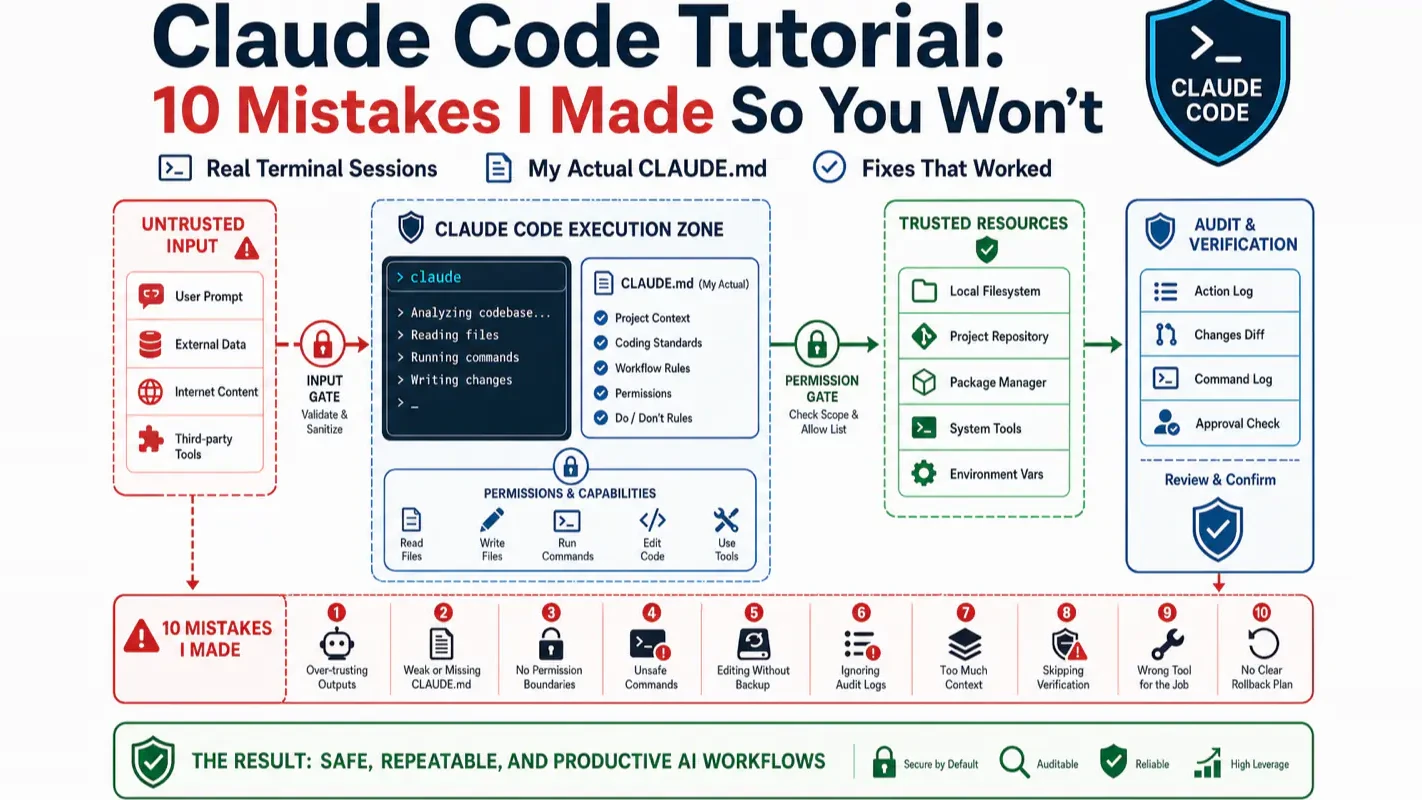
Claude Code Tutorial: 10 Mistakes I Made So You Won't
Week one was 60% frustration, 40% magic - and the frustration was avoidable. Ten specific mistakes with the actual terminal sessions, the three features that matter before anything else, and a copy-paste rule file. Written by someone using an AI assistant for business, not code.
Most of the people who conclude this does not work for their business decided it in week two. An e-commerce operator tries to get help rewriting product listings, spends four evenings fighting the thing, cancels the subscription, and files the whole category under overhyped. The frustrating part is that the failure was almost always setup rather than capability - the same handful of avoidable mistakes, made in the same order. This is a first-week account from somebody who is not a programmer, setting up an AI assistant for business rather than code, with the ten mistakes laid out so week two goes differently.
The short version:
I'm not a programmer. I use Claude Code daily for writing, research, and automation
My first week was 60% frustration, 40% magic. The frustration was avoidable
You only need 3 features in week one: natural language chat, /clear, and CLAUDE.md
Below: 10 specific mistakes, real terminal sessions showing each one, and my actual CLAUDE.md file you can copy
Everyone says Claude Code has "a steep learning curve." Actually, week one is mostly avoidable mistakes. The curve flattens fast once you have the three features (chat, /clear, CLAUDE.md) and you stop fighting the agent on things it would have done correctly anyway.
If you already use Claude Code daily for real work, skip ahead to the 10 mistakes for a self-audit. If you are still in your first week, read on through the 3-minute setup.
Here's what my first week with Claude Code looked like, honest numbers:
Week 1 (before I learned)
Week 4 (after)
Daily productive output
~20 minutes
~3 hours
Time spent fixing Claude's mistakes
~2 hours
~15 minutes
Money spent
$100 (upgraded too early)
$20 (Pro was enough)
Features I actually used
12 (overwhelmed)
3 (focused)
Every tutorial I found was written by a software engineer, for software engineers. Install this. Configure that. Here's how to refactor your microservices.
I don't have microservices. I have a content business, a messy folder of notes, and a strong desire to stop doing repetitive work by hand.
This guide is what I wish existed on day one. It would have saved me about 8 hours of frustration and $80 in unnecessary upgrades.
Who Is This For?
You want to use AI from your terminal, not a browser chat window
You're comfortable copying commands, even if you don't fully understand them
You've tried ChatGPT or Claude.ai and want something that can read your files and make changes directly
Here is why this matters: most "Claude Code is hard" complaints I read trace back to two or three early mistakes that compound. Knowing them in week one saves a month of friction and a lot of "should I just use ChatGPT" doubt.
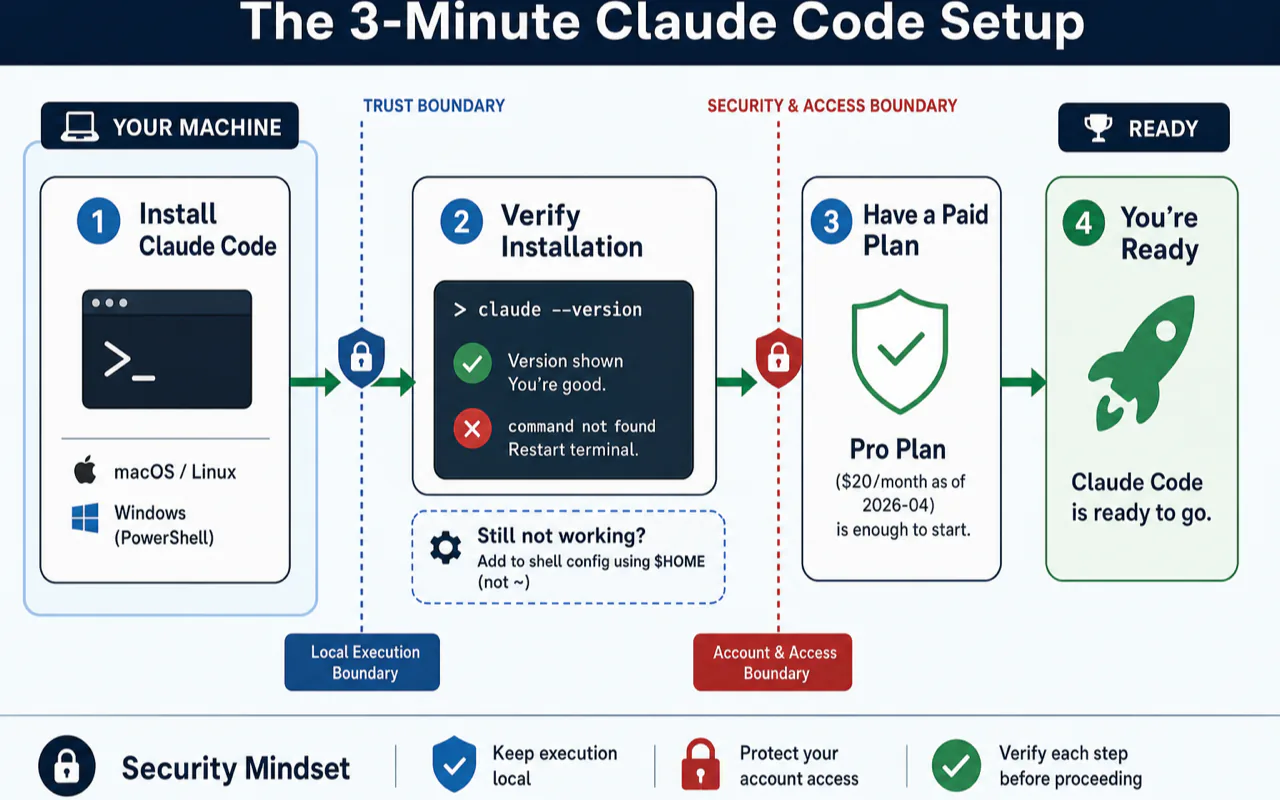
I'm not going to spend 500 words on installation. You can ask any AI chatbot how to install Claude Code and get a perfect answer in 10 seconds. Here's the short version:
macOS / Linux:
curl -fsSL https://claude.ai/install.sh | bash
Windows (PowerShell):
irm https://claude.ai/install.ps1 | iex
Verify: claude --version. If you see a number, you're good.
If you see command not found — restart your terminal. That fixes it 80% of the time. If it doesn't, add this to your shell config:
export PATH="$HOME/.local/bin:$PATH"
Use $HOME, not ~. The tilde doesn't expand inside quotes, and that trips up more people than you'd think.
You need a paid plan. Pro at $20/month (at time of writing) is enough to start. I'll explain why in Mistake #10.
Then:
cd /path/to/your/project
claude
That's it. Two commands. You're in.
The Only 3 Claude Code Features You Need in Week One
Claude Code has 18+ features. Skills, MCP, Subagents, Agent Teams, Plan Mode, Worktrees, Cron scheduling, Fast Mode, Desktop App...
I tried to learn all of them in my first three days. That was Mistake #0, and it cost me a full day of going in circles.
Here's what actually matters in week one, and what doesn't:
Everything else? Later. The three Yes features cover 80% of what you'll actually use day to day.
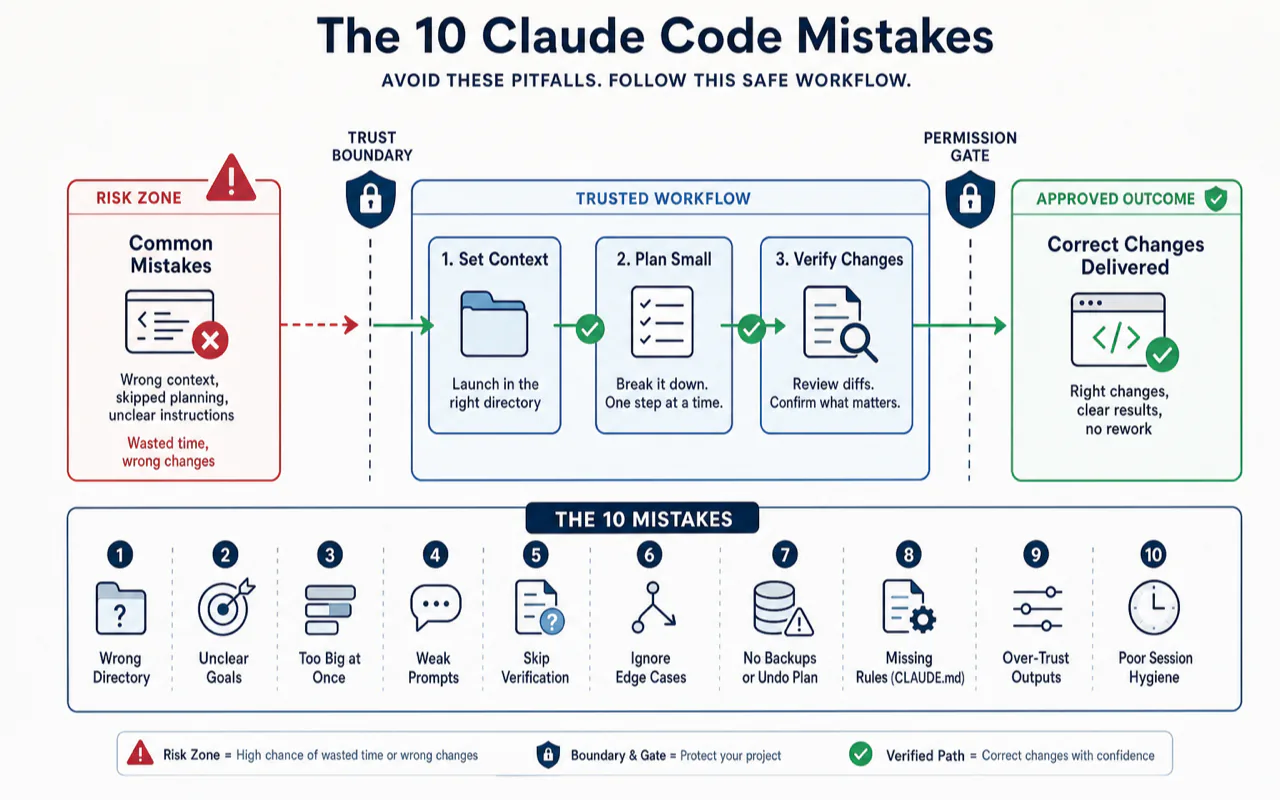
The 10 Claude Code Mistakes
Before the three features, you fought the tool. After, the tool got out of the way: chat for asking, /clear for new context, CLAUDE.md for durable rules. Three features, three days of muscle memory, then real work.
Mistake 1, I Started Claude Outside My Project Folder
What happened: I opened my terminal, typed claude, and asked about my project. Here's what the actual session looked like:
~/Desktop $ claude

> What files are in my content project?

I don't see any project files in the current directory.
The Desktop folder contains screenshots, downloads, and
miscellaneous files, but no content project structure.

Could you point me to where your project lives?
I spent 20 minutes confused, thinking Claude was broken.
The fix:
~/Desktop $ cd ~/my-content-project
~/my-content-project $ claude

> What files are in this project?

I can see 47 files across 6 directories:
├── articles/ (12 markdown files)
├── notes/ (23 files)
├── templates/ (4 files)
├── images/ (6 files)
├── CLAUDE.md
└── README.md

The project appears to be a content library organized by...
Claude reads the directory you launch it from. No directory, no context. Sounds obvious now; it wasn't at 11 PM on day one.
Mistake 2, I Gave Huge Tasks Instead of Small Steps
What happened:
> Reorganize all my notes into a clean folder structure
> with proper naming conventions

I'll reorganize your 23 notes into categories. Here's my plan:
- Creating 6 category folders...
- Renaming 23 files to kebab-case...
- Moving files to appropriate categories...

[Claude edits 30+ files in one batch]
Half the renames were wrong. "meeting-notes-q1.md" got filed under "finance" because it mentioned a budget number. I couldn't tell which of the 30 changes were good and which weren't.
Time wasted: 2 hours undoing and redoing.
The fix: Break it down. Always.
> List all files in the notes/ folder and suggest a category
> structure. Don't move anything yet.

Here are your 23 files and my suggested categories:
- Finance (4 files): budget-2024.md, expenses-q1.md...
- Meetings (7 files): standup-jan.md, weekly-review.md...
...

> That looks right, except standup-jan.md should be in
> "daily-logs", not "meetings".

> Now move only the Finance files. Leave everything else.

Moving 4 files to notes/finance/:
✓ budget-2024.md → notes/finance/budget-2024.md
✓ expenses-q1.md → notes/finance/expenses-q1.md
...
A developer on Hacker News put it well: keep each task within what a human could do in 30 minutes. That's the sweet spot. Beyond that, quality drops fast.
Mistake 3, I Accepted Changes Without Reviewing
What happened: Claude said "Done! I've updated 4 files and improved the formatting." I approved without reading the diff. Later I discovered it had also renamed a helper function, reorganized my import statements, and changed a date format, none of which I asked for.
Time wasted: 45 minutes tracking down what broke.
What I do now:
One senior engineer shared a rule that changed my approach: completely ignore Claude's completion summary. It will tell you everything went perfectly. It will congratulate itself. The summary is marketing, the diff is truth.
My routine after every change:
Read the actual diff before approving
If something looks off: "Why did you change this line? I didn't ask for that."
Stage good changes immediately: git add . (not commit, staging is your checkpoint)
If Claude breaks something on the next step, you recover by unstaging
This is the biggest mistake on the list. Not because it was the most dramatic, but because it silently wasted more time than any other.
What happened: Every session, Claude made different choices. Tabs one day, spaces the next. Added comments I didn't want. Created files with random naming patterns. I kept correcting the same things, session after session.
Time wasted: 3-4 hours total across two weeks of repeated corrections.
The turning point: I spent 10 minutes creating a CLAUDE.md file in my project root. After that, Claude followed my rules automatically.
Here's my actual CLAUDE.md, you can copy this and modify it for your project:
# Project Rules

## What This Project Is
Content library for a one-person media business.
Markdown files, organized by topic. No code compilation needed.

## Writing Style
- Write in plain, direct English. No corporate speak.
- Short sentences. One idea per paragraph.
- Use Markdown for all text files.

## File Conventions
- MUST use kebab-case for filenames (my-file-name.md)
- MUST keep one blank line between sections
- NEVER modify files outside the current task scope
- NEVER rename files unless explicitly asked

## Workflow Rules
- MUST verify changes are correct before reporting success
- MUST use git add after completing a task (not git commit)
- NEVER stub, mock, or simulate results
- NEVER add features, refactoring, or "improvements" I didn't ask for
- When uncertain, ask, don't guess

## Commands
- Preview: open index.html in browser
- Check links: grep -r "]()" --include="*.md"
Why MUST/NEVER instead of "please" and "prefer":
I tested both. Polite language gets ignored roughly 30% of the time. Claude treats "Prefer kebab-case" as a suggestion. It treats "MUST use kebab-case" as a rule. This matches what experienced users report — RFC 2119 keywords (MUST, MUST NOT, NEVER) work. Politeness doesn't.
Three rules I learned to add after week two:
NEVER add features I didn't ask for — stops Claude from "improving" your code uninvited
NEVER stub or simulate results — multiple users reported Claude faking test results by hardcoding expected outputs
When uncertain, ask, don't guess — forces Claude to surface assumptions instead of silently making them
Keep the file under 80 lines. Every line costs tokens every session, so make each one count.
Mistake 5, I Didn't Manage the Context Window
What happened: After about 40 messages in a single conversation, Claude started contradicting itself:
# Message 8 (early in session)
> How should I structure the article templates?

Use a front-matter block with title, date, and tags,
followed by the body in standard Markdown sections.

# Message 43 (same session, 2 hours later)
> Apply that template structure to the new article

I'd suggest using a YAML header with metadata fields,
then organize the body into clearly labeled Markdown
sections with front-matter for title, date...

# Wait, that's the same thing it told me before,
# but presented as a new idea. It forgot.
The responses got vague. Specific answers became "it depends." Claude started re-discovering information I'd already given it.
Time wasted: 30-40 minutes before I realized the conversation was too long.
The fix: Context management is the core skill. The tool has a 200K token window (up to 1M with Opus on Max plans). That sounds like a lot, but it fills faster than you'd expect, every file Claude reads, every message you exchange, every command output counts.
My routine now:
/clear every time I switch to a different task, non-negotiable
/compact when a single task runs long (compresses without losing key context)
Never carry old context into a new task "for safety", fresh sessions produce better results
As one Reddit user put it: "Context management is the main skill to develop with Claude Code." Not prompting. Not features. Context.
Mistake 6, I Was Too Vague
Here's what vague vs specific actually looks like in a real session:
# Vague, Claude does too much
> Fix the formatting in my article

I've made the following improvements to your article:
- Reformatted all headings to consistent capitalization
- Removed extra blank lines between paragraphs
- Changed bullet point style from - to *
- Restructured the FAQ section into a table
- Added horizontal rules between major sections

# I only wanted the indentation fixed on one list.
# Now I have to review and revert 4 out of 5 changes.
# Specific, Claude does exactly one thing
> In articles/setup-guide.md, the bullet points under
> "Prerequisites" (line 23-28) lost their indentation
> after the last edit. Fix only those 6 lines.

Fixed indentation for 6 bullet points on lines 23-28.
No other changes made.
The formula:what you want changed + where exactly + what the problem looks like. Three pieces. Every time.
Mistake 7, I Skipped the Thinking Step
What happened: I asked Claude to build a content publishing workflow. It immediately started creating files and writing shell scripts. Forty-five minutes later, I realized the entire approach assumed I was using tools I don't have.
What I should have done:
> I want to build a workflow for publishing articles.
> Before doing anything, analyze my project and tell me
> what tools and structure I already have. Don't create
> any files yet. Use "think hard" mode.

[Claude spends 30 seconds reasoning before responding]

Based on your project, I see:
- 12 Markdown articles in articles/
- No build system or static site generator
- A manual copy-paste publishing process
- Publishing credentials in .env

Before I suggest a workflow, I have 3 questions:
1. Do you want to keep the current publishing flow, or switch?
2. Should the workflow handle images, or text only?
3. How often do you publish, daily, weekly, ad hoc?
The magic words think, think hard, or ultrathink trigger extended reasoning. Claude spends more time planning before acting. This is pattern #1 in my seven-prompt cheat sheet — also the cheapest to learn.
One user described it well: "The biggest wow moment was not code generation. It was Plan Mode. Claude Code feels like a senior engineer who asks the annoying questions you should ask." But only if you give it space to think first.
Mistake 8, I Didn't Know the Keyboard Shortcuts
What happened: Claude was running a long operation, reading 20+ files to understand my project structure. I sat watching the terminal for 3 minutes, waiting, not realizing I could interrupt it.
Separately: I kept typing full file paths by hand instead of using Tab completion. Small waste each time, big waste over a week.
The shortcuts that changed my workflow:
Shortcut
What it does
When I use it
Escape
Stops Claude mid-action (conversation stays)
Wrong direction, taking too long
Escape x 2
Rewinds to previous point
Want to try a different approach
Tab
Auto-completes file paths
Every time I reference a file
/clear
Resets conversation
Switching tasks (multiple times daily)
/compact
Compresses context
Long task, want to keep going
/model sonnet
Switches to faster model
Routine tasks that don't need deep reasoning
/model opus
Switches to strongest model
Complex planning or multi-file analysis
Note: Escape stops Claude. Not Ctrl+C, that kills the entire session. I learned this the hard way.
Mistake 9, I Used It Like a Browser Chat
What happened: For the first few days, I would copy text from my files, paste it into Claude, and ask questions about it. Old habit from ChatGPT.
It worked, but I was missing the entire point.
# Browser habit, works, but Claude has no context
> (paste 50 lines from an article)
> What's wrong with this article's structure?

The structure could be improved by...
[generic advice based only on the pasted text]
# Claude Code way, Claude sees everything
> Read articles/setup-guide.md and compare its structure
> to my other published articles in articles/published/.
> What's inconsistent?

I've compared setup-guide.md with your 8 published articles.
Three inconsistencies:
1. setup-guide.md uses H3 for steps; your other articles use H2
2. The FAQ section is missing (all published articles have one)
3. The meta description exceeds 160 characters (others stay under)
Claude Code lives on your filesystem. When you point it at files instead of pasting snippets, it sees imports, dependencies, related files, patterns across your project. The difference in answer quality is dramatic.
Mistake 10, I Paid $100 Before Trying $20
What happened: I read a blog post that said "serious users need the Max plan." I upgraded to Max 5x ($100/month) on day three. For my entire first month, I never once hit the Pro plan's usage limit.
Money wasted: $80.
What I actually needed:
Plan
Price (at time of writing)
Who it's for
My experience
Pro
$20/month
Learning, part-time use
Enough for my first 6 weeks
Max 5x
$100/month
Full-time daily use
Needed this around month 2
Max 20x
$200/month
All-day heavy use
Haven't needed this yet
The Pro plan gives you a usage quota that resets every 5 hours. During my learning phase, small tasks, building habits, figuring things out, I'd use maybe 60% of a window before it reset.
Two things nobody told me:
Claude.ai web chat and Claude Code share the same quota. If you burn half your limit chatting on claude.ai, you have half left for Claude Code.
Real-world cost data is wild. One developer tracked that their $200/month plan would have cost $5,600+ at API rates. Anthropic absorbs the difference. At $20/month, the value is absurd.
My advice: start with Pro. If you hit the limit more than twice in a week, upgrade. Don't upgrade because a blog post told you to. That blog post was written by someone who codes 10 hours a day. You probably don't, and that's fine.
If you want the six-month follow-up, exact dollars, exact session counts, and the month I caved and tried Max before downgrading back — that's in my 6-month review.
What I'd Tell a Friend Starting Today
First: Install it, cd into a real project, and ask "What is this project about?" That first moment, watching Claude read your files and give you a detailed summary you didn't write, is when it clicks.
Second: Copy the CLAUDE.md template from Mistake #4 into your project root. Edit 5 lines to match your project. This takes 10 minutes and saves hours.
Third: Keep tasks small, review every change, and use /clear between tasks. Treat Claude like a capable assistant who needs clear instructions and occasional course correction, not a magic box you throw wishes into.
The Mental Shift That Ended My First-Week Frustration
Around day five, something flipped for me. Before that, I was treating Claude Code like a fancier ChatGPT, ask a question, paste the result, edit by hand. After, I started treating it like a junior on my project, give it context, give it the file paths, expect it to read before writing.
The shift came from a single rule: stop pasting code into the prompt. The agent reads files. Tell it which file to look at and ask it to make a change. The reply comes back as a diff, not a wall of text. You inspect, accept or push back, move on. That single change cut my round-trip from "three minutes per ask" to "thirty seconds per ask" almost overnight.
The deeper insight: Claude Code is good at projects, not paragraphs. If your week one is mostly paragraph-shaped ("summarize this, rewrite that"), you are using a hammer for a screw. Move the work into a real folder with real files, and the tool starts earning its place. Move the work back to chat-shaped paragraphs, and the value evaporates.
If your week one feels like mine did, sixty percent frustration, forty percent magic, the fix is usually not better prompts. It is moving the work into a project shape Claude Code can actually see.
Quick-Start Checklist
Copy this. Check it off as you go.
[ ] Install Claude Code (curl or brew — 2 minutes)
[ ] Verify with claude --version
[ ] Sign up for Pro plan at $20/month
[ ] cd into your project folder
[ ] Run claude and ask "What is this project about?"
[ ] Create CLAUDE.md in your project root (copy template above)
[ ] Try a small task: "Rename this file to kebab-case"
[ ] Practice /clear between different tasks
[ ] Learn Escape (stop) and Tab (file path completion)
[ ] Resist the urge to learn Skills and MCP for 2 weeks
What I Would Skip on a Second Account
If I were starting Claude Code from scratch on a new machine tomorrow, three things from my first run I would skip.
Skip the 312-line CLAUDE.md. I would write 30 lines on day one and add only when the agent did something specifically wrong. Long config files in week one teach you nothing about which rules actually matter.
Skip the tutorial overload. I read every article on the launch list. Most of them assumed I already knew what I was learning. The faster path was opening one real project and working through actual problems with the docs as a fallback, not as the entry point.
Skip the comparison shopping. I spent week one toggling between Claude Code, Cursor, Copilot, and Codex. Three days into each, frustrated, switching to the next. Pick one for two weeks. The frustration teaches you what to ask, which is what you actually need.
The Honest Timeline
When
What happened
Productivity
Day 1-2
Setup, confusion, Mistakes #1-3
Net negative
Day 3-4
Found /clear, started small tasks
Breaking even
Day 5
Created CLAUDE.md, this was the turning point
First real wins
Week 2
Developed habits, stopped over-prompting
2-3x on repetitive tasks
Month 1
Natural rhythm, know when to use it and when not to
Part of daily workflow
The productivity gain didn't come from a feature. It came from learning what not to ask Claude to do.
Key Takeaways
You only need 3 Claude Code features in week one — natural language chat, /clear for context management, and a minimal CLAUDE.md. Skills, MCP, and Agent Teams can wait for month 2+
The Pro plan at $20/month (at time of writing) is enough for 5 of 6 months of heavy non-developer use, upgrading to Max early cost me $80 I didn't need to spend
Review every diff, never trust the completion summary — Claude's "Done!" message hides the changes it made that you didn't ask for
Task size cap: 30 minutes of human work per prompt — anything larger, break it down or use Plan Mode first
MUST/NEVER language in CLAUDE.md gets followed 95% of the time vs. ~70% for "prefer" or "try to", RFC 2119 keywords work with LLMs trained on technical docs
Context management is the skill, not prompting — /clear between tasks does more for output quality than any prompt trick
Ready-to-Use Prompt: Audit Your Claude Code First Week Against the 10 Avoidable Mistakes
What this does: Confirms you have the only 3 features that matter in week one (chat, /clear, CLAUDE.md), audits you against the 10 first-week mistakes, maps your biggest pain to its cause, applies the stop-fighting-the-agent mental shift, and bootstraps a short CLAUDE.md plus a quick-start checklist. Based on: Claude Code Tutorial: 10 Mistakes I Made So You Won't — https://aiworkflowpro.com/claude-code-tutorial-mistakes/ Time to run: ~4 minutes
Copy this prompt into Claude Code, ChatGPT, or any AI assistant:
ROLE: You are a Claude Code first-week coach for non-programmers. Your job: confirm the reader has the only 3 features that matter in week one, audit them against the 10 avoidable mistakes, apply the mental shift that ends frustration, and bootstrap a CLAUDE.md.

CONTEXT — FIRST-WEEK MISTAKE AUDIT:
Claude Code's "steep learning curve" is a myth — week one is mostly avoidable mistakes, and first-week frustration (often ~60%) is self-inflicted. The curve flattens once you have the only three features that matter in week one: natural-language chat, `/clear` between unrelated tasks, and a CLAUDE.md memory file. The mental shift that ends frustration: stop fighting the agent on things it would have done correctly anyway — intervene only when output is actually wrong. The ten recurring mistakes are what turn the 40% magic into 60% frustration.

INPUTS (fill in before running):
- WHERE_YOU_ARE: YOUR_STAGE_HERE (about to start / in week one / past week one, self-auditing)
- BIGGEST_PAIN: YOUR_FRICTION_HERE (what frustrates you most right now — one sentence, or "none yet")
- WORK_TYPE: YOUR_TASKS_HERE (what you do — writing, research, automation, light code)

METHOD — 6 STEPS:

Step 1 — Confirm the 3 week-one features
Verify the reader uses all three: natural-language chat (talk normally, no command syntax), `/clear` between unrelated tasks (stop context bleeding), and a CLAUDE.md (context persists). Any missing → that is the first fix; do not advance to fancier features.

Step 2 — Audit the 10 mistakes
Score each present/absent: (1) not using `/clear` between tasks; (2) micromanaging the agent on things it does fine; (3) no CLAUDE.md, re-explaining every time; (4) treating it as one-shot Q&A, not iterative; (5) vague prompts then blaming output; (6) no checkpoint before big changes; (7) overloading one session; (8) skipping the plan/review before edits; (9) pasting huge context instead of pointing to files; (10) expecting first-try perfection. Mark which tie to BIGGEST_PAIN.

Step 3 — Map the pain to its mistake
Trace BIGGEST_PAIN to the specific mistake(s) causing it. Most first-week frustration maps to 1-3 of these, not all ten — fix the cause, not the symptom.

Step 4 — Apply the mental shift
State the shift: stop fighting the agent on what it does correctly — let it work, intervene only on actual errors. For each flagged mistake give the one-line reframe (e.g., micromanaging → "review the result, not every keystroke").

Step 5 — Bootstrap the CLAUDE.md
Produce a copy-paste CLAUDE.md for WORK_TYPE with four sections: writing style, file conventions, workflow rules, commands. Keep it short — a CLAUDE.md that is too long goes unread. This is the highest-leverage fix for re-explaining context.

Step 6 — Quick-start checklist
Output the week-one checklist: install → write CLAUDE.md → first real task → `/clear` between tasks → review results, don't micromanage. Each item one action; the goal is daily reliable use, not feature mastery.

RULES:
- Only 3 features matter in week one — do not introduce Skills, Hooks, or MCP before chat + `/clear` + CLAUDE.md are habits.
- Use `/clear` between unrelated tasks — never let one task's context bleed into the next.
- Stop fighting the agent on things it does correctly; intervene only on actual errors.
- A CLAUDE.md must stay short enough to be read — long memory files get ignored.

OUTPUT FORMAT:
Output six sections:
1. **Feature check** — chat / `/clear` / CLAUDE.md present? (Y/N each) + the first missing fix.
2. **Mistake audit** — markdown table with columns: # | Mistake | Present? (Y/N).
3. **Pain-to-mistake map** — BIGGEST_PAIN → the 1-3 causing mistakes.
4. **Mental shift** — the one-line reframe per flagged mistake.
5. **CLAUDE.md** — a copy-paste ```markdown block (style / file conventions / workflow rules / commands).
6. **Quick-start checklist** — markdown table with columns: Step | Action | Done? (Y/N).
Save as @templates/claude-code-tutorial-mistakes.md and run during your first week with Claude Code (or anytime frustration spikes), then re-run only if a new pain appears.
Frequently Asked Questions
What is Claude Code and how is it different from asking Claude in the browser?
Claude Code is Anthropic's terminal-based AI assistant. Unlike the browser chat at claude.ai, Claude Code runs on your computer, reads your project files directly, executes commands, and edits files. Same AI model, but with direct access to your filesystem and tools.
Do I need to know how to code to use Claude Code?
No. I don't write code for a living. The core skill isn't coding, it's the ability to describe what you want clearly. A journalist at The Transformer (zero programming background) used Claude Code to build automation tools, process data, analyze bank statements for taxes, and create a personal website. The barrier isn't technical knowledge, it's learning to think in terms of clear, specific instructions.
How much does Claude Code cost per month?
The minimum is the Pro plan at $20/month (at time of writing). Max plans are $100-200/month. Start with Pro, the usage quota resets every 5 hours and that's enough for learning and part-time use. One data point: a developer tracked that his $200/month Max plan consumed $5,600+ in actual API compute. Anthropic absorbs the difference.
Can Claude Code break my project files?
Claude shows proposed changes before making them. You approve or reject each edit. That said: use git. Run git add . after every good change, not git commit, use staging as a checkpoint. If Claude breaks something on the next step, you can unstage and recover.
What's the difference between Opus and Sonnet models?
Opus is Claude's strongest reasoning model, best for complex planning and multi-file analysis. Sonnet is faster and uses fewer tokens, good for everyday tasks. Both support up to 1M tokens of context. Switch with /model opus or /model sonnet inside a session. I default to Sonnet and only switch to Opus for deep thinking tasks.
A Note on This Article's Shelf Life
AI tooling moves fast, and articles age. Three habits keep this one from becoming a relic faster than necessary: I revisit the recommendations quarterly, I cull patterns that have become automatic, and I add new ones only when they earn a permanent place in my actual work. If a section here feels stale to you, it probably is, send me a note and I will look.
What's Next in This Series?
This was the "survive your first week" guide. For the full reference behind it, see the complete Claude Code guide. The rest of the series picks up from here:
A 30-minute video is too long for one conversation. This guide walks the 8-step Skill that locks the narration and one look, then gives each 3-minute segment to a fresh sub-agent, five at a time, and polishes the cut in an empty-context session.
The folder structure behind my AI agent team, the Herdr setup where Grok Build, Claude Code and Kimi Code work side by side, and the two live tasks from the video: an article published by voice and a three-model front-end test.
Eight folders of plain Markdown, a CLAUDE.md index in each, and seven prompts that make your agent interview you. Every prompt, template and command from the video, in order.
Stop briefing your AI from scratch. One free folder holds your background, your rules and your voice. Eight prompts build it, no code, and any AI can read it.