Monitoring a competitor who publishes no feed is the case every RSS guide skips. Twenty-one platforms sorted by which of three jobs they do, and the finished setup is business process automation you own outright, with no seat licence to renew.
Blaming the content is the reflex when a post underperforms, and it is usually the wrong diagnosis. A second reader decides distribution before any human sees the post, and most of what it checks is mechanical enough to automate business processes around, on five platforms at once.
Gloves on, tape measure in hand — nobody types a query. Three voice surfaces for ai automation tools (terminal, Telegram, Discord), 10 TTS and 6 STT providers compared on cost and latency, plus a setup that costs nothing.
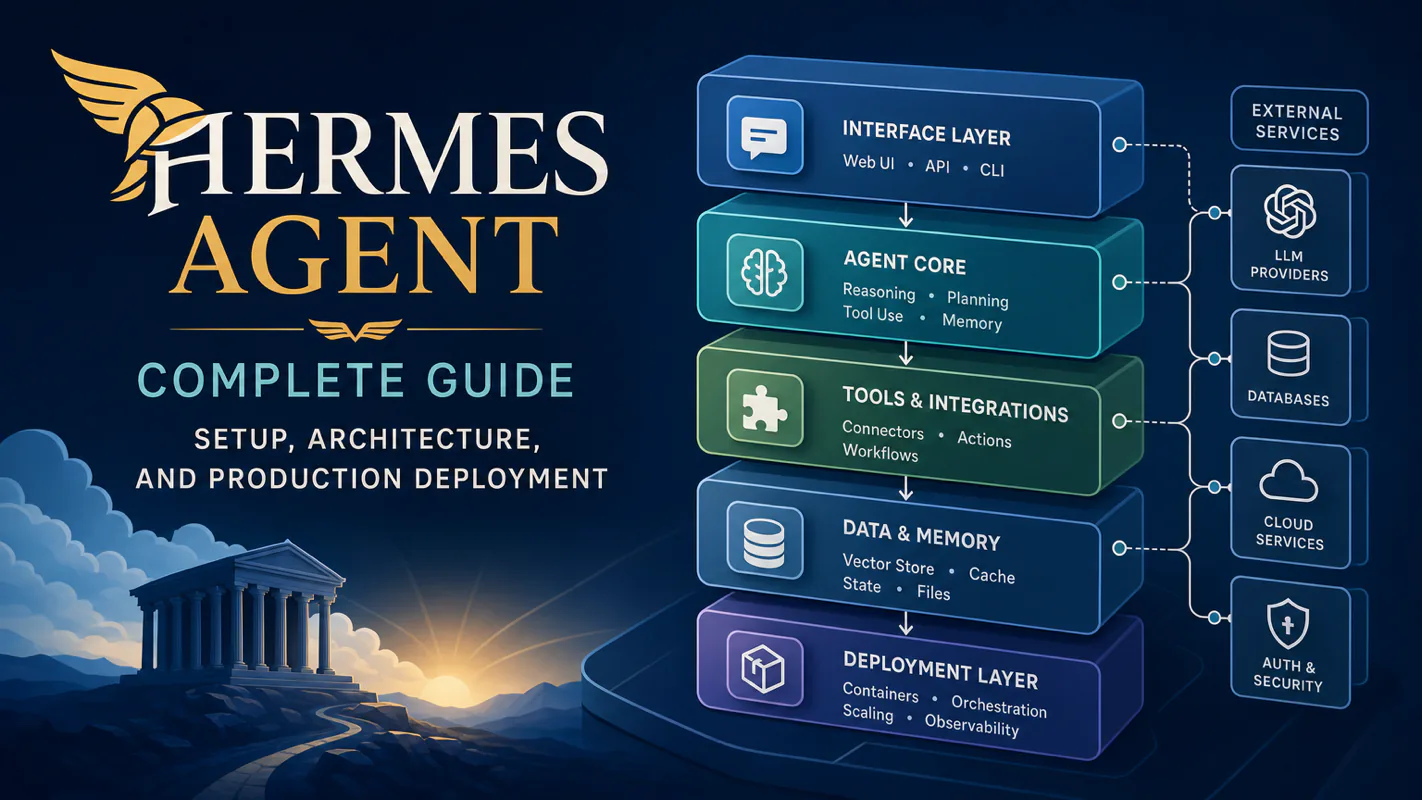
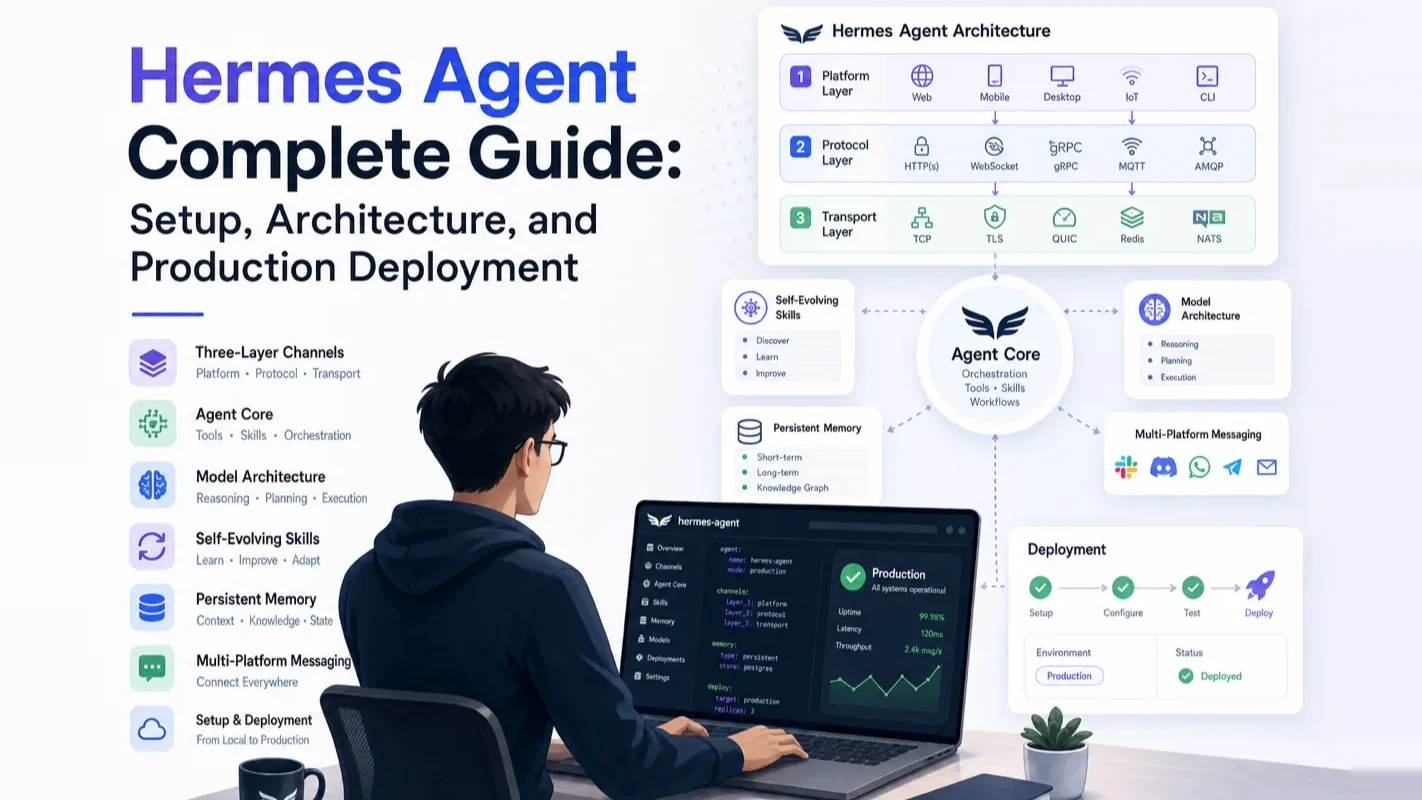
Hermes Agent Complete Guide: Setup, Architecture, and Production Deployment
Same twelve questions, four inboxes, no shared history. One gateway across 22 platforms closes the split, so an ai assistant for business remembers on Discord what it answered on Telegram. Architecture, install, and two months of production pitfalls.
A gym owner answers members in Instagram messages, a WhatsApp group, the front-desk email, and whatever the booking app calls its inbox. Same twelve questions, four places, no shared history, so by the fourth question about class-pass rollover the answer has drifted again. The architecture here addresses that directly: one gateway process handling 22 messaging platforms with conversation context shared across all of them, so the agent that answered on Telegram still knows the history when the same person writes on Discord. If you want an ai assistant for business messaging that does not forget between channels, start at the layer diagram.
Hermes Agent is a persistent, self-hosted AI Agent that manages 22 messaging platforms at once and gets smarter the longer it runs. Not an IDE copilot. Not a single-API wrapper. A full autonomous agent framework.
Nous Research released Hermes in February 2026. By June 2026, it had crossed 191,000 GitHub Stars with 1,397 contributors and 11,265 commits. I ran it in production for two months handling 50+ messages daily across Discord, and this guide distills everything I learned: architecture internals, five core capabilities, honest comparison with OpenClaw, real deployment patterns, and step-by-step setup instructions.
The Hermes Agent Architecture
Short answer: Three decoupled layers—channels, agent core, and model backend—each independently swappable without touching the others.
Layer 1: Channel Layer—Message Ingress and Egress
A single Gateway process handles all platforms. Cross-platform conversations share context automatically.
Supported first-tier channels:
Platform
Capabilities
Telegram
Text / images / files / voice / groups
Discord
Text / images / files / groups
Slack
Text / images / files / groups
WhatsApp
Text / images / files / voice
Signal
Text / images / files / voice
Email
Full email send and receive
CLI/TUI
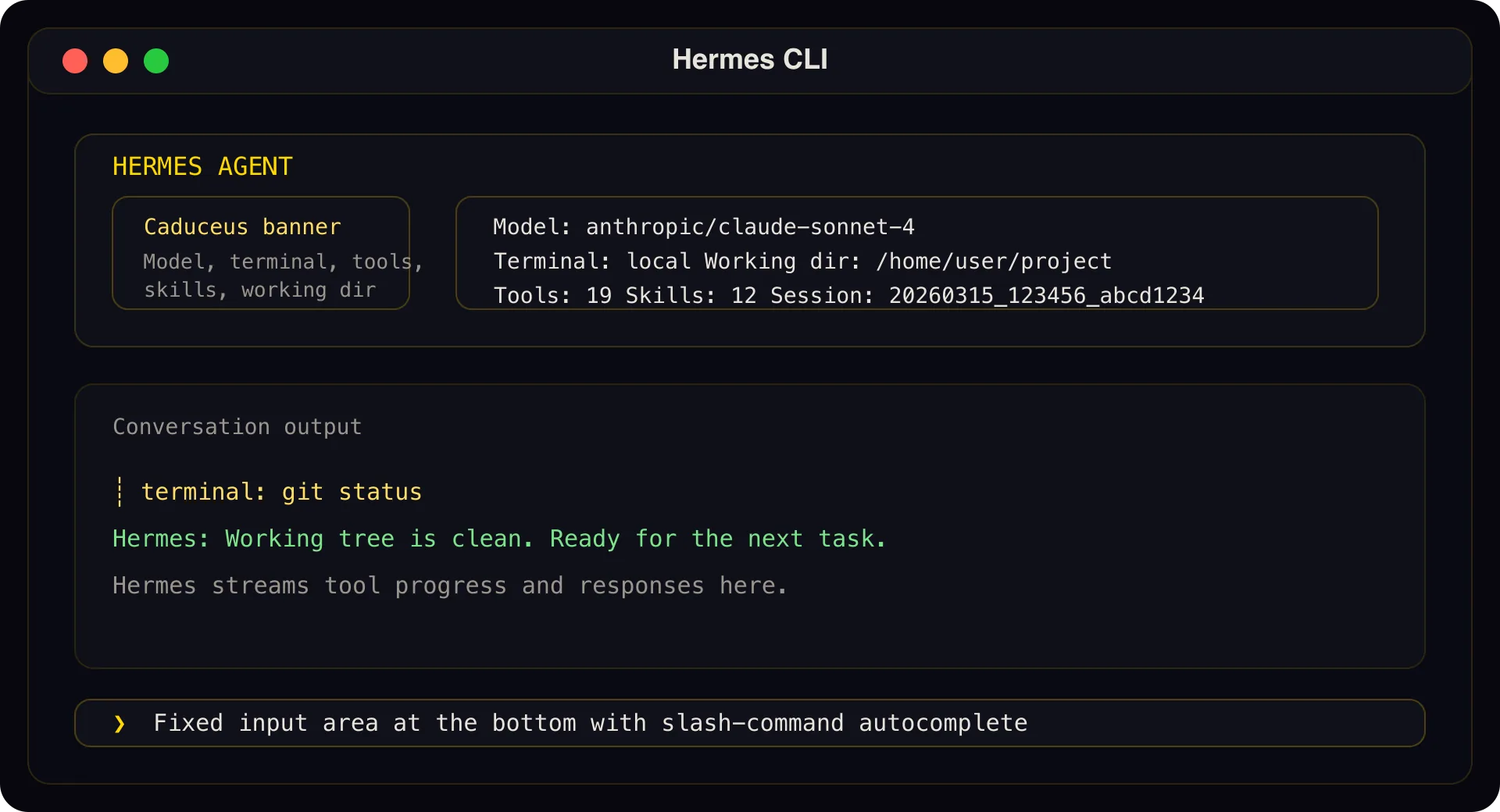
Terminal interface with multi-line editing and streaming output
Beyond these seven, v0.16.0 (the latest release as of June 2026, codenamed "The Surface Release") added an official native desktop app for macOS, Windows, and Linux. It also ships with a Web Dashboard, Home Assistant integration, and an API Server compatible with Open WebUI, LobeChat, NextChat, AnythingLLM, ChatBox, and LibreChat. Combined with community-contributed integrations, the total reaches 22 messaging platforms.
The desktop app deserves attention: it runs the same Hermes Agent core underneath—shared config, keys, sessions, skills, and memory. Anything you set up in the CLI works in the desktop app immediately, and vice versa.
Voice memo auto-transcription is a standout feature. Send a voice message on Telegram, and Hermes transcribes it locally using faster-whisper before processing. No audio leaves your server.
Layer 2: Agent Core—Reasoning and Planning Engine
The brain of Hermes includes:
Task decomposition and multi-step execution: Complex requests break into sub-steps automatically
Automatic skill creation: Solutions from complex tasks crystallize into reusable skill files
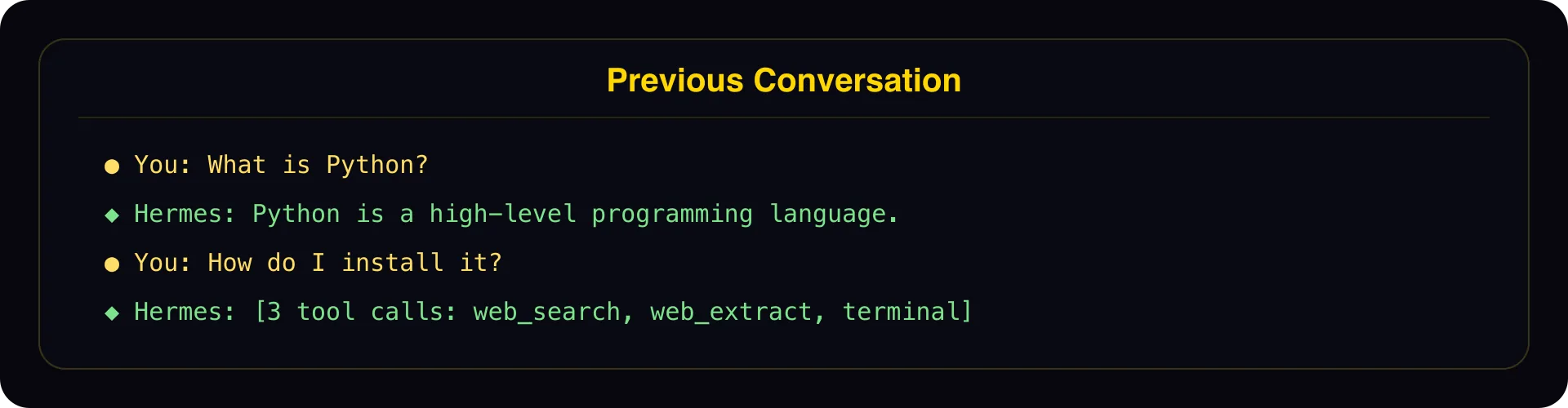
Conversation search: SQLite FTS5 full-text retrieval with LLM-generated summaries
User modeling: Honcho dialectic user profiling
Sub-agent delegation: Parallel task processing
Natural-language scheduler: Describe cron jobs in plain English
Layer 3: Model Layer—LLM Inference Backend
Supports 300+ models across every major provider: Nous Portal, OpenRouter, OpenAI, Anthropic, Google Gemini, DeepSeek, Hugging Face, NVIDIA NIM, and others.
Switch models with one command: hermes model. No code changes. You can route daily conversations through a budget model and switch to a premium model for complex reasoning—costs tracked per message.
The three-layer decoupling means replacing a messaging platform never touches agent logic, swapping a model never affects channels, and upgrading any single layer leaves the other two untouched.
What Are the Five Core Capabilities?
1. Messaging Gateway—One Agent for Every Platform
Traditional setups require separate integration code for each platform. Hermes runs a single Gateway that unifies all channels. A question asked on Telegram carries its full context into a follow-up on Discord.
In my production setup, I asked a question on one platform and continued the thread on Discord. Hermes remembered the entire conversation without any repeated context. This cross-platform continuity is rare—most alternatives either deploy separate instances per platform or require middleware for context sync.
The Gateway also auto-adapts output formatting. The same reply renders as Markdown on Telegram, a code block on Discord, and HTML in Email. The agent produces content; the channel layer handles presentation.
2. Self-Evolution—Smarter the Longer It Runs
The skill system is Hermes's procedural memory. Skills are Markdown files with YAML frontmatter—human-readable, machine-executable.
How it works:
You complete a complex task (5+ tool calls)
Hermes automatically abstracts the solution into a skill file
Next time a similar task appears, the skill fires directly—no re-reasoning
Skills improve through use. Editing the Markdown edits the agent's behavior
The community maintains a skill marketplace at agentskills.io. One command installs any published skill: /skill install <name>.
Nous Research also maintains hermes-agent-self-evolution (4K Stars), a dedicated framework using DSPy + GEPA for automated skill and prompt optimization.
Push my daily to-do list every morning at 9am
Check GitHub repo issues every Monday at 3pm
Summarize last month's API spend on the 1st of each month
Tasks register through the scheduler tool, survive restarts, and push results across platforms.
4. Voice Mode—Speaking Is Programming
Hermes ships with local faster-whisper transcription and TTS synthesis. Send voice messages on Telegram, WhatsApp, or Signal. Hermes transcribes, understands, executes, and can reply with audio.
A practical scenario: dictate a data analysis task during your commute, then read results at your desk. Ask about your schedule hands-free while cooking.
The privacy advantage matters: transcription happens locally. No audio uploads to third-party services. For conversations involving business-sensitive information, that distinction is critical.
5. Multi-Agent Collaboration—A Message Pipeline for Coding Agents
Hermes v0.16.0 exposes an MCP reverse server (hermes mcp serve) with 10 tool endpoints. Claude Code and Codex connect via SSH stdio, enabling auto-notifications after long-running tasks.
Exposed tools include conversations_list, messages_send, events_poll, and permissions_respond---covering the full loop of message sending, event polling, and permission approvals.
Real use case: Claude Code runs a two-hour refactor in the background. When it finishes, Hermes pushes the result to your phone via Discord or Telegram. You never need to be at your desk to know the job is done.
These determine how commands execute in isolation:
Local---Direct execution on the host machine
Docker---Container isolation
SSH---Remote server execution
Singularity---HPC containers
Modal---Serverless with sleep-on-idle and on-demand wake
Daytona---Serverless persistent environments
Ecosystem Scale
Hermes Atlas (the official community ecosystem map) catalogs 168 open-source repositories across 12 categories, totaling 700K+ Stars as of June 2026.
Dimension
Count
Community GUI clients
18
Memory providers
23 (including 8 officially supported)
Skill registries
31 repositories
Multi-agent orchestration frameworks
13
Deployment solutions
11
The Three-Tier Memory System
Hermes memory goes beyond simple chat history stacking. It uses a progressive three-tier architecture:
Tier
Capacity
Speed
Purpose
Built-in (MEMORY.md + USER.md)
~1,300 tokens
Injected every turn
Critical facts, always present
Conversation search (SQLite FTS5)
Unlimited
Search + summarize
Recall specific past conversations
External providers (8 plugins)
Depends on backend
On-demand
Semantic search, knowledge graphs
External memory providers include Honcho (dialectic user modeling), Hindsight (knowledge graph with structured entity retrieval + reflective synthesis), mem0 (58K Stars, general-purpose memory layer), and SuperMemory (26K Stars, sub-300ms recall).
System Prompt Assembly Order
Understanding memory requires knowing how the system prompt is assembled:
1. SOUL.md        <- Identity definition (global, travels with the agent)
2. Tool behavior guidelines <- Built-in rules
3. MEMORY.md      <- Agent notes (environment facts, lessons, experience)
4. USER.md        <- User profile (habits, preferences)
5. Skills index   <- Skill names + descriptions (expanded on demand)
6. AGENTS.md      <- Project context (loaded per working directory)
7. Timestamp + platform format <- Built-in
SOUL.md defines the agent's personality and behavioral boundaries. MEMORY.md stores facts and lessons accumulated during runtime. USER.md records user preferences. Together, these three files give Hermes a stable identity baseline while continuously adapting to usage patterns.
How Does Hermes Agent Compare to OpenClaw?
Hermes and OpenClaw are the two most-watched open-source Agent projects in 2026. Both occupy the "autonomous agent" space, but their design philosophies diverge sharply.
Hermes differentiates through deep messaging integration. Messaging is not an optional plugin—the entire architecture splits into "messaging gateway + agent core + model layer" by design. Cross-platform context continuity across 22 platforms, voice transcription, and branded channel partitioning received the most engineering investment.
OpenClaw operates at larger scale (340K+ Stars, one of the most-starred Agent projects on GitHub) and targets "any OS, any platform" general-purpose assistance. The relationship resembles specialized versus general-purpose tooling: Hermes goes deeper in messaging automation, OpenClaw covers broader general assistance.
Selection Guide
If your primary need is a 24/7 agent that processes and responds to messages across platforms, Hermes fits better. If you want an all-around personal AI assistant, OpenClaw's ecosystem is larger and its community more active.
Low-code platforms like Coze and Dify solve different problems. Coze offers zero-code agent building; Dify excels at visual multi-step workflow orchestration. Neither competes directly with Hermes or OpenClaw—they are platform products, not open-source agent frameworks.
Installing and Setting Up Hermes Agent
One-Command Install
# Linux / macOS / WSL2 / Termux
curl -fsSL https://hermes-agent.nousresearch.com/install.sh | bash

# Windows (PowerShell)
iex (irm https://hermes-agent.nousresearch.com/install.ps1)

# pipx (recommended for advanced users)
pipx install "hermes-agent[messaging]"
First Run
# Interactive model configuration
hermes

# Or use Nous Portal for one-click setup
hermes setup --portal
Enabling the Web Dashboard
pipx install --force "hermes-agent[messaging,web,pty]"
hermes dashboard
# Open http://127.0.0.1:9119 in your browser
Enabling the API Server (OpenAI-Compatible)
Add three environment variables to ~/.hermes/.env: set API_SERVER_ENABLED to true, fill in your API_SERVER_KEY, and set API_SERVER_PORT (default 8642).
The Langfuse plugin tracks all agent activity on a visual dashboard—tool calls, token consumption, and cost breakdowns. Compared to black-box monitoring in hosted platforms, this level of observability is a natural advantage of self-hosted deployments.
What Does a Production Deployment Look Like?
I ran Hermes in production for two months on a Mac mini, handling Discord across 12 branded channels. Here is the exact configuration.
GLM-5.1 (Zhipu Coding Plan); falls back to DeepSeek V4 Pro when quota exhausts
Vision auxiliary
Gemini 2.5 Flash (independent config, unaffected by primary model rate limits)
MCP reverse server
Claude Code / Codex connect via SSH stdio
The Pointer Architecture: Knowledge Base Integration
This is a pattern I developed through production experience: the knowledge base is the single source of truth, and Hermes config stores only path pointers and navigation instructions—never content copies.
Static layer (system prompt, always present)
+-- SOUL.md      -> Identity + language rules + "KB path is here"
+-- MEMORY.md    -> Root path + navigation methods
+-- USER.md      -> Minimal profile + "read KB for details"

Dynamic layer (files read on demand during conversation)
+-- KB index          -> Master routing table
+-- KB brand files    -> Brand-specific details
+-- KB style guides   -> Writing standards
+-- ... everything in the knowledge base
Benefits:
Real-time sync---When the knowledge base updates, Hermes sees changes immediately because it reads files live, not cached copies
Zero maintenance---No duplicate content to synchronize; the KB is the only source
Token efficient---Files load only when needed, not injected into every conversation turn
Tool Lazy Loading: 89% Token Reduction
72 tool schemas consume roughly 19,210 tokens. Enabling tool_search loads only frequently used schemas upfront and fetches others on demand. Token usage drops to approximately 2,200---an 89% reduction.
When the primary model hits rate limits (e.g., monthly quota exhaustion returning 429 errors), a compression model sharing the same provider crashes too—and the agent loses its entire conversation context. Configuring auxiliary models on independent providers ensures compression survives primary model failures.
What Are the Most Common Production Pitfalls?
Seven real problems I encountered, each taking at least an hour to debug:
#
Problem
Solution
1
First message slow (~20s from cold-start endpoint probing)
Monthly quota exhausted (5 machines sharing one plan)
Switch to DeepSeek pay-per-use with no cap
6
Discord tables fail to render Markdown
Build a custom PNG table renderer
7
Dual-bot conflicts causing duplicate replies
Disconnect the conflicting agent
Production deployments surface problems that demo environments never reveal. Most Hermes tutorials online stop at installation because their authors ran the agent for an afternoon. Two months of production use confirmed that Hermes stability meets production requirements—every issue above has a definitive fix that prevents recurrence.
Where Does Hermes Sit in the AI Agent Market?
The arXiv paper "Agent System Operations: Categorization, Challenges, and Opportunities" lists Hermes Agent alongside Claude Code and OpenClaw as representative agent frameworks. By GitHub Stars, Hermes (190K+) and OpenClaw (378K) occupy the top tier of autonomous agent projects—the former specializing in messaging automation, the latter pursuing general-purpose assistance.
From its February 2026 debut to 190K+ Stars by June 2026, Hermes grew faster than almost any project in the category. Three forces drove that momentum: MCP becoming the de facto standard for agent tool integration (Hermes supports it natively), the self-evolving skill system creating a visible gap between "chatbots that forget" and "agents that compound knowledge," and serverless platforms like Modal and Daytona pushing deployment costs toward zero.
Version Information and Project Data
Metric
Current Value
Latest version
v0.16.0 (2026-06-05, codename "The Surface Release")
GitHub Stars
191,000+ (as of 2026-06-11)
Contributors
1,397
Total commits
11,265
License
Apache-2.0
Primary languages
Python 82.7%, TypeScript 13.4%
Ecosystem repositories
168 (Hermes Atlas)
Ecosystem total Stars
700K+
Official desktop app
Built-in since v0.16.0 (macOS / Windows / Linux)
Messaging platforms
22 (first-tier channels + desktop + web + community integrations)
Official site
hermes-agent.nousresearch.com
GitHub
github.com/NousResearch/hermes-agent
Important distinction: Hermes Agent (this guide's subject, an agent framework) and Hermes models (e.g., Hermes 3, LLMs fine-tuned from Llama) are two independent product lines from Nous Research. They can work together, but they are not the same product.
Ready-to-Use Prompt: Plan a Production Hermes Agent Deployment Across Its Three Layers
What this does: Plans a Hermes Agent deployment across its three decoupled layers (channels, brain, skills), configures the three-tier memory so it gets smarter over time, sets cost control, plans production hosting, and flags the common pitfalls — for your specific messaging platforms and traffic. Based on: Hermes Agent Complete Guide: Setup, Architecture, and Production Deployment — https://aiworkflowpro.com/hermes-agent-complete-guide/ Time to run: ~5 minutes
Copy this prompt into Claude Code, ChatGPT, or any AI assistant:
ROLE: You are a Hermes Agent deployment architect. Your job: plan a production deployment of Hermes across its three decoupled layers (channels, brain, skills), configure the three-tier memory and cost control, and flag the production pitfalls — so it manages messaging at scale and gets smarter over time.

CONTEXT — HERMES DEPLOYMENT PLANNER:
Hermes Agent (Nous Research, Feb 2026) is a persistent, self-hosted agent — not an IDE copilot or single-API wrapper — that manages 22 messaging platforms at once and gets smarter the longer it runs. Its architecture is three decoupled layers: channels (the 22 messaging connectors), the brain (the reasoning core), and skills (self-evolving capabilities). A three-tier memory system lets it accumulate learning across runs, and cost control keeps a long-running agent affordable. The deployment plan wires these layers for a specific set of platforms, tunes memory for the use case, and bakes in the known production pitfalls.

INPUTS (fill in before running):
- PLATFORMS: YOUR_CHANNELS_HERE (which messaging platforms — Discord, Telegram, Slack, etc., from the 22)
- USE_CASE: YOUR_PURPOSE_HERE (community support, content distribution, personal assistant, etc.)
- TRAFFIC: YOUR_VOLUME_HERE (messages per day expected)
- BUDGET: YOUR_COST_CEILING_HERE (monthly cost target, or "uncapped")

METHOD — 6 STEPS:

Step 1 — Wire the channels layer
Enable only the PLATFORMS the USE_CASE needs from the 22 supported. Every extra channel is attack surface, moderation load, and cost — enable on demand, not all at once. State the enabled set + why.

Step 2 — Configure the brain
Set the reasoning core for USE_CASE + TRAFFIC: model choice, concurrency (how many messages handled in parallel), and the persona/role. Match concurrency to TRAFFIC so high-volume days do not queue.

Step 3 — Configure the three-tier memory
Set the memory tiers for "gets smarter over time": working memory (current session context), episodic memory (run/conversation history), and long-term memory (distilled skills and preferences). Define what gets promoted from episodic to long-term so learning compounds instead of just logging.

Step 4 — Set cost control
Against BUDGET, set the guardrails: per-message token cap, model tier (cheaper for routine, stronger for hard), and a monthly ceiling that alerts or throttles. A persistent agent without cost control drifts expensive fast.

Step 5 — Plan production deployment
Specify hosting (self-hosted persistent process), uptime/restart strategy (it must survive restarts — persistence is the point), monitoring, and the self-evolving skills policy (how it gains/updates skills safely without drift).

Step 6 — Flag the production pitfalls
Check the common ones: (1) enabling all 22 channels at once? (2) memory growing unbounded (no eviction)? (3) no cost ceiling on a 24/7 agent? (4) skills self-evolving without a review gate? (5) no restart persistence (state lost on crash)? Fix any.

RULES:
- Enable channels on demand, not all 22 — extra channels are attack surface, moderation, and cost.
- Memory must promote learning from episodic to long-term, or "smarter over time" is just logging.
- A persistent agent needs a cost ceiling — it runs 24/7 and drifts expensive without one.
- Self-evolving skills need a review gate, or they drift unsafe.

OUTPUT FORMAT:
Output six sections:
1. **Channels layer** — enabled platforms + why (others disabled).
2. **Brain config** — model + concurrency + persona, matched to TRAFFIC.
3. **Three-tier memory** — markdown table with columns: Tier | What it stores | Promotion rule.
4. **Cost control** — per-message cap + model tiering + monthly ceiling.
5. **Production deployment** — hosting + restart persistence + monitoring + skills policy.
6. **Pitfall check** — markdown table with columns: Pitfall | Present? (Y/N) | Fix.
Save as @templates/hermes-agent-complete-guide.md and run when you deploy Hermes Agent, then re-run when you add a channel, change traffic, or hit a cost/pitfall issue.
Frequently Asked Questions
What is Hermes Agent and how does it differ from a chatbot?
Hermes Agent is an open-source autonomous AI Agent framework by Nous Research, licensed under Apache-2.0. It runs persistently on your server, connects to 22 messaging platforms simultaneously, and accumulates a skill library that improves over time. A chatbot wraps a single API call; Hermes orchestrates multi-step tasks with persistent memory and cross-platform context.
How do I install Hermes Agent?
One command: curl -fsSL https://hermes-agent.nousresearch.com/install.sh | bash on Linux, macOS, or WSL2. Windows users run the PowerShell equivalent. Advanced users should use pipx install hermes-agent[messaging] for environment isolation. First run with hermes launches interactive model configuration.
Should I choose Hermes Agent or OpenClaw?
Hermes (190K+ Stars) excels at messaging platform automation with 22 native integrations. OpenClaw (340K+ Stars) targets general-purpose personal AI assistance. For 24/7 message handling across Telegram, Discord, Slack, WhatsApp, and Signal, Hermes is the stronger fit. For a broad AI companion, OpenClaw offers a larger ecosystem. Coze and Dify solve different problems entirely—they are no-code/low-code platforms, not open-source agent frameworks.
What messaging platforms does Hermes Agent support?
22 platforms total. First-tier: Telegram, Discord, Slack, WhatsApp, Signal, Email, CLI/TUI. v0.16.0 added an official desktop app (macOS/Windows/Linux), Web Dashboard, Home Assistant, and an API Server compatible with six popular frontends including Open WebUI and LobeChat.
Can Hermes Agent work with Claude Code?
Yes. Hermes v0.16.0 ships with an MCP reverse server (hermes mcp serve) exposing 10 tool endpoints. Claude Code and Codex connect via SSH stdio. After finishing a long task, the coding agent pushes notifications to your Discord or Telegram through Hermes automatically.
What LLMs does Hermes Agent support?
Over 300 models: OpenAI, Anthropic Claude, Google Gemini, DeepSeek, and many more. Model switching requires one command (hermes model) and zero code changes. Route cheap models for casual conversations and premium models for complex reasoning—costs stay granular per message.
Is Hermes Agent the same as Hermes models?
No. Hermes Agent is the autonomous agent framework covered in this guide. Hermes models (like Hermes 3) are LLMs fine-tuned from Llama. Both come from Nous Research and can work together—use a Hermes model as the inference backend for the Hermes Agent—but they are separate products.
Where should a complete beginner start?
Start with the Claude Code + Hermes MCP messaging bridge setup. It requires no standalone Hermes deployment—just configure an MCP connection within Claude Code to experience cross-platform messaging. For a full deployment, the Docker guide gets everything running within 10 minutes.
Monitoring a competitor who publishes no feed is the case every RSS guide skips. Twenty-one platforms sorted by which of three jobs they do, and the finished setup is business process automation you own outright, with no seat licence to renew.
Blaming the content is the reflex when a post underperforms, and it is usually the wrong diagnosis. A second reader decides distribution before any human sees the post, and most of what it checks is mechanical enough to automate business processes around, on five platforms at once.
Gloves on, tape measure in hand — nobody types a query. Three voice surfaces for ai automation tools (terminal, Telegram, Discord), 10 TTS and 6 STT providers compared on cost and latency, plus a setup that costs nothing.
Thursday afternoon, fourteen product ideas, a Monday filming slot, no scripts. Six script shapes and seven hook formulas turn that hour into finished drafts — and the business rule stays: rewrite at least 30% before anything ships.