Monitoring a competitor who publishes no feed is the case every RSS guide skips. Twenty-one platforms sorted by which of three jobs they do, and the finished setup is business process automation you own outright, with no seat licence to renew.
Blaming the content is the reflex when a post underperforms, and it is usually the wrong diagnosis. A second reader decides distribution before any human sees the post, and most of what it checks is mechanical enough to automate business processes around, on five platforms at once.
Gloves on, tape measure in hand — nobody types a query. Three voice surfaces for ai automation tools (terminal, Telegram, Discord), 10 TTS and 6 STT providers compared on cost and latency, plus a setup that costs nothing.
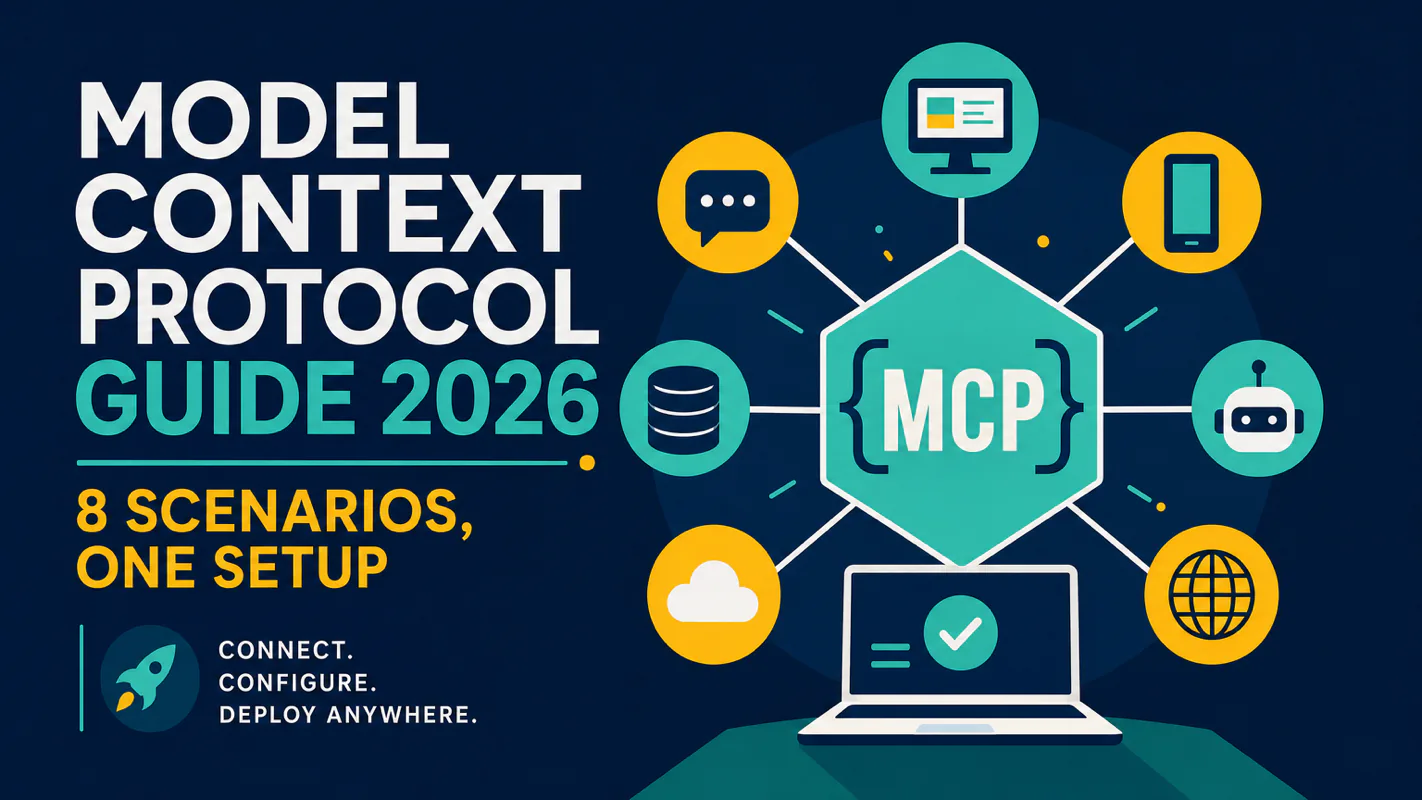
Model Context Protocol Guide 2026: 8 Scenarios, One Setup
MCP is the wiring that lets an assistant read a live source instead of recalling what such a source usually contains. Eight practical scenarios, each with a copy-paste setup prompt and no coding required, from real-time search to multi-platform automation.
The same question surfaces in three separate meetings that week. Can it actually see our ledger, or is it guessing? The bookkeeper asks about the reconciliation file, the ops lead asks about the shipment tracker, somebody else asks about the shared drive. One question wearing three costumes, and every version of it wants the same thing: a clear line between what this has been given access to and what it is filling in from memory. That is a wiring question rather than an intelligence question, and it has a standard answer. Knowing which sources are genuinely connected is the first honest thing anyone can say about an ai assistant for business.
MCP (Model Context Protocol) turns your AI coding tools from text-in-text-out assistants into agents that search the web, read repositories, scrape pages, query live documentation, and control browsers. Without MCP, your AI can only touch local files. With it, your AI connects to virtually any external service through a single, standardized interface.
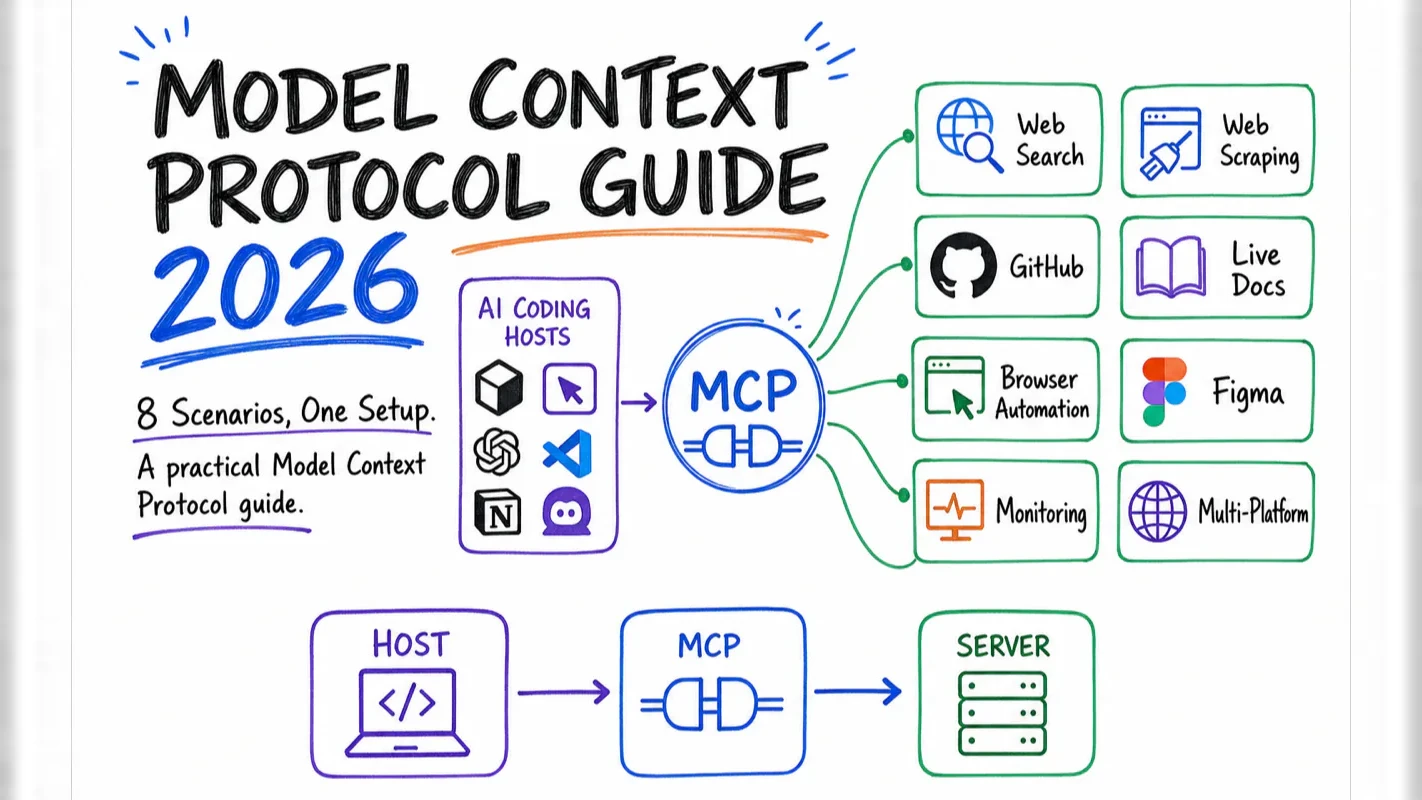
This guide walks you through 8 practical scenarios — from real-time search to multi-platform automation — with a copy-paste setup prompt for each one. No coding experience required.
What Does MCP Actually Do?
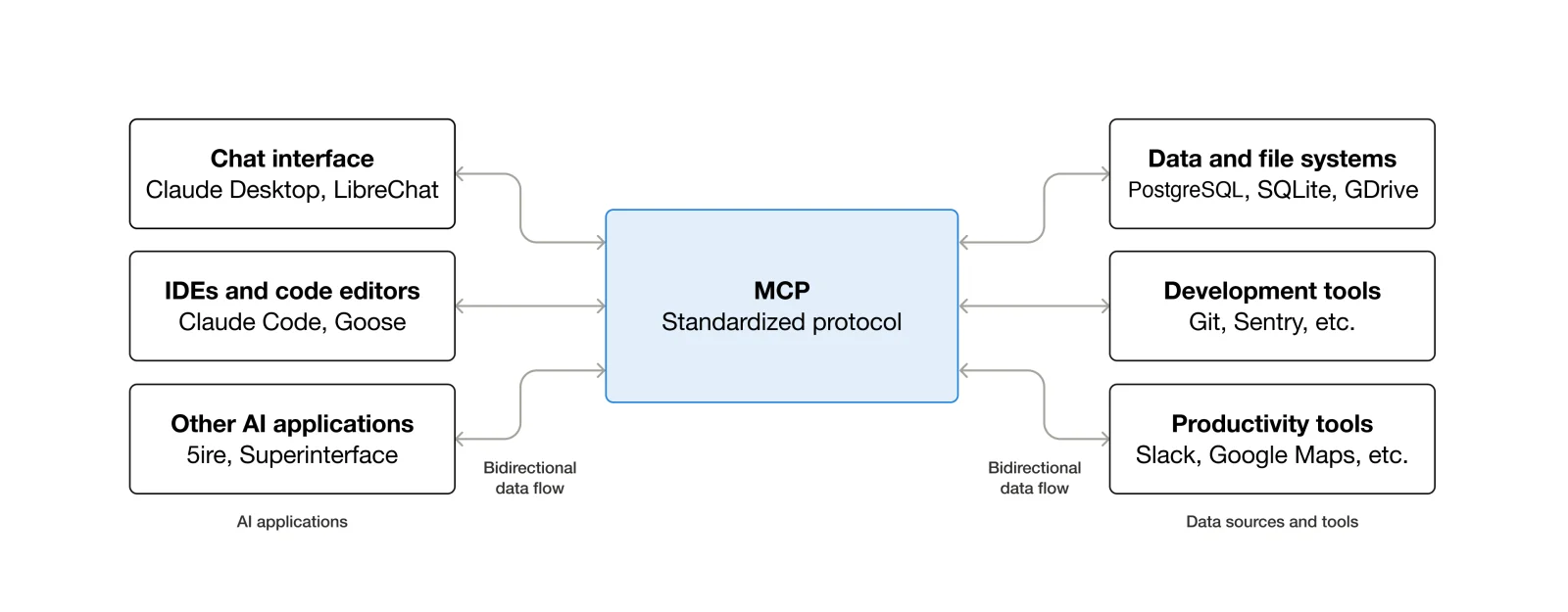
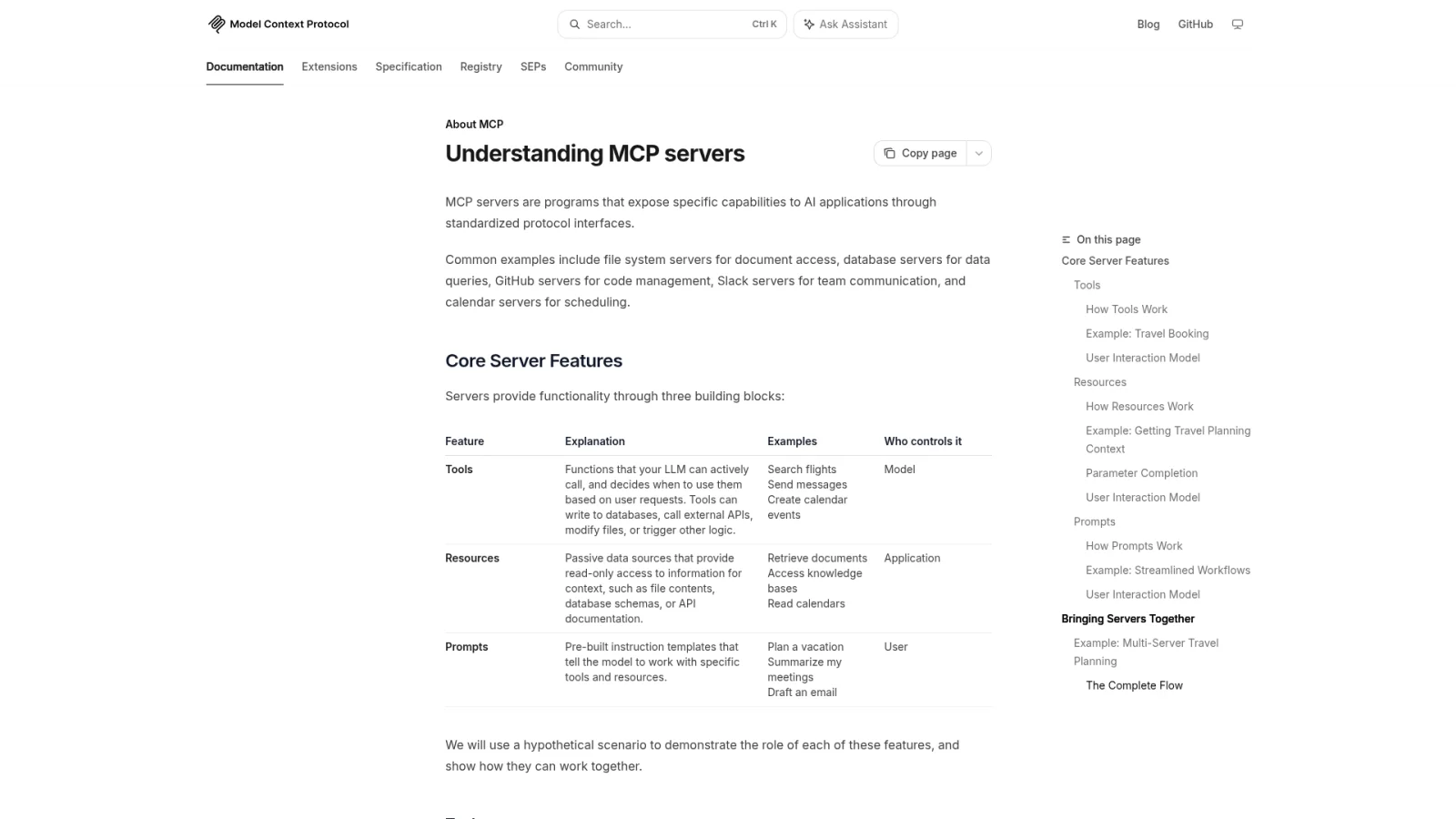
MCP eliminates the integration mess that plagued AI tools before mid-2025. Every AI editor used to build its own connectors — Claude Code talked to GitHub one way, Cursor another, VS Code yet another. Adding a new service meant N separate integrations for N tools.
MCP fixes this with a universal standard: build one server, and every compatible AI tool can use it. Think of it as USB-C for AI — one connector, every device.
Three concepts you need
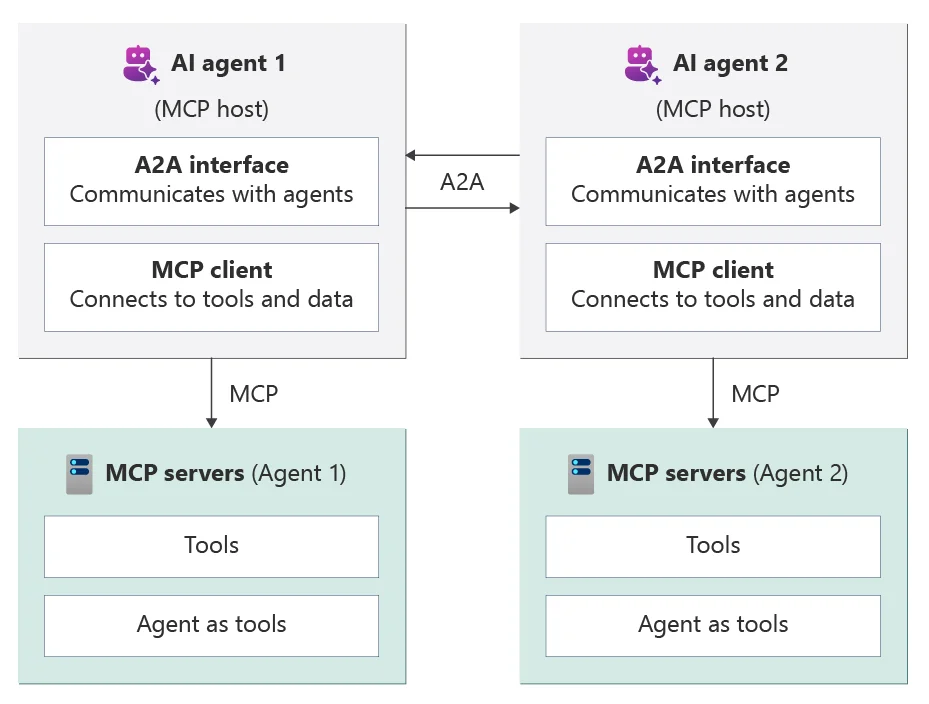
Host — The AI tool you're running. Claude Code, Cursor, VS Code with Copilot, Windsurf, ChatGPT Desktop — these are all hosts.
MCP Server — A small program that gives your AI a specific capability. Brave Search server adds web search. GitHub server adds repo operations. Firecrawl server adds web scraping.
Connection model — Most servers run locally on your machine and start/stop with your AI tool. A few run in the cloud and connect over the network.
The mental model is simple: installing an MCP server = giving your AI a new superpower.
How Does MCP Compare to the Old Way?
Before and after MCP
Task
Without MCP
With MCP
Look up recent tech info
Open browser, search, copy-paste results to AI
AI searches the web directly and gets current results
Check GitHub issues
Switch to browser, find the issue, copy text
Tell AI "check recent issues in this repo" — it reads them
Extract webpage content
Copy-paste (formatting usually breaks)
AI scrapes the page, returns clean structured text
Look up library usage
AI might answer with outdated training data
AI queries the library's current documentation
Automate browser tasks
You operate manually; AI can only view screenshots
AI controls a real browser — opens pages, fills forms, clicks buttons
Check deployment status
Open Vercel dashboard, read logs manually
AI pulls deploy logs, analyzes errors, suggests fixes
Why MCP beats traditional plugins
Traditional plugins are platform-locked. A Chrome extension only works in Chrome. A ChatGPT plugin only works in ChatGPT. Each vendor defines its own format, and nothing is interoperable.
MCP is an open standard donated to the Linux Foundation. One server works across every compatible tool. It supports both read and write operations — creating issues, deploying code, sending messages — where most plugins are read-only. And because it's an open protocol, it doesn't break when one vendor ships an update.
Which AI Tools Support MCP Right Now?
As of June 2026, every major AI coding tool supports MCP. Here's the current landscape:
AI Tool
Notes
Claude Code
Anthropic's official CLI — deepest MCP integration
Claude Desktop
Anthropic's desktop app
Cursor
One of the most popular AI-powered editors
VS Code + GitHub Copilot
Microsoft's editor with GitHub's AI pair programmer
Windsurf
Another widely-used AI coding editor
Cline
VS Code extension supporting multiple models
Zed
High-performance editor with built-in AI assistant
ChatGPT Desktop
OpenAI's desktop application
The specific tool doesn't matter much — MCP's core value is cross-tool portability. Install a server once, and it works everywhere. Switch editors without rebuilding your setup.
Which MCP Servers Should You Install? 8 Scenarios Explained
Start with a critical principle: don't install more than 3-5 servers at once. Each server exposes tool descriptions that consume your AI's context window. With 15 servers exposing 5 tools each, that's 75 tool descriptions fighting for attention. The AI gets slower at choosing tools, and sometimes picks the wrong one entirely.
I've tested this threshold across hundreds of hours running MCP servers in production. Past 6-7 active servers, tool selection accuracy drops noticeably. Keep the essentials always on, toggle others as needed.
Here are 8 scenarios ranked by how often you'll use them, each with a setup prompt you can copy straight to your AI assistant.
Scenario 1: Search real-time information — Brave Search
Problem it solves: Your AI's training data has a cutoff date. New library releases, recent security advisories, current best practices — your AI doesn't know about them. Brave Search gives your AI live internet access.
Why this one: Free tier covers personal use comfortably (2,000 queries/month). Solid results in English. Strong privacy protections. Anthropic's official reference implementation — battle-tested and stable.
Copy-paste to your AI assistant:
Install the Brave Search MCP Server. It lets you search the internet for current information. Requirements: install globally to a fixed path (no dynamic downloads); manage the API key with an environment variable, not hardcoded in config. Get a free API key at brave.com/search/api. After installation, verify by searching for something recent.
Scenario 2: Scrape webpage content — Firecrawl
Problem it solves: Modern websites are JavaScript-rendered — a raw HTTP request returns an empty shell. Firecrawl waits for the page to fully render, then returns clean, structured text. It handles SPAs, paywalls (where permitted), and dynamic content that simpler scrapers miss.
Why this one: 6,500+ GitHub stars. Supports scraping, searching, batch collection, structured data extraction, and autonomous research agents. Free tier available. In my testing, Firecrawl handles JS-heavy sites that other scrapers choke on — particularly React and Next.js apps where content loads asynchronously.
Copy-paste to your AI assistant:
Install the Firecrawl MCP Server. It lets you scrape web pages and parse them into structured text. Requirements: install globally to a fixed path; manage the API key with an environment variable. Get a free API key at firecrawl.dev. After installation, scrape a test page to verify it works.
Scenario 3: Manage code repositories — GitHub
Problem it solves: View issues, create pull requests, search code, read files — all without switching to a browser tab. Your AI operates directly inside the repository.
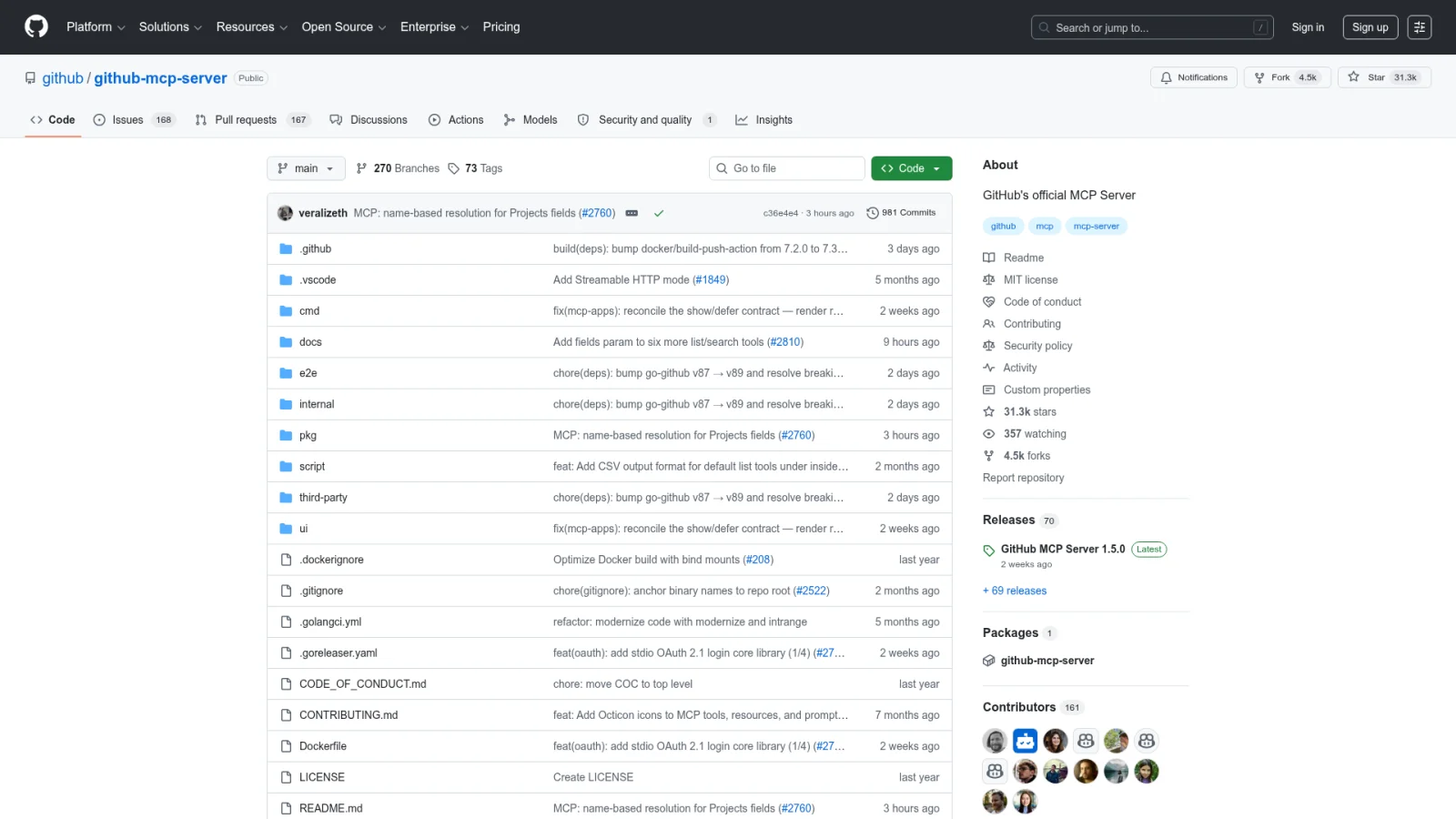
Why this one: Officially maintained by GitHub. Complete feature coverage, security guarantees from the source.
Copy-paste to your AI assistant:
Install the official GitHub MCP Server. It lets you operate on GitHub repos — view issues, create pull requests, search code. Requirements: install globally to a fixed path; use a fine-grained personal access token (PAT) scoped to only the repos I need, not a classic token; manage the token with an environment variable. After installation, list issues from one of my repos to verify.
Problem it solves: You ask "How do I configure middleware in Next.js 15?" and your AI answers with Next.js 13 patterns — because that's what its training data contains. Context7 gives your AI access to current documentation for thousands of libraries.
Why this one: Completely free, no API key required. Maintained by the Upstash team. Covers thousands of libraries and frameworks with version-aware documentation.
Copy-paste to your AI assistant:
Install the Context7 MCP Server. It lets you query up-to-date documentation for programming libraries, so you don't rely on stale training data. No API key needed. Install globally to a fixed path. After installation, query the latest React API to verify.
Problem it solves: You need your AI to verify a web page works correctly — open it, fill forms, click buttons, check results. Playwright gives your AI control over a real browser instance.
Why this one: Maintained by Microsoft. Uses the page's accessibility tree (not screenshots) to understand elements, making it faster and more reliable than vision-based approaches.
Copy-paste to your AI assistant:
Install the Playwright MCP Server (Microsoft's official version). It lets you control a browser — open pages, click buttons, fill forms, take screenshots. Install globally to a fixed path, no API key needed. After installation, open a test page to verify.
Scenario 6: Convert design files to code — Figma
Problem it solves: A designer hands off a Figma file, and you need to turn it into code. Instead of eyeballing spacing and color values from screenshots, your AI reads exact design data — spacing, typography, colors, component structure — straight from the source file.
Why this one: Figma's official Dev Mode MCP Server. Reads real design tokens, not pixel approximations.
Copy-paste to your AI assistant:
Install the official Figma MCP Server. It lets you read Figma design file structure — spacing, fonts, colors, component properties. Requires Figma Dev Mode access. After installation, confirm connection works.
Scenario 7: Monitor deployments and errors — Vercel + Sentry
Deployment management — Vercel
Check deploy status, pull build logs, manage environment variables — all without opening the Vercel dashboard. When a deployment fails, your AI pulls the logs, pinpoints the error, and suggests a fix.
Copy-paste to your AI assistant:
Install the official Vercel MCP Server. It lets you view my Vercel project deployment status, pull build logs, and manage environment variables. Follow the official docs for installation and auth. After setup, list my projects to verify.
Error monitoring — Sentry
When a production error fires, your AI pulls the complete error report from Sentry — stack trace, triggering environment, related events — instead of you manually copying and pasting. Faster diagnosis, faster fixes.
Copy-paste to your AI assistant:
Install the official Sentry MCP Server. It lets you view my Sentry error reports — pull stack traces, check trigger frequency, correlate with deploy versions. Follow the official docs for installation and auth. After setup, view recent errors to verify.
Scenario 8: Connect 250+ platforms at once — Composio
Problem it solves: If your AI needs to work across multiple platforms — check Jira tickets, update Notion docs, send Slack messages — installing separate MCP servers for each is tedious. Composio connects 250+ platforms through a single server.
Why this one: Covers GitHub, Slack, Gmail, Notion, Jira, Salesforce, and most other mainstream platforms. Handles OAuth flows automatically.
Copy-paste to your AI assistant:
Install the Composio MCP Server. It lets you access 250+ platforms (GitHub, Slack, Notion, Jira, etc.) through a single connection. Sign up at composio.dev for an API key. After installation, connect one of my frequently used platforms to verify.
Quick reference: what to install first
Scenario
MCP Server
API Key?
Priority
Real-time search
Brave Search
Yes (free)
Must-have
Web scraping
Firecrawl
Yes (free tier)
Must-have
Code repositories
GitHub
Yes (free)
Must-have
Library docs
Context7
No
Recommended
Browser automation
Playwright
No
As needed
Design to code
Figma
Yes (Dev Mode)
As needed
Deployment management
Vercel
Yes (OAuth)
As needed
Error monitoring
Sentry
Yes (OAuth)
As needed
Multi-platform hub
Composio
Yes (free)
As needed
How Should You Secure Your MCP Setup?
MCP lets your AI operate on real systems — read files, write code, call APIs, control browsers. Security isn't optional here. Three rules cover 95% of the risk surface.
Rule 1: Never put API keys in config files
API keys are your access credentials. If they end up in a config file, they can leak through Git commits, sync tools, or backups. I once caught a leaked key in a teammate's dotfiles repo that had been public for three weeks — the damage was already done.
What to do instead: Store every key in an environment variable. The setup prompts above already include this requirement. If you've already installed servers with hardcoded keys, here's a cleanup prompt:
Copy-paste to your AI assistant:
Audit all my MCP server configurations. Check if any API keys are hardcoded in config files. If found, migrate them to environment variables so config files contain only variable names, never actual key values.
Rule 2: Grant minimum permissions
Scope every credential to the smallest surface area possible. GitHub tokens should use fine-grained PATs scoped to specific repositories — never classic tokens with full account access. Filesystem MCP servers should only expose specific directories, never your entire home folder.
Think of it like building access cards: hand out floor-specific passes, not master keys.
Rule 3: Prefer officially maintained servers
The MCP ecosystem has hundreds of community-built servers. Quality varies wildly. Prioritize in this order:
Vendor-maintained — GitHub's own GitHub server, Sentry's own Sentry server
High-star, actively maintained community projects — Firecrawl (6,500+ stars), Context7
Not sure if a server is trustworthy? Send its GitHub URL to your AI assistant and ask it to review the source code.
What If Something Goes Wrong?
Your AI assistant can fix most MCP issues directly. Here are three common problems and the prompts to resolve them.
Server won't connect:
Copy-paste to your AI assistant:
Something seems off with my MCP connections. Check the status of all configured MCP servers. Identify which ones connect successfully and which have issues. For each broken one, diagnose the root cause and fix it.
Not sure which servers to keep:
Copy-paste to your AI assistant:
Audit my current MCP server setup. List each server's purpose and estimate how often I've used it in the past week. Recommend which to keep always-on, which to disable temporarily. If I'm missing servers for common tasks (search, scraping, docs, GitHub), install the missing ones.
Ready-to-Use Prompt: Match Your Use Case to the 8 MCP Scenario Servers and Secure the Setup
What this does: Picks the right MCP servers for your use case from the 8 scenarios, confirms your AI tool supports MCP, outputs one copy-paste setup config, scopes permissions for security, smoke-tests each server, and gives a troubleshooting map — turning a text-only tool into an agent that reaches external services. Based on: Model Context Protocol Guide 2026: 8 Scenarios, One Setup — https://aiworkflowpro.com/mcp-complete-guide/ Time to run: ~5 minutes
Copy this prompt into Claude Code, ChatGPT, or any AI assistant:
ROLE: You are an MCP setup advisor. Your job: match a use case to the right subset of the 8 scenario MCP servers, produce one copy-paste setup, and secure it — turning a text-only AI tool into an agent that reaches external services through the universal MCP standard.

CONTEXT — 8-SCENARIO MCP SETUP:
MCP (Model Context Protocol) is USB-C for AI — one universal connector that turns a text-in-text-out tool into an agent that searches the web, reads repos, scrapes pages, queries live docs, and controls browsers. It replaces the old N×N integration mess (every tool built its own connector) with one standard: use one server, every compatible AI tool can use it. Eight scenario servers cover the common jobs (real-time search, repo access, scraping, live docs, browser control, multi-platform automation), and one setup pattern configures them. Install only the scenarios you need and secure the result.

INPUTS (fill in before running):
- AI_TOOL: YOUR_HOST_HERE (which AI tool — Claude Code, Cursor, VS Code, etc.)
- USE_CASE: YOUR_GOAL_HERE (research, coding, content, automation, scraping)
- CURRENT_SERVERS: YOUR_SETUP_HERE (MCP servers already installed — or "none")
- SECURITY_CONTEXT: YOUR_STAKES_HERE (personal laptop / shared / production-adjacent)

METHOD — 6 STEPS:

Step 1 — Match use case to scenario servers
Map USE_CASE to the relevant servers from the 8 scenarios: real-time search → Brave Search; repo access → GitHub; scraping/pages → Firecrawl; live docs → Context7; browser control + multi-platform automation → the browser/automation servers. Install only the scenarios USE_CASE needs — not all eight.

Step 2 — Confirm AI_TOOL support
Verify AI_TOOL supports MCP (Claude Code, Cursor, VS Code, and compatible hosts). If the tool does not support MCP, no setup proceeds — flag it.

Step 3 — Produce the one-setup config
Output a single copy-paste MCP config adding only the chosen servers, using the same standard interface (the USB-C pattern) — one block every compatible tool can read. Reuse CURRENT_SERVERS; do not duplicate already-installed servers.

Step 4 — Secure the setup
Scope each server's permissions to the minimum it needs (read-only where possible, scoped tokens not global keys). Against SECURITY_CONTEXT: personal laptop = lighter; shared/production-adjacent = strict scopes + deny dangerous actions. Never paste a global credential where a scoped token works.

Step 5 — Verify each server works
For each installed server, state the one-line smoke test that confirms it responds (a search query, a repo read, a doc fetch). A server that installs but silently fails is the most common MCP problem — test before relying on it.

Step 6 — Troubleshooting plan
Provide the failure map: server not detected → check AI_TOOL support + config syntax; auth error → scoped token/permission; silent no-result → the smoke test catches it; context bloat → too many servers (prune). Map symptom to fix.

RULES:
- Install only the scenario servers the use case needs — not all eight; extra servers cost context and add attack surface.
- Use scoped tokens and minimum permissions, never global credentials.
- Smoke-test every installed server before relying on it — silent failure is the top MCP problem.
- One standard config block for every compatible tool — do not build tool-specific connectors (that is the old N×N mess).

OUTPUT FORMAT:
Output six sections:
1. **Scenario servers** — markdown table with columns: Server | Scenario job | Install? (Y/N).
2. **Tool support** — AI_TOOL MCP support confirmed (Y/N).
3. **Setup config** — the copy-paste MCP config block for the chosen servers.
4. **Security** — markdown table with columns: Server | Scope | Token type.
5. **Smoke tests** — markdown table with columns: Server | One-line test.
6. **Troubleshooting** — markdown table with columns: Symptom | Fix.
Save as @templates/mcp-complete-guide.md and run when you set up MCP for a tool, then re-run when you add a use case, change tools, or hit a silent-failure/auth issue.
Frequently Asked Questions
What is the Model Context Protocol (MCP) and why does it matter?
MCP is an open standard (donated to the Linux Foundation) that lets any AI coding tool connect to external services through a single, unified interface. Install one MCP server, and it works across Claude Code, Cursor, VS Code, ChatGPT Desktop, and every other compatible tool. No vendor lock-in, no duplicate integrations.
How many MCP servers should I install at once?
Keep 3-5 servers active at any time. Each server exposes tool descriptions that consume your AI's context window. Running 15 servers with 5 tools each puts 75 tool descriptions in the AI's field of view, leading to slower inference and wrong tool selections. Start with Brave Search, Firecrawl, and GitHub. Add Context7 and Playwright as needed.
Is MCP safe to use with production API keys?
MCP itself is a secure protocol. The risk comes from how you configure it. Store keys in environment variables — never in config files that might get committed to Git. Use fine-grained tokens scoped to specific repos. Prioritize official servers maintained by the service provider over unknown community projects.
Can I use MCP without knowing how to code?
Yes. Every server in this guide includes a setup prompt you copy-paste to your AI assistant. The assistant handles installation and configuration end-to-end. You only need to sign up for free API keys from the respective services.
What is the difference between MCP and traditional AI plugins?
Traditional plugins are platform-locked: a Chrome extension only works in Chrome, a ChatGPT plugin only works in ChatGPT. MCP is a cross-platform standard — one server works everywhere. MCP supports both read and write operations (creating issues, deploying code, sending messages), while most plugins are read-only.
Monitoring a competitor who publishes no feed is the case every RSS guide skips. Twenty-one platforms sorted by which of three jobs they do, and the finished setup is business process automation you own outright, with no seat licence to renew.
Blaming the content is the reflex when a post underperforms, and it is usually the wrong diagnosis. A second reader decides distribution before any human sees the post, and most of what it checks is mechanical enough to automate business processes around, on five platforms at once.
Thursday afternoon, fourteen product ideas, a Monday filming slot, no scripts. Six script shapes and seven hook formulas turn that hour into finished drafts — and the business rule stays: rewrite at least 30% before anything ships.
A detector score cannot survive a conversation with the freelancer it just cost three weeks of payment. What holds up is the specific thing on the page: rhythm, vocabulary, missing detail. Eight of them here, and the reason review stays human when you automate business processes.