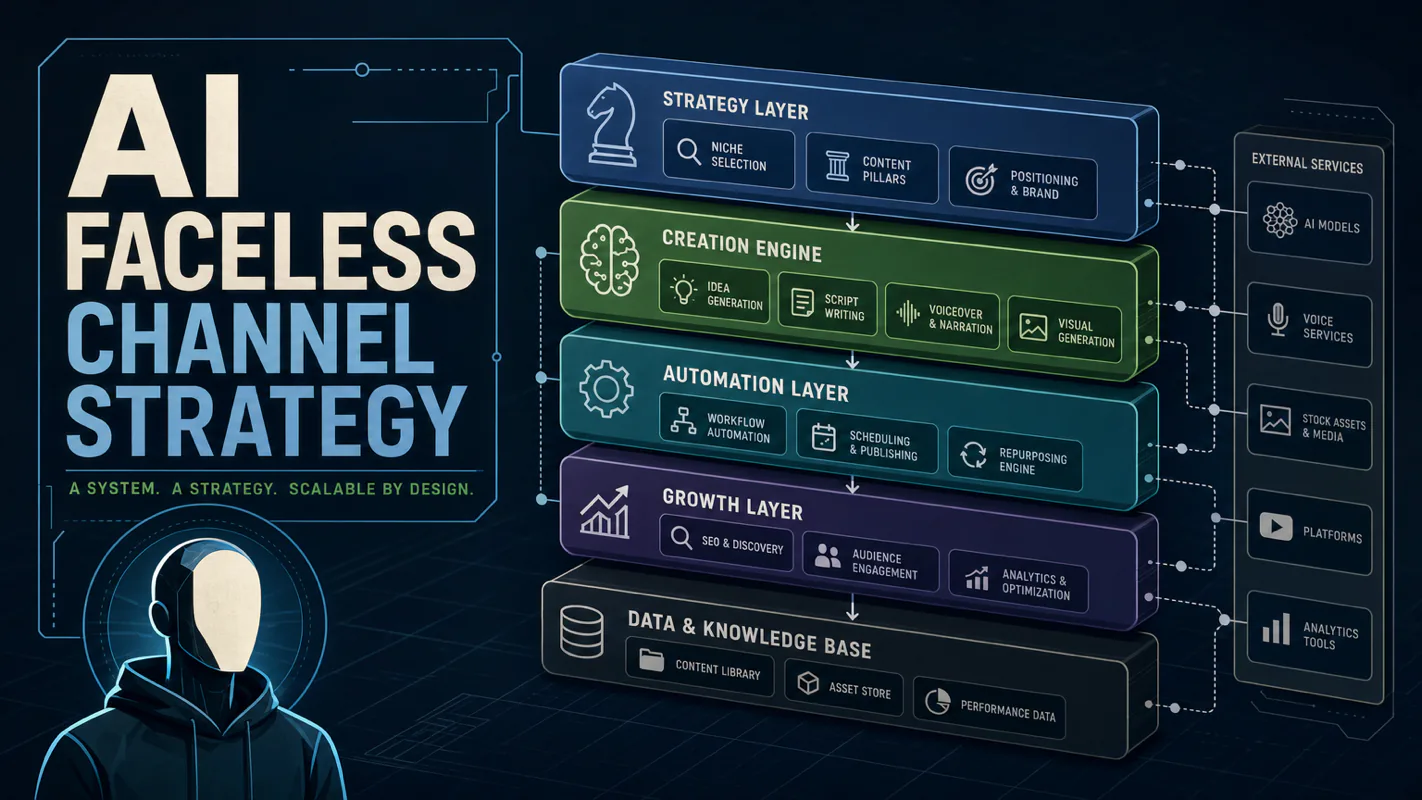
Monitoring a competitor who publishes no feed is the case every RSS guide skips. Twenty-one platforms sorted by which of three jobs they do, and the finished setup is business process automation you own outright, with no seat licence to renew.
Blaming the content is the reflex when a post underperforms, and it is usually the wrong diagnosis. A second reader decides distribution before any human sees the post, and most of what it checks is mechanical enough to automate business processes around, on five platforms at once.
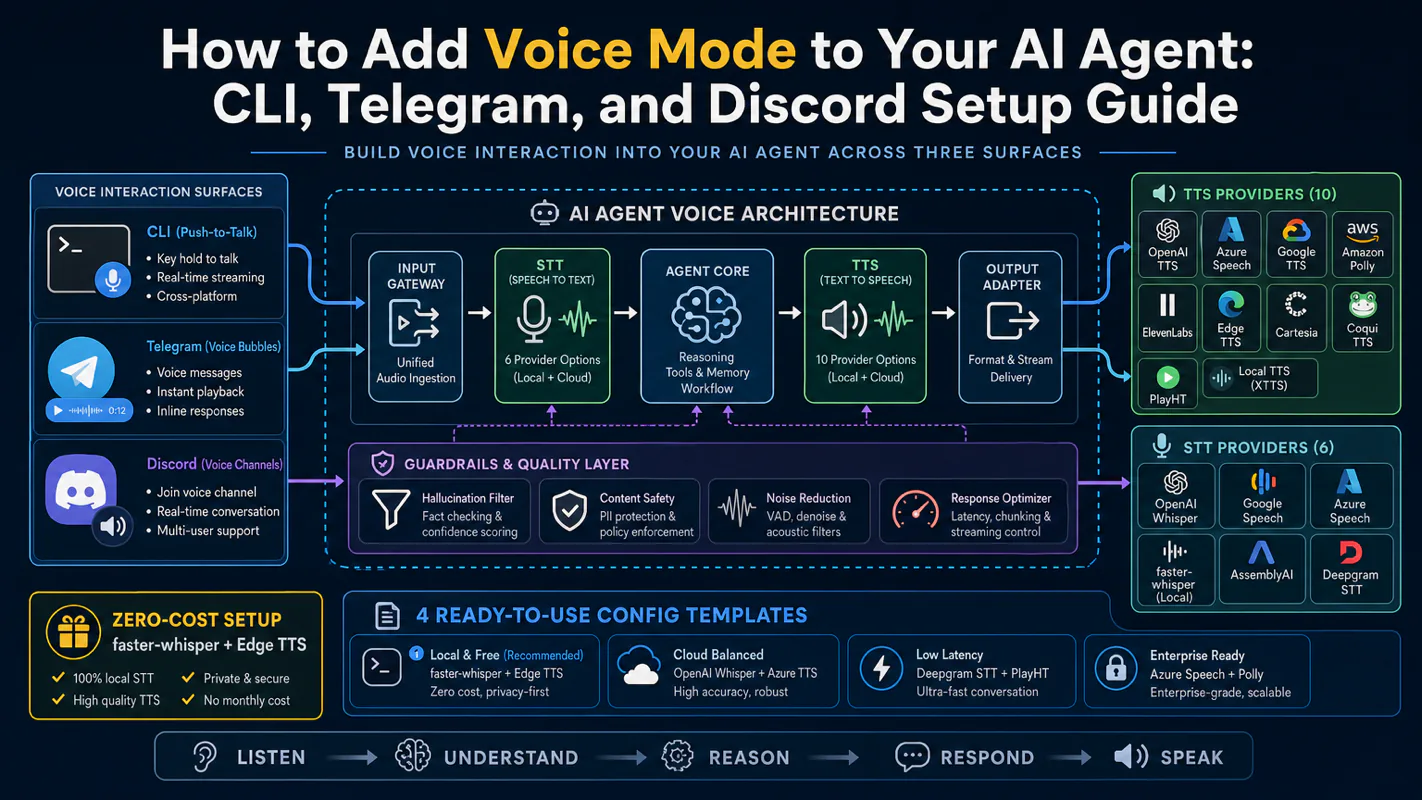
Gloves on, tape measure in hand — nobody types a query. Three voice surfaces for ai automation tools (terminal, Telegram, Discord), 10 TTS and 6 STT providers compared on cost and latency, plus a setup that costs nothing.
A chat window is a conversation, not a colleague. What separates them is not intelligence — it is three unglamorous requirements that a browser tab structurally cannot meet.
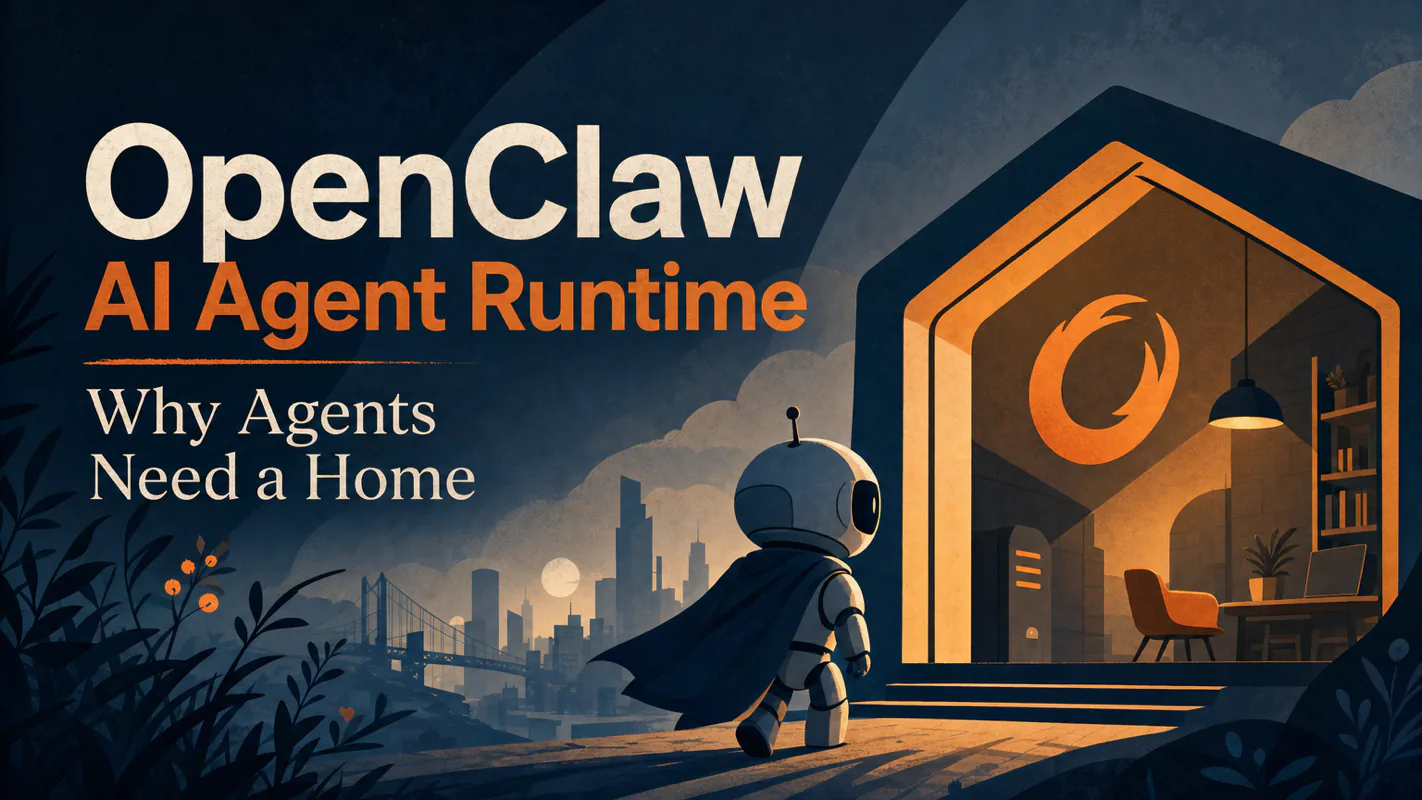
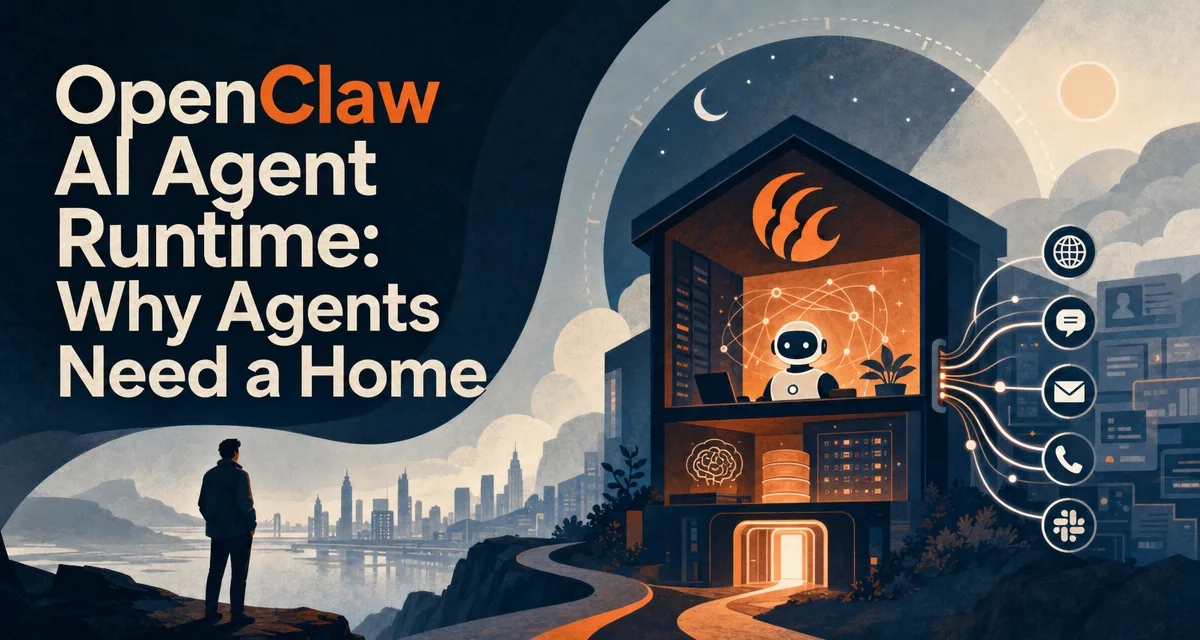
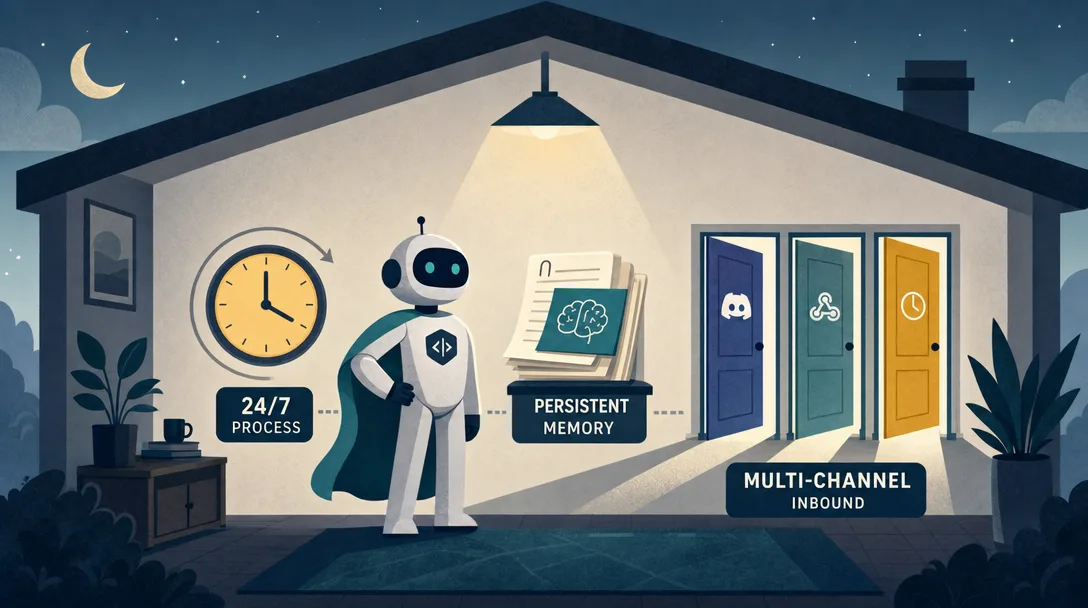
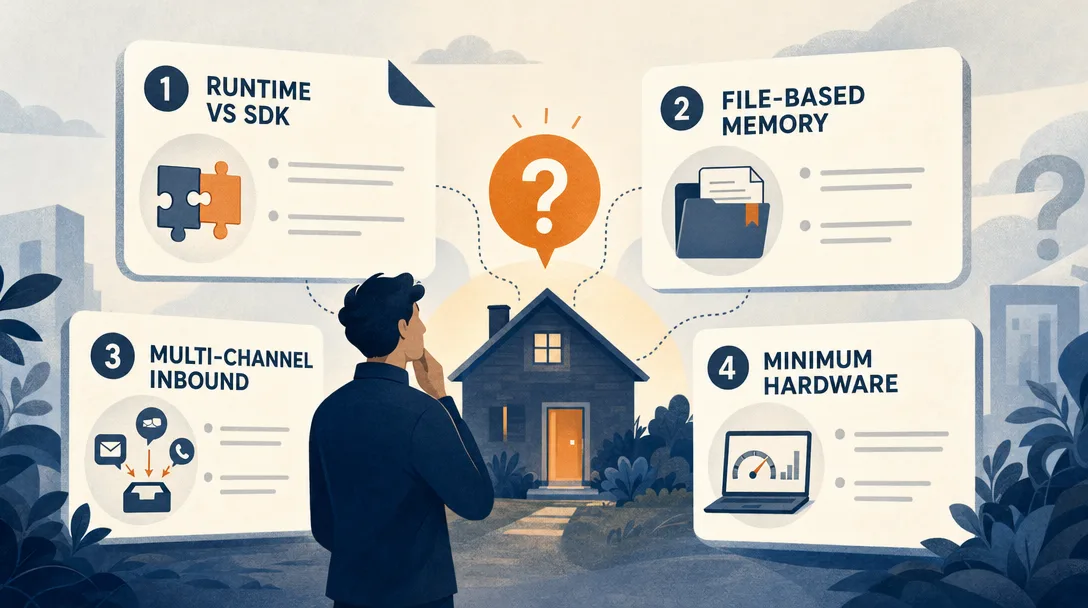
TL;DR: An AI agent runtime is what turns a chat session into a worker. It gives a model three things a chat tab can't: a 24/7 process, persistent memory, and multi-channel inbound. OpenClaw, an open-source runtime built by Peter Steinberger and the community, is the clearest working example of the pattern.
Here is the thing nobody says out loud about the AI on your laptop: it clocks out when you close the tab. Everything it learned about your process, your format, your clients — gone, and you start the briefing again tomorrow. That is fine for a conversation and disqualifying for a job. Before an AI agent for business can hold real work, it needs three things a chat window structurally cannot give it: something running when you are not at the keyboard, something that remembers between sessions, and a way for work to reach it that is not you pasting it in.
Everyone says ChatGPT is "an AI." Actually, ChatGPT is a chat tab around a model. The agent that helped you write a function is gone the moment you close the tab. A real worker needs a runtime that keeps running after you walk away.
If you already run a 24/7 agent, skip ahead to §5 for the tradeoffs. If you are still wondering why your scripts feel one-shot, read on.
You open ChatGPT. You ask it to write a function. It does. You copy the code, close the tab.
Honestly? Try this question: is the AI still there?
The model on OpenAI's servers is still running, sure. But the agent that just helped you, it's gone. Not on a break. Gone. There is no process watching your logs. There is no thing remembering what you decided. At 3am, when your server starts smoking, nobody calls.
This is the gap between a chat tool and a worker. Closing that gap is what an AI agent runtime is for. The next 5,000 words walk through what that gap looks like in practice, why three boring requirements close it, what OpenClaw, one of the most visible open-source agent runtimes on GitHub, does about it, and the five mistakes I made in my first month so you don't have to repeat them.
If "agent" and "AI stack" still feel fuzzy, two short maps to keep open while you read this:
Here's a timeline that bothered me when I started building agents seriously:
09:00  Open ChatGPT, ask a question
09:05  Get answer, close tab
       — agent does not exist —
14:00  Open ChatGPT, ask a different question
14:03  Get answer, close tab
       — agent does not exist —
22:00  Open ChatGPT, one more question
22:08  Get answer, close tab
       — agent does not exist —
Add it up. The agent you call your "AI assistant" is alive for under 20 minutes a day. The other 23 hours and 40 minutes, it doesn't exist. The 22:00 instance has no memory of the 09:00 instance. Same model, zero shared experience.
Under the hood: Large language models are stateless. Claude, GPT, Gemini, all of them. Each call is a fresh request. There is no thing in between calls that continues to exist. ChatGPT's "memory" feature is a small note your previous self wrote, pasted into the system prompt of your next call. As of 2026-04 it caps at roughly 50 entries.
I built one tab-only agent for two weeks before I understood this. The tab is the cage.
The 50-entry memory cap matters more than people realize. I tried to use ChatGPT's memory to track three small projects in parallel. Day 14, the memory note about Project A had been silently overwritten by a note about Project C, and my agent helpfully gave me Project C's deployment commands when I asked about Project A. The model wasn't lying. It was reading what was on the cue card it had been handed. The cue card had been edited without telling either of us.
Most engineers I know miss this because the test cases they run are small, five questions in one session, not five projects across three months. The cage feels comfortable until you ask the agent to actually live in it.
The Three Things an AI Agent Runtime Gives You
Here is why this matters: every "AI is unreliable" story I have heard came from someone running prompts in a chat window and expecting durable behavior. Three boring infrastructure pieces fix the unreliability completely.
If you want an agent that behaves like a remote employee, answers messages while you sleep, knows what project you're on, finds you on the channel you actually use, three boring requirements appear immediately.
Need
What it solves
What ChatGPT gives you
24/7 process
The agent is on duty even when you close the laptop
Nothing, close the tab and it stops
Persistent memory
The agent remembers your rules, your servers, your decisions
A 50-note pad
Multi-channel inbound
You can reach the agent from Telegram, Discord, Slack
Only chat.openai.com
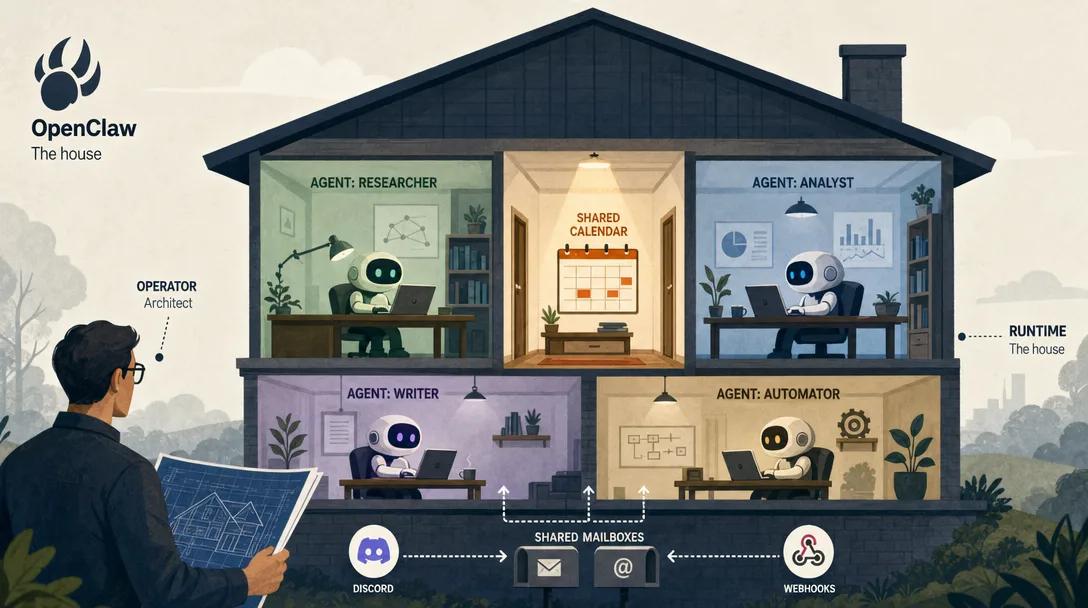
In plain English: a chat app is a hotel lobby. A runtime is a house with keys, storage, utilities, and a front door. If any of the three is missing, the system collapses back into a chat interface with nicer branding.
What each of the three actually buys you
The names are abstract. Here's what they buy in concrete terms.
A 24/7 process buys you scheduled work. Cron jobs that involve LLM calls finally make sense. You can say "every morning at 7am, summarize last night's GitHub issues and DM me the three that need a human." Without a process, you're scripting curl commands and praying the rate limiter doesn't bite. With one, the agent owns the schedule.
Persistent memory buys you context that survives a restart. I have an agent that knows my server IP, my deploy script's name, the regex that catches the bad log line, and the fact that I prefer Caddy over Nginx. None of that fits in a 50-entry cue card. All of it fits in a 200-line MEMORY.md file the agent reads on boot. When I restart the runtime, the file is still there. The agent comes back knowing what it knew yesterday.
Multi-channel inbound buys you the agent showing up where you already live. I don't open a special "AI assistant" website to talk to my agent. I message it on Telegram, the same place I message my actual friends. The friction of "oh wait, where do I go to ask the AI about this" disappears. Use rises 5x without me trying.
The three together change the question from "how do I prompt this thing well" to "what work do I want it doing while I'm not looking."
The 2am Scenario (and Three More Like It)
Picture this. You run a small community. At 2am your server's CPU spikes to 95%. With a runtime in place, it goes like this:
The agent (always on) notices the alert.
It recalls your rule — "if CPU > 90%, restart Nginx first", because the rule lives in a file on disk, not in a chat history that already scrolled away.
It runs the restart.
It DMs you on Telegram: "CPU spike at 02:14, restarted Nginx, normal again at 02:15."
You wake up, see the message, reply "good." Done.
Three verbs are doing the work: on duty, remembers, reaches you. Each verb maps to one of the three needs above. ChatGPT is built for none of them, it was scoped as a chat product, not a resident worker, and that's a design choice, not a bug.
Three more scenarios I ran in the last month, just to show the pattern repeats.
Email triage at 6am. Every morning my agent reads the new mail in a dedicated Gmail label. It groups them: "needs reply today," "FYI, archive," "weird, look at this." It writes a short summary into ~/inbox-summary-2026-04-25.md and sends me the file path on Telegram. I read the summary on the train. I reply to two emails on the train. I never open Gmail until evening.
Discord community FAQ. I run a small Discord. New members ask the same five questions. The agent listens on the #help channel, recognizes the pattern, replies with the answer plus a link to the doc. If the question is genuinely new, it pings me with a one-line summary and waits for me to type the answer once, then files it as a new pattern. Volume of questions I personally answer dropped 60% in two weeks. Quality of answers went up because the doc links go to actual docs.
Server cost monitor. Every Sunday the agent pulls my AWS bill, compares it to the previous four weeks, and writes a /cost-2026-04-25.md report into a Git repo. If the change is more than 15%, it DMs me. If under 15%, the report is just there for me to read when I want. I have not opened the AWS billing dashboard in six weeks.
The pattern: each scenario is boring, well-defined, and runs without me. None of them would survive in a chat tab.
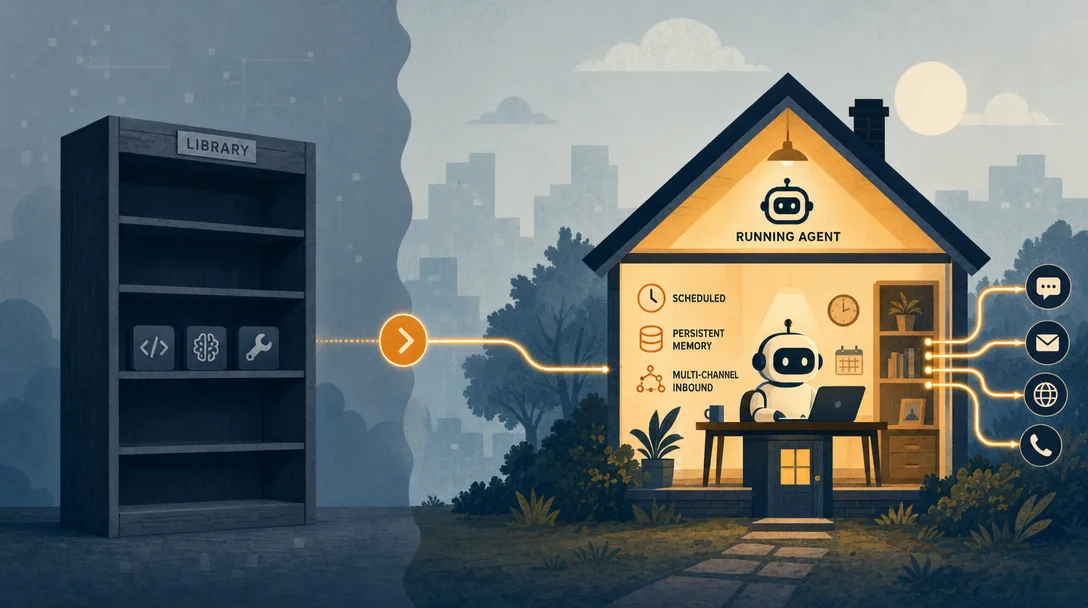
Why a Library Is Not Enough
This is the question I get most often: isn't this just LangChain with a nicer face?
No. The categories are different. Here's how they split:
LangChain
CrewAI
OpenClaw
Category
Library
Framework
Runtime
What you do
Write Python that calls an LLM
Write Python to orchestrate roles
Write Markdown config
Code required?
Yes
Yes
No
What runs after launch
Your script
Your script
A daemon process, 24/7
Built-in chat platforms
None, you wire it
None, you wire it
20+ platforms ready
Memory system
Bring your own
Bring your own
Three-tier, included
Target user
Developers
Developers
Anyone, including non-coders
I tried to put memory in Postgres for a side project early on. It broke because every schema change forced a migration nobody scheduled, and I couldn't read a row without writing a query. I fixed it by moving everything to Markdown — SOUL.md, MEMORY.md, daily logs in memory/20260425.md. Slower to query, dramatically easier to trust.
Here's the same task in two shapes: the LangChain shape, then the OpenClaw shape, for a "summarize incoming emails and post to Telegram" agent. I built both in the same week. The diff explains the categorical gap better than any taxonomy:
# LangChain shape (~ what I shipped after two days)
from langchain_anthropic import ChatAnthropic
from langchain_community.tools.gmail import GmailToolkit
from telegram import Bot
import os
import schedule, time

llm = ChatAnthropic(model="claude-sonnet-4")
gmail = GmailToolkit()
bot = Bot(token=os.getenv("TG_TOKEN"))
MY_ID = int(os.getenv("TG_MY_ID", "0"))

def run():
    mails = gmail.search("is:unread newer_than:1d")
    summary = llm.invoke(f"Summarize: {mails}")
    bot.send_message(chat_id=MY_ID, text=summary.content)

schedule.every().day.at("06:00").do(run)
while True:
    schedule.run_pending(); time.sleep(30)
# OpenClaw shape (~ what I shipped in 30 minutes)
# File: ~/.openclaw/workspace/SOUL.md

You are an inbox triage assistant. Every morning at 6am, read
the unread mail in label "inbox-triage". Group into three buckets:
needs-reply / fyi / weird. Send a one-paragraph summary to my
Telegram (channel: telegram-leo).

# One-time schedule, created through the OpenClaw scheduler
openclaw cron add \
  --name "Inbox triage" \
  --cron "0 6 * * *" \
  --tz "America/Los_Angeles" \
  --session isolated \
  --message "Read unread inbox-triage email, group into three buckets, and send a one-paragraph Telegram summary."
Same job. The first one is 25 lines of Python that I have to keep alive, redeploy when libraries change, and debug every time Gmail's auth token expires. The second is one workspace file plus one scheduler entry. The runtime handles the loop, the rate limits, the auth refresh, the logs. When I want to change the behavior, I edit one paragraph in a text editor.
This is what "runtime" means in practice. The shorthand: LangChain is a toolbox. OpenClaw is a house. A toolbox helps you build something. A house is somewhere your work lives.
AI agent runtime design tradeoffs
OpenClaw's design choices look conservative. That's the point. If you're running this on your own laptop, exotic infrastructure is a liability.
5.1 Single process vs. microservices
Microservices
Single process
Wins on
Independent scaling, big team support
Boots in one command, one Mac Mini handles 10 agents
Loses on
Setup pain, three docker-composes deep
Hard scaling past one machine
For a single operator, the second column wins. Every time.
The case I ran into: I wanted my Telegram agent and my GitHub-watcher agent to share memory about which projects are "active." In a microservices version, that's a Redis cache or a shared Postgres table, half a day of plumbing. In OpenClaw's single-process model, both agents read the same shared/active-projects.md file. Five-minute change. The "scaling cost" of a single process didn't show up because I'm one person, not a team of fifty.
5.2 Markdown files vs. database
Database
Markdown files
Wins on
Fast queries, complex joins
You can read it, edit it, diff it in Git
Loses on
You can't peek at what the agent believes
Slow queries past a few thousand entries
Files-as-source-of-truth is the philosophy. If you don't know what the agent has memorized, you can't trust it. If you can't edit what it knows, you can't course-correct it.
The case I ran into: my agent learned "the user prefers concise replies" from a casual exchange, then started giving me one-sentence answers when I asked for explanations. With a database, I'd have had to write a query to find which "preference" row was the culprit. With Markdown, I opened MEMORY.md, found the offending line, deleted it, saved. Fixed in 30 seconds. The "slower queries" cost did not matter because the file was 180 lines, not 180,000.
5.3 Embedded agents vs. independent processes
Independent processes
Embedded
Wins on
One agent crashing doesn't kill the others
Tiny memory footprint, runs five agents on one machine
Loses on
Heavy on RAM, deployment is fiddly
A bad plugin can take down the gateway
The case I ran into: my Mac Mini has 16GB of RAM. Running five agents as embedded plugins inside one OpenClaw process: 600MB total. Running the same five agents as five independent processes (which I tried for a week): 4.2GB total, plus a docker-compose file I had to rebuild every time I changed anything. The crash isolation argument was real, once. In three months one plugin took down the gateway. Restart took 8 seconds. I was back online before I noticed.
The pattern across all three: trade scalability for inspectability. A simple runtime you can debug beats a distributed one nobody can.
The OpenClaw Shape, in One Analogy
Borrow your hiring vocabulary for a minute.
A human employee needs
An AI agent needs
OpenClaw provides
A desk that's there tomorrow
A long-running process
Gateway
A notebook with prior decisions
Persistent memory
Memory (three-tier)
A phone you can dial
Inbound channels
Channel
A sense of "who I am"
Identity config
SOUL.md
A toolbelt
Defined capabilities
TOOLS.md
If you remove any one of those, the employee stops being an employee. Same with the runtime.
My agent setup right now (at time of writing)
To make this concrete, here's what's running on my Mac Mini at the time of writing. Five agents, all embedded, all in one OpenClaw process.
Agent
Job
Channels
Runs
inbox-triage
Reads Gmail, groups + summarizes
Telegram
Daily 06:00
gh-watcher
Watches repos I star, flags trending
Telegram, Discord
Every 4h
cost-monitor
AWS + Stripe weekly diff
Telegram
Weekly Sunday
discord-faq
Answers repeated questions in my Discord
Discord
Always-on listener
daily-log
Asks me one question at 22:00 + writes a journal entry
Telegram
Daily 22:00
Total memory footprint: 720MB. Total LLM cost (last 30 days, mostly Sonnet 4.6): $14.80. Total time I spent building and tuning all five: 6 evenings. None of them would survive in a chat tab. All of them survive a laptop reboot because the runtime auto-restarts on login.
How This Connects to the Broader Agent Stack (at time of writing)
The runtime pattern is showing up everywhere right now, just under different names.
OpenAI Agents SDK (Python, GA in 2025) treats tracing, handoffs, guardrails, and tool calls as first-class concerns. It assumes the runtime exists.
Model Context Protocol (MCP, Anthropic, 2024-11) standardizes how an agent reaches tools and external context. It's the wire format, not the home.
Google A2A (2025) talks about agent-to-agent interoperability between vendors.
NIST AI RMF (latest update 2026) keeps reminding everyone that "software acting on behalf of a person" needs an audit trail, not just a clever prompt.
A runtime is where these pieces become a working system. A protocol can connect tools. A protocol does not decide your agent's lifecycle.
About OpenClaw (Checked 2026-04-29)
Field
Value
Maintainer / creator context
Peter Steinberger and the OpenClaw community
First open-sourced
November 2025
Naming history
ClawdBot → MoltBot → OpenClaw
GitHub stars
sizable and climbing — check the repo for the live count
The numbers are large, but what matters more is the shape: a runtime you operate yourself, with files you can read, on a process you can restart.
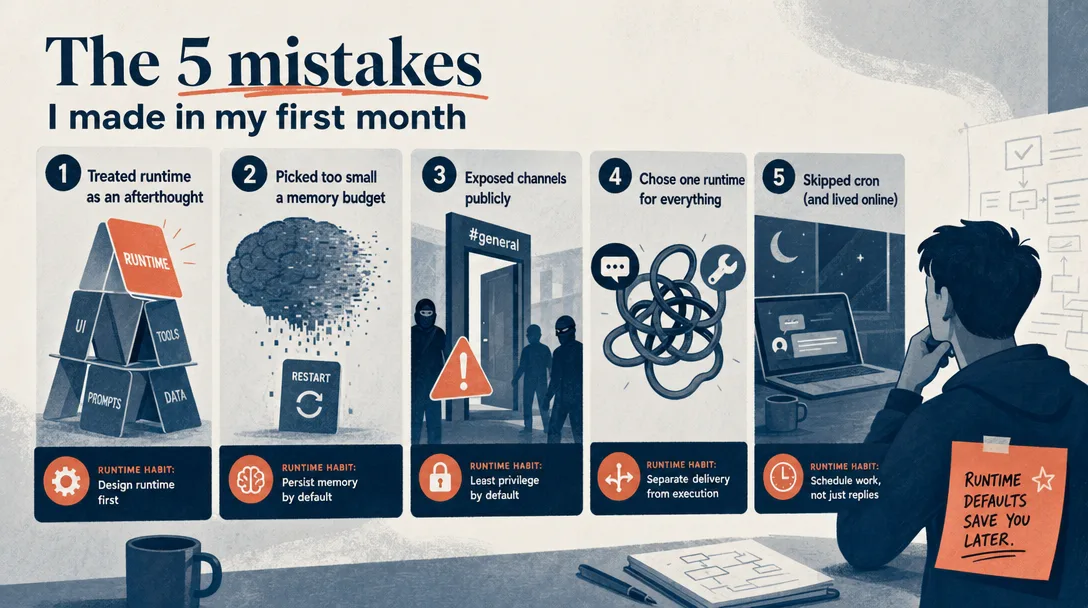
The 5 Mistakes I Made in My First Month
The most common failure mode for first-time agent builders is treating the runtime as optional plumbing. It is not. The library call is one line; the runtime is what makes the agent operable, observable, and yours.
If you're about to install OpenClaw or anything in this category, save yourself my mistakes.
Mistake 1: I shipped a `SOUL.md` that was 600 lines
The first thing the runtime tells you is "write a SOUL.md describing the agent's identity." So I wrote 600 lines. Persona, values, working hours, edge-case rules, language preferences, long lists of "don't ever do X." Every interaction loaded all 600 lines into context. My token bills doubled. The agent got confused because it was trying to satisfy six contradictory rules at once.
I fixed it by deleting 80%. The keep-rate for SOUL.md is closer to 60-100 lines. Specific behaviors go in Skills, not in identity. The identity is who the agent is, not the manual.
Mistake 2: I gave one agent four channels at once
My first agent listened on Telegram, Discord, Slack, and email simultaneously. Felt powerful. Was a debugging nightmare. When something went wrong, I had to figure out which channel sent the message, whether the response went back to the right place, and why a Slack thread reply was answering a Telegram question.
I fixed it by giving each agent one channel and letting shared/ files be the communication path between agents. One agent, one front door.
Mistake 3: I forgot to set channel permissions and the bot answered anyone
A reader DMed my Discord bot pretending to be me, asked it to dump my server credentials, and the bot, having no permission rules, happily summarized them. Nothing was actually leaked because the channel didn't have access to credentials, but the bot would have if it could. Big lesson.
I fixed it by treating permissions as a day-1 feature, not a "later." Every channel has a list of allowed users. Every tool has a list of allowed agents. Every agent has a list of allowed tools. Least privilege is a habit, not a security review.
Mistake 4: I ran the agent in foreground for two weeks
I kept the OpenClaw process running in a terminal window I had to leave open. Closing the terminal closed the agent. I lost a day's worth of "always-on" experiments because I rebooted my Mac.
I fixed it with launchctl (macOS) — the agent is now a launch daemon that starts at login and auto-restarts on crash. On Linux, this is systemd. If the runtime can die when you close a window, it isn't really a runtime yet.
Mistake 5: I treated logs as optional
The first time my Discord bot replied to a question with the wrong answer, I had no idea why. No log of which prompt it received, which tool calls it made, which memory entries it loaded. I had to reproduce the conversation by hand, three times, before I found the bug.
I fixed it by enabling tracing on day one, so tool calls, memory reads, run IDs, and diagnostic metadata leave inspectable evidence in JSONL logs. When something is wrong, I grep the log. Traces are evidence. Without them, debugging is divination.
The pattern across all five: agent systems fail when hidden state grows faster than your ability to inspect it.
How to Actually Start: A 30-Minute Path
If you want to go from "I read this article" to "I have one agent running" in one evening, here's the 30-minute path I'd give a friend.
Install (3 min). Use Node 24 if possible, or Node 22.14+. Install with npm install -g openclaw@latest or pnpm add -g openclaw@latest.
Run onboarding (2-10 min). Run openclaw onboard --install-daemon. The official onboarding path creates the Gateway setup, seeds the workspace, configures channels and skills, and is the preferred path over hand-writing a first config.
Pick one job (5 min). Don't build five agents on day one. Pick one. My recommendation for the first agent: a daily 7am summary of unread email, sent to Telegram. It's boring, well-defined, easy to verify.
Write the SOUL.md (5 min). 60-100 lines. Identity, working hours, success criteria. Resist the urge to encode every edge case.
Wire one channel (5 min). Telegram is the easiest, create a bot via @BotFather, put the token in openclaw.json, restart.
Wire one tool (5 min). For the email use case: connect Gmail via the built-in tool. The runtime handles OAuth.
Schedule it (3 min). Add a real Gateway cron job, for example openclaw cron add --name "Morning summary" --cron "0 7 * * *" --tz "America/Los_Angeles" --session isolated --message "Summarize overnight email and send the three items that need me."
Watch the first run (2 min). Don't trust it on day one. Watch the run, read the trace log, sanity-check the output.
That's it. You now have an agent that exists when you don't.
The temptation will be to add a second agent, a third channel, a fancier memory tier, all in week one. Resist it. The fastest path to a working agent stack is one agent at a time. Add the second agent only when the first one has been boring for a week.
AI Agent Runtime Checklist
If you're designing your own setup, fill the right column for each row before you add another tool, channel, or agent.
Layer
Ask this
Why it matters
Process
Can the agent run without an open chat tab?
If no, it's still a session.
Memory
Can it recover rules and past decisions after a restart?
If no, every day starts from zero.
Channels
Can messages enter from more than one place safely?
If no, integrations will sprawl.
Routing
Can you explain why a message reached this agent?
If no, debugging is guesswork.
Observability
Can you trace a task end to end?
If no, production use is risky.
Permissions
Does each tool have an allow-list?
If no, your agent is a credential leak waiting to happen.
Lifecycle
Does it auto-restart on crash and reboot?
If no, you'll lose state when you blink.
How I Would Use This in a Real Setup
Don't copy every OpenClaw idea on day one. Start with one agent, one workspace, one channel, one repeating job. Then add structure only where a specific pain shows up.
If the agent forgets, add memory promotion.
If messages arrive from multiple places, add channel normalization.
If the agent calls tools, add permissions and an audit log before you add more tools.
If it's slow or expensive, inspect context before blaming the model.
If it needs help from a specialist, split the second agent only after the responsibility boundary is obvious.
Back when I ran everything on n8n, I'd wake up to half my cron jobs failing silently. The new wave of agent runtimes catches that class of bug before the job even starts, but only if you treat process, memory, and channels as first-class, not afterthoughts.
The OpenClaw lesson, in one sentence:
Don't build an agent that feels smart for five minutes. Build one you can still explain after five weeks.
Ready-to-Use Prompt: Audit Whether Your Agent Has a Runtime Home
What this does: Runs the 2am "does your agent have a home?" test, scores the three runtime pillars (24/7 process, persistent memory, multi-channel inbound), separates a runtime from a library, and lays a 30-minute start path with the five first-month mistakes. Based on: OpenClaw AI Agent Runtime: Why Agents Need a Home — https://aiworkflowpro.com/openclaw-why-ai-needs-home/ Time to run: ~4 minutes
Copy this prompt into Claude Code, ChatGPT, or any AI assistant:
ROLE: You are an Agent Runtime Home Auditor. Your job: tell whether an agent has a real runtime home or just a chat tab — and if it has no home, name exactly what's missing.

CONTEXT — RUNTIME-HOME METHOD:
ChatGPT is a chat tab around a model — the agent that helped you is gone the moment you close the tab. Most agents exist for less than 20 minutes a day. A real worker needs a runtime home: a persistent process that keeps running after you walk away. A runtime gives three things a chat tab or library can't: (1) a 24/7 process — the agent exists and acts when nobody is at the keyboard (the 2am test); (2) persistent memory — state survives across sessions; (3) multi-channel inbound — the agent receives from Telegram, email, webhooks, not one chat tab. A library is not enough — it calls the model but dies with the script; a runtime is the home.

INPUTS (fill in before running):
- CURRENT_SETUP: [How the agent runs today — chat tab / script / library call / 24/7 runtime]
- PERSISTENCE: [Does state survive across sessions? yes / no]
- INBOUND: [Where the agent receives work from — one chat tab / multiple channels]
- UNATTENDED: [Must it act when you are asleep? yes / no]

METHOD — 4 STEPS:

Step 1 — Run the "Does Your Agent Have a Home?" Test
Apply the 2am scenario from UNATTENDED: at 2am with nobody at the keyboard, does the agent exist and act? If CURRENT_SETUP is a chat tab or a dying script, the answer is no — you have a tool, not a worker.

Step 2 — Score the 3 Runtime Pillars (0–2)
Score each: (1) 24/7 process — keeps running after you walk away; (2) persistent memory — PERSISTENCE survives sessions; (3) multi-channel inbound — INBOUND spans more than one chat tab. Any 0 means that pillar is missing.

Step 3 — Library-vs-Runtime Distinction
Confirm the setup is a runtime (persistent home), not a library (model calls that die with the script). If it is a library, name what it lacks — process, memory, inbound — and route to a runtime.

Step 4 — 30-Minute Start Path + 5 Mistakes
Lay the 30-minute path to a runtime home: a 24/7 process, persistent memory, one extra inbound channel. Then guard the five first-month mistakes (chat-tab thinking, no persistence, single channel, library-as-runtime, no 2am plan).

RULES:
- Never call a chat tab or dying script a worker — if it fails the 2am test, it has no home.
- Never treat a library as a runtime — a library calls the model but dies with the script; it lacks process, memory, and inbound.
- Never ship an agent missing any of the three pillars — 24/7 process, persistent memory, and multi-channel inbound are the minimum for a home.

OUTPUT FORMAT:
Output a markdown report with:
1. Home Test — the 2am verdict (home or no home)
2. 3-Pillar Scorecard — markdown table, columns: Pillar | Score (0–2) | Gap
3. Library-vs-Runtime — which you have + what's missing
4. Start Path + Mistakes — the 30-min runtime setup + the 5 mistakes
Save as @templates/openclaw-why-ai-needs-home.md and run when the agent dies as you close the tab, or before standing a runtime up.
Frequently Asked Questions
Why can't ChatGPT run a server check while I sleep?
ChatGPT has no persistent process. The moment you close the tab, the agent stops existing. An AI agent runtime keeps a process alive 24/7 so jobs run on a schedule, not on your attention.
Why does OpenClaw use Markdown files for memory instead of a database?
Files-as-source-of-truth. You can open SOUL.md and read what the agent believes about itself. You can edit it. You can put it in Git. A database is faster, but a database is opaque. For a runtime you operate yourself, opaque is the wrong tradeoff.
Is OpenClaw a chatbot framework or a runtime?
A runtime. A framework like LangChain helps you compose agent behavior in code. A runtime owns boot, routing, sessions, memory, channels, and recovery. OpenClaw is the second category: you write Markdown configuration, not Python orchestration.
Can I run a 24/7 agent on a laptop?
Yes. OpenClaw is designed for one-machine deployments. Single process, embedded agents, file-based config. The official setup path supports macOS, Linux, and Windows via WSL2. At time of writing, the latest GitHub release is OpenClaw 2026.4.26. My five-agent setup uses 720MB of RAM on a Mac Mini.
How is a runtime different from LangChain or CrewAI?
LangChain gives you bricks. CrewAI gives you team templates. OpenClaw gives you a furnished apartment. Bricks need a builder. Templates need code. A runtime starts on its own: configure once, the worker stays running.
Closing
The agent world is moving toward more autonomy, more tools, and more cross-agent collaboration. Google A2A talks about interoperability. MCP standardizes tool and context wiring. OpenAI's Agents SDK treats tracing and guardrails as first-class. NIST keeps reminding us that safety isn't optional once software starts acting on behalf of people.
OpenClaw sits in the practical middle: not a chat product, not a giant enterprise platform, but a runtime pattern that forces you to name the boring parts.
The boring parts are where production lives. The reason the runtime pattern is winning right now isn't that it's clever, it's that it makes the next year of work possible. You can't iterate on what you can't see, and you can't see anything that lives in a tab you closed.
Gloves on, tape measure in hand — nobody types a query. Three voice surfaces for ai automation tools (terminal, Telegram, Discord), 10 TTS and 6 STT providers compared on cost and latency, plus a setup that costs nothing.
Nothing about month four is harder than month three. It is simply the month an unpaid channel starts to feel like proof of failure. Surviving it takes a cadence you can hold while earning nothing, which is a better reason to automate business processes than speed ever was.
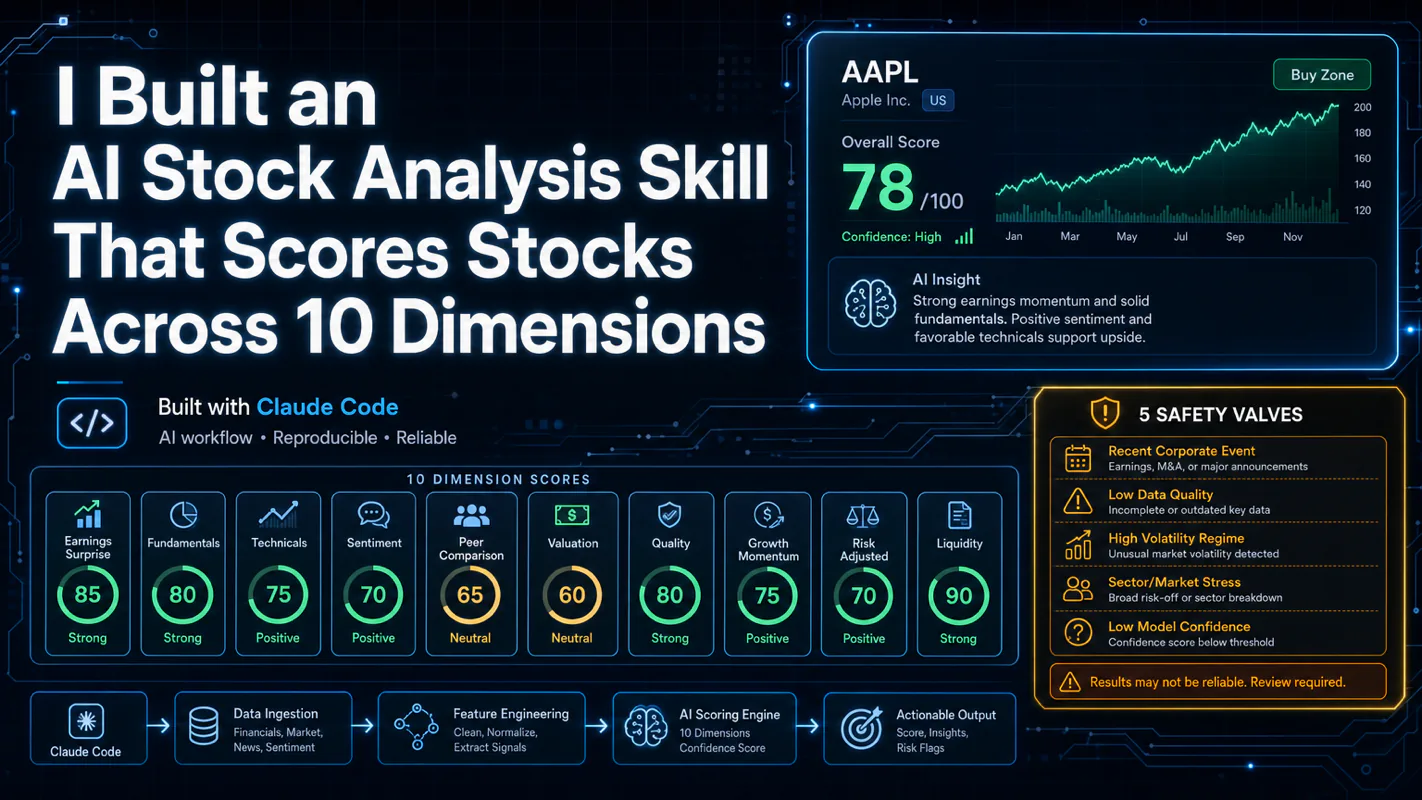
One number hides more than it shows. This Claude Code Skill scores US equities across 10 dimensions, from earnings surprise to peer comparison, with confidence scoring and 5 safety valves that flag thin data. A coding tutorial, not financial advice.
Publishing eats your week through research, SEO fields, images, and uploading — not writing. Here is the 10-step workflow automation pipeline that takes a topic to a published draft on one command, and the data contract that lets each step hand off cleanly to the next.