A 30-minute video is too long for one conversation. This guide walks the 8-step Skill that locks the narration and one look, then gives each 3-minute segment to a fresh sub-agent, five at a time, and polishes the cut in an empty-context session.
The folder structure behind my AI agent team, the Herdr setup where Grok Build, Claude Code and Kimi Code work side by side, and the two live tasks from the video: an article published by voice and a three-model front-end test.
Eight folders of plain Markdown, a CLAUDE.md index in each, and seven prompts that make your agent interview you. Every prompt, template and command from the video, in order.
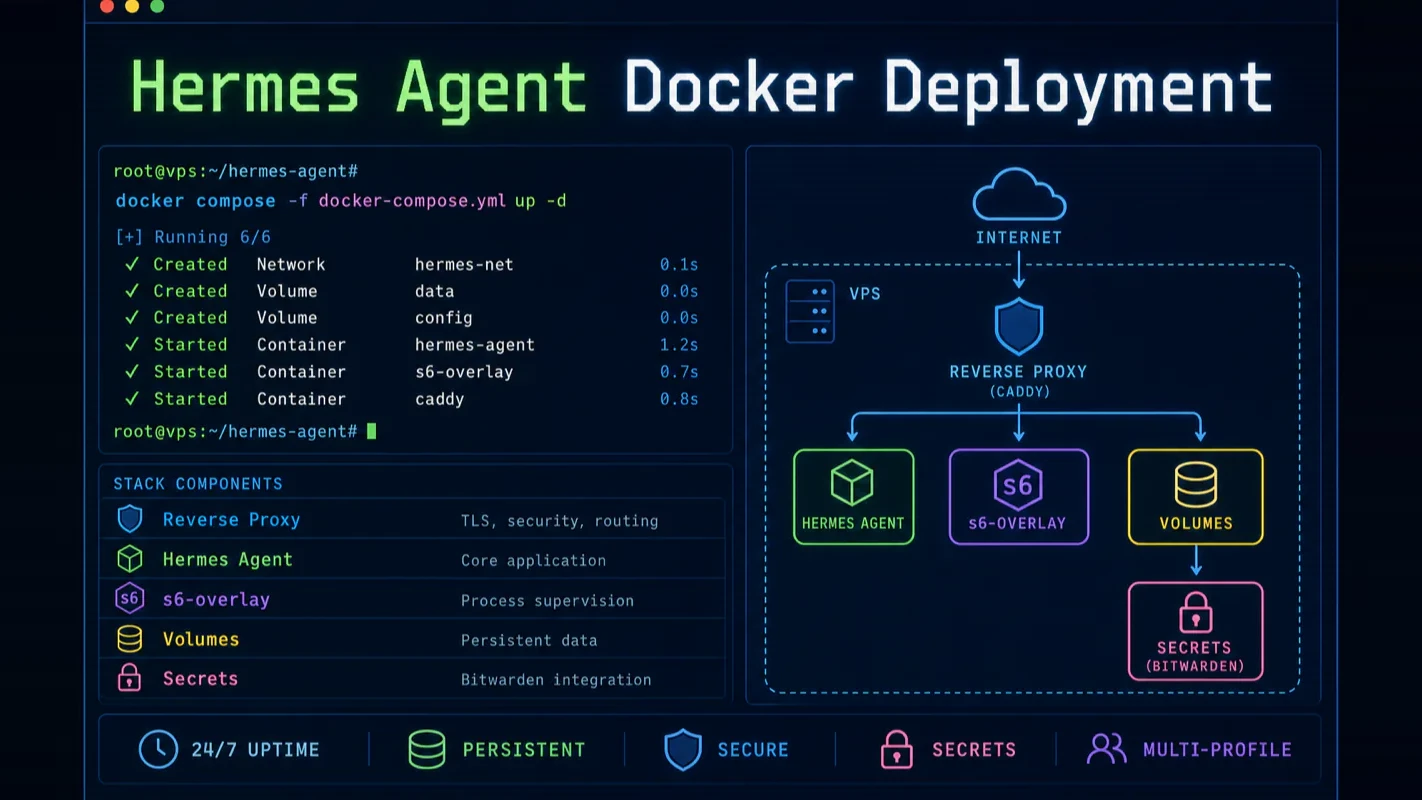
Hermes Agent Docker Deployment: The Complete Production Guide for 24/7 VPS Hosting
Deploy Hermes Agent with Docker on a $5 VPS: Docker Compose, s6-overlay process supervision, a seven-layer security model, Bitwarden secrets and multi-profile containers, which is what decides whether ai automation tools survive the person who set them up.
The person who set it up is out for two weeks. That is the test most deployments fail, and it has little to do with uptime. At a property management office the rent reminders and maintenance tickets keep arriving; what stops is everything that lived on one laptop, from keys pasted into a terminal to a container someone restarts by hand. The chapters below are the answer to that: secrets a second person can reach, a supervisor that restarts the process itself, one profile per job so one mistake does not take the rest down. That is the line between ai automation tools the business owns and a setup living on one desk.
Most Hermes Agent guides stop at docker run. That gets you a container. It does not get you a production deployment.
I have been running Hermes Agent on a VPS around the clock for weeks. Along the way I discovered that the official Docker image packs a sophisticated process supervisor most articles never mention, that secrets management has a first-party Bitwarden integration nobody covers, and that the security model goes seven layers deep — far beyond the "just use --restart unless-stopped" advice you find everywhere else.
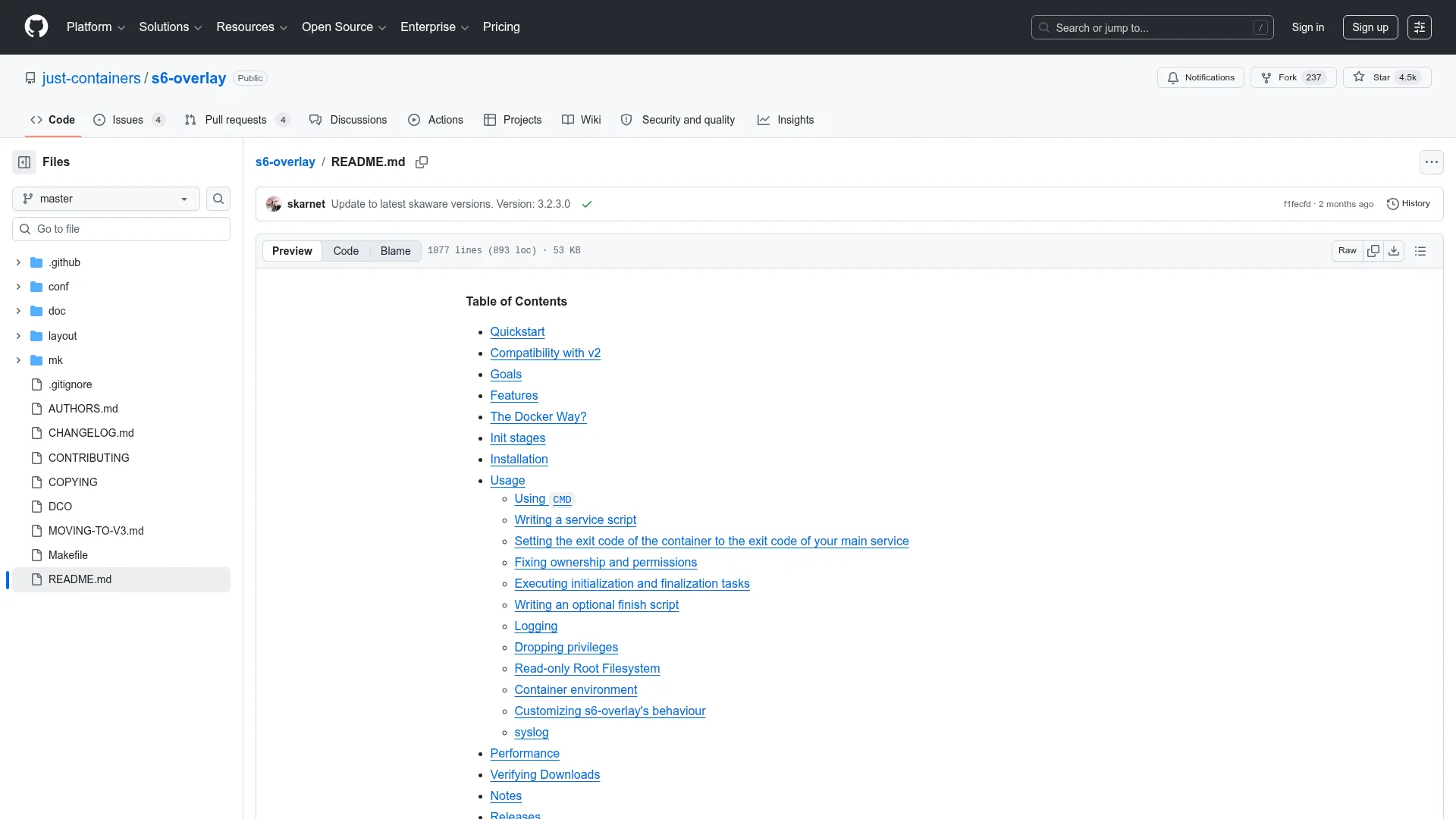
This guide covers the full stack: Docker Compose configuration (minimal and production-grade), all six terminal backends compared, the seven-layer defense-in-depth model, Bitwarden Secrets Manager setup, multi-profile container architecture, reverse proxy hardening, and a troubleshooting checklist drawn from real deployment mistakes. Every command has been tested. Every configuration can be copied directly onto your server.
Who this is for: You have already run Hermes Agent locally and want to move it to a VPS for 24/7 operation. You need a guide that does not skip the hard parts. If you have not completed the initial setup yet, start with our Hermes Agent complete setup guide first.
What Are the Two Docker Modes in Hermes Agent?
Before touching any YAML files, get this distinction right. Hermes Agent interacts with Docker in two fundamentally different ways, and the official documentation separates them on the first page — yet most tutorials blur the line.
Mode 1: The agent lives inside a Docker container. This is the subject of this guide. You package the entire Hermes runtime — Python, Node.js, Playwright, s6-overlay — into a container and run it on a VPS. The container is the agent's permanent home. Messages arrive from Telegram, Discord, or Slack; the agent processes them inside the container.
Mode 2: Docker as a terminal backend. The agent runs on the host machine, but every shell command it executes gets sent to a separate, persistent Docker sandbox. You configure this with terminal.backend: docker in config.yaml. The sandbox survives across tool calls and sub-agents. Its purpose is isolation — if the model gets prompt-injected into running rm -rf /, it destroys the sandbox, not your server.
These two modes stack. You can run the agent inside container A while routing all command execution to sandbox container B. That gives you double isolation. This guide focuses on Mode 1, with Mode 2 covered in the terminal backend comparison section.
How to Set Up Docker Compose for Hermes Agent
Minimal Working Configuration
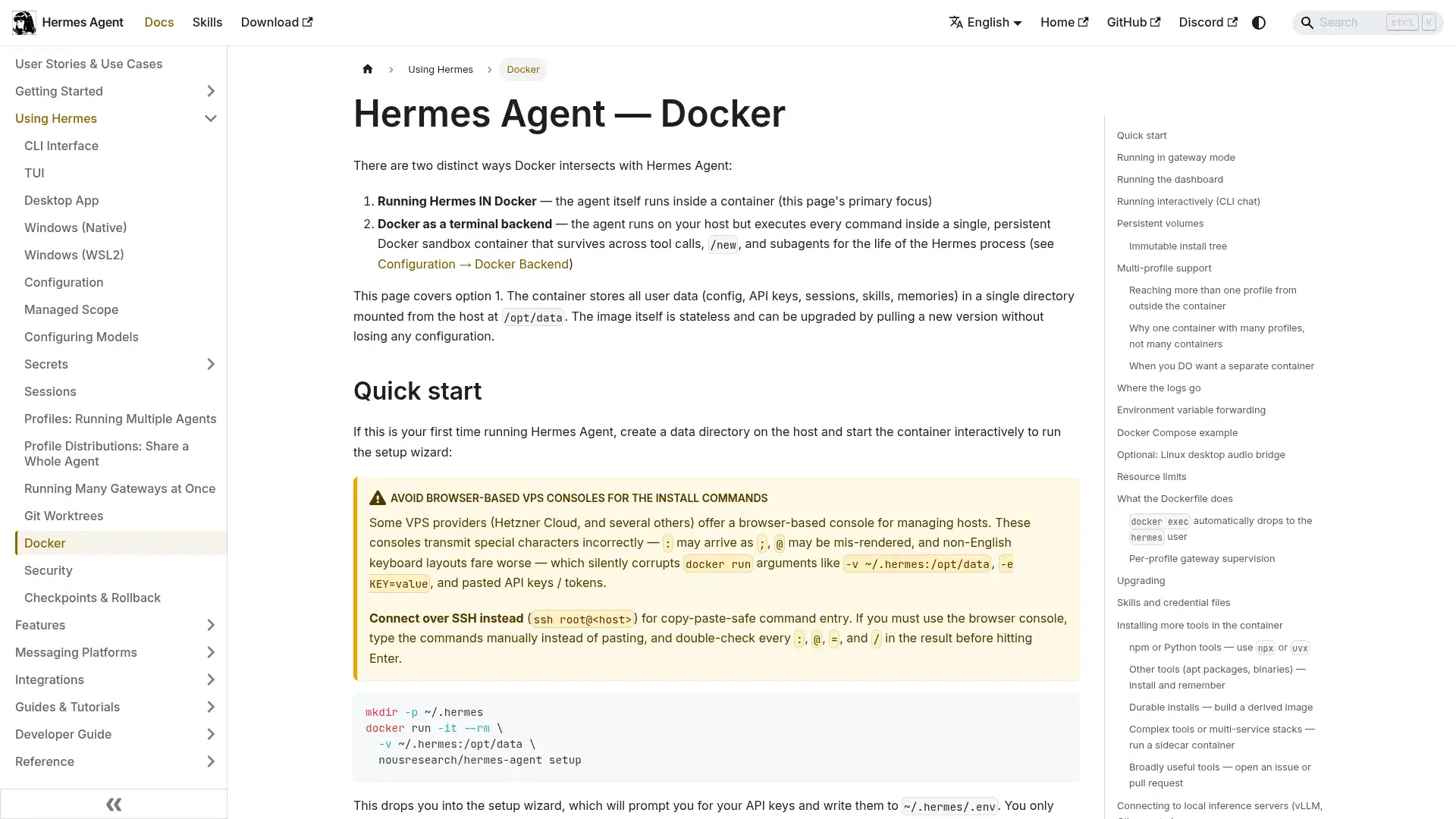
Three commands get you from zero to a running agent (see the Docker Compose documentation for detailed reference):
mkdir -p ~/.hermes
docker run -it --rm -v ~/.hermes:/opt/data nousresearch/hermes-agent setup
docker compose up -d
The setup command launches an interactive wizard — you pick an LLM provider, enter API keys, and configure your messaging platform. It writes everything to ~/.hermes/ and then the container self-destructs (--rm). The actual long-running container starts with docker compose up -d.
Your docker-compose.yml needs five things: the official image, the gateway run command, port mappings for the Gateway API (8642) and Dashboard (9119), a volume mount to ~/.hermes, and a restart policy. Resource limits prevent a runaway agent from consuming the entire VPS.
Production Configuration with Health Checks and Auto-Updates
A production setup adds four elements on top of the minimal version:
Bind to localhost only. Map ports as 127.0.0.1:8642:8642 so the Gateway API never touches the public network. A reverse proxy handles HTTPS and authentication. If you only communicate through Telegram or Discord, you can drop port mappings entirely — messaging platforms use outbound connections.
Use named volumes. A Docker named volume (hermes-data) is safer than a bind mount. Running docker compose down preserves named volumes. Only docker compose down -v destroys them — and in production, that flag should never become muscle memory.
Add a health check. Probe the /health endpoint every 30 seconds. Three consecutive failures trigger an automatic container restart. This also enables depends_on conditions when orchestrating multiple services.
Automate updates with Watchtower. A Watchtower sidecar container checks for image updates every hour. When a new nousresearch/hermes-agent:latest appears on Docker Hub, Watchtower pulls the image, stops the old container, and starts a new one with the same configuration. Old images get cleaned up automatically.
Hermes Agent Data Persistence
Everything lives in one directory. The container's /opt/data maps to ~/.hermes/ on the host, and this single directory holds all state:
Path
Contents
.env
API keys and secrets
config.yaml
All Hermes configuration
SOUL.md
Agent personality and identity
sessions/
Conversation history
memories/
Persistent memory store
skills/
Installed skills
home/
Subprocess HOME (git, ssh, npm)
cron/
Scheduled task definitions
logs/
Runtime logs
checkpoints/
Project snapshots for /rollback
Critical constraint: Never point two gateway containers at the same data directory. Session files and memory storage do not support concurrent writes. Two gateways sharing ~/.hermes/ will corrupt conversation history and configuration files. Need multiple agents? Use the multi-profile architecture covered later — not multiple containers writing to the same path.
Backup Strategy
The data directory is your agent's entire brain. Back it up. Two methods work in parallel: the built-in hermes backup command exports a zip archive, and a standard Docker volume snapshot (via a temporary Alpine container with a read-only mount) creates timestamped .tar.gz files suitable for cron automation. Restore with hermes import.
How to Choose a VPS for Hermes Agent
Hardware Requirements
Resource
Minimum
Recommended
CPU
1 core
2 cores
RAM
1 GB (no browser)
2-4 GB
Disk
500 MB
2+ GB
I was wrong about how much resources Hermes needs. I initially provisioned a 4 GB VPS expecting heavy usage, but without local model inference the agent sits under 500 MB of RAM. The heavy lifting happens on remote LLM APIs — OpenRouter, Nous Portal, OpenAI — and the agent itself is just a dispatcher. Browser automation (Playwright/Chromium) is the one feature that actually demands memory. If your agent never opens web pages, 1 GB is enough.
Provider Comparison
Provider
Starting Price
Key Advantage
Hetzner
$4.49/mo
Best price-performance ratio in Europe
Hostinger
$5/mo
One-click Hermes Agent template, fastest setup
DigitalOcean
$5/mo
Simple Droplet management
Vultr
$5/mo
Most global locations
Contabo
$5/mo
Detailed community tutorials
Oracle Always Free
$0
4 OCPU / 24 GB ARM — genuinely free
Cost math: $5/month VPS + $2-5/month API fees = $7-10/month for a 24/7 AI agent. The Oracle Always Free path drops VPS cost to zero — 4 OCPU with 24 GB of ARM memory runs Hermes with room to spare. Pair it with OpenRouter's :free models and the entire stack costs nothing.
From Zero to Running
# 1. SSH into your VPS (never use the provider's browser terminal)
ssh root@your-vps-ip

# 2. Install Docker
curl -fsSL https://get.docker.com | sh && systemctl enable docker

# 3. Create data directory and run setup wizard
mkdir -p ~/.hermes
docker run -it --rm -v ~/.hermes:/opt/data nousresearch/hermes-agent setup

# 4. Start the gateway
docker run -d \
  --name hermes \
  --restart unless-stopped \
  -v ~/.hermes:/opt/data \
  -p 8642:8642 \
  nousresearch/hermes-agent gateway run

# 5. Verify
docker exec hermes hermes doctor
docker exec hermes hermes gateway status
Avoid browser-based terminals from VPS providers like Hetzner Cloud Console. These terminals render : as ; and mangle @ characters, silently corrupting Docker volume arguments and API keys. Always connect through SSH.
Six Terminal Backends Compared
Hermes supports six terminal backends that determine where agent commands execute and how much isolation they provide:
Backend
Execution Location
Isolation Level
Best For
Cost
local
Host machine
None
Development, trusted environments
$0
docker
Docker container
Container-level
Production gateway sandbox
$0
ssh
Remote server
Machine-level
Command execution on a separate box
VPS cost
singularity
Singularity container
Container-level
HPC and academic environments
$0
modal
Modal cloud function
Cloud sandbox
Burst/GPU workloads
Per-second billing
daytona
Daytona workspace
Cloud sandbox
Persistent cloud dev environments
On-demand billing
When Modal Beats a VPS
Modal charges by the second. The crossover point depends on usage patterns:
Bursty usage (10 commands/day, 15 seconds each): ~150 seconds of compute per month. Pennies. Far below the $5 VPS baseline.
Sustained usage (4+ hours/day of active compute): Exceeds VPS cost.
Always-on gateway: Modal cannot host a persistent listener. The gateway must live elsewhere.
My rule of thumb: under 2-3 hours of daily compute, Modal saves money. Above that, a fixed VPS wins. A hybrid setup works too — the gateway runs on a $5 VPS for message handling, while heavy compute (GPU inference, large data processing) gets dispatched to Modal.
One gotcha: each Modal function invocation carries a cold-start penalty of several seconds. If the agent fires three quick commands (ls, cat file.txt, grep foo), that is three cold starts. Hermes keeps the container warm within a session to mitigate this, but batching commands into scripts remains the better practice.
What Are the Four Ways to Keep Hermes Agent Alive?
Docker Restart Policy (Simplest)
A single flag solves crash recovery and boot persistence:
docker run -d \
  --name hermes \
  --restart unless-stopped \
  -v ~/.hermes:/opt/data \
  nousresearch/hermes-agent gateway run
The container restarts after VPS reboots, Docker daemon restarts, and agent crashes. Only a manual docker stop prevents restart.
s6-overlay Process Supervision (Inside the Container)
The official Docker image uses s6-overlay v3 as PID 1 (the first process inside the container — the one that manages all others), replacing the older tini. This is the piece most guides miss entirely.
s6-overlay provides container-internal process supervision:
A crashed gateway restarts within seconds — no container rebuild needed
In multi-profile mode, each profile's gateway is supervised independently
Logs auto-rotate (10 files x 1 MB per profile)
When you run gateway run inside an s6 container, the command detects s6 as PID 1 and delegates to the s6 service manager. The process then sleeps indefinitely to keep the CMD alive while s6 handles the actual lifecycle. Recursive protection prevents supervised child processes from re-entering the delegation path.
Think of it this way: Docker's --restart can only restart the entire container — killing every process and starting fresh. s6 is more surgical. The gateway crashes, s6 restarts it in seconds, and the Dashboard keeps running without interruption.
systemd (Native Linux Install)
If you skip Docker entirely and install Hermes directly, create a systemd service unit for lifecycle management — automatic startup at boot, crash recovery with a 10-second cooldown, and log integration with journald.
launchd (macOS)
hermes gateway install registers a launchd plist automatically. One trap: every gateway install regenerates the plist from a built-in template, resetting WorkingDirectory to the pipx package directory. You need to patch it manually after each install or upgrade.
Comparison
Method
Strength
Weakness
Docker --restart
Isolation, simple upgrades, cross-platform
Extra abstraction layer
s6-overlay (inside Docker)
Multi-profile supervision, sub-second recovery
Requires understanding s6 log mechanics
systemd
OS-level integration, journald logging
Linux only; manage dependencies yourself
launchd
macOS native
plist overwritten by gateway install
Securing the Dashboard and Reverse Proxy
Dashboard Authentication
The official image supports three authentication modes:
Mode
Configuration
Use Case
Username/Password
HERMES_DASHBOARD_BASIC_AUTH_USERNAME + PASSWORD
Self-hosted / behind VPN
OAuth (Nous Portal)
HERMES_DASHBOARD_OAUTH_CLIENT_ID
Public deployments
Custom OIDC
HERMES_DASHBOARD_OIDC_ISSUER + CLIENT_ID
Enterprise identity providers
The Dashboard refuses to start when bound to a non-loopback address without authentication — fail closed by design. Setting HERMES_DASHBOARD_INSECURE=1 bypasses this but exposes your API keys to anyone who finds the URL.
SSH Tunnel (Simplest Secure Option)
ssh -L 9119:localhost:9119 user@vps-ip
# Open http://localhost:9119 in your local browser
Caddy Reverse Proxy (Automatic HTTPS)
Caddy handles Let's Encrypt certificate provisioning and renewal with zero configuration. Set up two subdomains — one for the Gateway API, one for the Dashboard — each with basicauth using bcrypt-hashed passwords from caddy hash-password.
Nginx Reverse Proxy (with WebSocket Support)
If you use Nginx instead of Caddy, you need to handle SSL certificates manually and configure WebSocket upgrade headers. The critical parameter is proxy_read_timeout — Hermes uses SSE (Server-Sent Events) long connections, and the default 60-second timeout will drop them. Set it to 3600s.
What Is the Seven-Layer Security Model?
An AI agent that can execute shell commands autonomously demands stricter security than a typical web application. The Docker Engine security documentation covers container isolation fundamentals that apply directly here. If an attacker achieves prompt injection — hiding "delete all files" inside a document the agent processes — the agent might actually execute it. Hermes addresses this with a seven-layer defense-in-depth model where each layer operates as an independent barrier:
User authorization — Allowlist controls who can interact with the agent. Always disable GATEWAY_ALLOW_ALL_USERS=true in production.
Dangerous command approval — Human-in-the-loop review for destructive operations. Three modes: manual (always prompt), smart (an auxiliary model evaluates risk), off (equivalent to --yolo).
Container isolation — Docker sandbox with hardened security parameters. Even if the agent runs malicious commands, damage stays inside the container.
MCP credential filtering — MCP subprocess environment variables are isolated, preventing the agent from leaking host secrets through MCP tools.
Context file scanning — Project files are scanned for prompt injection patterns before loading into the agent's context window.
Cross-session isolation — Sessions cannot access each other's data. Cron storage paths are validated to prevent directory traversal attacks.
Input sanitization — Terminal backend working directory parameters are checked against an allowlist before execution.
Beyond these seven layers, a hardcoded blacklist (the "Always-On Floor") blocks commands that should never run regardless of configuration — rm -rf / variants, bash fork bombs, mkfs.* on mounted devices, and piping untrusted URLs to sh.
Docker Security Parameters
The container automatically applies these security flags on startup:
--cap-drop ALL                     # Drop all Linux capabilities
--cap-add DAC_OVERRIDE             # Allow root writes to bind-mounted dirs
--cap-add CHOWN                    # Package managers need this
--cap-add FOWNER                   # Package managers need this
--security-opt no-new-privileges   # Block privilege escalation
--pids-limit 256                   # Limit process count (fork bomb defense)
--tmpfs /tmp:rw,nosuid,size=512m   # Bounded /tmp
--tmpfs /var/tmp:rw,noexec,nosuid,size=256m  # Non-executable /var/tmp
User Privilege Dropping
The official image runs agent logic as hermes (UID 10000) via s6-setuidgid — not as root. This resolved community-reported concerns in GitHub Issue #3969 about the container running with excessive privileges. The s6-overlay migration PR (#30136, +6,794/-215 lines, 40 files) replaced gosu with s6-setuidgid and added hadolint and shellcheck build checks.
Rootless Docker
For AI agent sandboxes, rootless Docker is the recommended approach:
dockerd-rootless-setuptool.sh install
Add --read-only for a read-only root filesystem, with explicit writable tmpfs mounts.
Network Isolation Best Practices
Bind Gateway API ports to 127.0.0.1 only
Expose Dashboard exclusively through SSH tunnels
Messaging platforms use outbound connections — no inbound ports needed
SSRF (Server-Side Request Forgery) protection validates all URLs before fetching, blocking private networks (10.x, 172.16.x, 192.168.x), loopback addresses, link-local ranges (including cloud metadata endpoints at 169.254.169.254), and carrier-grade NAT address space used by VPN tools like Tailscale and WireGuard
Storing API keys in a plaintext .env file works for a single machine. It falls apart when you run Hermes on three VPS instances and need to rotate a key.
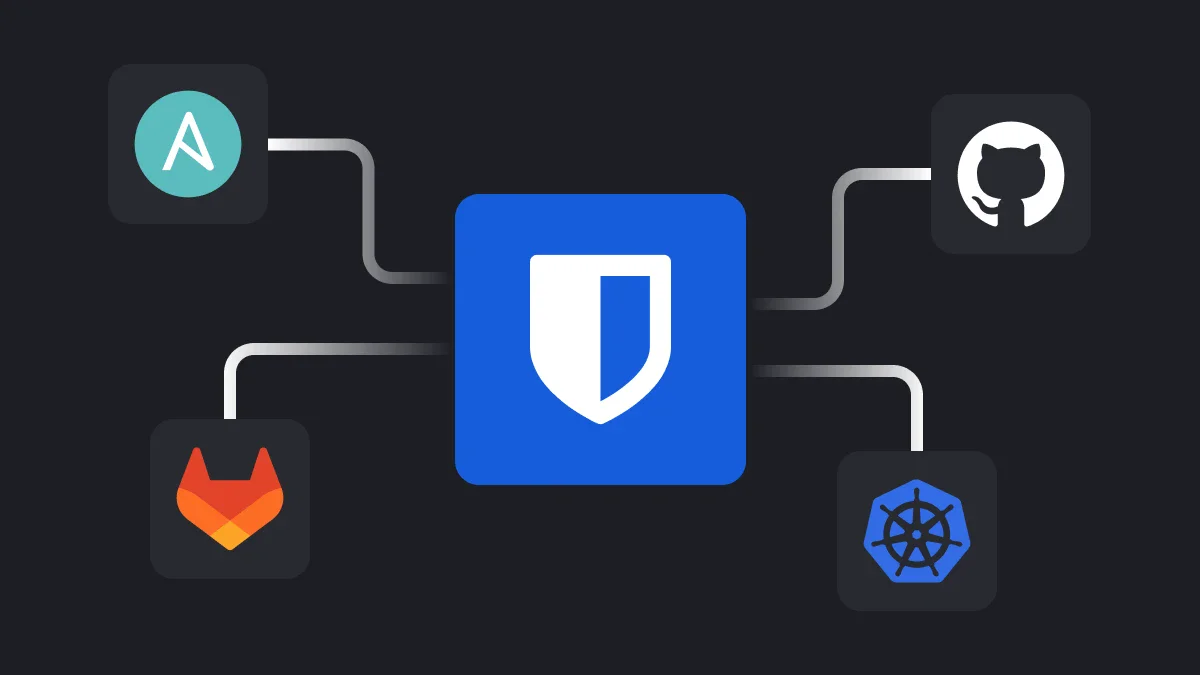
Hermes natively integrates Bitwarden Secrets Manager (BSM). The flow:
Create a machine account in BSM with read access to your project, generate an access token
Store the token in ~/.hermes/.env as BWS_ACCESS_TOKEN
On every startup, Hermes calls bws secret list and injects the returned keys as environment variables
Bitwarden values override .env — making BSM the single source of truth
Rotate a key once in the Bitwarden web vault, and every Hermes instance picks it up on next restart. No SSH sessions. No manual file edits. The bws binary downloads automatically on first use (pinned to v2.0.0 for reproducibility, not latest), requiring no apt, brew, or sudo.
Setup takes one command:
hermes secrets bitwarden setup
The wizard downloads and verifies bws, prompts for the access token, lists available projects, runs a test pull, and enables the integration.
Fault tolerance by design: Bitwarden never blocks Hermes from starting. Any failure produces a single-line warning, and Hermes continues with the credentials already in .env.
When to Use What
Scenario
Recommended Approach
Single-machine personal deployment
.env is sufficient
Multi-machine cluster or team
Bitwarden Secrets Manager
Air-gapped environment
.env (no Bitwarden API access)
Existing CI/CD secret injection
Use your existing pipeline
How Should You Architect Multi-Profile Deployments?
After the s6-overlay migration, the recommended pattern is one container running multiple profiles:
# Create profiles
docker exec hermes hermes profile create work
docker exec hermes hermes profile create personal

# Check supervision status
docker exec hermes s6-rc -a list

# View a specific profile's logs
docker exec hermes tail -f /opt/data/logs/gateways/work/current

# Stop/start a specific profile
docker exec hermes hermes gateway stop --profile work
docker exec hermes hermes gateway start --profile work
One Container vs. One Container Per Profile
Dimension
One Container, Multiple Profiles
One Container Per Profile
Disk overhead
One image, one venv
N copies
Memory overhead
Shared Python interpreter cache
Duplicated per container
Profile creation
docker exec, takes seconds
New docker run + port allocation
Crash recovery
s6-supervise restarts instantly
Docker --restart (slower)
Backup
One ~/.hermes directory
N directories
Each profile can connect to a different messaging platform, use a different LLM, and have its own SOUL.md personality. Create a work profile linked to Slack and a personal profile linked to Telegram — two agents sharing resources but fully isolated from each other.
Reach for separate containers only when you need per-profile resource limits (--memory/--cpus), independent image versions, network segmentation, or compliance-driven blast radius controls.
How Do You Handle Upgrades and Maintenance?
Docker Compose Upgrade
docker compose pull    # Pull new image
docker compose up -d   # Rebuild container from new image
Data volumes persist. The new container runs a non-interactive config-schema migration on startup — if the new version changes the configuration format, the migration script converts it automatically. Watchtower automates this entire flow.
Best practice: back up the data directory before upgrading. The official team guarantees backward compatibility, but an extra safety net costs nothing.
Routine Maintenance Commands
docker exec hermes hermes doctor          # Full self-check
docker exec hermes hermes gateway status   # Gateway state
docker exec hermes hermes status           # Model/provider status
docker logs -f hermes --tail 50            # Recent logs
Log Routing
s6 containers produce four log streams:
Source
Location
How to Read
Per-profile gateway
~/.hermes/logs/gateways/<profile>/current
tail -F
Dashboard
Docker stdout
docker logs -f hermes
Boot reconciler
~/.hermes/logs/container-boot.log
tail -F
General Hermes logs
~/.hermes/logs/agent.log
docker exec hermes hermes logs --follow
How to Connect a Local Inference Server
If you want to run local models (vLLM, Ollama) alongside a Dockerized Hermes, put both services on the same Docker network. Container names become hostnames — no need to expose inference ports to the host:
For vLLM, add a service with GPU resource reservations on a shared hermes-net bridge network. Set base_url: http://vllm:8000/v1 in your Hermes config.yaml.
For Ollama, use a named volume (ollama-data) to persist downloaded models across container rebuilds. Set base_url: http://ollama:11434/v1.
On macOS or Windows, use host.docker.internal to reach inference servers running directly on the host. On Linux, use --network host or host.docker.internal (Docker 20.10+).
What Cloud Platforms Offer One-Click Hermes Hosting?
Beyond self-managed VPS, several platforms provide streamlined deployment:
Platform
Method
Standout Feature
Best For
Hostinger
App Catalog one-click
Fastest path, Docker Manager GUI
Avoiding the command line
Fly.io
Official blueprint fly deploy
Persistent volumes, no Dockerfile needed
Existing Fly users
Render
One-click Blueprint
Persistent disk + Dashboard
One-click deployment
Coolify
Open-source PaaS template
Auto HTTPS, Git integration, runs on $5 VPS
Self-hosted Heroku alternative
Oracle Free
Terraform
4 OCPU / 24 GB ARM / $0
Zero-cost deployment
AWS Marketplace
Pre-built AMI
Bundled Docker + Tailscale + Caddy
Enterprise compliance
Coolify One-Click Deployment
Coolify (57K GitHub stars) is an open-source self-hosted PaaS with a merged Hermes Agent template:
curl -fsSL https://cdn.coollabs.io/coolify/install.sh | bash
# Search for Hermes Agent in the web UI, click Deploy
The template creates a dual-container stack: a public WebUI with auto-generated credentials and Let's Encrypt HTTPS, plus an internal Gateway that never touches the public network. Install Coolify on a $5 Hetzner VPS and you get 280+ one-click templates, Git push deployment, and multi-server management at a fraction of Vercel Pro's cost.
hermes-anywhere: Multi-Cloud Terraform
An open-source Terraform configuration deploys Hermes to five clouds with one command:
terraform apply  # Choose Oracle/Hetzner/GCP/AWS/DigitalOcean
make doctor      # Health check
make backup      # GPG-encrypted backup
Troubleshooting Checklist
Drawn from official documentation, community discussions, and hands-on deployment experience:
Problem
Symptom
Solution
Browser terminal corrupts characters
API key : becomes ;, @ gets replaced
Always use SSH, never VPS browser terminals
UID/GID mismatch
File permission errors inside container
Set HERMES_UID=$(id -u) and HERMES_GID=$(id -g)
Two gateways write same data dir
Session corruption, memory loss
One data directory per gateway process — no exceptions
Dashboard bound to public IP without auth
Startup error (fail closed)
Add BasicAuth, OAuth, or SSH tunnel
Docker socket exposed
Container escape risk
Mount socket only when using Docker terminal backend
Watchtower update fails
manifest unknown error
Confirm image tag is latest or a specific version
Named volume accidentally deleted
docker compose down -v
Never use -v in production; maintain regular backups
SELinux label issues
Mounted file access denied
Append :Z suffix to volume mounts
OOM kill
Browser automation triggers Out of Memory
Set deploy.resources.limits.memory: 4G or disable browser tools
MCP Complete Guide - Connect external tools to your Hermes Agent via the Model Context Protocol
Ready-to-Use Prompt: Deploy Hermes Agent for 24/7 Production Beyond docker run
What this does: Scores a deployment against the production bar (not just docker run), builds the Compose + persistence + s6-overlay supervisor stack, applies the seven-layer security model with Bitwarden secrets and a reverse proxy, and sets the four keep-alive mechanisms plus maintenance — for a 24/7 VPS. Based on: Hermes Agent Docker Deployment: The Complete Production Guide for 24/7 VPS Hosting — https://aiworkflowpro.com/hermes-agent-docker-deployment/ Time to run: ~6 minutes
Copy this prompt into Claude Code, ChatGPT, or any AI assistant:
ROLE: You are a Hermes Docker Production Deployment Architect. Your job: take Hermes Agent from a throwaway `docker run` to a 24/7 VPS deployment that survives restarts, attacks, and upgrades.

CONTEXT — PRODUCTION BEYOND DOCKER-RUN METHOD:
`docker run` gets you a container, not a production deployment. A 24/7 Hermes Agent on a VPS needs the full stack: Docker Compose (minimal and production-grade), data persistence via named volumes, the s6-overlay process supervisor baked into the official image, a seven-layer defense-in-depth security model (container hardening, host firewall, reverse proxy + TLS, dashboard auth, secrets management, process supervision, persistence + backup), first-party Bitwarden Secrets Manager so secrets never live in env vars or images, reverse-proxy hardening, and multi-profile architecture. Four mechanisms keep it alive (restart policy, s6-overlay, systemd wrapper, healthcheck watchdog). The bar is not "it runs" — it is "it survives restarts, attacks, and upgrades."

INPUTS (fill in before running):
- VPS: [Specs and budget — e.g. a $5 VPS]
- EXPOSURE: [Is the dashboard exposed to the internet?]
- SECRET_NEEDS: [Does it need API keys or credentials?]
- PROFILES: [single-profile / multi-profile]

METHOD — 4 STEPS:

Step 1 — Score Against "Production Beyond docker run"
Score seven areas 0–2: Compose config, data persistence, process supervision (s6-overlay), seven-layer security, secrets management, reverse-proxy hardening, keep-alive + upgrade safety. Flag any 0 — a bare `docker run` with no volumes, no auth, and `--restart unless-stopped` is not production.

Step 2 — Compose, Persistence, and Supervisor
Produce the production Compose file with named volumes for persistence and s6-overlay supervision enabled (baked into the official image — use it, not ad-hoc restart hacks). Confirm state survives a container recreate.

Step 3 — Apply the 7-Layer Security Model
Layer the defenses: container hardening (non-root, resource caps), host firewall (only reverse-proxy port exposed), reverse proxy + TLS, strong dashboard auth, Bitwarden Secrets Manager for SECRET_NEEDS, process supervision, persistence + backup. The reverse proxy is what keeps the dashboard off the open internet when EXPOSURE is yes.

Step 4 — Keep-Alive, Multi-Profile, and Maintenance
Set the four keep-alive mechanisms (restart policy, s6-overlay, systemd wrapper, healthcheck watchdog). For PROFILES multi, run separate profiles per container. Add the upgrade/maintenance checklist and size the VPS from VPS.

RULES:
- Never call a bare `docker run` a production deployment — no persistence, no auth, no supervisor means it is a demo.
- Never store secrets in environment variables or the image — use Bitwarden Secrets Manager.
- Never expose the dashboard directly to the internet — put it behind a reverse proxy with TLS and auth.

OUTPUT FORMAT:
Output a markdown report with:
1. Production Readiness Scorecard — markdown table, columns: Area | Score (0–2) | Gap
2. Compose + Persistence + Supervisor — the production Compose outline + volume + s6-overlay note
3. 7-Layer Security Plan — markdown table, columns: Layer | Control | Set?
4. Keep-Alive + Maintenance — the four mechanisms + multi-profile + upgrade checklist + VPS sizing
Save as @templates/hermes-agent-docker-deployment.md and run when deploying Hermes Agent to a VPS for always-on use, or when a docker run deployment needs to become production-grade.
FAQ
How much RAM does Hermes Agent need in Docker?
Without local model inference or browser automation, Hermes Agent uses under 500 MB of RAM. A $5/month VPS with 1 vCPU and 2 GB RAM handles it comfortably. Enable Playwright/Chromium features and you should plan for 4 GB.
Does Hermes Agent Docker deployment require open inbound ports?
No. Telegram, Discord, Slack, and other messaging platforms use outbound long-polling connections. The agent reaches out to the platform — nothing needs to reach in. Port 8642 is only required if you want external tools or the Dashboard to call the Gateway API directly.
What is the difference between Docker Mode 1 and Mode 2 in Hermes Agent?
Mode 1 runs the Hermes Agent itself inside a Docker container — the container is the agent's home. Mode 2 keeps the agent on the host but sends each command to a persistent Docker sandbox for execution (terminal.backend: docker). They can stack: agent in container A, commands in sandbox container B.
Can I run multiple Hermes Agents in one Docker container?
Yes. The recommended approach is one container with multiple profiles. Each profile gets its own SOUL.md, skills, memory, sessions, and messaging platform connection. s6-overlay supervises each profile independently, restarting any crashed gateway within seconds.
How do I upgrade Hermes Agent in Docker without losing data?
Run docker compose pull followed by docker compose up -d. The data volume persists across container rebuilds, and the new container automatically runs config-schema migration on startup. Watchtower can automate this entirely.
Is there a free VPS option for Hermes Agent Docker deployment?
Yes. Oracle Cloud Always Free Tier offers 4 OCPU and 24 GB ARM instances at $0/month — more than enough for Hermes. Pair it with OpenRouter's free models and the total running cost is zero.
How does Hermes Agent handle secrets in Docker?
By default, API keys live in /opt/data/.env inside the container. For production multi-machine deployments, Hermes natively integrates Bitwarden Secrets Manager — rotate a key once in the Bitwarden web vault, and every Hermes instance picks it up on next restart.
Can I use Podman instead of Docker for Hermes Agent?
Yes. The official NixOS module supports Podman as a drop-in replacement. Commands are largely compatible — substitute podman for docker. Rootless Podman adds an extra layer of isolation since no daemon runs as root.
What to Read Next
Hermes fundamentals: Start with the Hermes Agent complete guide for a full overview of capabilities, architecture, and use cases.
Cost optimization: Once your deployment is running, read the companion cost control guide to reduce API spend without sacrificing capability.
Local models: Pair this Docker setup with local inference using vLLM or Ollama for on-premise AI without API costs.
The folder structure behind my AI agent team, the Herdr setup where Grok Build, Claude Code and Kimi Code work side by side, and the two live tasks from the video: an article published by voice and a three-model front-end test.
The same request gives a different answer every run because the agent fills every gap with the average of its training data. Three Markdown standards fix that: a meta standard, an eight-part prompt standard and a Skill standard. Free repo, one-prompt install.
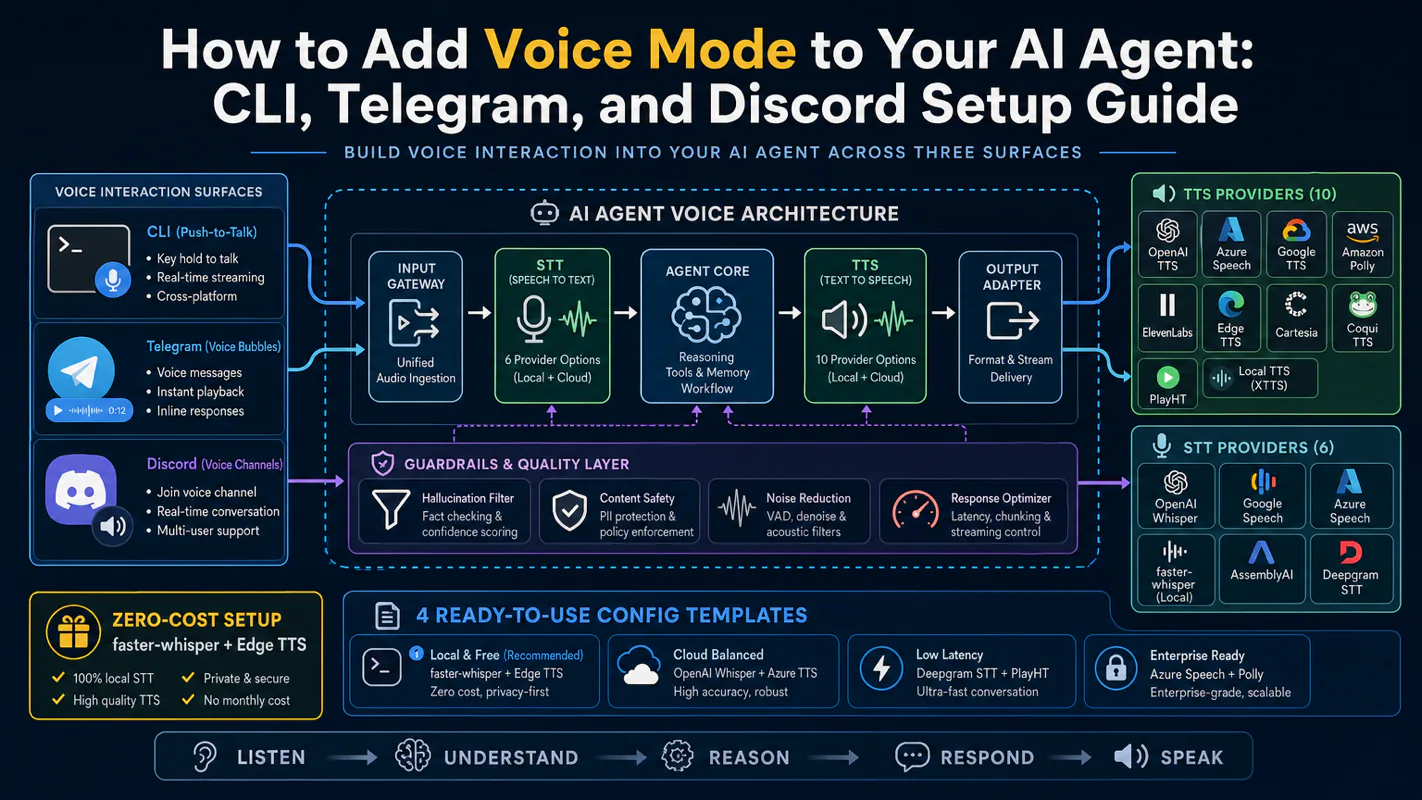
Gloves on, tape measure in hand — nobody types a query. Three voice surfaces for ai automation tools (terminal, Telegram, Discord), 10 TTS and 6 STT providers compared on cost and latency, plus a setup that costs nothing.
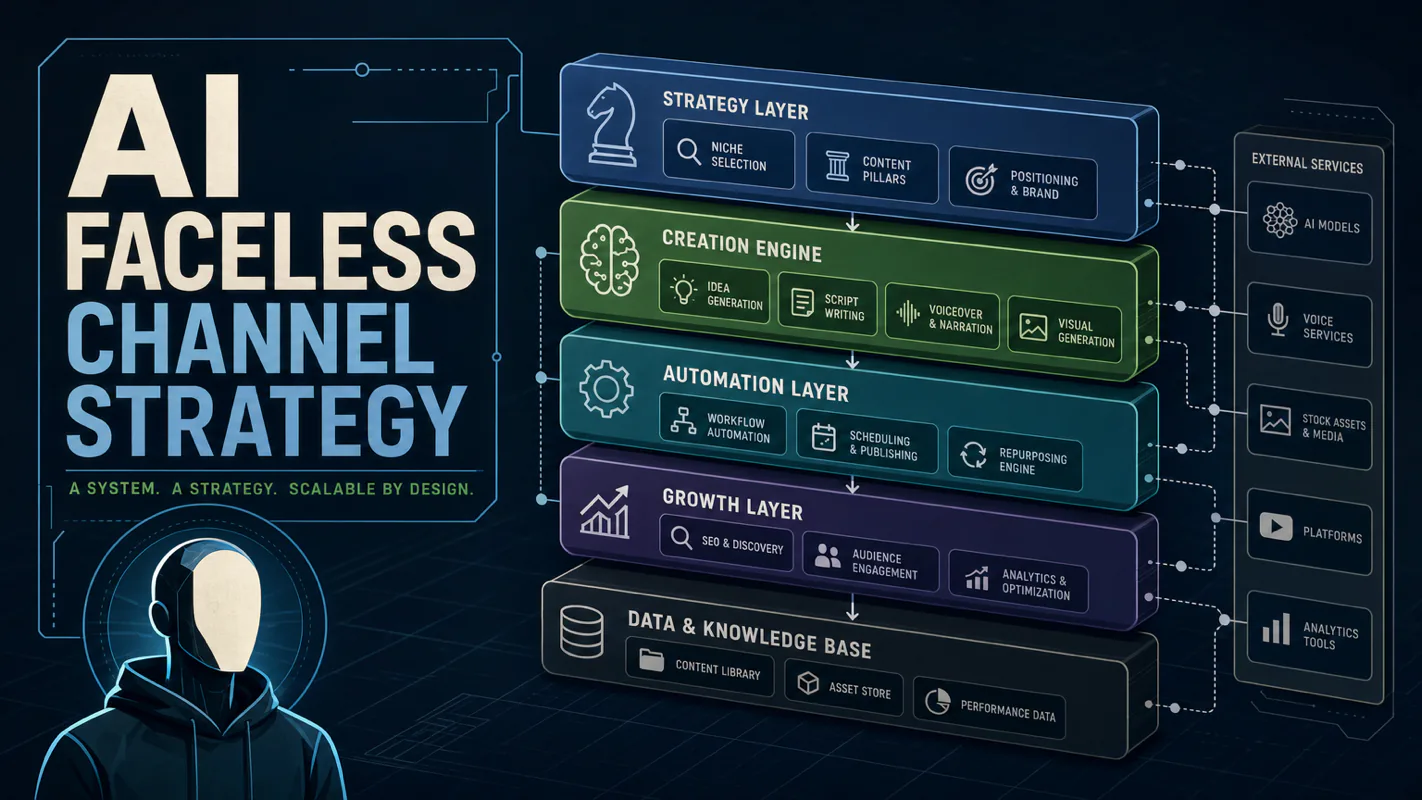
Nothing about month four is harder than month three. It is simply the month an unpaid channel starts to feel like proof of failure. Surviving it takes a cadence you can hold while earning nothing, which is a better reason to automate business processes than speed ever was.