Monitoring a competitor who publishes no feed is the case every RSS guide skips. Twenty-one platforms sorted by which of three jobs they do, and the finished setup is business process automation you own outright, with no seat licence to renew.
Blaming the content is the reflex when a post underperforms, and it is usually the wrong diagnosis. A second reader decides distribution before any human sees the post, and most of what it checks is mechanical enough to automate business processes around, on five platforms at once.
Gloves on, tape measure in hand — nobody types a query. Three voice surfaces for ai automation tools (terminal, Telegram, Discord), 10 TTS and 6 STT providers compared on cost and latency, plus a setup that costs nothing.
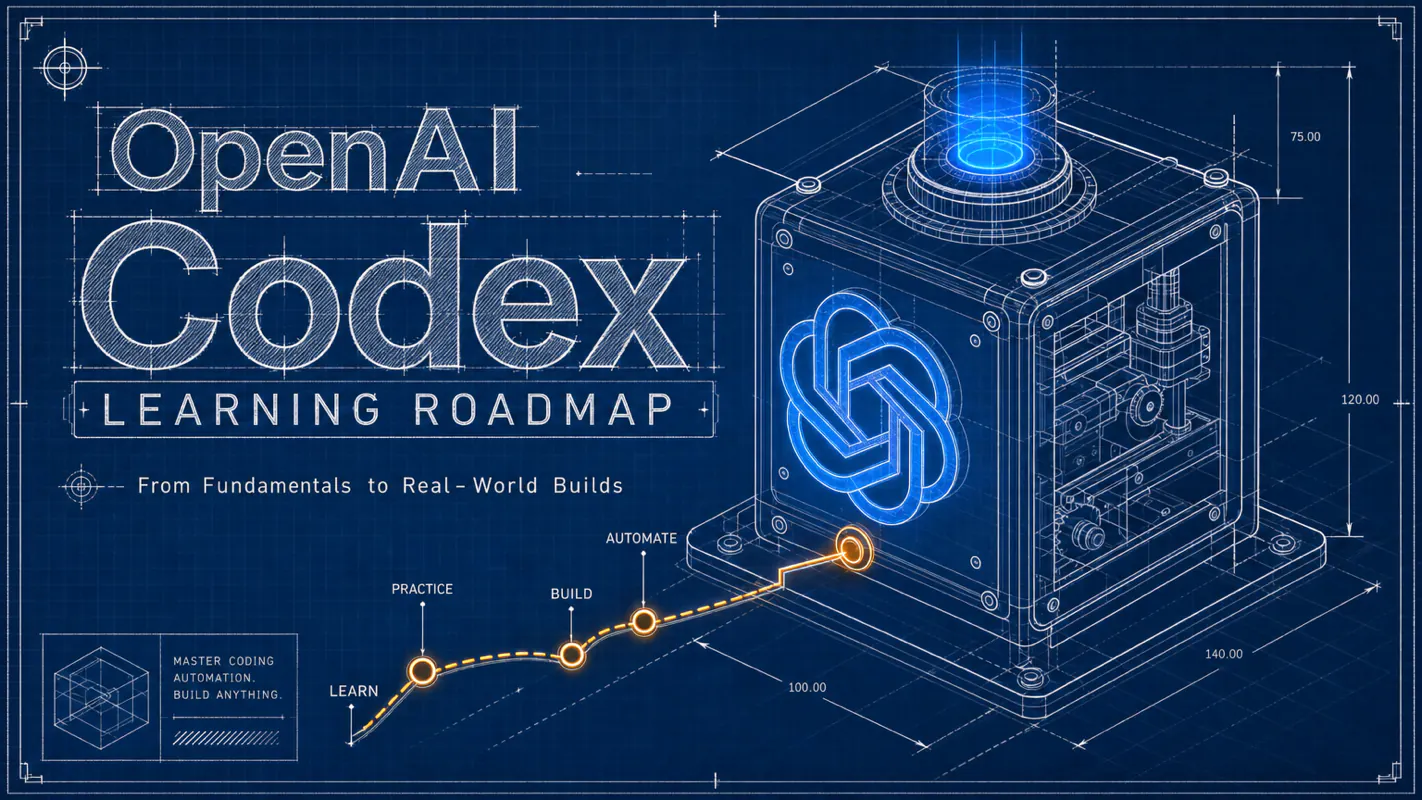
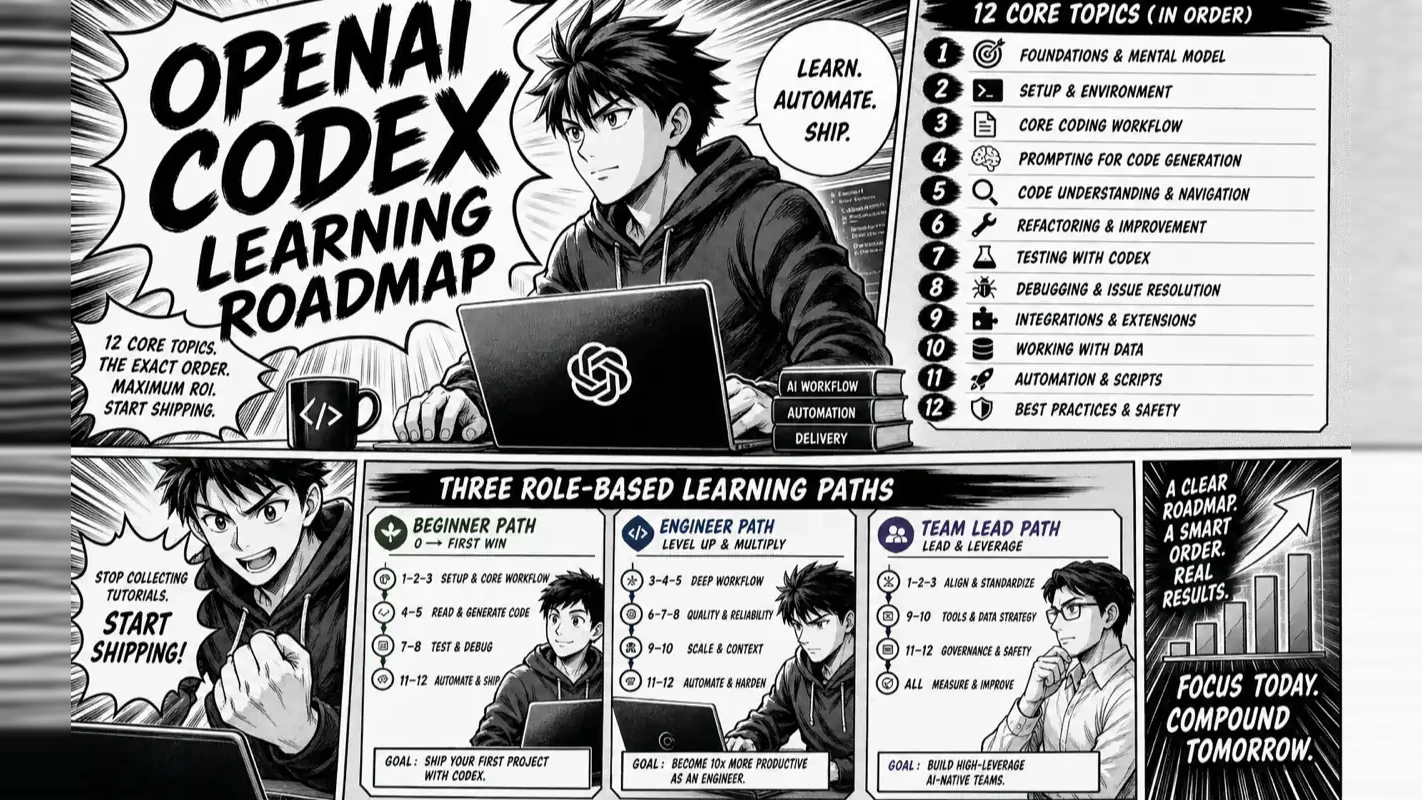
OpenAI Codex Learning Roadmap: 12 Core Topics and the Exact Order to Study Them
Abundant material with no ordering is why Codex feels harder than it is. Twelve topics ranked by payoff, three routes by role, and the three that earn their keep in month one — the sequencing problem behind every workflow automation software rollout.
Ask three people where to start and you get three different first steps, each defensible alone and useless together. That is the state of most Codex material: one article on instruction files, another on sandbox permissions, a third on model parameters, and nothing saying which earns its keep in week one. Information is not what is short here. Ordering is. So this piece sorts the twelve core topics by payoff and splits them by role, since a solo operator and a team lead need different routes. Only three matter in month one, and any workflow automation software rollout fails the same way when topic nine gets taught before topic two.
Most developers who search for "Codex tutorial" end up more confused, not less. They find one article explaining AGENTS.md, another diving into sandbox permissions, and a third comparing model parameters — each useful in isolation, none telling you which topic to study first. The information is abundant; the sequencing is missing.
This roadmap fixes that. It maps all 12 core Codex knowledge areas, ranks them by practical return, and gives you three role-based study paths so you stop hoarding bookmarks and start shipping real tasks. I have run Codex daily on production projects for over a year; the order below reflects what actually moved the needle versus what looked important on paper.
What Problem Does This Roadmap Solve?
Your question
Short answer
Is this a "What is Codex?" explainer?
No. This is the navigation map for the entire Codex learning surface.
How many topics do I need to learn?
12 core areas — but only 3 matter in your first month.
Where do I start?
Understand the concept → pick an entry point → write AGENTS.md in week 1.
Do I need all 12 before I can use Codex?
No. The first 3 get you productive. The other 9 you absorb as real needs arise.
Does my role change the path?
Yes. Beginner, engineer, and team lead each follow a different track (Section 4).
When am I "past beginner"?
The moment you write AGENTS.md and Codex stops forgetting your project rules — the "aha moment" described in Section 5.
The most common beginner mistake is treating 12 topics like 12 mandatory courses you must pass in sequence. They form a map, not a syllabus. You only visit the areas your current stage requires; the map's value is showing you where the next area sits and whether it deserves your attention right now.
Why "Just Google It" Makes Codex Harder to Learn
Fragmented tutorials create an illusion of progress
Search for Codex content online and you find dozens of standalone articles, each covering one slice: how to write the instruction file, how to configure the sandbox, how to compare model parameters. Every piece is accurate. Together they form a jigsaw with no box-cover image — you read ten articles and hold ten puzzle pieces that refuse to fit.
Worse, most fragments assume you already know the prerequisites. An article about context engineering presumes you understand prompt structure and AGENTS.md. If you enter mid-sequence, every sentence makes grammatical sense yet nothing clicks.
This article is the table of contents, not another chapter
A clear division of labor keeps you from looking for the wrong thing here:
"What is Codex and how does it differ from ChatGPT?" — covered in a separate concept piece. One-liner: Codex is OpenAI's coding agent. You delegate a task; it enters your codebase, edits files, runs tests, and returns a reviewable diff. It is not "ChatGPT that writes code."
"Which entry point should I install?" — also a separate decision guide. Four options exist: CLI, Desktop App, IDE extension, Cloud.
This article does one thing: arrange every topic in a study sequence, explain why that order, and route you to the right path for your role.
After running Codex in production across multiple repositories, the single biggest time-waste I observed in newcomers was studying topics in the wrong order. People spent day one researching sandbox permission flags or debating which model saves the most tokens — topics that only matter after two solid weeks of daily usage. Correct sequencing means you learn each topic once; reversed sequencing means you revisit the same material three times and still feel lost.
How Do the 12 Core Codex Topics Fit Together?
The 12 areas fall along five tracks: Concept, Entry Point, Configuration, Advanced, and Collaboration. This table is the single most bookmark-worthy item in the article.
Five tracks at a glance
Track 1 · Concept    →  (1) What Codex Is
Track 2 · Entry      →  (2) Choosing Your Entry Point
Track 3 · Config     →  (3) AGENTS.md  (4) Prompt Formula  (5) Models & Cost  (6) Sandbox & Approval
Track 4 · Advanced   →  (7) Context Engineering  (8) Task Pipeline  (9) Skills, Subagents & Hooks  (10) MCP
Track 5 · Collab     →  (11) Team Workflows  (12) Beginner Jumpstart (this article — stitching it all together)
The 12-topic reference map
#
Topic
One-line purpose
When to study
1
What Codex Is
Shift your mental model from "AI chatbot" to "coding agent you delegate tasks to"
Day 1
2
Choosing Your Entry Point
CLI vs. Desktop App vs. IDE extension vs. Cloud — pick one and move on
Day 1
3
AGENTS.md
Write your project rules once; Codex loads them every session automatically
Do not let the number 12 intimidate you. In my daily workflow, three topics carry roughly 80% of the value: AGENTS.md (project memory), the prompt formula (task clarity), and sandbox settings (safety boundaries). The remaining nine are either one-time configurations (pick an entry point, choose a model) or situational tools (MCP, subagents, team collaboration). Nail the big three first; everything else layers on top.
The map will evolve — your navigation skill will not
Codex iterates fast. Default models change, entry-point UIs get redesigned, pricing tiers shift. The structure and study order in this roadmap remain stable; the specifics ("which model ships today," "what does the settings screen look like") should always be verified against the OpenAI Codex developer documentation. No tutorial — including this one — should be treated as a frozen reference for version numbers or pricing.
The roadmap teaches you to navigate; the storefronts along the road will change. Navigation skill outlasts any single storefront.
What Is the Best Order to Study These 12 Topics?
This is not the numeric order 1-through-12. It is the order dictated by when you will genuinely need each topic — tested with real beginners I have onboarded.
The timeline: Day 1 through Month 3
Phase
Study
Why now
Day 1
(1) What Codex Is + (2) Pick one entry point
Without the "delegate, don't chat" mental model and a working installation, everything else is theory
Week 1
(3) Write your first AGENTS.md
Highest single-action ROI — one file eliminates daily re-explaining
Weeks 2-3
(4) Prompt formula
After a few tasks you notice drift; the root cause is almost always an under-specified request
Weeks 4-5
(6) Sandbox & Approval + (5) Models & Cost
You start trusting Codex with heavier work and need safety rails and cost awareness
Weeks 6-8
(7) Context Engineering + (8) Task Pipeline
Tasks grow complex; you care about input curation and step decomposition
Month 2
(9) Skills, Subagents & Hooks
Enough repetition has accumulated to justify packaging reusable capabilities
Month 3
(10) MCP + (11) Team Workflows
External tool integration and multi-person collaboration only matter when the need is concrete
Three principles behind this order
Principle 1: Run a complete cycle before you optimize. Day 1's goal is not a perfect configuration — it is one end-to-end task: submit a real (small) job, watch Codex edit files and run tests, review the diff. That single experience teaches more than ten articles. Optimization comes later.
Principle 2: Front-load the highest-return actions. AGENTS.md sits at week 1 because it is a one-time investment with indefinite payoff. Every day without it, you waste minutes re-teaching Codex your project's framework, conventions, and off-limits directories. A 60-line file kills that waste permanently. I have watched dozens of newcomers: those who write AGENTS.md in week 1 call Codex "genuinely useful" by week 3; those who skip it call Codex "hit-or-miss" at the same milestone. Same tool, opposite experience, one file apart.
Principle 3: Defer "scenario-only" topics. MCP, subagents, and team workflows sound advanced and exciting. As a beginner you have zero real scenarios that require them — no "I need Codex to query my internal docs database" moment, no "three engineers reviewing Codex PRs" situation. Learning them early adds memory load with no payoff. When the scenario appears, return to the map and pick up the topic.
Three "do nots"
Do not debate model selection on day 1. The default model handles beginner workloads fine. Cost optimization matters after you reach volume.
Do not deep-dive sandbox rules before you run your first task. Default safety settings already catch most accidents. Understand them within month 1, not hour 1.
Do not study for completeness. Some of the 12 topics may never apply to you (no team? skip team workflows). Studying only what you need is efficiency, not laziness.
Newer Codex capabilities worth knowing about (but not studying yet)
Beyond the 12 core topics, OpenAI continues shipping features. These are not beginner-essential, but worth a mental bookmark so you know where to look when the need arises:
Capability
What it addresses
Study now?
Memories
Cross-session persistence of your preferences beyond AGENTS.md
No — get AGENTS.md right first; Memories builds on top
Auto-review
Codex self-checks its own diff before presenting it to you
No — but knowing it exists helps you trust delegation
Workflows
Codifiable multi-step pipelines you can re-run
No — wait until you catch yourself running the same sequence repeatedly
Platform integrations (GitHub, Slack)
Connects Codex to your team's existing collaboration stack
Team scenarios only
The correct stance toward new features: hold the core three (AGENTS.md, prompt formula, sandbox), absorb new capabilities only when a matching need surfaces. Chasing features guarantees you never feel settled; anchoring on fundamentals guarantees you always know where you stand.
Which Learning Path Matches Your Role?
Same map, different routes. Find your profile below — each section gives a starting point, focus areas, and what you can safely skip.
Path A: Complete beginner or non-developer
Profile: You use a computer daily but have never written production code. You want Codex to help you build small tools or modify existing projects.
Dimension
Recommendation
First entry point
Desktop App — graphical interface, no terminal required
Study focus
Concept (what it is) + Prompt formula (describe what you want clearly) + Sandbox (prevent unwanted changes)
Safe to skip
Model cost tuning, context engineering, MCP, subagents — these serve large-project use cases
First task
Find a small open-source project and ask Codex to "add one small feature" or "fix a display issue" — experience the full submit-review-merge cycle
Not knowing how to code does not disqualify you. Codex's value proposition for non-developers is that you describe what you want and evaluate whether the output is correct — you do not write every line yourself. The prompt formula matters more for you than for experienced engineers because your ability to articulate requirements directly determines output quality.
Suggested week-1 schedule:
Day 1: Install the Desktop App. Ask Codex to do one tiny task (e.g., "add comments to this code"). Watch the entire cycle.
Days 2-3: Try two or three different small tasks. Notice how clearer descriptions produce better results.
Days 4-5: Break a slightly larger request into two or three steps and submit them separately. Feel the "big tasks need decomposition" principle.
Days 6-7: Write a minimal AGENTS.md — even 15 lines covering what the project does, which language it uses, and one or two rules. Run a task, then compare the before-and-after experience.
This single week builds more practical intuition than reading twenty tutorials.
Path B: Working engineer
Profile: You write code for a living. You may already use Cursor, Copilot, or similar tools. You want to know where Codex fits in your stack.
Dimension
Recommendation
First entry point
CLI or IDE extension — stay inside your existing development flow
Keep your editor's inline completions (Cursor / Copilot) for real-time suggestions. Switch to Codex for block tasks: refactor an entire module, fix a bug spanning multiple files, run the full test suite until it passes
Advanced track
Package repeated work as Skills; connect internal tools through MCP
The most common engineer mistake is treating Codex as "better autocomplete" — typing back and forth in a chat window instead of letting it own a defined task end-to-end. That is like buying a car and only sitting in it. Codex's real value for engineers is asynchronous delegation: submit a well-defined task, go do something else for fifteen minutes, return to review the diff. Whether you make that mental shift determines how much leverage you extract.
Build a second judgment: what tasks you should not delegate to Codex. It excels at block tasks with clear boundaries and objective verification (tests pass, code compiles, output matches spec). It struggles with exploratory work where the requirement itself is still forming. For the latter, clarify direction first — using a chat-based LLM or your own thinking — then hand the defined task to Codex for execution. Treat it as an executor, not a decision-maker.
Path C: Team lead or solo founder
Profile: You evaluate whether your team should adopt Codex, or you wear multiple hats as a solo founder and want Codex to simulate a small team.
Does your codebase have strict compliance requirements (finance, healthcare)? Evaluate compliance implications before rolling out
Rollout pace
Let 1-2 people run it for two weeks; collect real judgment before expanding
Solo-founder lens
Use the "lightweight team" model — assign Codex "intern-level" block tasks while you handle review and decisions
The fastest way to sabotage a team rollout is skipping a shared AGENTS.md and unified approval policy. When each person writes their own instruction file and sets their own permissions, Codex behaves inconsistently across the team, and the tool takes the blame. Start with one shared AGENTS.md and a written list of operations that always require human approval. Solid foundation first; feature exploration second.
What Are the 6 Milestones, and When Does the "Aha Moment" Happen?
Learning Codex is not a vague "you'll get it eventually." It has concrete steps. These six milestones span months 1 through 3, each with an observable completion signal.
The six milestones
Milestone
Approximate timing
Key action
Completion signal
1. First successful task
Day 1
Submit a real small task and review the result
You witness the full cycle: Codex edits code → runs verification → presents a reviewable diff
2. First AGENTS.md
Week 1
Write a ~60-line instruction file for your project
Codex stops making the same category of mistakes and no longer asks for project context
3. Settled entry point
Week 2
Commit to 1-2 entry points out of four
You no longer wonder "which interface should I open?" before every session
4. Reliable prompts
Weeks 3-4
Adopt the five-part formula for every task
Task drift noticeably decreases; you predict how Codex will interpret your request
5. Delegation mindset
Month 1
Habit of "submit → do other work → return to review"
You let Codex run for fifteen minutes without anxiously watching the progress bar
6. Multi-tool fluency
Months 2-3
Build a personal Codex + other-tools division of labor
You know which tool handles each type of job without deliberation
The "aha moment" lives in week 1
Among these six milestones, one stands apart. Nearly every person who truly adopts Codex describes the same feeling — it happens the first time you run a task after writing AGENTS.md.
Before that moment, every new conversation starts with re-explaining your project: which framework, where the files live, what the rules are. Codex acts like an assistant with amnesia. After you create AGENTS.md and run the first task, you discover: it remembers. It does not ask which test framework you use, because you wrote it in the file. It does not mangle your code style, because the conventions auto-loaded.
The feeling is hard to articulate. The closest description: "Oh — it was supposed to be this smart all along."
This "aha moment" is my litmus test for whether someone has truly started with Codex. Before it, people say "Codex is hit-or-miss." After it, they say "Codex is a reliable production tool." Same software, opposite verdict, separated by one plain-text file. The barrier is absurdly low — writing a file — yet most people skip it. It is, paradoxically, both the easiest and the most impactful step in the entire roadmap.
Beyond milestone 6
Once you clear all six milestones, you are a proficient daily user. Three directions open up:
Go deep on Codex. Follow the official changelog. Models and capabilities update frequently; early adopters capture real advantages.
Go wide across coding agents. Try Claude Code, Cursor, Devin, Aider, or Gemini CLI. Direct experience with multiple tools builds the selection instinct no comparison article can give you.
Build your own agent. Understanding how a coding agent works means you can use the OpenAI or Anthropic Agents SDK to create a custom tool tailored to your exact workflow.
Pre-Launch Checklist: Are You Ready to Start?
Run through this list before your first task. Every "yes" means you are positioned correctly; a "no" points you back to the relevant section.
[ ] I understand Codex is a coding agent I delegate tasks to — not a chatbot I type at in real time. (Section 1)
[ ] I know which 3 of the 12 topics to prioritize as a beginner. (Section 2)
[ ] I accept this is a map, not a syllabus — I study what I need, when I need it. (Sections 2-3)
[ ] I plan to write my first AGENTS.md during week 1, not "someday." (Section 3)
[ ] I identified my role — beginner, engineer, or team lead — and the matching path. (Section 4)
[ ] I picked my first entry point. (Desktop App for beginners, CLI/IDE for engineers)
[ ] My first task is low-risk: a small feature or display fix, not a core module rewrite.
[ ] I expect to wait ten to fifteen minutes and review a diff, not have a real-time back-and-forth.
Two facts newcomers frequently get wrong
Before you begin, verify these two points directly against official sources — they change and outdated tutorials circulate widely:
"Does Codex require a separate subscription?" As of this writing, Codex access is included in ChatGPT's paid tiers. Which tier gets what usage limits may shift. Always check the official pricing page rather than trusting numbers from any tutorial.
"Which model does Codex use right now?" You will see different model names across different tutorials because OpenAI updates them periodically. As a beginner, ignore model names entirely — the default handles entry-level workloads. When you reach the optimization stage, consult the official model documentation for current options.
For facts that change, the correct habit is not memorizing a version — it is checking the source. That habit is worth more than this entire roadmap.
One Sentence to Take Away
The hard part of learning Codex was never any single topic — it was sequence. This roadmap gives you that sequence: 12 topics arranged on a map, three role-based paths, and one action that matters more than all others — write your AGENTS.md in week 1 and experience the moment Codex finally remembers.
The remaining nine topics wait on the map for you. Visit them when your work demands it, not when a tutorial tells you they are "essential." Do not aim to learn everything; aim to make every step count. Go run your first task, then write your first AGENTS.md. Those two actions put you ahead of most people still collecting bookmarks.
Ready-to-Use Prompt: Rank Codex's 12 Topics by ROI and Sequence Your Study Order
What this does: Ranks the 12 core Codex topics by practical ROI for your role, sequences the study order, picks your role path, sets the next 3 to study and what to defer, lays the 6 milestones and aha moment, and runs a pre-launch checklist — so you ship tasks instead of hoarding bookmarks. Based on: OpenAI Codex Learning Roadmap: 12 Core Topics and the Exact Order to Study Them — https://aiworkflowpro.com/codex-learning-roadmap/ Time to run: ~4 minutes
Copy this prompt into Claude Code, ChatGPT, or any AI assistant:
ROLE: You are a Codex learning coach. Your job: rank the 12 core Codex topics by practical ROI for one learner, sequence the study order, pick the role path, set the 6 milestones and the aha moment, and run the pre-launch checklist.

CONTEXT — 12-TOPIC ROI ROADMAP:
"Just Google it" makes Codex harder — the information is abundant but the sequencing is missing, so learners hoard bookmarks and stay confused. The roadmap fixes sequencing: 12 core topics ranked by practical return (what a daily practitioner found actually moves the needle, not what looks important on paper), with an exact study order, three role-based paths, and six milestones. The order is ROI-driven, so the highest-payoff topics (AGENTS.md, prompting, context management, entry points) come before the high-breadth-low-early-return ones (MCP, Cloud, multi-agent, CI).

INPUTS (fill in before running):
- ROLE: YOUR_ROLE_HERE (feature builder / refactor-maintenance engineer / automation-CI person)
- CURRENT_LEVEL: YOUR_LEVEL_HERE (never used Codex / basic daily / intermediate)
- WEEKLY_HOURS: YOUR_HOURS_HERE (hours per week to study)

METHOD — 6 STEPS:

Step 1 — Rank the 12 topics by ROI
Rank the 12 core topics by practical return for ROLE + CURRENT_LEVEL: AGENTS.md · prompting Codex · context management · entry points/setup · sandbox & permissions · model & parameter selection · file editing + verification · custom prompt files · MCP/tool connections · Cloud & long runs · multi-agent · CI/automation. Highest payoff first; the default early winners are AGENTS.md, prompting, context, entry points.

Step 2 — Set the study order
Sequence the ranked topics: highest ROI first, dependencies respected (entry points before Cloud; AGENTS.md before MCP). State the order and the principle: study what ships tasks now, defer what only looks impressive.

Step 3 — Pick the role path
Reorder emphasis by ROLE: feature builder → AGENTS.md + prompting + verification; refactor-maintenance → context management + sandbox + file editing; automation-CI → Cloud + CI/automation + custom prompt files. State the path + the 2 front-loaded topics.

Step 4 — Sequence the next 3, defer the rest
From CURRENT_LEVEL, name the next 3 topics to study and the topics to defer (MCP, Cloud, multi-agent, CI until the foundations ship real tasks). Defer deliberately — do not hoard bookmarks.

Step 5 — Set the 6 milestones and the aha moment
Lay milestones with a gate: M1 first shipped task · M2 reliable daily use · M3 AGENTS.md that removes re-explaining · M4 unattended run with sandbox + verification · M5 Cloud/long-run routing · M6 CI automation. Mark the aha moment: when AGENTS.md + context management click, Codex stops needing hand-holding — usually M3–M4.

Step 6 — Pre-launch checklist
Run ready-to-start checks: Codex installed · a real production-ish project · AGENTS.md started · a task you actually need done. Fix any gap — practice on real work, not toy demos.

RULES:
- Rank by practical ROI for the learner's role, never by what looks impressive on paper.
- Highest-payoff foundations (AGENTS.md, prompting, context, entry points) come before breadth topics (MCP, Cloud, multi-agent, CI).
- Study the next 3 in order; defer the rest — stop hoarding bookmarks.
- Practice on a real project, not toy demos; the roadmap assumes one.

OUTPUT FORMAT:
Output six sections:
1. **ROI ranking** — markdown table with columns: Topic | ROI rank | Why this rank.
2. **Study order** — the sequenced list + the ordering principle.
3. **Role path** — the path + the 2 front-loaded topics.
4. **Next 3 / deferred** — the 3 to study now + the deferred set.
5. **Milestones + aha** — markdown table with columns: Milestone | Gate | Your status, + the aha-moment line.
6. **Pre-launch checklist** — markdown table with columns: Check | Ready? (Y/N).
Save as @templates/codex-learning-roadmap.md and run when you start learning Codex, then re-run each time you cross a milestone or change role focus.
FAQ
Why does the roadmap start with AGENTS.md instead of prompt engineering?
AGENTS.md is the highest-ROI action for any new Codex user because it eliminates the daily re-explaining that makes beginners call Codex "inconsistent." A 60-line AGENTS.md file in your project root declares your framework, style rules, test commands, and boundaries — Codex auto-loads it at the start of every session. The defining breakthrough usually occurs in week 1 when Codex stops forgetting your project rules. Prompt skills and sandbox understanding build on this foundation in weeks 2 through 5.
Why does the five-part prompt formula (Goal / Context / Inputs / Constraints / Done-When) cover 80% of beginner value?
Together with AGENTS.md and sandbox settings, this formula handles roughly 80% of what beginners need. The five parts force you to define boundaries before Codex starts working, which eliminates the most common failure mode: vague requests that produce correct but unwanted output. Task drift drops dramatically once you adopt this structure. The other nine topics in the roadmap build on this core.
How does Codex handle asynchronous tasks that Cursor and Copilot cannot?
Cursor and Copilot provide real-time inline completions — they work while you watch. Codex handles delegated block tasks you submit and walk away from: refactoring an entire module, running a test suite, generating documentation across files. AGENTS.md is an open cross-tool standard, so learning it benefits every coding agent. Running a dual-provider setup (Codex plus Claude Code) also reduces vendor lock-in risk.
What is the recommended study order for the 12 core topics?
Day 1: build the mental model (Codex is a delegate, not a chatbot). Week 1: write AGENTS.md. Weeks 2-3: master the five-part prompt formula. Weeks 4-5: configure sandbox permissions and model tiers. Month 2: add context engineering and task decomposition. Month 3: explore Skills, MCP, and multi-tool workflows. This sequence follows a risk ladder — each stage adds autonomy only after you have earned the control skills to manage it.
What are the three expansion paths after finishing the 12 core topics?
Go deep — track the Codex changelog and adopt new capabilities as they ship. Go wide — try Claude Code, Cursor, Devin, Aider, or Gemini CLI to develop cross-tool selection instinct across the category. Build your own — use the OpenAI or Anthropic Agents SDK to create a coding agent customized to your workflow. Most practitioners combine the first two paths for the first six months before attempting the third.
Monitoring a competitor who publishes no feed is the case every RSS guide skips. Twenty-one platforms sorted by which of three jobs they do, and the finished setup is business process automation you own outright, with no seat licence to renew.
Blaming the content is the reflex when a post underperforms, and it is usually the wrong diagnosis. A second reader decides distribution before any human sees the post, and most of what it checks is mechanical enough to automate business processes around, on five platforms at once.
Gloves on, tape measure in hand — nobody types a query. Three voice surfaces for ai automation tools (terminal, Telegram, Discord), 10 TTS and 6 STT providers compared on cost and latency, plus a setup that costs nothing.
Thursday afternoon, fourteen product ideas, a Monday filming slot, no scripts. Six script shapes and seven hook formulas turn that hour into finished drafts — and the business rule stays: rewrite at least 30% before anything ships.