Monitoring a competitor who publishes no feed is the case every RSS guide skips. Twenty-one platforms sorted by which of three jobs they do, and the finished setup is business process automation you own outright, with no seat licence to renew.
Blaming the content is the reflex when a post underperforms, and it is usually the wrong diagnosis. A second reader decides distribution before any human sees the post, and most of what it checks is mechanical enough to automate business processes around, on five platforms at once.
Gloves on, tape measure in hand — nobody types a query. Three voice surfaces for ai automation tools (terminal, Telegram, Discord), 10 TTS and 6 STT providers compared on cost and latency, plus a setup that costs nothing.
What Is a Session Multiplexer — and Why Every AI Agent Platform Needs One
Close the terminal window and every AI conversation inside it dies. A session multiplexer is the layer that stops that from happening — and once your agents run for hours instead of seconds, no AI agent platform works without one. What it is, what switching cost me, and how to start tonight.
You spent forty minutes getting an agent to understand your project. You explained the folder structure. You corrected its assumptions about your industry. You finally got it producing something useful.
Then you closed the window.
The session is gone. The context is gone. Forty minutes of calibration, gone. Nobody warned you, because the tools that teach you to build agents stop at the moment the agent replies. This article is about what happens afterwards: the layer underneath, the one that decides whether an AI agent platform is a place your work lives or a place your work evaporates.
Key takeaways
A session multiplexer is a background program that owns your terminal sessions, so they survive the window being closed, the network dropping, or you walking away.
It matters now because agents run for hours instead of seconds. A chatbot you watch does not need to outlive its window. An agent working unattended does.
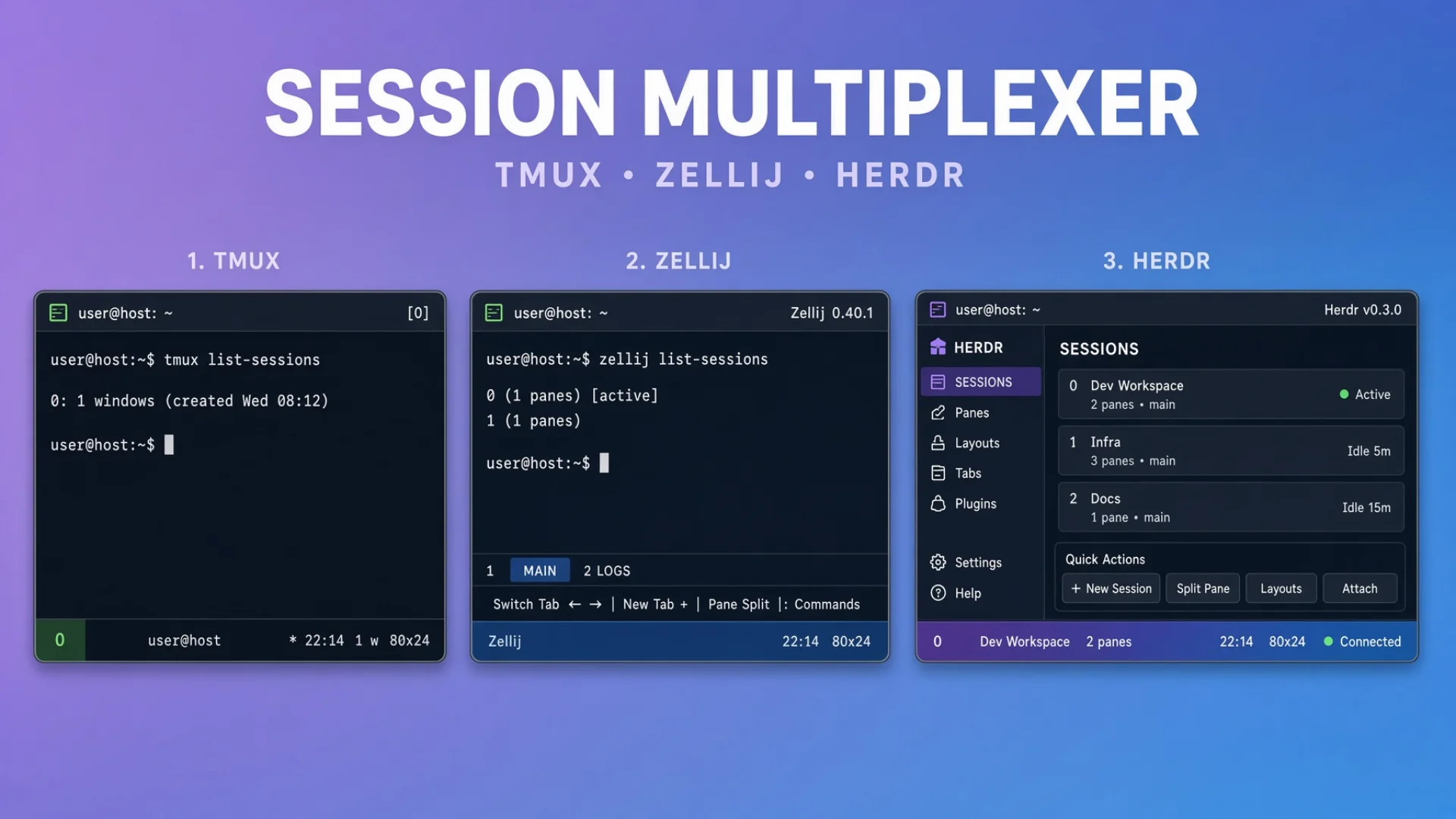
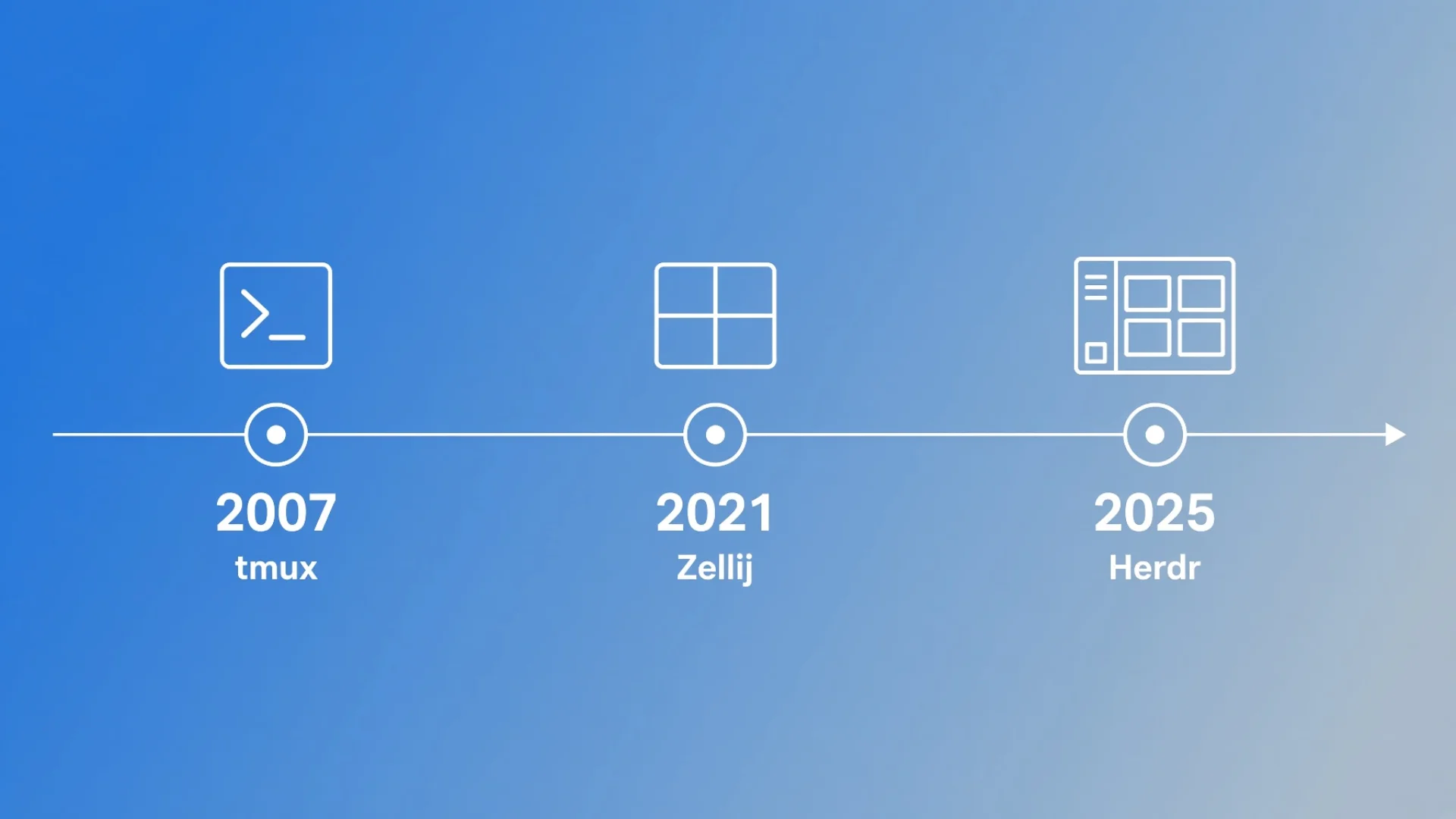
Three generations: tmux (2007) keeps sessions alive, Zellij (2021) made that approachable, Herdr (2026) is the first one that knows what kind of program is inside each pane.
Knowing what is inside the pane buys three things you cannot get otherwise: per-agent status, safe bulk operations, and automatic rebuilds after a restart.
I moved my main machine's whole fleet from tmux to Herdr in a single day, on 17 July 2026; the other two Macs followed later that month. The trigger was a three-test diagnosis, not a grand plan.
The starter version takes ten minutes and two tabs. You do not need a fleet to get the benefit.
The restart tax
I think of the lost forty minutes as a tax: the time it costs to get an agent back to where it already was.
On one window, the tax is annoying. You retype the context, you re-explain the folder layout, you get on with your day. On thirty windows running different parts of a business, it is the whole problem.
And the damage is not really the minutes. The damage is behavioural. Once you have been burned three or four times, you stop starting long tasks. You give the agent something small, because you do not trust it to survive the afternoon. You sit and watch a job that did not need watching. The tool that was supposed to give you leverage has quietly turned you into its supervisor.
Session multiplexers remove that tax completely. They keep terminal sessions alive after you close the window, lose the network, or shut the laptop.
That is the whole pitch. It is not exciting. It is the difference between an assistant and an employee.
What are AI agents, and why does this suddenly matter?
An AI agent is a program that takes a goal, decides its own steps, uses tools on your machine, and reports back. Agentic AI is the umbrella term for that pattern: the model does not only answer, it acts.
If you want the one-line agentic AI definition to keep in your head: a chatbot produces text, an agent produces changes. It writes the file, runs the command, opens the pull request. That is why the surrounding plumbing suddenly matters — text can be lost and retyped, but a half-finished sequence of actions cannot.
The practical difference is duration. A chatbot answers in seconds, and you are either looking at it or you are not. An agent works for twenty minutes, or two hours, and needs to still be there when it finishes.
That single change — from seconds to hours — is what breaks the ordinary terminal window. A terminal window was designed as a place you sit. An agent needs a place it can live while you are somewhere else. Every AI agent platform has to solve that problem, and most people solve it by accident, badly, and then wonder why work keeps evaporating.
💡 Terminal, session, pane — three words used loosely everywhere, so here is what each means below. A terminal is the window on your screen that shows text. A session is the set of running programs behind that window, which can outlive it. A pane is one rectangle of terminal inside a session; a tab holds one or more panes.
What a session multiplexer actually is
Plain version: a program that owns your terminals for you.
Normally, your terminal window runs a shell directly. The window is the process's parent. Kill the window, kill the child. That is the entire failure.
A multiplexer inserts one step. Your window connects to a background server, and the server holds the sessions. Your window is only a viewer. Close the viewer and the sessions keep running, because they were never inside the window in the first place.
That single indirection buys three things:
Persistence — close the lid, the work continues.
Reattachment — open a new window anywhere, including over a phone connection, and everything is where you left it.
Structure — a session holds tabs, and a tab holds panes, so twenty running things do not become twenty floating windows you have to arrange by hand.
The category is old and boring, which is exactly why it is worth knowing about. It has been solving this problem for system administrators since long before anyone needed it for AI. You are not adopting a new idea. You are borrowing a solved one.
Three generations of the same idea
tmux (2007) — the workhorse
tmux has been the default for nearly twenty years. It keeps sessions alive, and it does that job extremely well. Detach, go home, reconnect, everything is still running. For servers, logs and long builds it remains excellent, and I ran my entire setup on it until last summer.
But tmux was designed before agents existed. It manages terminals, not agents. It has no idea what is running inside a pane. It cannot tell you whether the thing in tab four is thinking, finished, or frozen waiting for you to approve a file write. It will hold that pane open for a month without ever forming an opinion about it.
Zellij (2021) — better defaults
Zellij brought a friendlier surface to the same idea: floating panes, a status bar that tells you what the keys do, sensible bindings out of the box. It made multiplexing approachable for people who did not want to memorise forty shortcuts first.
It still manages terminals. The box is nicer. It still does not know what is in the box.
Herdr (2026) — built for agents
Herdr is a terminal multiplexer for AI specifically. Its own tagline is "the runtime your coding agents live on," which is an accurate description of what changes. It is a single binary, open source under Apache-2.0, and it runs on macOS and Linux, with a Windows build in beta.
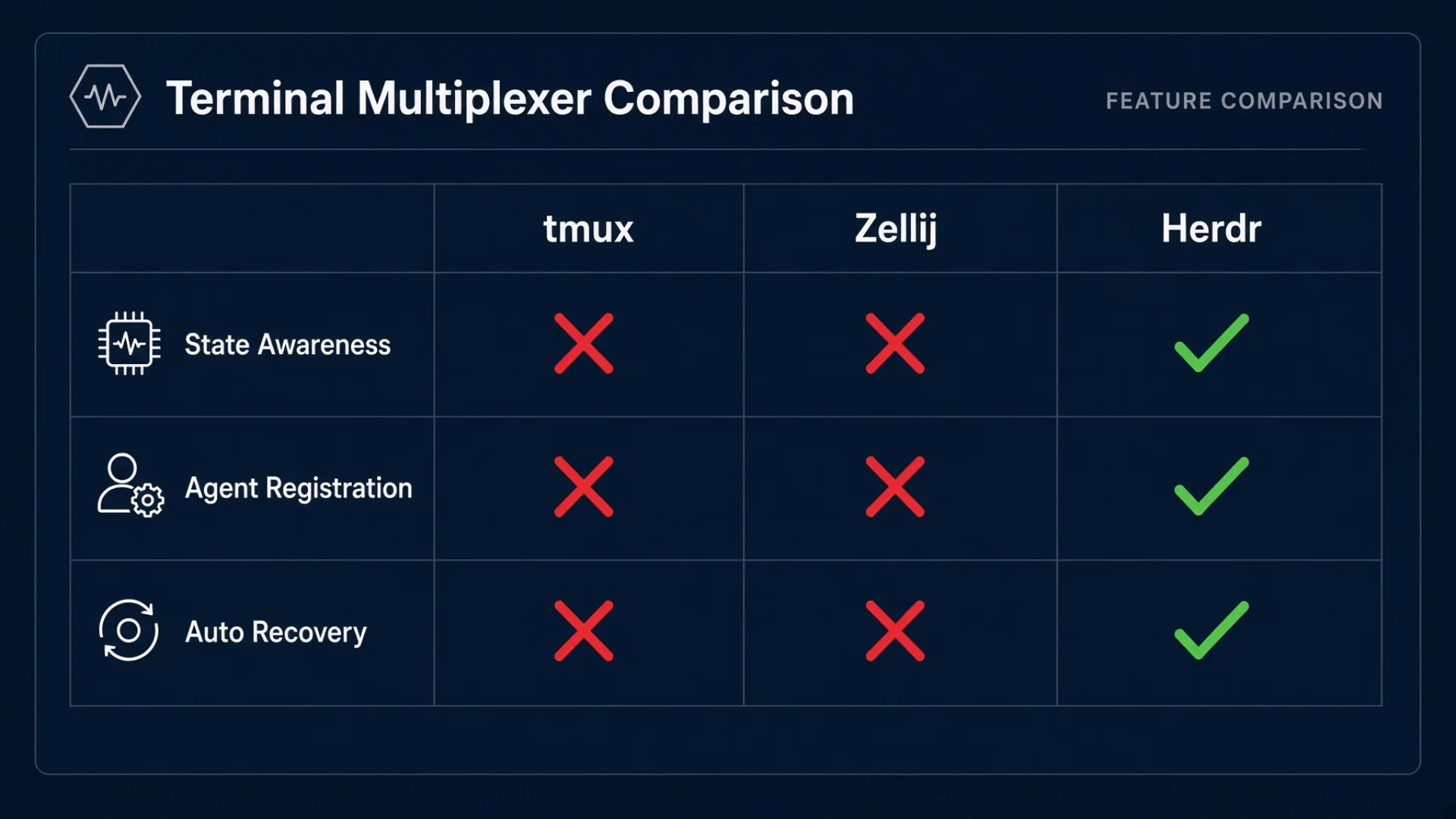
Here is the same comparison as a table, because the useful distinction is narrow and easy to lose in prose.
Capability
tmux (2007)
Zellij (2021)
Herdr (2026)
Sessions survive the window closing
Yes
Yes
Yes
Reattach from another machine or a phone
Yes
Yes
Yes
Discoverable keys, friendly defaults
No
Yes
Yes
Knows which program is in each pane
No
No
Yes
Reports idle / working / blocked per agent
No
No
Yes
Rebuilds the layout after a machine restart
Scriptable
Partly
Built in
The first three rows are why multiplexers exist. The last three rows are why a new one appeared in 2026.
What changes when the thing in the pane is an agent
Three capabilities are genuinely new, and all three exist for the same reason: the program inside the pane now has opinions, and something has to notice them.
1. It knows what state each agent is in
Every agent pane reports one of three states:
idle — nothing running, ready for work
working — processing something
blocked — stopped, waiting for you to approve an action
You see all of them at once in a sidebar, colour-coded, without clicking into anything.
The mechanism is worth understanding, because it explains the failures later. There are two paths. Agents that ship proper lifecycle hooks report their own state, and that report wins. For everything else — and that is most of the agents I run — Herdr reads the screen. It takes the live bottom of the pane buffer and matches it against rules in a manifest file.
When an agent draws a permission menu, it prints a hint line underneath: Enter to select · ↑/↓ to navigate · Esc to cancel. A rule looks for that string. Sees it, marks the window blocked, turns the marker red.
That is the whole trick. Pattern matching against rendered text. It works remarkably well, and it fails in one specific, ugly way that is most of the next article in this series.
2. It knows what kind of agent each pane is running
Not "a process is here" but "this one is Claude Code," "this one is Grok," "this one is Kimi." Herdr detects the foreground process and identifies the agent by kind. Six of the seven CLIs I run are recognised on sight, with no configuration from me; the seventh declares itself with one line at startup.
This sounds like bookkeeping. It is the thing that makes bulk operations safe.
Every agent quits differently. Claude Code takes /exit. Codex takes two presses of Escape. Antigravity takes /quit. A system that has to guess which one it is talking to will eventually type a launch command into a live conversation, because the quit key did nothing and the agent is still sitting there listening.
Warning: I know this happens because mine did it, twice, from two different entry points. The second time, three windows received the launch command as a chat message and started discussing it with each other. One of them said the paste looked wrong and it had been expecting a different task. Nothing errored. The fleet just quietly poisoned three conversations.
3. It rebuilds itself
Herdr can bring the layout back after a machine restart. Whether it also resumes the agent conversations is a setting, and on all three of my machines I have that setting turned off deliberately — the reasoning is in the next article. So on my setup, a restart means: tabs return, panes are empty shells with a prompt in them.
Two background services fill that gap. One keeps the multiplexer server alive and restarts it if it dies. The other wakes up every 120 seconds, reads a roster file listing every window that should exist on this machine, compares it against what is actually running, and starts whatever is missing.
The roster is the only place window names exist. There is no list hard-coded anywhere in the tooling. The same code runs on three machines and produces three different fleets, because each machine reads its own section of the file.
How I actually run this
This is the part that took the longest to get right, so it gets the most space. Everything below is what is running today, including the bits that are ugly.
The migration, in one day
On 17 July 2026 I moved my main machine from tmux to Herdr. Not gradually — in one day. Thirty-odd windows and seven different agent CLIs. The other two Macs got the same treatment later that month, once the first one had proved the shape.
The trigger was mundane, and worth telling because the diagnosis is the transferable part. My phone client could not find Herdr in its connection picker while tmux was running. I did not theorise. I ran three tests:
Put a logging shim in front of the Herdr binary → the phone never called it at all.
Hide the tmux binary, reconnect → Herdr appeared in the picker. Put the binary back.
Kill the tmux server entirely, reconnect → Herdr appeared again.
tmux was being detected first and short-circuiting the rest of the check. Three steps, one clear cause, no speculation. That pattern — change exactly one thing, observe, change it back — is worth more than any specific fact in this article.
What I had to rebuild: every startup script, every window definition, the service that keeps the server alive, the roster file, and the recovery loop. It took the day.
What I got: a fleet where I can see every agent's state at a glance, agents that survive restarts without me, and a phone that shows me what thirty-plus agents are doing without opening a laptop.
Retiring the fallback, on purpose
I kept tmux around as a fallback for eleven days and then formally retired it on 28 July 2026. Two systems that both want to own your terminals is not redundancy. It is a coin flip.
I also added a small guard function to my shell config that intercepts any accidental tmux new-session.
That guard is not paranoia. My phone client's helper checks whether a multiplexer is running, and if it finds none, it builds a complete tmux layout on its own initiative — the last time it did that unprompted, it created 31 windows across two sessions that nobody asked for. tmux ls and tmux kill-server still work; only session creation is blocked, and ALLOW_TMUX=1 gets through when I mean it.
The nesting rule I learned late
Herdr runs fine inside tmux, if tmux is the outer terminal. What breaks is the reverse.
If a shell config automatically enters tmux inside a Herdr pane, Herdr sees tmux as the pane's foreground process instead of the agent behind it. Registration fails. State detection goes dark. The pane looks empty to every tool that asks.
Note: This generalises past these two tools. Anything that identifies programs by looking at the foreground process can be blinded by putting another program in front. If a status display suddenly reports nothing for a window that is clearly busy, ask what is sitting between the tool and the thing it is trying to see.
What keeps it alive
Two background services, both trivial, both load-bearing.
The first runs the multiplexer server itself with a restart-on-death flag. Server crash, accidental kill, power loss — it comes back on its own. There is no manual step, and there is no me.
The second is the rebuild loop: every 120 seconds, read the roster, compare, start what is missing. It is deliberately a dumb timer rather than a clever event listener, and the next article explains why the clever version does not work. For now, the number that matters is this: 120 seconds is my worst-case recovery time, and it is a fine worst case for something that runs while I am asleep.
The background service gets almost no environment
This is the first thing that bit me after the migration, and it is the single most common way a working setup fails to survive a reboot.
When you run a program yourself, it inherits your shell's environment: your PATH, your variables, everything your login shell set up. When the operating system starts a program in the background at boot, it inherits almost nothing. On macOS a launch agent gets a handful of variables and a bare PATH — no Homebrew directory, no personal bin directory, not even USER.
The result is a service that works perfectly when you start it by hand and silently fails to find anything when the machine starts it for you. The program launches. It just cannot see the tools it needs.
The fix is to state the environment explicitly in the service definition rather than assume it. Two rules I follow:
Write out the full PATH the service needs, including Homebrew's directory and your own bin directory. Do not rely on inheritance.
Leave the session name unset. An empty session variable means "use the default session," and the default is the one every client can find. Setting it to something clever is how you end up with a running server that nothing connects to.
Note: If a background service works when you run it manually and fails when the system runs it, the environment is the first thing to check, not the last. It is almost never the program.
Naming windows after commands is a trap
Window names become launcher scripts, launcher scripts live in a directory, and directories are on your PATH. That chain has a sharp edge in it.
I split my scripts across two locations for exactly this reason:
Tool entry points live in a directory on my PATH, because I type them.
Fleet launchers — the per-window startup scripts, one per tab name — live in a directory that is deliberately not on my PATH. The multiplexer calls them by absolute path.
The reason is a real outage. A window in an earlier layout was named sh. Its launcher script therefore ended up as a file called sh in a directory that came first on PATH, which meant it shadowed the system's own /bin/sh. Everything that starts a shell — which is nearly everything — got my window launcher instead. My phone client stopped working entirely, and the cause looked nothing like the symptom.
The rule that came out of it: anything named after a window belongs somewhere your shell will never search. If your names are two letters and a number, this is easy to shrug off, and then one day you name a window ls or cd and lose an afternoon.
Checking it is actually healthy
Two commands, and I run them in this order.
herdr session list
The first should show the default session with a running status. If it does not, the problem is the server or its launch service, and nothing further will make sense until that is fixed.
The second is whatever your tooling uses to list agents — in my case a fleet status command that prints every window with its state. Everything should have a name and a status. A window with a state but no name is starting up. A window with neither did not start at all, and that distinction is worth more than any other single line of output I look at.
The restart order that is not optional
When I restart the whole fleet, the steps have an order, and skipping one costs windows:
Stop the agents first.
Restart the multiplexer server.
Trigger the rebuild immediately rather than waiting for the next 120-second cycle.
Skip step one and seven windows fail to come back. The reason is subtle and actually correct: restarting the server does not kill the agent processes. They survive it. The rebuild then looks at those panes, sees something running, and skips them — which is exactly the behaviour you want, because that is what stops it typing launch commands into live conversations. But it means those seats never get cleanly recycled.
Stop the agents first and the same operation reports zero failures — two runs, zero both times.
The numbers
Thirty-plus windows on my main machine, split across two workspaces: nearly all of them in one, a couple in the other. The exact count moves every few weeks; the shape does not.
3 Macs sharing one knowledge base, each running its own fleet from its own section of one roster file
120 seconds — the rebuild poll interval, and therefore the worst-case recovery time after a crash
1 day — the main machine's whole tmux-to-Herdr migration, including the rewrite of every startup script
Do this tonight
You do not need thirty windows. You need two, and about ten minutes.
[ ] Install it. On a Mac with Homebrew, one line:
brew install herdr
That puts a single binary on your machine. There is no account, no server to rent, and nothing leaves your laptop.
[ ] Start it. Type herdr. It creates a default session and drops you into it. What you are looking at is a viewer connected to a background server, not a window running a shell.
[ ] Make a second tab. Press Ctrl-B, release, then press c. You now have two persistent tabs. Ctrl-B is the prefix key: one reserved combination, so that every other keystroke still reaches the program inside the pane.
[ ] Prove it works. Close the terminal window entirely. Open a new one. Type herdr again. Both tabs are there, contents intact.
[ ] Then do it again with something running. Start a long task in tab one, close the window, walk away, come back. This is the step people skip and the one that changes how you work. Until you have watched a job finish while the window was shut, you will keep babysitting.
That last step is the whole article. The difference between "my work survives me" and "my work depends on me watching it" is the difference between an AI agent platform and a chat window.
The prompt that gets you started
Copy this into any agent — Claude, ChatGPT, Grok, Gemini, whichever you use. It walks you through your first persistent workspace and stops you making the two beginner mistakes.
I want to set up a persistent AI workspace on my Mac, so that my AI sessions survive when I close the terminal or restart the computer. Walk me through it step by step.
Context about me: I am a complete beginner with terminal tools. I do not know what a multiplexer, a session, a pane, or a prefix key is. Explain every term the first time you use it, in plain language. Ask me questions instead of assuming.
The tool: Herdr, a session multiplexer built for AI agents. It is like tmux, except it also knows what is running inside each window — whether an agent is idle, working, or blocked waiting for my approval.
Step 1 — Install. Help me install it with Homebrew (brew install herdr), then verify with herdr --version. Tell me what a healthy result looks like, and the two most likely errors with the fix for each.
Step 2 — First session. Have me run herdr. Then explain what I am looking at: the sidebar on the left, the tab row along the top, the pane in the middle, the status bar at the bottom. Explain what "session" means here, and specifically why it keeps running after I close the window — that my window is a viewer connected to a background server, not the thing running my work.
Step 3 — Create tabs. Help me create three tabs with Ctrl-B then c. Name them writer, researcher and shell. Explain that the prefix key exists so that ordinary keystrokes still reach the program inside the pane.
Step 4 — Test persistence. Have me start something long-running in one tab, then close the terminal window completely, then reopen and type herdr. Confirm all three tabs are still there with their output intact. Tell me what it would mean if they were not.
Step 5 — Explain the three states. Describe what idle, working and blocked mean for an AI agent. Tell me which is the expensive one to miss and why. Make the point clearly: a blocked agent is not broken, it is waiting politely, and it will wait forever.
Step 6 — Warn me about two specific mistakes. First: do not put two agents side by side in one split window. Tools that detect agent state usually read the text on screen, and in a narrow pane the long lines wrap and the pattern stops matching — the specific failure is that an agent waiting for my approval gets reported as idle, the one status meaning "nothing needs your attention." One agent, one tab, full width. Second: do not let any shell configuration start another multiplexer inside a pane, because the outer tool will then see that program instead of my agent and lose track of it entirely.
Step 7 — Design my layout. Ask me what I do for work and what my recurring tasks are. Based on my answers, suggest how many tabs I need, what to name them, and which should be fixed roles that build up context over weeks versus interchangeable tabs for one-off jobs. Give me a specific recommendation, not a menu.
Step 8 — One next action. Tell me the single highest-value thing to do this week, and why that one before the others.
Constraints:
No configuration files. No scripts longer than one line.
If I describe something that will cause a problem later, say so directly and name the specific failure it produces.
Do the steps in order. Wait for me to confirm each one worked before moving on.
Start with Step 1.
Frequently asked questions
Do I need this if I only use ChatGPT or Claude in a browser?
No. Browser chats already live on somebody else's server, so closing the tab does not kill them. You need a session multiplexer the moment your agents run on your machine — which is also the moment they can touch your files, and the reason people move local in the first place.
Is a session multiplexer the same thing as tmux?
tmux is one. Zellij is another. Herdr is a third. The category is the idea — a background server owns your sessions — and tmux has been the most common implementation of it for nearly twenty years.
Will my agent keep working while the laptop is asleep?
The session survives sleep; the work does not continue during it. A sleeping machine has a sleeping processor. When you wake it, everything resumes exactly where it stopped, with no loss. If you want a job to run overnight, stop the machine sleeping — on a Mac, caffeinate does that. The multiplexer preserves the session, not the electricity.
What happens if the multiplexer server itself crashes?
Your sessions go with it, which is why the server should be run by something that restarts it automatically. On a Mac that is a launch agent with a keep-alive flag; on Linux it is a systemd unit. This is a two-line configuration and it is the single highest-value thing to add after you have the basics working.
Can I do this on Windows?
macOS and Linux are the well-trodden paths, and Herdr has a Windows build in beta. For the settled route today, run the multiplexer inside WSL and treat that as your Linux machine — everything in this article then applies unchanged.
Do I need three machines and thirty windows for any of this to pay off?
No. The persistence benefit is real at one window. The state-awareness benefit starts mattering at about five, which is when you stop being able to hold "what is each of these doing" in your head. Everything past that is the same idea repeated.
Monitoring a competitor who publishes no feed is the case every RSS guide skips. Twenty-one platforms sorted by which of three jobs they do, and the finished setup is business process automation you own outright, with no seat licence to renew.
Blaming the content is the reflex when a post underperforms, and it is usually the wrong diagnosis. A second reader decides distribution before any human sees the post, and most of what it checks is mechanical enough to automate business processes around, on five platforms at once.
Gloves on, tape measure in hand — nobody types a query. Three voice surfaces for ai automation tools (terminal, Telegram, Discord), 10 TTS and 6 STT providers compared on cost and latency, plus a setup that costs nothing.
Thursday afternoon, fourteen product ideas, a Monday filming slot, no scripts. Six script shapes and seven hook formulas turn that hour into finished drafts — and the business rule stays: rewrite at least 30% before anything ships.