Monitoring a competitor who publishes no feed is the case every RSS guide skips. Twenty-one platforms sorted by which of three jobs they do, and the finished setup is business process automation you own outright, with no seat licence to renew.
Blaming the content is the reflex when a post underperforms, and it is usually the wrong diagnosis. A second reader decides distribution before any human sees the post, and most of what it checks is mechanical enough to automate business processes around, on five platforms at once.
Gloves on, tape measure in hand — nobody types a query. Three voice surfaces for ai automation tools (terminal, Telegram, Discord), 10 TTS and 6 STT providers compared on cost and latency, plus a setup that costs nothing.
AI Automation Tools: The One File Every Agent Can Read
Every assistant you use needs the same orientation, and most people give it five times. One plain text file per folder, read by all of them, fixes that.
I have five AI assistants open on this machine on a normal working day. Claude Code in one terminal, Codex in another, Cursor for anything with a build step, Grok when I want a second opinion, and a background agent that runs on a schedule and talks to none of the others.
This is not another ranking of AI automation tools. Those lists sell you connectors and triggers, and they are fine at it. What none of them ships is a map of your own business that every one of those tools can read — the half that decides whether the output is right rather than merely fast. This article covers only that half.
For about a year I configured all of them separately. Each one got its own briefing about what my folders were, where the brand voice lived, which directory held the client work. Five briefings, written five times, drifting apart the moment I changed anything. This is the tax nobody mentions when they recommend AI automation tools: the tools are cheap, and re-explaining yourself to each one is not.
The fix turned out to be a plain text file, and the same one works for all of them. Not a plugin, not a format anyone owns, not a service you subscribe to. A short Markdown file that sits in a folder and says what that folder is and where to go next. Drop one in each folder that matters and you have built a map that every assistant can read — and unlike the settings panel inside any of these AI automation tools, the map belongs to you and outlives whichever one you cancel.
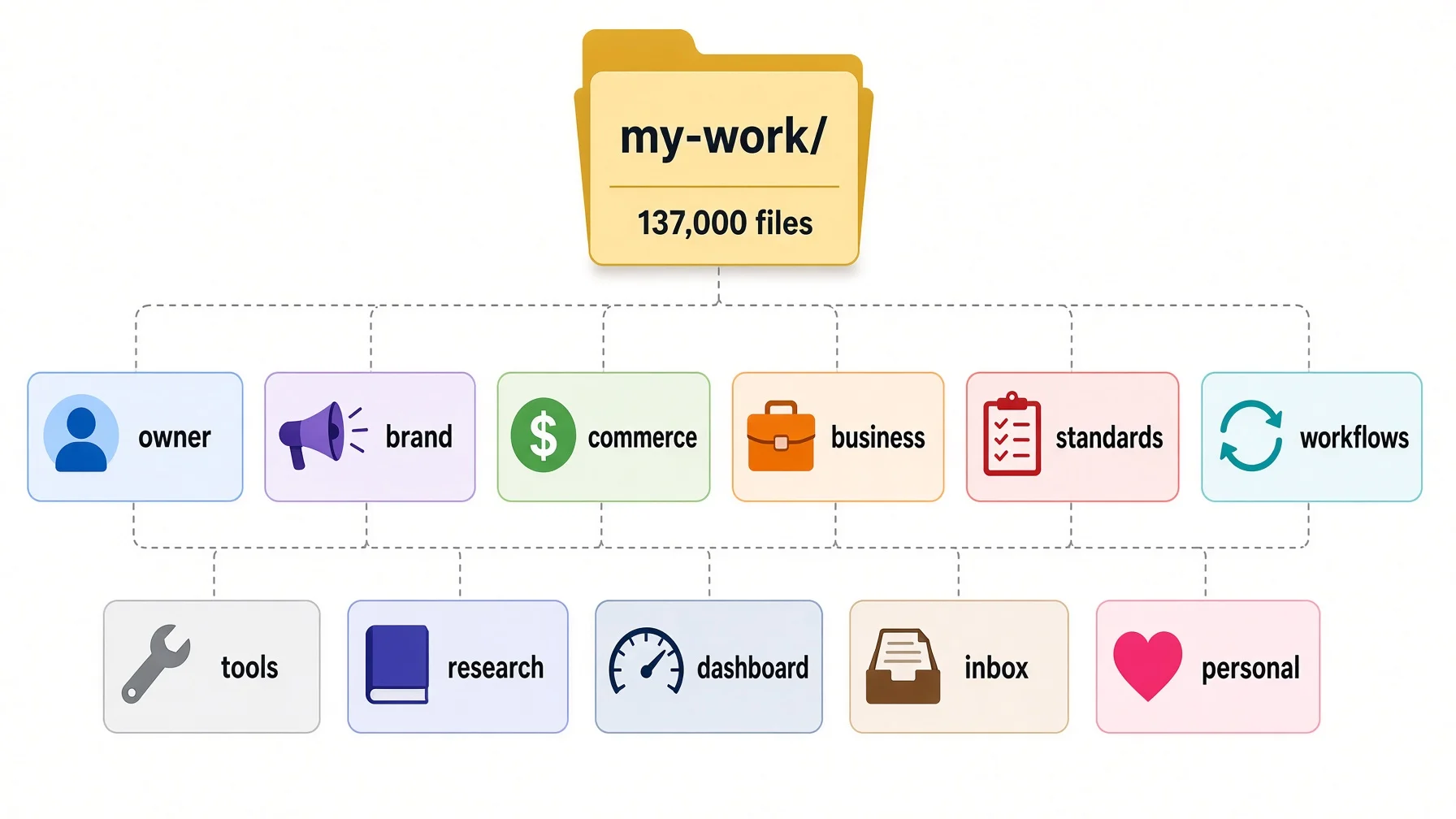
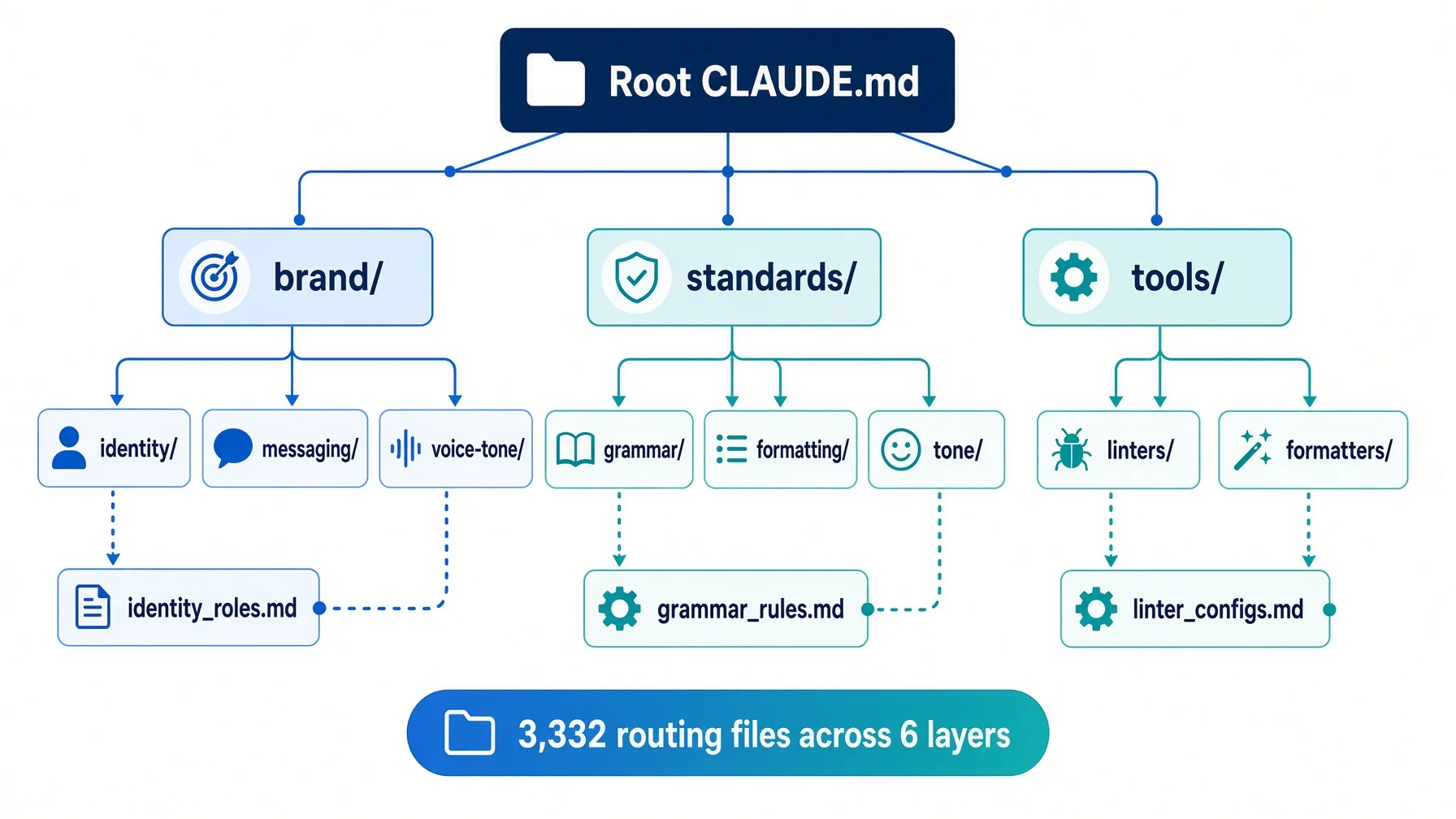
Today the knowledge base I work from has 3,332 files named CLAUDE.md. I checked with find on 10 August 2026 and I will show you the exact commands, along with the honest breakdown of how many of those I actually wrote by hand, which is a much smaller number than 3,332.
This article covers what one of these files contains, what the absence of them costs, how the routing tree in a working system is actually shaped, and a prompt you can paste tonight to generate your first one.
What "context" means here — Context is everything the assistant can see during one conversation. Think of a table before a meeting: whatever you put on it is what gets discussed, and nothing else exists. A routing file is the note taped to the door telling whoever walks in which drawer to open.
What an Agent MD file actually is
It is a signpost, not a filing cabinet. That distinction does all the work, so it is worth being precise about. Everything AI automation tools do badly in an unfamiliar folder comes down to not having one.
Put a file called CLAUDE.md in a folder. When an assistant opens a session in that folder, it reads the file before doing anything else. The file says three things: what this folder is for, what is inside it, and which subfolder handles which kind of question. That is the whole mechanism.
Here is a real one, trimmed. This is the file at the top of my brand directory:
# Brands

> The source of truth for each brand. Three brands share the same
> four-domain skeleton.

## Subdirectory index

| Brand | Directory | Market | Language | Triggers |
|-------|-----------|--------|----------|----------|
| AWP   | AWP/      | Overseas | English | AWP, English site, default |
| SYL   | SYL/      | Overseas | English | SYL, Sylvie |
| ...   | ...       | ...      | ...     | ... |

## The four domains

| Domain    | Answers | Does not cover |
|-----------|---------|----------------|
| strategy/ | what it is, where it goes | SKU tables, topic lists |
| commerce/ | how it earns, who buys | single-product operations |
| identity/ | how it sounds and looks | content lines, schedules |
| content/  | what to say, how to group it | weekly capacity, logs |
Seventy-two lines in total. No brand strategy in it, no voice guidelines, no pricing. Every one of those lives in its own file, one level down. This file exists purely so that an assistant arriving cold knows that "how should this sound" is a question for identity/ and "what does it cost" is a question for commerce/.
The three paragraphs every one of them has
Strip away the variation and each routing file answers three questions in order.
Section
Question it answers
Typical length
One-line position
What is this folder?
One sentence, in a quote block
Subdirectory index
What is inside it?
A table, one row per subfolder
Trigger words
When do I open which one?
A column in the same table
The trigger column is the part people skip, and it is the part that makes the difference. An assistant decides which folder to open by matching words in your question against words in the file. If your row says only "identity", a question about "tone of voice" may not connect. If the row says "identity, voice, tone, brand positioning, values", it connects.
Write the words your future self will actually type, not the tidy category name. This is the single cheapest improvement you can make to a routing file.
Why plain Markdown and not a config format
Every assistant on the market can read Markdown. None of them agree on a config schema. That asymmetry decides the format on its own, but there are three further reasons it holds up in practice.
You can read it. Six months from now you will need to change something. A Markdown table is legible at a glance in any editor, on any machine, with no tooling installed.
It survives tool changes. The files I wrote for Claude Code in early 2026 are read unmodified by Grok and Codex today. Nothing was migrated. The format was never proprietary in the first place.
It diffs cleanly. Put the folder under version control and every change to your map shows up as a readable line-level difference. A JSON config reformats itself and buries the one thing you changed.
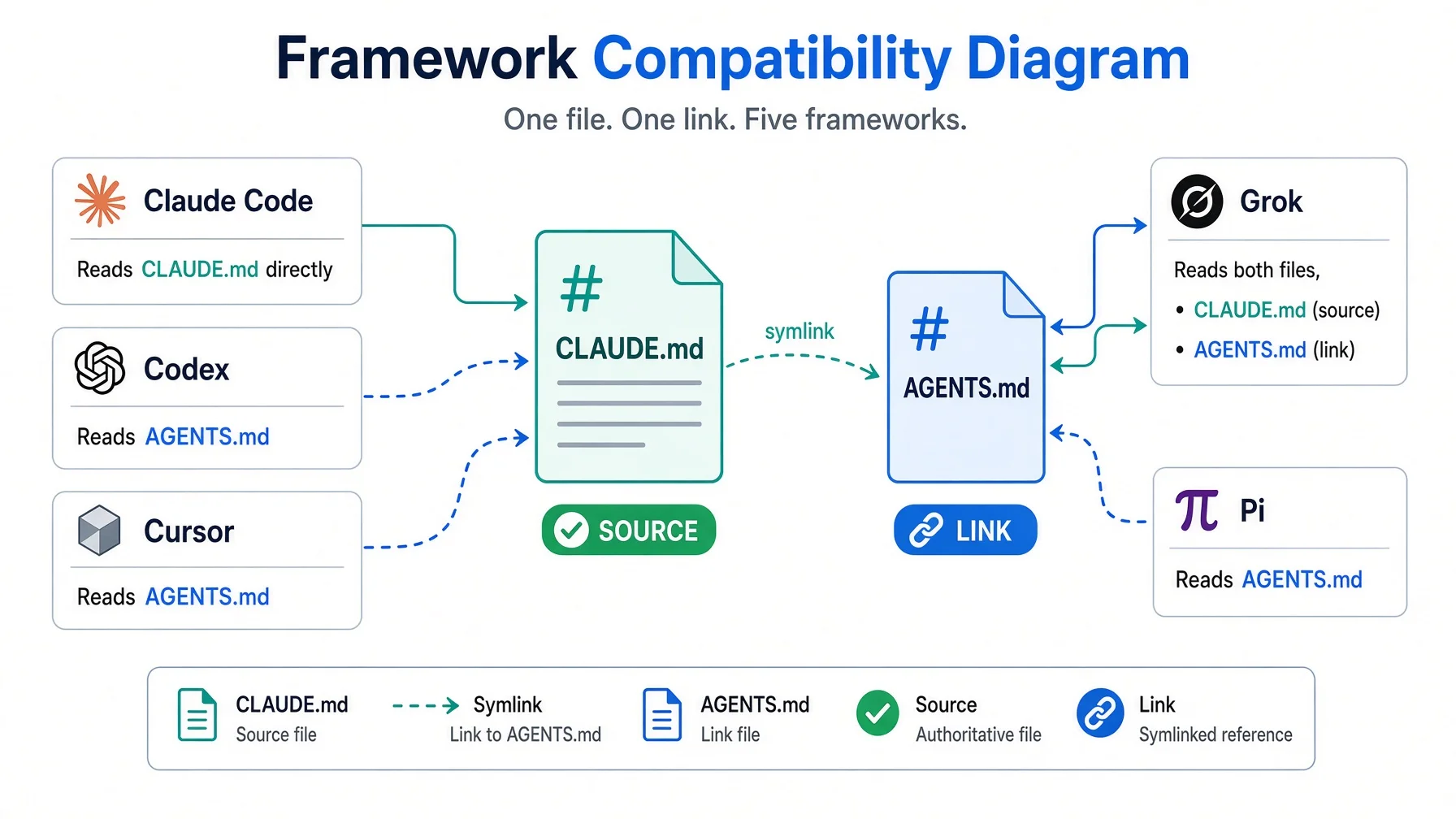
Why "Agent MD"? It is a convenient name for the pattern rather than an official one. The two filenames in wide use are CLAUDE.md, which Claude Code reads, and AGENTS.md, which is an open format that Codex, Cursor and several other tools read. The content is the same. Only the filename differs.
The name problem, and how it got solved
This is where most people give up, so here is the whole situation laid out.
Different tools look for different filenames. Claude Code looks for CLAUDE.md. Codex and Cursor look for AGENTS.md. Gemini's command line tools look for GEMINI.md. Naively, that means maintaining three copies of the same map, which is exactly the problem you were trying to escape.
A symbolic link solves it in one command. A symbolic link is a filename that points at another file. Both names lead to the same content on disk, so there is no second copy to keep in step.
cd ~/your-knowledge-base
ln -s CLAUDE.md AGENTS.md
That is it. One command, run once, at the top of the folder tree. Now every tool that looks for AGENTS.md finds your CLAUDE.md content, and every edit to the real file is instantly visible through both names, because there is only one file.
In my vault, find . -name "AGENTS.md" -type l returns 11 results, and ten of those sit inside an archived snapshot of an old directory structure. Exactly one symbolic link is live, at the root, and it serves Codex, Cursor, Pi, Antigravity and a scheduled background agent at the same time. One link, five frameworks.
Grok is the interesting case, and I got it wrong for a while. Grok reads CLAUDE.md directly — the filename is on its own list alongside AGENTS.md, AGENT.md and a few variants, so the symbolic link is redundant for it (xAI project rules documentation, checked 10 August 2026). I had assumed it needed the link and I had also assumed it truncated large files. Neither is true. The documentation says files are loaded in full with no size cap — though the project's own README has carried a 10,000-character limit, so treat docs.x.ai as the current word and keep your routing files short anyway.
What AI automation tools do when the file is not there
The failure is not that the assistant refuses to work. It is that it works, badly, and you cannot tell.
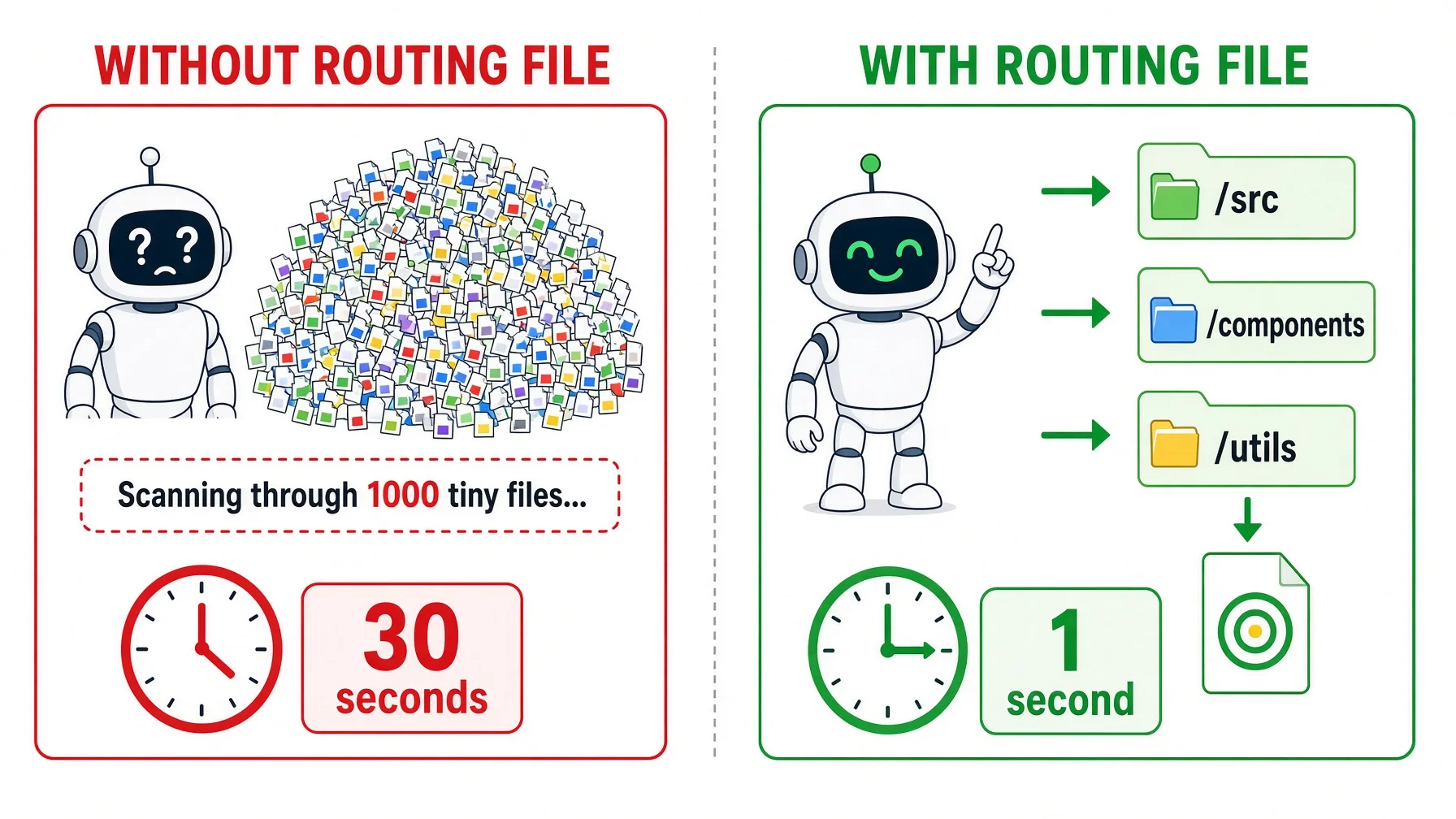
Without a routing file, an assistant arriving in a folder has three options and all of them are expensive. This applies to every one of the AI automation tools listed further down, because none of them can infer what a folder is for from the folder name alone.
It searches. On the vault I am describing, that means roughly 126,000 Markdown files, inside roughly 345,000 files in total once you exclude package directories and version control internals. Both figures come from find on 10 August 2026 and both drift upward every week, which is the point. A keyword search across that returns dozens of plausible matches with no way to rank them, and every one it opens costs input budget you paid for.
It picks the wrong one. This is the failure that actually hurts, because it is silent. Ask for the brand voice and get last year's archived draft instead of the current file. The output looks fine. It is wrong in a way you will only notice after publishing.
It asks you. Which is the honest option, and also the one that means you are now doing the work by hand — again, in every new session, for every tool.
Here is what those three costs look like against the alternative, measured on the same machine:
Without routing files
With routing files
Files considered
About 126,000 Markdown files
4 routing files, then 1 target
Material read to find the answer
Unbounded, depends on search luck
About 1,631 words, roughly 20 KB
Correct file found
Sometimes
Deterministically, as long as the tables are current
Repeated per tool
Yes, five times
No, all tools read the same files
The middle row is the one that changed my mind. Going from a cold start to the exact file holding my brand's language rules means reading four routing files and then the target: 495 words at the root, 288 in the brand folder, 441 in the AWP folder, 249 in the expression folder, and 158 in the file itself. Under two thousand words to navigate a vault of a hundred and twenty thousand documents.
How AI automation tools share one routing tree
This section is the teardown: one tree, five AI automation tools reading it. Everything below is measured from a working vault rather than designed on paper, and I will flag the places where the raw number flatters the method.
The 3,332 needs an immediate caveat, because on its own it is misleading. Breaking it down by location:
Where
Count
Did I write these?
Archive folder
1,497
No — frozen snapshots of old structures
Inside cloned code repositories
1,039
No — each repo brings its own
Knowledge tree (brand, tools, standards, research, dashboard)
595
Yes
Business asset tree (site, courses, products)
193
Yes
Other
8
Mixed
So the hand-maintained routing layer is 796 files, not 3,332. The larger number is what find reports and I would rather show you both than quietly quote the flattering one.
The depth distribution is more interesting than the total. Counting directory levels below the vault root:
Level
Routing files
What lives here
Root
1
The whole-vault map
1
11
One per top-level domain
2
152
Subdomains
3
230
Working directories
4
304
Detail folders
5
355
Leaf collections
6
222
Deepest routine level
Six levels is where the hand-maintained tree stops being useful. Anything deeper in my vault is either bulk output on a date-based naming convention, or a cloned repository that brought its own files. The rule I follow: if the path is longer than you can hold in your head, the structure is wrong, not the depth limit.
Size discipline matters as much as depth. Across all 3,332 files the median is 32 lines, the mean is 50, the ninetieth percentile is 95, and the longest is 1,081 lines. That longest file is the vault's central routing hub and it is long because it is genuinely a directory of everything. The typical file is a page of tables.
Following one question through the tree
Here is the trace for a real question: what does this brand sound like in English?
~/kb/CLAUDE.md                              85 lines
  └─ nav table row: "brands/ — identity, persona, logo"
     ~/kb/brands/CLAUDE.md                  72 lines
       └─ subdirectory index row: "AWP/ — overseas, English, default"
          ~/kb/brands/AWP/CLAUDE.md         99 lines
            └─ shortcut table row: "slogan / final copy → identity/expression/"
               ~/kb/brands/AWP/identity/expression/CLAUDE.md   68 lines
                 └─ file index row: "language-characteristics.md — what AWP
                                     sounds like (read before writing)"
                    → language-characteristics.md               55 lines
Three hops from the root to the folder holding the answer. Note the third hop: the brand file has a shortcut table that jumps straight past the identity/ level to identity/expression/. That shortcut is deliberate. The general rule is that each file points down exactly one level, and the exception is that high-traffic destinations get a direct link from higher up. Rules that never bend produce tidy trees that are slow to walk.
Every hop is a table lookup, not a guess. AI automation tools walking this tree are not deciding which folder seems most likely; they are reading a row that names the folder and the trigger words.
Which AI automation tools read which file
This is the compatibility table I keep for the AI automation tools I actually run, checked against each vendor's documentation on 10 August 2026. Filenames and discovery rules change; verify before you rely on any row.
Tool
Native instruction file
How it finds the file
Needs a symbolic link?
Claude Code
CLAUDE.md
Global file, then the project file, then subfolder files on demand
❌ No — it is the source
Codex
AGENTS.md
Global file, then every directory from the git root down to where you started
✅ Yes
Cursor
AGENTS.md plus .cursor/rules/
Same open format, plus its own rules directory
✅ Yes, shares the same link
Grok
AGENTS.md, Agents.md, AGENT.md, CLAUDE.md, Claude.md, CLAUDE.local.md, plus .grok/rules/
Global ~/.grok/, then repo root down to working directory — but only the working directory outside a git repo
❌ No — reads CLAUDE.md directly
Gemini CLI / Antigravity
GEMINI.md plus workspace rules
Global file plus workspace configuration
🟡 Global file can share content by link
Pi
~/.pi/agent/APPEND_SYSTEM.md
Appended to the system prompt, outranks project context
🟡 Global file separate, root link works
Read the Grok row twice, because it contains the one trap in this whole method. Neither of my knowledge bases is a git repository, and outside a git repository Grok scans only the directory you started in. Open a session three folders deep and it never sees the root map. The fix is a line in Grok's global file telling it to read the vault root file first. Without that line, the tool silently operates blind and nothing in the interface says so.
That is the general shape of the problem: the failures here are not error messages, they are absences. Which is why the verification step later in this article is not optional.
The table is worth rebuilding for yourself once a quarter. Discovery rules are the least stable part of any of these products, and a compatibility table you copied from an article is a compatibility table that stopped being true at some point you did not notice.
Single source, mirrored link, separate when genuinely different
Three rules govern the whole system, and the third is the one that keeps it honest over time.
One source of truth. The structure and the rules live in the CLAUDE.md files, and every one of your AI automation tools resolves back to them. Nothing else is authoritative. If a mirror disagrees with the source, the source wins and the mirror is broken.
Identical content gets a symbolic link, never a copy. If two filenames should always hold the same thing, link them. A link cannot drift because there is only one file. A copy will drift, and it will drift silently, and you will find out when an assistant follows a route that stopped existing in March.
Genuinely different content gets its own file. This is the exception that stops the first two rules from becoming dogma. My workflow directory holds 83 real AGENTS.md files that are not links to anything, because those entry points say something different from the CLAUDE.md next to them by design. A symbolic link cannot express difference. When the content really differs, write two files and be explicit that you are doing so.
That is the entire policy: link when identical, write separately when different, and never maintain a copy by hand. There is no third mechanism, and the reason there is no third mechanism is that "copy and remember to sync" is how every one of these systems eventually rots.
What goes in a routing file, and what does not
The test I apply to every line, before it goes in:
Delete this line. Can the assistant still find the information?
Answer
What to do
Yes — a directory listing or a --help shows it
❌ Delete it
Yes, but it costs three folder hops or five commands
🟡 Keep it, that is a useful shortcut
No — this is a constraint nobody could guess
✅ Keep it, this is the valuable part
That third category is the reason these files exist at all, and it covers three things: physical constraints (this folder syncs across machines with a one-minute delay, so do not assume a file is there yet), safety boundaries (never run this command automatically), and personal preferences (do not correct my typos, do not suggest starting a new session).
None of that is discoverable. All of it changes the output. Everything else in the file is navigation, and navigation should be short.
The corresponding failure is treating the routing file as a place to put content. Once the folder description grows into a manual, every session pays to load a manual. Push the detail into a real file and leave a one-line pointer behind. The map is not the territory, and it should not weigh as much.
Set up AI automation tools in four steps tonight
Four steps. The first takes about twenty minutes, the rest take minutes each.
Before you start. The routing file you are about to write works with every major AI tool — but you need at least one installed. If you have not set one up yet, start here. Pick any tool from the list; the file format is the same for all of them.
1. Write the root file
Go to the top of whatever folder tree holds your working material and create CLAUDE.md. Three sections, in this order.
# My knowledge base

> Everything I keep for work. Chinese-language notes, English deliverables.

## Behaviour rules

- Read the folder's own CLAUDE.md before working in it
- Client files are read-only unless I say otherwise
- Never send anything externally without asking

## Subdirectory index

| Directory   | What is in it                        | Triggers                          |
|-------------|--------------------------------------|-----------------------------------|
| clients/    | One folder per client, current work  | client, project, engagement, brief|
| templates/  | Documents I reuse                    | template, boilerplate, standard   |
| research/   | Reference material, gathered notes   | research, background, source      |
| admin/      | Invoices, contracts, tax             | invoice, contract, billing, tax   |
The behaviour rules section is optional for most people and worth ten minutes of thought if you work with anything sensitive. Everything in it applies to every tool, which is the point.
2. One file per top-level folder
Same three sections, narrower scope. The one-line position says what this folder is within the parent. The index lists what is one level down.
# clients/

> One folder per active client. Archived clients move to admin/archive/.

## Subdirectory index

| Directory        | What is in it                          |
|------------------|----------------------------------------|
| acme-corp/       | Brief, contracts, delivered work       |
| northwind-ltd/   | Brief, contracts, delivered work       |
Stop when a folder has fewer than three files in it. At that size the parent's listing already tells the assistant everything. Building a routing file for a two-file folder produces an empty shell that nobody maintains, and a tree full of empty shells is worse than no tree, because it teaches the assistant that these files are not worth reading.
3. Add the symbolic link
One command, at the root only:
cd ~/your-knowledge-base
ln -s CLAUDE.md AGENTS.md
ls -la AGENTS.md        # should print: AGENTS.md -> CLAUDE.md
Do not repeat this in every subfolder. The root link is what tools discover; deeper links add maintenance without adding reach. If you later adopt a tool whose filename is neither of these, add one more link at the root and write the tool into your compatibility table.
4. Verify it, before you trust it
This step is not optional, because the failure mode is silence. Open a session in the folder and ask a question whose answer is only in your routing file:
Without searching, tell me which folder holds my client contracts and how you know.
Three possible outcomes:
What you see
What it means
What to do
Names the folder and quotes your table
The file was read
Done
Starts searching the disk
The file was not read
Check the filename and the directory you started in
Gives a generic answer about typical structures
Something loaded, but not your file
Check for a competing global instruction file
Then repeat the same question in a second tool. That is the whole promise of the method and it takes thirty seconds to confirm or disprove.
Go deeper: put entity folders outside date folders — acme-corp/2026-08/ is right. 2026-08/acme-corp/ is wrong, because next month you look in two places for one client. This one rule prevents most of the folder trees that grow past six levels and become unnavigable.
Copy this prompt
Paste this into any of the AI automation tools above, in the folder you want to map. It reads what is actually there rather than inventing a structure.
You are building a routing file for a folder of my own material, so that
every AI tool I use can find things without me explaining the layout again.

Step 1 — Look before you write.
List the immediate contents of the folder we are in: subdirectories first,
then loose files. Go one level deep only. Then check whether CLAUDE.md or
AGENTS.md already exists here. If either does, show it to me and stop — we
will edit that one rather than replace it.

Step 2 — Draft the root file.
If neither exists, draft a file called CLAUDE.md with five parts, in order:

1. The folder name as a heading, spelled exactly as it is on disk.
2. One sentence in a quote block saying what this folder is for. Present
   tense. No history, no file counts.
3. A subdirectory table with columns Directory, What is in it, Triggers.
   One row per subdirectory, one sentence in the middle column. The
   Triggers column lists the words I would actually type when I want that
   folder, informal ones included — not only the tidy category name.
4. A file table, only if this folder directly holds files worth naming.
   Columns File, What it is. One line each.
5. Exactly three behaviour rules that apply to this folder specifically:
   where a new file goes, what must never be written here, and which
   folder a request gets handed to when it does not belong here.

Limits for the whole file: under 60 lines, no summary of any file's
contents, no folder that does not exist, and no rule that would be equally
true of every other folder.

Step 3 — The second filename.
Ask me whether I use more than one AI tool. If I do, tell me to run
`ln -s CLAUDE.md AGENTS.md` here and confirm it with `ls -la AGENTS.md`.
Root folder only — do not repeat this in subdirectories.

Step 4 — Go one level down.
Repeat steps 1 and 2 inside each subdirectory, same five parts, same
limits. Stop at the second level. Skip any folder holding fewer than three
files, and tell me which ones you skipped and why.

Step 5 — Test the chain.
Pick one file two levels down that is named nowhere in the root file.
Starting from the root file only, and without searching the disk, give me
the path you would follow to reach it and the table row that sent you at
each step. If any step needs a guess rather than a row I wrote, say so —
that is a gap in my tables, not in your reasoning.

Step 6 — One warning to pass on.
If this folder is not a git repository, tell me so, and tell me that Grok
only reads instruction files in the directory it was started from — so I
must start it at the root, not in a subfolder, or it will see none of this.

Show me each file before you write it.
The last line matters. Review the trigger words yourself, because that column is where you know something the assistant does not: the words you personally reach for.
The bridge table, if you want to write it by hand
Keep this next to your root file so you know what each of your AI automation tools expects. Verify the rows against current documentation before relying on them.
Platform
Reads your root file?
Via
Claude Code
✅
CLAUDE.md natively
Grok
✅
CLAUDE.md natively — ⚠️ working directory only outside a git repo
Codex
✅
AGENTS.md symbolic link
Cursor
✅
AGENTS.md symbolic link, plus its own rules directory
Gemini CLI / Antigravity
🟡
Separate GEMINI.md, can share content by link
Pi
🟡
Root link works, global file is separate and outranks it
ChatGPT Projects, Gemini Gems, NotebookLM
❌
Upload-based, no folder discovery — paste the file as a source
That last row is the honest boundary of this method. Browser-based assistants do not read your disk. The routing file still helps you there, because pasting one 30-line map is a far better opening move than uploading forty documents, but the automatic part does not apply.
Where this breaks
Four limits worth knowing before you spend an evening making your AI automation tools read the same map.
Nobody has measured the benefit properly. I have measured the structure — file counts, depths, word counts on the routing path — and those are real. What I cannot give you is a controlled comparison of output quality with and without. Every number in this article describes the system, not its effect. Treat the effect as plausible and unproven.
It degrades quietly. Rename a folder and forget to update the parent table, and the assistant follows a route to nothing. There is no error, no warning, just a slightly worse answer. If you do this at any scale, script a check that every folder named in a table still exists.
Discipline is the whole cost. The method works because the files stay short and point outward. The moment you start writing content into them, you have rebuilt the problem one layer up and you are now paying to load a manual on every session.
AI automation tools change their discovery rules without notice. The compatibility table above was accurate on 10 August 2026. Filenames, discovery rules and size limits move. I have been wrong about two of these rows before — I believed Grok needed the symbolic link and that it truncated large files, and both beliefs were stale by the time I acted on them.
When not to bother: if you keep under about fifty working files, or you use exactly one assistant and never expect to switch. At that size a single well-written file at the root is the whole solution and the tree adds nothing.
FAQ
What is AI automation, in plain terms?
Handing a repeatable job to a program that can read, decide and write, rather than doing every step yourself. The part people underestimate is the reading. An assistant that cannot find your material has to be told everything by hand, every time, which is not automation — it is dictation with extra steps.
Is this the same as AI workflow automation tools like Zapier or n8n?
No, and the two solve different halves of the problem. Those platforms connect apps and move data between them on a trigger. A routing file tells a reasoning assistant where your knowledge lives and what a folder is for. Use both if you want — most useful AI automation workflows end up combining a trigger platform with an assistant that knows where to look. When this article says AI automation tools, it means the reasoning half. The routing file is what stops the assistant guessing once the trigger has fired.
Do agentic AI platforms still need this if they have memory?
Built-in memory carries preferences between chats inside one product. It does not travel to a second product, you cannot open it in an editor, and it is not organised by topic. A routing file sits on your disk, is visible in plain text, and is read by anything that opens the folder.
Does every folder need one?
No. Fewer than three files, and the parent listing already covers it. Bulk output and archives do not need one either, because a date-based naming convention navigates them fine. Of 3,332 files named CLAUDE.md in my vault, only about 796 are hand-maintained.
What if the assistant ignores the file?
Test rather than assume. Ask where a specific thing lives and see whether the answer names your path. If it starts searching, check the filename, check the directory you started in, and check whether that tool scans only the working directory.
How long does it take?
The first file takes about twenty minutes, because you are deciding what the folder is for rather than typing. Each one after that is a few minutes. The median file in my vault is 32 lines.
Will bigger context windows make this unnecessary?
A bigger window raises the ceiling on what you can send. It does not tell the assistant what is worth sending, and accuracy is known to fall when the relevant material sits in the middle of a long input. Selection stays useful regardless of window size.
Can I use one big file instead of many?
Yes, and for a small collection you should. The reason to split is loading cost — a file inside a subfolder is only read when the assistant goes into that subfolder, so deep detail costs nothing until it is needed.
What about `.cursor/rules` and other tool-specific formats?
Keep them, keep them small, and use them for behaviour that genuinely differs between tools. What should not go in them is the map of your folders, because that is identical everywhere and any copy of it will drift.
Do I need the folder to be a git repository?
Not for most tools, but it changes Grok's behaviour significantly: outside a git repository it scans only the working directory, so a session started deep in the tree never sees your root file. Either make it a repository or put a line in Grok's global file telling it to read the root map first.
What to do next
Pick the folder you open most often. Write one file. Three sections, under sixty lines, no content — only signposts. Run the symbolic link command at the root. Then ask two different AI automation tools the same question and watch whether both answer from your table.
If they do, you have just replaced five separate configurations with one file, and every tool you adopt from here reads it for free. That is the quiet advantage of doing it this way: the value accumulates in your folders rather than in any vendor's account, so the next round of AI automation tools inherits everything the last round learned.
— Leo
Stay in the loop (no account signup)
I publish the measured version of what I run, including the parts that turned out to be wrong. Subscribe here.
Monitoring a competitor who publishes no feed is the case every RSS guide skips. Twenty-one platforms sorted by which of three jobs they do, and the finished setup is business process automation you own outright, with no seat licence to renew.
Gloves on, tape measure in hand — nobody types a query. Three voice surfaces for ai automation tools (terminal, Telegram, Discord), 10 TTS and 6 STT providers compared on cost and latency, plus a setup that costs nothing.
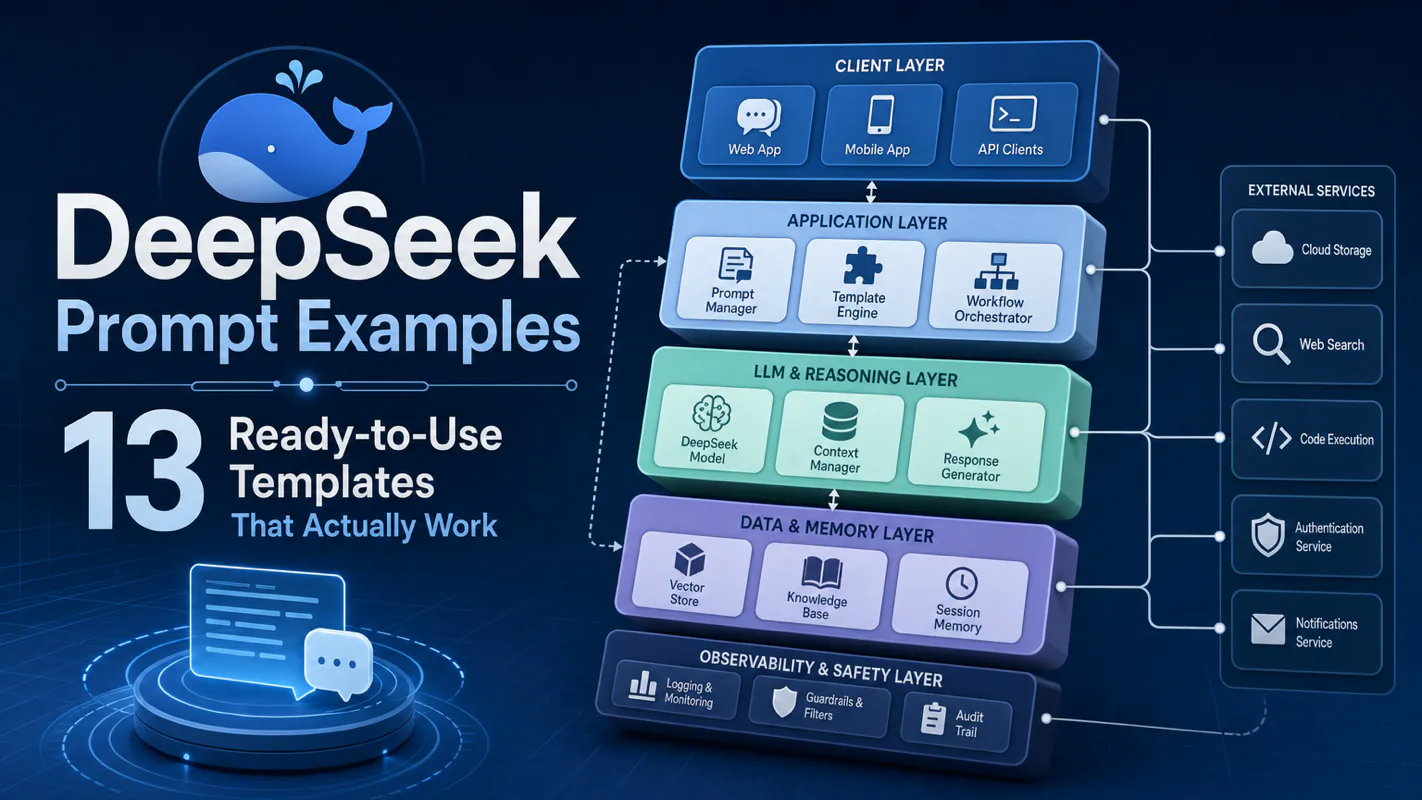
Forty supplier emails in the inbox, one spreadsheet due by noon — that is the job these templates were built for. 13 DeepSeek prompts that turn an AI assistant for business into a repeatable one: extraction, summarization, SQL, translation, and structured JSON output.
An AI assistant for business works when rules stay fixed, today’s job sits on a living card, and a human glances before anything leaves—portable across tools, not another best-of list.