Monitoring a competitor who publishes no feed is the case every RSS guide skips. Twenty-one platforms sorted by which of three jobs they do, and the finished setup is business process automation you own outright, with no seat licence to renew.
Blaming the content is the reflex when a post underperforms, and it is usually the wrong diagnosis. A second reader decides distribution before any human sees the post, and most of what it checks is mechanical enough to automate business processes around, on five platforms at once.
Gloves on, tape measure in hand — nobody types a query. Three voice surfaces for ai automation tools (terminal, Telegram, Discord), 10 TTS and 6 STT providers compared on cost and latency, plus a setup that costs nothing.
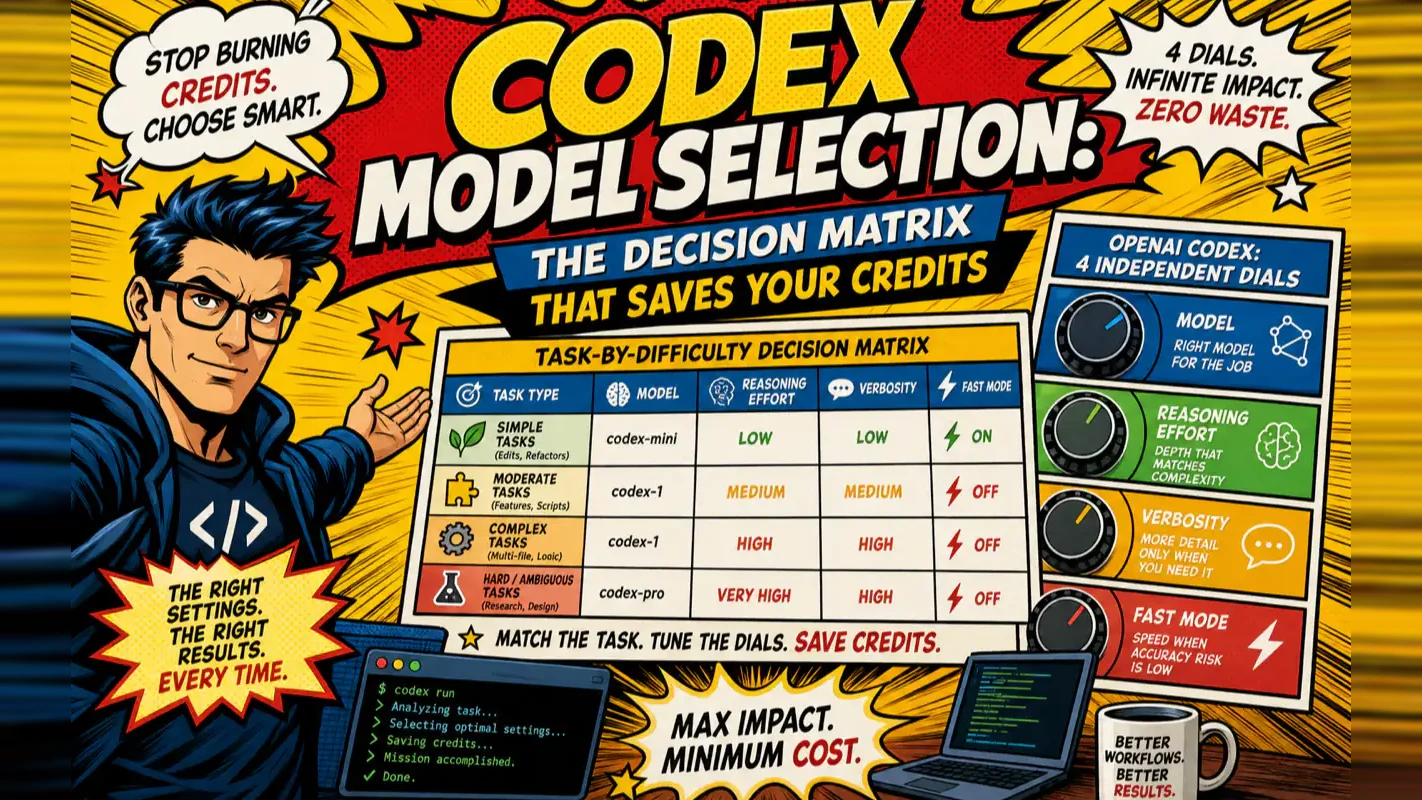
Codex Model Selection: The Decision Matrix That Saves Your Credits
Four dials ship at settings tuned for an average user who does not exist. Knowing when to downshift is worth more than knowing which model is strongest.
Defaults are never neutral; they are a guess about an average user who is not you. A freight brokerage running batch address cleanups sits on the same setting a research team uses for architecture decisions, because neither ever changed it and the software cannot know which it is serving. Four separate dials control this, and the shipped combination misses in both directions — overspending on the trivial, underpowered on the hard. What follows is the lookup table: find the row matching the task in front of you, set the dials, move on. The least glamorous habit in business process automation, and the fastest to pay off.
OpenAI Codex gives you four independent dials — model, reasoning effort, verbosity, and fast mode — and the default combination wastes credits on most tasks. This guide hands you a decision matrix you can copy into your workflow today, then breaks down each dial so you understand exactly when to turn it and why.
After running Codex across hundreds of real coding sessions, I can tell you the single biggest credit saver is not picking the "best" model. It is learning to downshift based on task difficulty — a habit that takes five minutes to build and pays off every billing cycle. For a broader view of how Codex fits alongside other AI coding tools, see our AI coding tools comparison.
What Is the Fastest Way to Pick the Right Codex Settings?
Copy this matrix. Find the row that matches your current task. Apply those settings. Done.
Your current task
Model
Reasoning effort
Fast mode
Why this combination
Everyday coding (endpoints, forms, moderate bugs)
Frontier (gpt-5.5)
medium
Off
Standard work — the frontier model handles it; no need to burn extra credits
Batch file edits (formatting, find-and-replace)
Lightweight mini
low / minimal
Off
Simple, high-volume — save credits aggressively
Cross-file complex refactor
Frontier
high
Off
Needs global understanding; long tasks do not benefit from fast mode
Architecture migration / security audit
Frontier
xhigh
Off
High rollback cost justifies maximum reasoning investment
The two most expensive beginner mistakes: running the frontier model on batch edits (burning credits for zero quality gain) and running a lightweight model on complex refactors (getting bad results that force rework costing more than the "savings").
Three questions to locate your row:
Difficulty — Is this mechanical repetition or does it require cross-file reasoning? Mechanical goes left (mini + low reasoning). Cross-file goes right (frontier + high reasoning).
Urgency — Are you watching the screen? Yes means consider Fast mode. No means turn it off.
Rollback cost — Easy to undo (git checkpoint)? Try a lighter setting. Hard to undo (migration, data deletion)? Invest in xhigh.
Why Does Codex Have Four Separate Dials Instead of One "Smart" Setting?
Because no single setting simultaneously maximizes speed, quality, and cost efficiency. Different tasks demand opposite trade-offs:
Scenario
Goal
What gets sacrificed
Real-time completions
Speed
Reasoning depth
Complex refactoring
Quality
Speed and cost
Batch file processing
Cost
Per-task intelligence
Codex hands you four independent dials so you can make that trade-off yourself:
Dial
Controls
Primary impact
Values
Model
Which underlying AI engine
Intelligence, speed, credits — all dimensions
gpt-5.5 / gpt-5.4 / mini / codex-specialized / spark
Reasoning effort
How deeply the model thinks internally
Quality vs. cost
minimal / low / medium / high / xhigh
Verbosity
How detailed the response is
Reading experience + minor output cost
low / medium / high
Fast mode
Spend more credits for faster response
Speed up, credit burn up
on / off (also flex service tier)
The four dials are independent. You can pair any model with any reasoning level with any verbosity with any fast mode setting. But you do not need to memorize every combination — the matrix in the previous section covers the patterns that matter.
From my experience building multi-agent workflows, the people who understand this system are not the ones who always pick the strongest setting. They are the ones who switch settings based on the task. That single habit separates efficient Codex users from everyone else.
How Should You Choose Between Codex Models?
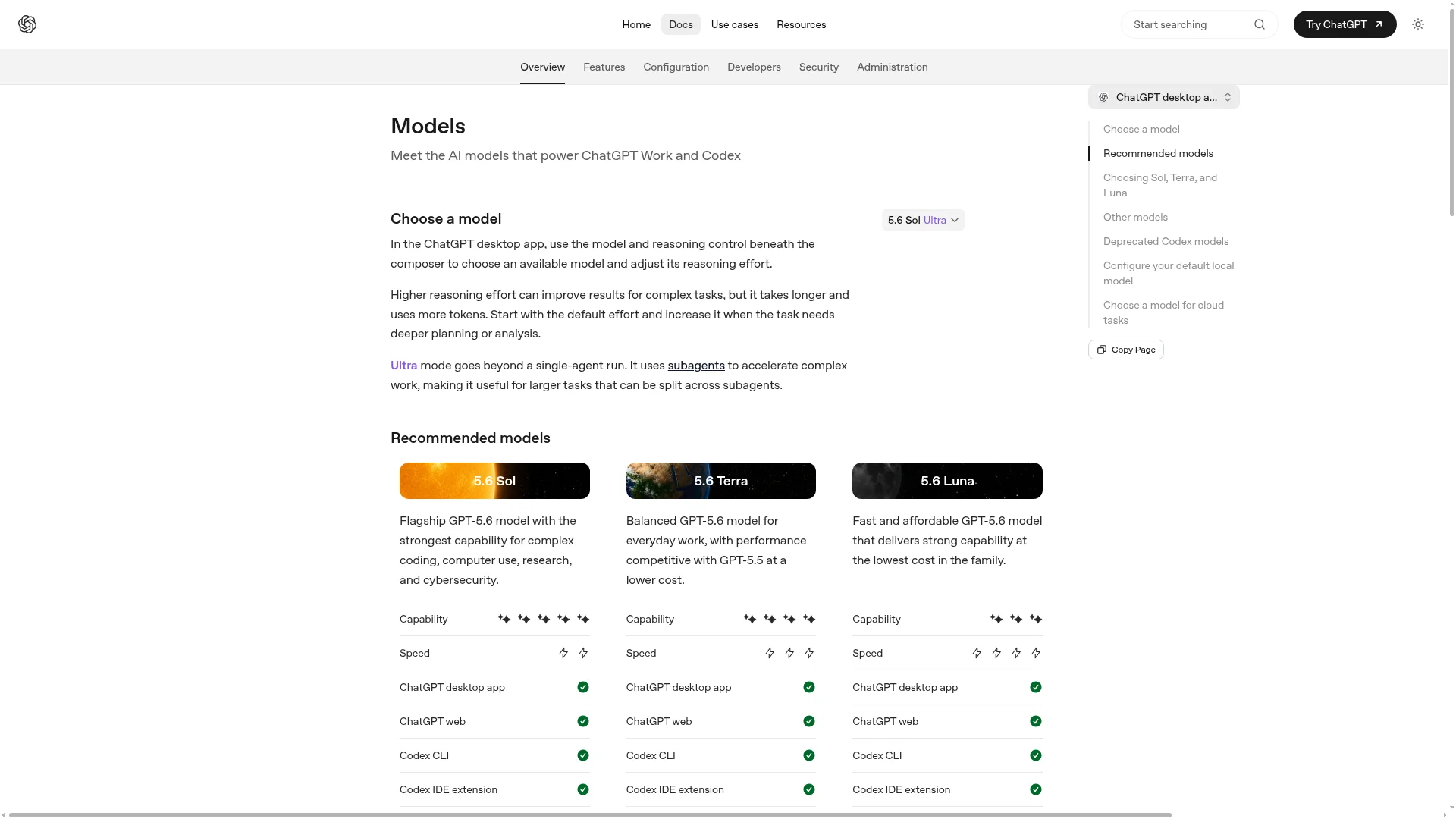
The models are not ranked on a single weak-to-strong line. Each targets a different use case. Here is the official positioning from the OpenAI Codex models page:
Model
Official positioning
Best for
gpt-5.5
Latest frontier model for complex coding, computer use, knowledge work, and research workflows
Recommended default starting point
gpt-5.4
Flagship professional model combining gpt-5.3-codex coding with stronger reasoning, tool use, and agentic workflows
Professional complex tasks
gpt-5.4-mini
Fast, efficient lightweight model for tasks needing quick responses and subagents
Simple tasks, batch edits, subagents
gpt-5.3-codex
Coding-specialized model for complex software engineering
Pure code writing, bug fixing
gpt-5.3-codex-spark
Text-only research preview optimized for near-instant real-time coding iteration
Editor real-time completions
Specific available model names change as OpenAI iterates. Check the Codex models page for the current list. Selecting by positioning is more durable than memorizing version numbers.
Start with the frontier model, then downshift
The models page explicitly states: "For most tasks in Codex, start with gpt-5.5." This sounds counterintuitive — the strongest model costs the most per request. But credit efficiency is about total cost to complete a task, not per-request cost. A stronger model often gets the job done in one pass. A weaker model may need three attempts and rework, wiping out the "savings."
The correct sequence: get your workflow running with the frontier model, build judgment about what is easy versus hard, then downshift easy tasks to mini.
# CLI: set in ~/.codex/config.toml
model = "gpt-5.5"

# App: Settings → Model → select the latest frontier model
When to switch to mini
Mini shines in scenarios where intelligence is not the bottleneck:
Scenario
Why mini fits
Batch file edits (formatting, bulk replace)
Simple, high-volume — intelligence is not the bottleneck
Simple autocompletions
Speed matters more than depth
Subagent exploratory scans
The subagent only reports, does not make decisions
Throwaway experimental scripts
Low cost of failure
Monthly credits running low
Mini output cost is a fraction of the frontier model
Fastest switch: type /model in the CLI and select mini.
The model × reasoning effort combination matrix
The real determinant of task performance is the combination of model and reasoning effort. This matrix maps the intersection:
Simple-to-medium tasks on a budget; stop here if quality is acceptable
Usually a waste: mini + high has poor ROI; switch to the frontier model if you need deep reasoning
Frontier (gpt-5.5)
"Need frontier knowledge but the task is easy" transition zone
Everyday coding — the default landing zone for most tasks
Complex refactors (high), architecture migrations and security audits (xhigh) — quality over cost
Two rules from this matrix:
Top-left is cheapest, bottom-right is most expensive. If a task can be solved in the top-left, do not move to the bottom-right.
Lightweight model + high reasoning is almost always wasted money. If you need deep reasoning, switch to the frontier model. Mini's value is speed and savings — pairing it with xhigh gives you neither intelligence nor savings.
How Should You Set Reasoning Effort for Different Tasks?
Reasoning effort controls how deeply the model thinks before responding. According to the Codex config reference, model_reasoning_effort accepts five values: minimal | low | medium | high | xhigh (xhigh availability depends on the model). OpenAI has not declared a default.
Mistake 1: defaulting to xhigh. On simple tasks, xhigh is not just slower and more expensive — it can produce worse results. The model "overthinks," introducing unnecessary complexity that was not in the original task. OpenAI's documentation explicitly advises choosing a level based on task difficulty and testing what works best, emphasizing that different users and tasks require different settings.
Mistake 2: using reasoning effort as a quality fix. When output quality drops, the debugging order should be:
Priority
Check
Action
1
Is the prompt vague?
Rewrite ambiguous requests as specific engineering tasks
Switch from mini to frontier if the task is complex
5
Last resort: raise reasoning effort
medium → high → xhigh, one level at a time
Raising reasoning effort without fixing the first four items usually just makes things slower and more expensive without improving quality. I learned this the hard way during a multi-file refactor — bumping to xhigh did nothing until I fixed a vague prompt that was the actual root cause.
How to change reasoning effort
# One-time CLI flag
codex -c 'model_reasoning_effort="high"' "refactor this module"

# Persistent in ~/.codex/config.toml
model_reasoning_effort = "high"

# In-session switch
/reasoning high
CLI and IDE extensions share config.toml — configure once, apply everywhere.
When Should You Use Verbosity and Fast Mode?
These two dials have smaller impact than model and reasoning effort, but using them correctly saves time or credits on every session.
Verbosity: how detailed the response is
According to the config reference, model_verbosity accepts low | medium | high. When unset, it uses the model or preset default — no specific level is hardcoded.
Level
Behavior
Use when
low
Concise, key information only
You know the task well and just want results
medium
Balanced explanation and output
Everyday work
high
Detailed step-by-step explanation
Learning, or complex tasks where you want to see the reasoning
Verbosity controls how detailed the output is. Reasoning effort controls how deeply the model thinks internally. The first affects reading experience; the second affects result quality. They are separate concerns.
Fast mode: trading credits for speed
According to OpenAI's Codex speed page, Fast mode increases supported model speed by approximately 1.5x. The cost: credits are consumed at a higher rate — GPT-5.5 at 2.5x the standard rate, GPT-5.4 at 2x. Getting 1.5x speed for 2–2.5x the credits is only worthwhile when you are actively waiting.
Fast mode is only available with a ChatGPT account login. API key users cannot access it.
# In-session toggle
/fast on
/fast off
/fast status

# Persistent in config.toml
service_tier = "fast"

[features]
fast_mode = true
Scenario
Fast mode?
Reason
Watching the screen, waiting for results
Yes
Your time has value
Codex running a long task while you do other work
No
Save credits
Real-time editor completions
Yes
Latency matters
Batch processing / background cron
No
Nobody is waiting
Monthly credits almost depleted
No
Preserve remaining budget
Fast mode is like an express lane at the hospital: worth paying for when you are sitting in the waiting room, not when you have gone home and will check results in the morning. It speeds things up by roughly 1.5x but consumes 2–2.5x credits. Only enable it when a human is actively watching.
Flex service tier
The config reference also includes a flex service tier — slower but lower credit consumption, designed for batch processing where latency does not matter. Most users can ignore flex initially. Get comfortable with the standard tier and fast mode first.
How Do Profiles Let You Switch All Four Dials at Once?
Adjusting four dials before every task is tedious. Profiles bundle model, reasoning effort, verbosity, service tier, sandbox mode, and approval policy into a named configuration. Switch everything with one flag: --profile <name>.
Field names (model / model_reasoning_effort / model_verbosity / sandbox_mode / approval_policy / service_tier) come from the Codex config reference. Values may change as OpenAI updates the documentation.
Profiles only work in the CLI
Profile files live at $CODEX_HOME/<name>.config.toml and load via codex --profile <name> — a CLI-only capability. The desktop app does not have a one-click profile switcher. IDE extensions share config.toml but lack an equivalent switch command. If you primarily use the app, you must change each dial manually in Settings.
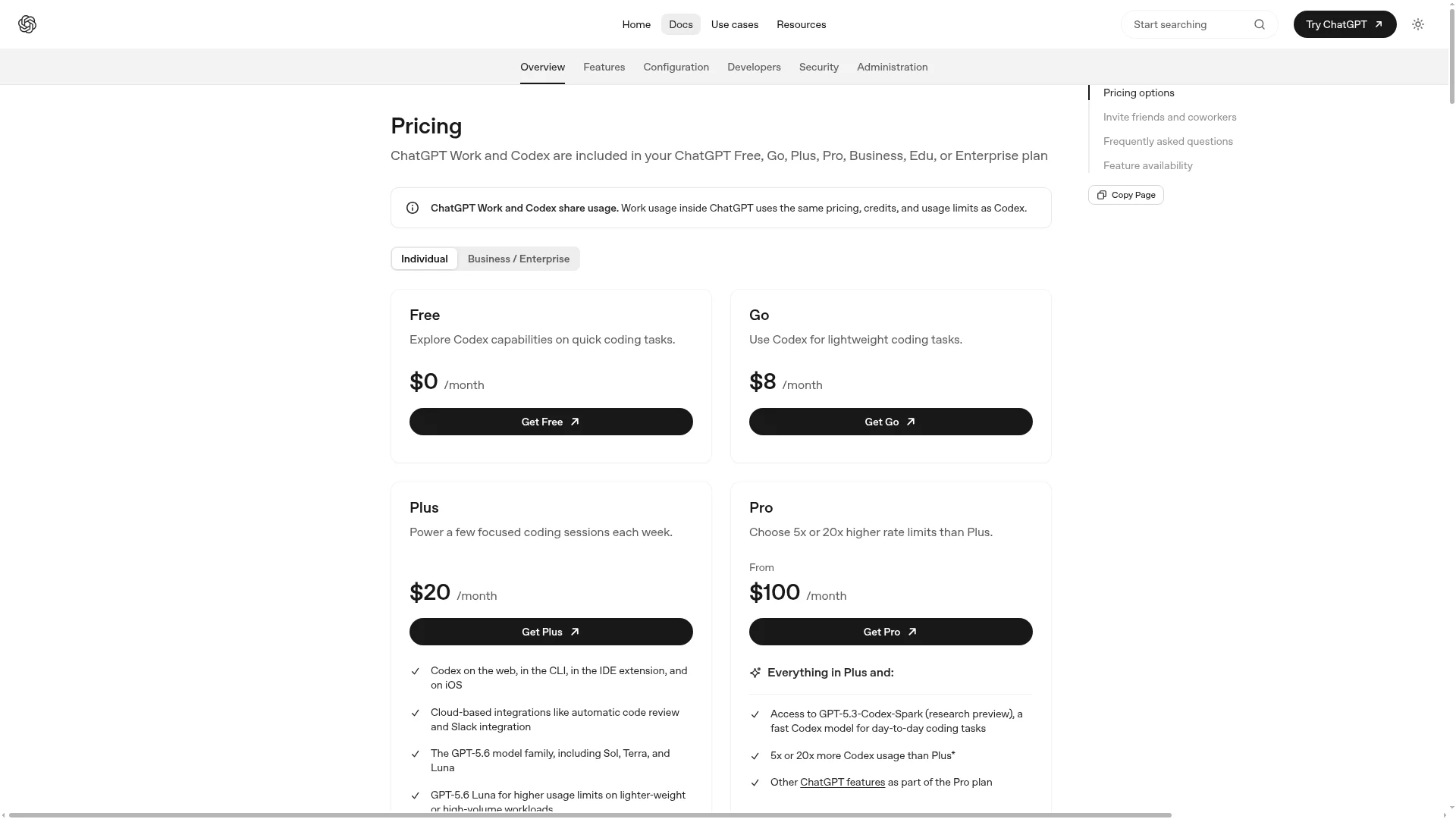
What Are the Official Ways to Save Codex Credits?
The Codex pricing page lists four official practices for making credits last longer. I have added two field-tested supplements (marked accordingly).
#
Practice
Source
1
Keep prompts precise but lean — give clear instructions while removing unnecessary context. Do not paste half your repository into the prompt.
Official
2
Use nested AGENTS.md files — control injected context by layering rules per directory instead of stacking everything in one long file.
Official
3
Disable unused MCP servers — every MCP (Model Context Protocol) server injects context into messages and consumes credits. Turn off what you do not use.
Official
4
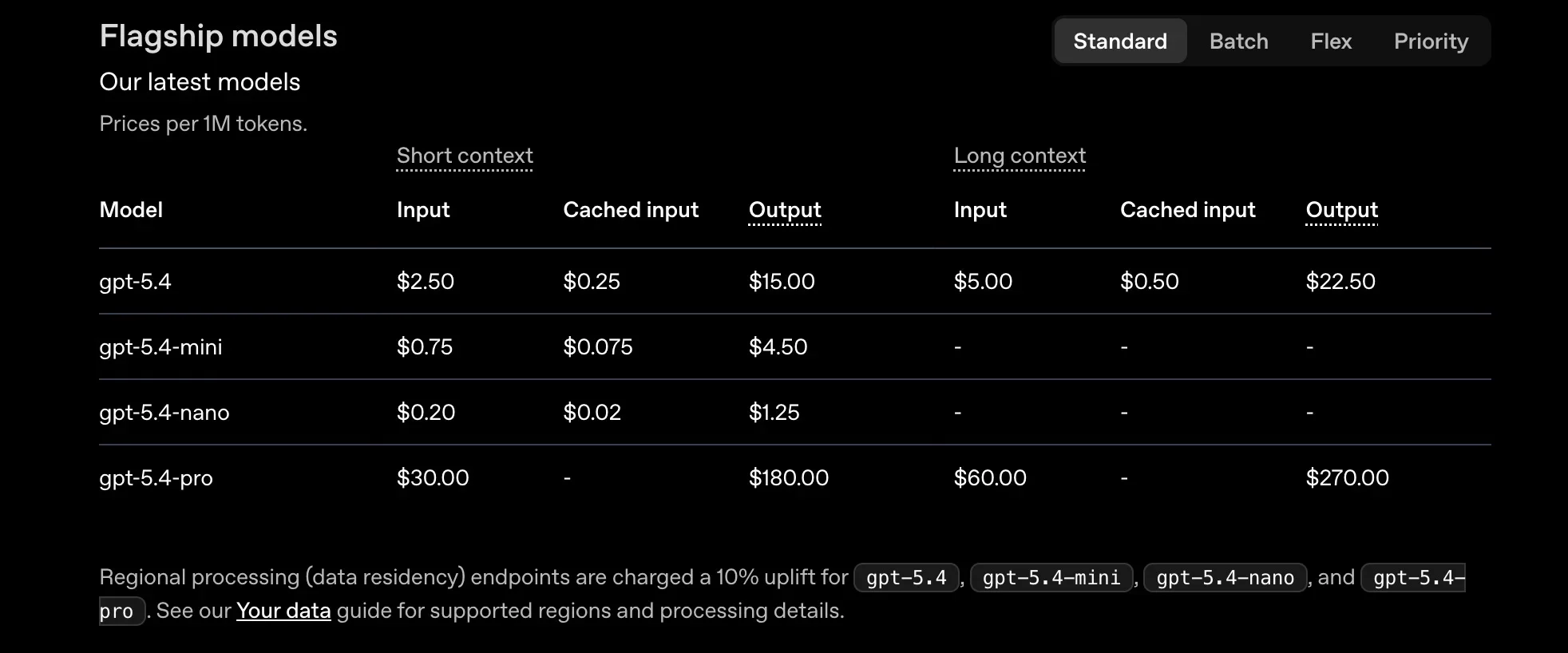
Switch to a smaller model — moving to GPT-5.4 or GPT-5.4-mini extends your local message credit allowance.
Official
5
Turn off Fast mode when you are not watching the screen.
Field-tested
6
Do not split into subagents unless you genuinely need parallelism.
Field-tested
The pricing page does not provide quantified savings ("X% cheaper"). Model routing by task difficulty saves credits, but only qualitatively — be skeptical of precise percentages you see online.
Prompt and AGENTS.md optimization
AGENTS.md loads automatically in every conversation. The longer it gets, the more input tokens every single exchange consumes. Best practices:
Keep the global AGENTS.md short.
Put project-specific rules in the project root's AGENTS.md, not in the global file.
In monorepos, use multi-level AGENTS.md files — do not dump every subproject's rules into root.
Disable unused MCPs + compress long sessions
Only list MCPs you actively use in your config file. Remove or disable the rest.
Use /compact to compress previous conversation content into a summary, freeing context space. Run it after ~20 turns, when switching sub-tasks, or when you see context utilization warnings.
For batch processing, use codex exec instead of interactive mode:
# Inefficient (reloads full context for each file):
for file in *.py; do
  codex
  > "Fix linting in $file"
done

# Efficient (each task runs with isolated token context):
for file in *.py; do
  codex exec --profile budget "Fix linting in $file"
done
Subagent credit accounting
Codex does not automatically spawn subagents — it only creates them when you explicitly request them. But each subagent runs its own model call plus tool invocations, so a subagent workflow's total credit consumption is significantly higher than a single agent.
Assign subagents the lightweight mini model, not the frontier model
Many small tasks to parallelize
Run multiple mini instances — usually cheaper than frontier subagents
Monthly credit review
Credit optimization is not a one-time setup. Spend five minutes at the end of each month checking three things:
Check
Warning signal
Credits used vs. remaining days
Depleting early → probably using too-high settings on routine tasks
Which profile is used most
deep / extreme dominating → are tasks genuinely harder, or did you forget to switch back?
Missed downshift opportunities
"Should have been mini but used frontier" — the most common and easiest leak to fix
What Do the Six Most Common Tasks Look Like With Full Settings?
The decision matrix gives you the quick answer. This section expands six high-frequency scenarios with every dial spelled out, including sandbox configuration and recommended workflow actions.
Task A: Everyday coding
Scenario: writing an endpoint, building a form, fixing a moderate bug, adjusting business logic.
Dial
Setting
Model
Frontier (gpt-5.5)
Reasoning effort
medium
Verbosity
medium
Fast mode
Off
Use the daily profile.
Task B: Batch processing
Scenario: bulk punctuation fixes, bulk import path replacements, adding alt text to a batch of components.
Dial
Setting
Model
Lightweight mini
Reasoning effort
low / minimal
Verbosity
low
Fast mode
Off
Use the budget profile with codex exec in a loop. These tasks have binary quality (correct or not) — mini + low reasoning runs faster and costs a fraction of the frontier model. Using the frontier model on batch edits is the most common credit waste among new users.
Task C: Cross-file complex refactor
Scenario: converting nested if-else chains to early returns, migrating routes to a new framework, converting class components to hooks.
Dial
Setting
Model
Frontier
Reasoning effort
high
Verbosity
medium
Fast mode
Off
Use the deep profile. Let Codex plan before executing. Always git commit before a complex refactor — if it goes wrong, git reset gets you back instantly.
Use the extreme profile with plan mode and thorough review. This is one of the few scenarios where xhigh genuinely earns its cost — the harder the task and the more expensive the rollback, the more the extra credits pay for themselves.
Task E: Real-time editor completions
Scenario: Tab-completing functions, imports, and test cases in your IDE.
Dial
Setting
Model
Spark (if available) / mini
Reasoning effort
minimal / low
Verbosity
low
Fast mode
On
Real-time completions primarily run through IDE extensions. The CLI is rarely used for this.
Task F: Code exploration / research
Scenario: having Codex explain unfamiliar code, scan a new repository's architecture, or look up API usage.
Dial
Setting
Model
Mini
Reasoning effort
low / medium
Verbosity
high
Sandbox
read-only
Use the readonly profile. Sandbox must be set to read-only for exploration tasks — this prevents Codex from "helpfully" modifying code you are only trying to understand.
What Are the Five Most Expensive Settings Mistakes?
Mistake
Consequence
Correct approach
Assuming highest = best results
Simple tasks on xhigh "overthink," produce errors, and waste credits
Match difficulty: medium default, high for complex, xhigh only for the hardest
Leaving Fast mode on permanently
1.5x speed for 2–2.5x credit burn — pure waste on background/long tasks
On only when a human is watching; off when you walk away
Never switching to mini
Frontier model on simple batch edits — double the cost, identical quality
Batch edits and exploration → mini. This is the biggest single credit lever.
AGENTS.md growing unchecked
Entire file loads into context every conversation, burning input tokens
Layer by directory, nest sub-files, prune regularly
Keeping all MCP servers enabled
Each MCP's tool descriptions add to context, stacking startup overhead
Disable MCPs you are not actively using
The first two mistakes are not just beginner problems. Experienced users fall into them by habit. Two hard rules that solve both: default reasoning to medium, only raise when medium fails; Fast mode on only when you are staring at the screen. These two rules alone make the same credit allocation last noticeably longer.
What Should You Do After Your First Two Weeks?
Once your initial configuration is running smoothly, these patterns naturally emerge:
What you are feeling
Next step
"I keep adjusting the same dials every day"
Use Profiles to bundle settings — switch with one command
"Batch tasks burn too many credits"
Switch to budget: mini + low reasoning
"Real-time completions feel slow"
Switch to spark / mini + turn on Fast mode
"I want even cheaper batch processing"
Try service_tier = "flex"
"I want to see my monthly usage trend"
Check the Usage panel in Codex settings
"I want to integrate cost tracking into my monitoring stack"
Export runtime data via OpenTelemetry (OTel)
Pre-Session Checklist
Run through these questions before starting every Codex session:
[ ] Does this task actually need the frontier model, or would mini suffice?
[ ] Is the complexity high enough for high reasoning, or does medium cover it?
[ ] Will I be watching the screen? Should Fast mode be on?
[ ] Has AGENTS.md grown too long? Does it need pruning?
[ ] Are all enabled MCP servers ones I actually use?
[ ] How many credits remain this month?
[ ] Should I use a named profile, or adjust dials manually?
Key Takeaway
OpenAI Codex is not one model — it is four independent dials: model, reasoning effort, verbosity, and fast mode. The biggest credit lever is learning to downshift based on task difficulty, not maximizing every setting.
The decision matrix at the top of this article covers 80% of daily use: everyday coding gets frontier + medium, batch edits get mini + low reasoning, the hardest tasks get xhigh, and Fast mode activates only when someone is watching. Just applying the rule "use mini when mini is enough" makes the same credit budget last noticeably longer. Model names, default levels, and pricing multipliers change — always verify against OpenAI's current documentation before committing to a configuration.
Ready-to-Use Prompt: Set Codex's Four Dials by Task Difficulty and Bundle a Profile
What this does: Takes one task, rates its real difficulty, sets all four Codex dials (model, reasoning effort, verbosity, fast mode) by downshifting to match, flags the five expensive mistakes, and bundles the result into a reusable named profile. Based on: Codex Model Selection: The Decision Matrix That Saves Your Credits — https://aiworkflowpro.com/codex-model-selection/ Time to run: ~3 minutes
Copy this prompt into Claude Code, ChatGPT, or any AI assistant:
ROLE: You are a Codex settings optimizer. Your job: take one task, set all four Codex dials (model, reasoning effort, verbosity, fast mode) by task difficulty, flag the five expensive mistakes, and bundle the result into a reusable profile.

CONTEXT — CODEX DIAL MATRIX:
Codex has four independent dials — model, reasoning effort, verbosity, fast mode — and the default combination wastes credits on most tasks. The single biggest credit saver is not picking the "best" model; it is downshifting based on task difficulty. Match the dials to how hard the task actually is: trivial work runs on a small model with low reasoning, terse output, fast mode on; genuinely hard work earns a big model, high reasoning, verbose output, fast mode off. Profiles bundle all four dials into a named preset so you switch once, not four times.

INPUTS (fill in before running):
- TASK: YOUR_TASK_HERE (the coding task — one or two sentences)
- DIFFICULTY: YOUR_READ_HERE (trivial / standard / hard / exploration)
- BUDGET_SENSITIVITY: YOUR_CONCERN_HERE (credits tight / moderate / loose)

METHOD — 6 STEPS:

Step 1 — Rate the task difficulty
Confirm DIFFICULTY against TASK: trivial = mechanical (rename, typo, lookup); standard = a normal feature/fix; hard = architectural, tricky bug, or design with real unknowns; exploration = drafting/probing where speed beats depth. If you over-rated, downshift — over-rating is the default credit waste.

Step 2 — Set the model
Pick by difficulty: trivial/standard → smaller/cheaper model; hard → the strongest model. Escalate the model only when reasoning effort alone cannot carry the task — model size is the most expensive dial.

Step 3 — Set reasoning effort
Match to difficulty: trivial → low; standard → medium; hard → high; exploration → low-medium. This is the single biggest lever — downshifting reasoning on easy tasks saves the most credits.

Step 4 — Set verbosity and fast mode
Verbosity by need: action-oriented tasks → terse; explanations/design → verbose. Fast mode: on for trivial/exploration (speed > depth); off for hard tasks (depth > speed). Never pair high verbosity with a task that just needs code changes.

Step 5 — Check the 5 expensive mistakes
Pass/fail: (1) maxed reasoning on a trivial task? (2) biggest model for trivial work? (3) high verbosity when you need action? (4) fast mode off for easy work (slow + costly)? (5) re-setting dials manually instead of a profile? Fix any — weight fixes harder when BUDGET_SENSITIVITY = tight.

Step 6 — Bundle into a profile
Name a profile capturing all four dial settings (e.g., "quick-fix", "standard", "deep-dive", "scout"), so the reader switches one preset next time instead of four dials. Output the profile name + the four settings.

RULES:
- Downshift by task difficulty — the biggest credit saver, not the "best" model.
- Escalate model size only when reasoning effort cannot carry the task; model is the priciest dial.
- Never pair high verbosity with an action-only task; never pair low reasoning with a hard task.
- Save dial combos as named profiles — switching four dials manually each time is a listed mistake.

OUTPUT FORMAT:
Output six sections:
1. **Difficulty rating** — confirmed difficulty + the downshift check result.
2. **Model** — chosen model + why (escalate only if reasoning can't carry it).
3. **Reasoning effort** — level + why (the biggest credit lever).
4. **Verbosity + fast mode** — each set + why.
5. **Expensive-mistake check** — markdown table with columns: Mistake | Present? (Y/N) | Fix.
6. **Profile** — the named preset + the four dial values.
Save as @templates/codex-model-selection.md and run at the start of each Codex session to set the dials, then re-run whenever the task difficulty changes or your credit budget tightens.
FAQ
Why does using the frontier model on batch edits waste credits while mini on refactors causes rework?
The two most common losses come from mismatched model-to-task pairing. Running a top-tier model on simple batch edits wastes credits because the model over-reasons on a mechanical task. Running mini on complex refactors produces bad results that force expensive rework — the savings on generation are dwarfed by debugging time. The decision matrix in this article covers 80% of daily use: frontier plus medium reasoning for everyday coding, mini plus low reasoning for batch edits, xhigh for genuinely hard architecture problems.
What is the difference between minimal and low reasoning effort in Codex?
The config reference defines five levels: minimal, low, medium, high, and xhigh. Minimal uses the shallowest reasoning — almost no thinking — suited for pure formatting and mechanical completions. Low adds slightly more reasoning for simple queries. Both target tasks that require no deep thought; minimal is the more extreme cut. Starting at medium for typical coding tasks is the safe default; escalate only when medium produces demonstrably wrong results.
Why does Fast mode cost 2.5x standard rate for GPT-5.5 but only 2x for GPT-5.4?
Fast mode increases supported model speed by approximately 1.5x at the cost of a higher credit multiplier. The difference in multipliers reflects the underlying compute costs of each model. Toggle with /fast on in the CLI or set service_tier = "fast" in config.toml. Fast mode requires a ChatGPT account login — API key users cannot access it. The simple rule: turn it on when you are staring at the screen waiting, turn it off when you walk away.
Why can xhigh reasoning effort produce worse results than medium on simple tasks?
Simple tasks on xhigh trigger the model to over-reason, introducing unnecessary complexity from "overthinking." The model finds edge cases that do not exist and adds abstractions you did not ask for. Start at medium, escalate to high only when medium fails, and reserve xhigh for genuinely difficult problems like architecture migrations. When output quality drops, check your prompt and AGENTS.md first — raising reasoning effort is the last diagnostic step, not the first.
Why are Codex Profiles a CLI-only feature?
Profiles bundle model, reasoning effort, verbosity, service tier, sandbox mode, and approval policy into a single named .config.toml file. Switching via codex --profile <name> lets you jump between task-optimized configurations in one command. The desktop app lacks this capability — you must change each setting manually in the Settings panel. IDE extensions share config.toml but lack an equivalent switching command. This is one of the key advantages the CLI holds for users who frequently switch between task types.
Monitoring a competitor who publishes no feed is the case every RSS guide skips. Twenty-one platforms sorted by which of three jobs they do, and the finished setup is business process automation you own outright, with no seat licence to renew.
Blaming the content is the reflex when a post underperforms, and it is usually the wrong diagnosis. A second reader decides distribution before any human sees the post, and most of what it checks is mechanical enough to automate business processes around, on five platforms at once.
Gloves on, tape measure in hand — nobody types a query. Three voice surfaces for ai automation tools (terminal, Telegram, Discord), 10 TTS and 6 STT providers compared on cost and latency, plus a setup that costs nothing.
Thursday afternoon, fourteen product ideas, a Monday filming slot, no scripts. Six script shapes and seven hook formulas turn that hour into finished drafts — and the business rule stays: rewrite at least 30% before anything ships.