Monitoring a competitor who publishes no feed is the case every RSS guide skips. Twenty-one platforms sorted by which of three jobs they do, and the finished setup is business process automation you own outright, with no seat licence to renew.
Blaming the content is the reflex when a post underperforms, and it is usually the wrong diagnosis. A second reader decides distribution before any human sees the post, and most of what it checks is mechanical enough to automate business processes around, on five platforms at once.
Gloves on, tape measure in hand — nobody types a query. Three voice surfaces for ai automation tools (terminal, Telegram, Discord), 10 TTS and 6 STT providers compared on cost and latency, plus a setup that costs nothing.
Workflow Automation Tools: Send a Task, Get a Result
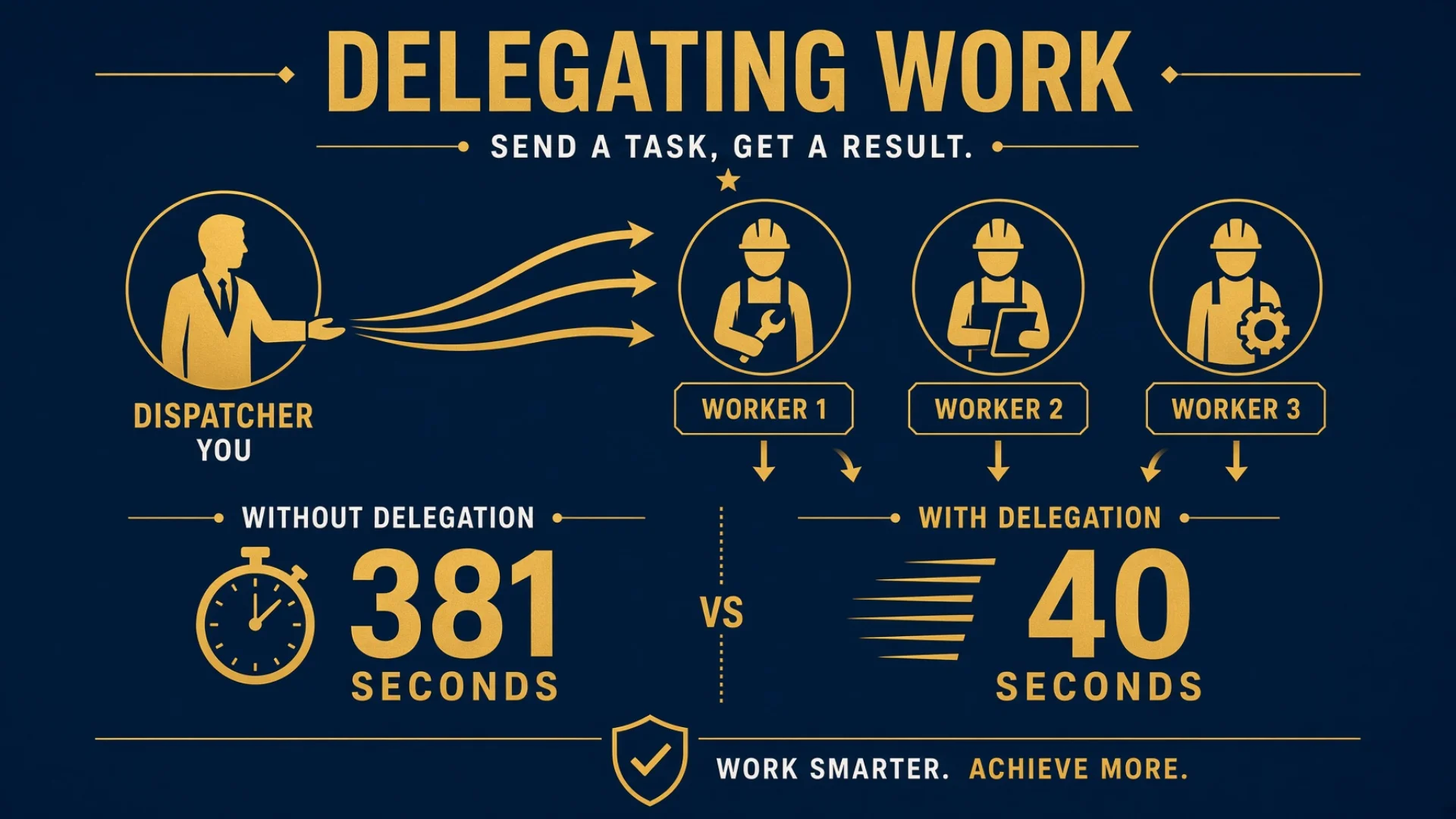
Workflow automation tools run the task. None of them can tell you where the answer is supposed to go. Twelve tasks took 381 seconds on a timer and 40 seconds on events — here is what changed, the two rules that stopped the loop spinning, and the four-line header that makes results come back.
Twelve tasks took 381 seconds when the system checked every 90 seconds. The same twelve took 40 seconds when it waited for events instead.
That number is the fun part of this article. The useful part is smaller and more boring: a four-line header that goes at the top of every task I hand off, and the reason no amount of tooling can write it for me. Workflow automation tools will happily run the task. Not one of them can tell you where the answer is supposed to go.
Because delegation between agents sounds like it should be trivial. You have a task. You have a window with an agent in it. You send the task to the window. Done.
The part that is not trivial is the return trip.
Key takeaways
When the agent finishes, who does it tell? The only party who knows who is waiting is whoever dispatched the task, at the moment they dispatched it. Not the agent, not the system, not any process running later.
Every task starts with a fixed four-line header: From, To, Task, and how to report back. It goes at the top, because anything after the task body gets skipped.
The reply instruction should mirror the request. Ask for a judgment, ask for the judgment back — not "let me know when it's done."
Always leave a failure exit. Without one, "no answer" and "failed" become the same observation, which is the hardest state to debug.
One message, one job. Combining feedback with a new assignment gets the new assignment read as background information and never done.
Polling on a timer cost 381 seconds for twelve small tasks. Waiting on completion events cost 40. But an event loop with no floor ran 28 times in 22 seconds and killed a healthy task by burning its retry budget.
I tried three times to automate the reply routing. All three failed at the same point, and I removed the feature entirely.
What workflow automation tools actually leave you holding
Search for workflow automation tools and you get builders. Draw a flow, connect the apps, set a trigger. Inside one of those platforms the return trip is solved for you, invisibly — the platform knows which step comes next because you drew the arrow.
The moment work crosses a boundary the platform does not own, the arrow disappears. You hand a task to an agent in another window, to a contractor, to a colleague. It gets done. And then nothing happens, because nobody wrote down where the result was supposed to go.
Programmers will recognise the shape. Calling a function pushes a return address onto a stack; returning pops it off. Dispatching a task is the push. Finishing is the pop. The return address has to be written at push time, because that is the only moment it is known.
I learned this by building three systems that tried to do it any other way. All three failed, and I will show you the graveyard further down, because the pattern is more useful than any individual failure.
The task card: the four lines that make AI task delegation work
In my setup every dispatched task starts with a fixed header block. Four fields, always the same four, always in the same order.
Field
What goes in it
From
The dispatcher's own window name — looked up, never guessed
To
The target window name
Task
One sentence summarising the job
Report when done
The exact command the executor should run to report back
Then the body: steps, background, what the output should be. Then one closing line telling the agent to just execute rather than stopping to ask for approval. That last line matters more than it looks — without it, a meaningful share of models will produce a plan and wait.
Here is the whole template. Copy it, replace the braces, and it works in a terminal, a chat window, an email or a ticket.
===== TASK =====
From:    {your own identifier — look it up, never write "me"}
To:      {recipient identifier}
Task:    {one sentence}
Report:  {exact instruction for how and where to report back}
         {+ failure exit: "or say which step you got stuck at"}
================

{body — steps, background, what the output should look like,
 where to save it}

Execute directly. Do not wait for confirmation.
Here is the same task before and after. Before — this is roughly what I used to send, and it is what most people send:
Have a look at why the sitemap validation is failing and fix it.
Let me know when you're done.
The agent works on it. Maybe it fixes it. Maybe it decides the sitemap is fine and the validator is wrong, and rewrites the validator. When it finishes, "let me know" resolves to nothing, because it has no idea who me is. So it prints a summary into its own window, where nobody is looking.
After:
===== TASK =====
From:    cz
To:      rk2
Task:    Find why sitemap validation fails. Do not fix it yet.
Report:  send to cz, force-append:
         "Root cause: {what it is} / Stuck at: {which step}"
================

Run the validator against the live sitemap. Report the exact
error and the first URL that triggers it. Facts only — no
conclusions, no recommendations, no priority ordering.
Save full output to /work/out/sitemap-check.txt

Execute directly. Do not wait for confirmation.
Same job, four differences that all matter: the return address is a literal window name, the report line asks for a root cause because that is what was asked for, there is a failure exit, and the scope is fenced so the agent cannot decide to rewrite the validator on its own initiative.
Three details in that structure are load-bearing.
The header goes first, not last. This is not a style preference. An agent reads the task body and starts working. A reply instruction sitting at the bottom, after four paragraphs of detail, gets skipped a meaningful fraction of the time. Put it in the first five lines and it gets read before the agent has anything else on its mind.
"From" must be a literal name. Not "this window", not "your dispatcher", not "the current session". Those phrases mean nothing to a process running somewhere else an hour later. If the dispatcher is not sure of its own name, the correct move is to omit the report line entirely and go check the result manually — not to guess a name and send a report into the void.
The reply has to be able to interrupt. My dispatching window is usually busy doing something else when a result comes back. A plain message to a busy window gets rejected, which is correct behaviour for new work and completely wrong for a reply. So every report line carries the flag that appends to a busy window's queue rather than bouncing off it. Forget that flag and the result is silently refused — which looks exactly like the agent never reporting.
⚠️ The equivalent in whatever tool you use. Almost every messaging or dispatch layer has two modes: deliver-if-free and deliver-anyway. New work should use the first, so you cannot accidentally interleave two jobs in one context. Replies must use the second, because the recipient is busy by definition — they are busy waiting for you. Getting these backwards produces a system where results vanish and nobody can say why.
The mirror rule
Here is the rule that took me longest to arrive at: what you ask for in the report line should mirror what you asked for in the task.
Dispatch "find the root cause of this failure" with a report line saying "Done: one sentence result" and you have wasted the round trip. The agent comes back with "done, investigated the failure" and you still have to go and read its window to learn anything.
A short table covers nearly every case:
What you asked for
What the report line should ask back
A result
Done: {one-sentence result}
The process, how it was done
Done: {key steps + which files changed}
A judgment or recommendation
Conclusion: {judgment} + {one-sentence reason}
Problems or risks
Found: {list of problems, or "none"}
Numbers or a list
Result: {the numbers or the list itself} — bring the numbers back, don't say "counted them"
Root cause investigation
Root cause: {what it is} / Stuck at: {which step}
One round of an ongoing job
This round: {what got done} + Next: {recommendation}
And every report line needs a failure exit. Either put one in the line itself — / Stuck at: {which step} — or say plainly in the task that failing is also worth reporting. Without it, an agent that fails often just does not report at all, and then "no answer" and "failed" become the same observation. That is the hardest possible state to debug, because you cannot tell whether to wait longer or start over.
💡 Long results go in a file, not the message. A one-line conclusion, a path or a set of numbers belongs in the reply itself. A research result, an analysis or a multi-paragraph list belongs in a file, with the reply carrying only the absolute path to it. Message channels truncate and mangle long text, and a path you can open next week beats a wall of text you have to scroll.
Message discipline: one message, one job
This one costs people more time than the protocol itself, and it looks like the agent is ignoring you.
An agent already working through a task follows its own to-do list. It does not reorder that list because you mentioned something in passing halfway down a long message.
Don't do this
What happens
Feedback on the last task, a decision, and a new job in one message
The new job gets read as background information and never gets done
"While you're at it, also handle X" in the second paragraph
It finishes the round it was on. X is still sitting there
The same new job in two consecutive messages, each attached to something else
It misses both. You conclude it is disobeying. It is a formatting problem
Want a new job done? Send it on its own, and say in the first line that it is a new round. Feedback and decisions go in separate messages.
Two related rules that come from the same place:
Appending to a busy recipient is queueing, not delivery. If three messages are ahead of yours, the agent reads yours fourth. When the tool reports that it "didn't observe immediate execution," that means exactly what it says — it did not see the agent start. It does not mean the message was lost. Do not resend. Resending means the agent eventually reads the same instruction twice and does the work twice.
Interrupting is for corrections only. There is a separate mode that makes the agent read your message inside its current round. The cost is that the current round gets broken. Use it to correct the thing being done right now — wrong parameter, wrong file, wrong direction. Never use it to hand over a new task; a new task gets its own message.
Who decides, and who does
One more rule that prevents most rework, and it is not about mechanics at all.
The dispatcher is the commander. The executor is the hands.
The dispatcher works out the current state, decides where the problem is, chooses the approach, breaks it into a list specific down to files and steps, and — this is the part that gets skipped — accepts the result.
The executor follows the list, gathers facts, and reports honestly, including the parts it could not do.
"Go and investigate, then decide how to fix it" hands over command. The executor only sees its own corner. Its judgment has no view of the whole, and what comes back usually needs redoing. When you genuinely need facts gathered first, say so explicitly in the task: report facts only — no conclusions, no recommendations, no prioritising. Collect the facts, form your own judgment, then send a second round with concrete steps.
And acceptance belongs to the dispatcher, not to the executor certifying itself. When a report arrives, check it: did the thing that was supposed to run actually run? Is the self-assessment believable? Has "the structure is wired up" been reported as "verified working"? Send it back if not. Do not accept and pass it upward.
Without a protocol, you are the scheduler
Skip all of this and here is what the day looks like.
You poll. You dispatch a task, then check the window. Still working. You wait. You check again. You switch to something else, forget, and come back twenty minutes after it finished. Multiply by the number of tasks in flight. At a dozen or so active tasks across more than thirty windows, polling by hand is a full-time job that produces nothing.
Automated polling is not much better. My first batch system checked every window on a fixed interval. Set the interval short and you burn resources checking windows that have not moved. Set it long and every finished task sits unnoticed for up to a full interval. At a 90-second interval with twelve small tasks, the run took 381 seconds. The actual work was a fraction of that. The rest was the system sleeping through the answer.
Without report lines, nothing tells you anything. Every completed task requires you to go and look, and each look means reading enough output to work out whether the thing worked or merely stopped.
Put a cost on it. A dozen delegated tasks a day, each costing two round trips of attention — one to check whether it is done, one to find out what happened — is twenty-four interruptions. Interruptions are the expensive unit here, not seconds. Twenty-four times a day you are pulled out of whatever you were doing to answer a question a protocol could have answered.
Event driven automation: 381 seconds to 40
For batches, one at a time is the wrong shape. You want every window busy without checking on any of them.
The naive version runs on a timer: every N seconds, look at all the windows, dispatch to any that are free. That is the 381-second version.
The event-driven version inverts it. Instead of the scheduler waking on a timer and asking "is anyone free," each busy window gets a waiter attached — something that blocks until that specific window goes idle, then fires. When any one of them fires, the whole round wakes up. The timer interval does not disappear; it stops being the heartbeat and becomes a ceiling — the longest the system will sleep if nothing happens at all.
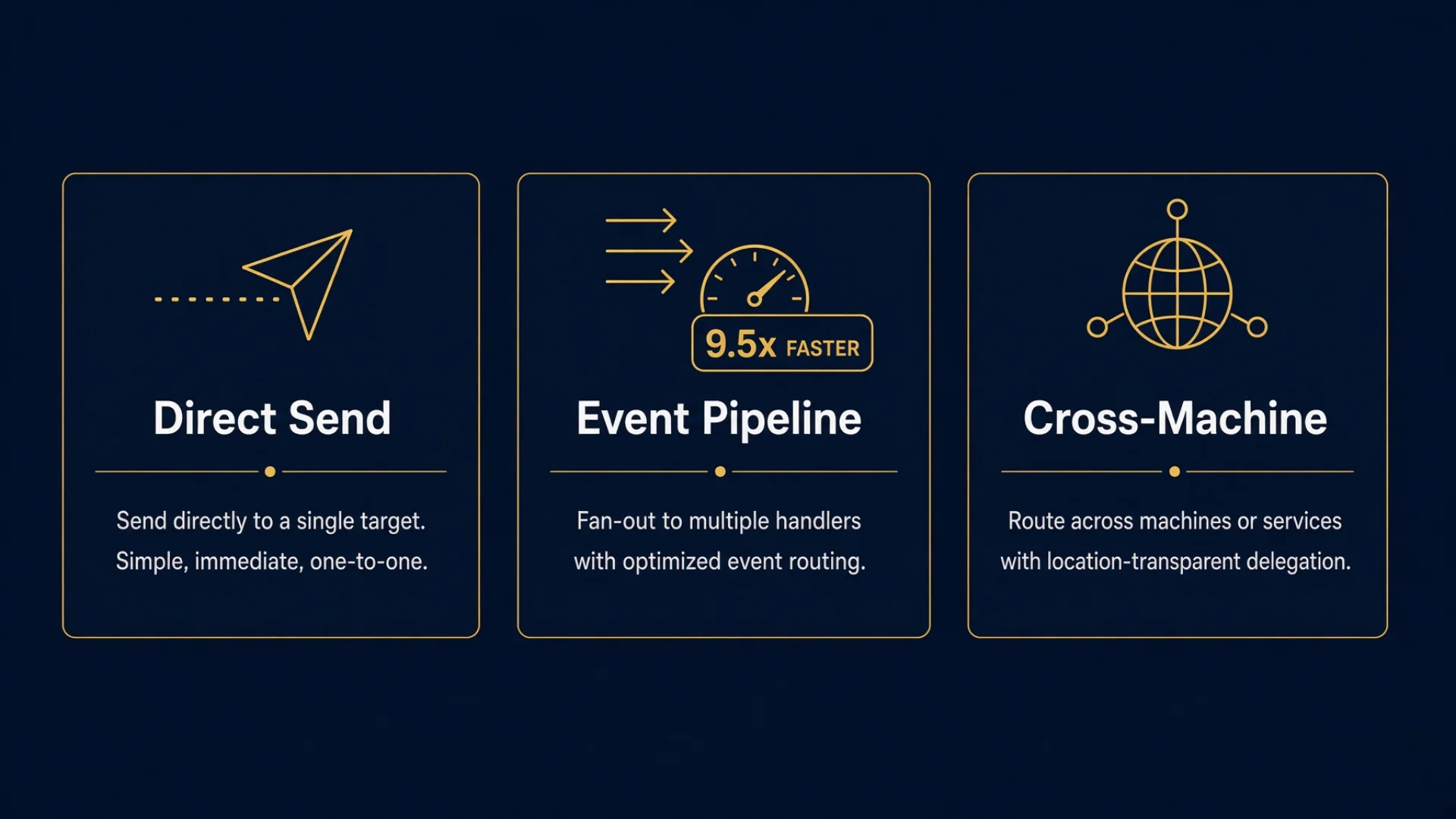
Twelve small tasks, same recipe, same machine: 381 seconds polling, 40 seconds event-driven. Roughly nine and a half times faster, and the gap widens as tasks get shorter, because polling wastes a fixed amount per task and events waste almost none.
One deliberate inconsistency: windows on other machines do not get waiters. Each waiter on a remote machine holds one long-lived network connection open. Ten remote windows means ten connections sitting there doing nothing. For the tens of seconds it would save, that is a bad trade. So local windows are event-driven and remote ones fall back to the interval ceiling. Half the system uses one mechanism and half uses another, on purpose, because the cost profiles genuinely differ.
The two guards that stop it destroying itself
This is the part I would want to read if I were building this.
The waiter has a property that seems harmless: attach it to a window that is already idle and it returns immediately. Of course it does. The condition is already met.
Now consider the timing. You dispatch a task to a window. The window takes a second or two to flip from "idle" to "working," because the agent has to receive the text, parse it and start. During that gap the window still reads as idle. So the scheduler attaches a waiter, the waiter returns instantly, the round wakes up, sees the window as idle, and dispatches again.
My first version had no protection against this. Twelve small tasks produced 28 rounds in 22 seconds. More than one round per second. And it did not spin harmlessly — each round counted as an attempt against one task's retry budget, so within a few seconds that task exhausted its retries and was marked permanently failed. A task that would have completed fine was killed by the scheduler checking on it too eagerly.
Two guards fixed it, and neither is optional:
Only attach a waiter to a window that currently reads as working — or that was just dispatched to and is still inside a grace period. Never to a window whose state you have not confirmed has changed.
Enforce a minimum of five seconds between rounds. Even if an event fires, the loop sleeps out the remainder. This costs almost nothing in throughput and makes a runaway loop structurally impossible.
🔍 The general lesson, which applies far outside agents. When you build an event loop where the event source can fire instantly, you need a floor on loop frequency. The event system will happily tell you the truth ten thousand times per second, and the truth repeated that fast is indistinguishable from a bug. Any webhook handler, file watcher or queue consumer you write has the same failure waiting in it.
Once the loop is safe, the rest of the batch handling falls out: clear context between tasks based on remaining capacity or task count, wait until the status bar actually re-renders before dispatching the next one, auto-approve any prompt that blocks, dispatch the next task.
Sending work to another machine
Same command, one extra flag naming the target machine. Three hard constraints, all learned the expensive way.
Check your own identity first. Run the identity command before dispatching. Being wrong about which machine you are on sends work into a stranger's window on a computer you were not thinking about — and window names mean different things on different machines, which is the whole reason the roster exists.
Wait for a new window to be ready. Create a window and immediately send to it and the message lands inside the startup banner and is lost. The window looks fine. The task is gone. If the launch response says not ready, it means not ready.
"Unverified execution" means failed, not probably fine. When the tool reports it could not confirm the message was executed, that is a failure result. Treat it as one. The temptation to read it as "it probably worked" is strong and it is always wrong.
And the report line, when crossing machines, has to carry the machine flag as well — otherwise the executor tries to report to a window name that does not exist where it is standing.
Three failed attempts at automating the reply
I tried three times to make the system work out who to notify. Here is the graveyard.
When
What it was
Why it died
18 July 2026
A watcher script, a global mailbox and completion hooks
Every notification dumped into one window regardless of who dispatched. It also missed half the fleet, because the underlying agent list returned a null name for several windows. And the notifications carried a terminal title and nothing else, so even when one arrived it told you nothing
25 July 2026
A courier service with three-layer routing, a delivery ledger and a smart fallback that inferred the recipient from the finished work
Over 7.6 hours of runtime: 9 model calls, 0 useful notifications, 4 messages delivered to manager windows that had not dispatched anything
26 July 2026
Automatic injection of a reply instruction into every dispatch
Cleaner than the courier, but still code doing a human's job. Retired the same day
All three failed at the same point. At completion time, the machine does not know who is waiting. All it can inspect is the content of the finished work, so the best it can do is guess which domain the work belongs to and notify whoever owns that domain. Domain ownership is not the same thing as the call relationship. Every one of my four misdeliveries went to exactly the right subject matter expert, who had not asked for anything and did not care.
So the code has no reporting mechanism at all now. Send delivers a message; that is the entire feature. The dispatcher writes the return address by hand, because the dispatcher is the only party that has it.
That is the uncomfortable conclusion of three attempts at AI agent orchestration: the scheduling automates cleanly, the addressing does not. Everything about when work runs can be handed to a program. Who was waiting cannot, because it was never written down anywhere the program can read.
The cost of this design, stated plainly
If you forget to write the report line, no result comes back, and nothing catches it. There is no backstop. When a task runs past its expected time with no word, you go and look at the window yourself.
That is a real cost and I am not going to dress it up. I accept it because the alternative — three systems' worth of evidence — is a machine confidently telling the wrong person that something is finished.
Two smaller rules round it out. Write the full command in report lines, never a local shorthand, because the shorthand comes from project instructions that the target window may not have loaded. And report lines never contain report lines — the chain stops at one hop, or you get infinite notification trees.
When the reply doesn't come
Three states, three different diagnoses. Learning to tell them apart saved me more time than the protocol did.
What you see
What it means
Past the expected time, no word
Read the window's recent output. It is probably still working on something bigger than you thought
The window is idle but nothing arrived
It finished and skipped the report line. Go and read the output, accept it manually, and note that the report line was probably badly formed
The window says working but the title never changed
Likely stuck. Read the last output and decide whether it is waiting on something
The middle one is the common case, and it is worth knowing that it looks identical from the outside to a task that died. That is exactly the ambiguity the failure exit is meant to remove.
Do this tonight
No code required. Fifteen minutes.
[ ] Write your task card template. Four lines: From, To, Task, Report when done. Save it somewhere you can paste from. This alone fixes the most common failure, which is dispatching a task and then having no idea where the answer will appear.
[ ] Practise the mirror rule once. Take a task you would normally delegate. Write down what you actually want to know when it is finished. Now write the report line so that it asks for exactly that. If you wrote "let me know when it's done," you have not finished this step.
[ ] Add a failure exit. Append / Stuck at: {which step} to your report line, every time. It turns silence from ambiguous into meaningful: silence now means the agent died, not that it failed quietly.
[ ] Send one message per job. Next time you are about to combine feedback on the last task with instructions for the next, split it into two messages. Watch what happens to the completion rate on the second one.
[ ] Keep the judgment. Before you delegate, decide what the answer probably is. If you catch yourself writing "investigate and decide how to fix it," rewrite it as "report these facts, no conclusions" and make the decision yourself when the facts arrive.
[ ] If you run batches, write down your floor. Before building anything that loops, decide the minimum time between iterations and write it into the design. Five seconds is a reasonable default. You will not miss the throughput and you will never debug a runaway loop.
[ ] Check on things on purpose, not by reflex. Set an expected duration when you dispatch. When it passes with no word, go and read the window. Before it passes, don't.
The prompt that designs your protocol
Copy everything below into any AI agent. It works whether you are delegating to AI sessions, freelancers or teammates.
I want to design a delegation protocol — a fixed format for handing off a task and getting a result back reliably. This applies whether I'm delegating to AI agent sessions, to freelancers, or to teammates. Walk me through it step by step and wait for my answer before continuing.
The core principle to hold onto throughout: the only party who knows who is waiting for a result is the dispatcher, at the moment of dispatch. Nothing downstream can work it out later — any design that determines the recipient at completion time is guessing from subject matter, and subject matter is not the call relationship. Assume I will be tempted to automate this and talk me out of it.
Step 1 — The task card. Help me write a four-field header that goes at the top of every task I hand off: From (my own identifier, written literally — never "me" or "this session"), To, Task (one sentence), and Report when done (the exact instruction for how and where to report back).
Explain why this goes at the top and not the bottom: the recipient starts working as soon as they understand the task, and anything after that gets skipped.
Step 2 — The mirror rule. Teach me that the report instruction should mirror what I asked for. Give me a table with at least six rows mapping "what I asked for" to "what the report should contain." Cover at minimum: a result, a process description, a judgment, a list of problems, a set of numbers, and a root-cause investigation. Explain why a generic "let me know when it's done" wastes the round trip.
Step 3 — The failure exit. Show me how to add a failure branch to every report instruction, so the recipient reports being stuck rather than going silent. Explain why "no answer" and "failed" being the same observable state is the worst possible outcome for me.
Step 4 — Message discipline. Give me three rules for how many things go in one message, each with a concrete example of what breaks:
One message, one job
Appending to a busy recipient is queueing, so don't resend when you don't get an immediate reaction
Interrupting is only for correcting the thing currently in progress, never for handing over new work
Step 5 — Who decides. Explain the split: the dispatcher works out the problem, chooses the approach and breaks it into concrete steps; the recipient executes and reports facts. Show me what goes wrong when I write "investigate and then decide how to fix it," and give me the wording to use instead when I need facts gathered before I can decide.
Step 6 — If I'm running batches. Ask whether I'll ever run many tasks at once. If yes, explain the difference between checking on a fixed timer and reacting to completion events, and give me the two safety rules for the event version: only watch recipients confirmed to be actively working (one that hasn't started yet falsely reports as available and makes the loop dispatch twice), and enforce a minimum time between iterations, around 5 seconds. Explain the second with a concrete failure: a loop running many times per second exhausts a task's retry budget in seconds and marks work as permanently failed when it would have succeeded.
Step 7 — Give me the honest cost. State plainly that a manual return address means if I forget to write it, nothing comes back and nothing catches it. Then help me decide whether I accept that trade, given the alternative is a system that confidently tells the wrong person the work is finished.
Constraints:
Plain language. Define any term the first time you use it.
No code. This is a protocol, not software.
Give me the actual template text I can paste, not a description of it.
End with a six-item pre-dispatch checklist.
Start with Step 1.
Frequently asked questions
Does this replace my workflow automation tool?
No. It sits underneath one. A builder handles the steps inside a flow it owns. This handles the hand-off at the edges, where the flow stops and a person or an agent in another context picks it up. Use both.
Why not just use a shared task board?
A board tells you what exists. It does not tell the person finishing an item who was waiting for it. You can absolutely put the four fields on a board — the fields are the point, not the channel.
What if I genuinely don't know who should get the result?
Then don't write a report line, and go and check the output yourself. That is the correct answer, and it is much better than guessing an address. A guessed address does not fail loudly; it delivers to someone who did not ask.
Is 40 seconds versus 381 realistic for my setup?
The ratio depends entirely on how long your tasks take relative to your check interval. Polling wastes roughly half an interval per task. Short tasks and a long interval produce a huge gap; tasks that run for an hour make the difference irrelevant. Measure your own before you rebuild anything.
Does event-driven mean I need a message queue?
No. In my case the "event" is just a call that blocks until a specific window goes idle. Anything that lets you wait on a condition rather than re-asking works — a file watcher, a webhook, a blocking API call. The queue is a different problem.
What's the one thing to take away if I only run two agents?
Write the reply instruction into the prompt before you send it, and make it ask for what you actually want to know. That single habit does most of the work at any scale.
Further reading
Related tutorials
The fleet roster — how "which window do I send this to" becomes a lookup
Monitoring a competitor who publishes no feed is the case every RSS guide skips. Twenty-one platforms sorted by which of three jobs they do, and the finished setup is business process automation you own outright, with no seat licence to renew.
Gloves on, tape measure in hand — nobody types a query. Three voice surfaces for ai automation tools (terminal, Telegram, Discord), 10 TTS and 6 STT providers compared on cost and latency, plus a setup that costs nothing.
Two of the three fixes can be undone the same afternoon. The third cannot, and it is the one people reach for first. LoRA cut costs tenfold, which made the expensive option tempting rather than correct. In business process automation, the order you try things in is the whole decision.
Fine tuning turns a generalist into a specialist - skip the baseline and you can never prove it worked. Five steps on Google Cloud: baseline, data prep, instruction design, hyperparameters, evaluation. Plus the finding that surprises business process automation buyers: 100 good samples beat 1,000.