Monitoring a competitor who publishes no feed is the case every RSS guide skips. Twenty-one platforms sorted by which of three jobs they do, and the finished setup is business process automation you own outright, with no seat licence to renew.
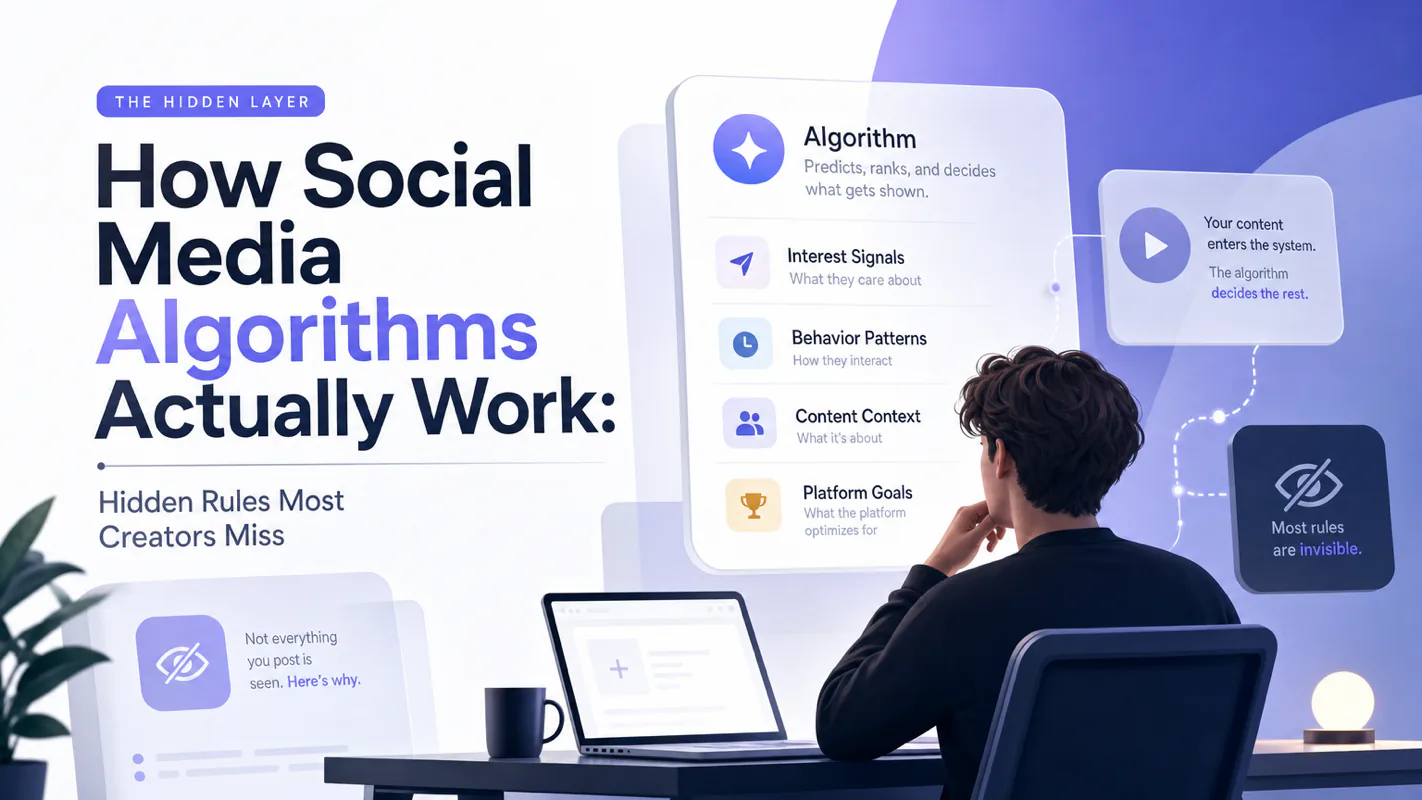
Blaming the content is the reflex when a post underperforms, and it is usually the wrong diagnosis. A second reader decides distribution before any human sees the post, and most of what it checks is mechanical enough to automate business processes around, on five platforms at once.
Gloves on, tape measure in hand — nobody types a query. Three voice surfaces for ai automation tools (terminal, Telegram, Discord), 10 TTS and 6 STT providers compared on cost and latency, plus a setup that costs nothing.
Signing a contract around a word nobody asked about costs more than looking uninformed in the meeting. Thirty-three terms filtered down to the six that move a decision, which is enough to hold your own when an ai assistant for business gets pitched.
The short version: AI terminology for beginners should not be a dictionary. A useful AI glossary should help you make decisions: which tool to use, what to ignore, when to verify, and when a term is not your problem yet.
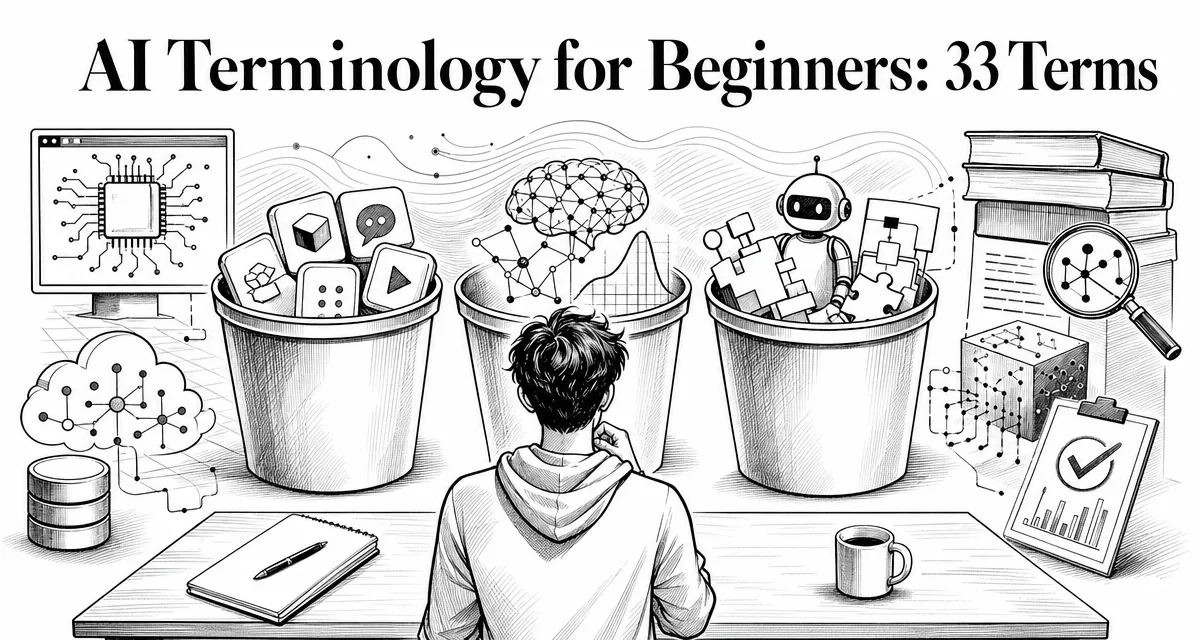
A dental practice sat through a vendor demo where the rep said the system was grounded in their patient records with RAG, and that fine-tuning was on the roadmap. Nobody asked what either word meant, and the practice signed. Six weeks later they learned the two words describe different things at very different costs, and that they had bought the cheaper one while planning around the other. Closing that gap is the job of this glossary. It sorts 33 terms into learn now, learn later, and ignore for now, against one test: does the word change your next decision? Six terms cover most of what it takes to evaluate an ai assistant for business.
Everyone says you need to memorize 100 AI terms. Actually, six terms unblock most beginner decisions, and the rest can wait until you hit them in real work. The dictionary mindset is what makes AI terminology feel exhausting.
If you already know prompt, model, context, and tool, skip ahead to §8 for the easy mix-ups. If you are still feeling stupid in AI threads, read on through the six.
The fastest way to feel stupid in AI is to enter a community thread.
Someone says the model has a larger context window. Another person complains about token limits. Someone else says they fixed it with RAG. A developer mentions MCP. A founder says they are building an agent. A benchmark chart says one model is SOTA. A Reddit post tells beginners to learn embeddings before they even know what a prompt is.
Every word sounds important.
That is the trap.
AI jargon is not hard because each term is difficult. It is hard because the terms arrive in the wrong order.
Beginners hear "fine-tuning" before they understand context.
They hear "vector database" before they understand retrieval.
They hear "multi-agent system" before they can safely delegate one task to one agent.
They hear "benchmark" before they know what they personally need the model to do.
Think of this as an AI glossary for beginners, but with judgment. I am not trying to make every term sound equally important.
This guide is my attempt to fix the order.
It is based on a simple rule: learn the terms that change your next action first.
If a term helps you ask better, choose better, delegate better, or verify better, learn it now.
That is what "AI jargon explained" should mean: not a longer list, but a clearer next action.
If it only helps you sound technical, leave it for later.
Why AI Terminology Feels Harder Than It Is
AI beginners are not confused because they lack intelligence.
They are confused because AI has three languages stacked on top of each other:
Layer
What it sounds like
What it is really about
Product language
ChatGPT, Claude, Gemini, Cursor, Claude Code
The apps and interfaces you use
Model language
GPT, Claude, Gemini, context window, tokens
The AI systems behind the products
Workflow language
Agent, RAG, MCP, tool use, evaluation
How AI systems are connected to real work
Most bad explanations mix these layers.
They talk about Claude as if it is one thing. It is not. Claude can mean a model family, a chat product, Claude Code, an API, a subscription plan, or a feature inside a larger workflow.
They talk about "AI agents" as if every chatbot is an agent. It is not.
They talk about RAG as if it means "upload documents." It is more specific than that.
They talk about fine-tuning as if it is the first solution for making a model know your business. It usually is not.
The first skill is not memorizing definitions.
The first skill is sorting the term into the right layer.
The Beginner Filter: Learn Now, Learn Later, Ignore for Now
Here is the practical filter.
Learn now
Learn later
Ignore for now
Model vs product
Model providers and pricing details
Every product launch
Prompt and context
Prompt caching and compaction
Prompt "magic words"
Token and context window
Token pricing optimization
Counting every token manually
API and API key
SDKs and webhooks
Unofficial reverse APIs
Agent and tool use
Multi-agent orchestration
Agent diagrams with no workflow
RAG and retrieval
Vector databases
Database architecture as step one
MCP
Custom MCP servers
Connecting everything before you have a task
Evaluation
Automated eval pipelines
Benchmark worship
Fine-tuning
Model optimization
Fine-tuning as the first fix
This table is not a technical syllabus.
It is a sanity filter.
The point is not to avoid technical depth. The point is to earn it in the right order.
The Six AI Terms That Prevent Most Beginner Mistakes
Here is why this matters: every wrong tool choice in your first month traces back to a term you misread. Knowing six terms turns "AI is confusing" into "I picked the wrong product because I thought RAG meant fine-tuning."
If you only learn six terms today, learn these.
Not because they are the most impressive. Because they prevent the most expensive misunderstandings.
Term
The mistake it prevents
Beginner rule
Model
Thinking every product name guarantees the same behavior
Ask which model is actually doing the work
Context
Blaming the AI when you did not give enough information
Give the model what a competent human would need
Token
Treating limits, cost, and long files as mysterious
Know that usage and context are usually measured in text units
Agent
Treating an acting system like a harmless chatbot
Set scope, permissions, stop points, and verification
RAG
Assuming the model already knows your private/current docs
Retrieve the right source before asking for an answer
Evaluation
Choosing models by vibes or leaderboard screenshots
Test the model on your own real tasks
This is where AI terms become operational.
Once you understand these six, the rest of the glossary has a place to attach.
You can learn MCP as a way to connect systems.
You can learn fine-tuning as a later optimization path.
You can learn benchmarks without worshiping them.
You can learn vector databases as a retrieval tool, not as a first-week requirement.
Product Terms: What Are You Actually Using?
1. AI product
An AI product is the thing you open and use.
ChatGPT is a product. Claude.ai is a product. Gemini is a product. Claude Code is a product. Cursor is a product. A customer-support assistant built on top of OpenAI or Anthropic APIs is also a product.
This matters because people often confuse the product with the model.
If someone says, "Claude is better than ChatGPT," they may be comparing product experience, model behavior, coding ability, price, speed, or memory. Ask what they mean.
2. Model
A model is the AI system that generates outputs from context.
The model is not the app. It is the system behind the app. A product may use different models, change models over time, or route tasks to different model versions.
Beginner mistake: treating a product name as a technical guarantee.
Better question:
Which model is being used, for what task, under what limits?
That question is less dramatic. It is also much more useful.
3. Model provider
A model provider is the company or organization that offers models.
OpenAI, Anthropic, Google, Meta, Mistral, DeepSeek, and others all sit in this category.
Do not memorize the whole provider map first. Learn the providers you actually touch.
For a beginner, the practical difference is usually:
Which models can I access?
How do I pay?
How reliable is it for my task?
Can I use it in the product or workflow I care about?
What data and privacy terms apply?
That last question is not optional if you use AI for real work.
4. API
An API is a structured way for software systems to talk.
When you use a chat interface, you are talking to a product.
When your app sends a request to a model through code, it usually uses an API.
For a non-programmer, the key idea is simple:
Chat app = human interface.
API = software interface.
You do not need to write code on day one. But you should know why API access matters. APIs let AI move from "I ask a question" to "my workflow calls a model automatically."
5. API key
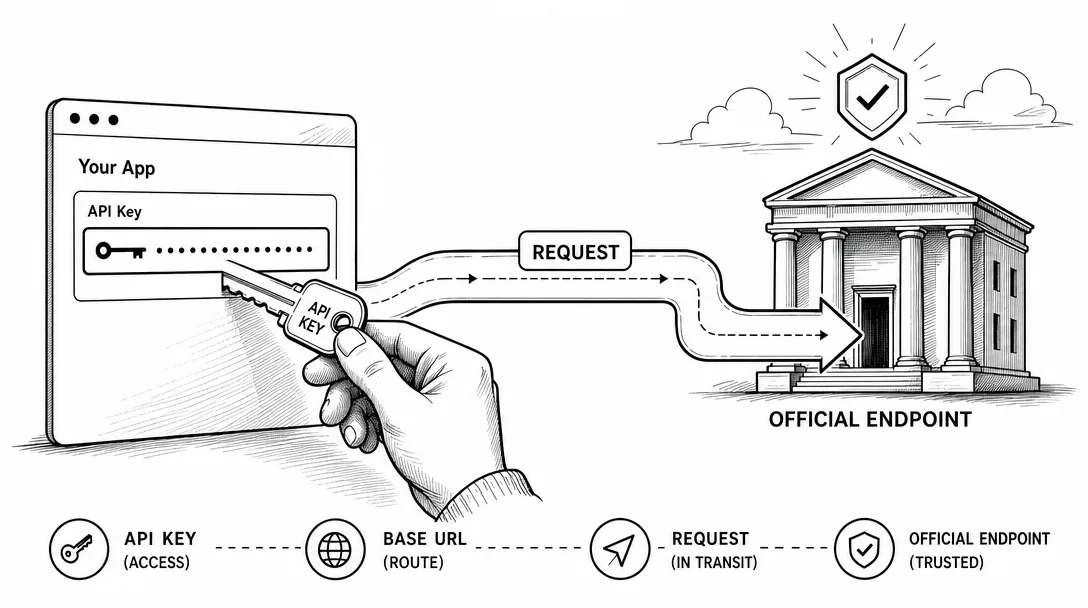
An API key is a credential that tells a service who is making the request.
Treat it like a password.
Do not paste it into public repos. Do not share it in Discord. Do not send it to a random "free API" website. If someone has your API key, they may be able to spend your quota or access your account depending on the service.
The beginner rule:
If a tool asks for an API key, ask where it is stored and who can read it.
That one question prevents a lot of pain.
6. Base URL
A base URL is the root address an API request goes to.
If you use an official API, the request goes to the official provider endpoint. If you use a gateway or proxy service, the request may go somewhere else first.
This is where beginners need caution.
Changing a base URL can be legitimate. Some companies route traffic through approved gateways for billing, logging, or compliance.
It can also be risky. A random gateway can see requests, log data, add instability, or route to a different model than you expected.
The rule is simple:
Official endpoint by default.
Gateway only when you understand the trust tradeoff.
Model Behavior Terms: Why Outputs Feel Different
7. Prompt
A prompt is the instruction, question, or context you give the AI.
I do not like treating prompting as a mystical art. A strong prompt is usually just a clear work order:
If it lacks verification, you become the quality-control system after the damage is done.
8. Context
Context is the information the model can use for the current task.
It can include your prompt, conversation history, uploaded files, retrieved documents, tool results, system instructions, and project instructions.
Context is not the same as memory.
Context is what the model can see now.
Memory is information preserved across sessions by a product or workflow.
Beginners often blame the model when the real problem is missing context.
Before saying "the AI is bad," ask:
Did I give it the information a competent human would need?
9. Context window
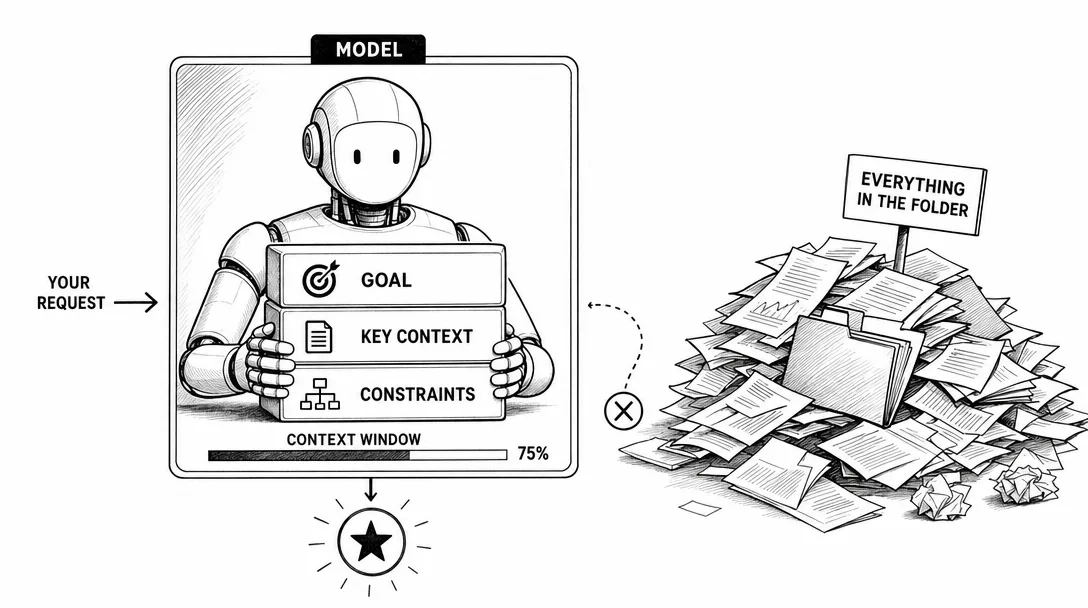
The context window is the maximum amount of information a model can consider in one request or session, depending on the product.
Bigger context windows are useful, but they are not magic.
More context can help the model see more. It can also add noise. If you dump a whole folder into a task with no structure, you may get a worse answer, not a better one.
The professional move is not "use the biggest context window."
The professional move is "give the model the right context in the right order."
10. Token
A token is a unit of text processing used by models and APIs.
Tokens are not exactly words. They are chunks of text. Pricing, context limits, and usage limits are often measured in tokens.
Do not obsess over tokens as a beginner.
Know what they affect:
Cost
Context limits
Rate limits
Long-document workflows
How much output you can request
If you use a chat subscription, tokens may be hidden behind usage limits. If you use an API, tokens become part of the bill.
11. Hallucination
Hallucination means the model produces an answer that sounds confident but is false or unsupported.
The dangerous part is not that the model is wrong.
Humans are wrong too.
The dangerous part is that the model can be wrong in a polished voice.
For real work, use this rule:
Trust the draft.
Verify the claim.
Use AI to generate, structure, and reason. Use sources, tests, logs, docs, and checks to verify.
12. Reasoning
Reasoning refers to a model's ability to work through multi-step problems.
In product marketing, "reasoning" can mean many things. It may refer to specialized reasoning models, extended thinking modes, step-by-step problem solving, or internal deliberation that is not shown to the user.
Do not reduce reasoning to "it writes a long chain of thought."
The useful question is:
Can this model solve the kind of multi-step task I actually have?
That is an evaluation question, not a slogan.
Agent Terms: When AI Starts Doing Work
13. Agent
An AI agent is a system that can pursue a goal through multiple steps, often using tools, files, commands, or external systems.
A normal chatbot answers.
An agent acts.
That does not mean an agent is safe by default. It means your job changes. You must set scope, permissions, stop points, and verification.
If you are new, use this agent pattern:
Inspect first.
Make a plan.
Wait for approval.
Make the smallest safe change.
Show the diff.
Run the check.
Report what changed.
That is how you learn agents without turning your project into an experiment.
14. Tool use
Tool use means the AI can call external functions, services, files, or commands.
Examples:
Search the web
Read a file
Query a database
Run a test command
Create a calendar event
Open a pull request
Tool use is powerful because it gives the model contact with the outside world.
It is risky for the same reason.
The more tools an agent can use, the more you need permissions and audit trails.
15. Claude Code
Claude Code is an agentic coding tool from Anthropic. Anthropic describes it as a tool that can read your codebase, edit files, run commands, and integrate with development tools.
For beginners, the key word is not "coding."
The key word is "codebase."
Claude Code can work with project context. That makes it more useful than a generic chat window for tasks involving files, docs, scripts, or repos.
But the same safety rule applies:
Do not ask for a big rewrite first.
Ask for inspection, a plan, and one small verified change.
16. Subagent
A subagent is a specialized agent used for a narrower task.
In coding workflows, one agent might inspect tests while another updates docs. In a content workflow, one agent might research sources while another checks SEO.
The beginner mistake is adding subagents before the workflow is clear.
Do not split work just because you can.
Split work when:
The task has clear boundaries
The outputs can be checked
The agents will not edit the same thing
Parallel work saves time without increasing confusion
17. Multi-agent system
A multi-agent system uses multiple agents with different roles.
This sounds advanced because it is.
Most beginners do not need it first.
The practical test is simple:
Can you delegate one task to one agent safely?
If not, multi-agent orchestration will multiply your confusion.
Data and Knowledge Terms: How AI Uses Outside Information
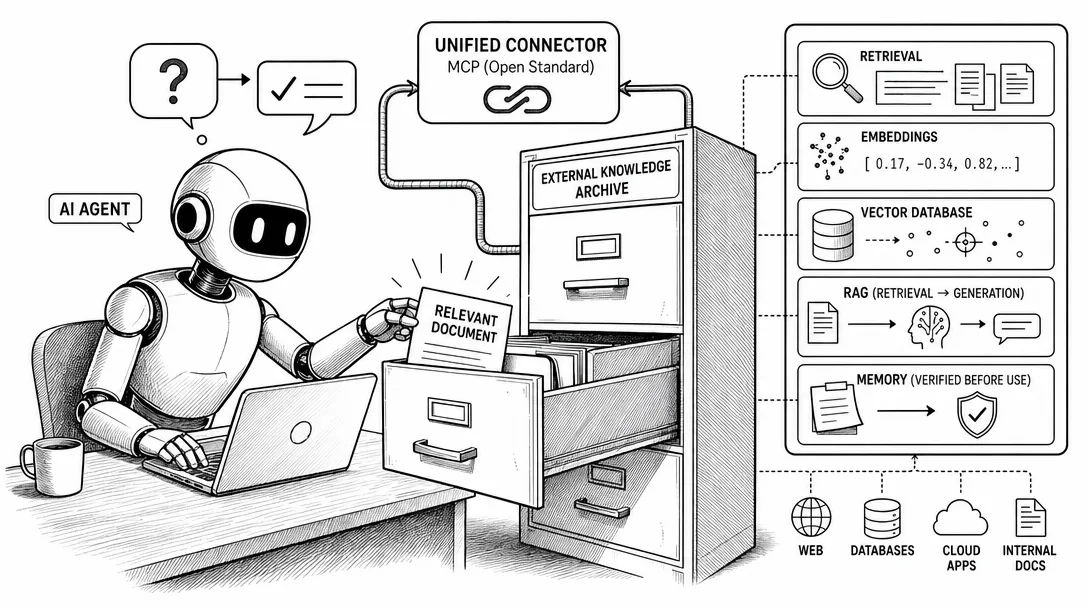
18. Retrieval
Retrieval means finding relevant information before generating an answer.
If you ask a model about a private company wiki, it cannot know the answer unless that information is provided in context or retrieved from a source.
Retrieval is the "look it up first" part of many AI systems.
19. RAG
RAG means retrieval-augmented generation.
The system retrieves relevant information from documents, files, databases, or search results. Then the model uses that retrieved context to generate an answer.
Simple version:
Search first.
Answer second.
RAG is useful when the model needs information that is private, current, too large, or not reliably stored in the model's training data.
RAG is not the same as fine-tuning.
RAG gives the model reference material at answer time.
Fine-tuning changes model behavior through training.
20. Embedding
An embedding is a numerical representation of text, images, or other data.
You do not need the math first.
You need the use case.
Embeddings help systems compare meaning. They are often used in search, clustering, recommendation, and retrieval workflows.
When someone says "semantic search," embeddings are often involved.
21. Vector database
A vector database stores and searches embeddings.
Beginners often hear "vector database" too early.
You probably do not need one until you have a real retrieval problem:
Many documents
Repeated search needs
Similarity search
A workflow that needs relevant snippets
If you have five notes, do not start with database architecture.
Start with clean files and good context.
22. MCP
MCP stands for Model Context Protocol.
The official description is an open standard for connecting AI applications to external systems, including data sources, tools, and workflows.
That is the accurate version.
The practical version is this:
MCP is a standard way for an AI tool to reach configured external systems.
MCP does not mean the agent can access anything automatically.
It means a compatible client can connect to configured MCP servers, and those servers expose specific tools or data.
For beginners, MCP matters when you want an agent to work with real systems instead of only chat text.
23. Memory
Memory means information preserved across sessions by a product, agent, or workflow.
Memory can be useful. It can also be dangerous if it stores stale assumptions.
Do not treat memory as truth.
Treat it as a reusable note that still needs context and verification.
Do Not Mix These Up: RAG, Fine-Tuning, Memory, MCP, and API
Before learning the six terms, you guess which tool fits and stall on the choice. After, you read a product description in 30 seconds and know if it solves your problem or solves a different one.
This is the section I wish every beginner read before buying another course.
These terms often appear in the same conversation, but they solve different problems.
If your problem is...
The likely concept
What it does
What it does not do
"The model does not know my latest docs"
RAG / retrieval
Finds relevant information at answer time
It does not permanently train the model
"The model keeps responding in the wrong format"
Prompting or fine-tuning
Gives instructions or trains behavior
Retrieval alone may not fix behavior
"The agent needs to use my tools"
MCP / tool use
Connects configured external systems
It does not grant automatic access to everything
"My app needs to call AI automatically"
API
Lets software send requests to a model/service
It is not a workflow by itself
"The assistant should remember preferences"
Memory / instructions
Preserves reusable context
It is not guaranteed truth
"I need to know if the output is good"
Evaluation
Measures performance on real tasks
It is not the same as a public benchmark
The most common beginner mistake is trying to solve a context problem with fine-tuning.
Example:
Bad diagnosis:
"The model does not know my company docs. I need fine-tuning."

Better diagnosis:
"The model needs the right company docs in context. Start with retrieval or a cleaner workflow."
Another common mistake is treating MCP as magic.
MCP is not "the AI can access everything now."
MCP is a standard way for compatible AI applications to connect to configured external systems. The word configured matters. Tools still need setup, permissions, and boundaries.
That distinction protects you from both hype and security mistakes.
Model Improvement Terms: What Changes the Model
24. Fine-tuning
Fine-tuning means additional training of a model on specific examples to improve behavior for a use case.
It is not the same as uploading documents.
It is not the first fix for most beginners.
Use fine-tuning when you have enough examples, a stable target behavior, and a reason that prompting, retrieval, or workflow design cannot solve the problem.
Distillation usually means training or optimizing a smaller model to imitate useful behavior from a larger or stronger model.
The beginner takeaway:
Smaller models can be cheaper and faster, but may trade off capability.
Do not assume "small" means bad.
Do not assume "large" means best for your workflow.
26. Open-weight model
An open-weight model makes its model weights available under some license.
This is not always the same as "open source" in the software sense.
The license matters.
Some models allow commercial use. Some restrict use. Some publish weights but not all training data or training code.
If you want to use an open-weight model for business, read the license.
27. Closed model
A closed model is accessed through a product or API, but the weights are not publicly released.
Closed models can be powerful, convenient, and well-supported. They can also create dependency risk.
The real question is not "open or closed?"
The real question is:
What does my workflow require: control, cost, convenience, privacy, or capability?
Quality Terms: How People Compare AI
28. Benchmark
A benchmark is a standardized test used to compare model performance.
Benchmarks are useful.
They are not reality.
A model can score well on a benchmark and still be bad for your specific task. Another model can score lower and still be better for your workflow because it follows instructions, uses tools well, or edits files more safely.
Use benchmarks as a starting signal, not a final decision.
29. SOTA
SOTA means state of the art.
It means best-known performance on a task or benchmark at a given time.
The phrase is common in papers, launch posts, and model announcements.
When you see SOTA, ask:
SOTA on what?
Measured how?
Relevant to my task?
Those three questions remove most of the hype.
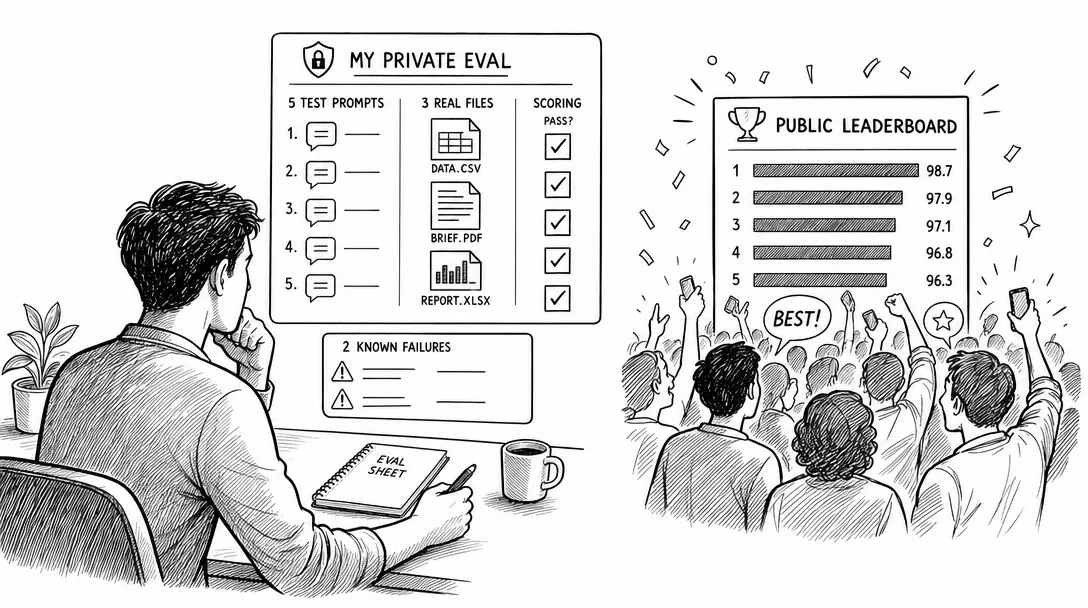
30. Evaluation
Evaluation means testing whether an AI system performs well on the tasks you care about.
This is one of the most underrated AI terms for beginners.
People argue about models for hours without writing a single test.
Do not do that.
Create a tiny eval set:
5 prompts you actually use
3 files from your real workflow
2 failure cases you care about
A simple scoring table
Then test.
Your private eval is often more useful than a public leaderboard.
31. Alignment
Alignment means making AI behavior match human intentions, values, and safety constraints.
For researchers, alignment is a deep field.
For operators, the practical meaning is smaller:
Will this system do what I intend, within the boundaries I set?
If the answer is no, you need better instructions, guardrails, permissions, or workflow design.
32. AI slop
AI slop means low-quality AI-generated content produced at scale.
It usually has the same smell:
Generic claims
No real examples
No judgment
No source trail
No lived experience
No verification
AI slop is not caused by AI.
It is caused by people using AI to avoid thinking.
Do not become that person.
33. AGI
AGI means artificial general intelligence.
People disagree on the exact definition. That is part of the problem.
For a beginner, AGI is not the next useful term.
It is useful for industry debates. It is not useful when you are trying to improve a draft, automate a research workflow, or safely use an agent on a repo.
My advice:
Track AGI as context.
Do not make it your learning plan.
Terms to Be Careful With
Some AI terms are not wrong, but they are easy to misuse.
Term
Why it misleads beginners
Better question
Prompt engineering
Sounds like magic wording
Did I provide context, goal, constraints, and verification?
AI agent
Makes everything sound autonomous
What tools can it use, and what permissions does it have?
RAG
Sounds like a feature checkbox
What information needs to be retrieved, from where?
Fine-tuning
Sounds like "teach it my docs"
Do I need behavior change or better context?
Benchmark
Sounds objective
Does the test match my task?
Open source
Sounds always safe/free
What does the license allow?
Long context
Sounds always better
Is the context structured or just dumped?
This is where AI terminology becomes useful.
Not when you can define a term.
When you can avoid being fooled by it.
Red-Flag Phrases That Should Make Beginners Pause
Some phrases are not always wrong, but they should trigger a second question.
Phrase
Why to pause
Ask this instead
"This is a full AI agent"
Many products call simple workflows agents
What tools can it use, and can it act without approval?
"It knows your whole business"
It may only know uploaded or retrieved context
What data can it actually access?
"We use RAG"
RAG quality depends on retrieval, chunking, ranking, and source quality
What sources are retrieved, and how are answers verified?
"No need to prompt anymore"
Instructions still define intent, scope, and output
Where do constraints and verification live?
"SOTA model"
SOTA on one benchmark may not match your workflow
SOTA on what task, and against which eval?
"Open source model"
Model licensing and released artifacts vary
Are weights, code, data, and commercial rights actually available?
"Unlimited context"
Long context can still be noisy or expensive
How is context selected, compressed, and checked?
This is the practical value of an AI glossary for beginners.
It should not only help you understand words.
It should help you ask better follow-up questions.
A Practical AI Glossary by Use Case
If you only want the cheat sheet, use this.
If you are trying to...
Learn these terms first
Use chat apps better
Prompt, context, hallucination, reasoning
Understand pricing and limits
Token, context window, rate limit, API
Use AI in software
API, API key, base URL, tool use
Use Claude Code safely
Agent, codebase, diff, command, permission
Work with private documents
Retrieval, RAG, embedding, vector database
Connect AI to tools
MCP, tools, workflow, permissions
Compare models
Benchmark, eval, SOTA, latency, cost
Improve model behavior
Prompting, retrieval, evals, fine-tuning
Avoid hype
AGI, alignment, AI slop, open-weight vs closed
The order matters.
Do not learn vector databases before you know what retrieval problem you have.
Do not learn fine-tuning before you know whether better context would solve it.
Do not build multi-agent workflows before you can verify one agent.
Ready-to-Use Prompt: Filter AI Jargon Into Learn-Now, Learn-Later, Ignore
What this does: Takes the AI terms a beginner is actually hearing, scores each against the work in front of them, and buckets every term as Learn Now, Learn Later, or Ignore for Now — with the easy mix-ups split and hype flagged. Based on: AI Terminology for Beginners: 33 Terms — https://aiworkflowpro.com/ai-jargon-survival-guide/ Time to run: ~3 minutes
Copy this prompt into Claude Code, ChatGPT, or any AI assistant:
ROLE: You are an AI Jargon Filter for beginners. Your job: turn a wall of AI terms into three decision-first buckets — Learn Now, Learn Later, Ignore for Now — never a dictionary.

CONTEXT — BEGINNER FILTER METHOD:
AI terminology should not be a dictionary — a useful glossary helps you decide which tool to use, what to ignore, when to verify, and what is not your problem yet. Six terms unblock most beginner decisions (model, context window, token, agent, API, and one retrieval concept); the rest can wait until you hit them in real work. The method is the Beginner Filter: sort every term you meet into three buckets — Learn Now (it changes a decision you face today), Learn Later (you will meet it soon, learn it then), Ignore for Now (marketing or benchmark hype that will not change any choice). Watch the easy mix-ups — RAG, fine-tuning, memory, MCP, and API are constantly conflated — and treat phrases like "SOTA" or "infinite context" as red flags to verify, not facts.

INPUTS (fill in before running):
- JARGON_LIST: [The terms or phrases you keep hearing and do not understand]
- CURRENT_JOB: [What you are actually trying to do with AI right now — this decides relevance]
- TOOLSTACK: [Which tools you use — Claude Code, ChatGPT, other]
- CONFUSION_PAIRS: [Two terms you keep mixing up, or "none"]

METHOD — 4 STEPS:

Step 1 — Score Decision-Relevance (0–2)
For each term in JARGON_LIST, score against CURRENT_JOB: 0 = changes no decision you face today; 1 = relevant soon but not now; 2 = directly changes a tool choice or prevents a mistake this week.

Step 2 — Apply the 3-Bucket Filter
Bucket each term by score: Learn Now (2), Learn Later (1), Ignore for Now (0). For Learn Now, write a one-line plain-English definition plus the decision it unlocks. For Learn Later, write only when to revisit. For Ignore for Now, write why it is not your problem yet.

Step 3 — Disambiguate the Easy Mix-Ups
If JARGON_LIST or CONFUSION_PAIRS contains any of RAG, fine-tuning, memory, MCP, or API, give a one-line distinction for each: RAG = pulling outside info in at read time; fine-tuning = changing the model itself; memory = what the tool keeps between chats; MCP = a plug-in standard for connecting tools; API = the code hookup to a model. No two may share a definition.

Step 4 — Flag Red-Flag Phrases
Flag any JARGON_LIST phrase that is hype or unverifiable ("SOTA", "AGI", "infinite context", "just fine-tune it") and state what to verify before acting on it.

RULES:
- Never turn the output into a dictionary — every Learn Now entry must name the decision it unlocks.
- Never bucket a term Learn Now unless it scores 2 against CURRENT_JOB.
- Never define RAG, fine-tuning, memory, MCP, or API the same way — if two collide, split them.

OUTPUT FORMAT:
Output a markdown report with:
1. Filtered Glossary — markdown table, columns: Term | Bucket | Plain-English Meaning | Decision It Unlocks (Learn Now only)
2. Easy Mix-Ups — markdown table, columns: Term | One-Line Distinction (include only the mix-up terms present)
3. Red-Flag Phrases — bulleted list, each with what to verify
Save as @templates/ai-jargon-survival-guide.md and run whenever a community thread, doc, or sales pitch throws a wall of AI terms at you.
Frequently Asked Questions
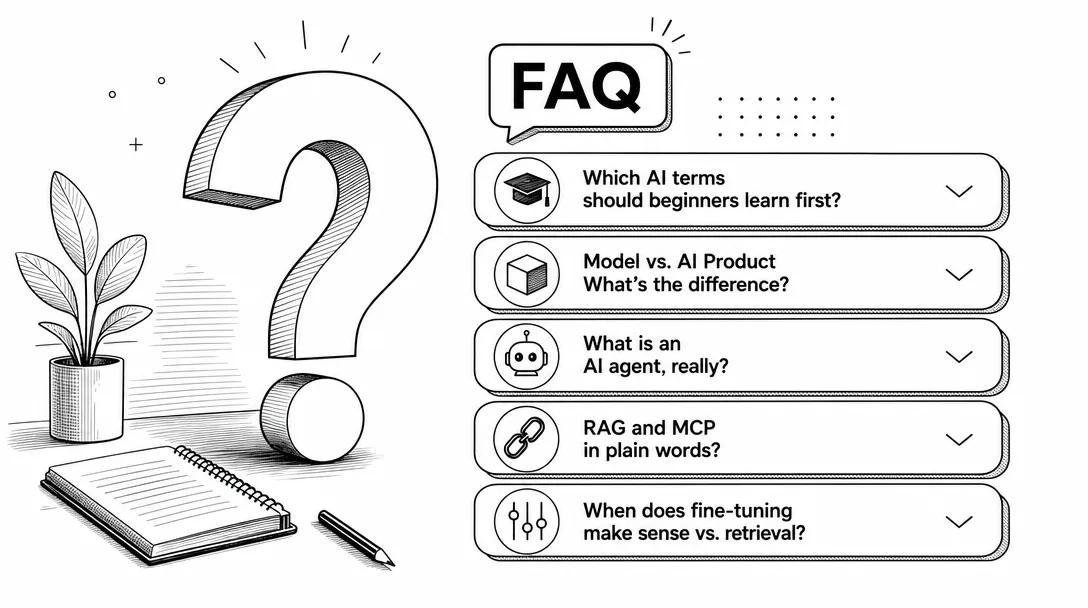
What AI terminology should beginners learn first?
Beginners should learn terms that affect daily work first: model, product, prompt, context, context window, token, API, API key, agent, tool use, RAG, MCP, fine-tuning, benchmark, and evaluation.
What is the difference between a model and an AI product?
A model is the AI system that generates outputs from context. A product is the application you use, such as ChatGPT, Claude, Claude Code, Cursor, or an API wrapper. The product may route tasks to different models or model versions.
What is an AI agent?
An AI agent is a system that can pursue a goal through multiple steps, often using tools, files, commands, or external systems. It is more active than a simple chatbot, but it still needs scope, permissions, and verification.
What is RAG in simple terms?
RAG means retrieval-augmented generation. A system first retrieves relevant information from documents or data sources, then uses a model to generate an answer based on that retrieved context.
What is MCP?
MCP, or Model Context Protocol, is an open standard for connecting AI applications to external systems, including data sources, tools, and workflows. It does not give an agent automatic access to everything; it connects configured systems.
Do beginners need to learn fine-tuning first?
No. Most beginners should learn prompting, context, workflows, retrieval, tool use, and verification first. Fine-tuning is useful later when you have a stable behavior problem and enough examples to justify model optimization.
What is the difference between RAG and fine-tuning?
RAG gives the model relevant information at answer time by retrieving documents or data. Fine-tuning changes model behavior through additional training examples. If the model lacks current or private information, start with retrieval. If the model repeatedly fails a stable behavior pattern, then fine-tuning may become relevant.
Closing
AI terminology is not a status game.
It is a safety layer.
When you know the language, you can tell the difference between a real capability and a sales phrase. You can ask better questions. You can avoid the wrong first step. You can decide whether a tool matters to your work.
Monitoring a competitor who publishes no feed is the case every RSS guide skips. Twenty-one platforms sorted by which of three jobs they do, and the finished setup is business process automation you own outright, with no seat licence to renew.
Blaming the content is the reflex when a post underperforms, and it is usually the wrong diagnosis. A second reader decides distribution before any human sees the post, and most of what it checks is mechanical enough to automate business processes around, on five platforms at once.
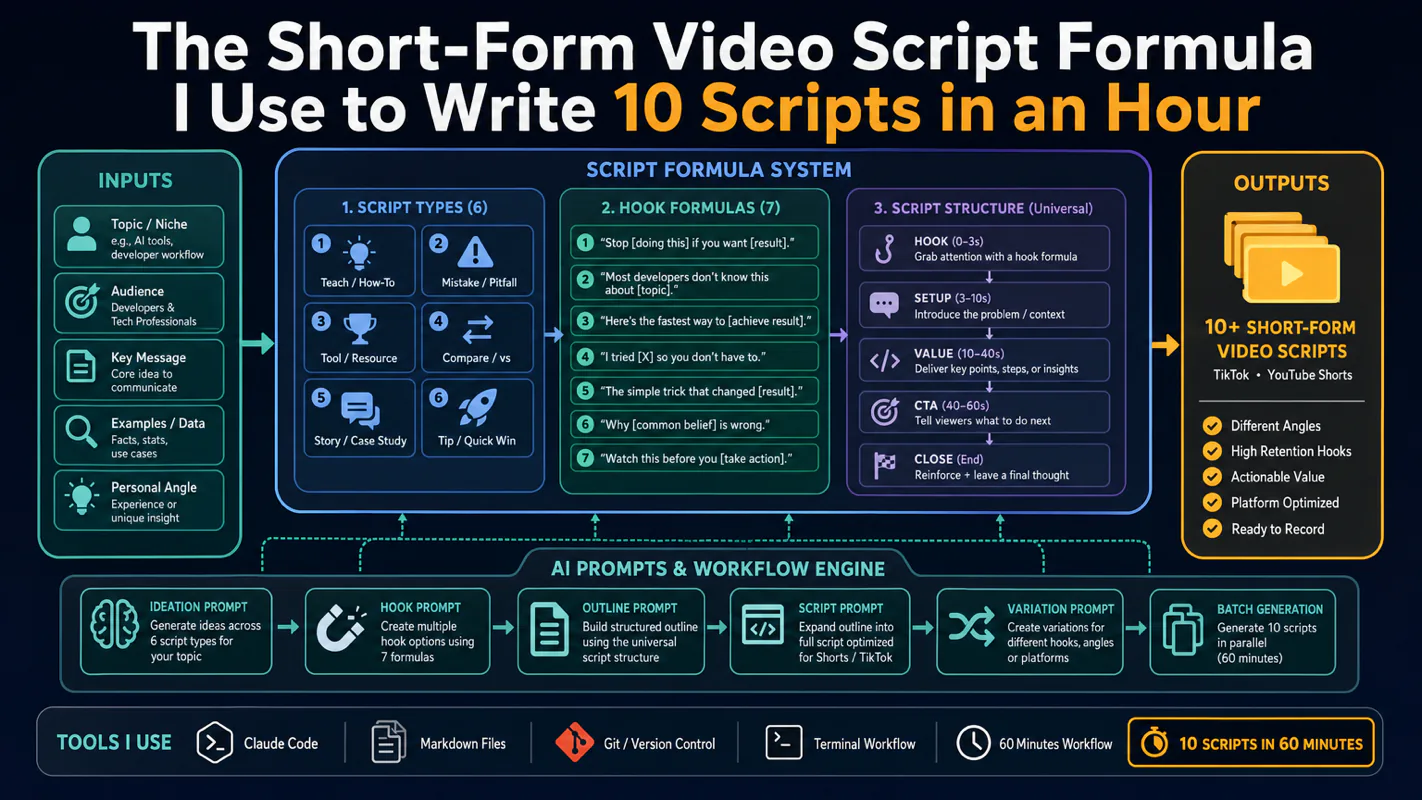
Thursday afternoon, fourteen product ideas, a Monday filming slot, no scripts. Six script shapes and seven hook formulas turn that hour into finished drafts — and the business rule stays: rewrite at least 30% before anything ships.
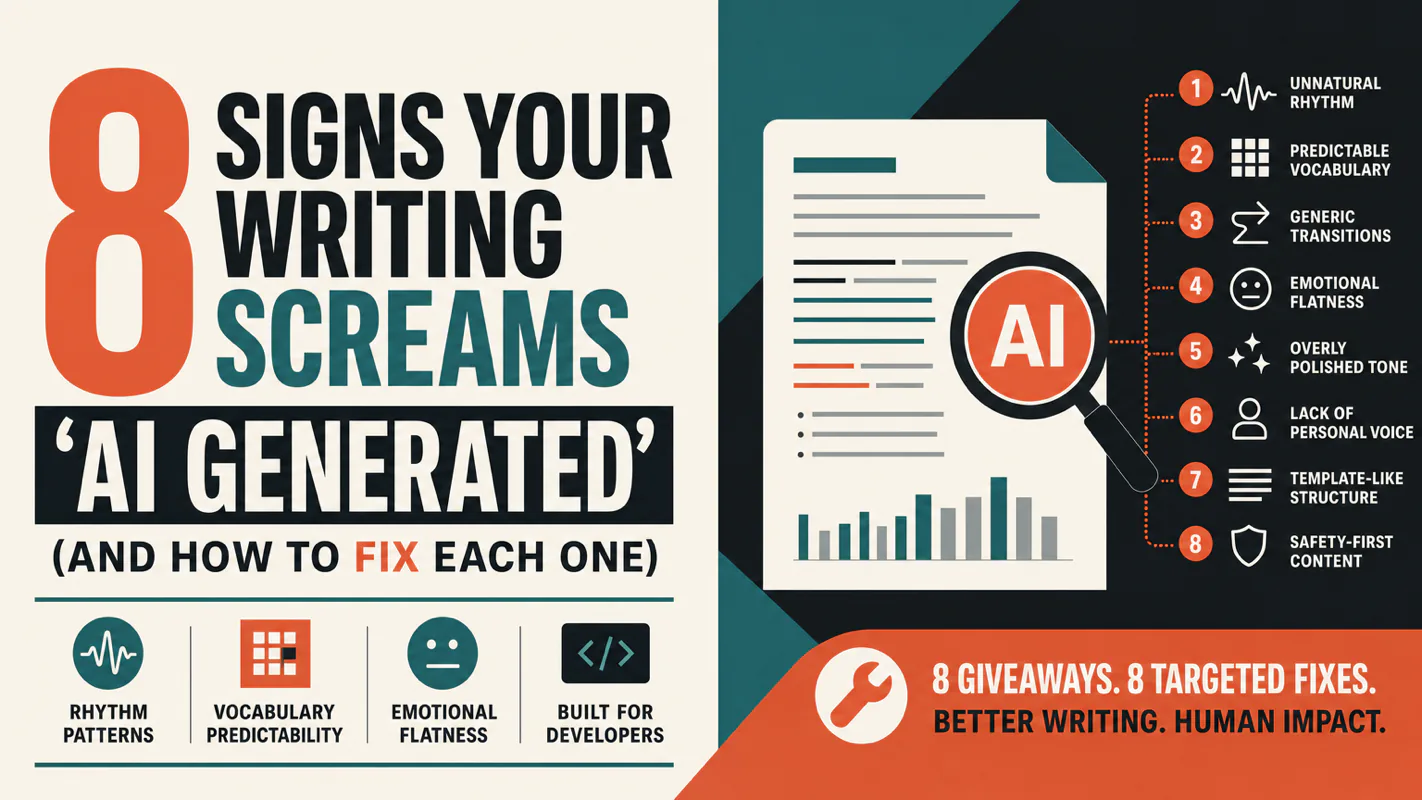
A detector score cannot survive a conversation with the freelancer it just cost three weeks of payment. What holds up is the specific thing on the page: rhythm, vocabulary, missing detail. Eight of them here, and the reason review stays human when you automate business processes.