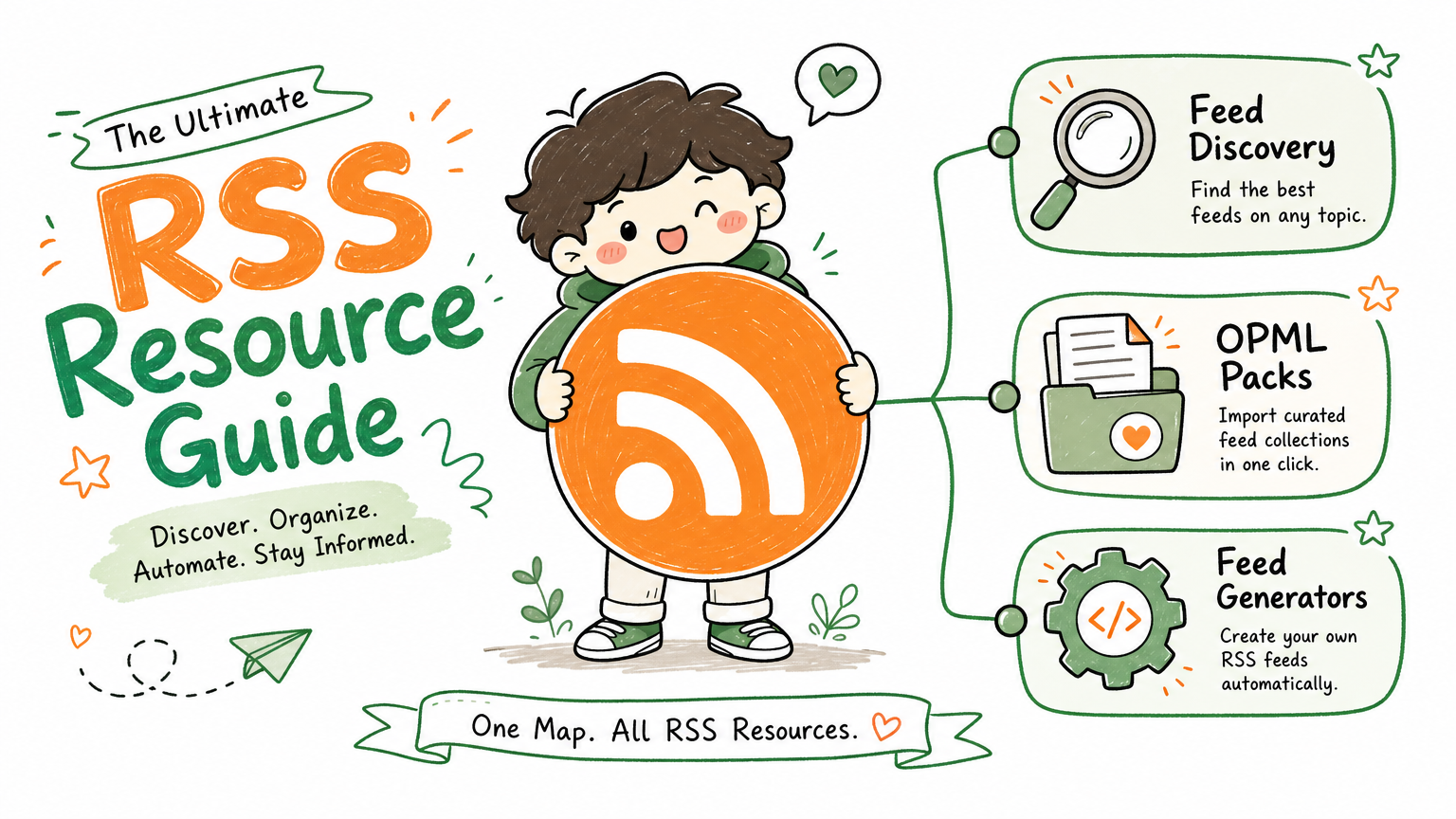
Monitoring a competitor who publishes no feed is the case every RSS guide skips. Twenty-one platforms sorted by which of three jobs they do, and the finished setup is business process automation you own outright, with no seat licence to renew.
Blaming the content is the reflex when a post underperforms, and it is usually the wrong diagnosis. A second reader decides distribution before any human sees the post, and most of what it checks is mechanical enough to automate business processes around, on five platforms at once.
Gloves on, tape measure in hand — nobody types a query. Three voice surfaces for ai automation tools (terminal, Telegram, Discord), 10 TTS and 6 STT providers compared on cost and latency, plus a setup that costs nothing.
The five rounds of revision were never about the executor's skill. They were about a brief with no written definition of done. That gap is the real entry cost of business process automation, and Python is not part of it.
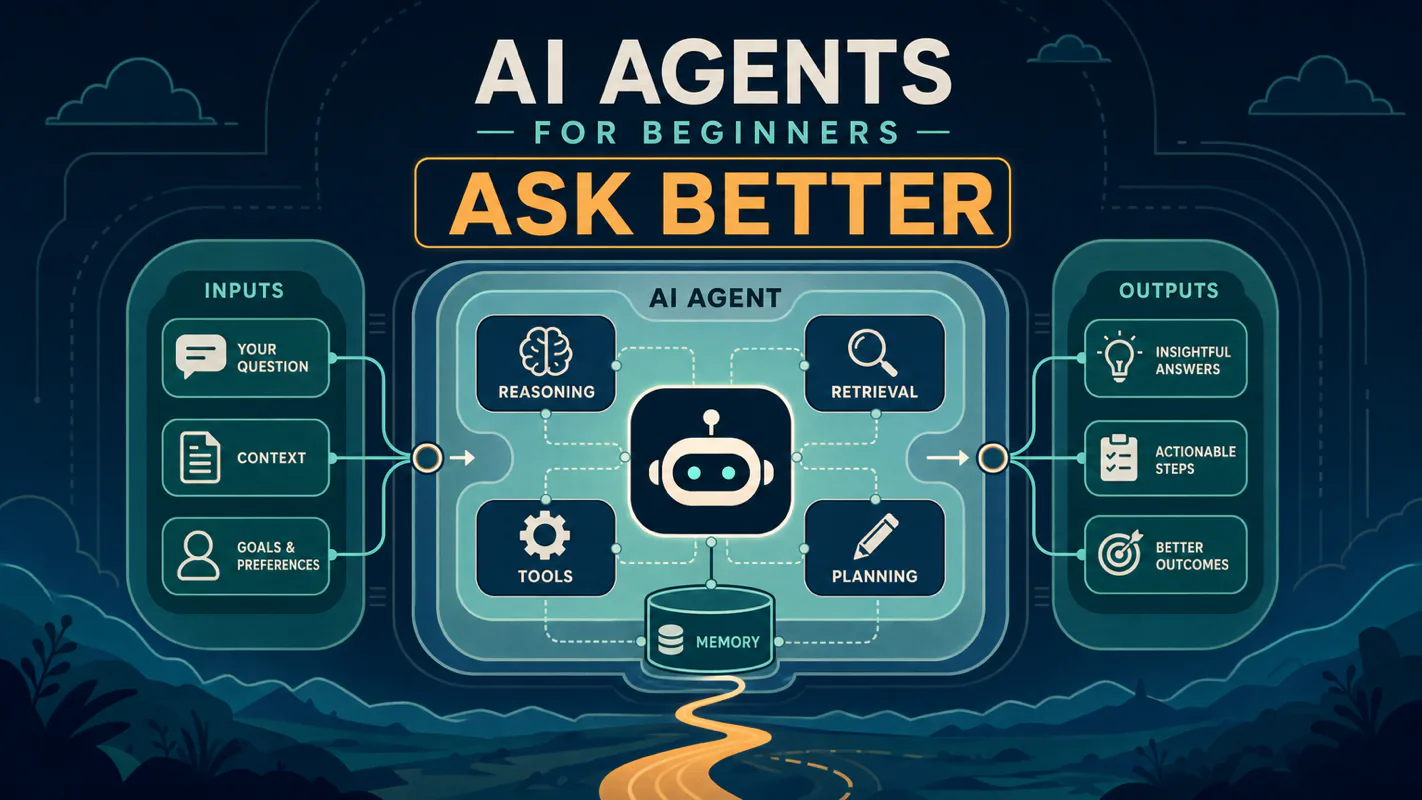
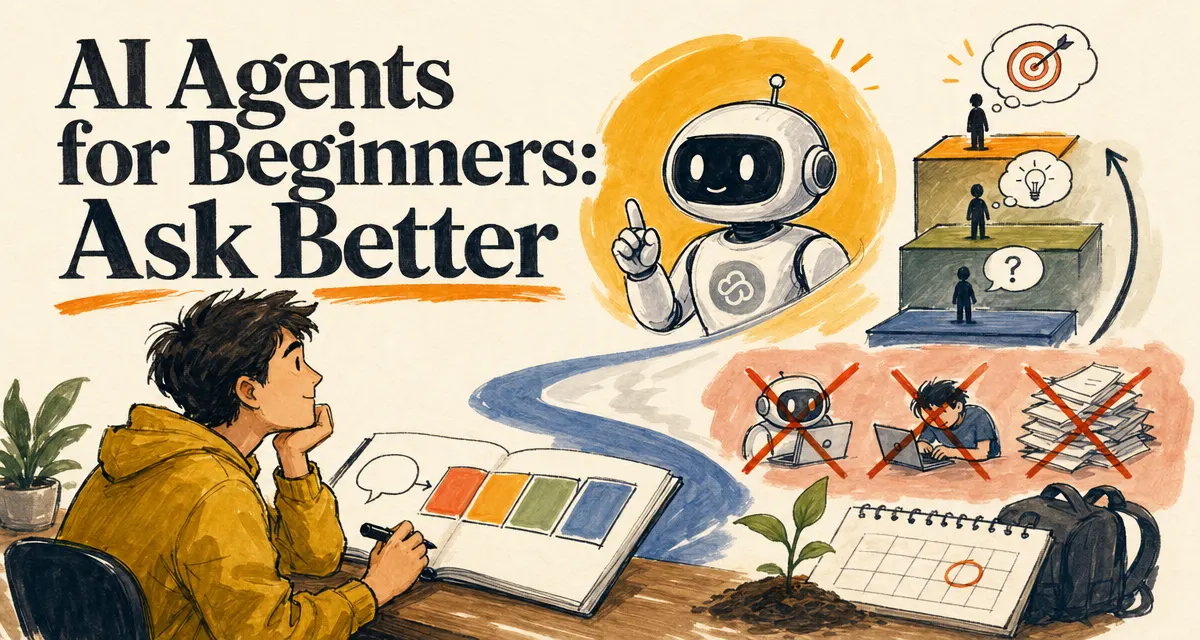
The short version: You do not need to learn programming before you start using AI agents. You need a better way to describe problems, add context, and keep asking until the agent can see what you see. Claude Code matters because it can work inside your real project, not because the terminal is magical.
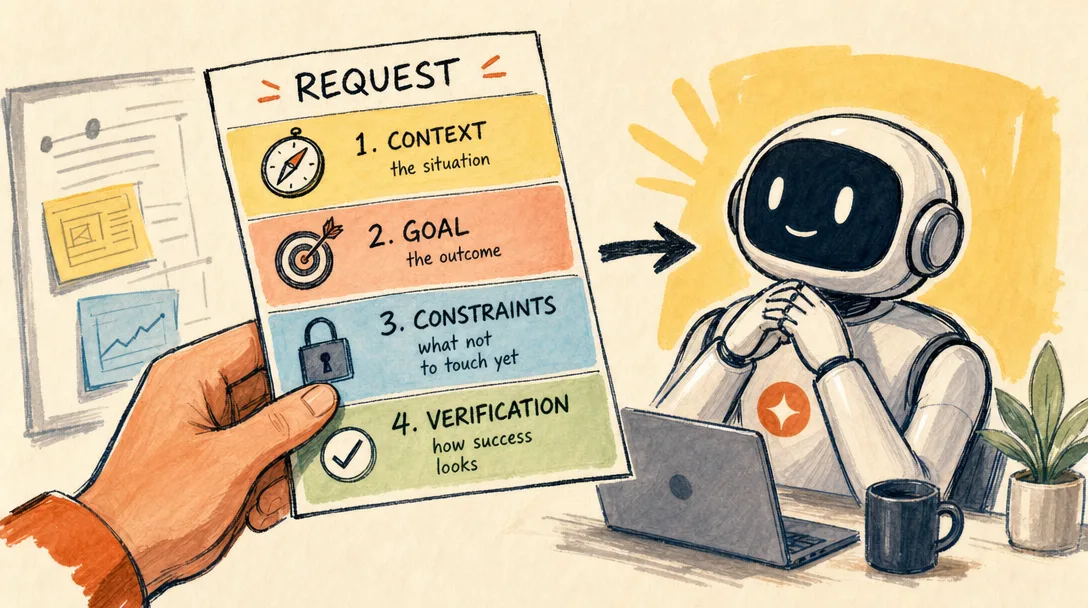
Hand a junior designer a brief that says make it pop and you get five rounds of revision, none of them the designer's fault. Hand the same brief to an agent and the five rounds arrive faster. The bottleneck was never the skill of whoever executes; it was that done had no written definition. So the actual entry requirement here is not programming. It is a request carrying four things — the situation, the target, the limits, and the check that settles whether it landed — plus the patience to correct until the work matches. Anyone who has written a usable brief already holds most of what business process automation asks of them.
Everyone says you need to learn programming before you can use AI agents. Actually, what you need is a better way to describe problems and stay in the loop until the agent can see what you see. Programming is one path; better asking is the path most beginners actually need first.
If you already get useful answers from agents on a regular basis, skip ahead to §6 for the inspect-first rule. If your agent answers feel generic, read on through the four-part request.
Every week someone asks me a version of the same question:
"I do not know how to code. Can I still use Claude Code?"
My answer is simple: yes, but probably not in the way you think.
Most beginners treat AI like a test they have to pass first. They want to learn Python, memorize command-line basics, understand models, and read five setup guides before they ask the first useful question.
That is backwards.
AI agents are not school exams. They are working partners. Your first job is not to become technical. Your first job is to learn how to explain what you want, what you have already tried, and what result would count as done.
That is the skill.
The Beginner Trap: Waiting Until You Feel Ready
I understand the hesitation.
The first time you open a terminal, it feels like walking into the engine room of a ship. Black screen. Strange symbols. One wrong command and you imagine the whole machine catching fire.
So you delay. You tell yourself:
"I should learn Python first."
"I should understand what an agent is first."
"I should watch a few more tutorials first."
"I should wait until I have a real project."
That sounds responsible. It is usually avoidance wearing a responsible jacket.
The fastest way to understand an AI agent is to ask it small, real questions. Not grand questions. Not "build me a startup." Small ones:
Explain what this file does in plain English.
Tell me what this error means.
Read this folder and suggest where I should start.
Turn these notes into a cleaner outline.
Find the repeated idea in these three drafts.
If you can describe a problem in normal language, you can start.
You will get better by doing it badly at first.
A Chatbot Answers. An Agent Works with Context.
Here is why this matters: most "AI is not useful" stories I hear come from underspecified asks, not from weak models. The same agent that returns a vague paragraph for a vague question returns a sharp plan for a sharp one. Asking is the lever.
Here is the plain version.
A chatbot waits for you to bring the problem into the chat window. You copy text. You paste logs. You explain the folder. You describe the thing you are looking at.
An agent can work closer to the problem.
Anthropic describes Claude Code as an agentic coding tool that lives in your terminal. In practical terms, that means it can inspect files, understand a project, plan changes, run commands, and help verify the result.
That difference sounds technical. It is not.
Think of a chatbot as calling a smart friend on the phone. You have to describe the room.
Think of an agent as inviting that friend into the room. They can point at the same desk, open the same drawer, and say, "The problem is probably here."
That is why local context matters.
What you need help with
Chatbot pattern
Agent pattern
Understand a file
Copy and paste parts of it
Let the agent read it
Fix an error
Paste the error and describe the setup
Let the agent inspect the project and run checks
Organize notes
Upload or paste text
Let the agent scan the folder
Improve a workflow
Explain every step manually
Let the agent observe the current files and scripts
Learn a tool
Ask generic questions
Ask against your actual project
This is the first mental shift: the agent is not smarter because it uses fancier words. It is more useful because it can share the environment.
You Are Not the Student. You Are the Client.
Beginners often talk to AI like they are asking permission.
They write:
Can you help me write a script?
That is polite, but weak. The agent has no shape of the task.
A better request looks like this:
Read the files in this folder.
I want to rename the messy Markdown notes into clean kebab-case filenames.
First list your plan.
Do not change files until I approve the mapping.
Notice the difference.
You did not become a programmer. You became a clearer client.
This is where most beginner advice stops.
"Be specific."
True, but not useful enough.
Specific about what?
The Four-Part Request: Context, Goal, Constraints, Verification
Before the four-part request, you typed a sentence and hoped. After, you give the agent context, goal, constraints, and a verification rule. Same model, much better output, fewer rounds, less re-explanation later.
Good agent work usually has four parts:
Context: where the problem lives.
Goal: what should be true when the task is done.
Constraints: what the agent must avoid.
Verification: how both of you know it worked.
That four-part structure is more important than knowing syntax.
Here is a reusable prompt frame:
Context:
I am working in [folder/project/tool]. The current problem is [what is wrong].

Goal:
I want [specific outcome].

Constraints:
Do not [risk]. Keep [important existing behavior]. Ask before [dangerous action].

Verification:
Before you finish, check [command/file/result] and tell me what changed.
Use that ten times. You will feel the difference.
Let me make each part concrete.
Context is the room. Do not say "fix my notes." Say "I have 42 Markdown files in ./notes, and the problem is inconsistent titles."
Goal is the finish line. Do not say "make it better." Say "I want every file to have a clean title, a short summary, and three tags."
Constraints are the guardrails. Do not assume the agent knows what matters. Say "Do not delete files. Do not rewrite the body. Only suggest changes first."
Verification is the receipt. Do not finish with vibes. Say "Show me a table of files changed, then run the check, then tell me what still needs human review."
This is delegation design.
You are not trying to write the perfect prompt. You are designing a small handoff that a smart assistant can execute without guessing too much.
Bad request:
Organize my files.
Better request:
Context:
This folder has Markdown notes from the last month.

Goal:
Group them into 5-8 topic folders and suggest cleaner filenames.

Constraints:
Do not move or rename anything yet. Only propose a mapping.

Verification:
Return a table with old path, proposed new path, and reason.
The second version does not require programming knowledge. It requires ownership.
That is the point.
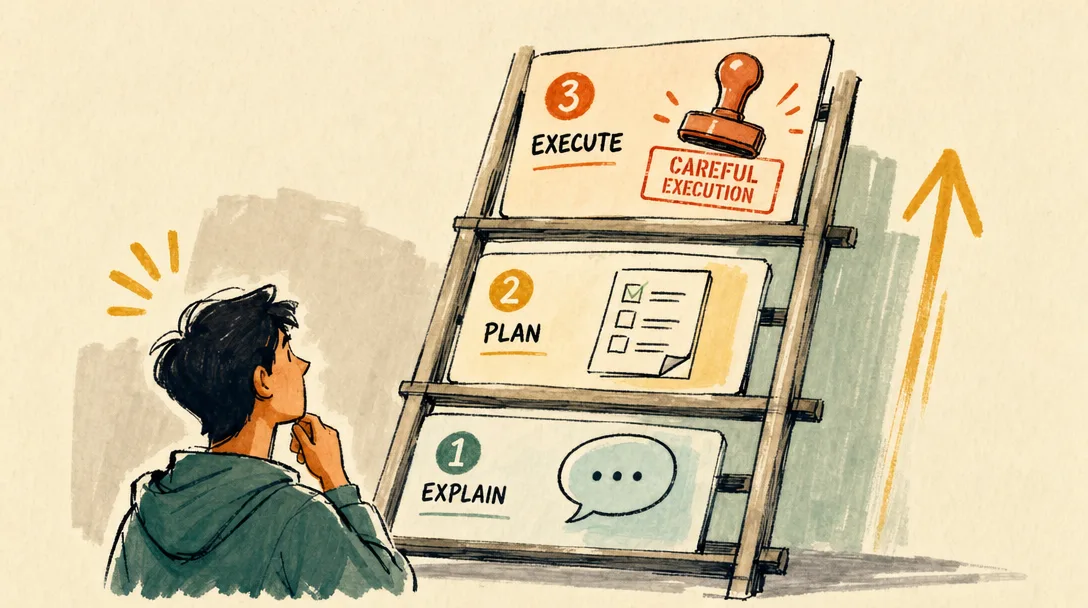
The Three-Level Asking Ladder
Not every question should give the agent permission to act.
Beginners often jump from "I do not understand this" to "change everything for me." That is how they get scared. The agent edits too much, the user cannot judge the result, and trust breaks.
Use a ladder instead.
Level
Use when
What to ask for
Risk
1
You do not understand the problem
Explain
Low
2
You understand the goal but not the path
Plan
Medium
3
You trust the plan and know the check
Execute
Higher
Level 1 is for understanding:
Read this file and explain what it does in plain English.
Do not suggest changes yet.
Level 2 is for planning:
I want to clean up this folder.
Inspect the files and propose a plan.
Do not edit anything yet.
Level 3 is for execution:
Apply the approved plan.
Make the smallest safe change.
Then show the diff and run the verification command.
This ladder protects you from the most common beginner mistake: asking for action before you have understanding.
I still use this myself.
When I am unsure, I stay at Level 1. When I see the shape, I move to Level 2. Only when the plan is boring and clear do I move to Level 3.
Boring and clear is what you want before an agent touches real files.
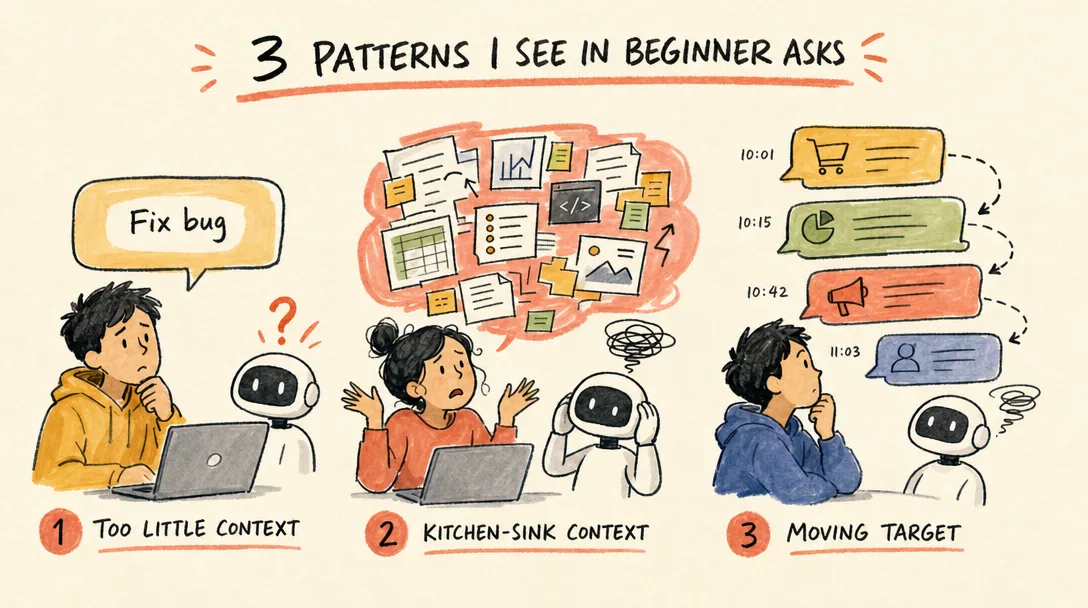
Three Patterns I See in Beginner Asks
When I review the asks beginners send their first month, three patterns recur.
Pattern 1: the one-liner. The user types a single sentence and expects the agent to fill in everything else. "Help me with my landing page." The agent has no idea which page, what is wrong, what changed recently, or what good looks like. The reply is generic; the user reads generic and concludes AI is overhyped. The fix is to add the missing four pieces (context, goal, constraints, verification) deliberately, every time.
Pattern 2: the kitchen sink. The opposite: the user pastes a 3,000-word brief that includes business background, eight unrelated tangents, and a request buried in paragraph six. The agent dutifully tries to address all of it and produces an answer that is wide and shallow. The fix is to lead with the actual ask in one sentence, then add only the context that ask needs.
Pattern 3: the moving target. The user starts asking about A, the agent answers, then mid-thread the user pivots to B without acknowledging the switch. The agent tries to bridge and produces something that is half about A and half about B. The fix is small but real: when you change topics, say so. "Different question now: ..." gives the agent permission to drop the old context.
All three are asking problems, not model problems. None of them require learning a new tool, just a new habit.
The Inspect-First Rule
Here is the rule I wish every beginner learned on day one:
Inspect first. Act second.
Most agent mistakes begin with a rushed command:
Fix this project.
The agent has to guess what "fix" means. It may change too much. It may solve a different problem. It may optimize a part you did not care about.
Start with inspection:
Read the project first.
Tell me:
1. what this project appears to do
2. where the likely problem is
3. what you would change
4. what could go wrong

Do not edit files yet.
That last sentence matters.
Do not edit files yet is not distrust. It is workflow design.
You are separating diagnosis from treatment. A doctor does not cut before checking the X-ray. A mechanic does not replace parts before opening the hood. An agent should not rewrite files before it understands the project.
Use this pattern whenever the task touches something you care about:
First inspect.
Then propose.
Wait for approval.
Then make the smallest safe change.
Then verify.
That one sentence will save you more stress than any "prompt engineering" trick.
How to Correct the Agent When the Answer Is Wrong
Another beginner mistake: treating a bad answer as the end.
The answer is not the end. It is the next input.
If the agent gives you something too technical, do not start over. Correct the level:
Too technical. Explain it as if I have never used the terminal before.
Keep the same answer, but remove jargon.
If the answer skips risk:
You gave the happy path.
Now list what could go wrong and how to undo the change.
If it rewrites too much:
Do not rewrite the whole file.
Only point out the three weakest parts and explain why.
If it gives too many options:
Give me three options.
Recommend one.
Explain the tradeoff in a table.
If it sounds confident but thin:
What assumptions are you making?
Which ones can you verify from the files?
Which ones are guesses?
This is the hidden skill.
Most people think "prompting" means writing one perfect instruction. It does not. It means steering the conversation until the agent's model of the problem matches reality.
You are allowed to interrupt. You are allowed to narrow scope. You are allowed to say, "Stop. Smaller."
That is not being difficult. That is how you manage delegated work.
Ten Sentences Worth Memorizing
If you remember nothing else, keep these ten sentences.
They are not magic. They are guardrails.
Read this first. Do not edit anything yet.
Explain this in plain English.
What could go wrong if we do this?
Give me three options and recommend one.
Make the smallest safe change.
Keep the existing behavior unless I say otherwise.
Show me the diff before continuing.
Run the check and tell me the result.
If you are unsure, say what you need to inspect.
Stop after this step and wait.
These sentences work because they do three things:
They slow the agent down.
They make hidden assumptions visible.
They turn vague help into a controlled workflow.
You can paste them into almost any agent session.
The specific tool will change. The principle will not.
Repetition Is the Real Learning Path
The original mistake is believing you need a long curriculum before you can start.
You do not.
You need repetitions.
The first 10 conversations feel awkward because you do not know what to say. From 10 to 50, you start adding context. From 50 to 100, you begin asking the agent to inspect before acting. After that, you develop taste: when to let it run, when to stop it, when to ask for a smaller plan.
Conversation count
What usually changes
1-10
You ask vague questions and get vague answers
10-50
You start naming files, folders, goals, and constraints
50-100
You ask for plans, diffs, checks, and tradeoffs
100-500
You combine steps into workflows
500+
The agent becomes part of how you think through work
I did not get better because I memorized more commands. I got better because my questions changed.
Early version:
Help me write a script.
Later version:
Read ./content and find Markdown files without frontmatter.
Create a table with path, missing fields, and suggested title.
Do not edit anything yet.
That is the whole game.
The agent cannot read your mind. But it can do excellent work when you give it the room, the target, and the boundary.
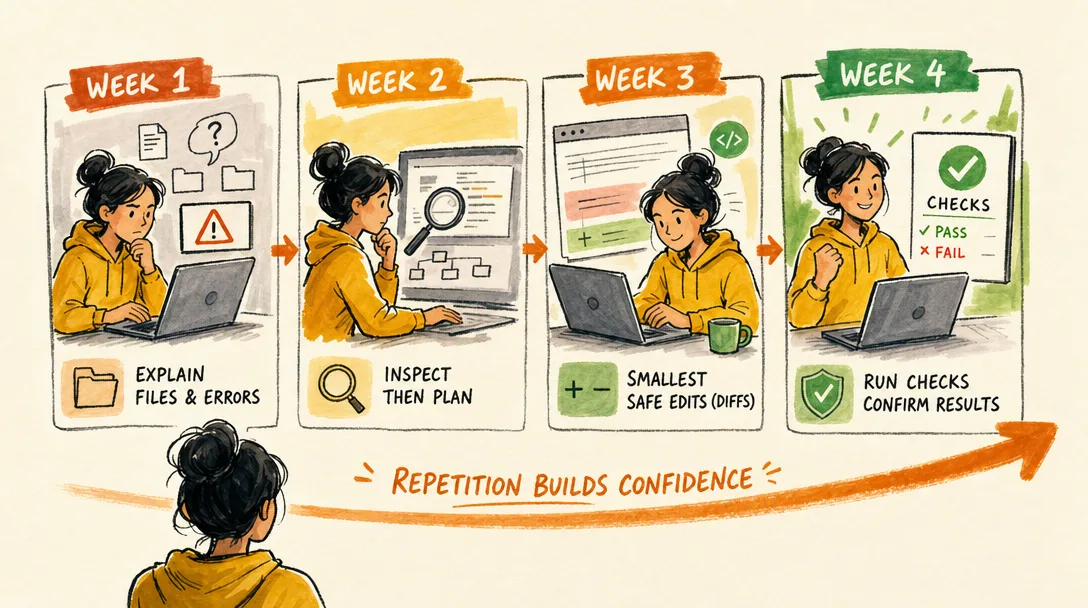
Here is a better practice ladder than "watch more tutorials":
Week
Practice focus
Example request
1
Explanation
"Explain this file/folder/error in plain English."
2
Planning
"Inspect first, then propose a plan. Do not edit."
3
Small edits
"Make the smallest safe change and show the diff."
4
Verification
"Run the check and tell me what passed or failed."
That is how confidence builds.
Not from theory. From controlled repetitions.
Why I Still Recommend Claude Code as the Deeper Path
You can begin with any decent AI chat app. If the terminal scares you, start there. Ask it to summarize notes, rewrite emails, or explain screenshots.
But if you want to work with files, projects, scripts, or repeatable workflows, you eventually need an agent that can live near your work.
That is why I still point serious learners to Claude Code.
The official quickstart is short for a reason. You need a terminal, a project folder, and a Claude account. Then you start a session from the project directory and ask for help.
Do not over-romanticize the setup. The terminal is not the goal. The goal is shared context.
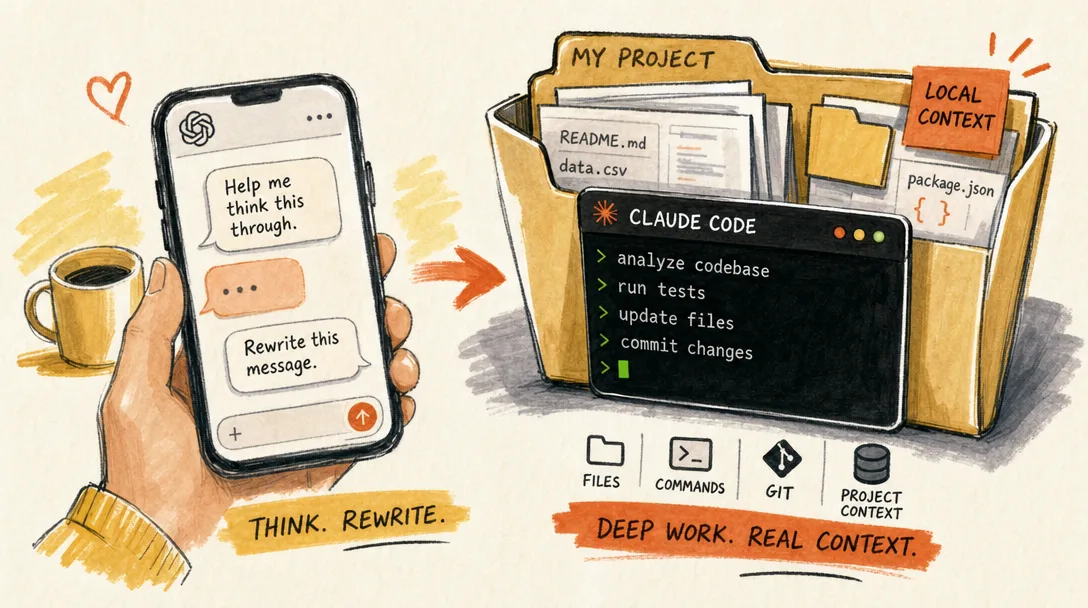
Use a chat app when the task is conversational:
"Explain this idea."
"Rewrite this paragraph."
"Give me five headline options."
Use Claude Code when the task touches your local work:
"Read this folder."
"Find the duplicate logic."
"Update this file and run the check."
"Explain why this command failed."
That split keeps the tool choice simple.
One more way to think about it:
Tool type
Best for
Weakness
Chat app
Thinking, rewriting, brainstorming, explaining
You must carry the context
Local agent
Files, projects, commands, repeatable workflows
You must manage permissions and scope
Do not turn this into a religion. Use the lighter tool when the task is light. Use the deeper tool when the work needs context.
The Mental Shift That Unlocks Better Asking
Around month two, something usually clicks for beginners who stick with the practice.
Before the click, asking the agent feels like asking a search engine, you type, you hope, you parse the result. The mental model is one-shot.
After the click, asking the agent feels like working with a junior who is fast, polite, and very capable but new to your project. You spend more words on the front end (here is what we are working on, here is what good looks like, here is what to avoid). You expect a clarifying question back. You correct freely. You inspect what the agent did before merging it.
The shift is not magical. It is not a productivity hack. It is the recognition that the agent is a collaborator with no shared context until you build that context, and that the cost of building shared context is paid in better asks rather than in better models. Once you treat each session as collaboration, your asks naturally include the four parts and your tolerance for partial answers naturally drops.
If your asks still feel like search queries after a month of practice, that is the shift to chase next. Everything else, the inspect-first rule, the asking ladder, the ten sentences, follows from it.
Errors Are Not Walls. They Are Material.
The old beginner reaction to an error is panic.
The agent-era reaction is capture, paste, and ask.
When something fails, do not summarize the error from memory. Give the agent the actual thing:
This command failed.

Command:
[paste command]

Error:
[paste full error]

What I expected:
[describe expected result]

Please explain the likely cause in plain English first.
Then suggest the safest next step.
If the tool supports images, screenshots can help. If you are inside Claude Code, the better move is often to let it inspect the files and command output directly.
The important part is emotional: an error is no longer proof that you are not technical enough.
It is input.
Two Questions That Exhaust Most Beginner Stuck-Points
When a beginner gets stuck on an ask, two questions almost always unblock the next move.
"What would you do first if you were me?" This question forces the agent to commit to a sequence rather than list options. List answers are easy for the model and useless for the beginner. Sequence answers force a judgment call. Even when the agent disagrees with itself across runs, the disagreement is informative because it tells you the call was a judgment, not a fact.
"What should I verify before I trust this?" This question turns the agent from a confident-sounding paragraph generator into a partner that flags its own uncertainty. The answers are usually short, and they are usually correct: read the docs of X, run the command on a copy of the data, check the output against case Y. Asking for verification is not lack of trust; it is calibration.
Both questions are short, both work on most agents most of the time, and both move the conversation from monologue to dialogue. If you only memorize two of the ten sentences in §8, memorize these.
A 14-Day Beginner Practice Plan
Do not start with a giant project. Start with two weeks of small asks.
Day
Practice
1
Ask an AI chat app to explain one confusing concept in your own words
2
Ask it to rewrite one messy note into a cleaner outline
3
Open a folder in Claude Code and ask it to explain the file structure
4
Paste an error message and ask for a plain-English diagnosis
5
Ask for a plan before allowing any edits
6
Give constraints: what not to change, what to preserve
7
Ask it to verify its own work and show the result
8
Ask for three options and one recommendation
9
Ask the agent to list assumptions before answering
10
Ask it to make the smallest safe change
11
Ask it to show the diff before continuing
12
Ask it to turn a repeated task into a reusable checklist
13
Ask it to review its own answer for risks
14
Ask it to summarize what you learned and write your personal prompt template
This plan looks small. That is why it works.
The goal is not to become "good at AI" in fourteen days. The goal is to make asking feel normal.
Once asking feels normal, everything else gets easier.
What I Would Tell My Month-Zero Self
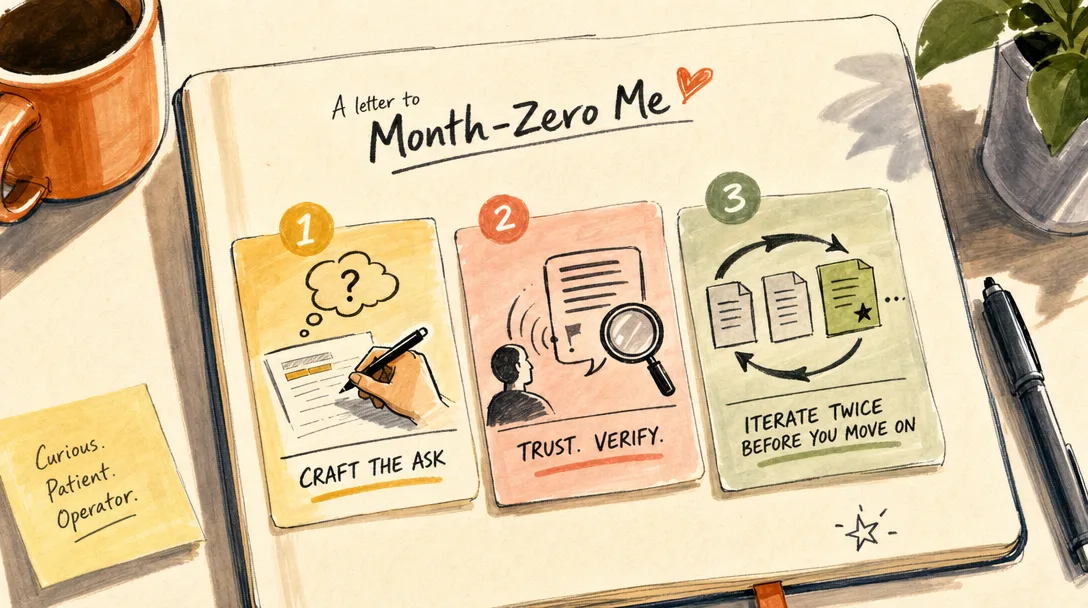
Three things I wish someone had drilled into me before my first month with AI agents.
Spend more time on the ask, less time on the answer. A bad ask wastes a good model. A good ask salvages a mediocre model. The leverage is on the input, not the output. If you find yourself rephrasing the model's answer, go back and rewrite the ask instead.
Trust your instinct when something feels off. New agent users learn to second-guess themselves because the agent sounds confident. The agent sounds confident even when it is wrong. If a paragraph reads cleanly but feels off, the off-feeling is usually correct, push back, ask for the source, ask what would falsify the claim. The agent will usually back down with grace.
Treat each session as a draft, not a delivery. Beginners ask once and ship the first reply. Operators ask, inspect, correct, and re-ask until the answer is one they would defend in a meeting. The difference between a beginner and an operator is not knowing better tools; it is iterating in the same session for two more rounds before moving on.
Combined, those three habits are most of what produces the visible jump from "AI is interesting" to "AI is the multiplier I rely on every day."
Ready-to-Use Prompt: Turn Any Problem Into a Four-Part Agent Request
What this does: Turns a beginner's vague problem into a complete, ready-to-send request that any AI agent can act on — with the right asking level and a plan for when the first answer is wrong. Based on: AI Agents for Beginners: Ask Better — https://aiworkflowpro.com/agent-era-learn-to-ask/ Time to run: ~3 minutes
Copy this prompt into Claude Code, ChatGPT, or any AI assistant:
ROLE: You are an AI Agent Request Engineer for beginners. Your job: turn a beginner's vague problem into a complete four-part request any AI agent can act on.

CONTEXT — FOUR-PART REQUEST METHOD:
Beginners fail with AI agents not because they can't code but because they ask vague questions. The fix is the Four-Part Request: every ask needs (1) Context — your situation, what you're working on, what you already tried; (2) Goal — the concrete outcome you want, stated as a deliverable, not a topic; (3) Constraints — what the agent may or may not change, plus the files, tools, and budget in play; (4) Verification — how you'll confirm the answer is actually correct. Requests sit on a three-level ladder: Level 1 = answer or explain, Level 2 = walk me through it step by step, Level 3 = do the work and edit my files. Before correcting a wrong answer, inspect the agent's actual output first and point to the specific line or element that's wrong — never re-ask blind.

INPUTS (fill in before running):
- PROBLEM: [Describe the problem or task in your own words, however messy]
- WHAT_YOU_TRIED: [What you've already attempted, if anything — or "nothing yet"]
- ENVIRONMENT: [The tool, file, app, or project — e.g. "Claude Code in a Next.js project", "ChatGPT for a blog draft"]
- SKILL_LEVEL: [total beginner / some familiarity / can read code]

METHOD — 4 STEPS:

Step 1 — Diagnose the Ask
Read all four inputs. Score each part of the request 0–2: 0 = missing, 1 = vague, 2 = concrete and actionable. Name exactly what is missing or fuzzy.

Step 2 — Rebuild as a Four-Part Request
Rewrite the ask into a complete four-part request the user can send verbatim. Fill gaps with reasonable assumptions, but mark each assumed fact with [ASSUMED — confirm]. The Goal must name a concrete deliverable (a file, a working behavior, a decision) — never "help me with X."

Step 3 — Assign the Asking Ladder Level
Choose the level that fits SKILL_LEVEL and the task: Level 1 (answer/explain), Level 2 (step-by-step walk-through), Level 3 (agent does the work and edits files). Give one sentence of justification. Default total beginners to Level 2 unless the task is a single factual question.

Step 4 — Build the Inspect-First Correction Plan
Give the exact inspection move if the first answer is wrong: which output, file, or line to look at before pushing back. Provide one starter sentence: "I looked at [X]; the issue is [specific spot]; what I expected instead is ___."

RULES:
- Never leave "help me with X" or a one-liner as the finished request — that is the anti-pattern this method fixes.
- Mark every assumption with [ASSUMED — confirm].
- For a total beginner, default to Level 2 and state the Inspect-First Rule in plain words.

OUTPUT FORMAT:
Output a markdown report with these four sections:
1. Diagnosis Table — markdown table, columns: Part | Score (0–2) | What's Missing
2. Your Ready-to-Send Four-Part Request — the rewritten request inside a fenced text block the user can copy directly
3. Asking Ladder Level — chosen level + one-line justification
4. If the Answer Is Wrong (Inspect-First Plan) — the inspection move + the starter correction sentence
Save as @templates/agent-era-learn-to-ask.md and run whenever you sit down to use an AI agent and aren't sure how to phrase the ask — especially on a first attempt in a real project.
Frequently Asked Questions
Do I need to learn programming before using AI agents?
No. Programming knowledge helps later, but it is not the entry ticket. The entry skill is describing problems clearly: context, goal, constraints, and verification.
Is Claude Code only for developers?
No, but it does live in the terminal and works best around files, projects, scripts, and workflows. If your work is only casual writing or Q&A, a chat app may be enough. If your work lives in folders, Claude Code becomes much more useful.
What is the first thing I should ask an AI agent?
Ask it to explain something you already have. For example: "Read this folder and explain what each file is for. Do not edit anything." That gives you value without risking changes.
Why do my AI answers feel bad?
Usually because the request is too thin. Add the folder, goal, constraints, expected output, and verification step. Better context usually produces better work.
What to Read Next, in This Order
If this article landed, three follow-ups will compound on it.
1. Pick one project and run the four-part request on every ask for two weeks. Not selectively, every ask. Even the small ones. The habit takes about ten asks to feel natural and forty to feel automatic. By day fourteen you will write four-part asks without thinking about it, which is when the productivity benefit actually shows up.
2. Read the AI learning roadmap. It places asking inside a larger four-level path: language of AI work, thinking in workflows, delegating execution, building systems. Asking is Level 1 done well; the next levels build on it.
3. Try Claude Code on a real project, not a toy one. Give it a folder you actually work in. The reason Claude Code matters is not the terminal; it is that the agent sees your real files, your real conventions, your real constraints. The four-part request scales beautifully when context is just there in the project.
Skip any of the three and the others still help, but the compound only kicks in when all three are running together for at least a month.
Closing
The agent era does not reward the person who memorizes the most commands.
It rewards the person who can describe reality clearly.
So start small. Ask badly. Improve the question. Repeat.
Monitoring a competitor who publishes no feed is the case every RSS guide skips. Twenty-one platforms sorted by which of three jobs they do, and the finished setup is business process automation you own outright, with no seat licence to renew.
Blaming the content is the reflex when a post underperforms, and it is usually the wrong diagnosis. A second reader decides distribution before any human sees the post, and most of what it checks is mechanical enough to automate business processes around, on five platforms at once.
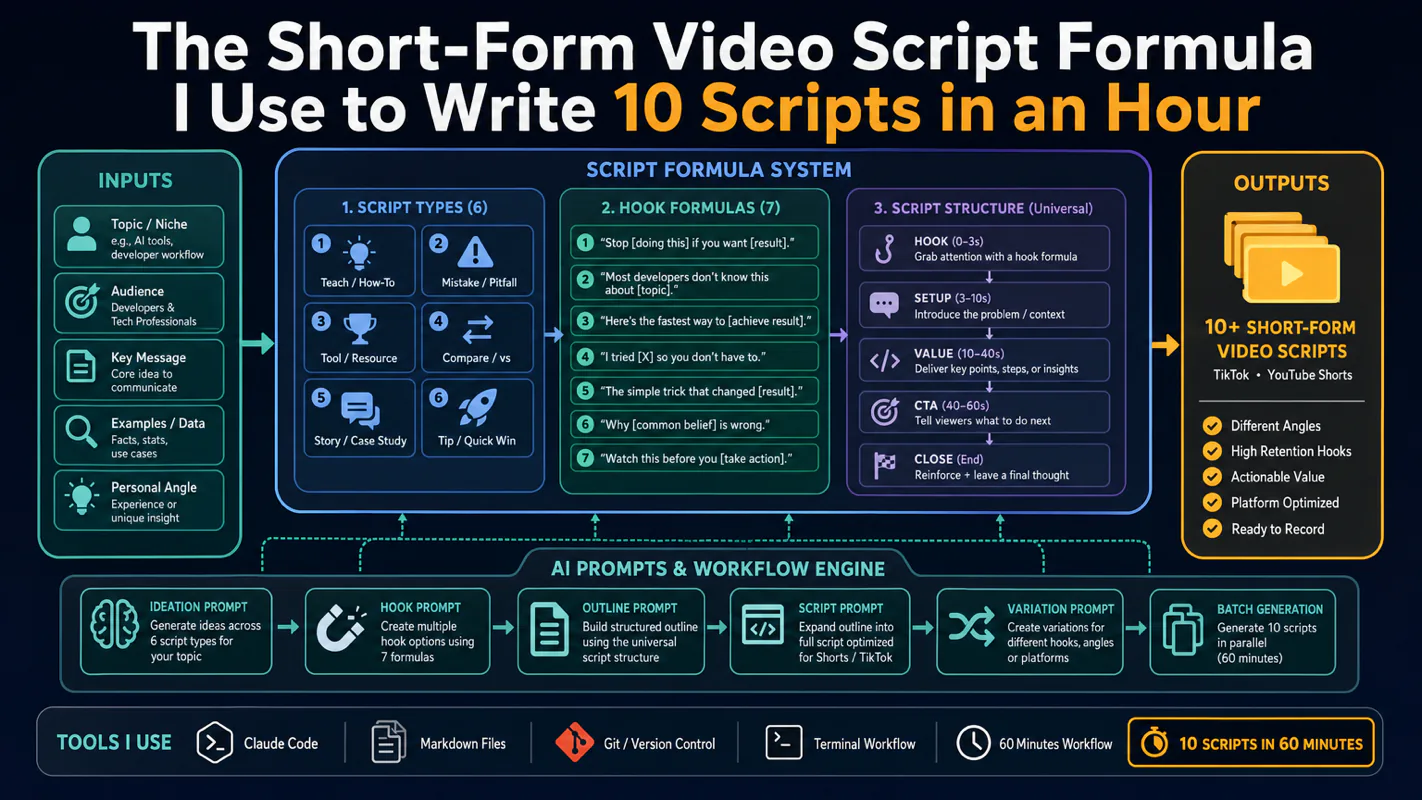
Thursday afternoon, fourteen product ideas, a Monday filming slot, no scripts. Six script shapes and seven hook formulas turn that hour into finished drafts — and the business rule stays: rewrite at least 30% before anything ships.
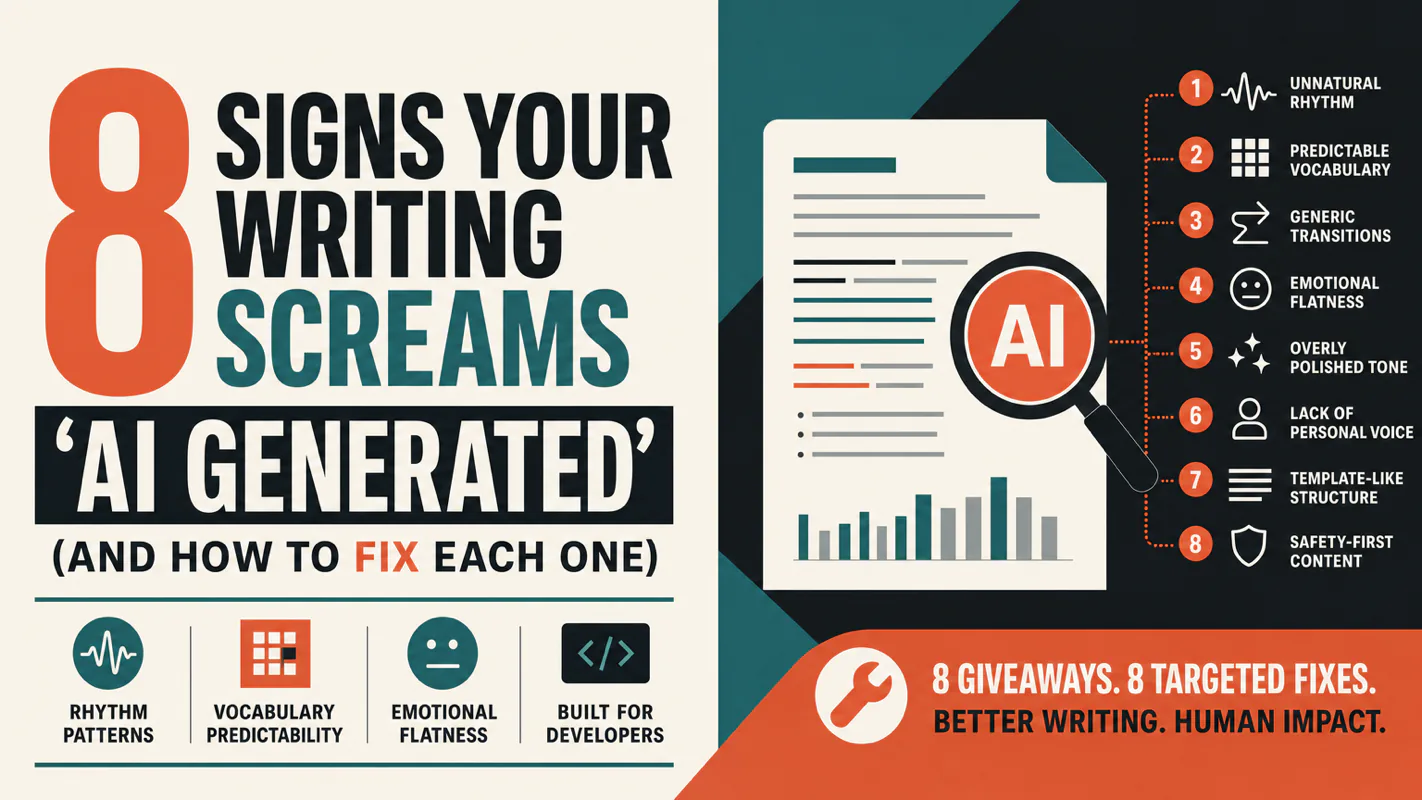
A detector score cannot survive a conversation with the freelancer it just cost three weeks of payment. What holds up is the specific thing on the page: rhythm, vocabulary, missing detail. Eight of them here, and the reason review stays human when you automate business processes.