Monitoring a competitor who publishes no feed is the case every RSS guide skips. Twenty-one platforms sorted by which of three jobs they do, and the finished setup is business process automation you own outright, with no seat licence to renew.
Blaming the content is the reflex when a post underperforms, and it is usually the wrong diagnosis. A second reader decides distribution before any human sees the post, and most of what it checks is mechanical enough to automate business processes around, on five platforms at once.
Gloves on, tape measure in hand — nobody types a query. Three voice surfaces for ai automation tools (terminal, Telegram, Discord), 10 TTS and 6 STT providers compared on cost and latency, plus a setup that costs nothing.
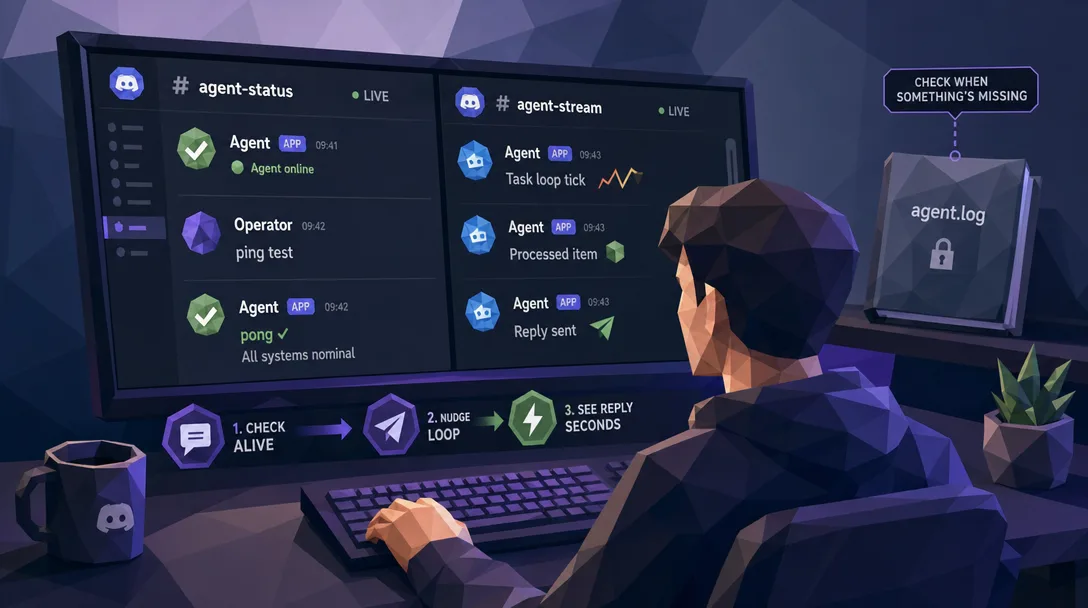
The bad failures are the quiet ones. The agent did not crash, it just stopped, and nobody on the team noticed until Monday. Opening the log is the wrong first move: the agent already wrote down what it was doing, in plain language, in its own channel. Two small scripts put that in front of you.
Here is the failure worth planning for. An agent has been sending quote follow-ups for six weeks without a single complaint, so nobody watches it anymore. On a Thursday it stops. No crash, no alert, just silence. The gap surfaces the following Tuesday when a customer asks why they never heard back, and five days of follow-ups are simply gone. The uncomfortable part is that the agent said what was wrong at the time, in its own words, in its own channel. Running an AI agent for business work means having a way to read that in seconds instead of an hour, which is exactly what the two scripts below do.
The short version:
The first move when an agent breaks isn't opening the log. It's reading the channel. The channel is the agent's voice; the log is its medical chart. You want the voice first
Two tiny Bash scripts — discord-read.sh and discord-send.sh — turn "what's my agent saying?" from a log-diving exercise into a one-line shell command
Host auto-detection means one copy of the script runs on every machine you deploy to. Agent-name-to-channel-ID mapping means you type reddit, not an 18-digit number
macOS Bash 3.2+ compatible. No jq, no Python beyond the standard library, no associative arrays. Drop them on a stock Mac and they run
The full source plus a one-click replication prompt is at the bottom. Copy, edit your channel IDs, ship
When an OpenClaw agent stops behaving, the average builder's first instinct is to crack open the log file. That instinct cost me real hours before I learned to do the opposite.
Logs are necessary, but they're a system view: timestamps, JSON, error codes, all of which you have to translate in your head into "what was the agent actually trying to do?" Channel messages are a business view: the agent's own words, in the order it said them, with the conversation context still intact. For the first five minutes of any incident, the business view is faster.
Two small Bash scripts get me to that view in one shell command. They're under 100 lines each. They auto-detect which host they're running on. They let me type reddit instead of memorizing an 18-digit Discord channel ID. And they pair perfectly with Claude Code, so I describe what I want in plain language and the right script runs with the right arguments.
The rest of this post walks the design, the daily workflow that uses them, and the full source you can copy.
Who Is This For
You run an OpenClaw agent (or several) and you've felt the pain of "the agent stopped responding and I don't know why"
You debug across more than one machine — a laptop, a server, maybe a staging box — and you're tired of maintaining script copies in lockstep
You want a debug toolkit that pairs cleanly with Claude Code so you can describe symptoms and let the agent run the right scripts
You'd rather have two ugly-but-portable Bash scripts than one elegant tool that doesn't run on a stock Mac
Reflex Number One: Read the Channel Before the Log
Old reflex: agent breaks, open the log, scan for ERROR.
New reflex: agent breaks, open the channel, scan the last ten messages.
The new reflex catches eight out of ten incidents in under a minute. The other two require log diving — but I dive with a hypothesis already in my head, which makes the dive twenty times faster than diving cold.
The fixed sequence I run now, every single time:
Step
What I tell Claude Code
What I'm hunting for
1
"Read the last ten messages from the reddit channel"
What did the agent actually say? Did it report an error? Did it just stop?
2
"Send a test message to the reddit channel"
Is the channel itself broken (bot offline, permission issue) or is it just the agent?
3
"Pull the matching log lines for that time window"
Confirm or refute the hypothesis from steps 1 and 2
The plain-English version: the channel is the patient's own words; the log is the chart. A doctor who reads the chart before listening to the patient gets the diagnosis wrong twice as often. Same rule, different domain.
The reason this works isn't sophisticated. The agent already wrote down what was happening, in language I can read, in the place I'm already looking at. The log is a re-encoding of the same story for a machine. Why would I read the machine version first?
Two Scripts, One Job Each
The whole toolkit is two scripts:
Script
Job
Input
Output
discord-read.sh
Pull recent messages from a channel
agent name + count
formatted message list
discord-send.sh
Post a message to a channel
agent name + message text
message ID confirmation
Each one does one thing and stops. There's no --mode read flag. There's no shared utility script that both source. They're two independent files because the moment they share state, debugging the debugger becomes possible, and that's exactly the layer where you don't want bugs.
I tried merging them once, in an early version. The argument parsing got ambiguous (was that string a channel ID or a message body?), and when something broke I couldn't tell whether the bug was in the read path or the send path. Two files, two responsibilities, two failure surfaces — each one diagnosable in thirty seconds.
The mental model: every layer in your stack should do one job. Three-layer Bridge architectures, two-script debug toolkits, single-purpose Skills. The pattern is the same and the payoff compounds.
Host Auto-Detection: Same Script, Multiple Machines
I run OpenClaw on more than one host. The laptop is for development; the server runs the production agents. Each host has its own Discord bot, its own token, and its own set of channel IDs.
If I had to pass a --host flag every time I ran the script, I would forget at least once a week and post test messages to the wrong channel. So the script reads hostname on startup and uses that to pick the right token file and channel map.
Detected hostname
Bot used
Token file
Channel map
my-laptop
dev-bot
~/.config/openclaw/dev.token
dev channel IDs
my-server
prod-bot
/etc/openclaw/prod.token
prod channel IDs
The script reads its environment instead of asking me to spell it out. You make environment a property the tool detects, not a parameter the user supplies, and you remove an entire class of mistake.
I had a version of these scripts before, one for each host, with about ninety percent overlapping code. Once I fixed a bug on the laptop and forgot to fix the same bug on the server. Spent an hour figuring out why the prod debug output looked weird. Two copies of the same code, doing the same job, are a bug factory.
The architectural rule: when the same code lives in two places, the two places will drift. The fix isn't discipline. The fix is one copy with a runtime-detected branch.
Agent Name to Channel ID: Humane Naming
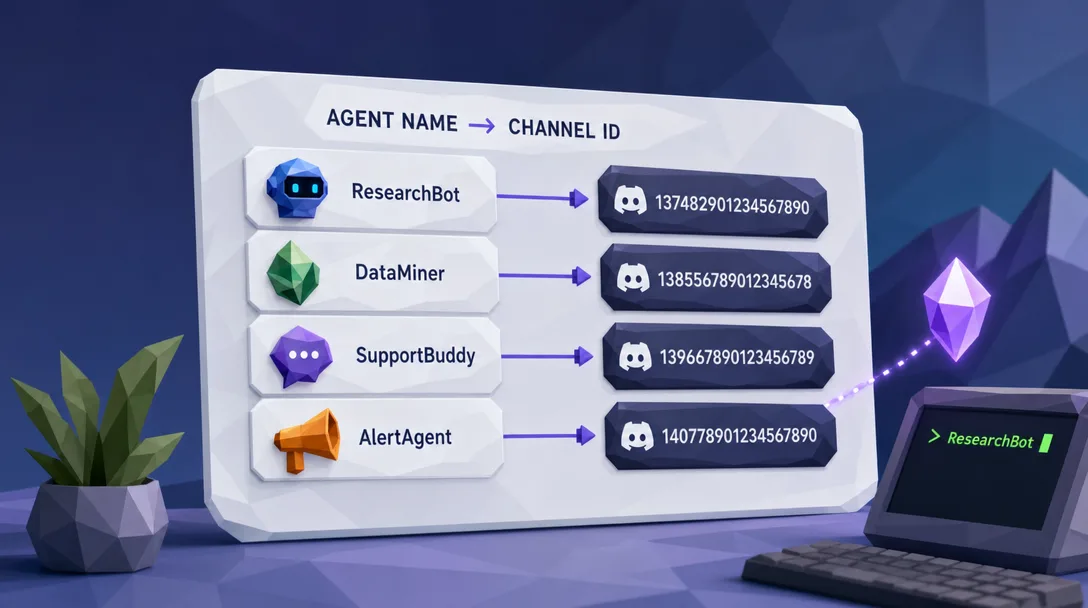
The Discord API needs a channel ID — an 18-digit number. When you're debugging at midnight, you don't remember those numbers. You remember "the reddit agent."
So the script keeps a small table:
## illustrative — actual map lives in the per-host config
case "$AGENT_NAME" in
  main)    CHANNEL_ID=1477147705196154964 ;;
  reddit)  CHANNEL_ID=1477147712134567890 ;;
  instagram)     CHANNEL_ID=1477147718264201234 ;;
  rnd)     CHANNEL_ID=1477147724393814567 ;;
  *)
    if [[ "$AGENT_NAME" =~ ^[0-9]{17,19}$ ]]; then
      CHANNEL_ID="$AGENT_NAME"  # raw ID accepted as backdoor
    else
      echo "unknown agent: $AGENT_NAME"; exit 1
    fi
    ;;
esac
You type reddit. The script looks up the ID. Each host has its own table, picked by the host auto-detection from the previous section. You think in agent names; the script thinks in channel IDs; nobody has to translate.
The full agent roster on a typical deployment:
Agent name
Department
main
Headquarters / CEO
admin
Administration
archive
Operations / archival
reddit
Reddit content
instagram
Instagram content
youtube
YouTube content
twitter
Twitter content
course
Course operations
rnd
R&D
intel
Intelligence
The macOS gotcha: Bash on macOS is stuck at version 3.2 because of licensing reasons, and 3.2 doesn't have associative arrays. The classic declare -A AGENTS pattern silently fails. The case form above works on every Bash since the early 1990s — uglier, more portable, the right trade for a debug tool that needs to work on whatever Mac is in front of you.
discord-read.sh: Watching the Conversation
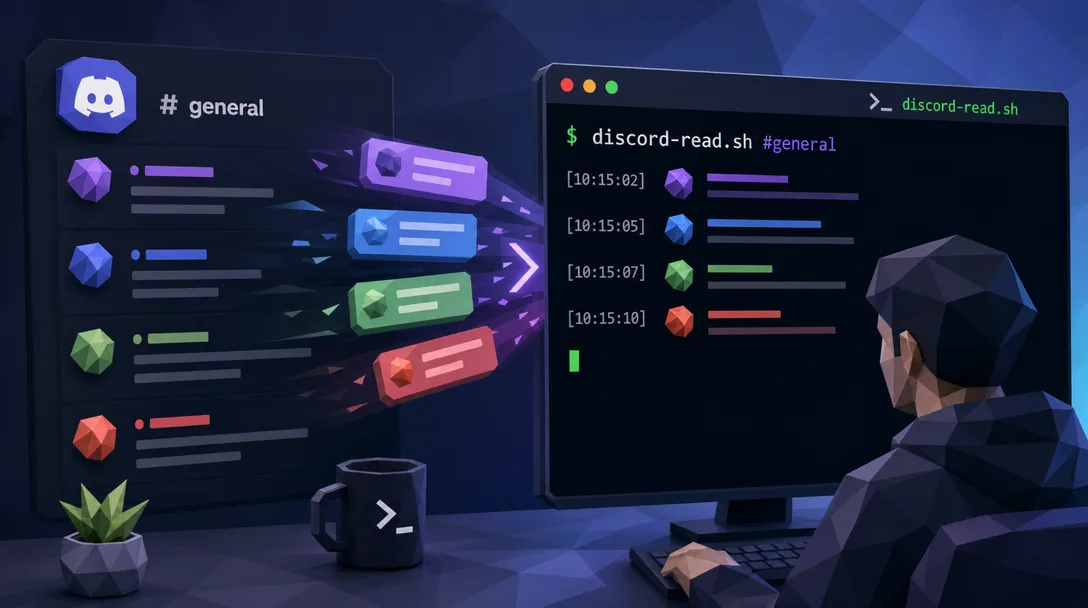
You give the script an agent name and a count. It does the rest.
$ ./discord-read.sh reddit 5
Internally: detect host → load token → look up channel ID → call Discord API → format the response. Output looks like this:
[2026-03-07T01:23:45] reddit-agent:
  Article "Intro to AI Coding" complete, 5,200 words

[2026-03-07T01:24:02] openclaw-bot:
  Bridge run complete
  Skill: long-writing
  Duration: 18m 32s

[2026-03-07T01:25:11] reddit-agent:
  Awaiting next assignment
Four design decisions worth pointing out:
Decision
Why it matters
Time-ascending order
Oldest at top, newest at bottom — matches how you read Discord, so the cognitive flow doesn't reverse mid-debug
Per-message length cap
Long messages get truncated with an ellipsis so a single chatty agent can't flood your terminal
Embed extraction
Bridge notifications usually arrive as Discord embeds; the script pulls out the title and description so you don't see raw JSON
Emoji-safe decoding
Agent messages contain emoji; some terminal encodings choke on them; the script normalizes before printing
The kind of bug I hit so you don't: an emoji in a Bridge notification once crashed the script's JSON parser. The fix wasn't dramatic — pipe the response through a tolerant decoder — but I lost twenty minutes finding it the first time. The current script handles it transparently.
discord-send.sh: Posting Status Notes
Same auto-detection, same name-to-ID mapping, but for writing instead of reading:
$ ./discord-send.sh main "Restarting in 2 minutes"
posted: msg_id=1488244211345670012
The script handles the things that bite first-timers: escaping double quotes in the message body, preserving newlines, dealing with messages that exceed Discord's per-message size limit. You write what you want to say in plain language; the script makes Discord accept it.
Three patterns I use it for, day in and day out:
Pattern
What I post
Maintenance notice
"Restarting the reddit agent in two minutes — current draft will be saved"
Debug marker
"Starting hypothesis-test for Friday's silent-fail incident"
Async status
Cron job posts a one-line completion confirmation when a long-running task finishes
A subtle but important property in the default config: bot messages don't trigger the agent. OpenClaw drops bot-originated Discord messages unless channels.discord.allowBots is explicitly enabled. Posts from this debug bot are visible in the channel for me to read but they don't accidentally start a workflow. If you enable allowBots=true or allowBots="mentions", re-audit this assumption and use strict mention plus allowlist rules.
A Day-in-the-Life: How I Actually Use These
Two patterns dominate my real usage. I'll walk both.
Morning sweep
First thing every weekday, I tell Claude Code: "Sweep the last three messages from main, reddit, instagram, and rnd."
Claude Code loops through, calls discord-read.sh four times, and presents the combined output. Total time from typing to having a global view of the team: about thirty seconds. If anything looks wrong — an agent silent for too long, an error message I haven't seen before, a Bridge run that stalled — I know within the first cup of coffee.
Without the scripts, the same sweep is a manual login to Discord, a click through four channels, a scroll on each, and the cognitive load of switching between channel UIs. I've timed it: about three minutes. Three minutes versus thirty seconds, every weekday, compounds into real time saved by month two.
"Agent Not Responding" hunt
When something is actually wrong, the three-step rhythm:
Step
What Claude Code runs
Diagnostic value
1 — Look
discord-read.sh reddit 10
What was the agent's last action? Did it post an error? Did it just stop?
2 — Probe
discord-send.sh reddit "debug ping"
Does the channel still accept writes, or is it the channel that's broken?
3 — Confirm
log query for the time window from steps 1 and 2
Verify the hypothesis the channel data formed
The third step is the only one where logs come into play. By the time I get there, I know roughly what to look for, which turns "log dive" from a fishing expedition into a thirty-second confirmation. The log is the second source of truth, not the first.
The compounding effect: every morning sweep that catches a problem early is one fewer fire to put out at 4 PM. Every "agent not responding" hunt that takes ten minutes instead of an hour is a meeting I can take, an article I can finish, a beer I can drink. The scripts are not the prize. The reclaimed time is.
Pairing with Claude Code: Speak in Plain Language
The whole point of these scripts is that I don't run them by hand. Claude Code does, in response to plain-language requests.
me: "What did the reddit agent post in the last hour?"
cc: (runs discord-read.sh reddit 20, filters to the last hour, shows summary)

me: "Tell main that I'm taking it down for two minutes."
cc: (runs discord-send.sh main "Taking main down for 2 minutes — back shortly")

me: "Is the rnd channel even accepting messages right now?"
cc: (runs discord-send.sh rnd "channel health check"; reports the message ID back)
The scripts are the muscle; Claude Code is the brain that knows which one to invoke. I never type the script names directly anymore. What I think is "I want to know what reddit is doing"; what I say is the same; what runs is discord-read.sh reddit 10. The translation layer is Claude Code, and it disappears once you've trained yourself to speak in symptoms instead of commands.
The mental shift: stop typing CLI invocations. Describe symptoms. The CLI tools are useful because Claude Code can pick the right one — your job is the diagnosis, not the syntax.
Anatomy of the Source
The full source ships in two files, both small enough to read in one sitting:
Resolve host — read hostname, pick the host config file
Load credentials — source the per-host token file
Resolve agent name — case-table lookup, falling back to raw 18-digit input
Build the API call — assemble the HTTPS request the right Discord endpoint expects
Call and parse — curl plus a small Python one-liner for safe JSON parsing
Format and exit — pretty-print to stdout, exit 0 on success, non-zero on failure
That's it. No frameworks, no dependencies beyond Bash, curl, and the system Python. The whole toolkit runs on a vanilla Mac after a chmod +x.
The kind of code I want for debug tools: as few moving parts as possible. Debug tools that need their own debugging are a category error.
Pitfalls I Hit (So You Don't Have To)
Five things that cost me real time on the way to the working version.
Pitfall 1: Putting the credential into the script itself. The first version had the bot token hardcoded. I almost committed it to git. Now the token lives in a separate per-host file the script sources at runtime; the script itself is committable.
Pitfall 2: Trusting the hostname blindly. A laptop renamed mid-quarter once gave me three days of "wrong channel ID" errors before I figured out the auto-detection was now picking the wrong branch. Lesson: log the detected hostname at the top of every script run, so when the script does the wrong thing you see why on line one.
Pitfall 3: Hidden coupling between read and send. An early version had a shared "format response" function used by both. When I changed the format for read output, send broke silently. Two fully independent scripts, even at the cost of duplicated formatting code, are easier to keep correct.
Pitfall 4: Forgetting the default bot-message filter. I once wrote an integration that posted a status note via send, then expected the agent to react to it. The agent never did. Took an embarrassing five minutes to remember that the listener filters out bot traffic by default. Bot messages are visible but not actionable unless you deliberately enable bot-message ingress.
Pitfall 5: Skipping the morning sweep when "things are fine." The sweep catches problems early; skipping it means catching them late. The cost of running the sweep is thirty seconds; the cost of catching a problem at 4 PM that started at 9 AM is the rest of the afternoon. Run the sweep. Always.
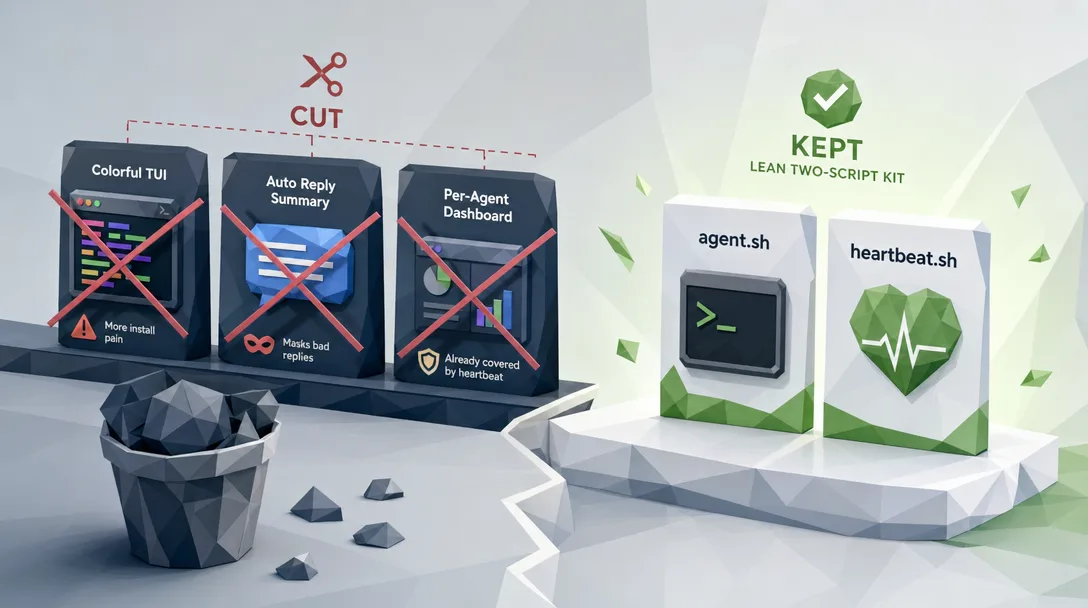
Three Features I Considered Adding (and Cut)
It's tempting to keep adding features to a debug tool. Each new flag, each new mode, each new convenience seems harmless on its own. The cost shows up six months later when you can no longer hold the tool in your head and you start debugging the debugger. Three features I considered and consciously left out:
Cut feature 1: A built-in tail mode that follows new messages live. Discord's API supports server-side push, so the script could in principle stream messages as they arrive. I sketched it. Then I asked myself: how often, in real debugging, do I actually need a live stream rather than a snapshot of the last ten messages? Answer: maybe twice a month. The other 99 percent of the time, a snapshot is what I want. So discord-read.sh does snapshots; if I ever need streaming, I'll add a separate discord-tail.sh with its own concerns.
Cut feature 2: Multi-channel sweeps as a built-in flag. I almost added a --channels=main,reddit,instagram,rnd flag that would sweep multiple channels in one invocation. Then I noticed Claude Code already does that for me — I say "sweep these four channels," it loops through. Building the loop into the script duplicates a job Claude Code does better. The boundary between "Bash script" and "Claude Code orchestration" is the right place to draw the line; everything below it is plumbing, everything above is intelligence.
Cut feature 3: Pretty colors and ANSI output. A version of the script had colored output for different message types — bot messages in cyan, agent messages in green, errors in red. It looked great in my terminal. It also broke in tmux, broke in CI logs, broke in any pipe-to-file workflow. Plain text works everywhere; pretty text works in one place. For debug tools that have to work when things are already going wrong, plain text always wins.
Each cut feature was a real improvement in some narrow sense. Each cut feature would have made the script harder to reason about under pressure. The discipline isn't "don't add features"; it's "don't add features that don't survive the 11 PM debug session."
Where the Scripts Sit in the Bigger Toolkit
Channel reads and writes are the most-used debug tool, but they're not the only one. A complete OpenClaw debug toolkit has at least four layers:
Layer
Tool
Question it answers
Channel
discord-read.sh / discord-send.sh
What did the agent say?
Webhook
a tiny test server
Are inbound integrations actually arriving?
Heartbeat
a periodic probe script
Is the agent process even alive?
Restart
a safe-restart script
Can I take this agent down without losing in-flight work?
The Discord scripts cover the first layer. The other three are independent files in the same toolkit; each has the same shape (one script, one job, host auto-detection) and follows the same Claude-Code-friendly invocation style.
Key Takeaways
Channel before log. The agent's own words are faster to read than its log file, and they give you a hypothesis the log can confirm
One script, one job. Two independent files for read and write; merging them creates ambiguous failures
Detect the environment. Host-aware scripts beat per-host script copies; the same source runs everywhere
Map agent names to channel IDs. You think in names; the script thinks in numbers; nobody translates
Bash 3.2+ portable. Skip associative arrays, use case, run on any stock Mac
Bot messages are visible but not triggers. Safe to post from automation without spawning workflows
Pair with Claude Code. Stop typing CLI invocations; describe symptoms
Ready-to-Use Prompt: Build a Channel-First Debug Toolkit for Your Agents (Read Before Log)
What this does: Installs the read-the-channel-before-the-log reflex, builds the two one-line Bash scripts (discord-read.sh + discord-send.sh), adds host auto-detection and agent-name-to-channel-ID mapping, pairs with Claude Code for plain-language debug, and checks the portability pitfalls — so agent debugging takes seconds, not log-diving hours. Based on: OpenClaw Discord Debug Scripts: One-Line Channel Read/Write — https://aiworkflowpro.com/openclaw-discord-debug-scripts/ Time to run: ~5 minutes
Copy this prompt into Claude Code, ChatGPT, or any AI assistant:
ROLE: You are an agent-debug tooling builder. Your job: give an operator the channel-first debug reflex and a two-script toolkit (read + send) that debugs an agent in one line — portable to stock macOS Bash with host auto-detection and humane agent naming.

CONTEXT — CHANNEL-FIRST DEBUG TOOLKIT:
When an agent breaks, the first move is not opening the log — it is reading the channel. The channel is the agent's voice; the log is its medical chart; you want the voice first. Two tiny Bash scripts deliver this: discord-read.sh (watch the conversation) and discord-send.sh (post status notes), turning "what is my agent saying?" from a log-diving exercise into a one-line command. Host auto-detection means one copy runs on every machine; an agent-name-to-channel-ID map means you type "reddit," not an 18-digit number. The constraint is portability: macOS Bash 3.2+, no jq, no Python beyond the standard library, no associative arrays — drop on a stock Mac and run.

INPUTS (fill in before running):
- AGENTS: YOUR_AGENT_NAMES_HERE (the agent names you debug — e.g., reddit, support, ops)
- HOSTS: YOUR_MACHINES_HERE (how many machines the scripts must run on)
- CHANNEL_ACCESS: YOUR_AUTH_HERE (how you authenticate to Discord — bot token / webhook)
- PAIRED_CLI: YOUR_ANSWER_HERE (do you pair with Claude Code to speak plain-language debug? yes/no)

METHOD — 6 STEPS:

Step 1 — Install the channel-first reflex
Make the rule explicit: when an agent misbehaves, run discord-read.sh before opening any log. The channel shows what the agent is doing/saying (the symptom); the log explains why (the cause). Voice first, chart second.

Step 2 — Build the read script (discord-read.sh)
Define the one-line reader: takes an agent name, maps it to a channel ID, fetches recent channel messages. Output is the conversation, not raw JSON — plain text you can scan in seconds. No jq; parse with Bash/sed/awk only.

Step 3 — Build the send script (discord-send.sh)
Define the one-line sender: takes an agent name + a message, posts a status note to that channel. Used to nudge the agent or log a human-side status. Same name→ID mapping; same portability constraints.

Step 4 — Add host auto-detection
Make both scripts detect their host and load the right per-host config (channel IDs differ per machine). One copy of the scripts runs on every HOSTS machine — no per-host forks.

Step 5 — Add the agent-name-to-channel-ID map
Build the humane-naming map (agent name → channel ID) in the per-host config, so the operator types "reddit," not an 18-digit ID. The map lives in config, not hardcoded in the script.

Step 6 — Pair with Claude Code (if PAIRED_CLI) + pitfall check
If PAIRED_CLI = yes, pipe discord-read.sh output into Claude Code and debug in plain language ("why is reddit-agent looping?"). Then check pitfalls: (1) reading the log first? (2) hardcoded IDs instead of the name map? (3) jq/Python dependency breaking a stock Mac? (4) no host auto-detection (per-host forks)? Fix any.

RULES:
- Read the channel before the log — voice first, medical chart second.
- One-line scripts: the operator types an agent name, not a channel ID or a log path.
- Portability is non-negotiable: macOS Bash 3.2+, no jq, no Python beyond stdlib, no associative arrays.
- One copy of the scripts across all hosts via auto-detection + per-host config — no per-host forks.

OUTPUT FORMAT:
Output six sections:
1. **Channel-first reflex** — the read-before-log rule + voice/chart distinction.
2. **discord-read.sh** — the one-line read (agent name → channel → conversation text).
3. **discord-send.sh** — the one-line send (agent name + message → status note).
4. **Host auto-detection** — how the script detects host + loads per-host config.
5. **Name-to-ID map** — the humane-naming map location + example entries.
6. **Claude Code pairing + pitfalls** — the plain-language debug pipe (if PAIRED_CLI) + markdown table with columns: Pitfall | Present? (Y/N) | Fix.
Save as @templates/openclaw-discord-debug-scripts.md and run when you build agent debug tooling, then re-run when you add an agent, a host, or change how you authenticate.
Frequently Asked Questions
Why look at the Discord channel before the log file when an agent breaks?
Because the channel is the agent's voice and the log is the agent's medical chart. Channel messages tell you what the agent thought it was doing, in plain language, in the order it happened. Logs tell you the same story but encoded as timestamps, JSON blobs, and error codes that you have to translate in your head. For the first five minutes of any incident, you want the agent's voice, not its chart. Once you have a hypothesis from the channel, then you go to the log to confirm — and the log read is fast because you know what you're looking for.
Why two separate Bash scripts instead of one with a read and write subcommand?
Because the moment you merge them, the argument parsing gets ambiguous and the failure modes for read and write start contaminating each other. With two scripts, when discord-read.sh breaks you know it's a read problem; when discord-send.sh breaks you know it's a write problem. Each script is under 100 lines and has one job. The "one tool, one job" rule sounds dogmatic until you watch a merged tool fail in a way that takes thirty minutes to diagnose because the failure could have come from either half.
What does the host auto-detection actually do, and why does it matter?
It reads the hostname at script start and uses that to load the correct Discord bot token and channel-ID map for the current machine. It matters because if you run OpenClaw on more than one host (a laptop and a server, for example), each host has its own bot, its own token, and its own channel layout. Without auto-detection, you'd either maintain two copies of the script or pass a host flag every time you ran it — both of which create the kind of accidental mismatch that wastes an hour of debugging when you forget.
Why map agent names to channel IDs instead of just using channel IDs directly?
Because when you're debugging at 11 PM, you remember "reddit agent" but you do not remember the 18-digit Discord channel ID. The mapping table lets you write discord-read.sh reddit 5 instead of discord-read.sh 1477147705196154964 5. The script also accepts raw channel IDs as a back door for power users, but the named-mapping is what makes the script humane to use under pressure. Cognitive load matters most exactly when something is broken.
Will sending a message via discord-send.sh trigger the agent to act on it?
Usually no. OpenClaw drops bot-originated Discord messages by default, including messages from a debug bot. That means discord-send.sh is safe for posting status notes, debug markers, or "I'm restarting you in two minutes" notices in the normal config. If channels.discord.allowBots is enabled, especially true or "mentions", bot messages can be accepted under the configured mention and allowlist rules.
Does this work on macOS, given how old the system Bash is?
Yes. The scripts target Bash 3.2+, which is what ships with every macOS install. That meant skipping associative arrays and a few other modern Bash conveniences and using older constructs instead. The result is uglier in places but it runs on a stock Mac with no extra installs — and on every Linux server you'd plausibly run OpenClaw on. Portability beat elegance; that's the right trade for a debug tool.
Where do these scripts fit in a broader OpenClaw debug toolkit?
They're the channel layer. A complete debug toolkit also has a webhook tester (for verifying inbound integrations), a safe-restart script (for taking down an agent without losing in-flight work), and a heartbeat probe (for verifying the agent is alive when the channel is quiet). The Discord scripts are the most-used because most debugging starts with "what did the agent say?" — but each layer pulls its weight when the others are not enough on their own.
One-Click Replication: The Full Build Prompt
No source pack to download. Paste this into Claude Code and it writes both scripts from scratch, then deploys them:
Build two bash scripts that read and write OpenClaw agent channels on Discord, then deploy them.

discord-read.sh <agent_id> [limit]
- GET https://discord.com/api/v9/channels/{id}/messages?limit={N} with header "Authorization: Bot {token}"
- <agent_id> maps to an 18-digit channel ID through a case statement; a 17-19 digit arg is used as a raw channel ID instead
- Output per message: [ISO-8601 timestamp] author: then the text (embeds → title + ~300-char description); default limit 10

discord-send.sh <agent_id> <message>
- POST to the same channel endpoint with JSON body {"content": message}
- Escape the message via python3 -c "import json,sys; print(json.dumps(sys.argv[1]))" so quotes, backslashes, newlines, and shell injection all survive
- Success → "sent to <agent_id> (msg: <id>)"; failure → the API error JSON

Hard constraints (both scripts):
- macOS Bash 3.2 compatible. No associative arrays (declare -A fails silently on 3.2); use case/esac for the channel map
- UTF-8 safe: pipe message bytes through python3 sys.stdin.buffer.read(), not sys.stdin.read()
- curl + python3 only. No jq. No bash arrays.
- Bot token read from a markdown credential file via sed -n 's/.*Bot Token.*:`\([^`]*\)`.*/\1/p' (token wrapped in backticks after a colon)
- Optional HTTP proxy: a PROXY var appends --proxy http://host:port to curl
- Host auto-detection: $(hostname -s) picks the credential file and channel map per machine (single machine → collapse to one set)

My environment:
- OpenClaw installed, agents configured
- Discord bot created, joined the server, holds Read Message History + Send Messages
- Bot token file: {your-cred-path}
- Agent → channel ID map: main -> {id}, reddit -> {id}, ... (one per agent)

Steps:
1. Write both scripts with my channel map and credential path baked in
2. chmod +x discord-read.sh discord-send.sh
3. Verify: discord-read.sh main 5 (output looks right), then discord-send.sh main "deployment test" (I'll confirm it landed in Discord)
Claude Code writes both scripts and stops for you to confirm the test message. About ten minutes including the human-side Discord check.
What's Next
Channel reads and writes are layer one. The other debug layers and the runtime stories that benefit from them:
Gloves on, tape measure in hand — nobody types a query. Three voice surfaces for ai automation tools (terminal, Telegram, Discord), 10 TTS and 6 STT providers compared on cost and latency, plus a setup that costs nothing.
A Skill is an operating manual, not a plugin. The five-layer architecture behind workflow automation that survives context compression, session crashes, and handoffs: SKILL.md as the single entry point, deterministic scripts, run state for crash recovery, and a resource layer.
Two of the three fixes can be undone the same afternoon. The third cannot, and it is the one people reach for first. LoRA cut costs tenfold, which made the expensive option tempting rather than correct. In business process automation, the order you try things in is the whole decision.
Fine tuning turns a generalist into a specialist - skip the baseline and you can never prove it worked. Five steps on Google Cloud: baseline, data prep, instruction design, hyperparameters, evaluation. Plus the finding that surprises business process automation buyers: 100 good samples beat 1,000.