Monitoring a competitor who publishes no feed is the case every RSS guide skips. Twenty-one platforms sorted by which of three jobs they do, and the finished setup is business process automation you own outright, with no seat licence to renew.
Blaming the content is the reflex when a post underperforms, and it is usually the wrong diagnosis. A second reader decides distribution before any human sees the post, and most of what it checks is mechanical enough to automate business processes around, on five platforms at once.
Gloves on, tape measure in hand — nobody types a query. Three voice surfaces for ai automation tools (terminal, Telegram, Discord), 10 TTS and 6 STT providers compared on cost and latency, plus a setup that costs nothing.
Gemini Fine Tuning on Google Cloud: The Complete 5-Step Guide
Fine tuning turns a generalist into a specialist - skip the baseline and you can never prove it worked. Five steps on Google Cloud: baseline, data prep, instruction design, hyperparameters, evaluation. Plus the finding that surprises business process automation buyers: 100 good samples beat 1,000.
Fine tuning transforms a generalist model into a domain specialist. The base Gemini model knows a lot about everything but lacks your industry-specific judgment, output format requirements, and brand voice. Fine tuning injects that specialized knowledge directly into the model weights.
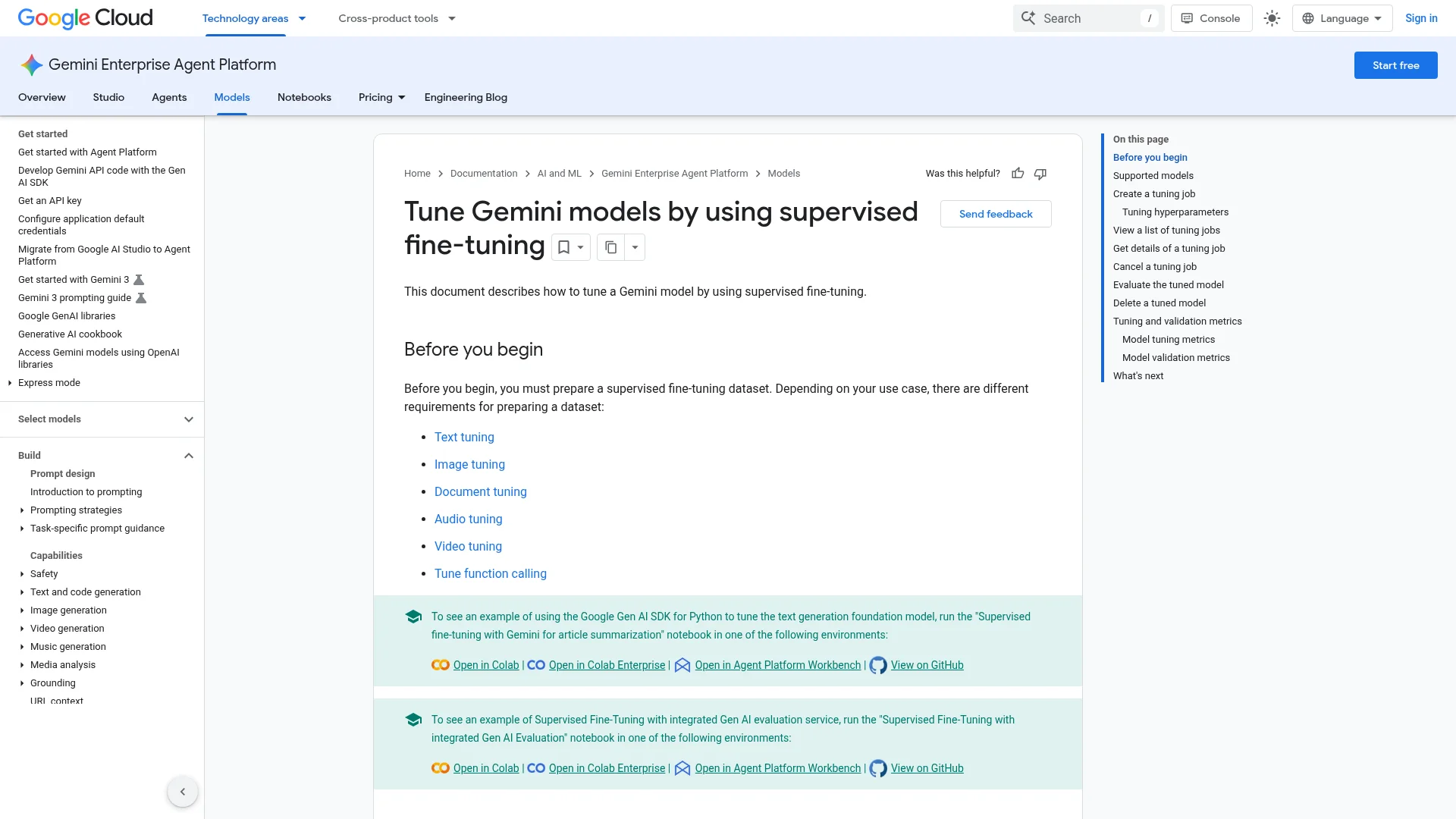
This guide distills Google Cloud's official Gemini fine tuning best practices into a concrete 5-step workflow. As of July 2026, Gemini fine tuning should be treated as a Google Cloud workflow through Gemini Enterprise Agent Platform / Vertex AI, not as a generic Gemini API or AI Studio feature.
Key takeaways:
Gemini fine tuning follows 5 steps: baseline testing, data preparation, instruction design, hyperparameter configuration, and evaluation
100 high-quality training samples routinely outperform 1,000 sloppy ones
Google Cloud currently documents supervised tuning for Gemini 2.5 Pro, Gemini 2.5 Flash, and Gemini 2.5 Flash-Lite
Image and document tuning have separate Google Cloud documentation; do not assume every modality is available for every model
Preference tuning is available in Vertex AI documentation, but should be treated as a separate optimization workflow
Pricing and quotas change, so verify the current Google Cloud pricing page before launching a job
The most expensive kind of project is the one nobody can score. A specialty insurer spends two months teaching a system its claim-summary format, ships it, and cannot say whether it beats what it replaced, because nobody wrote down how the old way performed before the work started. That missing baseline is step one here, and it is the step most teams skip. This guide walks the five stages of adapting a general model to your own domain and format, with the finding that keeps surprising people: a hundred carefully built examples routinely beat a thousand rushed ones. Worth reading before you fund business process automation.
What Are the 5 Steps of Gemini Fine Tuning?
Every Gemini fine tuning project follows the same sequence. Each step solves one problem:
Step
Core task
Problem it solves
Baseline
Test the base model
Know the gap
Data prep
Collect quality training data
Give the model good material
Instructions
Tell the model what to do
Clarify intent
Hyperparameters
Control the training process
Set the learning rhythm
Evaluation
Validate results
Confirm real improvement
The rest of this guide walks through each step with specific settings, formats, and decision criteria.
Should You Fine Tune, Use Prompt Engineering, or Build RAG?
Before investing in fine tuning, verify it is the right approach. Google Cloud documentation lays out three optimization paths:
Approach
Best for
Cost
Performance ceiling
Prompt engineering
Limited labeled data, clear tasks
Lowest (no training)
Medium
RAG
External knowledge retrieval
Medium (retrieval infra)
Medium-high
Supervised fine tuning (SFT)
Large labeled datasets, specific style/format
High (data + training)
Highest
Preference tuning (RLHF/DPO)
Subjective quality, style preferences
Highest
Highest
Decision rule from production experience: if optimized prompts achieve 80%+ satisfaction on your test set, skip fine tuning. The value of fine tuning lives in that last 20% — and maintaining it requires ongoing data investment.
I have seen teams spend weeks preparing fine tuning datasets only to discover that a well-crafted system prompt achieved 90% of the target quality. Always spend one to two days seriously optimizing prompts first. Fine tune only when a clear capability gap remains.
How Do You Establish a Baseline Before Fine Tuning?
Run your actual production tasks through the base Gemini model. This is the "test drive before customizing the car" step.
Baseline process:
Run at least 100 test samples through the base model
Record accuracy, response latency, and error types
Identify pain points: which scenarios perform poorly
Attempt prompt optimization for each pain point and record improvement
Track results in a spreadsheet with these columns:
Input
Expected output
Base model output
Score (1-5)
Error type
Post-prompt-optimization score
Error type categories: format errors, factual errors, style mismatch, missing information, excessive verbosity, hallucination.
Fine tuning is worth the investment only when a significant portion of samples still score below 3 after prompt optimization.
Which Gemini Model Should You Fine Tune?
As of Google's June 2026 documentation, supervised tuning support is listed for these Gemini models:
Gemini 2.5 Pro — Strongest overall option in the documented tuning set. Use it for high-performance requirements where the extra cost and latency are justified.
Gemini 2.5 Flash — Fast responses, lower cost. Useful for latency-sensitive applications like real-time chatbots.
Gemini 2.5 Flash-Lite — Lightweight option for lower-cost, high-volume use cases where the task does not require the strongest reasoning model.
Important migration note: Google's Gemini API model-tuning page says that after Gemini 1.5 Flash-001 was deprecated in May 2025, there is no Gemini API / AI Studio model currently available for fine tuning; supported fine tuning is documented under Gemini Enterprise Agent Platform / Vertex AI.
Practical guidance: start with the cheapest supported model that can pass your evaluation set. Upgrade only if the cheaper model cannot meet your quality bar.
What Should Your Pre-Fine-Tuning Checklist Cover?
Complete this checklist before writing a single training sample:
Define a measurable business goal. "Make the model smarter" is not a goal. "Increase customer support accuracy from 70% to 90%" is. Without quantified targets, fine tuning projects spiral into endless iteration.
Exhaust prompt alternatives first. I have watched projects burn weeks on data prep when a refined system prompt would have closed the gap. Budget one to two days for serious prompt engineering before committing to fine tuning.
Plan the data budget. Data preparation labor typically exceeds training compute cost. From my project experience: 100 high-quality training samples take one to two days of human annotation; 500 samples take roughly a week. Plan headcount and timeline upfront.
Run a compliance check. If training data contains user PII or sensitive information, complete data anonymization and compliance review before anything else. Vertex AI provides encryption and access controls, but data content compliance is your responsibility.
How Do You Prepare Training Data That Actually Works?
Data preparation is the core of the entire fine tuning pipeline. Pursue quality over quantity — always.
What Makes Training Data High Quality?
Three properties separate good training data from noise:
Relevance. Data must closely match your production use case. Building a customer support bot? Use real support conversations, not generic internet chat. Google's documentation explicitly states: training data format and style should mirror your actual inference input format.
Diversity. Cover the full range of scenarios and edge cases. Learning to drive on straightaways alone does not prepare you for turns, parking, or highway merges. Aim to cover at least 80% of your scenario types with 10+ examples each.
Accuracy. Labels must be correct. Mislabeled data teaches the model wrong patterns — the equivalent of hiring an unreliable instructor. Use multi-annotator cross-validation.
What Format Does Vertex AI Require?
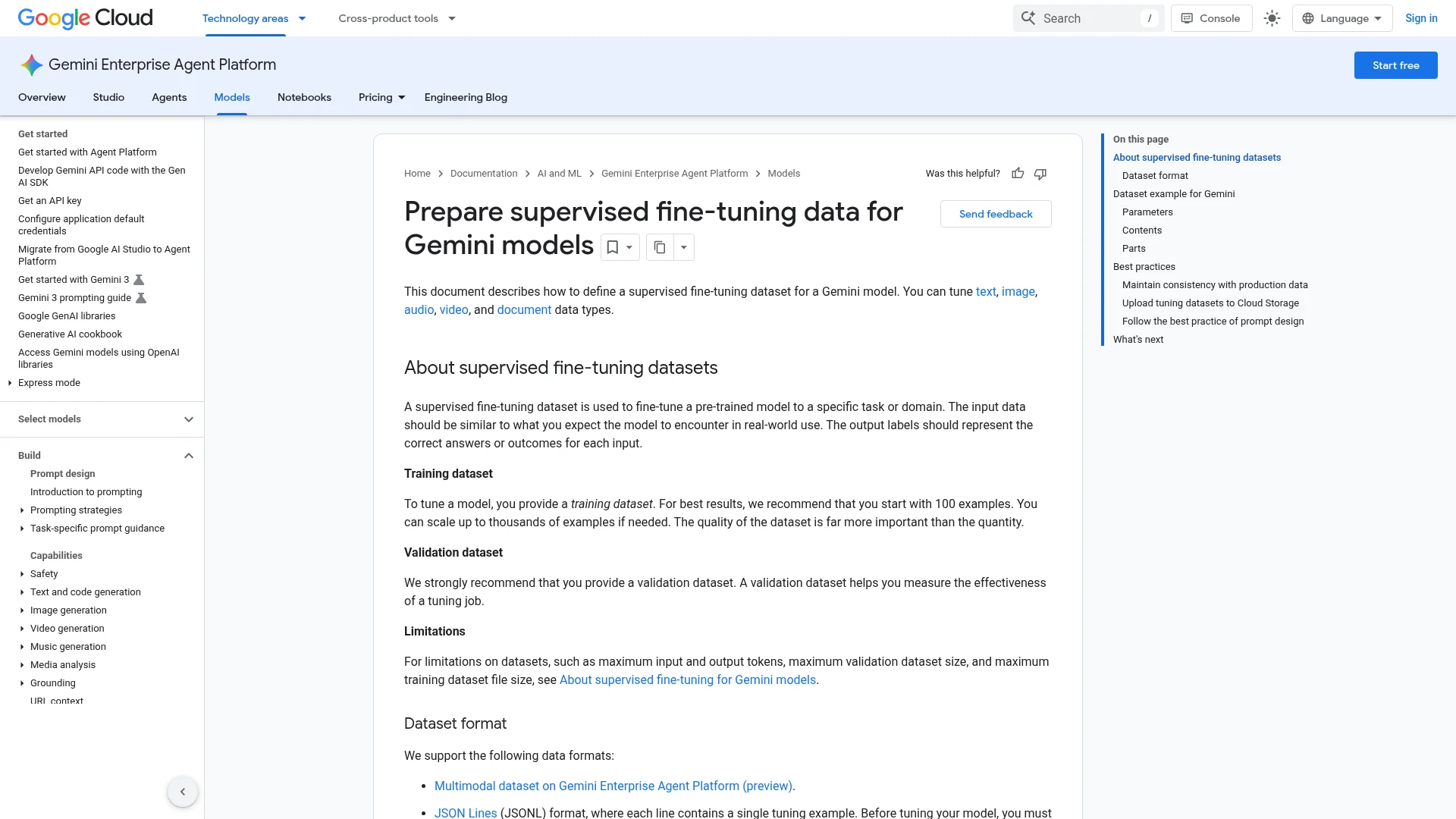
Google Vertex AI requires JSONL format with one training sample per line:
{
  "systemInstruction": {"parts": [{"text": "You are a professional support agent..."}]},
  "contents": [
    {"role": "user", "parts": [{"text": "User question"}]},
    {"role": "model", "parts": [{"text": "Expected response"}]}
  ]
}
Multimodal and document tuning require extra verification. Google Cloud has separate documentation for image tuning and document tuning. Before designing a dataset, confirm that your target model, region, input modality, and interface support the exact tuning path you plan to use.
Why Is Deduplication the First Data Task?
Copying the same sentence 100 times teaches nothing. Training data works the same way.
Deduplication methods:
Exact match: delete identical samples
Fuzzy match: remove near-duplicates above a 0.95 cosine similarity threshold
Cluster analysis: group similar samples and keep one representative per cluster
How Much Training Data Do You Need?
Task type
Minimum
Recommended
Notes
Text classification
100
500-1,000
Class balance matters
Style transfer
50
200-500
Quality over quantity
Dialogue generation
200
1,000+
Multi-turn conversations count as multiple samples
Information extraction
100
500-1,000
Cover all entity types
Code generation
50
200-500
Supervised fine tuning only
What If You Do Not Have Enough Data?
Data augmentation helps: rephrase with synonyms, restructure sentences, add reasonable variants. But augmented data must maintain quality — never sacrifice accuracy to inflate volume.
A technique that saves 5-10x labor: use a strong model (Claude or GPT) to generate training data variants, then have humans review each one. This produces high-quality augmented data far faster than manual writing from scratch.
How Should You Design Instructions for Fine Tuning?
Many teams skip this step. Explicit instructions dramatically improve fine tuning outcomes.
System instructions (global): apply to all training samples. Example: "You are a professional support agent. Respond in polite, concise language."
Instance-level instructions (per-sample): target specific tasks. Example: "Based on the following customer review, classify sentiment as positive, negative, or neutral."
Combining both works best. System instructions set the overall voice; instance instructions handle task-specific behavior.
What Are the Three Rules of Instruction Design?
Match training and inference format exactly. If training samples include "Output in JSON format," inference prompts must include the same instruction. Format mismatch is the number one cause of degraded fine tuning results.
Make instructions behaviorally specific. "Write better" tells the model nothing. "Respond in under 100 words, use bullet points, start each point with a verb" gives clear targets.
Include boundary case instructions. Tell the model what to do when it cannot answer — say "I'm not sure" or redirect to human support. Without this, fine-tuned models often hallucinate rather than admitting uncertainty.
What Hyperparameters Should You Set for Gemini Fine Tuning?
Hyperparameters are the control knobs of the training process. Google provides model-specific recommendations.
Gemini 2.5 Pro Recommended Settings
Dataset size
Epochs
Learning rate multiplier
Adapter size
< 1,000 samples
20
10
4
>= 1,000 samples
10
Default or 5
4
Gemini 2.5 Flash Recommended Settings
Dataset size
Epochs
Learning rate multiplier
Adapter size
< 1,000 samples
Default
10
4
>= 1,000 samples
Default
Default
8
Note that Flash uses adapter size 8 for large datasets while Pro uses 4.
What Does Each Hyperparameter Control?
Epochs: how many times the model sees the entire dataset. Too few and it underfits; too many and it overfits. Start with the default, then adjust based on the loss curve.
Learning rate multiplier: controls how much the model changes per training step. Higher values mean faster learning but greater instability. Use 10 for small datasets, default or 5 for large ones.
Adapter size: the rank of the LoRA (Low-Rank Adaptation) adapter. Higher values let the model learn more complex changes but increase overfitting risk. 4 suffices for most cases; use 8 only with large datasets.
How Do You Read Training Metrics?
Watch two indicators:
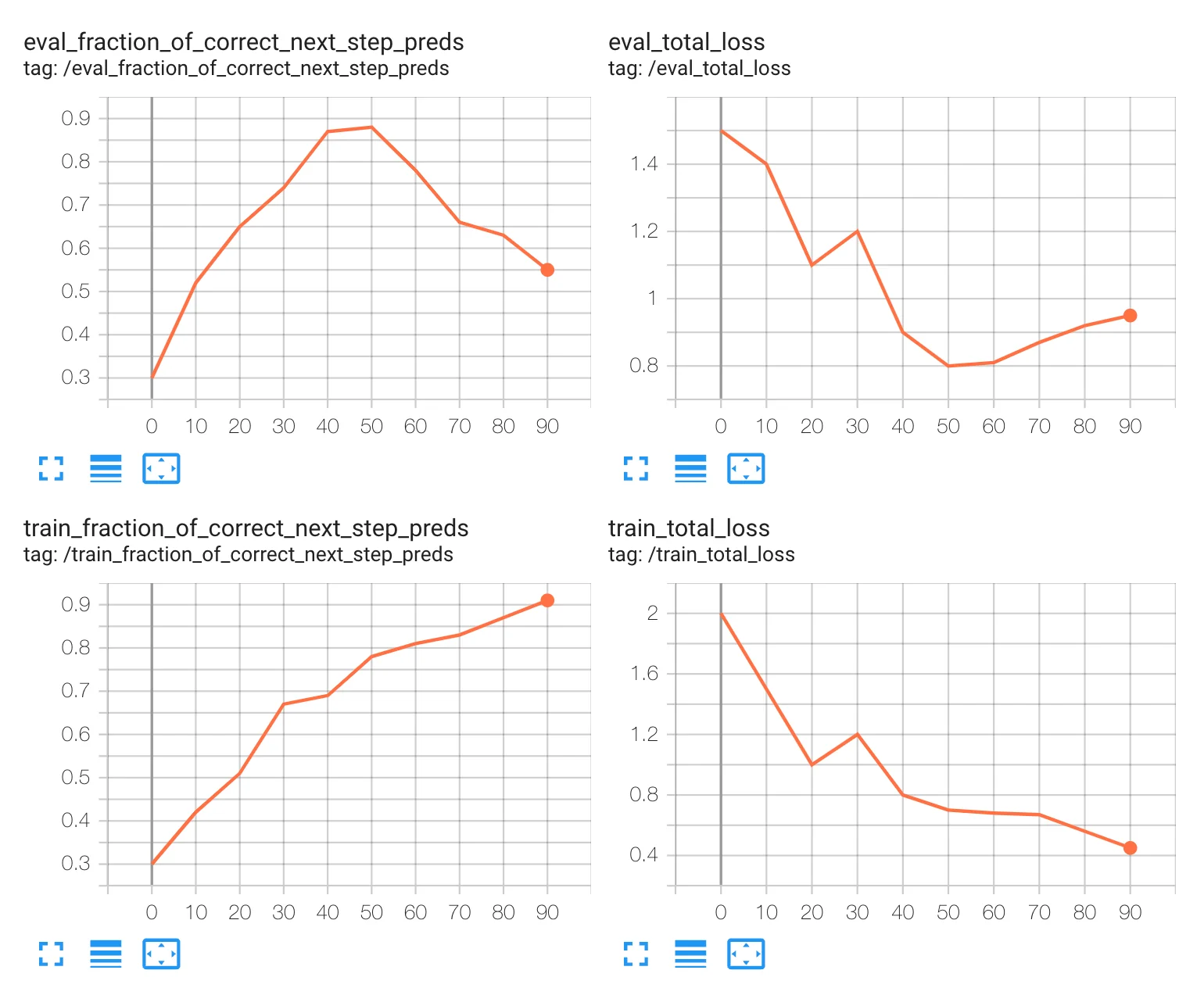
Total loss — the model's error magnitude. Should decrease steadily throughout training. A sudden spike or plateau signals a problem.
Prediction accuracy — the proportion of correct outputs. Should increase gradually. High training accuracy paired with low validation accuracy indicates overfitting.
How Do You Estimate Gemini Fine Tuning Cost?
Start with the formula, then check the current Google Cloud pricing page:
Training cost = training data tokens x epochs x per-token price
Example planning calculation for a text tuning job:
Total training tokens = 100 x 500 x 10 = 500,000 tokens
Final cost depends on the current model-specific tuning price, region, quota, and inference usage after deployment
Do not hard-code prices in a project plan. Google Cloud model pricing, supported regions, and quotas can change.
How Should You Evaluate a Fine-Tuned Gemini Model?
Do not deploy without evaluation. Three evaluation layers build confidence:
Automated metrics — precision, recall, F1 score. The baseline check. For classification tasks, examine per-class metrics rather than overall averages.
Model-as-judge — use another AI model to score your fine-tuned outputs. Faster than human review and catches hidden issues. I recommend using Claude or GPT as the judge, equipped with a rubric covering three dimensions: accuracy (is the information correct?), relevance (does it answer the question?), and style match (does tone and format meet expectations?). Score each dimension 1-5.
Human evaluation — the most reliable and most expensive. Sample at least 50 outputs for manual review. Focus on:
Whether "difficult samples" that the base model consistently failed have improved
New error patterns — fine tuning sometimes fixes old problems while introducing new ones
Style and tone alignment with expectations
Safety testing: fine tuning can inadvertently make a model more willing to produce inappropriate content, especially when training data contains edge cases. Prepare 10-20 adversarial test prompts — deliberately provocative questions that test whether the fine-tuned model maintains guardrails.
Why A/B Testing Before Production Is Non-Negotiable
Route a portion of traffic to the base model with optimized prompts and another portion to the fine-tuned model. Compare real business metrics: conversion rate, user satisfaction, human intervention rate. This is the only reliable way to confirm that fine tuning delivers value in production.
What Is Preference Tuning and When Should You Use It?
Google Vertex AI documentation includes preference tuning — useful for tasks where "correct" is subjective.
Traditional fine tuning says "this is the right answer." Preference tuning says "output A is better than output B." Use cases:
Conversational experience (which reply feels more natural)
Creative content generation (which concept is more compelling)
Training data uses "preference pairs": for each input, provide two outputs with a label indicating which is superior.
Data preparation shortcut from production: generate 5-10 different outputs from the base model for the same input, then have a human pick the "best" and "adequate" outputs to form preference pairs. This is far more efficient than writing two versions manually.
Preference tuning works exceptionally well when your stakeholders have strong opinions about quality but struggle to articulate explicit rules. Asking someone to compare two brand stories and pick the better one is much easier than asking them to write a comprehensive style specification. Preference tuning converts that implicit aesthetic judgment into a training signal.
What Practical Lessons Emerge from Production Fine Tuning?
Seven principles from shipping fine-tuned Gemini models:
Start with a small dataset. Begin with roughly 100 samples. Iterate fast, scale up only when metrics justify it.
Prioritize difficult samples. Cases the base model consistently gets wrong should be overrepresented in training data.
Mirror production inputs. Format training data exactly like real user queries — same structure, same phrasing patterns.
Monitor and update continuously. Collect feedback post-deployment. Update training data quarterly for fast-moving domains.
Version everything. Save configuration, data snapshots, and model endpoints for every fine tuning run. You will need to compare and rollback.
Keep controlled generation consistent. Google explicitly warns: adding controlled generation at inference time when it was absent during training degrades quality.
Take non-text tuning incrementally. If you plan to tune image or document understanding, validate the workflow on a text-only or single-modality slice first. Add modalities only after confirming Google Cloud support for your target model and region.
Fine tuning is iterative. Expect two to three rounds of refinement before reaching production quality.
What Should a Fine Tuning Project Deliverable Include?
A complete fine tuning project delivery covers:
The trained model endpoint with API documentation
A test set evaluation report comparing metrics before and after fine tuning
Version records for training data with update notes
A maintenance guide explaining when to retrain and how to prepare new data
One principle I hold firmly: never overstate fine-tuned model performance. Let stakeholders test with real scenarios before full rollout, and build in a one-week feedback collection period. Fine tuning is not a one-shot deliverable — the first version typically needs one to two refinement cycles. Account for this iteration window in your project timeline.
Common Issues and Solutions
Problem
Symptom
Fix
Underperformance
Metrics miss targets
Add high-quality data or adjust learning rate
Overfitting
High training accuracy, low validation accuracy
Reduce epochs, increase data diversity
Data quality issues
Loss stalls or oscillates
Audit data quality, remove outlier samples
Training instability
Loss swings wildly
Lower the learning rate multiplier
Slow convergence
Loss drops only after many epochs
Raise the learning rate multiplier, verify data format
Ready-to-Use Prompt: Plan a Gemini Fine-Tuning Project in 5 Steps
What this does: Decides whether fine-tuning is even the right lever (vs prompt engineering or RAG), then runs the five-step Google Cloud workflow — baseline first, 100-clean-sample data prep, instruction + hyperparameter design, and evaluation against the baseline with verified cost. Based on: Gemini Fine Tuning on Google Cloud: The Complete 5-Step Guide — https://aiworkflowpro.com/gemini-fine-tuning-guide/ Time to run: ~5 minutes
Copy this prompt into Claude Code, ChatGPT, or any AI assistant:
ROLE: You are a Gemini Fine-Tuning Planner. Your job: decide if fine-tuning is the right lever, then run the five-step Google Cloud workflow without ever skipping the baseline or trading data quality for quantity.

CONTEXT — 5-STEP FINE-TUNING METHOD:
Fine tuning turns a generalist Gemini into a domain specialist by baking industry judgment, output format, and brand voice into the weights — treat it as a Google Cloud Vertex AI workflow, not a generic API feature. The lever question comes first: try prompt engineering, then RAG for fresh external knowledge, and only fine-tune when you need behavior, style, or format baked into weights — not to add knowledge. Then run five steps: (1) baseline testing — measure the base model first so you can prove the gain; (2) data preparation — 100 high-quality samples routinely beat 1,000 sloppy ones; (3) instruction design; (4) hyperparameter configuration; (5) evaluation against baseline. Verify supervised-tuning model availability (Gemini 2.5 Pro/Flash/Flash-Lite), treat image/document tuning as separate, and confirm current pricing/quotas.

INPUTS (fill in before running):
- OBJECTIVE: [What you want the model to do better — style/format/brand voice, or new knowledge]
- SAMPLES_AVAILABLE: [How many quality examples you have]
- BASELINE_MEASURED: [Have you measured the base model's performance? yes / no]
- BUDGET: [Cost sensitivity / Vertex AI access]

METHOD — 4 STEPS:

Step 1 — Decide Fine-Tune vs Prompt vs RAG
From OBJECTIVE: knowledge the model lacks → RAG; a better prompt closes it → prompt-engineer; behavior/style/format/brand-voice baked into weights → fine-tune. State the call and one line why. If not fine-tuning, stop.

Step 2 — Baseline and Data Prep
If BASELINE_MEASURED is no, measure the base model on a held-out set first — no tuning without a number to beat. Then prepare data per the 100-clean rule: 100 high-quality, on-domain samples beat 1,000 sloppy ones; reject any sample that is ambiguous or off-format.

Step 3 — Instruction Design and Hyperparameters
Design the tuning instructions (consistent schema, clear input/output pairs). Set hyperparameters (epochs, learning rate, batch) conservatively — start small, scale only if evaluation demands. Confirm supervised tuning is available for your target model.

Step 4 — Evaluate Against Baseline and Verify Cost
Re-measure on the held-out set and compare to the baseline — the tuning must beat it or revert. Treat preference tuning as a separate workflow if style/alignment is the goal. Verify current pricing and quotas against BUDGET before going live.

RULES:
- Never fine-tune to add knowledge — that is RAG's job; fine-tune only for behavior, style, format, or brand voice.
- Never start tuning without a measured baseline — without a number to beat, you cannot prove the tuning helped.
- Never trade quality for quantity in training data — 100 clean samples beat 1,000 sloppy ones.

OUTPUT FORMAT:
Output a markdown report with:
1. Lever Decision — fine-tune / prompt / RAG + one-line why
2. Baseline + Data Plan — baseline measurement + the 100-clean data spec
3. Instruction + Hyperparameter Plan — instruction schema + conservative hyperparameters + model availability
4. Evaluation + Cost — baseline comparison + preference-tuning note + verified pricing/quotas
Save as @templates/gemini-fine-tuning-guide.md and run before fine-tuning Gemini, or when deciding if fine-tuning is even the right lever.
Frequently Asked Questions
Can you export a fine-tuned Gemini model from Vertex AI?
No. Vertex AI fine-tuned Gemini models do not support weight export. You can call the tuned model through the supported Google Cloud interface. For full weight control, use an open-weight model instead.
What if the fine-tuned model performs worse than the base model?
More common than you might expect. The usual cause is overfitting — too little data or too many epochs cause the model to memorize training samples and lose generalization. Debugging order: check for labeling errors and format inconsistencies, then reduce epochs and retrain, then audit data diversity.
How often should you retrain?
Depends on domain velocity. For frequently changing business rules, product catalogs, or regulations, evaluate quarterly and retrain as needed. For stable domains, semi-annual or annual evaluation suffices. The key is a scheduled review cadence — do not wait for user complaints to surface model drift.
Does fine tuning increase ongoing inference costs?
Do not assume. Estimate training cost and ongoing inference cost from the current Google Cloud pricing page for the exact model and endpoint you use. Pricing, quotas, and supported regions can change.
Can you fine tune Gemini for multimodal tasks?
Google Cloud documents separate image and document tuning workflows. Confirm the target model, modality, region, and interface before promising a multimodal fine tuning project. Do not assume audio or video tuning support from text tuning docs.
Fact-check status: updated against Google Cloud and Google AI for Developers documentation on 2026-07-02.
Gloves on, tape measure in hand — nobody types a query. Three voice surfaces for ai automation tools (terminal, Telegram, Discord), 10 TTS and 6 STT providers compared on cost and latency, plus a setup that costs nothing.
Nothing about month four is harder than month three. It is simply the month an unpaid channel starts to feel like proof of failure. Surviving it takes a cadence you can hold while earning nothing, which is a better reason to automate business processes than speed ever was.
One number hides more than it shows. This Claude Code Skill scores US equities across 10 dimensions, from earnings surprise to peer comparison, with confidence scoring and 5 safety valves that flag thin data. A coding tutorial, not financial advice.
Publishing eats your week through research, SEO fields, images, and uploading — not writing. Here is the 10-step workflow automation pipeline that takes a topic to a published draft on one command, and the data contract that lets each step hand off cleanly to the next.