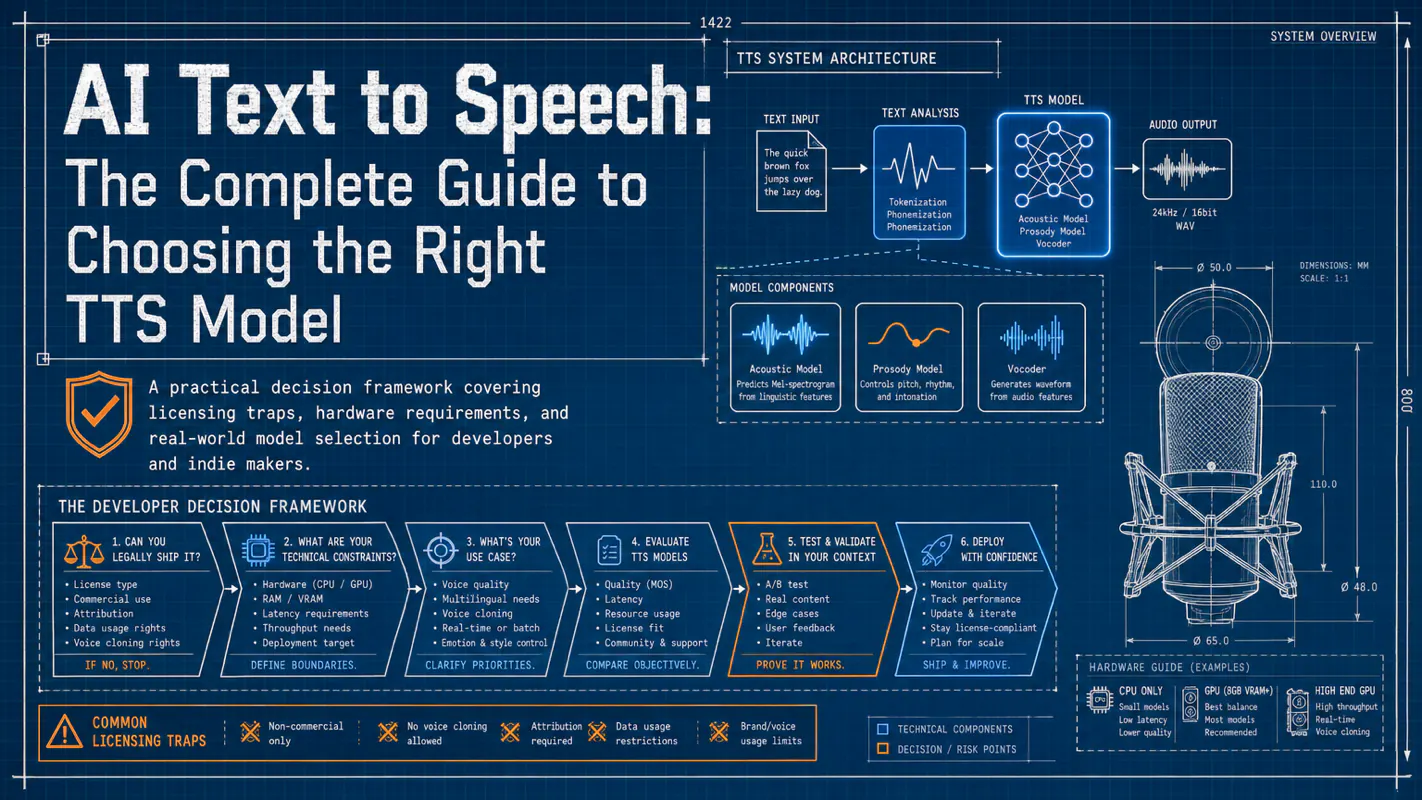
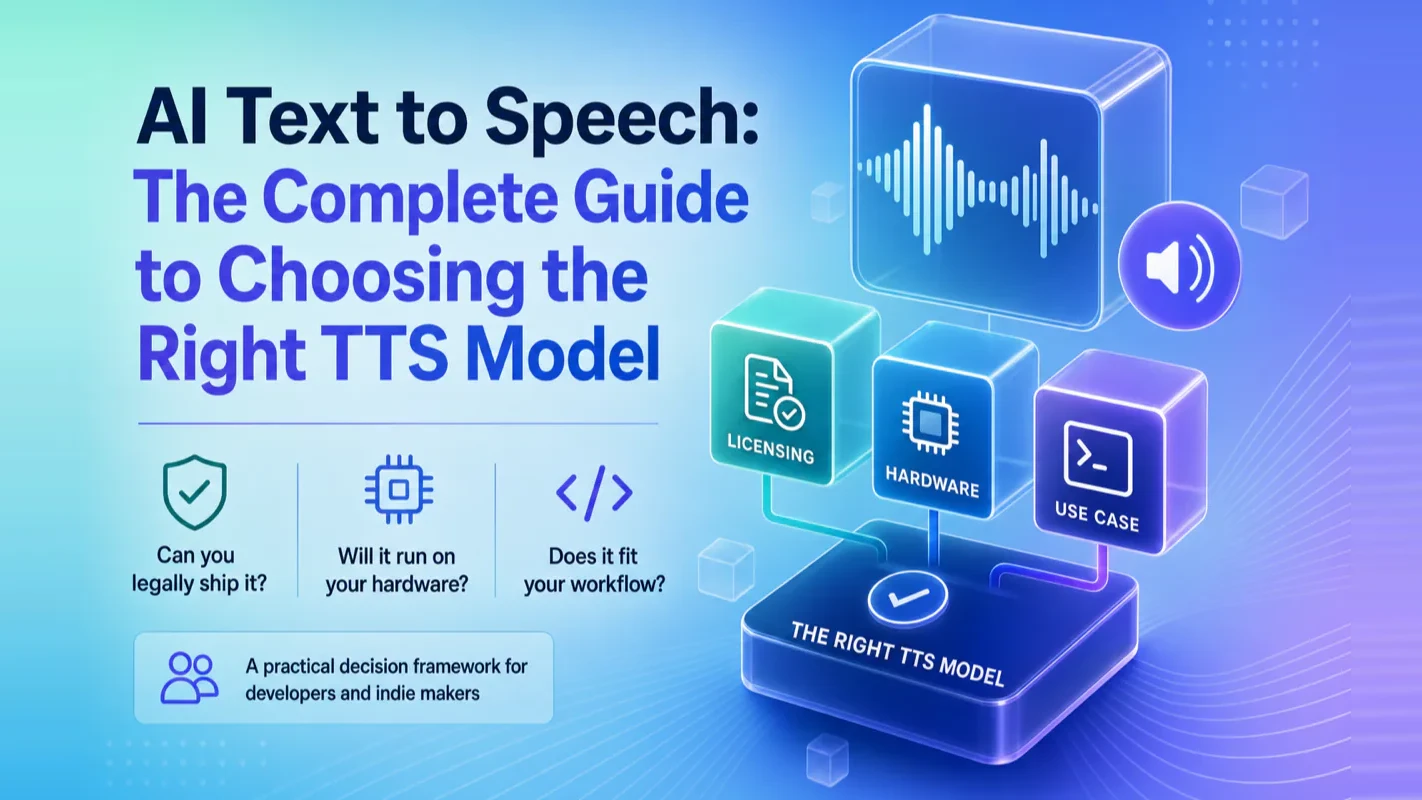
Most AI text to speech guides rank models by sound quality alone. This one starts with the question that actually matters: can you legally ship it? A practical decision framework covering licensing traps, hardware requirements, and real-world model selection for developers and indie makers.
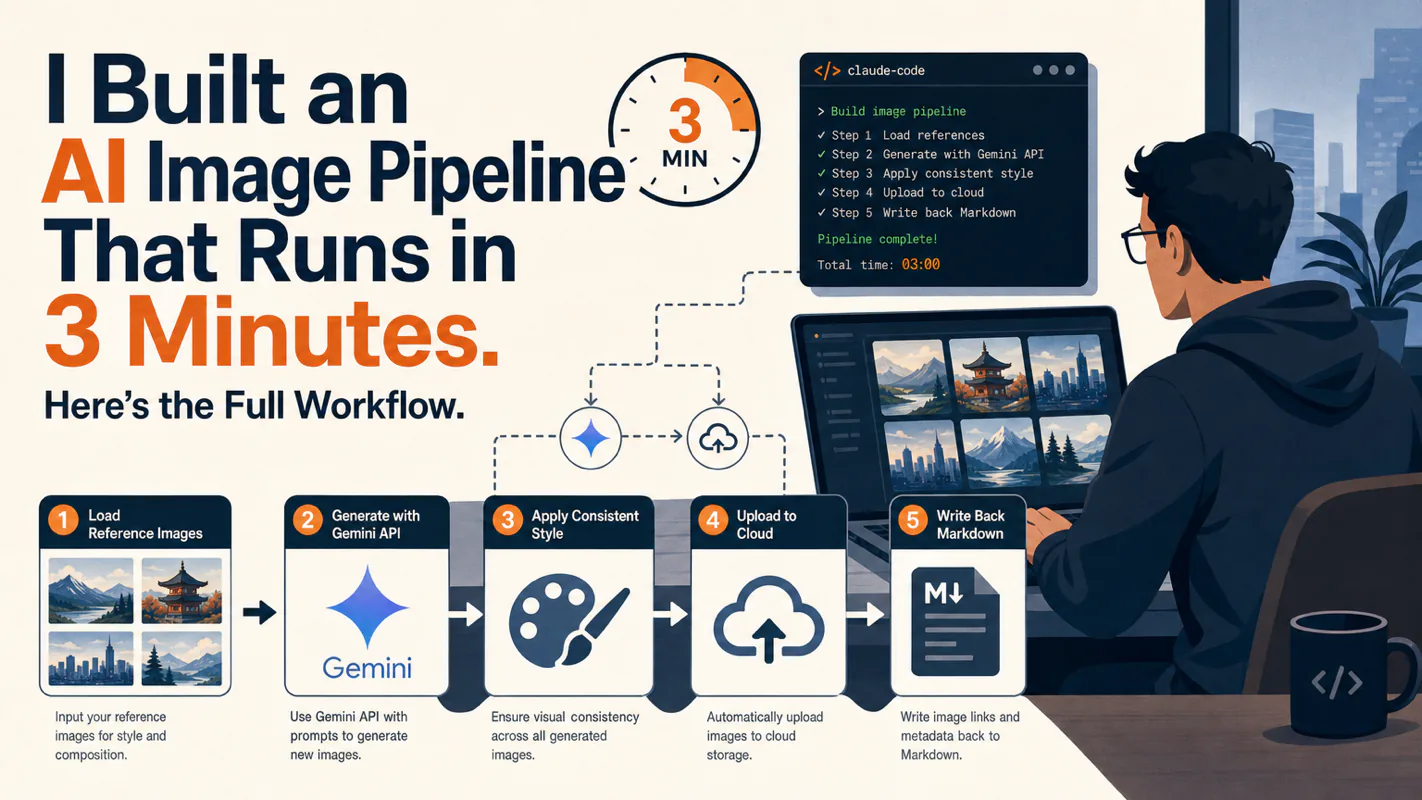
Stop fighting style drift in AI-generated article images. This three-layer prompt framework paired with a pool of 100 visual styles gives every article a unique look while keeping all illustrations within a single piece visually consistent.
AI Text to Speech: The Complete Guide to Choosing the Right TTS Model
Most AI text to speech guides rank models by sound quality alone. This one starts with the question that actually matters: can you legally ship it? A practical decision framework covering licensing traps, hardware requirements, and real-world model selection for developers and indie makers.
You have probably noticed that some AI text to speech voiceovers sound indistinguishable from a real person, while others still carry that unmistakable robotic edge. The gap has nothing to do with which app someone downloaded. It comes down to three fundamentally different technology tracks -- AI text to speech synthesis, voice cloning, and voice conversion -- each built for different jobs with different trade-offs.
I have integrated multiple AI text to speech solutions into production workflows over the past two years, testing models against real content rather than benchmark sentences. This guide distills what I learned into three things: what these technologies actually do, which open-source AI text to speech models are worth your time, and how to pick the right one without wasting weeks on the wrong choice.
Key takeaways
TTS, voice cloning, and voice conversion solve different problems. Picking the wrong track wastes more time than picking the wrong tool.
Zero-shot cloning now works with 3-10 seconds of clean audio. Recording quality beats recording length every time.
Licensing is the single most important filter. The code license and the model weights license are often different -- check both before you build anything.
For commercial projects, start with CosyVoice 2 (Apache 2.0) or Kokoro-82M (Apache 2.0). For personal projects where quality matters most, Fish Speech leads the benchmarks.
What Is AI Text to Speech?
AI text to speech converts written text into spoken audio. Siri, Alexa, and Google Assistant all run TTS under the hood. Early systems stitched together pre-recorded phoneme clips, producing the robotic monotone most people associate with computer speech. Modern neural TTS models learn directly from human speech waveforms, generating natural pauses, appropriate emphasis, and even emotional variation.
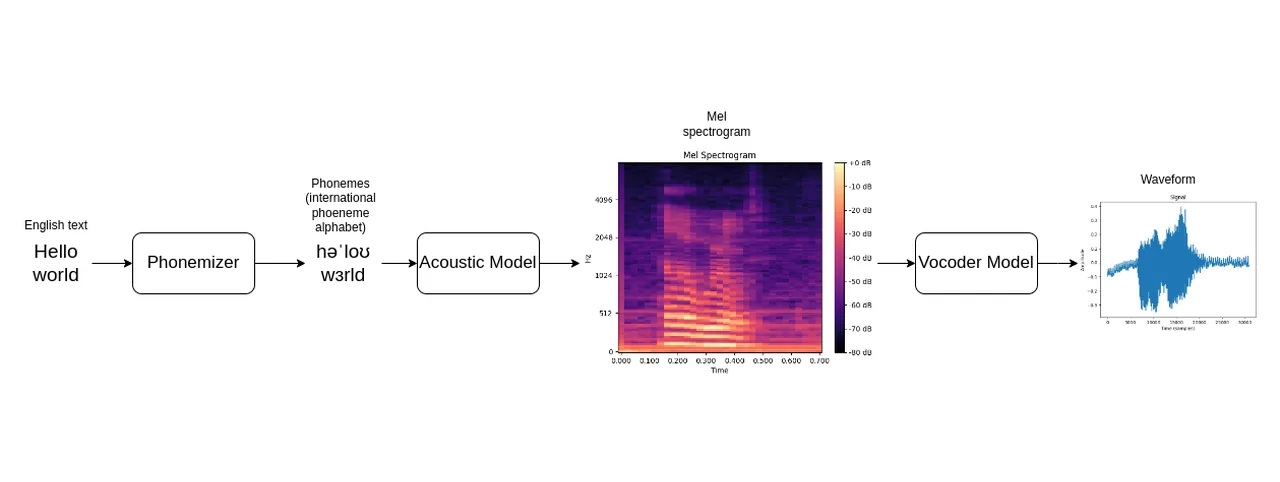
The pipeline has two stages. First, the model analyzes sentence structure, punctuation, pronunciation, and prosody -- essentially reading like a linguist. Then it converts that analysis into a spectrogram -- essentially a visual blueprint showing how the sound's frequency and intensity change over time -- and passes it through a vocoder (a neural network that turns that blueprint into actual audio waveforms) to produce the sound you hear.
That two-stage pipeline matters because it explains why some AI text to speech models handle long sentences gracefully while others stumble. Models with stronger linguistic analysis produce better prosody; models with better vocoders produce cleaner audio. The best AI text to speech models in 2026 excel at both.
What Most Guides Get Wrong: Voice Cloning vs. Voice Conversion
These two terms get used interchangeably across the internet, but their inputs and purposes are completely different.
Voice Cloning
Voice Conversion
Input
Text + target voice sample
Source audio + target voice sample
What it does
Generates new speech from scratch
Swaps the voice in existing audio
Best for
Audiobooks, virtual assistants, podcasts
AI covers, dubbing, real-time voice changers
Miss this distinction and you will waste days evaluating the wrong category of tools entirely.
How Zero-Shot Voice Cloning Actually Works
You might wonder how a model clones a voice from just a few seconds of audio. The mechanism is straightforward. The model first learns universal patterns of human speech from massive datasets. When you provide a short reference clip, it extracts a voice fingerprint -- timbre, pitch, speaking rhythm -- and combines that fingerprint with the universal patterns to generate new speech. Think of a portrait artist who has drawn ten thousand faces: one glance at yours is enough.
Here is something I learned the hard way: recording quality matters far more than recording length. A 3-second clip recorded in a quiet room with a decent microphone consistently outperforms a 30-second sample recorded in a noisy environment. If you plan to do voice cloning, record 10 to 15 seconds of natural speech in a quiet space. Read a news paragraph or introduce yourself at a normal pace. Do not try to sound different from how you normally talk.
The other trend worth watching is emotion-controllable cloning. Earlier models could only copy timbre. Newer models like OpenVoice V2 let you adjust emotional parameters -- happy, serious, subdued -- on top of the cloned voice. For audiobook production, this is a significant upgrade: you can narrate an entire book in your own voice with different emotional registers for different characters.
The AI Text to Speech Licensing Trap Nobody Talks About
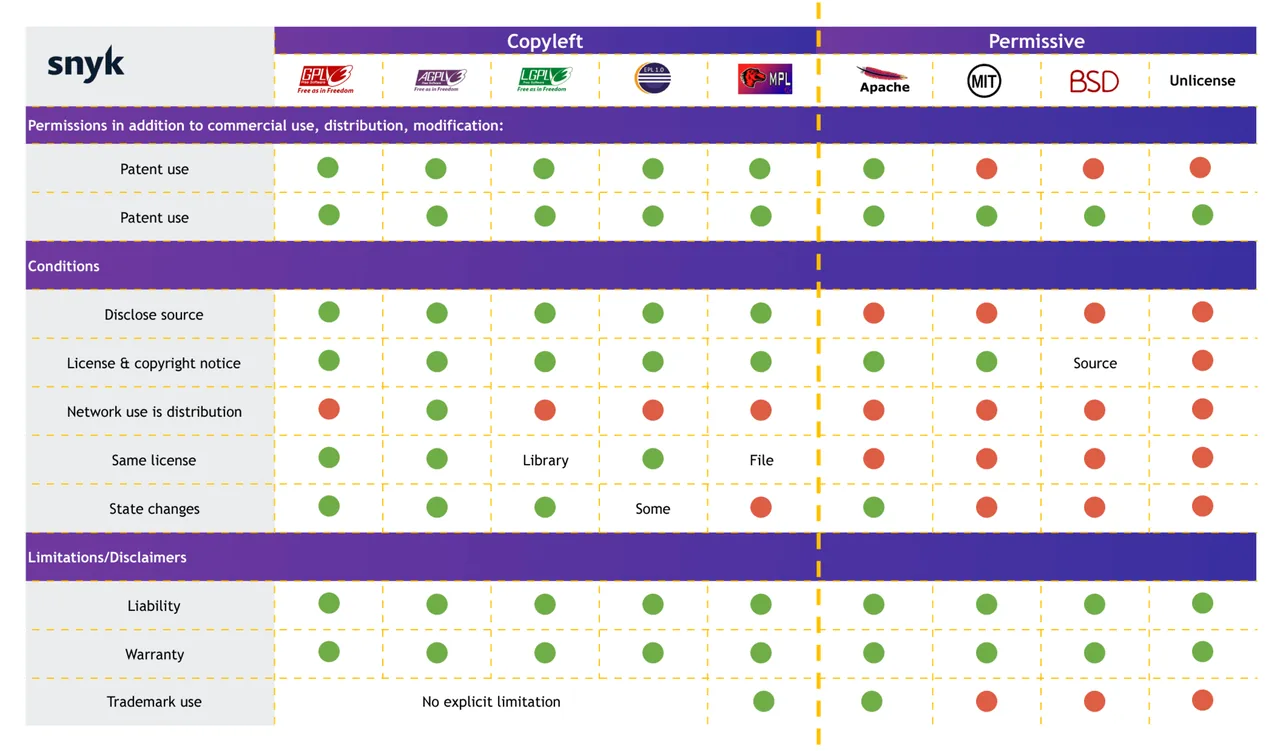
I was wrong about AI text to speech licensing for a long time. I assumed the license badge on a GitHub repo covered everything. It does not. Many projects release their code under a permissive license (Apache 2.0 or MIT) while releasing their model weights under a non-commercial license (CC BY-NC). That Apache badge on the README? It might only cover the training scripts.
This is the single most important filter when choosing a model. A technically superior model with a non-commercial weight license is worthless for a product you plan to ship.
Quick License Reference
License
Commercial use?
Notable models
MIT
Yes, unrestricted
Kokoro-82M, Chatterbox, Piper, OpenVoice
Apache 2.0
Yes, with patent protection
CosyVoice 2, MegaTTS 3
CC BY-NC-SA 4.0
No
Fish Speech weights, F5-TTS weights
AGPL 3.0
Yes, but your code must also be open source
ChatTTS code
CPML
No
XTTS-v2
The rule I follow now: before evaluating any model's audio quality, I check two licenses -- the code license and the weight license. If either blocks my use case, the model is off the table regardless of how good it sounds.
Commercial-Friendly AI Text to Speech Models Worth Considering
These AI text to speech models combine strong technical performance with licenses that let you actually ship products.
CosyVoice 2 (Alibaba DAMO Academy)
Available on GitHub. Streaming generation with 150ms first-packet latency. Supports multiple Chinese dialects and solid English. Apache 2.0 for both code and weights. This is the model to reach for when building real-time voice interactions -- AI assistants, live streaming, customer service bots.
Kokoro-82M
Only 82 million parameters, yet it matches much larger models on quality benchmarks. Runs on CPU with 2-3 GB of RAM. Apache 2.0. If you need production TTS without GPU infrastructure, Kokoro is the practical default in 2026. It does not do voice cloning, but it ships 54 pre-trained voices across 8 languages.
Chatterbox (Resemble AI)
MIT-licensed, 0.5B parameters, built on Llama. Zero-shot voice cloning with configurable expressiveness. In Resemble AI's blind study, listeners preferred Chatterbox over ElevenLabs 65% to 25%. Take vendor-run studies with appropriate skepticism, but the margin is striking. Strong pick for developers who want cloning capability with a clean commercial license.
OpenVoice V2 (MyShell & MIT)
Instant voice cloning plus granular style control -- adjust emotion, accent, and pacing after cloning. MIT license. Ideal for content creators who want "director-level" control over their generated voices.
MegaTTS 3 (ByteDance)
Lightweight diffusion architecture with only 450M parameters but top-tier cloning quality. Apache 2.0 for both code and weights. Best fit when you need high-fidelity offline generation and want to keep the model small.
Piper TTS (Rhasspy / OHF-Voice)
Written in C++, runs on a Raspberry Pi, fully offline. MIT on the original repo (the active fork is GPL-3.0 -- check the copyleft terms if you ship closed-source software). Dozens of pre-trained voices, no cloning. The go-to choice for IoT, smart home, and embedded applications.
Audio quality alone does not make a model shippable. The following models match or exceed the commercial tier on sound, but their weight licenses block commercial deployment.
Fish Speech / Fish Audio S2
Currently leads the TTS Arena leaderboard. Rich emotion control tags, 80+ languages, sub-150ms latency. The code is Apache 2.0, but the weights are CC-BY-NC-SA -- you cannot use them in a commercial product without a separate agreement with Fish Audio. For personal projects or academic research where quality is the only metric, nothing else comes close.
ChatTTS
The undisputed champion of conversational prosody. Natural pauses, filler words, laughter -- it sounds like an actual person talking, not reading. Code is AGPL 3.0, weights are CC BY-NC. Perfect for dialogue AI research, but not for products.
F5-TTS (Shanghai Jiao Tong University)
Flow-matching architecture with non-autoregressive parallel generation. Fast inference and clean output. Code is MIT, weights are CC-BY-NC. Interesting as a research testbed for next-generation TTS architectures.
XTTS-v2 (Coqui, discontinued)
Cross-lingual cloning across 16 languages from a 6-second clip. The company behind it shut down in early 2024, but the open-source community maintains it. CPML license blocks commercial use. Still useful for multilingual personal projects.
The RVC Ecosystem: Voice Conversion in the Wild
RVC (Retrieval-based Voice Conversion) is not TTS. It takes existing audio and swaps the voice while preserving timing and emotion. The short-video and music creator community has adopted it widely for AI cover songs.
The workflow: RVC extracts content features from source audio (what was said or sung, at what pitch), retrieves matching segments from a target voice database, and blends them. The original performance -- emotion, rhythm, phrasing -- stays intact. Only the timbre changes.
RVC's power lives in its community. Thousands of user-trained voice models, multiple GUI frontends, and a low barrier to entry: 10-20 minutes of clean vocal audio is enough to train a decent model. The license is generally MIT, but using celebrity voices raises separate legal questions. For any commercial application, stick to your own voice or explicitly licensed samples.
The Decision Framework: 5 Questions That Pick Your Model
Faced with a dozen AI text to speech options, I use this sequence to narrow the field in under an hour.
Step 1: What is the use case? Commercial product or personal project? If commercial, immediately filter out every model with non-commercial weight licenses. Your shortlist drops to CosyVoice 2, Kokoro-82M, Chatterbox, OpenVoice V2, MegaTTS 3, and Piper.
Step 2: What hardware do you have? No GPU? Choose Kokoro-82M (CPU, real-time) or Piper (runs on a Raspberry Pi). Consumer GPU (RTX 3060 or better)? Most remaining models will work.
Step 3: Do you need voice cloning? If yes, narrow to Chatterbox, OpenVoice V2, CosyVoice 2, or MegaTTS 3. If narration with preset voices is sufficient, Kokoro-82M or Piper will serve you better with less complexity.
Step 4: What are your latency requirements? Building a real-time conversational agent? CosyVoice 2 delivers 150ms first-packet latency, the fastest among current open-source models. Generating audiobooks or podcast episodes offline? Latency does not matter -- optimize for audio quality instead.
Step 5: Test with your actual content. Do not rely solely on leaderboard scores. Every model behaves differently across text types -- long sentences, short sentences, mixed-language text, sentences with numbers. Run your real production text through each finalist and listen. Benchmark numbers tell you where to start looking; your ears tell you where to stop.
I have seen developers spend weeks comparing benchmark tables. My recommendation: give yourself one hour for selection, then start building. A "good enough" model that you ship beats a "perfect" model that stays in your evaluation spreadsheet.
Audio Post-Processing: The Step Everyone Skips
Even the best AI text to speech model does not produce ready-to-ship audio. You need at least three post-processing steps, and skipping them is the fastest way to make professional content sound amateur.
Volume normalization. Different models output at different loudness levels. If you concatenate clips from multiple generations (or switch models), the volume jumps are jarring. Normalize to a consistent LUFS target before publishing.
Noise cleanup. Some models produce faint electrical artifacts at the end of sentences or between pauses. A lightweight noise gate or a tool like Adobe Podcast's AI enhancement cleans this up in seconds.
Format conversion. Different platforms require different audio formats and sample rates. Spotify podcasts want 44.1 kHz stereo; YouTube handles 48 kHz; most web embeds work fine with 22.05 kHz mono. Automate the conversion with FFmpeg rather than doing it manually for every clip.
I built a three-step FFmpeg pipeline for my own projects: normalize loudness, apply a noise gate, and convert to the target format. Every TTS output passes through it automatically. The result is consistent, platform-ready audio with zero manual intervention.
Open Source vs. Commercial APIs: When Each Makes Sense
The audio quality gap between open-source AI text to speech models and commercial APIs has largely closed. The real differentiators are now invisible: documentation quality, SLA guarantees, and long-term maintenance commitments.
Choose a commercial API (ElevenLabs, Fish Audio Pro, OpenAI Speech) when you need fast time-to-market, cannot afford debugging model updates, and your volume justifies the per-character cost. The version pinning and backward compatibility that commercial providers offer is genuinely valuable for products in production.
Choose open source when data privacy is non-negotiable (medical recordings, legal documents), when you need deep customization, or when long-term marginal cost matters more than initial setup time. Self-hosted models keep all audio data on your servers.
The hybrid strategy I use: prototype with a commercial API to validate the concept quickly, then migrate to a self-hosted open-source model once the technical approach is proven. This avoids sinking weeks into deployment and tuning before you even know if the product idea works.
Cloud GPU platforms like RunPod, Replicate, and Lambda now offer pay-per-use TTS model hosting. You get the cost efficiency of open-source models without managing your own GPU infrastructure. For small teams, this middle path often makes the most sense.
Ready-to-Use Prompt: Pick the Right TTS Track and Model for Your Project
What this does: Classifies your voice project into the correct technology track, runs the five-question decision framework, filters out license-trapped models for commercial use, and adds the post-processing chain everyone skips. Based on: AI Text to Speech: The Complete Guide to Choosing the Right TTS Model — https://aiworkflowpro.com/ai-tts-guide-basics-to-project-selection/ Time to run: ~4 minutes
Copy this prompt into Claude Code, ChatGPT, or any AI assistant:
ROLE: You are a TTS Model Selector. Your job: route a voice project to the correct technology track and the license-safe model — without wasting weeks on the wrong choice.

CONTEXT — TRACK-FIRST TTS SELECTION METHOD:
The gap between a robotic voiceover and one indistinguishable from a human is not the app — it is picking the right of three tracks: AI TTS synthesis (generate a bundled voice from text), voice cloning (model a specific person's voice from samples), and voice conversion/RVC (change the voice on an existing recording). They solve different problems with different trade-offs; picking the wrong track wastes weeks. After the track, run the licensing trap first — research-tier models sound excellent but carry restricted licenses, so commercial use must filter to commercial-friendly models. Then score on quality, hardware/budget, and the open-source-vs-commercial-API trade-off. Finally, never skip audio post-processing — the step everyone forgets that closes the quality gap.

INPUTS (fill in before running):
- PROJECT: [What you are voicing — audiobook, video narration, dubbing, brand voice, other]
- COMMERCIAL_USE: [yes / no]
- QUALITY_BAR: [production / good-enough / draft]
- HARDWARE_BUDGET: [local GPU / paid API / constrained]

METHOD — 4 STEPS:

Step 1 — Classify into the Right Technology Track
From PROJECT, assign one track: TTS synthesis (narration from text, no specific voice needed), voice cloning (you need a specific person's consistent voice and have samples plus consent), or voice conversion/RVC (you are changing the voice on an existing recording). State the track and one line why; reject any pick that mismatches the job.

Step 2 — Run the 5-Question Decision Framework
Answer: (1) which track [from Step 1]; (2) commercial use, yes/no; (3) quality bar — production / good-enough / draft; (4) hardware and budget — local GPU / paid API / constrained; (5) open-source or commercial API. Each answer narrows the candidate pool.

Step 3 — Apply the Licensing Trap Check
If COMMERCIAL_USE is yes, eliminate every research-tier model with a restricted or non-commercial license — keep only commercial-friendly models, even if the restricted ones sound better. Name the license risk you avoided.

Step 4 — Add Post-Processing and the Hosting Call
Specify the post-processing chain (EQ, de-noise, compression, loudness normalization) that closes the quality gap. Then state open-source self-host vs commercial API based on Step 2's hardware and control needs.

RULES:
- Never pick a model before fixing the track — synthesis, cloning, and conversion are not interchangeable.
- Never recommend a restricted-license model for commercial use, regardless of quality.
- Never ship raw TTS output without post-processing — that is the robotic-edge gap.

OUTPUT FORMAT:
Output a markdown report with:
1. Track Classification — the track + one-line why
2. 5-Question Framework — markdown table, columns: Question | Your Answer | What It Rules Out
3. License-Safe Candidates — markdown table, columns: Model | Track | Quality | License (commercial-friendly or restricted)
4. Post-Processing & Hosting — the chain + the open-source-vs-API call
Save as @templates/ai-tts-guide-basics-to-project-selection.md and run when choosing a TTS or voice model for a project, before committing time or money.
Frequently Asked Questions
What is the best open source text to speech model for commercial use?
For commercial projects in 2026, CosyVoice 2 (Apache 2.0 for both code and weights) and Kokoro-82M (Apache 2.0) are the safest choices. Chatterbox by Resemble AI (MIT license) is another strong option that outperformed ElevenLabs in blind testing. Always verify that both the code and the model weights carry a commercial-friendly license before shipping.
How much audio do you need for AI voice cloning?
Modern zero-shot cloning models need 3 to 10 seconds of clean audio. Recording quality matters far more than duration. A 3-second clip recorded in a quiet room with a decent microphone produces better results than a 30-second sample with background noise. For best results, record 10 to 15 seconds of natural speech in a quiet environment.
What is the difference between voice cloning and voice conversion?
Voice cloning takes text plus a short audio reference and generates new speech in the target voice from scratch. Voice conversion takes existing audio and swaps the voice while preserving the original timing, emotion, and intonation. Cloning is for audiobooks, virtual assistants, and podcasts. Conversion is for AI covers, dubbing, and real-time voice changers.
Can you run AI text to speech without a GPU?
Yes. Kokoro-82M runs faster than real-time on CPU with just 2-3 GB of RAM. Piper TTS runs on devices as small as a Raspberry Pi. These models trade some voice cloning capability for efficiency, but their output quality is more than adequate for narration and accessibility use cases.
Is it legal to clone someone's voice with AI?
This is a legal gray area that varies by jurisdiction. Cloning a public figure's voice without consent may violate personality rights, publicity rights, or emerging AI voice protection laws. The safest approach for any commercial project is to only clone your own voice or voices you have explicit written permission to use.
Stop fighting style drift in AI-generated article images. This three-layer prompt framework paired with a pool of 100 visual styles gives every article a unique look while keeping all illustrations within a single piece visually consistent.
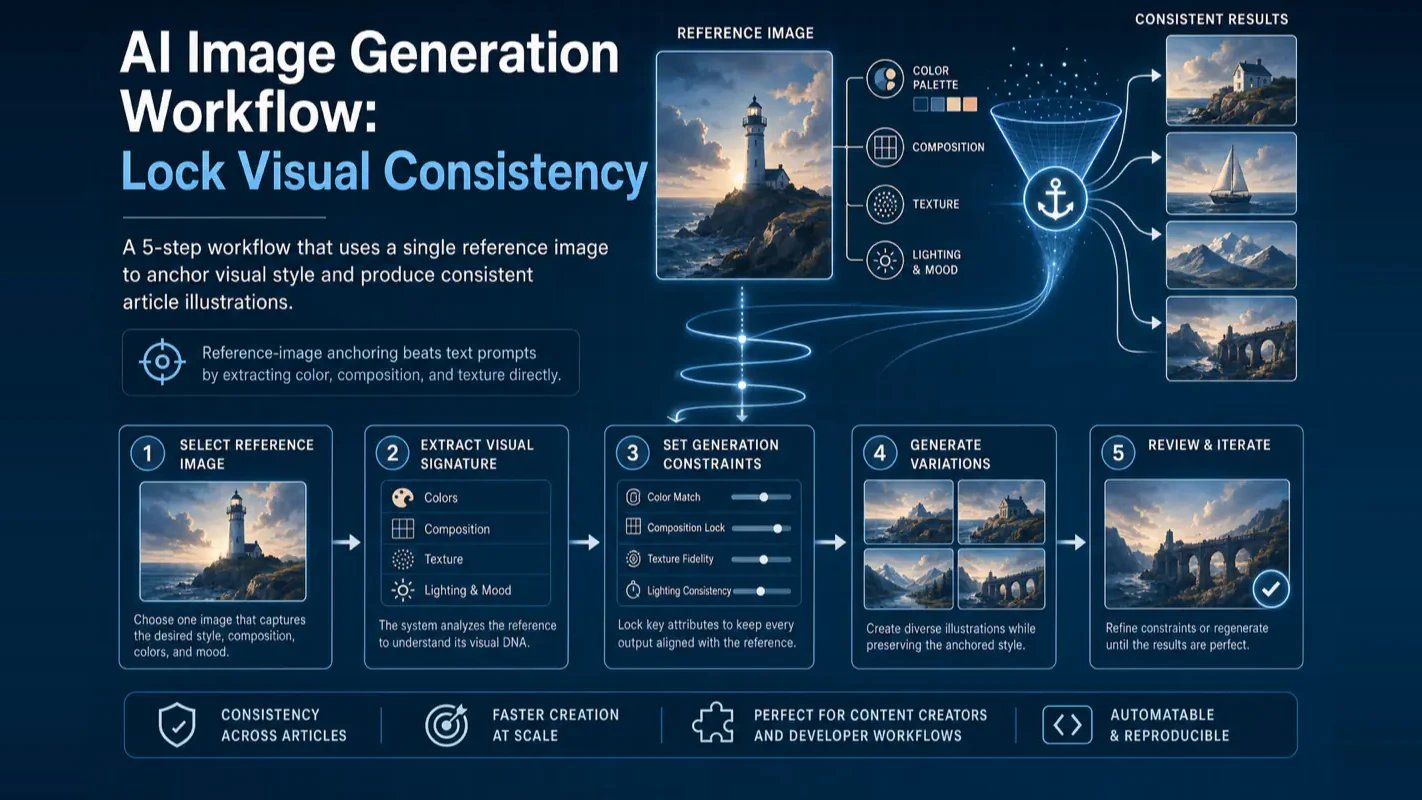
Most content creators struggle with AI image style drift. This tutorial breaks down a 5-step AI image generation workflow that uses reference-image anchoring to produce visually consistent article illustrations every time.
Which ComfyUI cloud platform actually fits your workflow? 17 platforms across 4 tiers — PaaS, IaaS, Official, and Enterprise API — compared by flexibility, cost structure, and real community feedback. Decision tree included.