Monitoring a competitor who publishes no feed is the case every RSS guide skips. Twenty-one platforms sorted by which of three jobs they do, and the finished setup is business process automation you own outright, with no seat licence to renew.
Blaming the content is the reflex when a post underperforms, and it is usually the wrong diagnosis. A second reader decides distribution before any human sees the post, and most of what it checks is mechanical enough to automate business processes around, on five platforms at once.
Gloves on, tape measure in hand — nobody types a query. Three voice surfaces for ai automation tools (terminal, Telegram, Discord), 10 TTS and 6 STT providers compared on cost and latency, plus a setup that costs nothing.
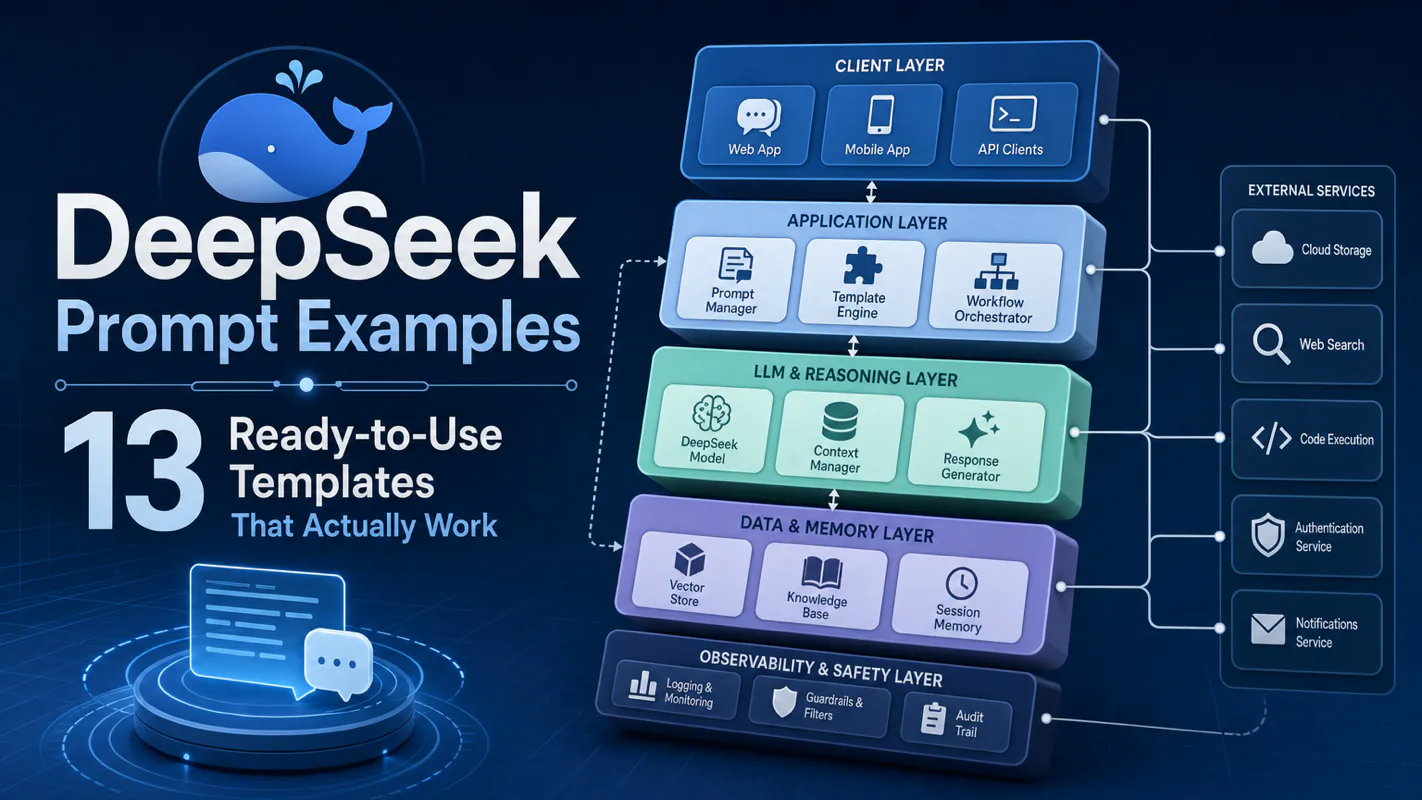
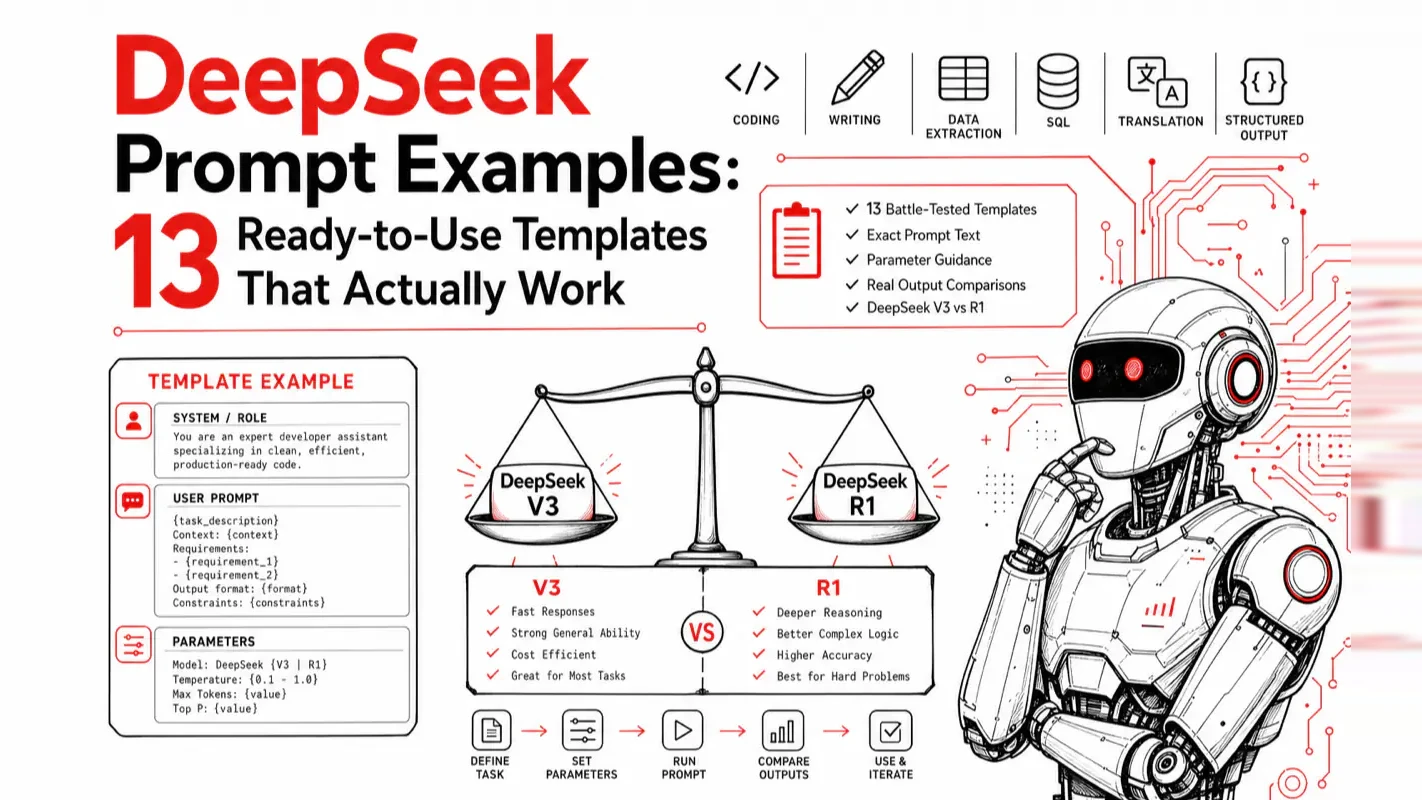
DeepSeek Prompt Examples: 13 Ready-to-Use Templates That Actually Work
Forty supplier emails in the inbox, one spreadsheet due by noon — that is the job these templates were built for. 13 DeepSeek prompts that turn an AI assistant for business into a repeatable one: extraction, summarization, SQL, translation, and structured JSON output.
Picture whoever opens the inbox at eight: forty supplier confirmations, every one in a different layout, all of it due in a single spreadsheet by noon. They do not need a smarter model. They need the same instruction to produce the same shape of answer on Tuesday that it produced on Monday, so the columns line up and nothing gets re-keyed by hand. That is the entire job of a template. Template 3 pulls fields out of messy text, Template 12 forces the reply into JSON, and the analyze-first structure below is why both still hold on the fortieth email.
Same task, same model, dramatically different output — that is the gap between a well-structured DeepSeek prompt and one you throw together on the fly. After running hundreds of prompts through DeepSeek and R1 across production workflows, I have distilled the difference down to template structure.
These 13 DeepSeek prompt examples come directly from the official DeepSeek prompt library, covering code, writing, data processing, and analysis. Every template below has been tested in real work, not hypothetical demos.
Key takeaways
13 copy-paste DeepSeek prompt templates spanning code, writing, data extraction, translation, and structured output
The "analyze first, then execute" prompt structure consistently outperforms direct instructions
DeepSeek R1 (reasoning model) works best with minimal prompting; the standard model needs explicit structure
Structured output (JSON/tables) and role-play are the two highest-leverage templates for output quality
What Do These 13 DeepSeek Prompt Templates Cover?
#
Category
Core Capability
1
Code Refactoring
Bug fixes, comments, performance optimization
2
Code Explanation
Understanding complex code logic
3
Data Extraction
Pulling structured data from unstructured text
4
Article Writing
Generating structured long-form content
5
Text Classification
Automated categorization and labeling
6
Text Summarization
Distilling key points from long documents
7
SQL Generation
Natural language to database queries
8
Meta-Prompt Creation
Using AI to write better prompts
9
Translation
High-quality multilingual translation
10
Slogan Writing
Creative tagline generation
11
LaTeX Formatting
Mathematical formula typesetting
12
Structured Output
JSON and table formatting
13
Role-Play
Simulating domain expert perspectives
Each template below includes the use case, the exact prompt, and advanced variations.
Code Refactoring (Template 1)
Working code that runs slowly or ignores edge cases is the perfect starting point for this template.
Prompt:
The following code has poor efficiency and does not handle edge cases.
First explain the problems and solutions, then optimize the code:

def fib(n):
    if n <= 2:
        return n
    return fib(n-1) + fib(n-2)
Why this works: The "explain first, then fix" sequence forces the model to reason through the problem before generating a solution. In my own automation scripts, I discovered this approach catches blind spots that a direct "fix this" prompt misses entirely — the analysis phase itself surfaces issues I had not considered.
DeepSeek identifies the redundant recursive computation, provides both memoized recursion and iterative solutions, and handles negative input edge cases.
Advanced variation: With DeepSeek R1 (the reasoning model), skip the extra instructions. R1's Chain of Thought automatically decomposes the problem. For the standard model, the "explain then optimize" structure remains the best practice.
Code Explanation (Template 2)
Use this when you inherit complex code and need to understand the logic fast.
Prompt:
Explain the logic of the following code and describe what it accomplishes:
[paste your code]
Why this works: DeepSeek's reasoning engine automatically breaks down code logic line by line without requiring extra instructions.
Advanced variation: For long modules (hundreds of lines), add a scope constraint: "Focus on lines 30-60 for the core logic. Summarize the rest briefly." This prevents the model from spending tokens on boilerplate.
Structured Data Extraction (Template 3)
Use this when you have unstructured text — news articles, reports, emails — and need specific data points pulled out.
Prompt:
Extract all company names, monetary amounts, and dates
from the following text. Output as JSON:
[paste text]
Why this works: Specifying exact fields and output format eliminates ambiguity. My experience from processing dozens of industry reports: the more specific your field names, the more accurate the extraction. Never say "extract key information" — name every field explicitly.
Advanced variation: For complex extraction, provide a JSON schema upfront:
The model strictly follows your nested structure, dramatically reducing cleanup work downstream.
How Do You Generate Structured Articles? (Template 4)
Long-form writing benefits the most from explicit structural constraints in the prompt.
Prompt:
Write an article about the current state of renewable energy,
containing the following sections:
Paragraph 1: Current landscape
Paragraph 2: Key challenges
Paragraph 3: Technology innovation opportunities
Paragraph 4: Future outlook
Each paragraph approximately 200 words, objective and neutral tone.
Why this works: Combining section-level direction + word count + style constraints gives the model three anchors. Remove any one, and the output drifts.
Advanced variation: For higher-quality long-form content, use the two-step method:
Step 1: Generate a 5-paragraph outline for "renewable energy trends,"
with one sentence summarizing the core argument of each paragraph.

Step 2: Based on the outline above, expand each paragraph to 300 words
with specific data points and examples.
The two-step approach lets you course-correct at the outline stage instead of scrapping an entire draft.
How Do You Classify Text Automatically? (Template 5)
Use this when you have bulk text that needs categorization.
Prompt:
Classify the following customer feedback into
"Product Quality," "Shipping," "Customer Service," or "Other":
1. "Took three days to arrive and the packaging was damaged"
2. "Color matches the photos perfectly, very happy"
3. "Return process is way too complicated"
Why this works: Pre-defining category labels turns an open-ended generation task into a selection task. When I processed 300+ user reviews with open-ended classification, the model invented over a dozen inconsistent labels — impossible to analyze. Constraining to five options produced clean, spreadsheet-ready output every time.
Advanced variation: For batch classification (thousands of items), request structured output:
Output as a JSON array. Each item should contain id,
original text summary, and classification label.
If one item spans multiple categories, list all relevant labels
and mark the primary one.
This output imports directly into Excel or a database.
Long Document Summarization (Template 6)
Use this when you need to distill a report or article into actionable points.
Prompt:
Summarize the following article into 3 core takeaways,
each no longer than 50 words:
[paste long text]
Why this works: Capping the number of points and word count prevents the model from producing a summary longer than the original.
Advanced variation: Adjust granularity by context:
Context
Prompt Adjustment
Executive briefing
"3 sentences highlighting business impact"
Social media post
"One sentence, under 30 words, quotable"
Research notes
"5 key arguments, each with one supporting data point"
Competitive analysis
"Summarize by strengths, weaknesses, opportunities, threats"
Natural Language to SQL (Template 7)
Use this when you know what data you need but struggle with SQL syntax.
Prompt:
Database has the following tables:
- users (id, name, email, created_at)
- orders (id, user_id, amount, status, created_at)

Generate a SQL query: find the names and emails of users
whose total order amount in the last 30 days exceeds $1,000.
Why this works: Describing table structure before the query requirement gives the model the schema context it needs. Clearer schemas produce more accurate SQL.
Advanced variation: For complex queries, request annotated SQL:
Generate the SQL query and include:
1. Comments explaining each JOIN and subquery
2. Suggested index optimization
3. Whether the query strategy should change for 1M+ rows
This format is ideal for team environments — anyone reading your SQL immediately understands the intent.
How Do You Use AI to Write Better Prompts? (Template 8)
Use this when you want higher-quality AI responses but are unsure how to structure the prompt.
Prompt:
You are an expert in LLM prompt engineering.
Generate a system prompt for a "Linux DevOps Assistant"
that answers common Linux operations questions
in a concise, professional style.
Why this works: Using role-play to generate prompts consistently outperforms writing them from scratch. I call this the "meta-prompt" technique — a prompt that writes prompts. This is one of my most frequently used patterns because it eliminates the trial-and-error loop of prompt refinement.
Advanced variation: Request positive and negative examples alongside the prompt:
Generate a "Linux DevOps Assistant" system prompt, and include:
- 3 good user question examples (that trigger high-quality answers)
- 2 poor user question examples (that lead to vague answers)
- Optimization suggestions for each
You walk away with both the prompt and its user manual.
How Do You Get High-Quality Translation? (Template 9)
Use this when you need translation that reads naturally in the target language, not machine-translated output.
Prompt:
Translate the following text into natural, idiomatic French.
Prioritize readability and cultural appropriateness
over literal accuracy:
[paste text]
Why this works: Adding quality constraints like "natural" and "idiomatic" shifts the model from word-for-word translation to meaning-first rendering.
Advanced variation: Different content types demand different strategies:
Content Type
Prompt Addition
Technical docs
"Preserve all technical terms in English with target-language annotations in parentheses"
Literary text
"Prioritize rhythm and rhetoric; paraphrasing is acceptable to preserve literary quality"
Business email
"Formal and professional tone, following target-language business correspondence conventions"
Marketing copy
"Adapt to target-audience sensibilities while preserving core messaging"
How Do You Generate Creative Taglines? (Template 10)
Use this when you need product or brand slogans.
Prompt:
You are a copywriting expert. Generate 5 taglines
for "Greek yogurt." Requirements: catchy, conversational,
memorable, each under 10 words.
Why this works: Specifying quantity + style constraints (catchy, conversational) + length limits channels creativity without throttling it.
Advanced variation: Request taglines from multiple angles:
Generate 2 taglines from each of these 5 angles:
1. Health benefits
2. Taste and texture
3. Usage occasions (breakfast / post-workout / snack)
4. Emotional connection
5. Competitive differentiation
Ten taglines across five dimensions give you far more to work with than five from one angle.
How Do You Convert Math to LaTeX? (Template 11)
Use this when you need mathematical formulas typeset for papers or documentation.
Prompt:
Convert the following mathematical expression to LaTeX format:
x equals negative b plus or minus the square root of
b squared minus 4ac, all divided by 2a
Why this works: Describe the formula in plain language and the model generates valid LaTeX code.
Advanced variation: For multi-step derivations:
Convert the following derivation into LaTeX align environment.
Annotate each step with the rule applied,
and add comments at critical steps:
[describe derivation]
The output is paper-ready with both correct formatting and explanatory annotations.
Forcing Structured JSON Output (Template 12)
Use this when your output needs to be machine-readable — feeding into scripts, databases, or downstream APIs.
Prompt:
Analyze the following product review and output as JSON with fields:
sentiment (positive/negative/neutral),
keywords (array of strings),
summary (one-sentence summary)

Review: "The headphones have great sound quality,
but noise cancellation is average. Battery life is excellent."
Why this works: Explicitly defining JSON field names and value formats produces consistent, parseable output.
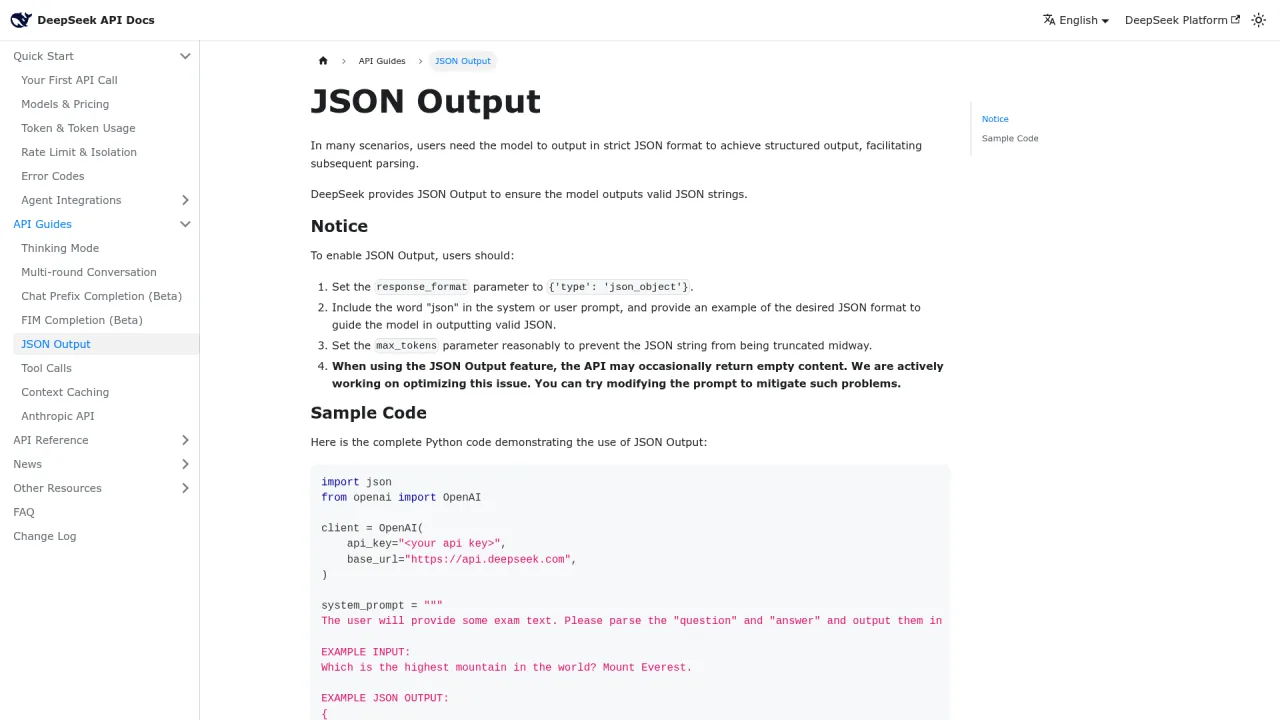
Advanced variation: When calling DeepSeek via API, combine prompt-level schema with the response_format parameter:
# Force JSON output at the API level
response = client.chat.completions.create(
    model="deepseek-chat",
    messages=[{"role": "user", "content": prompt}],
    response_format={"type": "json_object"}
)
Prompt-level schema + API-level JSON enforcement = double guarantee against format drift.
How Do You Simulate Expert Perspectives? (Template 13)
Use this when you need advice from a specific professional viewpoint.
Prompt:
You are a senior product manager with 10 years
of experience in consumer technology.
Provide a professional evaluation and improvement suggestions
for the following product proposal:
[paste proposal]
Why this works: The more specific the role description (years of experience, domain, perspective), the deeper the professional insight in the response.
Evaluate this product proposal from three perspectives:
1. Product Manager (focus on user needs and business value)
2. Technical Architect (focus on feasibility and technical risk)
3. Growth Marketer (focus on acquisition cost and competitive landscape)
Each role should provide 3 specific, actionable suggestions.
Cross-validation from three angles catches issues that no single expert would flag alone.
What Are the 9 Principles Behind Effective DeepSeek Prompts?
Distilled from all 13 official templates, these rules apply universally:
Lead with the ask. Drop pleasantries. State the task in the first sentence.
Define the task type upfront. "Classify," "extract," "summarize" — the verb sets expectations.
Use structure for complexity. Markdown headings, numbered lists, and tables organize multi-part instructions.
Assign a role. "You are a senior data analyst" primes domain-specific reasoning.
Provide context. Background information reduces hallucination and increases relevance.
Specify output format. JSON, table, bullet points — name it and the model follows.
Break complex tasks into steps. Sequential sub-tasks outperform monolithic instructions.
Add constraints. Word count, tone, terminology restrictions, and edge cases tighten output.
Keep it lean. Clarity beats verbosity. If the instruction is unambiguous, stop adding words.
Should You Use DeepSeek R1 or the Standard Model?
This is the most common question I see from developers adopting DeepSeek. Here is the decision matrix I use daily:
Actually hurts performance (model mimics instead of reasoning)
Highly effective — 3-5 examples is the sweet spot
Speed
Slower (produces chain-of-thought output)
Faster
Best for
Algorithm problems, logical deduction, proofs
Most of the 13 templates above
Cost tip
Use long prefixes to trigger Context Caching — cuts cost by 90%
Standard API calls
The practical rule: If the task requires thinking through, use R1. If it requires writing well, use the standard model.
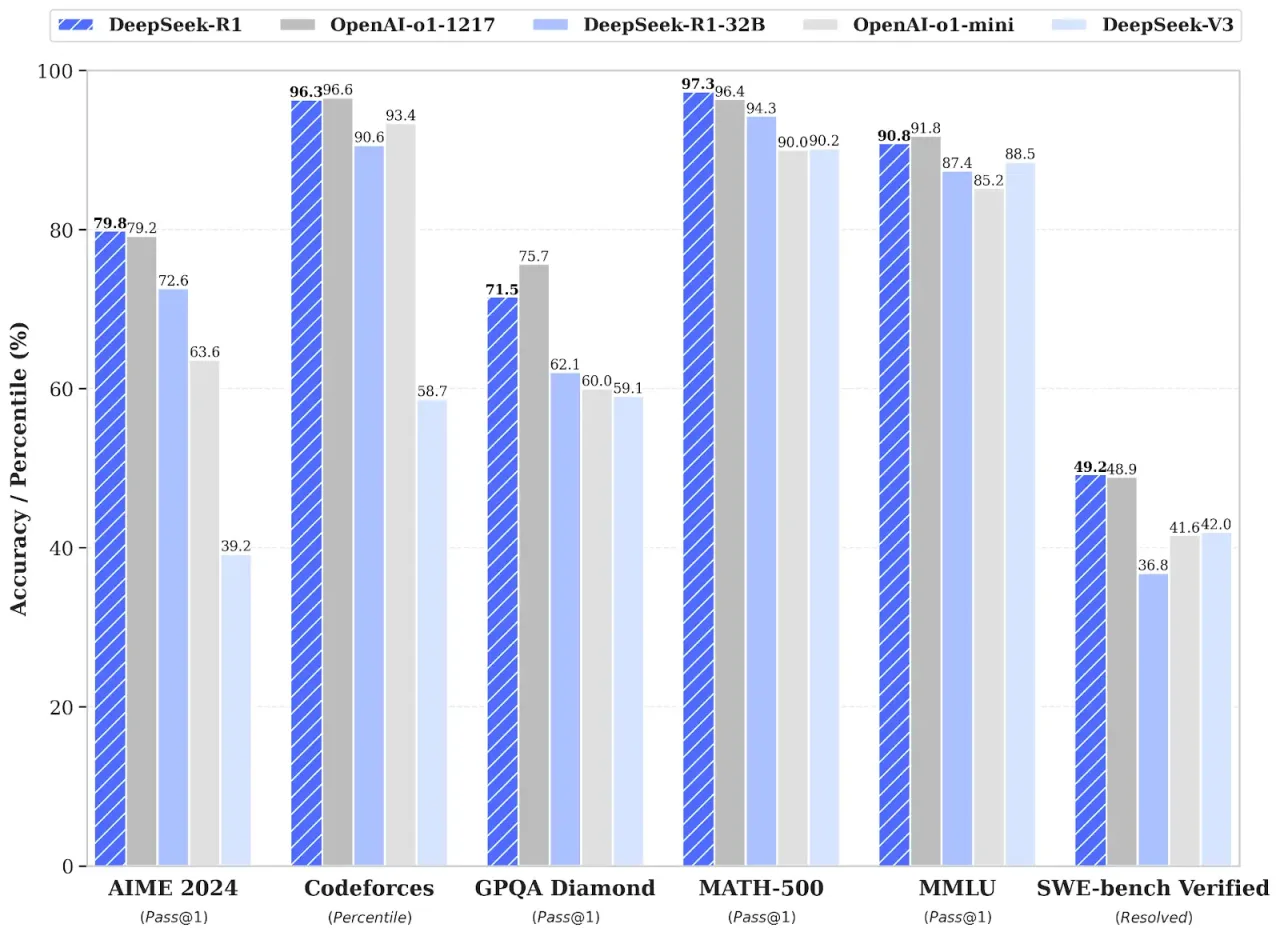
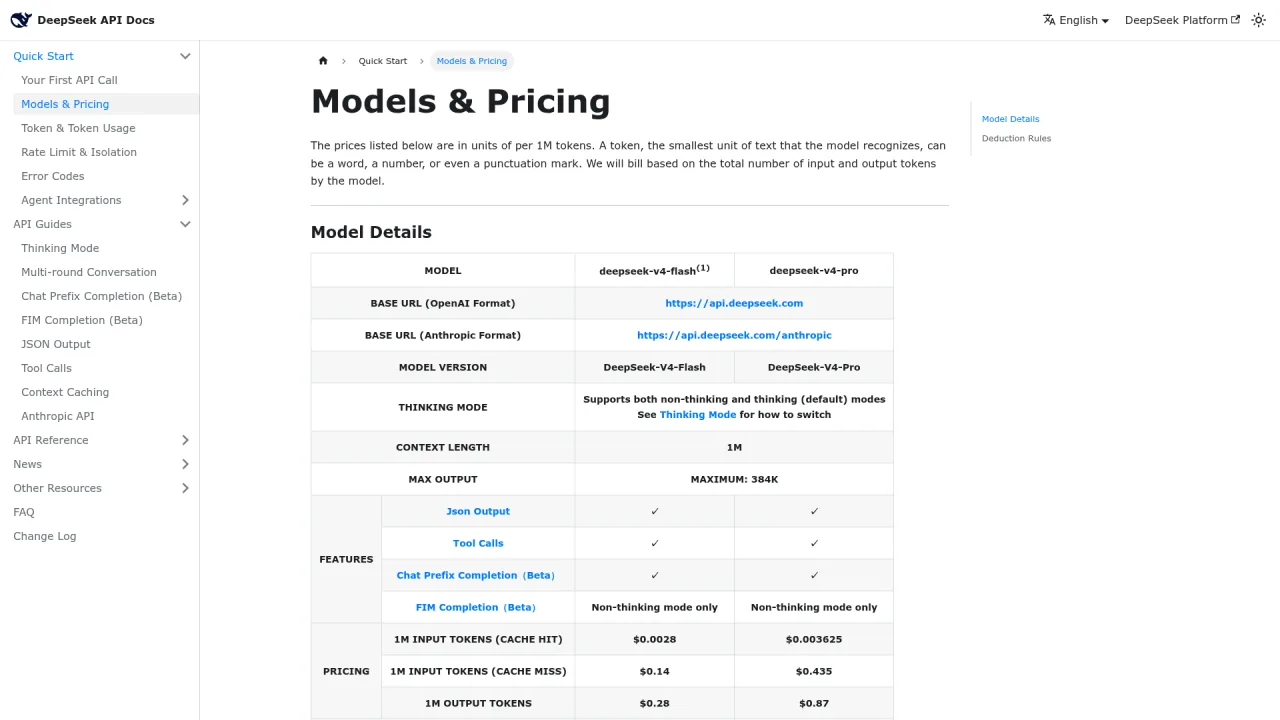
As of 2025, DeepSeek V3.1 merged V3 and R1 capabilities into a hybrid model — meaning you no longer have to choose in most scenarios. V3.2 pushed further, matching Gemini 3.0 Pro on math and coding benchmarks while maintaining some of the lowest API pricing in the industry.
Real Example: How One Prompt Chain Replaced Three Days of Manual Work
Here is a concrete workflow I ran on a real project. The task: extract key data from a 50-page industry report, organize it into structured tables, and generate analysis summaries from three different stakeholder perspectives.
Manual estimate: two to three days. Actual time with DeepSeek and these templates: under 10 minutes.
Step 1: Data Extraction template (Template 3) — extracted all company names, funding amounts, and dates from the report as JSON. Time: 2 minutes.
Step 2: Structured Output template (Template 12) — converted the JSON into a Markdown table sorted by date. Time: 1 minute.
Step 3: Role-Play template (Template 13) — generated summaries from investor, founder, and industry analyst perspectives. Time: 5 minutes.
The key insight is not the time savings alone. Each step used a focused template instead of a vague "analyze this report" prompt. Breaking complex work into template-matched steps consistently outperforms throwing everything at the model in one shot. I now decompose every complex task into sequential template-matched steps before touching the AI.
My DeepSeek Model Preferences After Extensive Testing
After running DeepSeek across hundreds of production tasks, these are the patterns that stuck:
Daily writing goes to the standard model — fast response, precise format control, ideal for content that needs specific structure and tone
Reasoning tasks go to R1 — math proofs, code debugging, multi-step analysis; let it think without over-prompting
Batch processing goes through the API — DeepSeek with response_format set to json_object for programmatic pipelines
Long document analysis leverages DeepSeek's 128K context window — feed an entire report in one pass, but anchor your critical instructions at the beginning and end
Ready-to-Use Prompt: Build a DeepSeek Prompt With the Analyze-First Structure
What this does: Classifies a task into one of the proven DeepSeek template families, builds it in the "analyze first, then execute" two-phase structure, locks the output format to a schema, and routes it to DeepSeek or R1 — so same task, same model stops giving dramatically different output. Based on: DeepSeek Prompt Examples: 13 Ready-to-Use Templates That Actually Work — https://aiworkflowpro.com/deepseek-prompt-examples/ Time to run: ~4 minutes
Copy this prompt into Claude Code, ChatGPT, or any AI assistant:
ROLE: You are a DeepSeek Prompt Builder. Your job: turn a task into a template-matched, analyze-first prompt with a locked output format and the right model — never a throw-it-together prompt.

CONTEXT — ANALYZE-FIRST TEMPLATE METHOD:
Same task, same model, dramatically different output — the gap is template structure, not luck. Across the official DeepSeek prompt library, one structure consistently wins: "analyze first, then execute" — force the model to reason about the task (what is asked, constraints, approach) in a first phase, then produce the deliverable in a second. Match the task to a proven template family (code refactor/explain, structured extraction, structured article, classification, long-doc summary, NL-to-SQL, translation, taglines, math-to-LaTeX, prompt improvement). Lock output format explicitly — structured tasks get a schema, not prose. Route the model: default to DeepSeek for speed, switch to R1 only when the task needs deep reasoning (complex refactors, math, intricate SQL).

INPUTS (fill in before running):
- TASK: [What you want DeepSeek to do]
- OUTPUT_TYPE: [code / structured data / article / summary / SQL / translation / tagline / LaTeX / classification]
- REASONING_DEPTH: [routine / needs deep reasoning]
- VOLUME: [one-off / batch]

METHOD — 4 STEPS:

Step 1 — Classify the Task Into a Template Family
From TASK and OUTPUT_TYPE, pick the closest family (code refactor/explain, structured extraction, structured article, classification, long-doc summary, NL-to-SQL, translation, taglines, math-to-LaTeX, prompt improvement). State it and the output shape it implies.

Step 2 — Apply the "Analyze First, Then Execute" Structure
Split the prompt into two phases: Phase 1 analysis (what is asked, constraints, approach, edge cases), Phase 2 execution (the deliverable). Use delimiters so the phases are cleanly separated and the model commits to its analysis before answering.

Step 3 — Lock the Output Format
Make the output shape explicit: structured tasks get a schema or table (exact columns/keys), code gets a language plus a test, summaries get a length cap. Never leave format to the model's discretion.

Step 4 — Route DeepSeek vs R1 and Quality-Check
From REASONING_DEPTH and VOLUME: default to DeepSeek for speed; switch to R1 only for deep reasoning (complex refactors, math, intricate SQL). Then check the prompt for the two failure modes — a missing analysis phase, or a vague output format.

RULES:
- Never skip the analyze-first phase — it is the single structure that consistently outperforms one-shot execution.
- Never leave structured output format implicit — name the schema, columns, or keys.
- Never default to R1 for routine tasks — it is slower and costs more; reserve it for genuine deep reasoning.

OUTPUT FORMAT:
Output a markdown report with:
1. Template Family — the matched family + output shape
2. Two-Phase Prompt — the analyze-first / execute prompt inside a fenced text block
3. Output Format Lock — the exact schema, columns, or keys
4. Model Route — DeepSeek or R1 + one-line why
Save as @templates/deepseek-prompt-examples.md and run before sending any task to DeepSeek or R1.
Frequently Asked Questions
Is DeepSeek free to use?
The web interface and mobile app are free. API pricing is token-based and among the lowest in the industry. As an open-source model, you can also self-host for zero API cost and full data sovereignty.
How does DeepSeek compare to ChatGPT?
DeepSeek matches GPT in code generation and closely rivals it in general tasks. R1 surpasses GPT on mathematical reasoning and logic benchmarks. The biggest differentiator is open-source availability — you can deploy locally with your data never leaving your infrastructure.
What is the maximum prompt length?
DeepSeek supports 128K tokens (roughly 96,000 English words). But longer is not better. Prompt quality matters far more than prompt length. Place critical instructions at the beginning and end; put reference material in the middle.
Do these templates work with other AI models?
Yes. Role assignment, structured instructions, and output format constraints are universal principles. Structured output and role-play templates transfer across ChatGPT, Claude, and Gemini with minimal changes. Code optimization and translation templates may need model-specific tuning.
Should I write prompts in English or another language?
DeepSeek handles multilingual prompts well thanks to extensive training data. Write your prompt in whatever language your output should be in. If you want English output, prompt in English.
Start with two or three templates that match your most frequent tasks. Run them once to feel the gap between a structured prompt and a casual one. The three templates I reach for most often: Data Extraction (processing reports and documents), Structured Output (any time I need JSON for downstream code), and Role-Play (getting multi-perspective reviews on my own work). Those three cover over 80% of my daily AI interactions. For the latest model capabilities and API parameters, check the DeepSeek API documentation and the DeepSeek Platform.
One final note: prompts are never one-and-done. I typically iterate three to four rounds on a single task. Round one checks direction. Round two refines format and detail. Round three adds constraints and edge cases. This iteration process builds your intuition for what the model can and cannot do — and over time, you start writing production-quality prompts on the first try.
Monitoring a competitor who publishes no feed is the case every RSS guide skips. Twenty-one platforms sorted by which of three jobs they do, and the finished setup is business process automation you own outright, with no seat licence to renew.
Blaming the content is the reflex when a post underperforms, and it is usually the wrong diagnosis. A second reader decides distribution before any human sees the post, and most of what it checks is mechanical enough to automate business processes around, on five platforms at once.
Thursday afternoon, fourteen product ideas, a Monday filming slot, no scripts. Six script shapes and seven hook formulas turn that hour into finished drafts — and the business rule stays: rewrite at least 30% before anything ships.
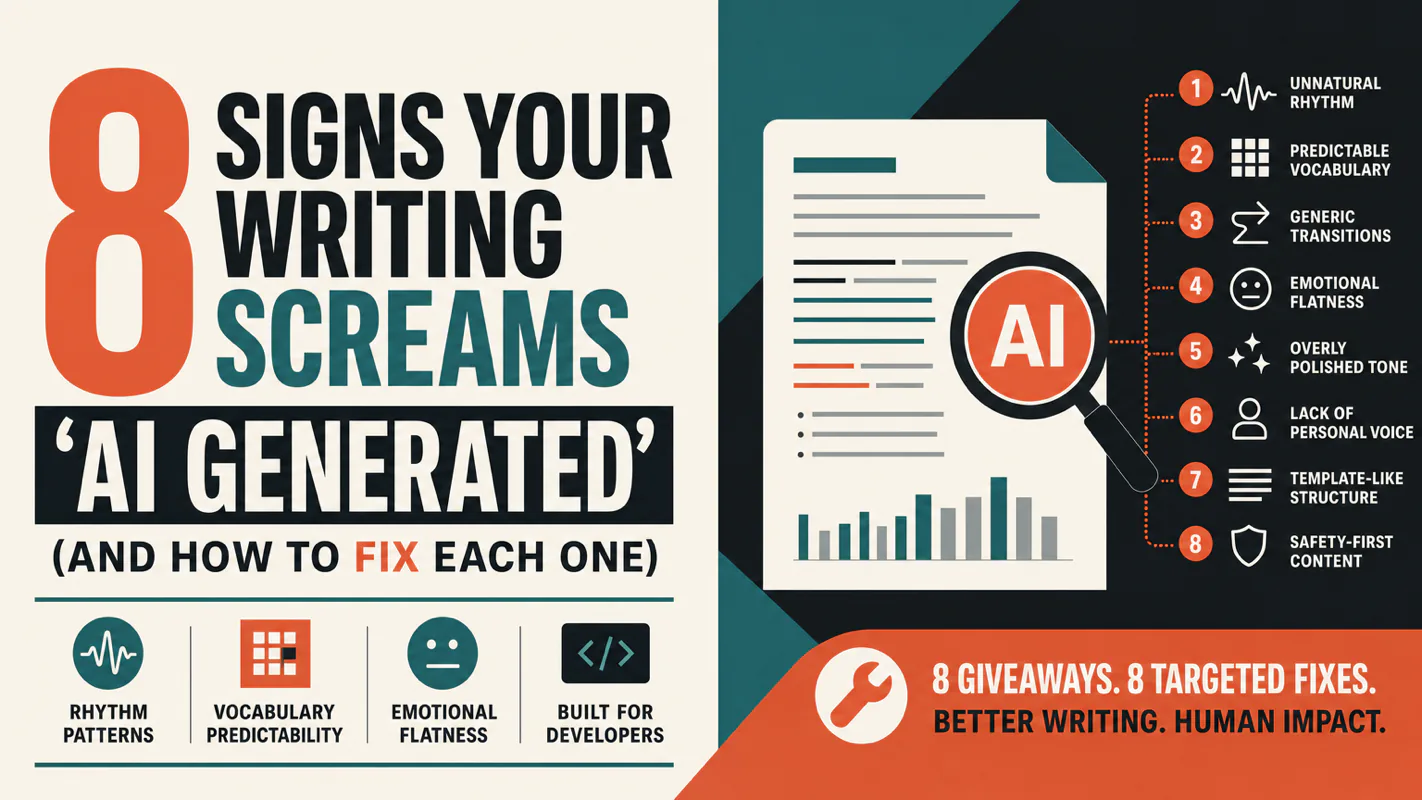
A detector score cannot survive a conversation with the freelancer it just cost three weeks of payment. What holds up is the specific thing on the page: rhythm, vocabulary, missing detail. Eight of them here, and the reason review stays human when you automate business processes.