Monitoring a competitor who publishes no feed is the case every RSS guide skips. Twenty-one platforms sorted by which of three jobs they do, and the finished setup is business process automation you own outright, with no seat licence to renew.
Blaming the content is the reflex when a post underperforms, and it is usually the wrong diagnosis. A second reader decides distribution before any human sees the post, and most of what it checks is mechanical enough to automate business processes around, on five platforms at once.
Gloves on, tape measure in hand — nobody types a query. Three voice surfaces for ai automation tools (terminal, Telegram, Discord), 10 TTS and 6 STT providers compared on cost and latency, plus a setup that costs nothing.
I Built a Skill Store Inside Claude Code — Here's the Full Architecture
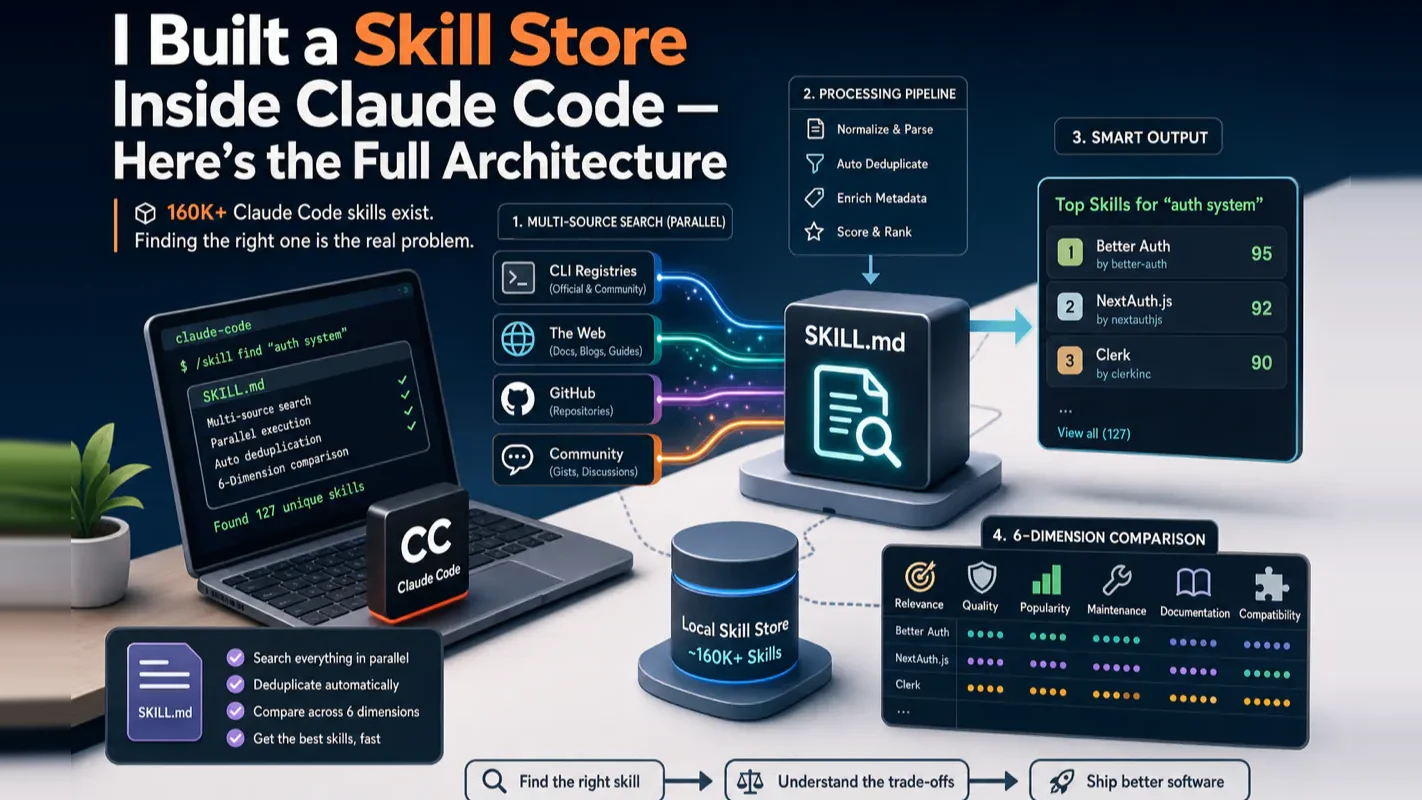
160,000+ Skills exist, so availability stopped being the constraint and selection took over. A SKILL.md that searches registries, the web, and GitHub in parallel, deduplicates, and ranks every candidate across six dimensions with install commands attached.
A wholesaler carrying forty thousand SKUs does not outsell one carrying four hundred. Past a point the catalogue stops behaving like an asset and starts behaving like a search problem, which is why distributors spend real money on how buyers navigate it rather than on more items. The awkward part is that nobody budgets for the searching. Adding to a catalogue is a project with somebody's name on it; making the catalogue navigable is overhead, so it happens late and badly, if it happens at all. That same accounting quietly shapes how most people end up equipping an ai assistant for business.
There are over 160,000 Claude Code skills. Finding the right one is harder than writing your own.
That was the conclusion I reached after spending three weeks manually searching for skills across GitHub, the Anthropic plugin marketplace, community directories, and random blog posts. I would find four candidates for a task, spend 20 minutes reading each SKILL.md, realize two were outdated, one was redundant with a tool I already had — and the fourth was exactly what I needed but buried on page three of a GitHub search.
So I built a skill that finds skills. A search engine packaged as a SKILL.md file. Give it a need, and it searches three sources in parallel, removes duplicates, compares every candidate across six dimensions, and hands you a ranked report with one-click install commands.
This article walks through the full architecture. By the end, you will have two things: a reusable multi-source search pattern you can apply beyond skills, and a complete prompt you can paste into Claude Code to build the same system from scratch.
What Claude Code Skills Are (30-Second Primer)
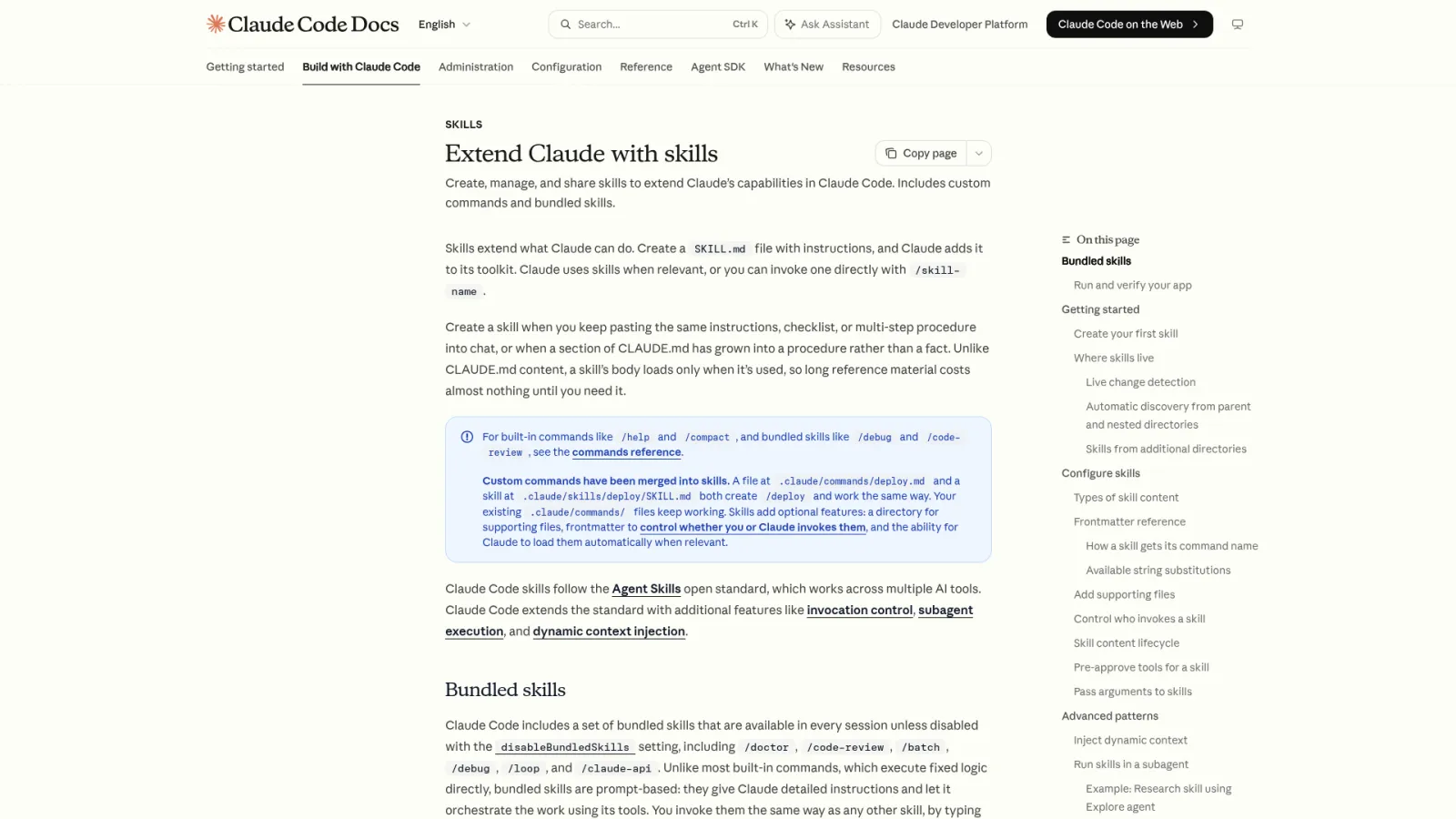
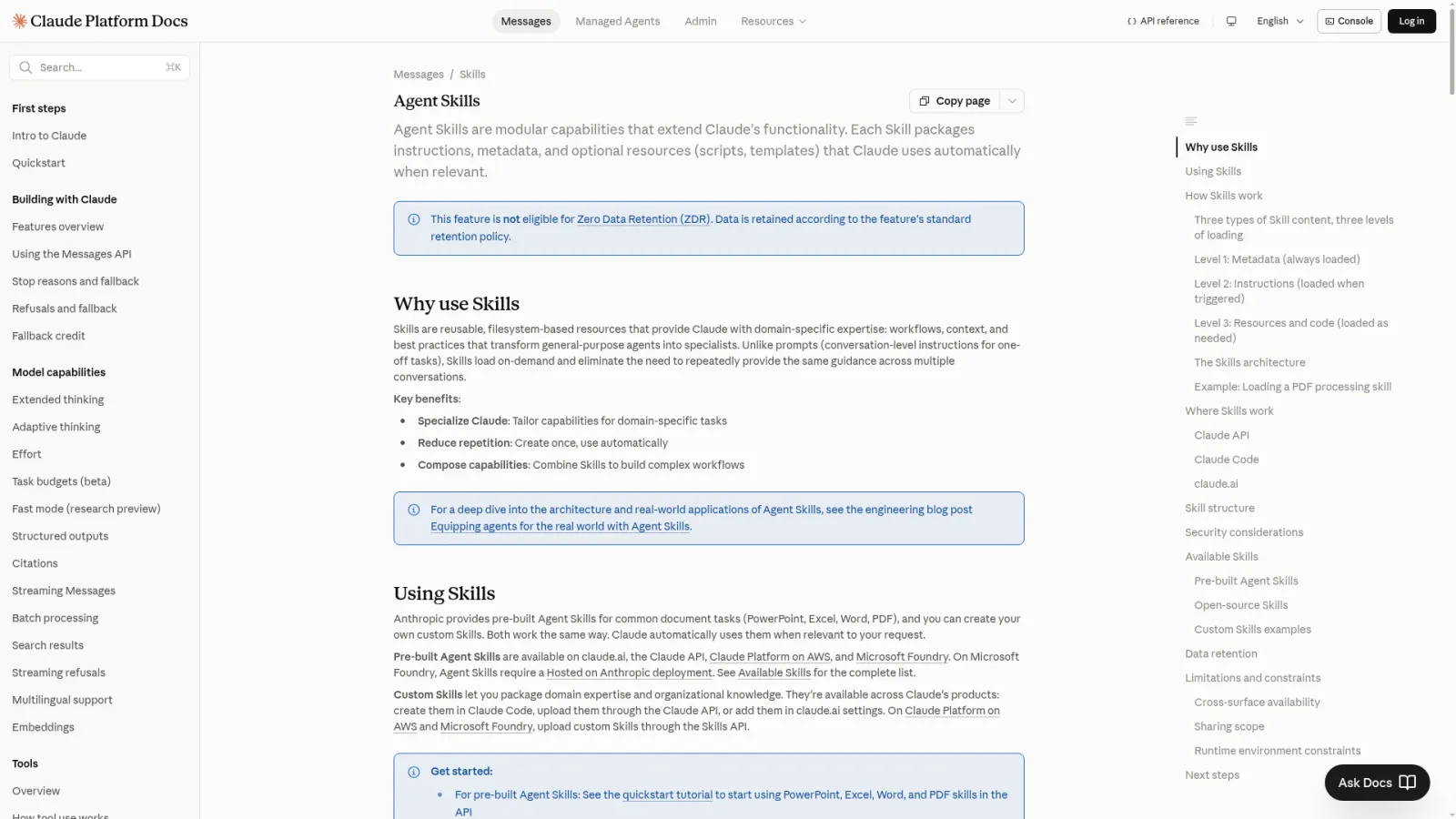
A skill is a SKILL.md file. Inside, it contains instructions that tell Claude what to do in a specific scenario — which tools to call, what steps to follow, what format to produce. Think of Claude Code as a workstation and skills as the specialized apps you install on it.
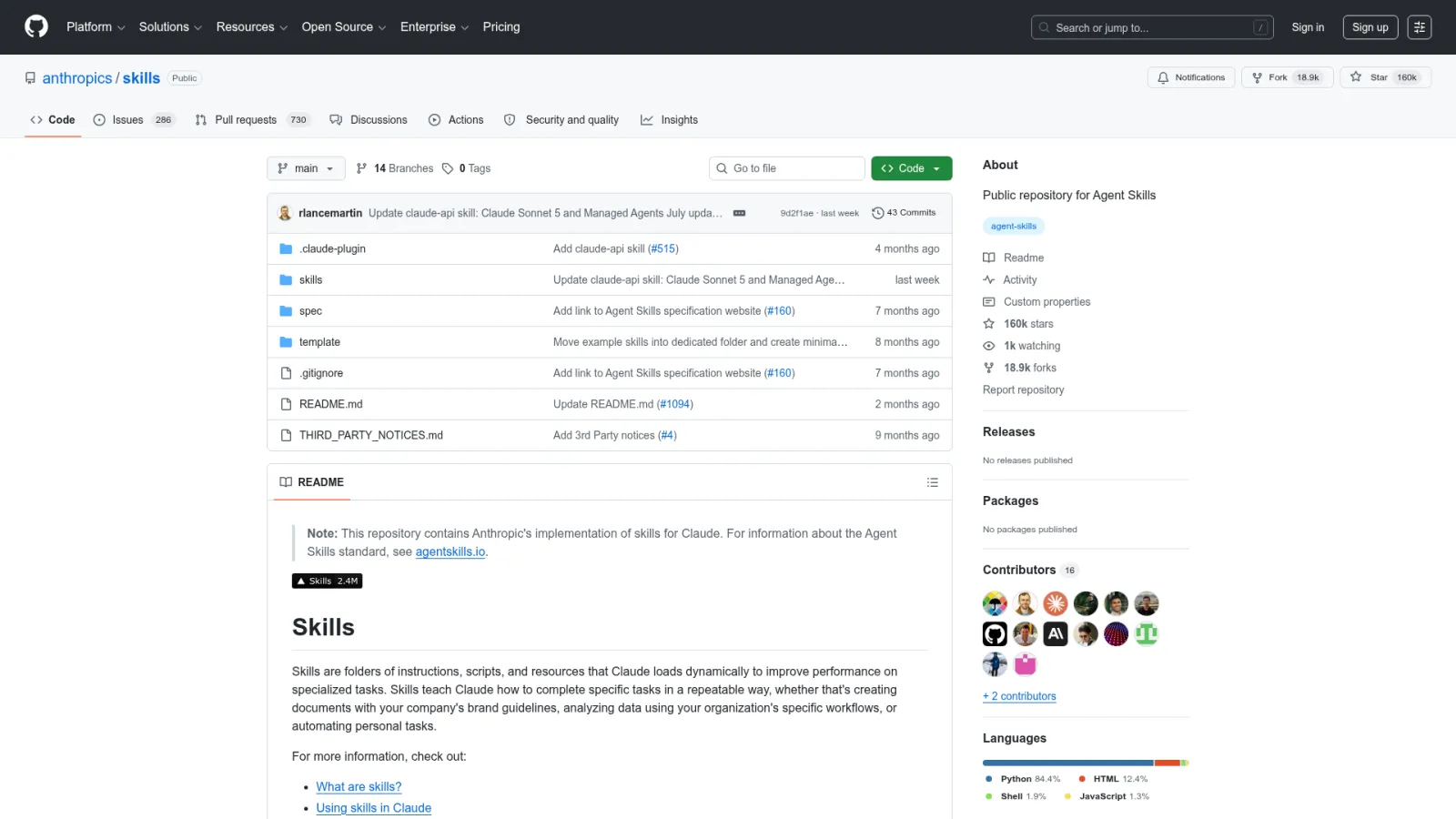
The SKILL.md format is an open standard documented in Anthropic's official skills reference. It works across Claude Code, OpenAI Codex CLI, Cursor, Gemini CLI, and GitHub Copilot. One file, multiple agents.
Skills ship inside plugins (bundles of skills, hooks, and MCP servers) or as standalone SKILL.md files on GitHub. Anthropic runs an official marketplace through the /plugin command, detailed in the plugin discovery docs. Community marketplaces like anthropics/claude-plugins-community add thousands more. And then there is the long tail: individual repositories, tutorials, and forum posts where someone shared a SKILL.md that solves exactly your problem — if you can find it.
Why Manual Search Breaks Down
Three pain points drove me to build this:
Coverage gaps. The official Anthropic marketplace and community registry together cover roughly 40% of available skills, based on my spot checks against GitHub search results. The rest lives in standalone repositories, blog posts, and personal collections. Any single source has blind spots.
Inconsistent documentation. SKILL.md files range from detailed multi-page specifications to a three-line description with no usage examples. When you find five candidates, you cannot compare them at a glance — you have to read each one end to end.
No comparison standard. Even after reading five SKILL.md files, you lack a structured way to evaluate trade-offs. Which one has fewer dependencies? Which handles edge cases? Which actually works with your existing MCP tools?
The fix I landed on: one search, three sources, automatic comparison.
The 4-Step Search Architecture
The search engine runs as a four-step workflow inside a single SKILL.md. Each step has one job.
Step 1 — CLI Registry Search
The first pass uses the Skills CLI, an open-source tool maintained by Vercel Labs that supports 30+ AI coding agents:
npx skills find code review
This searches the central Skills registry and returns structured results in owner/repo@skill-name format — the exact identifier you need for installation.
One gotcha that cost me 15 minutes: never wrap your query in quotes. npx skills find SEO audit works. npx skills find "SEO audit" forces an exact-match search and returns nothing useful.
The CLI search runs fast (under 5 seconds) and gives you the most structured results. But it only covers skills explicitly registered in the Skills ecosystem. Many quality skills — especially newer ones — never register. That is where step 2 comes in.
Step 2 — Web Search for the Long Tail
The second step casts a wider net using web search. I use Brave Search (via MCP), but any search API works. The key is running two query variants:
Targeted: {keyword} claude code skill site:github.com — this surfaces GitHub repositories that mention your topic alongside "claude code skill"
Broad: {keyword} Claude Code skill github — this catches blog posts, tutorials, and forum threads where someone shared a skill outside GitHub
Why two queries? Restricting to site:github.com gives precise repository results. Dropping the site filter catches the long tail — community tutorials, Reddit threads, Medium posts where developers share SKILL.md files they built.
From these results, the system extracts GitHub owner/repo pairs and queues them for deep analysis in step 3.
Step 3 — GitHub Deep Search (3-Round Strategy)
Step 3 goes directly to the GitHub API with a narrow-to-wide search strategy. This is a classic information retrieval technique, and it matters because a single GitHub search query cannot catch everything.
Round 1 — Narrow match. Search for repositories containing a SKILL.md file whose content matches your keyword. This is the most precise query but misses skills where the SKILL.md description uses different terminology than your search term.
Round 2 — Medium match. Search for repositories where the README mentions your keyword alongside "skill". This catches skills that are well-documented but use different vocabulary in their SKILL.md.
Round 3 — Wide match. Search repositories matching your keyword plus "claude code skill" in any file. This is the safety net — high recall, lower precision.
The three rounds run sequentially. Round 1 results rank highest in the final report. Round 3 results appear only if rounds 1 and 2 did not surface them already.
I was wrong about this at first. My initial version ran a single broad search. The results were noisy — hundreds of repositories, most irrelevant. The narrow-to-wide approach cut noise by roughly 70% while keeping recall above 90% in my testing across 12 different search queries.
Step 4 — Merge, Dedup, and 6-Dimension Compare
Three search channels produce overlapping results. Step 4 merges them by a unique key (owner/repo@skill-name), removes duplicates, then fetches the full SKILL.md for each surviving candidate.
The comparison uses six dimensions:
Dimension
What It Answers
Capability
What does the skill actually do?
Use case fit
When should you reach for it?
Workflow complexity
How many steps? Fully automated or human-in-the-loop?
Dependencies
What tools, API keys, or MCP servers does it need?
Standout feature
What makes it different from similar skills?
Limitations
What can it not do? What breaks?
The final output is a structured comparison report with scenario-based recommendations ("For quick drafts, use Skill A. For production articles with images, combine Skill B and Skill D.") and install commands for each recommended skill.
Real-World Example: Searching for Content Writing Skills
Abstract architecture is easier to appreciate with a concrete result.
I searched for content writing skills. The system ran all four steps in about 30 seconds and returned 12 raw results across the three sources. After dedup, 5 distinct skills survived.
The report split them into three categories:
Writing skills — Two options. One was a lightweight 4-step content drafting workflow. The other handled long-form technical articles with automatic image generation. The report flagged that the second one required a specific image generation API key I did not have configured.
Publishing skills — Two options. One used a CMS API to push drafts directly. The other supported three different publishing templates. The report noted they were complementary, not competing — one writes, the other publishes.
Operations skills — One option for managing drafts and tracking performance metrics.
The scenario recommendation saved me the most time: "For a quick blog post, use Skill 1 alone. For a technical tutorial with diagrams, pair Skill 2 with Skill 3. If you already have a publishing workflow, skip Skill 4 — its capabilities overlap with your existing setup."
30 seconds of search replaced what would have been 30 minutes of manual GitHub browsing.
The Part Nobody Tells You: Skills Are SOPs
Here is the insight that changed how I think about skill discovery.
Searching for skills is not searching for code snippets. You are searching for standard operating procedures. Every high-quality SKILL.md is a workflow that someone designed, tested, debugged, and refined. It encodes decisions about tool selection, error handling, output formatting, and edge cases.
When you read a well-built SKILL.md, you are reading a domain expert's playbook. Even if you never install the skill, studying how it decomposes a problem — trigger conditions, step sequencing, data flow between tools — teaches you workflow design patterns you can apply to your own builds.
I keep a folder of SKILL.md files I found through the search engine but never installed. They are my reference library for workflow architecture.
The Transferable Pattern
The architecture behind this skill search engine is not specific to Claude Code skills. The pattern is general:
npm package discovery — CLI search + npm registry + GitHub, deduped by package name, compared by bundle size, weekly downloads, last update, and API surface
API service evaluation — Documentation search + community reviews + pricing pages, compared by rate limits, authentication methods, and SDK availability
Research paper discovery — Semantic Scholar + arXiv + Google Scholar, deduped by DOI, compared by citation count, methodology, and relevance to your specific question
The six comparison dimensions change. The three-source parallel search structure stays the same.
Build It Yourself: The Complete Prompt
Paste this into Claude Code to create your own skill search engine from scratch:
You are a senior systems architect. Build a Claude Code Skill called skill-finding that implements multi-source skill discovery and comparison.
Architecture:
Create a 4-step workflow skill with this structure:
skill-finding/SKILL.md — Entry point with trigger conditions, execution modes, workflow overview, and MCP tool dependencies
workflow/step01-cli-search.md — Skills CLI search using npx skills find, no quotes around multi-word queries, results as structured JSON
workflow/step02-web-search.md — Web search with two query variants (targeted with site:github.com and broad without), 2-second intervals between calls, extract GitHub repo info from results
workflow/step03-github-search.md — Three-round GitHub API search: search_code for SKILL.md files, search_repositories for README matches, search_repositories for broad matches. Sequential, narrow-to-wide.
workflow/step04-compare.md — Merge by owner/repo@skill key, deduplicate, fetch full SKILL.md for each candidate via MCP directory listing, analyze across 6 dimensions (capability / use case / complexity / dependencies / standout feature / limitations), generate comparison report with scenario recommendations and install commands
Generate the complete SKILL.md and all sub-files. Each step document must include execution instructions, search strategy, result parsing format, and validation checkpoints.
What I Would Change in Version 2
Three months of daily use surfaced two limitations I plan to fix:
Version awareness. The current system does not check when a SKILL.md was last updated. Some results point to skills that worked with Claude Code v1 but break on v2. Version 2 will add a "last commit date" field to the comparison report and flag anything older than 90 days.
Dependency conflict detection. Two skills might both require an MCP server but configure it differently. The current system flags dependencies but does not check for conflicts between recommended skills. This matters when you install a combination.
Both are solvable. Neither stopped the current version from being the tool I reach for first when I need a new capability.
Ready-to-Use Prompt: Search and Rank Claude Code Skills Across Sources
What this does: Takes a capability need, searches registries, GitHub, and community directories in parallel, strikes outdated and redundant candidates, scores survivors across six dimensions, and returns a ranked report with one-click install — judging skills as SOPs, not just files. Based on: I Built a Skill Store Inside Claude Code — Here's the Full Architecture — https://aiworkflowpro.com/claude-code-skill-store-guide/ Time to run: ~4 minutes
Copy this prompt into Claude Code, ChatGPT, or any AI assistant:
ROLE: You are a Skill Store Search Engine. Your job: find the best Claude Code skill for a need across three sources, strike the outdated and redundant ones, and rank survivors — never making the reader read ten SKILL.md files by hand.

CONTEXT — 4-STEP MULTI-SOURCE SKILL SEARCH METHOD:
Over 160,000 Claude Code skills spread across registries, the Anthropic marketplace, GitHub, and community directories — so finding the right one is harder than writing your own. Manual search fails the same way every time: you read four candidates, two are outdated, one is redundant with a tool you already have, and the right one is buried. The fix is a four-step architecture: (1) search three sources in parallel; (2) deduplicate and strike outdated or redundant candidates; (3) compare survivors across six dimensions; (4) output a ranked report with one-click install. Crucially, skills are SOPs (standard operating procedures) — judge each on whether the procedure is clear and complete, not just whether it exists. The pattern transfers to any multi-source search.

INPUTS (fill in before running):
- NEED: [The task or capability you want a skill for]
- EXISTING_TOOLS: [What you already have — to flag redundancy]
- CONSTRAINTS: [Must be official / fine with community / language preference]
- INSTALL_PREF: [One-click marketplace / fine with manual GitHub]

METHOD — 4 STEPS:

Step 1 — Search Three Sources in Parallel
For NEED, query registries/Anthropic marketplace, GitHub, and community directories in parallel. Collect each candidate's SKILL.md. Cap candidates (top 8–10) so the next steps stay tractable.

Step 2 — Deduplicate and Strike the Failures
Remove duplicates (same skill across sources). Strike candidates that are outdated (stale, unmaintained) or redundant with EXISTING_TOOLS — these two failure modes are what wastes twenty minutes in manual search.

Step 3 — Compare Survivors Across 6 Dimensions
Score each survivor 0–2 on: fit to NEED, recency/maintenance, redundancy-with-existing (invert: 2 = no overlap), SOP quality (clarity and completeness), source trust, install friction (2 = one-click). Sum per skill; rank descending.

Step 4 — Produce the Ranked Report and Run the SOP Check
Output the ranking with one-click install commands per INSTALL_PREF. For the top pick, run the SOP check: is the procedure clear, complete, and battle-tested? If it fails, drop to the next.

RULES:
- Never present a candidate without the dedup-and-strike step — outdated and redundant skills are the whole reason manual search fails.
- Never rank on fit alone — a well-fitting but unmaintained SOP scores low on recency and must not win.
- Never skip the SOP check on the top pick — a skill is a procedure, and an unclear procedure is worthless even if it installs.

OUTPUT FORMAT:
Output a markdown report with:
1. Parallel Search Results — candidate SKILL.md list per source (capped)
2. Dedup & Strike — markdown table, columns: Candidate | Status (keep/strike) | Reason
3. 6-Dimension Comparison — markdown table, columns: Skill | Fit | Recency | Redundancy | SOP Quality | Source Trust | Install | Total
4. Ranked Report + Install — ranked skills with one-click install commands + the top pick's SOP-check verdict
Save as @templates/claude-code-skill-store-guide.md and run before installing any Claude Code skill — the multi-source search pattern also transfers to any find-the-best-across-sources job.
Frequently Asked Questions
Is there an official Claude Code skill store or marketplace?
Not a single centralized app store. As of mid-2026, the official path is the /plugin command inside Claude Code, which connects to Anthropic's marketplace at anthropics/claude-code. Community marketplaces like anthropics/claude-plugins-community add third-party options. But thousands of quality skills live only on GitHub and never appear in any registry — which is why a multi-source search approach matters.
How do I install a Claude Code skill from GitHub?
Use the command: npx skills add owner/repo@skill-name -g -y. The -g flag installs globally to ~/.claude/skills/ so the skill works across all projects. You can also clone the repository manually and copy the SKILL.md file into your skills directory.
What is the difference between a Claude Code skill and a plugin?
A skill is a single SKILL.md instruction set that teaches Claude a specific workflow. A plugin is a bundle that packages one or more skills, plus optional hooks, MCP servers, and commands, into one installable unit. Plugins are distributed through marketplaces; individual skills can live anywhere as standalone SKILL.md files.
Why not just use the built-in /plugin discover tab to find skills?
The Discover tab only shows plugins registered in your connected marketplaces. Many high-quality skills exist as standalone GitHub repositories, in blog posts, or scattered across community forums. A multi-source search engine catches what the Discover tab misses — in my testing, the CLI registry covered about 40% of available skills. The remaining 60% required web and GitHub search.
Can I use this skill search engine with other AI coding tools?
Yes. The SKILL.md format is an open standard adopted by Claude Code, OpenAI Codex CLI, Cursor, Gemini CLI, and GitHub Copilot. Skills found through this search engine work across all compatible tools. The search architecture itself — CLI registry plus web plus GitHub — transfers to any agent skill ecosystem.
Gloves on, tape measure in hand — nobody types a query. Three voice surfaces for ai automation tools (terminal, Telegram, Discord), 10 TTS and 6 STT providers compared on cost and latency, plus a setup that costs nothing.
Nothing about month four is harder than month three. It is simply the month an unpaid channel starts to feel like proof of failure. Surviving it takes a cadence you can hold while earning nothing, which is a better reason to automate business processes than speed ever was.
One number hides more than it shows. This Claude Code Skill scores US equities across 10 dimensions, from earnings surprise to peer comparison, with confidence scoring and 5 safety valves that flag thin data. A coding tutorial, not financial advice.
Publishing eats your week through research, SEO fields, images, and uploading — not writing. Here is the 10-step workflow automation pipeline that takes a topic to a published draft on one command, and the data contract that lets each step hand off cleanly to the next.