Monitoring a competitor who publishes no feed is the case every RSS guide skips. Twenty-one platforms sorted by which of three jobs they do, and the finished setup is business process automation you own outright, with no seat licence to renew.
Blaming the content is the reflex when a post underperforms, and it is usually the wrong diagnosis. A second reader decides distribution before any human sees the post, and most of what it checks is mechanical enough to automate business processes around, on five platforms at once.
Gloves on, tape measure in hand — nobody types a query. Three voice surfaces for ai automation tools (terminal, Telegram, Discord), 10 TTS and 6 STT providers compared on cost and latency, plus a setup that costs nothing.
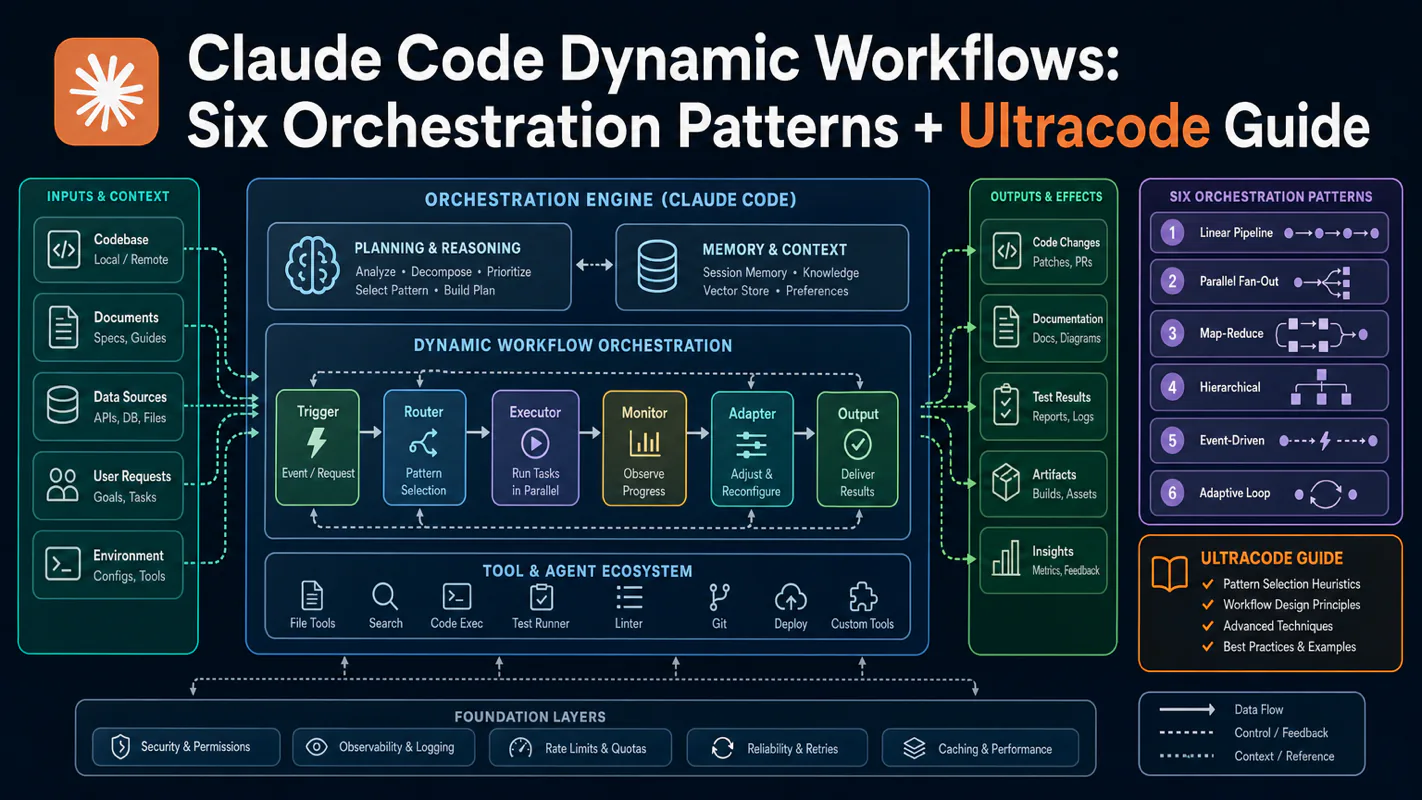
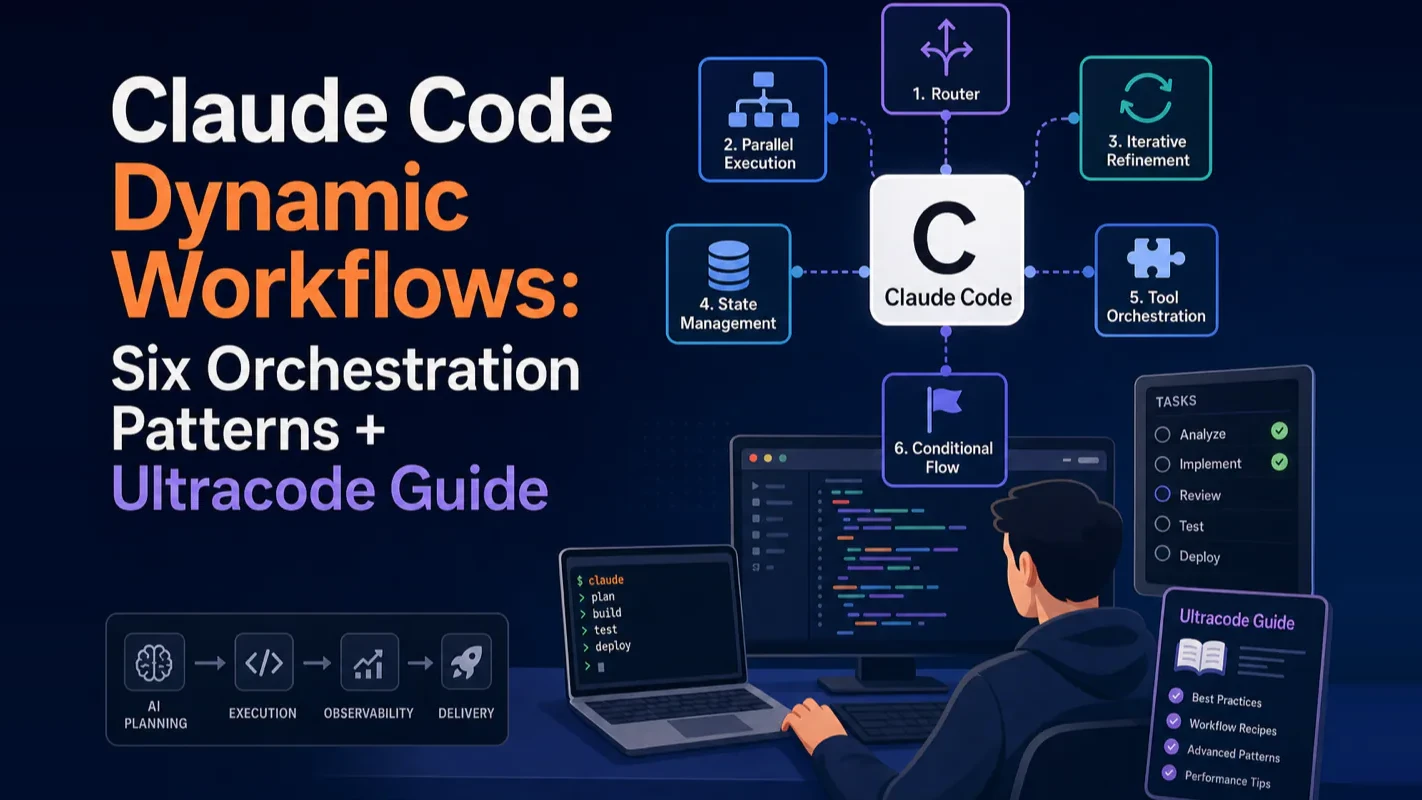
Claude Code Dynamic Workflows: Six Orchestration Patterns + Ultracode Guide
A long conversation degrades; a plan held in a script does not. Split an objective into dozens of subtasks, run them in parallel, cross-verify, and return only validated conclusions. Six patterns, a decision table, and the cost controls workflow automation software needs before running unsupervised.
Claude Code dynamic workflows let you stop doing everything in a single conversation window. Instead of one Claude grinding through a massive task start to finish, dynamic workflows automatically decompose your objective into dozens — sometimes hundreds — of independent subtasks, dispatch separate Claude instances to execute them in parallel, cross-verify results, and return only validated conclusions. Anthropic shipped this capability on May 28, 2026.
This guide covers the three structural failures that make single-window agents unreliable at scale, the six orchestration patterns Anthropic defined, a decision table for picking the right pattern, and practical ultracode cost controls based on real usage.
Key takeaways
Dynamic workflows fix structural failures in long conversations, not a lack of intelligence.
Six composable orchestration patterns cover nearly every multi-agent scenario from code migration to deep research.
Ultracode mode is powerful but expensive — community reports show runs exceeding 1.7 million tokens in minutes (source: Reddit r/ClaudeAI).
Not every task needs a workflow. Simple tasks run slower and cost more with one.
A process that works for ten items and collapses at four hundred is not a slower version of itself - it fails differently. An e-commerce team migrating four hundred product listings to a new format finds the first thirty come out right, then somewhere past a hundred the rules start drifting, because the plan was living inside one long conversation and those degrade. The fix is structural: put the plan in a script, split the work, run the pieces separately, check them against each other. Six orchestration patterns for doing that, when each applies, and the cost control to set before you let workflow automation software run unsupervised.
What Are Claude Code Dynamic Workflows?
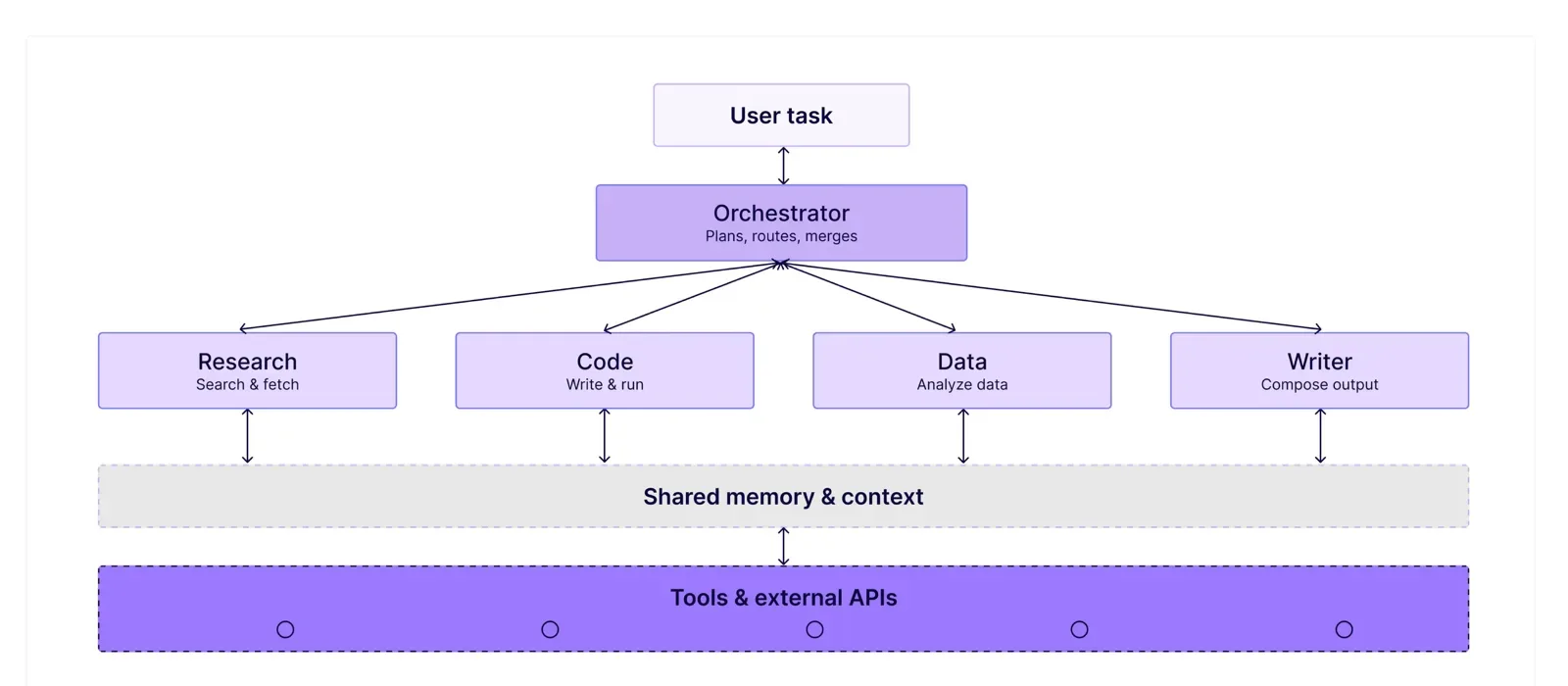
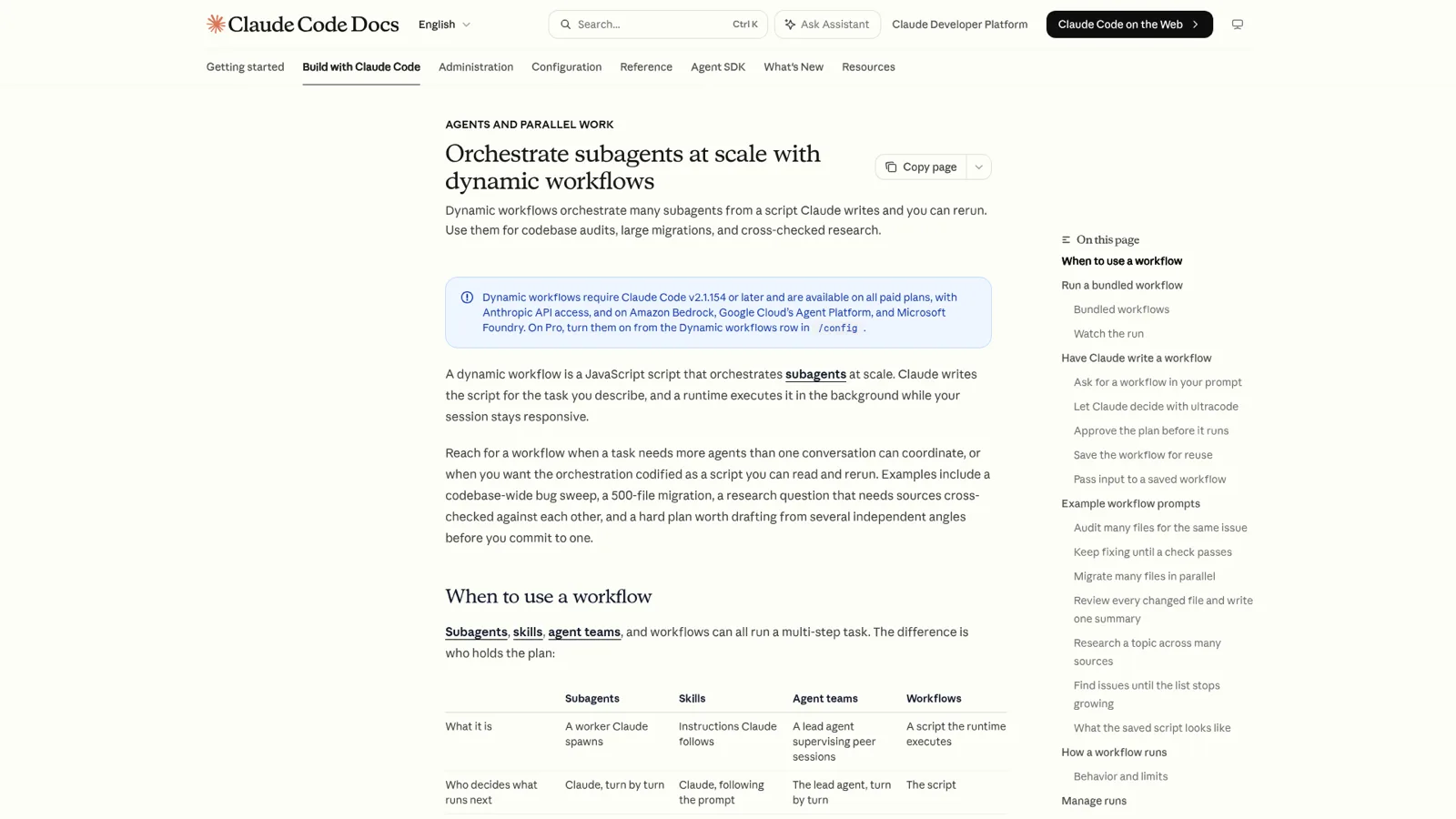
Dynamic workflows add an orchestration layer on top of Claude Code conversations. When you describe a task, Claude no longer asks "what next?" turn by turn. It generates a decomposition plan, dispatches independent subagents to execute subtasks in parallel, and synthesizes results — all while your conversation window stays responsive.
Three components make this work:
Decomposition plan: Claude reads your objective and produces a complete work breakdown — which subtasks run in parallel, which run sequentially, and how results merge. You describe the goal; Claude designs the team structure.
Subagents: Independent Claude instances, each with its own context window. Think of them as temporary specialist contractors — they execute, report, and disappear.
Background execution: Workflows run independently of your terminal session. Close the window; the workflow keeps running.
The distinction from regular subagents is not about parallelism. It is about who holds the plan. A subagent's plan lives inside the conversation context and degrades as the conversation grows. A dynamic workflow's plan lives in a script — it never distorts regardless of conversation length.
Why Do You Need Dynamic Workflows?
Dynamic workflows do not make Claude smarter. They solve three structural failures that emerge when a single-window agent handles complex, long-running tasks. No amount of prompt engineering eliminates these.
What Is Agentic Laziness?
Agentic laziness occurs when Claude completes part of a task and declares "done" prematurely. Ask it to audit 200 files for security vulnerabilities. It carefully examines the first 30, then reports "audit complete, 5 issues found." The remaining 170 files never get checked.
This is not laziness in the human sense. As intermediate results accumulate in the context window, Claude's boundary between "finished" and "still pending" blurs.
Dynamic workflows fix this with loop-driven execution: the script defines explicit stop conditions (e.g., "all 200 files scanned with zero new findings"). Until the condition is met, the workflow keeps dispatching agents. No early exits.
What Is Self-Preferential Bias?
Self-preferential bias means Claude tends to approve its own output. Ask it to write code and then review that code — it will almost certainly say "looks good." The same brain that produced the work is judging it. Blind spots stay blind.
Dynamic workflows fix this with role separation: the producer and the verifier are different subagents with isolated context windows. The verifier never sees the producer's reasoning process — only the output. This is an architectural solution, not a prompt trick.
In my own knowledge-base project, I ran the same audit task two ways. Single-window self-review caught 3 issues. Splitting production and verification into separate subagents surfaced 11. Same task, same Claude model — different architecture, dramatically different results.
What Is Goal Drift?
Goal drift happens in long conversations. Your original request had 20 specific requirements. After 30 turns, context-window compression has dropped the early details. Claude remembers only the last few turns and silently deviates from the original objective.
Dynamic workflows fix this with plan pinning: requirements are locked into script variables. Every subagent receives the complete, undistorted instructions regardless of how long the parent conversation has run.
These three failures are not Claude-specific bugs. They are inherent to any large language model operating in long-context conversations. Dynamic workflows trade some conversational flexibility for structural reliability — a worthwhile exchange when tasks demand precision.
How Do Dynamic Workflows Compare to Static Orchestration?
"Dynamic" is relative to static orchestration. Static orchestration means you pre-build a fixed pipeline (using tools like n8n or Make) that runs the same steps every time. Dynamic workflows let Claude generate the orchestration logic on the fly based on your objective.
Dimension
Dynamic Workflows
Static Orchestration
Orchestration logic
Claude generates per-run; may vary
You pre-define; identical every run
Best for
Uncertain task structure; needs Claude's judgment
Proven, repeatable processes
Token cost
Higher (plan generation + parallel subtasks)
Predictable, usually lower
Reusability
Saveable as commands; may adjust per run
Deterministic repeat execution
Debugging
Moderate (auto-generated but readable scripts)
Low (you wrote it, you understand it)
Crash recovery
Built-in checkpoint resume
Depends on your implementation
The decision rule is straightforward:
Task done three or more times with a fixed process — use static orchestration.
First-time task with unclear decomposition — use dynamic workflows.
Task requires Claude's judgment (e.g., "audit this codebase for security issues") — use dynamic workflows.
Task is purely mechanical (e.g., "convert 100 files from GBK to UTF-8") — use static orchestration.
Not every task benefits from a workflow. If a single conversation turn solves the problem, adding a workflow only increases latency and cost. The litmus test: does this task need multiple independent perspectives or parallel processing of many subtasks? If neither, skip the workflow.
What Are the Six Orchestration Patterns?
Anthropic defined six composable orchestration patterns in their official post "A Harness for Every Task." Each pattern solves a different class of problem. Picking the wrong pattern is worse than picking none.
Classify-and-Act: Route Tasks by Type
The simplest pattern. A classifier agent reads the task, determines its type, and routes it to the appropriate specialist agent.
Use this for customer tickets (technical vs. billing vs. feature request), bug triage (frontend vs. backend vs. database), or any scenario where different categories need different handling.
The classifier's accuracy is everything. If classification fails, all downstream work is wasted. In practice, exhaustively enumerate every possible category in your prompt with one or two examples per category.
Fan-Out-and-Synthesize: Parallel Execution at Scale
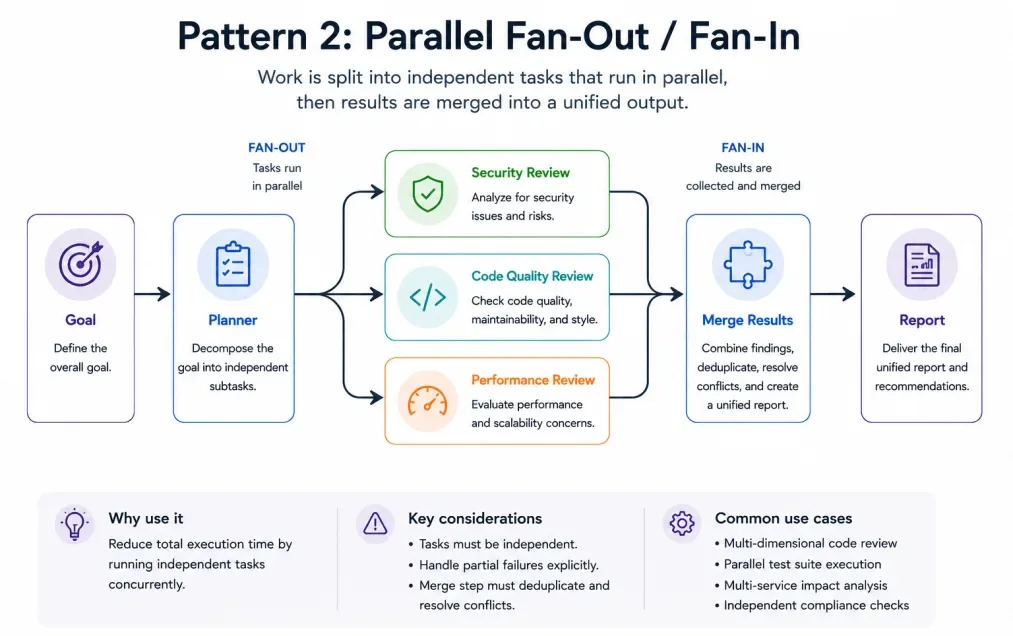
The most widely used pattern. Decompose a large task into independent subtasks, assign each to a separate agent, execute all in parallel, and merge results when every agent finishes.
Audit 200 files for security vulnerabilities — each file gets its own agent, 200 agents run simultaneously, results are consolidated. A serial audit taking hours completes in the time of the slowest single file plus merge overhead.
Critical constraint: subtasks must be fully independent. If file A's audit depends on file B's structure, you cannot use pure fan-out — run a dependency analysis first, then group accordingly.
Adversarial Verification: Separate Production from Judgment
The most distinctive pattern. For every producer agent, a dedicated verifier agent attempts to disprove the producer's conclusions against predefined criteria. Only claims the verifier cannot refute enter the final report.
This directly neutralizes self-preferential bias. Producer and verifier have isolated contexts — the verifier sees only the output, never the reasoning. Every deliverable gets a dedicated adversary.
I use this pattern extensively for research validation. When a subagent claims "tool X outperforms tool Y by 3x," a separate verifier agent searches for contradicting benchmarks, checks the methodology, and flags unsubstantiated claims. The result: research reports I actually trust.
Generate-and-Filter: Diverge Then Converge with Metrics
Batch-generate candidate solutions, then filter using objective, measurable criteria — test pass rates, performance benchmarks, code line counts. Deduplicate and keep the top candidates.
Generate 10 implementations of a function, run benchmarks, keep the fastest. Generate 20 headline candidates, score by predicted click-through rate, keep the top 3.
This differs from the tournament pattern: generate-and-filter uses quantifiable metrics (pass rate, latency, code size), while tournaments use subjective comparison (readability, design aesthetics, user experience).
Tournament: Pairwise Elimination for Subjective Choices
N agents solve the same problem using different approaches. A judge agent compares solutions pairwise, eliminating losers round by round until one winner remains.
Pairwise comparison ("Is A better than B, and why?") produces more reliable rankings than absolute scoring ("Rate A on a scale of 1-10"). This finding has been validated repeatedly in LLM evaluation research. The tournament pattern builds this insight into the orchestration architecture.
Use tournaments for refactoring approach selection, copy A/B testing, or design review — any scenario requiring subjective quality judgment.
Loop-Until-Done: Iterate Until a Stopping Condition Is Met
An open-ended discovery pattern. Keep dispatching agents to explore until a stopping condition triggers: two consecutive rounds with zero new findings, remaining errors at zero, coverage target reached.
Fix compilation errors in a codebase — fixing one may expose two more. Keep fixing until the build is clean. Open-ended search — keep expanding search angles until nothing new surfaces.
The risk is runaway execution. A poorly defined stopping condition lets the loop burn tokens indefinitely. Always set at least two safety rails: one business condition ("two consecutive rounds with zero new findings") plus one hard cap ("maximum 10 iterations").
Real workflows rarely use a single pattern. The Bun rewrite combined classify-and-act (lifecycle mapping), fan-out-and-synthesize with adversarial verification (parallel migration), and loop-until-done (fix iteration). Pattern selection is not multiple choice — it is a combination.
Which Pattern Should You Pick?
Task Characteristic
Recommended Pattern
Watch Out For
Tasks split cleanly into distinct categories
Classify-and-Act
Classifier accuracy determines all downstream quality
Many structurally identical subtasks, parallelizable
Fan-Out-and-Synthesize
Subtasks must be fully independent — no cross-dependencies
Output demands strict correctness guarantees
Adversarial Verification
Roughly doubles token consumption
Need to explore multiple candidate solutions
Generate-and-Filter
Must have objectively measurable selection criteria
Quality judgment is inherently subjective
Tournament
Define judging criteria explicitly in the prompt
Unknown number of iterations to completion
Loop-Until-Done
Design stopping conditions carefully to prevent runaway
Task combines decomposition, verification, and iteration
Multi-pattern combination
Identify the backbone pattern first, layer others at key nodes
Solvable in a single conversation turn
No workflow needed
Adding a workflow only increases cost and latency
A quick decision formula: task requires 3+ independent parallel subtasks, OR output needs independent verification — use a workflow. Otherwise, solve it directly in conversation.
Before starting any task, ask three questions: Can this task decompose into independent subtasks? Does the output need cross-verification or multi-perspective comparison? Will it take more than 15 conversation turns? Two "yes" answers justify a workflow.
What Prompts Work Best for Dynamic Workflows?
These prompts are ready to paste into Claude Code. They perform best under ultracode mode:
Deep Research
Use a workflow to do deep research on "{your topic}." Gather information from at least 5 independent sources, cross-verify every key claim, and produce a report with source citations.
Full-Codebase Security Audit
Use a workflow to scan the entire project for security vulnerabilities. Check each file independently, adversarially verify every finding, and include only confirmed issues in the report.
Business Plan Stress Test
Read my business plan, then use a workflow to critique it from three perspectives: investor, customer, and competitor. Each perspective analyzes independently. Produce a consolidated list of core challenges from all three.
Resume Screening
This folder contains 50 resumes. Use a workflow to rank them by these criteria: {your criteria}. Do an initial screen, cross-verify the Top 10, and produce a final ranking with reasoning.
CLAUDE.md Rule Mining
Use a workflow to review my last 30 conversations, find patterns where I repeatedly corrected Claude, categorize those corrections, and convert them into CLAUDE.md rules.
These prompts share a principle: describe the objective and constraints, not the implementation. Claude decides which orchestration pattern to use, how many subagents to dispatch, and how to verify results. You control "what" and "to what standard" — not "how."
What Real-World Scenarios Benefit Most?
Dynamic workflows handle far more than code. The following ten scenarios draw from Anthropic's official documentation and early adopter feedback (source: Anthropic blog).
Deep Research — Gather, cross-verify, and synthesize information scattered across dozens of sources. Claude Code's built-in /deep-research command implements this pattern. Use fan-out-and-synthesize + adversarial verification + loop-until-done.
Fact-Checking — Verify every factual claim in a report or article. Each claim gets a dedicated agent. Unverifiable claims are flagged as uncertain. Use fan-out-and-synthesize + adversarial verification.
Batch Classification — Process 200 tickets, alerts, or review requests. Classify first, then route by type to specialized handlers. Use classify-and-act + fan-out-and-synthesize.
Solution Exploration — Generate multiple UX designs, implementation approaches, or naming options, then select the best through objective metrics or pairwise comparison. Use generate-and-filter or tournament.
Root Cause Analysis — Investigate a complex bug from multiple angles simultaneously — logs, code change history, performance metrics — then cross-reference findings. Use fan-out-and-synthesize + adversarial verification.
Rule Compliance Scanning — Check whether a codebase follows a specific ruleset (security policy, coding standards, compliance requirements). Each rule gets a dedicated agent scanning the entire repository. Use fan-out-and-synthesize.
Evaluation and Optimization — Run a full quality audit on a system, fix discovered issues immediately, re-verify, and loop until all checks pass. Use fan-out-and-synthesize + loop-until-done.
Large-Scale Migration — Migrate an entire codebase from one framework to another. Each module gets a dedicated agent for independent migration, with verification agents confirming behavioral consistency. Use fan-out-and-synthesize + adversarial verification.
Model Routing — Not every subtask in a workflow needs the strongest model. Route simple classification to a fast model and complex reasoning to a powerful one, balancing quality and cost dynamically. Use classify-and-act (routed by complexity).
Tournament Ranking — Compare 10 refactoring proposals, copy variants, or design concepts through pairwise elimination to find the winner. Use tournament.
How Do You Enable and Manage Ultracode Mode?
Ultracode is the top tier of dynamic workflows. It does two things: maximizes Claude's thinking depth and enables automatic workflow orchestration — Claude decides autonomously whether each task warrants a workflow.
Three Ways to Activate Ultracode
Ordered by frequency of use:
Slash command: Type /effort ultracode in Claude Code. The current session enters ultracode mode.
Keyword trigger: Include "ultracode" in any prompt, or use natural language like "use a workflow" or "run a workflow."
Built-in command: Run /deep-research <your question> to trigger the predefined deep-research workflow.
Ultracode applies to the current session only. New sessions reset automatically. Switch back to daily work with /effort high.
First-time recommendation: Start with /deep-research "a technical topic you're curious about" to see automatic orchestration in action. Then try /effort ultracode on a small project with a natural-language instruction (e.g., "audit error handling in the src/ directory"). Graduate to specifying patterns explicitly (e.g., "use fan-out-and-synthesize to audit in parallel") once you understand the mechanics.
How Do You Control Token Costs?
No built-in spending cap exists. A complex task under ultracode can burn tokens far beyond expectations. Practical cost controls:
Start small: Test on one directory before throwing the entire repository at it. Observe the token consumption order of magnitude before scaling.
Set explicit budgets: Include "use 10k tokens" in your prompt to cap single-run consumption.
Monitor live: Use the /workflows view to watch per-agent token consumption in real time. Stop immediately if things go sideways.
Check your model: Run /model before large runs. Consider routing lightweight subtasks to cheaper models.
Reserve ultracode for high-value tasks: Daily coding works fine with /effort high. Only activate ultracode for multi-agent deep orchestration on tasks that justify the cost.
Review historical spend: After each workflow run, execute /cost to record actual token usage and duration. Use this as a budget reference for similar future tasks.
What Are the Runtime Hard Limits?
Dynamic workflows enforce built-in safety constraints: a maximum of 1,000 subagents per run, with a concurrency ceiling of 16 (reduced on machines with fewer CPU cores). You cannot inject additional instructions during a run — you can only pause for permission confirmations. These limits prevent runaway execution (source: Claude Code docs).
Ultracode does not automatically mean better. If your task needs neither parallel processing nor cross-verification, ultracode only increases cost without improving quality. Decision rule: if /effort high already produces satisfactory results, stay there.
How Do You Save, Share, and Reuse Workflows?
When a workflow produces good results, you do not need to re-trigger it from scratch every time.
Save: Run /workflows, select the target run, press s. Two save locations:
.claude/workflows/ — project-level. Anyone who clones the repository gets the workflow.
~/.claude/workflows/ — personal-level. Available across all your projects.
Saved workflows appear as /<name> in slash-command autocomplete.
Share: Save to .claude/workflows/ and commit to Git. Team members who clone the repository automatically have the workflow. Zero extra configuration.
Combine with /loop and /goal: Use /goal to define acceptance criteria ("all tests pass"), activate ultracode for workflow orchestration, and use /loop to keep Claude iterating until the goal is met. This combination excels at large-scale refactoring — humans define objectives and boundaries, Claude figures out how to get there.
What Does a Real Workflow Look Like in Practice?
Everyday: Deep Research in 10 Minutes
You want to understand "which AI coding tools are worth watching in 2026." Without dynamic workflows, the process looks like: search manually, open links one by one, read articles, take notes, cross-verify, compile a report — at least an hour or two.
With dynamic workflows, you say one sentence:
Use a workflow to do deep research on "AI coding tools worth watching in 2026." Gather from at least 8 independent sources, cross-verify every key claim, and produce a report with source citations.
Claude automatically decomposes the task. Several subagents search different channels in parallel. Others verify whether the first batch's findings are reliable. A final agent compiles everything into a cited, cross-verified report. Total elapsed time: roughly 10 minutes.
The core value is not speed — it is that you describe what you want, and Claude decides how to organize the team to deliver it.
Extreme Scale: Bun's 750,000-Line Language Migration
How far can dynamic workflows scale? Jarred Sumner, creator of Bun (a JavaScript runtime), used dynamic workflows to migrate Bun's core engine from one programming language to another — producing approximately 750,000 lines of code from start to merge in 11 days (source: Anthropic blog; the project has not yet shipped to production).
The significance is not the number itself. It validates a new working model: humans define objectives and boundaries, AI orchestrates parallel execution, humans perform final review. Jarred reviewed the previous night's workflow output during the day and launched the next batch at night.
Important caveat: Jarred has deep compiler development expertise. This pace is not representative of average users. Treat it as a reference for the upper bound of what dynamic workflows can accomplish at scale.
Ready-to-Use Prompt: Pick a Dynamic Workflow Pattern and Design the Pipeline for One Objective
What this does: Takes one objective, matches it to the right orchestration pattern from the six, designs the decompose → parallel → cross-verify → validate pipeline, sets ultracode cost controls, and packages it for reuse — so the work runs across many Claude instances instead of grinding in one window. Based on: Claude Code Dynamic Workflows: Six Orchestration Patterns + Ultracode Guide — https://aiworkflowpro.com/claude-code-dynamic-workflows/ Time to run: ~5 minutes
Copy this prompt into Claude Code, ChatGPT, or any AI assistant:
ROLE: You are a dynamic-workflow architect for Claude Code. Your job: take one objective, pick the right orchestration pattern, design the decompose → parallel → cross-verify → validate pipeline, and set ultracode cost controls.

CONTEXT — DYNAMIC WORKFLOW PATTERN SELECTOR:
A single Claude window is structurally unreliable at scale: context bloats or drops, work runs serially so breadth is uncovered, and errors compound with no verification. Dynamic workflows fix all three by decomposing an objective into dozens-hundreds of independent subtasks, dispatching separate Claude instances in parallel, cross-verifying results, and returning only validated conclusions. Six orchestration patterns cover the space: Map (understand), Panel (judge designs), Audit (find + adversarially verify), Sweep (multi-angle research), Migrate (discover → transform → verify), Loop (discover until dry). Picking the right pattern is the whole game; ultracode mode just scales it with cost guardrails.

INPUTS (fill in before running):
- OBJECTIVE: YOUR_GOAL_HERE (one sentence — what you want accomplished)
- SCOPE_SIZE: YOUR_SCALE_HERE (small / medium / large — how many subtasks it decomposes into)
- VERIFICATION_NEED: YOUR_STAKES_HERE (low / high — how costly a wrong result is)
- BUDGET: YOUR_TOKEN_CEILING_HERE (a token target like 500k, or "uncapped")

METHOD — 6 STEPS:

Step 1 — Match the objective to a pattern
Pick one primary pattern by trigger: understand an area → Map; wide solution space, want best design → Panel; find bugs/issues, kill false positives → Audit; gather across many sources → Sweep; large-scale change across many sites → Migrate; unknown how many issues exist → Loop. State the pattern + why; name the runner-up.

Step 2 — Decompose into subtasks
Break OBJECTIVE into independent subtasks. Rule: each must run in a separate Claude instance with no shared state; if one depends on another's output, sequence it as a later stage, not a parallel peer. Count subtasks and confirm fit with SCOPE_SIZE.

Step 3 — Design the parallel + verify stages
Specify the fan-out (what each parallel instance does, identically framed) and the cross-verify (how results are checked before acceptance). For high VERIFICATION_NEED require an adversarial verify stage — a skeptic instance refutes each result; majority-refuted results drop.

Step 4 — Set the validated-conclusion rule
Define what counts as validated (e.g., "confirmed by ≥2 independent verifiers"). Only validated conclusions return; unverified results drop or loop back. No unverified result reaches output.

Step 5 — Set ultracode and cost controls
If BUDGET ≠ uncapped, set guardrails: a token ceiling that throws when spent, cheap model tier for mechanical fan-out (Map/Sweep), strong tier only for verify/judge. Ultracode mode (standing workflow opt-in) is warranted only for substantial multi-phase work — not trivial tasks.

Step 6 — Reusability and failure-mode check
Package the workflow as parameterized and save/share/reuse-ready. Then run three checks: (1) any subtask not independent? (2) any path returning an unverified result? (3) any stage where one slow instance blocks the rest (should be pipeline, not barrier)? Fix any fail.

RULES:
- Pick one primary pattern; mix patterns only as chained phases, never one blurred blob.
- Every subtask is independent (no shared state) or sequenced as a later stage.
- No unverified result returns — high-stakes work requires an adversarial verify stage.
- Respect the budget: cheap tier for fan-out, strong tier only for verify/judge; cap spend.

OUTPUT FORMAT:
Output six sections:
1. **Pattern pick** — the chosen pattern + why + the runner-up.
2. **Subtask decomposition** — markdown table with columns: Subtask | Independent? | Stage (parallel/sequenced).
3. **Parallel + verify design** — the fan-out framing + the cross-verify method (adversarial if high-stakes).
4. **Validated-conclusion rule** — the acceptance threshold + fate of unverified results.
5. **Cost controls** — token ceiling, model tier per stage, ultracode yes/no + reason.
6. **Reusability + failure check** — the parameterized workflow shell + the three failure-mode checks (pass/fail).
Save as @templates/claude-code-dynamic-workflows.md and run before any objective too big or too verification-sensitive for a single window — and re-run when the objective, scope, or budget changes.
Frequently Asked Questions
What is the difference between dynamic workflows and subagents?
A subagent is an independent Claude instance dispatched for a specific task — Claude decides turn by turn whether to spawn one. A dynamic workflow is a JavaScript orchestration script running in a separate runtime, capable of scheduling dozens to thousands of subagents in parallel. The difference: a subagent's plan lives in the conversation context (and degrades over time); a workflow's plan lives in the script (and stays intact).
Can I use dynamic workflows on the Pro plan?
Yes. Pro plan has it disabled by default — enable it in /config under Dynamic workflows. Max and Team plans enable it by default. Enterprise plans require admin activation in the Claude Code admin dashboard. Requires Claude Code v2.1.154 or higher.
How many tokens does ultracode consume?
Depends on task complexity and agent count. Community feedback reports runs exceeding 1.7 million tokens in minutes (source: Reddit r/ClaudeAI). Start small, set explicit token budgets, and monitor with /workflows.
What happens if a workflow is interrupted?
Dynamic workflows support crash recovery. Progress persists to disk, and the next launch resumes from the checkpoint. Completed subagent results are never lost (source: Claude Code docs).
How many subagents can a single workflow run?
Maximum 1,000 subagents per run, with a concurrency ceiling of 16 (reduced on machines with fewer CPU cores). The runtime enforces these limits to prevent runaway scripts.
Can dynamic workflows handle non-code tasks?
Yes. Deep research, fact-checking, investment analysis, resume screening, and business plan stress testing are all proven non-code scenarios. The criterion: can the task decompose into parallelizable subtasks, and does the output need independent verification?
Can I combine multiple orchestration patterns?
Yes, and real workflows almost always do. The Bun rewrite used classify-and-act for lifecycle mapping, fan-out-and-synthesize with adversarial verification for parallel migration, and loop-until-done for fix iteration. Pattern selection is combinatorial, not exclusive.
How do I save a workflow for reuse?
Run /workflows, select the target run, press s. Save to .claude/workflows/ (project-level, shared via Git) or ~/.claude/workflows/ (personal, cross-project). Saved workflows appear as slash commands in autocomplete.
How do I disable dynamic workflows?
Disable in /config under Dynamic workflows. Alternatively, set "disableWorkflows": true in ~/.claude/settings.json, or use the environment variable CLAUDE_CODE_DISABLE_WORKFLOWS=1. Organization-level disabling uses managed settings or the admin dashboard.
Do API and cloud deployments (Bedrock / Vertex AI) support dynamic workflows?
Yes. Dynamic workflows are enabled by default on API, Amazon Bedrock, Google Vertex AI, and Foundry.
Dynamic workflows changed how I approach complex tasks with Claude Code. The improvement is not about intelligence — it is about collaboration structure. In my own projects, single-window runs start losing details around turn 20. Splitting the same task into a workflow with 50 independent subagents — each responsible for its own scope, cross-checking each other — produces visibly better output.
But it is not a universal solution. Simple tasks do not benefit. Cost-sensitive scenarios require careful token management. And extreme cases like the Bun migration still lack full production validation.
If you already use Claude Code, start with /deep-research to see orchestration in action. Then try ultracode on one of your own research or audit tasks. Copy the prompt examples from this guide, and experience the full cycle — describe an objective, watch Claude auto-orchestrate, see multiple agents work in parallel, and receive a cross-verified synthesis. That hands-on experience teaches more than reading ever could.
Gloves on, tape measure in hand — nobody types a query. Three voice surfaces for ai automation tools (terminal, Telegram, Discord), 10 TTS and 6 STT providers compared on cost and latency, plus a setup that costs nothing.
Nothing about month four is harder than month three. It is simply the month an unpaid channel starts to feel like proof of failure. Surviving it takes a cadence you can hold while earning nothing, which is a better reason to automate business processes than speed ever was.
One number hides more than it shows. This Claude Code Skill scores US equities across 10 dimensions, from earnings surprise to peer comparison, with confidence scoring and 5 safety valves that flag thin data. A coding tutorial, not financial advice.
Publishing eats your week through research, SEO fields, images, and uploading — not writing. Here is the 10-step workflow automation pipeline that takes a topic to a published draft on one command, and the data contract that lets each step hand off cleanly to the next.