Monitoring a competitor who publishes no feed is the case every RSS guide skips. Twenty-one platforms sorted by which of three jobs they do, and the finished setup is business process automation you own outright, with no seat licence to renew.
Blaming the content is the reflex when a post underperforms, and it is usually the wrong diagnosis. A second reader decides distribution before any human sees the post, and most of what it checks is mechanical enough to automate business processes around, on five platforms at once.
Gloves on, tape measure in hand — nobody types a query. Three voice surfaces for ai automation tools (terminal, Telegram, Discord), 10 TTS and 6 STT providers compared on cost and latency, plus a setup that costs nothing.
You can rent a strong model this month and a stronger one next month. Claude, Grok, Kimi, GPT, and the next name after them will keep rotating. You do not own any of them.
You can own one durable layer: a knowledge base on your own disk. When the model changes, that folder does not change. Put organizational value in the folder, not in the model.
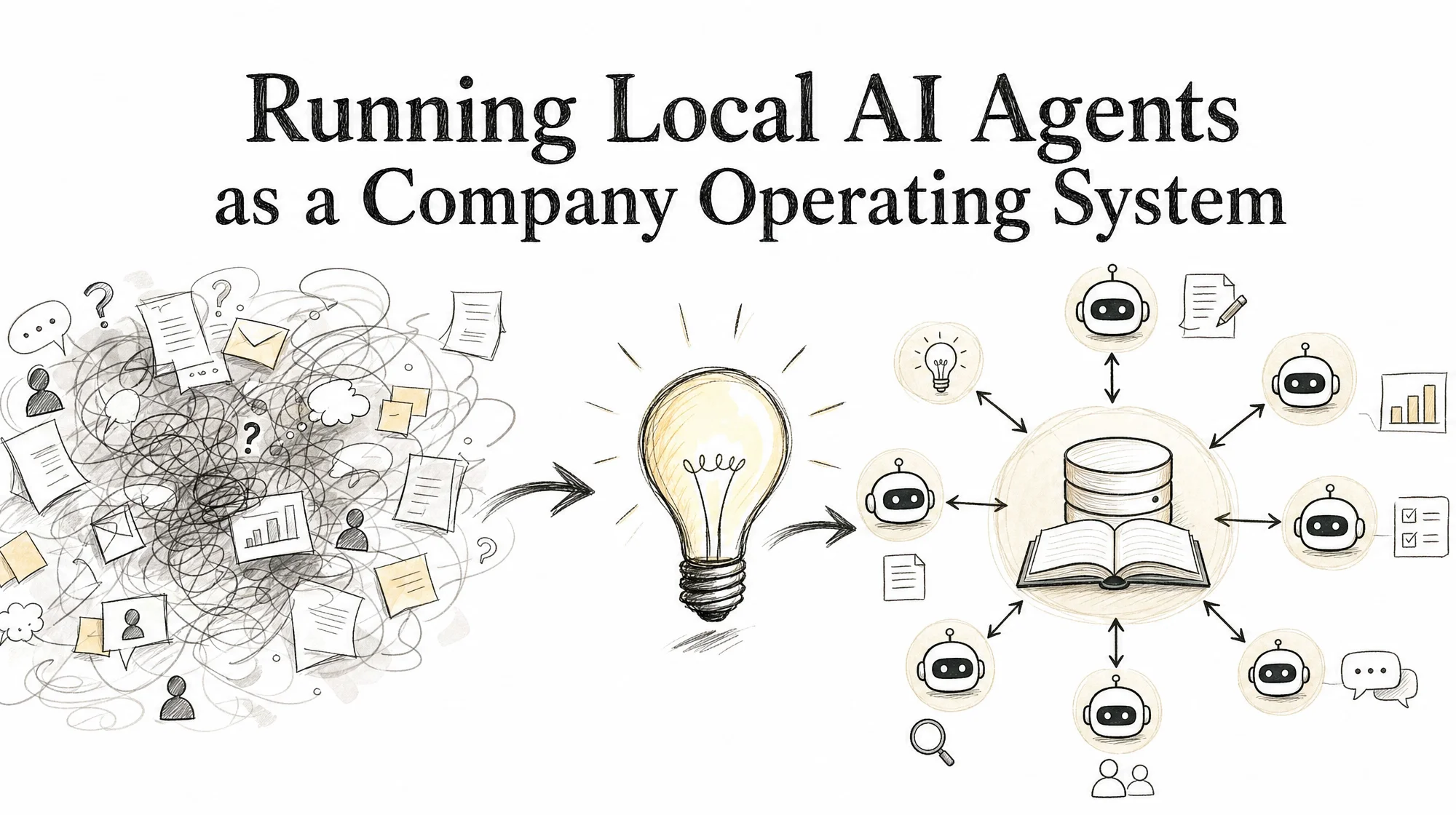
That is the design rule behind local AI agents treated as a company operating system. The agent is not the product. The operating system is the map of work, the rules a machine can execute, and the write-back loop that makes each finished task improve the next one.
Why local agents stall without an OS
Most local AI agent experiments stop at a tool install. A model runner, a framework, a terminal session. Search results for local AI agents are full of that pattern: hardware advice, Ollama setups, open-source agent lists, and demo videos.
Those pieces answer “can it run.” They do not answer “does work compound.”
Without an operating layer, three failures show up quickly:
Memory lives in chat. Session history dies with the window. The next model does not inherit the last decision.
Structure is taste. Directories appear when someone needs a place to drop a file. Agents waste context searching instead of doing the job.
Roles restart from zero. Every new agent window needs a long brief. Nothing holds a permanent seat with its own history.
Self-hosted control of models and tools is useful. Privacy and cost matter. They are not enough. If the only durable object is the prompt you typed last night, you are still renting memory—just on different hardware.
The trade: rent intelligence, own memory
Treat model access as a utility. Treat the knowledge base as capital.
You rent
You own
Model APIs and open-weight runtimes
Knowledge base (versioned files on disk)
Vendor features and UI
Standards that agents execute
Temporary agent windows
Role memory and workflow steps
Models depreciate the moment a better one ships. Four things can appreciate instead:
The knowledge base
The standards
The habits of each role
The workflows
The rest of this article is a practical map for that trade. It is a best-practice design, not a claim that every team must run the same stack.
Knowledge base architecture
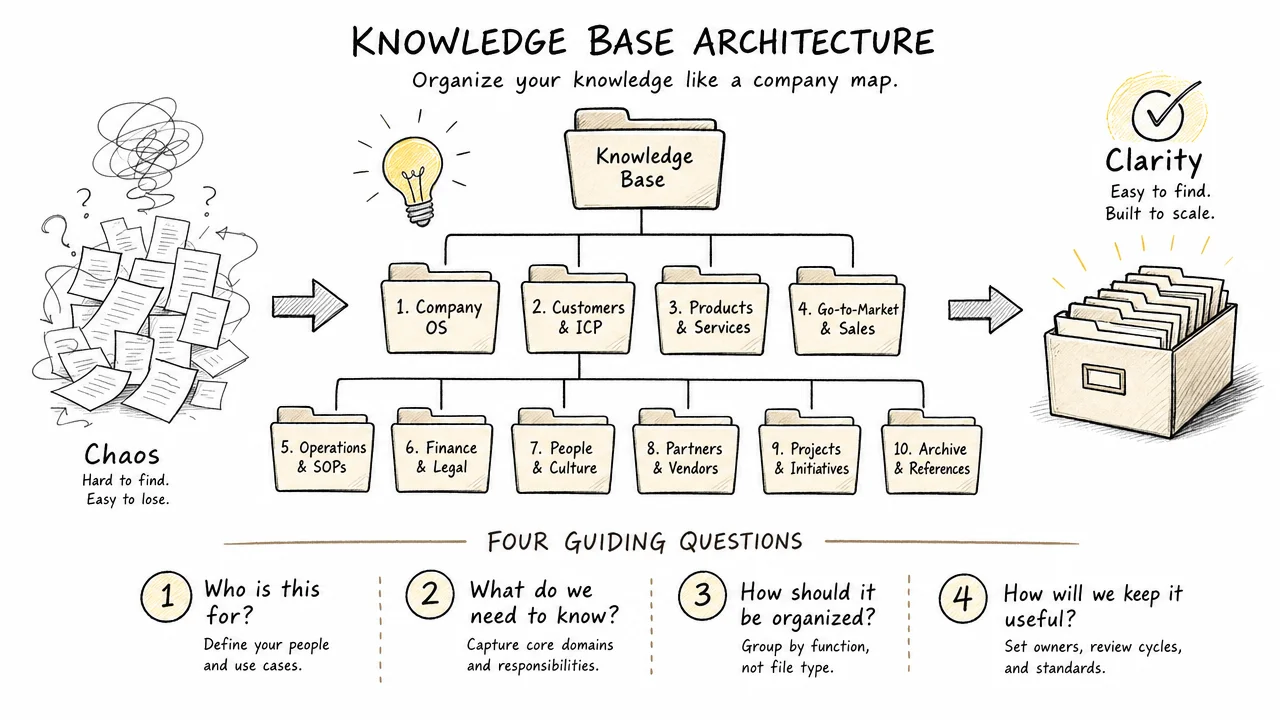
Start with one folder under version control on a machine you control. Top level answers four questions. Anyone—human or agent—can place a file by answering them.
Who you are
owner/ — personal facts, past decisions, judgment notes, preferences
brand/ — identity, voice, visual assets
What you do
commerce/ — business model, audience, pricing, competitors
business/ — deliverables and industry work
How you do it
standards/ — machine-executable specifications
workflows/ — automated pipelines
tools/ — CLIs, credentials, best practices
What you know
research/ — reusable knowledge
Runtime
dashboard/ — roles, active tasks, workflow output
inbox/ — transfer and archive
Ten directories is enough for the root. New top-level folders should be rare. Depth lives under these roots, not beside them.
Info — placement test
Before creating a path, answer: identity, commercial work, method, knowledge, or runtime? If none fit, the file is probably noise or needs a subfolder of an existing root.
Standards are the operating system
Style guides tell people how to write. Standards in this design tell machines what is allowed.
Three rules keep a large tree navigable:
Four-part file names
Prefer names shaped as type-domain-topic-scope. The name states what the file is before anyone opens it. Agents route faster when the filesystem is readable without a full scan.
Routing files in every directory
Each directory holds a short routing file (for example CLAUDE.md or an equivalent pack index). An agent reads the router, then goes one level deeper. It does not load the entire tree into context.
Registry-governed shapes
Directories are not created by taste. A pattern registry defines allowed shapes. That constraint is what makes automation safe at scale: agents cannot invent a parallel taxonomy every session.
In a mature tree, dozens of specifications can keep tens of thousands of files navigable. The exact counts will differ by shop. The principle does not: without executable rules, agents spend tokens on search instead of work.
Three ways to run the fleet
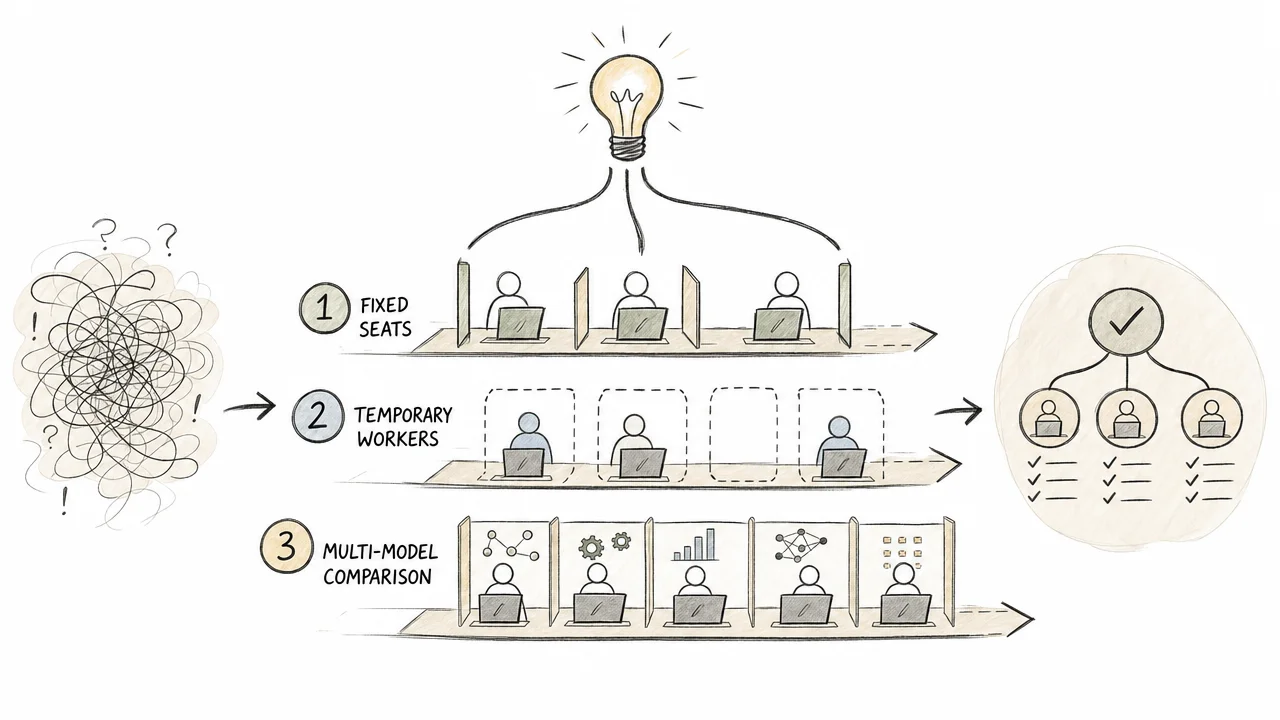
A fleet is many agent windows on machines you control. Work can reach them in three patterns. Use all three; do not force every task into one.
1. Fixed roles
Content, visual, intel, growth, and similar seats each hold:
a permanent window or pack identity
a fixed root directory
accumulated memory for that function
They know their own history. You do not re-brief them from zero every morning. Fixed roles fit recurring work and long-lived quality bars.
2. Temporary workers
Start a window for one task with a clean context and a model chosen for that job. Take the result. Tear the window down. No leftover state.
Temporary workers fit experiments, one-off design, and high-variance tasks where you want isolation.
3. Multi-model routing
Send the same prompt to more than one model family at once, compare answers, keep the best. This is how you discover fit without guessing from marketing pages.
The model list will change within a year. The knowledge base should not need a rewrite when it does. Routing sits above vendors; memory sits beside them.
Note — local does not mean offline-only
Local AI agents in this article means the control plane is yours: files, tools, credentials, and agent windows. Models may still be remote APIs. Full offline open-weight stacks are optional, not required for the OS design.
A concrete operating snapshot
Numbers below are an owned operating snapshot from one local knowledge-base and fleet setup, dated with the source notes (2026-08-08). They illustrate scale, not industry averages.
Item
Count
Knowledge base size
1.2 GB
Markdown files
15,252
Standards
37
Workflows
44
Agent windows on one Mac mini
28
Model families running at the same time
7
One desktop machine can host a serious fleet. No cloud “agent platform” is required for the architecture to work. Cloud services may still appear as tools (search, CMS, object storage); they are peripherals, not the source of truth.
The compound loop
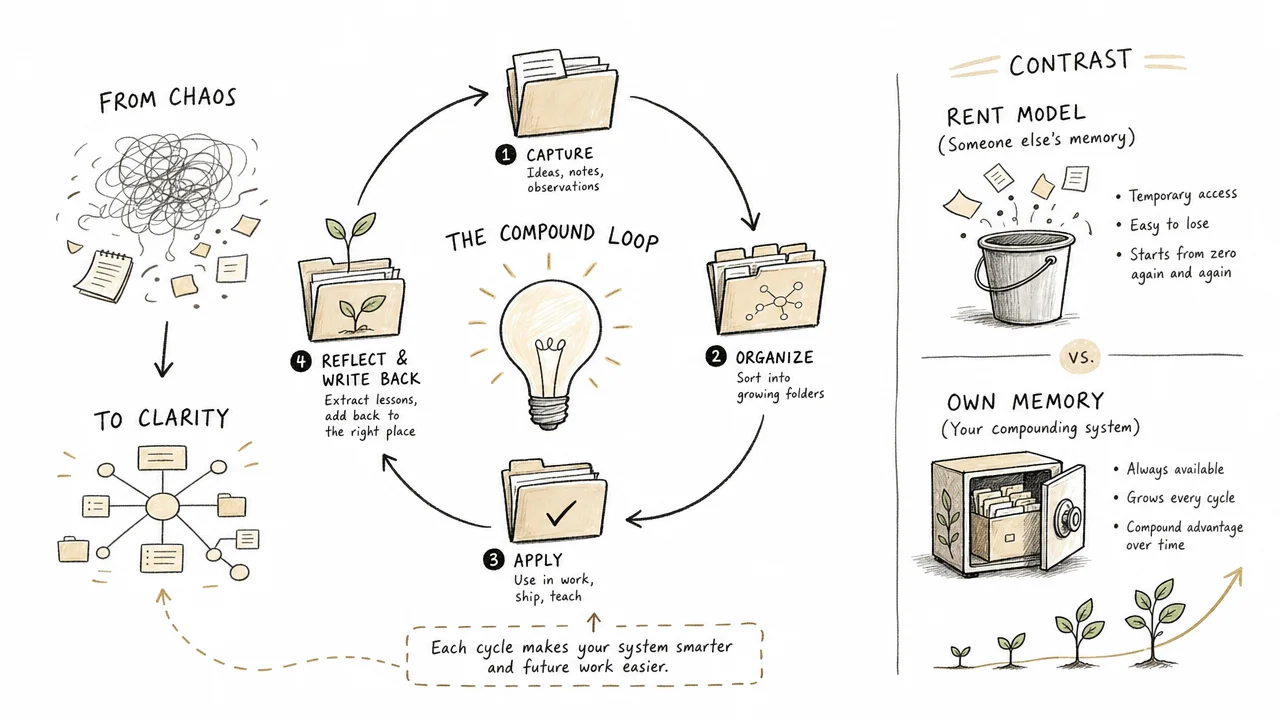
Every finished task should write back into the knowledge base.
Write-back target
What improves
owner/
A decision and the reason behind it
brand/
Another voice or visual sample
standards/
A rule tested against a real case
workflows/
One more step that no longer needs a human
If a task ends only as chat text, the system did not learn. If it ends as a file in the right place, with a name and a link from a router, the next agent starts higher.
That is the whole economic trade in one line: rent the intelligence; own the memory.
Limits and who this is not for
This design is a poor fit when:
Work is truly one-off and never repeats.
Policy forbids local storage of the materials you would put in the knowledge base.
The team will not enforce naming and routing—without those, the tree becomes a dump.
You need a research kernel that schedules model processes inside an OS (projects such as AIOS explore that layer). This article is about operations and memory, not a new OS kernel.
It is also not a claim of trade expertise. Industry packs and practitioner pairings are a separate product line. This foundations piece is about the agent company layer underneath.
What to do first
Create the folder. One root on your own disk, under version control.
Write the four questions on the top level. Ten directories, no more at the root.
Add one routing file per directory. Keep each short.
Give one repeated job to one agent. Write down what worked in the knowledge base.
Repeat. Value arrives from the number of passes, not from the model logo on this week’s window.
When those five steps are boring and automatic, add fixed roles, temporary workers, and multi-model routing. Do not start with a 28-window fleet. Start with a folder that tells the truth.
FAQ
Do local AI agents require fully offline models?
No. Local here means the agent runtime, tools, and knowledge base live on machines you control. Models can be remote APIs you rent, local open-weight models, or a mix. The durable asset is the folder and the rules, not the model weights.
Why not put everything in the model long context window?
Context is temporary and expensive. It resets between sessions, differs by model, and cannot replace versioned files, naming rules, or role memory. A knowledge base lets any capable model pick up work without rebuilding history in the prompt.
Is this the same as AIOS or other agent operating system projects?
No. Research projects such as AIOS embed models into a runtime kernel. This article describes an operations design: a versioned knowledge base, machine-executable standards, and delegation patterns for agent windows. The product is organizational memory, not a new OS kernel.
How large does the knowledge base need to be before it helps?
Help starts when one repeated job has a routing file, a short standard, and a write-back path for what worked. Scale comes from passes, not from a target file count. Empty trees with clear placement rules beat large dumps without navigation.
Fixed role vs temporary worker — when to use each?
Use a fixed role for recurring work that benefits from history. Use a temporary worker when you want a clean context, a specialized model, and no leftover state after the result is written back.
Related reading
AWP foundations and industry workflow positioning on AI Workflow Pro
Monitoring a competitor who publishes no feed is the case every RSS guide skips. Twenty-one platforms sorted by which of three jobs they do, and the finished setup is business process automation you own outright, with no seat licence to renew.
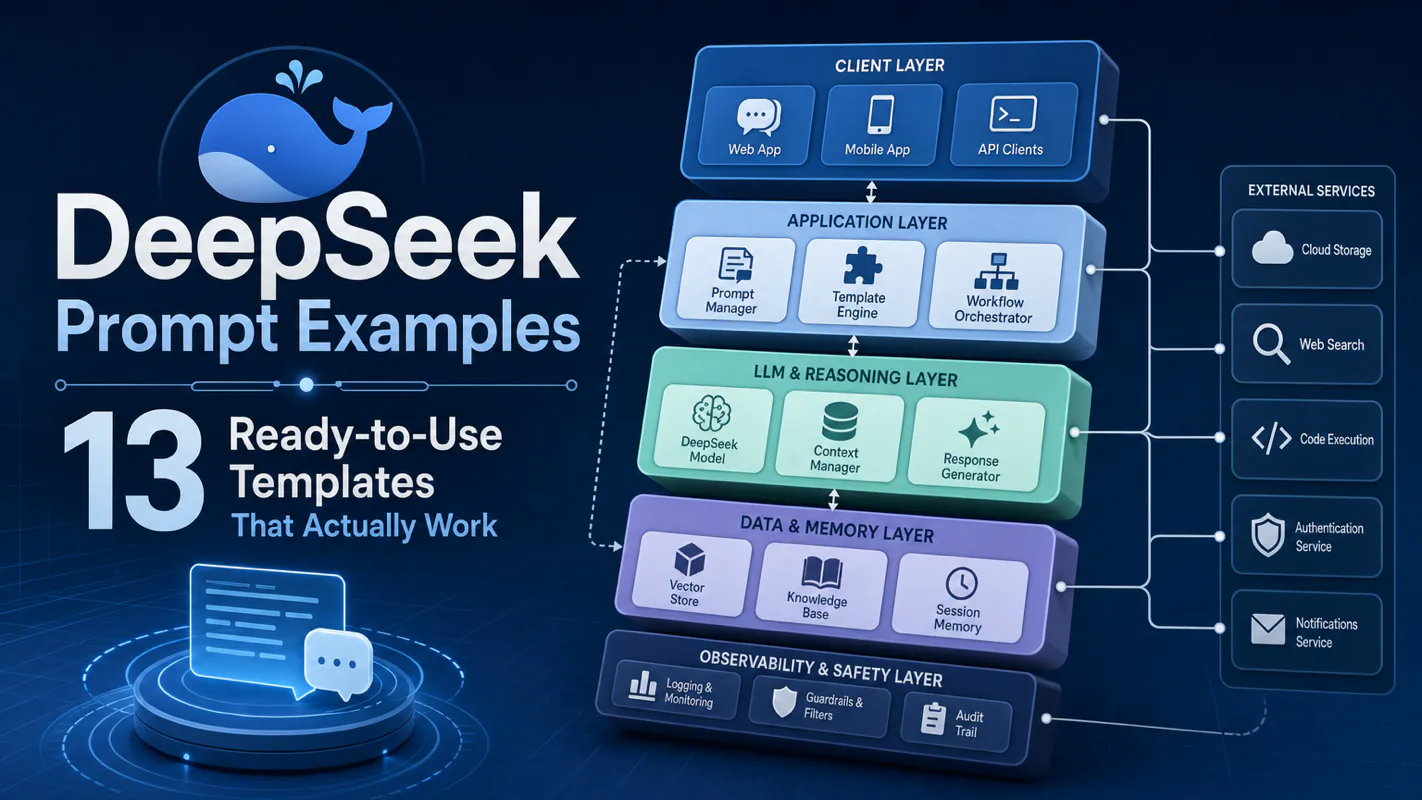
Forty supplier emails in the inbox, one spreadsheet due by noon — that is the job these templates were built for. 13 DeepSeek prompts that turn an AI assistant for business into a repeatable one: extraction, summarization, SQL, translation, and structured JSON output.
An AI assistant for business works when rules stay fixed, today’s job sits on a living card, and a human glances before anything leaves—portable across tools, not another best-of list.